SafeStream VPN - Router TP-LINK - Free user manual and instructions
Find the device manual for free SafeStream VPN TP-LINK in PDF.


Pick your language and provide your email: we'll send you a specifically translated version.
| Product Type | VPN Router |
| Brand | TP-Link |
| Model | SafeStream VPN |
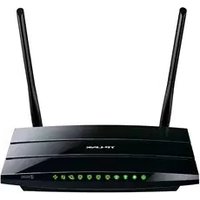
| Dimensions (WxDxH) | 294 x 180 x 44 mm |
| Weight | 1.4 kg |
| Power Supply | 12V DC 1A |
| Power Consumption | Maximum 7.5W |
| Ethernet Ports | 2 WAN, 4 LAN Gigabit |
| VPN Protocols | IPsec, PPTP, L2TP, OpenVPN |
| VPN Throughput | Up to 50 Mbps (IPsec) |
| Firewall Features | SPI, DoS protection, DMZ |
| VLAN Support | IEEE 802.1Q |
| Management Interface | Web GUI, SNMP, Syslog, CLI |
| Guest Network | Yes, multiple SSIDs with VLAN |
| Mounting | Desktop or rack-mountable (brackets included) |
| Operating Temperature | 0°C to 40°C |
| Storage Temperature | -40°C to 70°C |
| Operating Humidity | 10% to 90% non-condensing |
| Warranty | 2 years limited |
| Package Contents | Router, power adapter, Ethernet cable, quick installation guide |
| Maintenance and Cleaning | Use a soft dry cloth; avoid liquids and aerosols |
| Spare Parts & Repairability | No user-serviceable parts inside; contact TP-Link support |
| Security Features | WPA/WPA2 (if Wi-Fi), access control, IP/MAC filtering, VPN encryption |
Frequently Asked Questions - SafeStream VPN TP-LINK
How do I set up my TP-Link SafeStream VPN Router?
Connect the router to your modem and computer with an Ethernet cable. Open a web browser and go to http://tplinkwifi.net. Follow the Quick Setup wizard to configure your WAN and LAN settings, then define your VPN rules if needed.
What VPN protocols are supported?
The SafeStream VPN Router supports IPsec, PPTP, L2TP, and OpenVPN for secure remote connections.
How can I configure a VPN client on the router?
Go to VPN menu, select VPN Client, choose the protocol, enter the server address and authentication details, then apply. You can also use the VPN Quick Setup for a guided process.
Can I create a guest network for visitors?
Yes, you can enable a guest network via Wireless settings if the model has Wi-Fi, or use VLAN segmentation to isolate wired guests from your main LAN. This provides better security and bandwidth control.
How do I update the firmware?
Download the latest firmware from the TP-Link support site, go to System Tools -> Firmware Upgrade, upload the file, and confirm. Do not interrupt power during the upgrade to avoid bricking the router.
What is the default login username and password?
The default credentials are admin for both username and password. It is strongly recommended to change them on your first login to secure your network.
How do I reset the router to factory defaults?
Press and hold the Reset button on the rear panel for about 10 seconds until the LED blinks. The router will reboot with factory settings. Alternatively, you can reset via System Tools -> Backup & Restore.
Does this router support VLANs?
Yes, it supports IEEE 802.1Q VLAN tagging and can create multiple VLANs for network segmentation, which improves performance and security in complex environments.
How can I troubleshoot internet connectivity issues?
Check the WAN cable and link LEDs, verify your ISP credentials in WAN settings, reboot the router, and try a direct connection from your modem. Also review firewall rules that might block certain traffic.
What security features does the router provide?
It offers a stateful packet inspection (SPI) firewall, DoS protection, access control, IP/MAC filtering, and VPN encryption to safeguard your network from external threats.
User questions about SafeStream VPN TP-LINK
0 question about this device. Answer the ones you know or ask your own.
Ask a new question about this device
No questions yet. Be the first to ask one.
Download the instructions for your Router in PDF format for free! Find your manual SafeStream VPN - TP-LINK and take your electronic device back in hand. On this page are published all the documents necessary for the use of your device. SafeStream VPN by TP-LINK.
USER MANUAL SafeStream VPN TP-LINK
Manual assistant
Powered by Anthropic
Waiting for your message
Product information
Brand : TP-LINK
Model : SafeStream VPN
Category : Router