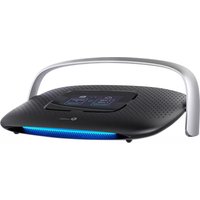
SR20 - Router TP-LINK - Free user manual and instructions
Find the device manual for free SR20 TP-LINK in PDF.


Pick your language and provide your email: we'll send you a specifically translated version.
| Product Type | Router |
| Brand | TP-Link |
| Model | SR20 |
| Dimensions (approx.) | 200 x 150 x 30 mm |
| Weight (approx.) | 300 g |
| Power Supply | 9 V DC, 0.6 A |
| Wireless Standards | IEEE 802.11 b/g/n |
| Wired Ports | 4 x LAN (10/100 Mbps), 1 x WAN (10/100 Mbps) |
| Frequency Band | 2.4 GHz |
| Security Features | WPA/WPA2, SPI Firewall, MAC Filtering |
| Maintenance | Keep in a well-ventilated area; avoid dust and moisture. |
| Cleaning Instructions | Use a dry cloth to clean the exterior; do not use liquids. |
| Safety Warnings | Do not disassemble; use only the provided power adapter. |
| Spare Parts | Power adapter and network cables are available separately. |
| Repairability | Not user-serviceable; contact TP-Link support for repairs. |
| General Information | Home wireless router with 4-port switch. |
Frequently Asked Questions - SR20 TP-LINK
How do I reset the TP-Link SR20 to factory settings?
Press and hold the Reset button on the back panel for 10 seconds until the power LED blinks, then release. The router will reboot with default settings.
What is the default IP address and login for the SR20?
The default IP is 192.168.1.1. Use admin for both username and password (all lowercase).
Can I use the SR20 as a wireless access point?
Yes. Disable DHCP and connect the WAN port to a LAN port of the primary router, then configure wireless settings.
How do I update the firmware?
Go to System Tools > Firmware Upgrade in the web interface. Download the latest firmware from TP-Link's website and upload it.
What should I do if I forgot my router password?
Perform a factory reset (see question 1). You can then log in with the default credentials and set a new password.
Why is my Wi-Fi signal weak?
Place the router in a central location away from obstacles. Avoid interference by selecting a less crowded channel or upgrading antennas (if applicable).
How can I block specific devices from my network?
Use MAC Filtering under Wireless > MAC Filtering. Add the MAC address of the device and deny access.
Is it safe to enable remote management?
Remote management is disabled by default. If needed, use a strong password and enable only via HTTPS. Consider changing the default port.
What does the WPS button do?
The WPS button allows easy connection to Wi-Fi without entering a password. Press it on the router and then enable WPS on your device within 2 minutes.
How do I set up parental controls?
Go to Access Control > Parental Control. Set allowed access times and block specific websites for each device.
User questions about SR20 TP-LINK
0 question about this device. Answer the ones you know or ask your own.
Ask a new question about this device
No questions yet. Be the first to ask one.
Download the instructions for your Router in PDF format for free! Find your manual SR20 - TP-LINK and take your electronic device back in hand. On this page are published all the documents necessary for the use of your device. SR20 by TP-LINK.
USER MANUAL SR20 TP-LINK

Manual assistant
Powered by Anthropic
Waiting for your message
Product information
Brand : TP-LINK
Model : SR20
Category : Router