LTST37 - Lamp Aukey - Free user manual and instructions
Find the device manual for free LTST37 Aukey in PDF.



| Product type | Decorative LED lamp |
| Brand | Aukey |
| Model | LT-ST37 |
| Brightness | 100 lumens |
| Color temperature | 3000K (warm white) |
| Color Rendering Index (CRI) | ≥80Ra |
| Power consumption | 12 W |
| Input voltage | AC 100-240V, 50/60Hz |
| Number of LEDs | 72 |
| LED type | SMD5050 |
| LED lifespan | 35,000 hours |
| Operating temperature | -20°C to 40°C |
| Dimensions (L x W x H) | 353 x 320 x 120 mm |
| Weight | 700 g |
| Lighting modes | 6 modes (static, thermal, flash, chase, three-color backlight, three-color rotation) |
| Brightness adjustment | 4 levels (static mode only) |
| Memory function | Yes (last setting except after power outage) |
| Custom presets | Up to 16 presets |
| Control | Remote control included |
| Maintenance | Clean with a soft, dry cloth; unplug before cleaning |
| Safety | Do not repair, disassemble, or modify; keep away from liquids and extreme heat sources |
| Warranty and service | Contact support by email according to region (see manual) |
Frequently Asked Questions - LTST37 Aukey
User questions about LTST37 Aukey
0 question about this device. Answer the ones you know or ask your own.
Ask a new question about this device
Download the instructions for your Lamp in PDF format for free! Find your manual LTST37 - Aukey and take your electronic device back in hand. On this page are published all the documents necessary for the use of your device. LTST37 by Aukey.
USER MANUAL LTST37 Aukey
Thank you for purchasing the AUKEY LT-ST37 Aura Lamp. Please read this user manual carefully and keep it for future reference. If you need any assistance, please contact our support team with your product model number and Amazon order number.
Package Contents
Aura Lamp
Remote Control
AC Adapter
User Manual
Warranty Card
Specifications
| Model | LT-ST37 |
| Brightness | 100 lm |
| Color Temperature | 3000K |
| Color Rendering Index | ≥80Ra |
| Input | AC 100–240V 50/60Hz |
| Power Consumption | 12W |
| Number of LEDs | 72 |
| LED Type | SMD5050 |
| LED Lifespan | 35000hrs |
| Operating Temperature | -20 – 40°C / -4 – 104°F |
| Dimensions | 353 x 320 x 120mm / 13.9" x 12.6" x 4.72" |
| Weight | 700g / 24.69oz |
Note: Light specifications are given for default warm white light setting
Product Diagram
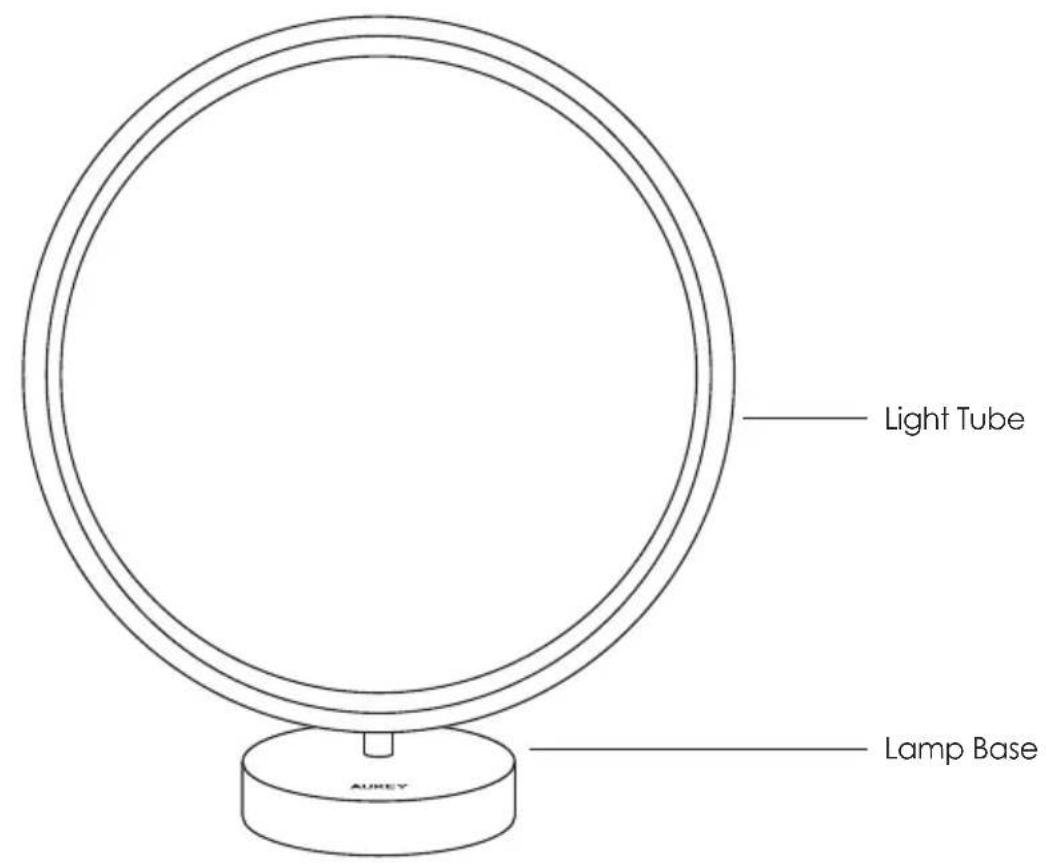
text_image
Light Tube Lamp Base AUREY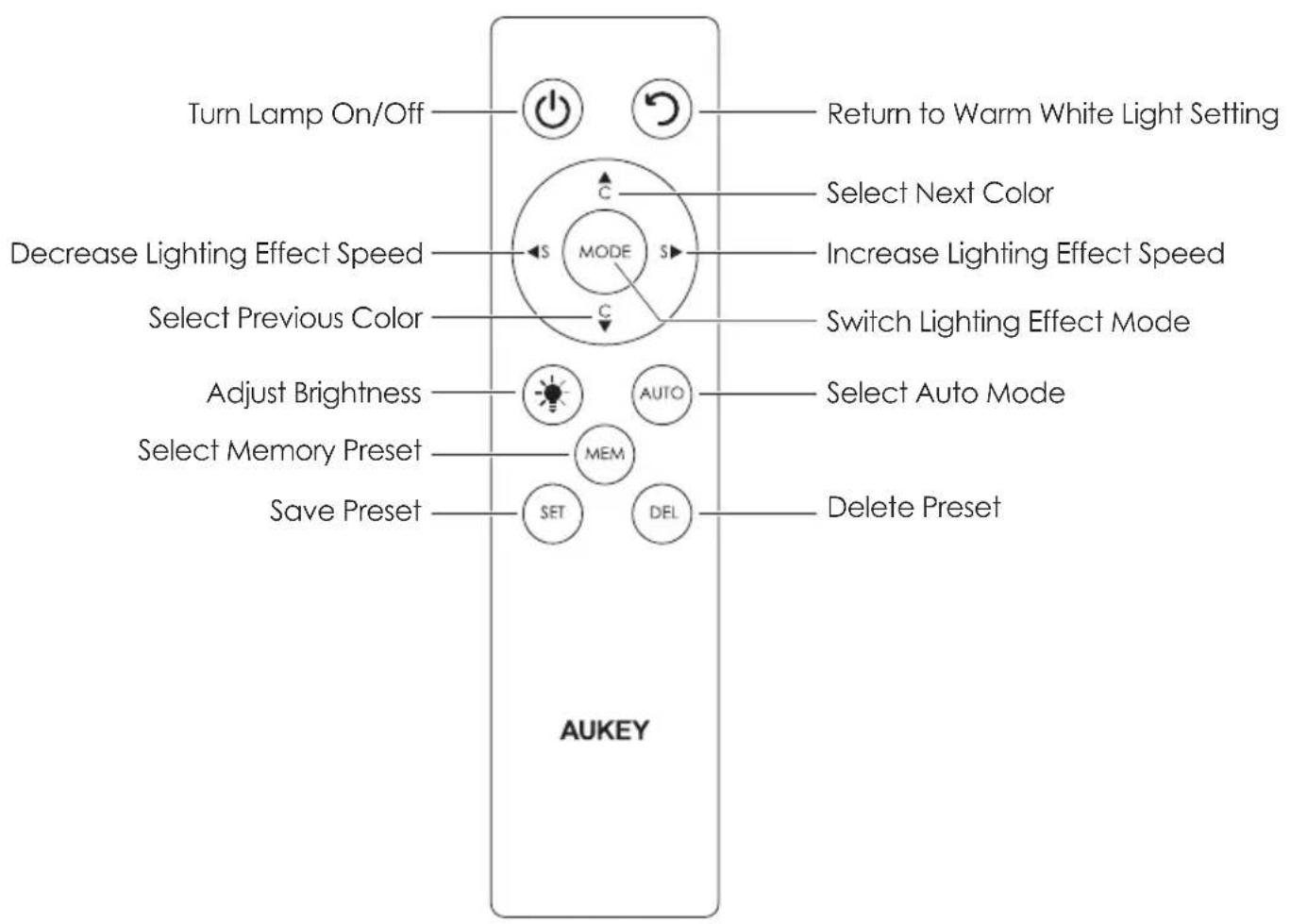
text_image
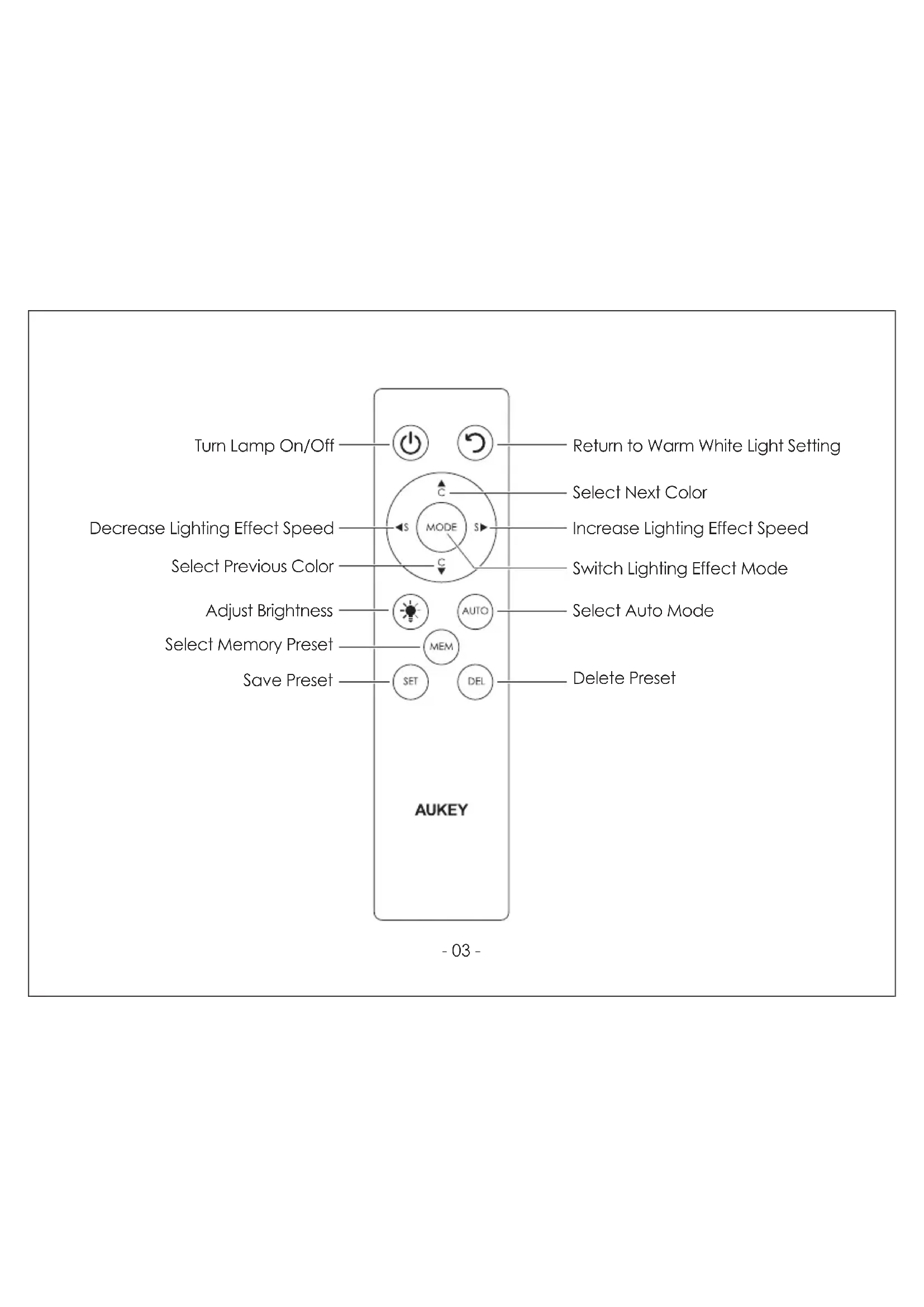
Turn Lamp On/Off Return to Warm White Light Setting Decrease Lighting Effect Speed Select Previous Color C MODE Select Next Color Increase Lighting Effect Speed Switch Lighting Effect Mode Adjust Brightness MEM AUTO Select Auto Mode Select Memory Preset SEL Delete Preset Save Preset SET AUKEYGetting Started
Using the Lamp
- Connect one end of the included AC adapter to a wall outlet and the other end to the power input on the lamp
- Press the power button on the remote control to turn on/off. For convenience, the lamp automatically switches on when initially connected to power
Changing Lighting Effect Modes, Speeds, and Colors
- Switch between the 6 lighting effect modes by pressing the mode button
- Switch between the 4 lighting effect speeds by pressing the left S button to decrease speed or right S button to increase speed (all modes except static mode)
- Switch colors within modes by pressing the top C button to go forward through the colors or bottom C button to go backward through the colors
| Mode | Effect | Color Change Sequence |
| 1 | Static | Red – Green – Blue – Yellow – Aqua Marine – Pink – Warm White |
| 2 | Stack | Red – Green – Blue – Yellow – Aqua Marine – Pink – Warm White |
| 3 | Pulse | Red – Green – Blue – Yellow – Aqua Marine – Pink – Warm White |
| 4 | Chase | Red – Green – Blue – Yellow – Aqua Marine – Pink – Warm White |
| Three-Color Chase5 | Red, Blue, Green – Red, Pink, Yellow – Yellow, Green, Aqua Marine – Aqua Marine, Blue, Pink – Aqua Marine, Yellow, Pink – Red, White, Blue – Red, White, Yellow | |
| 6 | Three-Color Rotate | Red, Blue, Green – Red, Pink, Yellow – Yellow, Green, Aqua Marine – Aqua Marine, Blue, Pink – Aqua Marine, Yellow, Pink – Red, White, Blue – Red, White, Yellow |
Using Auto Mode
- Press the auto button once for rainbow swirl and a second time for pulse color-cycling
- When in auto mode, the top C button and bottom C button can also be used to go forward and backward through the auto lighting effect modes
Adjusting Light Brightness
- Switch down through the 4 brightness levels by pressing the brightness adjustment button (static mode only)
Lighting Memory Function
- The lamp automatically switches on with the last-used lighting setup so you don't need to set it again
- If power is disconnected, the lamp will switch on in the default warm white light setting next time
Managing & Using Presets
- Press the set button to save your current customized lighting setup as a preset for quick access any time. Lamp will flash once to indicate a preset is saved
- Press the memory button to toggle between your saved presets
- A total of up to 16 custom presets can be stored, and old presets will be replaced when the preset memory is full
- Select a preset you've saved and press the delete button to delete it. The lamp will then switch to your next preset
- If power is disconnected, presets will still be retained except for preset speed settings
Product Care & Use
- Don't repair, dismantle, or modify the product
- Keep away from extreme heat
- Switch off lamp and disconnect power cable before cleaning or when not in use for a long time
- Clean the light with only a soft, dry cloth
Warranty & Customer Support
For questions, support, or warranty claims, contact us at the address below that corresponds with your region. Please include your Amazon order number and product model number.
Amazon US orders: support.us@aukey.com
Amazon EU orders: support.eu@aukey.com
Amazon CA orders: support.ca@aukey.com
Amazon JP orders: support.jp@aukey.com
*Please note, AUKEY can only provide after sales service for products purchased directly from AUKEY. If you have purchased from a different seller, please contact them directly for service or warranty issues.
www.aukey.com | support@aukey.com
No.102, Building P09, Electronics Trade Center
Huanan City, Pinghu Town, Longgang District
Shenzhen, Guangdong, 518111, CN


RoHS
Made in China