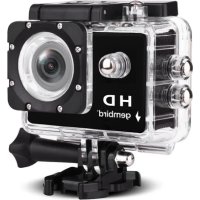
ACAM04 - Camcorder Gembird - Free user manual and instructions
Find the device manual for free ACAM04 Gembird in PDF.

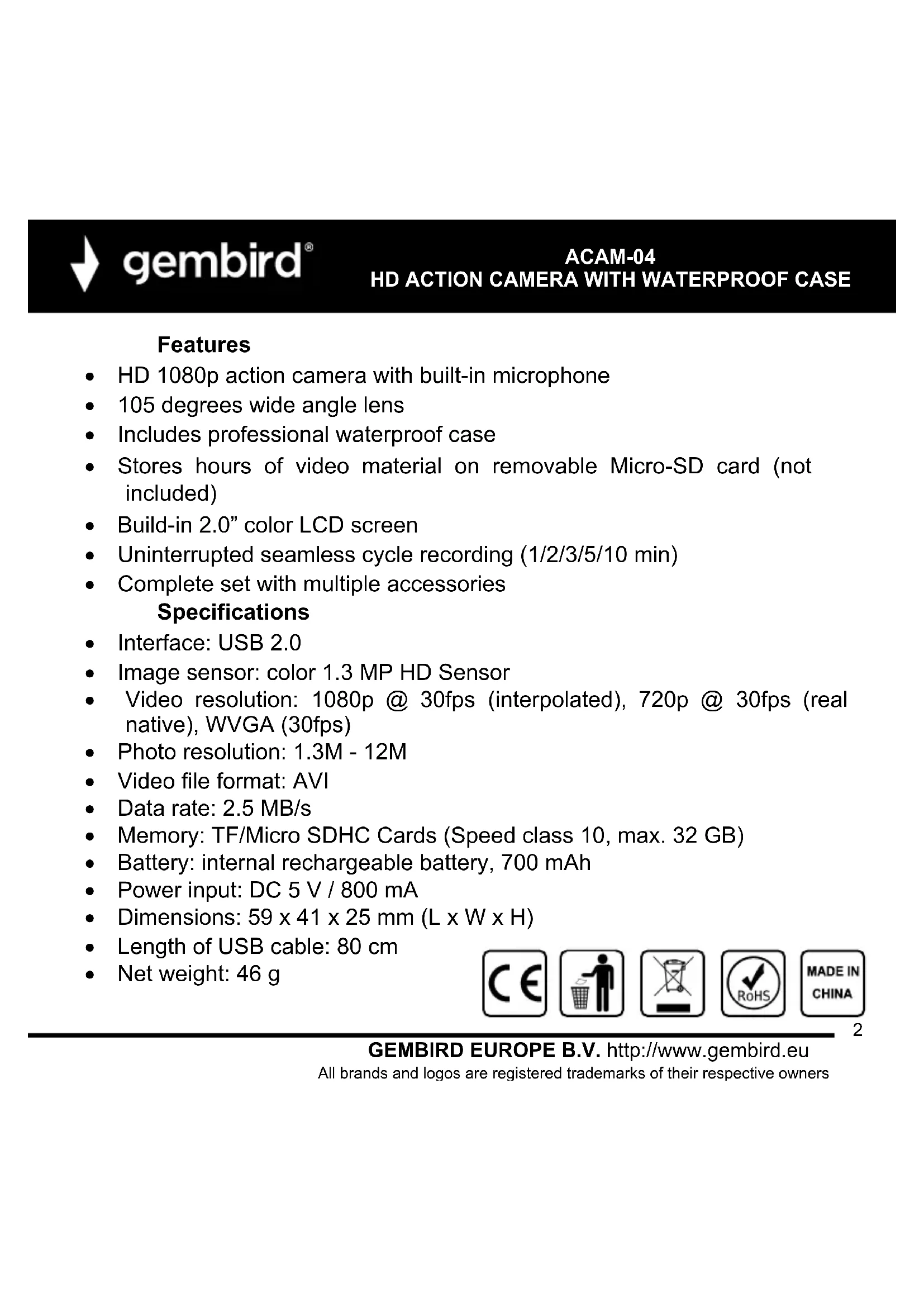


| Product Type | HD Action Camcorder |
| Brand | Gembird |
| Model | ACAM04 |
| Maximum video resolution | 1080p Full HD (1920x1080) |
| Available video resolutions | 1080FHD, 1080P, 720P, WVGA |
| Maximum photo resolution | 12 MP |
| Available photo resolutions | 12M, 10M, 8M, 5M, 3M, 2M, 1.3M, VGA |
| Power supply | Rechargeable lithium-ion battery (via Micro-USB port) |
| Charging time | Approximately 3 to 5 hours (first charge 5 hours) |
| Memory card type | Micro SD up to 32 GB, class 6 or higher |
| Main functions | Video recording, photo, playback, settings menu |
| Special modes | Motion detection, loop recording, self-timer, burst |
| Timestamp | Yes, enable/disable |
| White balance | Auto, daylight, cloudy, tungsten |
| Exposure | Adjustable from -2 to +2 |
| Display languages | French, English, Dutch, Chinese, Japanese, Portuguese, Russian, Spanish, Italian, German, etc. |
| Connectivity | Micro-USB port (charging and data transfer) |
| Protective casing | Included |
| Certifications | CE, RoHS |
| Care and cleaning | Clean with a soft, dry cloth |
| Safety | Do not expose to moisture, do not disassemble |
| Spare parts and repairability | Removable battery and accessible memory card, Micro-USB cable included |
| General information | Manual available in multiple languages, compatible with tripod (not included) |
Frequently Asked Questions - ACAM04 Gembird
User questions about ACAM04 Gembird
0 question about this device. Answer the ones you know or ask your own.
Ask a new question about this device
Download the instructions for your Camcorder in PDF format for free! Find your manual ACAM04 - Gembird and take your electronic device back in hand. On this page are published all the documents necessary for the use of your device. ACAM04 by Gembird.
USER MANUAL ACAM04 Gembird
HD ACTION CAMERA WITH WATERPROOF CASE
Features
- HD 1080p action camera with built-in microphone
105 degrees wide angle lens - Includes professional waterproof case
- Stores hours of video material on removable Micro-SD card (not included)
Build-in 2.0" color LCD screen - Uninterrupted seamless cycle recording (1/2/3/5/10 min)
- Complete set with multiple accessories
Specifications
- Interface: USB 2.0
- Image sensor: color 1.3 MP HD Sensor
- Video resolution: 1080p @ 30fps (interpolated), 720p @ 30fps (real native), WVGA (30fps)
- Photo resolution: 1.3M - 12M
Video file format: AVI
Data rate: 2.5 MB/s
Memory: TF/Micro SDHC Cards (Speed class 10, max. 32 GB) - Battery: internal rechargeable battery, 700 mAh
Power input: DC 5 V / 800 mA - Dimensions: 59 × 41 × 25 mm( L × W × H)
Length of USB cable: 80~cm
Net weight: 46 g





gembird
ACAM-04
HD ACTION CAMERA WITH WATERPROOF CASE
English
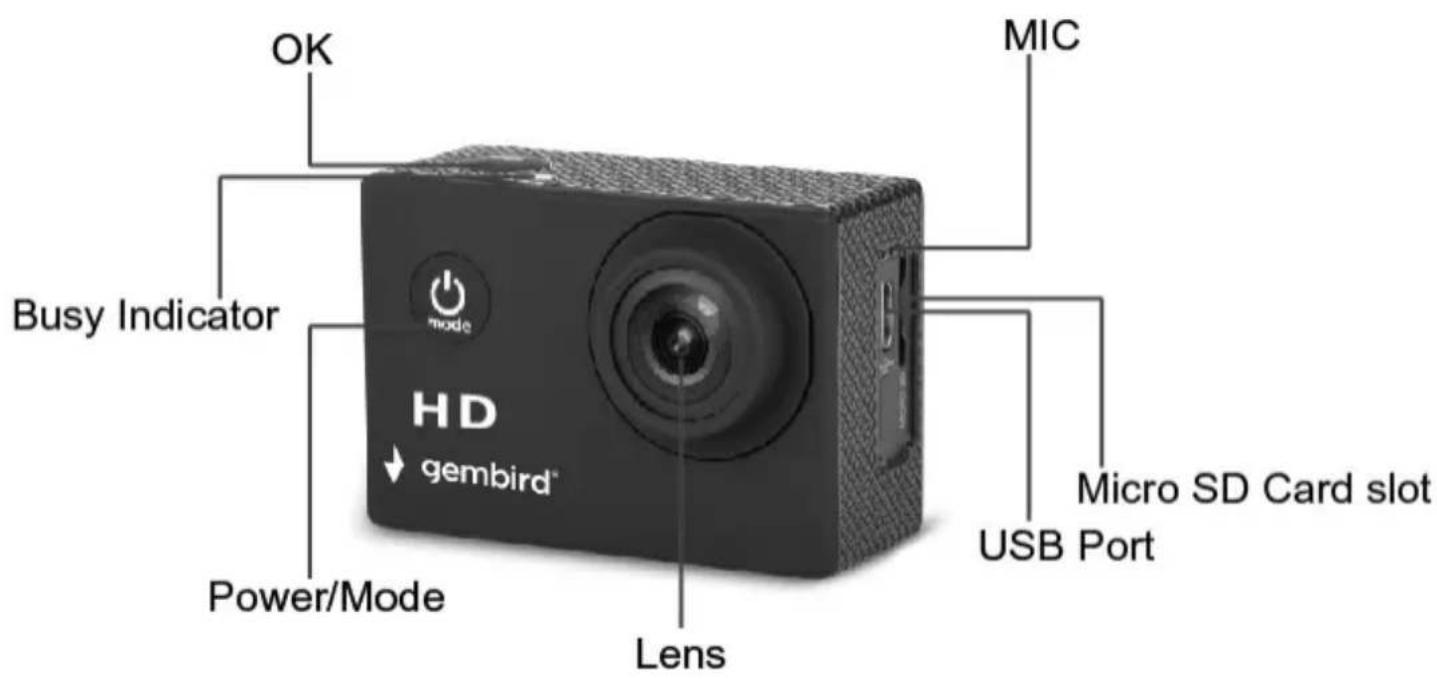
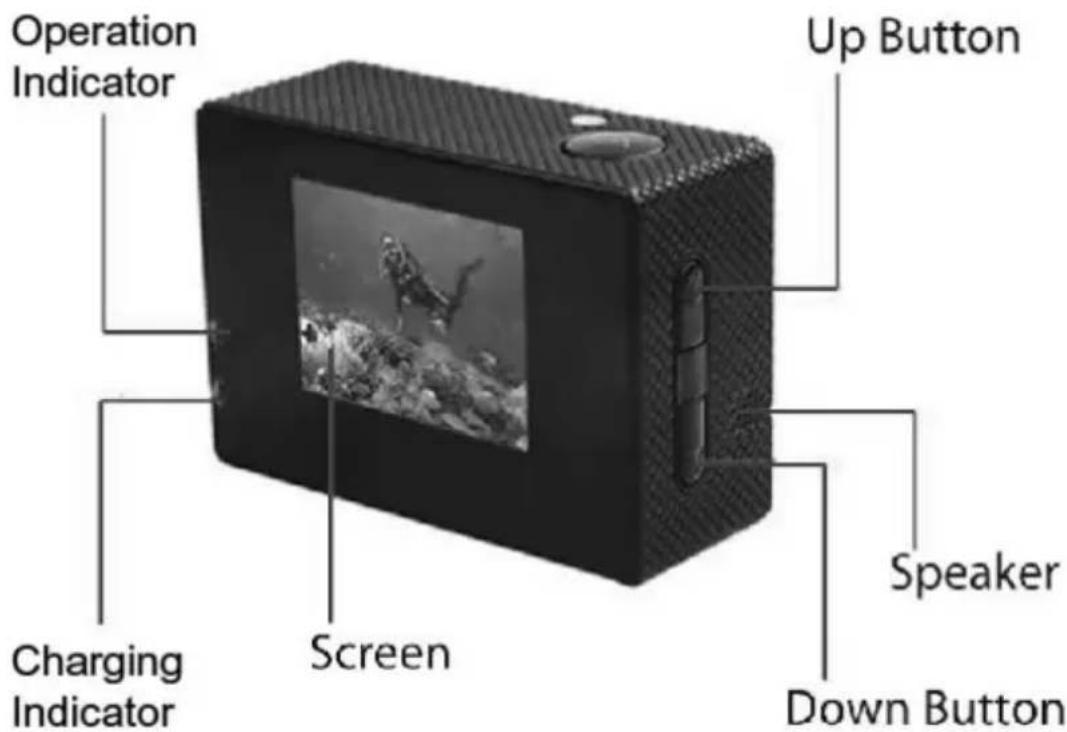
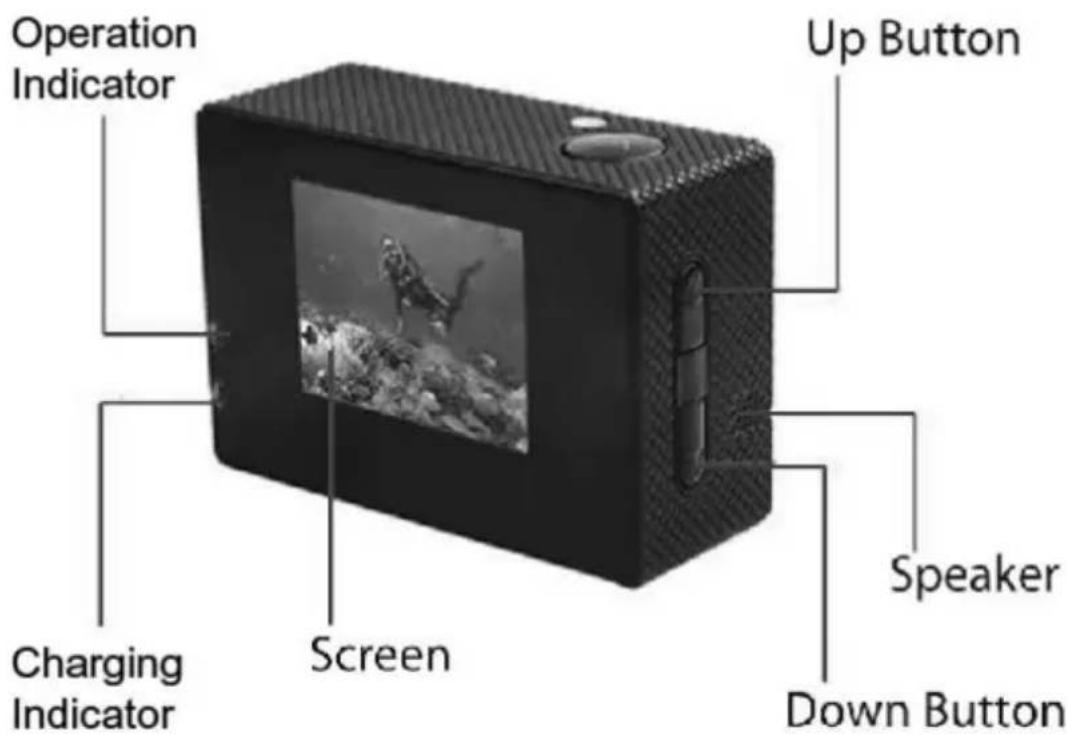
- HD Action camera overview.

gembird
ACAM-04
HD ACTION CAMERA WITH WATERPROOF CASE
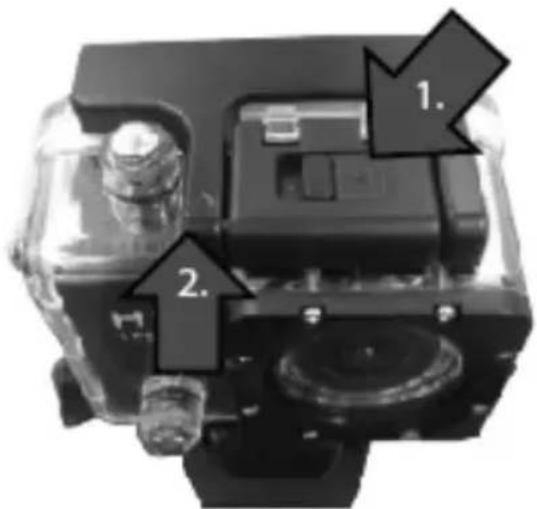
2. Operating the Protective Case:
Open the case:
- Secure the camera with one hand, and with your thumb or finger, slide the lever next to arrow on the top to the left.

gembird
ACAM-04
HD ACTION CAMERA WITH WATERPROOF CASE
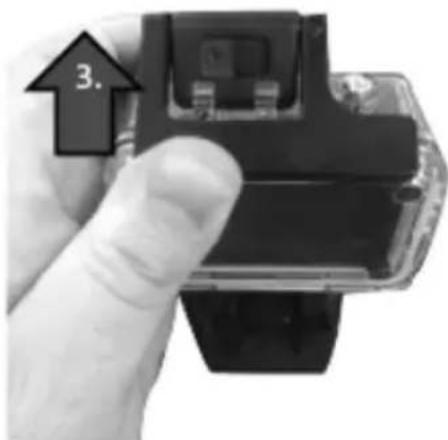
- While holding the lever to the left, press the front lip UP which will release the hinge.
3.Once released, pull out & up on the large black piece in the back to fully disengage.
Close the case:
Slide the camera into the protective case such that the lens aligns with the front opening & button placements.
With one hand, squeeze the door shut tightly while with the other hand, place the large black piece against the door. Keeping pressure on the back panel piece, pull the hinge forward until you hear a click.
3. Installing and removing batteries
A Open the battery door as shown in below picture;
B: Insert the battery and close the battery door.

gembird
ACAM-04
HD ACTION CAMERA WITH WATERPROOF CASE
Note: you can reset the camera by pull out the battery, and insert the battery again.

Battery compartment

4. Charging
Charging the battery for at least 5 hours when charging before the first time use and ensure they are subsequently discharge and charged fully. This aids a long service life of the battery. Charge the battery directly via the Micro-USB port. Using the supplied USB cable and your computer for charging under shutdown status. The red charging indicator will be on when charging. Generally, the battery can be fully charged after about 3-5 hours.

gembird
ACAM-04
HD ACTION CAMERA WITH WATERPROOF CASE

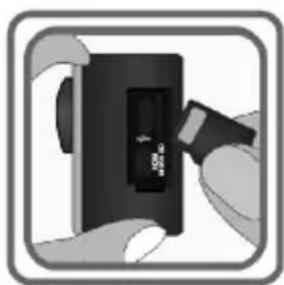
5. Inserting Micro SD Card
Note: Sometimes when you are using the Micro SD card for the first time in this camera, it can't read the data of Micro SD card, please format it on computer or in the setting menu before using (please do remember to back up your data before formatting the card). If possible, please choose branded card for a better using experience.Class 6 or higher Micro SD Memory card supported, Max up to 32GB.

gembird
ACAM-04
HD ACTION CAMERA WITH WATERPROOF CASE
6. Functions
Power/Mode button:
Short press this button to switch between video capture / photo capture/ playback/Menu settings.
Long press, turn on/off.
OK button:
In the video mode, short press this button to start recording, short press again to stop recording.
In the photo capture mode, short press this button to capture pictures.
In the playback mode, short press this button to start/ pause the image.
Short press this button in the menu mode to confirm the button;
Up button :
In the Select button menu option, adjust the function key upwards.
In playback mode, the selection key upturned, press this button to turn down the volume while playing video.
Press this button to close sound recording function in video mode.
Down button:
In the select button menu option, adjust the function key downwards.
In playback mode, the selection key downturned, Press this button to increase the volume while playing video.

gembird
ACAM-04
HD ACTION CAMERA WITH WATERPROOF CASE
USB port:
- for connecting the PC to transfer data;
- for connecting an external power supply to the battery charge or provide power;
- for connecting the PC when the camera;
Micro SD Card Slot:
Insert Micro SD Card.
7. Video Capture Mode
Use this mode to capture videos with your camera. This is the default mode when the camera is powered ON. To take a video, aim your camera as desired and short press the OK button to start recording. To stop recording, short press the OK button again, the Video will be automatically saved to your camera's memory card(not included).
8. Photo Capture Mode
Use this mode to capture pictures with your camera.
After turning on your camera, short press the Power/Mode button once to open the photo capture mode. Press the OK button to take the photo. The picture will be automatically saved to your camera's memory card(not included).

gembird
ACAM-04
HD ACTION CAMERA WITH WATERPROOF CASE
9.Playback Mode
Use this mode to view and manage the Photos and Videos on your camera. After turning on your camera, short press the Power/Mode button twice to open the Playback Mode. Press the Up or Down buttons to scroll through the Photo and video files.
Remark:
If you select a video file, short press the OK button to start the playback. Press Up button to turn down the volume while playing video. Press Down button to increase the volume while playing video. To stop the playback, short press the Ok button.
10. Menu Settings Mode:
After turning on your camera, short press the Power/Mode button three times to open the Menu settings Mode, Press the Up or Down buttons to scroll through theVideo Resolution, Picture resolution and other menu settings as below.

gembird
ACAM-04
HD ACTION CAMERA WITH WATERPROOF CASE
| Menu setting | Description |
| Video resolution | 1080FHD, 1080P, 720P, WVGA for choice |
| Picture resolution | 12M, 10M, 8M, 5M, 3M, 2M, 1.3M, VGA for choice |
| Time taking photo | off, 2S Timer, 5S Timer, 10S Timer for choice |
| Burst photo | Turn off, Three shoot, five shoot for choice |
| Time stamp | Off/On for choice. Displays or hides the date/time stamp on your photos or videos. |
| Motion Detection | OFF / High / Middle / Low for choice |
| Loop recording | Off, 1 Minute, 2 Minutes, 3 Minutes, 5 Minutes, 10 Minutes for choice. |
| Audio recording | Off/On for choice. |
| Exposure Value: | choose up/down from +2 to -2 exposure, and press OK to confirm |
| White Balance | Auto, daylight, cloudy, tungsten for choice. |
| Delete | Delete current, delete all for choice. |
| Protection | Lock current, unlock current, lock all, unlock all for choice. |
| Format | if you choose yes, the micro SD card will be formatted and if choose no files will be kept. |
| Languages | English, Nederlands, Chinese (Traditional), Chinese (Simplified), Japanese, Portuguese, Russian, Spanish, Italian, French, Deutsche, etc. |
| Volume | 0,1,2,3,4,5,6,7 for choice |
| Automatic shutdown | turn off, 1minute, 3minutes, 5minutes for choice. |
| Automatic off-screen | turn off, 1minute, 3minutes, 5minutes, 10minutes for choice. |
| Reset | if yes camera will be reset to original situation. |
| Frequency | Select 50Hz or 60Hz |
| Time setting | Change the date & time using the up and down arrow buttons. |
| Image rotation | Off, On for choice. |
| Car mode | Off, On for choice. |
| Software version | Displays version of firmware. |

gembird
ACAM-04
HD ACTION CAMERA WITH WATERPROOF CASE
Deutsch
HD ACTION CAMERA WITH WATERPROOF CASE
HD ACTION CAMERA WITH WATERPROOF CASE
die Batterieklappe.
HD ACTION CAMERA WITH WATERPROOF CASE
6. Funktionen
Power / Mode-Taste:
HD ACTION CAMERA WITH WATERPROOF CASE
HD ACTION CAMERA WITH WATERPROOF CASE
HD ACTION CAMERA WITH WATERPROOF CASE
10. Menüeinstellungsmodus:
HD ACTION CAMERA WITH WATERPROOF CASE
HD ACTION CAMERA WITH WATERPROOF CASE
Nederlands
HD ACTION CAMERA WITH WATERPROOF CASE

HD ACTION CAMERA WITH WATERPROOF CASE
HD ACTION CAMERA WITH WATERPROOF CASE
HD ACTION CAMERA WITH WATERPROOF CASE
6. Functies
HD ACTION CAMERA WITH WATERPROOF CASE
USB poort:
HD ACTION CAMERA WITH WATERPROOF CASE
HD ACTION CAMERA WITH WATERPROOF CASE
HD ACTION CAMERA WITH WATERPROOF CASE
Francais
HD ACTION CAMERA WITH WATERPROOF CASE
HD ACTION CAMERA WITH WATERPROOF CASE
HD ACTION CAMERA WITH WATERPROOF CASE

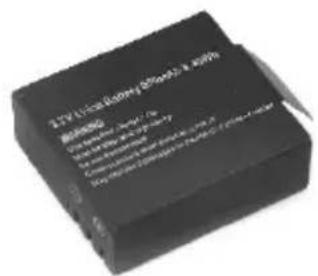
Compartment à piles
4. Charge
HD ACTION CAMERA WITH WATERPROOF CASE
6. Fonctions
Bouton d'alimentation / mode:
HD ACTION CAMERA WITH WATERPROOF CASE
Bouton vers le bas:
HD ACTION CAMERA WITH WATERPROOF CASE
8. Mode capture photo
HD ACTION CAMERA WITH WATERPROOF CASE
HD ACTION CAMERA WITH WATERPROOF CASE
HD ACTION CAMERA WITH WATERPROOF CASE
Polski
HD ACTION CAMERA WITH WATERPROOF CASE

HD ACTION CAMERA WITH WATERPROOF CASE
HD ACTION CAMERA WITH WATERPROOF CASE

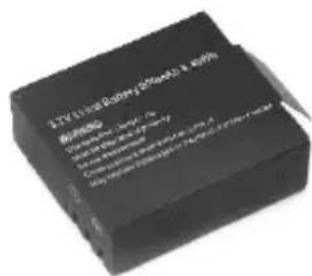
Komora baterii
4. Ladowanie
HD ACTION CAMERA WITH WATERPROOF CASE

HD ACTION CAMERA WITH WATERPROOF CASE
6. Funkcje
HD ACTION CAMERA WITH WATERPROOF CASE
HD ACTION CAMERA WITH WATERPROOF CASE
HD ACTION CAMERA WITH WATERPROOF CASE
HD ACTION CAMERA WITH WATERPROOF CASE
(ENG) Declaration of conformity
This product is tested and complies with the essential requirements of the laws of member states concerning EMC(2014/30/EU), RoHS (2011/65/EU). The CE declaration can be found under www.gembird.eu
HD ACTION CAMERA WITH WATERPROOF CASE
Waste disposal:

Do not deposit this equipment with the household waste. Improper disposal can harm both the environment and human health. For Information about waste collection facilities for used electrical and electronic devices, please contact your city council or an authorized company for the disposal of electrical and electronic equipment.


- Features
- Specifications
- Operating the Protective Case:
- gembird
- Installing and removing batteries
- Charging
- Inserting Micro SD Card
- Functions
- USB port:
- Video Capture Mode
- Photo Capture Mode
- 9.Playback Mode
- Remark:
- Menu Settings Mode:
- Funktionen
- Menüeinstellungsmodus:
- Functies
- USB poort:
- Charge
- Fonctions
- Mode capture photo
- Ladowanie
- Funkcje
- (ENG) Declaration of conformity
- Waste disposal:
Brand : Gembird
Model : ACAM04
Category : Camcorder