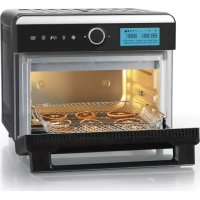
09690 - Oven Maxxmee - Free user manual and instructions
Find the device manual for free 09690 Maxxmee in PDF.



| Product type | Digital convection oven |
| Brand | Maxxmee |
| Model | 09690 |
| Power supply | 220-240 V ~ 50-60 Hz |
| Power | 1550 W |
| Capacity | 18 liters |
| Temperature range | 27 to 230 °C / 80 to 450 °F |
| Timer | From 1 minute to 72 hours depending on program |
| Preset programs | 12 programs: Airfry, Bagel, Bake, Ferment, Roast, Defrost, Toast, Pizza, Broil, Dehydrate, Warm, Reheat |
| Included accessories | Rack, drip tray, fry basket, rotisserie fork set (2 forks), grease collection tray |
| Display | Touch screen with control knob |
| Special functions | Convection, automatic preheating, interior light |
| Safety | Overheat protection, hot surface indicator |
| Cleaning | Manual cleaning with soapy water, do not immerse, do not wash in dishwasher |
| Protection class | I |
| Customer service | www.dspro.de/kundenservice |
| Warranty | Legal warranty, normal wear excluded |
| Country of origin | Not specified |
Frequently Asked Questions - 09690 Maxxmee
User questions about 09690 Maxxmee
0 question about this device. Answer the ones you know or ask your own.
Ask a new question about this device
Download the instructions for your Oven in PDF format for free! Find your manual 09690 - Maxxmee and take your electronic device back in hand. On this page are published all the documents necessary for the use of your device. 09690 by Maxxmee.
USER MANUAL 09690 Maxxmee
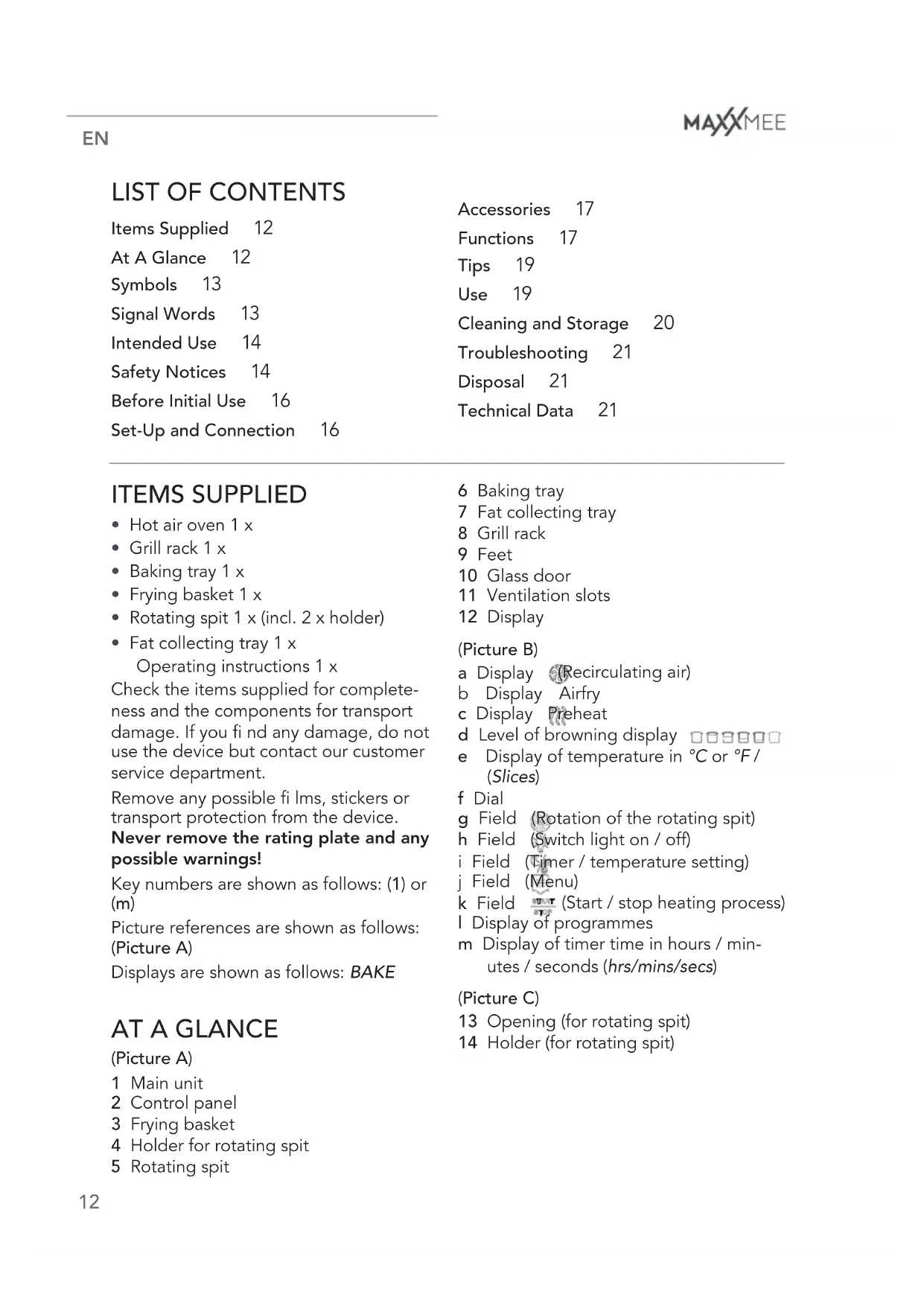
Before Initial Use 16
Set-Up and Connection 16
Accessories 17
Functions 17
Tips 19
Use 19
Cleaning and Storage 20
Troubleshooting 21
Disposal 21
Technical Data 21
ITEMS SUPPLIED
- Hot air oven 1 x
- Grill rack 1 x
- Baking tray 1 x
- Frying basket 1 x
- Rotating spit 1 x (incl. 2 x holder)
- Fat collecting tray 1 x
Operating instructions 1 x
Check the items supplied for completeness and the components for transport damage. If you find any damage, do not use the device but contact our customer service department.
Remove any possible fi lms, stickers or transport protection from the device.
Never remove the rating plate and any possible warnings!
Key numbers are shown as follows: (1) or (m)
Picture references are shown as follows: (Picture A)
Displays are shown as follows: BAKE
AT A GLANCE
(Picture A)
1 Main unit
2 Control panel
3 Frying basket
4 Holder for rotating spit
5 Rotating spit
6 Baking tray
7 Fat collecting tray
8 Grill rack
9 Feet
10 Glass door
11 Ventilation slots
12 Display
(Picture B)
a Display (Recirculating air)
b Display Airfry
c Display Preheat
d Level of browning display
e Display of temperature in °C or °F / (Slices)
f Dial
g Field (Rotation of the rotating spit)
h Field (Switch light on / off)
i Field (Timer / temperature setting)
j Field (Menu)
k Field (Start / stop heating process)
I Display of programmes
m Display of timer time in hours / minutes / seconds (hrs/mins/secs)
(Picture C)
13 Opening (for rotating spit)
14 Holder (for rotating spit)
Dear Customer,
We are delighted that you have chosen the MAXXMEE digital hot air oven. With a hot air function, top and bottom heat and recirculating air, it offers the same level of performance as conventional ovens - but is much more compact! Preset recipe programmes, a practical 120 min timer function and the temperature (30 – 230°C) can be adjusted intuitively and easily via the touch display and the controller.
If you have any questions about the device and about spare parts/accessories, contact the customer service department via our website: www.dspro.de/kundenservice
We hope you have a lot of fun with your MAXXMEE digital hot air oven.
Information About the Operating Instructions
Before using the device for the first time, please read through these operating instructions carefully and keep them for future reference and other users. They form an integral part of the device. The manufacturer and importer do not accept any liability if the information in these operating instructions is not complied with.

IMPORTANT NOTICES! PLEASE KEEP FOR REFERENCE!
SYMBOLS

Danger symbols: These symbols indicate possible dangers. Read the associated safety notices carefully and follow them.


Supplementary information

Read the operating instructions before use!

Caution: hot surfaces!

Suitable for use with food.
SIGNAL WORDS
Signal words indicate hazards if the associated notices are not followed.
DANGER – high risk, results in serious injury or death
WARNING – medium risk, may result in serious injury or death
CAUTION – low risk, may result in minor or moderate injury
NOTICE – may result in risk of damage to material
INTENDED USE
■ This device is intended to be used for grilling and baking.
■ The device is for personal use only and is not intended for commercial applications.
■ Use the device only for the specified purpose and as described in the operating instructions. Any other use is deemed to be improper.
■ The warranty does not cover faults caused by incorrect handling, damage or attempted repairs. The same applies to normal wear and tear.
SAFETY NOTICES

WARNING: Note all safety notices, instructions, illustrations and technical data provided with this device. Failure to follow the safety notices and instructions may result in electric shock, fire and / or injuries.
This device may be used by children aged 8 and over and by people with reduced physical, sensory or mental abilities or a lack of experience and/or knowledge if they are supervised or have received instruction on how to use the device safely and have understood the dangers resulting from failure to comply with the relevant safety precautions.
■ Children must not play with the device.
■ Cleaning and user maintenance must not be carried out by children, unless they are older than 8 years of age and are supervised.
■ Children younger than 8 years of age and animals must be kept away from the device and the connecting cable.

CAUTION: hot surfaces!
The device and accessories will become very hot during use. Do not come into contact with heated parts while or after using the device! Only ever touch the handle and control panel while the device is in operation or immediately after it has been switched off. Wait until the device has cooled down fully before it is transported, cleaned or stored away. Use oven gloves when handling the hot accessories.
■ Never immerse the main unit and the connecting cable in water or other liquids, and ensure that these components cannot fall into water or become wet. There is a danger of electric shock!
■ The device must always be disconnected from the mains power when it is left unattended and before transporting or cleaning the device.
- Do not make any modifications to the device. Also do not replace the connecting cable yourself. If the device, the connecting cable or the accessories of the device are damaged, they must be replaced by the manufacturer, customer service department or a specialist workshop in order to avoid any hazards.
■ The device is not designed to be operated with an external timer or a separate remote control system.
■ Follow the instructions in the "Cleaning and Storage" chapter!
DANGER – Danger of Electric Shock
■ Use and store the device only in closed rooms.
■ Do not operate the device in rooms with high humidity.
■ Should the main unit fall into water, switch off the power supply immediately. Do not attempt to pull the device out of the water while it is connected to the mains power! Have the device checked by a specialist workshop before putting it back into operation.
■ Never touch the main unit and the connecting cable with wet hands when the device is connected to the mains power.
WARNING – Danger of Fire
■ Do not operate the device in the vicinity of combustible material. Do not place any combustible materials (e.g. cardboard, paper, plastic) on or in the device.
- Do not connect the device along with other consumers (with a high wattage) to a multiple socket in order to pre-
vent overloading and a possible short circuit (fi re).
■ Do not use any extension cables.
- Do not cover the device during operation in order to prevent it from catching fire. Do not insert anything into the ventilation openings of the device and make sure that they do not become clogged.
In the event of a fi re: Do not extinguish with water! Smother the fl ames with a fi reproof blanket or a suitable fi re extinguisher.
WARNING – Danger of Injury
- Keep children and animals away from plastic bags and films. There is a danger of suffocation.
- Keep your hands and head away from the ventilation slots and when opening the door. Hot steam will escape! You should therefore keep your head and hands out of the danger zone. There is a danger of scalding from heat, hot steam or condensation!
■ Make sure that the connecting cable is always kept out of the reach of small children and animals. There is a danger of strangulation.
EN
■ The device must not be moved during operation.
■ Make sure that the connecting cable does not present a trip hazard. It may not hang down from the surface on which the device is placed in order to prevent the device from being pulled down.
NOTICE – Risk of Damage to Material and Property
■ Make sure that the steam which emerges does not come into direct contact with electrical devices and equipment containing electrical components.
If a fault occurs during operation, pull out the mains plug. Otherwise always switch off the device first before the mains plug is pulled out.
■ Always pull the mains plug and never the mains cable when disconnecting the device from the mains power.
■ Do not pull or carry the device by the connecting cable.
■ Protect the device from other heat sources, naked flames, persistent moisture, direct sunlight or impacts.
- Keep the device in a dry place at temperatures of between 0 and 40°C.
■ Never place objects on the device or the connecting cable.
■ Use only original accessories from the manufacturer in order to guarantee that there is no interference that may prevent the device from working and to avoid possible damage.
BEFORE INITIAL USE
-
Wipe down the device with a clean, damp cloth. Clean the accessories with mild detergent and warm water.
-
The device should be used for the first time without any food in it as it may produce some smoke and / or odours due to coating residues. To do this, follow the instructions in the "Set-Up and Connection" and "Use" chapters and allow it to heat up on the highest temperature setting for approx. 10 minutes without any food in it.
-
Then clean it again (see the "Cleaning and Storage" chapter).
SET-UP AND CONNECTION
Please Note!
■ Do not place the device below kitchen wall units or similar cupboards. The rising steam could cause damage to them!
■ Only connect the device to a plug socket that is properly installed and matches the technical data of the device. The plug socket must also be readily accessible after connection so that the connection to the mains can quickly be isolated.
■ Never place the device on a soft surface. The ventilation openings on the bottom of the device must not be covered. It could overheat and be damaged.
■ Make sure that the connecting cable is not squashed, bent or laid over sharp edges and does not come into contact with hot surfaces (e.g. of the device).
-
Place the device on the kitchen unit or another dry, clean, fl at and heat-resistant work surface. Ensure there is sufficient clear space on all sides (at least 20 cm to the sides and 50 cm above).
-
Completely unwind the connecting cable and plug it into a plug socket that is easily accessible. The display (12) lights up and a beep sounds.
ACCESSORIES
Grill Rack
The grill rack (8) is ideal for grilling, roasting, defrosting, toasting etc.
Baking Tray
The baking tray (6) is suitable for baking, gratinating, warming up etc. The baking tray must be placed on the grill rack.
Frying Basket
The frying basket (3) is ideal for frying, roasting, cooking, dehydrating etc.
Rotating Spit
The rotating spit (5) is suitable for preparing poultry such as grilled chicken or for preparing skewered meat and roasts.
The rotating spit includes two holders (4) which can fix larger items of food (max. 1.25 kg), e.g. chickens, in place.
Using the Rotating Spit
- Use the associated ring bolts to attach the holders to the spit (as can be seen in Picture A). To do this, first plug one holder onto the spit.
- Place the food onto the rotating spit.
- Plug on the second holder in the same way as the first.
- Slide the holders and the food into the middle of the spit and press the tips of the holders into the food.
- Tighten the ring bolts to fix the holders in place.
- Place the rotating spit in the oven (Picture C): In the middle of the right-hand inner wall of the oven you will find an opening (13). Stick in the end of the spit and place the other end of
the spit on the holder (14) on the left-hand inner wall of the oven.
- After completing the grilling process, carefully remove the spit fi rst from the holder and then from the opening.
Fat Collecting Tray
The fat collecting tray (7) is used to collect dripping fat or crumbs which drop down. It should always be inserted to protect the bottom heating element.
FUNCTIONS
The device has twelve preset programmes which are shown on the display (12) and are selected using the dial (f).

The times and temperatures which are set for the programmes are merely guidelines. They should be manually adjusted if necessary to ensure that the food (in particular poultry) is fully cooked.
Preset Programmes (I)
AIRFRY (Hot air frying)
Temp.: 205°C or 400°F
(50 - 205°C / 120 - 400°F)
Timer: 15 minutes (max. 45 minutes)
BAGELS
Number: 4 (1 - 6 can be chosen)
Timer: 4 minutes, 40 seconds (automatically adjusts to the number of items and chosen level of browning)
Level of browning: Level 4 (1 - 6 can be chosen)
BAKE
Temp.: 165°C or 325°F (50 – 230°C / 120 – 450°F)
Timer: 30 minutes (1 minute to 4 hours)
EN
FERMENT
Temp.: 42°C or 108°F
Timer: 2 hours
(max. 30 minutes to 48 hours)
ROAST
Temp.: 175°C or 350°F
(50-230°C/120-450°F)
Timer: 40 minutes
(1 minute to 4 hours)
DEFROST
Temp.: 27irc C or 80irc F
Timer: 1 hour (max. 6 hours)
TOAST
Number: 4 (1 - 6 can be chosen)
Timer: 4 minutes, 30 seconds (automatically adjusts to the number of items and chosen level of browning)
Level of browning: Level 4 (1 - 6 can be chosen)
PIZZA
Temp.: 190°C or 375°F
(50-230°C/120-450°F)
Timer: 15 minutes
(1 minute to 1 hour)
BROIL
Temp.: 205°C or 400°F
(150 or 205°C / 300 or 400°F)
Timer: 10 minutes (1 to 20 minutes)
DEHYDRATE
Temp.: 49 °C or 120 °F
(30 - 80 °C / 85 - 175 °F)
Timer: 6 hours
(30 minutes to 72 hours)
WARM
Temperature: 70°C or 160°F
Timer: 1 hour (1 minute to 4 hours)
REHEAT
Temp.: 160°C or 320°F
(max. 50 - 230°C / 120 - 450°F)
Timer: 15 minutes
(1 minute to 2 hours)

You can use the fi eld (j) to return to the parent menu.
Adjusting Settings Manually
To adjust temperature or timer settings or the number of items and the level of browning, proceed as follows:
-
Select the programme you want (see the previous section).
-
Touch the field (i).
-
The timer display (m) or the display for the slices (e) fl ashes and can be set using the dial (f).
-
Touch the fi eld again.
-
The temperature display (e) or the display □□□□□□ (d) for the level of browning fl ashes and can be set using the dial.

To adjust settings during the heating process, touch the fi eld (k). The device pauses and the time, number, level of browning and temperature can then be adjusted manually.
Switching the Temperature Unit (°C / °F)
The display (12) can show both degrees Celsius (°C) and degrees Fahrenheit (°F). To change the display (e), hold down the fi eld (j) for approx. 2 seconds. A beep is heard. Press the fi eld again for approx. 5 seconds, another beep is heard and the display has been switched.
TIPS
- Generally it is not necessary to preheat the device. However, for the preparation of food which has to be ready "on the dot", pre-heating is recommended so that the exact time when the food has been cooked can be determined.
- For the preparation of frozen items, please follow the time and temperature specifications of the manufacturer.
USE
Please Note!
■ Do not use the device at low temperature (e.g. Drying programme) for longer than 72 hours without a break. Do not use it at high temperatures for longer than 4 hours without a break.
■ Do not operate the device for a lengthy period without food.
■ Metal foil packaging or utensils may not be placed in the device because they may cause fire or an electric shock.
■ Do not place food that is still wrapped in cling film or plastic bags into the device.
■ Make sure that the food does not come into contact with the heating elements of the device.
■ Make sure that foodstuffs containing oil and fats are not overheated. Do not place any vessels filled with oil or other liquids into the device.
■ Never spray cold water onto the glass door of the device during or immediately after use. The glass might shatter.
■ Do not leave the glass door open while the device is in operation.
■ Do not place any heavy objects on the open glass door or the device.
■ Always place the used accessory on a heat-resistant surface after use.
■ Make sure that fat/oil dripping down from food containing fat or oil does not contaminate the bottom heating elements. Always use the fat collecting tray!
- Get ready the food that is to be prepared.
- Select the right accessory (see the "Accessories" chapter).
- Place or skewer the food onto or into the chosen accessory.
- Slide the accessory into one of the rails of the main unit (1) or insert the rotating spit (5) (see the "Accessories" chapter).
- Close the glass door (10).
- Select a preset programme and manually adjust the settings if necessary (see the "Functions" chapter).
- Touch the fi eld (k) to start the heating process. The heating indicator on the display (12) starts (orange lighting) and for almost all programmes the indicators (a) and (c) can be seen on the display. The device will start preheating.
With the BAGEL and TOAST programmes only the display □□□□□□ (d) for the level of browning is visible. The preheating is omitted.
With the AIRFRY programme the AIRFRY (b) display is also visible.

If the rotating spit (only with programm ROAST) is going to be used, the fi eld (g) must be touched to start the rotation and the heating process (not the fi eld
EN
- The display goes out as soon as the set temperature has been reached. In addition, you will hear three beeps. The device starts and the timer time counts down.

During the heating process, the display regularly lights up again. This means that the device is heating up again in order to maintain a constant temperature.
- When the set cooking time has elapsed, three beeps are heard three times and the device automatically switches to stand-by.
- If the cooking process is to be paused to check the degree of cooking, for example, touch the fi eld. The device pauses and the time display (m) fl ashes. The cooking process is resumed by touching the fi eld again. - To switch off the device prematurely, keep touching the fi eld until a beep is heard and the display switches to the default setting (blue lighting).

The heating process cannot be interrupted or ended prematurely on the TOAST and BAGEL programmes!
-
Open the glass door, remove the accessory and place it down on a heat-resistant surface.
-
Remove the food.
-
Allow the device and accessories to cool down and then clean them (see the "Cleaning and Storage" chapter).
CLEANING AND STORAGE
Please Note!
■ No liquid must get into the device. Never immerse the device in water!
■ The device and the accessories are not dishwasher-safe.
■ Do not spray cleaning agents directly onto the device. Do not use any glass cleaners.
■ Do not use any sharp or abrasive cleaning agents or cleaning pads to clean the device. These may damage the surfaces.
Clean the device and the used accessories after every use to prevent germ formation and to prevent food residues from burning. Do not allow any food residues to dry on.
- Clean the main unit (1) with a damp cloth and a little detergent if necessary.
- Rinse the accessories with detergent and warm water. In the case of stubborn dirt, we recommend soaking the accessories in warm water and detergent beforehand.
- Allow all parts to dry completely or dry them off.
- Store the device and all accessories away in a clean, dry location that is out of the reach of children and animals when not in use for a prolonged period.
TROUBLESHOOTING
If the device does not work properly, check whether you are able to rectify the problem yourself. If the problem cannot be solved with the steps below, contact the customer service department.

Do not attempt to repair an electrical device yourself!
The device does not work.
The mains plug is not inserted in the plug socket correctly.
▶ Correct the fit of the mains plug.
The plug socket is defective.
▶ Try another plug socket.
There is no mains voltage.
▶ Check the fuse of the mains connection.
The overheating protection has been triggered.
▶ Pull the mains plug out of the plug socket and allow the device to cool down completely. Then try again.
The fuse in the fuse box is triggered.
Too many devices connected to the same circuit.
▶ Reduce the number of devices in the circuit.
During use, an unpleasant smell is detected. /Smoke emerges from the device.
The device is dirty.
▶ Follow the instructions in the "Cleaning and Storage" chapter.
The device is being used for the first time.
▶ A smell often develops when new devices are first used. The smell should disappear once the device has been used several times.
Too much oil or fat is being used.
▶ Remove excess oil or fat.
DISPOSAL

Dispose of the packaging material in an environmentally friendly manner so that it can be recycled.
This device is governed by the European Directive 2012/19/EU on waste electrical and electronic equipment (WEEE). Do not dispose of this device as normal domestic waste, but rather in an environmentally friendly manner via an offi cially approved waste disposal company.
TECHNICAL DATA
Article number: 09690
Model number: TO5722-GS
Power supply: 220 – 240 V \~ 50 – 60 Hz
Power: 1550 W
Temperature: 27 – 230°C / 80 – 450°F (depending on programme)
Capacity: 18 litres
Timer: 1 minute to 72 hours (depending on programme)
Protection class: I
ID of operating instructions: Z 09690 M DS V1 1120 uh
All rights reserved.


SOMMAIRE
Composition 22
Aperçu général 22
Symboles 23
DEHYDRATE (dessiccation)
I Indicator programma's
m Indicator timertij d in uren / minuten / seconden (hrs/mins/secs)
(Afbeelding C)
WAARSCHUWING – Brandge- vaar
WAARSCHUWING – Verwon- dingsgevaar
De contactdoos is defect.
- ITEMS SUPPLIED
- Never remove the rating plate and any possible warnings!
- AT A GLANCE
- (Picture A)
- (Picture B)
- (Picture C)
- Dear Customer,
- Information About the Operating Instructions
- IMPORTANT NOTICES! PLEASE KEEP FOR REFERENCE!
- SYMBOLS
- SIGNAL WORDS
- INTENDED USE
- SAFETY NOTICES
- CAUTION: hot surfaces!
- DANGER – Danger of Electric Shock
- WARNING – Danger of Fire
- WARNING – Danger of Injury
- EN
- NOTICE – Risk of Damage to Material and Property
- BEFORE INITIAL USE
- SET-UP AND CONNECTION
- Please Note!
- ACCESSORIES
- Grill Rack
- Baking Tray
- Frying Basket
- Rotating Spit
- Using the Rotating Spit
- Fat Collecting Tray
- FUNCTIONS
- Preset Programmes (I)
- BAGELS
- BAKE
- FERMENT
- ROAST
- DEFROST
- TOAST
- PIZZA
- BROIL
- DEHYDRATE
- WARM
- REHEAT
- Adjusting Settings Manually
- Switching the Temperature Unit (°C / °F)
- TIPS
- USE
- CLEANING AND STORAGE
- TROUBLESHOOTING
- Do not attempt to repair an electrical device yourself!
- The device does not work.
- The fuse in the fuse box is triggered.
- During use, an unpleasant smell is detected. /Smoke emerges from the device.
- DISPOSAL
- TECHNICAL DATA
- SOMMAIRE
- DEHYDRATE (dessiccation)
- (Afbeelding C)
- WAARSCHUWING – Brandge- vaar
- WAARSCHUWING – Verwon- dingsgevaar
Brand : Maxxmee
Model : 09690
Category : Oven