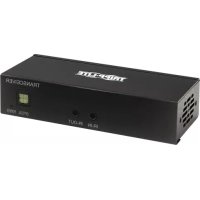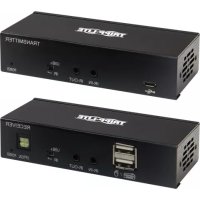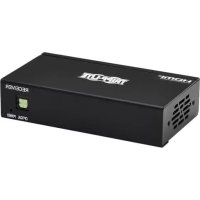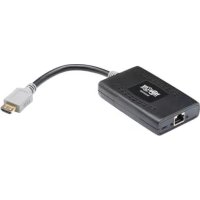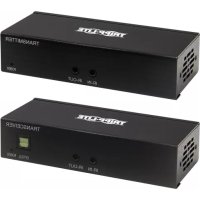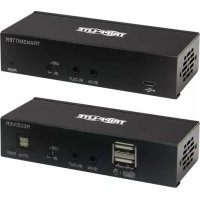
B127A1A1BDBH - HDMI Extender Tripp Lite - Free user manual and instructions
Find the device manual for free B127A1A1BDBH Tripp Lite in PDF.


| Product Type | HDMI Extender over Cat6 Cable |
| Brand | Tripp Lite |
| Model | B127A-1A1-BDBH |
| Maximum Extension Distance | 70 m (230 ft) with 24 AWG solid wire Cat6 cable |
| Supported Resolution | 4K x 2K (3840 x 2160) @ 60 Hz |
| HDCP Compatibility | HDCP 2.2 |
| Audio | Up to 7.1 channels, Toslink audio extraction |
| Input Connectors (Transmitter) | 1 x DisplayPort, 1 x micro-USB, 1 x 3.5 mm IR jack |
| Output Connectors (Receiver) | 1 x HDMI, 2 x USB-A, 1 x Toslink, 1 x 3.5 mm IR jack |
| Network Connectivity | 1 x RJ45 (transmitter and receiver) |
| Power | External power adapter with NEMA 1-15P, AS/NZS 3112, BS 1363, CEE 7/16 adapters |
| Power Technology | Power over Cable (PoC) – power via Cat6 cable |
| Special Features | Bi-directional IR, USB 1.1, built-in equalizer, EDID adjustment |
| Mounting | Mounting hardware included for wall, 19 in rack, or pole mounting |
| Included Cables | DisplayPort cable, HDMI 2.0 cable, micro-USB cable, Toslink cable |
| Warranty | 1 year limited |
| Maintenance | Clean with a dry cloth, avoid dust and moisture |
| Repairability | Limited warranty; repair by Tripp Lite after obtaining an RMA number |
| General Information | Manufactured by Tripp Lite, 1111 W. 35th Street, Chicago, IL 60609 USA |
Frequently Asked Questions - B127A1A1BDBH Tripp Lite
User questions about B127A1A1BDBH Tripp Lite
0 question about this device. Answer the ones you know or ask your own.
Ask a new question about this device
Download the instructions for your HDMI Extender in PDF format for free! Find your manual B127A1A1BDBH - Tripp Lite and take your electronic device back in hand. On this page are published all the documents necessary for the use of your device. B127A1A1BDBH by Tripp Lite.
USER MANUAL B127A1A1BDBH Tripp Lite
DisplayPort over Cat6 Extender and Receiver Kit, 4K/60 Hz
DisplayPort over Cat6 Model: B127A-1A1-BDBD
DisplayPort to HDMI over Cat6 Model: B127A-1A1-BDBH
Espanol 13 • Français 24 • Pycckn 35 • Deutsch 46
WARRANTY REGISTRATION
Register your product today and be automatically entered to win an ISOBAR® surge protector in our monthly drawing!
triplite.com/warranty


Manufacturing Excellence
1111 W. 35th Street, Chicago, IL 60609 USA · tripplite.com/support
Copyright © 2021 Tripp Lite. All rights reserved.
Package Contents
Transmitter and Receiver Units
- External Power Supply Plug Adapters: NEMA 1-15P North America; AS/NZS 3112 Australia; BS 1363 U.K.; CEE 7/16 Schuko
- Mounting Hardware
Optional Accessories:
N202-Series Cat6 24 AWG Solid-Wire Patch Cables
P569-XXX-CERT or P568-XXX-2A Series High-Speed HDMI 2.0 Cables
P580-Series DisplayPort Cables with Latches
Product Features
B127A-1A1-BDBH
- DisplayPort 1.2a to HDMI over Cat6 Power over Cable (PoC) Extender Kit
- Extends a 4K x 2K (3840 x 2160) @ 60 Hz signal, as specified in HDMI 2.0, up to 230 ft. (70 m) from the source.
Built-in local HDMI port supports 4K @ 60 Hz signal - Remote receiver unit features built-in equalization (EQ) control and auto EDID image adjustment
Supports up to 7.1-channel surround sound audio - Receiver features built-in Toslink port for audio extraction function
HDCP 2.2 compatible - Plug-and-play - no software or drivers required
Supports bi-directional IR and USB 1.1 function by DIP switch selection - Includes mounting hardware that enables both the local transmitter and remote receiver units to be wall-mounted, rack-mounted or pole-mounted
Product Features
B127A-1A1-BDBD
- DisplayPort 1.2a over Cat6 extender and receiver kit with Power over Cable (PoC)
- Extends a 4K x 2K (3840 x 2160) @ 60 Hz signal up to 230 ft. (70 m) from the source
Built-in local HDMI port supports 4K x 2K (3840 x 216) @ 60 Hz resolutions - Remote receiver unit features built-in equalization (EQ) control and audio EDID image adjustment
Supports up to 7.1-channel surround sound audio - Receiver features a Toslink port for audio extraction
Supports DisplayPort 1.2a and is HDCP 2.2 compatible - Plug-and-play - no software or drivers required
Supports bi-directional IR and USB 1.1 function by DIP switch selection - Includes mounting hardware that enables both the local transmitter and remote receiver units to be wall-mounted, rack-mounted or pole-mounted
Disclaimer
Before installation, check the following settings of your source(s) and TV/monitor(s):
-
Set to display 60Hz . Double-check factory settings, in case the default is set to a lower frequency (Hz) than advertised.
-
Ensure the input setting of your monitor is set at HDMI 2.0. Some displays may have default setting at HDMI 1.4
Note: This is only important for the B127A-1A1-BDBH model; the B127A-1A1-BDBD will need DP 1.2a settings.
-
Verify your monitor has the HDR feature enabled. Some displays may have this feature disabled as a factory setting.
-
Check if the Ultra HD (UHD) Deep Color setting is enabled on your TV/ monitor. Confirm with your TV/monitor manufacturer which HDMI ports support UHD Deep Color.
Note: Only for the B127A-1A1-BDBH model.
- Check the USB/IR DIP switch, as the default setting is set to "IR".
Note: To connect a local monitor to your installation, the UHD Deep Color setting may need to be disabled on your local TV/monitor (depending on the make/ model) to achieve 4K/60 Hz resolution.
Mounting Instructions
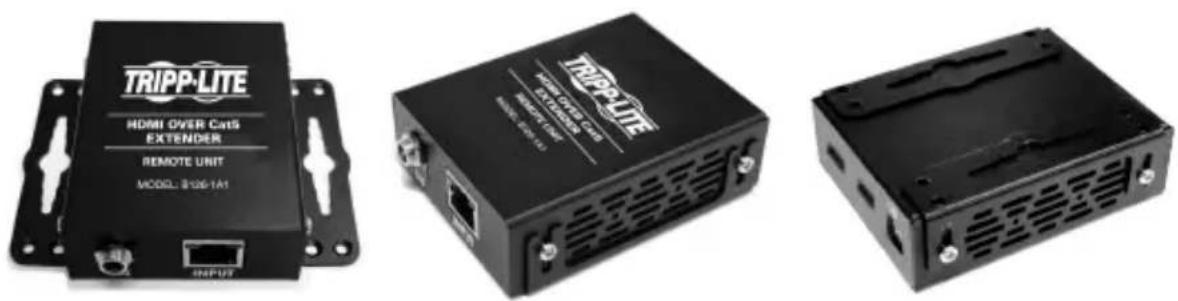
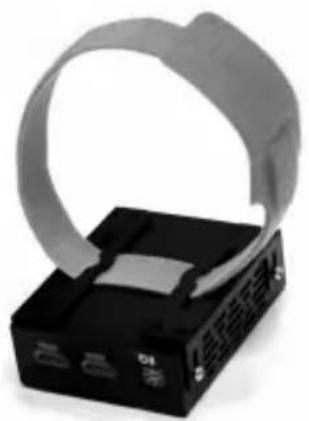
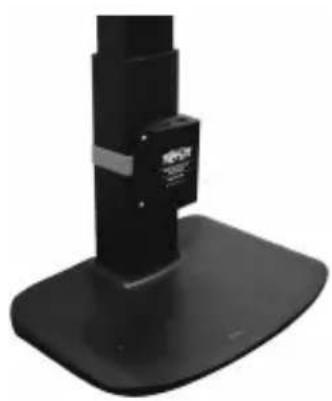
The B127A-1A1-BDBH and B127A-1A1-BDBD include mounting hardware that allows for a variety of mounting methods. The following images illustrate how the included mounting brackets can be attached for different installations.
Note: The model shown in the below images is for illustrative purposes only. Your product may vary by model number, size or port orientation. The mounting options for all over IP units are the same.
Wall-mount
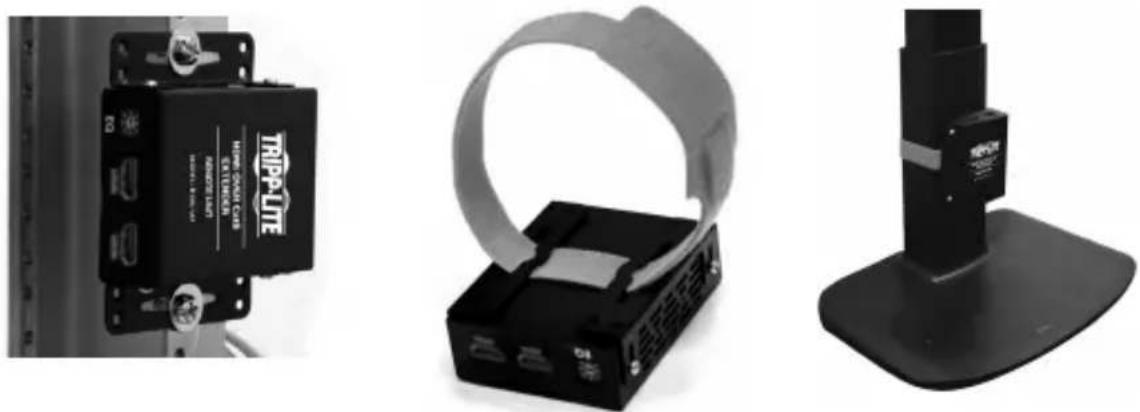
19" Rack-mount Pole-mount
Standard Extender Kit Installation
Model B127A-1A1-BDBH
Notes:
- Test to ensure the entire installation works properly before pulling cables through ceilings/walls.
- To achieve maximum distance and performance, use 24 AWG solid wire Cat6 cable. Using stranded-wire Cat6 cable or cable with a gauge (AWG) size higher than 24 AWG will result in shorter extension distance. Higher gauge cabling, such as 26 AWG, has a more limited transmission capability than lower gauge cabling. All Tripp Lite N202-Series Cat6 cables are made with 24 AWG solid-wire cabling.
- The installation diagram shows a B127A-1A1-BDBH unit.
- External power is not required for remote receiver units due to Power over Cable (PoC) technology incorporated in the transmitter units.
Up to 230 ft. Cat6 solid cable at 4K / 60Hz Micro-USB cable
Up to 15 ft. DisplayPort cable at 4K/60 H5 Toslink cable
Up to 15 ft. HDMI 2.0 cable at 4K / 60Hz
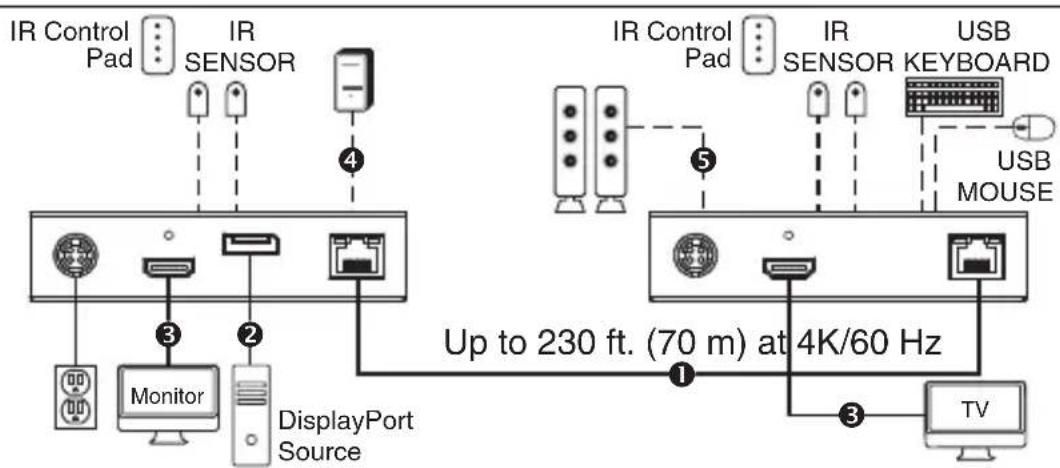
B127A-1A1-BDBH extender kit
LOCAL / TRANSMITTER REMOTE / RECEIVER
- Make sure all equipment in the installation—such as monitors, the DisplayPort source and the transmitter—is powered OFF.
Standard Extender Kit Installation
- Using a DisplayPort cable, connect the DisplayPort source to the INPUT port on the local transmitter unit.
- Optional for B127A-1A1-BDBH: Using an HDMI cable (such as Tripp Lite P569-XXX-CERT or P568-XXX-2A Series cables), connect a local monitor to the LOCALOUT port on the B127A-1A1-BDBH local transmitter unit.
- Using Cat6 cable, connect the RJ45 port on the local transmitter unit to the RJ45 port on the remote receiver unit.
- Using an HDMI cable (such as Tripp Lite P569-XXX-CERT or P568-XXX-2A Series cables), connect the remote receiver unit's HDMI port to a monitor.
- Turn the power on to your connected TVs/monitors. The LOCAL (orange) LED will illuminate to indicate the local port has been connected to a display.
- Connect the external power supply to the local transmitter unit and plug it into an available wall outlet or (optional) Tripp Lite Surge Protector, Power Distribution Unit (PDU) or Uninterruptible Power Supply (UPS). The POWER (green) LED on the local transmitter unit will illuminate to indicate the unit is receiving power from the external power supply. The POWER (green) LED on the remote receiver unit will illuminate to indicate the unit is receiving power from the local transmitter unit through PoC technology.
Note: The external power adapter can be plugged into either the transmitter or receiver unit.
- Turn on the power to the DisplayPort source. The OUTPUT (orange) LED on the local transmitter unit will illuminate to indicate a signal is being received from the source.
- The (orange) RJ45 LED will illuminate on both the local transmitter and remote receiver units to indicate a signal is being received from the source to display. The screen should now display on the connected monitor.
Standard Extender Kit Installation
Model B127A-1A1-BDBD
Notes:
- Test to ensure the entire installation works properly before pulling cables through ceilings/walls.
- To achieve maximum distance and performance, use 24 AWG solid wire Cat6 cable. Using stranded-wire Cat6 cable, or cable with a gauge (AWG) size higher than 24 AWG, will result in shorter extension distance. Higher gauge cabling, such as 26 AWG, has a more limited transmission capability than lower gauge cabling. All Tripp Lite N202-Series Cat6 cables are made with 24 AWG solid-wire cabling.
- The installation diagram shows a B127A-1A1-BDBD unit.
- External power is not required for remote receiver units due to Power over Cable (PoC) technology incorporated in the transmitter units.
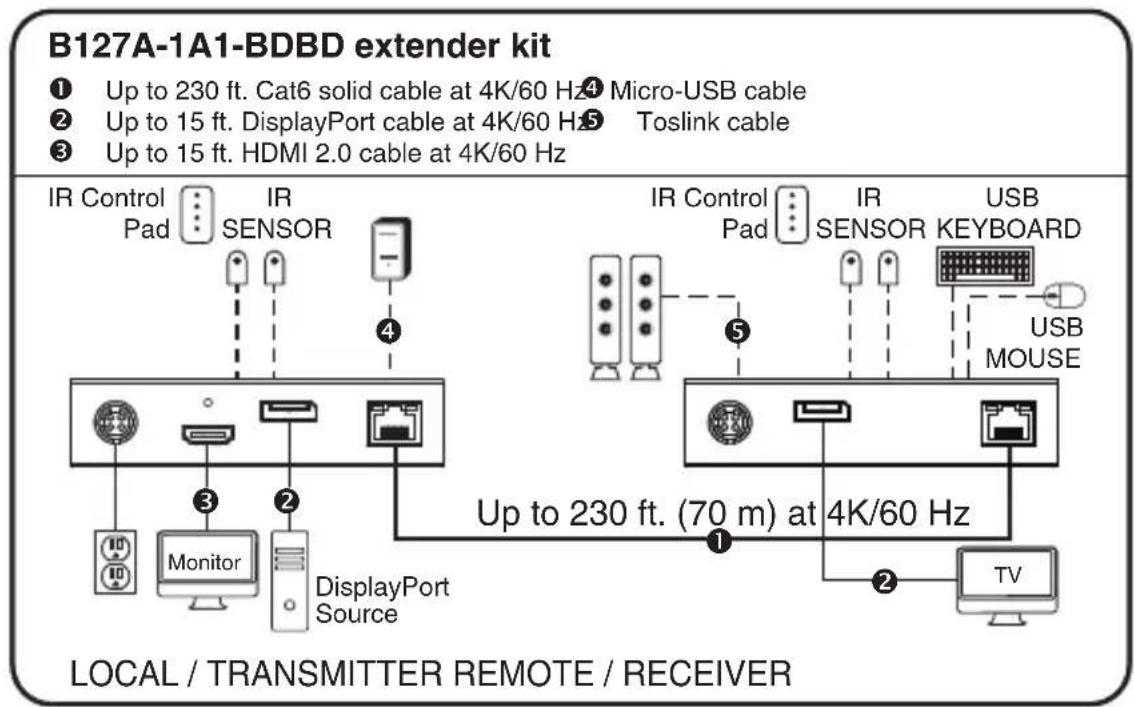
- Make sure all equipment in the installation—such as monitors, the DisplayPort source and the transmitter—is powered OFF.
Standard Extender Kit Installation
- Using a DisplayPort cable, connect the DisplayPort source to the INPUT port on the local transmitter unit.
- Using an HDMI cable (such as Tripp Lite P569-XXX-CERT or P568-XXX-2A Series cables), connect a local monitor to the LOCALOUT port on the B127A-1A1-BDBD local transmitter unit.
- Using Cat6 cable, connect the RJ45 port on the local transmitter unit to the RJ45 port on the remote receiver unit.
- Using a DisplayPort cable, connect the remote receiver unit's DisplayPort port to a monitor.
- Turn the power on to your connected TVs/monitors. The LOCAL (orange) LED will illuminate to indicate the local port has been connected to a display.
- Connect the external power supply to the local transmitter unit and plug it into an available wall outlet or (optional) Tripp Lite Surge Protector, Power Distribution Unit (PDU) or Uninterruptible Power Supply (UPS). The POWER (green) LED on the local transmitter unit will illuminate to indicate the unit is receiving power from the external power supply. The POWER (green) LED on the remote receiver unit will illuminate to indicate the unit is receiving power from the local transmitter unit through PoC technology.
- Turn on the power to the DisplayPort source. The OUTPUT (orange) LED on the local transmitter unit will illuminate to indicate a signal is being received from the source.
- The (orange) RJ45 LED will illuminate on both the local transmitter and remote receiver units to indicate a signal is being received from the source to display. The screen should now display on the connected monitor.
USB/IR/Toslink Controls
The extender kit provides the following functional controls:
- USB 1.1 - One USB Micro-B input at transmitter, dual USB-A outputs at receiver
- Bi-Directional IR - Dual 3.5 mm jacks at both the transmitter and receiver
- Toslink output at receiver and transceiver
(Optional) Connect the included IR-OUT cable to the transmitter unit's IR-OUT port. Place the sensor on the IR-OUT cable in an unobstructed area within clear view of the device being controlled. Then connect the included IR-IN cable to the receiver unit's IR-IN port. The IR-IN cable will communicate the desired command via the transmitter's IR-OUT cable.
Note: The IR-OUT cable receives the signal from the remote control and sends it to the device being controlled (e.g. Blu-ray™ player, etc.).
(Optional) With a user-supplied USB Micro-B cable (such as Tripp Lite U050-XXX Series USB cable), connect to the transmitter's Micro-B port. Then connect a keyboard and mouse to the available USB-A ports on the receiver unit.
(Optional) Connect a Toslink cable (such as Tripp Lite's A102-XXM Series cables) to a set of speakers, an audio receiver or other audio system equipped with Toslink digital outputs.
Warranty and Product Registration
1-Year Limited Warranty
TRIPP LITE warrants its products to be free from defects in materials and workmanship for a period of one (1) year from the date of initial purchase. TRIPP LITE's obligation under this warranty is limited to repairing or replacing (at its sole option) any such defective products. To obtain service under this warranty, you must obtain a Returned Material Authorization (RMA) number from TRIPP LITE or an authorized TRIPP LITE service center. Products must be returned to TRIPP LITE or an authorized TRIPP LITE service center with transportation charges prepaid and must be accompanied by a brief description of the problem encountered and proof of date and place of purchase. This warranty does not apply to equipment which has been damaged by accident, negligence or misapplication or has been altered or modified in any way.
EXCEPT AS PROVIDED HEREIN, TRIPP LITE MAKES NO WARRANTYES, EXPRESS OR IMPLIED, INCLUDING WARRANTYES OF MERCHANTABILITY AND FITNESS FOR A PARTICULAR PURPOSE. Some states do not permit limitation or exclusion of implied warranties; therefore, the aforesaid limitation(s) or exclusion(s) may not apply to the purchaser.
EXCEPT AS PROVIDED ABOVE, IN NO EVENT WILL TRIPP LITE BE LIABLE FOR DIRECT, INDIRECT, SPECIAL, INCIDENTAL OR CONSEQUENTIAL DAMAGES ARISING OUT OF THE USE OF THIS PRODUCT, EVEN IF ADVISED OF THE POSSIBILITY OF SUCH DAMAGE. Specifically, TRIPP LITE is not liable for any costs, such as lost profits or revenue, loss of equipment, loss of use of equipment, loss of software, loss of data, costs of substitutes, claims by third parties, or otherwise.
PRODUCT REGISTRATION
Visit triplite.com/warranty today to register your new Tripp Lite product. You'll be automatically entered into a drawing for a chance to win a FREE Tripp Lite product!*
- No purchase necessary. Void where prohibited. Some restrictions apply. See website for details.
WEEE Compliance Information for Tripp Lite Customers and Recyclers (European Union)
Under the Waste Electrical and Electronic Equipment (WEEE) Directive
and implementing regulations, when customers buy new electrical and electronic equipment from Tripp Lite they are entitled to:
- Send old equipment for recycling on a one-for-one, like-for-like basis (this varies depending on the country)
- Send the new equipment back for recycling when this ultimately becomes waste
WARNING
Use of this equipment in life support applications where failure of this equipment can reasonably be expected to cause the failure of the life support equipment or to significantly affect its safety or effectiveness is not recommended.
Tripp Lite has a policy of continuous improvement. Specifications are subject to change without notice. Photos and illustrations may differ slightly from actual products.


Manufacturing Excellence.
1111 W. 35th Street, Chicago, IL 60609 USA · tripplite.com/support
12
20-09-170 93-3D2E_ReVA
1111 W. 35th Street, Chicago, IL 60609 EE UU • triplite.com/support
1111 W. 35th Street, Chicago, IL 60609 EE UU • triplite.com/support
20-09-170 93-3D2E_RevA
1111 W. 35th Street, Chicago, IL 60609 USA • triplite.com/support
20-09-170 93-3D2E_RevA
PykoBODCTBO N0Ib30BaTeЯ
PetpansTop npneMnK DisplayPort yepe3 Cat6 B komplekte (4K / 60 Tc)
DisplayPort uepe3 Cat6: moeB B127A-1A1-BDBD
DisplayPort—HDMI uepe3 Cat6: moeBb B127A-1A1-BDBH
English 1 • Espanol 13 • Français 24 • Deutsch 46


PpOpyKunBucwero Kneee8.
1111 W. 35th Street, Chicago, IL 60609 USA · triplite.com/support
OxpaHaeTcA bTOpckn m npaBOM © 2021 Tripp Lite. IepeneaTaK aZnPpeaetca.
CopexHmoe ynaKOBKn

MOHTAX B CToIky 19" MoHTax Ha MaYTe
yctahOBka ctaHdapTHoro KOMnIeKta petpaHcIaTopa
Modélb B127A-1A1-BDBH
Примочаня:
- Ipeo npomrauhaem Kaeneu chee cmehbl/nomokn Heo6xodmo npoeepmb npaunbHocmb yHKcuOHupOBAHua Bceui ycmaHO6ku.
- ДяDocmxeHmaKcumalbHou ducmanu u npou3bodumelbHocmu ucnonb3yume ka6enb Cat6 c odnoxubHbIMu npoBdAmu kana6pa 24 AWG. UcnoIb3obAHue ka6enb Cat6 c mnozoxubHbIMu npoBdAmu unu Ka6enC npoBdAmu kana6pa bblue 24 AWG npuedem K cokpaehuo dnluhpepmacnauu. Ka6enu 6onee blicokux kana6pOB (Hanpumep, 26 AWG) umeiom boonee ozpanuehnyo nepedaiouyo cnocobocmb no cpabHeuO C Ka6enMa 6onee Huzkux Ka16pOB. Bce Ka6enu Cat6 cepuu N202 Mapku Tripp Lite uZomaenbaomc C uocnoIb3oBaHueM odnoxubHbIx npoBdoB Ka16pa 24 AWG.
- Ha cxeme ycmaHo8ku noka3aHa modalb B127A-1A1-BDBH.
- YdaenHbIe npuemHku He mpe6yIom BHeuHezo UcmoHka numaHua 6naOdapra uCnoB308aHuO mexHoNo2U PoC (numaHue no Ka6eIIO) 8 nepeaoux Modynax.
B127A-1A1-BDBH KomnneKT petpaHcIaTopa
1 Do 70 M OJHOxKnIbHbI Ka6eB Cat6 np4K/60
2 Do 4,5 M Ka6eB DisplayPort npn 4K/60 T
3 Do 4,5 M Ka6eIb HDMI 2.0 npn 4K/60 Tc
4 Ka6eIb c pa3bemamMi Micro-USB
Ka6enb Toslink
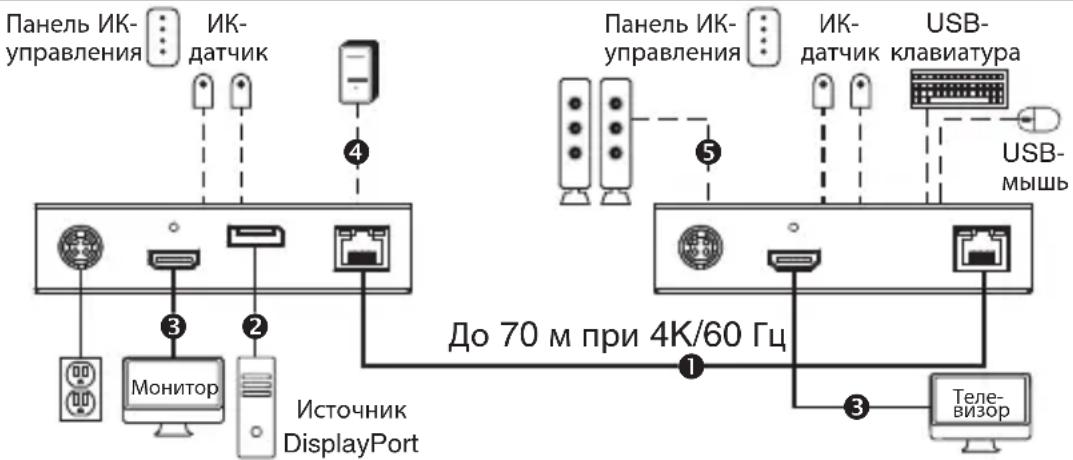
JOKAJIbHbI / IPEDATUKNKUDAJEHHbI / IPNEMHK
- Y6eIteB TOM, yTO nITaHne Bcero obopydoBaHn (a mEHHo MOHTopoB, nCTouHnKa DisplayPort n nepeDaTuHa) OTKIOUeHO.
yctahOBka cTaHdapTHoro KOMJIeKta petpaHcIaTopa
- История DisplayPort, подату displayPort ko BXOДHOMY nopту lokaльносяатука.
- Onuohnbno nmaoB. B127A-1A1-BDBH: c noMoobH HDMI-Ka6eJ (Haepmep, Ka6eJ Tripp Lite cepnn P569-XXX-CERT nn P568-XXX-2A) noKnHnTe loKaJIbHbM MoHTop K npTy LOCALOUT lokaIbHoro nepedaTnka B127A-1A1-BDBH.
- CnomoIbIO Ka6eIa Cat6 coeINHte npT RJ45 lokaIbHoro nepeaTuHa c npToM RJ45 ydaenHoro npneMHnKa.
- C noMoouH HDMI-ka6e (Ha npMep, ka6ene Tripp Lite cepnn P569-XXX-CERT nn P568-XXX-2A) coeHHnTe HDMI-nopT ydaJIeHHoro npneMHnKa c MoHHTOpOM.
- IopaiTe nTuHHe Ha noDKNIOUeHHbIe TeneBn3Opbl/MOHITOpbl. BkIOUeHne cBeToIOHOro HndKAtopa LOCAL (opahXeBOrO uBeta) yka3bIbaet Ha To, YTO JOKaJIbHbI nopT noDKNIOUeH K dncJIpeIo.
- Поdkлочпе поедатук K Bheшему nctouнky пntань и BKлочte ero B CBO6OHyU эл ektpиескуpo3etky iln (onцhoalbHo)Вpo3etky ceteBOroФильтpa,блoka paCnpedelenna nHTAHN (PDU) iln nctouнka bcepeboHoro пNTAHN (IVI) Tripp Lite. Горший CBetoJNOHbIM INdikatop POWER/ПИТAHNE (ЗelenHoroцBetа) lokaBHoro поедатук CBuTeJIbCTByET O TOM, UTOДaHHbMoDyIb noLyaet зл ektpoITaHne OT BHeWHERO nCTouHnKa. Горший CBetoJNOHbIM INdikatop POWER/ПИТAHNE (ЗelenHoroцBetа) ydaJeHHORO npeMHnKa CBuTeJIbCTByET O TOM, UTOДaHHbMoDyIb noLyaet зл ektpoITaHne OT lokaBHoro поедатук NO texHOLrOu PoC. Пр汞ehue. Bheunu 6lOK numahua MoXem 6blmb nodKluoyen lu6o K nepedamuyk, lu6o K npuemHuky.
- BkIIOHTe NITaHHe IcTOUHnKa DisplayPort. CBeToIDNoIDhBm INDnKaTOp OUTF/BbIXOJ (opAHKeBOrO cBETA) IOKaJIbHOrO npeJaTuHka CBnTeJIbCTByeT O NOJyEHNm m CnTHaHa oT IcTOUHnKa.
- Topaun CBeToNoHbIn HnHKaTOp RJ45 (opaHkeBoro UBeTa) Ha NokaIbHom nepeaTne u ydaJIeHHOM npHeMHKe CBnTeTbCTByeT O noJyueHm CNrHa nO tNctOuHnKa Ha dncJIee. Teepb npEdCTaBnEmaHa hKpaHe INoOpMaun DOJxHa BbIOuNbCn Ha NOkIIOUeHHb MoHTOp.
yctahOBka ctaHdapTHoro KOMnIeKta petpaHcIaTopa
Modélb B127A-1A1-BDBD
PnmuMeuHaNia:
- Ipeod npomrauhaem Kaenei uee 3mehbi/nomolku Heo6xodmo npoeepmb npabunbHocmb yHKUOHUPOBAHURceyVcmaHO8KU.
2.ДЯ docmukhenmaKcumalbHou ducmau u npou3bodumebnhcmu ucnonb3yume kabenCat6 c odnoxubhmu npoobamu kaluppa 24 AWG. Hcnonb3oBaHue kabena Cat6 cmnozoxubhmu npoobamu unu kabena c npoobamu kaluppa bhiue 24 AWG npube dem KcokpaehuO dnunbI pempanchauu. Kabenu 60ee blicokux kaluppoB (Hanpumep, 26 AWG) umeom bolee opeanuehnyo nepedauuyo cnocobcm no cpabHeHIO C kabemmu 60ee Huzkux kaluppoB. BCE kabenu Cat6 cepuu N202 Mapku Tripp Lite uzeomabuaohmca CucnoLb3OBaHuEM odnoxubhbx npoobod kaluppa 24 AWG. - Ha cxeme ycmahOBku noka3ha Modejb B127A-1A1-BBDB.
- YdaeneHHbIe npueMHuKHe mpe6yHOM BHeUHezo UcmoHua numHa 6na2oDapr uCnoB30aHuO mexHOzU PoC (numHue no Ka6En) 6 nepeaoux Modvax.
B127A-1A1-BDBD Komnlekt peTpaHcIaTopa
1 Do 70 M OdHOxKnHbN Ka6eNb Cat6 npn 4K/60 T
Ka6ebc pa3bemamMi Micro-USB
2 Do 4,5 M Ka6eB DisplayPort npn 4K/60 T
Ka6eBb Toslink
3 Do 4,5 M Ka6eIb HDMl 2.0 npn 4K/60 T
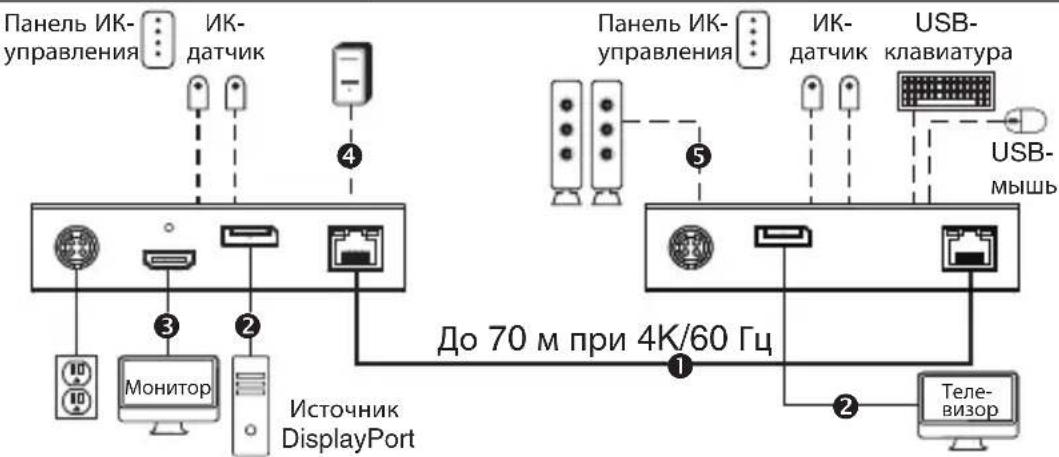
JOKAJbHbI / IPEDATUKNKDAJEHHbI / IPNEMHK
- Y6eIteB TOM, yTO nITaHne Bcero o6OpyIOBaHn (a mEHHo MOHTOPOB, nCTOHNka DisplayPort n nepeDaTnKA) OTKIOUeHO.
yctahOBka cTaHdapTHoro KOMJIeKta petpaHcIaTopa
- История DisplayPort, подату displayPort ko BXOДHOMY nopту lokaльносяатуka.
- C noMoouHDMI-ka6eNa (Haepmep, ka6ene Tripp Lite cepnn P569-XXX-CERT nn P568-XXX-2A) noKluuHToKaalbHbMOnHToP K npoty LOCALOUT okaJIbHoro nepedatnka B127A-1A1-BDBD.
- CnomoIbIO Ka6eIa Cat6 coeHnTe npT RJ45 loKaIbHoro nepaTuHa c npToM RJ45 ydaenHoro npneMHnka.
- C nomou bio ka6eIa DisplayPort coeHnTe nopT DisplayPort ydaenHHoro npneMHnka c MoHTopOM.
- IopaiTe nHTaHHe Ha NOKIOUeHHbIe TeJIeBUN3Opbl/MOHITOpbl. TOpAun CBeTOINoHNbI INHINKaTOp LOCAL/IOKAJIbHbI (opaHKeBOO cBeta) yka3bIbaet Ha To, UTo IOKaJIbHbI NOpT IOkNIOUeH K DnCpIeIo.
- Поdkиочпе поедатук K Bншему Истону Кптая и Вьлоче erо в Свобodyю Эльктуческу розтук улл (оционально) B розтук сетеворо Фньтура, блoka paцреденяпотаня (PDU) улп пстониka 6бспесебогию ппотаня (ИБП) Tripp Lite. Горший с Bretod�ньиндikatop POWER/ПИТAHWE (Зелегорцьета) лokальго поедатук CBидeTeьбCTBYET O TOM,ЧTO дань мodyль поуаet зелковуогиOTВншиму Истону Кпсгдуог. Горший с Bretod�ньиндikatop POWER/ПИТAHWE (Зелегорцьета) удаленloro ппсmedнka CBидeTeьбCTBYET O TOM,ЧTO дань мodyль поуаet зелковуогиппсmedнka NO TexthONORn PoC.
- BkIIOHTe NITaHne IcTOUHnKa DisplayPort.CBeToIDNoIDbI INDnKaTOp OUTPUT/BblOXOJ (opAHKeBOrO cBETA) JOKaJIbHOrO nepeDaTUnKa CBNDeTeJIbCTByeT O NOJIyEHNm CnIHHaJa OT NCTOCHNuKa.
- Topuim CBToIOHbI INHnKaTOp RJ45 (opahXeBOrO uBeTa) Ha IokaBHom nepeaTnke UyalaenHOM npueMHKe CBnteJIbCTByET O noJyuEHn CnHa nOCTouHnKa Ha dncnlee. Tenepb npedctablaemar Ha 3KpaHe IHΦOpMaun DOnxHa BbIOHTbcra Ha NOkJIooHbIMoHtOp.
YnpaBJIeHne uepe3 USB/IK/Toslink
KoPnneKt peTpaHcIaTopa IMeet cIeDyUOuIe FyHKUOnHaJIbHbIe 3IeMeHTbl ynpaBHeHia:
USB 1.1 - OdnBxoD Micro-USB ha nepedaTunke, Dba BbixoDa USB-A Ha npneMnke
-ДынларьньИК - no Два разьема 3.5mm Ha nepedatчиke И ппимнIKE
BbIXoToslinkHa npHmHKe npepaTuKe
(Heo63aTeNbHO) BCTaBbTe BbIXOJHoi NK-Ka6eNb (IR-OUT) n3 KOMnJIeKt a B npT IR-OUT nepeDaTuHa. UcTaHObITE DaTUnK Ha Ka6eNb IR-OUT B CBO6OJHom OT npEnrTcBm MeCte TaKIM o6pa3OM, uTo6bl ynpabIaeMoE ycTpoIcTBo HaxOJInocb B npEdanx BUnMocTn. 3aTe M BCTaBbTe BxOJHO NK-Ka6eNb (IRIN) n3 KOMnJIeKt a B npT IR-IN npneMnHa. Ka6eNb IR-IN 6yIeT nepeDaBaTb HuxHbIe KomAnDbI uepe3 Ka6eNb IR-OUT nepeDaTuHa.
Ipumeyaue. Kaebb IR-OUT npuHmaem cuzhan ducmauohno ynpabneHua u nepedaem ezo ha ynpabnaeMoe ycmpoucmeo (Hanpumep, npouzpbiaamnb Blu-ray ^TM u np.).
(Heo6aTeNbHo) C nOmoIbIoo Ka6eIy USB Micro-B, He BXoJaIeRo B KOMnIeK T noCTaBKn (HaNPmEp, USB-Ka6eJI Tripp Lite cepuN U050-XXX), BblnoJHte noKJIouHneK npTy Micro-B nepeDaTuNka. 3aTeM noKJIouHte KlaBnaTpy uMbIb K Cbo6oDhbIM nopTaM USB-A npneMHNka.
(Heo6a3aTeNbHO) Iodcoedunme Kaebb Toslink (hanpumep, Ka6enu Tripp Lite cepuu A102-XXM) K akycmuueckou cusceme, ayduonpuemnuky unu dpyzou ayduocucmeme, ochuenho uqfoobimu bixodamu Toslink.
TapaHTnHbIe 06aTeIbCTBa
OrpaHueHHa rapaHTnca pOKom 1 roD
KOMNAHTRIPP LITE rapaHTnpyET OTCYCTBNE DEeKtOB MATEpMaNoB IN 3rOToBHeN B TeUHe N OdHO (1) roda
c MOMENTa nepBOHauJIbHOI NOyKIN. 063aTeNbCTBa KOMnAHN TRIPP LITE no HactoaeI rapAHTHn OPAHUNBAOTcpeMOHTOM nI 3aMeHOI (no ee eHNIOHUMOY yCMOTpeHNO) NIObIX TaNX DeEeKTHbX U3dENi. IJa NOnyEnH YcNyt No DAHHOR rapAHTHn Heo6xOIMo NOnyNTb HomeP Returneded Material Authorization (RMA -papseHHeHa BO3BpaT MaTePHAOB) OT KOMnAHN TRIPP LITE nn ee ABTOPI3OBaHORO cepBcHoro CEHTpa. Bo3BP t3denn B KOMnAHNO TRIPP LITE nn ee ABTOPI3OBaHNN CepBcHNN TcnpDnAToT PAnCnOPTnPOBKN n COPiBOXDaTc KaTKM OMCAHEM BO3HKeW np6bEmbl IOkUMENTM, NOITBePaxDAUOM M DaTy MeTo pNoBpeTHe. DeCTBne DAnHOI RAPAHTN He paCnPoCTpAraHETc Ha ObopyDoBaHNe, NOpBXeDHeHO B peyIbTaT aBAPm, He6peXHOrO o6paHHeHnn HnepaBmHBOr HO cNtJbOBAHNA, a TAKKe BUnOn3MeHeHHeo KAKM bI To Hn b6blO6pa3OM.
3A NCKIHOUEHEM IPEJYCMOTPEHHbIX 3DECb CNYAEB KOMTAHNA TRIPP LITE HE IPEIOCTABNIEKAKNX-IMBO RBbIX IMI IOIPA3YMEBAEMbIX TAPAHNTB, BKNIOUAYI RAPAHNTM KOMMEPUECKO IPIIROHOCTN INIPOIHOCTN INIA KAKOI-IMBO KOHKPETOH CEIN. B HeKOToBPx UtaX/ocydpacTBax OPAHueHne IMN MCKIOHHe NOpa3yMeBaembIX rapaHTn He IOnyKaetcra; cIeOBoTeBHO, BbiyeKaazHoe(-be) OPAHueHne(-r) mN NCKIOUHEHNE(-m) MORYt He paCnpocTpHaTbca aNokyTaTena.
3A NCKHIOEHNEM PEPYCMOTPENHHBIX BblIe CIIyAEB KOMNAHNI TRIPP LITE HIN PPIN KAKNX OBCTOBCTBAX HE HECET OTBETCEBHHOCTN 3A PPIMBLE, KOCBEHNIE, CIYAHNBIE ININ NOBOUHIE Yb1TK IN50 Yb1TKN, ONPEJELREMBIE OCOBBIMN OBCTOENTBCTBAMN, BO3HNAIOUIE B CBA3N C NIOJIb3OBAHHEM DAHHORI 3DENIA, DAXE B CIIYAE EE INHOPMPOBAHNA I BO3MOXHOCTN HACTYNIIHNA TAKNX Yb1TKOB. B qactHOCTN, KOMNAHNI TRIPP LITE He hceT oTBCTBEHOCTn 3a KaKHe-Ni6o 3depKNN, TaKne KaNyueHne pnbbln Hn DoxObl, Notepa obOpdyOBAHNA, Notepa BO3MOXHOCTN NcIONb3OBAHNA o6OpdyOBAHNA, Notepa nporpaMMHoro o6ecneHEn, Notepa daHHbX, paXoNbHa 3aMeHnten, ypeynpOBAHNe npTeHn TpeBx nIu np.
HhOpmaunno BbInonHeHH Tpe6oBauu DnpeKTHBb WEEA nna noKynatene u nepepa6OuKOB npOdyKun KOMpannn Tripp Lite (aBnIooxca pe3nDentamn Ebponeckoro co3a)
Cornacno noIIOKeHnM DmpeKtMbbl 06 yTINi3aunm OTXoOB 3neKtpueckcKO r 3neKtpoHHoro 6OpyoBaHnna (WEEE) n cnoninntenbHex paccnpaeHn no ee npmeHnO, pnN oKynke notpe6nteMaH NBOrO 3neKtpueckcKO rnn 3neKtpoHHoro 6OpyoBaHnna PpONB0dCTBA KOMNaHn Tripp Lite OHn nonyauhot npaboHa:
-Пюдачустаро obopydobahma no npnHmny "OIMN 3a OIMN" m/MLn Ha 3KbBbAeHTHOI OCHOBe (B 3aBbMIOCT O T KOHKpeTHOIT CTpaHbI)
- Otnpabky HOBOro 6obpydoBaHnHa nepepa60TkNoCne OkohaTeNbHbN Bbpa60Tk erO pecypca
BHIMAHNE!
NcnoB3oBaHnE daHnro o6OpyDobAHn B cHTeMax Xn3He06ecneeyHn, rTe erO bExIO n3 CToPnpeIOnIOXtEnbHO MoKet PnBeCTK N nepe6oAM B pa6oTe 6opdyOBAHn Jx3He06ecneeyHn IM B 3HaHTeBHO Mepe Chn3Tb erO 6e3oNaHcO7b IMn 3fKeTMBHObTb, He peKomeHnyeTc.
KOMnHr Tripp Lite noCToHHo COBepHeCTBye CBOHO npOdykuHIO. B CBA3N C 3TNM BO3MOxHO h3MeHeHneTexMHcckHX xapaKTepHtMK 6e3 npEaBPHTelbHor yBeOMJIeHn. BHeHm HnDpeAihbIX n3dEmn MoKeT HeCKOBko OTnHauTcBcOT npEctTabLeHHOr Ho a foToPraHnx HnIOcTpaHnx.


PnpnyCysBbueoN KNECTA.
1111 W. 35th Street, Chicago, IL 60609 USA · triplite.com/support
20-09-170 93-3D2E_ReVa
Benutzerhandbuch
Manufacturing Excellence
1111 W. 35th Street, Chicago, IL 60609 USA · tripplite.com/support

Manufacturing Excellence.
1111 W. 35th Street, Chicago, IL 60609 USA • tripplite.com/support
20-09-170 93-3D2E_RevA