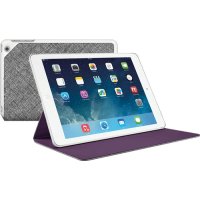
Hinge - Tablet Accessory LOGITECH - Free user manual and instructions
Find the device manual for free Hinge LOGITECH in PDF.



| Product Type | Protective case and stand for iPad |
| Brand | Logitech |
| Model | Hinge |
| Compatibility | iPad (models compatible with open/close wake/sleep) |
| Materials | Rigid shell and soft coating (polyurethane type) |
| Dimensions (approx.) | 250 x 200 x 20 mm (depending on iPad model) |
| Weight (approx.) | 200 g |
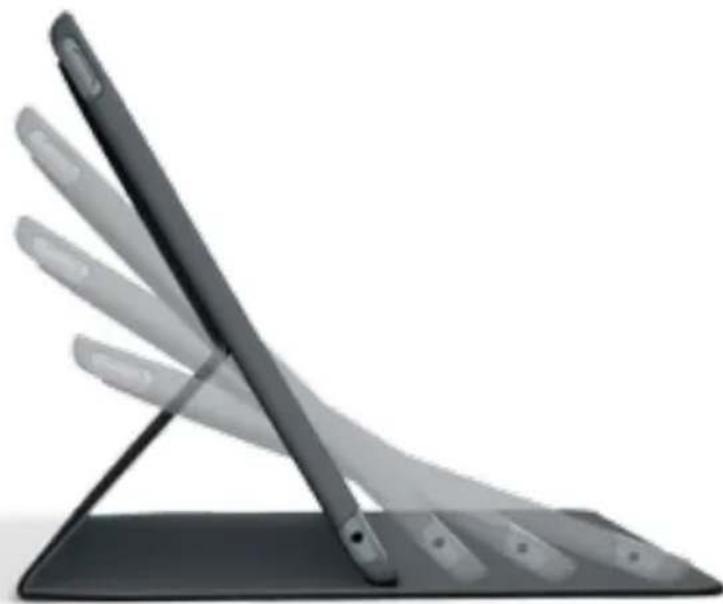
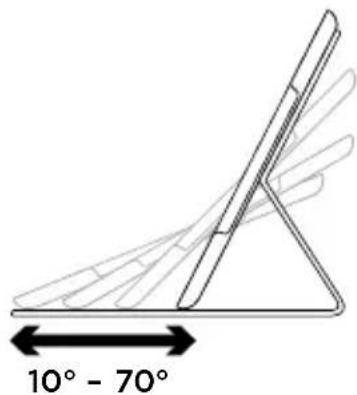
| Viewing positions | 2 positions: reading (tilt 10°-70°) and browsing (horizontal) |
| Sleep/wake function | Yes: opening the case wakes the iPad, closing puts it to sleep |
| Openings | For speakers, charging port, headphone jack, power button, volume, microphone, and camera |
| Removing the iPad | Via a detachment hole on the back of the stand |
| Cleaning | Wipe with a soft, dry cloth. Do not use liquid products. |
| Warranty | Limited manufacturer's warranty (usually 1 year) |
| Support | Online: tutorials, troubleshooting, community, and documentation |
Frequently Asked Questions - Hinge LOGITECH
User questions about Hinge LOGITECH
0 question about this device. Answer the ones you know or ask your own.
Ask a new question about this device
Download the instructions for your Tablet Accessory in PDF format for free! Find your manual Hinge - LOGITECH and take your electronic device back in hand. On this page are published all the documents necessary for the use of your device. Hinge by LOGITECH.
USER MANUAL Hinge LOGITECH
Flexible case with any angle stand
Setup Guide
Contents
English. 3
Deutsch 8
Francais 13
Italiano. 18
Espanol 23
Portugués 28
Nederlands 33
Svenska 38
Dansk 43
Norsk 48
Suomi 53
Elambdaiká. 58
Ppucckn. 63
Magyar 68
Česká verze 73
Po polsku 78
Slovencina. 83
Türkce 88
93
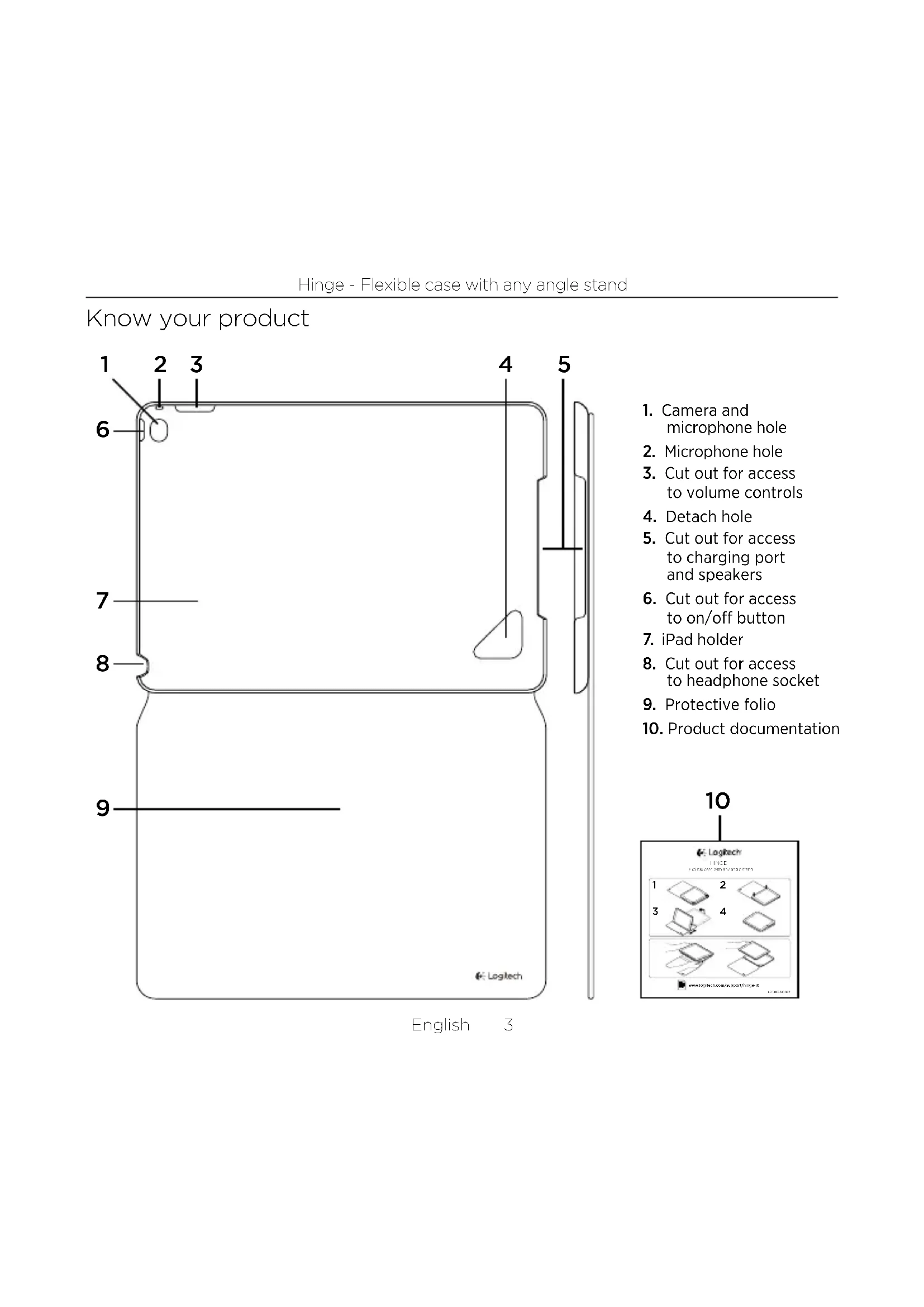
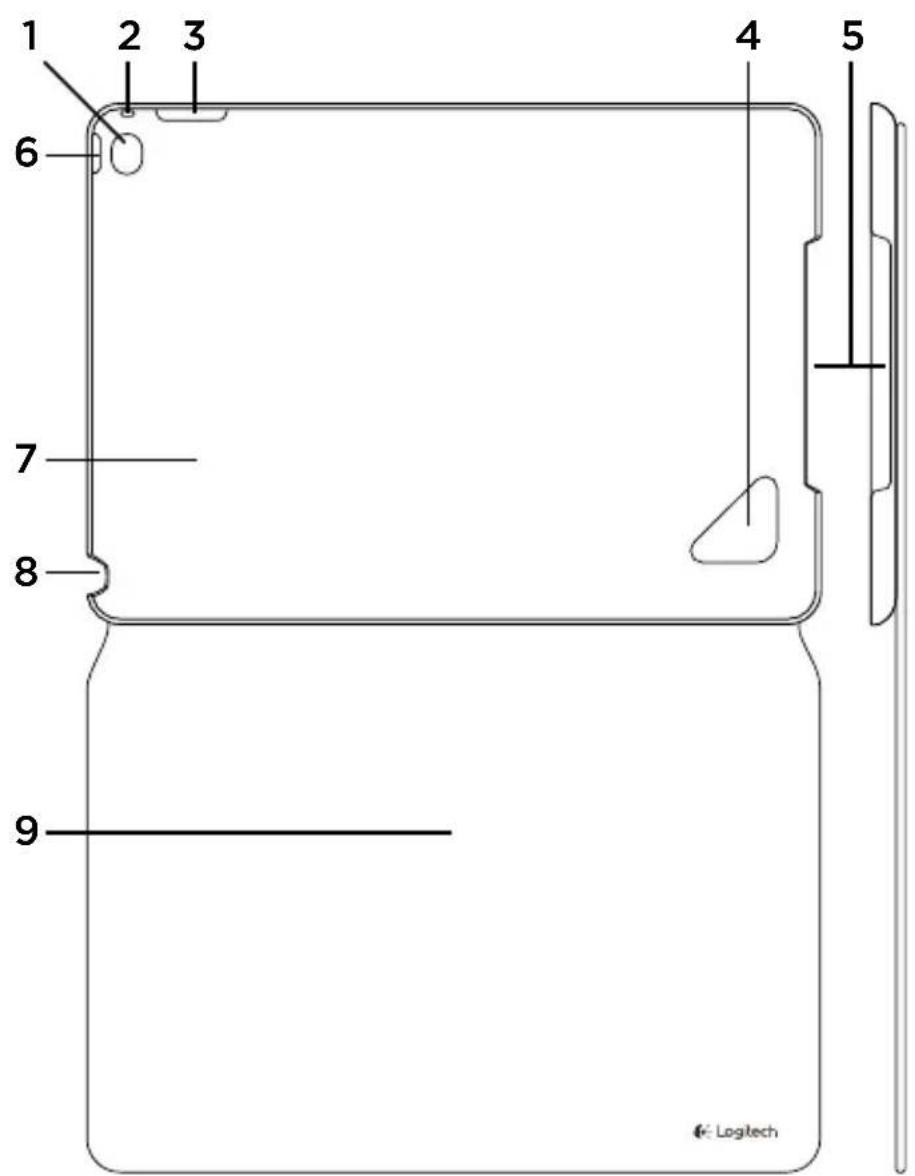
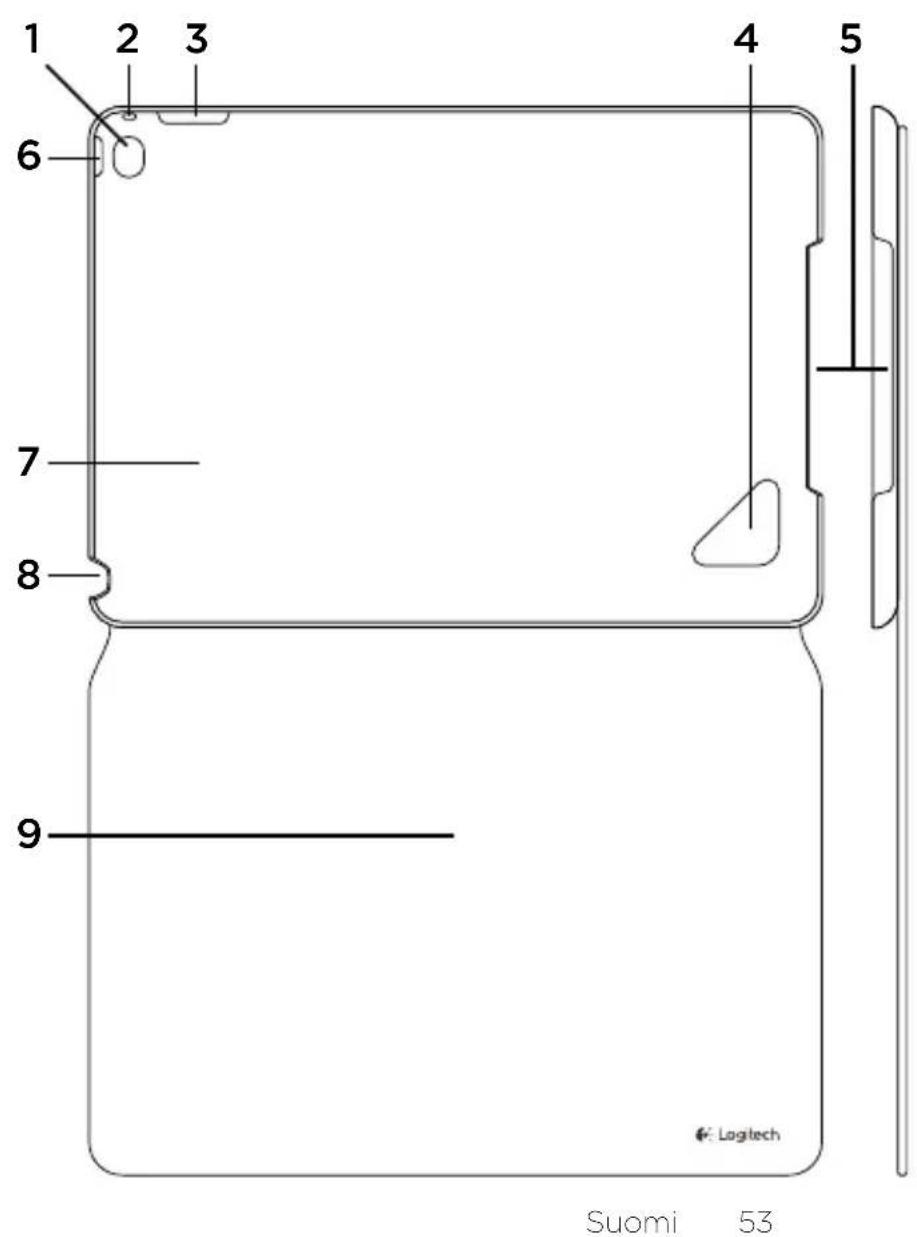
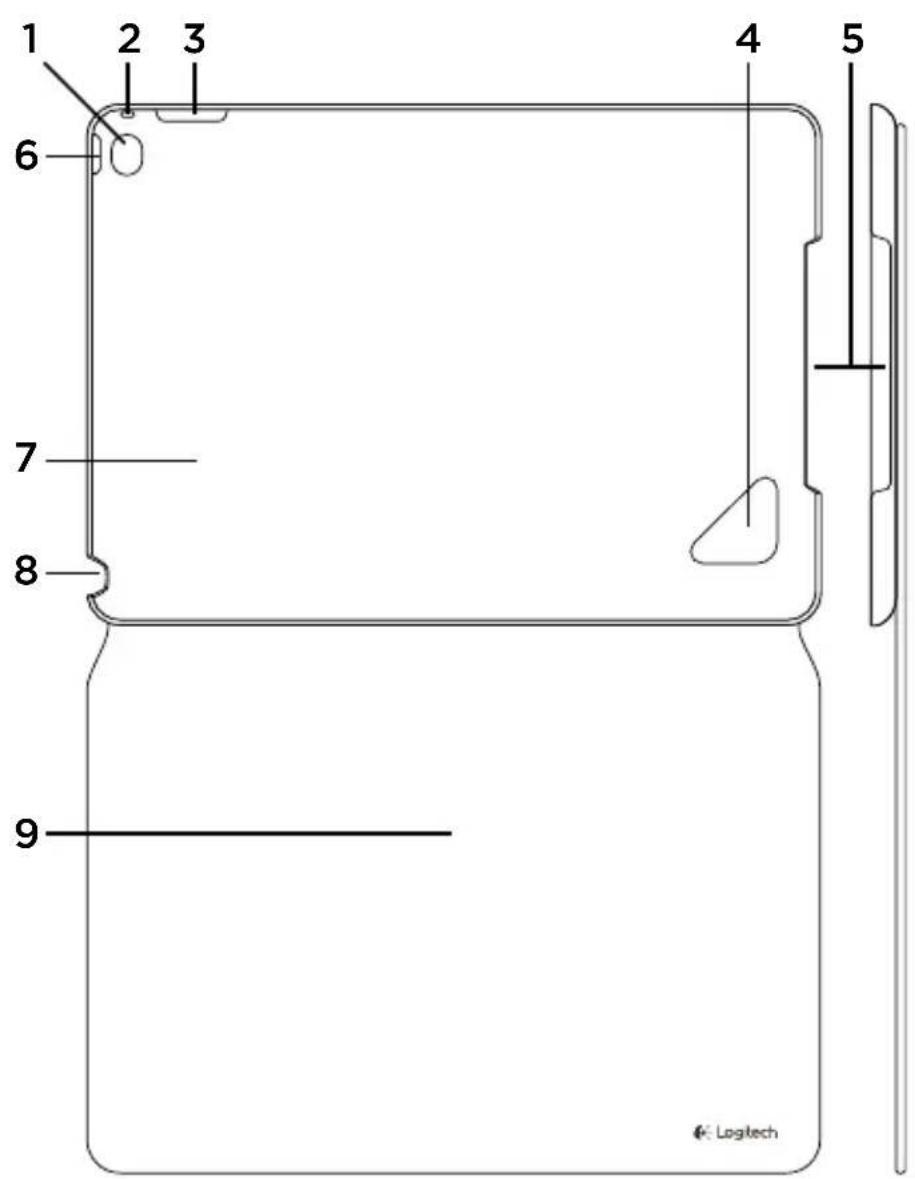
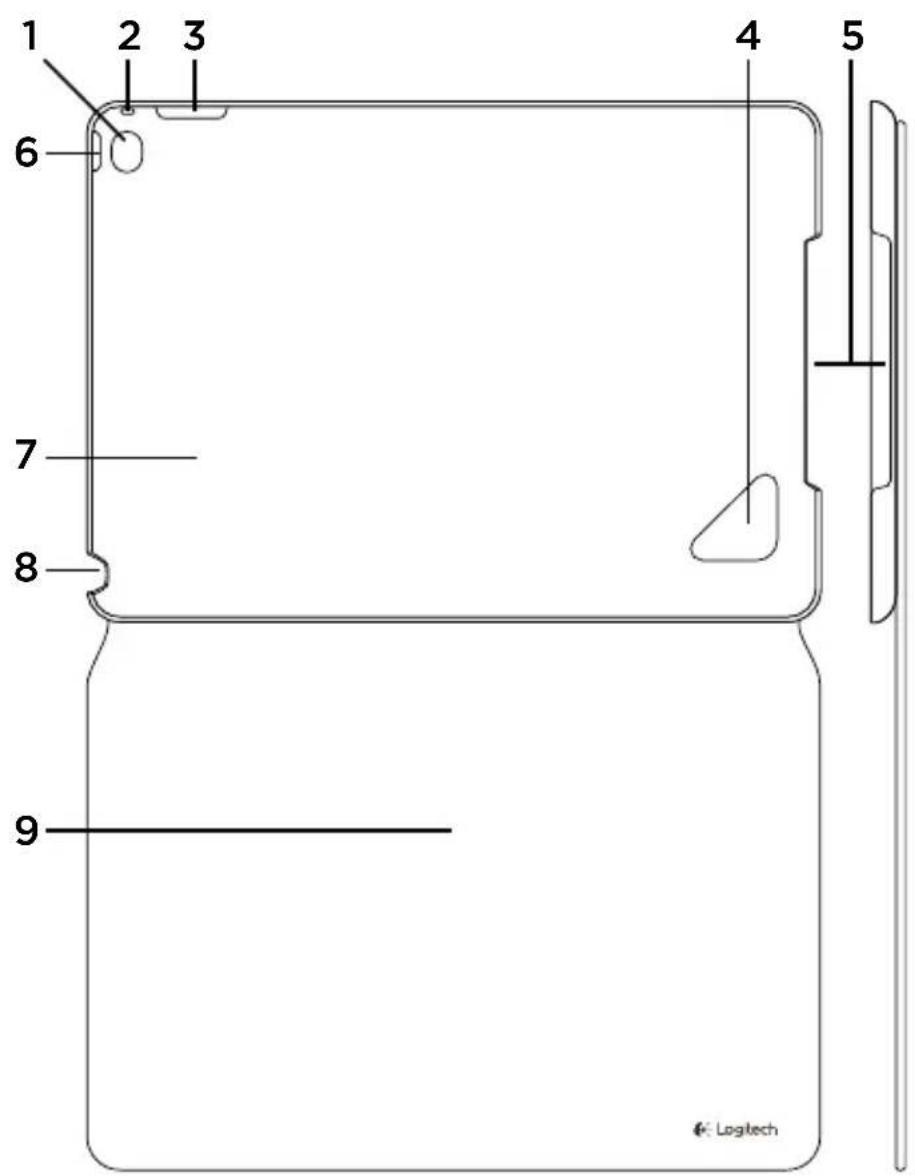
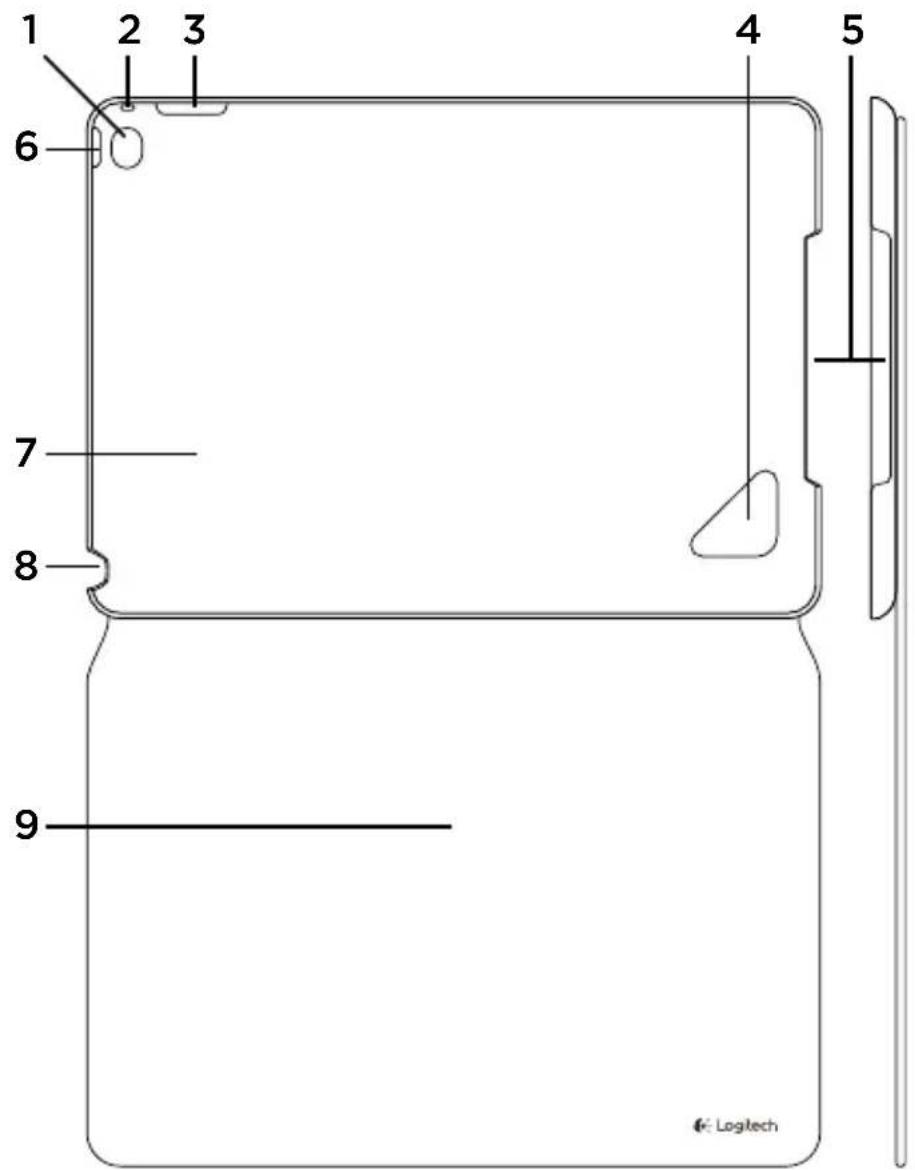
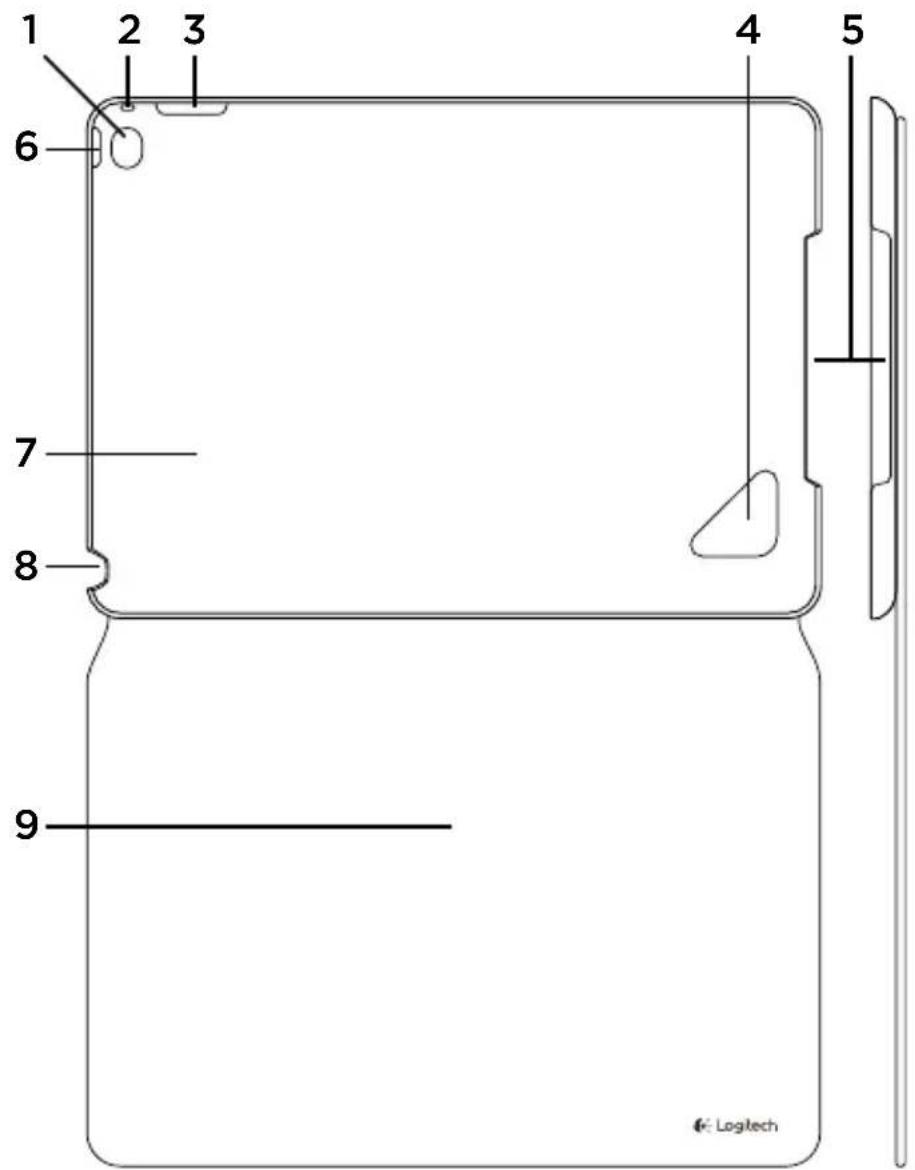
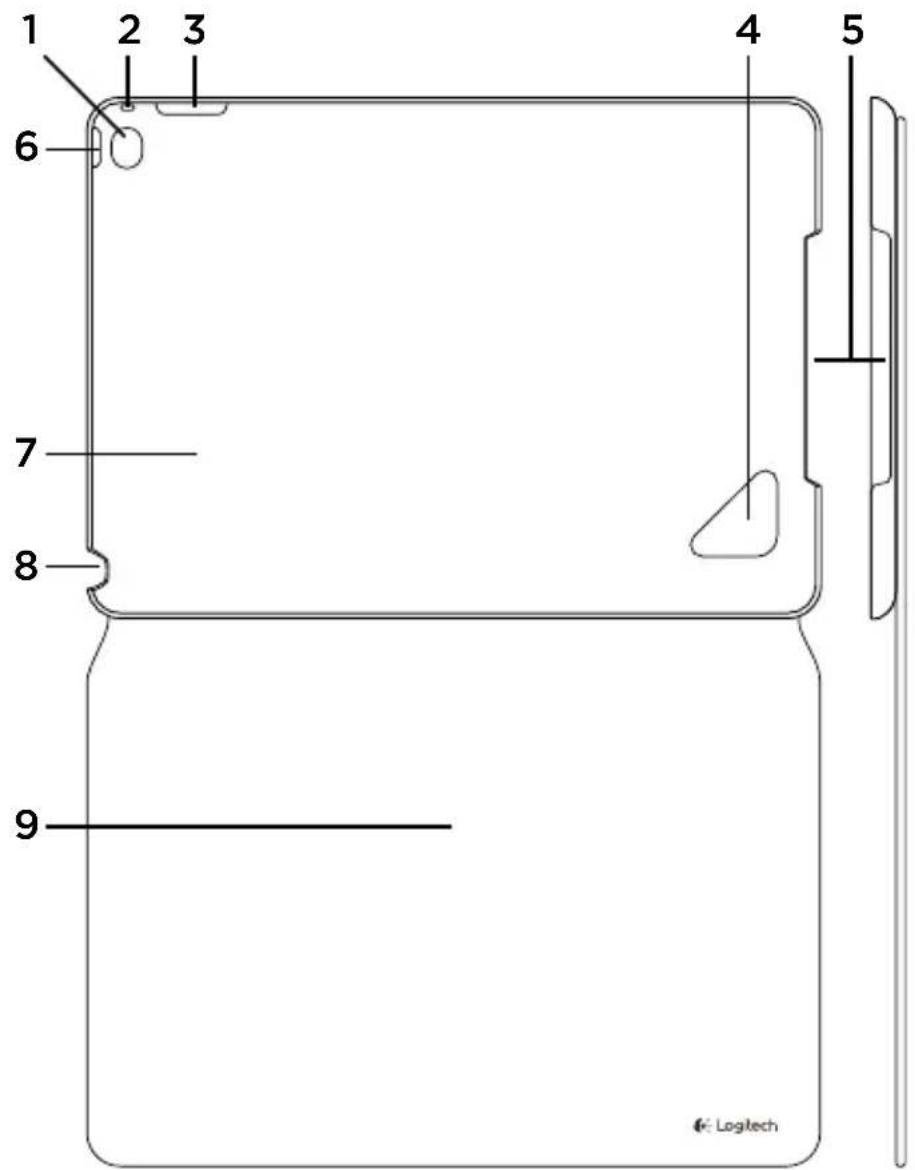
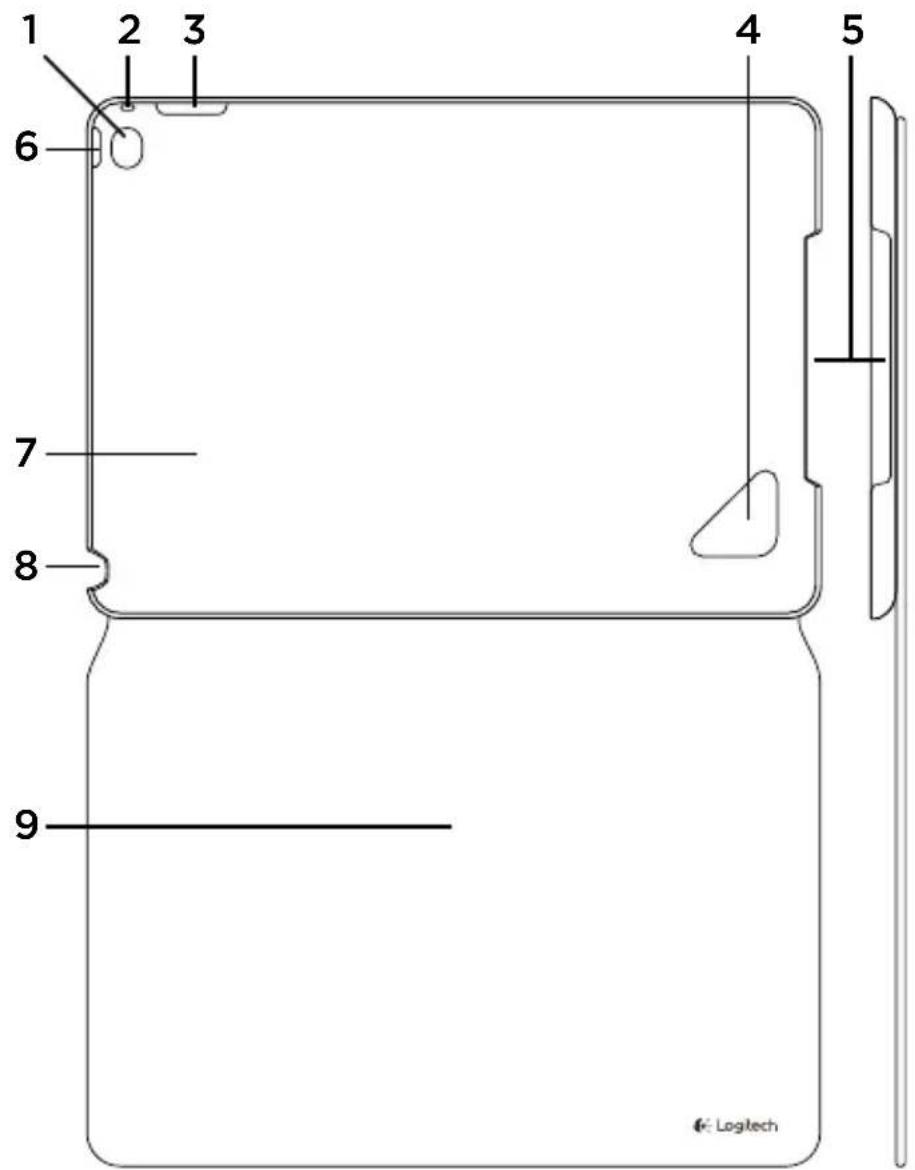
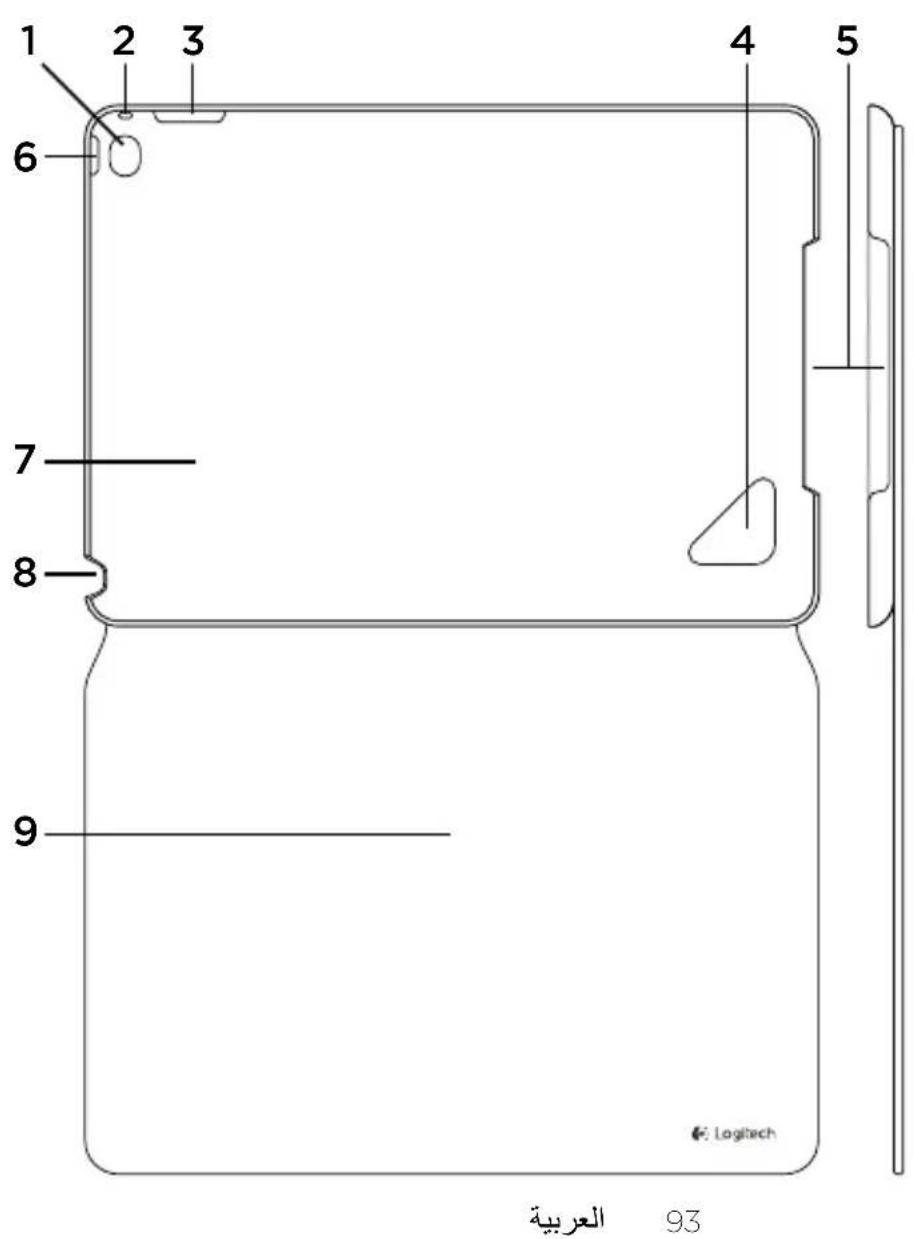
Know your product
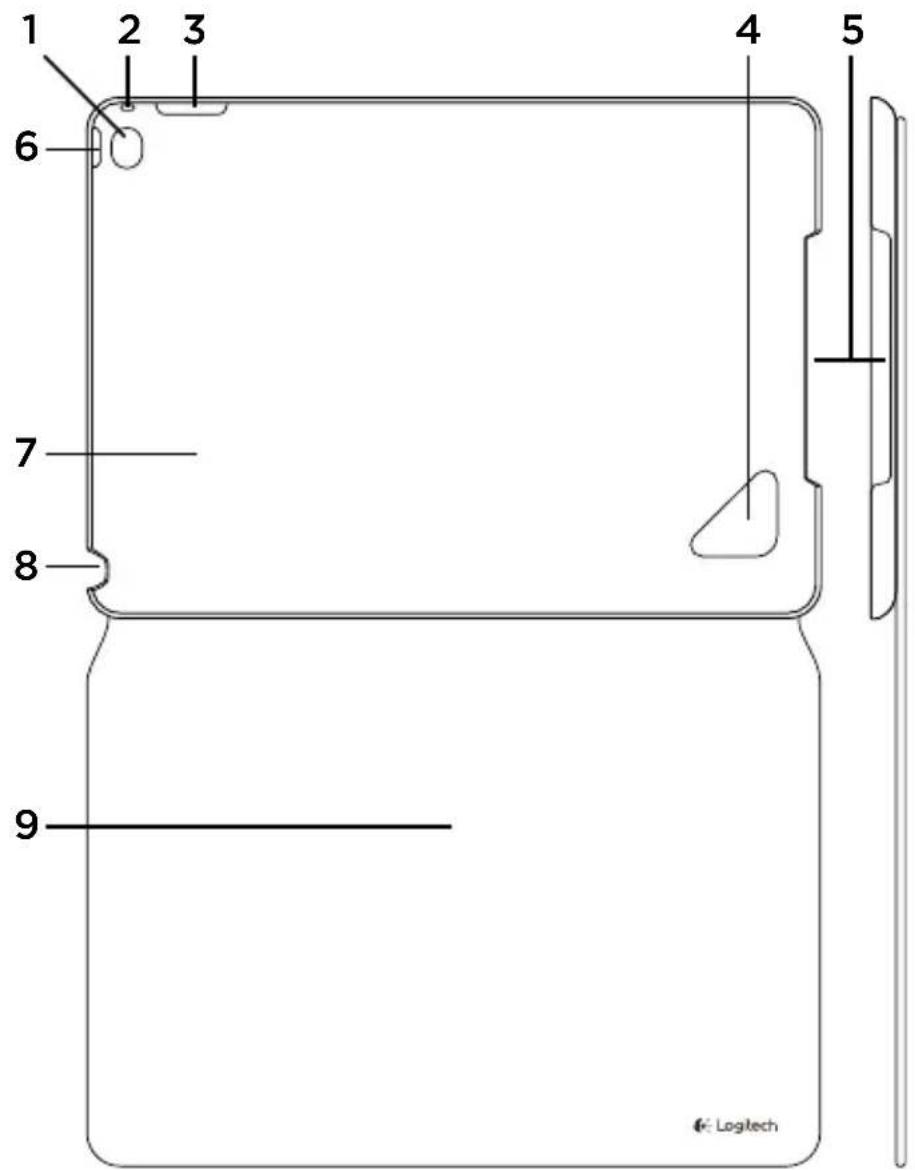
- Camera and microphone hole
- Microphone hole
- Cut out for access to volume controls
- Detach hole
- Cut out for access to charging port and speakers
- Cut out for access to on/off button
- iPad holder
- Cut out for access to headphone socket
- Protective folio
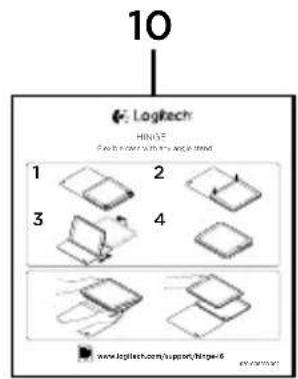
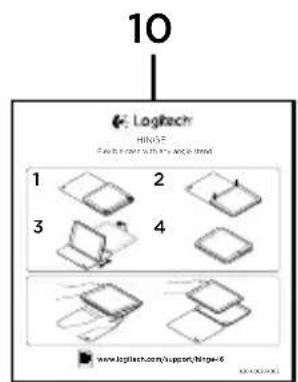
- Product documentation
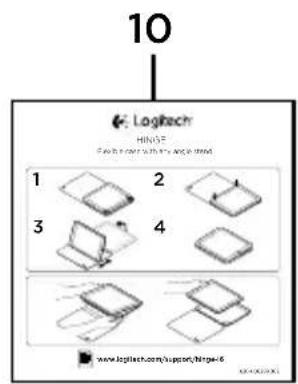
Setting up and using the folio with your iPad
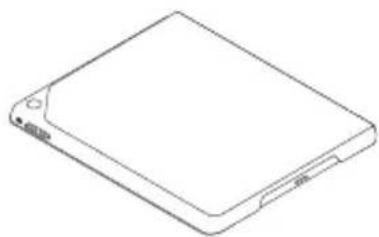
Setting up your folio
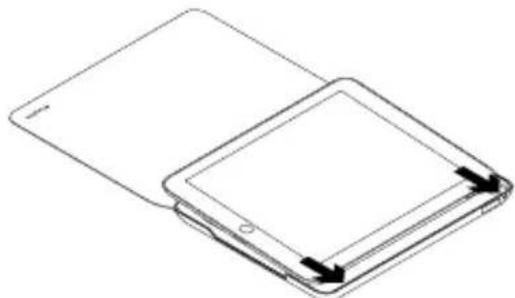
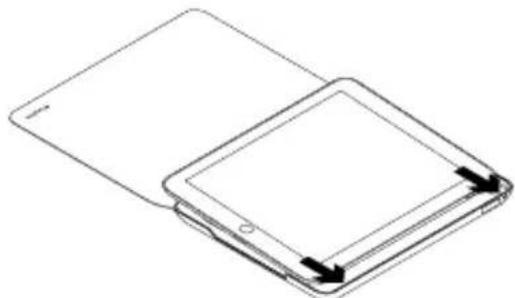
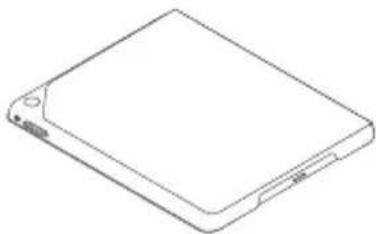
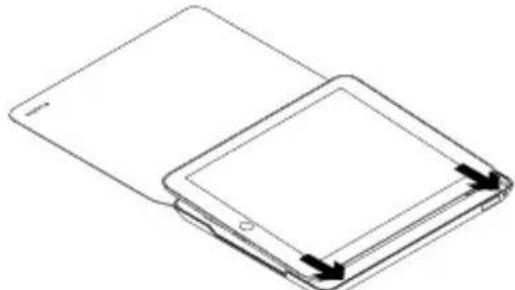
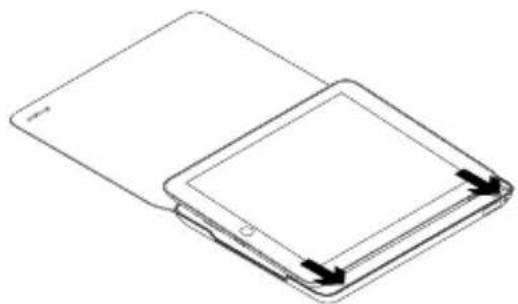
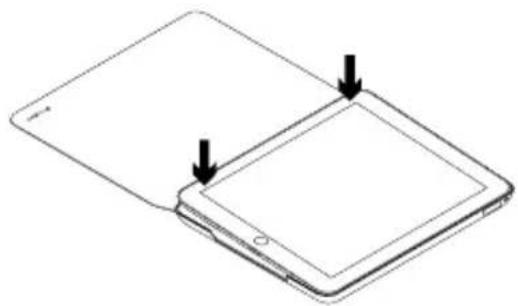
- Open the folio and insert your iPad into the protective shell:
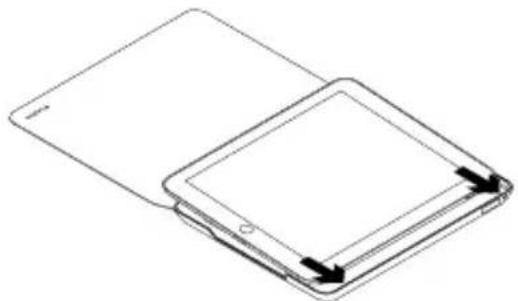
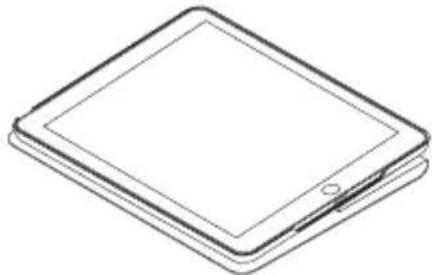
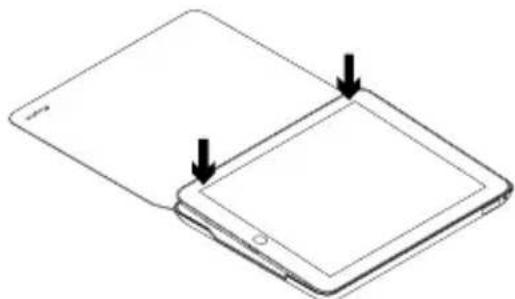
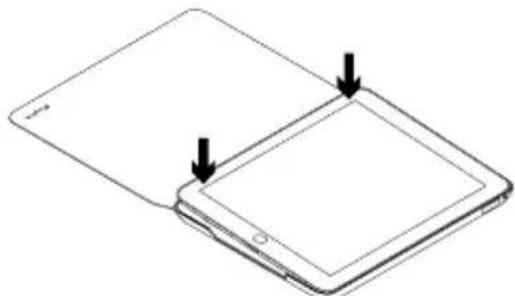
- Push your iPad down:
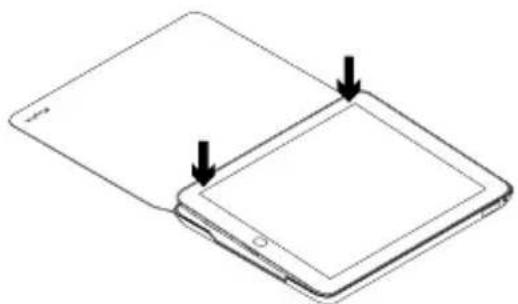
Using your iPad
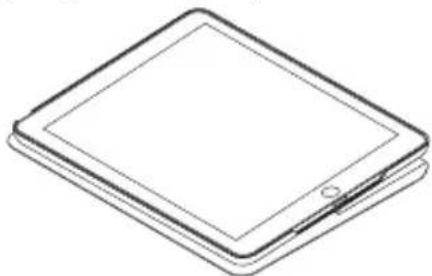
Opening the folio wakes your iPad:
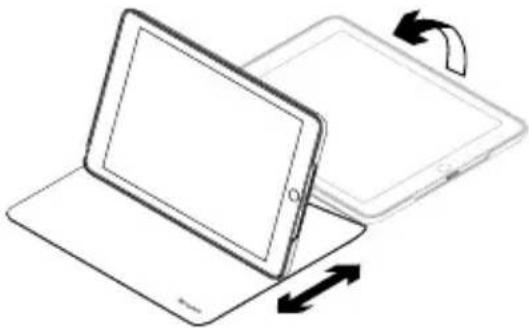
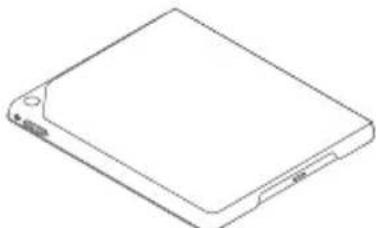
Closing the folio puts your iPad into sleep mode:
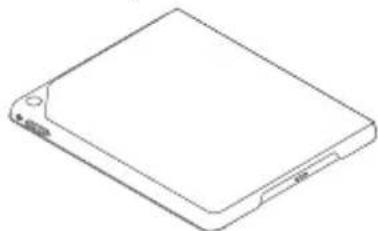
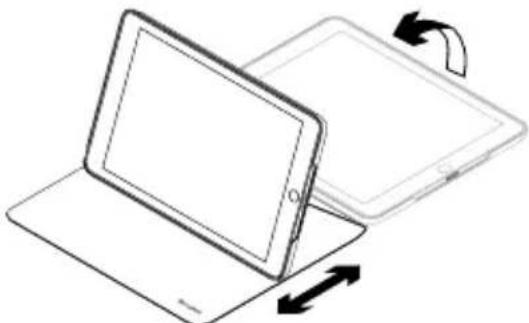
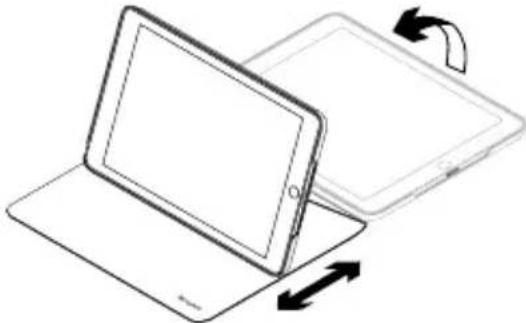
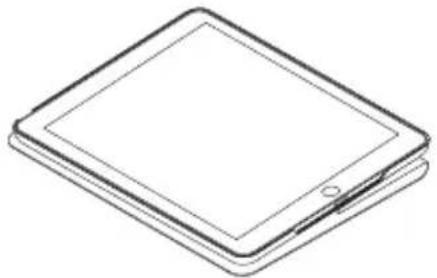
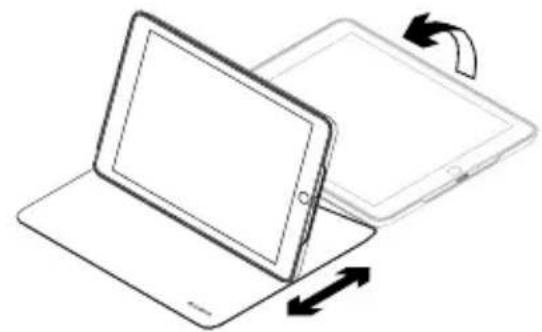
Two viewing positions
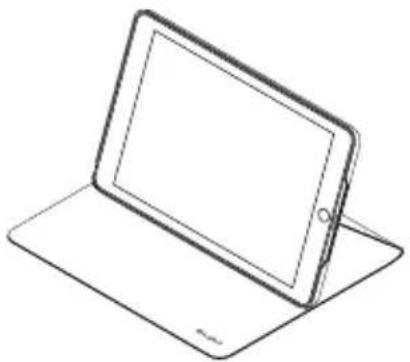
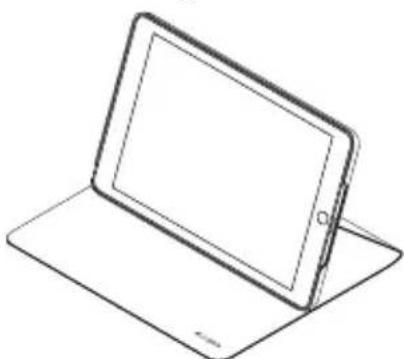
The folio provides two viewing positions—one for viewing media and another for browsing.
To view media, open your iPad:
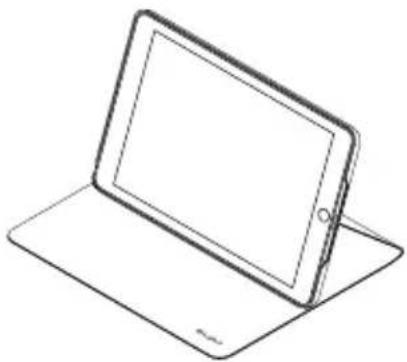
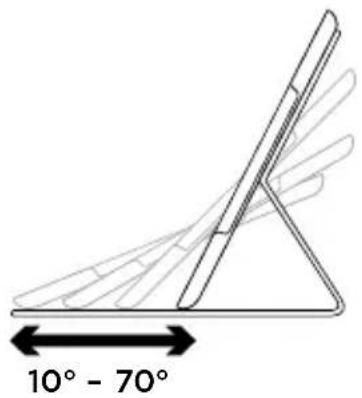
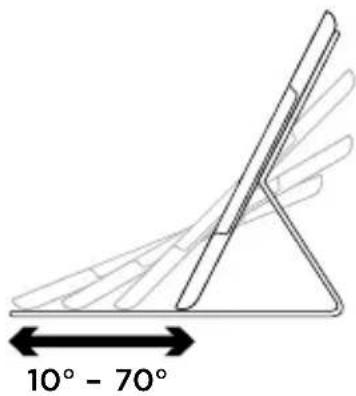
In the viewing position you can adjust your iPad to any angle in the range 10^ - 70^ :
To browse, lie your iPad flat:
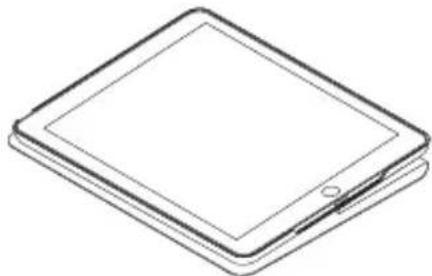
The browsing position lets you use your iPad easily with one hand.
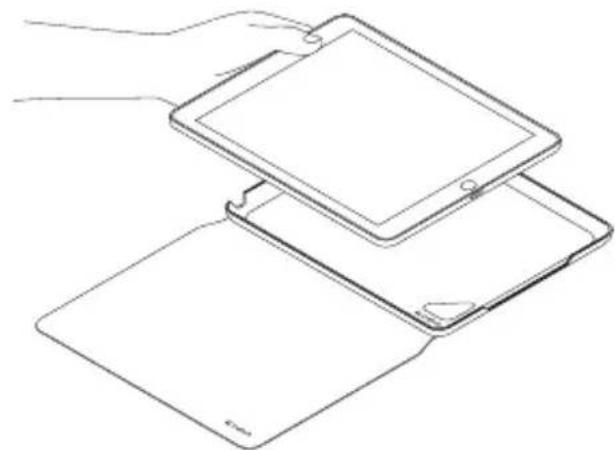
Detaching your iPad
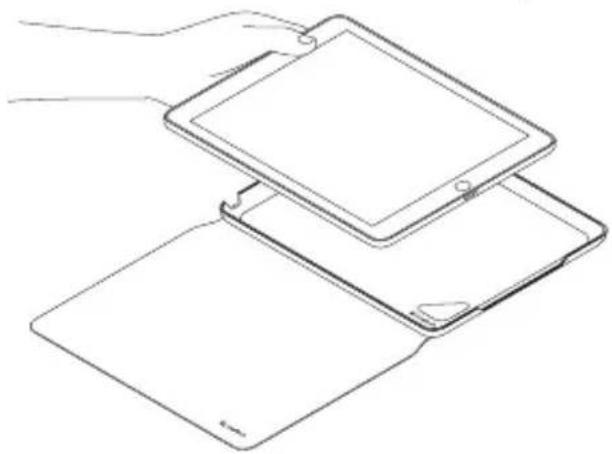
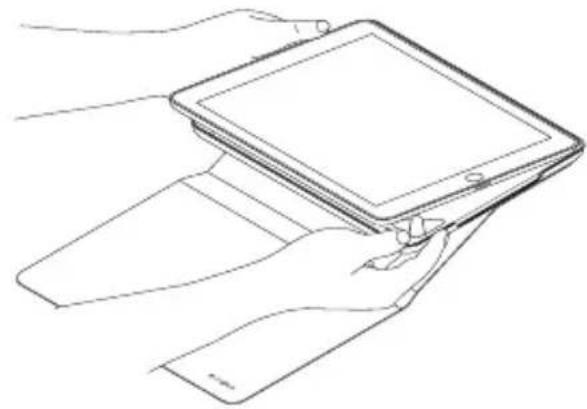
- Push a finger through the hole in the back of the iPad holder to release your iPad:
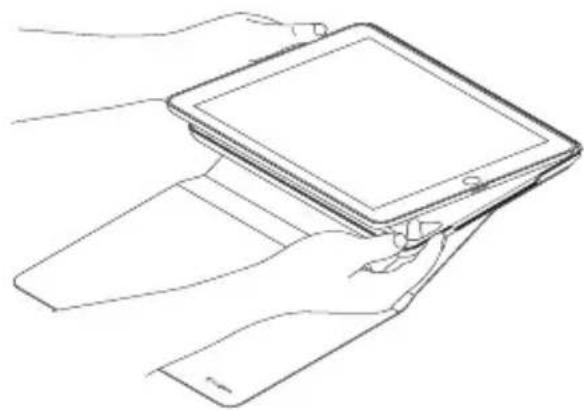
- Using your other hand, remove your iPad from the holder:
Visit Product Support
There's more information and support online for your product. Take a moment to visit Product Support to learn more about your new Bluetooth keyboard.
Browse online articles for setup help, usage tips, and information about additional features. If your Bluetooth keyboard has optional software, learn about its benefits and how it can help you customize your product.
Connect with other users in our Community Forums to get advice, ask questions, and share solutions.
At Product Support, you'll find a wide selection of content including:
- Tutorials
- Troubleshooting
Support community
Online documentation
Warranty information - Spare parts (when available)
Go to:
www.logitech.com/support/hinge-i6
Troubleshooting
My iPad won't wake when I open the folio, and doesn't go into sleep mode when I close it.
- Make sure your iPad is inserted in the iPad holder the right way round. When your iPad is inserted correctly, the camera on your iPad should be lined up with the camera access hole.
What do you think?
Please take a minute to tell us.
Thank you for purchasing our product.
www.logitech.com/ithink
www.logitech.com/ithink
www.logitech.com/support/hinge-i6
Dépannage
www.logitech.com/ithink
www.logitech.com/support/hinge-i6
www.logitech.com/ithink
www.logitech.com/support/hinge-i6
www.logitech.com/ithink
www.logitech.com/support/hinge-i6
www.logitech.com/ithink
www.logitech.com/support/hinge-i6
Problemen oplossen
www.logitech.com/ithink
Produktoversikt
www.logitech.com/ithink
www.logitech.com/support/hinge-i6
Problemløsning
www.logitech.com/ithink
www.logitech.com/support/hinge-i6
Feilsøking
www.logitech.com/ithink
Tunne tuotteesi
www.logitech.com/support/hinge-i6
vianmääritys
www.logitech.com/ithink
Vwpiia to pioiov
- Oπες για την κάμερα
KAI TO μικρόφωνO - Onn μikpφovou
- Avoiya yia eukoan npoopaon ota nKtpa evtaocn xou
- Onn yia apaipoeon
- Avoiya yia npoosao n otn Upa optionc kai ta nxia
- Avoiya yia npoBaon oTo koumi evpyooinoc/ anevpyooinoc
- Baoon otnpiEnc yia iPad
- Avoiya yia npoaaon oynuOndoxn akouotikwv
- Ipooataeutikn 0hkn
- Tékμπiωη προίντος
Pouion kal xponon tnc thnknc uE to iPad oac
Pouon Tnc Onkoc
- AvoiTe Tn OhkN kai tooTheTneTo iPad a oTo npooTaTuTKo nepiA
Tia nepinyon, toothe note to iPad oicovria thc:
www.logitech.com/support/hinge-i6
AvtioeTwion npo3aTowv
To iPad evepyoioietai otav avoiyw tn 0nkn kai metaiaivei otnv kataoan avatoanc Ieitoupyiac otav nkvEivw.
www.logitech.com/ithink
3HaKOMCTBO C npOdyKTOM
- OTrBepCTne IJI KAmepbI mIKpofoHa
- OTBepCTne IJIa MKNKPOOHa
3.ПрорецдуубHoro ДОCTУнаКperулТору ГROMKOCTN - OTBepCTne nIy n3BleueHn iPad
5.ПроретдяубHoroDocTynaКпортуИДинhamKy - Ppope3b dny ydo6Horo doCTyna K KHONKe BKNIOUeHnI N BBKIIIOUeHnI
7.ДеркATEЛьДЯ iPad - Пореь дя удб Horo Достуна К разьем Дно Hayшнков
- 3aunTHbIy cheoJI-KHHKKa
10.ДOKуMeNTaUNI NOJb3ObaTeJIa
IoproToBka K pa6ote n nCnoJb3OBaHne ueXla-KnJxKn c iPad
IoproToBka K pa6oTe yexla-KnHexKn
- OTKpoITe 3aunTHbI yexoN-KHNKky n BCTaBbTe B Hero iPad.
- Cjerka Haxmnte Ha iPad.
IcnoJb3ObaHne iPad
Pn OTKpbTn qexna-KHnKKn iPad BbIXoNT n3 peXnMa cHa.
3aKpbItne yexna-KnHexKn nepeBODnt iPad B peXIM CHa.
Два pa6oqunx nOLOXKeHnY
B ueXLe-KnHexKe npedcMOTpeHo Dba pa6OuHx noloxeHn: Ondn pOcMOTpa MylbTmMeDna, dpyroE nI npocMOTpa DOKyMeHTOB u foJIOB.
www.logitech.com/support/hinge-i6
CobetbI NO yCTpaHEnIO HeNoJaIOK iPad He BbIXoJNT u3 peXIMa cHa npu OTKpbITnN Yexla-KHNKKN HnepeXoJNT BpeXIM cHa npN erO 3aKpbITnN.
- y6eIntecb,уTo iPad npabnIbHO BCTaBHeN B DepeKaTeIb.
EcnipAd BCTaBHeN npabnIbHo, KaMepa DOnJHa 6bITb BNHa B OTBepCTne dJa Hee.
Kakobby Baun BneuataHnna?
IooKaiyncta,HauiNTe MmHyTKy,
UTO6bl NODeINITbcr C HAMN CBOIM MHeHnEM.
BlaarOapM Bac 3a npno6peTeHne
HaWero npoDyKta!
www.logitech.com/ithink
www.logitech.com/ithink
Popis produktu
Ceská verze 73
www.logitech.com/support/hinge-i6
Odstrańovani potíź
Muj iPad se pri otevreni zarizeni folio neprobud, a pri jeho zavreni se neprepne do rezimu spanku.
www.logitech.com/ithink
Poznaj urzadzenie
www.logitech.com/support/hinge-i6
www.logitech.com/ithink
Popis produktu
Slovencina 83
- Otvor pre kameru a mikrofon
- Otvor mikrofonu
- Vyrez na pristup k ovladaniu hlasitosti
- Otvor na uvolnenie
- Vyrez na pristup k nabijaciemu portu a reproduktorom
- Vyrez na pristup k vypinaču zap/vyp
- Držiak zariadenia iPad
- Vyrez na pristup ku konektoru sluchadiel
- Ochranné zariadenie folio
- Dokumentácia k vyrobku
Nastavenie a použivanie zariadenia folio s iPadom
Nastavenie zariadenia folio
- Otvorte zariadenie folio a vsunte iPad do ochranného puzdra:
- Zatlačte iPad smerom dole:
Používanie iPadu
Otvorenim zariadenia folio prebudite iPad:
Zatvorenim zariadenia folio prepnete iPad do rezimu spänku:
Polohovanie do dvoch pozicić
Zariadenie folio je możné polohovat do dvoch poźći – poźcia na sledovanie medii a poźcia na surfovanie.
Ak chcete sledovat média, otvorte iPad:
V poźeci na sledovanie możete svoj iPad nastavit do lubovolného uhla v Rozmezi 10^ - 70^
Ak chcete surfovat, polozte iPad do horizontalnej polohy:
www.logitech.com/support/hinge-i6
Riešenie problemov
Moj iPad sa pri otvorení zariadenia folio neprebúdi, a pri jeho zatvorení sa neprepne do režimu spanku.
- Uistite sa, ze je iPad vlozeny spravnym sposobom do drziaka.
Ak je iPad riadne vlozeny do drziaka, kamera na iPad by sa mala nachadzat v rovine s otvorom kamery.
Aký je vaš názor?
www.logitech.com/ithink
Urununuztaniyin
www.logitech.com/support/hinge-i6
Sorun giderme
www.logitech.com/ithink

iill 1c
iPad jjg j
iPad jjg j j
:
iPad jg g aal 1c yj
iPad jge golaljgl
ai a ai 分母最小值为 k .
iPad jj j 1
2.
iPad j
iPad jge g
4gll
bllwgln rnae g-gg
S ACD = S COD + S_ CDA
iPad jge 1
iPad jbs 10jbi
:Jalal j iPad j j j j j j j j j j j j j j j j j j j j j j j j j j j j j j j j j j
iPad
1.
:iPad jgey iPad jgeJda
LgXuGgIbIyIulkui
iLiie oJgSswIg gJyIgIgIgIgIgIgIgIgIgIgIgIgIgIgIgIgIgIgIgIgIgIgIgIgIgIgIgIgIgIgIgIgIgIgIgIgIgIgIgIgIgIgIgIgIgIgIgIgIgIgI gJyJyJyJyJyJyJyJyJyJyJyJyJyJyJyJy
iipd jgsj 1
1
www.logitech.com/ithink
aaiiie
www.logitech.com/support/hinge-i6
Logitech
www.logitech.com
www.logitech.com/support/hinge-i6
© 2014 Logitech. All rights reserved. Logitech, the Logitech logo, and other Logitech marks are owned by Logitech and may be registered. Apple and iPad are trademarks of Apple Inc., registered in the U.S. and other countries. All other trademarks are the property of their respective owners. Logitech assumes no responsibility for any errors that may appear in this manual. Information contained herein is subject to change without notice.
621-000388.004
- Contents
- Know your product
- Setting up your folio
- Using your iPad
- Two viewing positions
- Detaching your iPad
- Visit Product Support
- Troubleshooting
- Dépannage
- Problemen oplossen
- Problemløsning
- Feilsøking
- vianmääritys
- AvtioeTwion npo3aTowv
- IoproToBka K pa6oTe yexla-KnHexKn
- IcnoJb3ObaHne iPad
- Два pa6oqunx nOLOXKeHnY
- Popis produktu
- Odstrańovani potíź
- Poznaj urzadzenie
- Nastavenie a použivanie zariadenia folio s iPadom
- Nastavenie zariadenia folio
- Používanie iPadu
- Polohovanie do dvoch pozicić
- Riešenie problemov
- Moj iPad sa pri otvorení zariadenia folio neprebúdi, a pri jeho zatvorení sa neprepne do režimu spanku.
- Aký je vaš názor?
- Sorun giderme
- Logitech
Brand : LOGITECH
Model : Hinge
Category : Tablet Accessory