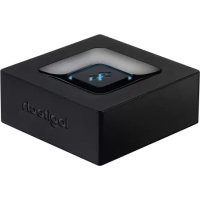
Bluetooth Audio Receiver - Bluetooth Receiver LOGITECH - Free user manual and instructions
Find the device manual for free Bluetooth Audio Receiver LOGITECH in PDF.


| Product Type | Bluetooth Audio Receiver |
| Brand | Logitech |
| Model | Bluetooth Audio Receiver |
| Audio Connections | RCA input (red/white) and 3.5mm Jack input |
| Bluetooth Version | Bluetooth 4.2 (estimated) |
| Bluetooth Range | Up to 10 meters (estimated) |
| Power Supply | 5V DC power adapter (included) |
| Simultaneous Connection | Up to 2 devices |
| Pairing Memory | Up to 8 devices |
| Indicator Light | Blue LED for pairing and connection status |
| Dimensions (approximate) | 70 x 70 x 20 mm |
| Weight (approximate) | 50 g |
| Box Contents | Bluetooth receiver, RCA audio cable, power adapter, quick start guide |
| Maintenance | Clean with a soft, dry cloth. Do not use chemicals. |
| Safety | Do not expose to moisture or extreme temperatures. Do not open the device. |
| Compatibility | Bluetooth A2DP devices (smartphones, tablets, computers, etc.) |
Frequently Asked Questions - Bluetooth Audio Receiver LOGITECH
User questions about Bluetooth Audio Receiver LOGITECH
0 question about this device. Answer the ones you know or ask your own.
Ask a new question about this device
Download the instructions for your Bluetooth Receiver in PDF format for free! Find your manual Bluetooth Audio Receiver - LOGITECH and take your electronic device back in hand. On this page are published all the documents necessary for the use of your device. Bluetooth Audio Receiver by LOGITECH.
USER MANUAL Bluetooth Audio Receiver LOGITECH
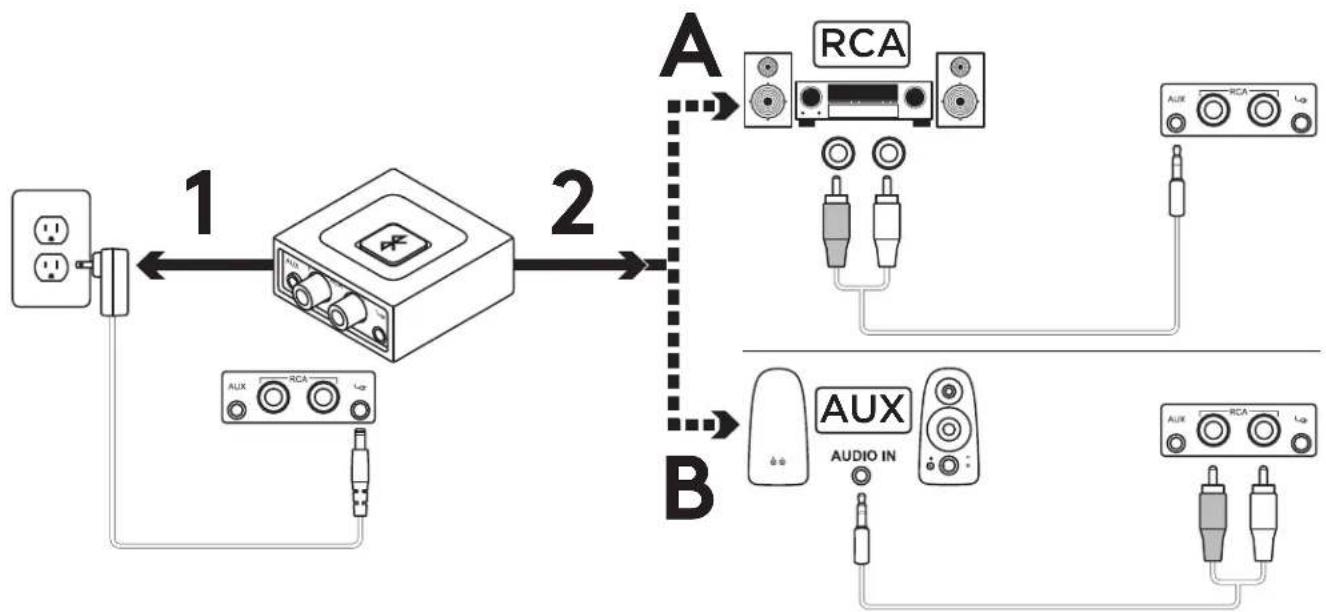
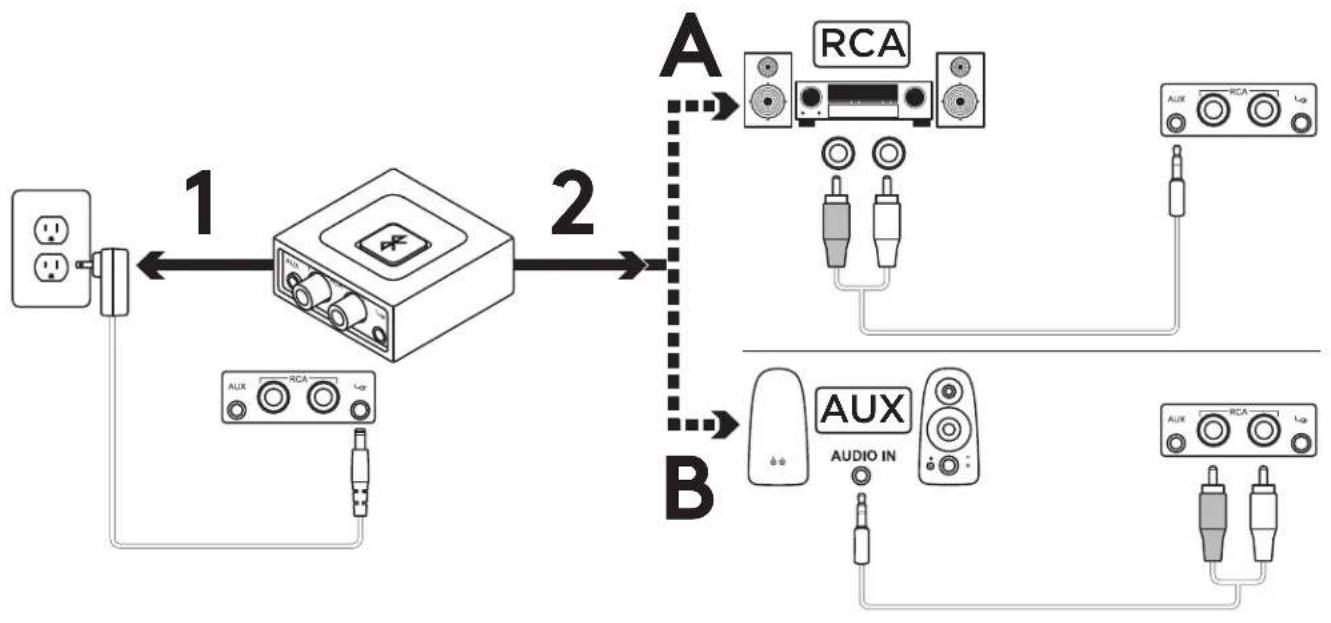
- Connect the power supply to the Logitech Bluetooth Audio Receiver. Then plug the power plug into an electrical outlet.
2A. If you have RCA input on your Speaker System:
- Connect RCA jack on the Speaker.
- Connect the other end of the cable to the Logitech Bluetooth Audio Receiver.
2B. If you have 3.5mm input on your Speaker System:
- Connect 3.5mm jack on the speaker.
- Connect the other end of the cable to the Logitech Bluetooth Audio Receiver.
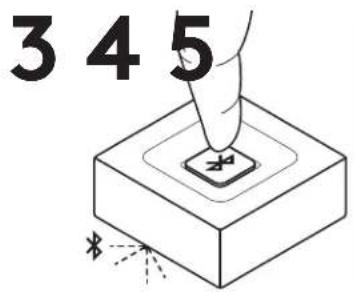
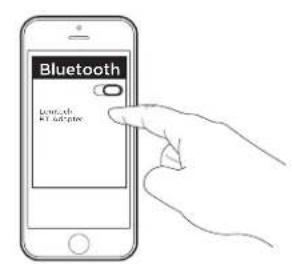
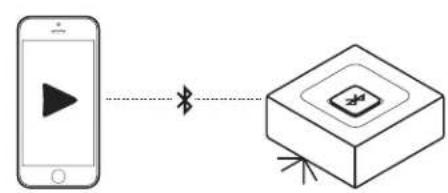
- Press the Bluetooth pairing button on the Logitech Bluetooth Audio Receiver. It will initiate the pairing and the LED will start blinking (for first time user, the pairing process will be initiated automatically).
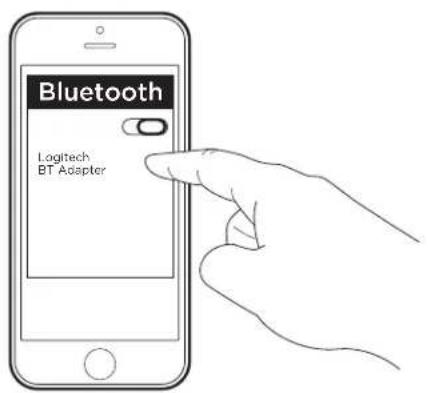
- Turn on Bluetooth on your device and scan for Bluetooth devices. You will see "Logitech BT Adapter" on the device list. Select and connect to it.
- The LED will turn to a steady blue light. You can now play music through your audio device wirelessly.
- To connect your second device, repeat step 3 through step 5.
CONNECT TO TWO DEVICES SIMULTANEOUSLY
1234
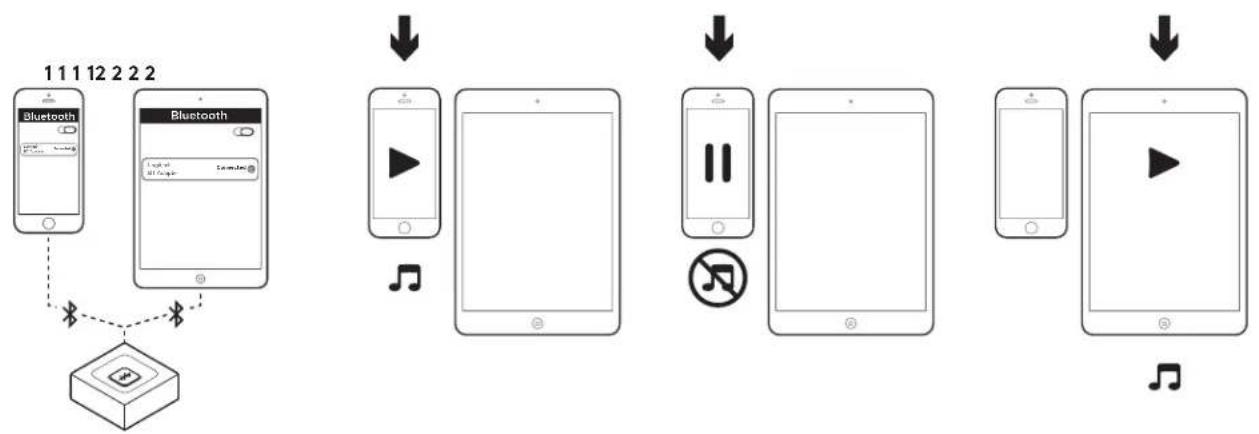
- Make sure that your two devices are connected to the Logitech Bluetooth Audio Receiver following the steps on the previous page. In case you were disconnected, please check your Bluetooth device list, select "Logitech BT Adapter" and reconnect.
- Play music on device 1.
- Pause music on device 1.
- Start playing music on device 2, the audio will switch automatically and will stream from device 2. It may take a few seconds to switch between devices.
RECONNECT A BLUETOOTH DEVICE
1
2
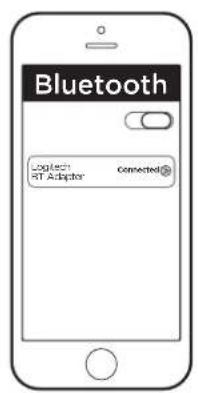
- Logitech Bluetooth Audio Receiver will reconnect automatically to the latest connected device.
- If you are not using the latest connected device and you want to reconnect to the Logitech Bluetooth Audio Receiver, you need to select Logitech BT Adapter in your Bluetooth device list on your device.
- You are connected again to Logitech Bluetooth Receiver and can stream music again from your device.
NOTE: Logitech Bluetooth Audio Receiver can store up to eight Bluetooth devices in its memory (while two devices can connect simultaneously).
www.logitech.com/support/bluetooth-audio-receiver
© 2019 Logitech. Logitech, Logi and other Logitech marks are owned by Logitech
and may be registered. All other trademarks are the property of their respective owners.
Logitech assumes no responsibility for any errors that may appear in this manual.
Information contained herein is subject to change without notice.
PRÉSENTATION DU PRODUIT
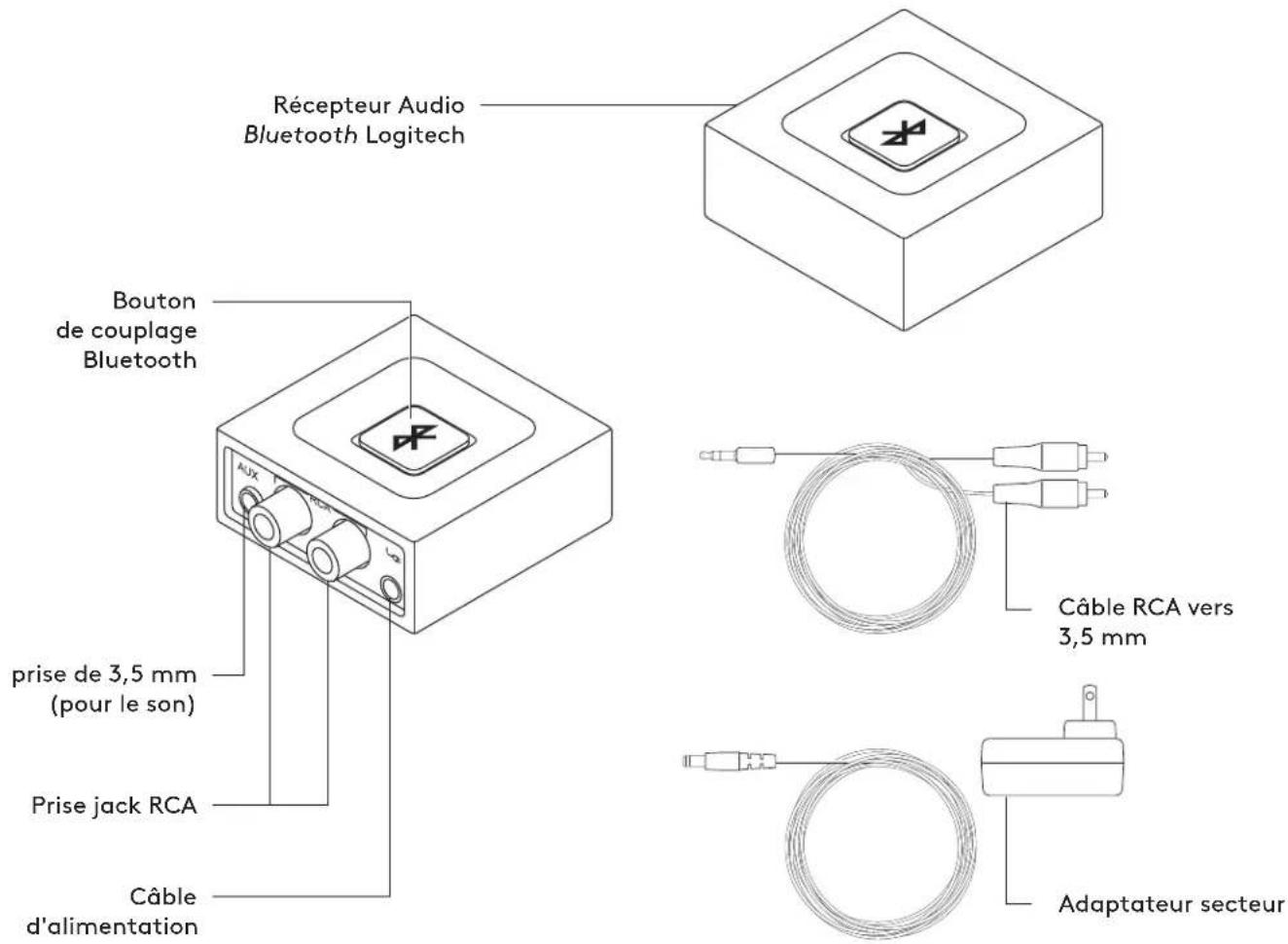
CONNECTER LE RECEPTEUR A VOS HAUT-PARLEURS
www.logitech.com/support/bluetooth-audio-receiver
CONECTA EL RECEPTOR A LOS ALTAVOCES
www.logitech.com/support/bluetooth-audio-receiver
www.logitech.com/support/bluetooth-audio-receiver
www.logitech.com/support/bluetooth-audio-receiver
© 2019 Logitech, Logitech, Logi and other Logitech marks are owned by Logitech and may be registered. All other trademarks are the property of their respective owners. Logitech assumes no responsibility for any errors that may appear in this manual. Information contained herein is subject to change without notice.
WEB-621-001254.003
Brand : LOGITECH
Model : Bluetooth Audio Receiver
Category : Bluetooth Receiver