Gram XS - Keyboard Tesoro - Free user manual and instructions
Find the device manual for free Gram XS Tesoro in PDF.


| Brand | Tesoro |
| Model | Gram XS |
| Product type | Ultra-slim mechanical keyboard |
| Dimensions (L x W x H) | 440 x 130 x 25 mm (approximate) |
| Weight | 800 g (approximate) |
| Power supply | USB 5V, detachable braided micro USB cable |
| Compatible operating systems | Windows 7, 8, 10 |
| Connectivity | USB port, micro USB connector |
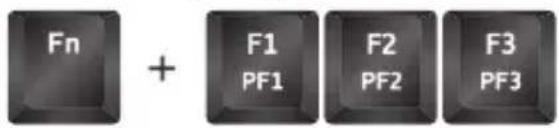
| Game profiles | 3 programmable profiles (Fn + PF1~PF3) |
| Multimedia keys | Fn + F7~F12 |
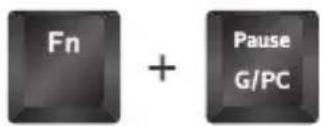
| Game mode | Enable/disable via Fn + Pause |
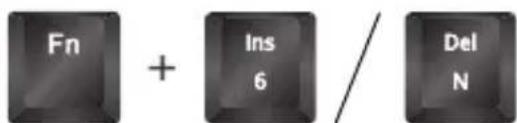
| USB mode (6 keys / N-key rollover) | Select by Fn + Insert (6K) / Fn + Delete (NKRO) |
| Instant macro recording | Yes, via Fn + Logo |
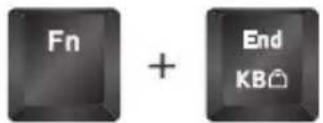
| Lock all keys | Fn + End |
| Brightness settings | Fn + Page Up / Page Down |
| Windows Logo key lock | Fn + Logo |
| Configuration software | Downloadable from www.tesorotec.com |
| Maintenance and cleaning | Disconnect and clean with a soft, dry cloth |
| Safety | Do not expose to moisture, avoid liquids |
| Spare parts and repairability | Contact Tesoro support via the official website |
Frequently Asked Questions - Gram XS Tesoro
User questions about Gram XS Tesoro
0 question about this device. Answer the ones you know or ask your own.
Ask a new question about this device
Download the instructions for your Keyboard in PDF format for free! Find your manual Gram XS - Tesoro and take your electronic device back in hand. On this page are published all the documents necessary for the use of your device. Gram XS by Tesoro.
USER MANUAL Gram XS Tesoro
- Windows 7 / 8 / 10
• PC system with USB port - Internet connection for the software download
Installation
- Plug your device into the USB port of your PC.
- Log onto the TESORO website www.tesorotec.com to download the latest version of the software.
- Unzip the files and click on the "Sepup.exe" to start installation by following the instructions shown.
- √ will be displayed on the lower right taskbar when completed.
Key Features
A. Gaming profiles: Fn + F1 \~ F3
B. Multimedia Keys, Fn + F7 \~ F12
C. PC / Game mode, Fn + Pause
D. USB 6-key / N-key Rollover, Fn + Ins / Del
E. Instant Macro Recording, Fn + Home
F. All keys Lock: Fn + End
G. Brightness Adjustments, Fn + Page Up / Page Down
H. Win key Lock: Fn + Win
I. Micro USB connector with detachable braided cable

natural_image
Pure technical line drawing of a mechanical component or bracket (no text or symbols)![A B C TESORO : : : 1! 20 3# 4$ 5% 6^ 7& 8+ 9( 0) *- =+ ← Ins Black PgUp Nam Tab Q W E L R T Y U I O P [ ( ] ) \ Del End PgDe G Caps A S D F G H J K L ?; ** Enter Shift Z X C V B N M -< -> /? Shift + 1 2 3 Ctrl # Alt — AK Fn Ctrl + # + 0 - H](/content/2026/03/576052/images/adc8c64b149718e0afccd40b4996fb74bc97b669448646fe703dd32028a9c04e.jpg)
Specific Functions
- Customizable gaming profiles: PF1 \~ PF3
- Multimedia Keys: Previous, Play/Pause, Next, Mute, Vol Down, Vol Up

- PC / Game mode: to switch between Game mode and PC mode
- USB 6-key / N-key Rollover: interchange between 6-key and N-key Rollover
- All keys Lock: to disable or enable entire keyboard functions
- Windows key Lock: to disable or enable Windows key function

- Instant Macro Recording
(1) Press Fn + Home to start the Instant Macro Recording. The Game Mode indicator will start quickly blinking.
(2) Press the desired key where you want to save the macro. The Game Mode indicator will blink at normal speed.
(3) Type in the keys you want to record.
(4) Press Fn + Home again to end recording. The Game Mode indicator blinking will stop.

Deutsch
Produkt-Features
H. Win 키 잠금: Fn + Win
TESORO Technology Inc. warrants this product will be free from defects in material and manufacturing under normal use for one year from the date of purchase. The warranty does not cover defects caused by misuse or improper usage of the product. For more information, please visit our website at www.tesorotec.com
www.tesorotec.com
Break the Rules. Embrace Innovation.
25-100-0141-100S