Gram Spectrum - Keyboard Tesoro - Free user manual and instructions
Find the device manual for free Gram Spectrum Tesoro in PDF.


| Brand | Tesoro |
| Model | Gram Spectrum |
| Product Type | Mechanical gaming keyboard with per-key RGB lighting |
| Switches | Mechanical key switches with a lifespan of 60 million keystrokes |
| Backlighting | Per-key RGB, adjustable brightness (Fn + Up/Down arrow) |
| Lighting Effects | Configurable via Fn + Up/Down arrow |
| Profile Keys | Fn + F1 to F5 |
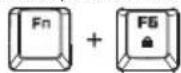
| Key Lock | Fn + F6 |
| Multimedia Keys | Fn + F7 to F12 |
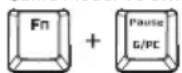
| PC/Game Mode | Switchable via Fn + Pause |
| N-Key Rollover Mode | USB 6-Key / N-Key Rollover via Fn + Ins (6-Key) or Fn + Del (N-Key) |
| Instant Macro Recording | Via Fn + Home |
| Connector | Gold-plated USB with detachable braided cable |
| System Requirements | Computer with USB port, Windows Vista/7/8/10, Internet connection for software |
| Weight | Approximately 1.2 kg |
| Dimensions (L x W x H) | Approximately 44 x 14 x 3.5 cm |
| Power Supply | Via USB port |
| Package Contents | Keyboard, quick start guide, warranty card |
| Warranty | One-year limited manufacturer's warranty |
| Software | Software downloadable at www.tesorotec.com |
Frequently Asked Questions - Gram Spectrum Tesoro
User questions about Gram Spectrum Tesoro
0 question about this device. Answer the ones you know or ask your own.
Ask a new question about this device
Download the instructions for your Keyboard in PDF format for free! Find your manual Gram Spectrum - Tesoro and take your electronic device back in hand. On this page are published all the documents necessary for the use of your device. Gram Spectrum by Tesoro.
USER MANUAL Gram Spectrum Tesoro
Welcome to TESORO World
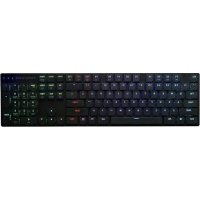
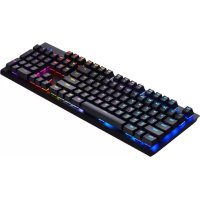
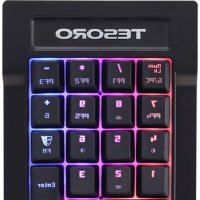
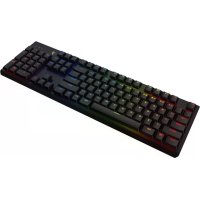
Congratulations on purchasing your very own TESORO GRAM Spectrum Mechanical Gaming Keyboard. It features 16.8 million RGB per key customizable illumination, 32bit ARM Cortex processor and innovative AGILE mechanical switch. Deliver unlimited customizations, durability and extremely fast executions.
TESORO GRAM™ SPECTRUM
Per Key RGB Illuminated Mechanical Gaming Keyboard
Package Contents
- TESORO GRAM SPECTRUM - Quick start guide
Worldwide warranty card is on the bottom page, please keep it for after sale service.
System Requirements
PC with USB port
Windows Vista / 7 / 8 / 10
Installation
- Plug your TESORO GRAM SPECTRUM into the USB port of your PC.
- Log onto the TESORO website (www.tesorotec.com) to download the latest version of the software.
- Unzip the files and click on the "Setup.exe" to start installation by following the instructions shown.
- will be displayed on the lower right taskbar when completed.
Specific Functions
1.Customizable gaming profiles:PF1\~PF5
2. All keys Lock: To disable or enable entire keyboard functions
3. Multimedia Hotkeys: Mute, Volume Down, Volume Up, Play/Pause, Previous, Next
4. 6-Key / N-Key Rollover: interchangeable between 6-Key and N-Key Rollover
-
Backlit Adjustment: 5 levels of illuminations off/ 25% 50% 75% 100%
-
Lighting Effects: 8 different effects available — default, trigger, ripple, firework, radiation, breathing, wave, spectrum
-
Game Mode: To switch between Game mode and PC mode
-
Instant Macro Recording
(1) Press FN + Home to start the instant macro recording. The Game Mode indicator will start blinking.
(2) Press the desired key where you want to save macro. The Game Mode and Num Lock indicators will start blinking.
(3) Type in the keys you want to record.
(4) Press FN + Home again to end recording. The Game Mode, Num Lock and Caps Lock indicators will start blinking for a few seconds.
For more information, please visit the TESORO website www.tesorotec.com.
Register your TESORO product
Visit the TESORO website (www.tesorotec.com) to register 1 year limited manufacturer warranty and free online technical support.
Installation
- Plug your TESORO GRAM SPECTRUM into the USB port of your PC.
- Log onto the TESORO website (www.tesorotec.com) to download the latest version of the software.
- Unzip the files and click on the "Setup.exe" to start installation by following the instructions shown.
- will be displayed on the lower right taskbar when completed.
Specific Functions
1.Customizable gaming profiles:PF1\~F

- All keys Lock: To disable or enable entire keyboard functions
- Multimedia Hotkeys: Mute, Volume Down, Volume Up, Play/Pause, Previous, Next

4.6-Key / N-Key Rollover: interchangeable between 6-Key and N-Key Rollover

- Backlit Adjustment: 5 levels of illuminations off/ 25% 50% 75% 100%

- Lighting Effects: 8 different effects available — default, trigger, ripple, firework, radiation, breathing, wave, spectrum

- Game Mode: To switch between Game mode and PC mode
- Instant Macro Recording
(1) Press FN + Home to start the instant macro recording. The Game Mode indicator will start blinking.
(2) Press the desired key where you want to save macro. The Game Mode and Num Lock indicators will start blinking.
(3) Type in the keys you want to record.
(4) Press FN + Home again to end recording. The Game Mode, Num Lock and Caps Lock indicators will start blinking for a few seconds.
For more information, please visit the TESORO website www.tesorotec.com.
Register your TESORO product
Visit the TESORO website (www.tesorotec.com) to register 1 year limited manufacturer warranty and free online technical support.
Deutsch
MnHOBeHHa 3aHcMbKaPo-KoMaHd
(1)YTo6bHaHAtb 3aNcB MaKpo-KOMaHdbI, HaxMnTe KnaBnSy Fn + Home. INHdkaTOp NrpOBoH pexm HauHET MrratS.
(2)HaahhaheMaKpoknabHw. HndkaTOp NrpOBpeXmN Num Lock hauhet Mrratb
(3)HaxMMTe nocnOeBbAteBbHOCTb KnaBm, KOtOpBe Bbl XOTHe BkNIOHTb B MaKpo-KOMaHy.
(4)Дязавершени занчимпсн Намсн Ихмпсгн Home choba.Индкатор Ирpoьо ржим.Num Lock n Caps Lock NaHHT Mrtarb.
DonoHnTeBHyNo nmoou no paOte c knaBnatpyo TESORO GRAM SPECTRUM bI MoKeTe nOnyHTb Ha caTBe www.tesorotec.com
PerncpaBawero npodykTa Tesoro
Tosoro (wwtesorotc.com) noryte 1 ropnHneHHo npantnn Hsncncky noepkxy onnai.
繁體中文
主要特色
·早XP/7/10
-12400000000000000000000000000000000000000000000000
·本巨则口云云