Flow Control - Smart Home Overmax - Free user manual and instructions
Find the device manual for free Flow Control Overmax in PDF.


| Product type | Wi-Fi Smart Plug 16A |
| Brand | Overmax |
| Model | Flow Control |
| Power supply | 250 V ~ 50/60 Hz, 16 A |
| Maximum power | 4000 W |
| Frequency range (Wi-Fi) | 2412 - 2472 MHz (802.11b/g/n) |
| Transmitted power (RF) | 11.85 dBm |
| Supported systems | iOS / Android |
| Mobile app | Overmax Control |
| Main functions | Remote on/off, scheduling, countdown, power consumption measurement |
| Dimensions (approximate) | 5 x 5 x 8 cm |
| Weight (approximate) | 100 g |
| Maintenance and cleaning | Wipe with a dry cloth |
| Storage | In a dry place, away from heat sources and moisture, out of reach of children |
| Safety | Do not plug into another power strip or smart plug; use only on 2.4 GHz Wi-Fi network |
| Reset | Press and hold the on/off switch for 5 seconds |
| Spare parts | Not available |
| Warranty | Compliant with European directives |
Frequently Asked Questions - Flow Control Overmax
User questions about Flow Control Overmax
0 question about this device. Answer the ones you know or ask your own.
Ask a new question about this device
Download the instructions for your Smart Home in PDF format for free! Find your manual Flow Control - Overmax and take your electronic device back in hand. On this page are published all the documents necessary for the use of your device. Flow Control by Overmax.
USER MANUAL Flow Control Overmax
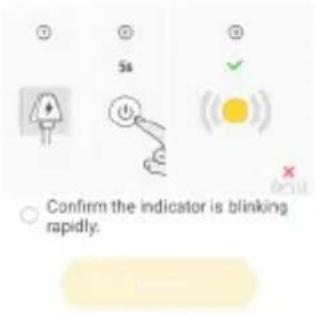
If the indicator is blinking rapidly, please skip the reset step:
① Power on the device:
② Hold the RESET button for 5s. (Subject to the user manual):
③ Make sure that the indicator is blinking rapidly;
Note: please complete the network distribution within 3 minutes after resetting the device.
10
Thank you for placing trust in us and choosing Overmax.
Thanks to the use of high-quality materials and modern solutions, we provide you with a product perfect for everyday use. We are convinced that the product will satisfy your requirements as it has been manufactured with utmost care. Before you start using the product, please read this manual carefully. Should you have any remarks or questions concerning the product, please do not hesitate to contact us: pomoctechniczna@overmax.pl
Warning: you must not insert this device in other device of the same sort (other smart port, power strip, etc.).
Description of device
Product: 16A Wi-Fi Smart Plug
Model: Flow Control
Power supply: 250V \~ 50/60 Hz 16A
Maximum power: up to 4000W
Frequency range: 2412-2472MHz for 802.11b/g/n
Supported systems: iOS/Android
Radio frequency: 11,85dBm
To restore factory settings, press and hold on/off key.
To properly check the current consumption, please connect the device directly to the Flow Control plug. Do not use any power extension or other products which can lead to measurement errors between the device and the plug.
Download app
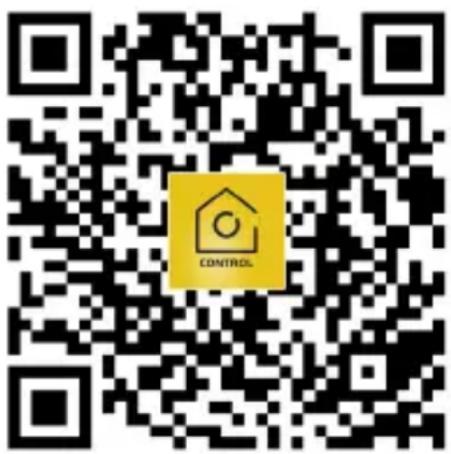
Go to iOS Store / Google Play to find „Overmax Control” application or scan QR code and download the application. You can download it to iOS and Android.
EN
Register new user
- To sign up in the application, click „Sign up” (fig. 1) and then read and accept the Privacy Policy (fig. 2).
- Enter your phone number or e-mail address to receive a verification code (fig. 3).
- Enter the verification code in empty field (fig. 4).
- Enter unique password and click „Done” (fig. 5).
Log into existing account
- To log into your account, click „Log into account" (fig. 1).
- Select country/region.
- Enter correct phone number or e-mail address and password, and log in afterwards.
EN
Add device manually (fig. 6)
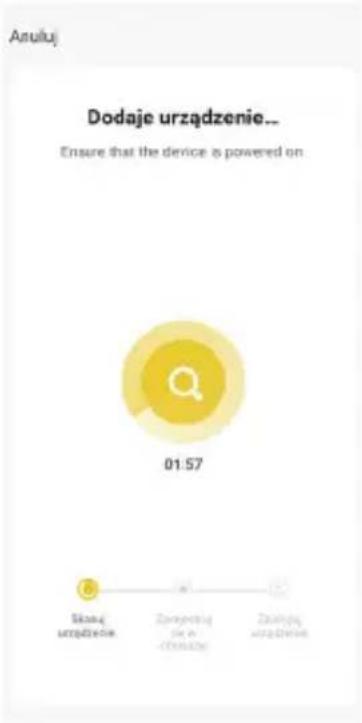
- Plug the socket into a power source. Connect your phone to a Wi-Fi network that your device will connect to later.
- Select Flow Control from the list (fig. 7).
- Select Wi-Fi network which the device is to connect to. Enter password and click „Next” (fig. 8). Note: Only Wi-Fi 2.4.GHz networks are supported.
- If the device light does not flash fast, reset it by holding the on/off key for 5 sec. (fig. 9).
- When adding, the device must be close to the router (fig. 10).
- The message „Successfully added" (fig. 11) means the device has been successfully added. Now you can select your device from the list of devices.
Main panel
- In main panel you can find time settings and wear level (fig. 12).
- You can switch the device on and off through the main key.
Wear
It is possible to monitor the wear level, with month and year division (fig. 13).
Schedule
- Select „Add schedule" (fig. 14).
- Select days and time at which a specific event is to occur, and then click „Save” (fig. 15).
Timer
Set time after which a specific event is to occur (fig. 16).
Settings
In settings you can find information on device, external control, device sharing, wireless network, etc. (fig. 17).
EN
Cleaning
You need to use a dry cloth to wipe the product.
Storage
Store in a dry place, away from sources of heat and moisture, out of reach of children.

The product complies with requirements of EU directives.
Pursuant to the Directive 2012/19/EU, this product is subject to selective collection. The product must not be disposed of together with domestic waste as it may pose a threat to the environment and human health. The worn-out product must be handed over to electrics and electronics recycling point.
The pictures are for reference only. The real design of the products may differ from the pictures presented.
Einführung
DE