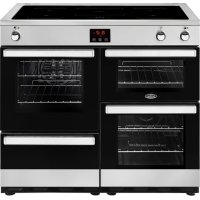
Cookcentre 100 - Cooker BELLING - Free user manual and instructions
Find the device manual for free Cookcentre 100 BELLING in PDF.


| Product type | Induction electric cooker |
| Brand | Belling |
| Model | Cookcentre 100 |
| Dimensions (W x D x H) | 100 cm x 60 cm x 85 cm |
| Power supply | 240 V ~ 50 Hz |
| Maximum power | 14.5 kW |
| Hob type | Induction |
| Number of cooking zones | 5 zones (including a bridging zone) |
| Oven functions | Conventional, fan, single/double grill, hot air, defrost, slow cooking |
| Control type | Touch controls with electronic programmer |
| Child lock | Yes |
| Automatic shut-off | Yes (depending on power level) |
| Pan detection | Yes |
| Keep warm function | Yes (level 'u') |
| Boost function | Yes (limited duration) |
| Timer | Yes, up to 99 minutes |
| Oven lighting | 25 W bulb |
| Cleaning | Damp cloth, no steam or abrasives |
| Spare parts | Bulbs, shelf supports, drip tray (available on website) |
| Repairability | Service by authorized personnel only |
Frequently Asked Questions - Cookcentre 100 BELLING
User questions about Cookcentre 100 BELLING
0 question about this device. Answer the ones you know or ask your own.
Ask a new question about this device
Download the instructions for your Cooker in PDF format for free! Find your manual Cookcentre 100 - BELLING and take your electronic device back in hand. On this page are published all the documents necessary for the use of your device. Cookcentre 100 by BELLING.
USER MANUAL Cookcentre 100 BELLING
Opmerking: De standardtoon is L3
Thank you for buying this British-built appliance from us.
This user guide book is designed to help you through each step of owning your new product.
Please read it carefully before you start using your appliance, as we have endeavored to answer as many questions as possible, and provide you with as much support as we can.
General information, spares and service information is available from our website.
If you should find something missing from your product or have any questions that are not covered in this user guide, please contact us (see contact information inside the front cover).
European Directives
As a producer and a supplier of cooking appliances we are committed to the protection of the environment and are in the compliance with the WEEE directive. All our electric products are labelled accordingly with the crossed out wheeled bin symbol. This indicates, for disposal purposes at end of life, that these products must be taken to a recognized collection points, such as local authority sites/local recycling centres.
This appliance Complies with European Community Directives (CE) for household and similar electrical appliances and Gas appliances where applicable.
This appliance conforms to European Directive regarding Eco design requirements for energy-related products. Our policy is one of constant development and improvement, therefore we cannot guarantee the strict accuracy of all of our illustrations and specifications - changes may have been made subsequent to publishing.
Disposal of Packaging Material
The packaging materials used with this appliance can be recycled. Please dispose of the packaging materials in the appropriate container at your local waste disposal facilities.
WARNING
- If the hob surface is cracked, broken or shattered, switch off the appliance to avoid the possibility of electric shock and call for a service engineer's visit.
- During use the appliance becomes hot. Care should be taken to avoid touching heating elements.
- Children less than 8 years of age shall be kept away unless continuously supervised. This appliance can be used by children aged from 8 years and above and persons with reduced physical sensory or mental capabilities or lack of experience and knowledge if they have been given supervision or instruction concerning the use of the appliance in a safe way and understand the hazards involved. Children shall not play with the appliance. Cleaning and user maintenance shall not be made by children without supervision.
- Do not use harsh abrasive cleaners or sharp metal scrapers to clean the oven door glass since they can scratch the surface, which may result in shattering of the glass.
- Do not use a steam cleaner on any cooking range, hob or oven appliance.
- Metallic objects such a knives, forks, spoons and lids should not be placed on the hob surface since they can get hot.
- If your appliance is fitted with a lid, any spillage should be removed from the lid before opening. The hob surface should be allowed to cool before closing the lid (if fitted).
- After use, switch off the hob element by its control and do not rely on the pan detector.
- To avoid electric shock, ensure that the appliance is switched off before replacing the lamp.
- The appliance is not intended to be operated by means of an external timer or separate control system.
- Unattended cooking on a hob with fat or oil can be dangerous and may result in fire.
-
NEVER try to extinguish a fire with water, but switch off the appliance and then cover the flame with a lid or damp cloth.
-
Danger of fire: Do not store items on the cooking surfaces.
- Only use hob guards designed by the manufacturer of the cooking appliance or indicated by the manufacturer of the appliance in the instructions for use as suitable or hob guards incorporated in the appliance. The use of inappropriate hob guards can cause accidents.
- If the cooker is placed on a base, measures have to be taken to prevent the appliance slipping from the base.
- Never put items directly on the base of the oven or cover the oven with foil, as this can cause the base element to overheat.
- This induction hob complies with the applicable EMC and EMF standards. Therefore it should not interfere with other electronic units. Persons fitted with a pacemaker or any other electrical implant should clarify with their doctor or the producer of the implant, whether there implant is adequate and fail-safe. Please place pans centrally on the cooking zones. The British Heart Foundation provide additional advice regarding using induction hobs when a pacemaker is fitted.
- Do not place articles on or against the appliance.
- Always switch off your appliance and allow it to cool down before you clean any part of it.
- Although every care has been taken to ensure this appliance has no sharp edges, we recommend that you wear protective gloves when installing and moving this appliance. This will prevent injury.
- This appliance must be fitted to a switch providing all pole disconnection with a minimum contact separation of 3mm
- Connection should be made with a suitable flexible cable with a minimum temperature of 70^ .
CAUTION
- The cooking process has to be supervised. A short term cooking process has to be supervised continuously.
- This appliance must not be installed behind a decorative door in order to avoid overheating.
- Ensure shelving is correctly installed. See the sections on the shelf runners and shelf location within this book.
Fire Safety Advice
If you do have a fire in the kitchen, don't take any risks - get everyone out of your home and call the Fire Brigade.
If you have an electrical fire in the kitchen:
- Pull the plug out, or switch off the power at the fuse box - this may be enough to stop the fire immediately
- Smother the fire with a fire blanket, or use a dry powder or carbon dioxide extinguisher
- Remember: never use water on an electrical or cooking oil fire.
- Other Safety Advice
Servicing should be carried out only by authorised personnel.
- Do not operate the appliance without the glass panel correctly fitted.
- Do not modify the outer panels of this appliance in any way.
- This appliance must be earthed.
- The appliance must never be disconnected from the mains supply during use, as this will seriously affect the safety and performance, particularly in relation to surface temperatures becoming hot and gas operated parts not working efficiently. The cooling fan (if fitted) is designed to run on after the control knob has been switched off.
- GAS WARNING! - If you smell gas: Do not try to light any appliance, Do not touch any electrical switch. Contact your local gas supplier immediately.
Getting to know your product
Note: Your appliance layout may differ depending on the model.
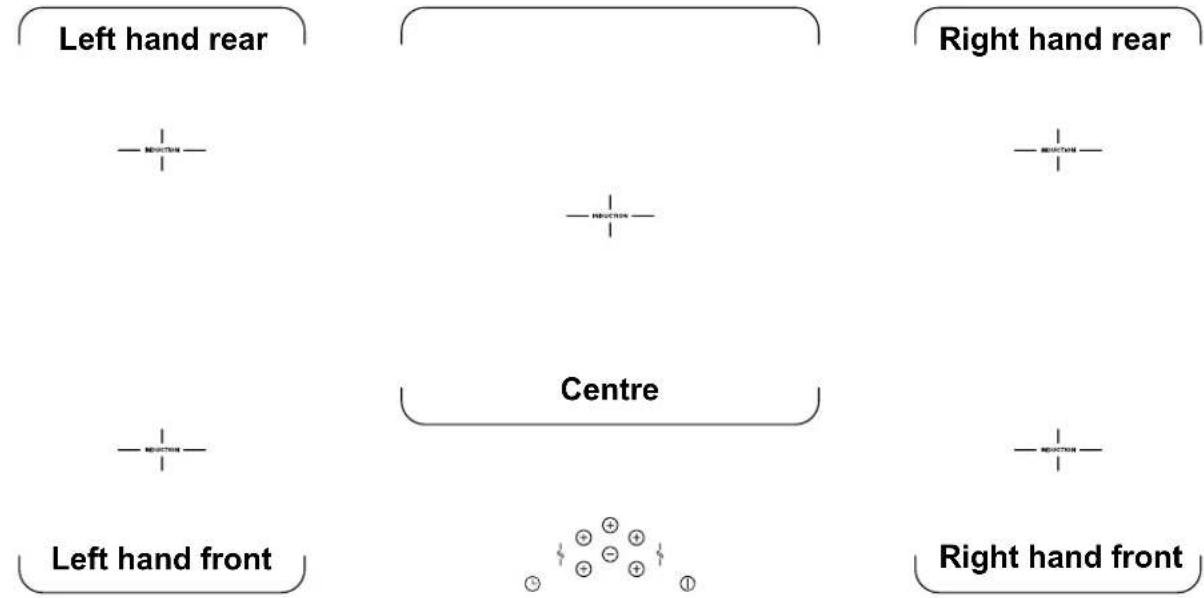
Hob
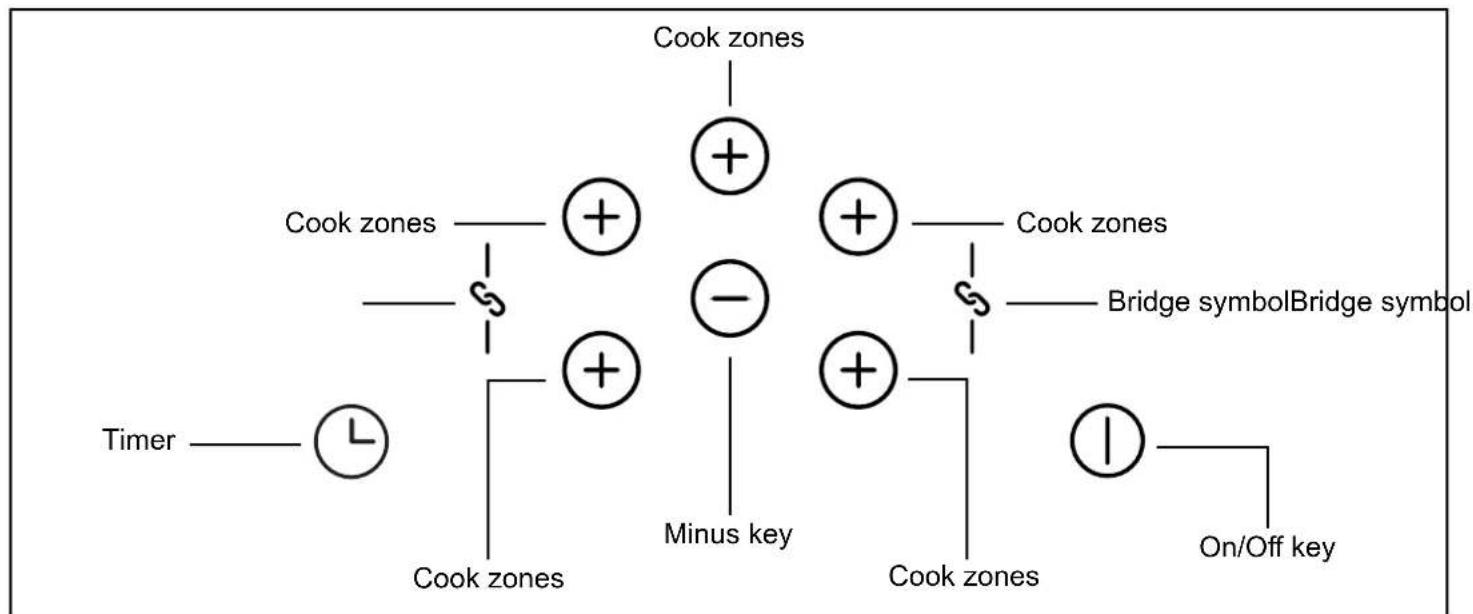
Control Panel
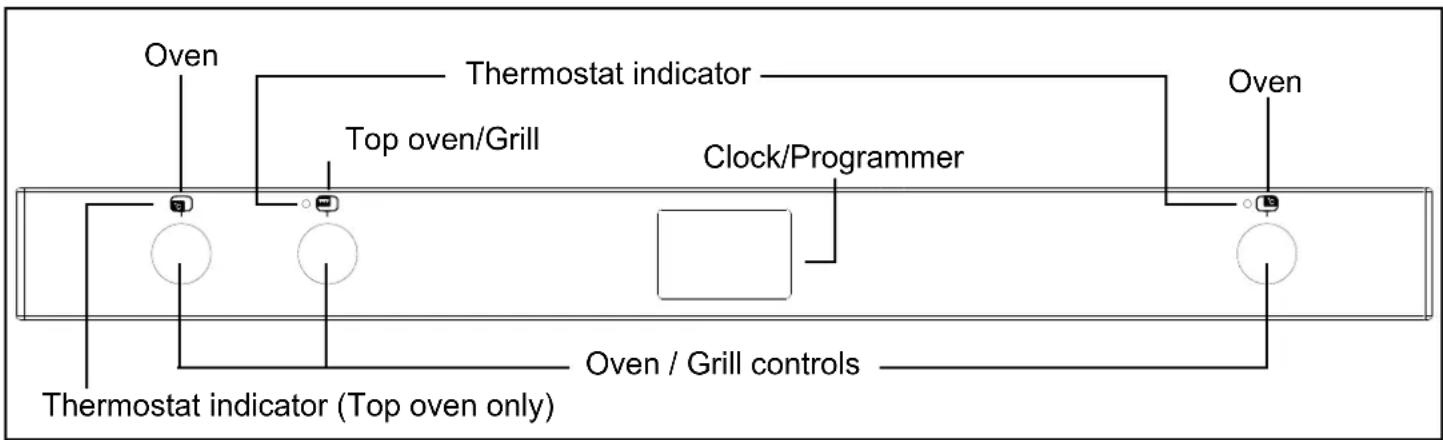
Appliance functions
Note: Your oven may not have all of the functions shown here. We recommend for best cooking results, please preheat your oven for 15 minutes and 3-5 minutes for grilling.
Do not try to slow cook using any of the other oven functions.
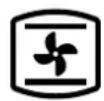
Intense Baking
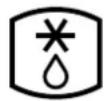
Defrost

Base Heat with fan

Conventional Oven

Slow Cook

Fanned Oven

Fanned Grill

Low Grill

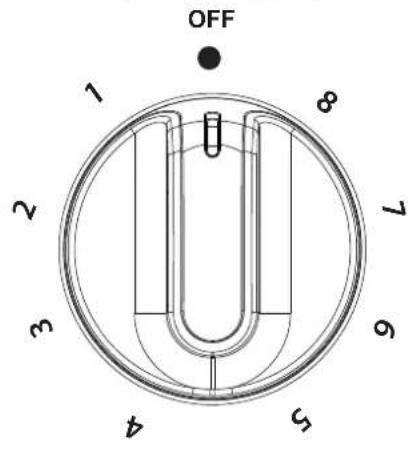
Oven Selector Control

Single Grill

Conventional Grill

Dual Grill
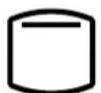
Top Heat

Base Heat

Lights only
Single grill
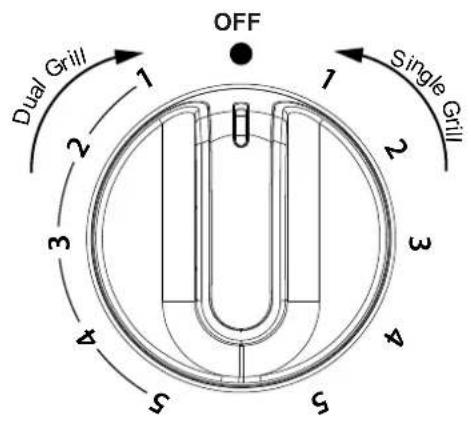
Dual Grill
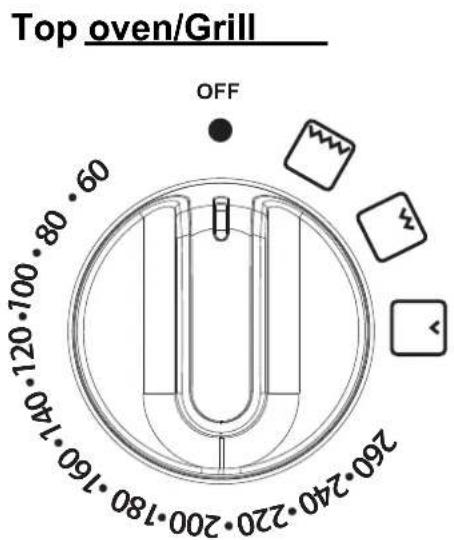
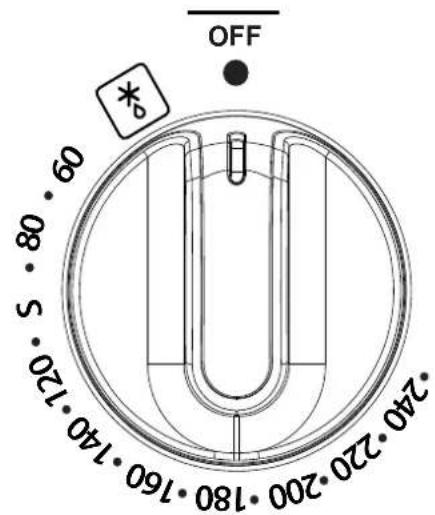
Oven
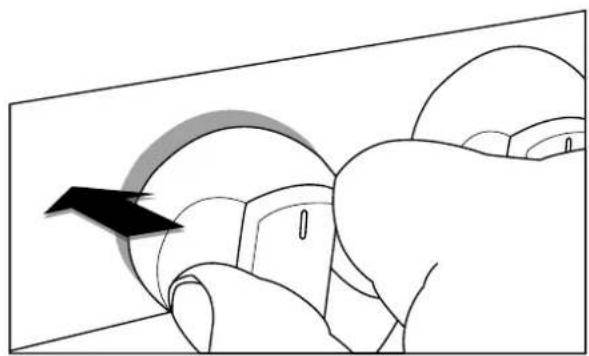
Ovens and Grill
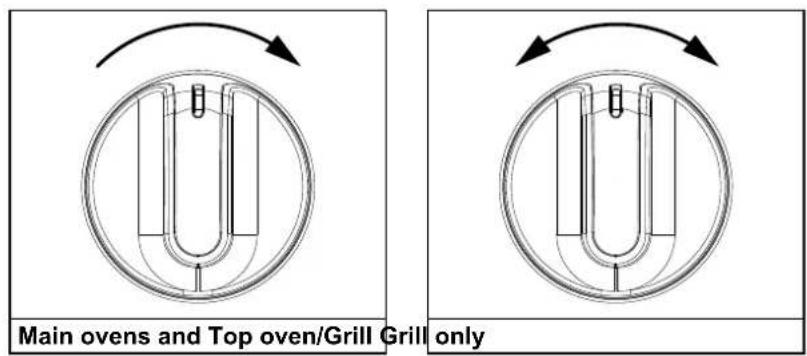
When using the top oven or main oven, the red thermostat indicator light will come on until the selected temperature is reached.
When the Top oven/grill or grill is switched on, the cooling fans come on to keep the fascia and control knobs cool during cooking/grilling. The cooling fans may operate when the main ovens are in use, depending on the temperature setting. The fans may continue to operate for a period after the oven/grill has been switched off. During use the fan may cycle on and off, this is normal.
Important: Never put items directly on the base of the oven, or cover the oven base with foil, as this may cause the element to overheat. Always position items on the shelf.
The right hand main oven will not operate if the programmer is set to Auto, see clock/programmer section.
Grill
THE DOOR MUST BE OPEN WHEN THE GRILL IS USED FOR CONVENTIONAL GRILLING.
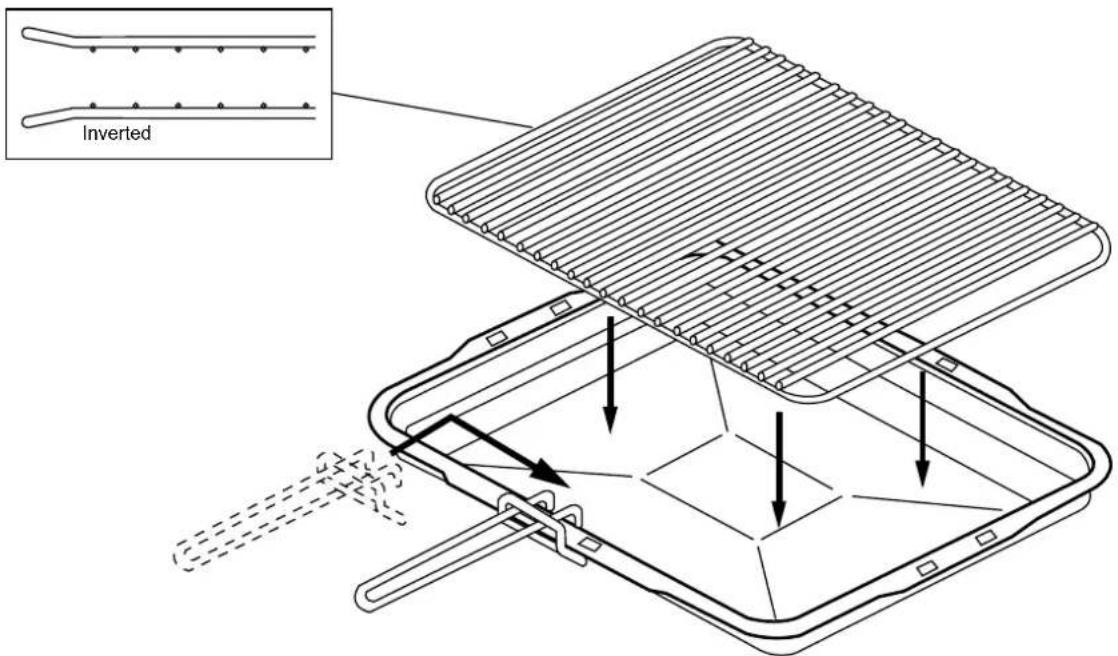
Grill pan, trivet and detachable grill pan handle
The grill trivet (inside the grill pan) can be inverted to give a high or low position, or it may be removed. The speed of grilling can be controlled by selecting a higher or lower shelf position, or adjusting the grill setting.
Hob Overview
| Function Description Symbol | ||
| Power Level | Once a cook zone is selected, a power level can be set to a low or high temperature. | 1-9 |
| Cook zone timer | Once a cook zone is selected, the cook zone timer can be activated to sound after a pre-determined amount of time. When the alarm sounds, the cook zone will turn off. | H |
| Residual Heat | After use, the cooking surface remains hot and the residual heat symbol will be displayed. | H |
| Automatic switch off | Each cook zone is pre-set with a maximum operation time. Once this time is reached, the zone will automatically switch off. The residual heat symbol will be displayed if the surface remains hot. | N/A |
| Pan detection | If no pan or an unsuitable pan is detected on an activated cook zone, the pan detection symbol will be displayed. Suitable pans - cast iron, metals with magnetic properties. Non-suitable pans - copper, stainless steel, aluminium, glass, ceramic, terra-cotta. | U |
| Booster function | The booster function temporarily increases the power to a cook zone allowing for a faster heat up time. It will deactivate automatically after 10 minutes or if a lower power level is selected. | P |
| Bridge function | Individual cook zones can be bridged or joined together to create a larger, single controlled cook zone. By bridging the left hand front and rear zones or the right hand front and rear zones, two larger cook zones can be created. | N |
| Pause | When at least one cooking zone is in operation, the pause function can be activated. This will pause all cooking on the hob for up to 10 minutes. | II |
| Recall function | While the hob is in use, if it is accidentally turned off, turn the hob back on within 6 seconds and the settings will be restored. | N/A |
| Child lock | Child lock can be activated to stop the hob from being accidentally turned on. | L |
| Low temp/keep warm | This setting temperature is set to allows the user to keep food warm without over cooking. This setting can also thaw frozen foods. | U |
Caution: Always ensure that induction pans remain within the marked cooking area when hot. Do not allow hob pans to rest on the user control panel at the front of the hob glass, as this will cause the controls to overheat and the appliance to temporarily shut down.
Please be aware that the pans can make a noise during cooking. This is caused by vibration due to the passage of energy from the hob to the pan.
Switching the appliance On/Off
1 Press and hold the On/Off key to activate the appliance
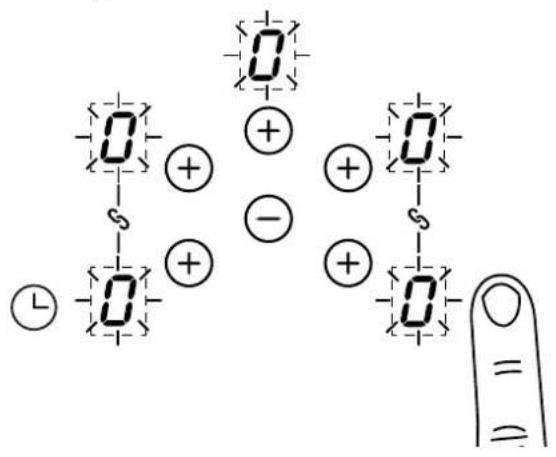
Press and hold the On/Off key to deactivate the appliance
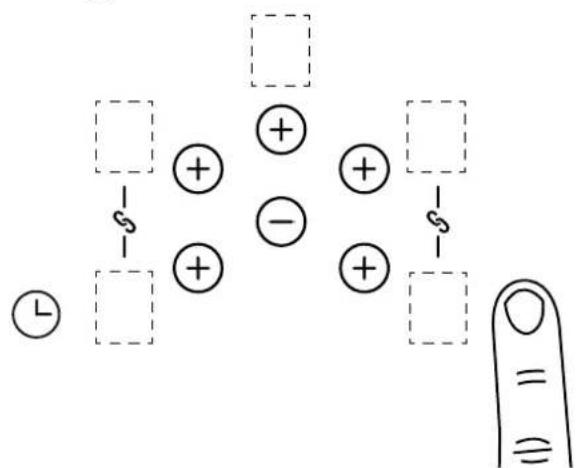
If within 20 seconds, no action (zone or timer selection) takes place the hob will automatically switch off.
Switching a cook zone On/Off
1 Touch the plus key for the relevant cook zone
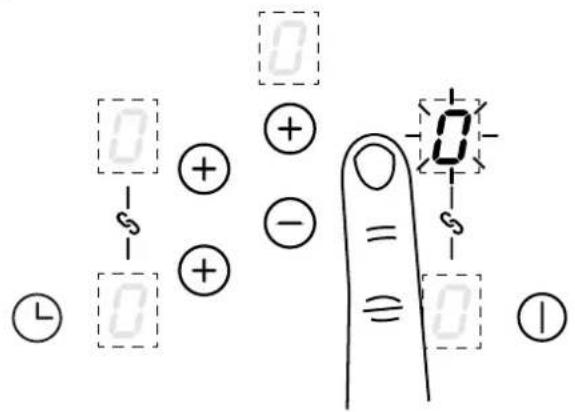
2 Touch the cook zone plus key and the central minus key to set a power level
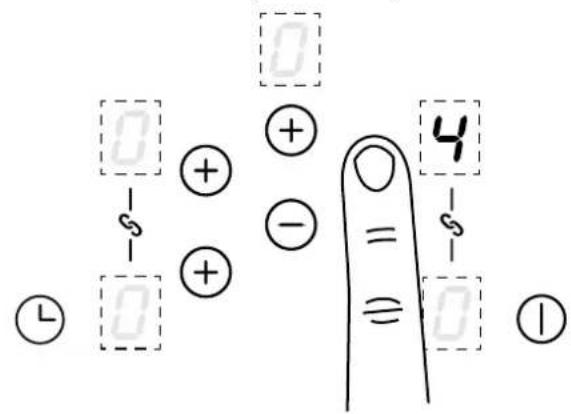
Note: Setting the power level to "0" will switch off the cook zone.
Griddle zone with bridge function
Press the Front Left or Front Right key and hold until the bridge function blinks
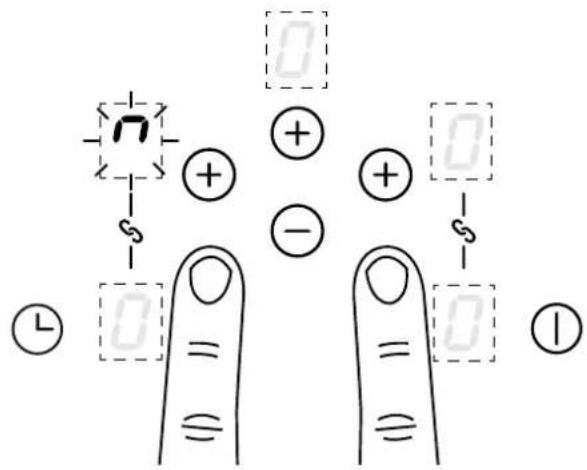
Press the corresponding rear key immediately to activate
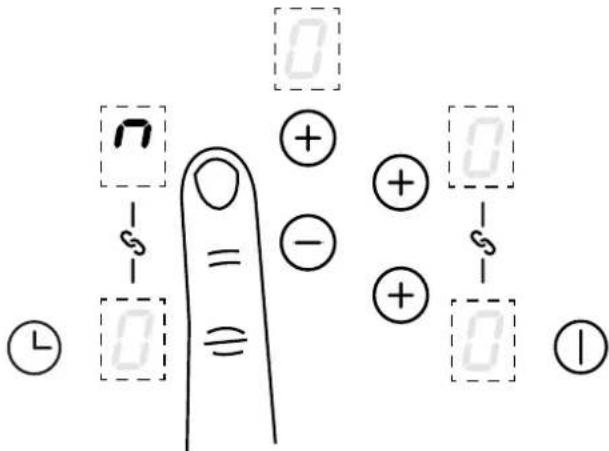
Once activated, set the power level by touching the front zone plus key and central minus key
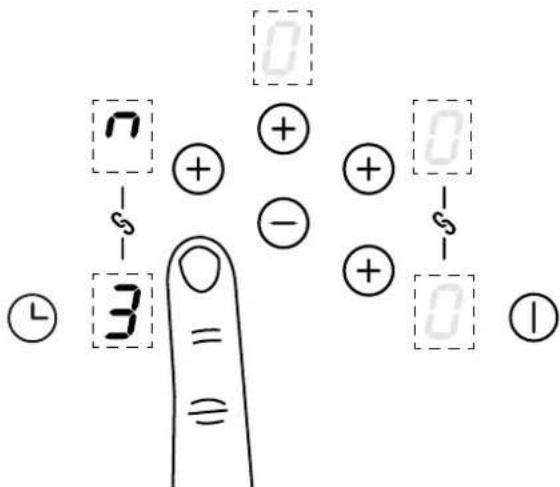
The Left Hand and Right Hand zones can be used as 4 separate cooking zones which can be controlled individually or they can be bridged to provide 2 large zones that can be controlled via one setting on each side. Large pans and griddle plates can be placed across the bridged zones.
Low temperature setting/Keep warm
This function can be used when the cook zone(s) are in the bridge function.
1 Touch the plus key for the relevant cook zone
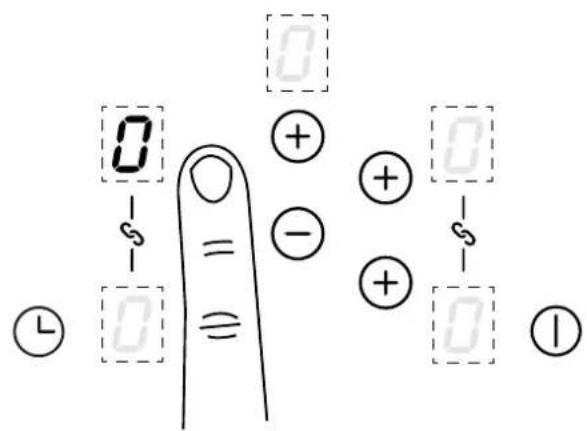
2 Touch the cook zone plus key to select "u"
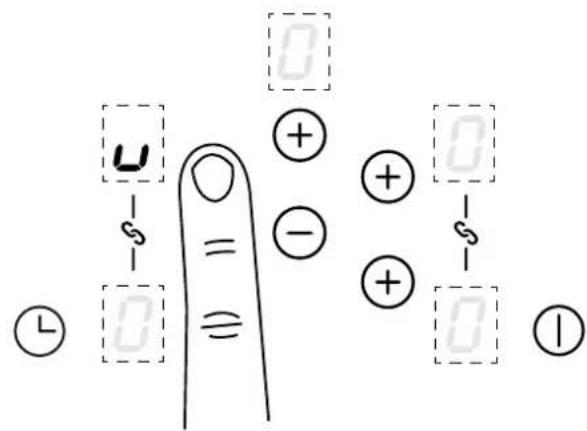
The "u" symbol can be found between power level "0" and "1". Use the relevant cook zone plus key and central minus key to scroll through the power levels.
Pause key
Ensure a cooking level has been set
1 Press and hold central minus key
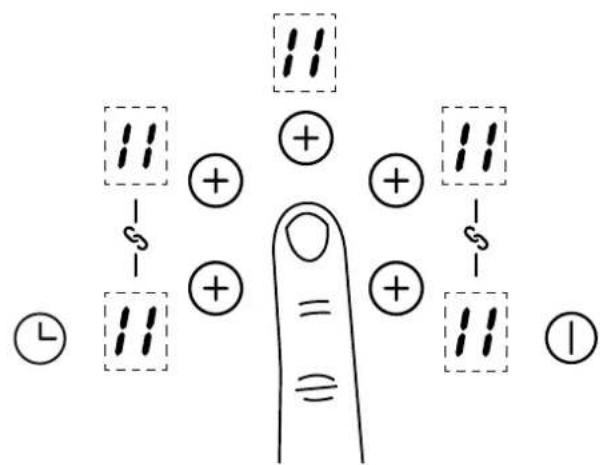
Press and hold central minus key until beep, then immediatley press any cook zone plus key to de-activate
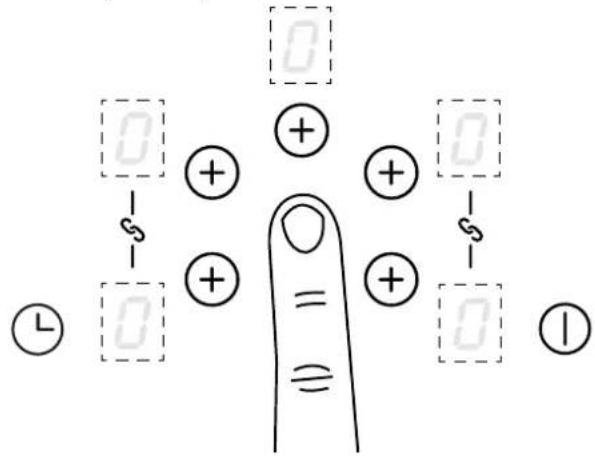
If the pause mode is not de-activated within 10 minutes, the hob will switch off.
Recall
If the hob is switched off accidentally, all the settings can be restored within 6 seconds by pressing the On/Off key, followed by the central minus key to resume cooking.
Booster function
1 Touch the plus key for the relevant cook zone
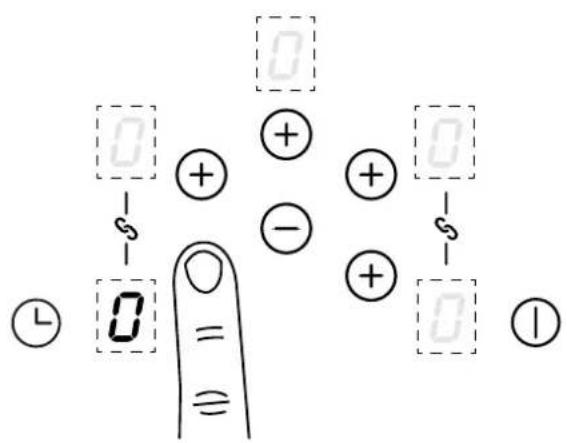
Use the cook zone plus key and the central minus key to select "P"
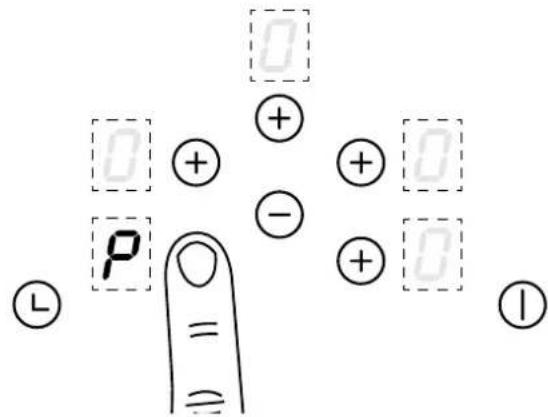
For quick operation, touch the minus key for quicker access to the Power Boost level.
The power boost function can temporarily boost the power to a cook zone. This function is not available in bridge mode.
Note: The Power Boost function will only operate for a limited time and will deactivate automatically if the product is hot or overheating.
Setting the Minute minder
1 Touch the timer key
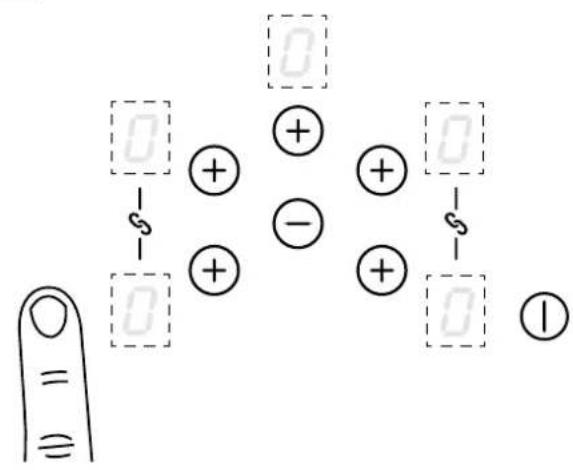
2 Set the time by pressing the timer key or the minus key
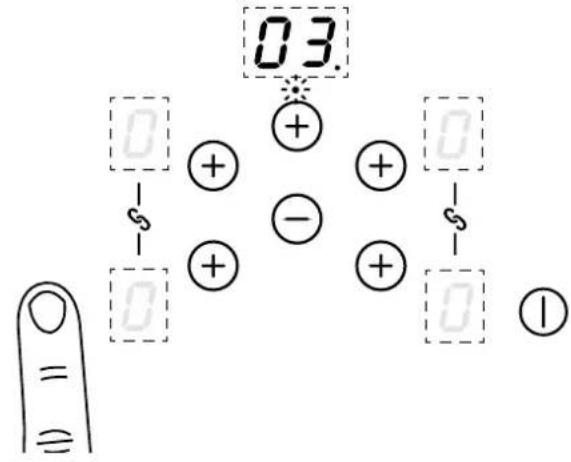
The time will set when no key is pressed after 1 second. A dot will flash in the timer display. The time will count down
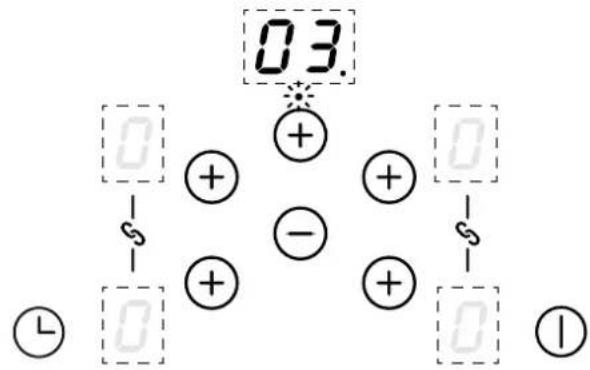
The timer display will flash and beep will be heard when the time is up. Touch any key to stop the beeping
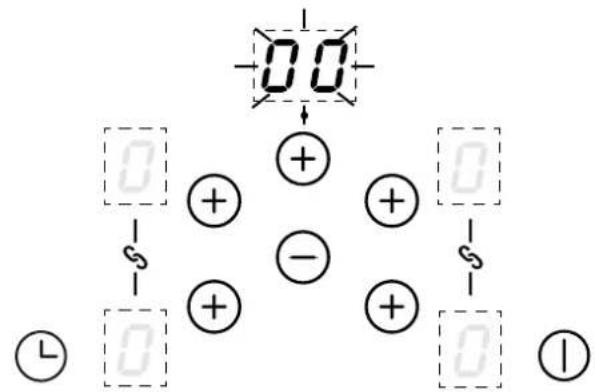
The maximum time that can be set is 99 minutes.
To modify or cancel the Minute minder
Repeat "Setting the Minute minder" steps to modify the timer.
Setting the time back to "00" will cancel the minute minder.
Timer auto switch off
Ensure power level is already set before selecting a cook zone to be timed.
1 Touch the cook zone plus key
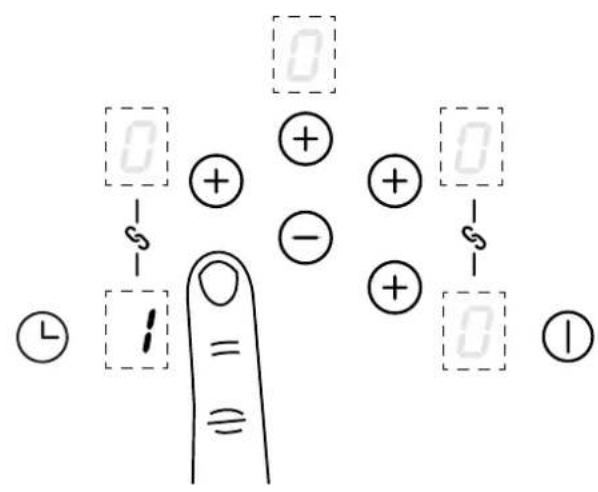
2 Touch the timer key
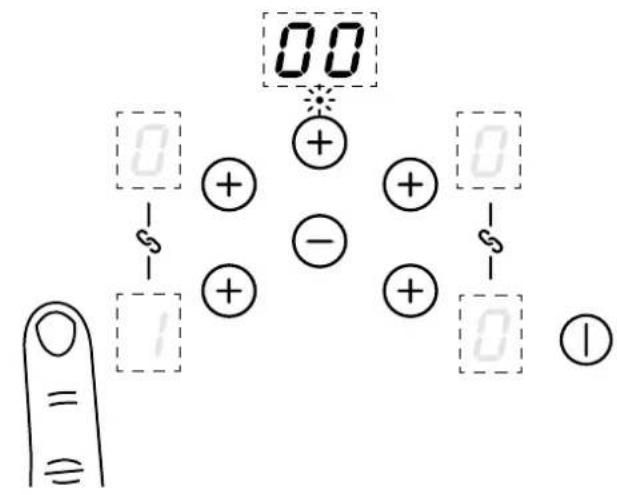
3 Set the time by pressing the timer or the minus key. The cook zone timer symbol will appear next to the selected cook zone.
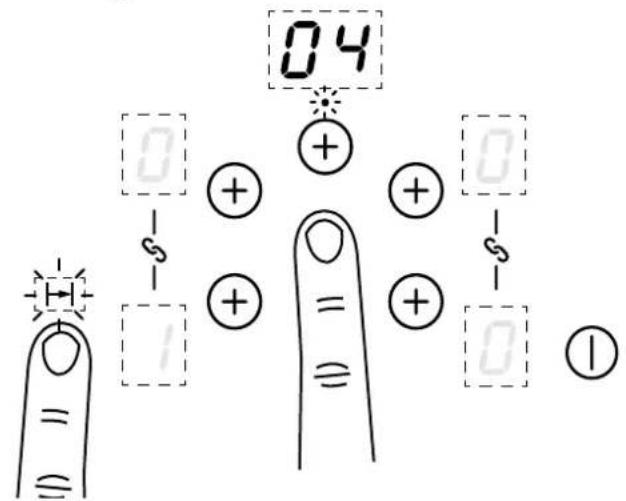
The time is set when no key is pressed after 1 second
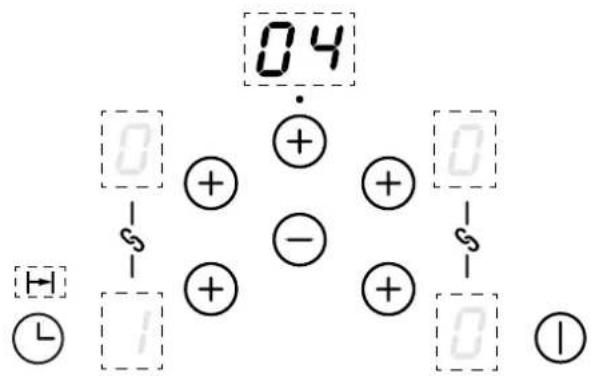
When the time is up, the timer display will flash, beep and the cook zone will automatically switch off. Touch any key to stop the beeping.
To modify or cancel the auto switch off
Repeat the "Setting a cook zone timer" steps to set a time for other cook zones or modify a set time.
Setting the time back to "00" will cancel the minute minder.
Additional timer information
If multiple zones have been set for timed operation, the timer display will always display the time for the cook zone with the shortest time remaining. To check the timer setting for a different cook zone, simply select the required cook zone, the remaining time will briefly appear in the timer display.
To activate child lock
The appliance must be switched on.
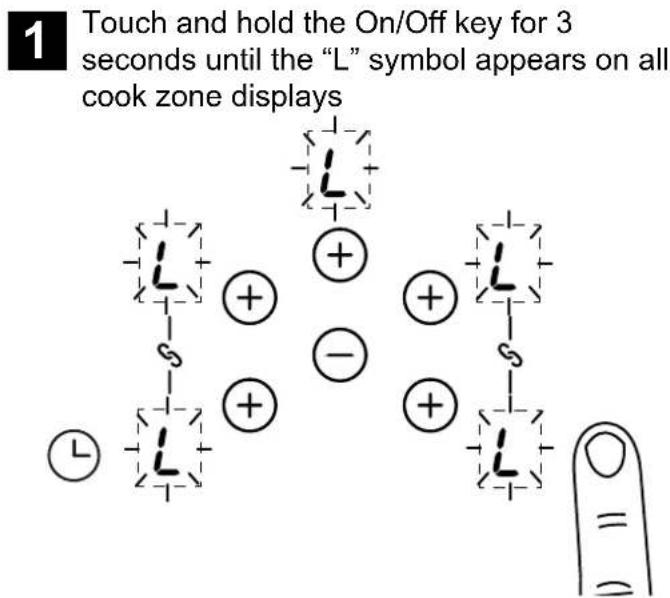
When you now switch on the appliance "L" will appear in all the cook zone displays. The child lock feature will be permanently activated.
To de-activate the child lock
1 Touch and hold the On/Off key to deactivate the child lock. "L" symbol will disappear
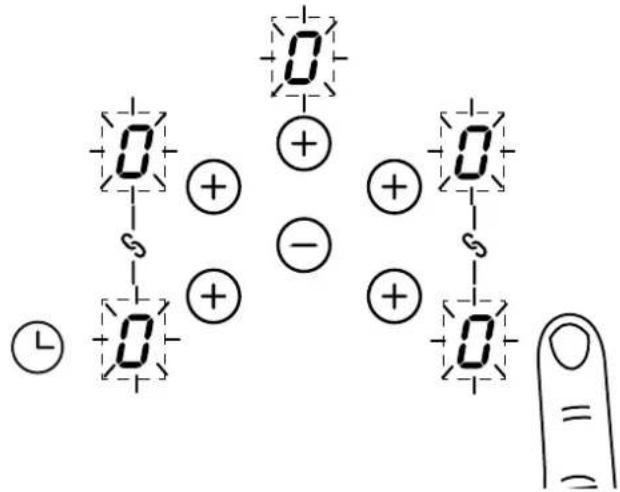
Once the child lock is deactivated, the appliance can continued to be used.
Auto stand by
The hob will automatically switch off if left (with pan) on for an extended period of time, see maximum running times below
| Power Level | Maximum Operation Time hours |
| 1 | 8 |
| 2 | 6 |
| 3 | 5 |
| 4 | 5 |
| 5 | 4 |
| 6 1.5 | |
| 7 1.5 | |
| 8 1.5 | |
| 9 1.5 | |
| P (Power Boost) 5 minutes | |
Appliance errors
| Appliance Errors | Fault Description Action | |
| E2 Induction coil overheating Remove pans and allow to cool | ||
| E8 Fan blocked to appliance | Check installation allows for free air flow, clean cooling fan inlets on the underside of the hob | |
| E3 | Water or pans on the glass above the user controls | Clean any water on the surface above user controls/display |
| E6 Mains power disturbance | Supply to appliance must be checked-Contact electrician | |
| E/H Temperature sensor issue Allow system to cool | ||
Please be aware that only the main oven is controlled by the programmer.
Clock / Programmer
Note: Your clock / programmer may not have all these functions
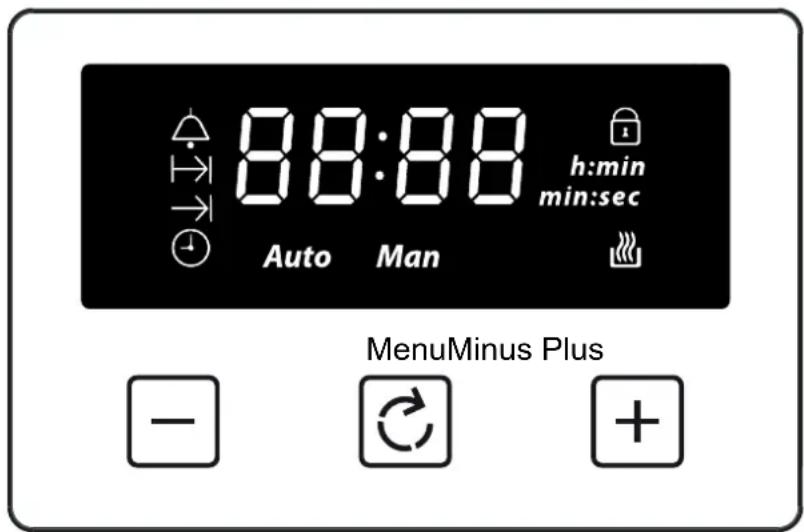
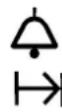


Minute minder
Cooking time / Duration
End of cooking time
Time of day
Keylock
Auto cooking
Automatic mode
Man
L1L2L3
23:59
99:00
23:59
h:min
min:sec
Manual mode
Volume level
7-segment display
Max. adjustable minute minder
Max. adjustable cooking time
Display hours:minutes
Display minutes:seconds
Using the touch controls
Menu - Scroll through to select a function
Plus - Increase time or volume
Minus - Decrease time or volume
When a function is selected and the time or volume is set, the chosen function will automatically start seven seconds after setting.
Manual Mode
If the programmer is not in semi-automatic or full-automatic mode you can use oven functions manually. The manual icon is also on the display.
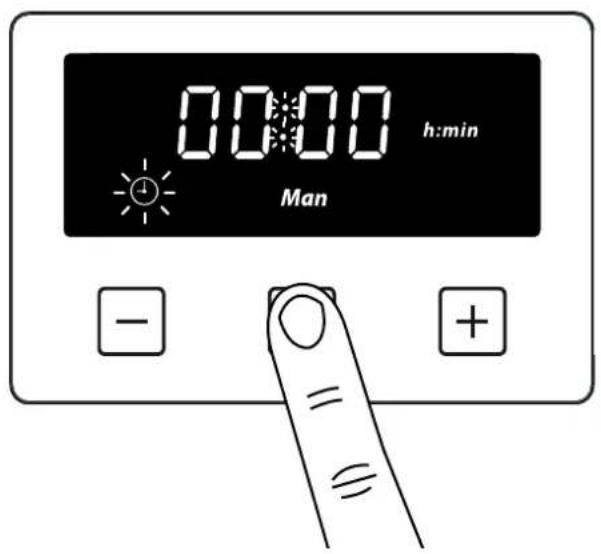
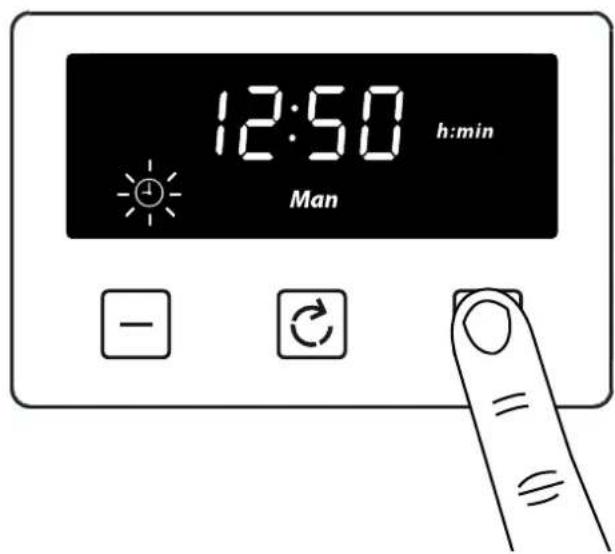
Setting the time of day
By pressing menu, scroll through the functions until you reach 'time of day'.
Press the function button until the 'time of day' symbol appears
2 Press the plus or minus buttons to set a time
Setting the minute minder
The maximum cooking time that can be set is 99 minutes.
1 Press the function button until the 'minute minder' symbol appears
Press the plus or minus buttons to set a time
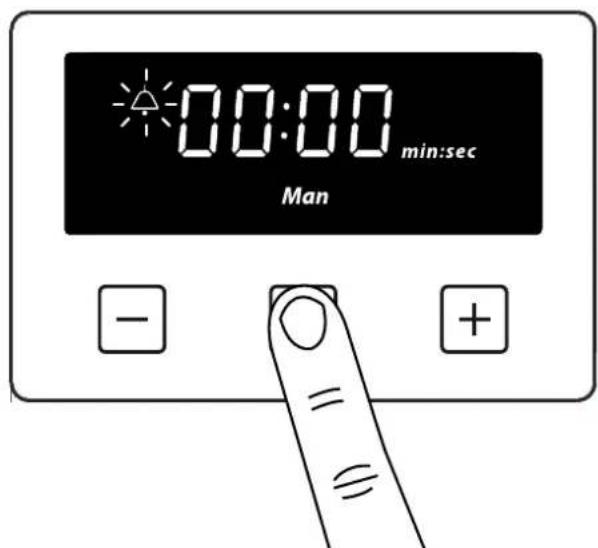
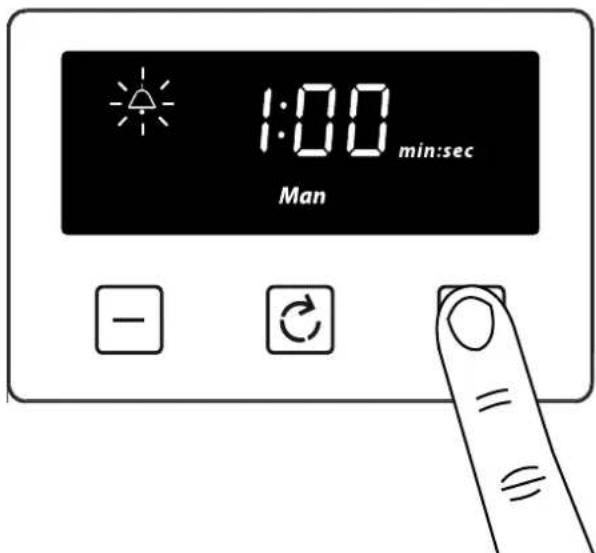
Once set, the minute minder will start to countdown in steps of seconds. The display will show the minute minder symbol and the remaining time. The countdown will continue in the background, if other functions are being set.
When the set time for the minute minder has completed, an alarm is heard and the minute minder symbol will flash on the display. Press any button to stop the alarm and the time of day is displayed.
To modify or cancel the minute minder
Return to the minute minder function and use either the plus or minus buttons to adjust the time. By setting the time to '0.00', this will cancel the countdown.
Setting the cooking time (the duration of time the oven will operate for) Semi Automatic cooking
The maximum cooking time that can be set is 23 hours and 59 minutes.
Press the function button until the cooking time' symbol appears
Press the plus or minus buttons to set a time
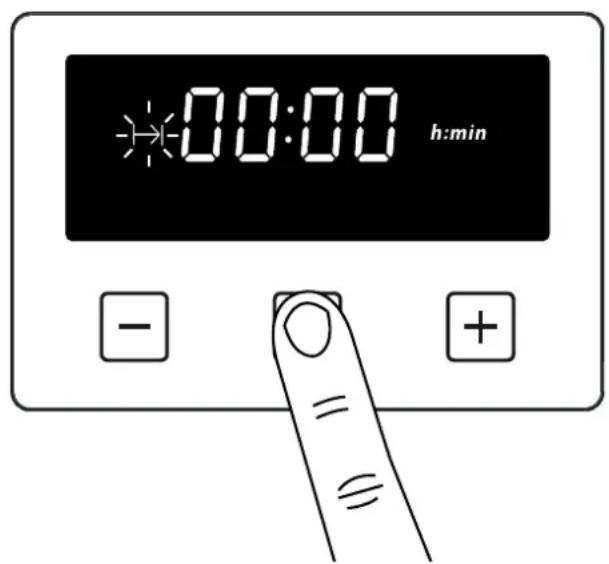
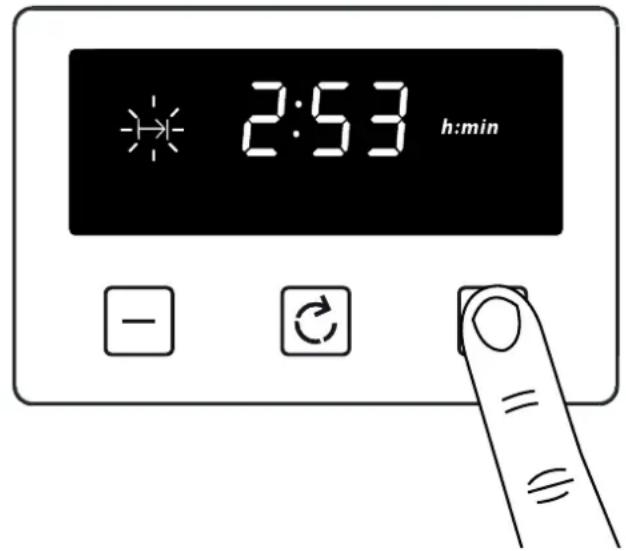
Once set, the automatic mode, auto cooking symbol and the time of day is displayed.
When cooking is completed, an alarm is heard and the manual mode symbol flashes on the display. Press the Menu button to stop the alarm and then the 'time of day' will then be displayed. Pressing the Menu button again will return to manual mode.
To modify or cancel the cooking time
Return to the 'cooking time' function and use either the plus or minus buttons to set the time. By setting the time to '0.00', this will cancel the countdown.
Setting the end of cooking time (to set a time for the oven to turn off) Fully Automatic
Enter cooking duration as described in 'Setting the cooking time' section.
The display shows the current 'time of day' plus the 'end of cooking time' symbol. The latest 'end of cooking time' is limited to the current 'time of day' plus the maximum time that can be set (23 hours and 59 minutes).
Press the function button until the 'end of cooking time' symbol appears
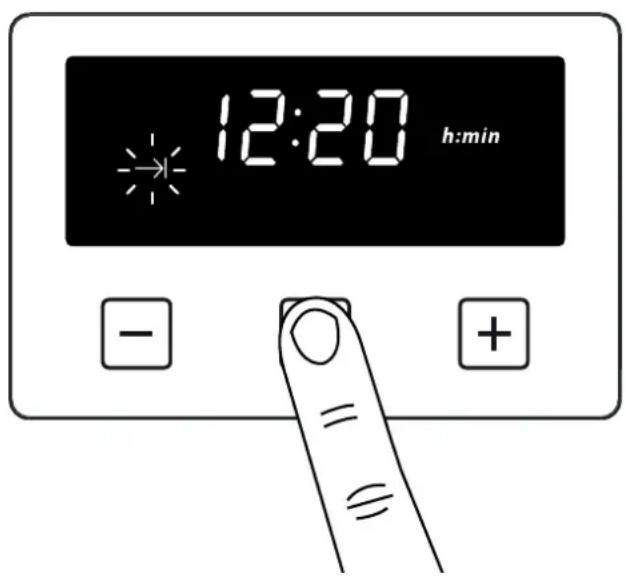
Press the plus or minus buttons to set a time
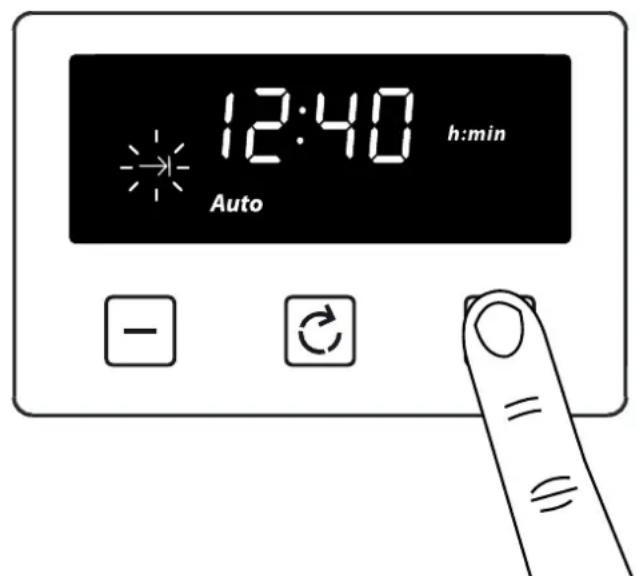
The auto cooking symbol disappears from the display once the time, the required cooking settings and temperature have been set. The appliance will not be switched on until the set cooking start time, that is the difference between the cooking end time and the cooking duration.
When cooking is completed, an alarm is heard and manual mode symbol flashes on the display. Press the menu button to stop the alarm. Pressing the Menu button again will return to manual mode.
To modify or cancel the end of cooking time
Return to the 'end of cooking time' function and use either the plus or minus buttons to set the time. The 'end of cooking time' can be deleted by counting back using the minus button until it equals the current time of day.
Setting the volume
Press the menu button until "LX" (X = 1, 2 or 3) flashes on the display. Use the plus or minus buttons to select a tone.
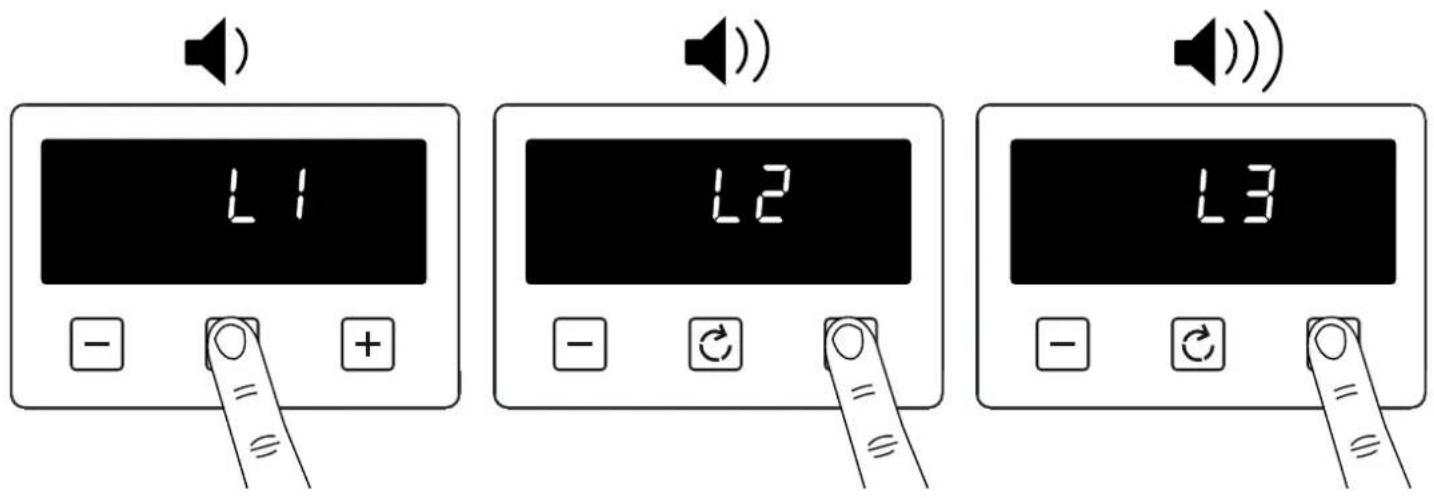
Note: Default tone is L3
Activating / deactivating Key lock
Press and hold the plus button for 3-5 seconds
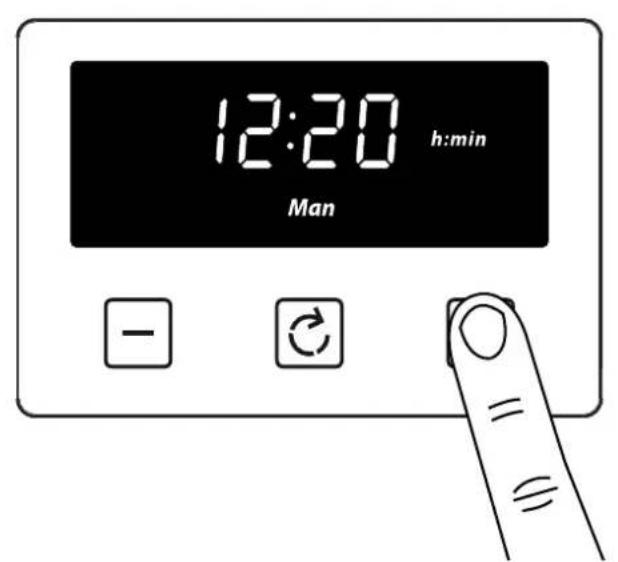
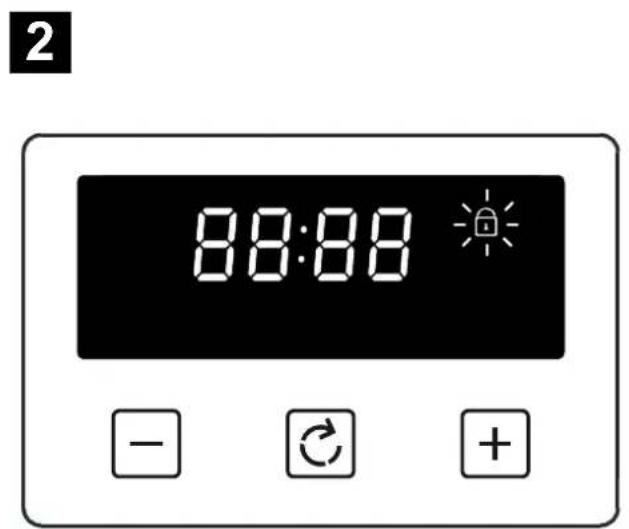
Once the Key lock is active, the buttons will be inactive. A two beep signal will be heard if the buttons are pressed.
To deactivate the Key lock
Press and hold the plus button for 3-5 seconds. The Key lock symbol will disappear and the appliance can continue to be used.
Note: In case of main power loss for a short time (about 1.5 minutes), timer maintains its status. Key lock status and buzzer tone are memorized independent of the power loss duration.
Removing Shelf Runners
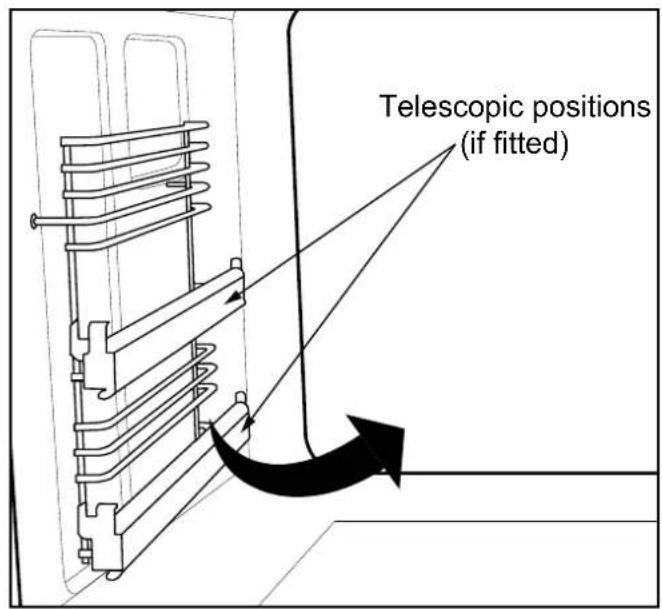
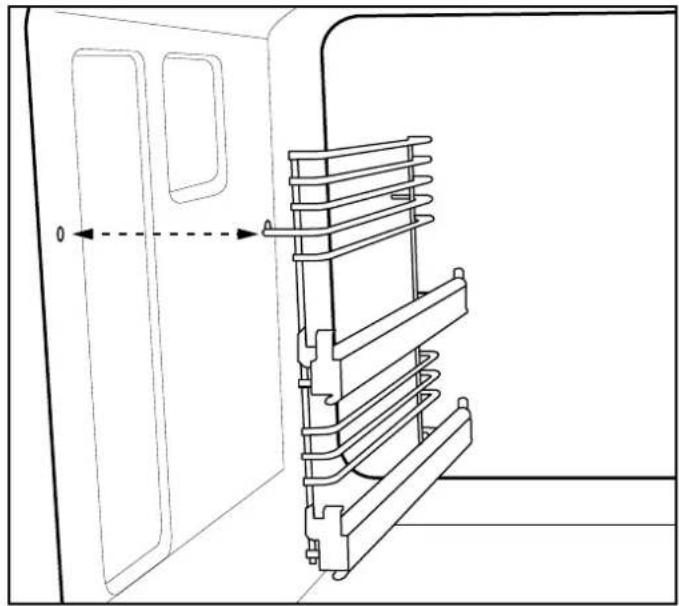
Standard shelves
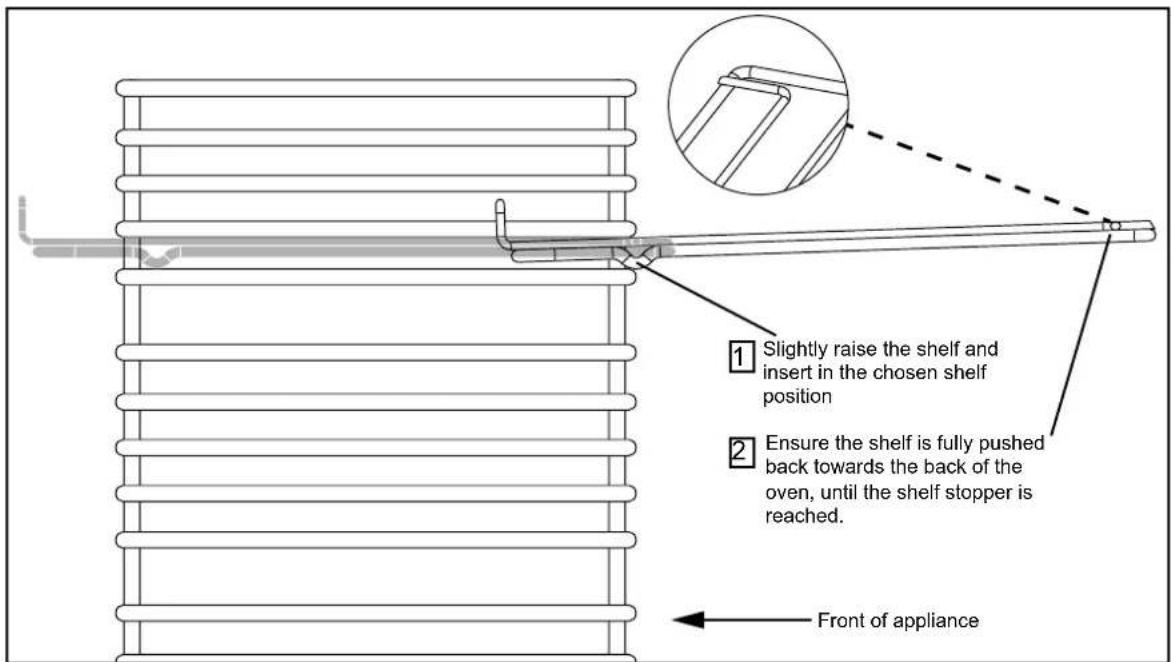
Removing Telescopic shelves (if fitted)
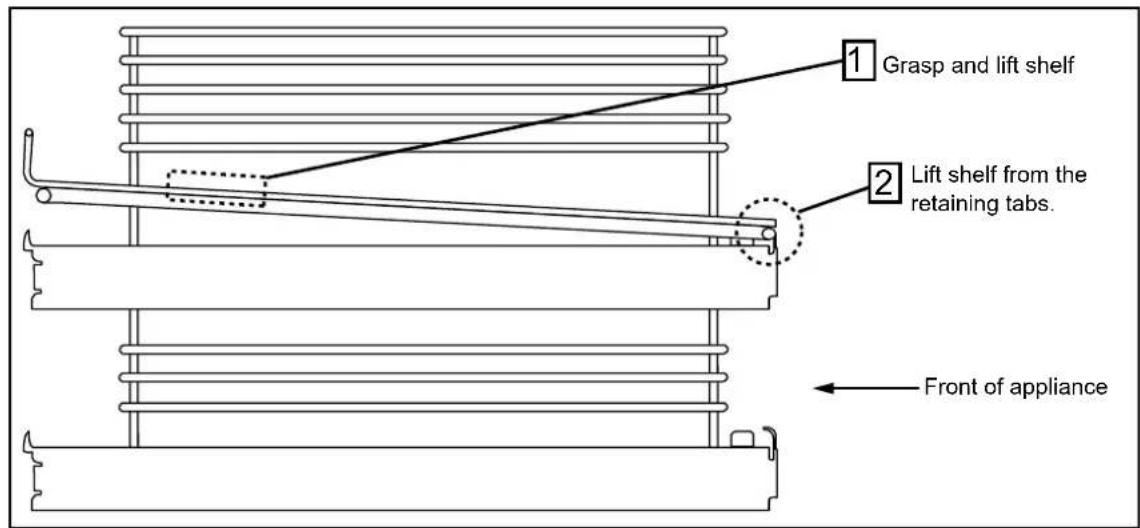
Before removing the shelves completely, please make sure that the shelf is unclipped from the retaining tabs.
Changing the light bulb
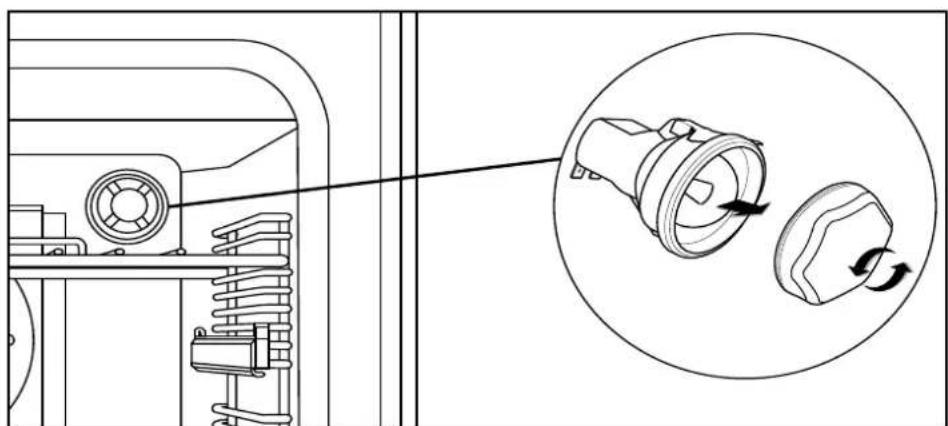
Not all appliances have the same number and type of bulbs. Before you replace your bulb, check to see what type you have. Please remember that bulbs are not covered by your warranty.
Additional features
Plate rack (if supplied)
- Pull the shelf out of the cavity.
- Tilt the plate warmer towards you and make sure that it hooks underneath the shelf bars at the front.
- Drop the plate warmer carefully into position.
The plate warmer is now secure and you can place your plates into it.
Always make sure that you use oven gloves if you are putting the plate warmer into a hot, or recently used oven to prevent burns.
Always make sure that your plates are suitable for warming - some plates may shatter or crack when exposed to heat.
We recommend that you heat the oven to 70^ , or below, if you are warming plates.
Do's
Note: Always switch off your appliance and allow it to cool down before you clean any part of it.
Note: Please take extra care when cleaning over the symbols on the control panel, as this can lead to them fading.
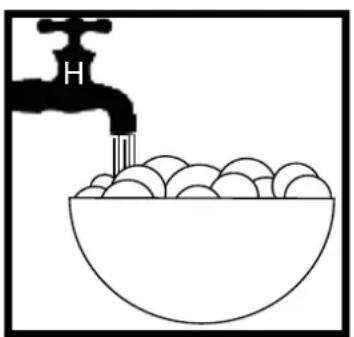
- Warm, soapy water - Wipe with damp cloth wring out cloth
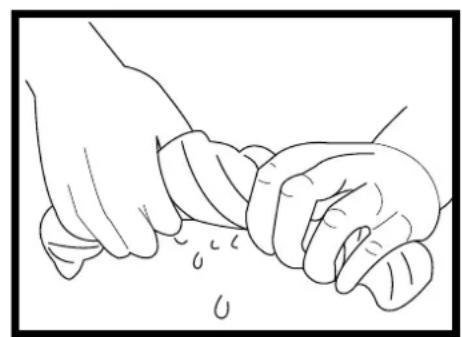
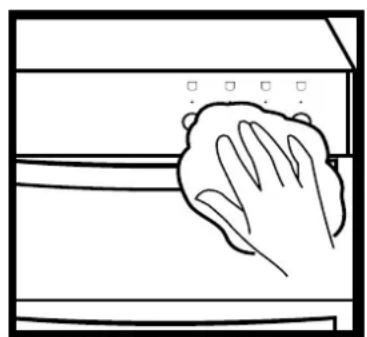
- Dry with a soft cloth
Tips: Some foods can mark or damage the metal or paint work e.g.; Vinegar, fruit juices and salt. Always clean food spillages as soon as possible.
Dont's
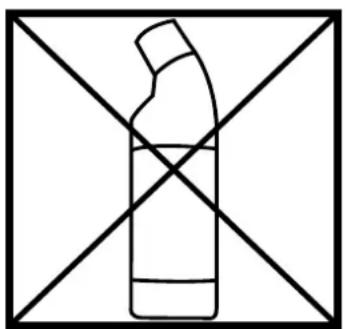
- Undiluted bleaches
- Chloride products
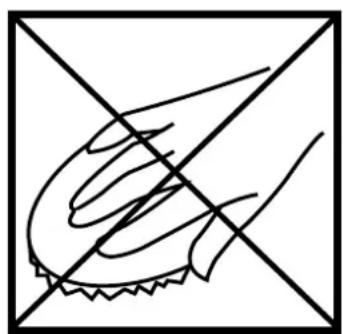
Wire Wool
- Abrasive cleaners
- Nylon pads
- Steam cleaners
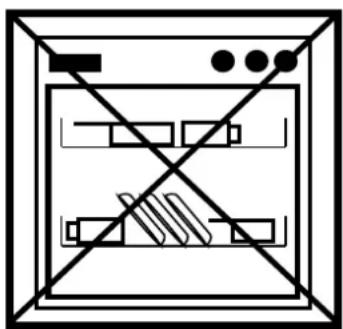
Do not place in the dishwasher:
Cast iron griddle
Pan supports
IT IS IMPORTANT TO CLEAN YOUR APPLIANCE REGULARLY AS A BUILD UP OF FAT CAN AFFECT IT'S PERFORMANCE OR DAMAGE IT AND MAY INVALIDATE YOUR GUARANTEE.
IN ADDITION TO THE ABOVE, DO NOT USE METAL SCRAPERS TO CLEAN THE OVEN DOOR GLASS.
We offer a great range of cleaning products and accessories for your appliance. To shop, please visit our website located at the front of this User Guide.
Electric Range
Hob top
| Electrical supply / load | |||
| Electrical supply | Hotplate Zone | Appliance Size (cm) / L | Load kW |
| 240v Induction | 100 / 110 | ||
| Left hand front 1.2 | / 1.4 | ||
| Left hand rear 1.4 | / 2.0 | ||
| Right hand front 1.2 | / 1.4 | ||
| Right hand rear 1.4 | / 2.0 | ||
| Middle 2.3 / 3.0 | |||
| Maximum load 7.5kW | |||
Ovens
| Electrical supply / load | ||
| Electrical supply | Oven Load kW | |
| 240v | Conventional 2.07 | |
| Fanned 2.00 | ||
| Single variable grill (if fitted) 1.85 | ||
| Dual grill (if fitted) 2.70 | ||
| Conventional top (if fitted) | 1.39 | |
| Oven Lamps / Fans | |
| Lamps | 25W each |
| Cooling fans | 10W each |
| Oven stir fan | 30W each |
Appliance
| Electrical supply / load | ||
| Appliance type | Electrical supply | Max. load (kW) |
| Single grill models | 240v ~ 50 Hz | 14.37 |
| Dual grill models | 14.52 | |