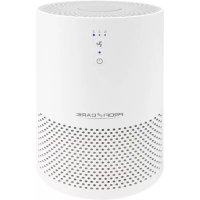
PCLR 3075 - Air purifier ProfiCare - Free user manual and instructions
Find the device manual for free PCLR 3075 ProfiCare in PDF.

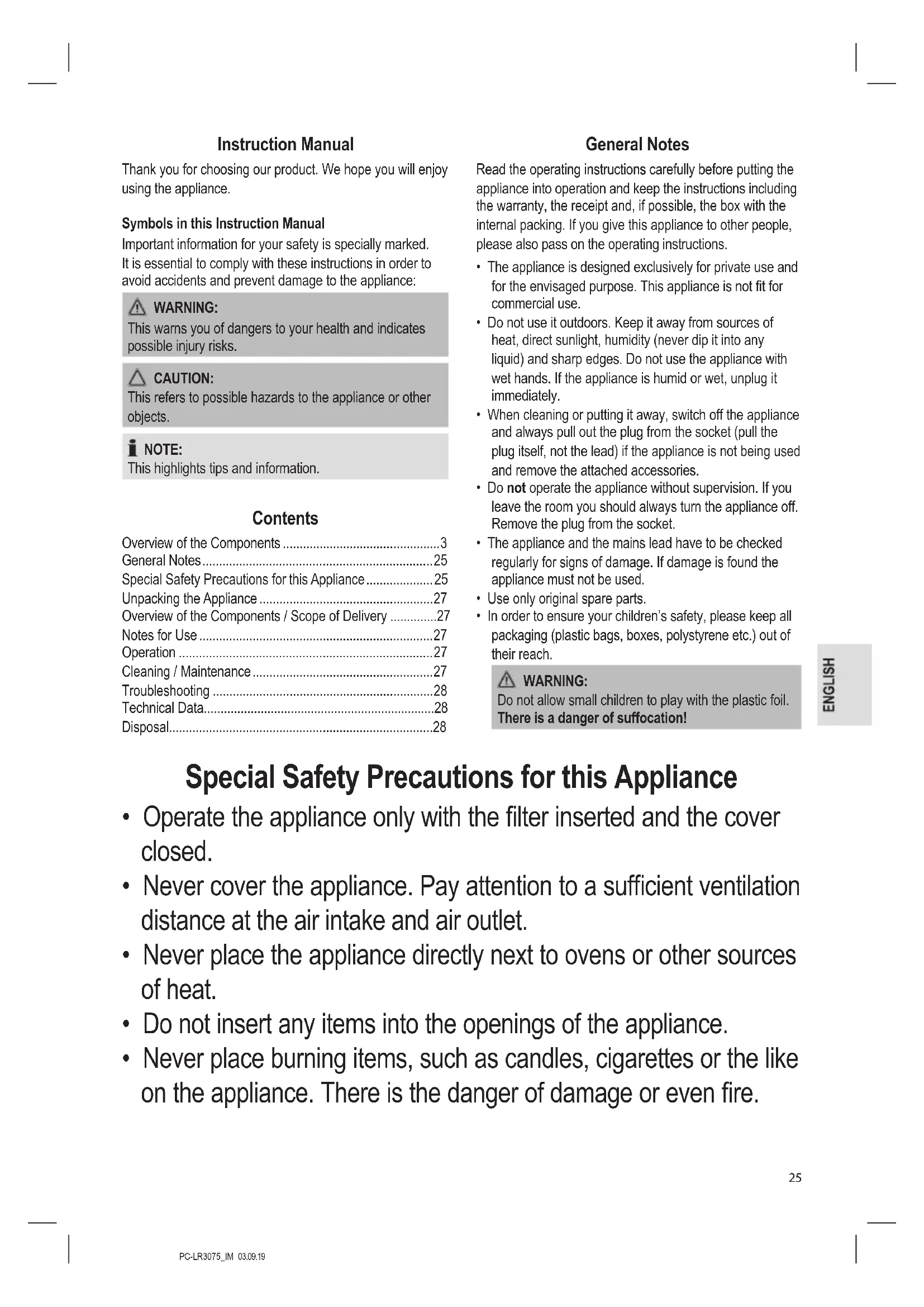


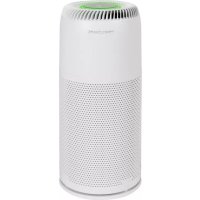
| Product type | Air purifier |
| Brand | ProfiCare |
| Model | PCLR 3075 |
| Power supply | 220-240 V~, 50 Hz |
| Power consumption | 25 W |
| Standby consumption | 0.3 W |
| Protection class | II |
| Net weight | approx. 1.5 kg |
| Filtration system | Pre-filter + HEPA filter |
| Power levels | 3 (Night mode, Medium, High) |
| Control type | Touch buttons |
| Indicator light | LED ring (levels 2 and 3) |
| Maintenance of the motor unit | Dry cloth, without any product |
| Filter maintenance | Shake or use a soft brush/humid cloth |
| Filter replacement | Yes, according to reduction of airflow |
| Safety precautions | Do not immerse, do not use near heat sources, humid or explosive areas |
Frequently Asked Questions - PCLR 3075 ProfiCare
User questions about PCLR 3075 ProfiCare
0 question about this device. Answer the ones you know or ask your own.
Ask a new question about this device
Download the instructions for your Air purifier in PDF format for free! Find your manual PCLR 3075 - ProfiCare and take your electronic device back in hand. On this page are published all the documents necessary for the use of your device. PCLR 3075 by ProfiCare.
USER MANUAL PCLR 3075 ProfiCare
Bedienungsanleitung
Thank you for choosing our product. We hope you will enjoy using the appliance.
Symbols in this Instruction Manual
Important information for your safety is specially marked. It is essential to comply with these instructions in order to avoid accidents and prevent damage to the appliance:

WARNING:
This warns you of dangers to your health and indicates possible injury risks.

CAUTION:
This refers to possible hazards to the appliance or other objects.

NOTE:
This highlights tips and information.
Contents
Overview of the Components ....3
General Notes....25
Special Safety Precautions for this Appliance 25
Unpacking the Appliance 27
Overview of the Components / Scope of Delivery .....27
Notes for Use 27
Operation 27
Cleaning / Maintenance....27
Troubleshooting 28
Technical Data....28
Disposal....28
General Notes
Read the operating instructions carefully before putting the appliance into operation and keep the instructions including the warranty, the receipt and, if possible, the box with the internal packing. If you give this appliance to other people, please also pass on the operating instructions.
- The appliance is designed exclusively for private use and for the envisaged purpose. This appliance is not fit for commercial use.
- Do not use it outdoors. Keep it away from sources of heat, direct sunlight, humidity (never dip it into any liquid) and sharp edges. Do not use the appliance with wet hands. If the appliance is humid or wet, unplug it immediately.
- When cleaning or putting it away, switch off the appliance and always pull out the plug from the socket (pull the plug itself, not the lead) if the appliance is not being used and remove the attached accessories.
- Do not operate the appliance without supervision. If you leave the room you should always turn the appliance off. Remove the plug from the socket.
- The appliance and the mains lead have to be checked regularly for signs of damage. If damage is found the appliance must not be used.
- Use only original spare parts.
- In order to ensure your children's safety, please keep all packaging (plastic bags, boxes, polystyrene etc.) out of their reach.

WARNING:
Do not allow small children to play with the plastic foil. There is a danger of suffocation!
Special Safety Precautions for this Appliance
- Operate the appliance only with the filter inserted and the cover closed.
- Never cover the appliance. Pay attention to a sufficient ventilation distance at the air intake and air outlet.
- Never place the appliance directly next to ovens or other sources of heat.
- Do not insert any items into the openings of the appliance.
-
Never place burning items, such as candles, cigarettes or the like on the appliance. There is the danger of damage or even fire.
-
Never operate the appliance in rooms with high air humidity, such as bathrooms, showers or swimming pools. Moisture could accumulate in the appliance and result in an electric shock.
- Never operate the appliance in rooms, in which explosive gases could build up. Danger of explosion by solvents in paints and adhesives or by leaking petrol.
- Do not use any sprays in the room. Do not dribble scented oils on the filter.
- Do not repair the appliance by yourself. Always contact an authorized technician. If the supply cord is damaged, it must be replaced by the manufacturer, its service agent or similarly qualified persons in order to avoid a hazard.
- This appliance can be used by children aged from 8 years and above and persons with reduced physical, sensory or mental capabilities or lack of experience and knowledge if they have been given supervision or instruction concerning use of the appliance in a safe way and understand the hazards involved.
• Children shall not play with the appliance. - Cleaning and user maintenance shall not be made by children without supervision.

CAUTION:
This appliance is not intended for immersion in water during cleaning. Please refer to the instructions provided in the chapter, "Cleaning / Maintenance".
Unpacking the Appliance
- Take the appliance out of its packaging.
- Remove all the packaging material such as plastic foil, filling material, cable ties and cardboard packaging.
- Check that all parts are supplied in the box.
- In case of incomplete delivery or damage, do not operate the appliance. Return it to your dealer immediately.
Overview of the Components / Scope of Delivery
1 Air outlet
2 Indicator lamp (Power level "Sleep mode")
3 Indicator lamp 2 (Power level "Medium")
4 Indicator lamp 3 (Power level "High")
5 Button (Power level selection)
6 Power indicator light
7 button (on / off)
8 Motor housing
9 Air intake
10 Filter element
11 Cover / closure
12 Illuminated LED ring (in levels 2 and 3)
Notes for Use
Location
A skid-proof, even surface is suitable as installation location. The appliance operates more effectively, if you keep the windows and doors closed during operation.
Filter Element
Your appliance features a twin filter system consisting of the following filter stages:
- Pre-filter – retains coarse particles
- HEPA filter – retains fine dust particles, pollen etc.
For more information about the filter element, see "Cleaning / Maintenance".
Electrical Connection
Insert the plug in a duly installed protective contact socket. You will hear a beep sound and all indicator lamps light up briefly. The appliance will then enter standby mode.
Operating Buttons
The buttons on the appliance are sensor touch buttons. In order to perform the corresponding function gently touch the buttons. Whenever a button is pressed, it will be confirmed by a beep sound.
Operation
Switching the Appliance On/Off
- Press the ⏻ button to switch on the appliance. The appliance always starts operating in level 2.
- Press the button again to switch off the appliance.
Power Level Selection
Press the 📋 button repeatedly to choose between the available power levels. The corresponding indicator light indicates the selected power level.
i NOTE:
In power levels 2 and 3 the LED ring in the bottom part of the appliance lights up.
Cleaning / Maintenance

WARNING:
• Always pull the plug before cleaning and maintenance.
- Never immerse the motor housing in water for cleaning. It could result in an electric shock or fire.

CAUTION:
- Do not use any wire brush or other abrasive objects.
- Do not use any acidic or abrasive detergents.
- Clean the motor housing with a dry cloth, without additives. You can moisten the cloth slightly to wipe away extreme soiling.
Cleaning the Filter Element
If required, you may clean the filter element by beating it slightly or wiping it gently with a soft brush or a damp cloth.
CAUTION:
Do not immerse the filter element in water!
To remove and install the filter element proceed as described in the following section "Replacing the Filter Element".
Replacing the Filter Element
In case the airflow at the outlet decreases during operation, the filter element must be replaced.
- To do this, turn the cover at the bottom counterclockwise. The symbols ▲ and ▼ need to be aligned above one another.
- You may now remove the cover.
- Remove the filter element.
- If dust has accumulated on the grille located in front of the fan, you may use a brush for removal.
- Insert the new filter element.
- Replace the cover. The symbols ▲ and ▼ need to be aligned above one another.
- Tighten the cover by turning it clockwise. The symbols ▲ and ▪ need to be aligned above one another.
Troubleshooting
| Problem Cause Solution | ||
| Appliance does not work. | No power supply. | Examine the power supply connection. |
| Electronic defect. | Please contact your dealer or the service depart-ment. | |
| The appliance is too loud. | High air humidity. | Reduce air humidity by a dehumidifier. |
| Soiled filter element. | Replace the filter element. | |
| Too little air flows out of the outlet. | Soiled filter element. | Replace the filter element. |
Technical Data
Model: PC-LR 3075
Power supply: 220 - 240 V\~, 50 Hz
Power consumption: 25W
Standby performance: 0.3W
Protection class: II
Net weight: .... approx. 1,5kg
The right to make technical and design modifications in the course of continuous product development remains reserved.
This appliance has been tested according to all relevant current CE guidelines, such as electromagnetic compatibility and low voltage directives, and is manufactured according to the latest safety regulations.
Disposal
Meaning of the "Dustbin" Symbol
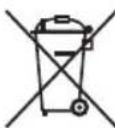
Protect our environment: do not dispose of electrical equipment in the domestic waste. Please return any electrical equipment that you will no longer use to the collection points provided for their disposal.
This helps avoid the potential effects of incorrect disposal on the environment and human health.
This will contribute to the recycling and other forms of re-utilisation of electrical and electronic equipment.
Information concerning where the equipment can be disposed of can be obtained from your local authority.
Instrukcja obsługi
CTC Clatronic Sp. z o.o
Ul. Brzeska 1
45-960 Opole
Usuwanie


- BEDIENUNGSANLEITUNG
- SYMBOLS IN THIS INSTRUCTION MANUAL
- WARNING
- CAUTION
- NOTE
- CONTENTS
- GENERAL NOTES
- SPECIAL SAFETY PRECAUTIONS FOR THIS APPLIANCE
- UNPACKING THE APPLIANCE
- OVERVIEW OF THE COMPONENTS / SCOPE OF DELIVERY
- NOTES FOR USE
- LOCATION
- FILTER ELEMENT
- ELECTRICAL CONNECTION
- OPERATING BUTTONS
- OPERATION
- SWITCHING THE APPLIANCE ON/OFF
- POWER LEVEL SELECTION
- CLEANING / MAINTENANCE
- CLEANING THE FILTER ELEMENT
- REPLACING THE FILTER ELEMENT
- TECHNICAL DATA
- DISPOSAL
- MEANING OF THE "DUSTBIN" SYMBOL
- INSTRUKCJA OBSŁUGI
- USUWANIE
Brand : ProfiCare
Model : PCLR 3075
Category : Air purifier