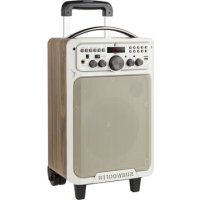
KM0530 - Loudspeaker Krüger&Matz - Free user manual and instructions
Find the device manual for free KM0530 Krüger&Matz in PDF.



| Product Type | Portable speaker with karaoke |
| Model | KM0530 |
| Brand | Krüger&Matz |
| Output Power | 20 W |
| Frequency Range | 40 Hz ~ 20 kHz |
| Speakers | 1 subwoofer 6.5", 2 tweeters |
| Power Supply | DC 18 V (charger included) |
| Bluetooth | Version 2.1 |
| Inputs | Line input (3.5 mm), karaoke input (6.3 mm) |
| USB Port | Yes |
| microSD Card Slot | Yes |
| Outputs | None (only for KM0531) |
| Impedance | 4 Ω |
| THD | 0.5 ~ 1% |
| SNR | 80 dB |
| Battery | Lithium-ion 4400 mAh |
| Battery Life | Up to 8 hours |
| Remote Control | Yes |
| Karaoke | Yes (microphone input 6.3 mm) |
| Main Functions | USB playback, microSD, Bluetooth, EQ, volume control, treble, bass, echo |
| Cleaning | Soft damp cloth, no chemicals |
| Safety | Unplug before cleaning, do not expose to water or heat, do not open |
Frequently Asked Questions - KM0530 Krüger&Matz
User questions about KM0530 Krüger&Matz
0 question about this device. Answer the ones you know or ask your own.
Ask a new question about this device
Download the instructions for your Loudspeaker in PDF format for free! Find your manual KM0530 - Krüger&Matz and take your electronic device back in hand. On this page are published all the documents necessary for the use of your device. KM0530 by Krüger&Matz.
USER MANUAL KM0530 Krüger&Matz
Active Theatre Speakers
KM0530
KM0531
BEDIENUNGSANLEITUNG
OWNER'S MANUAL
MODE D'EMPLOI
GEBRUIKSAANWIJZING
INSTRUKCJA OBSŁUGI
MANUAL DE UTILIZARE
natural_image
Simple line drawing of a rectangular container with a side panel and wheels, no text or symbols present.Fernbedienung
Read this instruction manual carefully before first use, and keep it for future reference. Producer is not responsible for damages caused by inappropriate handling and use of the device.
- Before connecting the device to power supply socket, make sure the voltage indicated on the appliance corresponds to the voltage in the power supply socket.
- Do not handle the device with wet hands.
- Before connecting the device into power supply, make sure it is turned off (power button in OFF position).
- When turning on the device, make sure the volume knob is set in the minimal position!
- Keep the volume at a reasonable level throughout entire time of using the speaker. To prevent damage to your hearing, do not raise the volume too high.
- If the device is not being used, disconnect it from power supply.
- When you disconnect the power cord of the device, grasp and pull the plug, not the cord/cable.
- This appliance must not be used by persons (including children) with reduced physical, sensory or mental capabilities, or lack of experience and knowledge, unless they are supervised by the person who is responsible for their safety. Children should be advised not to play with the device. Children without supervision should not perform cleaning or maintenance of the device.
- Do not attempt to repair this device yourself. In case of damage, contact with authorized service point for check-up or repair.
- Do not disassemble the device by yourself. The device does not have parts which could be repaired by the user.
- Do not use the device if it is damaged.
- Remember to always disconnect the device from the power source before cleaning.
- Protect the device and the battery from dust, heat sources and extreme temperatures. Do not use/store the device in places with strong magnetic field. Protect power cord from harp edges and other factors which could lead to their damage.
- Warning: Interference can occur during charging and connecting to the power supply.
- Do not place heavy objects on the device.
- Do not place any objects into the speaker.
- Clean this device with soft, slightly wet cloth. Do not use any abrasives or chemical agents to clean this product.
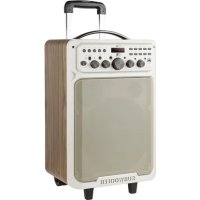
Product description Front panel KM0530
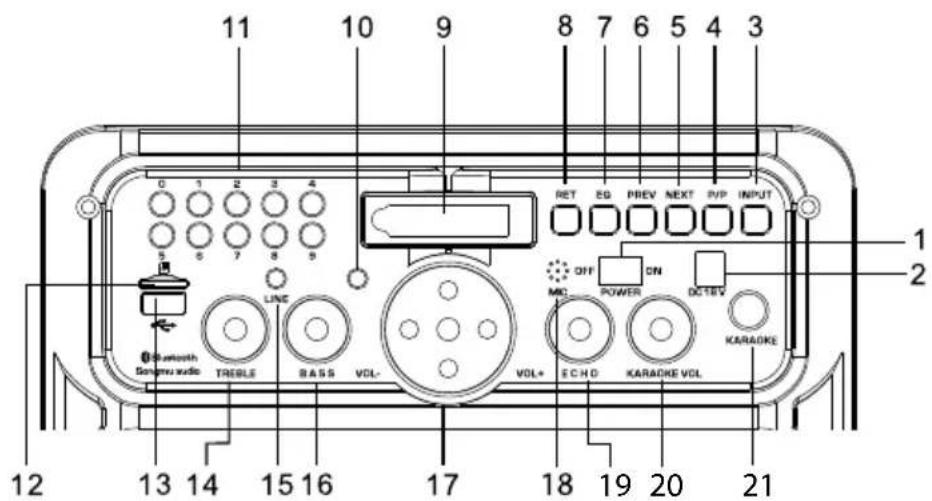
- Power switch: Set on ON position to turn on the speaker; set to OFF position to turn off the speaker
- Charging port
- External input button (USB, microSD card, Bluetooth)
- Play/Pause: Press to play/pause music playback
- Next: Press to go to the next track
- Previous: Press to go to the previous track
- EQ (Equalizer): Equalizer settings adjustment
- RET: Press to select single repeat or all track repeat
- Display
- LED indicator
- Number keys
- microSD card slot
- USB port
- Treble knob: Adjust the gain of the treble
- Line input
- Bass knob: Adjust the gain of the bass
- Volume knob: Adjust the volume
- Microphone
- Echo knob: Adjust the reverberation
- Karaoke volume
- Karaoke input
KM0531
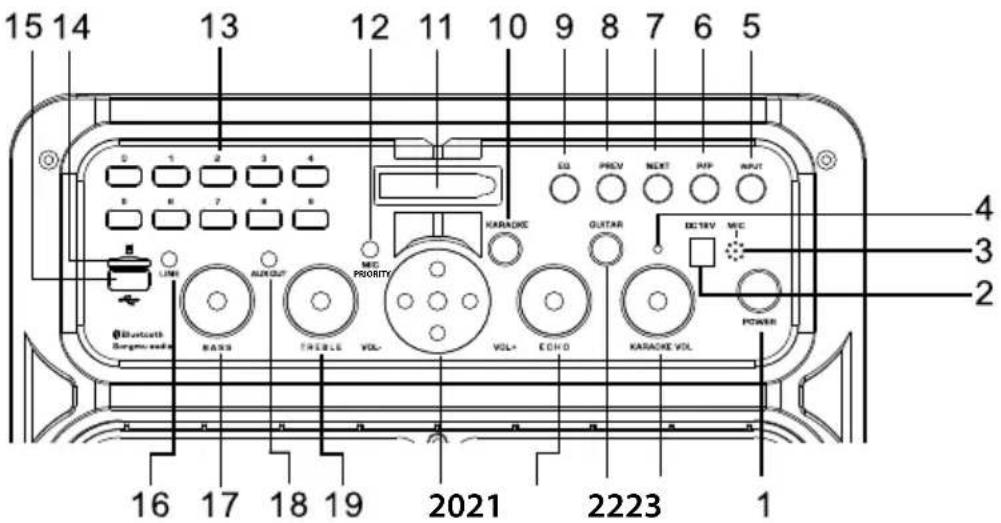
- Power button: Press to turn the speaker on/off
- Charging port
- Microphone
- LED indicator
- External input button (USB, microSD card, Bluetooth)
- Play/Pause: Press to play/pause music playback
- Next: Press to go to the next track
- Previous: Press to go to the previous track
- EQ (Equalizer): Equalizer settings adjustment
- Karaoke input
- Display
- Mic priority: After switching on, the microphone automatically reduces the volume of the music
- Number keys
- microSD card slot
- USB port
- Line input
- Bass knob: Adjust the gain of the bass
- AUX output
- Treble knob: Adjust the gain of the treble
- Volume knob: Adjust the volume
- Echo knob: Adjust the reverberation
- Guitar input
- Karaoke volume
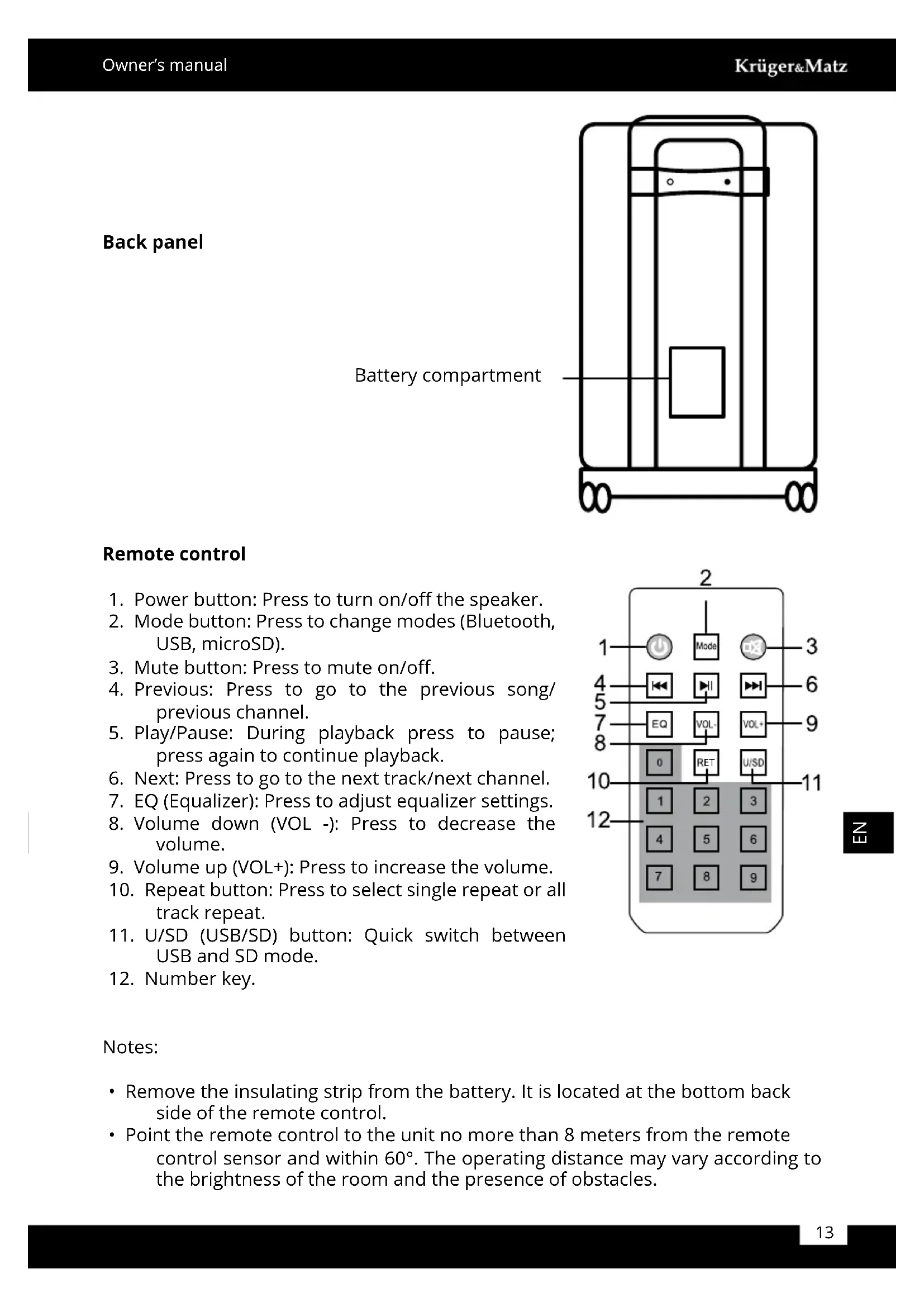
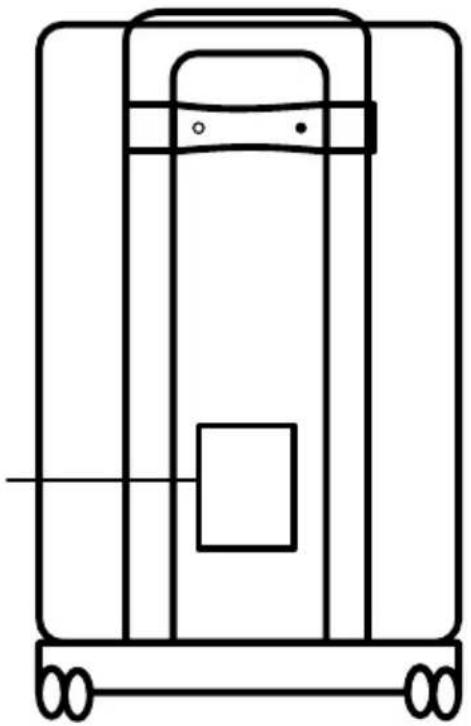
Back panel
Battery compartment
natural_image
Pure technical line drawing of a mechanical or electrical component without any text, numbers, or symbolsRemote control
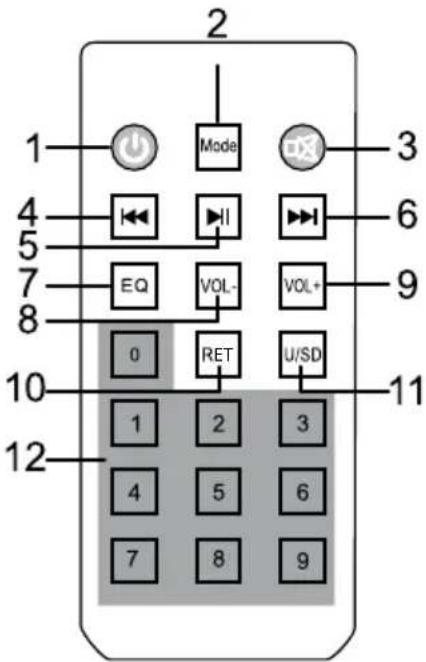
- Power button: Press to turn on/off the speaker.
- Mode button: Press to change modes (Bluetooth, USB, microSD).
- Mute button: Press to mute on/off.
- Previous: Press to go to the previous song/previous channel.
- Play/Pause: During playback press to pause; press again to continue playback.
- Next: Press to go to the next track/next channel.
- EQ (Equalizer): Press to adjust equalizer settings.
- Volume down (VOL -): Press to decrease the volume.
- Volume up (VOL+): Press to increase the volume.
- Repeat button: Press to select single repeat or all track repeat.
- U/SD (USB/SD) button: Quick switch between USB and SD mode.
- Number key.
Notes:
- Remove the insulating strip from the battery. It is located at the bottom back side of the remote control.
- Point the remote control to the unit no more than 8 meters from the remote control sensor and within 60irc . The operating distance may vary according to the brightness of the room and the presence of obstacles.
Bluetooth
- Make sure the speaker is turned on.
- Please keep the speaker and external device close to each other when pairing.
- Press External input button to enter Bluetooth pairing mode.
- Enable the Bluetooth function on the external device and search for new Bluetooth devices.
- Select and connect with this device (KM D18- KM0530; KM D19- KM0531).
- The speaker will issue a sound signifying successful pairing.
Notes:
- Every time the speaker is switched on, it will connect to last connected device automatically. Please note, your device must be on with Bluetooth function turned on.
Charging
- Connect the speaker to the power supply mains with the included charging adapter.
- When the battery is charging, red LED is on.
- When the battery is fully charged, green LED is on.
Notes:
- Please be sure the battery has been charged fully before first use.
- Charge the battery regularly to keep it in good condition.
Troubleshooting
| Problem Possible solution | |
| No electricity • Make sure the battery is charged• Make sure the power is on | |
| No sound • Make sure the volume is not set to the minimum | |
| Poor microphone sound quality • | Decrease the volume• Keep a proper distance between the microphone and the speaker |
| No microphone sound • Make sure the microphone is switched on• In case of wired microphone, make sure the microphone is connected to the speaker• In case of wireless microphone, replace the batteries• Make sure the volume is not set to the minimum | |
Specification
| Model KM0530 KM0531 | ||
| Output power 20 W 30 | W | |
| Frequency response 40 Hz ~ 20 kHz | ||
| Power adapter DC 18 V | ||
| Speaker 1x 6,5" subwoofer, 2x tweeter 1x 10" subwoofer, 2x tweeter | ||
| Bluetooth 2.1 | ||
| Inputs Line in (3,5 mm) | Line in (3,5 mm) | |
| Karaoke in (6,3 mm) Karaoke in (6,3 mm) | ||
| AUX out (3,5 mm) | ||
| Guitar in (6,3 mm) | ||
| USB port Yes | ||
| microSD card slot Yes | ||
| THD 0.5 ~ 1% | ||
| SNR 80 dB | ||
| Battery capacity 4400 mAh | 4500 mAh | |
| Impedance | 4 Ohm | |
| Playback time | up to 8 h | |
| Karaoke | Yes | |
| Remote control | Yes | |
LEARN MORE
For more information on this product, go to www.krugermatz.com.
Visit www.krugermatz.com website for more products and accessories.
In case of any doubts or questions reach out to our Frequently Asked Questions section.
Specifications are subject to change without prior notice.
"The Lechpol company declares that product KM0530/KM0531 is consistent with the essential requirements and other relevant provisions of directive 2014/53/UE. The proper declaration for download from www.lechpol.eu"
English
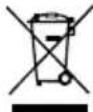
Correct Disposal of This Product
(Waste Electrical & Electronic Equipment)


(Applicable in the European Union and other European countries with separate collection systems) This marking shown on the product or its literature, indicates that It should not be disposed with other household wastes at the end of its working life. To prevent possible harm to the environment or human health from uncontrolled waste disposal, please separate this from other types of wastes and recycle it responsibly to promote the sustainable reuse of material resources. Household users should contact either the retailer where they purchased this product, or their local government office, for details of where and how they can take this item for environmentally safe recycling. Business users should contact their supplier and check the terms and conditions of the purchase contract This product should not be mixed with other commercial wastes for disposal.
Made in China for LECHPOL, Miętne, 1 Garwolińska Street, 08-400 Garwolin.
natural_image
Simple line drawing of a rectangular container with a central square and two wheels, no text or symbols present.Télécommande
natural_image
Pure technical line drawing of a mechanical device with no text, numbers, or symbolsAfstandsbediening
natural_image
Pure technical line drawing of a mechanical or electrical component without any text, numbers, or symbolsnatural_image
Pure technical line drawing of a mechanical or electrical component without any text, numbers, or symbolsTelecomanda
natural_image
Completely black image with no visible content or text.

www.krugermatz.com
Krüger&Matz is a registered trademark
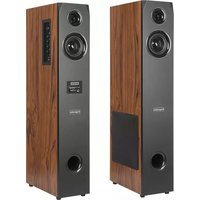
Brand : Krüger&Matz
Model : KM0530
Category : Loudspeaker