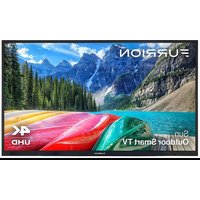
Furrion Aurora FDUP55CSA - TV

Aurora FDUP55CSA - TV Furrion - Free user manual and instructions

Find the device manual for free Aurora FDUP55CSA Furrion in PDF.

English EN Download 💬 AI Question 10 questions ⚙️ Specs
📄

Document temporarily unavailable

The manual is currently being transferred to our new server. It will be accessible again in a few hours. Thank you for your patience.

View the manual : Français FR English EN Español ES
Pick your language and provide your email: we'll send you a specifically translated version.
Product TypeOutdoor LED TV
BrandFurrion
ModelAurora FDUP55CSA
Screen Size55 inches (139.7 cm)
Resolution3840 x 2160 pixels (UHD 4K)
Refresh Rate60 Hz
Contrast Ratio4000:1
Viewing Angle178° horizontal / 178° vertical
Brightness750 nits (for partial sun models)
Response Time6.5 ms
Power Supply100–240 V AC, 50/60 Hz
Dimensions (W x H x D)1243 x 739 x 105 mm (48 15/16 x 29 1/6 x 4 1/4 in.)
WeightNot specified (estimated 15–20 kg)
Operating SystemwebOS TV
Wireless ConnectivityWi-Fi 802.11a/b/g/n/ac, Bluetooth 5.0
Video Inputs3 x HDMI (including 1 ARC), 1 x Composite Input (RCA), 1 x RF
Audio Outputs1 x Digital Optical, 1 x Headphone Jack
USB Ports2 x USB
Wired Network1 x RJ45 (Ethernet)
VESA Mount Standard400 x 200 mm
Protection RatingIP54 (splash and dust resistant)
Operating Temperature-20 °C to 50 °C (-4 °F to 122 °F)
Estimated Annual Energy ConsumptionNot specified (refer to energy label)
Main FeatureswebOS TV, Netflix, Prime Video, voice search, program guide, subtitles, parental controls
Care and CleaningWipe with a soft dry cloth. Do not use chemicals.
SafetyFurniture stability, professional wall mounting, lightning protection

Frequently Asked Questions - Aurora FDUP55CSA Furrion

How to install the Furrion Aurora FDUP55CSA TV?
Choose a location away from direct sunlight (partial sun model). Mount the VESA 400x200 mm wall bracket with suitable screws. Connect all cables before attaching the TV to the wall. Use a protected GFCI outlet.
What to do if the remote control does not work?
Check the AAA batteries: replace them if necessary. Make sure there is no obstacle between the remote and the TV's infrared sensor. If the problem persists, turn the TV off and on again.
How to connect the TV to the Wi-Fi network?
Press the Home button on the remote, go to Connection > Network Connection Settings > Wi-Fi Connection. Select your network, enter the password, and confirm.
What is the maximum resolution of this TV?
The maximum resolution is 3840 x 2160 pixels (Ultra HD 4K) at 60 Hz.
Can the TV be mounted on a wall?
Yes, use a wall mount compatible with the VESA 400x200 mm standard. Installation should be done by a professional. Use only fixed or horizontal swivel wall mounts.
Why is there no sound despite a normal picture?
Check that the volume is not muted (Mute button) and that the volume level is sufficient. Also check external audio connections and sound output settings in the menu.
How to improve TV channel reception?
Make sure the antenna is properly connected and oriented. Perform an automatic channel search via Settings > Channels > Auto Tuning. Check that the antenna amplifier is enabled if necessary.
How to clean the TV screen?
Turn off the TV and wipe the screen with a soft dry cloth. Never use chemicals, alcohol, or abrasive cleaners.
Are there parental control functions?
Yes, via the Settings > Security or Parental Lock menu, you can set a PIN to restrict access to certain channels or inputs.
What type of batteries does the remote use?
The remote uses two AAA batteries (LR03). Insert them with correct polarity (+ and -). Remove the batteries if the TV is not used for a long time.

User questions about Aurora FDUP55CSA Furrion

0 question about this device. Answer the ones you know or ask your own.

Ask a new question about this device

The email remains private: it is only used to notify you if someone responds to your question.

No questions yet. Be the first to ask one.

Download the instructions for your TV in PDF format for free! Find your manual Aurora FDUP55CSA - Furrion and take your electronic device back in hand. On this page are published all the documents necessary for the use of your device. Aurora FDUP55CSA by Furrion.
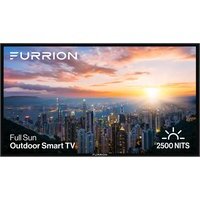
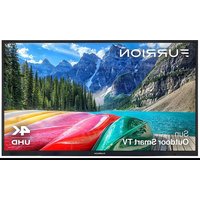
USER MANUAL Aurora FDUP55CSA Furrion

Manual assistant
Powered by Anthropic
Waiting for your message
Product information

Brand : Furrion

Model : Aurora FDUP55CSA

Category : TV