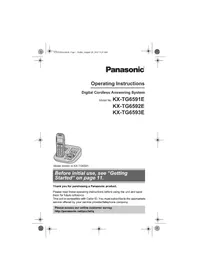
USER MANUAL KX-TGA711EX PANASONIC

Panasonic
KX-TGA711EX

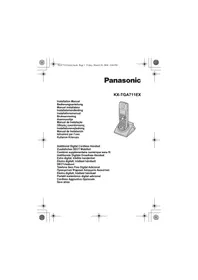
Installation Manual
Bedienungsanleitung
Manuel installment
Additional Digital Cordless Handset
This unit is an additional handset for use with the KX-TG7100/KX-TG7120 Digital Cordless Phone. You must register this unit with your KX-TG7100/KX-TG7120 base unit before it can be used. Please refer to the KX-TG7100/KX-TG7120 operating instructions for further details.
Note:
- In the event of problems, you should contact your equipment supplier in the first instance.
Included accessories
Charger (PQLV30045) 1 AC adaptor (PQLV209CE) 1
Rechargeable batteries. 2 (AAA (R03) size HHR-55AAAB or HHR-4EPT)
Handset cover 1
Note:
- When replacing the batteries, use only 2 rechargeable AAA (R03) size nickel metal hydride (Ni-MH) batteries of capacity up to 750 mAh. We recommend using Panasonic rechargeable batteries (Model No. P03P).
- We cannot be responsible for any damage to the unit or degradation of performance which may occur from using non-Panasonic rechargeable batteries.
General
- Use only the AC adaptor included with this product.
- Do not connect the AC adaptor to any AC outlet other than a standard 220-240 V AC outlet.
- This product is unable to make calls when:
- the portable handset battery(ies) need recharging or have failed.
- there is a power failure.
- Do not open the charger or handset other than to replace the battery(ies).


- This product should not be used near emergency/intensive care medical equipment and should not be used by people with pacemakers.
- Care should be taken that objects do not fall onto, and liquids are not spilled into, the unit. Do not subject this product to excessive smoke, dust, mechanical vibration or shock.
Environment
- Do not use this product near water.
- This product should be kept away from heat sources such as radiators, cookers, etc. It should also not be placed in rooms where the temperature is less than 5°C or greater than 40°C.
- The AC adaptor is used as the main disconnect device. Ensure that the AC outlet is installed near the unit and is easily accessible.
Warning:
- To prevent the risk of electrical shock, do not expose this product to rain or any other type of moisture.
- Unplug this unit from power outlets if it emits smoke, an abnormal smell or makes unusual noise. These conditions can cause fire or electric shock. Confirm that smoke has stopped and contact an authorised service centre.
Battery caution
- We recommend using the battery(ies) noted on page 4. Use only rechargeable battery(ies).
- Do not mix old and new batteries.
- Do not dispose of the battery(ies) in a fire, as they may explode. Check local waste management codes for special disposal instructions.
- Do not open or mutilate the battery(ies). Released electrolyte from the battery(ies) is corrosive and may cause burns or injury to the eyes or skin. The electrolyte may be toxic if swallowed.
- Exercise care when handling the battery(ies). Do not allow conductive materials such as rings, bracelets or keys to touch the battery(ies), otherwise a short circuit may cause the battery(ies) and/or the conductive material to overheat and cause burns.
- Charge the battery(ies) in accordance with the information provided in this installation manual.
- Only use the included base unit (or charger) to charge the battery(ies). Do not tamper with the base unit (or charger). Failure to follow these instructions may cause the battery(ies) to swell or explode.


This symbol on the products and/or accompanying documents means that used electrical and electronic products should not be mixed with general household waste. For proper treatment, recovery and recycling, please take these products to designated collection points, where they will be accepted on a free of charge basis. Alternatively, in some countries you may be able to return your products to
your local retailer upon the purchase of an equivalent new product.
Disposing of this product correctly will help to save valuable resources and prevent any potential negative effects on human health and the environment which could otherwise arise from inappropriate waste handling. Please contact your local authority for further details of your nearest designated collection point.
Penalties may be applicable for incorrect disposal of this waste, in accordance with national legislation.
For business users in the European Union
If you wish to discard electrical and electronic equipment, please contact your dealer or supplier for further information.
This symbol is only valid in the European Union.
If you wish to discard this product, please contact your local authorities or dealer and ask for the correct method of disposal.
Connections
- The AC adaptor must remain connected at all times. (It is normal for the adaptor to feel warm during use.)
Location
- For maximum distance and noise-free operation, place your base unit:
away from electrical appliances such as TVs, radios, personal computers or other phones.
- in a convenient, high and central location.
6





Battery charge
Place the handset on the charger for about 7 hours before initial use.
- The charge indicator lights up when the handset is placed on the charger. Note:
- The handset display may show "Please Wait..." when the handset is placed on the charger if it is not registered to a base unit.
Registering the handset to the KX-TG7100/KX-TG7120 base unit
Ensure that the handset is switched on. If it is not on, press and hold [×○] for a few seconds to turn the handset on.
1 Lift the handset and press [0] to put the handset in standby mode. 2 Press and hold [●] on the base unit for about 3 seconds, until the registration tone sounds. 3 Place the handset on the base unit. The registration tone continues to sound. With the handset still on the base unit, wait until a confirmation tone sounds and the indicator stops flashing.
Note:
- If an error tone sounds, or if the indicator is still flashing, register the handset manually. (See manual registration in the KX-TG7100/KX-TG7120 operating instructions.)
- If all registered handsets start ringing in step 2, press [●] to stop. Start again from step 1.
- Charge the batteries for about 7 hours before initial use.
- The KX-TG7100 does not feature an answering system.
- Answering system features are available only when this handset is registered to the KX-TG7120.



Battery precautions
AC adaptor (PQLV209CE)......1
TGA711EX(ex).book Page 25 Friday, March 10, 2006 2:04 PM
Charger (PQLV30045) 1 AC adaptor (PQLV209CE) 1
Rechargeable batteries 2 (Type AAA (R03) HHR-55AAAB or HHR-4EPT)
Handset cover 1
Note:
AC adaptor (PQLV209CE)....1
Rechargeable batteries. 2
(type AAA (R03) HHR-55AAAB or HHR-4EPT)
TGA711EX(ex).book Page 57 Friday, March 10, 2006 2:04 PM

- Panasonic Communications Co., Ltd. declares that this equipment is in compliance with the essential requirements and other relevant provisions of Radio & Telecommunications Terminal Equipment (R&TTE) Directive 1999/5/EC. Declarations of Conformity for the relevant Panasonic products described in this manual are available for download by visiting: http://www.doc.panasonic.de
Panasonic Services Europe a Division of Panasonic Marketing Europe GmbH Panasonic Testing Centre Winsberging 15, 22525 Hamburg, Germany
70


Panasonic Services Europe, a Division of Panasonic Marketing Europe GmbH, Panasonic Testing Centre, Winsbergring 15, 22525 Hamburg, Germany


TG A711EX (ex). Book Page 71, Friday, March 10, 2006 2:04 PM

Sales department/Vertrieb/Service des ventes/Klantenservice/ Försäljning/Importør/Maahantuonti/Departamento Comercial/Τμήμα Πωλήσεων/Salgskontor/Departamento de ventas/Ufficio Vendite/Satis Ofisi
Austria
Panasonic Austria, Laxenburger Strasse 252, 1230 Vienna
Belgium
Panasonic Belgium, Connexion Business Park, Brusselsesteenweg 502, 1731 Zellik, www.panasonic.be
Denmark
Panasonic Danmark, Branch of Panasonic Nordic AB, Fabriksparken 16, DK-2600 Glostrup, www.panasonic.dk
Finland
E-Care Repair Services
Postbus 215
6920 AE Duiven
Tel: 026-3193 343
Fax: 026-3193 377
e-mail: info@e-care.nl
Switzerland
John Lay Electronics AG
Littauerboden 1
CH-6014 Littau-Luzern
Tel: +41 (0) 41 259 90 90
Fax: +41 (0) 41 252 02 02
www.panasonic.ch
Norway
Panasonic Norge
Branch of Panasonic Nordic AB
Skarersletta 50, P.O. BOX 324
N-1471 Skarer
www.panasonic.no
Turkey
Tekofaks Elektronik Sanayi
© 2006 Panasonic Communications Co., Ltd. All Rights Reserved.


PQQX15079ZA DC0306DM0