621780 - Lighting NUVO - Free user manual and instructions
Find the device manual for free 621780 NUVO in PDF.

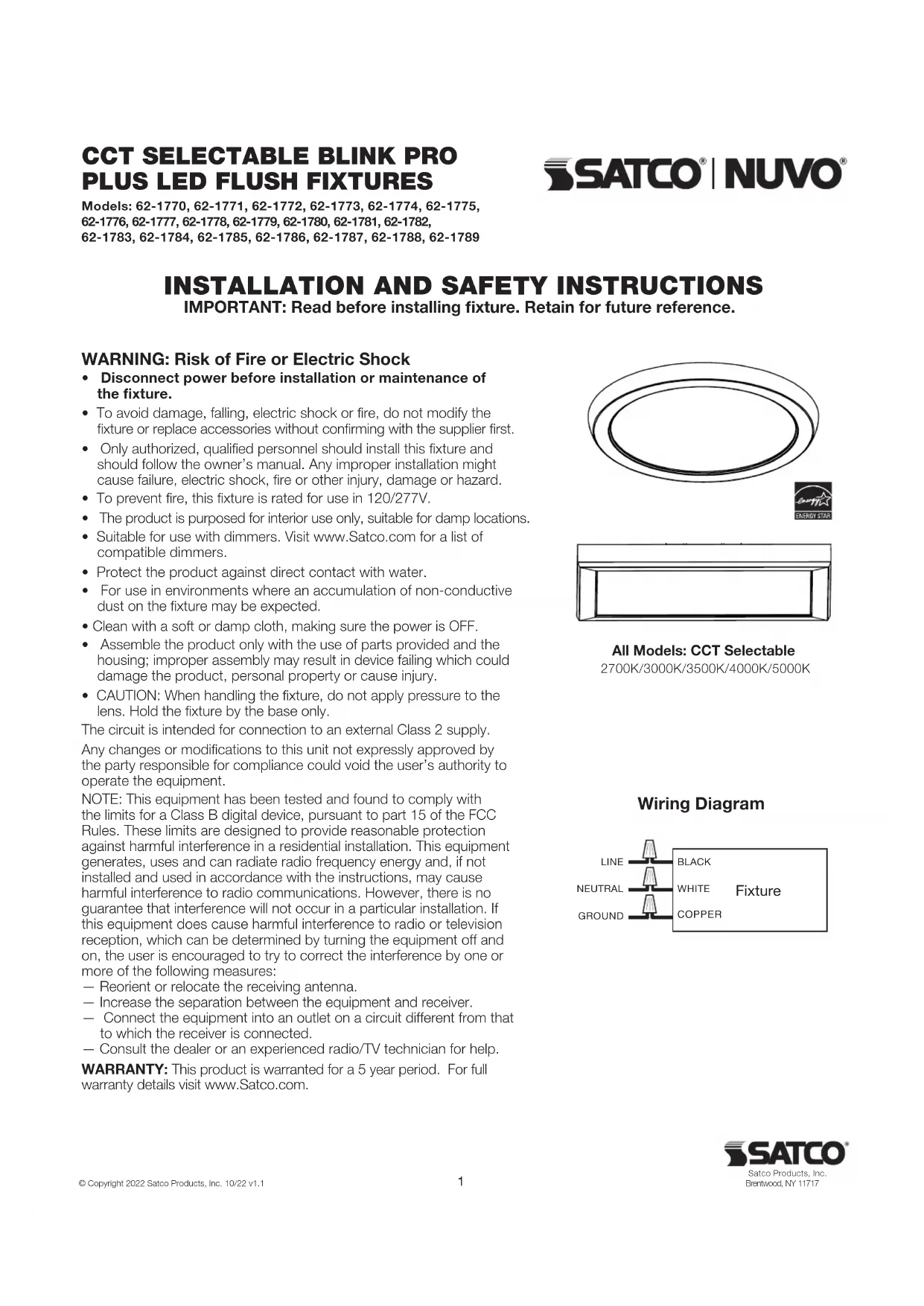

| Product Type | Surface Mount LED Luminaire |
| Brand | NUVO |
| Model | 621780 |
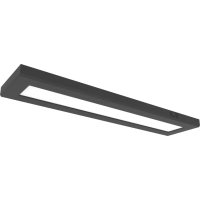
| Available Dimensions | Round: 12", 15", 19"; Square: 12"; Rectangular: 5'5" x 24", 5'5" x 36", 5'5" x 48", 1' x 2', 2' x 2', 1' x 4' |
| Approximate Weight | Approximately 1.5 kg (depending on model) |
| Power Supply | 120/277 VAC, 50/60 Hz, Class 2 |
| Selectable Color Temperature | 2700K, 3000K, 3500K, 4000K, 5000K |
| Dimming | Compatible with dimmers (list at Satco.com) |
| Protection Rating | Suitable for damp locations, indoor use only |
| Warranty | 5 years |
| Material | Aluminum, plastic lens |
| Installation | Mounts to junction box, safety cable included for rectangular models |
| Compliance | FCC Part 15 Class B |
| Repairability | Do not modify; complete luminaire replacement recommended |
| Cleaning | Protect from direct water; wipe with a dry cloth |
| Safety Precautions | Cut power before installation; do not apply pressure on lens; installation by a qualified electrician |
Frequently Asked Questions - 621780 NUVO
User questions about 621780 NUVO
0 question about this device. Answer the ones you know or ask your own.
Ask a new question about this device
Download the instructions for your Lighting in PDF format for free! Find your manual 621780 - NUVO and take your electronic device back in hand. On this page are published all the documents necessary for the use of your device. 621780 by NUVO.
USER MANUAL 621780 NUVO
INSTALLATION AND SAFETY INSTRUCTIONS
IMPORTANT: Read before installing fixture. Retain for future reference.
WARNING: Risk of Fire or Electric Shock
- Disconnect power before installation or maintenance of the fixture.
- To avoid damage, falling, electric shock or fire, do not modify the fixture or replace accessories without confirming with the supplier first.
- Only authorized, qualified personnel should install this fixture and should follow the owner's manual. Any improper installation might cause failure, electric shock, fire or other injury, damage or hazard.
- To prevent fire, this fixture is rated for use in 120/277V.
- The product is purported for interior use only, suitable for damp locations.
- Suitable for use with dimmers. Visit www.Satco.com for a list of compatible dimmers.
- Protect the product against direct contact with water.
- For use in environments where an accumulation of non-conductive dust on the fixture may be expected.
- Clean with a soft or damp cloth, making sure the power is OFF.
- Assemble the product only with the use of parts provided and the housing; improper assembly may result in device failing which could damage the product, personal property or cause injury.
- CAUTION: When handling the fixture, do not apply pressure to the lens. Hold the fixture by the base only.
The circuit is intended for connection to an external Class 2 supply. Any changes or modifications to this unit not expressly approved by the party responsible for compliance could void the user's authority to operate the equipment.
NOTE: This equipment has been tested and found to comply with the limits for a Class B digital device, pursuant to part 15 of the FCC Rules. These limits are designed to provide reasonable protection against harmful interference in a residential installation. This equipment generates, uses and can radiate radio frequency energy and, if not installed and used in accordance with the instructions, may cause harmful interference to radio communications. However, there is no guarantee that interference will not occur in a particular installation. If this equipment does cause harmful interference to radio or television reception, which can be determined by turning the equipment off and on, the user is encouraged to try to correct the interference by one or more of the following measures:
Reorient or relocate the receiving antenna.
- Increase the separation between the equipment and receiver.
- Connect the equipment into an outlet on a circuit different from that to which the receiver is connected.
- Consult the dealer or an experienced radio/TV technician for help.
WARRANTY: This product is warranted for a 5 year period. For full warranty details visit www.Satco.com.
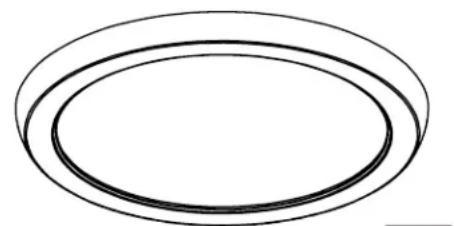

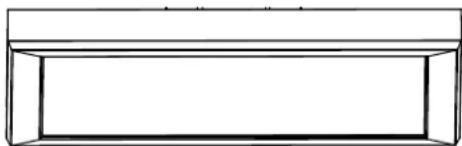
All Models: CCT Selectable
2700K/3000K/3500K/4000K/5000K
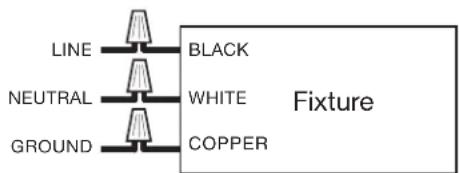
Wiring Diagram
INSTALLATION - 12", 15", 19" Round
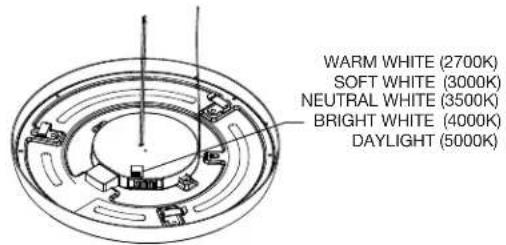
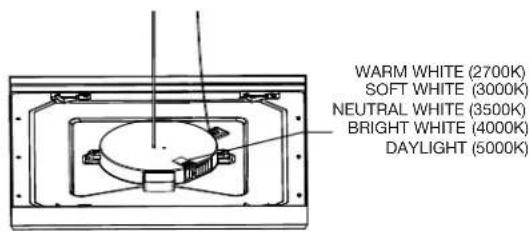
STEP 1: Turn OFF power prior to installation. Before installation, select your preferred CCT by moving the switch to either 2700K, 3000K, 3500K, 4000K or 5000K.
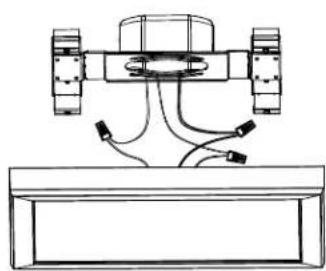
STEP 3: Connect the wires with supplied wiring caps. See wiring diagram on page 1.
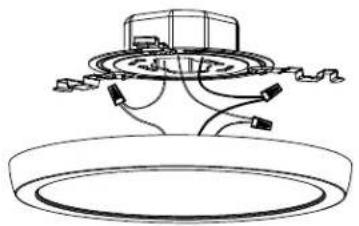
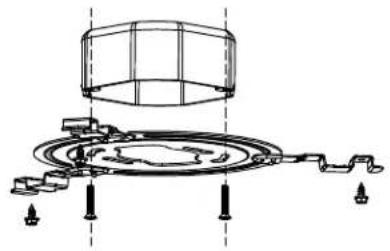
STEP 2: Screw the mounting bracket on the junction box. Use supplied anchors for additional support for the bracket.
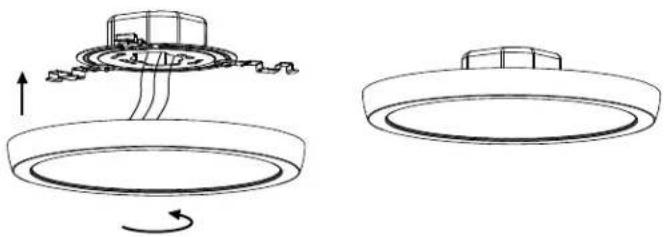
STEP 4: Align the clips with the mounting bracket (using the arrow stickers on frame for guidance) and push the fixture up and twist clockwise to lock the fixture into the mounting bracket. Turn ON power. Installation is complete.
INSTALLATION - 12" Square
STEP 1: Turn OFF power prior to installation. Before installation, select your preferred CCT by moving the switch to either 2700K, 3000K, 3500K, 4000K or 5000K.
STEP 3: Connect the wires with supplied wiring caps. See wiring diagram on page 1.
STEP 2: Screw the mounting bracket on the junction box. Use supplied anchors for additional support for the bracket.
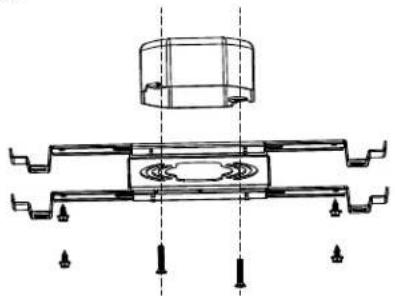
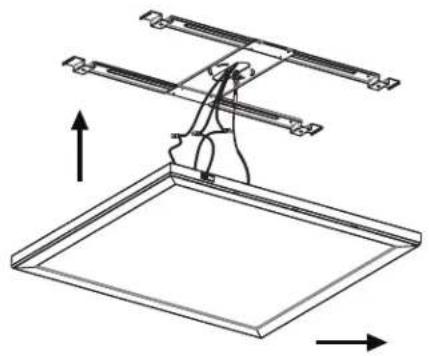
STEP 4: Align the clips with the mounting bracket (using the arrow stickers on frame for guidance) and push the fixture up and slide fixture into the mounting bracket to lock it in place. Turn ON power. Installation is complete.
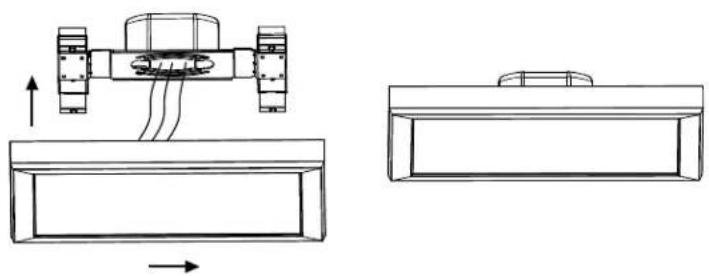
INSTALLATION-5'.5"x24",5'.5"x36",5'.5"x48",1'x2',2'x2',1'x4'
STEP 1: Turn OFF power prior to installation. Before installation, select your preferred CCT by moving the switch to either 2700K, 3000K, 3500K, 4000K or 5000K.
STEP 2: Screw the mounting bracket on the junction box. Use supplied anchors for additional support for the bracket.
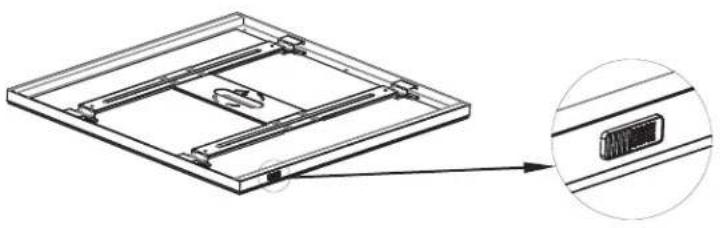
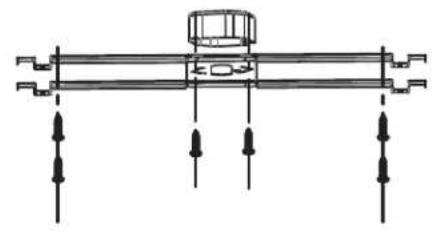
STEP 3: Connect the safety cable to the mounting bracket.
STEP 4: Connect the wires with supplied wiring caps. See wiring diagram on page 1.
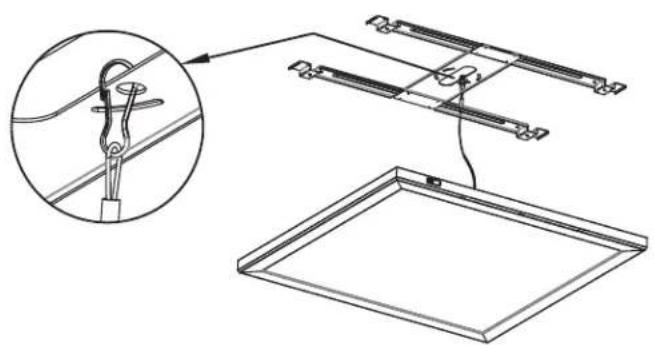

STEP 5: Align the clips with the mounting bracket (using the arrow stickers on frame for guidance) and push the fixture up and slide fixture into the mounting bracket to lock it in place. Turn ON power. Installation is complete.