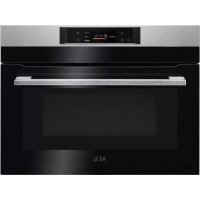
KMK721880M - Electric oven AEG - Free user manual and instructions
Find the device manual for free KMK721880M AEG in PDF.



Pick your language and provide your email: we'll send you a specifically translated version.
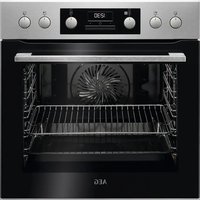
| Product type | Built-in electric oven |
| Brand | AEG |
| Model | KMK721880M |
| Dimensions (H x W x D) | 59.5 cm x 59.5 cm x 56.8 cm |
| Usable volume | 77 liters |
| Net weight | Approximately 38 kg |
| Power supply | 230 V single-phase, 50 Hz |
| Total power | 3500 W |
| Cooking type | Fan forced, top heat, bottom heat, grill, assisted cooking |
| Cleaning | Pyrolysis (high-temperature cleaning) |
| Safety | Child lock, automatic shut-off, cool door |
| Lighting | Interior LED |
| Display | TFT touch screen |
| Automatic programs | Yes, more than 50 recipes |
| Temperature probe | Meat probe included |
| Energy class | A+ |
| Spare parts | Available on the AEG website or from authorized dealers |
| Repairability | Repairability index of 8.3/10 |
| Warranty | 2 years |
Frequently Asked Questions - KMK721880M AEG
How to start the pyrolysis cleaning program?
Press the Pyrolysis button on the touch screen, select the duration (1h30, 2h or 3h) and confirm. Do not close the door during the cycle and wait for complete cooling before wiping the ashes.
The oven is not heating, what to do?
First check that the oven is properly plugged in and that the circuit breaker has not tripped. If the problem persists, refer to the Troubleshooting section of the manual. A defect in the electronic board may require a technician's intervention.
How to use the meat probe?
Insert the probe into the meat, plug it into the dedicated socket inside the oven. Select the Assisted cooking with probe mode on the screen and choose the type of meat. The oven automatically stops at the desired core temperature.
Can I use aluminum foil in the oven?
Avoid placing aluminum foil in direct contact with the bottom of the oven, as it can block heat and damage the enamel. Use it only on racks or in a suitable dish.
How to set the time on the screen?
Press the Settings button (gear icon), then select Clock. Use the arrows to adjust the time and confirm with OK.
The oven displays an error code, what does it mean?
Error codes are listed in the manual. For example, Error F45 indicates a temperature probe problem. Note the code and contact AEG customer service for assistance.
What is the best position for the racks?
For most cooking, use the rack in the middle position (level 2 or 3). Lower levels are suitable for dishes requiring a crispy bottom, upper levels for gratinating.
How to activate the child lock?
Hold down the Lock button (padlock icon) for 3 seconds. A padlock symbol appears on the screen. To deactivate, repeat the operation.
Can I install the oven under a hob?
Yes, this oven is designed to be installed under a hob. Respect the ventilation distances indicated in the manual (minimum 5 mm between appliances).
How to maintain the enamel walls?
Use a soft cloth and diluted white vinegar to clean the enamel surfaces. Avoid abrasive sponges. After a pyrolysis cycle, simply wipe the ashes with a damp cloth.
User questions about KMK721880M AEG
0 question about this device. Answer the ones you know or ask your own.
Ask a new question about this device
No questions yet. Be the first to ask one.
Download the instructions for your Electric oven in PDF format for free! Find your manual KMK721880M - AEG and take your electronic device back in hand. On this page are published all the documents necessary for the use of your device. KMK721880M by AEG.
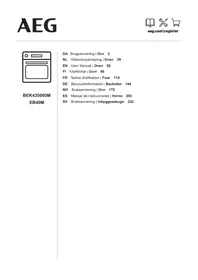
USER MANUAL KMK721880M AEG
Manual assistant
Powered by Anthropic
Waiting for your message
Product information
Brand : AEG
Model : KMK721880M
Category : Electric oven