WCD110 - Battery charger LG - Free user manual and instructions
Find the device manual for free WCD110 LG in PDF.

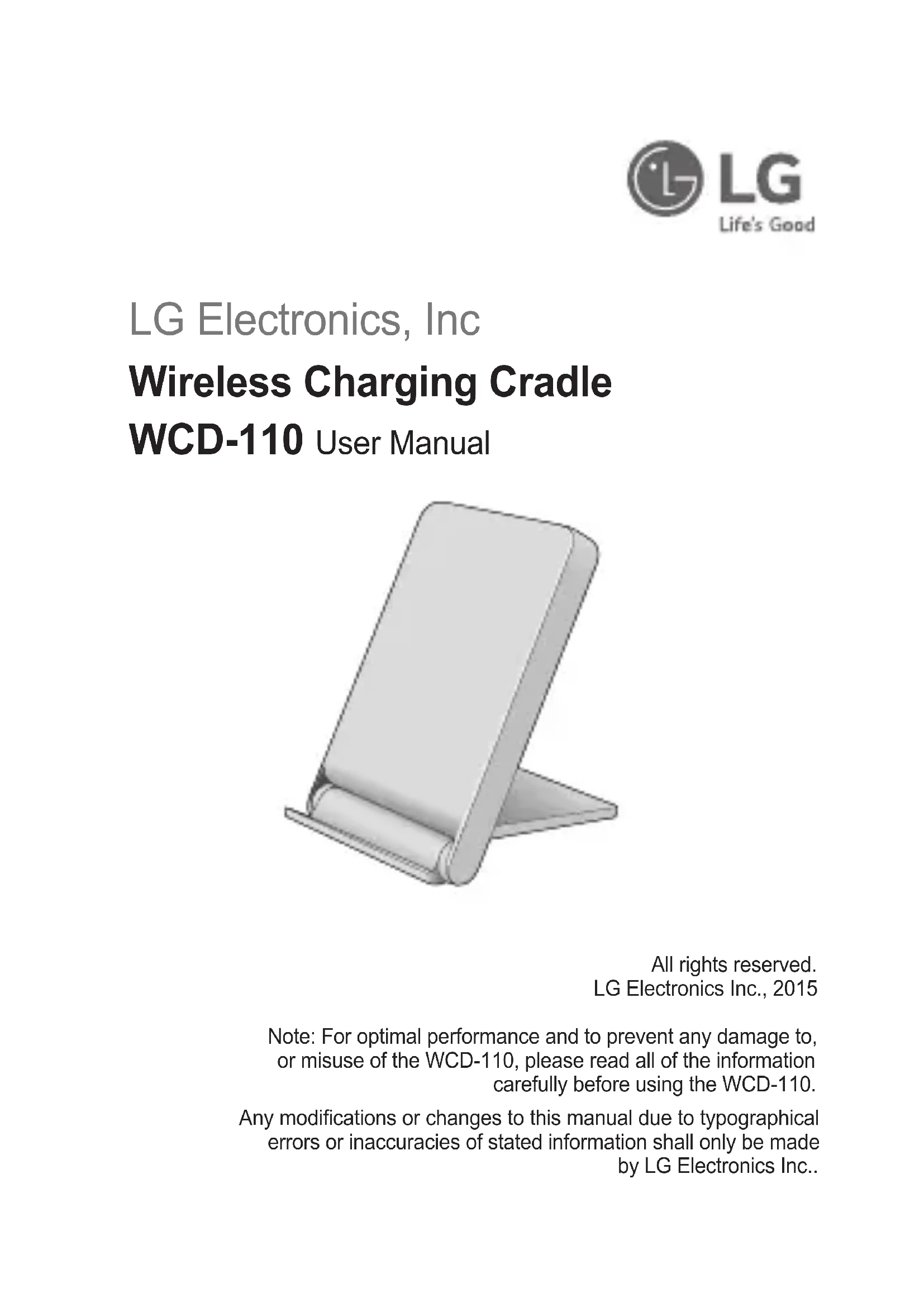


| Product Type | Wireless Charger (Qi standard) |
| Brand | LG |
| Model | WCD110 |
| Dimensions (L x W x H) | 102 mm x 70 mm x 12.05 mm |
| Weight | 118 g |
| Input Power | 5 V DC, 1.8 A |
| Output Power | 5 V DC, 1 A |
| Charging Time (3000 mAh battery) | Less than 5 hours |
| Operating Temperature | -10 °C to 50 °C |
| Charging Area | Flat surface with magnetic alignment |
| Compatible with | Qi-compatible smartphones and accessories |
| Care and Cleaning | Wipe with a soft, dry cloth. Do not use water, alcohol, or benzene. |
| Safety | Overvoltage protection, automatic shutdown in case of overheating |
| Spare parts and repairability | Do not open the case. Repairs only by qualified professionals. |
| Package Contents | WCD-110 Wireless Charger, User Guide |
| Recommended Cable and Adapter | 5 V, 1.8 A power adapter and 5-pin micro-B USB cable |
Frequently Asked Questions - WCD110 LG
User questions about WCD110 LG
0 question about this device. Answer the ones you know or ask your own.
Ask a new question about this device
Download the instructions for your Battery charger in PDF format for free! Find your manual WCD110 - LG and take your electronic device back in hand. On this page are published all the documents necessary for the use of your device. WCD110 by LG.
USER MANUAL WCD110 LG
Contact office for compliance of this product :
LG Electronics Inc.
EU Representative, Krijgsman 1,
1186 DM Amstelveen, The Netherlands
www.lg.com
English
Français
Deutsch
Español
Italiano
Nederland
Dansk
Norsk
Svenska
Polski
Magyar
Hrvatski
Português
Ελληνικά
Čeština
Slovensky
LG Electronics, Inc
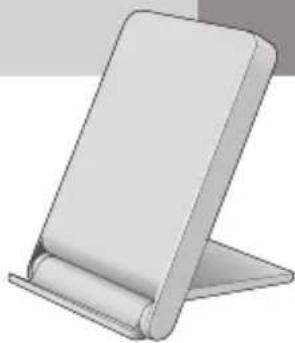
Wireless Charging Cradle
WCD-110 User Manual
natural_image
Illustration of a flat-screen office chair with a rolled-up scroll (no text or symbols)Rev 2.0 EU
All rights reserved.
LG Electronics Inc., 2015
LG Electronics, Inc
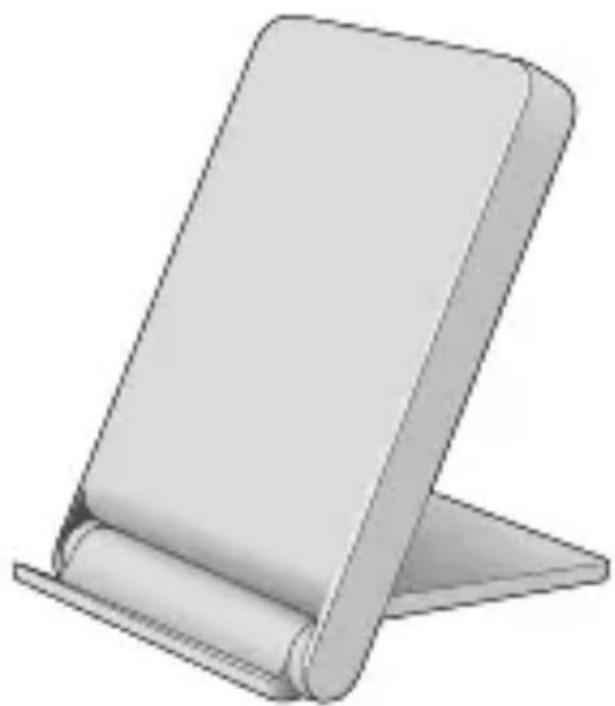
Wireless Charging Cradle WCD-110 User Manual
natural_image
3D illustration of a flat-screen office chair with a rolled-up panel (no text or symbols)All rights reserved. LG Electronics Inc., 2015
Note: For optimal performance and to prevent any damage to, or misuse of the WCD-110, please read all of the information carefully before using the WCD-110.
Any modifications or changes to this manual due to typographical errors or inaccuracies of stated information shall only be made by LG Electronics Inc..
Included in the Package
* WCD-110 (Wireless Charger)
* User Manual
Description of Parts
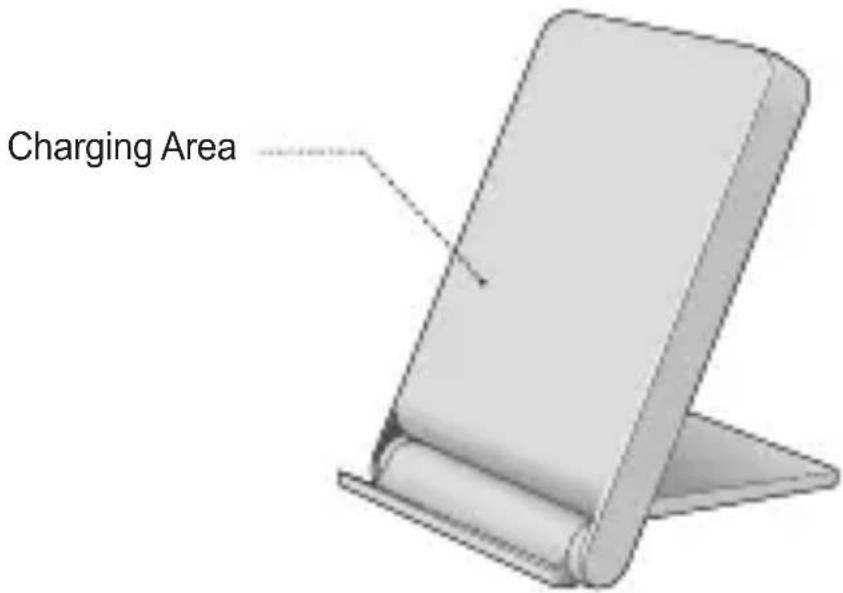
How to Use
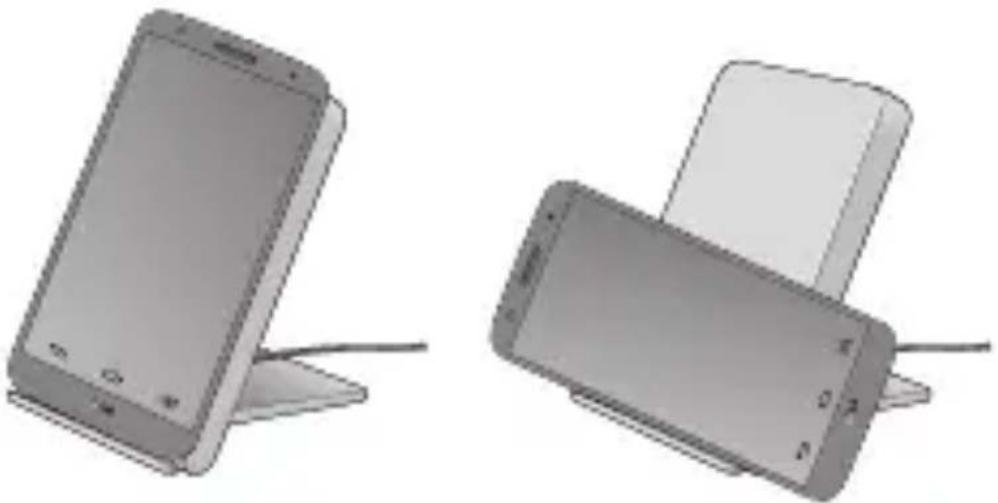
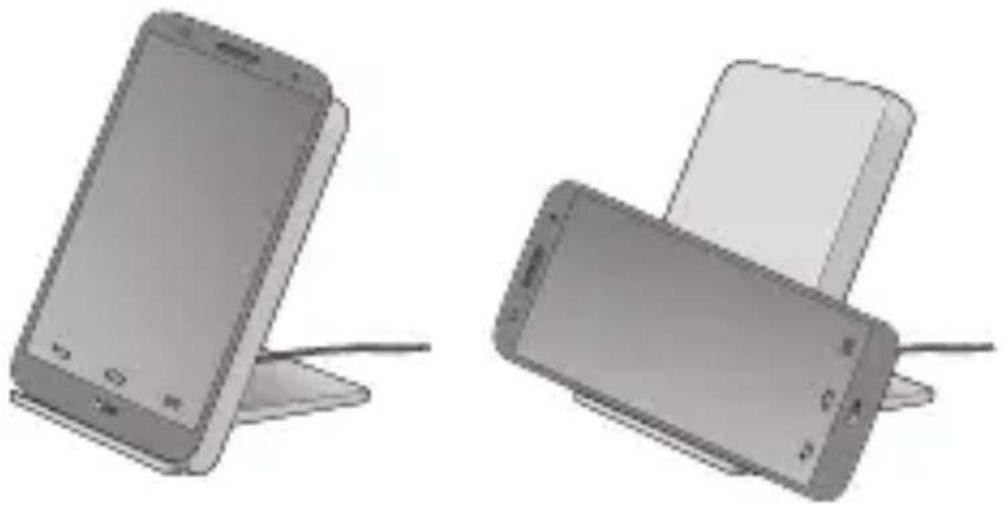
Setup
natural_image
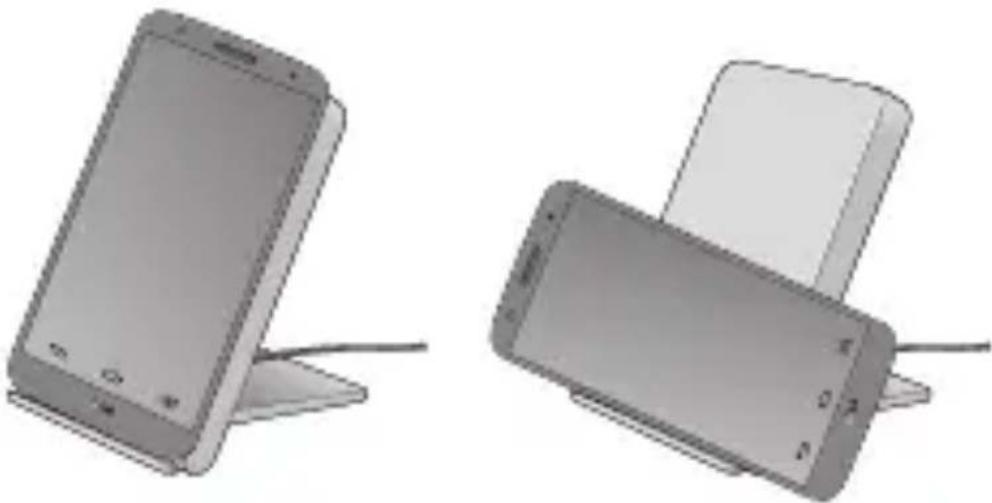
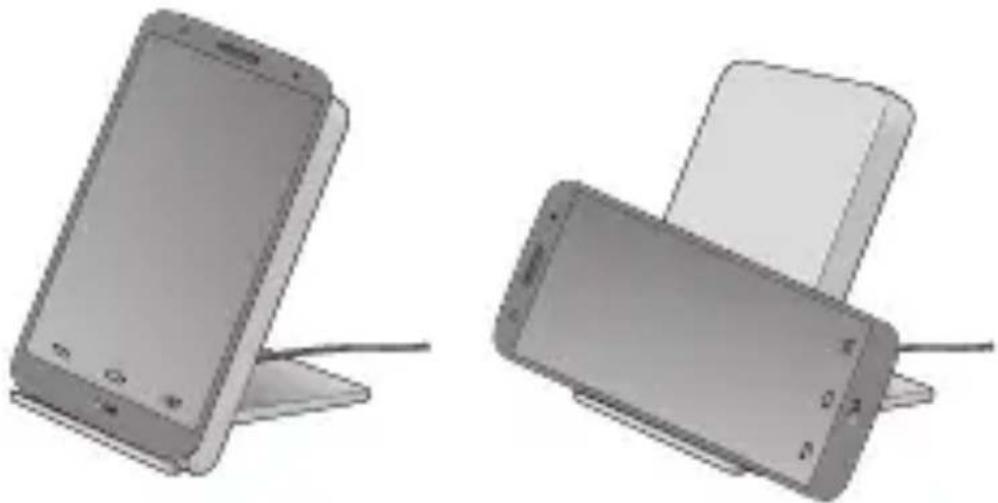
Two smartphone models with charging stands, one standing upright and one tilted upward (no text or symbols visible)- Connect the USB cable to the power adapter and plug it into an electrical socket.
How to Use
Charging
natural_image
Front view of a silver smartphone with no visible text or symbols on its body (no readable labels or symbols)The Wireless Charger is turned on whenever it's plugged in to a power adapter. There's no separate on-off switch.
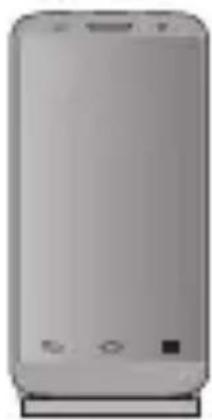
When your handset is placed in the correct position, it starts charging.
To check charging status, look at your phone. If the phone's asleep, touch the Power/Lock key to wake it up.
NOTE: Please use adapter(5V, 1.8A) and USB Cable (Micro USB 5 pin). Using a different power adapter may damage your phone or reduce charging efficiency.
NOTE: If not charging, please move your phone to left or right.
Precautions
- Do not drop the Wireless Charging Cradle from high places.
- Do not modify, repair, or take the Wireless Charging Cradle apart.
- Do not clean with water alcohol or benzene.
- Keep the Wireless Charging Cradle away from humidity and dust.
- Do not place heavy objects on the Wireless Charging Cradle.
- Do not place sharp objects near or on the Wireless Charging Cradle.
- Keep Wireless Charging Cradle away from any liquids, moisture or creams.
- Changes or modifications not expressly approved by the party responsible for compliance could void the user's authority to operate the equipment.
- It may not operate normally beyond the operating temperature range. Check the ambient temperature before using the device.
| Item Description | |
| Input / Output DC 5V | 1800mA / DC 5V, 1000mA |
| Charging time | < 5 hours (Based on 3000mAh Battery, The charging time depends on the handset) |
| Operation temperature -10°C ~ 50°C | |
| Dimension 102mm(L) X 70mm(W) X 12.05mm(H), 118g | |
Declaration of Confirmation
FCC NOTICE TO USERS: This device complies with part 15 of the FCC rules.
Operation is subject to the following two conditions:
(1) This device may not cause harmful interference and
(2) This device must accept any interference received, including interference that may cause undesired operation.
NOTE: This equipment has been tested and found to comply with the limits for a Class B digital device, pursuant to part 15 of the FCC Rules. These limits are designed to provide reasonable protection against harmful interference in a residential installation. This equipment generates, uses and can radiate radio frequency energy and, if not installed and used in accordance with the instructions, may cause harmful interference to radio communications. However, there is no guarantee that interference will not occur in a particular installation. If this equipment does cause harmful interference to radio or television reception, which can be determined by turning the equipment off and on, the user is encouraged to try to correct the interference by one or more of the following measures:
- Reorient or relocate the receiving antenna.
- Increase the separation between the equipment and receiver.
- Connect the equipment into an outlet on a circuit different from that to which the receiver is connected.
- Consult the dealer or an experienced radio/TV technician for help.
Any changes or modifications to the equipment not expressly approved by the party responsible for compliance could void user's authority to operate the equipment.
FCC ID: BEJWCD110
C€0984
Hereby, we declare that the WCD-110 is in compliance with the essential requirements and other relevant provisions of directive 1999/5/EC.
Safety Instructions
- When disconnecting the power adapter, always remove with the plug, do not pull the wire by itself.
- Never handle the power adapter with wet hands, as this could cause fire or electric shock.
- Refer servicing to qualified personnel only.
- Do not open the housing.
- Do not twist or pinch the USB cable while connected to the power adapter. If the USB cable or power adapter need to be replaced, ensure that they comply with the manufacturer's recommendation.
- Unplug the device during lighting storms and when unused for extended periods of time.
When using an electrical device, especially when children are present, basic safety precautions should always be followed, including the following:
DANGER to reduce the risk of electric shock
- Always unplug the device from the electrical outlet before cleaning.
- Do not reach for a device that has fallen into water. Unplug it immediately.
- Do not place or store device where it can fall or be pulled into a tub or sink.
- Do not place in or drop into water or other liquid.
WARNING to reduce the risk of burns, fire, electric shock or injury to persons
- Do not use with extension cord.
- Children should be closely supervised to ensure that they do not play with the device.
- Use this device only for its intended use as described in this manual. Do not use with unauthorized accessories of devices.
- Never operate this device if it has a damaged cord, plug, cable or housing. If it is not working properly, if it has been dropped or damaged, return it to the LG Service Center for examination and repair.
- Keep cord away from heated surfaces.
- This device is designed for indoor use only. Do not use outdoors.
- Only set on dry surfaces. Do not place on surface wet from water or cleaning solvents.
- Please do not put any metal substance like coin when charging. It can cause product damage and serious burns.
Safety Instructions
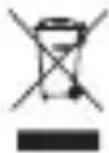
Disposal of your old appliance
1 All electrical and electronic products should be disposed of separately from the municipal waste stream via designated collection facilities appointed by the government or the local authorities.
2 The correct disposal of your old appliance will help prevent potential negative consequences for the environment and human health.
3 For more detailed information about disposal of your old appliance, please contact your city office, waste disposal service or the shop where you purchased the product.
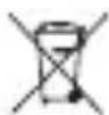
Disposal of waste batteries/accumulators
1 This symbol may be combined with chemical symbols for mercury (Hg), cadmium (Cd) or lead (Pb) if the battery contains more than 0.0005% of mercury, 0.002% of cadmium or 0.004% of lead.
2 All batteries/accumulators should be disposed separately from the municipal waste stream via designated collection facilities appointed by the government or the local authorities.
3 The correct disposal of your old batteries/accumulators will help to prevent potential negative consequences for the environment, animal and human health.
4 For more detailed information about disposal of your old batteries/accumulators, please contact your city office, waste disposal service or the shop where you purchased the product.
LG Electronics, Inc
Support de chargement sans fil
natural_image
Illustration of a flat-screen office chair with a rolled-up scroll (no text or symbols)natural_image
3D illustration of a flat-panel electronic device with a scroll wheel (no text or symbols)Utilisation
Configuration
natural_image
Two grayscale images of smartphones with stands, one showing front screen and the other displaying a card (no text or symbols visible)natural_image
Front view of a silver mobile phone with no visible text or symbols on its body (no readable labels or symbols)natural_image
Illustration of a flat-screen office chair with a rolled-up scroll (no text or symbols)LG Electronics Inc., 2015
natural_image
Two grayscale images of smartphones with charging stands, one showing front panel and the other a stack top (no text or symbols visible)natural_image
Front view of a smartphone with no visible text, numbers, or symbols on the body (pure graphical design)natural_image
Illustration of a flat-screen office chair with a rolled-up scroll (no text or symbols)natural_image
Two smartphone models with charging stands, one standing upright and one tilted upward (no text or symbols visible)natural_image
Front view of a silver smartphone with no visible text or symbols on its body (no readable labels or symbols)natural_image
3D illustration of a simple stand with a rolled sheet, no text or symbols presentnatural_image
3D illustration of a flat-panel electronic device with a rolled sheet metal stand (no text or symbols)natural_image
Two smartphone models with charging stands, one open and one closed, shown in 3D rendering (no text or symbols visible)natural_image
Front view of a smartphone with no visible text, numbers, or symbols on the body (pure graphical design)natural_image
Illustration of a flat-screen office chair with a rolled-up panel (no text or symbols visible)LG Electronics Inc., 2015
natural_image
Two smartphone models with charging stands, one standing upright and one tilted upward (no text or symbols visible)natural_image
Front view of a silver smartphone with no visible text or symbols on its body (no readable labels or symbols)natural_image
Illustration of a flat-screen office chair with a rolled-up panel (no text or symbols visible)Alle rettigheder forbeholdes. LG Electronics Inc., 2015
natural_image
Illustration of a flat-screen office chair with a rolled-up panel (no text or symbols visible)Sådan bruger du
Opsætning
natural_image
Two smartphone models with charging stands, one standing upright and one tilted upward (no text or symbols visible)natural_image
Front view of a silver mobile phone with no visible text or symbols on its body (pure branding)natural_image
Illustration of a flat-screen office chair with a rolled-up panel (no text or symbols visible)Med enerett.
LG Electronics Inc., 2015
natural_image
Two smartphone models with charging stands, one standing upright and one tilted upward (no text or symbols visible)natural_image
Front view of a silver smartphone with no visible text or symbols on its body (no readable labels or symbols)Den trådløse laderen slås på när den kobles til en strøma- dapter. Laderen har ingen av/på-knapp.
natural_image
Illustration of a flat-screen office chair with a rolled-up panel (no text or symbols visible)Med ensamrätt.
LG Electronics Inc., 2015
natural_image
Two smartphone models with charging stands, one standing upright and one tilted upward (no text or symbols visible)natural_image
Front view of a smartphone with no visible text or symbols on its body (pure graphical design)natural_image
Illustration of a flat-screen office chair with a rolled-up panel (no text or symbols visible)natural_image
Two smartphone models with charging stands, one standing upright and one tilted upward (no text or symbols visible)natural_image
Front view of a smartphone with blank screen and buttons (no visible text or symbols)natural_image
Illustration of a flat-screen office chair with a rolled-up scroll (no text or symbols)Minden jog fenntartva. LG Electronics Inc., 2015
natural_image
Two smartphone models with charging stands, one standing upright and one tilted upward (no text or symbols visible)natural_image
Front view of a silver mobile phone with control buttons (no visible text or symbols)natural_image
Illustration of a flat-screen office chair with a rolled-up scroll (no text or symbols)Sva prava pridržana.
LG Electronics Inc., 2015.
natural_image
3D illustration of a flat-panel electronic device with a scroll wheel (no text or symbols)Način upotrebe
Postavljanje
natural_image
Two smartphone models with charging stands, one standing upright and one tilted upward (no text or symbols visible)- Priključite USB kabel u adapter za napajanje i uključite ga u utičnicu.
Način upotrebe
Punjenje

natural_image
Front view of a smartphone with no visible text, numbers, or symbols on the body (pure graphical design)Bežični punjač uključen je čim je priključen na adapter za napajanje. Ne postoji poseban prekidač za uključivanje/isključivanje.
natural_image
Illustration of a flat-screen office chair with a rolled-up scroll (no text or symbols)LG Electronics Inc., 2015
natural_image
Illustration of a flat-screen office chair with a rolled-up panel (no text or symbols visible)Modo de utilização
Configuração
natural_image
Two smartphone models with charging stands, one standing upright and one tilted upward (no text or symbols visible)natural_image
Front view of a smartphone with no visible text, numbers, or symbols on the body (pure graphical design)natural_image
Illustration of a flat-screen office chair with a rolled-up scroll (no text or symbols)LG Electronics Inc., 2015
natural_image
Two smartphone models with charging stands, one standing upright and one tilted upward (no text or symbols visible)natural_image
Front view of a silver mobile phone with control buttons (no visible text or symbols)natural_image
Illustration of a flat-screen office chair with a rolled-up scroll (no text or symbols)natural_image
Illustration of a flat-screen office chair with a rolled-up panel (no text or symbols visible)Použití
Nastavení
natural_image
Two smartphone models with charging stands, one standing upright and one tilted upward (no text or symbols visible)natural_image
Front view of a silver smartphone with no visible text or symbols on its body (no readable labels or symbols)natural_image
Illustration of a flat-screen office chair with a rolled-up scroll (no text or symbols)natural_image
Two smartphone models with charging stands, one standing upright and one tilted upward (no text or symbols visible)natural_image
Front view of a smartphone with no visible text, numbers, or symbols on the body (pure graphical design)EU DECLARATION OF CONFORMITY ^*1

LG
Number 2
DoC_LGWCD-110_150129
Name and address of the Manufacturer 3
LG Electronics Inc.
LG Twin Tower20. Yeouido-dong Yeongdeungpo-gu
Seoul, Korea 150-721
LG Innotek Co., Ltd.
36# TAIBEI North Road, Development zone,
Yantai, Shag dong, China
This declaration of conformity is issued under the sole responsibility of the manufacturer: ^4
LG Electronics. Inc
Object of the declaration ^5
Product information ^6
Product Name
Wireless Charger
Model Name
WCD-110
Additional information
N/A
The object of the declaration described above is in conformity with the relevant Community harmonisation legislations: 8
- References to the relevant harmonised standards used or references to the technical specifications in relation to which conformity is declared 9
• R&TTE Directive: 1999/5/EC:
EN 60950-1:2006 + A11:2009 + A1:2010 + A12:2011
EN 301 489-1 V1.9.2
EN 301 489-3V1.6.1
EN 300 330-1V1.7.1(2010-02)
EN 300 330-2V1.5.1(2010-02),
EN 62311:2008
EN 55011 : 2009 / A1:2010(CISPR11:2009 / A1:2010)
EN 61000-6-1 : 2007
• RoHS Directive: 2011/65/EU
(from 02.01.2013):
EN 50581:2012
C€0984
The notified body ^10
Name: UL
Number: 0984
Additional information ^7
N/A
Signed for and on behalf of: ^11 LG Electronics Inc.
Place:
LG Electronics Inc. – EU Representative
Krijgsman 1 - 1186 DM Amstelveen - The Netherlands
Date of issue:
29, January, 2015
Name and Surname / Function:
Jeong Won Lee / Director
Annex
(EN/BG/ES/CS/DA/DE/ET/EL/FR/GA/IT/LV/LT/HU/MT/NL/PL/PT/RO/SK/SL/FI/SV/TR/NO/HR/IS)
1 (EN)EU Declaration of Conformity /(BG)ДЕКЛАРАЦИЯ ЗА СЪОТВЕТСТВИЕ С ИЗИСКВАНИЯТА НА ЕС /(ES) Declaración UE de Conformidad /(CS)EU Prohlášení o shodě /(DA)EU-Overensstemmelseserklæring / (DE)EU-Konformitätserklärung /(ET)ELi Vastavusdeklaratsioon /(EL)ΔΗΛΩΣΗ ΣΥΜΜΟΡΦΩΣΗΣ ΕΕ /(FR) Déclaration UE de Conformité /(GA)Dearbhú Comhréireachta an AE /(IT)Dichiarazione UE di Conformità /(LV)ES Atbilstības Deklarācija /(LT)ES Atitikties Deklaracija /(HU)EU-Megfelelőségi Nyilatkozat/(MT) Dikjarazzjoni Tal-Konformità Tal-UE /(NL)EU Conformiteitsverklaring /(PL)Deklaracja Zgodności UE/(PT) Declaração de Conformidade UE /(RO)Declarația de Conformitate UE /(SK)Vyhlásenie o Zhode EÚ /(SL) Izjava EU o Skladnosti /(FI) EU-Vaatimustenmukaisuusvakuutus /(SV)EU-Försäkran om Överensstämmelse/ (TR)Uygunluk Beyanı /(NO)EU Samsvarserklæring /(HR)EZ izjava o sukladnosti /(IS)ESB Samræmisyfirlýsing
2 (EN)Number/(BG)NP /(ES)No /(CS)Č. /(DA)Nr. /(DE)Nr./(ET)Nr/(EL)Aριθ. /(FR)No/(GA)Uimhir /(IT)N./(LV)Nr./(LT)Nr. /(HU)Szám/(MT)Numru /(NL)Nr. /(PL)Nr /(PT)N° /(RO)Nr/(SK)Číslo/(SL)Št./(FI)N° /(SV)Nr/(TR)Sayısı /(NO)Nr. /(HR)Broj /(IS)Número
3 (EN)Name and address of the Manufacturer /(BG)Наименование и адрес на производителя /(ES) Nombre y dirección del fabricante /(CS)Obchodní jméno a adresa výrobce /(DA) Fabrikantens navn og adresse /(DE)Name und Anschrift des Herstellers /(ET)Valmistaja nimi ja aadress /(EL)Ovoja kai διεύθυνοη κατασκευαστή /(FR)Nom et adresse du fabricant /(GA)Ainm agus seoladh an Mónaróra /(IT)Nome e indirizzo del fabbricante /(LV)Ražotāja nosaukums un adrese /(LT)Gamintojo pavadinimas ir adresas / (HU)Gyártó neve és címe /(MT)Isem u indirizz tal-manifattur /(NL)Naam en adres van de fabrikant /(PL) Nazwa i adres producenta /(PT)Nome e endereço do fabricante /(RO)Numele și adresa Producătorului / (SK)Obchodné meno a adresa výrobcu /(SL)Ime in naslov proizvajalca /(FI)Valmistajan nimi ja osoite /(SV) Tillverkarens namn och adress /(TR)İmalatçının adı ve adresi /(NO)Navn på og adresse til produsenten /(HR) Naziv i adresa proizvođača/(IS)Nafn og heimilisfang framleiðanda
4 (EN)This declaration of conformity is issued under the sole responsibility of the manufacturer /(BG)3a настоящата декларация за съответствие отговорност носи единствено производителят /(ES)La presente declaración de conformidad se expide bajo la exclusiva responsabilidad del fabricante /(CS)Toto prohlášení o shodě vydal na vlastní odpovědnost výrobce /(DA)Denne overensstemmelseserklæring udstedes på fabrikantens ansvar /(DE)Diese Konformitätserklärung wird unter der alleinigen Verantwortung des Herstellers abgegeben /(ET)Käesolev vastavusdeklaratsioon on välja antud valmistaja ainuvastutusel /(EL)H παρούσα δήλωση συμμόρφωσης εκδίδεται με αποκλειστική ευθύνη του κατασκευαστή /(FR)La présente déclaration de conformité est établie sous la seule responsabilité du fabricant/(GA)Eisítear an dearbhú comhréireachta faoi fhreagracht aonair an mhonaróra/(IT)La presente dichiarazione di conformità è rilasciata sotto la responsabilità esclusiva del fabbricante /(LV)Ši atbilstības deklarācija ir izdota vienīgi uz šāda ražotāja atbildību /(LT)Ši atitikties deklaracija išduota tik gamintojo atsakomybe /(HU)E megfelelőségi nyilatkozat a gyártó kizárólagos felelősségére kerül kibocsátásra / (MT)Din id-dikjarazzjoni tal-konformità tinhareg taħt ir-responsabbiltà unika tal-manifattur /(NL)Deze
conformiteitsverklaring wordt verstrekt onder volledige verantwoordelijkheid van de fabrikant /(PL) Niniejsza deklaracja zgodności wydana zostaje na wyłączną odpowiedzialność producenta /(PT) A presente declaração de conformidade é emitida sob a exclusiva responsabilidade do fabricante /(RO) Prezenta declarație de conformitate este emisă pe răspunderea exclusivă a producătorului /(SK) Toto vyhlásenie o zhode sa vydáva na výhradnú zodpovednosť výrobcu /(SL) Ta izjava o skladnosti se izda na lastno odgovornost proizvajalca/ (FI) Tämä vaatimustenmukaisuusvakuutus on annettu valmistajan yksinomaisella vastuulla /(SV) Denna försäkran om överensstämmelse utfärdas på tillverkarens eget ansvar /(TR) Bu uygunluk beyanı, imalatçının sorumluluğu altında verilir/(NO) Denne samsvarserklæringen er utstedt på produsentens eneansvar /(HR) Za izdavanje ove izjave o sukladnosti isključivo je odgovoran proizvođač /(IS) Pessi samræmisyfirlýsing er gefin út eingöngu á ábyrgð framleiðanda
5 (EN)Object of the declaration /(BG)Obekt na декларацията /(ES)Objeto de la declaración /(CS)Předmět prohlášení /(DA)Erklæringens genstand /(DE)Gegenstand der Erklärung /(ET)Deklareeritav ese /(EL) Σκοπός της δήλωσης /(FR)Objet de la déclaration /(GA)Cuspóir an dearbhaithe /(IT)Oggetto della dichiarazione /(LV)Deklarācijas priekšmets /(LT)Deklaracijos objektas /(HU)A nyilatkozat tárgya /(MT) L-għan tad-dikjarazzjoni /(NL)Voorwerp van de verklaring /(PL)Przedmiot deklaracji /(PT)Objecto da declaração /(RO)Obiectul declarației /(SK)Predmet vyhlásenia /(SL)Predmet izjave /(FI)Vakuutuksen kohde /(SV)Föremål för försäkran /(TR)Beyanın nesne /(NO)Erklæringens gjenstand /(HR)Predmet izjave /(IS)Hlutur til yfirlýsingar
6 (EN)Product information; Product Name; Model Name /(BG)Информация за продукта, името на продукта, името на модела /(ES)Información del producto; nombre del producto; nombre del modelo /(CS)Informace o výrobku; Název výrobku; Název modelu /(DA)Produkt information; Produktnavn; Modelnavn /(DE)Produktinformation; Produktname; Modellname /(ET)Toote kirjeldus; Toote nimetus; Mudeli nimi /(EL)Плпрофорíес για το προϊόν, όνομα προϊόντος, όνομα μοντέλου/(FR)Information sur le produit; Nom du produit; Nom du modèle /(GA)Faisnéis Táirge; Ainm Táirge; Ainm Múnla /(IT)Informazioni sul prodotto; denominazione del prodotto; Nome del modello /(LV)Informācija par izstrādājumu; Izstrādājuma nosaukums; modela nosaukums /(LT)Informacija apie produktą; produkto pavadinimas; modelio pavadinimas/(HU)Termékinformáció; a termék neve; típusnév /(MT)Informazzjoni tal-prodott; isem tal-prodott; isem tal-mudell/(NL)Product informatie, Product naam; Model naam /(PL)Informacje o produkcie; nazwa produktu; nazwa modelu /(PT)Informação sobre o produto; Nome do Produto; Designação do Modelo /(RO)Informații despre Produs; Denumire Produs; Nume Model/(SK)Informácie o výrobku; Názov výrobku; Názov modelu /(SL)Podatki o izdelku; ime izdelka; ime modela /(FI)Tuotetiedot; tuotteen nimi; malli nimi /(SV)Produktinformation; produktnamn; modellnamn /(TR)Ürün bilgileri; Ürün Adı; Model Adı /(NO)Produktinformasjon, Produktnavn, Modellnavn /(HR)Podatci o proizvodu; Naziv proizvoda; Naziv modela /(IS)Vöruupplýsingar; Nafn vöru; Nafn gerðar
7 (EN)Additional information /(BG)Допълнителна информация /(ES)Información adicional /(CS)Další informace /(DA)Supplerende oplysninger /(DE)Zusätzliche Angaben /(ET)Lisateave /(EL)Συμπληρωματικές πληροφορίες /(FR)Informations supplémentaires/(GA)Faisnéis bhreise/(IT)Ulteriori informazioni / (LV)Papildu informācija/(LT)Papildoma informacija /(HU)Kiegészítő információk /(MT)Informazzjoni addizzjonali /(NL)Aanvullende informatie /(PL)Informacje dodatkowe /(PT)Informações complementares /(RO)Informații suplimentare /(SK)Dodatočné informácie/(SL)Dodatni podatki /(FI)Lisätietoja / (SV)Ytterligare information /(TR)Ek bilgi /(NO)Tilleggsopplysninger /(HR)Dodatne informacije /(IS) Viðbótarupplýsingar
8 (EN)The object of the declaration described above is in conformity with the relevant Community harmonisation legislations /(BG)Предметът на декларацията, описан по-горе, отговаря на съответното законодателство на Общността за хармонизация /(ES)El objeto de la declaración descrita anteriormente es conforme a la legislación comunitaria de armonización pertinente /(CS) Výše popsany předmět prohlášení je ve shodě s harmonizovanými právními předpisy Společenství / (DA)Genstanden for erklæringen, som beskrevet ovenfor, er i overensstemmelse med den relevante EF-harmoniseringslovgivning /(DE)Der oben beschriebene Gegenstand der Erklärung erfüllt die einschlägigen Harmonisierungsrechtsvorschriften der Gemeinschaft /(ET)Ülalkirjeldatud deklareeritav toode on kooskōlas asjaomaste ühenduse ühtlustatud õigusaktidega /(EL)O στόχος της δήλωσης που περιγράφεται παραπάνω είναι σύμφωνος προς τη σχετική κοινοτική νομοθεσία εναρμόνισης /(FR) L'objet de la déclaration décrit ci-dessus est conforme à la législation communautaire d'harmonisation applicable /(GA)Tá cuspóir an dearbhaithe a thuairiscítear thuas i gcomhréir le reachtaíocht ábhartha um chomhchuibhiú de chuid an Chomhphobail /(IT)L'oggetto della dichiarazione di cui sopra è conforme alla pertinente normativa comunitaria di armonizzazione /(LV)lepriekš aprakstītais deklarācijas priekšmets atbilst attiecīgajam Kopienas saskaņotajam tiesību aktam /(LT)Pirmiau aprašytas deklaracijos objektas atitinka susijusius derinamuosius Bendrijos teisės aktus/(HU)A fent ismertetett nyilatkozat tárgya megfelel a vonatkozó közösségi harmonizációs jogszabálynak/(MT) L-għan tad-dikjarazzjoni deskritt hawn fuq huwa konformi mal-legižlazzjoni ta' armonizzazzjoni rilevanti tal-Komunità /(NL)Het hierboven beschreven voorwerp is conform de desbetreffende communautaire harmonisatiewetgeving /(PL)Wymieniony powyżej przedmiot niniejszej deklaracji jest zgodny z odnośnymi wymaganiami wspólnotowych przepisów harmonizacyjnych /(PT)O objecto da declaração acima mencionada está em conformidade com a legislação comunitária aplicável em matéria de harmonização /(RO)Obiectul declarației descris mai sus este în conformitate cu legislația comunitară relevantă de armonizare/(SK)Uvedený predmet vyhlásenia je v súlade s príslušnými harmonizačnými právnymi predpismi Spoločenstva /(SL)Predmet navedene izjave je v skladu z ustrezno usklajevalno zakonodajo Skupnosti /(FI)Edellä kuvattu vakuutuksen kohde on asiaa koskevan yhdenmukaistamista koskevan yhteisön lainsäädännön vaatimusten mukainen/(SV)Föremålet för försäkran ovan överensstämmer med den relevanta harmoniserade gemenskapslagstiftningen /(TR)Yukarıda açıklanan bildirinin nesnesi ilgili Topluluk uyum mevzuatına uygundur /(NO)Erklæringens gjenstand beskrevet ovenfor er i samsvar med det relevante samfunnet, og harmoniserer med lovgivningen /(HR)Gore opisani predmet izjave sukladan je mjerodavnom usklađenom zakonodavstvu Zajednice /(IS)Hluturinn til yfirlýsingar sem lýst er hér fyrir ofan samræmist viðeigandi samhæfingarlöggjöfum Bandalagsins
9 (EN)References to the relevant harmonised standards used or references to the technical specifications in relation to which conformity is declared /(BG)наименованията на използваните хармонизирани стандарти или техническите спецификации, спрямо които се декларира съответствието /(ES) Referencias a las normas armonizadas pertinentes utilizadas, o referencias a las especificaciones técnicas respecto a las cuales se declara la conformidad /(CS)Případné odkazy na příslušné harmonizované normy, které byly použity, nebo na technické specifikace, na jejichž základě se shoda prohlašuje /(DA)Referencer til de relevante anvendte harmoniserede standarder eller referencer til de tekniske specifikationer, som der erklæres overensstemmelse med /(DE)Angabe der einschlägigen harmonisierten Normen, die zugrunde gelegt wurden, oder Angabe der technischen Spezifikationen, für die die Konformität erklärt wird /(ET) Viited kasutatud asjakohastele ühtlustatud standarditele või viited tehnilistele spetsifikatsioonidele, millega seoses vastavust kinnitatakse /(EL)μνεία των σχετικών εναρμονισμένων προτύπων που χρησιμοποιήθηκαν ή των τεχνικών προδιαγραφών με βάση τις οποίες δηλώνεται η συμμόρφωση / (FR)Références des normes harmonisées pertinentes appliquées ou des spécifications techniques par rapport auxquelles la conformité est déclarée /(GA)Tagairtí do na caighdeáin chomhchuibhithe ábhartha a úsáidtear nó tagairtí do na sonraíochtaí teicniúla i ndáil leis an gcomhréireacht a dhearbhaítear / (IT)Riferimenti alle pertinenti norme armonizzate utilizzate o riferimenti alle specifiche tecniche in relazione alle quali è dichiarata la conformità /(LV)Norādes uz attiecīgajiem saskaņotajiem standartiem vai norādes uz tehniskām specifikācijām, attiecībā uz ko tiek deklarēta atbilstiba /(LT)Taikytų darniujų standartų nuorodos arba techninių specifikacijų, pagal kurias buvo deklaruota atitiktis, nuorodos/(HU) Adott esetben hivatkozás az alkalmazásra került vonatkozó harmonizált szabványokra, illetõleg azokra a műszaki leírásokra, amelyekre nézve a megfelelésrol nyilatkoznak /(MT)Referenzi għall-istandards armonizzati rilevanti li ntuzaw, jew referenzi għall-ispecifikazzjonijiet li b’relazzjoni għalihom qed tigi ddikjarata I-konformità /(NL)Vermelding van de toegepaste geharmoniseerde normen of van de technische specificaties waarop de conformiteitsverklaring betrekking heeft /(PL)Odwołania do odnośnych norm zharmonizowanych, które zastosowano, lub do specyfikacji technicznych, w odniesieniu do których deklarowana jest zgodność /(PT)Referências às normas harmonizadas aplicáveis utilizadas ou às especificações técnicas em relação às quais é declarada a conformidade /(RO)Trimiteri la standardele armonizate relevante folosite sau trimiteri la specificațiile tehnice în legătură cu care se declară conformitatea /(SK)Prípadné odkazy na príslušné použité harmonizované normy alebo odkazy na technické špecifikácie, na základe ktorých sa vyhlasuje zhoda /(SL)Napotila na uporabljene usklajene standarde ali napotila na tehnične specifikacije za skladnost, ki so navedene na izjavi /(FI)Viittaus niihin asiaankuuluviiin yhdenmukaistettuihin standardeihin, joita on käytetty, tai viittaus teknisiin eritelmiin, joiden perusteella vaatimustenmukaisuusvakuutus on annettu/(SV)Hänvisningar till de relevanta harmoniserade standarder som använts eller hänvisningar till de tekniska specifikationer enligt vilka överensstämmelsen försäkras /(TR)Ilgili uyumlaştırılmış kullanılan standartlar veya uygunluk beyan ile ilgili olarak teknik referanslar referanslar /(NO)Henvisninger til de relevante harmoniserte standardene som er brukt eller henvisninger til de spesifikasjonene det erklæres samsvar med /(HR)Upućivanje na mjerodavne usklađene norme ili upućivanje na tehničke specifikacije na temelju kojih se izjavljuje sukladnost /(IS) Tilvísanir í viðeigandi samhæfingarstaðla sem eru notaðir eða tilvísanir í þær tækniforskriftir sem tengjast samræmisyfirlýsingunni
10 (EN)The notified body /(BG)notifiцираният орган /(ES)El organismo notificado /(CS)Oznámený subjekt /(DA)Det bemyndigede organ /(DE)Die notifizierte Stelle /(ET)Teavitatud asutus /(EL)o κοινοποιημένος οργανισμός /(FR) L'organisme notifié /(GA)Rinne an comhlacht dá dtugtar fógra / (IT)l'organismo notificato /(LV)Pilnvarotā iestāde /(LT)Notifikuotoji įstaiga /(HU)A bejelentett szervezet /(MT)Il-korp notifikat /(NL)De aangemelde instantie /(PL)jednostka notyfikowana /(PT)o organismo notificado /(RO)Organismul notificat /(SK)notifikovaný orgán /(SL)je priglašeni organ /(FI)ilmoitettu laitos /(SV) Det anmälda organet /(TR)Kuruluşa bildirmiş /(NO)Det meldte organ /(HR)Obaviješteno tijelo /(IS) Hinn tilkynnti aðili
11 (EN)Signed for and on behalf of /(BG)Подпис за или от името на /(ES)Firmado por y en nombre de/(CS)Podepsáno za a jménem /(DA)Underskrevet for og på vegne af /(DE) Unterzeichnet für und im Namen von/(ET)(Kelle nimel ja poolt)alla kirjutatud /(EL)Υπογραφή για λογαριασμό και εξ ονόματος/(FR) Signé par et au nom de/(GA)Sínithe le haghaidh agus thar ceann an/(IT)Firmato in vece e per conto di / (LV)Parakstīts /(LT)Už ką ir kieno vardu pasirašyta/(HU)Cégszerű aláírás/(MT)Iffirmata għal u f'isem / (NL)Ondertekend voor en namens /(PL)Podpisano w imieniu /(PT)Assinado por e em nome de/(RO) Semnat pentru și în numele/(SK)Podpísané za a v mene /(SL)Podpisano za in v imenu / (FI) puolesta allekirjoittanut /(SV)Undertecknat för/(TR)Ve adina imzalanmıştır /(NO)Undertegnet for og på vegne av / (HR)Potpisano za i u ime /(IS)Undirrităð fyrir og fyrir hönd