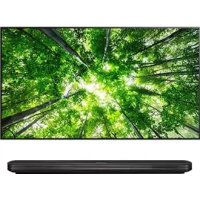
60PT100N - Television LG - Free user manual and instructions
Find the device manual for free 60PT100N LG in PDF.



| Product type | Class A Digital TV / Monitor |
| Brand | LG |
| Model | 60PT100N |
| Screen size | 60 inches (plasma technology) |
| Power supply | 100-240 V ~ 50/60 Hz |
| Power consumption | Approximately 350 W (estimated) |
| Standards | FCC Part 15, Class A; European Directive 2004/108/EC, 2006/95/EC, 2009/125/EC |
| Connectivity | HDMI, VGA, component input, audio (depending on model) |
| Main features | Image and sound settings, multiple inputs, PC compatibility |
| Cleaning | Unplug the device, use a soft dry cloth. Do not spray liquid directly. |
| General maintenance | Avoid chemicals (alcohol, thinners). Clean only with a dry cloth. |
| Safety | Do not expose to rain or moisture. Mandatory grounding. Unplug during thunderstorms. |
| Installation | On a flat and solid surface. Provide adequate ventilation. Do not block openings. |
| Repairability | Entrust all repairs to qualified personnel. Spare parts available through an authorized service center. |
| Recycling | Compliant with WEEE directive (2002/96/EC). Do not dispose with household waste. |
| Environment | Cadmium-free product. RoHS compliant. LG recycling policy. |
Frequently Asked Questions - 60PT100N LG
User questions about 60PT100N LG
0 question about this device. Answer the ones you know or ask your own.
Ask a new question about this device
Download the instructions for your Television in PDF format for free! Find your manual 60PT100N - LG and take your electronic device back in hand. On this page are published all the documents necessary for the use of your device. 60PT100N by LG.
USER MANUAL 60PT100N LG
Please read this manual carefully before operating
your set and retain it for future reference.
P/NO:MFL62881339 (1207-REV03)
Printed in Korea
GLOBAL REGULATORY INFORMATION
FCC COMPLIANCE STATEMENT
This equipment has been tested and found to comply with the limits for a Class A digital device, pursuant to part 15 of the FCC Rules. These limits are designed to provide reasonable protection against harmful interference when the equipment is operated in a commercial environment. This equipment generates, uses, and can radiate radio frequency energy and, if not installed and used in accordance with the instruction manual, may cause harmful interference to radio communications. Operation of this equipment in a residential area is likely to cause harmful interference in which case the user will be required to correct the interference at his own expense.
Changes or modifications not expressly approved by the party responsible for compliance could void the user's authority to operate the equipment under FCC rules.
CANADIAN DOC NOTICE
WARNING: This product contains chemicals known to the State of California to cause cancer and birth defects or other reproductive harm. Wash hands after handling.
WARNING
English
This is a class A product. In a domestic environment this product may cause radio interference, in which case the user may be required to take adequate measures.
DEUTSCH
Information for Environmental Preservation
LGE. announced the 'LG Declaration for a Cleaner Environment' in 1994, and this ideal has served as a guiding managerial principle ever since. The Declaration is a foundation that has allowed us to undertake environmentally friendly activities in careful consideration of economic, environmental, and social aspects.
We promote activities for environmental preservation, and we specifically develop our products to embrace the concept of environment-friendly. We minimize the hazardous materials contained in our products. For example, there is no cadmium to be found in our monitors.
Information for recycling
This monitor may contain parts which could be hazardous to the environment. It is important that this monitor be recycled after use.
LGE. handles all waste monitors through an environmentally acceptable recycling method. There are several take-back and recycling systems currently in operation worldwide. Many parts will be reused and recycled, while harmful substances and heavy metals are treated by an environmentally friendly method. If you want to find out more information about our recycling program, please contact your local LG vendor or a corporate representative of LG.
We set our vision and policies on a cleaner world by selecting the issue of the global environment as a task for corporate improvement. Please visit our website for more information about our 'green' policies. http://www/lg.com/global/sustainability/ environment/take-back-recycling.jsp
DEUTSCH
http://www/lg.com/global/sustainability/ environment/take-back-recycling.jsp
FRANÇAIS ITALIANO
http://www/lg.com/global/sustainability/ environment/take-back-recycling.jsp
http://www/lg.com/global/sustainability/ environment/take-back-recycling.jsp
PYCCKN
HΦopmaunno oxpahe OKpykaUoien cpebl
B 1994 rody koprnapaun LGE ony6nKOBana «Deknapauu LG no oxpane okpykaouei cpebl》, KOTOPa C Tex nop Cnyknt OCHOBHbIM npHHUNOM ynpablenna. Ha ochobe 3toj deKnapaun Mbl CMORII PpeipnHtB DeICTBn, obecneHBAIOUne 6e3onacnoctb OkpykaOSe i cpebl, ydenra IIpi 3TOM DOJKNHOE BHMaHHe 3KOHOUMYeCKM, 3K0JONrueckm I couaJIbHbIM acNeKTam.
MbI CTMMyNpyEm DeTeBbHocTb no OxapHe
okpykaoue Cpebl, ydenra oc06oe BHMmaHne
pa3paobtke Hauwepn npOdykun B COOTBeCTBHN
c KOUeIeue 3KoONuYeCKoB 6e3OnaHocTn.
MbI CBOIMK M MNHmmy CoepExaHne OAnchbIX
BeueCTB H aauh npOdykuHn. HanpImep, B
HaWix MOHTopax Bbl He HaJdTe KaDMy.
HOpmaunno yTnIn3aunn OTXoDOB.
3TOT MOHITOP MOKET CODEPKaTB KOMNOHEHTbl, KOtOpBte MOrTy HAnecTn Uyep6 OkpykaIOuIe CpeJe. Heo6xOdmo yTuINsInpOBaTb MOHITOP Nocne NcNoJIb3OBAHNA.
Kopnpaun LGE nepepaabTaBaeT Bce 6paKaOBaHHbIe MOHITOpbI c NOMOuBu 3KONOrnueckn npneMNEMO MeToDa yTNIN3aun OTxOoB. IIO BCemy Mpy DeIcTByOT CnCTEmbl yTNIN3aun OTxOoB IN BO3BpTa HcNOb3OBaHHo INPOyUKn.MHORe NcOMIOHeHTb ByDyT BTOPNHc HcNOJI3OBaHbI yTNIN3HApOBaH, B To BpEmk KAK BpeDIIbe BeUeCTBa n TRAKeIbIe MeTaJIbI b6dyT o6pa6oTaHbI c NOMOuBu 3KONOrnueckn npneMNEMO MeToDa.
3a 6o0ee npop6ho HnHOpmauee no Haue nporpamme ytni3aun OTXoOB o6paauTecb K MeCTHOy NOCTabuKU nn PpeCTaBtEnIO Kopnpaun LG.
Mbl opneHTnpyemcna 06ecneueHne
3KONOTnuecko 6eOaNacHOCTN, CTABe Ce6e
ceIbIIO IIObAIBHyIO 3aunTy OkpyKaIOuSei
CpeIb.I. DOnOpNIteBHyIO INΦopMaUIO O HauEi
NONITKe NO oxpae OkpyAIOuSei CpeDbI Bbl
MOKeTe HaTN HA HauEM caTHe:
http://www.lg.com/global/sustainability/
environment/take-back-recycling.jsp
中国
摇摇摇摇
http://www.lg.com/global/sustainability/environment/take-back-recycling.jsp
NOM MARK (Mexico only)
RUSSIA only

UKRAINE only
YkpaHa 06MeXeHHa Ha HaeBHicTh He6e3neuHx peoBnH
YcTaKyBaHbIiNobiJaC BmOram
TexHiuHoro pernAmety uOdo o6MeXeHHoro
BukOpncTahHHe6e3neuHx peoBnH
BeNeKtpnHomy i eNeKtpoHOMy
0bnadHaHHi.
Ukraine Restriction of Hazardous Substances
The equipment complies with requirements of the Technical Regulation, in terms of restrictions for the use of certain dangerous substances in electrical and electronic equipment.
Disposal of your old appliance
- When this crossed-out wheeled bin symbol is attached to a product it means the product is covered by the European Directive 2002/96/EC.
- All electrical and electronic products should be disposed of separately from the municipal waste stream via designated collection facilities appointed by the government or the local authorities.
- The correct disposal of your old appliance will help prevent potential negative consequences for the environment and human health.
- For more detailed information about disposal of your old appliance, please contact your city office, waste disposal service or the shop where you purchased the product.
FRANÇAIS
Disposal of your old appliance
- When this crossed-out wheeled bin symbol is attached to a product it means the product is covered by the e-waste (Management and Handling) Rules, 2011.
- All electrical and electronic products should be disposed of separately from the municipal waste stream via designated collection facilities appointed by the government or the local authorities.
-
The correct disposal of your old appliance will help prevent potential negative consequences for the environment and human health.
-
For more detailed information about disposal of your old appliance, please contact your city office, waste disposal service or the shop where you purchased the product.
- This product does not contain any of the hazardous substances as specified in the rule 13 (1) and (2) of the e-waste (Management and Handling) Rules, 2011.
पधादवर्षीय जानकानी
WEEE

ENGLISH Disposal of waste batteries/accumulators
- When this crossed-out wheeled bin symbol is attached to batteries/accumulators of Your product it means they are covered by European Directive 2006/66/EC.
- This symbol may be combined with chemical symbols for mercury(Hg), cadmium(Cd) or lead(Pb) if the battery Contains more that 0.0005% of mercury, 0.002% of cadmium or 0.004% of lead.
- All batteries/accumulators should be disposed separately from the municipal waste stream via designated collection facilities appointed by the government or the local authorities.
- The correct disposal of Your old batteries/accumulators will help to prevent potential negative consequences for the environment, animal and human health.
- For more detailed information about disposal of Your old batteries/accumulators, please contact Your city office, waste disposal service or the shop where You purchased the product.
LG hereby declares that this/these product(s) is/are in compliance with the essential requirements and other relevant provisions of Directive 2004/108/EC, 2006/95/EC, 2009/125/EC and (for products having a wireless function*) 1999/5/EC.
European representative :
LG Electronics Service Europe B.V. Veluwezoom 15, 1327
AE Almere. The Netherlands
(Tel: +31-(0)36-547-8888)
*NOTE : Please refer to the preparation sheets.
DEUTSCH
AE Almere. The Netherlands
(Tel.: +31-(0)36-547-8888)
AE Almere. The Netherlands
(Tel: +31-0)36-547-8888
AE Almere. The Netherlands
(Tel.: +31-(0)36-547-8888)
Representant European:
LG Electronics Service Europe B.V. Veluwezoom 15, 1327
AE Almere, Olanda
(Tel: +31-(0)36-547-8888)
*NOTÅ: Consultati fisele de pregäture.
БллтAPСКИ
BeneKka 3a cBMeCTMOCHT HA EC
LG c ToBa DeKnapnpa, Ye To3n npOdyKT e CbBmecTMM C OCHOBHIne N3NCKBaHnN nDpyr CbOTBeTHN yCNoBnHa DnpeKtnBa 2004/108/EC, 2006/95/EC, 2009/125/EC n (3a npOdyKTn C 6e3xuHa fynkua*) 1999/5/EC.
Ebponeckn ppectabnteI:
LG Electronics Service Europe B.V. Veluwezoom 15, 1327
AE Almere. The Netherlands
(Ten.: +31-(0)36-547-8888)
*БЕЛЕЖKA: Вж. поgroТВИтЕЛНITE ЛСTOBE.
PYCCKN
YBeDMHeHHe O COOTBeTCTBn HOpMaM EC
Hactoanm LG 3aBnre, TTO daHHb/daHHbIe npOyKT(b) COOTBECTBYeT OCHOBHIM Tpe6oAHnM n HbIM COOTBeCTByoUm NyKtAm DnapeKTHB 2004/108/EC, 2006/95/EC, 2009/125/EC n (dnn pOdyKTob c fHKnne becnpoBoHOH CB3n*) 1999/5/EC.
PpeCTaBntenbTO B Ebpone:
LG Electronics Service Europe B.V. Veluwezoom 15, 1327
AE Almere. The Netherlands
(Ten.: +31-(0)36-547-8888)
*ПРИМЕЧАНО:ОзнakомьТecсИСИНСТУКИЗМИ NO NOДТOTOBKE Ka6oTe.
UKRAINIAN
PiTBePdXeHHB iDnOBiDnOcTi cTaHApTAM CC
LIMKOMPAnHIGLGiTBePckyE BiINOBiHicThb npOdykTy(1B) OCHOBHM BmORAM Ta iHsIMMBiDIOBIM 3aTepeKeHHM,poaHMM B DnpeKTHBaX 2004/108/EC,2006/95/EC,2009/125/ECTa (IINpOdykTIB 3be3dpoTOBOO fynkuieo*) 1999/5/EC.
YnOBHOBaxKeHa OcO6a y Ebponi:
LG Electronics Service Europe B.V. Veluwezoom 15, 1327
AE Almere. Hidepnahnn
(Homep Tena: +31-(0)36-547-8888)
*PNIMITKA.Дokладишдынвьбкпpo niidroTOBky npictpo do po60tn.
KA3AKUJA
EO cakectik typanbie cckepTyi
LG KOMnHaHnrcbOcb KpKat apKbIb6yI eHIM(ep) 2004/108/EC, 2006/95/EC, 2009/125/EC
XeHe (cblmc3 baiNaHbI c fyHKunrcb6ap eHIMde yuH*) 1999/5/EC dIpeKTbIaIapbIbH Heriari
TananTapbMeH Tnicti wapTTapbHa caI eKeHH MeImdEi.
EyponaDarblekinik:
LG Electronics ServiceEypona B.V. Veluwezoom 15, 1327
AE Almere. Hundepaand
(Ten: +31-(0)36-547-8888)
*ECKEPTIe: daBbIbIbIk npaKTapbIHaH KapaHbI3.
HRVATSKI
Napomena o sukladnosti EU standardima
LG ovim putem izjavluje da je ovaj proizvod sukladan svim osnovnim preduvjetima i drugim vaznim odredbama direktiva 2004/108/EC, 2006/95/EC, 2009/125/EC i (za proizvode s funkcjom beziñog prijenosa*) 1999/5/EC.
Zastupnik za Europa:
LG Electronics Service Europe B.V. Veluwezoom 15, 1327
AE Almere. The Netherlands
(Tel.: +31-(0)36-547-8888)
AE Almere. The Netherlands
(Tel: +31-(0)36-547-8888)
AE Almere, The Netherlands
(Tel: +31-(0)36-547-8888)
*SHENIM: Ju lutei referojuni fletöve pergatitre.
MACEDONIAN
I3BecTyBaBe 3a ycornaceHoct co EY
LG n3aByBa IeKa OBOJ/OBHe npOn3BOoI (n) e/ce Bo corNaCHoc CT co HeONXoHNTe 6apaBa n IpyrnnobaxHm OpeD6n O DnpEKTbTa 2004/108/EC, 2006/95/EC, 2009/125/EC n (3a npOn3BOOIN KOI maaT 6e3KnuHa FyHKuJa*) 1999/5/EC.
EbpONckn npetctabHnk:
LG Electronics Service Europe B.V. Veluwezoom 15, 1327
AE Almere. The Netherlands
(Ten: +31-(0)36-547-8888)
*3a6eneuka:Be monnme norgneHete rnnctobte 3a noTROBka.
Ue
1wE1WuGgHpeUe12Wu
LG Electronics Service Europe B.V. Veluwezoom 15, 1327 AE Almere.
才兰
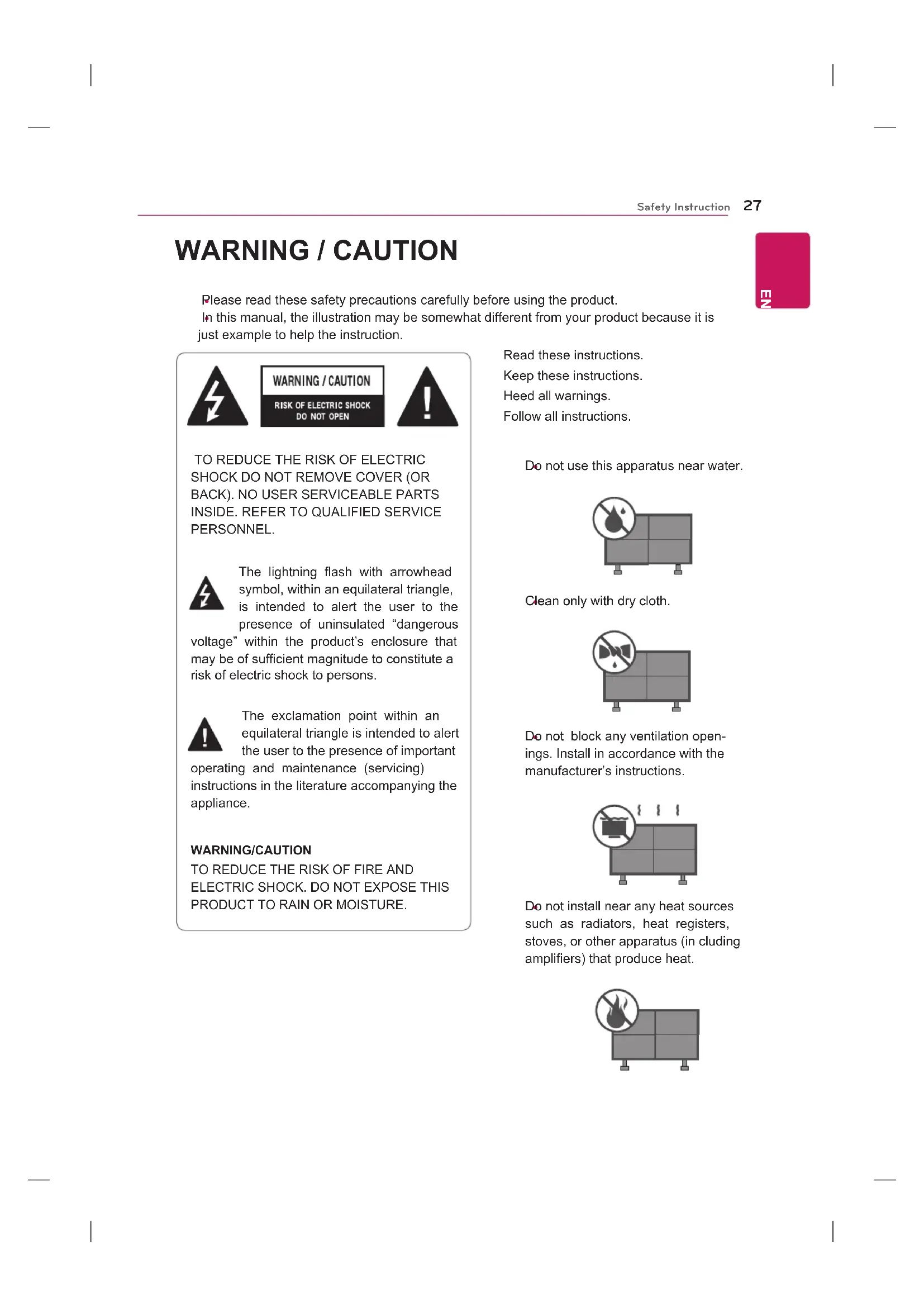
Please read these safety precautions carefully before using the product. In this manual, the illustration may be somewhat different from your product because it is just example to help the instruction.

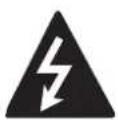
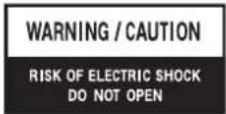

TO REDUCE THE RISK OF ELECTRIC SHOCK DO NOT REMOVE COVER (OR BACK). NO USER SERVICEABLE PARTS INSIDE. REFER TO QUALIFIED SERVICE PERSONNEL.

The lightning flash with arrowhead symbol, within an equilateral triangle, is intended to alert the user to the presence of uninsulated "dangerous
voltage" within the product's enclosure that may be of sufficient magnitude to constitute a risk of electric shock to persons.

The exclamation point within an equilateral triangle is intended to alert the user to the presence of important
operating and maintenance (servicing) instructions in the literature accompanying the appliance.
WARNING/CAUTION
TO REDUCE THE RISK OF FIRE AND ELECTRIC SHOCK. DO NOT EXPOSE THIS PRODUCT TO RAIN OR MOISTURE.
Read these instructions.
Keep these instructions.
Heed all warnings.
Follow all instructions.
Do not use this apparatus near water.
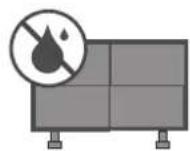
Clean only with dry cloth.
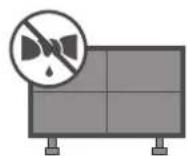
Do not block any ventilation openings. Install in accordance with the manufacturer's instructions.
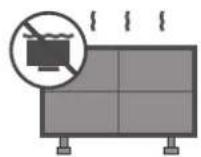
Do not install near any heat sources such as radiators, heat registers, stoves, or other apparatus (in cluding amplifiers) that produce heat.
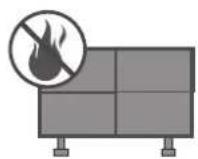
HS170NE
Do not defeat the safety purpose of the polarized or grounding-type plug. A polarized plug has two blades with one wider than the other. A grounding type plug has two blades and a third grounding prong. The wide blade or the third prong are provided for your safety. If the provided plug does not fit into your outlet, consult an electrician for replacement of the obsolete outlet.
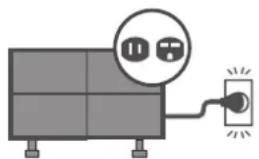
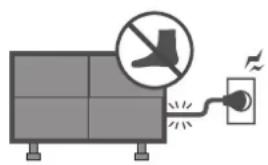
Protect the power cord from being walked on or pinched particularly at plugs, convenience receptacles, and the point where they exit from the apparatus.
Only use attachments/accessories specified by the manufacturer.
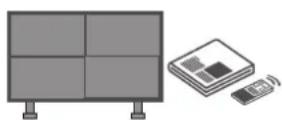
Use only with a cart, stand, tripod, bracket, or table specified by the manufacturer, or sold with the apparatus. When a cart is used, use caution when moving the cart/apparatus combination to avoid injury from tip-over.

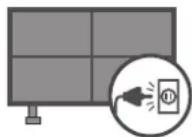
Unplug this apparatus during lighting storms or when unused for long periods of time.
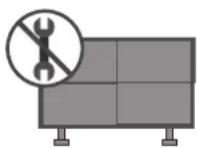
Refer all servicing to qualified service personnel. Servicing is required when the apparatus has been damaged in any way, such as power-supply cord or plug is damaged, liquid has been spilled or objects have fallen into the apparatus, the apparatus has been exposed to rain or moisture, does not operate normally, or has been dropped.
Never touch this apparatus or antenna during a thunder or lighting storm.
When mounting a monitor on the wall, make sure not to install the monitor by the hanging power and signal cables on the back of the monitor.
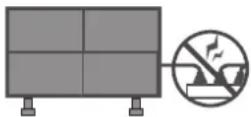
Do not allow an impact shock or any objects to fall into the product, and do not drop onto the screen with something.
CAUTION concerning the Power Cord: It is recommend that appliances be placed upon a dedicated circuit; that is, a single outlet circuit which powers only that appliance and has no additional outlets or branch circuits. Check the specification page of this owner's manual to be certain.
Do not connect too many appliances to the same AC power outlet as this could result in fire or electric shock.
Do not overload wall outlets. Overloaded wall outlets, loose or damaged wall outlets, extension cords, frayed power cords, or damaged or cracked wire insulation are dan
gerous. Any of these conditions could result in electric shock or fire. Periodically examine the cord of your appliance, and if its appearance indicates damage or deterioration, unplug it, discontinue use of the appliance, and have the cord replaced with an exact replacement part by an authorized servicer. Protect the power cord from physical or mechanical abuse, such as being twisted, kinked, pinched, closed in a door, or walked upon. Pay particular attention to plugs, wall outlets, and the point where the cord exits the appliance.
Do not make the monitor with the power cord plugged in. Do not use a damaged or loose power cord. Be sure do grasp the plug when unplugging the power cord. Do not pull on the power cord to unplug the monitor.
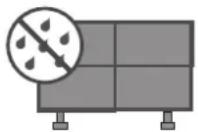
WARNING - To reduce the risk of fire or electrical shock, do not expose this product to rain, moisture or other liquids. Do not touch the monitor with wet hands. Do not install this product near flammable objects such as gasoline or candles or expose the monitor to direct air conditioning.
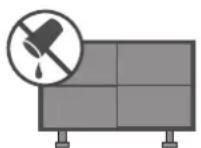
Do not expose to dripping or splashing and do not place objects filled with liquids, such as vases, cups, etc. on or over the apparatus (e.g. on shelves above the unit).
GROUNDING
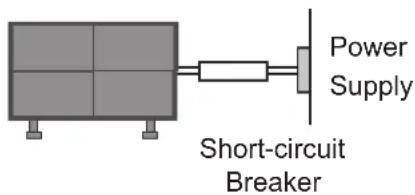
Ensure that you connect the earth ground wire to prevent possible electric shock (i.e. a monitor with a three-prong grounded AC plug must be connected to a three-prong grounded AC outlet). If grounding methods are not possible, have a qualified electrician install a separate circuit breaker.
Do not try to ground the unit by connecting it to telephone wires, lightening rods, or gas pipes.

DISCONNECTING DEVICE FROM MAIN Power
The power outlet must remain readily accessed in the event the device needs to be unplugged.
As long as this unit is connected to the AC wall outlet, it is not disconnected from the AC power source even if the unit is turned off.
Do not attempt to modify this product in any way without written authorization from the manufacturer. Unauthorized modification could void the user's authority to operate this product.
Cleaning
When cleaning, unplug the power cord and scrub gently with a soft cloth to prevent scratching. Do not spray water or other liquids directly on the monitor as electric shock may occur. Do not clean with chemicals such as alcohol, thiners or benzene.
Moving
Make sure the product is turned off, unplugged and all cables have been removed. It may take 2 or more people to carry larger monitors. Do not press against or put stress on the front panel of the monitor.
HS170NE
Ventilation
Install your monitor where there is proper ventilation. Do not install in a confined space such as a bookcase. Do not cover the product with cloth or other materials (e.g.) plastic while plugged in. Do not install in excessively dusty places.
Take care not to touch the ventilation openings. When watching the monitor for a long period, the ventilation openings may become hot.
If you smell smoke or other odors coming from the monitor or hear strange sounds, unplug the power cord contact an authorized service center.
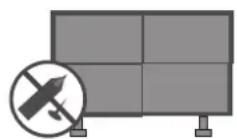
When touching the monitor, use the pen provided. Do not use other sharp or pointed objects, such as your fingernail, a pen or a pencil etc.
Keep the product away from direct sunlight.
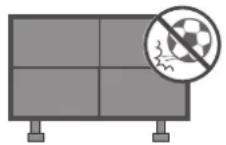
Do not allow a impact shock or any objects to fall into the product, and do not drop onto the screen with something.
You may be injured or the product can be damaged.
A protection device is required for the set where shocks from the outside may occur.
The product should be installed where its weight can be supported.
If the surface of the area where the product is installed is weak, the product may fall causing personal injury.
Do not hang on the product or apply shock to the product.
The product may fall causing personal injury.
Install the product on a flat floor.
If not (e.g., stairway and slope), the product may lose its balance and fall causing personal injury or damage to product.
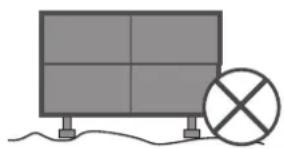
Disconnect the plug from the outlet before installation.
Otherwise, it may cause an electric shock or fire.
Wear working gloves when installing the product.
Otherwise, it may cause personal injury.
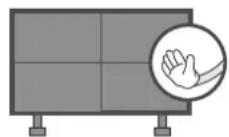
The edges of the product are sharp. Be careful not to be injured by the edges during or after installation.