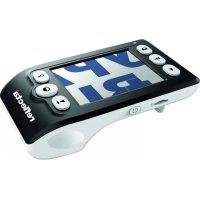
Digital Magnifier - Microscope Reflecta - Free user manual and instructions
Find the device manual for free Digital Magnifier Reflecta in PDF.

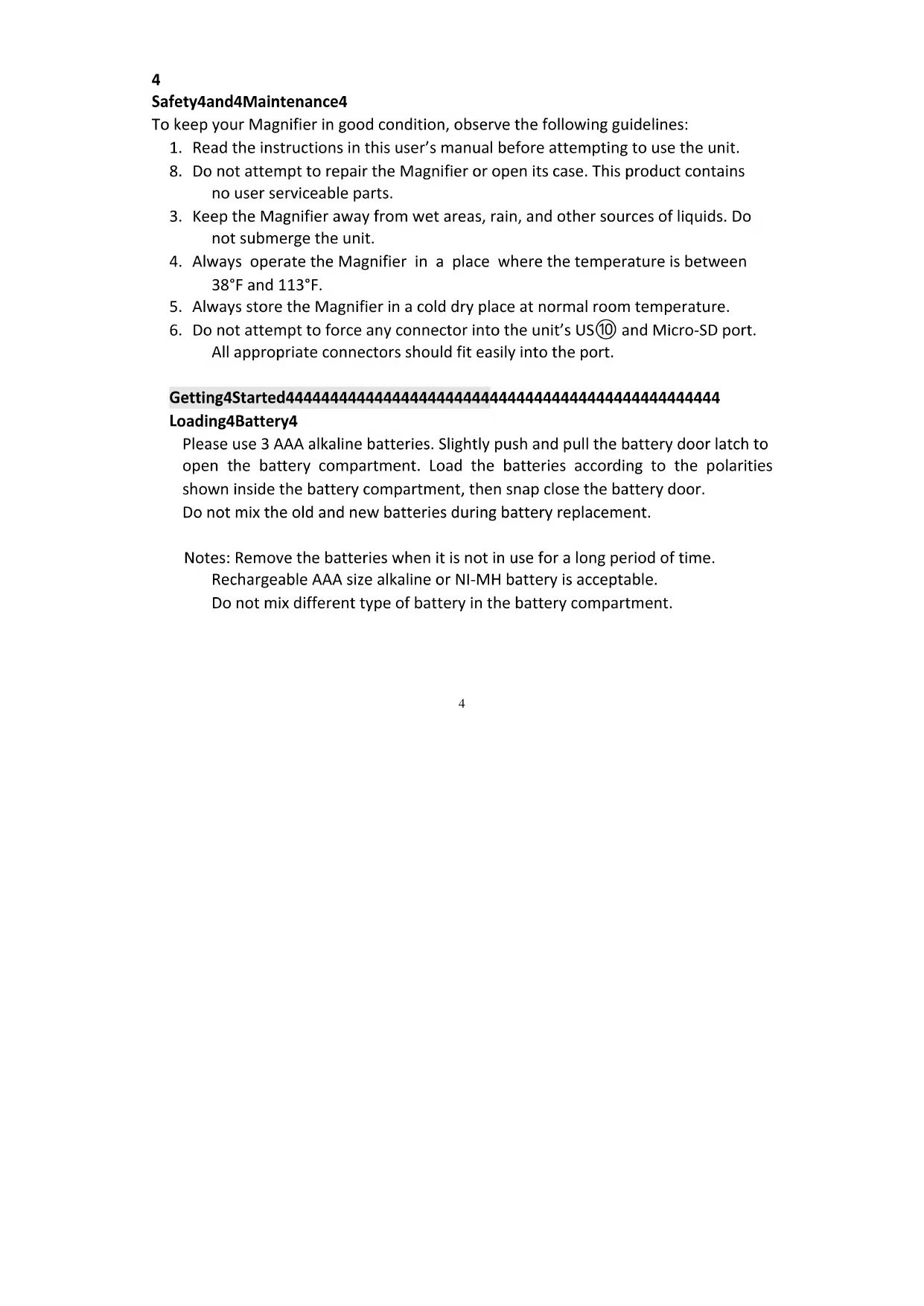


| Product Type | Portable electronic magnifier (Digital Magnifier) |
| Brand | Reflecta |
| Model | Digital Magnifier |
| Screen size | 3.5 inches |
| Power supply | 3 AAA alkaline or Ni-MH batteries |
| Magnification levels | 5x, 6x, 7.5x, 10x |
| Color modes | 3 modes: color, enhanced positive (black on white), enhanced negative (white on black) |
| Photo capture | Yes, on microSD card (not included) |
| Photo viewing | Yes, with forward/backward navigation |
| Image freeze | Yes, via Freeze/Release button |
| Transfer to PC | Yes, via USB cable |
| Auto power off | After 5 minutes of inactivity |
| Included accessories | Carrying case, cleaning cloth, USB cable, user guide |
| Maintenance | Clean the screen and lens with a soft cloth |
| Safety | Do not open the casing, avoid moisture and water |
| Weight (estimated) | Approximately 200 g |
| Dimensions (estimated) | Approximately 12 x 8 x 2 cm |
Frequently Asked Questions - Digital Magnifier Reflecta
User questions about Digital Magnifier Reflecta
0 question about this device. Answer the ones you know or ask your own.
Ask a new question about this device
Download the instructions for your Microscope in PDF format for free! Find your manual Digital Magnifier - Reflecta and take your electronic device back in hand. On this page are published all the documents necessary for the use of your device. Digital Magnifier by Reflecta.
USER MANUAL Digital Magnifier Reflecta
Open 10 ox and Unpack Items. 2
Part Names & Functions. 3
Safety and Maintenance. 4
Getting Started. 4
Loading ⑩battery. 4
Reading with the Magnifier. 5
Using the Magnifier. 6
Color Mode Selection. 6
Magnification Adjustment. 6
Freeze image. 6
Capture Photo. 6
Playback 7
Download to PC. 7
Low 10battery Indication. 7
Power-off 8
Trouble Shooting. 8
Welcome4
Thank you for purchasing a Portable Digital Magnifier.
Please take a moment to read through this manual. Its contents will help you to get the best use of the device.
Precaution444444444444444444444444444444444444444444444
Federal4Communications4Commission4Notice444
This equipment has been tested and found to comply with the limits for a Class 10 digital device, pursuant to Part 15 of the FCC Rules. These limits are designed to provide reasonable protection against harmful interference in a residential installation.
Overview4 4 4 4 4 4 4 4 4 4 4 4 4 4 4 4 4 4 4 4 4 4 4 4 4 4 4 4 4 4 4 4 4
Open4Box4and4Unpack4Items4
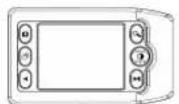
Portable Digital Magnifier US10 cable4

Clean fabric User's manual
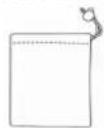
Carrying bag
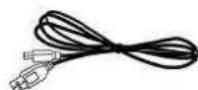
4
Part4Names4&4Functions4
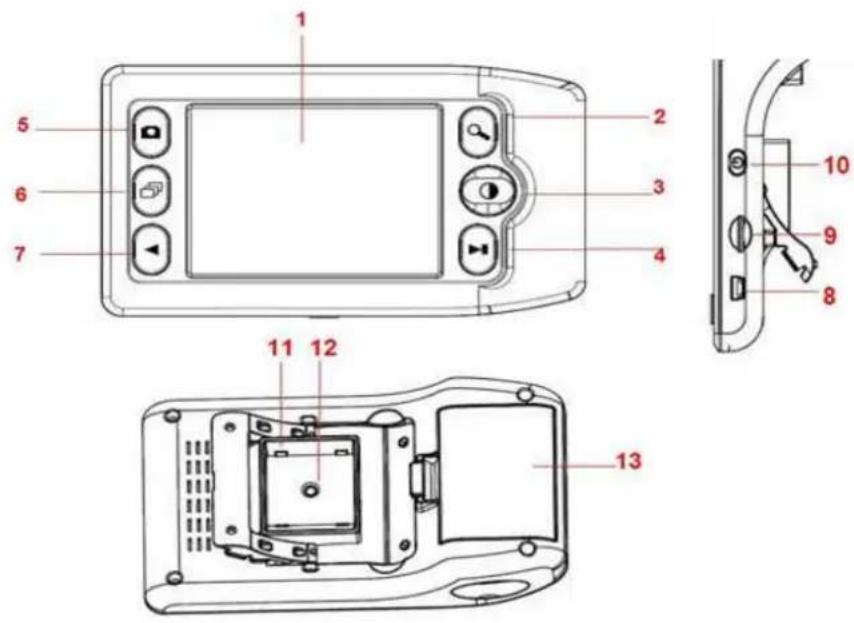
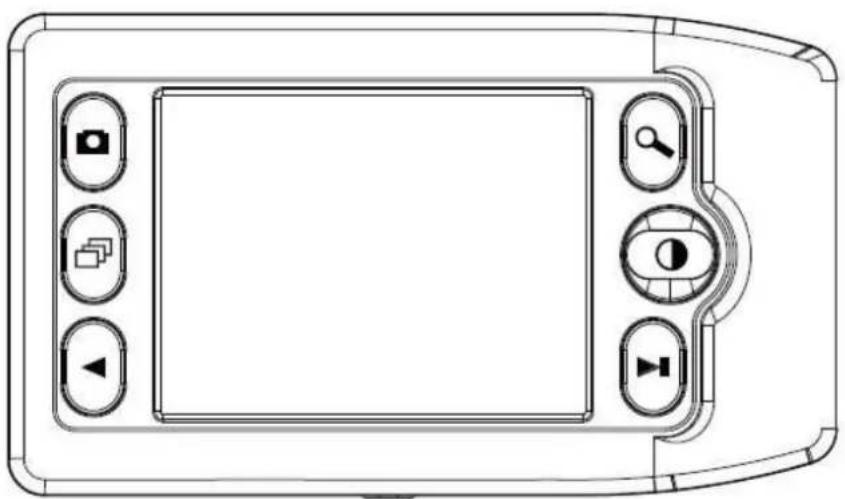
- 3.5-inch display
8 US⑩ port
- Magnify
9 Micro-SD card slot
3 Color Mode
10 Power on/off
4 10 awkward
11 LED
5 Snapshot
12 Lens
6Playback
13 ⑩attery Compartment
7 Forward
4
Safety4and4Maintenance4
To keep your Magnifier in good condition, observe the following guidelines:
- Read the instructions in this user's manual before attempting to use the unit.
- Do not attempt to repair the Magnifier or open its case. This product contains no user serviceable parts.
- Keep the Magnifier away from wet areas, rain, and other sources of liquids. Do not submerge the unit.
- Always operate the Magnifier in a place where the temperature is between 38^ and 113^ .
- Always store the Magnifier in a cold dry place at normal room temperature.
- Do not attempt to force any connector into the unit's US⑩ and Micro-SD port. All appropriate connectors should fit easily into the port.
Getting4Started444444444444444444444444444444444444
Loading4Battery4
Please use 3 AAA alkaline batteries. Slightly push and pull the battery door latch to open the battery compartment. Load the batteries according to the polarities shown inside the battery compartment, then snap close the battery door.
Do not mix the old and new batteries during battery replacement.
Notes: Remove the batteries when it is not in use for a long period of time.
Rechargeable AAA size alkaline or NI-MH battery is acceptable.
Do not mix different type of battery in the battery compartment.
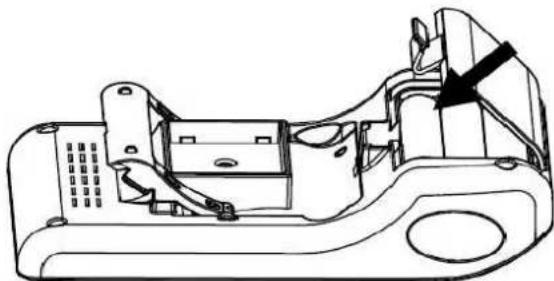
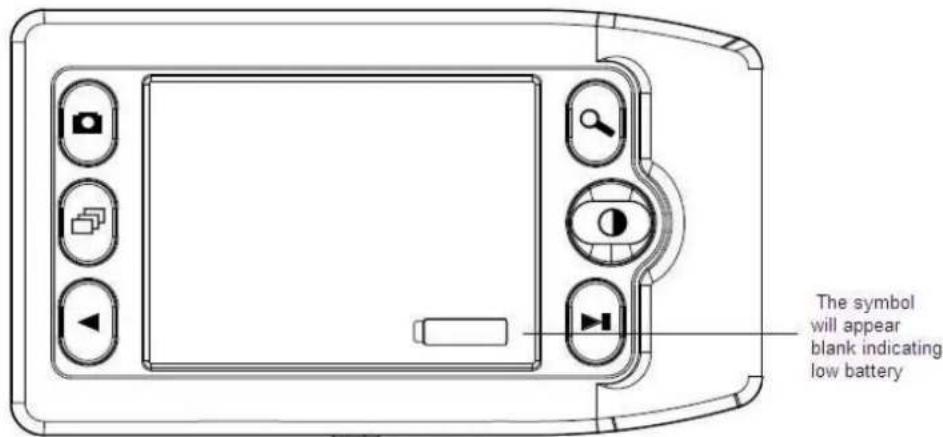
When the battery is low, there will be low-power indicator shown on the lower right corner of the panel. When replacement of new fresh batteries is needed, use only Alkaline AAA size batteries. Do not mix the old with the new batteries during battery installation.
Reading4with4the4Magnifier444444444444444444444444
To read with the Magnifier, operate as the following:
-
Turn on the unit by pressing the Power on/off switch ⑩ located on side.
-
Pull out the foot of the Magnifier until it sits at its maximum range.
-
Place the Magnifier flat against the text you want to read.
-
Slide the unit gradually to the right to read to the end of the line. Slide the unit down and back to the left to read the next line of text.
-
To change the level of magnification, press the Magnify button
-
To change the colors used on the screen, press the Color Mode button until you find the mode best suited for your vision needs.
Using4the4Magnifier4444444444444444444444444444444444
44Color4Mode4selection4
Press Color Mode button to cycle through the Magnifier's 3 different color modes as follows:
Full color
Enhanced positive image (black on white)
Enhanced negative image (white on black)4
4
Magnification4Adjustment4
Press Magnify button to cycle through the four level of magnifications 5X, 6X, 7.5X or 10X.
4
Freeze4Image4
Press Freeze/Unfreeze button to switch between freezing and unfreezing the current image.
4
Capture4Photo4
Load a micro SD card (not included) into the micro SD card slot. Press Snapshot

button to capture a photo. The captured photos will be automatically stored in the micro SD card.
4
4
4
Playback4
Press Playback button to view captured photos. Press ⑩ackward and Forward button to move forward and backward.
Press Playback button again will return the magnifier to reading mode.
Download4Captured4Pictures4to4PC4
Connect the Magnifier with PC by US⑩ Cable to US⑩ port, turn the power on and then you can download the captured pictures to computer.
Low4Battery4Indication4
If battery is low, there will be a symbol (blank) on the lower right corner of the screen, indicating that you have to replace new batteries.
4
Power4Off444444444444444444444444444
Turn off the power of the unit by pressing the Power on/off switch ⑩ located at the side.
To save battery power, please always turn off the Magnifier when not using it.
The Magnifier will turn off automatically if it is not in use after 5 minutes.
Trouble4Shooting444444444444444444444444444444444444
| Problem44Solution4 | |
| The screen is blank. | Ensure that the power is on. Ensure the battery has enough electricity. Verify that the item you want to magnify is Positioned correctly under the center of the screen |
| The unit does not turn on. Change the battery with new ones. Check the polarity of battery installed | |
| The image on the screen is dark and/or distorted. | Ensure that the unit is positioned flat on the page you are reading. Ensure that the foot of the magnifier flips out to its maximum position. |
| There are smudges or blemishes on the screen | Clean the screen and the Lens (located on the bottom of the unit). |
| Text is too small to read Press the magnify button. | |
This symbol on the product or in the instructions means that your electrical and electronic equipment should be disposed at the end of its life separately from your household waste. There are separate collection systems for recycling in the EU.
For more information, please contact the local authority or your retailer where you purchased the product.
reflecta gmbh
Merkurstrasse 8
72184 Eutingen i. G.
www(reflecta.de
Amplificador digital reflecta
Guía del usuario
Indices
Transfert8des8images8prises8vers8un8PC8
- Getting Started. 4
- Using the Magnifier. 6
- Trouble Shooting. 8
- Welcome4
- Precaution444444444444444444444444444444444444444444444
- Federal4Communications4Commission4Notice444
- Overview4 4 4 4 4 4 4 4 4 4 4 4 4 4 4 4 4 4 4 4 4 4 4 4 4 4 4 4 4 4 4 4 4
- Open4Box4and4Unpack4Items4
- Part4Names4&4Functions4
- 4
- Safety4and4Maintenance4
- Getting4Started444444444444444444444444444444444444
- Loading4Battery4
- Reading4with4the4Magnifier444444444444444444444444
- Magnification4Adjustment4
- Freeze4Image4
- Capture4Photo4
- Playback4
- Download4Captured4Pictures4to4PC4
- Low4Battery4Indication4
- Power4Off444444444444444444444444444
- Amplificador digital reflecta
- Indices
- Transfert8des8images8prises8vers8un8PC8
Brand : Reflecta
Model : Digital Magnifier
Category : Microscope