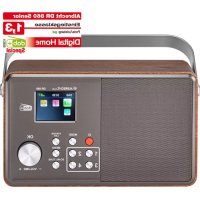
DR 860 Senior - Radio ALBRECHT - Free user manual and instructions
Find the device manual for free DR 860 Senior ALBRECHT in PDF.



| Product type | Digital radio DAB+ / FM |
| Brand | Albrecht |
| Model | DR 860 Senior |
| Dimensions (L x H x D) | 250 mm x 150 mm x 80 mm |
| Weight | 1280 g |
| Display | 2.4" TFT color screen (320 x 240 pixels) |
| Power supply | AC adapter 5V / 850 mA (input 100-240V, 50/60 Hz) |
| Built-in rechargeable battery | Battery life approx. 11 hours; charges via adapter |
| Frequency ranges | DAB+: 174 – 240 MHz (Band III); FM: 87.5 – 108.0 MHz |
| Speaker | 4 Watts |
| Connectivity | 3.5 mm headphone jack; DC IN input |
| Antenna | Telescopic, fully extendable |
| Favorite memory | 4 shortcut keys (1-4) to save/recall stations |
| Remote control | Included, with AAA batteries |
| Main functions | Automatic station search, station list, standby mode, main menu (language, reset, software version) |
| Basic Mode | Enables/disables keys to prevent accidental changes (screen lock) |
| DAB+ slideshow | Displays station logo or album art in full screen |
| Maintenance and cleaning | Wipe with a soft, dry cloth; do not use abrasive products |
| Safety | Use only the original adapter; do not expose to moisture; operating temperature 0°C to +35°C |
| Spare parts and repairability | Replaceable battery (compartment screws); 2-year warranty; technical service: +49 6103 9481 66 |
| General information | Compliant with directive 2014/53/EU; WEEE recycling |
Frequently Asked Questions - DR 860 Senior ALBRECHT
User questions about DR 860 Senior ALBRECHT
0 question about this device. Answer the ones you know or ask your own.
Ask a new question about this device
Download the instructions for your Radio in PDF format for free! Find your manual DR 860 Senior - ALBRECHT and take your electronic device back in hand. On this page are published all the documents necessary for the use of your device. DR 860 Senior by ALBRECHT.
USER MANUAL DR 860 Senior ALBRECHT
- Introduction 15
- First steps 15
- Basic functions 15
- Controls of the radio 16
- Remote Control 17
- Display 17
7.Delivery content 18 - Radio modes 18
9.DAB+ digital radio mode 18
9.1.DAB+ tuning 18
9.2.Station list 18
9.3. Store / recall favorite stations 18
9.4.DAB+ Slideshow 18 - FM radio mode 19
10.1.FM station scan 19
10.2. Station List 19
10.3. manual FM frequency change 19
10.4. Store / recall favorite stations 19 - Main menu 20
- Senior Mode 21
- Battery operation 21
14.Troubleshooting 22 - Specifications 22
- Warranty and Recycling Information 23
17.WEEE and Recycling 23 - Service address and technical hotline 24
19.Declaration of Conformity 24
1. Introduction
Thank you for purchasing the Albrecht DR860 digital radio.
We have developed a radio that focuses on the essential basic functions needed for digital radio enjoyment, making it very easy to use. The radio is intuitive for anyone using the controls or the included remote control to operate.
In addition, the design on the screen has been completely revised. By reducing the display to the really relevant information, these can now be displayed even larger and clearer.
2. First steps
Extend the antenna to full length for the best DAB / FM radio reception.
Connect the small plug of the power adapter to the DC IN jack on the back of the device and plug the power adapter into a power outlet. Slide the ON/OFF switch to "ON" to turn on the power.
When you turn on the radio for the first time, the unit automatically performs a full scan for all available DAB/DAB+ stations in your area.
The date and time in standby mode are automatically set as soon as the radio has DAB reception.
3. Basic functions
- Press the (STANDBY) button to turn on the radio. Press the button again to put the radio into sleep mode.
- Turn the VOLUME knob to change the volume.
In each menu, you can confirm your selection by pressing the rotary knob (OK). - Press the button to switch between DAB+ and FM mode.
- The button opens the station list with all currently available stations.
To save a station as your favorite, press and hold one of the favorite buttons 1-4 for about 2 seconds. To recall a favorite later, press the corresponding favorite key only briefly y.
4. Controls of the radio
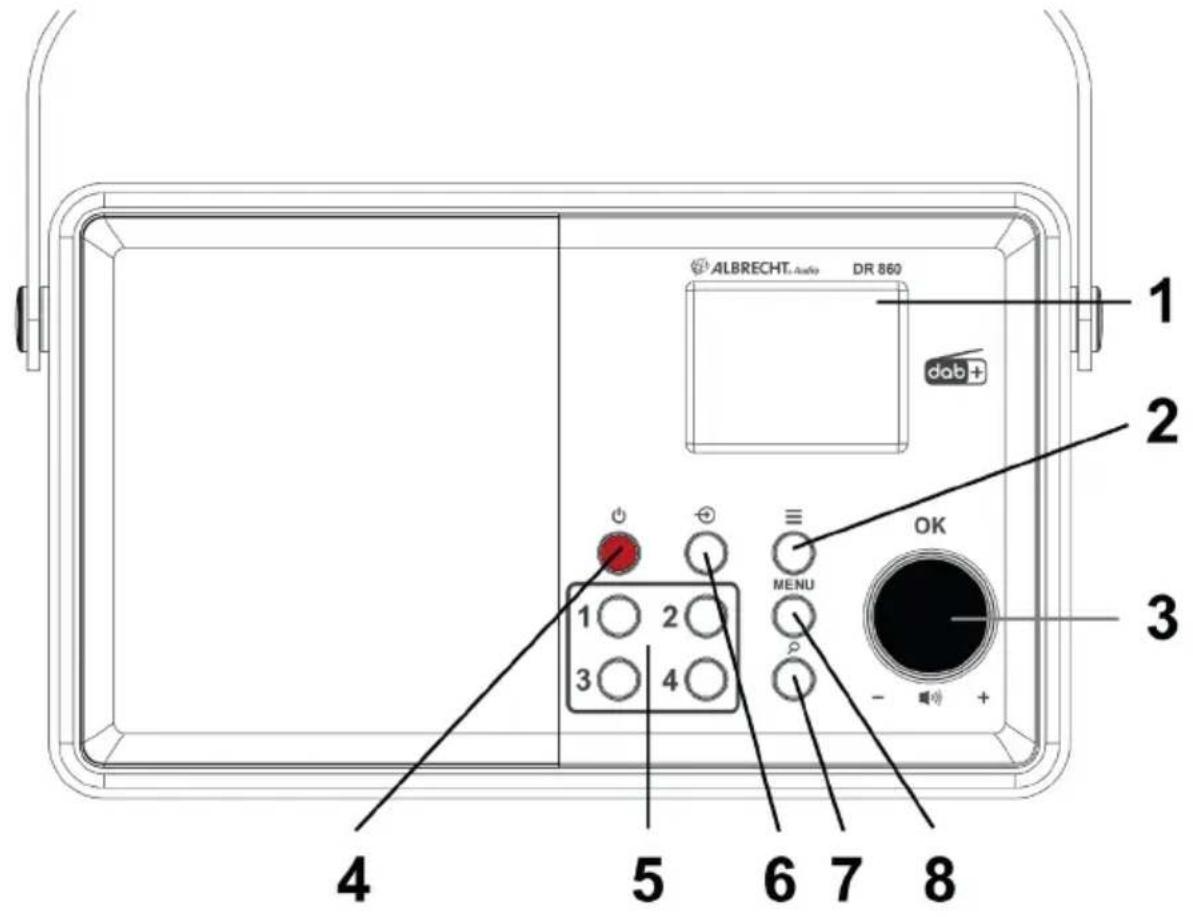
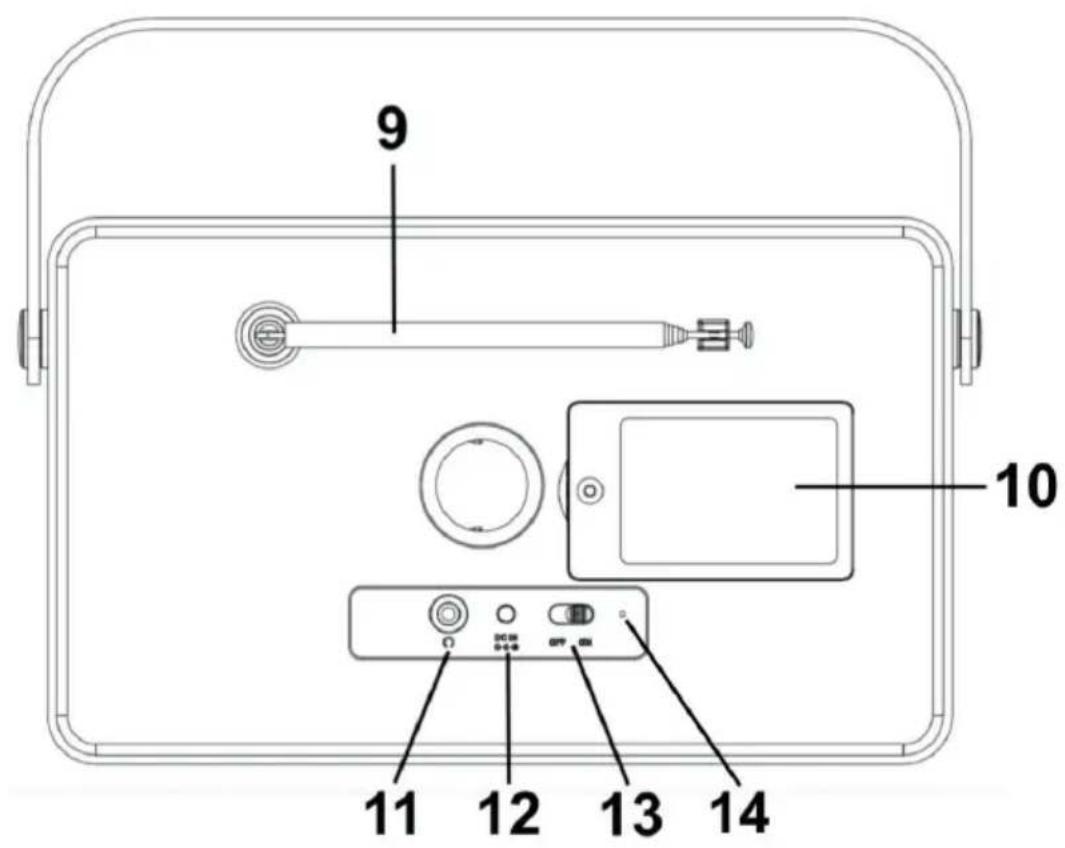
| No. Description Function | ||
| 1 Display Displays all information about the current station / song | ||
| 2 | Station List | Opens the station list with all available stations |
| 3 OK / VOLUME Turn the knob to adjust the volume | ||
| 4 | On / Off | Press the knob to confi rm your selection in menus Turn the radio on or off (standby) |
| 5 Favorite 1-4 Quick recall of | your 4 favorite stations | |
| 6 | Source | Switch between DAB+ or FM mode |
| 7 | SCAN / TUNE | Performs a full scan of all channels |
| 8 MENU Opens the main menu | ||
| 9 Telescopic antenna Pull out the antenna completely for best reception | ||
| 10 Battery compartment Remove the screws to open the battery compartment | ||
| 11 | Headphone | Headphone jack for 3.5mm connections |
| 12 DC IN Power input for the power supply | ||
| 13 | ON / OFF | Turn the radio completely ON or OFF |
| 14 | Battery charge status | When charging the battery, the LED glows orange. |
5. Remote Control
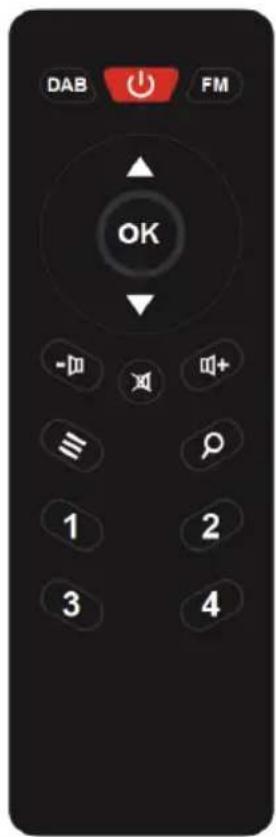
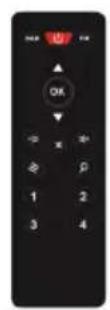
| No. | Description | Function |
| 1 | DAB | Switches to DAB+ mode |
| 2 | Turn the radio on or off (standby) | |
| 3 FM | Switches to FM mode | |
| 4 | ▲/▼ | Move up or down in menus |
| 5 OK | Confirrm your selection | |
| 6 | - | Decreases the volume |
| 7 | Mutes the radio | |
| 8 | Increases the volume | |
| 9 | Opens the station list with all available stations | |
| 10 | Perform a full scan (long press) | |
| 11 | 1-4 | Favorite memories 1-4 |
6. Display
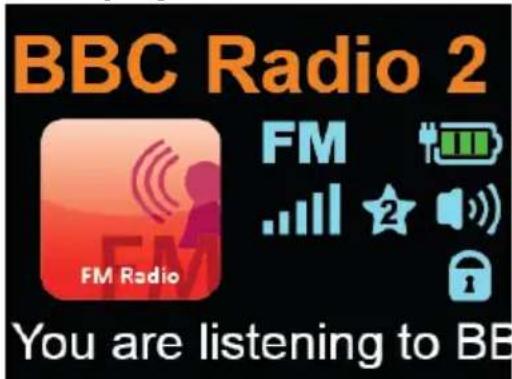
| Station name |
| Radio mode / battery level indicator |
| Signal strength / Favorite / Volume |
| Activated „Senior Mode“ |
| Current artist / song |
7. Delivery content
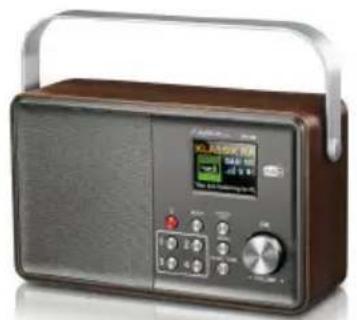
ALBRECHT DR 860 Digital Radio
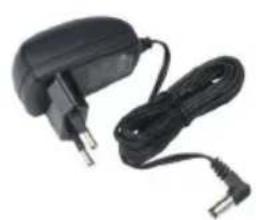
Power adapter
Remote control incl. 2x AAA batteries
Operation manual
8. Radio modes
Press the button to switch between DAB+ digital radio and FM mode. Alternatively, you can also select the reception mode on the remote control using the DAB or FM button.
9. DAB+ digital radio mode
9.1. DAB+ tuning
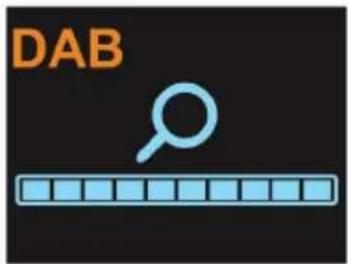
The radio automatically performs a full scan through all stations the first time you use it.
If you would like to re-scan at a later time (for example, after moving), press and hold the button on the remote control pressed.
9.2. Station list
After the scan has been completed, you can view all currently available stations using the button.

Navigate through the station list with the rotary knob on the radio or the arrow keys / on the remote control and confirm your selection with OK.
If you want to quickly change a station, simply press the / buttons during music playback to switch to the next station.
9.3. Store / recall favorite stations
If you want to save the current DAB+ station as a favorite, press and hold one of the favorite buttons 1-4 for about 2 seconds.
To recall a favorite later, just press the corresponding favorite button briefly.
9.4. DAB+ Slideshow
If a station logo or album cover is offered by the current broadcaster, you can enlarge the logo to full screen by pressing OK. If you press the button again, the display returns to the playback screen
10. FM radio mode
The bar icon in the center of the screen indicates the strength of the FM signal received by the unit.
10.1.FM station scan
The radio automatically performs a full station scan the first time you use it.
If you want to re-scan at a later time (for example, after moving), press and hold the .
10.2. Station List
After the scan has been completed, you can view all currently available stations using the button.
Navigate through the station list with the rotary knob on the radio or the arrow keys / on the remote control and confirm your selection with OK.
10.3. manual FM frequency change
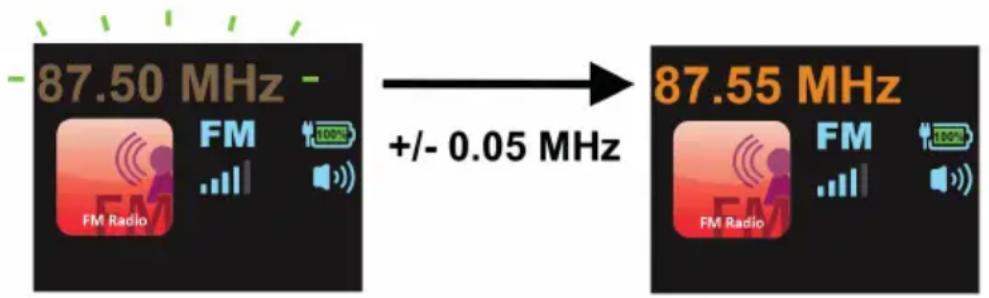
Use the / buttons on the remote control to change the FM frequency in 0.05 MHz increments. Hold down one of the arrow keys to automatically search for the next available station.
Alternatively, you can also control the station search on the radio. Briefly press the button. Once the frequency is flashing, press OK (knob) to start scanning. The scan automatically stops at the next available station.
If you would like to set a frequency manually, briefly press the button on the radio, then the current frequency will start to flash. You can now set a frequency individually by using the rotary knob.
10.4. Store / recall favorite stations
If you want to save the current FM station as a favorite, press and hold one of the favorite buttons 1-4 for about 2 seconds.
To recall a favorite later, just press the corresponding favorite button briefly y.
11. Main menu
Press the MENU button to enter the main menu.
Here you can make the following settings:
View the current software version
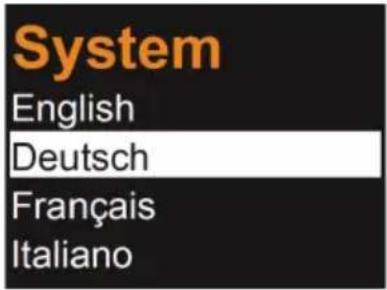
- Set language: choose between English, Deutsch, Français, Italiano, Espanol, Čestina, Nederlands, Dansk, Norsk, Polski, Svenska, Türkiye, Portugüés
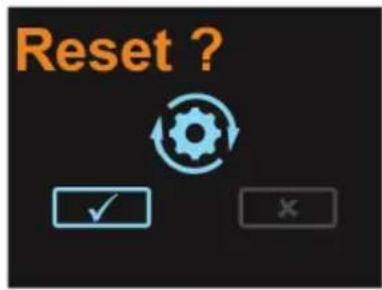
- reset the radio to the factory settings
Press the MENU button again to exit the main menu without any selection

12. Senior Mode
To make the operation of the Albrecht DR860 radio even easier, there is the possibility to activate the Senior Mode. In Senior Mode, a misuse of the radio is virtually impossible, since almost all options buttons are disabled. There is no longer any danger of the radio being "accidentally" changed.
When the mode is activated, only the following functions are available:
- Switch on/off (red standby button)
- Adjust the volume
- Recall favorite stations (number keys 1-4)
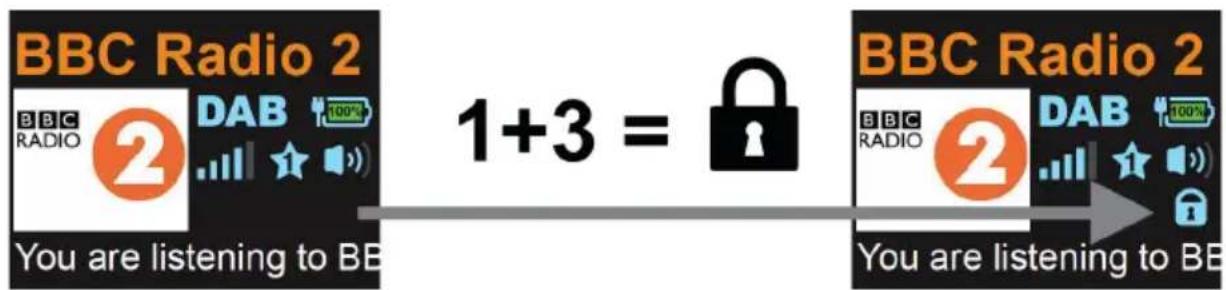
To activate the Senior Mode, press and hold the buttons 1 + 3 at the same time on the device. The lock symbol appears in the display. To deactivate, just press the two buttons again.
Attention: Please note that in the activated Senior Mode you can not change the radio mode (DAB+ or FM). So you have to decide in advance in which mode you would like to operate the radio in Senior Mode.
13. Battery operation
The Albrecht DR860 radio has a built-in rechargeable battery so that you can use the radio for example in the garden, in the park, camping, etc. The battery has a operation time of about 11 hours before it has to be recharged.
When the radio is plugged into a power socket, the battery will be charged automatically. During charging, the LED on the back of the device glows orange. As soon as the battery is fully charged, the LED lights up green.
If you ever want to replace or remove the battery, loosen the screw on the battery compartment on the back and gently pull the battery plug inside before removing it.
14. Troubleshooting
| Error Remedy | |
| The radio does not switch on. 1. Check if the power adaptor is connected properly. 2. The device may malfunction when used in areas with strong radio interference. The device will work properly again once there is no more interference. | |
| No sound 1. Turn on the sound as it may be muted 2. Increase the volume. | |
| No Signal or interference in DAB/FM mode. | 1. Check/move the DAB/FM antenna. 2. Move the radio to a different location. 3. Please check if the radio is close to other electrical sources and therefore under influuence of interferences |
| Some buttons/functions do not work | 4. Please check if the radio is set to “Senior Mode”? If you see the “lock symbol” in the display, the radio is set to “Senior Mode”. Press buttons 1+3 at the same time for 2 seconds to exit “Basic Mode”. 5. Perform a factory reset |
15. Specific cations
| Model number DR 860 | |
| Description Radio with DAB+/FM | |
| Display 2.4" / 320 x 240 TFT-color display | |
| FM 87.5 to 108,0 MHz | |
| DAB+ 174 - 240 MHz (Band III) | |
| Power Adapter Input: AC 100-240V, 50/60Hz Output: 5V / 2400mA | |
| Speaker | 4 Watt |
| Operating temperature | 0°C to +35°C |
| Connectors | DC IN power supply socket Headphone 3.5 mm |
| Dimensions | 250 mm (W) x 150 mm (H) x 80 mm (L) |
| Weight | 1280 g |
| Power Adapter | (please use only the original power adaptor) |
| Manufacturer | Dongguan Yingna Electronic Technolog Co., Ltd. |
| Address | 4/F, No. 4 Zhenrong Road, No. 6 Industrial Zone, Caiwu, Wusha District, Changan Town, Dongguan City, Guangdong Province, China |
| Type | YN-24WA050240EU |
| Input | 100 – 240V~AC 50/60Hz 0.75A |
| Output | DC 5.0V 2.4A 12.0W ◆ ◆ |
| Average Active Effi ciency | 80,65% |
| Effi ciency at Low Load (10%) | 80,66% |
| No-load Power Consumption | 0,07W |
16. Warranty and Recycling Information
We are legally obliged to include disposal and warranty information as well as EU declaration of conformity with the use instructions in different countries for every unit. Please find this information on the following pages.
2-Year Warranty from Date of Purchase
The manufacturer/retailer guarantees this product for two years from date of purchase. This warranty includes all malfunctions caused by defective components or incorrect functions within the warranty period excluding wear and tear, such as exhausted batteries, scratches on the display, defective casing, broken antenna and defects due to external effects such as corrosion, over voltage through improper external power supply or the use of unsuitable accessories. Defects due to unintended use are also excluded from the warranty.
Please contact your local dealer for warranty claims. The dealer will repair or exchange the product or forward it to an authorized service center. You can also contact our service partner directly. Please include your proof of purchase with the product and describe the malfunction as clearly as possible.
17. WEEE and Recycling
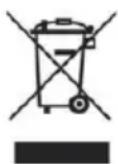
The European laws do not allow any more the disposal of old or defective electric or electronic devices with the household waste. Return your product to a municipal collection point for recycling to dispose of it. This system is fi nanced by the industry and ensures environmentally responsible disposal and the recycling of valuable raw materials.
18. Service address and technical hotline
(for units sold in Germany)
Contact our service hotline by phone +49 6103 9481 66 (regular costs for German fixed network) or e-mail at service@albrecht-midland.de
19. Declaration of Conformity
Hereby, Alan Electronics GmbH declares that the radio equipment type DR 860 is in compliance with Directive 2014/53/EU. The full text of the EU declaration of conformity is available at the following internet address: www.alan-electronics.de

Printing errors reserved.
Information in this user manual are subject to change without prior notice.