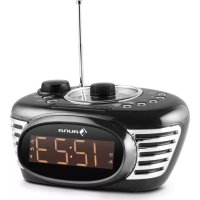
RCR 56 - Radio Auna - Free user manual and instructions
Find the device manual for free RCR 56 Auna in PDF.



| Product Type | Digital Alarm Clock Radio |
| Brand | Auna |
| Model | RCR 56 |
| Available Colors | Red (ref. 0028023) or Black (ref. 10028024) |
| Dimensions | 7.6 x 12.1 x 9.3 cm |
| Weight | 0.42 kg |
| Power Supply | AC adapter (input AC 100-240V, output DC 5V/1A) |
| Power Consumption | 5 W max |
| Display | Digital, backlit, adjustable (Snooze/Dimmer) |
| Alarm Function | Two independent alarms, wake-up by beep or radio |
| Snooze Function | Yes, repeats every 9 minutes |
| Auto Off (Sleep) | Adjustable timer from 15 to 120 minutes |
| Radio | FM, with 10 station presets |
| AUX Input | 3.5 mm jack for external players (MP3, smartphone) |
| Antenna | Built-in |
| Volume Control | Rotary knob |
| Cleaning | Dry cloth, do not use volatile substances |
| Safety | Rain protection, do not open, adequate ventilation |
| Package Contents | Device, AC adapter, instruction manual |
| Manufacturer | Chal-Tec GmbH, Wallstraße 16, 10179 Berlin, Germany |
| Recycling | Do not dispose with household waste, follow WEEE directives |
Frequently Asked Questions - RCR 56 Auna
User questions about RCR 56 Auna
0 question about this device. Answer the ones you know or ask your own.
Ask a new question about this device
Download the instructions for your Radio in PDF format for free! Find your manual RCR 56 - Auna and take your electronic device back in hand. On this page are published all the documents necessary for the use of your device. RCR 56 by Auna.
USER MANUAL RCR 56 Auna
natural_image
Symbol of a trash bin crossed with a diagonal line, no text or numbers presentCongratulations on purchasing this product. Please read and follow these instructions, in order to avoid damaging the item. We do not cover any damages that may arise from improper use of the item or the disregard of the safety instructions.
Important Safety Instructions
- Read all instructions before using.
- Do not place on or near a hot gas or electric burner or in a heated oven.
- To protect against a fire, electric shock or personal injury, do not immerse cord, electric plugs or device in water or other liquids.
• Do not expose the appliance to extreme temperatures. The appliance shall be used in moderate climates. - Disconnect the appliance from the power source if it is not going to be used for a long time, if there is a thunderstorm or if it isn't working properly.
- The use of attachments that are not recommended by the appliance manufacturer may result in fire, electric shock or personal injury.
- The appliance is not a toy. Do not let the children play with it. Never let children insert foreign objects into the appliance.
- Do not use the appliance for other than intended use. This appliance has been designed solely for domestic use; the manufacturer's liability shall not be engaged in the event of any professional use, by any misuse or by any use not complying with the operating instructions.
- Save these instructions.
Controls
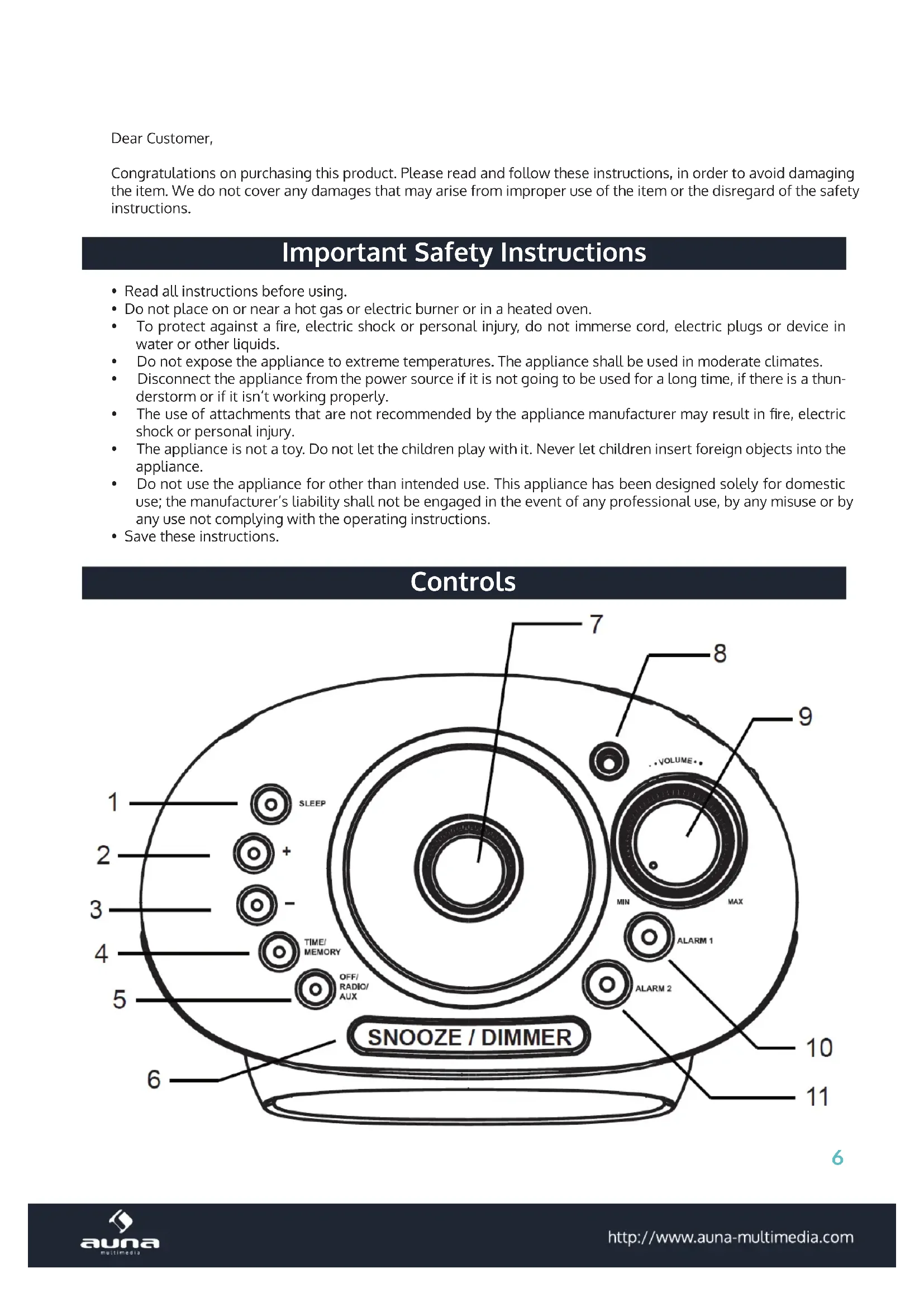
6
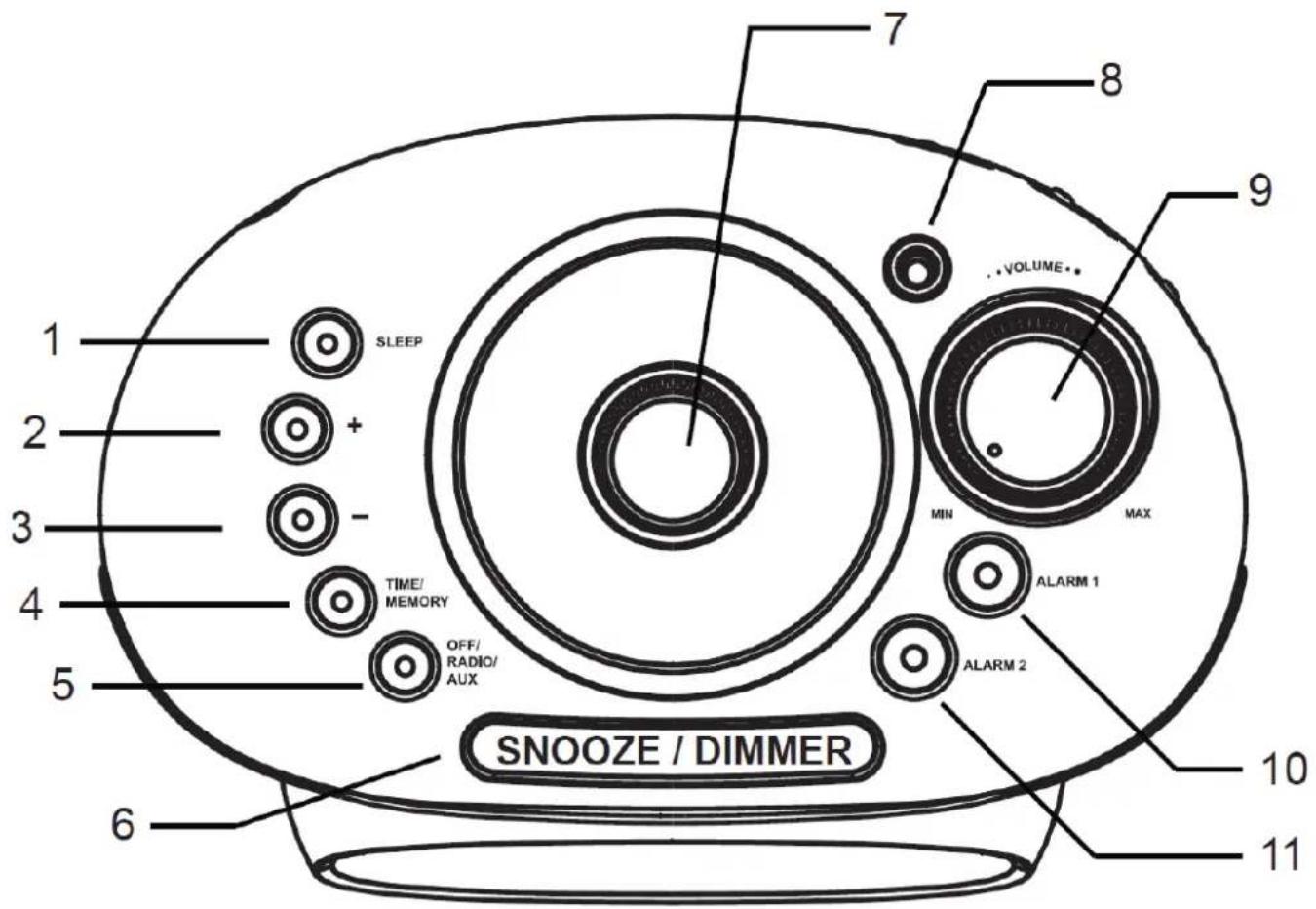
Sleep 110 Alarm 1
+ 2 11 Alarm 2
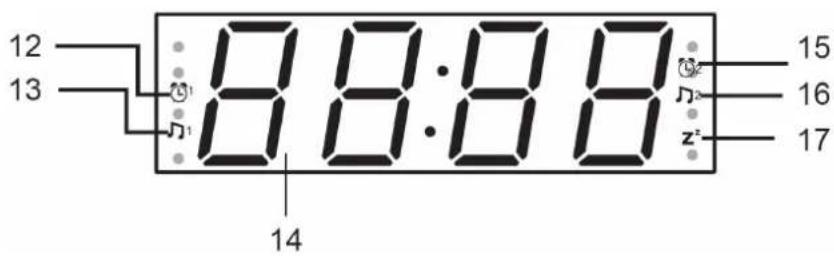
- 3 12 Alarm 1 - indicator (beep alarm)
Time / Memory 4 13 Alarm 1 - indicator (radio alarm)
Off / Radio / AUX 5 14 Display: Time / Radio
Snooze / Dimmer 6 15 Alarm 2 - indicator (beep alarm)
FM Tuning knob 7 16 Alarm 2 - indicator (radio alarm)
Antenna 8 17 Sleep indicator
Volume knob 9
Clock, Alarms and Sleep
SET THE CLOCK
- Switch off the radio before you set the clock.
- Press and hold TIME/MEMORY until the digits of hour on display begins to blink.
- Press the + or - button to adjust the hour. Confirm with TIME/MEMORY.
- Repeat the same procedure for setting the minutes and confirm by pressing TIME/MEMORY.
Note: Once adjusted you can set the time now by pressing and holding TIME/MEMORY for 2 seconds in clock mode (radio off).
SET THE ALARM
You can set two alarms (ALARM 1/2) with the following steps:
- Turn the unit to clock mode (radio off) and press and hold the ALARM 1/2 Button for 2 seconds. The digits of hour will start to flash.
- Press the + or - Button to adjust the hour. Press ALARM 1/2 to confirm. The digits of minutes begins to blink.
- Repeat the same procedure for setting the minutes and confirm by pressing ALARM 1/2.
- Finally, use + / - for the selection of how you want to be awakened (beep / radio)
- An LED lights up at Clock symbol means a buzzer sounds when the alarm time is reached.
- A LED lights up at Music Note symbol means the radio will be switched on at the last set station when the alarm time is reached.
- You can turn off the alarm by pressing the ALARM 1/2 button twice. Alarm indicator turns off.
- After the alarm has been set, you can review the alarm time by pressing the ALARM 1/2 button. The alarm time will be shown on the display for 3 seconds.
- Press the ALARM 1/2 button to stop the alarm.
- The alarm will be automatically reset and gets ready for the next day.
- Press the SNOOZE button when alarm rings. The alarm will be silenced for 9 minutes and then rings again.
- If you do not press the SNOOZE button, the alarm will turn off in 1 hour. It will get ready for the next day then.
SET SLEEP TIMER
- Press SLEEP once to activate the sleep timer to 120 minutes with "120" in the LED display and the radio is turned on.
- Press SLEEP repeatedly to adjust the sleep timer to 90, 60, 45, 30, 15, minutes and then OFF. "OFF" means to cancel the sleep timer and turn the radio off.
- When the sleep timer is counting down, press SLEEP button to display the remaining time.
- To cancel the sleep timer, when the sleep timer is counting down: press the SLEEP button repeatedly until "OFF" is displayed. Alternatively, press and hold the OFF/RADIO/AUX button to turn off the radio.
Radio & Aux
Radio
- Press OFF/RADIO/AUX to turn on the radio. Rotate the FM tuning knob to tune in your desired radio channel.
- To save a station as a preset, press and hold TIME/MEMORY for approximately 2 seconds, then the preset station number "P01" will be displayed and fl ashes.
- Press TIME/MEMORY button to save the station as P01 or change the preset with + / -:
- Repeat step 2 to step 5 to save other stations. You can save up to 10 FM radio stations in the memory.
• To recall saved stations, press TIME/MEMORY button repeatedly until your desired preset radio station shows up.
Aux
- Connect any external music / media player (like MP3 players, smartphones) here with a 3.5mm audio cable. Make sure you have turned up the volume of your external device.
- Press OFF/RADIO/AUX until AUX is being displayed.
Technical Data
Aticle no. 10028023 (red) 10028024 (black)
Accessories Device, AC adaptor, user manual
Adaptor Input: AC 100-240V, \~50Hz, 0,25A; Output: CD 5V, 1A
Power consumption BW (max.)
Dimensions 17,6 x 12,1 x 9,3cm, 0,42kg.
Environment Concerns
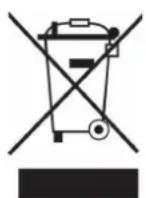
According to the European waste regulation 2002/96/EG this symbol on the product or on its packaging indicates that this product may not be treated as household waste. Instead it should be taken to the appropriate collection point for the recycling of electrical and electronic equipment. By ensuring this product is disposed of correctly, you will help prevent potential negative consequences for the environment and human health, which could otherwise be caused by inappropriate waste handling of this product. For more detailed information about recycling of this product, please contact your local council or your household waste disposal service.
Declaration of Conformity
Producer: Chal-Tec GmbH, Wallstraße 16, 10179 Berlin, Germany.

This product is conform to the following European Directives:
2014/30/EU (EMC)
2014/35/EU (LVD)
2011/65/EU (RoHS)
2014/53/EU (RED)
Cher client,
natural_image
Symbol of a trash bin crossed with a diagonal line, no text or numbers present


Brand : Auna
Model : RCR 56
Category : Radio