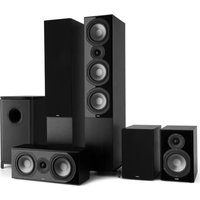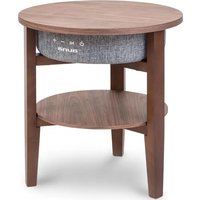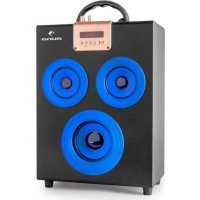
Central Park 2.1 - Speaker Auna - Free user manual and instructions
Find the device manual for free Central Park 2.1 Auna in PDF.


User questions about Central Park 2.1 Auna
0 question about this device. Answer the ones you know or ask your own.
Ask a new question about this device
Download the instructions for your Speaker in PDF format for free! Find your manual Central Park 2.1 - Auna and take your electronic device back in hand. On this page are published all the documents necessary for the use of your device. Central Park 2.1 by Auna.
USER MANUAL Central Park 2.1 Auna
natural_image
Black and red audio amplifier with three red speakers and a digital display (no visible text or symbols)Inhalt

Bedienungsanleitung
Technische Daten 3
natural_image
Symbol of a trash bin crossed out by a diagonal line, with no text or labels present.Elektroaltgeräte
Congratulations on purchasing this product. Please read and follow these instructions, in order to avoid damaging the item. We do not cover any damages that may arise from improper use of the item or the disregard of the safety instructions.
Technical Data
| Article no. | 10022754, 10022755, 10022756, 10022757 |
| Battery Power | 200mAh |
| Frequency Range | 100Hz - 20kHz |
| Speakers | ∅ 3" (Subwoofer: 4") |
| Power Supply | DC 5V |
Important Safety Instructions
- Read all instructions before using.
- Do not place on or near a hot gas or electric burner or in a heated oven.
- To protect against a fire, electric shock or personal injury, do not immerse cord, electric plugs or device in water or other liquids.
- Do not expose the appliance to extreme temperatures. The appliance shall be used in moderate climates.
- Disconnect the appliance from the power source if it is not going to be used for a long time, if there is a thunderstorm or if it isn't working properly.
- The use of attachments that are not recommended by the appliance manufacturer may result in fire, electric shock or personal injury.
- Do not open the unit by removing any cover parts. Do not attempt to repair the unit. Any repairs or servicing should be done by qualified personell only.
- Only qualified persons may perform technical work on the product. The product may not be opened or changed. The components cannot be serviced by the user. The manufacturer is not responsible for any radio or TV interference caused by unauthorized modifications.
- The appliance is not a toy. Do not let children play with it. Never let children insert foreign objects into the appliance.
- Do not use the appliance for other than intended use. This appliance has been designed solely for domestic use; the manufacturer's liability shall not be engaged in the event of any professional use, by any misuse or by any use not complying with the operating instructions.
- Before turning on the power for the first time, make sure that the power cord is properly installed and the voltage switch is correctly set.
- Never clean the surface of the device with solvents, paint thinners, cleansers or other chemical products. Instead, use a soft, dry cloth or soft brush.
- Save these instructions.
Controls
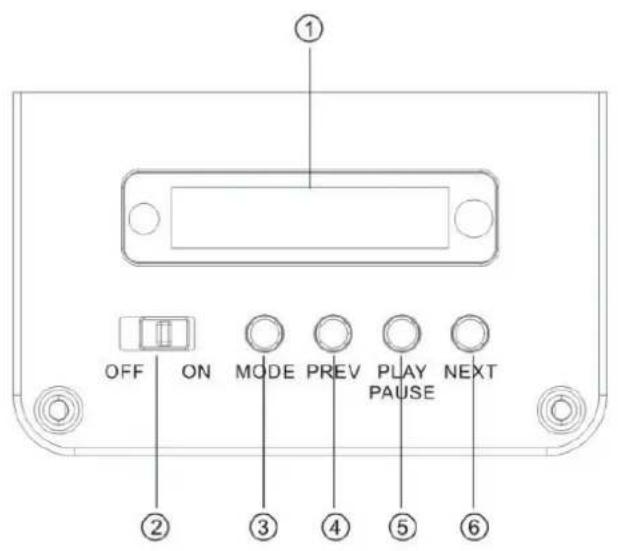
text_image
OFF ON MODE PREV PLAY PAUSE NEXT ① ② ③ ④ ⑤ ⑥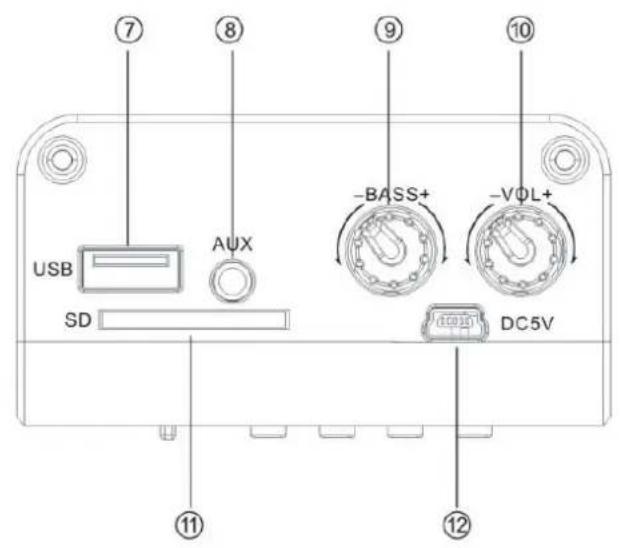
text_image
⑦ ⑧ ⑨ ⑩ USB Aux -BASS+ -VOL+ SD DC5V ⑪ ⑫ ⑫| LED Display | 7 USB Port | |
| Power on/off | 2 8 AUX-In | |
| MODE | 3 9 Bass Knob | |
| Next | 4 10 Volume Knob | |
| Play/Pause | 5 11 SD Slot | |
| Prev | 6 12 Charging Slot |
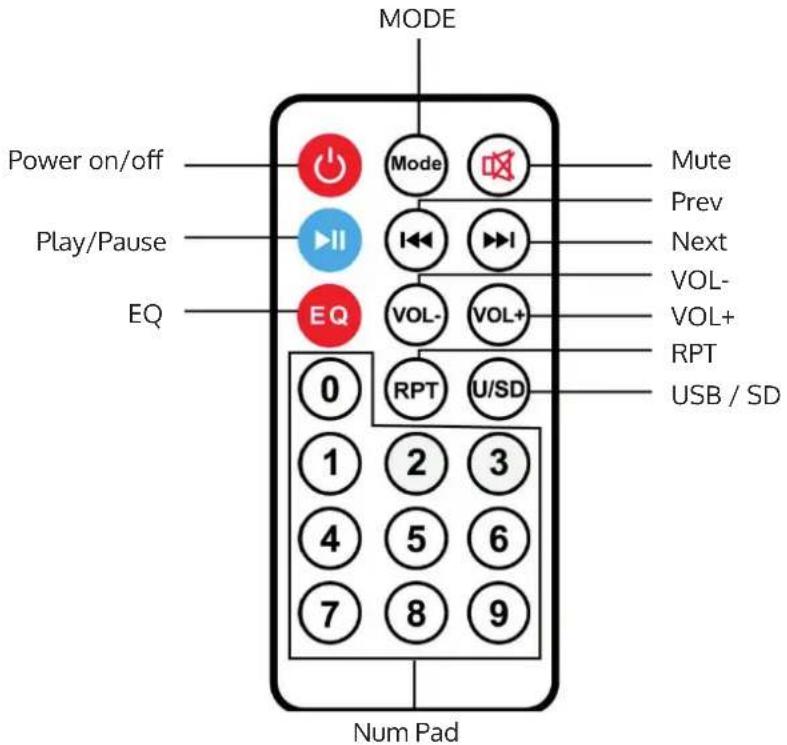
Remote Control
text_image
MODE Power on/off Play/Pause EQ Mode Mute Prev Next VOL- VOL+ RPT USB / SD 0 RPT U/SD 1 2 3 4 5 6 7 8 9 Num PadOperation
- Turn the Power button to "ON".
- Insert SD/MMC card or USB flash disk into slot or connect MP3/MP4 or PC to speaker, audio files play automatically.
• Under playing mode, short PREV or NEXT to select songs you like, long press to adjust the voice up or down. - Spin bass knob to adjust the bass up or down, spin Volume knob to adjust the voice up or down.
- Press PLAY/PAUSE to play or pause.
FM Radio
- Turn the power button to "ON" without SD or USB Card inserted. Under the state of USB/SD state, press the "MODE" button to switch between USB,SD,FM and AUX-IN.
- Under playing mode, short press "Play/pause" button to auto search.
- Press LAST or NEXT button to change to another frequency.
BT
• Turn on the speaker, BT mode is on standby, you will hear a beep tone, whe BT is ready for connection.
- Using BT for the first time, you need to pair your mobile phone with this unit. Activate your mobile phone's BT function, then search new device. When the mobile phone detects this unit (named as BEACHBOY), please pair and confirm, then you will hear beep tone as BT was successfully paired.
After Bluetooth connected with mobile phone, it supports play mobile's music via Bluetooth to speaker
- Note: The words "BT" which displayed on the unit screen will be stop flashing after the Bluetooth connected with your mobile phone.
Remarks
- AUX-In is prior, in the "MUSIC" mode. Line-in function is prior to SD/MMC card or U flash disk.
- Turn the power button to "off" to cut off the power supply while without use.
- While using the audio input function to connect other devices such as MP3/MP4/PC, the function could be only controlled through this device.
How to charge
- Connect to PC or other charge device for charging by the charge cable, then charging indicator light shines. Charge time: 3—8 hours.(Note: Charging time should not exceed 8 hours)
Environment Concerns
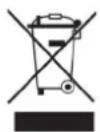
According to the European waste regulation 2002/96/EG this symbol on the product or on its packaging indicates that this product may not be treated as household waste. Instead it should be taken to the appropriate collection point for the recycling of electrical and electronic equipment. By ensuring this product is disposed of correctly, you will hep prevent potential negative consequences for the environment and human health, which could otherwise be caused by inappropriate waste handling of this product. For more detailed information about recycling of this product, please contact your local council or your household waste disposal service.
Declaration of Conformity
This product is conform to the following European directives:
1999/05/EC (R&TTE);
2011/65/EC (RoHS)
CE
Chère cliente, cher client,