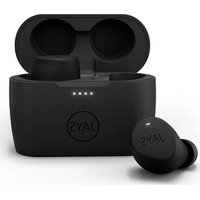
xSeven Wireless - Wireless headphones JAYS - Free user manual and instructions
Find the device manual for free xSeven Wireless JAYS in PDF.


User questions about xSeven Wireless JAYS
0 question about this device. Answer the ones you know or ask your own.
Ask a new question about this device
Download the instructions for your Wireless headphones in PDF format for free! Find your manual xSeven Wireless - JAYS and take your electronic device back in hand. On this page are published all the documents necessary for the use of your device. xSeven Wireless by JAYS.
USER MANUAL xSeven Wireless JAYS
Welcome to the new world of JAYS!
Designed and developed with elegance and simplicity as key factors by our Scandinavian team.
Our x-Seven wireless is designed with passion for great audio wherever you go, whenever you want.
We are very excited to present our new headphone and hope you will enjoy the divine sound performance.
Enjoy,
Henrik Andersson
CEO, JAYS
Important safety instructions
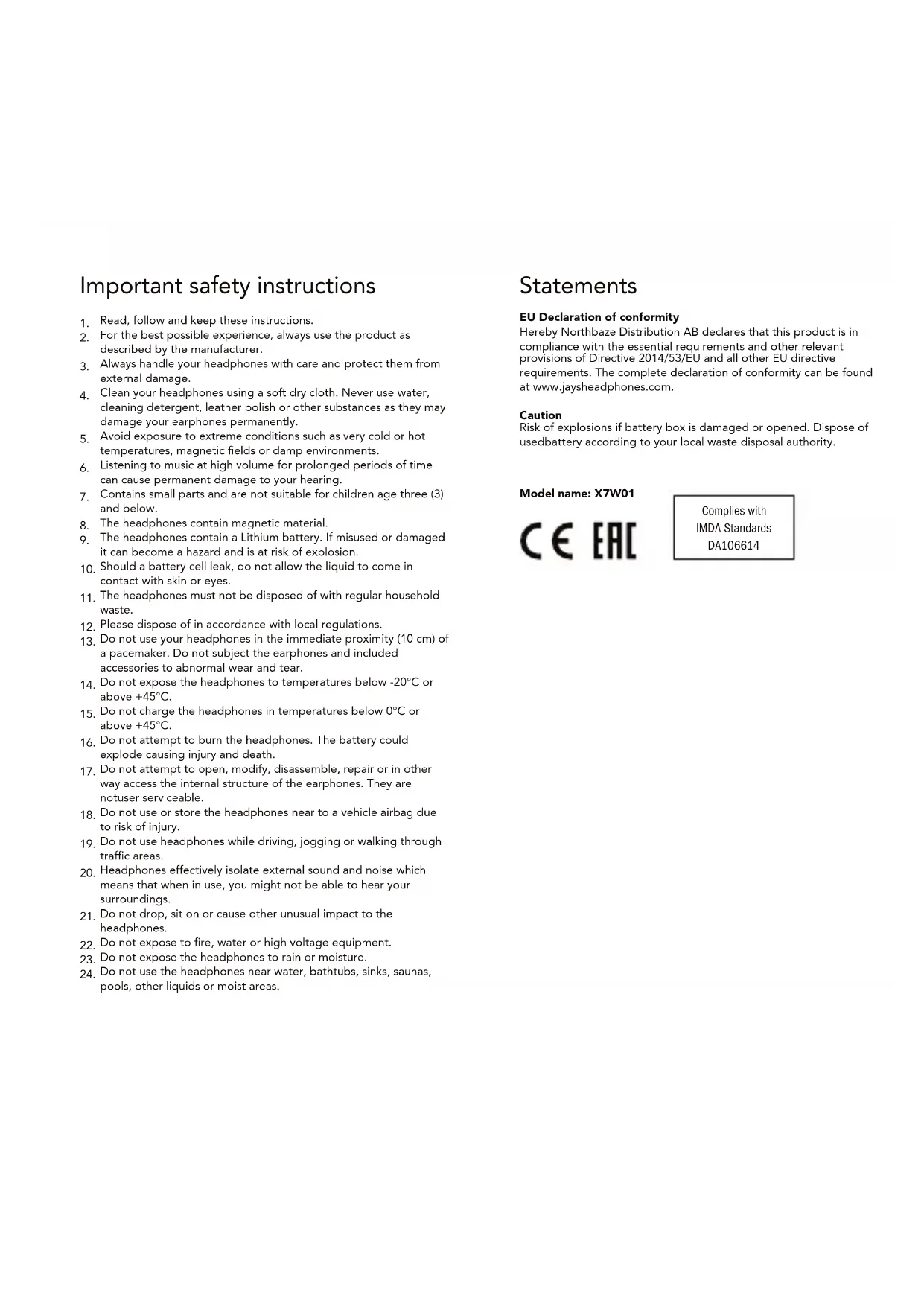
- Read, follow and keep these instructions.
- For the best possible experience, always use the product as described by the manufacturer.
- Always handle your headphones with care and protect them from external damage.
- Clean your headphones using a soft dry cloth. Never use water, cleaning detergent, leather polish or other substances as they may damage your earphones permanently.
- Avoid exposure to extreme conditions such as very cold or hot temperatures, magnetic fields or damp environments.
- Listening to music at high volume for prolonged periods of time can cause permanent damage to your hearing.
- Contains small parts and are not suitable for children age three (3) and below.
- The headphones contain magnetic material.
- The headphones contain a Lithium battery. If misused or damaged it can become a hazard and is at risk of explosion.
- Should a battery cell leak, do not allow the liquid to come in contact with skin or eyes.
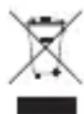
- The headphones must not be disposed of with regular household waste.
- Please dispose of in accordance with local regulations.
- Do not use your headphones in the immediate proximity (10 cm) of a pacemaker. Do not subject the earphones and included accessories to abnormal wear and tear.
- Do not expose the headphones to temperatures below -20^ or above +45^ .
- Do not charge the headphones in temperatures below 0^ or above +45^ .
- Do not attempt to burn the headphones. The battery could explode causing injury and death.
- Do not attempt to open, modify, disassemble, repair or in other way access the internal structure of the earphones. They are not user serviceable.
- Do not use or store the headphones near to a vehicle airbag due to risk of injury.
- Do not use headphones while driving, jogging or walking through traffic areas.
- Headphones effectively isolate external sound and noise which means that when in use, you might not be able to hear your surroundings.
- Do not drop, sit on or cause other unusual impact to the headphones.
- Do not expose to fire, water or high voltage equipment.
- Do not expose the headphones to rain or moisture.
- Do not use the headphones near water, bathtubs, sinks, saunas, pools, other liquids or moist areas.
Statements
EU Declaration of conformity
Hereby Northbaze Distribution AB declares that this product is in compliance with the essential requirements and other relevant provisions of Directive 2014/53/EU and all other EU directive requirements. The complete declaration of conformity can be found at www.jaysheadphones.com.
Caution
Risk of explosions if battery box is damaged or opened. Dispose of usedbattery according to your local waste disposal authority.
Model name: X7W01

Complies with
IMDA Standards
DA106614
EN English
Getting started
Power on/off and pairing
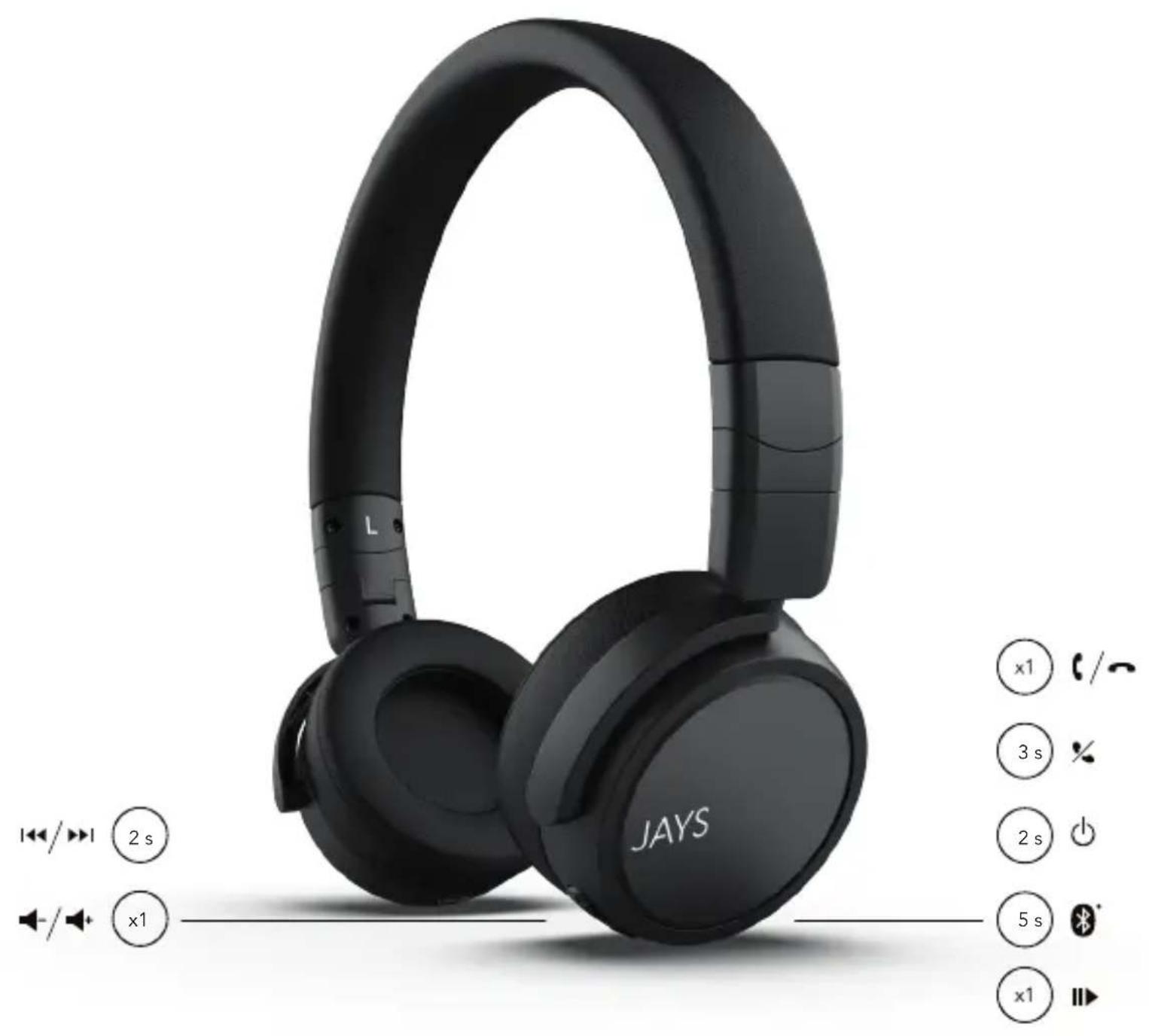
To power on, press and hold the on/off button for 2s, the LED will blink in blue three times.
To pair, press and hold the on/off button for 5s, the LED will blink in blue and red. Go to Bluetooth® settings on your device and select "Jays x-Seven Wireless". The blinking LED will turn off upon a successful connection followed by a short audio beep. After successful connection, the blue LED will flash every 5 seconds. To power off, press and hold the on/off button for 5s, the LED will blink in red.
Reconnecting
Next time you power on, the headphones will automatically try to reconnect to the most recently used device. If not found, or if you manually disconnect through your device, pairing mode will automatically be initiated again. To force pairing mode, press and hold the on/off button for 5s from off state.
Using the audio cable
Connect the audio cable to the audio jack and your device. The LED will blink in red once as Bluetooth® pairing with your device disconnects automatically.
Battery status and charging
When paired with iOS devices, the battery status of the headphones is shown in the upper right corner on the iOS device.
Charge by connecting the included USB cable to the USB jack and connect it to any certified USB power output. A full 100% charge will take around 2-3 hours (depending on temperature and charger).
Charging is indicated by a solid red light on the charging LED, and a full charge is indicated by a solid green light on the charging LED.
Troubleshooting
Problem pairing and connecting
- Make sure the headphones are not connected to another device.
- Disable and enable Bluetooth® on your device.
- Move the headphones closer to the device or alter their positions to avoid Bluetooth interference.
- Verify no other wireless equipment interfere with your telephone Bluetooth signal.
Problem with sound transmission
Move the streaming device to another position. Your body, distance, different materials and other wireless equipment can interfere with the wireless signal between your device and telephone.
FAQ and quickstart guide
Visit jaysheadphones.com for more instructions and help on this product.
Legal & Warranty
Environmental information
This product complies with international directives, including but not limited to WEEE Directive (2012/19/EU). Do not dispose with normal household waste. Please consult your local waste disposal authority for guidance on how to properly recycle or dispose of this product.
Manufacturer's limited warranty
Your original Northbaze Distribution AB product is covered by a warranty of twelve (12) months from the date of purchase of a brand new, unused Northbaze Distribution AB product by the original purchaser. Northbaze Distribution AB guarantees that the product is free from faults in the materials, design and workmanship when it was sold to the purchaser. If you are not able to submit the receipt when making a warranty claim you may be obliged to pay for any repairs carried out. Proof of purchase must clearly state the date of purchase, name of the product and authorized resellers' details.
The Warranty Period cannot be extended or renewed due to subsequent resale or replacement of the product. This Limited Warranty does not affect your legal rights under your applicable national laws relating to the sale of consumer electronic products. Defective parts replaced within the Limited Warranty Claim shall become the property of Northbaze Distribution AB.
What is not covered by the limited warranty?
- Faults caused by wear and tear, age-related battery capacity loss, accidents, dropping, mechanical damage, moisture, chemical products, abnormal impact damage or force majeure.
- Modifications or repairs performed by yourself or third party without Northbaze Distribution AB approval.
How to get warranty service
If you wish to make a Warranty Claim within the Limited Warranty Period, please contact the reseller of your product for further help. You will need to provide the proof of purchase and the affected part. Any defective parts covered by the Limited Warranty will be repaired or replaced free of charge. Replaced or repaired parts provided during the Warranty Period will be warranted for the remainder of the original Warranty Period or for sixty (60) days from the date of repair or replacement, whichever is longer. For FAQ please visit www.jaysheadphones.com.

Komma igang
NoBToPHo nOdknIouHeHne
PnCneIyUoEEM BKNIOHcHm HayuHKnN NObTaIOTcR ABOMaTNUeCKN NOkIIOHITcK K NocNeIDHcMy NCNoJIb3ObABWeMcy YcTPOIcTBY.EcNI OHO He HauDeHO IINBb BYpHyIO OTCoeHNHINN YcTPOIcTBQ, ABOTMaTNUeCKN AKTINBpyETc PEXIM COPNJKeHn. IJIg BKNIOHcHnpeXIMCoPONJKeHn BPyHyIO HaxMHTe N yDepKNaBte KHOJky BKNIOHcHn/BBKIOHcHn BTeHeN5 CekyHd.
McnoB3oBaHne 3BykoBoro ka6eJra
IOnKnHOnTe 3ByKOBo Ka6eBb KrHe3d yn HauWHNKOB n CBOemy yCTpoCTBy. INHnKaTOp OINH pa3 3aRopNTcra KpachbIM CBETOM, TAK KA npOn3oJET aBtOMaTHueckoe OTKnIOUeHne cnpjKeHn no BluteothC BAuIMy YCTpoiCTBOM.
CocToHHe 6aTapeN 3apJaKa ycTpoiCTBa
PnCOnpJKeHn HAYuHnKOB C iOS-yCTpoiCTBaMn COCTOHN 6batae HAYuHnKOB oTo6paXaEcTcB BepxHem npabOM yIy Ha iOS-yCTpoiCTBe.
IcnoB3yTe 3apnHbKabeJb, KOTOpBnIDeT B KOMnJIeKeT.
IopknHouHe OINn KpaI USB-ka6eNn K rhe3ny HauWnKOB,a npyroi -K JIObOMy cepTnOuInpuBaHHOMy USB-ntOuHNky nTaHn.
YcTpaHHe HEnCnpaBHOCTeI
Pp6nMa c conpJxHHeM n noKIOueHHeM HayuHkoB
- Y6eIntecb, YTO HayuHnKHe NoDKnIOHeBk IpyrOmy yCTpOncTBy. OTKNoHTe H CHOBA BKNIOHTe Bluetooth Ha cBOEm yCTpOncTBe.
-ПиДВИБТЕНУЧИКIN6BUNKEKCTPOTCTBYNIN3MENHTNXI NOJOKHHe BO N36eXaHHe NOMex C Bluetooth-coeDInHHeHem. - Y6eintecb,уTO npryoe 6ecnpoBODHoe obOpyDobAHne He co3daet nomex nIg Bluetooth-cirhana HayuHnKOB.
PpO6IeMa c nepeauey 3Byka
I3MeHnTe noJoxHe HuyuHKnOB. Baue TeNo, pacCToHne, pa3NHyBte MaepnaIbI nDpyroe 6ecnpoBOHOe o6OpyOBAHne MOrTy co3DaBaTb NOMxI dJa 6ecnpoBOHOrO curnHa, yctaHOBNeHHoro MeKdy yCTpoiCTBOM HuyuHnKAMn.
YacTo 3aDaBaembIe BOnpocbI N KpaTKoe pyKOBoDcTBO nonb30BATEII
Дя получени поюи 6олee порбови Инфорmaи o paбote yctpoctba noceTte Be6-caɪt jaysheadphones.com.
IOpndnueckne n rapaHTnHbIe o6ra3aTeJIbCTBa
3KoIorHueckKa HOpmaun
JaHHoe H3dJIeNE COOTBETCTByET Tpe6oBaHnM MeKdyHapOndbIX
DInPeKTHB, BKNIOUaH (HO He OrpaHmNBaRcB eN), DInpeKTHBY EC o6
yTINH3aUNI 3JIeKTPnueCCKOR IO 3JIeKTPoHORO 06OpYDoBAHnER
(2012/19/EU). He Bb6paBbAte YcTPOCTBO BMeCTe C 6bUHyBMn
6bITOBbIMN OTXoAMM. IINI NOUYEHN INHOPMaUNI O npaBnHbOH
nepepABOTKe IINI yTINH3aUNI DaHHORO yCTPOCTBa
PpOKOHcYNbTIpyTECb CO CNeuAnNCtOM MecTHOJ OprAHn3aUNI NO
yTINH3aUNI OTXoDOB
OrpaHueHHra rapAHTn npOn3BODnteT
Ha opnHnAbhI npOyIK KomnAHn Northbaze Distribution AB npedocTbIaETc rapaHTN CpOKOM DBeHaIaTb (12) MeCaeB c DaTb IOKyIKN abCONIOHO HOBO, HcNcNoJIb3OBaHORO n3dEINK KomnAHn Northbaze Distribution AB.
Northbaze Distribution AB rapaHTnpuyET nonHyio pa60tocno6hocTB, a taKke OTCyTCTBHe DepeKToB MaTePnaIIO KOHCTpyKUIN N3dEINB B MOMENT erO npoAaIK NOKyIATEHIO. PnO TcYCTBNI KBNTAHUN 06 ONNATE B MOMENT NoaHn pPeTeHmN NO rapaHTn NOKyNaTeJB BiHyJKeHcAMoCTOrTeJIbHO ONNATIT IIPOIN3BeJeHHb peMOHT. PoTBePjDeHem NKyIKN RBNrTeC JOKyMeHT, B KOtOpOM YeTKO yka3aHa DaTa NOKyKn, Ha3BaHne N3dEInN I peKBn3ntbl yonHMOueHHbIX DnIePOB.
Cpok DeNCTBnraIpaHTn He MoKet 6bItb npOJHe IIN BO3o6HOBnE H CBa3n C nocJeUoJne NpePnpOdaKeH nn 3aMeHOH N3eJIyA. HAcToaue OrpanuHeHaRa rapAHTn He 3atparNBaET 3aKOHbIX npab NOKyNaTeNe B COOTBeTCTBn C pImMeHNMbIM HAIOHAbHBm 3aKoHOaTeNbCTBOM, KacaioUmmcra PpOaJN Notpe6ntbcknx 3NEKtPOHHbIX TOBAPOB. HenCnpBaHbIe Detan, 3aMeHeHHbIe B paMKax OrpanuHeHoR rapaHTn, CTaHOBcTc CO6CTBeHNOCTbIO KOMNaHn Northbaze Distribution AB.
ПОЛOMКИ ИЕССРАВНOCТИ,HA KOTOPБЕ He paCпрocТpaHЯETcR orpaHnueHHa rapaHTn?
HeicnpabHocnBpe3yIbTaTeN3Hoca,ymeHbSeHHeEMKoCTn
aKKMyJrTopaC TeueHMe BpEmHn,HecactHbIe CnyuAn,NaDeHne,
MexaHmEckNe NOBpeXdHn,NONaHaHne BLaTn,NOBpeXdHnB
pe3yIbTaTe yapa NnBO3dEChTBn XmMuecknx BeueCTB,a TaKke
phiC-MaxOpHbIe 06CTOReTbCTBa.
Teaee Bteoth nwnn nn nnnn nnnn nnnn nnnn nnnn nnnn nnnn nnnn nnnn nnnn nnnn nnnn nnnn nnnn nnnn nnnn nnnn nnnn nnnn nnnn nnnn nnnn nnnn nnnn nnnn nnnn nnnn nnnn nnnn nnnn nnnn nnnn nnnn nnnn nnne
y
yraanrnnnnaaennnnaeannnne aen nannn,panan,(Streaming) vien nnnn npnnpnne nne
TPOPMNPO
m 1000000000000000000000000000000000000000000000
105
mnnn nnnn nn nnnn anan anan anan anan anan anan anan anan anan anan anan anan anan anan anan anan anan anan anan anan anan anan anan anan anan anan anan anan anan anan anan anan anan anan anan anan anan anan anan anan anan anan anan anan anan anan anan anan anan anan anannn annnnnnnnnnnnnnnnnnnnnnnnnnnnnnnnnnnnnnnnnnnnnnnnnnnnnnnnnnnnnnnnnnnnnnnnnnnnnnnnnnnnnnnnnnnnnn
ybnbnaaann
Northbace 20 with nne nne nnne nnnn (12) 15-00-00 by ppee Nortbace Distribution AB 200
nrrnn nnnn nnne nnnn ne nnnn nnnn nnnn nnnn nnnn nnnn nnnn nnnn nnnn nnnn nnnn nnnn nnnn nnnn nnnn nnnn nnnn nnnn nnnn nnnn nnnn nnnn nnnn nnnn nnnn nnnn nnnn nnnn nnnn nnnn nnnn nnnn nnnn nnnn
Northbaze Distribution AB
Nellickevagen 22, Gothenburg,412 63 Sweden
www.jaysheadphones.com

jaysheadphones facebook.com/jays
Version 1.0 | Please visit www.jaysheadphones.com for latest manual version.