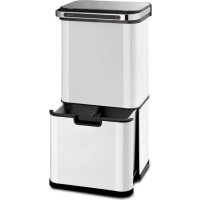
Touchless Ultraclean - Trash can Klarstein - Free user manual and instructions
Find the device manual for free Touchless Ultraclean Klarstein in PDF.


| Brand | Klarstein |
| Model | Touchless Ultraclean |
| Product Type | Automatic sensor trash can |
| Capacity | 60 L |
| Power Supply | 4 AA batteries (not included) |
| Opening | Automatic by motion sensor (15-25 cm) |
| Closing | Automatic after 5 seconds without detection |
| Disinfection Function | Ozone (manual activation, duration 1 minute) |
| Leave Open/Close Function | Side switch |
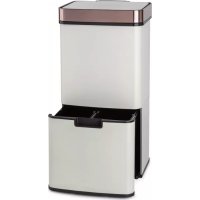
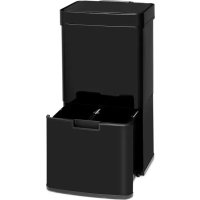
| Internal Configuration | Double upper bin + lower drawer with removable divider |
| Approximate Dimensions | Approx. 65 x 45 x 35 cm (H x W x D) |
| Approximate Weight | Approx. 4.5 kg |
| Cleaning | Slightly damp cloth; do not immerse |
| Safety Instructions | Do not expose to direct sunlight; do not force the lid; replace all batteries at the same time |
| Used Batteries | Do not dispose of with household waste, follow local recycling rules |
| Repairability | Disassembly and repair by user prohibited; contact manufacturer |
| Article Numbers | 10035083, 10035084 |
Frequently Asked Questions - Touchless Ultraclean Klarstein
User questions about Touchless Ultraclean Klarstein
0 question about this device. Answer the ones you know or ask your own.
Ask a new question about this device
Download the instructions for your Trash can in PDF format for free! Find your manual Touchless Ultraclean - Klarstein and take your electronic device back in hand. On this page are published all the documents necessary for the use of your device. Touchless Ultraclean by Klarstein.
USER MANUAL Touchless Ultraclean Klarstein
CLEANINGCI LEANINGLE ANINGLEAN NINGCLEAN NGCLEANINGCI CLEANINGLE LEANINGLE ANINGLEAN

KLARSTEIN
www.klarstein.com

bar
| Category | Value | |---|---| | Category 1 | 100 | | Category 2 | 100 | | Category 3 | 100 | | Category 4 | 100 | | Category 5 | 100 | | Category 6 | 100 | | Category 7 | 100 | | Category 8 | 100 | | Category 9 | 100 | | Category 10 | 100 | | Category 11 | 100 | | Category 12 | 100 | | Category 13 | 100 | | Category 14 | 100 | | Category 15 | 100 | | Category 16 | 100 | | Category 17 | 100 | | Category 18 | 100 | | Category 19 | 100 | | Category 20 | 100 | | Category 21 | 100 | | Category 22 | 100 | | Category 23 | 100 | | Category 24 | 100 | | Category 25 | 100 | | Category 26 | 100 | | Category 27 | 100 | | Category 28 | 100 | | Category 29 | 100 | | Category 30 | 100 | | Category 31 | 100 | | Category 32 | 100 | | Category 33 | 100 | | Category 34 | 100 | | Category 35 | 100 | | Category 36 | 100 | | Category 37 | 100 | | Category 38 | 100 | | Category 39 | 100 | | Category 40 | 100 | | Category 41 | 100 | | Category 42 | 100 | | Category 43 | 100 | | Category 44 | 100 | | Category 45 | 100 | | Category 46 | 100 | | Category 47 | 100 | | Category 48 | 100 | | Category 49 | 100 | | Category 50 | 100 | | Category 51 | 100 | | Category 52 | 100 | | Category 53 | 100 | | Category 54 | 100 | | Category 55 | 100 | | Category 56 | 100 | | Category 57 | 100 | | Category 58 | 100 | | Category 59 | 100 | | Category 60 | 100 | | Category 61 | 100 | | Category 62 | 100 | | Category 63 | 100 | | Category 64 | 100 | | Category 65 | 100 | | Category 66 | 100 | | Category 67 | 100 | | Category 68 | 100 | | Category 69 | 100 | | Category 70 | 100 | | Category 71 | 100 | | Category 72 | 100 | | Category 73 | 100 | | Category 74 | 100 | | Category 75 | 100 | | Category 76 | 100 | | Category 77 | 100 | | Category 78 | 100 | | Category 79 | 100 | | Category 80 | 100 | | Category 81 | 100 | | Category 82 | 100 | | Category 83 | 100 | | Category 84 | 100 | | Category 85 | 100 | | Category 86 | 100 | | Category 87 | 100 | | Category 88 | 100 | | Category 89 | 100 | | Category 90 | 100 | | Category 91 | 100 | | Category 92 | 100 | | Category 93 | 100 | | Category 94 | 100 | | Category 95 | 100 | | Category 96 | 100 | | Category 97 | 100 | | Category 98 | 100 | | Category 99 | 100 | | Total (Total) = [sum of bars] / [values] * (sum of bars + bars) * (sum of bars + bars) * (sum of bars + bars). The values in the table represent the sum of the bars and the corresponding sum of the bars. There is no additional data series or categories specified in the code.INHALTSVERZEICHNIS
Technische Daten 4
Member of Berlin Brands Group
Handwerkerstr. 11
15366 Dahlwitz-Hoppegarten
Deutschland
natural_image
Symbol of a trash bin crossed with a diagonal line, no text or numbers presentBerlin Brands Group UK Ltd
PO Box 1145
Oxford, OX1 9UW
United Kingdom
Dear Customer,
Congratulations on purchasing this device. Please read the following instructions carefully and follow them to prevent possible damages. We assume no liability for damage caused by disregard of the instructions and improper use. Scan the QR code to get access to the latest user manual and more product information.

CONTENT
Technical Data 14
Safety Instructions 14
Product Overview 15
Installation and Operation 16
Troubleshooting 19
Disposal Considerations 20
Manufacturer & Importer (UK) 20
TECHNICAL DATA
| Item number 10035083, 10035084 | |
| Capacity 60 L | |
| Power supply 4 AA batteries |
SAFETY INSTRUCTIONS
- Do not clean the trash bin with water, as electronic components are contained in the product. Only clean the trash bin with a slightly damp sponge or cloth.
- Do not place the device in direct sunlight, otherwise the sensor may not react.
- Do not force the lid during opening.
- Disassembly, repair and modification of the product are prohibited.
- When the battery is empty, always replace all 4 batteries at once.
- Do not place any objects on the lid of the trash bin.
- Children over the age of 8 and persons with reduced physical, sensory or mental capabilities or those with a lack of experience and knowledge may only use the device if they are instructed on how to do so by a person responsible for their safety, or if they are supervised and understand the hazards associated with the use of the device.
PRODUCT OVERVIEW
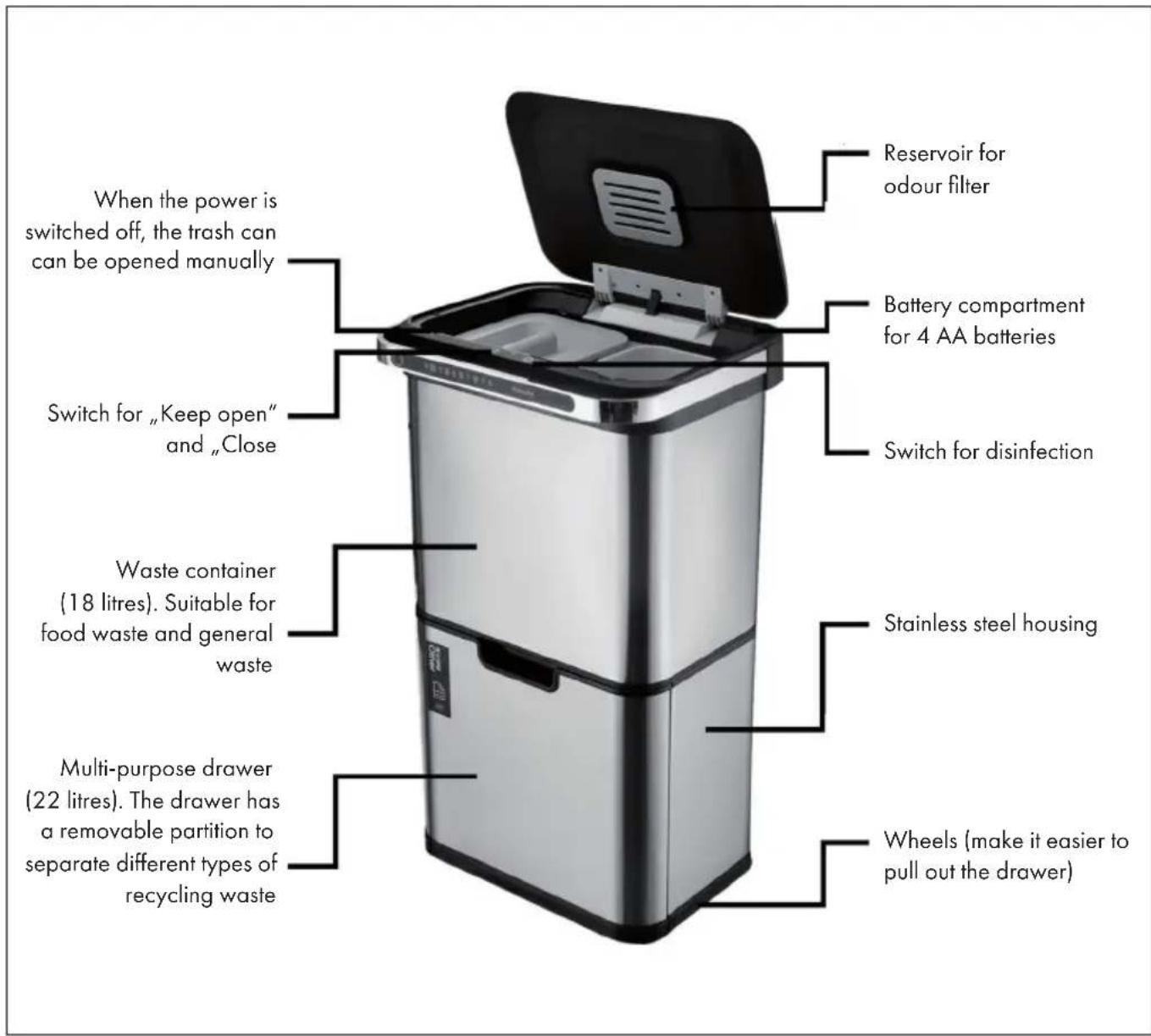
INSTALLATION AND OPERATION
| 1 | |
| Remove the lid and turn the lid upside down. | 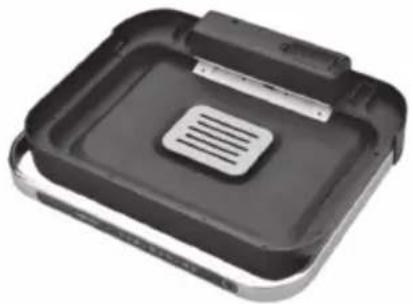 |
| 2 | |
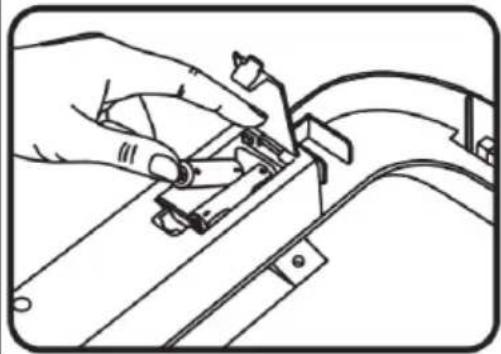
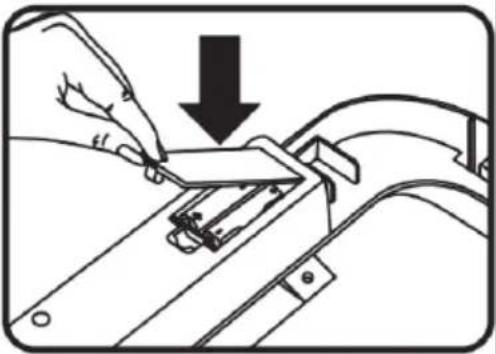
| Open the battery compartment. Insert 4 AA batteries and close the battery compartment. | |
 |  |
| 3.1 | |
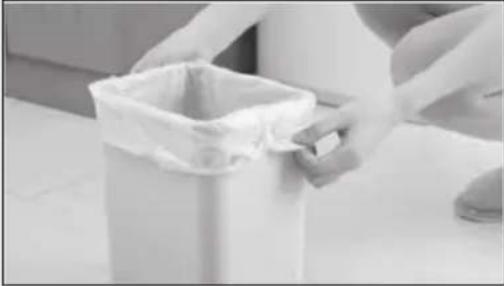
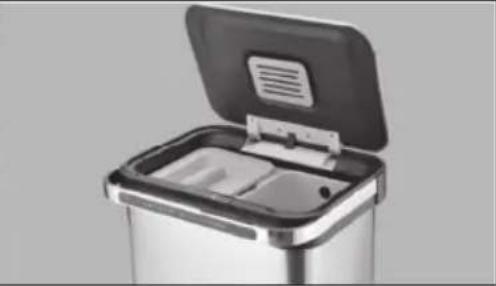
| Remove the bins from the upper waste container. Place a garbage bag in the bins and stuff the overhanging part into the holes on both sides of the bins. Then place the bins back in the container. Note: One of the bins also has a removable lid. | |
 |  |
| 3.2 | |
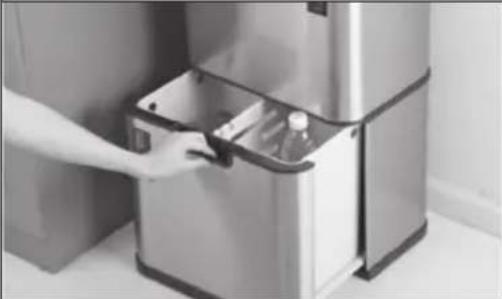
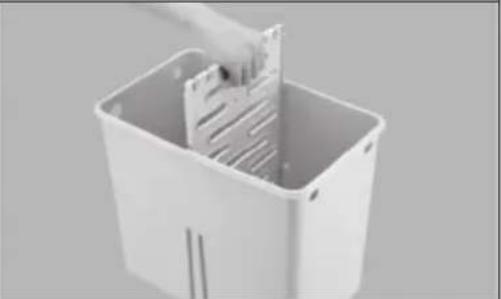
| Pull the drawer out slowly. The drawer is equipped with a removable partition to separate the container. You can remove the partition and insert a garbage bag instead. If you insert a garbage bag, stuff the overhanging part of the garbage bag into the holes on the sides of the drawer. | |
 |  |
| 4 | |
| Set the power switch on the back of the cover to the position (I), the automatic sensor system starts working. | |
| 5 | |
| When waste or any part of your body approaches the sensor area and is about 15-25 cm from the sensor, the lid will open automatically. After leaving the sensor area for more than 5 seconds, the lid will close automatically. | 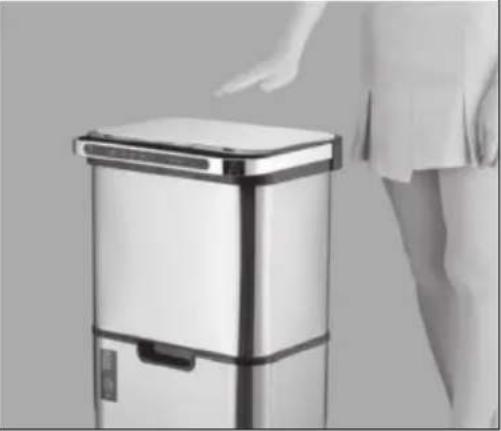 |
| 6 | |
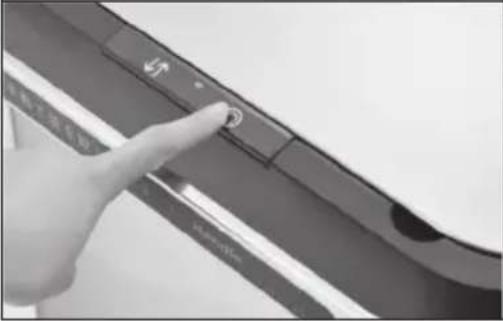
| Disinfection function:Press the switch on the right side of the lid for 3 seconds. The Disinfection function turns on when the blue light comes on. The ozone generator starts working automatically for about 1 minute. When the blue light goes out, the waste bin is completely disinfected. | |
| Note: Make sure that the lid is not opened accidentally during disinfection! | |
 |  |
| 7 | |
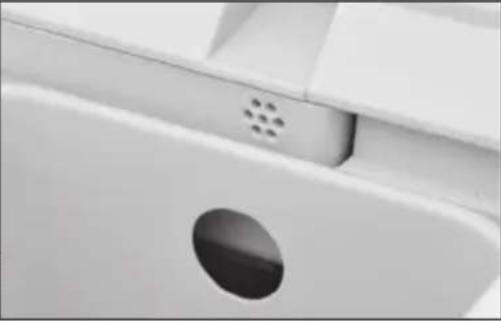
| Press the switch on the left side of the lid to activate the „Keep open" or „Close" function. | 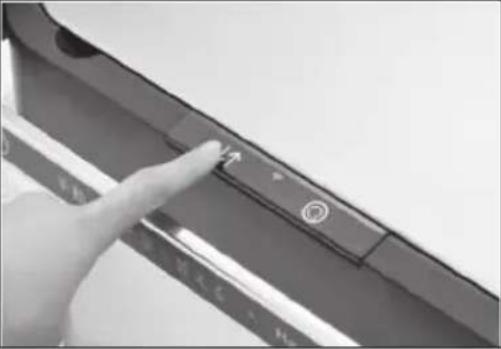 |
TROUBLESHOOTING
| Problem Solution approach | |
| The lid opens suddenly. Set the power switch | ch on the back ofthe cover to position (0) and check thatthe batteries are installed the right wayround. Then turn the power switch back toposition (1). |
| Check whether the sensor area is cleanor not. If it is dirty, wipe it with a cleancloth. | |
| The lid closes suddenly. Check whether the | sensor area is cleanor not. If it is dirty, wipe it with a cleancloth. |
| Check if the circuits are damp. If so, donot connect the unit to the power supply.You can use the container only when itis dry. | |
| Check if there are any obstacles aroundthe lid. If so, remove the obstructions. | |
| The lid opens too slowly. The batteries are | too low. Replace all 4batteries. |
DISPOSAL CONSIDERATIONS
natural_image
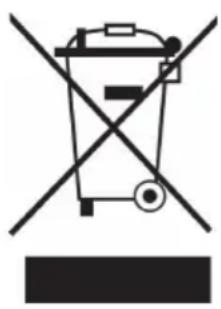
Symbol of a trash bin crossed with a diagonal line, no text or numbers presentIf there is a legal regulation for the disposal of electrical and electronic devices in your country, this symbol on the product or on the packaging indicates that this product must not be disposed of with household waste. Instead, it must be taken to a collection point for the recycling of electrical and electronic equipment. By disposing of it in accordance with the rules, you are protecting the environment and the health of your fellow human beings from negative consequences. For information about the recycling and disposal of this product, please contact your local authority or your household waste disposal service.
This product contains batteries. If there is a legal regulation for the disposal of batteries in your country, the batteries must not be disposed of with household waste. Find out about local regulations for disposing of batteries. By disposing of them in accordance with the rules, you are protecting the environment and the health of your fellow human beings from negative consequences.
MANUFACTURER & IMPORTER (UK)
Manufacturer:
Chal-Tec GmbH, Wallstrasse 16, 10179 Berlin, Germany.
Importer for Great Britain:
Berlin Brands Group UK Ltd
PO Box 1145
Oxford, OX1 9UW
United Kingdom
Estimado cliente,
ÍNDICE
Datos técnicos 22
natural_image
Symbol of a trash bin crossed with a diagonal line, no text or numbers presentBerlin Brands Group UK Ltd
PO Box 1145
Oxford, OX1 9UW
United Kingdom
Chère cliente, cher client,
SOMMAIRE
Fiche technique 30
natural_image
Hand placing a plastic bag into an open stainless steel appliance (no text or symbols visible)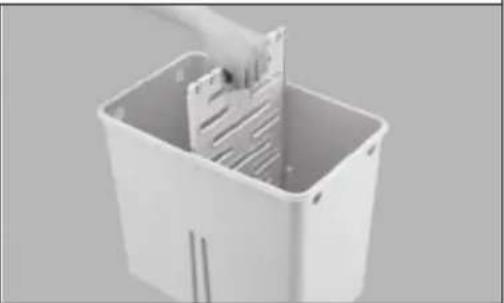
natural_image
White plastic bin with a hand inserting a slot into the interior (no text or symbols visible)4
natural_image
Close-up of a finger pressing a button on a dark surface (no text or symbols visible)5
natural_image
Person standing beside a modern stainless steel appliance with a hand extending to it (no visible text or symbols)natural_image
Symbol of a trash bin crossed with a diagonal line, no text or numbers presentBerlin Brands Group UK Ltd
PO Box 1145
Oxford, OX1 9UW
United Kingdom
Gentile cliente,
INDICE
Dati tecnici 38
natural_image
Symbol of a trash bin crossed with a diagonal line, no text or numbers presentPRODUTTORE E IMPORTATORE (UK)
Produttore:
Chal-Tec GmbH, Wallstraße 16, 10179 Berlino, Germania.
Berlin Brands Group UK Ltd
PO Box 1145
Oxford, OX1 9UW
United Kingdom

bar
| Category | Value | |---|---| | Category 1 | 100 | | Category 2 | 100 | | Category 3 | 100 | | Category 4 | 100 | | Category 5 | 100 | | Category 6 | 100 | | Category 7 | 100 | | Category 8 | 100 | | Category 9 | 100 | | Category 10 | 100 | | Category 11 | 100 | | Category 12 | 100 | | Category 13 | 100 | | Category 14 | 100 | | Category 15 | 100 | | Category 16 | 100 | | Category 17 | 100 | | Category 18 | 100 | | Category 19 | 100 | | Category 20 | 100 | | Category 21 | 100 | | Category 22 | 100 | | Category 23 | 100 | | Category 24 | 100 | | Category 25 | 100 | | Category 26 | 100 | | Category 27 | 100 | | Category 28 | 100 | | Category 29 | 100 | | Category 30 | 100 | | Category 31 | 100 | | Category 32 | 100 | | Category 33 | 100 | | Category 34 | 100 | | Category 35 | 100 | | Category 36 | 100 | | Category 37 | 100 | | Category 38 | 100 | | Category 39 | 100 | | Category 40 | 100 | | Category 41 | 100 | | Category 42 | 100 | | Category 43 | 100 | | Category 44 | 100 | | Category 45 | 100 | | Category 46 | 100 | | Category 47 | 100 | | Category 48 | 100 | | Category 49 | 100 | | Category 50 | 100 | | Category 51 | 100 | | Category 52 | 100 | | Category 53 | 100 | | Category 54 | 100 | | Category 55 | 100 | | Category 56 | 100 | | Category 57 | 100 | | Category 58 | 100 | | Category 59 | 100 | | Category 60 | 100 | | Category 61 | 100 | | Category 62 | 100 | | Category 63 | 100 | | Category 64 | 100 | | Category 65 | 100 | | Category 66 | 100 | | Category 67 | 100 | | Category 68 | 100 | | Category 69 | 100 | | Category 70 | 100 | | Category 71 | 100 | | Category 72 | 100 | | Category 73 | 100 | | Category 74 | 100 | | Category 75 | 100 | | Category 76 | 100 | | Category 77 | 100 | | Category 78 | 100 | | Category 79 | 100 | | Category 80 | 100 | | Category 81 | 100 | | Category 82 | 100 | | Category 83 | 100 | | Category 84 | 100 | | Category 85 | 100 | | Category 86 | 100 | | Category 87 | 100 | | Category 88 | 100 | | Category 89 | 100 | | Category 90 | 100 | | Category 91 | 100 | | Category 92 | 100 | | Category 93 | 100 | | Category 94 | 100 | | Category 95 | 100 | | Category 96 | 100 | | Category 97 | 100 | | Category 98 | 100 | | Category 99 | 100 | | Total (Total) = [sum of bars] / [values] * (sum of bars + bars) * (sum of bars + bars) * (sum of bars + bars). The values in the table represent the sum of the bars and the corresponding sum of the bars. There is no additional data series or categories specified in the code.
KLARSTEIN
- INHALTSVERZEICHNIS
- Dear Customer,
- CONTENT
- TECHNICAL DATA
- SAFETY INSTRUCTIONS
- PRODUCT OVERVIEW
- INSTALLATION AND OPERATION
- TROUBLESHOOTING
- DISPOSAL CONSIDERATIONS
- MANUFACTURER & IMPORTER (UK)
- Manufacturer:
- Importer for Great Britain:
- Estimado cliente,
- ÍNDICE
- SOMMAIRE
- 4
- 5
- Gentile cliente,
- INDICE
- PRODUTTORE E IMPORTATORE (UK)
- Produttore:
- KLARSTEIN
Brand : Klarstein
Model : Touchless Ultraclean
Category : Trash can