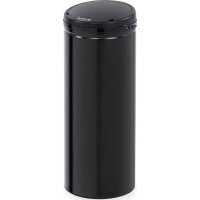
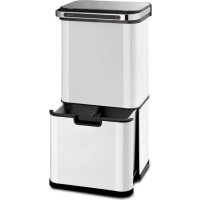
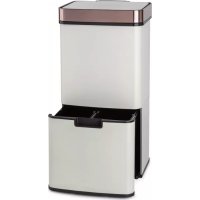
Klarstein Cleanton - Trash can

Cleanton - Trash can Klarstein - Free user manual and instructions

Find the device manual for free Cleanton Klarstein in PDF.

📄 36 pages English EN Download 💬 AI Question 11 questions ⚙️ Specs
Notice Klarstein Cleanton - page 11
View the manual : Français FR Deutsch DE English EN Español ES Italiano IT
Pick your language and provide your email: we'll send you a specifically translated version.
Product type Automatic sensor trash can
Brand Klarstein
Model Cleanton
Capacity 72 L (model 10034128), also available in 30 L and 50 L
Power supply 6 AA batteries (72 L model) / 4 AA batteries (30 L and 50 L models)
Dimensions (W x D x H) 42 x 31.5 x 82.5 cm (72 L model)
Material Plastic and metal (chrome or black finish)
Functions Automatic opening by motion sensor (15-25 cm), automatic closing after 5 seconds, hold-open mode (OPEN button), manual close (CLOSE button), status indicator (green/red/yellow)
Care and cleaning Clean with a slightly damp cloth; do not use water
Safety Do not expose to direct sunlight; do not force the lid; do not disassemble or modify; replace all batteries at the same time
Package contents 1 trash can, 1 instruction manual
Recycling information Do not dispose with household waste; take to a collection point for electrical/electronic devices and batteries
Use Suitable for non-recyclable household waste (upper bin) and recyclables (lower drawer on some models)
Recommended garbage bags Up to 50 L
Battery life Approximately 3 months with 20 openings per day

Frequently Asked Questions - Cleanton Klarstein

How to install the batteries?
Open the battery compartment cover located under the trash can lid and insert the AA batteries (6 for the 72 L model, 4 for other models) observing the indicated polarity. Then close the compartment.
How to open the trash can manually?
Press the OPEN button located on the sensor window to keep the lid open. To close, press CLOSE. Automatic sensor opening is reactivated after closing.
What to do if the sensor does not work?
Check that the power switch is on (indicator lights up for 3 seconds). Make sure the batteries are charged and correctly installed. Clean the sensor area with a dry cloth. Avoid direct sunlight or too great a distance (15-25 cm recommended).
How to clean the trash can?
Use a sponge or slightly damp cloth. Never clean with running water, as electronic components could be damaged. Dry thoroughly before reuse.
What is the maximum capacity of garbage bags?
It is recommended to use garbage bags with a maximum capacity of 50 liters. For the 72 L model, the main bin accepts 50 L bags.
Why is the indicator blinking yellow?
The blinking yellow indicator means the batteries are almost empty. Replace all batteries at the same time as soon as possible.
How to use the lower drawer?
Pull the lower drawer (on models equipped) to place recyclable waste. The upper bin is for non-recyclable household waste. You can insert a removable divider to separate compartments.
Can I leave the trash can in direct sunlight?
No. Placing it in direct sunlight can interfere with the sensor and cause malfunction. Place the trash can in the shade or in an area without direct radiation.
How to replace the batteries?
Turn off the power switch. Open the battery compartment under the lid, remove the used batteries and insert new batteries of the same type (AA). Replace the cover and turn the device back on.
What to do in case of a malfunction?
First consult the manual for basic checks (batteries, obstructed sensor, etc.). If the problem persists, contact Klarstein customer service. Do not attempt to disassemble or repair yourself.

User questions about Cleanton Klarstein

1 question about this device. Answer the ones you know or ask your own.

Ask a new question about this device

The email remains private: it is only used to notify you if someone responds to your question.

What does the flashing red light on my Cleanton bin mean and why won't it open?
Frequently Asked Questions - 27/05/2026
Response Notice-Facile

The flashing red light every 3 seconds indicates that your Cleanton bin is in standby mode. This is normal operation. However, if it won't open, here are the steps to resolve the issue:

Check the power supply and batteries

  • Make sure the power switch is turned on (the light will illuminate for 3 seconds at startup)
  • Check that the 6 AA batteries are properly installed and sufficiently charged
  • The battery life is about 3 months with 20 daily openings - if your bin is old, the batteries may be depleted
  • Replace the batteries if necessary

Reactivate the motion sensor

  • Clean the sensor area with a dry cloth
  • Present your hand 15-25 cm above the lid to trigger the automatic opening
  • Ensure there is no direct sunlight that could interfere with the sensor
  • Use the OPEN button to manually open the lid if the sensor remains inactive

If the problem persists after these checks, the motion sensor or the electronic circuit may be defective and require intervention from the manufacturer.

Respond (be the first)

Download the instructions for your Trash can in PDF format for free! Find your manual Cleanton - Klarstein and take your electronic device back in hand. On this page are published all the documents necessary for the use of your device. Cleanton by Klarstein.

USER MANUAL Cleanton Klarstein

TOUCHLESS | CLEANSMAN | CLEANTON

Sensor-Mülleimer

SensorTrashBin

GERÄTEÜBERSICHT (CLEANSMAN|CLEANTON)
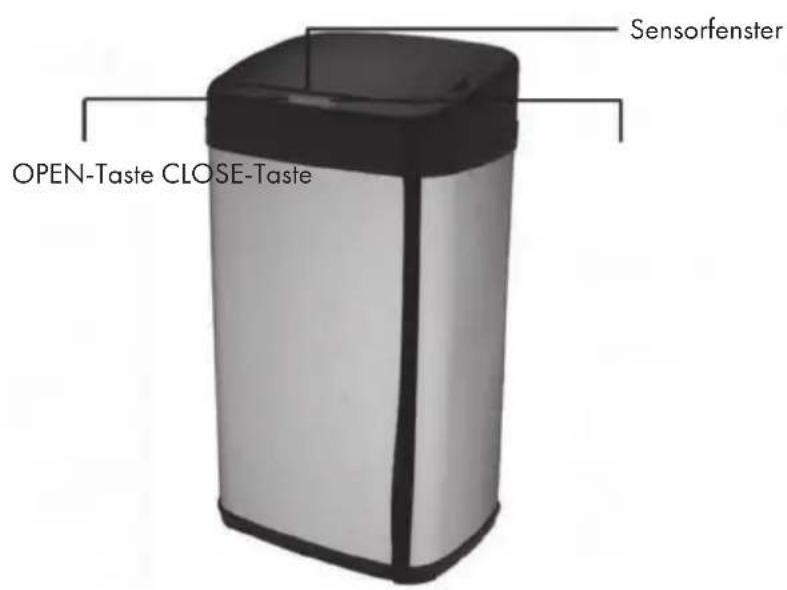
Klarstein Cleanton - GERÄTEÜBERSICHT (CLEANSMAN|CLEANTON) - 1

BEDIENUNG

Member of Berlin Brands Group

Handwerkerstr. 11

15366 Dahlwitz-Hoppegarten

Deutschland

Berlin Brands Group UK Ltd

PO Box 1145

Oxford,OX1 9UW

United Kingdom

Dear Customer,

Congratulations on purchasing this equipment. Please read this manual carefully and take care of the following hints to avoid damages. Any failure caused by ignoring the items and cautions mentioned in the instruction manual is not covered by our warranty and any liability. Scan the QR code to get access to the latest user manual and other information about the product.

Klarstein Cleanton - Dear Customer, - 1

CONTENT

Safety Instructions 12

Device Overview (Touchless) 12

operation 13

Device Overview (Cleansman | Cleanton) 14

Operation 14

Hints on Disposal 15

Manufacturer & Importer (UK) 15

TECHNICAL DATA

Item number 10034128
Power supply 6 AA Batterien
Capacity 72 L
Dimensions (L x W x H) 42 cm x 31,5 cm x 82.5 cm
Item number 10034131 1003413210034133 10034134
Colour chrome chromome black black
Capacity30 L50 L30 L50 L
Power supply4 AA Batterien
Item number1003413510034136
Colourchromeblack
Capacity50 L
Power supply4 AA Batterien

SAFETY INSTRUCTIONS

  • Do not clean the trash bin with water, as electronic components are contained in the product. Only clean the trash bin with a slightly damp sponge or cloth.
  • Do not place the device in direct sunlight, otherwise the sensor may not react.
  • Do not force the lid during opening.
    Disassembly, repair and modification of the product are prohibited.
  • When the battery is empty, always replace all batteries at once.
  • Do not place any objects on the lid of the trash bin.

DEVICE OVERVIEW (TOUCHLESS)
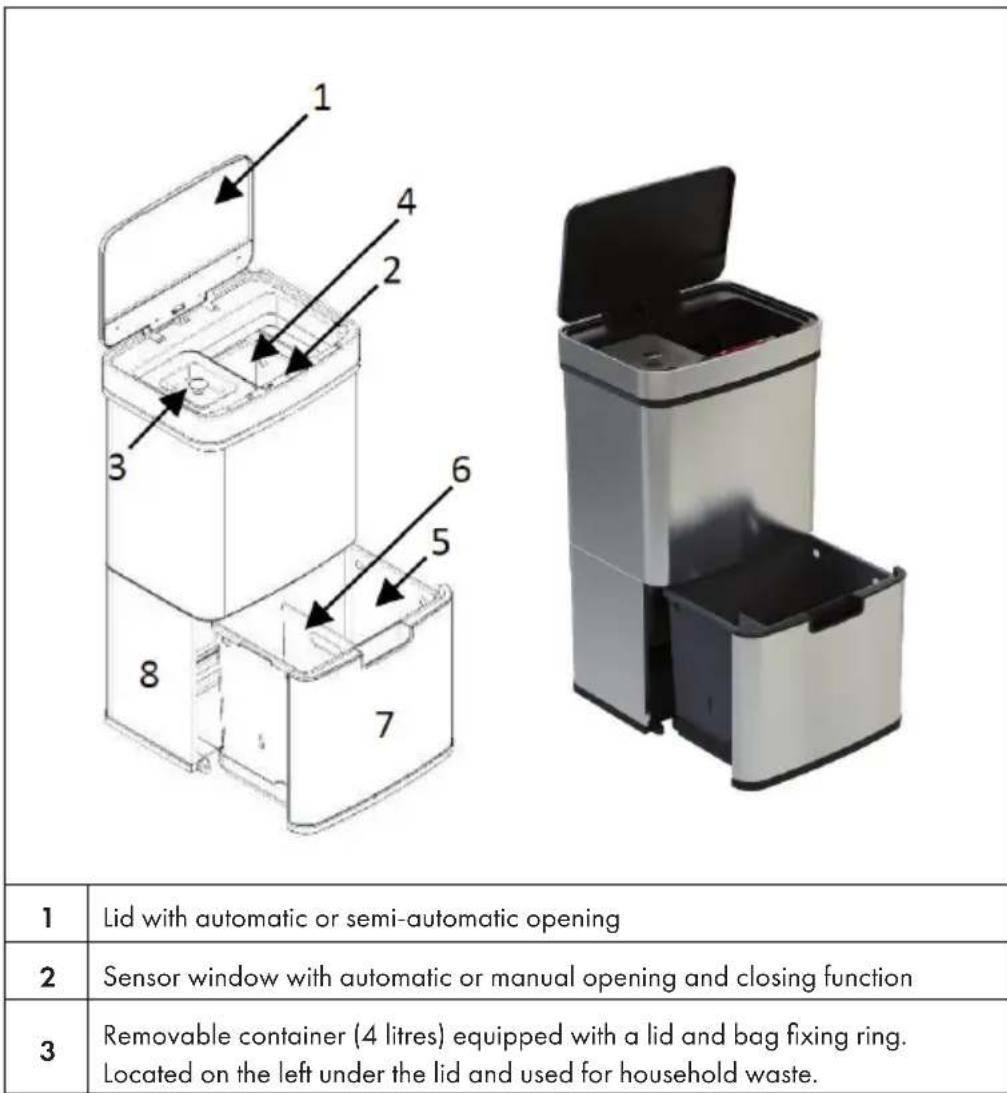
Klarstein Cleanton - DEVICE OVERVIEW (TOUCHLESS) - 1

4Removable container (40 litres). Located on the right under the lid.
5Removable container (25 litres) with access via drawer.
6Removable partition wall. Can be used either above or below.
7Housing
8Drawer on wheels.

OPERATION

  • Open the battery cover on the bottom of the cover and insert 6 AA batteries. Then close the battery cover.
  • Turn on the power switch located on the back of the cover.
  • If you want to throw the garbage away, move your hand about 15cm over the lid and it will open. The lid closes automatically after 5 seconds. The cover remains open as long as your hand or an object (bin liner) is in the sensor area.
  • If you want the lid to remain open, press the OPEN button on the sensor window. Press the CLOSE button to close the cover again. The automatic opening will then be active again.
  • Pull out the bottom drawer to place recycling waste. The top bin is used for nonrecyclable household waste.
    We recommend the use of 50 litre bin liners.

DEVICE OVERVIEW (CLEANSMAN|CLEANTON)
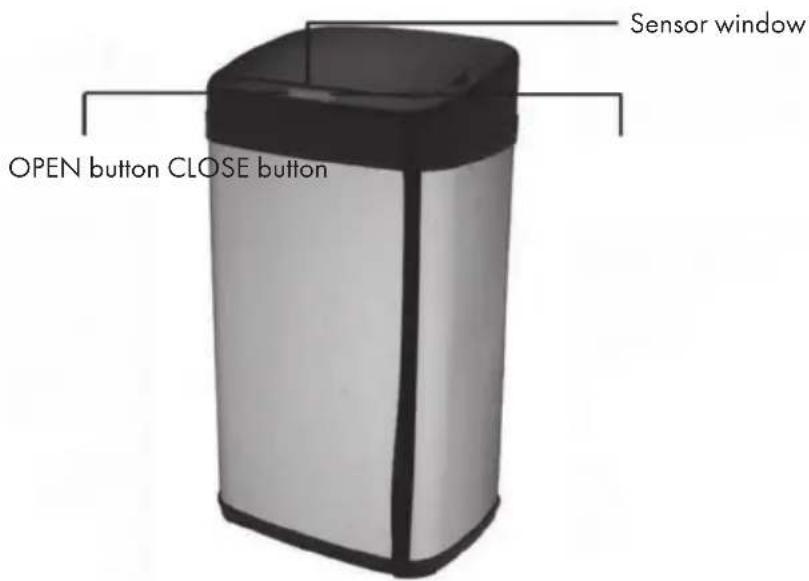
Klarstein Cleanton - DEVICE OVERVIEW (CLEANSMAN|CLEANTON) - 1

OPERATION

  • Open the battery cover on the bottom of the cover and insert 4 AA batteries. Then close the battery cover.
  • Turn on the power switch located on the back of the cover. The power light will illuminate for 3 seconds.
  • If you want to throw the garbage away, move your hand about 15 - 25cm over the lid and it will open. The lid closes automatically after 5 seconds. The cover remains open as long as your hand or an object (bin liner) is in the sensor area.
  • If you want the lid to remain open, press the OPEN button on the sensor window. Press the CLOSE button to close the cover again. The automatic opening will then be active again.
  • As long as the trash can is in standby mode, the operating light flashes red every 3 seconds. When the lid is open, the operating light illuminates green. When the cover closes, the operating lamp lights red. If you have pressed the OPEN button, the operating light flashes every 3 seconds.

Note: If the operating light flashes yellow, the batteries are nearly empty. If you open the bin 20 times a day, the batteries will last about 3 months.

HINTS ON DISPOSAL
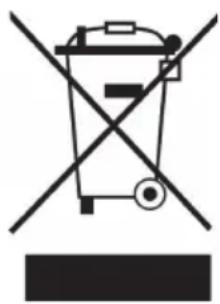
Klarstein Cleanton - HINTS ON DISPOSAL - 1

If there is a legal regulation for the disposal of electrical and electronic devices in your country, this symbol on the product or on the packaging indicates that this product must not be disposed of with household waste. Instead, it must be taken to a collection point for the recycling of electrical and electronic equipment. By disposing of it in accordance with the rules, you are protecting the environment and the health of your fellow human beings from negative consequences. For information about the recycling and disposal of this product, please contact your local authority or your household waste disposal service.

This product contains batteries. If there is a legal regulation for the disposal of batteries in your country, the batteries must not be disposed of with household waste. Find out about local regulations for disposing of batteries. By disposing of them in accordance with the rules, you are protecting the environment and the health of your fellow human beings from negative consequences.

MANUFACTURER & IMPORTER (UK)

Manufacturer:

Chal-Tec GmbH, Wallstrasse 16, 10179 Berlin, Germany.

Importer for Great Britain:

Berlin Brands Group UK Ltd

PO Box 1145

Oxford,OX1 9UW

United Kingdom

Cher client, chere clientele,

APERÇU DES APPAREILS (CLEANSMAN|CLEANTON)
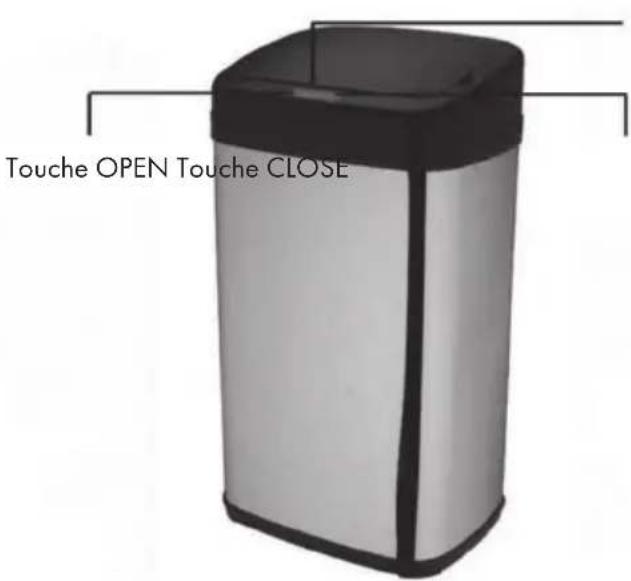
Klarstein Cleanton - APERÇU DES APPAREILS (CLEANSMAN|CLEANTON) - 1

Fenêtre du capteur

UTILISATION

Berlin Brands Group UK Ltd

PO Box 1145

Oxford,OX1 9UW

United Kingdom

Estimado cliente:
Klarstein Cleanton - Estimado cliente: - 1
m = 311 ;

Berlin Brands Group UK Ltd

PO Box 1145

Oxford, OX1 9UW

United Kingdom

Gentile cliente,

PRODUTTORE IMPORTATORE (UK)

Produtlore:

Chal-Tec GmbH, Wallstraße 16, 10179 Berlin, Germania.

Berlin Brands Group UK Ltd

PO Box 1145

Oxford,OX1 9UW

United Kingdom

Klarstein Cleanton - PRODUTTORE IMPORTATORE (UK) - 1

KLARSTEIN

Manual assistant
Powered by Anthropic
Waiting for your message
Product information

Brand : Klarstein

Model : Cleanton

Category : Trash can