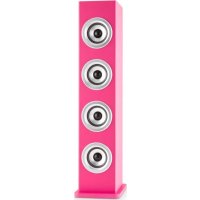
Karaboom LED - Karaoke system Auna - Free user manual and instructions
Find the device manual for free Karaboom LED Auna in PDF.


| Product type | Karaoke system |
| Brand | Auna |
| Model | Karaboom LED |
| Power supply | Mains (power cord) |
| Audio inputs | Line In (3.5 mm jack), USB, Bluetooth |
| Microphone sockets | 2 microphone sockets (6.35 mm) |
| Functions | Karaoke, USB player, Bluetooth, reactive LED lighting |
| LED lighting | Yes, 3-position switch (high sensitivity, off, low sensitivity) |
| Volume control | Main volume, separate microphone volume |
| Display | Mode LED (source) |
| Material | Plastic |
| Warranty | 2 years |
| Care and cleaning | Dry cloth, do not use volatile liquids |
| Safety | Do not open, do not expose to humidity or extreme heat, do not block ventilation openings |
| Spare parts and repairability | Repair by professional only, any opening voids warranty |
| General information | Manufacturer: Chal-Tec GmbH, Wallstraße 16, 10179 Berlin, Germany. Complies with CE, RoHS, RED directives |
| Included accessories | Microphone, power cable, base with screws and washers, protection pads |
Frequently Asked Questions - Karaboom LED Auna
User questions about Karaboom LED Auna
0 question about this device. Answer the ones you know or ask your own.
Ask a new question about this device
Download the instructions for your Karaoke system in PDF format for free! Find your manual Karaboom LED - Auna and take your electronic device back in hand. On this page are published all the documents necessary for the use of your device. Karaboom LED by Auna.
USER MANUAL Karaboom LED Auna
natural_image
Black multi-tiered speaker tower with three speakers and two microphones on top (no text or symbols visible)
natural_image
Red double-tiered speaker tower with three speakers and two microphones on top (no text or symbols visible)natural_image
Symbol of a trash bin crossed with a diagonal line, representing no waste or discharge (no text or labels)Congratulations on purchasing this product. Please read and follow these instructions, in order to avoid damaging the item. We do not cover any damages that may arise from improper use of the item or the disregard of the safety instructions.
Important Safety Advice
- Read all instructions before using.
- To protect against a fire, electric shock or personal injury, do not immerse cord, electric plugs or device in water or other liquids.
- Do not expose the appliance to extreme temperatures. The appliance shall be used in moderate climates.
- The use of attachments that are not recommended by the appliance manufacturer may result in fire, electric shock or personal injury.
- Do not open the unit by removing any cover parts. Do not attempt to repair the unit. Any repairs or servicing should be done by qualified personell only.
- Only qualified persons may perform technical work on the product. The product may not be opened or changed. The components cannot be serviced by the user. The manufacturer is not responsible for any radio or TV interference caused by unauthorized modifications.
- The appliance is not a toy. Do not let children play with it. Never let children insert foreign objects into the appliance.
- Never clean the surface of the device with solvents, paint thinners, cleansers or other chemical products. Instead, use a soft, dry cloth or soft brush.
- Save these instructions.
Small objects
Keep small objects (i.e. screws, mounting material, memory cards etc.) and packaging out of the range of children. Do not let Children play with foil. Choking hazard!
Transporting the device
Please keep the original packaging. To gain sufficient protection of the device while shipment or transportation, make sure to put it back in its original packaging.
Cleaning the surface
Do not use any volatile liquids, detergents or the like. Use a clean dry cloth.
Overview
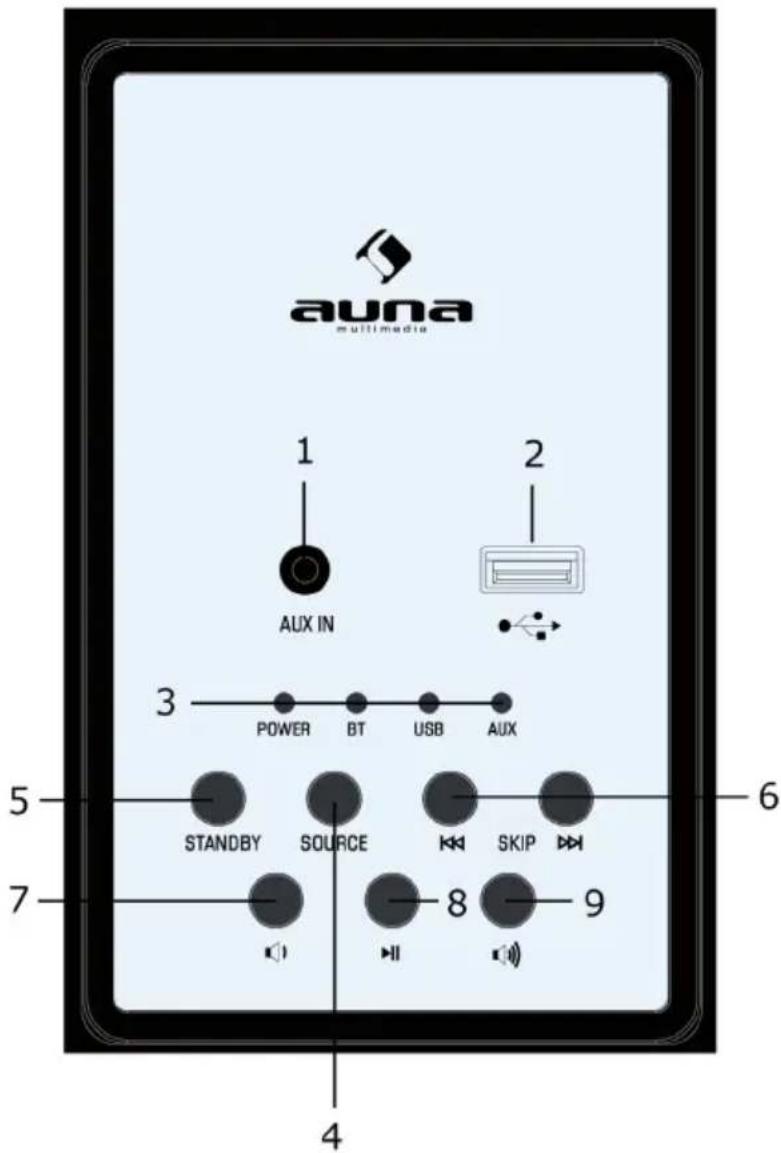
| Line In 1 | 6 Skip (previous/next) |
| USB port 2 | 7 VOL- |
| Power / Mode LEDs 3 | 8 Play/Pause |
| Source button 4 | 9 VOL+ |
| Power/Standby 5 | |
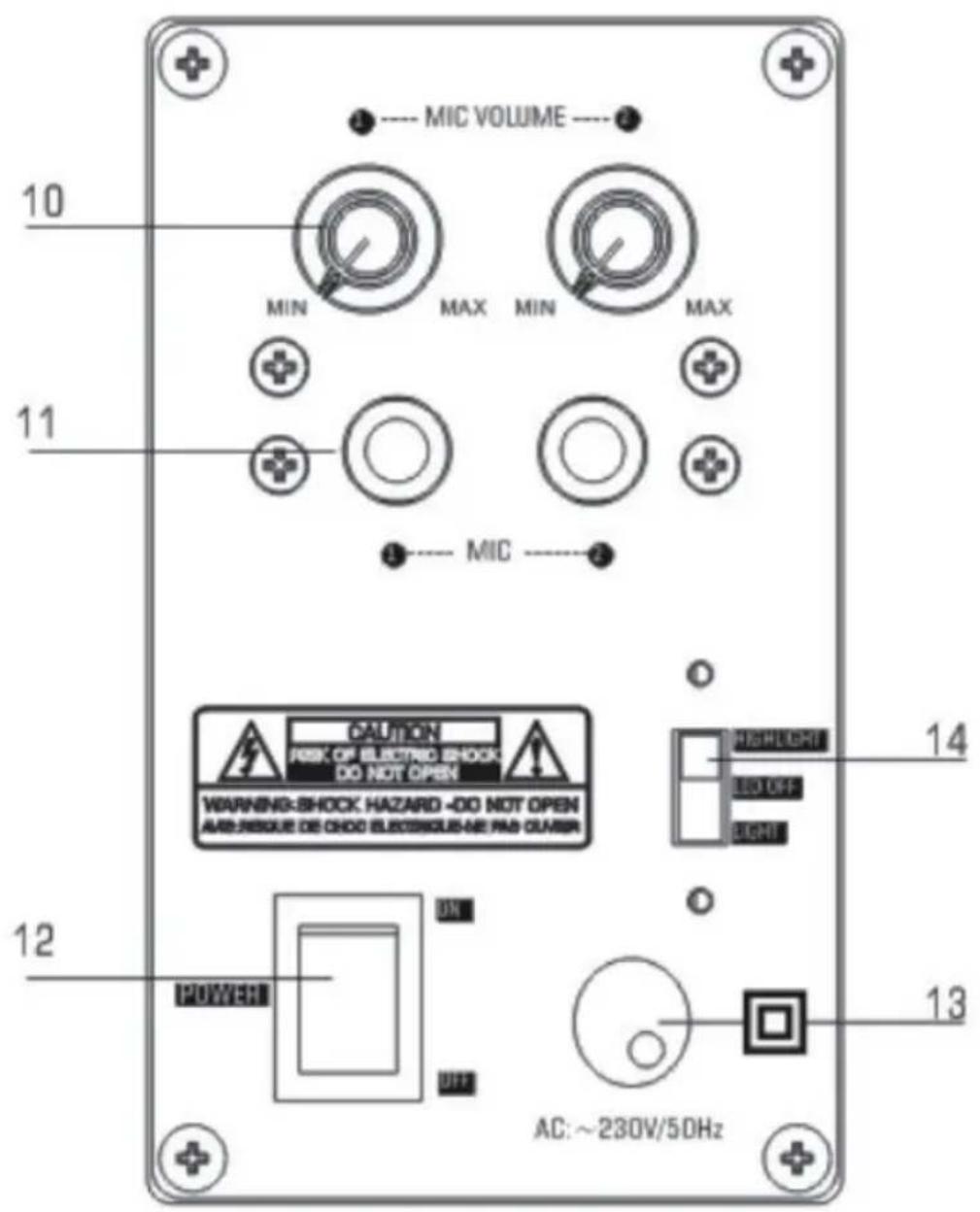
Mikrophone volume 10 13 AC cable
Mikrofon input jacks 11 14
Power on/off 12
LEDs switch: Light effects on/off
Switch pos. up: Music sensitivity high
Switch pos. middle: Light effects off
Switch pos. down: Music sensitivity low
Operation
Setup
- Carefully take the tower body and base out of the packaging.
• Take the screws and washers out - Attach the base to the body aligning the two holes in the base with the two holes in the tower
- Screw the base into the body
- Stand the tower upright on the floor. The appliance is now ready for use
General operation
- Press to turn on or turn off the unit.
- Press the SOURCE button repeatedly to select the playback source. The LED indicator will light blue according to BT mode
- Press the VOL(Volume)+/- Buttons to adjust volume level.
- Press the Button control to choose the tracks.
• If the unit is not used for a long period of time, pull out the plug to turn off the unit completely.
Line In
- Connect your auxiliary device (e.g. smart phone/ MP3 player) to the 3.5mm LINE jack
- Press button to turn on the unit. Press the SOURCE button repeatedly unit the LINE indicator turn green.
- Press Play/Pause on your auxiliary source.
- Adjust the volume to desired level.
- To stop playback, disconnect your auxiliary source from the LINE jack.
USB
You can connect a USB flash device (not included) to the USB port t on the unit to play MP3 files.
- Press SOURCE into the USB mode. the USB indicator will turns green.
• USB device can auto play - Press PREVIOUS/NEXT to select track.
Note:
• Supported format: MP3 (32kbps-320kbps)
- The total number of MP3 files on the Memory Device should not exceed 999.
- If you can't easily insert the memory card, you may have inserted it incorrectly. Try to turn over the card and then insert again.
- For playing files on USB flash drive, you should plug in the USB flash drive when the unit is in standby mode. Turn ON the unit and use MODE button to select USB mode.
Karaoke
- You can plug the microphone (included) in the back MIC JACK.
- Adjust the mic volume with the knobs on the back.
- Chose your preferred device mode and start play.
- Sing!
BT
- Turn off the BT functionality of other devices that are already paired with your unit.
- Press button to turn on the unit.
- Press MODE button to select BT mode. The LED indicator turns blue.
- Turn on BT functionality on your BT device. Typically, BT controls are found on the device's tools or settings menu (see your user manual).
- Turn on BT connectivity and make your device, discoverable".
- Clean out the paring list on your BT device.
- Choose ,add a new BT device' or ,setup BT device' on your device. It will start to search. Once „Kara-boom" shows on your device, select it. If your device prompts you for a pass code, please enter 0000. If the pairing attempt fails or times out, please start pairing procedure again (see steps 2-6).
• After your device and the tower have connected each other, a sound can be heard. - Make sure the BT connection between the unit and the device is active.
- Press Play/Pause button to pause playback, press again to resume playback.
- Press button to skip forward to next track and to skip backward to previous track.
LEDs
- Turn the LEDs on/off with the LED switch on the rear (14). In the upper switch position, the music sensitivity is high, in the lower position the sensitivity is low. Middle position: LED light effects off.
Environment Concerns
natural_image
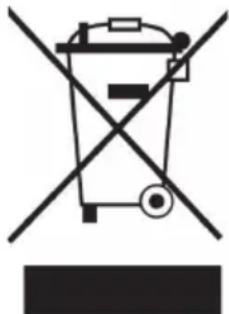
Symbol of a trash bin crossed with a diagonal line, no text or labels presentAccording to the European waste regulation 2002/96/EG this symbol on the product or on its packaging indicates that this product may not be treated as household waste. Instead it should be taken to the appropriate collection point for the recycling of electrical and electronic equipment. By ensuring this product is disposed of correctly, you will hep prevent potential negative consequences for the environment and human health, which could otherwise be caused by inappropriate waste handling of this product. For more detailed information about recycling of this product, please contact your local council or your household waste disposal service.
Declaration of Conformity
Manufacturer: Chal-Tec GmbH, Wallstraße 16, 10179 Berlin, Germany.
This product is conform to the following European directives:
2014/53/EU (RED)
2011/65/EU (RoHS)
CE
Chère cliente, cher client,
natural_image
Symbol of a trash bin crossed with a diagonal line, representing no waste or discharge (no text or labels)
Brand : Auna
Model : Karaboom LED
Category : Karaoke system