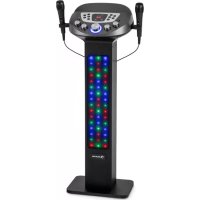
KaraBig LightUp MKII - Karaoke system Auna - Free user manual and instructions
Find the device manual for free KaraBig LightUp MKII Auna in PDF.


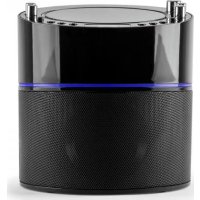
| Product Type | Karaoke system with LED lighting |
| Brand | Auna |
| Model | KaraBig LightUp MKII (item number 10036272) |
| Power Supply | AC adapter 100-240 V~, 50/60 Hz; output 12 V = 2.5 A |
| Output Power | 2 x 10 W RMS |
| Supported Audio Formats | MP3 |
| Connections | USB 2.0 (playback and recording), 2 microphone jacks (6.35 mm), AUX input, LINE output |
| Wireless Connectivity | Bluetooth (pairing with mobile devices) |
| Lighting | Built-in LED with modes: EQ light, light show, off |
| Included Microphones | 1 wired microphone |
| Playback Functions | Play/Pause, next/previous track, repeat (1 track or folder), skip 10 tracks, folder selection |
| Recording | To USB flash drive in BT or AUX-IN mode (with microphone) |
| Dimensions (approx.) | Approx. 35 x 25 x 20 cm (without microphone) |
| Weight (approx.) | Approx. 2.5 kg |
| Safety Instructions | Disconnect during storms or prolonged non-use; do not overload sockets; avoid inserting objects or liquids; repair by qualified personnel only |
| Maintenance and Cleaning | Clean with a dry, soft cloth; do not use abrasive products |
| Spare Parts and Repairability | Use only manufacturer-approved parts; contact an authorized service center for repairs |
| Recycling | Compliant with WEEE directive (2012/19/EU); do not dispose of with household waste |
Frequently Asked Questions - KaraBig LightUp MKII Auna
User questions about KaraBig LightUp MKII Auna
0 question about this device. Answer the ones you know or ask your own.
Ask a new question about this device
Download the instructions for your Karaoke system in PDF format for free! Find your manual KaraBig LightUp MKII - Auna and take your electronic device back in hand. On this page are published all the documents necessary for the use of your device. KaraBig LightUp MKII by Auna.
USER MANUAL KaraBig LightUp MKII Auna
KaraBig LightUp MKII Karaokeanlage Karaoke System Système karaoke Impianto per karaoke t 10036272 www.auna-multimedia.com

bar
| Category | Value | |---|---| | Category 1 | 100 | | Category 2 | 100 | | Category 3 | 100 | | Category 4 | 100 | | Category 5 | 100 | | Category 6 | 100 | | Category 7 | 100 | | Category 8 | 100 | | Category 9 | 100 | | Category 10 | 100 | | Category 11 | 100 | | Category 12 | 100 | | Category 13 | 100 | | Category 14 | 100 | | Category 15 | 100 | | Category 16 | 100 | | Category 17 | 100 | | Category 18 | 100 | | Category 19 | 100 | | Category 20 | 100 | | Category 21 | 100 | | Category 22 | 100 | | Category 23 | 100 | | Category 24 | 100 | | Category 25 | 100 | | Category 26 | 100 | | Category 27 | 100 | | Category 28 | 100 | | Category 29 | 100 | | Category 30 | 100 | | Category 31 | 100 | | Category 32 | 100 | | Category 33 | 100 | | Category 34 | 100 | | Category 35 | 100 | | Category 36 | 100 | | Category 37 | 100 | | Category 38 | 100 | | Category 39 | 100 | | Category 40 | 100 | | Category 41 | 100 | | Category 42 | 100 | | Category 43 | 100 | | Category 44 | 100 | | Category 45 | 100 | | Category 46 | 100 | | Category 47 | 100 | | Category 48 | 100 | | Category 49 | 100 | | Category 50 | 100 | | Category 51 | 100 | | Category 52 | 100 | | Category 53 | 100 | | Category 54 | 100 | | Category 55 | 100 | | Category 56 | 100 | | Category 57 | 100 | | Category 58 | 100 | | Category 59 | 100 | | Category 60 | 100 | | Category 61 | 100 | | Category 62 | 100 | | Category 63 | 100 | | Category 64 | 100 | | Category 65 | 100 | | Category 66 | 100 | | Category 67 | 100 | | Category 68 | 100 | | Category 69 | 100 | | Category 70 | 100 | | Category 71 | 100 | | Category 72 | 100 | | Category 73 | 100 | | Category 74 | 100 | | Category 75 | 100 | | Category 76 | 100 | | Category 77 | 100 | | Category 78 | 100 | | Category 79 | 100 | | Category 80 | 100 | | Category 81 | 100 | | Category 82 | 100 | | Category 83 | 100 | | Category 84 | 100 | | Category 85 | 100 | | Category 86 | 100 | | Category 87 | 100 | | Category 88 | 100 | | Category 89 | 100 | | Category 90 | 100 | | Category 91 | 100 | | Category 92 | 100 | | Category 93 | 100 | | Category 94 | 100 | | Category 95 | 100 | | Category 96 | 100 | | Category 97 | 100 | | Category 98 | 100 | | Category 99 | 100 | | Total (Total) |INHALT
Technische Daten 3
natural_image
Line drawing of a vertical cylindrical device with control panel and buttons (no text or symbols)Karaoketurm
natural_image
Two identical microphones with coiled cable and connectors, no text or symbols visible1 Mikrofon
Ein/Ausschalten
natural_image
Hand pressing a red button on a vehicle control panel (no text or symbols visible)natural_image
Diagram showing a car interior with circular components and a red arrow pointing to a specific area (no text or symbols present)flowchart
graph TD
    BT --> USB
    USB --> AUX_IN
    AUX_IN --> BT
natural_image
Line drawing of a kitchen appliance control panel with a red arrow pointing to the button (no text or symbols)natural_image
Diagram of a vehicle dashboard with circular components and a red circular button, no text or symbols presentGesamtlautstärke
Wiedergabe über BT
flowchart
graph TD
    BT["BT"] --> USB["USB"]
    BT --> AUX_IN["AUX IN"]
    AUX_IN --> USB
flowchart
graph TD
    BT --> USB
    USB --> AUX_IN
    AUX_IN --> BT
natural_image
Line drawing of a car dashboard with control panel and rotary knob (no text or symbols)flowchart
graph TD
    BT --> USB
    BT --> AUX_IN
    AUX_IN --> USB
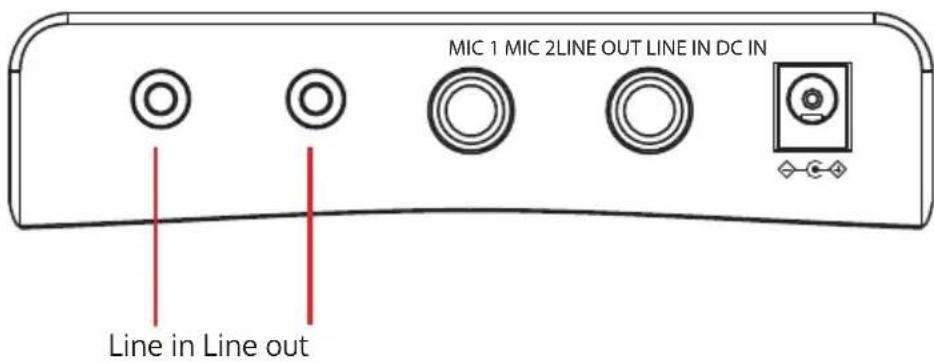
LINE-Anschluss
Rückseite
flowchart
graph TD
    BT["BT"] --> USB["USB"]
    USB --> AUX_IN["AUX IN"]
    AUX_IN -->|Red Arrow Down| BT
    AUX_IN -->|Red Arrow Up| USB
natural_image
Symbol of a trash bin with crossed lines indicating no waste, and a solid rectangle below (no text or labels)Congratulations on purchasing this equipment. Please read this manual carefully and take care of the following hints to avoid damages. Any failure caused by ignoring the items and cautions mentioned in the instruction manual are not covered by our warranty and any liability. Scan the QR code to get access to the latest user manual and other information about the product.
CONTENTS
Technical Data 11
Safety Instructions 12
Scope of Supply 13
Getting Started 14
Declaration of Conformity 18
TECHNICAL DATA
| Item number | 10036272 |
| Power supply power adapter Input | 100-240 V~, 50/60 HzAusgang: 12 V = 2.5 A |
| RMS power 2x 10 W | |
| Supported file formats MP3 | |
| Connections USB 2.0, 2 microphone inputs | |
SAFETY INSTRUCTIONS
General information
- Lightning - If you are not going to use the device for a long time or if there is a storm, disconnect the plug from the electrical outlet and disconnect the device from the antenna connector. This will avoid damage to the product that may be caused by lightning or overvoltage.
- Overload - Do not overload power outlets, extension cords, or built-in power outlets, as this may result in a fire or electric shock.
- Foreign objects and liquid - Never push objects of any kind through openings in the device as they may touch dangerous voltage points or short out parts, which could result in a fire or electric shock. Never spill liquids of any kind on the device.
- Repairs and maintenance - Do not attempt to service this product yourself, as opening or removing covers will expose you to dangerous voltages or other hazards. Leave all maintenance to qualified service personnel.
- Damage requiring service - Disconnect the power plug from the outlet and consult a qualified specialist if any of the following conditions occur:
a) If the power cord or plug is damaged.
b) If liquid has been spilled or objects have fallen onto the product.
c) If the product has been exposed to rain or water.
d) If the product has been dropped or damaged.
e) If the product has a markedly reduced performance.
- Replacement parts - When replacement parts are required, make sure that the service professional who replaces the parts only uses replacement parts that have been approved by the manufacturer or that have the same characteristics as the original part. Unauthorized replacement may result in fire, electric shock or other hazards.
- Heat - Do not place the unit near heat sources such as radiators, heaters, stoves or other products (including amplifiers).
Note: This device may be only used by children 8 years old or older and persons with limited physical, sensory and mental capabilities and / or lack of experience and knowledge, provided that they have been instructed in use of the device by a responsible person who understands the associated risks.
SCOPE OF SUPPLY
natural_image
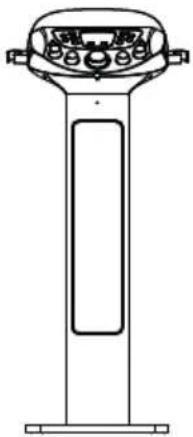
Line drawing of a vertical cylindrical device with control panel and buttons (no text or symbols)Karaoke tower
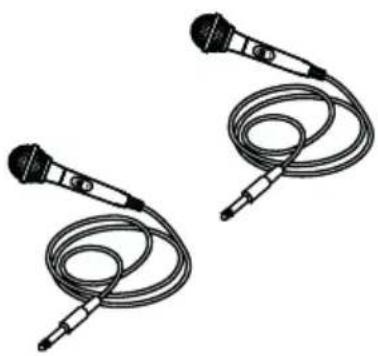
natural_image
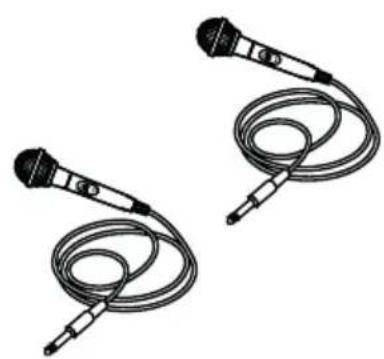
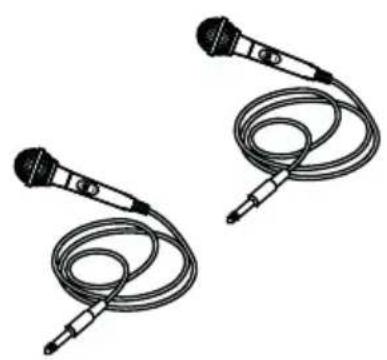
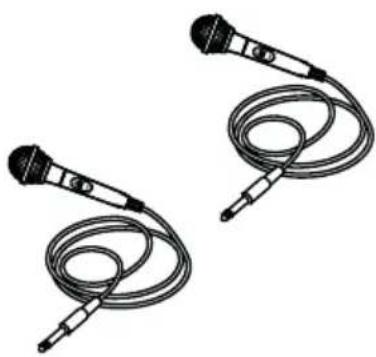
Two identical black-and-white line drawings of a microphone with coiled cable (no text or symbols)1 dynamic microphone
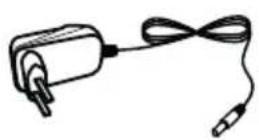
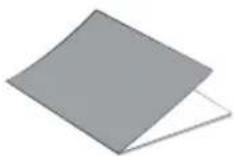
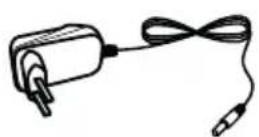
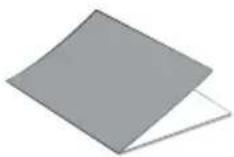
Power adapter Instruction manual
GETTING STARTED
Power supply
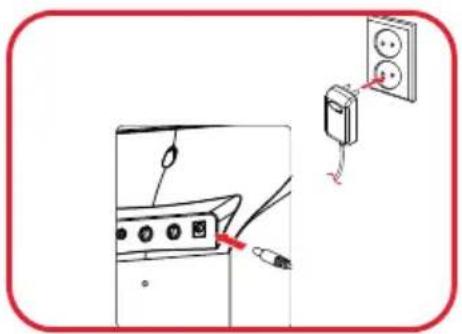
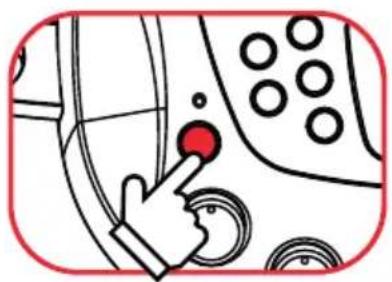
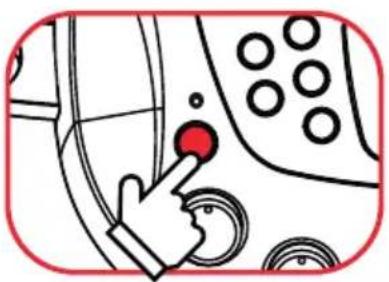
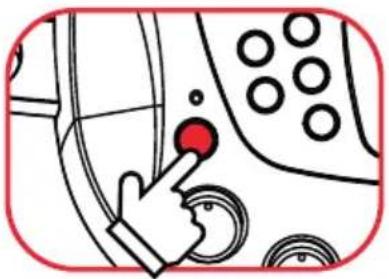
Turn on the power
natural_image
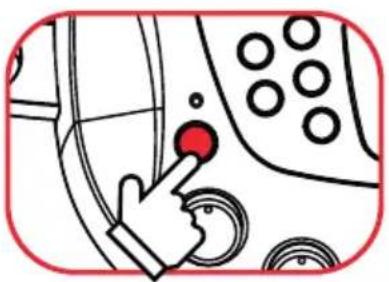
Illustration of a hand pressing a red button on a car dashboard with circular buttons (no text or symbols)Press the Power Button to turn ON/ OFF the unit.
natural_image
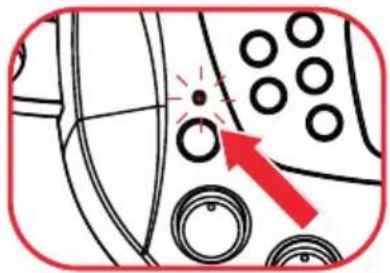
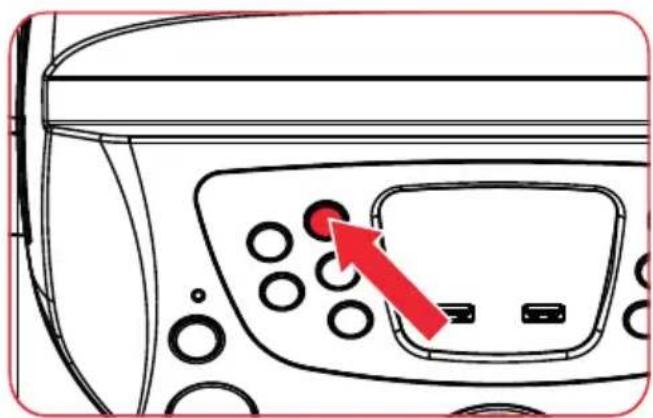
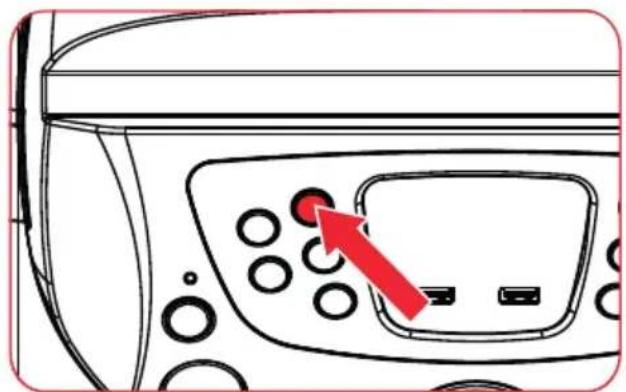
Diagram showing a car interior with circular components and a red arrow pointing to a specific area (no text or symbols present)Power LED indicator will Light Up/ Off.
Moduswahl
flowchart
graph TD
    BT --> USB
    USB --> AUX_IN
    AUX_IN --> BT
natural_image
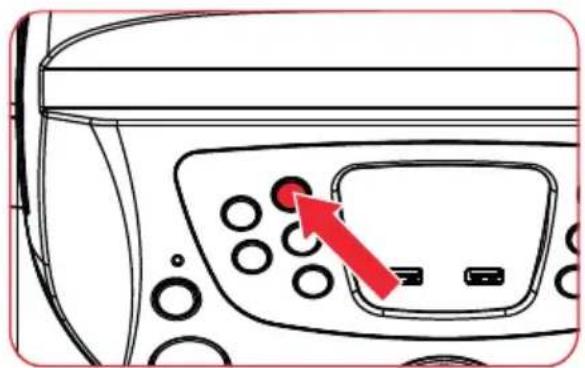
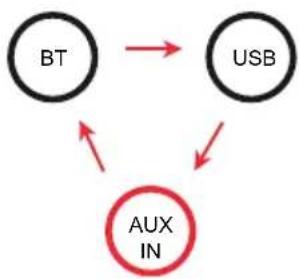
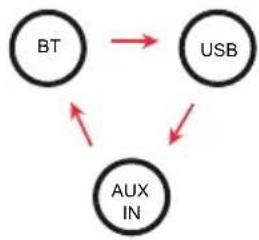
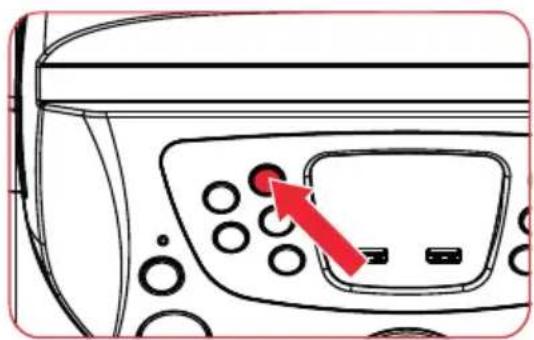
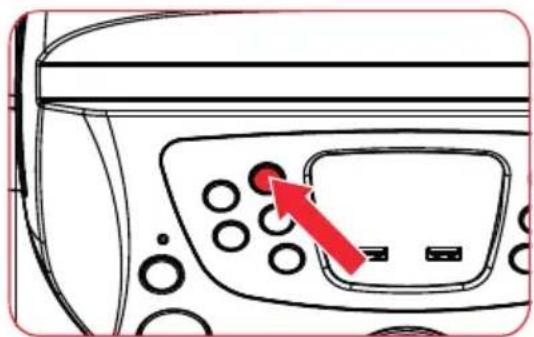
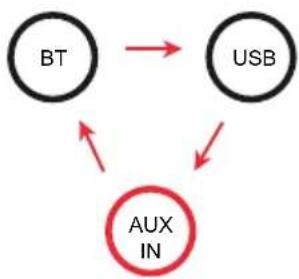
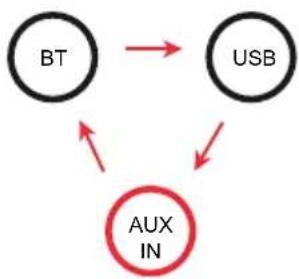
Line drawing of a device control panel with buttons and a red arrow pointing to the right button (no text or symbols present)With each press of the FUNCTION button you switch between the modes BT, USB, and AUX IN.
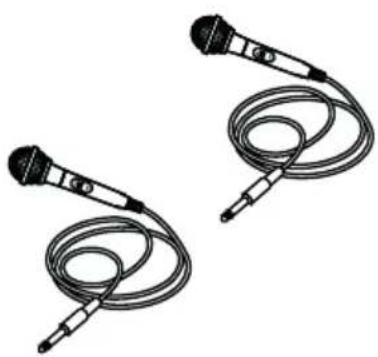
Using the microphone (there is 1 microphone in the package)
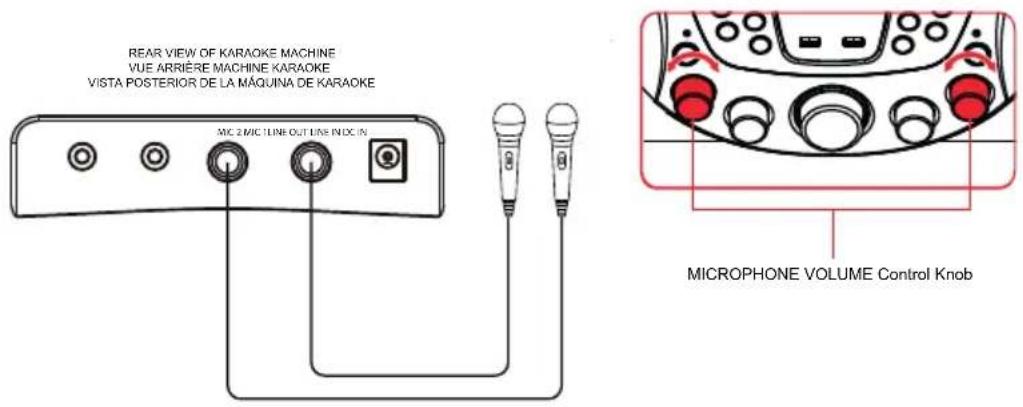
Adjusting the volume
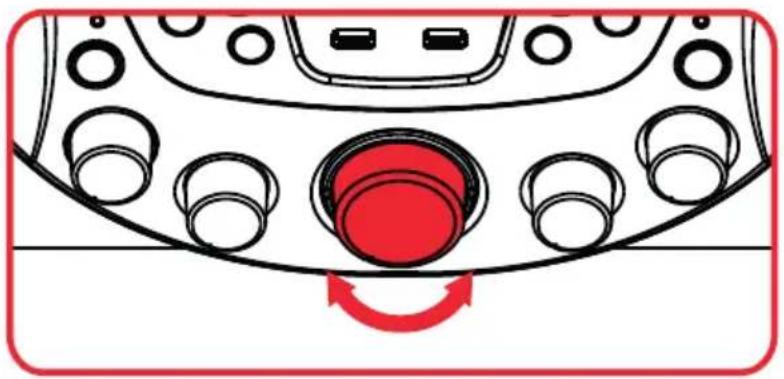
natural_image
Diagram of a vehicle head panel with circular components and a red circular component, no text or symbols presentmaster volume
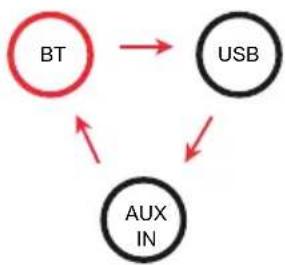
BT playback
- Pairing: Connect your external mobile to the BT device "Auna KaraBig Lightup".
- Playback: Start and stop to play back on your mobile device.
flowchart
graph TD
    BT["BT"] --> USB["USB"]
    BT --> AUX_IN["AUX IN"]
    AUX_IN --> USB
Selection via the function button.
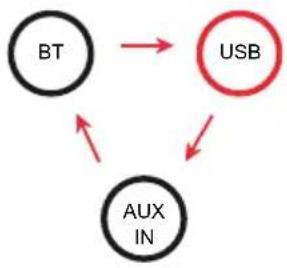
USB playback
flowchart
graph TD
    BT --> USB
    USB --> AUX_IN
    AUX_IN --> BT
natural_image
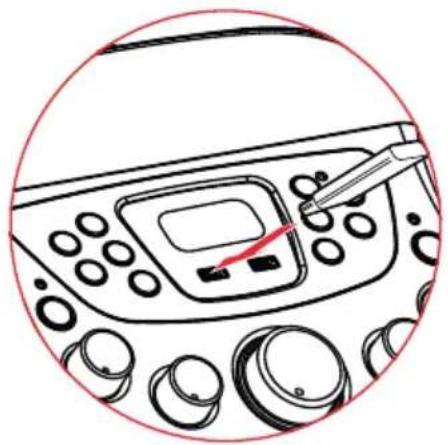
Line drawing of a car dashboard with control panel and instrument (no text or symbols)Connect USB stick
| Key Function | |
| PLAY/PAUSE | Start and pause playback |
| |◀▶| | Skip backward / skip forward |
| 10+ | plus 10 tracks |
| FOLDER | Press and hold for 2 seconds to jump to the fist song of the next folder. |
| REPEAT | Press key repeatedly to skip through the following modes: |
| Repeat 1 | Repeat title |
| Repeat Folder | Repeat folder |
| Light up | Light on |
| Light off | Light off |
Recording on the USB storage device
- Select BT mode or AUX IN mode.
- Insert a USB stick into the port.
- Start playback and/or pick up the microphone.
- Start recording by pressing the RECORD button.
- Sing into the microphone if you wish.
- To stop recording, press the RECORD button again.
To play back the recordings switch to USB mode. Select the track with the keys ◀◀▶ and press the play key ▶.
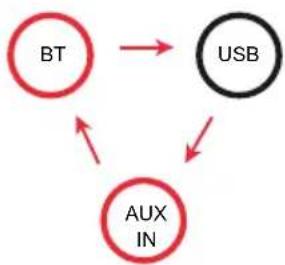
flowchart
graph TD
    BT --> USB
    BT --> AUX_IN
    USB --> AUX_IN
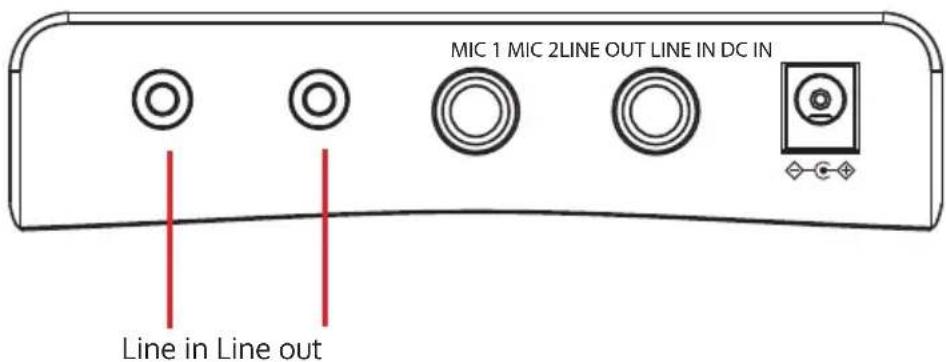
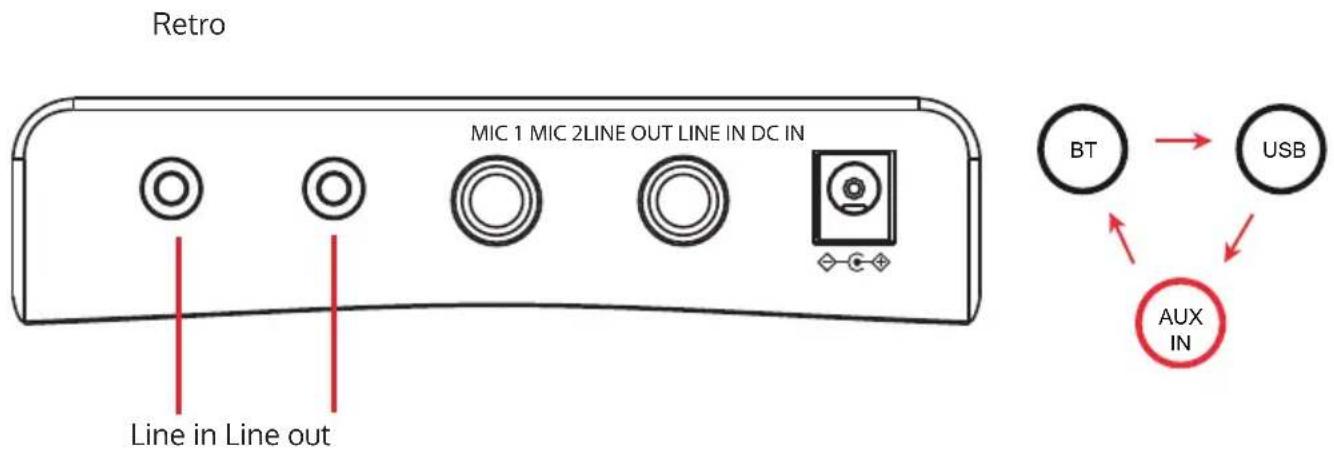
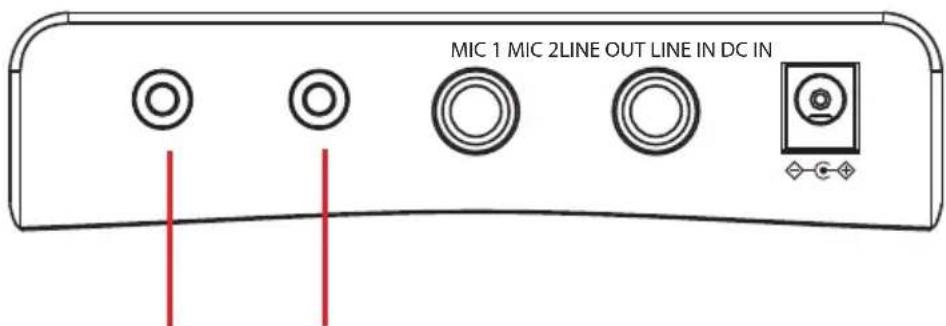
LINE connection
Rückseite
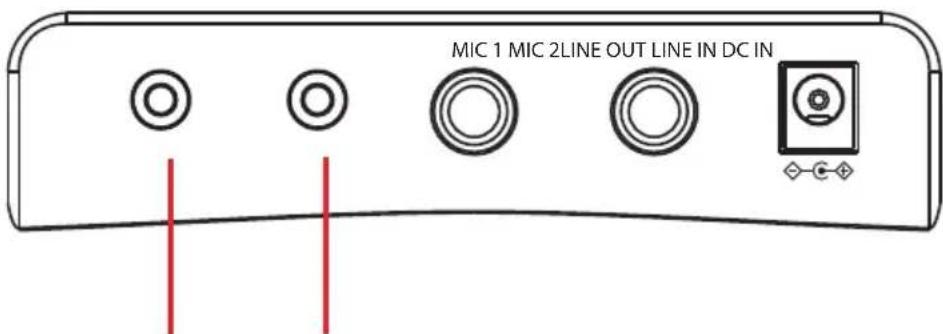
Line in Line out
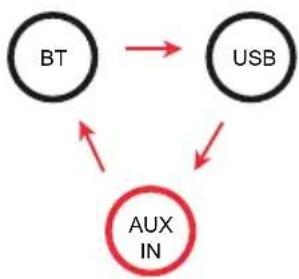
flowchart
graph TD
    BT["BT"] --> USB["USB"]
    USB --> AUX_IN["AUX IN"]
    AUX_IN -->|Red Arrow Down| BT
    AUX_IN -->|Red Arrow Up| USB
Light modes
Press the button LIGHT ON/OFF several times to switch through the following modes: EQ and Lightshow ---> Lightshow only ---> Light off
DISPOSAL CONSIDERATIONS
natural_image
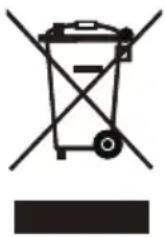
Symbol of a trash bin with crossed lines indicating no waste or restriction, and a solid black rectangle below (no text or symbols)According to the European waste regulation 2012/19/EU this symbol on the product or on its packaging indicates that this product may not be treated as household waste. Instead it should be taken to the appropriate collection point for the recycling of electrical and electronic equipment. By ensuring this product is disposed of correctly, you will help prevent potential negative consequences for the environment and human health, which could otherwise be caused by inappropriate waste handling of this product. For more detailed information about recycling of this product, please contact your local council or your household waste disposal service.
DECLARATION OF CONFORMITY

Producer Chal-Tec GmbH, Wallstraße 16, 10179 Berlin. This product is conform to the following European Directives:
2011/65/EU (RoHS)
2014/53/EU (RED)
The complete declaration of conformity of the manufacturer can be found at the following link. Scan this QR code or enter the URL.
use.berlin/10036272
Chère cliente, cher client,
FICHE TECHNIQUE
natural_image
Line drawing of a vertical cylindrical device with control panel and buttons (no text or symbols)Système karaoké
natural_image
Two identical black-and-white line drawings of a microphone with coiled cable (no text or symbols)1 micro
natural_image
Hand pressing a red button on a vehicle control panel (no text or symbols visible)natural_image
Diagram showing a car interior with circular components and a red arrow pointing to a specific area (no text or symbols present)flowchart
graph TD
    BT --> USB
    USB --> AUX_IN
    AUX_IN --> BT
natural_image
Line drawing of a computer control panel with buttons and a red arrow pointing to the left button (no text or symbols present)natural_image
Diagram of a vehicle head panel with circular components and a red circular component, no text or symbols presentVolume total
Lecture par BT
flowchart
graph TD
    BT["BT"] --> USB["USB"]
    BT --> AUX_IN["AUX IN"]
    AUX_IN --> USB
flowchart
graph TD
    BT["BT"] --> USB["USB"]
    AUX_IN["AUX IN"] --> USB
    AUX_IN --> BT
natural_image
Line drawing of a car dashboard with control panel and rotary knob (no text or symbols)flowchart
graph TD
    BT --> USB
    BT --> AUX_IN
    AUX_IN --> USB
Prise LINE
Dos de l'appareil
flowchart
graph TD
    BT["BT"] --> USB["USB"]
    USB --> AUX_IN["AUX IN"]
    AUX_IN -->|Red Arrow Down| BT
    AUX_IN -->|Red Arrow Up| USB
DÉCLARATION DE CONFORMITÉ

INDICE
Dati tecnici 27
natural_image
Line drawing of a vertical cylindrical device with control panel and buttons (no text or symbols)Karaoke
natural_image
Two identical black-and-white line drawings of a microphone with coiled cable (no text or symbols)1 microfono
Cavo USB Manuale d'uso
MESSA IN FUNZIONE
Accendere/spegnere
natural_image
Illustration of a hand pressing a red button on a control panel with circular buttons (no text or symbols)natural_image
Diagram showing a car interior with circular components and a red arrow pointing to a specific area (no text or symbols present)flowchart
graph TD
    BT --> USB
    USB --> AUX_IN
    AUX_IN --> BT
natural_image
Line drawing of a vintage computer control panel with buttons and a red arrow pointing to the button (no text or symbols)natural_image
Diagram of a car dashboard with circular components and a red circular component, no text or symbols presentVolume totale
flowchart
graph TD
    BT["BT"] --> USB["USB"]
    BT --> AUX_IN["AUX IN"]
    AUX_IN --> USB
flowchart
graph TD
    BT --> USB
    USB --> AUX_IN
    AUX_IN --> BT
natural_image
Line drawing of a car dashboard with control panel and rotary knob (no text or symbols)Collegare la chiavetta USB
flowchart
graph TD
    BT --> USB
    BT --> AUX_IN
    AUX_IN --> USB
Connessione LINE
FICHE TECHNIQUE
natural_image
Line drawing of a vertical cylindrical device with control panel and buttons (no text or symbols)Máquina de karaoke
natural_image
Two identical black-and-white line drawings of a microphone with coiled cable (no text or symbols)1 micrófono
Encender / apagar
natural_image
Illustration of a hand pressing a red button on a vehicle control panel (no text or symbols visible)natural_image
Diagram showing a car interior with circular components and a red arrow pointing to a specific area (no text or symbols present)flowchart
graph TD
    BT --> USB
    USB --> AUX_IN
    AUX_IN --> BT
natural_image
Line drawing of a kitchen appliance control panel with a red arrow pointing to the button (no text or symbols present)natural_image
Diagram of a vehicle dashboard with circular components and a red circular component, no text or symbols presentVolumen general
flowchart
graph TD
    BT["BT"] --> USB["USB"]
    BT --> AUX_IN["AUX IN"]
    AUX_IN --> USB
Selección de modo
flowchart
graph TD
    BT --> USB
    USB --> AUX_IN
    AUX_IN --> BT
Selección de modo
natural_image
Line drawing of a car dashboard with control panel and rotary knob (no text or symbols)flowchart
graph TD
    BT --> USB
    BT --> AUX_IN
    AUX_IN --> USB
Conexión LINE
Parte traser
Line in Line out
flowchart
graph TD
    BT["BT"] --> USB["USB"]
    USB --> AUX_IN["AUX IN"]
    AUX_IN -->|Red Arrow Down| BT
    AUX_IN -->|Red Arrow Up| USB
natural_image
Abstract white logo design on dark background, resembling stylized letter 'S' or wave form (no text or symbols)
- INHALT
- Wiedergabe über BT
- LINE-Anschluss
- CONTENTS
- SAFETY INSTRUCTIONS
- General information
- SCOPE OF SUPPLY
- GETTING STARTED
- Using the microphone (there is 1 microphone in the package)
- Adjusting the volume
- BT playback
- USB playback
- Recording on the USB storage device
- LINE connection
- Light modes
- DISPOSAL CONSIDERATIONS
- DECLARATION OF CONFORMITY
- Lecture par BT
- Prise LINE
- DÉCLARATION DE CONFORMITÉ
- INDICE
- MESSA IN FUNZIONE
- Connessione LINE
- Conexión LINE
Brand : Auna
Model : KaraBig LightUp MKII
Category : Karaoke system