ManualGo.com
LED405FHDSMART - TV AIWA - Free user manual and instructions
Find the device manual for free LED405FHDSMART AIWA in PDF.



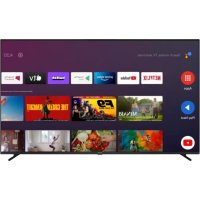
Download the instructions for your TV in PDF format for free! Find your manual LED405FHDSMART - AIWA and take your electronic device back in hand. On this page are published all the documents necessary for the use of your device. LED405FHDSMART by AIWA.
USER MANUAL LED405FHDSMART AIWA
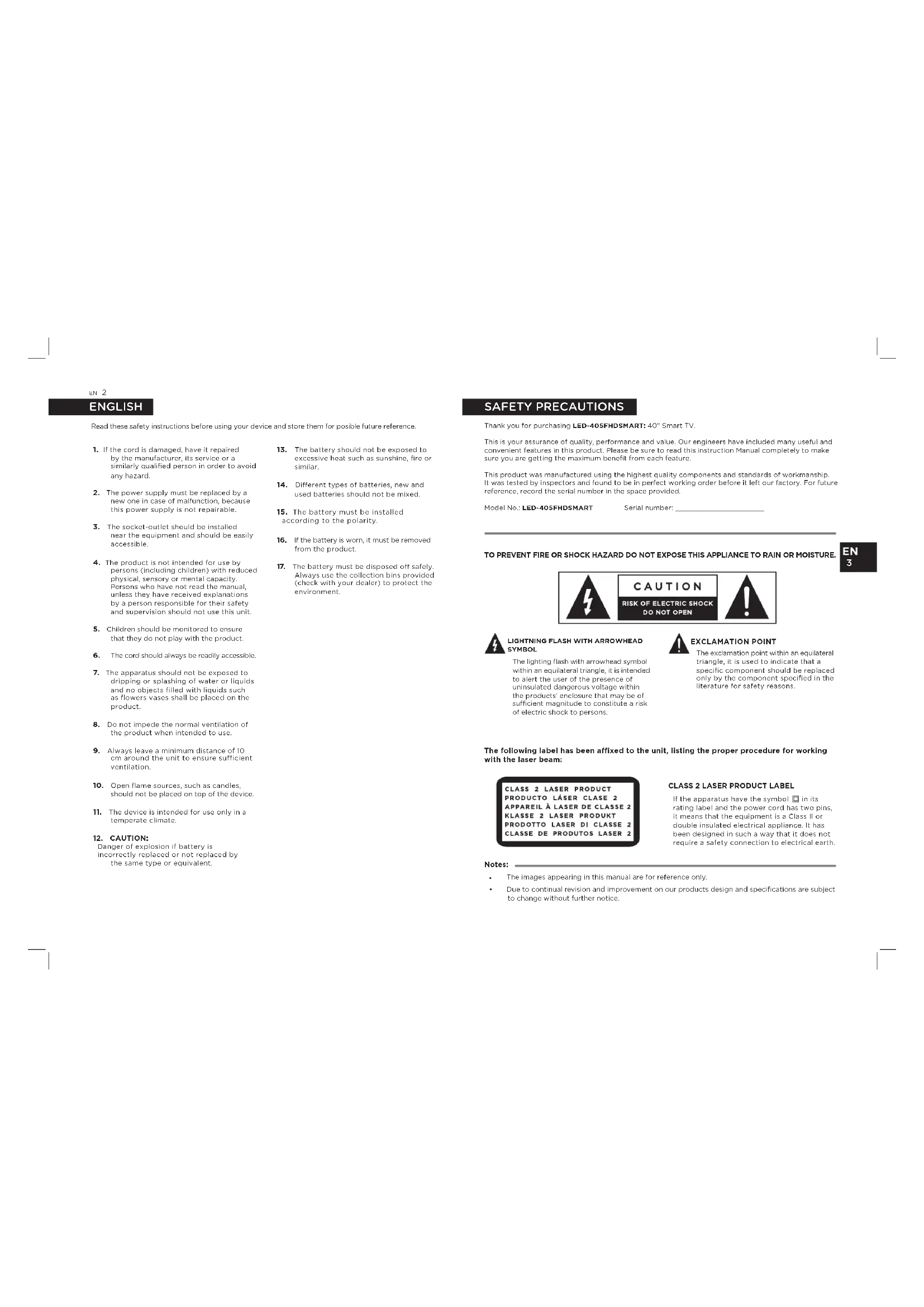
Read these safety instructions before using your device and store them for posible future reference.Thank you for purchasing LED-405FHDSMART: 40” Smart TV. This is your assurance of quality, performance and value. Our engineers have included many useful and convenient features in this product. Please be sure to read this instruction Manual completely to make sure you are getting the maximum benefit from each feature. This product was manufactured using the highest quality components and standards of workmanship. It was tested by inspectors and found to be in perfect working order before it left our factory. For future reference, record the serial number in the space provided. Model No.: LED-405FHDSMART Serial number: ___________________ TO PREVENT FIRE OR SHOCK HAZARD DO NOT EXPOSE THIS APPLIANCE TO RAIN OR MOISTURE. LIGHTNING FLASH WITH ARROWHEAD SYMBOL The lighting flash with arrowhead symbol within an equilateral triangle, it is intended to alert the user of the presence of uninsulated dangerous voltage within the products’ enclosure that may be of sucient magnitude to constitute a risk of electric shock to persons. EXCLAMATION POINT The exclamation point within an equilateral triangle, it is used to indicate that a specific component should be replaced only by the component specified in the literature for safety reasons.
CLASS 2 LASER PRODUCT LABEL
If the apparatus have the symbol in its rating label and the power cord has two pins, it means that the equipment is a Class II or double insulated electrical appliance. lt has been designed in such a way that it does not require a safety connection to electrical earth. The following label has been affixed to the unit, listing the proper procedure for working with the laser beam:
1. If the cord is damaged, have it repaired
by the manufacturer, its service or a similarly qualified person in order to avoid any hazard.
2. The power supply must be replaced by a
new one in case of malfunction, because this power supply is not repairable.
3. The socket-outlet should be installed
near the equipment and should be easily accessible.
4. The product is not intended for use by
persons (including children) with reduced physical, sensory or mental capacity. Persons who have not read the manual, unless they have received explanations by a person responsible for their safety and supervision should not use this unit.
5. Children should be monitored to ensure
that they do not play with the product.
6. The cord should always be readily accessible.
7. The apparatus should not be exposed to
dripping or splashing of water or liquids and no objects filled with liquids such as flowers vases shall be placed on the product.
8. Do not impede the normal ventilation of
the product when intended to use.
9. Always leave a minimum distance of 10
cm around the unit to ensure sufficient ventilation.
10. Open flame sources, such as candles,
should not be placed on top of the device.
11. The device is intended for use only in a
Danger of explosion if battery is incorrectly replaced or not replaced by the same type or equivalent.
13. The battery should not be exposed to
excessive heat such as sunshine, fire or similar.
14. Dierent types of batteries, new and
used batteries should not be mixed.
15. The battery must be installed
according to the polarity.
16. If the battery is worn, it must be removed
17. The battery must be disposed o safely.
Always use the collection bins provided (check with your dealer) to protect the environment. Notes:
- The images appearing in this manual are for reference only.
- Due to continual revision and improvement on our products design and specifications are subject to change without further notice. ENGLISH SAFETY PRECAUTIONSen 4
All the safety and operating instructions should be read before the product is operated.
2. RETAIN INSTRUCTIONS:
The safety and operating instructions should be retained for future reference.
All warnings on the product and in the operating instructions should be adhered to.
4. FOLLOW INSTRUCTIONS:
All operating and use instructions should be followed.
- Unplug this product from the wall outlet before cleaning. - Do not use liquid cleaners or aerosol cleaners. - Use a damp cloth for cleaning.
6. WATER AND MOISTURE:
Do not use this product near water. For example: Near a bath tub, wash bowl, kitchen sink, or laundry tub; in a wet basement; or near a swimming pool; and the like.
Do not place this product on an unstable cart, stand, tripod, bracket, or table. The product may fall, causing serious injury to a child or adult and serious damage to the product. Use only with a cart, stand, tripod, bracket, or table recommended by the manufacturer, or sold with the product. Any mounting of the product should follow. The manufacturer’s instructions, and should use a mounting accessory recommended by the manufacturer. A product and cart combination should be moved with care - quick stops, excessive force and uneven surfaces may cause the product and cart combination to overturn.
Slots and openings in the cabinet are provided for ventilation and to ensure reliable operation of the product and to protect it from overheating, and these openings must not be blocked or covered. The openings should never be blocked by placing the product on a bed, sofa, rug or other similar surface. This product should not be placed in a built-in installation, such as a bookcase or rack, unless proper ventilation is provided or the manufacturer’s instructions have been adhered to.
This product should be operated only from the type of power source indicated on the marking label. If you are not sure of the type of power supply of your home, consult your product dealer or local power company. For products intended to operate from battery power, or other sources, refer to the operating instructions.
10. POWER-CORD PROTECTION:
Power-supply cords should be routed so that they are not likely to be walked on or pinched by items placed upon or against them, paying particular attention to cords at the power plug and jack plug socket. During movement, please take care of the power cord set. For example: Tie up the power cord set with cable tie.
11. NON-USE PERIODS:
The power cord of the product should be unplugged from the outlet when left unused for long periods of time.
For added protection for this product during a lightning storm, or when it is left unattended and unused for long periods of time, unplug it from the wall outlet and disconnect the antenna or cable system. This will present damage to the product due to lightening and power-line surges.
An outside antenna system should not be located in the vicinity of overhead power lines or other electric light or power circuits, or where it can fall into such power lines or other electric light or power circuits, or where it can fall into such power lines or circuits. When installing an outside antenna system, extreme care should be taken to keep from touching such power lines or circuits as contact with them might be fatal.
Do not overload wall outlets, extension cords, or integral convenience receptacles as this can result in a risk of fire or electric shock.
15. OBJECT AND LIQUID ENTRY:
Never push objects of any kind into this product through openings as they may touch dangerous voltage points or short-out parts that could result in a fire or electric shock. Never spill liquid of any kind on the product.
Do not attempt to service this product yourself as opening or removing covers may expose you to dangerous voltage or other hazards. Refer to all servicing to qualified service personnel.
17. DAMAGES REQUIRING SERVICE:
Unplug this product from the wall outlet and refer servicing to qualified service personnel under the following conditions. a) When the power-supply cord or plug is damaged. b) If the product has been exposed to rain or water. c) If liquid has been spilled, or objects have fallen into the product. d) If the product does not operate normally by following the operating instructions, adjust only those controls that are covered by the operating instructions, as an improving adjustment of other controls may result in damage and will often require extensive work by a qualified technician to restore the product to its normal operation. e) When the product exhibits a distinct change in performance it indicates a need for service.
18. REPLACEMENT PARTS:
When replacement parts are required, be sure the service technician has used replacement parts specified by the manufacturer or have the same characteristics as the original part, unauthorized substitutions may result in fire electric shock and other hazards.
The product should be situated away from sources such as radiators, heat registers, stoves or other products that produce heat.
To prevent injuryes, use a stand/wall-mount- bracket to securely install this television on the table/ wall in accordance with the installation instructions. SAFETY PRECAUTIONS SAFETY PRECAUTIONSen 6
Carefully remove all the components from the carton and remove all packing materials from the components. Make sure that nothing is accidentally discarded with the packing materials. If possible, save the carton and packing materials for the unlikely event that the product ever needs to be returned for service. Using the original carton and packing materials is the only proper way to protect the unit from shipping damage.
Install Display on solid horizontal surface such as a table or desk. For ventilation, leave a space of at least 10cm free all around the set. To prevent any fault and unsafe situations, please do not place any objects on top of the set. Notes:
- This apparatus can be used in tropical and /or moderate climates. Base stands x2 Quick start guide Power cord x1 Remote control x1 AAA type batteries x2 Warranty sheet x1 40” Smart TV x1 Screws x4
3. Install the TV stands.
4. Connect the power cord.
WARNING! Never place a television set in an unstable location. A television set may fall, causing serious personal injury or death. Many injuries, particularly to children, can be avoided by taking simple precautions such as: - Using cabinets or stands recommended by the manufacturer of the television. - Only using furniture that can safely support the television. - Ensuring the television is not overhanging the edge of the supporting furniture. - Not placing the television on tall furniture (for example, cupboards or bookcases) without anchoring both the furniture and the television set to a suitable support. - Not placing the television set on cloth or other materiaIs that may be located between the television set and supporting furniture. - Educating children about the dangers of climbing on furniture to reach the television or its controls. lf your existing television set is being retained and relocated, the same considerations as above should be applied. (Only for the TV with mass exceed 7 kg).
- External equipments and cables shown herein are not supplied with theTV.
- Some terminals may differ by different regions or models, and please take your actual TV set as the standard. WALL-HANGING BRACKET An optional wall mount can be used with your television. Consult with your local dealer to purchase the recommended wall mount. Carefully attach the wall mount bracket at the rear of the TV. Install the wall mount bracket on a salid wall perpendicular to the floor. lf you are attaching the TV to other buil-ding materiaIs, please contact qualified personnel to install the wall mount. Detailed instructions will be included with the wall mount. Please use a wall mount bracket where the devices is adequately secured to the wall with enough space to allow connectivity to external devices. ANTENNA IN Connect a coaxial cable to receive signal from the antenna, cable or satellite. HDMI Connect HDMI input signal from signal source such as a DVD player. AV IN Connect audio and video signal from signal source such as a DVD player. LAN Network port. CI card port.
Use a coaxial cable to output your TVaudio signal to a compatible audio receiver. EARPHONE Speakers will be muted when earphones are plug. USB USB port. SERVICE Only for the technician. TERMINALS - Disconnect the power before moving or installing the TV. Otherwise electric shock may occur. - Remove the stand before installing the TV on a wall mount by performing the stand attachment in reverse.- lf you install the TV on a ceiling or slanted wall, it may fall and result in severe injury. Use an authorized wall mount and contact the local dealer or qualified personnel. Otherwise it is not covered by the warranty. - Do not over tighten the screws as this may cause damage to the TV and void your warranty.- To prevent injury, this apparatus must must be securely attached to the floor/wall in accordance with the installation instructions.- Use the screws and wall mounts that meet the fallowing specifications. Any damages or injuries buy misuse or using an improper accessory are not covered by the warranty. Notes:
1. For the TV sets with terminals towards
the wall, in order to leave enough space to use the terminals, a rubber cushion is needed together with each screw to fix the wall mount. lt is small hollow pillar whose internal diameter is 8mm, external diameter is 18mm and height is _>15mm.
2. The information in this document is subject
to change without notice. The manufacturer accepts no liability for damage resulting directly or indirectly from faults, incomple-teness or discrepancies between trouser manual and the product described.
3. In dry environment due to static electri-
city, the product may restart and return to the main OSO interface, USB player interface or the previous source mode. lt is normal and please continue to operate the TV as you will. DISASSEMBLY AND INSTALLATION CONNECTIONSen 10
Confirm or enter the selected content, or access the quick menu. EXIT Exit the current operation. BACK Return to the previously-viewed program. NETFLIX Access the application of Netflix. GUIDE Access the EPG interface in DTV mode. P / P (PROGRAM UP/DOWN) Change to previous or next program. VOL+/VOL- (VOLUME) Increase or decrease the volume. SOURCE Select the input source. TELETEXT BUTTONS: TEXT Access or exit the teletext menu. REVEAL Display or hide the concealed information. INDEX Display index page. HOLD Hold the teletext page on screen without updates or changes. USB BUTTONS: PLAY ( ) Start the playback. PAUSE ( ) Pause the playback. STOP ( ) Stop the playback. FAST BACKWARD ( ) Fast backward the playback. FAST FORWARD ( ) Fast forward the playback. SUBTITLE Turn on or turn o the subtitle function. COLOR BUTTONS (RED, GREEN, YELLOW, BLUE) Execute the prompt function in specific mode. FAV (FAVORITE) View your assigned favorite channels. I/II Select sound output type depending on the broadcasting program. AD (AUDIO DESCRIPTION) Turn on or turn off the function of audio description. Notes:
- Some buttons may not be available for some regions or some models. DESCRIPTION OF REMOTE CONTROL DESCRIPTION OF REMOTE CONTROLen 12
2. In working status, press TV control button
to turn the TV to standby mode. Battery must be inserted correctly to avoid damage to the remote control. Always remove the battery when the remote control will not be used for a long period of time, as this will cause leakage to the battery and subsequently damage to your set. Notes:
- The TV control button must be ’ON‘ in order for the remote control to operate.
- Do not make remote control vibrate violently.
- Don’t splash liquid on the remote control, also do not put the remote control in high humidity place.
- Do not place remote control under direct sunlight which will cause deformation of the unit by heat.
- When the remote sensor is under direct sunlight or strong lighting, the remote control will do not work. lf so please change the lighting or TV’s position, or operate the remote control closer to the remote sensor.
- If the distance required between the remote control and the appliance decreases, the batteries are exhausted. In this case replace the batteries with new ones.
- Do not use dierent types of batteries (for example, Manganese and Alkaline batteries) together.
- The batteries (battery pack or batteries installed) shall not be exposed to excessive heat such as sunshine, fire or the like.
- Please dispose batteries abide by relevant environmental protection regulation.
E-Manual is built into your TV and can be displayed on the screen. To learn more about your TV features, access your E-Manual by referring to the following. BATTERY INSTALLATION Slide out cover and install 2 AAA TYPE batteries (included), making sure to match the polarity markings inside the compartment shown:
5. Press OK button to enter the” E-Manual’’ to check the instructions of basic function.
6. The following buttons of remote control are used to help you operate the TV set in E-Manual.
Before calling a service technician , please check the following table for a possible cause of the symptom and some solutions.
A. GENERAL PROBLEM / SOLUTION
Remote control does not work - Check the remote sensor on the remote control. - Change the batteries. - Batteries are not installed correctly. - Main power is not connected. Poor signal - This is usually caused by interference from cell phones, walkie-talkie, automotive ignition system; neon, electric drill or other electronic equipment or radio interference sources.
B. PICTURE & SOUND / SOLUTION
No picture, no sound - Check the signal source. - Plug another electrical device into the outlet to make sure it is working or turned on. - Power Plug is bad contact with the outlet. - Check the signal. Abnormal picture For no color or bad picture quality, you may:
2. Keep the TV at a sucient distance
from other electronic products.
3. Try another channel, maybe exist
broadcasting signal problem. Bad TV signal (Display mosaic or snowflakes)
1. Check the signal cable and adjust
3. Try another channel.
C. MULTIMEDIA PLAYER / SOLUTION
“This file is invalid” appears or audio is normal but video is abnormal - The media file maybe damaged, check if the file can be played on the PC. - Check if video and audio code is supported. “Unsupported audio” appears or video is normal but audio is abnormal - The media file maybe damaged, check if the file can be played on the PC. - Check if video and audio code is supported.
D. NETWORK / SOLUTION
(maY NOT BE AVALIBLE) Network failure - Check if the router works well. - For models needing USB dongle to connect to internet, check if the USB dongle is inserted well. - Make sure the TV has connected to the router successfully.
E. BROWSER / SOLUTION
(maY NOT BE AVALIBLE) Web page can’t be displayed completely - Flash is not supported. Browser is forced to be shut down - Web page includes too many large pictures, thus leads to insucient memory and closes the browser. MODEL Panel type: Rated Voltage: Power consumption: Standby mode consumption: Audio output power (L+R):
SIGNAL RECEIVING SYSTEM
ATV receiving system: DTV receiving system:
The terms HDMI and HDMI High-Definition Multimedia Interface, and the HDMI logo are trademarks or registered trademarks of HDMI licensing LLC in the United States and other countries. Manufactured under license from Dolby Laboratories. Dolby and Dolby Audio and the double-D symbol are trademarks of Dolby Laboratories. WARNING! The European directive 2002/96/EC on Waste Electrical and Eletronic Equipment (WEEE), requires that old household electrical appliances must not be disposed of in the normal unsorted municipal waste stream. Old appliances must be collected separately in order to optimize the recovery and recycling of the materials they contain, and reduce the impact on human health and the environment. The crossed out “wheeled bin” symbol on the product reminds you of your obligation, that when you dispose of the appliance, it must be separately collected. LICENSESEND OF LIFE DISPOSALes 18