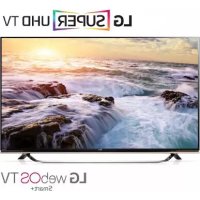
55UF8517 - Television LG - Free user manual and instructions
Find the device manual for free 55UF8517 LG in PDF.


| Product Type | LED TV |
| Brand | LG |
| Model | 55UF8517 |
| Screen Size | 55 inches (139.7 cm) |
| Resolution | Ultra HD (3840 x 2160 pixels) |
| Display Technology | LED with backlight |
| 3D Compatibility | Yes (3D models) |
| Operating System | webOS (Smart TV) |
| Connectivity | HDMI, USB, SCART, RF antenna, satellite, CI+, Ethernet, built-in Wi-Fi |
| Remote Control | Magic Remote (optional) and standard remote |
| VESA Mounting Standard | 300 x 300 mm |
| Power Supply | 100-240 V AC, 50/60 Hz |
| Power Consumption | Variable depending on settings, standby < 0.5 W |
| Smart Functions | Smart TV, apps, Time Machine recording, program guide |
| Parental Control | Yes (via security menu) |
| Safety | Detailed instructions: avoid humidity, heat, dust; unplug during storms |
| Maintenance and Cleaning | Soft dry cloth, do not spray water, avoid chemicals |
| Included Accessories | Power cord, remote control, batteries, table stand (depending on model) |
| Manual Languages | French, English, German, Spanish, Dutch, Portuguese, Slovenian, Greek |
| Repairability | Repairs by qualified personnel; spare parts not specified |
| Warranty | Legal warranty of conformity (check with retailer) |
| Weight (approx.) | Approximately 15-20 kg (depending on model and stand) |
Frequently Asked Questions - 55UF8517 LG
User questions about 55UF8517 LG
0 question about this device. Answer the ones you know or ask your own.
Ask a new question about this device
Download the instructions for your Television in PDF format for free! Find your manual 55UF8517 - LG and take your electronic device back in hand. On this page are published all the documents necessary for the use of your device. 55UF8517 by LG.
USER MANUAL 55UF8517 LG
Safety and Reference
LED TV*
- LG LED TV applies LCD screen with LED backlights.
Please read this manual carefully before operating your set and retain it for future reference.
www/lg.com
P/NO:MFL68780132(1503-REV02)
Printed in Korea
Safety instructions
Please read these safety precautions carefully before using the product.

WARNING
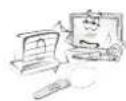
Do not place the TV and/or remote control in the following environments:
produce heat
exposed to steam or oil
Otherwise, this may result in fire, electric shock, malfunction or product deformation.
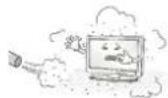
Do not place the product where it might be exposed to dust. This may cause a fire hazard.
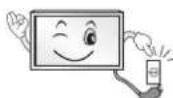
Mains Plug is the TV connecting/disconnecting device to AC mains electric supply. This plug must remain readily attached and operable when TV is in use.
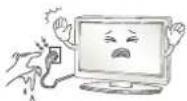
Do not touch the power plug with wet hands. Additionally, if the cord pin is wet or covered with dust, dry the power plug completely or wipe dust off. You may be electrocuted due to excess moisture.
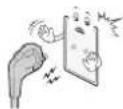
Make sure to connect Mains cable to compliant AC mains socket with Grounded earth pin. (Except for devices which are not grounded on earth.) Otherwise possibility you may be electrocuted or injured.

Insert power cable plug completely into wall socket otherwise if not secured completely into socket, fire ignition may break out.
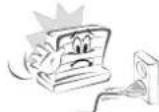
Ensure the power cord does not come into contact with hot objects such as a heater. This may cause a fire or an electric shock hazard.
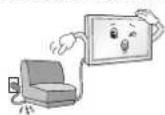
Do not place a heavy object, or the product itself, on power cables. Otherwise, this may result in fire or electric shock.

Bend antenna cable between inside and outside building to prevent rain from flowing in. This may cause water damaged inside the Product and could give an electric shock.
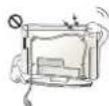
When mounting TV onto wall make sure to neatly install and isolate cabling from rear of TV as to not create possibility of electric shock / fire hazard.
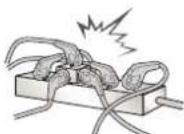
Do not plug too many electrical devices into a single multiple electrical outlet. Otherwise, this may result in fire due to over-heating.

Do not drop the product or let it fall over when connecting external devices. Otherwise, this may result in injury or damage to the product.
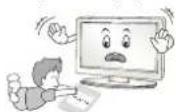
Keep the anti-moisture packing material or vinyl packing out of the reach of children. Anti-moisture material is harmful if swallowed. If swallowed by mistake, force the patient to vomit and visit the nearest hospital. Additionally, vinyl packing can cause suffocation. Keep it out of the reach of children.
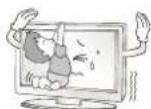
Do not let your children climb or cling onto the TV. Otherwise, the TV may fall over, which may cause serious injury.
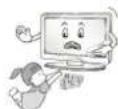
Dispose of used batteries carefully to ensure that a small child does not consume them. Please seek Doctor- Medical Attention immediately if child consumes batteries.
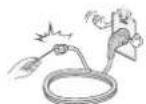
Do not insert any metal objects/conductors (like a metal chopstick/ cutlery/screwdriver) between power cable plug and input Wall Socket while it is connected to the input terminal on the wall. Additionally, do not touch the power cable right after plugging into the wall input terminal. You may be electrocuted. (Depending on model)
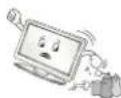
Do not put or store inflammable substances near the product. There is a danger of combustion/explosion or fire due to careless handling of the inflammable substances.
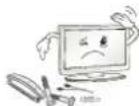
Do not drop metallic objects such as coins, hair pins, chopsticks or wire into the product, or inflammable objects such as paper and matches. Children must pay particular attention. Electrical shock, fire or injury can occur. If a foreign object is dropped into the product, unplug the power cord and contact the service centre.
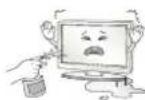
Do not spray water on the product or scrub with an inflammable substance (thinner or benzene). Fire or electric shock accident can occur.
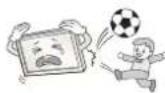
Do not allow any impact, shock or any objects to fall into the unit, and do not drop anything onto the screen. You may be injured or the product can be damaged.
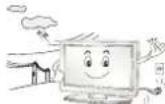
Never touch this product or antenna during a thunder or lighting storm. You may be electrocuted.
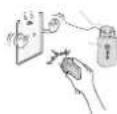
Never touch the wall outlet when there is leakage of gas, open the windows and ventilate. It may cause a fire or a burn by a spark.
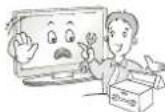
Do not disassemble, repair or modify the product at your own discretion. Fire or electric shock accident can occur. Contact the service centre for check, calibration or repair.
HSITDNE
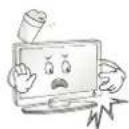
If any of the following occur, unplug the product immediately and contact your local service centre.
This may result in fire or electric shock.
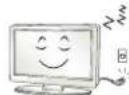
Unplug the TV from AC mains wall socket if you do not intend to use the TV for a long period of time. Accumulated dust can cause fire hazard and insulation deterioration can cause electric leakage/shock/fire.
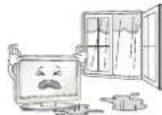
Apparatus shall not be exposed to dripping or splashing and no objects filled with liquids, such as vases, shall be placed on the apparatus.
Do not install this product on a wall if it could be exposed to oil or oil mist. This may damage the product and cause it to fall.
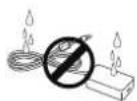
If water enters or comes into contact with TV, AC adapter or power cord please disconnect the power cord and contact service centre immediately. Otherwise, this may result in electric shock or fire.
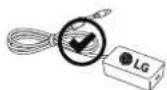
Only use an authorized AC adapter and power cord approved by LG Electronics. Otherwise, this may result in fire, electric shock, malfunction or product deformation.
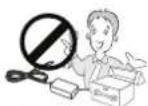
Never Disassemble the AC adapter or power cord. This may result in fire or electric shock.

CAUTION

Install the product where no radio wave occurs.
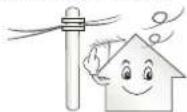
There should be enough distance between an outside antenna and power lines to keep the former from touching the latter even when the antenna falls. This may cause an electric shock.
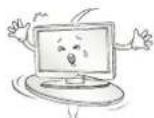
Do not install the product on places such as unstable shelves or inclined surfaces. Also avoid places where there is vibration or where the product cannot be fully supported. Otherwise, the product may fall or flip over, which may cause injury or damage to the product.
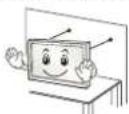
If you install the TV on a stand, you need to take actions to prevent the product from overturning. Otherwise, the product may fall over, which may cause injury.
If you intend to mount the product to a wall, attach VESA standard mounting interface (optional parts) to the back of the product. When you install the set to use the wall mounting bracket (optional parts), fix it carefully so as not to drop.
Only use the attachments / accessories specified by the manufacturer.
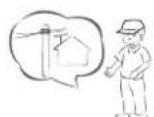
When installing the antenna, consult with a qualified service technician. If not installed by a qualified technician, this may create a fire hazard or an electric shock hazard.
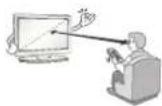
We recommend that you maintain a distance of at least 2 to 7 times the diagonal screen size when watching TV. If you watch TV for a long period of time, this may cause blurred vision.
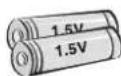
Only use the specified type of battery. This could cause damage to the remote control.
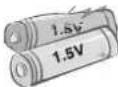
Do not mix new batteries with old batteries. This may cause the batteries to overheat and leak.
Batteries should not be exposed to excessive heat. For example, keep away from direct Sunlight, open fireplace and electric heaters.
Do not place non-rechargeable batteries in charging device.
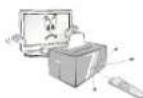
Make sure there are no objects between the remote control and its sensor.
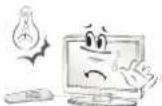
Signal from Remote Control can be interrupted due to external/internal lighting eg Sunlight, fluorescent lighting. If this occurs turn off lighting or darken viewing area.
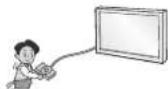
When connecting external devices such as video game consoles, make sure the connecting cables are long enough. Otherwise, the product may fall over, which may cause injury or damage the product.
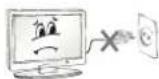
Do not turn the product On/Off by plugging-in or unplugging the power plug to the wall outlet. (Do not use the power plug for switch.) It may cause mechanical failure or could give an electric shock.
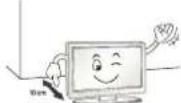
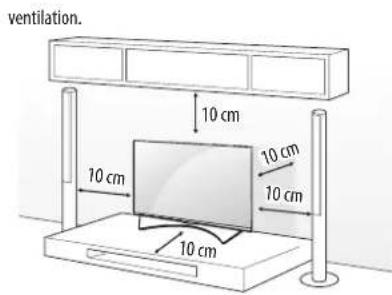
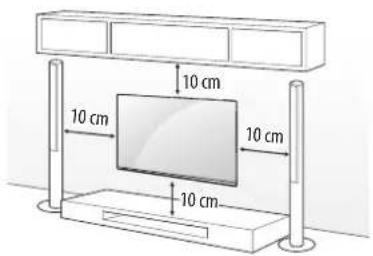
Please follow the installation instructions below to prevent the product from overheating.
than 10cm
bookshelf or in a cupboard).
Otherwise, this may result in fire.
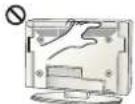
Take care not to touch the ventilation openings when watching the TV for long periods as the ventilation openings may become hot. This does not affect the operation or performance of the product.
Periodically examine the cord of your appliance, and if its appearance indicates damage or deterioration, unplug it, discontinue use of the appliance, and have the cord replaced with an exact replacement part by an authorized servicer.
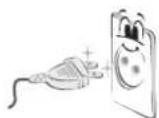
Prevent dust collecting on the power plug pins or outlet. This may cause a fire hazard.
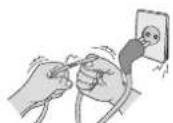
Protect the power cord from physical or mechanical abuse, such as being twisted, kinked, pinched, closed in a door, or walked upon. Pay particular attention to plugs, wall outlets, and the point where the cord exits the appliance.
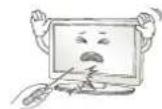
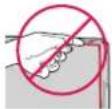
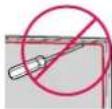
Do not press strongly upon the panel with a hand or sharp object such as nail, pencil or pen, or make a scratch on it, as it may cause damage to screen.
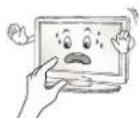
Avoid touching the screen or holding your finger(s) against it for long periods of time. Doing so may produce some temporary or permanent distortion/damage to screen.

When cleaning the product and its components, unplug the power first and wipe it with a soft cloth. Applying excessive force may cause scratches or discolouration. Do not spray with water or wipe with a wet cloth. Never use glass cleaner, car or industrial shiner, abrasives or wax, benzene, alcohol etc., which can damage the product and its panel. Otherwise, this may result in fire, electric shock or product damage (deformation, corrosion or breakage).
As long as this unit is connected to the AC wall outlet, it is not disconnected from the AC power source even if you turn off this unit by SWITCH.
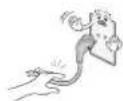
When unplugging the cable, grab the plug and unplug it, by pulling at the plug.
Don't pull at the cord to unplug the power cord from the power board, as this could be hazardous.
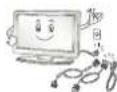
When moving the product, make sure you turn the power off first. Then, unplug the power cables, antenna cables and all connecting cables. The TV set or power cord may be damaged, which may create a fire hazard or cause electric shock.

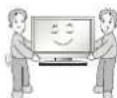
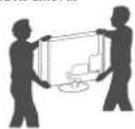
When moving or unpacking the product, work in pairs because the product is heavy. Otherwise, this may result in injury.
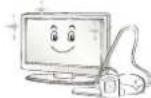
Contact the service centre once a year to clean the internal parts of the product.
Accumulated dust can cause mechanical failure.
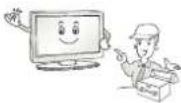
Refer all servicing to qualified service personnel. Servicing is required when the apparatus has been damaged in any way, such as power supply cord or plug is damaged, liquid has been spilled or objects have fallen into the apparatus, the apparatus has been exposed to rain or moisture, does not operate normally, or has been dropped.
If the product feels cold to the touch, there may be a small "flicker" when it is turned on. This is normal, there is nothing wrong with product.
The panel is a high technology display product with resolution of two million to six million pixels. You may see tiny black dots and/or brightly coloured dots (red, blue or green) at a size of 1 ppm on the panel. This does not indicate a malfunction and does not affect the performance and reliability of the product.
This phenomenon also occurs in third-party products and is not subject to exchange or refund.
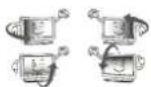
You may find different brightness and color of the panel depending on your viewing position(left/right/top/down).
This phenomenon occurs due to the characteristic of the panel. It is not related with the product performance, and it is not malfunction.
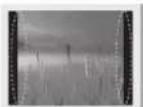
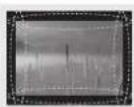
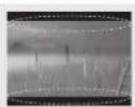
Displaying a still image (e.g., broadcasting channel logo, on-screen menu, scene from a video game) for a prolonged time may cause damage to the screen, resulting in retention of the image, which is known as image sticking. The warranty does not cover the product for image sticking.
Avoid displaying a fixed image on your television's screen for a prolonged period (2 or more hours for LCD, 1 or more hours for Plasma). Also, if you watch the TV at a ratio of 4:3 for a long time, image sticking may occur on the borders of the panel.
This phenomenon also occurs in third-party products and is not subject to exchange or refund.
Generated Sound
"Cracking" noise: A cracking noise that occurs when watching or turning off the TV is generated by plastic thermal contraction due to temperature and humidity. This noise is common for products where thermal deformation is required. Electrical circuit humming/panel buzzing:
A low level noise is generated from a high-speed switching circuit, which supplies a large amount of current to operate a product. It varies depending on the product.
This generated sound does not affect the performance and reliability of the product.
Do not use high voltage electrical goods near the TV (e.g. electric mosquito-swatter). This may result in product malfunction.
Viewing 3D imaging (Only 3D models)

WARNING
Viewing environment
- When watching 3D contents, take 5 - 15 minute breaks every hour. Viewing 3D contents for a long period of time may cause headache, dizziness, fatigue or eye strain.
Those that have a photosensitive seizure or chronic illness
when they are exposed to a flashing light or particular pattern from 3D contents.
have a chronic illness such as epilepsy, cardiac disorder, or blood pressure disease, etc.
blindness or stereo anomaly. Double images or discomfort in viewing may be experienced.
astigmatism, you may have trouble sensing depth and easily feel fatigue due to double images. It is advised to take frequent breaks than the average adult.
eyesight prior to watching 3D contents.
Symptoms which require discontinuation or refraining from watching 3D contents
overwork or drinking.
contents and get enough rest until the symptom subsides.
Consult your doctor when the symptoms persist. Symptoms may include headache, eyeball pain, dizziness, nausea, palpitation, blurring, discomfort, double image, visual inconvenience or fatigue.

CAUTION
Viewing environment
- Maintain a distance of at least twice the screen diagonal length when watching 3D contents. If you feel discomfort in viewing 3D contents, move further away from the TV.
Viewing age
Usage/Viewing 3D contents for children under the age of 6 are prohibited.
- Children under the age of 10 may overreact and become overly excited because their vision is in development (for example: trying to touch the screen or trying to jump into it.) Special monitoring and extra attention is required for children watching 3D contents.
Children have greater binocular disparity of 3D presentations than adults because the distance between the eyes is shorter than that of adults. Therefore they will perceive more stereoscopic depth compared to adults for the same 3D image.
- Teenagers under the age of 19 may react with sensitivity due to stimulation from light in 3D contents. Advise them to refrain from watching 3D contents for a long time when they are tired.
- The elderly may perceive less 3D effect compared to the young. Do not sit closer to the TV than the recommended distance.
Cautions when using the 3D glasses
view 3D videos properly.
protective goggles.
distortion.
temperatures. It will cause deformation.
soft, clean piece of cloth when wiping the lenses. Do not scratch the lenses of the 3D glasses with sharp objects or clean/wipe them with chemicals.
Preparing

NOTE
factory, initialization of the TV may take a few minutes.
shown in this manual.
or product model that you are using.
consumption. And the TV should be turned off if it will not be watched for some time, as this will reduce energy consumption.
level of brightness of the picture is reduced, and this will reduce the overall running cost.
model.
without prior notice due to upgrade of product functions.
have bezels less than 10mm thick and 18mm width. Use an extension cable that supports USB 2.0 if the USB cable or USB memory stick does not fit into your TV's USB port.
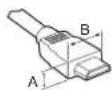

or a connection error may occur. (Recommended HDMI Cable Types)
High-Speed HDMI/ Cable (3 m or less)
- High-Speed HDMI™ Cable with Ethernet (3 m or less)

CAUTION
life span.
covered by the warranty.
must not be removed.
may damage the product. (Only UF95**)
down on a cushioned table or flat surface to protect the screen from scratches.
securely. (If they are not fastened securely enough, the TV may tilt forward after being installed.) Do not use too much force and over tighten the screws; otherwise screw may be damaged and not tighten correctly.
Separate purchase
Separate purchase items can be changed or modified for quality improvement without any notification. Contact your dealer to buy these items. These devices only work with certain models. The model name or design may be changed depending on the upgrade of product functions, manufacturer's circumstances or policies.
Depending on model)
| AG-F*** Cinema 3D Glasses | AN-MR600 Magic Remote | AG-F****DP Dual Play Glasses |
| AN-VC550 Smart camera | LG Audio Device |
Maintenance
Cleaning your TV
Clean your TV regularly to keep the best performance and to extend the product lifespan.
all other cables first.
disconnect the power cord from the wall outlet to prevent possible damage from lightning or power surges.
Screen, frame, cabinet and stand
To remove dust or light dirt, wipe the surface with a dry, clean, and soft cloth.
To remove major dirt, wipe the surface with a soft cloth dampened in clean water or a diluted mild detergent. Then wipe immediately with a dry cloth.
to the screen.
sharp object, as this may result in scratches and image distortions.
result in fire, electric shock, or malfunction.
Power cord
Remove the accumulated dust or dirt on the power cord regularly.
Lifting and moving the TV
Please note the following advice to prevent the TV from being scratched or damaged and for safe transportation regardless of its type and size.
that the TV originally came in.
all cables.
avoid damage.
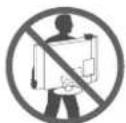
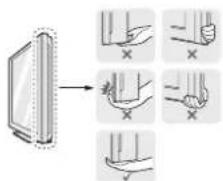
hold the transparent part, speaker, or speaker grill area.
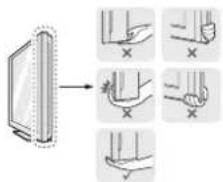
following illustration.
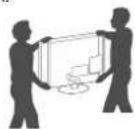
excessive vibration.
on its side or tilt towards the left or right.
chassis as it may damage screen.
joystick button.

CAUTION
to the screen.
holders may break, and injuries and damage to the TV may occur.
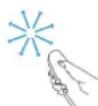
Using the joystick button
(ImageshownmaydifferfromyourTV.)
You can simply operate the TV functions, pressing or moving the joystick button up, down, left or right.
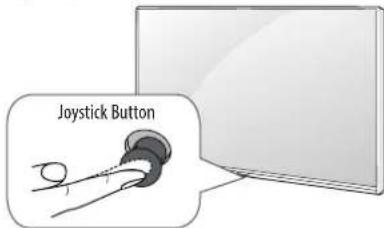
Basic functions
| Power On | When the TV is turned off, place your finger on the joystick button and press it once and release it. |
| Power Off | When the TV is turned on, place your finger on the joystick button and press it once for a few seconds and release it. All running apps will close, and any recording in progress will stop. |
| Volume Control | If you place your finger over the joystick button and move it left or right, you can adjust the volume level you want. |
| Programmes Control | If you place your finger over the joystick button and move it up or down, you can scrolls through the saved programmes you want. |
Adjusting the menu
When the TV is turned on, press the joystick button one time. You can adjust the Menu items moving the joystick button up, down, left or right.
| Turns the power off. |
| Clears on-screen displays and returns to TV viewing. |
| Changes the input source. |
| Accesses the Quick Settings. |

down, left or right, be careful not to press the joystick button. If you press the joystick button first, you may not be able to adjust the volume level and saved programmes.
Mounting on a table
Depending on model)
1 Lift and tilt the TV into its upright position on a table.
2 Connect the power cord to a wall outlet.

CAUTION
fire or other damage.
Using the kensington security system
(This feature is not available for all models.)
The Kensington security system connector is located at the rear of the TV. For more information of installation and using, refer to the manual provided with the Kensington security system or visit http://www.kensington.com. Connect the Kensington security system cable between the TV and a table.
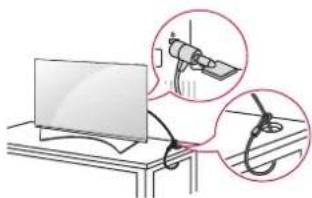
Securing the TV to a wall
(This feature is not available for all models.)
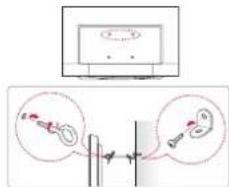
1 Insert and tighten the eye-bolts, or TV brackets and bolts on the back of the TV.
bolts first.
2 Mount the wall brackets with the bolts to the wall. Match the location of the wall bracket and the eye-bolts on the rear of the TV.
3 Connect the eye-bolts and wall brackets tightly with a sturdy rope. Make sure to keep the rope horizontal with the flat surface.

CAUTION

NOTE
support the TV securely.
additional accessories from your local dealer.
Mounting on a wall
Attach an optional wall mount bracket at the rear of the TV carefully and install the wall mount bracket on a solid wall perpendicular to the floor. When you attach the TV to other building materials, please contact qualified personnel. LG recommends that wall mounting be performed by a qualified professional installer. We recommend the use of LG's wall mount bracket. When you do not use LG's wall mount bracket, please use a wall mount bracket where the device is adequately secured to the wall with enough space to allow connectivity to external devices.
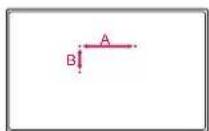
Make sure to use screws and wall mount bracket that meet the VESA standard. Standard dimensions for the wall mount kits are described in the following table.
Separate purchase (Wall mounting bracket)
| Model | 43UF69** 40/43UF77** 40/43UF80** | 49UF69** 49/55UF77** 49/55UF80** 49/55UF85** 55UF86** 55UF95** 55UG87** |
| VESA (A x B) 200 x 200 | 300 x 300 | |
| Standard screw M6 M6 | ||
| Number of screws 44 | ||
| Wall mount bracket | LSW240B MSW240 | LSW350B MSW240 |
| Model | 60/65UF77** 60/65UF80** 60/65UF85** 65UF86** 65UF95** 65UG87** | 70UF77** 79UF86** |
| VESA (A x B) 300 x 300 | 600 x 400 | |
| Standard screw M6 M8 | ||
| Number of screws 44 | ||
| Wall mount bracket | LSW350B LSW640B |
CAUTION
Otherwise electric shock may occur.
performing the stand attachment in reverse.
result in severe injury. Use an authorised LG wall mount and contact the local dealer or qualified personnel.
and void your warranty.
damages or injuries by misuse or using an improper accessory are not covered by the warranty.
NOTE
specifications.
parts.
accessories from your local dealer.
Make sure to use the proper length.
mount.
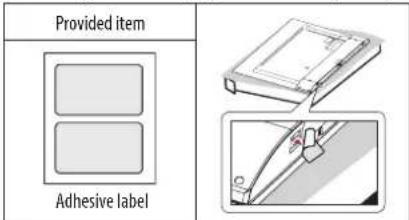
label provided. The adhesive label will protect the opening from accumulating dust and dirt. (Only when the label is provided)
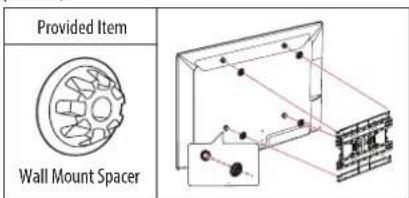
mount spacers into the TV wall mount holes to adjust the vertical angle of the TV. (Only when the item of the following form is provided)
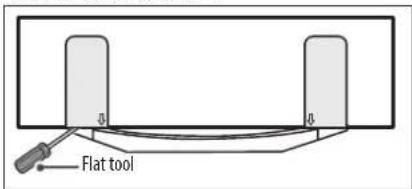
flat screwdriver (Only 79UF86")
Connections (notifications)
Connect various external devices to the TV and switch input modes to select an external device. For more information of external device's connection, refer to the manual provided with each device.
Available external devices are: HD receivers, DVD players, VCRs, audio systems, USB storage devices, PC, gaming devices, and other external devices.

NOTE
TV port.
connect the TV signal input cable to the TV through a DVD recorder or VCR. For more information of recording, refer to the manual provided with the connected device.
instructions.
with the gaming device.
vertical pattern, contrast or brightness. If noise is present, change the PC output to another resolution, change the refresh rate to another rate or adjust the brightness and contrast on the PICTURE menu until the picture is clear.
depending on the graphics card.
become disrupted intermittently depending on your PC's performance. (Depending on model)
Antenna connection
Connect the TV to a wall antenna socket with an RF cable (75Ω).
improve the image quality.
realign the antenna in the correct direction.
HE-AAC
this TV cannot receive ULTRA HD broadcasts directly. This TV cannot receive ULTRA HD (3840 x 2160 pixels) broadcasts directly because the related standards have not been confirmed. (Depending on model)
Satellite dish connection
(Only satellite models)
Connect the TV to a satellite dish to a satellite socket with a satellite RF cable (75Ω).
Euro scart connection
Depending on model)
Transmits the video and audio signals from an external device to the TV set. Connect the external device and the TV set with the euro scart cable.
| Output Type Current input mode | AV1 (TV Out ) |
| Digital TV | Digital TV |
| Analogue TV, AV | Analogue TVComponent |
| HDMI |
1 TV Out : Outputs Analogue TV or Digital TV signals.
can be output through the SCART cable. (Only 3D models)
cannot be output through the SCART cable.
CI module Connection
Depending on model
View the encrypted (pay) services in digital TV mode.
right direction. If the module is not inserted properly, this can cause damage to the TV and the PCMCIA card slot.
connected, please contact to the Terrestrial/Cable/Satellite Service Operator.
Other connections
Connect your TV to external devices. For the best picture and audio quality, connect the external device and the TV with the HDMI cable. Some separate cable is not provided.


Colour
- On: Support 4K @ 50/60 Hz (4:4:4, 4:2:2, 4:2:0)
- Off: Support 4K @ 50/60 Hz (4:2:0)
If the device connected to Input Port also supports ULTRA HD Deep Colour, your picture may be clearer. However, if the device doesn't support it, it may not work properly. In that case, connect the device to a different HDMI port or change the TV's HDMI ULTRA HD Deep Colour setting to Off.
(This feature is available on certain models which are supported ULTRA HD Deep Colour only.)
Remote control
The descriptions in this manual are based on the buttons on the remote control. Please read this manual carefully and use the TV correctly. To replace batteries, open the battery cover, replace batteries (1.5 V AAA) matching the (+) and (品) to the label inside the compartment, and close the battery cover. To remove the batteries, perform the installation actions in reverse.
CAUTION
control.
Make sure to point the remote control toward the remote control sensor on the TV. (Depending on model)
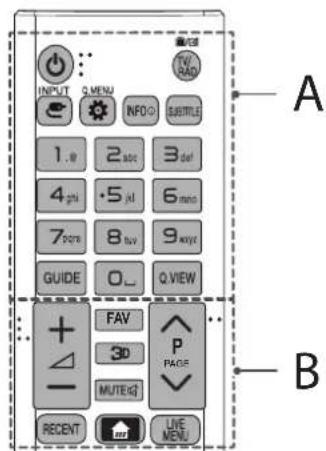
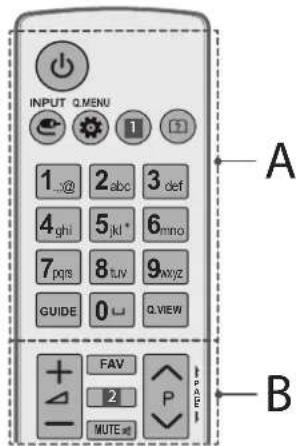
A
(POWER)Turns the TV on or off.
INPATges the input source.
Q. MENU / Settings) Accesses the Quick Settings.
INFO ① Views the information of the current programme and screen.
SUBTITLE Recalls your preferred subtitle in digital mode.
TV/RAD Selects Radio, TV and DTV programme.
Number buttons Enters numbers.
GUIDE Shows programme guide.
L(Space) Opens an empty space on the screen keyboard.
Q.VIEW Returns to the previously viewed programme.
B
+Adjusts the volume level.
FAV Accesses your favourite programme list.
3D Used for viewing 3D video.
MUTE mutes all sounds.
ScrolIe through the saved programmes.
PAGE MOVesto the previous or next screen.
RECENT Shows the previous history.
HOME)Accesses the Home menu.
LIVE MENU Shows the list of Recommended, Programmes, Search and Recorded. (Depending on model)
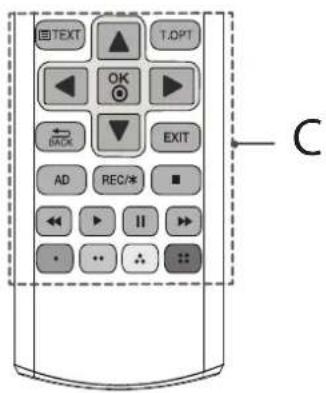
C
Teletext buttons (国) 次序是的 are used for teletext.
Navigation buttons (up/down/left/right) Scrol1s through menus or options.
OK Select menus or options and confirms your input.
BACK Returns to the previous level.
EXIT Clears on-screen displays and returns to TV viewing.
AD By Pressing AD button, audio descriptions function will be enabled.
REC/Starts to record and displays record menu. (Only Time MachineRapid supported model) (Depending on model)
Control buttons 已 ,II, , )Controls the Premium contents,Time Machine or SmartShare menus or the SIMPLINK compatible devices (USB or SIMPLINK or Time Machine).
Coloured buttons These access special functions in some menus.
Red:Green:Yellow:Blue
(Depending on model)
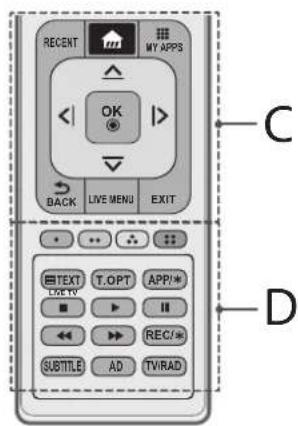
A
(POWER) Tums the TV on or off.
INPUTs the input source.
Q. MENU / Settings) Accesses the Quick Settings.
1 IN the information of the current programme and screen. (Depending on model)
1 Rsinan image. (Depending on model)
? (User Guide) Sees user-guide.
Number buttons Enters numbers.
(Space) Opens an empty space on the screen keyboard.
GUIDE Shows programme guide.
Q.VIEW Returns to the previously viewed programme.
B
+Adjusts the volume level.
FAV Accesses your favourite programme list.
230ed for viewing 3D video. (Depending on model)
2 INFO ① Views the information of the current programme and screen. (Depending on model)
MUTE Mutes all sounds.
ScrolIthrough the saved programmes.
PAGE Moves to the previous or next screen.
C
RECENT Shows the previous history.
HOME)Accesses the Home menu.
MSHTAPshe list of Apps.
Navigation buttons (up/down/left/right) Scrol1s through menus or options.
OK Selects menus or options and confirms your input.
BACK Returns to the previous level.
LIVE MENU Shows the list of Recommended, Programmes, Search and Recorded. (Depending on model)
EXIT Casks on-screen displays and returns to TV viewing.
D
Coloured buttons These access special functions in some menus.
Teletext buttons (F)Xpressbors are used for teletext.
APP/* Selects the MHP TV menu source. (Depending on model) LIVETV Returns to LIVE TV.
Control buttons (■, ▲, ←, ▽) Controls the Premium contents, Time Machineflex or SmartShare menus or the SIMPLINK compatible devices (USB or SIMPLINK or Time Machineflex)
REC/Starts to record and displays record menu. (Only Time Machine*supported model) (Depending on model)
SUBTITLE Recalls your preferred subtitle in digital mode.
AD By Pressing AD button, audio descriptions function will be enabled.
TV/RAD Selects Radio, TV and DTV programme.
Magic remote functions
(Depending on model)
When the message "Magic remote battery is low. Change the battery." is displayed, replace the battery.
To replace batteries, open the battery cover, replace batteries (1.5 V AA) matching the and ends to the label inside the compartment, and close the battery cover. Be sure to point the magic remote toward the remote control sensor on the TV. To remove the batteries, perform the installation actions in reverse.

CAUTION
control.
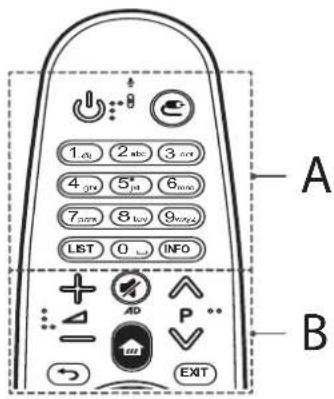
A
(POWER) Turns the TV on or off.

(INPUT) Changes the input source.
- Pressing and holding the button displays all the lists of external inputs.
Number buttons Enters numbers.
LIST Accesses the saved programmes list.
L(Space) Opens an empty space on the screen keyboard.
INFO Views the information of the current programmes and screen.
B

Adjusts the volume level.

"rolls through the saved programmes.

MUTE) Mutes all sounds.
- By Pressing and holding the button, video/audio descriptions function will be enabled. (Depending on model)

(HOME) Accesses the Home menu.

(BACK) Returns to the previous screen.
EXIT Clears on-screen displays and returns to Last Input viewing.
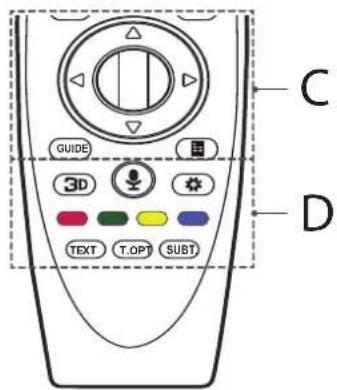
C
Wheel (OK) Press the center of the Wheel button to select a menu. You can change programmes by using the Wheel button.
Up/down/left/right) Press the up, down, left or right button to scroll the menu. If you press buttons while the pointer is in use, the pointer will disappear from the screen and Magic Remote will operate like a general remote control. To display the pointer on the screen again, shake Magic Remote to the left and right.
GUIDE Shows programme guide.
Screen Remote) Displays the Screen Remote.
* Accesses the Universal Control Menu. (Depending on model)
D
3D Used for viewing 3D video. (Only 3D models)
Voice recognition) (Depending on model)
Network connection is required to use the voice recognition function.
1 Press the voice recognition button.
2 Speak when the voice display window appears on the TV screen.
slowly.
characteristics (voice, pronunciation, intonation, and speed) and the environment (noise and TV volume).
Q. Settings) Accesses the Quick Settings
* Pressing and holding the button displays the Advanced menu.
Coloured buttons These access special functions in some menus.
(Red,Green:Yellow:Blue)
Teletext buttons (TEXT, T.OPT) These buttons are used for teletext.
SUBT. Recalls your preferred subtitle in digital mode.
Registering magic remote
How to register the magic remote
To use the Magic Remote, first pair it with your TV.
1 Put batteries into the Magic Remote and turn the TV on.
2 Point the Magic Remote at your TV and press the Wheel (OK) on the remote control.
If the TV fails to register the Magic Remote, try again after turning the TV off and back on.
How to deregister the magic remote
Press the BACK and (HOME) buttons at the same time, for five seconds, to unpair the Magic Remote with your TV.
* Pressing and holding the EXIT button will let you cancel and re-register Magic Remote at once.
How to use magic remote
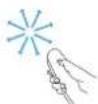
(Home),INPUT) bts to make the pointer appear on the screen. (In some TV models, the pointer will appear when you turn the Wheel OK) button.)
Magic Remote is placed on a flat surface, then the pointer will disappear.
pointer by moving it to the edge of the screen.
due to the additional features.
Precautions to take when using the magic remote
You may experience communication failures when using the device outside the coverage area or if there are obstacles within the coverage area.
accessories. Devices such as a microwave oven and wireless LAN operate in the same frequency band (2.4 GHz) as the Magic Remote. This may cause communication failures.
within 1 meter of the TV. Your wireless router should be more than 1 m away from the TV.
Licenses
Supported licenses may differ by model. For more information about licenses, visit www.lg.com.

DOLBY DIGITAL PLUS



Open source software notice information
To obtain the source code under GPL, LGPL, MPL, and other open source licenses, that is contained in this product, please visit http://opensource. lge.com.
In addition to the source code, all referred license terms, warranty disclaimers and copyright notices are available for download.
LG Electronics will also provide open source code to you on CD-ROM for a charge covering the cost of performing such distribution (such as the cost of media, shipping, and handling) upon email request to opensource@ lge.com. This offer is valid for three (3) years from the date on which you purchased the product.
Troubleshooting
Cannot control the TV with the remote control.
control.
to 念 No image display and no sound is produced.
products.
The TV turns off suddenly.
interrupted.
Automatic Standby (Depending on model) / Sleep
Timer / Timer Power Off is activated in the Timers settings.
automatically after 15 minutes of inactivity.
When connecting to the PC (HDMI), 'No signal' or 'Invalid Format' is displayed.
Specifications
Wireless modulespecification
user can not change or adjust the operating frequency and this product is set for the regional frequency table.
distance 20~cm between the device and your body. And this phrase is for the general statement for consideration of user environment.

(Only UF69, UF77, UF80, UF85, UF86, UG87)
| Wireless module (LGSBW41) specification | |||
| Wireless LAN Bluetooth | |||
| Standard IEEE 802.11a/b/g/n Standard | Bluetooth Version 4.0 | ||
| Frequency Range | 2400 to 2483.5 MHz5150 to 5250 MHz5725 to 5850 MHz (for Non EU) | Frequency Range | 2400 to 2483.5 MHz |
| Output Power (Max.) | 802.11a: 13 dBm802.11b: 15 dBm802.11g: 14 dBm802.11n - 2.4 GHz: 16 dBm802.11n - 5 GHz: 16 dBm | Output Power (Max.) | 10 dBm or Lower |
(Only UF95**)
| Wireless module (LG5BWS1) specification | |||
| Wireless LAN Bluetooth | |||
| Standard IEEE 802.11a/b/g/n/ac Standard | Bluetooth Version 4.0 | ||
| Frequency Range | 2400 to 2483.5 MHz5150 to 5250 MHz5725 to 5850 MHz (for Non EU) | Frequency Range | 2400 to 2483.5 MHz |
| Output Power (Max.) | 802.11a: 14.5 dBm802.11b: 14 dBm802.11g: 13 dBm802.11n - 2.4 GHz: 14 dBm802.11n - 5 GHz: 15.5 dBm802.11ac - 5 GHz: 16 dBm | Output Power (Max.) | 10 dBm or Lower |

LG
Life's Good
BENUTZERHANDBUCH
Tasti teletext (TEXT T.OPT
APP/*
LIVE TV

REC/*
SUBTITLE
AD
TV/RAD
Tasti teletext (TEXT, T.OPT)
SUBT.
HIGHERMATIONMULTMEDIAINTERFAC

HD

conecte Others products.
La TV se apaga repentinamente.
Oboyn, nlaio, emilko kai bao
Iva aonakpuveTn kovn n touc poutouc,okouniote Tv Etnipaveia eEv oteyvo, kaqapoi Kaalako navi.
Tia va anoajkpovete Tny Evtoyn Bpwiua, okouniote Tny enkpavieia me eva malako navi, to onio exete BpeEe Ilaappuc me kaBapo vepo n hi no KaBapoiTko diAua. Stn ouvexia, oKouniote aedow Tny emipaveia me eva steyvo navi.
Otnvobovn.
ta vovia oac n e auxnpa avtkei meva, kaWoc evdexetai va npokanboov yparTcovncc kai napapoppwoec tnc EIKOvAC.
OTo npoiov.
veo ootepkoTNCnAeopaonGvEEXaVa npoknBei npkayia,naektonnia dyoaetourtpyia.
Kaλωδιο τροφοδοσίας
AnopakpuveTAKtikA Tn OoOoopeuEvn Okovn Bpuiia ano To kalldio Tpoopoodooiac.
Avuwoon kai eetakivno n tnc tnlaopao n
PnV anT nIeakivn an Tn avuwoan TnTaeopaonc, GiaabeTic akaloube cOde nyie vi Tn aoopuy npoklannc ypatooovw n BaoNc OTnv Tneopaon kai via Tn aapaln IeapopaTnC, aveapnttuc tonou kai meyeboc ouokeunc.
oukoedoaia.
anouuvdeote kaiawdoTpoapooiac kai ota kaawdi.
OpaueynnpocTnVavriBcNkateoovon ano eoac yva nyn npokangeCnna.

mepopaon. Mny kpatate to diapavc tunua, to nxeio n to naeyua Tou nyeiou.
2aTopa.
paivetaliynapakatwikova.
Kovma teletext (TETo TOpjum
Xpnaonoiouyra yia to teletext.
Koumu nanyonc (enavkawapotepa/8Eia) Kluon o Taevou n t Eauoyec.
OK EvpyoIolno n evou n emoyov ka embetaIOW TAW KATXUPOeW.
BACK Ematpopoi oto nponyouevo emine6o.
EXIT Aiaippaan oaw Twv evbeieewou nou eapavicovta otny oobn kai Eiotpoipoi otnv kavovik npoBoi ng
AD PatauTAC to Koumri AD, Evpeymoieetan nIeitovpyia nepypaicfi xou.
REC/ExkivnAnEvypaipicKanpoBoiTuouevoEvypapc.(ovoTo oovtelo Time Machine (AvoOya e to oovteo
Koumaéxyou(,,,)EeyocTuvneipexoyevov Premium, Tuv evou Time Machine@cy hSmartShare tuv ouβatow oukeuw SIMLINK (USB h SIMLINK tTime Machine@).
Eypwma koumpia XpnoiOnoivTuia TnV npObaon oe EbiKec Aetoupyie opoievuv mevou.
Kokivo, :Papov, :Krtipvo, :MnE

GUIDE Eupadvian toou obnyo npoypamatoc.
QVIEW Entopqoi o npoyoumuvo npypaum.
B
+Poumuon Tou emnéodou evtaoan Tou nixou.
FAV npoaaon mt aotayamnv kavaivw.
30noumonoeiay npoBoaBivTeo 3D. (Avoxoyu to ovoTelo)
INFO ① npoBoJnTw nI npOpaIwTuTpeXovTo poyapmuatocKaTncOboVnc.AvaoyaMeuPoVteHa
MUTE iyaon oivuyn ivyuv.
A Kliion ota ano8nkeuEv npoypaata n kavaiia.
PAGE Metakivn an tny npoyouev n tyn enoovn
C
RECENT EkpaviciTeTo nponoyouMevo Iotopiko.
APXIKOMENO) PpOaon oTPOxKo evo.
MYPARRSTeTNIATAOTUVEgapopuyuV.
Koumpia noiynonc (enavw/katw/apiotepd/8Ela) Kluon ora evou n tic enoyec.
OK Eevpyoioinou n emIoov kai embetaiaow tov kataxupnoeiv.
BACK Ematpooip oto npoyoiuoe enine6o.
LIVE MENU Emuavici TIC AIOTEPPOeivouva, PpOpypaia, AvcTnnon kai EyyepauevA. (Avoya je to ovoTeo)
EXIT Aiypaip oavowv evdeieewn ou epaivcovtaotnv oovkai Eiortpoip otny kawoviknpoBoaTnEopaoc.
D
EeypwKaoumXpnooioovraiaTnnpoBaonaeEiokcAeIoupyieopoeuvmvvou.
(cKoikivo,:Pnpovc:Kripvoc,Cm) Koumuia teletext(TEXT/LOpTaKaoumuia
xpanoioovrta yia to teletext.
APP* Enuoy nnc npoeevoc tou mevo MHP TV. (Avooya e to ovo
LIVE TV Emotpoj onn Aetroupyia LIVETV (ZONTANTH THAEOPAESH).
Kouma teletext (TEXT, T.0PT) Avta ta kouma xpnqionovua via to teletext.
SUBT. Enavapopa Tov npotmuwewv unotitaw otyn ynqakn aeitoupyia.
Kataxwpnon Tou mayikou tnλεχειριον Magic
TpOnc kataxwnpnnc tou tnaexeiipntpiou Magic
Ia va xpnaionoietae to nleexipotnpio Magic, 0 npenei npota va to oucucetee me tvn lepaon oac.
1 TOnoBtneTne mntapiec oTo tNExepiuptnipio Magic kai Eveypononote Tny nTaeopaon.
2 TpeTTo nIeipioTIOoMiaq npoc TnV nIeopaon KAI natnoTe to kouuni Tpooyo (OK) oTo nIeipioTIO.
Av n kataxupon Tou nAeepiopniou Magic atny nAeopaon anotoxei, npoantheta Kai naia apov anevpyonooet e KAI EVEPONOHTE cavynTnAeopaon.
TpOnc katapynonc tnc kataxwponctou tnIeipiotnpiou Magic
TATNTATEAUPOVA TKAOUMIIOKAI (APKO MENOY) yia nve TEUPOAENTa, yia va katoyhoTe T ooueTu TnLExipntoiuMagic me TnytNtEopaanoc.
Av nathoe napatatejvea to koumi EXIT mopeite va akupwoe Ka va kataxwpjoetek vevou to thexieipotipo Magic.
Tpónoc xρnhoc tou maγikou tλεχειρισηριou Magic
natnote ta koumi (APXIKOMENO), (EIE0DOs), 3D yva va emuawotei o deikntc otiv oboyn. (e opiaeva movteAa thaeopoeavv, o deikntc oeuawotei otav natnoete to kouuni (O).)
diatma naw to tnlexiptnio Magic tonoetnoi ae enine6n enipdvia.
Enavopopa tov deiktn metakivovtac to 0to akpo tn obovnc.
an 0,ti EKEIVEc EVOC KAVOVIKoTnEEXIPIOTnIOU, EaTtAc Tov npOaBETOW DuvatotTiw.
PpovlaEic nou npénei va kata tn xpnon tou ayikou tnlexeiipotnpiou Magic
eupoc (oe anoatao 10 tepov). Evdxetai va unapxouv npbaia ta eikoiuvia kata tri xphon nco ookeunc ekto cnc nepioic kakuync n av unapxov eumodia etoc n cne pioxic kakuync.
ENIKOIVVIAc.
Zoukec6 oic oipovoi kikpokuataw kai aupupa taektua LAN xnpouoioooy TIV iia Covn ouvotiw 2,4GH) me to tneixipotipoMigic. Mnopei va pokanboov npobamata otiv ENIKOIVGVA.
unapxai aupatoc dpoaooyntc (AP) ae anoataon 1 mptou ano tvn theopaan. O aupatoc dpooayntic Ta npentia va pioketae anotaa meyutepnou 1 mptou ano tny thneopaan.
Kpaδaμoʊc σην μnatapia.
EkpnE.
Adeltaxponc
OIOoOTnpOcEVEc AeIEc XpIOnc EvExEETaV daIqepovu, avaloya ME to ovoTo. Ia nepiooTepeC mnpopopiec oxetikAe TIC aEIEc XpIOnc, EIOKEpEteTn dIOeBvONWww.lg.com.

DOLBY.
DIGITALPLUS

HIGH-DEFINITION MULTIMEDIA INTERFAC

HD

dtssHD
II npopoopiec onmuicwnc yia to loyioiko avoiktou Kwdelta
TIA TAIJH NTOIYAIOW KWDIKA NOO DIENETA OAO CDEIEC XPHIONG GPL, LGPL, MPL KAI dAALEc AEIDEC XPHIONC AVOYTOU KWIDIKA, OIOIOCEPIAHJIABAVTEA OTO PNOIov, EIOKEPTEITN TBIUBUVON http:// opensource.lge.com.
EKTc ao Tov myaio Kwaika, biatievtaipnoc hyn oai Ovaapepevoi opoi abewx pnoic, o anonoinae cyyuoeaw kai oneieoeic nvemuatikw bikaiuotow.
H LG Electronics napexi emionc to ovayto kwaika ae CD-ROM evanvt auitnnou nau kaontet to koatoc tng diavounc (onuc to kootoc tou eoooy yepaic, tnv anotolk kai tnv npabaon) katov unofoaic aittnato c mew e ont dieuuvan opensource@lge.com. Autn n npoopa 10xuiye iya peiodo tpiw (3) et wv andy njeepoyvta oypac tounpoiovtc.
Avtupetwion npoBAnmuatwv
PpOdelta
Aevivauo c xepiaoc tnc nlaopaoanc e to nlexeiipntipio.
npoanaθησε Εαν.
mλεχεριοτηριο.
Owot(+με+με). □
ΔEV eipavicietai EKovai kai devakouyetai
Htneoepaonanepepyoioeirai qapvika.
tpopoooia.
Autopatn avopov (Avkoya
μe to movtelo /Xpvopnpoypaumotocabpveac/ Anevpeyoinan xpvovetpu evai evpyoninEvva otic pubmuie Xpvodlakontc.
tnleopaon 0a anevpyooinθei autouata eneita ano 15 aeia aepaveiac.
Kata n ouvdean o e onoloyotn (HDM), npoalaaat n evoeiE "Ev
unapxet onu" nMn Ekyopnpoi
mλexeiipotploi.
PpOsiaypaqEaOpuamcMovadac
va diapepei,oxpiotnc dev mnoepi va aalaee i va puogiaei t ouvoTnlaieoupyiac,Auto tonpoiov exei pueuotei yia tv nivaoka tonikw ouvoTnaw.
touayotov ae anoataon 20 ekatootaw ao to oupa oac.Autn npotaon apopa t nevki n dlambdaen evnepwoc yia to nepiBalov xipotn.
C€0197①
(Movyia ta paovEa UF69, UF77, UF80, UF85, UF86, UG87)
| Пюбаяразец Аюppersьмовáдас (LGSBW41) | |||
| Аюратου LAN Bluetooth | |||
| Пю波特уо IEEE 802.11a/b/g/n Пю波特уо | Bluetooth eKenool 4.0 | ||
| Еюс аюотчоν | 2.400 eц 2.483,5 MHz 5.150 eц 5.250 MHz 5.725 eц 5.850 MHz (Га хώρες εκτός E.E.) | Еюс аюотчоν | 2.400euc 2.483,5 MHz |
| Ioxuç eξδού (μέγ.) | 802.11a: 13 dBm 802.11b: 15 dBm 802.11g: 14 dBm 802.11n - 2,4 GHz: 16 dBm 802.11n - 5 GHz: 16 dBm | Ioxuç eξδού (μέγ.) | Eωc 10 dBm |
(Móvo yá ta μořteλa UF95**)
| Плоб diуразец Аоύр maци Мovадас (LGSBW51) | |||
| Аоύр mus LAN Bluoteoh | |||
| Плотуо IEE 802.11a/b/g/n/ac Плотуо | Bluetooth exdoan 4.0 | ||
| Еворoc ouxvo titaw | 2.400 εωс 2.483,5 MHz 5.150 εωс 5.250 MHz 5.725 εωс 5.850 MHz (Гахшес ektrоч E.E.) | Еворoc ouxvo titaw | 2.400 εωс 2.483,5 MHz |
| Iохчс εхбου (μeу.) | 802.11a: 14,5 dBm 802.11b: 14 dBm 802.11g: 13 dBm 802.11n - 2,4 GHz: 14 dBm 802.11n - 5 GHz: 15,5 dBm 802.11ac - 5 GHz: 16 dBm | Iохчс εхбου (μeу.) | Eωс 10 dBm |

LG
Life's Good
UPORABNIISKI PRIROČNIK
GUIDE Prikaze spored.
(LPresledek) Za vnos presledka stipkovnico na zaslonu.
| CI Module (W x H x D) 100.0 mm x 55.0 mm x 5.0 mm | |
| Environment condition | Operating Temperature 0 °C to 40 °C |
| Operating Humidity Less than 80 % | |
| Storage Temperature -20 °C to 60 °C | |
| Storage Humidity Less than 85 % | |
| Digital TV Analogue TV | ||
| Television system | DVB-T/T2* DVB-C DVB-S*/S2* | PAL/SECAM B/G/I/D/K, SECAM L/L' |
| Programme coverage VHF, UHF, C-Band*, Ku-Band* | VHF: E2 to E12 UHF: E21 to E69 CATV: S1 to S20 HYPER: S21 to S47 | |
| Maximum number of storable programmes | 6,000 1,500 | |
| External antenna impedance 75Ω | ||
Only DVB-T2/C/S/S2 support models.
Regulatory
LG Recycling Policy (Only EU)
LG Electronics offers a customized e-waste take-back & recycling service that meets local needs and requirements in the countries where e-waste regulations are in place, and also provides product and packaging take-back & recycling service voluntarily in some countries. LG Electronics evaluates products' recyclability at the design step using LG's recyclability evaluation tool, with the goal of improving recyclability where practicable. Through these activities, LG seeks to contribute to conserving natural resources and protecting the environment.
For more information about the LG Recycling Policy, please visit our global site at http://www/lg.com/global/sustainability/environment/take-back-recycling
Energy Saving
Energy efficiency cuts energy consumption and thus saves money by reducing electricity bills. The following indications allow to reduce power consumption when the television is not being watched:
television is not being used for a long time, e.g. when on holiday,
Isolator (Only Sweden, Norway)
a connection to protective earthing - and to a cable distribution system using coaxial cable, may in some circumstances create a fire hazard. Connection to a cable distribution system has therefore to be provided through a device providing electrical isolation below a certain frequency range (galvanic isolator, see EN 60728-11)
vissa fall medfora risk for brand.
Better for the environment...
... better for you.
EU Ecolabel:PL/22/004
LGE announced the 'LG Declaration for a Cleaner Environment' in 1994, and this ideal has served as a Guiding managerial principle ever since. The Declaration is a foundation that has allowed us to undertake environmentally friendly activities in careful consideration of economic, environmental, and social aspects. We promote activities for environmental preservation, and we specifically develop our products to embrace the Concept of environment-friendly through whole process from getting raw materials, production, transportation, usage and end-of-life. These environmental characteristics are endorsed by the award of the European Commission as approval of the product environmental status for energy saving. Facilities for recycling and a host of other features.
The full list of criteria and more information on the eco label can be found at the web-site address : http://www.ecolabel.eu
Restriction of Hazardous Substances (Only Ukraine) 06mexheny KpaiHn Ha HaeBHicTh He6e3neHnx peoBHH
electrical and electronic equipment.
eNeKToPnHNoMy o6NaHaHnHi.
Packing Information (Only Russia, Kazakhstan, Belarus)

Pycckn
CMMBOI HHe IINUEBOI npOyKm] nPnmeHReT B COOTBcTBNE CTEXMHcKMM pRnAmeHTOM TAMoKeHHOro c0HO3aO6E03NaCHOTN ynakOBKn 005/2011 W yka3bBAe HTo, YTOynakOBKa daHHORO npOyKTA He npEHa3Haene HnIO NOBtPOHOrO hONb3OBAHn HNOJExHrUTM3aU. ynakOBky DaHHORO npOyKTA 3aPeueaTe cNpONb3OBaT DnRAxPAHEH NIMeEOB npOyKm.
Ka3aKawa
CmBON KeDeHNik OdaKbTH 005/2011 TeXHHaNbIK perNameHtHe CaiKec konlaHbIaJbI JxHe oCb EHHMH KANTAMacBH EHIJI pet naindanaHyra aphanmaRaBH JxHe JxOHa JxataTbIH BkceTei. Ocb EHHMH KANTAMacBH a3bIK-TyNIK EHIMDEPH cKaTAY yuHIN naHdAnyaFy TbBIM cabHbIa
Pycckn
CMMBOI NITRA Me6yca YKAZbBAeT HAO3MOXHOCTbYTmH3aunynakOBKn.CMBON MOKET 6bTB DOnonHeH Oo3HaueHnEM Maepnana yNAKOBKN BUNDE UPHOPBORO H/INN BYKBEHORO Oo3HaueHn.
Ka3aKwa
CunBON KANTAMAHbI JHOO MymKINHDirIH KepcTei. CnBON cAnDbIK KOJ XaHe/Hemece apin Benrinepi TyPiDei Kantama MaTePnAblHbIH BENricIMeH ToJIbKTbIpByb MyMknH.

LG
Life's Good
Record the model number and serial number of the TV. Refer to the label on the back cover and quote this information to your dealer when requiring any service.
MODEL
SERIAL

Digital Video Broadcasting
Please contact LG First.
If you have any inquiries or comments, please contact LG customer information centre.
| LG Customer Information Centre | |||
| Country | LGService | Country | LG Service |
| Österreich | 0810 144 131 | Nederland | 0900 543 5454 |
| Belgienie 0152 | 00 255 Norge 800 | 187 40 | |
| Luxembourg | 0032 15 200255 | Polska 801 54 | 54 54 |
| Бulgaria | 07001 54 54 Porto | gal 808 78 54 | 54 |
| Česka Rep. | 810 555 810 Romania | 031 228 | 8542 |
| Danmark 80 | 88 5758 Slovensko | 0850 111 154 | |
| Suomi 0800 | 054 54 España 96 | 3 05 05 00 | |
| France | 3220 dits LG au tapez 5 | Sverige 0770 | 54 54 54 |
| Deutschland | 01806 11 54 11 (0,296 pro Anruf aus dem Festnetz der DTAG, Moblfunk max. 0,60C pro Anruf) | Schweiz | 0848 543 543 |
| Еλλάσα | 801 11 200 900, 210 4800 564 | United Kingdom | 0344 847 5454 |
| Rocsnja | 8 800 200 7676 | ||
| Magyarország | 06 40 54 54 54 | Eesti | 800 9990 |
| Eire | 01 686 9454 | Украшина | 0 800 303 000 |
| Italia | 199600099 | Казахстан | 8 8000 805 805, 2255(GSM) |
| Бер�арсь | 8 820 0071 1111 | ||
| Latvia 8020 | 0201 | Узбекстан | 8 800 120 2222 |
| Lietuva | 880008081 | Клрьtsстан | 0-800-805-8050 |
| Türkije | 444 6543 | Slovenija | 080 543 543 |

- Safety instructions
- WARNING
- HSITDNE
- CAUTION
- Generated Sound
- Viewing 3D imaging (Only 3D models)
- Viewing environment
- Those that have a photosensitive seizure or chronic illness
- Symptoms which require discontinuation or refraining from watching 3D contents
- Viewing age
- Cautions when using the 3D glasses
- Preparing
- NOTE
- Separate purchase
- Maintenance
- Cleaning your TV
- Screen, frame, cabinet and stand
- Power cord
- Lifting and moving the TV
- Using the joystick button
- Adjusting the menu
- Mounting on a table
- Using the kensington security system
- Securing the TV to a wall
- Mounting on a wall
- Connections (notifications)
- Antenna connection
- Satellite dish connection
- Euro scart connection
- CI module Connection
- Other connections
- Colour
- Remote control
- A
- B
- C
- D
- Magic remote functions
- Registering magic remote
- How to register the magic remote
- How to deregister the magic remote
- How to use magic remote
- Precautions to take when using the magic remote
- Licenses
- Open source software notice information
- Troubleshooting
- Specifications
- BENUTZERHANDBUCH
- Oboyn, nlaio, emilko kai bao
- Kaλωδιο τροφοδοσίας
- Avuwoon kai eetakivno n tnc tnlaopao n
- Kataxwpnon Tou mayikou tnλεχειριον Magic
- TpOnc kataxwnpnnc tou tnaexeiipntpiou Magic
- TpOnc katapynonc tnc kataxwponctou tnIeipiotnpiou Magic
- Tpónoc xρnhoc tou maγikou tλεχειρισηριou Magic
- PpovlaEic nou npénei va kata tn xpnon tou ayikou tnlexeiipotnpiou Magic
- Adeltaxponc
- II npopoopiec onmuicwnc yia to loyioiko avoiktou Kwdelta
- Avtupetwion npoBAnmuatwv
- PpOdelta
- Autopatn avopov (Avkoya
- C€0197①
- UPORABNIISKI PRIROČNIK
- Regulatory
- LG Recycling Policy (Only EU)
- Energy Saving
- Isolator (Only Sweden, Norway)
- EU Ecolabel:PL/22/004
- Restriction of Hazardous Substances (Only Ukraine) 06mexheny KpaiHn Ha HaeBHicTh He6e3neHnx peoBHH
- Packing Information (Only Russia, Kazakhstan, Belarus)
- Pycckn
- Ka3aKawa
- Ka3aKwa
- LG
- Life's Good
Brand : LG
Model : 55UF8517
Category : Television