65UW961H - Television LG - Free user manual and instructions
Find the device manual for free 65UW961H LG in PDF.



| Product type | LED TV with LED backlight |
| Brand | LG |
| Model | 65UW961H |
| Diagonal screen size | 165 cm (65 inches) |
| Screen resolution | 3840 x 2160 pixels (Ultra HD / 4K) |
| Backlight | LED |
| Supported video formats | HEVC, H.264, MPEG-2, MPEG-4, VP9 |
| Tuner | DVB-T/T2/C/S2 (depending on country) |
| Smart TV | Yes (with interactive portal and apps) |
| Connectivity | HDMI (x4, including 1 with ARC), USB (x2), LAN Ethernet, Wi-Fi 802.11a/b/g/n/ac, Bluetooth |
| 3D function | Yes (LG 3D glasses optional) |
| CI+ module | Yes (PCMCIA slot for encrypted channels) |
| Power consumption (typical) | Approx. 150 W (standby less than 0.5 W) |
| Power supply | 220-240 V, 50/60 Hz |
| Weight (with stand) | Approx. 25 kg |
| Dimensions (without stand) | Approx. 1468 x 843 x 66 mm (W x H x D) |
| Wall mount (VESA) | 300 x 300 mm (M6 screws) |
| Cleaning | Unplug the TV, wipe with a soft, dry cloth. Do not use chemicals or water directly on the screen. |
| Safety instructions | Do not expose to rain, moisture, or excessive heat. Secure firmly to prevent falling. Unplug during storms. |
| Included accessories | Remote control (AAA batteries included), power cable, table stand (depending on model) |
Frequently Asked Questions - 65UW961H LG
User questions about 65UW961H LG
0 question about this device. Answer the ones you know or ask your own.
Ask a new question about this device
Download the instructions for your Television in PDF format for free! Find your manual 65UW961H - LG and take your electronic device back in hand. On this page are published all the documents necessary for the use of your device. 65UW961H by LG.
USER MANUAL 65UW961H LG
Safety and Reference
LED TV*
- LG LED TV applies LCD screen with LED backlights.
Please read this manual carefully before operating your set and retain it for future reference.
Safety instructions
Please read these safety precautions carefully before using the product.

WARNING
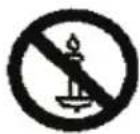
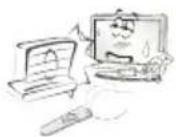
Do not place the TV and/or remote control in the following environments:
A location exposed to direct sunlight
An area with high humidity such as a bathroom
Near any heat source such as stoves and other devices that produce heat
Near kitchen counters or humidifiers where they can easily be exposed to steam or oil
An area exposed to rain or wind
Near containers of water such as vases
Otherwise, this may result in fire, electric shock, malfunction or product deformation.
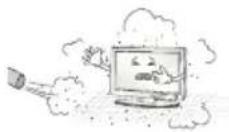
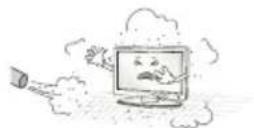
Do not place the product where it might be exposed to dust. This may cause a fire hazard.
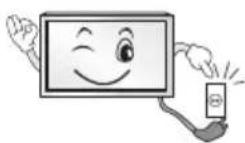
Mains Plug is the TV connecting/disconnecting device to AC mains electric supply. This plug must remain readily attached and operable when TV is in use.
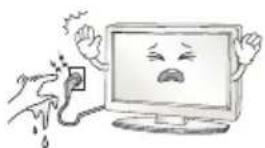
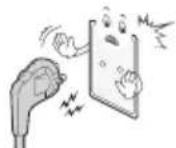
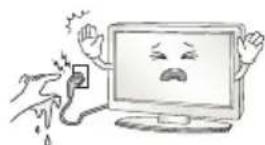
Do not touch the power plug with wet hands. Additionally, if the cord pin is wet or covered with dust, dry the power plug completely or wipe dust off. You may be electrocuted due to excess moisture.
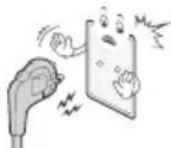
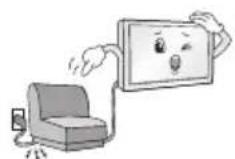
Make sure to connect Mains cable to compliant AC mains socket with Grounded earth pin. (Except for devices which are not grounded on earth.) Otherwise possibility you may be electrocuted or injured.

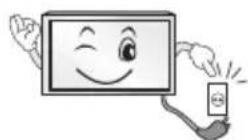
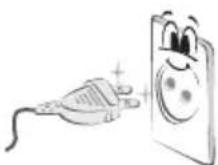
Insert power cable plug completely into wall socket otherwise if not secured completely into socket, fire ignition may break out.
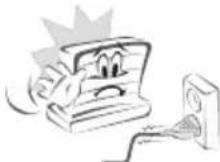
Ensure the power cord does not come into contact with hot objects such as a heater. This may cause a fire or an electric shock hazard.
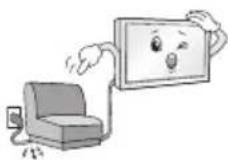
Do not place a heavy object, or the product itself, on power cables. Otherwise, this may result in fire or electric shock.
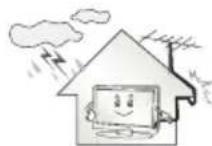
Bend antenna cable between inside and outside building to prevent rain from flowing in. This may cause water damaged inside the Product and could give an electric shock.
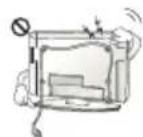
When mounting TV onto wall make sure to neatly install and isolate cabling from rear of TV as to not create possibility of electric shock / fire hazard.
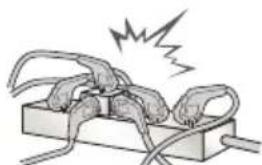
Do not plug too many electrical devices into a single multiple electrical outlet. Otherwise, this may result in fire due to over-heating.
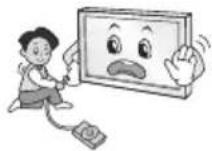
Do not drop the product or let it fall over when connecting external devices. Otherwise, this may result in injury or damage to the product.
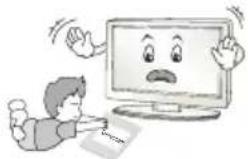
Keep the anti-moisture packing material or vinyl packing out of the reach of children. Anti-moisture material is harmful if swallowed. If swallowed by mistake, force the patient to vomit and visit the nearest hospital. Additionally, vinyl packing can cause suffocation. Keep it out of the reach of children.
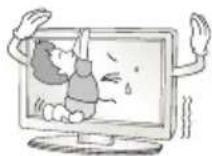
Do not let your children climb or cling onto the TV. Otherwise, the TV may fall over, which may cause serious injury.
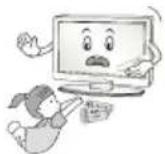
Dispose of used batteries carefully to ensure that a small child does not consume them. Please seek Doctor- Medical Attention immediately if child consumes batteries.
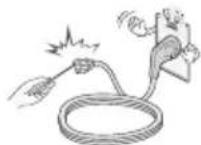
Do not insert any metal objects/conductors (like a metal chopstick/ cutlery/screwdriver) between power cable plug and input Wall Socket while it is connected to the input terminal on the wall. Additionally, do not touch the power cable right after plugging into the wall input terminal. You may be electrocuted. (Depending on model)
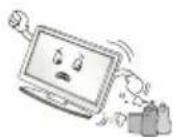
Do not put or store inflammable substances near the product. There is a danger of combustion/explosion or fire due to careless handling of the inflammable substances.
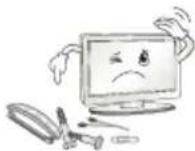
Do not drop metallic objects such as coins, hair pins, chopsticks or wire into the product, or inflammable objects such as paper and matches. Children must pay particular attention. Electrical shock, fire or injury can occur. If a foreign object is dropped into the product, unplug the power cord and contact the service centre.
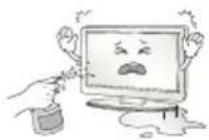
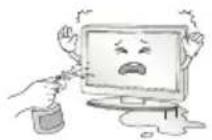
Do not spray water on the product or scrub with an inflammable substance (thinner or benzene). Fire or electric shock accident can occur.
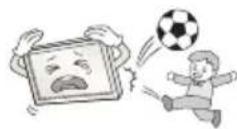
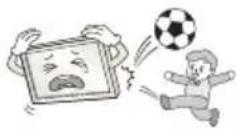
Do not allow any impact, shock or any objects to fall into the unit, and do not drop anything onto the screen. You may be injured or the product can be damaged.
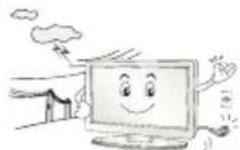
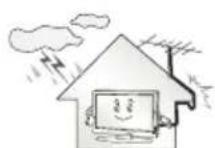
Never touch this product or antenna during a thunder or lighting storm. You may be electrocuted.
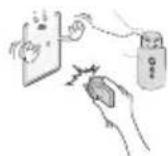
Never touch the wall outlet when there is leakage of gas, open the windows and ventilate. It may cause a fire or a burn by a spark.
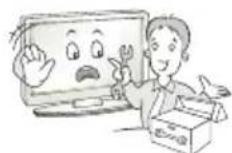
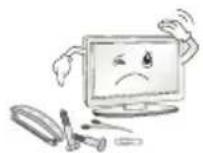
Do not disassemble, repair or modify the product at your own discretion. Fire or electric shock accident can occur. Contact the service centre for check, calibration or repair.

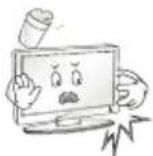
If any of the following occur, unplug the product immediately and contact your local service centre.
The product has been impacted by shock
The product has been damaged
Foreign objects have entered the product
The product produced smoke or a strange smell
This may result in fire or electric shock.
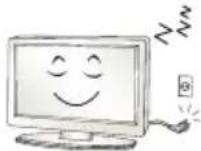
Unplug the TV from AC mains wall socket if you do not intend to use the TV for a long period of time. Accumulated dust can cause fire hazard and insulation deterioration can cause electric leakage/shock/fire.
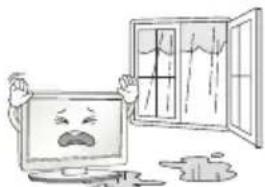
Apparatus shall not be exposed to dripping or splashing and no objects filled with liquids, such as vases, shall be placed on the apparatus.
Do not install this product on a wall if it could be exposed to oil or oil mist. This may damage the product and cause it to fall.
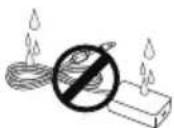
If water enters or comes into contact with TV, AC adapter or power cord please disconnect the power cord and contact service centre immediately. Otherwise, this may result in electric shock or fire.
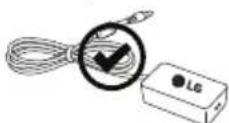
Only use an authorized AC adapter and power cord approved by LG Electronics. Otherwise, this may result in fire, electric shock, malfunction or product deformation.
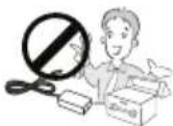
Never Disassemble the AC adapter or power cord. This may result in fire or electric shock.
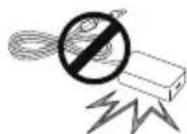
Be careful in handling the adapter to prevent any external shocks to it. An external shock may cause damage to the adapter.
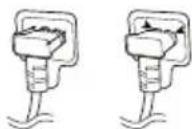
Make sure the power cord is connected securely to the power plug on the TV. (Depending on model)

CAUTION
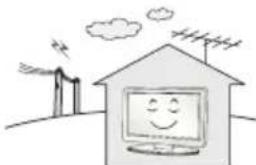
Install the product where no radio wave occurs.
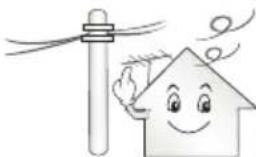
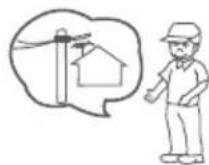
There should be enough distance between an outside antenna and power lines to keep the former from touching the latter even when the antenna falls. This may cause an electric shock.
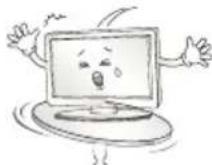
Do not install the product on places such as unstable shelves or inclined surfaces. Also avoid places where there is vibration or where the product cannot be fully supported. Otherwise, the product may fall or flip over, which may cause injury or damage to the product.
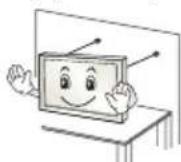
If you install the TV on a stand, you need to take actions to prevent the product from overturning. Otherwise, the product may fall over, which may cause injury.
If you intend to mount the product to a wall, attach VESA standard mounting interface (optional parts) to the back of the product. When you install the set to use the wall mounting bracket (optional parts), fix it carefully so as not to drop.
Only use the attachments / accessories specified by the manufacturer.
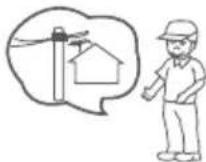
When installing the antenna, consult with a qualified service technician. If not installed by a qualified technician, this may create a fire hazard or an electric shock hazard.
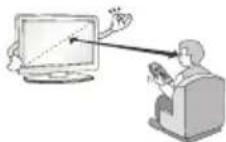
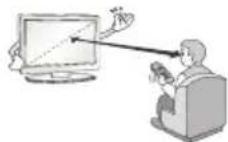
We recommend that you maintain a distance of at least 2 to 7 times the diagonal screen size when watching TV. If you watch TV for a long period of time, this may cause blurred vision.
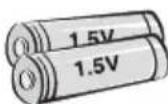
Only use the specified type of battery. This could cause damage to the remote control.
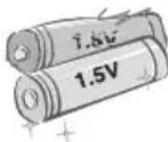
Do not mix new batteries with old batteries. This may cause the batteries to overheat and leak.
Batteries should not be exposed to excessive heat. For example, keep away from direct Sunlight, open fireplace and electric heaters.
Do not place non-rechargeable batteries in charging device.
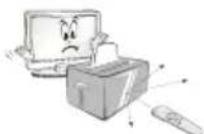
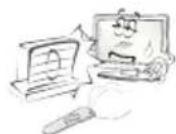
Make sure there are no objects between the remote control and its sensor.
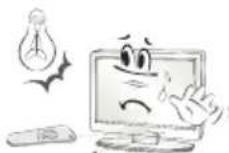
Signal from Remote Control can be interrupted due to external/internal lighting eg Sunlight, fluorescent lighting. If this occurs turn off lighting or darken viewing area.
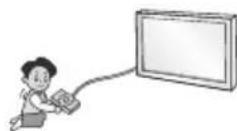
When connecting external devices such as video game consoles, make sure the connecting cables are long enough. Otherwise, the product may fall over, which may cause injury or damage the product.
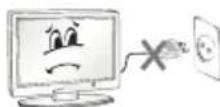
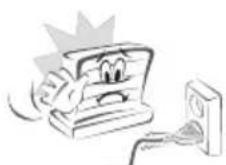
Do not turn the product On/Off by plugging-in or unplugging the power plug to the wall outlet. (Do not use the power plug for switch.) It may cause mechanical failure or could give an electric shock.
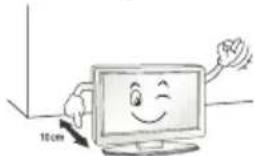
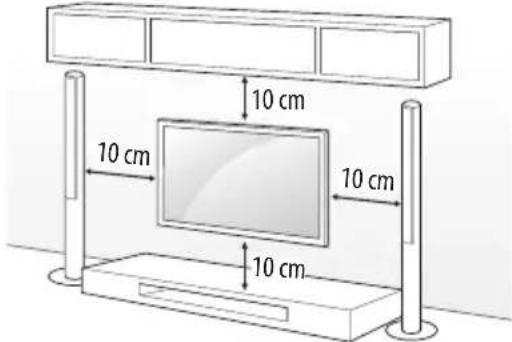
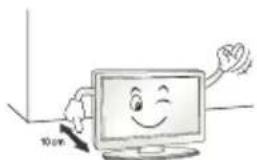
Please follow the installation instructions below to prevent the product from overheating.
The distance between the product and the wall should be more than 10cm
-
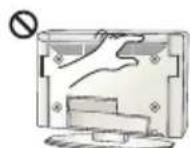
Do not install the product in a place with no ventilation (e.g., on a bookshelf or in a cupboard).
-
Do not install the product on a carpet or cushion.
Make sure the air vent is not blocked by a tablecloth or curtain. Otherwise, this may result in fire.
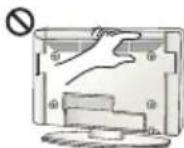
Take care not to touch the ventilation openings when watching the TV for long periods as the ventilation openings may become hot. This does not affect the operation or performance of the product.
Periodically examine the cord of your appliance, and if its appearance indicates damage or deterioration, unplug it, discontinue use of the appliance, and have the cord replaced with an exact replacement part by an Authorized Service agent.
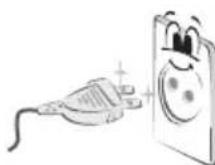
Prevent dust collecting on the power plug pins or outlet. This may cause a fire hazard.
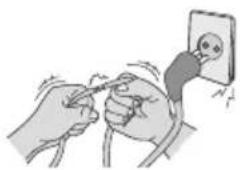
Protect the power cord from physical or mechanical abuse, such as being twisted, kinked, pinched, closed in a door, or walked upon. Pay particular attention to plugs, wall outlets, and the point where the cord exits the appliance.
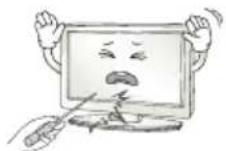
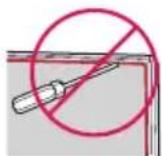
Do not press strongly upon the panel with a hand or sharp object such as nail, pencil or pen, or make a scratch on it, as it may cause damage to screen.
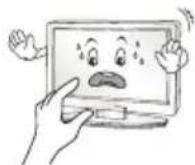
Avoid touching the screen or holding your finger(s) against it for long periods of time. Doing so may produce some temporary or permanent distortion/damage to screen.
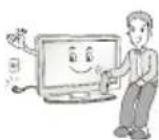
When cleaning the product and its components, unplug the power first and wipe it with a soft cloth. Applying excessive force may cause scratches or discolouration. Do not spray with water or wipe with a wet cloth. Never use glass cleaner, car or industrial shiner, abrasives or wax, benzene, alcohol etc., which can damage the product and its panel. Otherwise, this may result in fire, electric shock or product damage (deformation, corrosion or breakage).
As long as this unit is connected to the AC wall outlet, it is not disconnected from the AC power source even if you turn off this unit by SWITCH.
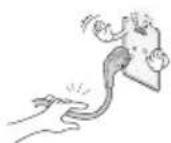
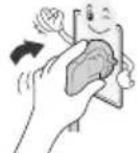
When unplugging the cable, grab the plug and unplug it, by pulling at the plug.
Don't pull at the cord to unplug the power cord from the power board, as this could be hazardous.
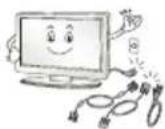
When moving the product, make sure you turn the power off first. Then, unplug the power cables, antenna cables and all connecting cables. The TV set or power cord may be damaged, which may create a fire hazard or cause electric shock.
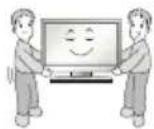
When moving or unpacking the product, work in pairs because the product is heavy. Otherwise, this may result in injury.
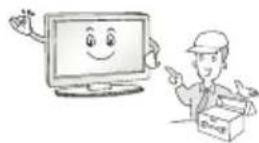
Refer all servicing to qualified service personnel. Servicing is required when the apparatus has been damaged in any way, such as power supply cord or plug is damaged, liquid has been spilled or objects have fallen into the apparatus, the apparatus has been exposed to rain or moisture, does not operate normally, or has been dropped.
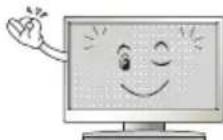
If the product feels cold to the touch, there may be a small "flicker" when it is turned on. This is normal, there is nothing wrong with product.
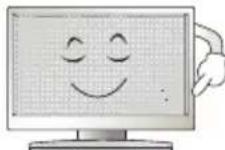
This panel is an advanced product that contains millions of pixels. You may see tiny black dots and/or brightly coloured dots (red, blue or green) at a size of 1 ppm on the panel. This does not indicate a malfunction and does not affect the performance and reliability of the product.
This phenomenon also occurs in third-party products and is not subject to exchange or refund.
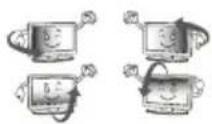
You may find different brightness and color of the panel depending on your viewing position(left/right/top/down).
This phenomenon occurs due to the characteristic of the panel. It is not related with the product performance, and it is not malfunction.
Displaying a still image for a prolonged period of time may cause image sticking. Avoid displaying a fixed image on the TV screen for a long period of time.
Generated Sound
"Cracking" noise: A cracking noise that occurs when watching or turning off the TV is generated by plastic thermal contraction due to temperature and humidity. This noise is common for products where thermal deformation is required. Electrical circuit humming/panel buzzing: A low level noise is generated from a high-speed switching circuit, which supplies a large amount of current to operate a product. It varies depending on the product.
This generated sound does not affect the performance and reliability of the product.
Do not use high voltage electrical goods near the TV (e.g. electric mosquito-swatter). This may result in product malfunction.
Viewing 3D imaging (Only 3D models)

CAUTION
Children should be supervised by an adult when viewing 3D video. If a child experiences eye fatigue, headaches or blurred vision while watching 3D, they should take a break, before they resume watching 3D content.
- When viewing a 3D video, some may experience discomfort such as a headache, dizziness, fatigue, or blurred vision. In this case, stop watching the 3D video and take a rest.
If you watch a 3D video for a long time, you may experience eye fatigue. In this case, stop watching the 3D video and take a rest.
Only use LG 3D glasses. Otherwise, you may not be able to view 3D videos properly.
- Do not use 3D glasses instead of your normal glasses, sunglasses, or protective goggles.
- Do not keep your 3D glasses in extremely high or low temperatures. It will cause deformation.
- Do not use 3D glasses while walking or moving around. It may cause an accident or injury.
- Be careful not to poke your eye with the frames of the 3D glasses.
- Do not watch 3D content if you have photosensitive seizures, epilepsy, or heart disease.
Preparing

NOTE
If the TV is turned on for the first time after it was shipped from the factory, initialization of the TV may take a few minutes.
Image shown may differ from your TV.
- Your TV's OSD (On Screen Display) may differ slightly from that shown in this manual.
The available menus and options may differ from the input source or product model that you are using.
New features may be added to this TV in the future.
The items supplied with your product may vary depending on the model.
Product specifications or contents of this manual may be changed without prior notice due to upgrade of product functions.
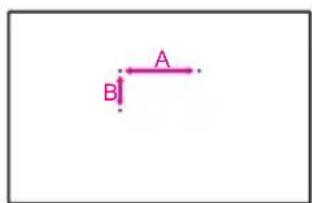
- For an optimal connection, HDMI cables and USB devices should have bezels less than 10mm thick and 18mm width. Use an extension cable that supports USB 2.0 if the USB cable or USB memory stick does not fit into your TV's USB port.
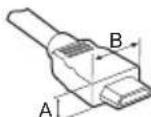
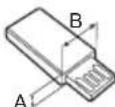
$$ \begin{array}{l} ^ {} A \leq 1 0 m m \ ^ {} B \leq 1 8 m m \ \end{array} $$
Use a certified cable with the HDMI logo attached.
If you do not use a certified HDMI cable, the screen may not display or a connection error may occur. (Recommended HDMI Cable Types)
- High-Speed HDMI/TM cable (3 m or less)
- High-Speed HDMI™ cable with Ethernet (3 m or less)

CAUTION
- Do not use any unapproved items to ensure the safety and product life span.
Any damage or injuries caused by using unapproved items are not covered by the warranty.
Some models have a thin film attached on to the screen and this must not be removed. - When attaching the stand to the TV set, place the screen facing down on a cushioned table or flat surface to protect the screen from scratches.
Make sure that the screws are inserted correctly and fastened securely. (If they are not fastened securely enough, the TV may tilt forward after being installed.) Do not use too much force and over tighten the screws; otherwise screw may be damaged and not tighten correctly.
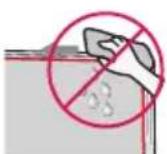
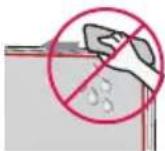
Make sure to wring any excess water or cleaner from the cloth. - Do not spray water or cleaner directly onto the TV screen.
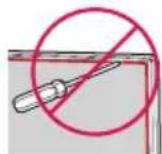
Make sure to spray just enough of water or cleaner onto a dry cloth to wipe the screen. - When cleaning the product, be careful not to allow any liquid or foreign objects to enter the gap between the upper, left or right side of the panel and the guide panel. (Depending on model)
Separate purchase
Separate purchase items can be changed or modified for quality improvement without any notification. Contact your dealer to buy these items. These devices only work with certain models. The model name or design may be changed depending on the upgrade of product functions, manufacturer's circumstances or policies.
Depending on model)
| LEC-003 LED Clock | LEC-004 LED Clock |
| AG-F*** | AN-MR650 |
| Cinema 3D Glasses | Magic Remote |
Lifting and moving the TV
Using the button
Please note the following advice to prevent the TV from being scratched or damaged and for safe transportation regardless of its type and size.
It is recommended to move the TV in the box or packing material that the TV originally came in.
- Before moving or lifting the TV, disconnect the power cord and all cables.
- When holding the TV, the screen should face away from you to avoid damage.
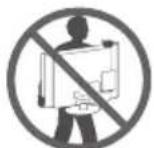
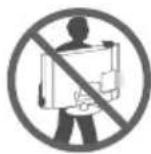
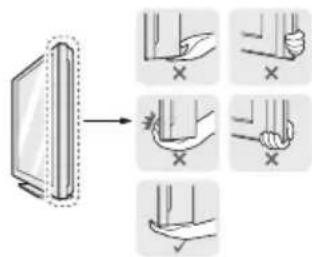
- Hold the top and bottom of the TV frame firmly. Make sure not to hold the transparent part, speaker, or speaker grill area.
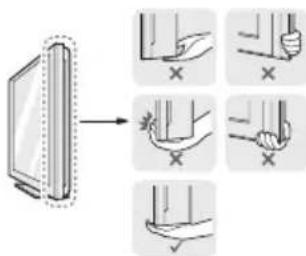
- When transporting a large TV, there should be at least 2 people.
- When transporting the TV by hand, hold the TV as shown in the following illustration.
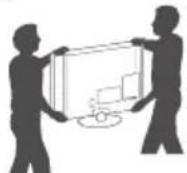
- When transporting the TV, do not expose the TV to jolts or excessive vibration.
- When transporting the TV, keep the TV upright, never turn the TV on its side or tilt towards the left or right.
- Do not apply excessive pressure to cause flexing / bending of frame chassis as it may damage screen.
- When handling the TV, be careful not to damage the protruding buttons.

CAUTION
- Avoid touching the screen at all times, as this may result in damage to the screen.
- Do not move the TV by holding the cable holders, as the cable holders may break, and injuries and damage to the TV may occur.
Depending on model)
You can simply operate the TV functions, pressing or moving the button.
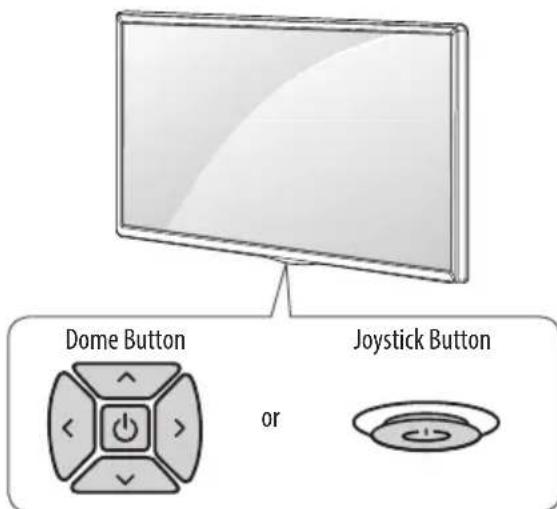
Basic functions
| Power On (Press) Power Off (Press and hold) | ||
| Volume Control | ||
| Programmes Control |
1 All running apps will close, and any recording in progress will stop.
Adjusting the menu
When the TV is turned on, press the button one time. You can adjust the Menu items pressing or moving the buttons.
| Turns the power off. | |
| × | Clears on-screen displays and returns to TV viewing. |
| Changes the input source. | |
| Accesses the settings menu. |
Mounting on a table
1 Lift and tilt the TV into its upright position on a table.
- Leave a 10cm (minimum) space from the wall for proper ventilation.
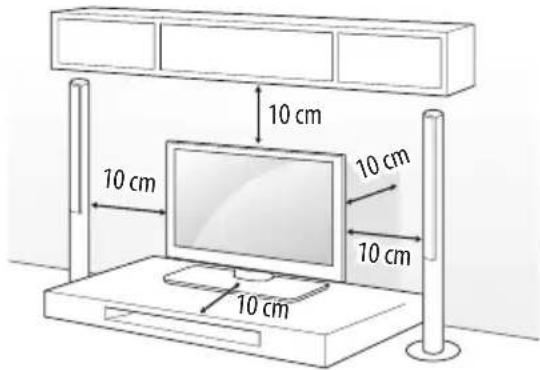
2 Connect the power cord to a wall outlet.

CAUTION
- Do not place the TV near or on sources of heat, as this may result in fire or other damage.
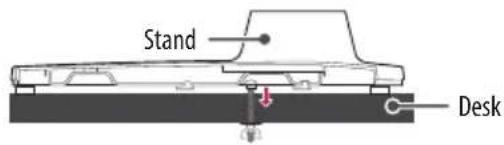
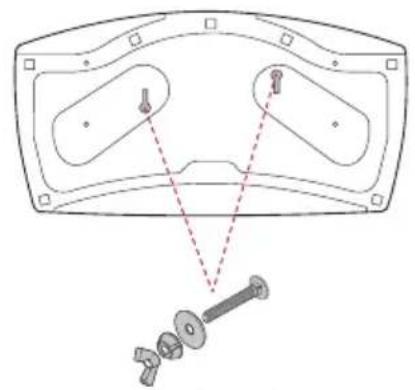
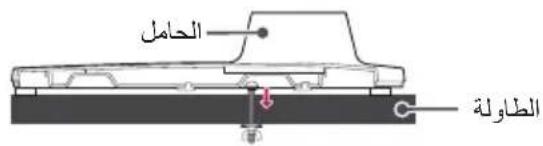
Attaching the TV to a desk
(This feature is not available for all models.)
The TV should be attached to a desk so it cannot be pulled in a forward/ backward direction, potentially causing injury or damaging the product.
A type)
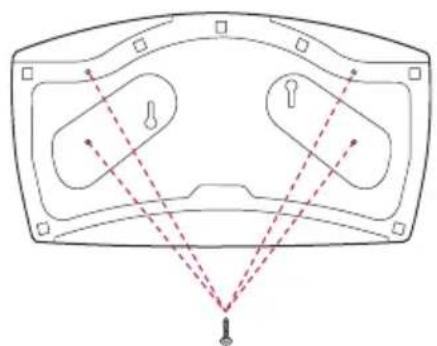
4-Screws
Not supplied with TV
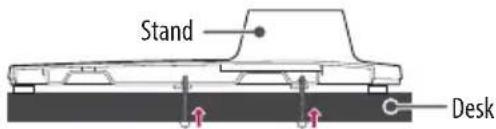

NOTE
- Screw: M5 x L (*L: Table depth + 8~10 mm) ex) Table depth: 15 mm, Screw: M5 x L25
B type)
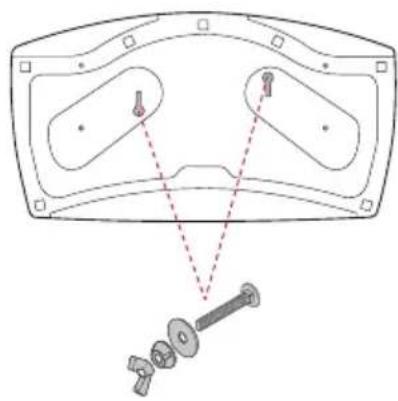
2-Screws for Stand Fixing,
2-Washers for Stand Fixing,
2-Nuts for Stand Fixing
(Supplied with TV)
Using the kensington security system
(This feature is not available for all models.)
The Kensington security system connector is located at the rear of the TV. For more information of installation and using, refer to the manual provided with the Kensington security system or visit http://www.kensington.com. Connect the Kensington security system cable between the TV and a table.
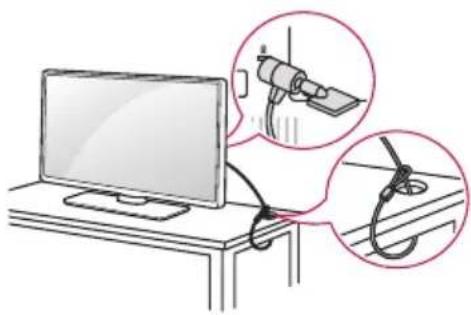
Securing the TV to a wall
(This feature is not available for all models.)
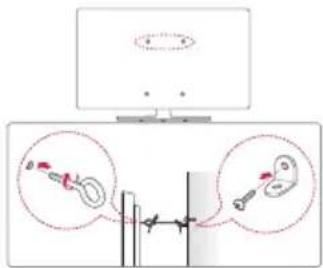
1 Insert and tighten the eye-bolts, or TV brackets and bolts on the back of the TV.
If there are bolts inserted at the eye-bolts position, remove the bolts first.
2 Mount the wall brackets with the bolts to the wall. Match the location of the wall bracket and the eye-bolts on the rear of the TV.
3 Connect the eye-bolts and wall brackets tightly with a sturdy rope. Make sure to keep the rope horizontal with the flat surface.

CAUTION
Make sure that children do not climb on or hang on the TV.

NOTE
Use a platform or cabinet that is strong and large enough to support the TV securely.
- Brackets, bolts and ropes are not provided. You can obtain additional accessories from your local dealer.
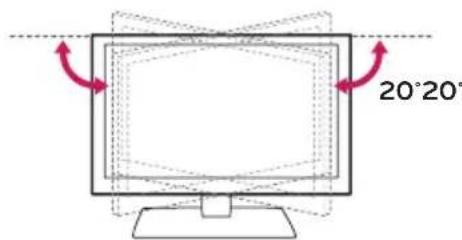
Adjusting the angle of the TV to suit view
(This feature is not available for all models.)
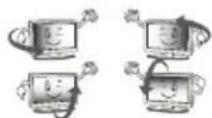
Swivel 20 degrees to the left or right and adjust the angle of the TV to suit your view.

CAUTION
-
When adjusting the angle of the product, watch out for your fingers.
-
Personal injury may occur if hands or fingers are pinched. If the product is tilted too much, it may fall, causing damage or injury.
Mounting on a wall
Attach an optional wall mount bracket at the rear of the TV carefully and install the wall mount bracket on a solid wall perpendicular to the floor. When you attach the TV to other building materials, please contact qualified personnel. LG recommends that wall mounting be performed by a qualified professional installer. We recommend the use of LG's wall mount bracket. LG's wall mount bracket is easy to move with cables connected. When you do not use LG's wall mount bracket, please use a wall mount bracket where the device is adequately secured to the wall with enough space to allow connectivity to external devices. It is advised to connect all the cables before installing fixed wall mounts.
Make sure to use screws and wall mount bracket that meet the VESA standard. Standard dimensions for the wall mount kits are described in the following table.
Separate purchase(Wall Mounting Bracket)
| Model | 43UW76**32/43LW64**43UW95** | 49/55UW76**49/55UW96** |
| VESA (A x B) (mm) | 200 x 200 300 x 300 | |
| Standard screw M6 | M6 | |
| Number of screws | 44 | |
| Wall mount bracket | LSW240BMSW240 | LSW350BMSW240 |
| Model 65UW96** 75UW34** | ||
| VESA (A x B) (mm) | 300 x 300 600 x 400 | |
| Standard screw M6 | M6 | |
| Number of screws | 44 | |
| Wall mount bracket | LSW350B | LSW640B |


CAUTION
- Remove the stand before installing the TV on a wall mount by performing the stand attachment in reverse.

NOTE
- When installing the wall mounting bracket, use the adhesive label or protective cover provided. The adhesive label or protective cover will protect the opening from accumulating dust and dirt. (Only when the label or cover is provided)
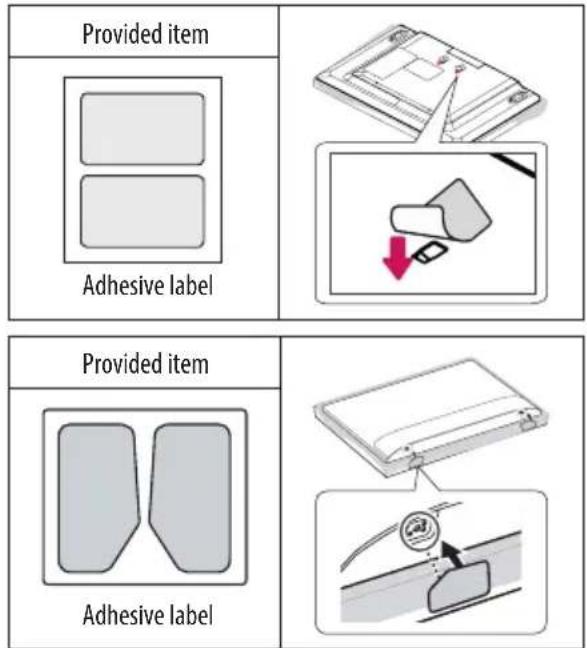
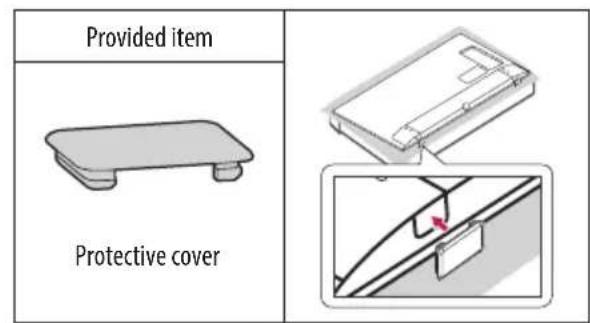
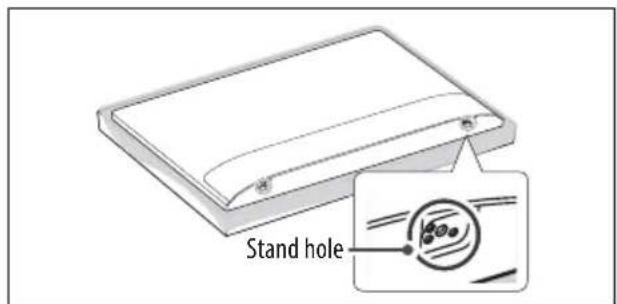
- When installing the wall mounting bracket, it is recommended to cover the stand hole using tape, in order to prevent the influx of dust and insects. (Depending on model)
Connections (notifications)
Connect various external devices to the TV and switch input modes to select an external device. For more information of external device's connection, refer to the manual provided with each device.
Available external devices are: HD receivers, DVD players, VCRs, audio systems, USB storage devices, PC, gaming devices, and other external devices.

NOTE
- The external device connection may differ from the model.
- Connect external devices to the TV regardless of the order of the TV port.
If you record a TV program on a DVD recorder or VCR, make sure to connect the TV signal input cable to the TV through a DVD recorder or VCR. For more information of recording, refer to the manual provided with the connected device.
Refer to the external equipment's manual for operating instructions.
If you connect a gaming device to the TV, use the cable supplied with the gaming device. - In PC mode, there may be noise associated with the resolution, vertical pattern, contrast or brightness. If noise is present, change the PC output to another resolution, change the refresh rate to another rate or adjust the brightness and contrast on the PICTURE menu until the picture is clear.
In PC mode, some resolution settings may not work properly depending on the graphics card.
If ULTRA HD content is played on your PC, video or audio may become disrupted intermittently depending on your PC's performance. (Depending on model)
Antenna connection
Connect the TV to a wall antenna socket with an RF cable (75Ω).
Use a signal splitter to use more than 2 TVs.
If the image quality is poor, install a signal amplifier properly to improve the image quality.
If the image quality is poor with an antenna connected, try to realign the antenna in the correct direction.
An antenna cable and converter are not supplied.
Supported DTV Audio: MPEG, Dolby Digital, Dolby Digital Plus, HE-AAC
- For a location that is not supported with ULTRA HD broadcasting, this TV cannot receive ULTRA HD broadcasts directly. (Depending on model)
Satellite dish connection
(Only satellite models)
Connect the TV to a satellite dish to a satellite socket with a satellite RF cable (75) .
CI module connection
Depending on model)
View the encrypted (pay) services in digital TV mode.
- Check if the CI module is inserted into the PCMCIA card slot in the right direction. If the module is not inserted properly, this can cause damage to the TV and the PCMCIA card slot.
If the TV does not display any video and audio when Cl + CAM is connected, please contact to the Terrestrial/Cable/Satellite Service Operator.
USB connection
Some USB Hubs may not work. If a USB device connected through a USB Hub is not detected, connect it directly to the USB port on the TV.
Speaker Output Setup
Depending on model)
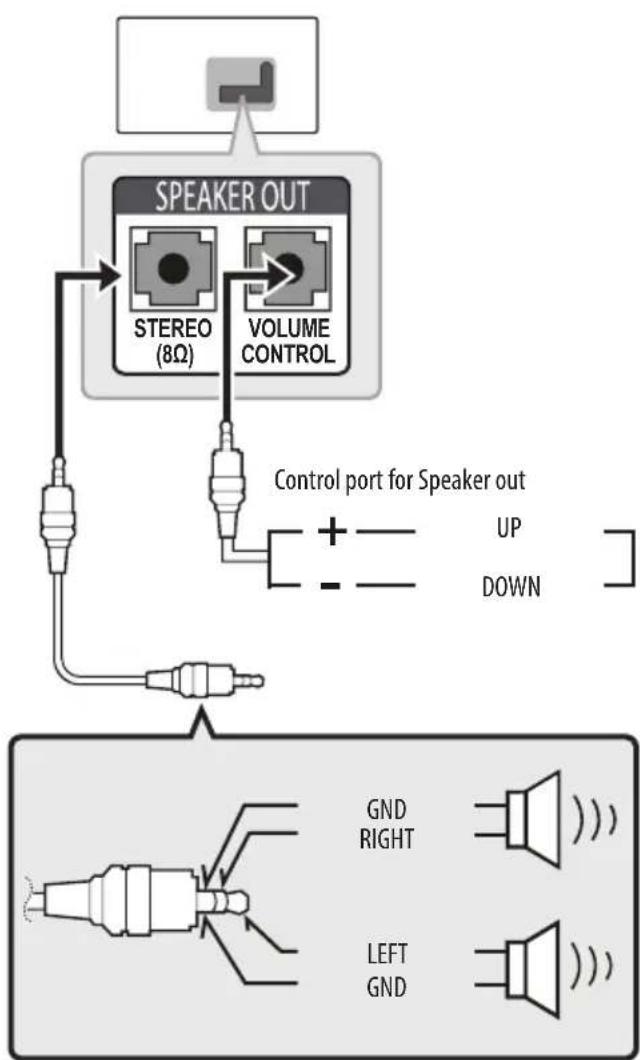

NOTE
Use only with the 3 Pole 3.5mm Stereo Jack.
- Do not connect your headphones or earphones to the port for connecting an external speaker.
Method of Volume control port
Cable Spec.
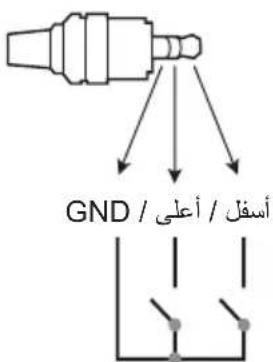
| GND / UP / DOWN | Each Up / Down pin is pulled to 3.3V with CPU GPIO. |
| CPU detects transition from 3.3V to GND level for volume control. |
Network Setup
Wired network connection
Depending on model)
This TV can be connected to a Pro:Centric server via the LAN port. After making the physical connection, the TV needs to be set up for network communication.
Connect the LAN port of the Modem or Router from Pro:Centric server to the LAN port on the TV.
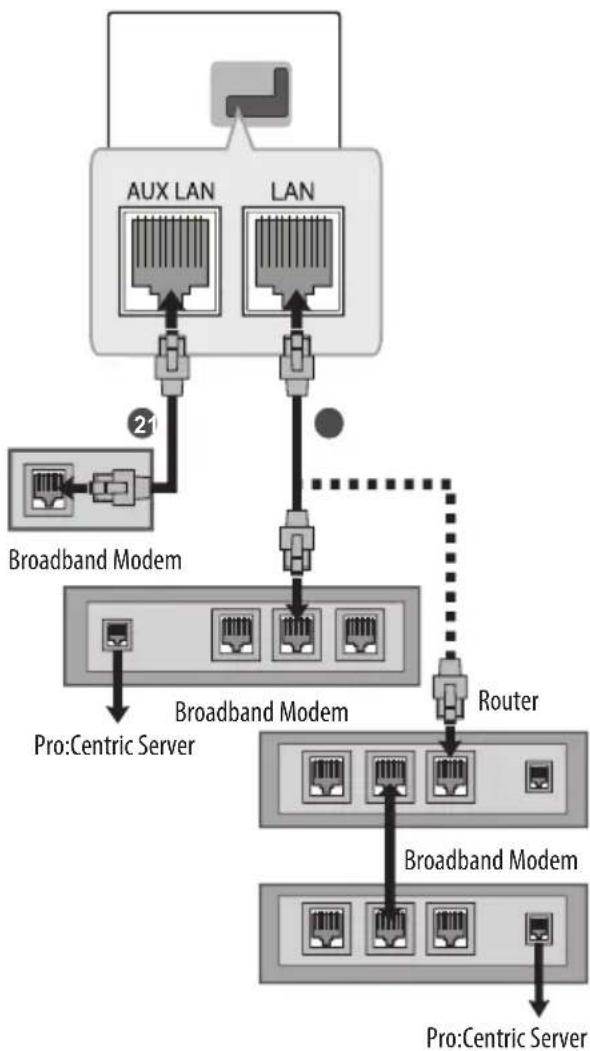
1 Connect the LAN port of the Modem or Router to the LAN port on the TV.
Connect the LAN port of the PC to the AUX LAN port on the TV. (Depending on model)

CAUTION
- Do not connect a modular phone cable to the LAN port.
- Since there are various connection methods, please follow the specifications of your telecommunication carrier or internet service provider.
Other connections
Connect your TV to external devices. For the best picture and audio quality, connect the external device and the TV with the HDMI cable. Some separate cable is not provided.
SMART General-HDMI ULTRA HD Deep Colour
- On: Support 4K @ 50/60 Hz (4:4:4, 4:2:2, 4:2:0)
- Off: Support 4K @ 50/60 Hz 8 bit (4:2:0)
If the device connected to Input Port also supports ULTRA HD Deep Colour, your picture may be clearer. However, if the device doesn't support it, it may not work properly. In that case, connect the device to a different HDMI port or change the TV's HDMI ULTRA HD Deep Colour setting to Off.
(This feature is available on certain models which are supported ULTRA HD Deep Colour only.)
Remote control
Depending on model)
The descriptions in this manual are based on the buttons on the remote control. Please read this manual carefully and use the TV correctly.
To replace batteries, open the battery cover, replace batteries (1.5 V AAA) matching the and ends to the label inside the compartment, and close the battery cover. To remove the batteries, perform the installation actions in reverse.
Make sure to point the remote control toward the remote control sensor on the TV.
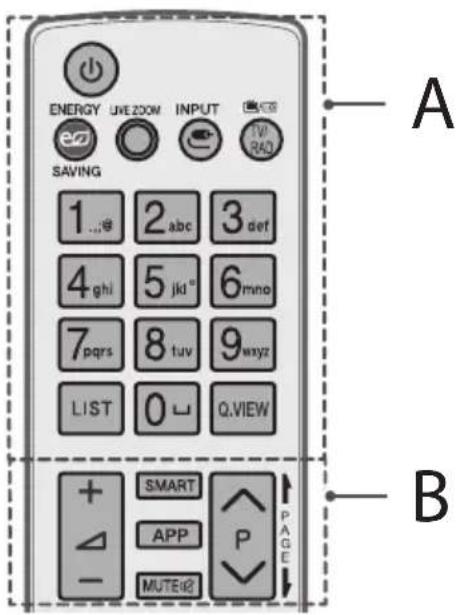
A
(POWER) Turns the TV on or off.
EMERGYSAVINGness of the screen to reduce energy consumption.
OLBEZOMg in on the selected area, you can view it in full screen.
INPARges the input source.
TV/RAD Selects Radio, TV and DTV programme.
Number buttons Enters numbers.
LIST Accesses the saved programme list.
(Space) Opens an empty space on the screen keyboard.
Q.VIEW Returns to the previously viewed programme.
B
+Δ Adjusts the volume level.
SMART Accesses the Home menu.
APP Shows the previous history.
MUTE all sounds.
P Scrol1s through the saved programmes.
PAGEES to the previous or next screen.
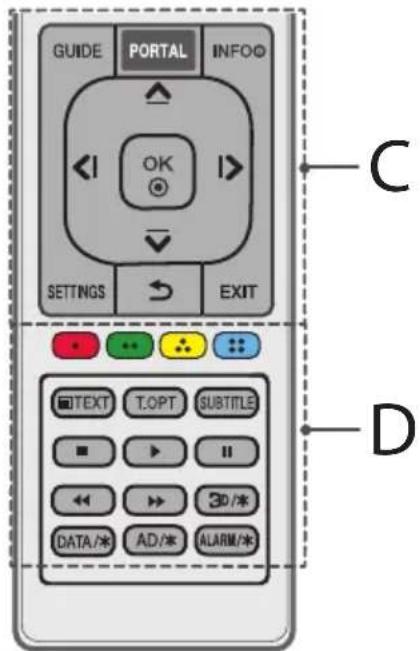
C
GUIDE Shows programme guide.
PORTAL Displays and removes hotel interactive menu.
INFO ① Views the information of the current programme and screen.
Navigation buttons (up/down/left/right) Scrol1s through menus or options.
OK Selects menus or options and confirms your input.
SETTINGs Accesses the Quick Settings.
(BACK) Returns to the previous level.
EXIT Clears on-screen displays and return to TV viewing.
D
Coloured buttons These access special functions in some menus.
Red,Green,Yellow,Blue
Teletext buttons (TEXT/ORise) buttons are used for teletext.
SUBTITLE Recalls your preferred subtitle in digital mode.
Control buttons , , , Controls media contents.
3D/* Used for viewing 3D video. (depending on model)
DATA 水 Selects the MHP TV menu source. (depending on model)
AD/*By pressing the AD button, audio descriptions function will be enabled. (depending on model)
ALARM Sets the alarm function. (depending on model)
Licenses
Supported licenses may differ by model. For more information about licenses, visit www.lg.com.

DOLBY.
DIGITALPLUS
Manufactured under license from Dolby Laboratories. Dolby and the double-D symbol are trademarks of Dolby Laboratories.

HOODEFINITION MULTIMEDIA INTERFACE
The terms HDMI and HDMI High-Definition Multimedia interface, and the HDMI logo are trademarks or registered trademarks of HDMI Licensing LLC in the United States and other countries.

dts-HD
For DTS patents, see http://patents.dts.com. Manufactured under license from DTS Licensing Limited. DTS, DTS-HD, the Symbol, & DTS and the Symbol together are registered trademarks of DTS, Inc. © DTS, Inc. All Rights Reserved.
Open source software notice information
To obtain the source code under GPL, LGPL, MPL and other open source licenses, that is contained in this product, please visit http://opensource. lge.com.
In addition to the source code, all referred license terms, warranty disclaimers and copyright notices are available for download.
LG Electronics will also provide open source code to you on CD-ROM for a charge covering the cost of performing such distribution (such as the cost of media, shipping, and handling) upon email request to opensource@lge.com. This offer is valid for three (3) years from the date on which you purchased the product.
Troubleshooting
The software version can be updated for improvement in performance. Customer needs to ensure the compatibility of customer's equipment with LGE software. If needed, please consult with LGE and upload revised software version according to the guidance provided by LGE.
Cannot control the TV with the remote control.
- Check the remote control sensor on the product and try again.
- Check if there is any obstacle between the product and the remote control.
- Check if the batteries are still working and properly installed to to.
No image display and no sound is produced.
Check if the product is turned on.
- Check if the power cord is connected to a wall outlet.
- Check if there is a problem in the wall outlet by connecting other products.
The TV turns off suddenly.
- Check the power control settings. The power supply may be interrupted.
- Check if the Auto Power Off (Depending on model) / Sleep Timer / Timer Power Off is activated in the Timers settings.
If there is no signal while the TV is on, the TV will turn off automatically after 15 minutes of inactivity.
When connecting to the PC (HDMI), 'No signal' or 'Invalid Format' is displayed.
- Turn the TV off/on using the remote control.
- Reconnect the HDMI cable.
- Restart the PC with the TV on.
Specifications
Wireless module specification
- As band channels can vary per country, the user cannot change or adjust the operating frequency. This product is configured for the regional frequency table.
- For consideration of the user, this device should be installed and operated with a minimum distance of 20cm between the device and the body.
(Only UW761, UW961, UW950, UW341)
| Wireless module (LGSBWAC61) specifications | |
| Wireless LAN (IEEE 802.11a/b/g/n/ac) | |
| Frequency Range Output Power (Max.) | |
| 2400 to 2483.5 MHz | 15.5 dBm |
| 5150 to 5725 MHz | 17.5 dBm |
| 5725 to 5850 MHz (Not for EU) | 8.0 dBm |
| Bluetooth | |
| Frequency Range Output Power (Max.) | |
| 2400 to 2483.5 MHz 10 dBm | |
- "IEEE802.11ac" is not available in all countries.
(Only LW641*)
| Wireless module (LGSBW41) specifications | |
| Wireless LAN (IEEE 802.11a/b/g/n) | |
| Frequency Range Output Power (Max.) | |
| 2400 to 2483.5 MHz | 16 dBm |
| 5150 to 5250 MHz | 16 dBm |
| 5725 to 5850 MHz (Not for EU) | 11.5 dBm |
| Bluetooth | |
| Frequency Range Output Power (Max.) | |
| 2400 to 2483.5 MHz 10 dBm | |
| CI Module (W x H x D) 100.0 mm x 55.0 mm x 5.0 mm | ||
| Environment condition | Operating Temperature 0 °C to 40 °C | |
| Operating Humidity Less than 80 % | ||
| Storage Temperature -20 °C to 60 °C | ||
| Storage Humidity Less than 85 % | ||
Depending on country
| Digital TV Analogue TV | ||||
| Satellite Terrestrial Cable Terrestrial / Cable | ||||
| Television system | DVB-S/S2* | DVB-T DVB-T2* | DVB-C | PAL/SECAM B/G, D/K, I, SECAM L |
| Channel coverage (Band) | 950 ~ 2150 Mhz | VHFIII: 174 ~ 230 Mhz UHFIV: 470 ~ 606 Mhz UHFV: 606 ~ 862 Mhz S Band II: 230 ~ 300 Mhz S Band III: 300 ~ 470 Mhz | 46 ~ 862 Mhz 46 ~ 862 Mhz | |
| Maximum number of storable programmes | 6,000 3,000 | |||
| External antenna impedance | 75 Ω | |||
*Only DVB-T2/C/S2 support models.
HDMI-DTV supported mode
| Resolution | Horizontal Frequency (kHz) | Vertical Frequency (Hz) |
| 720 x 480 | 31.47 | 59.94 |
| 31.50 | 60.00 | |
| 720 x 576 31.25 | 50.00 | |
| 1280 x 720 | 44.96 | 59.94 |
| 45.00 | 60.00 | |
| 37.50 | 50.00 | |
| 1920 x 1080 | 28.12 | 50.00 |
| 33.72 | 59.94 | |
| 33.75 | 60.00 | |
| 26.97 | 23.97 | |
| 27.00 | 24.00 | |
| 33.71 | 29.97 | |
| 33.75 | 30.00 | |
| 56.25 | 50.00 | |
| 67.43 | 59.94 | |
| 67.50 | 60.00 | |
| 3840 x 2160 | 53.95 | 23.98 |
| 54.00 | 24.00 | |
| 56.25 | 25.00 | |
| 61.43 | 29.97 | |
| 67.50 | 30.00 | |
| 112.50 | 50.00 | |
| 135.00 | 59.94 | |
| 135.00 | 60.00 | |
| 4096 x 2160 | 53.95 | 23.98 |
| 54.00 | 24.00 | |
| 56.25 | 25.00 | |
| 61.43 | 29.97 | |
| 67.50 | 30.00 | |
| 112.50 | 50.00 | |
| 125.00 | 59.94 | |
| 135.00 | 60.00 |
1:Only UW761*,UW961*,UW950*,UW341*
RGB-PC supported mode
(Only UW341*)
| Resolution | Horizontal Frequency (kHz) | Vertical Frequency (Hz) |
| 640 x 350 31.468 | 70.09 | |
| 720 x 400 31.469 | 70.08 | |
| 640 x 480 31.469 | 59.94 | |
| 800 x 600 37.879 | 60.31 | |
| 1024 x 768 48.363 | 60.00 | |
| 1152 x 864 54.348 | 60.053 | |
| 1280 x 1024 63.981 | 60.020 | |
| 1360 x 768 47.712 | 60.015 | |
| 1920 x 1080 | 66.587 59.934 | |
| 67.50 60.00 |
HDMI-PC supported Mode
PC audio is not supported
Use HDMI IN 1 for PC mode (Depending on model)
| Resolution | Horizontal Frequency (kHz) | Vertical Frequency (Hz) |
| 640 x 350 31.46 | 70.09 | |
| 720 x 400 31.46 | 70.08 | |
| 640 x 480 31.46 | 59.94 | |
| 800 x 600 37.87 | 60.31 | |
| 1024 x 768 | 48.36 | 60.00 |
| 1152 x 864 | 54.34 | 60.05 |
| 1280 x 1024 63.98 | 60.02 | |
| 1360 x 768 | 47.71 60.01 | |
| 1920 x 1080 67.50 | 60.00 | |
| 3840 x 2160 | 67.50 | 30.00 |
| 56.25 | 25.00 | |
| 54.00 | 24.00 | |
| 4096 x 2160 | 53.95 | 23.97 |
| 54.00 | 24.00 |
1:Only UW761*,UW961*,UW950*,UW341*
Component port connecting information
| Component ports on the TV | Y | PB | PR |
| Video output ports on DVD player | Y | PB | PR |
| Y | B-Y | R-Y | |
| Y | Cb | Cr | |
| Y | Pb | Pr |
| Signal | Component |
| 480i / 576i | 0 |
| 480p / 576p | 0 |
| 720p / 1080i | 0 |
| 1080p | 0 (Only 50 Hz / 60 Hz) |

NOTE
The optimal display resolution
- 3840X2160(Only UW761, UW961, UW950, UW341)
- 1920 x 1080 (Only LW641*)
3D supported mode (Only 3D models)
Video, which is input as below media contents is switched into the 3D screen automatically. The method for 3D digital broadcast may differ depending on the signal environment. If video is not switched automatically into 3D, manually convert the settings to view 3D images. For models supporting Miracast / Intel WiDi, you can set the 3D mode.
| 3D supported mode automatically | ||||
| Input Signal | Horizontal Frequency (kHz) | Vertical Frequency (Hz) | Playable 3D video format | |
| RF | 1280 x 720 37 | .500 50 | 2D to 3D, Side by Side, Top & Bottom | |
| 1920 x 1080 28 | .125 50 | |||
| HDMI | 640 x 480 | 31.47 / 31.50 | 59.94 / 60.00 | Top & Bottom, Side by Side(Half), Side by Side(Full) |
| 62.94 / 63.00 Frame Packing, Line Alternative | ||||
| 720 x 480 | 31.47 / 31.50 | 59.94 / 60.00 | Top & Bottom, Side by Side (Half), Side by Side (Full) | |
| 62.94 /63.00 Frame Packing, Line Alternative | ||||
| 720 x 576 | 15.63 | 50.00 | Top & Bottom, Side by Side (Half), Side by Side (Full), Frame Packing | |
| 31.25 Top & Bottom, Side by Side (Half), Side by Side (Full) | ||||
| 62.50 Frame | Packing, Line Alternative | |||
| 1280 x 720 | 37.50 50.00 | Top & Bottom, Side by Side (Half), Side by Side (Full) | ||
| 44.96 / 45.00 59.94 / 60.00 | ||||
| 75.00 50.00 | Frame Packing, Line Alternative | |||
| 89.91/90.00 59.94 / 60.00 | ||||
| 1920 x 1080 | 28.13 50.00 | Top & Bottom, Side by Side (Half), Side by Side (Full) | ||
| 33.72 / 33.75 59.94 / 60.00 | ||||
| 56.25 50.00 | Frame Packing | |||
| 67.43/67.50 59.94 / 60.00 | ||||
| 26.97 / 27.00 23.97 / 24.00 | Top & Bottom, Side by Side (Half), Side by Side (Full) | |||
| 28.12 25.00 | ||||
| 33.72 / 33.75 29.98 / 30.00 | ||||
| 43.94 / 54.00 23.97 / 24.00 | Frame Packing, Line Alternative | |||
| 56.25 25.00 | ||||
| 67.43 / 67.5 / 30.00 | ||||
| 56.25 50.00 | Top & Bottom, Side by Side (Half) | |||
| 67.43 / 67.50 59.94 / 60.00 | ||||
| USB | 1080p | 33.75 30.00 | Side by Side (Half), Top & Bottom, Side by Side (Full), Frame Sequential, MPO (Photo), JPS (Photo) | |
| 2160p | 67.50 30.00 | |||
| 3D supported mode manually | ||||
| Input | Signal | Playable 3D video format | ||
| Resolution | Horizontal Frequency (kHz) | Vertical Frequency (Hz) | ||
| HDMI-PC | 1024 x 768 48.36 | 60.00 | 2D to 3D, Side by Side(half), Top & Bottom | |
| 1920 x 1080 67.50 | ||||
| 3840 x 2160 | 54.00 24.00 | |||
| 56.25 25.00 | ||||
| 67.50 30.00 | ||||
| 4096 x 2160 54.00 | 24.00 | |||
| Others -- | ||||
| HDMI | 720 x 480 31.50 | 60.00 | 2D to 3D, Side by Side(Half), Top & Bottom | |
| 720 x 576 31.25 | 50.00 | |||
| 1280 x 720 | 45.00 60.00 | |||
| 37.50 50.00 | ||||
| 1920 x 1080i | 33.75 60.00 | |||
| 28.13 50.00 | ||||
| 1920 x 1080p | 27.00 24.00 | |||
| 28.12 25.00 | ||||
| 33.75 30.00 | ||||
| 67.50 60.00 | ||||
| 56.25 50.00 | ||||
| 3840 x 2160 | 53.95 23.98 | |||
| 4096 x 2160 | 54.00 24.00 | |||
| 56.25 25.00 | ||||
| 61.43 29.97 | ||||
| 67.50 30.00 | ||||
| 112.50 50.00 | 2D to 3D, Top & Bottom(half), Side by Side(half) (8 bit, YCbCr 4:2:0) | |||
| 135.00 60.00 | ||||


| 3D supported mode manually | ||||
| Input | Signal | Playable 3D video format | ||
| Resolution | Horizontal Frequency (kHz) | Vertical Frequency (Hz) | ||
| Component | 1280 x 720 | 37.50 50.00 | 2D to 3D, Side by Side(half), Top & Bottom | |
| 45.00 60.00 | ||||
| 44.96 59.94 | ||||
| 1920 x 1080i | 33.75 60.00 | |||
| 33.72 59.94 | ||||
| 28.12 50.00 | ||||
| 1920 x 1080p | 67.50 60.00 | |||
| 67.43 59.94 | ||||
| 27.00 24.00 | ||||
| 28.12 25.00 | ||||
| 56.25 50.00 | ||||
| 26.97 23.98 | ||||
| 33.75 30.00 | ||||
| 33.71 29.97 | ||||
| USB (Movie) | Under 704 x 480 -- | 2D to 3D | ||
| Over 704 x 480 under 1080p interlaced | - | - | 2D to 3D, Side by Side(Half), Top & Bottom | |
| Over 704 x 480 under 1080p progressive | - 50 / 60 | |||
| - Others | ||||
| Over 2160p - 24/25/30/50/60 | ||||
| USB (Photo) | Under 320 x 240 -- | 2D to 3D | ||
| Over 320 x 240 -- | 2D to 3D, Side by Side(Half), Top & Bottom | |||
| Miracast/Intel® WiDi | 1024 x 768p - | 30 / 60 | 2D to 3D | |
| 1280 x 720p - | ||||
| 1920 x 1080p - | ||||
| Others -- | ||||
Photo format
| File Format | Format Resolution | |
| .jpeg, jpg, jpe | JPEG | Minimum: 64 x 64(FHD), 128 x 128(ULTRA HD) Maximum: 15,360 (W) x 8,640 (H) / Progressive Type: 1,920 (W) x 1,440 (H) |
| .png PNG | Minimum: 64 x 64 Maximum: 5,760 (W) x 5,760 (H) | |
| .bmp BMP | Minimum: 64 x 64 Maximum: 1,920 (W) x 1,080 (H) | |
| .jps JPS | Minimum: 64 (W) x 64 (H) Maximum: 15,360 (W) x 8,640 (H) | |
| .mpo MPO | ||
1:Only3Dmode
Audio format
| File Format | Item Info | |
| .mp3 | Bit rate 32 Kbps - 320 Kbps | |
| Sample freq. 16 kHz - 48 kHz | ||
| Support MPEG1, MPEG2 | ||
| Channels Mono, stereo | ||
| .wav | Bit rate - | |
| Sample freq. 8 kHz ~ 48 kHz | ||
| Support PCM | ||
| Channels Mono, stereo | ||
| .ogg | Bit rate 64 Kbps ~ 320 Kbps | |
| Sample freq. 8 kHz - 48 kHz | ||
| Support | Vorbis | |
| Channels Mono, stereo | ||
| .wma | Bit rate | 128 Kbps ~ 320 Kbps |
| Sample freq. 8 kHz ~ 48 kHz | ||
| Support | WMA | |
| Channels | up to 6 ch |
- The number of supported programmes may vary depending on the sample frequency.
Video codec
| Extension | Codec | |
| .asf .wmv | Video | VC-1 Advanced Profile (WMVA excluded), VC-1 Simple and Main Profiles |
| Audio | WMA Standard (WMA v1/WMA Speech excluded) | |
| .avi | Video | XViD(except 3 warp-point GMC), H.264/AVC, Motion Jpeg, MPEG-4 |
| Audio | MPEG-1 Layer I, II, MPEG-1 Layer III (MP3), Dolby Digital, LPCM, ADPCM, DTS | |
| .mp4 .m4v .mov | Video | H.264/AVC, MPEG-4, HEVC |
| Audio | Dolby Digital, Dolby Digital Plus, AAC, MPEG-1 Layer III (MP3) | |
| .3gp .3g2 | Video | H.264/AVC, MPEG-4 |
| Audio | AAC, AMR-NB, AMR-WB | |
| .mkv | Video | MPEG-2, MPEG-4, H.264/AVC, VP8, VP9, HEVC |
| Audio | Dolby Digital, Dolby Digital Plus, AAC, PCM, DTS, MPEG-1 Layer I, II, MPEG-1 Layer III (MP3) | |
| .ts .trp ,tp .mts | Video | H.264/AVC, MPEG-2, HEVC |
| Audio | MPEG-1 Layer I, II, MPEG-1 Layer III (MP3), Dolby Digital, Dolby Digital Plus, AAC, PCM | |
| .mpg .mpeg .dat | Video MPEG-1, MPEG-2 | |
| Audio | MPEG-1 Layer I, II, MPEG-1 Layer III (MP3) | |
| .vob | Video MPEG-1, MPEG-2 | |
| Audio | Dolby Digital, MPEG-1 Layer I, II, DVD-LPCM | |
| .mkv .mp4 .ts | Video | H.264/AVC, H.265(HEVC) |
| Audio | Dolby Digital, Dolby Digital Plus, AAC | |
| .rm .rmvb | Video | RV30, RV40 |
| Audio | Realaudio6(cook), AAC LC, HE-AAC | |
| This feature is available in certain countries only. | ||
1:OnlyUW761*,UW961*,UW950*,UW341*

LG
Life's Good
Record the model number and serial number of the TV. Refer to the label on the back cover and quote this information to your dealer when requiring any service.
MODEL
SERIAL
g j 1
Jaiwai 1
ylll lll ylll lll lll lll ll lll lll lll lll lll lll lll lll lll lll lll lll lll lll lll lll lll lll lll lll lll lll lll lll lll lll lll lll lll lll lll lll lll lll lll
i 1
j 1
a 1
y 1

yI 1Jc gKg kaii i jilal 1e jali Cic
G 1j 1j 1j 1j 1j 1j 1j 1j

a 111 111 111 111 111 111 111 111 111 111 111
Jalai
a

y

ailllll lllll 1 1 1 1 1 1 1 1 1
· 3jll s
510 plall aie yipr jiaabio
i gill s jy jg jglgals s jraa b
j
j
j j j j j j j j j j j j j j j j j j j j j j j j j j j j j j j j j j j j j j j j j j j j j j j j j j j j j j j j j j j
y 1
y
y jll jll jg g jai jai g g g g g g g g g g g g g g g g g g g g g
12 11 11 11 11 11 11 11 11 11 11 11 11 11 11 11 11 11 11 11 11 11 11 11 11 11 11 11 11 11 11 11 1

J 1 J 1 J 1 J 1 J 1 J 1 J 1 J 1 J 1 J 1 J 1 J 1 J 1 J 1 J 1 J 1 J 1 J 1 J 1 J 1 J 1 J 1 J 1 J 1 J 1 J 1 J 1 J 1 J 1 J 1 J 1 J 1 J 1 J 1 J
J 1
Jlll lal Jn Jn Jn Jn Jn Jn Jn Jn Jn Jn Jn Jn Jn Jn Jn Jn Jn Jn Jn Jn Jn Jn Jn Jn Jn Jn Jn Jn Jn Jn Jn Jn Jn Jn Jn Jn Jn Jn Jn Jn Jn Jn Jn Jn Jn Jn Jn Jn Jn Jn Jnn
a 10 bilall j
(a)j a jka Jie
.
jai jaii iiai iiaiaie aiaiaiaiaiaiaiaiaiaiaiaiaiaiaiaiaiaiaiaiaiaiaiaiaiaiaiaiaiaiaiaiaiaiaiaiaiaiaiaiaiaiaiaiaiaiaiaiaiaiaiaiaiaiaiaiaiaiaiaiaiaiaiaiaia
aillg aal 1y jla g yjagll lss ay p
2aiall aodl qj g no jbl jglal jc ag g alld
aiall jzai aabay llil
1 1 1 1 1 1 1 1 1 1 1 1 1 1 1 1 1 1 1
Jgall aai 1yuiu uie gll s ic
J 1 J 1 J 1 J 1 J 1 J 1 J 1 J 1 J 1 J 1 J 1 J 1 J 1 J 1 J 1 J 1 J 1 J 1 J 1 J 1 J 1 J 1 J 1 J 1 J 1 J 1 J 1 J 1 J 1

()
(bao)
4
y 1
aai jia aiee iieae eae
J 1
aaii
aal jn lbaa d, alal ylll aal
1
i 1
Lg
.2
y 1
ailll l jlll l jlll l jlll
· = ·
1
a
j 1
aalal alal alal
-
(Aidill/ailgloll/gail11/sunll 1)
eaii 120 g y g aill ay jy jy
A
S OBC = S COD + S_ BOC
i. 0.
y 1
jali jaiall gall
- jao 1
jolalil oaliaie jnalllgall 2y: "yss" C
y
Jus kui jn yj gill qlll l
.
gaii gill gill aie jll i jil
-
aaiiie 1
y
()
aannnnn nnnnnn
jioi jiaoi jiaoi jiaoi jiaoi jiaoi
aill gai jy
S OBC = S BOC + S_ CBA
aall aal 2j y
jolilly Jolal Jusg jic
gucu baw s peli jilay albaa yjgb ic gauo.
·
i
Jai 1
Jdall lla g a jaa la lac bau kai jali
a
jai jaii 1
Jg 1y
y j 1
a_i a j
algo jolall aas c jiaai jilali aabi jae gaojai
eaoaill
jaiitai jia 0jiaao jiaotai algo jaialai
a 1
aaiiie
Jg jilu yjia 1e jyai jiuai iie
a aaii i 1
()
AD = 2
i j 1
slic
Aaiaaiy jaiy jaiy a jay y
山
S ACD = S COD + S_ CDA
S ACD = S COD + S_ BDO
·
aillll 0

aaiilai bui
sialo jol 0jll a biai Jaiill jalil y laie
y j 1j j 1j j 1j j 1j j
jgi gaii iogai jia jia
1Jy jy Jy 4
iill jdl jll jll i 1
aannnnn nnnnnnnnnnnnnnnnnnnnnnnnnnnnnnnnnnnnnnnnnnnnnnnnnnnnnnnnnnnnnnnnnnnnnnnnnnnnnnnnnnnnnnnnn
. 3.4.5.
4
-
-
- 1
-
S OBC = S BOC + S_ BOC
y
jiallly jssgl!
(Bgill
Jalal 2
Jalal 2
Jalal 2
Jalal 2
(
Kensington
()
J 1 J 1 J 1 J 1 J 1 J 1 J 1 J 1 J 1 J 1 J 1 J 1 J 1 J 1 J 1 J 1 J 1 J 1 J 1 J 1 J 1 J 1 J 1 J 1 J 1 J 1 J 1 J 1 J 1 J 1 J 1
1
a 1 a
Aululululululululululululululululululululululululululululululululululululululululululululululululululululululululululululululululululululululul
j j j j j j j j j j j j j j j j j j j j j j j j j j j j j j j j j j j j j j j j j j j j j j j j j j
. 与常考相关
yJrall aalal 3.3 Jai GND
For DTS patents, see http://patents.dts.
-
-
-
-
-
-
-
-
-
-
-
-
-
-
-
-
-
-
-
-
-
-
-
-
-
-
-
-
-
-
-
-
-
-
-
-
-
-
-
-
-
-
-
-
-
-
-
-
-
-
-
-
-
-
-
-
-
-
-
-
-
-
-
-
-
-
-
-
-
-
-
-
-
-
-
-
-
-
-
-
-
-
-
-
-
-
-
-
-
-
-
-
-
-
-
-
-
-
-
-
- 100% Copyright (Manufacturing) DTS Licensee.
-
-
-
-
-
-
-
-
-
-
-
-
-
-
-
-
-
-
-
-
-
-
-
-
-
-
-
-
-
-
-
-
-
-
-
-
-
-
-
-
-
-
-
-
-
-
-
-
-
-
-
-
-
-
-
-
-
-
-
-
-
-
-
-
-
-
-
-
-
-
-
-
-
-
-
-
-
-
-
-
-
-
-
-
-
-
-
-
-
-
-
-
-
-
-
-
-
-
-
-
Jalil & DTS and the Symbol together registered trademarks of DTS, Inc. © DTS, Inc. All Rights Reserved.
15 15
15 2" 1 (HDMI) jgssll Jiaaiyic .
J 1
HDMI
a a a a a a a a a a a a a a a a a a a a a a a
Miracast / Intel® WiDi
| الترجمة الحرفية الحرفية الحرفية الحرفية | ||||
| الترجمة الحرفية الحرفية الحرفية الحرفية الحرفية | الترجمة الحرفية (الترجمة) | الترجمة الحرفية (الترجمة) | الترجمة الحرفية | HDMI |
| الترجمة الحرفية الحرفية الحرفية الحرفية | 50 37.50 | 720 x 1280 | RF | |
| 50 28.12 | 1080 x 1920 | |||
| (الترجمة) جامعiliary جامعiliary جامعiliary جامعiliary جامعiliary جامعiliary جامعiliary جامعiliary جامعiliary جامعiliary جامعiliary جامعiliary جامعiliary جامعiliary جامعiliary جامعiliary جامعiliary جامعiliary جامعiliary جامعiliary جامعiliary جامعiliary جامعiliary جامعiliary جامعiliary جامعulary جامعiliary جامعiliary جامعiliary جامعiliary جامعiliary جامعiliary جامعiliary جامعiliary جامعiliary جامعiliary جامعiliary جامعiliary جامعiliary جامعiliary جامعiliary جامعiliary جامعiliary جامعiliary جامعiliary جامعiliary جامعiliary جامعiliary جامعiliary جامعiliary جامعictory جامعictory جامعictory جامعictory جامعictory جامعictory جامعictory جامعictory جامعictory جامعictory جامعictory جامعictory جامعictory جامعictory جامعictory جامعictory جامعictory جامعictory جامعictory جامعictory جامعictory جامعictory جامعictory جامعictory جامعictory جامعurence جامعurence جامعurence جامعurence جامعurence جامعurence جامعurence جامعurence جامعurence جامعurence جامعurence جامعurence جامعurence جامعurence جامعurence جامعurence جامعurence جامعurence جامعurence جامعurence جامعurence جامعurence جامعurence جامعurence جامعurence جامعnce جامعnce جامعnce جامعnce جامعnce جامعnce جامعnce جامعnce جامعnce جامعnce جامعnce جامعnce جامعnce جامعnce جامعnce جامعnce جامعnce جامعnce جامعnce جامعnce جامعnce جامعnce جامعnce جامعnce جامعnce جامعurence جامعnce جامعnce جامعnce جامعnce جامعnce جامعnce جامعnce جامعnce جامعnce جامعnce جامعnce جامعnce جامعnce جامعnce جامعnce جامعnce جامعnce جامعnce جامعnce جامعnce جامعnce جامعnce جامعnce جامعurence جامعurence جامعnce جامعnce جامعnce جامعnce جامعnce جامعnce جامعnce جامعnce جامعnce جامعnce جامعnce جامعnce جامعnce جامعnce جامعnce جامعnce جامعnce جامعnce جامعnce جامعnce جامعnce جامعnce جامعurence جامعnce جامعurence جامعnce جامعnce جامعnce جامعnce جامعnce جامعnce جامعnce جامعnce جامعnce جامعnce جامعnce جامعnce جامعnce جامعnce جامعnce جامعnce جامعnce جامعnce جامعnce جامعnce جامعnce جامعnce جامعurence جامعurence جامعurence جامعnce جامعnce جامعnce جامعnce جامعnce جامعnce جامعnce جامعnce جامعnce جامعnce جامعnce جامعnce جامعnce جامعnce جامعnce جامعnce جامعnce جامعnce جامعnce جامعnce جامعnce جامعurence جامعnce جامعnce جامعurence جامعnce جامعnce جامعnce جامعnce جامعnce جامعnce جامعnce جامعnce جامعnce جامعnce جامعnce جامعnce جامعnce جامعnce جامعnce جامعnce جامعnce جامعnce جامعnce جامعnce جامعnce جامعurence جامعnce جامعurence جامعurence جامعnce جامعnce جامعnce جامعnce جامعnce جامعnce جامعnce جامعnce جامعnce جامعnce جامعnce جامعnce جامعnce جامعnce جامعnce جامعnce جامعnce جامعnce جامعnce جامعnce جامعnce جامعurence جامعurence جامعnce جامعurence جامعnce جامعnce جامعnce جامعnce جامعnce جامعnce جامعnce جامعnce جامعnce جامعnce جامعnce جامعnce جامعnce جامعnce جامعnce جامعnce جامعnce جامعnce جامعnce جامعnce جامعnce جامعurence جامعurence جامعurence جامعurence جامعnce جامعnce جامعnce جامعnce جامعnce جامعnce جامعnce جامعnce جامعnce جامعnce جامعnce جامعnce جامعnce جامعnce جامعnce جامعnce جامعnce جامعnce جامعnce جامعnce جامعurence جامعnce جامعnce جامعnce جامعurence جامعnce جامعnce جامعnce جامعnce جامعnce جامعnce جامعnce جامعnce جامعnce جامعnce جامعnce جامعnce جامعnce جامعnce جامعnce جامعnce جامعnce جامعnce جامعnce جامعnce جامعurence جامعnce جامعnce جامعurence جامعurence جامعnce جامعnce جامعnce جامعnce جامعnce جامعnce جامعnce جامعnce جامعnce جامعnce جامعnce جامعnce جامعnce جامعnce جامعnce جامعnce جامعnce جامعnce جامعnce جامعnce جامعurence جامعnce جامعurence جامعnce جامعurence جامعnce جامعnce جامعnce جامعnce جامعnce جامعnce جامعnce جامعnce جامعnce جامعnce جامعnce جامعnce جامعnce جامعnce جامعnce جامعnce جامعnce جامعnce جامعnce جامعnce جامعurence جامعnce جامعurence جامعurence جامعurence جامعnce جامعnce جامعnce جامعnce جامعnce جامعnce جامعnce جامعnce جامعnce جامعnce جامعnce جامعnce جامعnce جامعnce جامعnce جامعnce جامعnce جامعnce جامعnce جامعnce جامعurence جامعurence جامعnce جامعnce جامعurence جامعnce جامعnce جامعnce جامعnce جامعnce جامعnce جامعnce جامعnce جامعnce جامعnce جامعnce جامعnce جامعnce جامعnce جامعnce جامعnce جامعnce جامعnce جامعnce جامعnce جامعurence جامعurence جامعnce جامعurence جامعurence جامعnce جامعnce جامعnce جامعnce جامعnce جامعnce جامعnce جامعnce جامعnce جامعnce جامعnce جامعnce جامعnce جامعnce جامعnce جامعnce جامعnce جامعnce جامعnce جامعnce جامعurence جامعurence جامعurence جامعnce جامعurence جامعnce جامعnce جامعnce جامعnce جامعnce جامعnce جامعnce جامعnce جامعnce جامعnce جامعnce جامعnce جامعnce جامعnce جامعnce جامعnce جامعnce جامعnce جامعnce جامعnce جامعurence جامعurence جامعurence جامعurence جامعurence جامعnce جامعnce جامعnce جامعnce جامعnce جامعnce جامعnce جامعnce جامعnce جامعnce جامعnce جامعnce جامعnce جامعnce جامعnce جامعnce جامعnce جامعnce جامعnce جامعurence جامعnce جامعnce جامعnce جامعnce جامعurence جامعnce جامعnce جامعnce جامعnce جامعnce جامعnce جامعnce جامعnce جامعnce جامعnce جامعnce جامعnce جامعnce جامعnce جامعnce جامعnce جامعnce جامعnce جامعnce جامعurence جامعnce جامعnce جامعnce جامعurence جامعurence جامعnce جامعnce جامعnce جامعnce جامعnce جامعnce جامعnce جامعnce جامعnce جامعnce جامعnce جامعnce جامعnce جامعnce جامعnce جامعnce جامعnce جامعnce جامعnce جامعurence جامعnce جامعnce جامعurence جامعnce جامعurence جامعnce جامعnce جامعnce جامعnce جامعnce جامعnce جامعnce جامعnce جامعnce جامعnce جامعnce جامعnce جامعnce جامعnce جامعnce جامعnce جامعnce جامعnce جامعnce جامعurence جامعnce جامعnce جامعurence جامعurence جامعurence جامعnce جامعnce جامعnce جامعnce جامعnce جامعnce جامعnce جامعnce جامعnce جامعnce جامعnce جامعnce جامعnce جامعnce جامعnce جامعnce جامعnce جامعnce جامعnce جامعurence جامعnce جامعurence جامعnce جامعnce جامعurence جامعnce جامعnce جامعnce جامعnce جامعnce جامعnce جامعnce جامعnce جامعnce جامعnce جامعnce جامعnce جامعnce جامعnce جامعnce جامعnce جامعnce جامعnce جامعnce جامعurence جامعnce جامعurence جامعnce جامعurence جامعurence جامعnce جامعnce جامعnce جامعnce جامعnce جامعnce جامعnce جامعnce جامعnce جامعnce جامعnce جامعnce جامعnce جامعnce جامعnce جامعnce جامعnce جامعnce جامعnce جامعurence جامعnce جامعurence جامعurence جامعnce جامعurence جامعnce جامعnce جامعnce جامعnce جامعnce جامعnce جامعnce جامعnce جامعnce جامعnce جامعnce جامعnce جامعnce جامعnce جامعnce جامعnce جامعnce جامعnce جامعnce جامعurence جامعnce جامعurence جامعurence جامعurence جامعurence جامعnce جامعnce جامعnce جامعnce جامعnce جامعnce جامعnce جامعnce جامعnce جامعnce جامعnce جامعnce جامعnce جامعnce جامعnce جامعnce جامعnce جامعnce جامعnce جامعurence جامعurence جامعnce جامعnce جامعnce جامعurence j. | 1080 x 1280 | HDMI | ||

| الإستعمال الحرفية الحرفية الحرفية الحرفية الحرفية الحرفية الحرفية الحرفية الحرفية الحرفية الحرفية الحرفية الحرفية الحرفية الحرفية الحرفية الحرفية الحرفية الحرفية الحرفية الحرفية الحرفية الحرفية الحرفية الحرفية الحرفية الحرفية الحرفية الحرفية الحرفية الحرفية الحرفية الحرفية الحرفية EXO (8 BIT, YCbCr 4:2:0) | الإستعمال | الإستعمال | ||
| الإستعمال الح胄dong (ملاoverview) | الإستعمال الح胄dong (ملاoverview) | الإستعمال الح胄dong (ملاoverview) | ||
| الإستعمال الح胄dong (ملاoverview) | 60.00 | 48.36 768 | x 1024 | HDMDBC |
| 67.50 1080 | x 1920 | |||
| 24.00 54.00 | 2160x 384025 | |||
| 30.00 67.50 | ||||
| 24.00 54.00 2160 x 4096 | ||||
| -- -- -- -- -- -- -- -- -- -- -- -- -- -- -- -- -- -- -- -- -- -- -- -- -- -- -- -- -- -- -- -- -- -- -- -- -- -- -- -- -- -- -- -- -- -- -- -- -- -- -- -- -- -- -- -- -- -- -- -- -- -- -- -- -- -- -- -- -- -- -- -- -- -- -- -- -- -- -- -- -- -- -- -- -- -- -- -- -- -- -- -- -- -- -- -- -- -- -- -- -- - | 2160x 384025 | |||
| الإستعمال الح胄dong (ملاoverview) | 60.00 31.50 480 x 720 | HDMI | ||
| 50.00 31.25 576 x 720 | ||||
| 60.00 45.00 | 720 x 1280 | |||
| 50.00 37.50 | ||||
| 60.00 33.75 | 1080i x 1920 | |||
| 50.00 28.13 | ||||
| 24.00 27.00 | 1080p x 1920 | |||
| 25.00 28.12 | ||||
| 30.00 33.75 | ||||
| 60.00 67.50 | ||||
| 50.00 56.25 | ||||
| 23.98 53.95 | 2160 x 3840 2160 x 4096 | |||
| 24.00 54.00 | ||||
| 25.00 56.25 | ||||
| 29.97 61.43 | ||||
| 30.00 67.50 | ||||
| الإستعمال الح胄dong (ملاoverview) | 50.00 112.50 | |||
| 60.00 135.00 | ||||
| الترجمة الحرفية الحرفية الحرفية الحرفية الحرفية الحرفية الحرفية الحرفية الحرفية الحرفية الحرفية الحرفية الحرفية الحرفية الحرفية الحرفية الحرفية الحرفية الحرفية الحرفية الحرفية الحرفية الحرفية الحرفية الحرفية الحرفية الحرفية الحرفية الحرفية الحرفية الحرفية الحرفية الحرفية الحرفية EXCELLE (الإستعمال) 60.94 67.43 | ||||
| الإستعمال | الإستعمال | الإستعمال | ||
| الإستعمال الحرفïس (الإستعمال) | الإستعمال الحرفïس (الإستعمال) | الإستعمال الحرفïس (الإستعمال) | ||
| الإستعمال | 50.00 37.50 | (الإستعمال) USB | ||
| 60.00 45.00 720x 1280 | ||||
| 59.94 44.96 | ||||
| 60.00 33.75 | ||||
| 59.94 33.72 1080ix 1920 | ||||
| 50.00 28.12 | ||||
| 00 67.50 | ||||
| ال,enGLISH | ||||
| 24.00 27.00 | ||||
| 25.00 28.12 | ||||
| 50.00 56.25 1080px 1920 | ||||
| 23.98 26.97 | ||||
| 30.00 33.75 | ||||
| 29.97 33.71 | ||||
| الإستعمال الحرفïس (الإستعمال) | - | - | الإستعمال 480x 704 | |
| الإستعمال الحرفïس (الإستعمال) | - | |||
| 60/50 - | ال ☆钡 mon 480x 704 | |||
| - | 480p mon mon mon mon mon mon mon mon mon mon mon mon mon mon mon mon mon mon mon mon mon mon mon mon mon mon mon mon mon mon mon mon mon mon mon mon mon mon mon mon mon mon mon mon mon mon mon mon mon mon mon mon mon mon mon mon mon mon mon mon mon mon mon mon mon mon mon mon mon mon mon mon mon mon mon mon mon mon mon mon mon mon mon mon mon mon mon mon mon mon mon mon mon mon mon mon mon mon mon monmon mon mon mon mon mon mon mon mon mon mon mon mon mon mon mon mon mon mon mon mon mon mon mon mon mon mon mon mon mon mon mon mon mon mon mon mon mon mon mon mon mon mon mon mon mon mon mon mon mon mon mon mon mon mon mon mon mon mon mon mon mon mon mon mon mon mon mon mon mon mon mon mon mon mon mon mon mon mon mon mon mon mon mon mon mon mon mon mon mon mon mon mon mon mon mon mon mon mon mon Mon Mon Mon Mon Mon Mon Mon Mon Mon Mon Mon Mon Mon Mon Mon Mon Mon Mon Mon Mon Mon Mon Mon Mon Mon Mon Mon Mon Mon Mon Mon Mon Mon Mon Mon Mon Mon Mon Mon Mon Mon Mon Mon Mon Mon Mon Mon Mon Mon Mon Mon Mon Mon Mon Mon Mon Mon Mon Mon Mon Mon Mon Mon Mon Mon Mon Mon Mon Mon Mon Mon Mon Mon Mon Mon Mon Mon Mon Mon Mon Mon Mon Mon Mon Mon Mon Mon Mon Mon Mon Mon Mon Mon Mon Mon Mon Mon Mon Mon Mon mon mon mon mon mon mon mon mon mon mon mon mon mon mon mon mon mon mon mon mon mon mon mon mon mon mon mon mon mon mon mon mon mon mon mon mon mon mon mon mon mon mon mon mon mon mon mon mon mon mon mon mon mon mon mon mon mon mon mon mon mon mon mon mon mon mon mon mon mon mon mon mon mon mon mon mon mon mon mon mon mon mon mon mon mon mon mon mon mon mon mon mon mon mon mon mon mon mon mon mont mont mont mont mont mont mont mont mont mont mont mont mont mont mont mont mont mont mont mont mont mont mont mont mont mont mont mont mont mont mont mont mont mont mont mont mont mont mont mont mont mont mont mont mont mont mont mont mont mont mont mont mont mont mont mont mont mont mont mont mont mont mont mont mont mont mont mont mont mont mont mont mont mont mont mont mont mont mont mont mont mont mont mont mont mont mont mont mont mont mont mont mont mont mont mont mont mont mont mont mon mon mon mon mon mon mon mon mon mon mon mon mon mon mon mon mon mon mon mon mon mon mon mon mon mon mon mon mon mon mon mon mon mon mon mon mon mon mon mon mon mon mon mon mon mon mon mon mon mon mon mon mon mon mon mon mon mon mon mon mon mon mon mon mon mon mon mon mon mon mon mon mon mon mon mon mon mon mon mon mon mon mon mon mon mon mon mon mon mon mon mon mon mon mon mon mon mon mon malal | (الإستعمال) USB | ||
| الإستعمال | - | - | ال ☆钡 mon 480x 704 | |
| 60/50 - | ال ☆钡 mon 480x 704 | |||
| - | 480p mon mon mon mon mon mon mon mon mon mon mon mon mon mon mon mon mon mon mon mon mon mon mon mon mon mon mon mon mon mon mon mon mon mon mon mon mon mon mon mon mon mon mon mon mon mon mon mon mon mon mon mon mon mon mon mon mon mon mon mon mon Mon Mon Mon Mon Mon Mon Mon Mon Mon Mon Mon Mon Mon Mon Mon Mon Mon Mon Mon Mon Mon Mon Mon Mon Mon Mon Mon Mon Mon Mon Mon Mon Mon Mon Mon Mon Mon Mon mon mon mon mon mon mon mon mon mon mon mon mon mon mon mon mon mon mon mon mon mon mon mon mon mon mon mon mon mon mon mon mon mon mon mon mon mon mon mon mon mon mon mon mon mon mon mon mon mon mon mon mon mon mon mon mon mon mon mon mon mon Mon Mon Mon Mon Mon Mon Mon Mon Mon Mon Mon Mon Mon Mon Mon Mon Mon Mon Mon Mon Mon Mon Mon Mon Mon Mon Mon Mon Mon Mon Mon Mon Mon Mon Mon Mon Mon Monmonmonmonmonmonmonmonmonmonmonmonmonmonmonmonmonmonmonmonmonmonmonmonmonmonmonmonmonmonmonmonmonmonmonmonmonmonmonmonmonmonmonmonmonmonmonmonmonmonmonmonmonmonmonmonmonmonmonmonmonmonmonmonmonmonmonmonmonmonmonmonmonmonmonmonmonmonmonmonmonmonmonmonmonmonmonmonmonmonmonmonmonmonmonmonmonmonmonmonmonphonphonphonphonphonphonphonphonphonphonphonphonphonphonphonphonphonphonphonphonphonphonphonphonphonphonphonphonphonphonphonphonphonphonphonphonphonphonphonphonphonphonphonphonphonphonphonphonphonphonphonphonphonphonphonphonphonphonphonphonphonphonphonphonphonphonphonphonphonphonphonphonphonphonphonphonphonphonphonphonphonphonphonphonphonphonphonphonphonphonphonphonphonphonphonphonphonphonphonphonfonphonphonphonphonphonphonphonphonphonphonphonphonphonphonphonphonphonphonphonphonphonphonphonphonphonphonphonphonphonphonphonphonphonphonphonphonphonphonphonphonphonphonphonphonphonphonphonphonphonphonphonphonphonphonphonphonphonphonphonphonphonphonphonphonphonphonphonphonphonphonphonphonphonphonphonphonphonphonphonphonphonphonphonphonphonphonphonphonphonphonphonphonphonphonphonphonphonphonphonphenphonphonphonphonphonphonphonphonphonphonphonphonphonphonphonphonphonphonphonphonphonphonphonphonphonphonphonphonphonphonphonphonphonphonphonphonphonphonphonphonphonphonphonphonphonphonphonphonphonphonphonphonphonphonphonphonphonphonphonphonphonphonphonphonphonphonphonphonphonphonphonphonphonphonphonphonphonphonphonphonphonphonphonphonphonphonphonphonphonphonphonphonphonphonphonphonphonphonphonphphonphonphonphonphonphonphonphonphonphonphonphonphonphonphonphonphonphonphonphonphonphonphonphonphonphonphonphonphonphonphonphonphonphonphonphonphonphonphonphonphonphonphonphonphonphonphonphonphonphonphonphonphonphonphonphonphonphonphonphonphonphonphonphonphonphonphonphonphonphonphonphonphonphonphonphonphonphonphonphonphonphonphonphonphonphonphonphonphonphonphonphonphonphonphonphonphonphonphon phonphonphonphonphonphonphonphonphonphonphonphonphonphonphonphonphonphonphonphonphonphonphonphonphonphonphonphonphonphonphonphonphonphonphonphonphonphonphonphonphonphonphonphonphonphonphonphonphonphonphonphonphonphonphonphonphonphonphonphonphonphonphonphonphonphonphonphonphonphonphonphonphonphonphonphonphonphonphonphonphonphonphonphonphonphonphonphonphonphonphonphonphonphonphonphonphonphonphonphonophonphonphonphonphonphonphonphonphonphonphonphonphonphonphonphonphonphonphonphonphonphonphonphonphonphonphonphonphonphonphonphonphonphonphonphonphonphonphonphonphonphonphonphonphonphonphonphonphonphonphonphonphonphonphonphonphonphonphonphonphonphonphonphonphonphonphonphonphonphonphonphonphonphonphonphonphonphonphonphonphonphonphonphonphonphonphonphonphonphonphonphonphonphonphonphonphonphonphonphon Phonphonphonphonphonphonphonphonphonphonphonphonphonphonphonphonphonphonphonphonphonphonphonphonphonphonphonphonphonphonphonphonphonphonphonphonphonphonphonphonphonphonphonphonphonphonphonphonphonphonphonphonphonphonphonphonphonphonphonphonphonphonphonphonphonphonphonphonphonphonphonphonphonphonphonphonphonphonphonphonphonphonphonphonphonphonphonphonphonphonphonphonphonphonphonphonphonphonphonphonhonphonphonphonphonphonphonphonphonphonphonphonphonphonphonphonphonphonphonphonphonphonphonphonphonphonphonphonphonphonphonphonphonphonphonphonphonphonphonphonphonphonphonphonphonphonphonphonphonphonphonphonphonphonphonphonphonphonphonphonphonphonphonphonphonphonphonphonphonphonphonphonphonphonphonphonphonphonphonphonphonphonphonphonphonphonphonphonphonphonphonphonphonphonphonphonphonphonphonphonphas | (الإستعمال) USB | ||
| الإستعمال | - | - | ال ☆钡 mon 480x 704 | |
| 60/50 - | ال ☆钡 mon 480x 704 | |||
| - | 480p mon mon mon mon mon mon mon mon mon mon mon mon mon mon mon mon mon mon mon mon mon mon mon mon mon mon mon mon mon mon Mon Mon Mon Mon Mon Mon Mon Mon Mon Mon Mon Mon Mon Mon Mon Mon Mon Mon Mon Mon Mon Mon Mon Mon Mon Mon Mon Mon Mon Mon Mon Mon Mon Mon Mon Mon Mon Mon Mon Mon Mon Mon Mon Mon Mon Mon Mon Mon Mon Mon Mon Mon Mon Mon Mon Mon Mon Mon Mon Mon Mon Mon Mon Mon Mon Mon Mon Mon Mon mon mon mon mon mon mon mon mon mon mon mon mon mon mon mon mon mon mon mon mon mon mon mon mon mon mon mon mon mon mon Mon Mon Mon Mon Mon Mon Mon Mon Mon Mon Mon Mon Mon Mon Mon Mon Mon Mon Mon Mon Mon Mon Mon Mon Mon Mon Mon Mon Mon Mon Mon Mon Mon Mon Mon Mon Mon Mon Mon Mon Mon Mon Mon Mon Mon Mon Mon Mon Mon Mon Mon Mon Mon Mon Mon Mon Mon Mon Mon Mon Mon Mon Mon Mon Mon Mon Mon Mon Monmon mon mon mon mon mon mon mon mon mon mon mon mon mon mon mon mon mon mon mon mon mon mon mon mon mon mon mon mon mon mon mon mon mon mon mon mon mon mon mon mon mon mon mon mon mon mon mon mon mon mon mon mon mon mon mon mon mon mon mon mon mon mon mon mon mon mon mon mon mon mon mon mon mon mon mon mon mon mon mon mon mon mon mon mon mon mon mon mon mon mon mon mon mon mon mon mon mon monmonmon mon mon mon mon mon mon mon mon mon mon mon mon mon mon mon mon mon mon mon mon mon mon mon mon mon mon mon mon mon mon mon mon mon mon mon mon mon mon mon mon mon mon mon mon mon mon mon mon mon mon mon mon mon mon mon mon mon mon mon mon mon mon mon mon mon mon mon mon mon mon mon mon mon mon mon mon mon mon mon mon mon mon mon mon mon mon mon mon mon mon mon mon mon mon mon mon mon mon monoc��ملايرملايرملايرملايرملايرملايرملايرملايرملايرملايرملايرملايرملايرملايرملايرملايرملايرملايرملايرملايرملايرملايرملايرملايرملايرملايرمleaيرمeltaيرمeltaيرمeltaيرمeltaيرمeltaيرمeltaيرمeltaيرمeltaيرمeltaيرمeltaيرمeltaيرمeltaيرمeltaيرمeltaيرمeltaيرمeltaيرمeltaيرمeltaيرمeltaيرمeltaيرمeltaيرمeltaيرمeltaيرمeltaيرمeltaيرmeltaيرمeltaيرmeltaيرmeltaيرmeltaيرmeltaيرmeltaيرmeltaيرmeltaيرmeltaيرmeltaيرmeltaيرmeltaيرmeltaيرmeltaيرmeltaيرmeltaيرmeltaيرmeltaيرmeltaيرmeltaيرmeltaيرmeltaيرmeltaيرmeltaيرmeltaيرmeltaيرmeltaيرmeltaيرmeltaيرmeltaيرmeltaيرmeltaيرmeltaيرmeltaيرm deltaيرم deltaيرم deltaيرم deltaيرm deltaيرm deltaيرm deltaيرm deltaيرm deltaيرm deltaيرm deltaيرm deltaيرm deltaيرm deltaيرm deltaيرm deltaيرm deltaيرm deltaيرm deltaيرm deltaيرm deltaيرm deltaيرm deltaيرm deltaيرm deltaيرm deltaيرm deltaيرm deltaيرm deltaيرm deltaيرm deltaيرm deltaيرm deltaيرm deltaيرm deltaيرm deltaيرm deltaيرmdeltaيرmdeltaيرmdeltaيرmdeltaيرmdeltaيرmdeltaيرmdeltaيرmdeltaيرmdeltaيرmdeltaيرmdeltaيرmdeltaيرmdeltaيرmdeltaيرmdeltaيرmdeltaيرmdeltaيرmdeltaيرmdeltaيرmdeltaيرmdeltaيرmdeltaيرmdeltaيرmdeltaيرmdeltaيرmdeltaيرmdeltaيرmdeltaيرmdeltaيرmdeltaيرmdeltaيرmdeltaيرmdeltaيرmdeltasterol | (الإستعمال) USB | ||

| الإستعمال بعيلة | ||
| VC-1 Advanced Profile ( WMVA بعيلة) Main Profiles VC-1 Simple | الإستعمال | .asf .wmv |
| WMA Standard (WMA v1/WMA Speech | الإستعمال | |
| H.264/AVC XViD (3 warp-point GMC بعيلة) MPEG-4 Motion Jpeg | الإستعمال | .avi |
| MPEG-1 Layer I, II MPEG-1 Layer III (MP3) ADPCM LPCM Dolby Digital DTS | ال,enough | |
| HEVC MPEG-4 H.264/AVC | ال,enough | .mp4 .m4v .mov |
| Dolby Digital Dolby Digital Plus MPEG-1 Layer III (MP3) AAC | ال,enough | |
| MPEG-4 H.264/AVC | ال,enough | .3gp .3g2 |
| AMR-WB AMR-NB AAC | ال,enough | |
| H.264/AVC MPEG-4 MPEG-2 HEVC VP9 VP8 | ال,enough | .mkv |
| DTS:PCM Dolby Digital MPEG-1 Layer I, II AAC MPEG-1 Layer III (MP3) Dolby Digital Plus | ال,enough | |
| HEVC MPEG-2 H.264/AVC | ال,enough | .ts .trp .tp .mts |
| MPEG-1 Layer I, II MPEG-1 Layer III (MP3) AAC Dolby Digital Plus PCM Dolby Digital | ال,enough | |
| MPEG-2 MPEG-1 | ال,enough | .mpg .mpeg .dat |
| MPEG-1 Layer I, II MPEG-1 Layer III (MP3) | ال,enough | |
| MPEG-2 MPEG-1 | ال,enough | .vob |
| Dolby Digital DVD-LPCM MPEG-1 Layer I,II | ال,enough | |
| H.265(HEVC) H.264/AVC | ال,enough | .mkv .mp4 .tp |
| Dolby Digital AAC Dolby Digital Plus | ال,enough | |
| RV40 RV30 | ال,enough | .rm .rmvb |
| AAC LC Realaudio6(cook) HE-AAC | ال,enough | |
| ال,enough ال,enough ال,enough ال,enough ال,enough ال,enough ال,enough ال,enough ال,enough ال,enough ال,enough ال,enough ال,enough ال,enough ال,enough ال,enough ال,enough ال,enough ال,enough ال,enough ال,enough ال,enough ال,enough ال,enough ال,enough ال,enough | ال,enough ال,enough ال,enough ال,enough ال,enough ال,enough ال,enough ال,enough ال,enough ال,enough ال,enough ال,enough ال,enough ال,enough ال,enough ال,enough ال,enough ال,enough ال,enough ال,enough ال,enough ال,enough ال,enough ال,enough ال,enrough ال,enough ال,enough ال,enough ال,enough ال,enough ال,enough ال,enough ال,enough ال,enough ال,enough ال,enough ال,enough ال,enough ال,enough ال,enough ال,enough ال,enough ال,enough ال,enough ال,enough ال,enough ال,enough ال,enough ال,enough ال,enrough | .mkv .mtp .mts |
UW341*UW950*UW961*UW761*JZ
| الإستعمال dl就业ة dl就业者的工资 | الإستعمال dl就业者的工资 | |
| (FHD) 64 x 64 :الإستعمال (ULTRA HD) 128 x 128 15,360 :الإستعمال / (عاء / (عاء / (عاء / (عاء / (عاء / (عاء / (عاء / (عاء / (عاء / (عاء / (عاء / (عاء / (عاء / (عاء / (ع eighteen / (ع eighteen / (ع eighteen / (ع eighteen / (ع eighteen / (ع eighteen / (ع eighteen / (ع eighteen / (ع eighteen / (ع eighteen / (ع eighteen / (ع eighteen / (ع eighteen / (ع eighteen / (ع eighteen / (ع eighteen / (ع eighteen / (ع eighteen / (ع eighteen / (ع eighteen / (ع eighteen / (ع eighteen / (ع eighteen / (ع eighteen / (ع eighteen / (ع-eight / (ع-eight / (ع-eight / (ع-eight / (ع-eight / (ع-eight / (ع-eight / (ع-eight / (ع-eight / (ع-eight / (ع-eight / (ع-eight / (ع-eight / (ع-eight / (ع-eight / (ع-eight / (ع-eight / (ع-eight / (ع-eight / (ع-eight / (ع-eight / (ع-eight / (ع-eight / (ع-eight / (ع-eight / (ع eighteen / (ع eighteen / (ع eighteen / (ع eighteen / (ع eighteen / (ع eighteen / (ع eighteen / (ع eighteen / (ع eighteen / (ع eighteen / (ع eighteen / (ع eighteen / (ع eighteen / (ع eighteen / (ع eighteen / (ع eighteen / (ع eighteen / (ع eighteen / (ع eighteen / (ع eighteen / (ع eighteen / (ع eighteen / (ع eighteen / (ع eighteen / (عeight / (عeight / (عeight / (عeight / (عeight / (عeight / (عeight / (عeight / (عeight / (عeight / (عeight / (عeight / (عeight / (عeight / (عeight / (عeight / (عeight / (عeight / (عeight / (عeight / (عeight / (عeight / (عeight / (عeight / (عeight / (ع eight / (عeight / (عeight / (عeight / (عeight / (عeight / (عeight / (عeight / (عeight / (عeight / (عeight / (عeight / (عeight / (عeight / (عeight / (عeight / (عeight / (عeight / (عeight / (عeight / (عeight / (عeight / (عeight / (عeight / (عeight / (ع-eight / (عeight / (عeight / (عeight / (عeight / (عeight / (عeight / (عeight / (عeight / (عeight / (عeight / (عeight / (عeight / (عeight / (عeight / (عeight / (عeight / (عeight / (عeight / (عeight / (عeight / (عeight / (عeight / (عeight / (عeight / (عEight / (عeight / (عeight / (عeight / (عeight / (عeight / (عeight / (عeight / (عeight / (عeight / (عeight / (عeight / (عeight / (عeight / (عeight / (عeight / (عeight / (عeight / (عeight / (عeight / (عeight / (عeight / (عeight / (عeight / (عeight / (ع Eight / (عeight / (عeight / (عeight / (عeight / (عeight / (عeight / (عeight / (عeight / (عeight / (عeight / (عeight / (عeight / (عeight / (عeight / (عeight / (عeight / (عeight / (عeight / (عeight / (عeight / (عeight / (عeight / (عeight / (عeight / (ع� / (عeight / (عeight / (عeight / (عeight / (عeight / (عeight / (عeight / (عeight / (عeight / (عeight / (عeight / (عeight / (عeight / (عeight / (عeight / (عeight / (عeight / (عeight / (عeight / (عeight / (عeight / (عeight / (عeight / (عeight / (ع eighteen / (عeight / (عeight / (عeight / (عeight / (عeight / (عeight / (عeight / (عeight / (عeight / (عeight / (عeight / (عeight / (عeight / (عeight / (عeight / (عeight / (عeight / (عeight / (عeight / (عeight / (عeight / (عeight / (عeight / (ع eight / (ع eight / (عeight / (عeight / (عeight / (عeight / (عeight / (عeight / (عeight / (عeight / (عeight / (عeight / (عeight / (عeight / (عeight / (عeight / (عeight / (عeight / (عeight / (عeight / (عeight / (عeight / (عeight / (عeight / (عeight / (ع eight / (ع-eight / (عeight / (عeight / (عeight / (عeight / (عeight / (عeight / (عeight / (عeight / (عeight / (عeight / (عeight / (عeight / (عeight / (عeight / (عeight / (عeight / (عeight / (عeight / (عeight / (عeight / (عeight / (عeight / (عeight / (ع eight / (عEight / (عeight/ (عeight/ (عeight/ (عeight/ (عeight/ (عeight/ (عeight/ (عeight/ (عeight/ (عeight/ (عeight/ (عeight/ (عeight/ (عeight/ (عeight/ (عeight/ (عeight/ (عeight/ (عeight/ (عeight/ (عeight/ (عeight/ (عeight/ (عeight/ (عeight/ (عeight | ||
| (ع eighteen / (ع eighteen / (ع eighteen / (ع eighteen / (ع eighteen / (ع eighteen / (ع eighteen / (ع eighteen / (ع eighteen / (ع eighteen / (ع eighteen / (ع eighteen / (ع eighteen / (ع eighteen / (ع eighteen / (ع eighteen / (ع eighteen / (ع eighteen / (ع eighteen / (ع eighteen / (ع eighteen / (ع eighteen / (ع eighteen / (ع eighteen / (ع eighteen /(ع eighteen / (ع eighteen / (ع eighteen / (ع eighteen / (ع eighteen / (ع eighteen / (ع eighteen / (ع eighteen / (ع eighteen / (ع eighteen / (ع eighteen / (ع eighteen / (ع eighteen / (ع eighteen / (ع eighteen / (ع eighteen / (ع eighteen / (ع eighteen / (ع eighteen / (ع eighteen / (ع eighteen / (ع eighteen / (ع eighteen / (ع eighteen / (ع eighteen/ (ع eighteen/ (ع eighteen/ (ع eighteen/ (ع eighteen/ (ع eighteen/ (ع eighteen/ (ع eighteen/ (ع eighteen/ (ع eighteen/ (ع eighteen/ (ع eighteen/ (ع eighteen/ (ع eighteen/ (ع eighteen/ (ع eighteen/ (ع eighteen/ (ع eighteen/ (ع eighteen/ (ع eighteen/ (ع eighteen/ (ع eighteen/ (ع eighteen/ (ع eighteen/ (ع eighteen/ (ع eighteen / (ع eighteen/ (ع eighteen/ (ع eighteen/ (ع eighteen/ (ع eighteen/ (ع eighteen/ (ع eighteen/ (ع eighteen/ (ع eighteen/ (ع eighteen/ (ع eighteen/ (ع eighteen/ (ع eighteen/ (ع eighteen/ (ع eighteen/ (ع eighteen/ (ع eighteen/ (ع eighteen/ (ع eighteen/ (ع eighteen/ (ع eighteen/ (ع eighteen/ (ع eighteen/ (ع eighteen / (ع eighteen / (ع eighteen/ (ع eighteen/ (ع eighteen/ (ع eighteen/ (ع eighteen/ (ع eighteen/ (ع eighteen/ (ع eighteen/ (ع eighteen/ (ع eighteen/ (ع eighteen/ (ع eighteen/ (ع eighteen/ (ع eighteen/ (ع eighteen/ (ع eighteen/ (ع eighteen/ (ع eighteen/ (ع eighteen/ (ع eighteen/ (ع eighteen/ (ع eighteen/ (ع eighteen / (ع eighteen/ (ع eighteen / (ع eighteen/ (ع eighteen/ (ع eighteen/ (ع eighteen/ (ع eighteen/ (ع eighteen/ (ع eighteen/ (ع eighteen/ (ع eighteen/ (ع eighteen/ (ع eighteen/ (ع eighteen/ (ع eighteen/ (ع eighteen/ (ع eighteen/ (ع eighteen/ (ع eighteen/ (ع eighteen/ (ع eighteen/ (ع eighteen/ (ع eighteen/ (ع eighteen/ (ع eighteen / (ع eighteen / (ع eighteen / (ع eighteen/ (ع eighteen/ (ع eighteen/ (ع eighteen/ (ع eighteen/ (ع eighteen/ (ع eighteen/ (ع eighteen/ (ع eighteen/ (ع eighteen/ (ع eighteen/ (ع eighteen/ (ع eighteen/ (ع eighteen/ (ع eighteen/ (ع eighteen/ (ع eighteen/ (ع eighteen/ (ع eighteen/ (ع eighteen/ (ع eighteen/ (ع eighteen / (ع eighteen/ (ع eighteen/ (ع eighteen / (ع eighteen/ (ع eighteen/ (ع eighteen/ (ع eighteen/ (ع eighteen/ (ع eighteen/ (ع eighteen/ (ع eighteen/ (ع eighteen/ (ع eighteen/ (ع eighteen/ (ع eighteen/ (ع eighteen/ (ع eighteen/ (ع eighteen/ (ع eighteen/ (ع eighteen/ (ع eighteen/ (ع eighteen/ (ع eighteen/ (ع eighteen/ (ع eighteen / (ع eighteen/ (ع eighteen / (ع eighteen / (ع eighteen/ (ع eighteen/ (ع eighteen/ (ع eighteen/ (ع eighteen/ (ع eighteen/ (ع eighteen/ (ع eighteen/ (ع eighteen/ (ع eighteen/ (ع eighteen/ (ع eighteen/ (ع eighteen/ (ع eighteen/ (ع eighteen/ (ع eighteen/ (ع eighteen/ (ع eighteen/ (ع eighteen/ (ع eighteen/ (ع eighteen/ (ع eighteen / (ع eighteen / (ع eighteen/ (ع eighteen / (ع eighteen/ (ع eighteen/ (ع eighteen/ (ع eighteen/ (ع eighteen/ (ع eighteen/ (ع eighteen/ (ع eighteen/ (ع eighteen/ (ع eighteen/ (ع eighteen/ (ع eighteen/ (ع eighteen/ (ع eighteen/ (ع eighteen/ (ع eighteen/ (ع eighteen/ (ع eighteen/ (ع eighteen/ (ع eighteen/ (ع eighteen/ (ع eighteen / (ع eighteen / (ع eighteen / (ع eighteen / (ع eighteen/ (ع eighteen/ (ع eighteen/ (ع eighteen/ (ع eighteen/ (ع eighteen/ (ع eighteen/ (ع eighteen/ (ع eighteen/ (ع eighteen/ (ع eighteen/ (ع eighteen/ (ع eighteen/ (ع eighteen/ (ع eighteen/ (ع eighteen/ (ع eighteen/ (ع eighteen/ (ع eighteen/ (ع eighteen/ (ع eighteen / (ع eighteen/ (ع eighteen/ (ع eighteen/ (ع eighteen / (ع eighteen/ (ع eighteen/ (ع eighteen/ (ع eighteen/ (ع eighteen/ (ع eighteen/ (ع eighteen/ (ع eighteen/ (ع eighteen/ (ع eighteen/ (ع eighteen/ (ع eighteen/ (ع eighteen/ (ع eighteen/ (ع eighteen/ (ع eighteen/ (ع eighteen/ (ع eighteen/ (ع eighteen/ (ع eighteen/ (ع eighteen / (ع eighteen/ (ع eighteen/ (ع eighteen / (ع eighteen / (ع eighteen/ (ع eighteen/ (ع eighteen/ (ع eighteen/ (ع eighteen/ (ع eighteen/ (ع eighteen/ (ع eighteen/ (ع eighteen/ (ع eighteen/ (ع eighteen/ (ع eighteen/ (ع eighteen/ (ع eighteen/ (ع eighteen/ (ع eighteen/ (ع eighteen/ (ع eighteen/ (ع eighteen/ (ع eighteen/ (ع eighteen / (ع eighteen/ (ع eighteen / (ع eighteen/ (ع eighteen / (ع eighteen/ (ع eighteen/ (ع eighteen/ (ع eighteen/ (ع eighteen/ (ع eighteen/ (ع eighteen/ (ع eighteen/ (ع eighteen/ (ع eighteen/ (ع eighteen/ (ع eighteen/ (ع eighteen/ (ع eighteen/ (ع eighteen/ (ع eighteen/ (ع eighteen/ (ع eighteen/ (ع eighteen/ (ع eighteen/ (ع eighteen / (ع eighteen/ (ع eighteen / (ع eighteen / (ع eighteen / (ع eighteen/ (ع eighteen/ (ع eighteen/ (ع eighteen/ (ع eighteen/ (ع eighteen/ (ع eighteen/ (ع eighteen/ (ع eighteen/ (ع eighteen/ (ع eighteen/ (ع eighteen/ (ع eighteen/ (ع eighteen/ (ع eighteen/ (ع eighteen/ (ع eighteen/ (ع eighteen/ (ع eighteen/ (ع eighteen/ (ع eighteen / (ع eighteen / (ع eighteen/ (ع eighteen/ (ع eighteen / (ع eighteen/ (ع eighteen/ (ع eighteen/ (ع eighteen/ (ع eighteen/ (ع eighteen/ (ع eighteen/ (ع eighteen/ (ع eighteen/ (ع eighteen/ (ع eighteen/ (ع eighteen/ (ع eighteen/ (ع eighteen/ (ع eighteen/ (ع eighteen/ (ع eighteen/ (ع eighteen/ (ع eighteen/ (ع eighteen/ (ع eighteen / (ع eighteen / (ع eighteen/ (ع eighteen / (ع eighteen / (ع eighteen/ (ع eighteen/ (ع eighteen/ (ع eighteen/ (ع eighteen/ (ع eighteen/ (ع eighteen/ (ع eighteen/ (ع eighteen/ (ع eighteen/ (ع eighteen/ (ع eighteen/ (ع eighteen/ (ع eighteen/ (ع eighteen/ (ع eighteen/ (ع eighteen/ (ع eighteen/ (ع eighteen/ (ع eighteen/ (ع eighteen / (ع eighteen / (ع eighteen / (ع eighteen/ (ع eighteen / (ع eighteen/ (ع eighteen/ (ع eighteen/ (ع eighteen/ (ع eighteen/ (ع eighteen/ (ع eighteen/ (ع eighteen/ (ع eighteen/ (ع eighteen/ (ع eighteen/ (ع eighteen/ (ع eighteen/ (ع eighteen/ (ع eighteen/ (ع eighteen/ (ع eighteen/ (ع eighteen/ (ع eighteen/ (ع eighteen/ (ع eighteen / (ع eighteen / (ع eighteen / (ع eighteen / (ع eighteen / (ع eighteen/ (ع eighteen/ (ع eighteen/ (ع eighteen/ (ع eighteen/ (ع eighteen/ (ع eighteen/ (ع eighteen/ (ع eighteen/ (ع eighteen/ (ع eighteen/ (ع eighteen/ (ع eighteen/ (ع eighteen/ (ع eighteen/ (ع eighteen/ (ع eighteen/ (ع eighteen/ (ع eighteen/ (ع eighteen / (ع eighteen/ (ع eighteen/ (ع eighteen/ (ع eighteen/ (ع eighteen / (ع eighteen/ (ع eighteen/ (ع eighteen/ (ع eighteen/ (ع eighteen/ (ع eighteen/ (ع eighteen/ (ع eighteen/ (ع eighteen/ (ع eighteen/ (ع eighteen/ (ع eighteen/ (ع eighteen/ (ع eighteen/ (ع eighteen/ (ع eighteen/ (ع eighteen/ (ع eighteen/ (ع eighteen/ (ع eighteen / (ع eighteen/ (ع eighteen/ (ع eighteen/ (ع eighteen / (ع eighteen / (ع eighteen/ (ع eighteen/ (ع eighteen/ (ع eighteen/ (ع eighteen/ (ع eighteen/ (ع eighteen/ (ع eighteen/ (ع eighteen/ (ع eighteen/ (ع eighteen/ (ع eighteen/ (ع eighteen/ (ع eighteen/ (ع eighteen/ (ع eighteen/ (ع eighteen/ (ع eighteen/ (ع eighteen/ (ع eighteen / (ع eighteen/ (ع eighteen/ (ع eighteen / (ع eighteen/ (ع eighteen / (ع eighteen/ (ع eighteen/ (ع eighteen/ (ع eighteen/ (ع eighteen/ (ع eighteen/ (ع eighteen/ (ع eighteen/ (ع eighteen/ (ع eighteen/ (ع eighteen/ (ع eighteen/ (ع eighteen/ (ع eighteen/ (ع eighteen/ (ع eighteen/ (ع eighteen/ (ع eighteen/ (ع eighteen/ (ع eighteen) | ||
| (ع eighteen/ (ع eighteen/ (ع eighteen/ (ع eighteen/ (ع eighteen/ (ع eighteen/ (ع eighteen/ (ع eighteen/ (ع eighteen/ (ع eighteen/ (ع eighteen/ (ع eighteen/ (ع eighteen/ (ع eighteen/ (ع eighteen/ (ع eighteen/ (ع eighteen/ (ع eighteen/ (ع eighteen/ (ع eighteen/ (ع eighteen/ (ع eighteen/ (ع eighteen/ (ع eighteen/ (ع eighteen/((ع eighteen/((ع eighteen/((ع eighteen/((ع eighteen/((ع eighteen/((ع eighteen/((ع eighteen/((ع eighteen/((ع eighteen/((ع eighteen/((ع eighteen/((ع eighteen/((ع eighteen/((ع eighteen/((ع eighteen/((ع eighteen/((ع eighteen/((ع eighteen/((ع eighteen/((ع eighteen/(((ع eighteen/((tg八八) | (tg八八) | |
| (ع eighteen/((tg八八) | (tg八八) | |
| (tg八八) | (tg八八) | |
| (tg八八) | (tg八八) | |
| (tg八八) | (tg八八) | |
| (tg八八) | (tg八八) | |
| (tg八八) | (tg八八) | |
| (tg八八) | (tg八八) | |
| (tg八八) | (tg八八) | |
| ( tg八八) | (tg八八) | |
| (tg八八) | (tg八八) | |
| (tg八八) | (tg八八) | |
| (tg八八) | (tg八八) | |
| (tg八八) | (tg八八) | |
| (tg八八) | (tg八八) | |
| (tg八八) | (tg八八) | |
| (tg八8) | (tg八8) | |
| (tg八8) | (tg八8) | |
| (tg八8) | (tg八8) | |
| (tg八8) | (tg八8) | |
| (tg八8) | (tg八8) | |
| (tg八8) | (tg八8) | |
| (tg八8) | (tg八8) | |
| (tg八8) | (tg八8) |
13 (a) 3D
Jaiuall aia 1s lal ala logis gii
j CJ
NAVOD K OBSLUZE
For DTS patents, see http://patents.dts.com. Manufactured under license from DTS Licensing Limited. DTS, DTS-HD, the Symbol, & DTS and the Symbol together are registered trademarks of DTS, Inc. © DTS, Inc. All Rights Reserved.
For DTS patents, see http://patents.dts.com. Manufactured under license from DTS Licensing Limited. DTS, DTS-HD, the Symbol, & DTS and the Symbol together are registered trademarks of DTS, Inc. © DTS, Inc. All Rights Reserved.
For DTS patents, see http://patents.dts.com. Manufactured under license from DTS Licensing Limited. DTS, DTS-HD, the Symbol, & DTS and the Symbol together are registered trademarks of DTS, Inc. © DTS, Inc. All Rights Reserved.
Mny tonotheite to pioiov oe npn e npapeoalepaiokuatw.
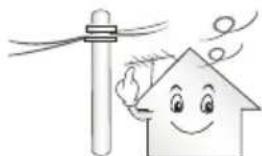
Oa npenei va apnoete apketn anootaon metaTu Tc EwtepiKc Kepaiac kai twv ypaumw nAeKtpo6tOnnc, wote n Kepaia va mnuEpoe OE enapn e Tc ypauec akounk aOE nepintwnou neoi. Ynpexi kivduvoN AektpoTnIciac.
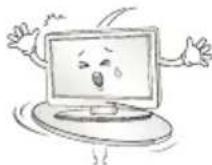
Mny tonooteite to npioov oe np onwoc aotao n paoia n kekuipeves emapveiec. Anopoyete enionc ta npen onou unapxouv kpaadaooi n onou dev eviat duvatn nnnpnc stnpen tou npioivtoc.
Aiaqopetik, to npoiov mnoepi va noei iv avaatpanei, e anotEeogaa tv npokknon tpaumaiou n cniuac sto npoiov.
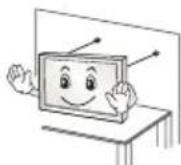
Eav eykataohtnoe TnTnAeopaon ae bao, 0a npenei va laBete Mepa npokieevou va anotpeshet nV ovatpon tou npoiovtoc. dApopetikac to npoiov mnpoei va neoi kai va npokaloei tpaumatmo.
Av okeute va tonoetnoe to npoiov oe toxio, npoapooote tnu tumkn baoon otnpicn c VESA (npoaiptkac eaptjmuata) otny niow nauupa tou npoiovtoc. Otav xpnoionoite tnv entoixia faocn otnpicnc (npoaiptkac eaptjmuata) vtny Ekykataotaon tnc ouokeunc, otepewote tnnpoektka, ia va mnu neel.
Na xpooiomoiite movo ta eApntmuata nou opiEi o kataoKeuaotnC.
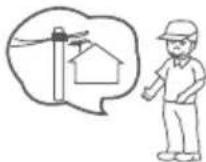
Kata tnv eykataoataon tnc kepaiaoc ooubetaeuteite evav apuodio nAektpoAoyo. Ynapyei kivduovoc npukayiac n Aektpoanxiac.
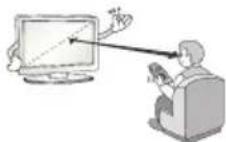
Suviotata va diatnpite anootaon toulaxiotov 2 ec 7 opec tn diaywia diaotaon tnc oovnc otav napakoouthe tneopaan. H npakoounon tnleopaanc yia eya xpvikó diatnma nopei va npokaleoi bolnopaan.
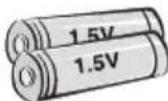
Na xnpoiooneite movo tov kaobopioevo tno unatapiac.
Aiaopopetiká, unapxei kivduvoc oTo nAExeiptnio.
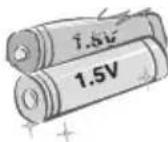
Mnyxnpnnooiite kainovpyie cunatapiec tauroxpova e naaiec. Ynapexi kivdvoc uepepmuavonc twu npataiwkai diapponc.
OJnatapiec dev npenei va ektiogetai ae Uepboikn eepoiteta, onwc Eiva to qwocou naiou, taia kai naektpikec eepaotpec.
MHN tonotheite n enavaopopticvee natapiec oto opptiotn.
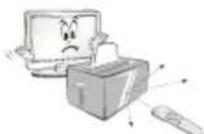
Bépaωthe ré əti δev unapxouv avtkeiéva μetau tou tnaexipiotnpiou kai tou aioθntpɑ.
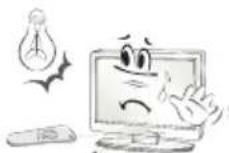
To onu Tou nlexepiopniou mopei va aaloiowei ano to woc Tou naiou n alnn duvat nyn φwotc. Tnv nepintwn autn, eiwote to wtiio o t o watio.
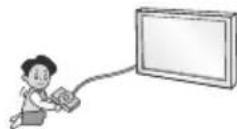
Kata tn ouvdeon eWTEpiKwovoukeuov,Onwc KVOOoEc
BIVTeONaivioiw, povtiote ta kalwaouveoov enapkoc
mKoc. dApopetiká, to npoiov mnoei va noei, me anotelaoa tvv
Pokanon Tpaunatouou h znuiac oTo npoiov.
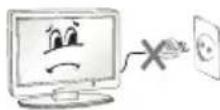
Mny evpyonoie/anevepyonoite to npoiov ouvdeovtac n aoouvdeovtaoc to pic tou kalwdiou ano tnvi pica. (Mny xpnoiunoieTe to pic peuataoc wc diakontn.) Ynapxei kivduvoC npokanc unxaviknc biaabnc n nektponlanxiac.
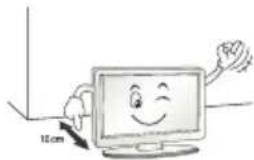
Na tnpieTe tic napakatw obnyiec egaepioou, yia va anotpepeTe Tnu unephepaavon Tou npoiovtoc.
H anootaon eTaTu oTPOIOvTOc KAI TOU TOIXOu Ta npenei va evau μeyaute np ano 10 ek.
Mny tonotheeite to npoiov oepocxwpic eaepiouo (n.x. o paip B1BAtOgKnC n vToula).
Mny tonotheite to npoiy enav oe ya i n aiaapt.
Φovriotε ta avoiyuata εεaεριαμον va μην anoppaoovtai ano tranεCouavvla n kouptivec.
Kouma teletext (TEXT/0.0Ta ta Koumu xpoaonoiovtai yia to teletext.
SUBTITLE Enavaopopa twv unotitawv nou npotiate otynqiakn Aertoupyia.
Kouma 2eYxou II, Eeyx1 npieXoEv a nouetoov.
30/* Xpnoiopoioietai yia npoBoa h BivTeo 3D. (Avaoya m to oovtE)
DATA/* EAnoyn Tnc npoeAevonc tou mevo MHP TV. (Avaoya to oov
AD*Iatovtac to koupi AD, evpyoioeirai n aeitoupyia nepiyapnqnc npou. (Avaoya to povrlo)
For DTS patents, see http://patents.dts.com. Manufactured under license from DTS Licensing Limited. DTS, DTS-HD, the Symbol, & DTS and the Symbol together are registered trademarks of DTS, Inc. © DTS, Inc. All Rights Reserved.
For DTS patents, see http://patents.dts.com. Manufactured under license from DTS Licensing Limited. DTS, DTS-HD, the Symbol, & DTS and the Symbol together are registered trademarks of DTS, Inc. © DTS, Inc. All Rights Reserved.
For DTS patents, see http://patents.dts.com. Manufactured under license from DTS Licensing Limited. DTS, DTS-HD, the Symbol, & DTS and the Symbol together are registered trademarks of DTS, Inc. © DTS, Inc. All Rights Reserved.
For DTS patents, see http://patents.dts.com. Manufactured under license from DTS Licensing Limited. DTS, DTS-HD, the Symbol, & DTS and the Symbol together are registered trademarks of DTS, Inc. © DTS, Inc. All Rights Reserved.
He noDBepraTe yIapam aIaIaTep nITaTHnI npI erO HCNoJIb30BaHn. BHeUHee Bo3dEiCTBne MoKeT npIBeCTn K nobpeXJeHIO aIaIaTepa.
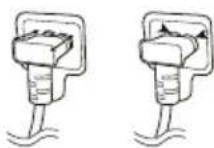
y6eHtecb,yTO Ka6eBnPiTaHnHaJeKHO NOkKnIOueH K pa3BeMy NiTuHnHa TeLEBnOpe. (B 3aBcunMoCTn OT MoEJI)

BHIMAHHE!
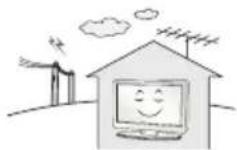
UCTAHOBuTe UcTPOiCtBO BMeCTe, rIe HET padHONOMEX.
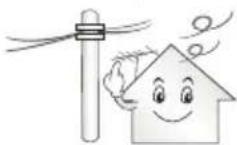
CneNyET o6eNeuMbIOCTaTOHoe paCCToHMe MExdy HApyKHOaHTEHNO KabeIEM NITAHN BO N36ExKaHHe IM COpNIKOCHOBEnHa DaKe B Clyae Naehn aHTEHb. 3To MOKeT pINBecNT K NopaxHeNIO 3NEKTPueCKM TOKOM.
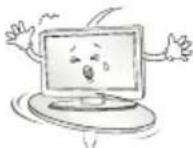
He yctaHaBnBaIte yctpoiCTBO Ha HeyctOuNBbIe NOLKIN HAKOHHbIe NOBepxHocTH. TaKKe CneMyET H6eTaB MeT, rJe yctpoiCTBO NOBepraTeCB N6paunM, INI MeC C HenONHOn ONOpO.
HecobnOeHne yka3aHHbIX MEP npedeocTopoXHOCT MoKet npNBecT N K TOMy, YTO yCTpOcTB0 ynaTeN INI nepeBepHeTcA, YTO MOKet NOBneY 3a cO60 HaeceHne Bam TpaBMbl INI NOBpeXdeHne yCTpOcTBa.
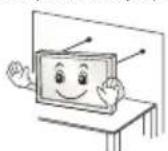
Pn yctaHOBKe TeneB3Opa Ha noCTaBky HxKHO npeIpnHbMepblno npTeDBpaueHIO ero onpOKNbIBaHn. Pn HecobIOeHn Yka3AHbIX MEP npEOCTOPOXHOCTHuCTPOINCTBO MOXETyNACTb, YTO MOXETnpNBECTK HAHeCEHNO Bam TpaBMbl.
Ecn Tpe6yeTc3aKpenntb yctpoCTBO Ha CTHe, yCTaHOBtte CTaHdAPTHbI KPOHTeH dHa HAcTeHHOrO KpENNeHn (DOnONHtEnbHa Detalb) Ha er0 3aHne nHaen. Ppr YcTaHOBKe yCTpoCTBa Ha CTHe C NOMoCbIO KPOHTeHa dHa HAcTeHHOrO KpENNeHn (DOnONHtEnbHa Detalb) HaDeXHo 3aKpeNTe erO Bo n36ExAHne naDeHn yCTpoCTBa.
IcnoJIb3yIte pekOMeHIOBaHHIe I3rTOBtTeIeM KpeJIeHnA n akCEccyapbl.
Дя установки aHTeHHbI o6paTntecb K KBaIIuΦnUpOBaHHOMcNeuaJIncTy.CamocToTeHbHaY yCTaHOBKa MoKET npVBecrK noXkapU INI nopaxHeHIO 3JKeKTPpuYeCKM TOKOM.
Ppi npocmTope TeleBn30pa peKOMeHnyetc co6nOaTb paCtOHHne, paBHoe 2-7 daRaHOHaJMaM EKpaHa TeLEBn30pa. IpocmTp TeLEBn30pa B TeueHne dInTeBHorO BpeMeHN MoKeT npNBecTN K CHNKeHHIO OCTpoTbI 3peHHIA.
IcnoB3yIe ToIbKO yKa3aHbI Tn6BaTapei. HecO6JIIODeHne 3TOrTope6oBaHmJ MoKet npuBeCTN K NOBpeKdEHHIO nYbTa D.
He mCnoJIb3yIte HObIe 6aTapeu BMeCTe CO CTapbIMn. 3To MoKet npUBeCTN K nepepeBy n npoteukam 6aTapeu.
3JIeMeHTbI NITaHnI He DoJXHbI NOBBePraTbC HArpeBy OT npRmbIX cONHeuHbIX Lyuei,OrHr nnEKeTpuecknx 6ObrpeBaTeen.
He BCTabJIaIe Henepe3apJXaEMbI eJIeMeHTbl NITAHnB 3apJHoe yCTpoiCTBO.
Mekny npbTom Dy n daTnKOM He doJxho 6bItb HnKaKnx npedmetob.
CunHai OT NyIbTa DY MoKet 6bITb NOaBHeN CoNHeYbIM CBETOM ININ DpyrMM NCTOuHnikom Jpkoro CBeta. B 30m Cnyae B KOMHaTe CnEduyET Cdenatb CBET MeHee Jpkim.
PnnoKIOHcHIN BHeWHNX yCTPOICTB, TaKHX KAKrpoBbIe KOHCOII, y6dntecbBTOM, qTO NOKIOUaEMbIe Ka6eIMMeHT DOCTaTOHyO dHHy. HNaue yCTPOICTBO MOKeT yNaCTb, qTO npMBeTeK HaHeceHIO TpaMbI INN NOBpeKDeEHIO yCTPOICTBa.
He cneJyET BkIIOUaTb/BbIKIOUaTb TeneBUN3Op, NOcOeINHRA UINOTcoEINHRA BUNKY OT HAcTeHHoP03ETKN (He NcNoNb3yIne BUNKy dJaBkIIOueHNA). 3TO MOKeT CTaTb PnUHOM MexAHueCKOrO OTKa3a UNINopaxHeHRA 3JIeKTPuueCKIM TOKOM.
CobnodaTe INCTpyKunNo yctAHOBKe, npBedeHHbIe daJeE, TTo6bl npedTbpatntb neperpeyctpoCTBa:
PacctoHne MeKdy TeJeBn3Opom N CTeHOn DoJHKHO 6bItb He MeHee 10 cm.
He yctaHaBnBaIte yctpoiCTBO B MecTax 6e3 BeHTnlau (Hapmep, Ha KHNKHOJ NOJIke NIN B cepBaHTe).
He yctaHaBnBaIte ycTpoCtBO Ha KOBep mI npOdykU.
- 86eIITecb TOM, YTO BEHTNIAZIOHbIE OTBepCTnHE 3aKpbItbCKATEpTbIO NII UTOPOIN.
B npotnbHOM cnyae, moKet npon30n BuO3ropaHne.
He npikacaiTecb K BeHTnIaIOHHbIM OTBepCTnM npn npocmOTpe TeneBn3opa B TeueHne DoJIrO BoPeMeHn, NockoJbky OHN MOrYT cnIbHO HarpeTbcra. 3To He BnAeT Ha pa6Otu nn IpOn3BoAnTeJbHoCTb yctpoiCTBa.
IepnoDnueckn OcmatpmbaIte Ka6enb yctpoCTBa n Bcnyae BUNIMORIO 3H0ca IIN IOBpeXDeHnB BbIHbTe erO n3 pO3eTKn 3aMeHInTe Ha Ka6enb, peKoMeHIOBaHHbI aBTOpN3OBAHHbIM CneuaJIACTOM NO 06CnyKmBAHIO.
He donyckaIte cKoJIeHnI NbIIN Ha KOHTaKTx pa3beMOB nII HA po3eTke. 3To MoKET npUBecT N noXapy.

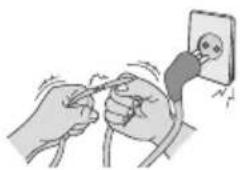
He donyckaIte fni3nuecko ro nnn MexaHueckoro BO3deIcTBna Ha shyp 3neKtpoNTaHnra, a mMeHHo nepeKpyuBaHnra, 3aBra3bHaHnra, nepeRbHaHnra shypa. He 3axmMaTe shyp dBepbIO n He hactynaiTe Ha Hero. 06paauTe oc6oe BHMmaHne Ha BnKn, HAcTeHHbIe po3eTKn n ToUKn CoeINHeHn IpoBOda C yCTpOiCTBOM.
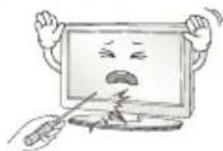
He haxmuTe cnIbHO Ha naHEnb pyKo nnOCTpbIM npEmdToM (rbo3dEm, kapaHaDaWOM nnpyko). He cepapanaTe naHEnb.
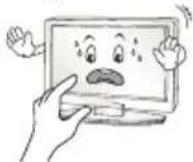
CTapaTecb He npKacatbc K kpaHy H He depKaTb Ha HEM paBcBi TeueHne npOdoJxHtBHor nepNoa BpeMeHn. 3To MoKeT BblBaTb BpeMeHHbe NCKaXeHnHa 3kpaHe.
Ipy ouHCTke yctpoiCTBa u erO KOMnoHEHTOB, cHaayana,
OTcoeHNHTe BNkUy UHypa NITAHnA O TPO3eTKu, a 3aTeM npoTpnte
yCTPOI CTBO MRAK KO TKAHBIO. IpIMHeHne N36bIToCHbIX ycNnIN MOKET npNBecTN K NOBAnEHHIO capanIN INN o6ecuBeYBaHHIO
NOBepxHOCTn. He paCnblnIte BDOy Hne npOTnpaTE yCTPOICTBO
MOKPOI TKAHBIO. HIKORDA He NOLb3yItecB ONUCTNTENAMIN DIA
CTeKoI, ABTOMO6bIBHBIMN INN pONMbIIeHHBMN NOnIPoJAMN,
abpaNBbIMn CpeCDTBAMN INN BOCOM, 6EH30lOM, CNPtOM IN T. IN,
KOTOpBIE MOrT NOBpeDITb YcTPOICTBO n erO NaHeB. HecO6JIIODeHne
Yka3aHHbIX MEP npEOCTOPoXHOCTN MOKET npNBecTN K BO3rOpaHHIO,
NOPaKeHHIO 3JIeKTPnuCeKM TOKOM INN NOBpeXdEHnIO yCTPOICTBA (deOpMaunn, KoppOznn nn noomke).
Ecn yctpoCTBO NOkIIOyeHO K PO3eKnepeMeHHoro ToKa, OHO He OTKIOyaeTcO NTocHnka NHTAHNNEpeMeHHoro ToKa, DaXe npBbIKIOyeHN C NOMOsbIO nepeKIOyateTaNtAHN.
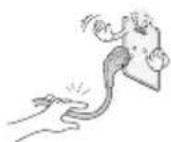
OTKnIOUa np6Op OT 3JIeKtpuYeCKo pO3eTKn, 6epNTecb pyKo 3a BuNKy.
OToeHHeHne npoBOOB BHyTpN Ka6eN MaKeT npBecn K Bo3rpaHIO.
Pn nepemeuen yctpoiCTBa cchaJy6eHntecb B TOM,TO OHO OTKIOUeHOOTcTn.3aTeMOTcoEHNHTe Ka6eIN NITAHN, aHTEHbIe Ka6eIN N OCTaJIbHbIe PNOKIIOuaEmbIe Ka6eIN.
TeneBn3op Nn Ka6eNb NnTaHnM Omy T 6by T NobpeXdeHb, YTO MoKet C03DaTb OnaCHOCTb BO3rOpAHn Nn NopaxHeHn 3JIeKTPuYeCKM TOKOM.
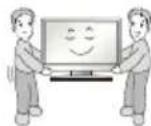
IpeMeueHne nn pacnakOBky yctpoCTBa cneDyET npOn3BOuNTb DBymIOJAM,T.K.OHO TAgKeJeOe.NHaue Bo3MOxHO NOpUyeHne TpaBMbl.
IIO6oe 06cnyxHBHne OJONKbI IpnO3BOJNTb KBaIIuΦnUPOBaHHbIe CNEuaJIncTb. 06cnyxHBHne Tpe6yEtC, KOrDa yCTpoiCTBO 6blIO NOBpeXJEHO KaKM-IMo 6bpa3OM (NOBpeXJEH Ka6bI NITAHIN INN BnIKA, npOIHTa XnIKoCTb, BHYtpb IOnaI NOCTOpOHNI pPeIMET, YCTpoiCTBO NoCTpdaIOn OT DoJxIa IIN BlaIg, yCTpoiCTBO He pa6oTaET DOJXHbIM 6bpa3OM, INI erO yPoHNII).
Ecnn yctpoiCTBO KaKeTcXoIoNbIM Ha Ouynb, npn erO BKIOueHNN BO3MOxH He6oNbIoe MepaHne. 3To HopMaIbHoe ABLeHne, C yctpoiCTBOM BCE BnpAJaKe.
JaHHa NaHeIb ABnIeTcYcoBepWeHCTBOBaHHoM MoeIbIO NIMeET pa3peWeHne B HeckOblbKO MmIIInHOB NIKCeIe. Ha NaHeI MOrTy NOBtBCa MEKHe YepHbIe TOUKN/INr A Pkne UCBtHbE TouKn (KpaChIbe, CnHne INN 3eJeHbIe) pa3MePOM 1 ppm. 3TO He ABnIeTc HcnpabHOCTbIO H He BnIeT HApOn3BOdntelbHOCTb NHaDeXHOCTb yCTPOCTBa.
3Ta np6bnema TaKke BCTpeaetcB CTOpOHnX npOyKTax N He ABnEeTc NOBOOM IIN O6MeHa INI DeHKeHOrO Bo3MeueHn (DeHekHO KOMnHcauu).
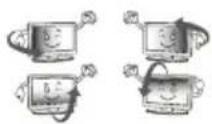
B 3aBcHMoCTn OT MeTa npocMOTpa (CneBa/Cnpaba/Cbepxy/CHN3y) RPOKCTb NCBETHOCTb NaHeIN MoKET N3MeHARrBCA.
3To npOnCXoNT BnDy ocObeHOcte CTpoEHnaHeN. DaHbIe H3MeHHe CBy3aHbI C npOn3BOaNTeBHOCTbO yCTPOCTBa N He ABJIeTc HEnCnpaBHOCTbIO.
OTo6paXeHHe CTaTuHOro N3o6paXeHn DInTeNbHoe BpeMa MoKet npBecTn K NoAByeHnO OCTaTuHOro N3o6paXeHn. N36eAne OTo6paXeHn HEnoDBeHXHO N3o6paXeHn B TeueHne DInTeNbHOro nepNoDa BpeMeHn Ha TeleBu3ope.
3Bykn, n3daBaemble yCTpoIcTBOM
Tpeck KOtOpbMoKHO yCbIwTaB npn npocMTope HbBbKIOUeHn TeneBn3Opa, Bb3BaH TeNIOBbIM CkATHe M nlaCTnKa B pe3yNbTaTe N3MeHnA TEMpePaTybI n BlaXHoCTn. DaHHb Iuym ABJIaETc O6bUHbIM RAVeHnEM npn IcNoIb30BaHm IpOdyKTob, NOdBepKeHHbIX TEMpePaTypho DeOpMaun.
IydeHne 3eKtpuecko cenJxKKaHne naHEn: n3 BbICOKOaCTOTHO KOMMyTaUHOHcXeMbI yCTpOcTBa MoKet IcxOaNTb Tuxm Wym, 6pa30BaHHbI npn npoxKeHm 60JIbWoTO kA, Heo6xoDMoro dJa paobTbI yCTpOcTBa. 3To 3aBNCt OT yCTpOcTBa. DaHHbI 3Byk He BnnaeHa pa6Otu HaJeXHoCTb npOdykTA.
He mnoB3yIte 3neKtpOn3dennBaBicOKoro HapxKeHn B6n3n TeneBn3opa (HanpMep, 3neKtpuecckyo MxO6oKy). B pe3ynbTaTe yCTPOCTBO MOKeT 6bIT nobpeXKeHO.
(B3aBnHMoCTNOTMOeIN)
(B3aBcHMoCTOnOTMoJeN)
UnpaBnIe yHKuMaM TeneBu3Opa Haxmam KHOKN NIN CDBRnA KHOKNy-ДЖОТNK.
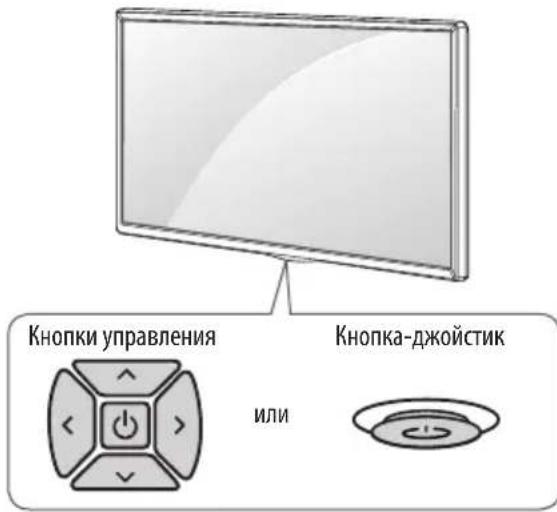
OCHOBHbIe yHKcMn
2BnHTaJnKpennHnnoDCTABKn,
2Wai6bIJaKpennHnnoDCTABKn,
2GammaKINJKNpeHnHnNOCTaBKn
CneIte 3a Tem, yTo6bI DeTn He 3a6upanncb N He BuceiHa TeneBn3ope.

PIMMEUHNE
IcnoB3yEma nIgKpIeHnIOBepxHOCTb DoJXHa 6bITb DOCTaTOHO yCTOuHBOH npOHO.
KpoHHTeHbI, BnHTbI uHypbI He BXoJrT B KOMJIeKT NOCTABKN. IOnOJIHHTeHbIe akceccyapbl MOxH0 npno6peTn y MeCTHO nnepa.
Perynnpobka yrna 063opa
TeJIeBn3Opa
(3TOTKOMNHOENTDOCTyneHHeIYBCExMoJeIe.)
IIOBepHnTe TeneBn3Op Ha 20 rpaDycOB BnEBO NnBnPaBO, YTO6bl yUyUHTb BVIMOCbT C MeCTa IpocMOtPa.
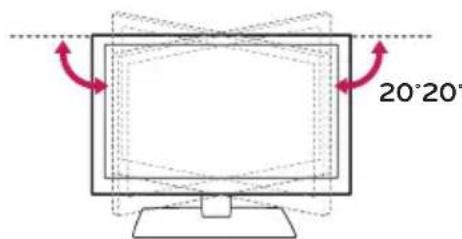

BHIMAHHE!
- PnpepynpOBKe yrna 0630pa yctpoiCTBa 6yDbTe ocTOPOXHbI, TTO6bl He npuemntb naBbI.
He donyckaTe 3aueemJeHnpyk nnnaIbueB,T.K.3To MOxKET npNBecTu TpaBMe.IpN CmIKOM 60nbWOM HaKIOHe TeLEBn3Op MoXeT yNaCTb,HTO pNBeET Kero NOBpeXdeHIO.
KpenlenneHa cTeHe
Octopoxho npKpeHte KpoHtEIN DnHaCTeHHORo KpeHneHna (npno6peTaembI OTdEnbHO) K3aDHeN NOBepxHOCT NTeBEH3Opa I K CTHe BbIPOBHB No yPOBHO. JIA MoTHaKa Ha CTeHy, IN HePouHbIX MaTePbAIOB, O63aTeBHO 6bPaTlTeCB K KBaIIuHcNpOBAHOMy CneuaJIACTy NO MOHTaXy I CTPOITeBCTBy. KomNaHnLG peKomeHdyET BblBaTB KBaIIuHcNpOBAHBOMaCTepa IJN KpeHneHra TELBeHN3Opa KCTHe. PeKomeHdyETcNcONb3OBA Tb KPOHtWeH IJNA HAcTeHHORo KpeHneHn LG KOtob II oecneuBaet Ydo6hoe NOpKnIOueHne Ka6enei. EcnBblNCNoB3yeTe KPOHtWeH IJNA HAcTeHHORo KpeHneHn dpyrTO npOn3BODInTEA, peKomeHdyETcNcONb3OBA Tb KPOHtWeH, KOtob II oecneuBAeT HAdExHoe KpeHneHne YCTPOICTBa HA CTHe I HAnuWe DOCTaTOUHorO MeCTa 3a YCTPOICTBOM, IJRA yDoBHoro IOndcoeINHeN Bce X BHeuHX uCTPOICTB. PeKomeHdyETc NOKJIIOuATb BCE Ka6eN I Do YCTAHOBKn FmKcnpOBAHHO KPOHtWeHa IJNA HAcTeHHORo KpeHneHn.
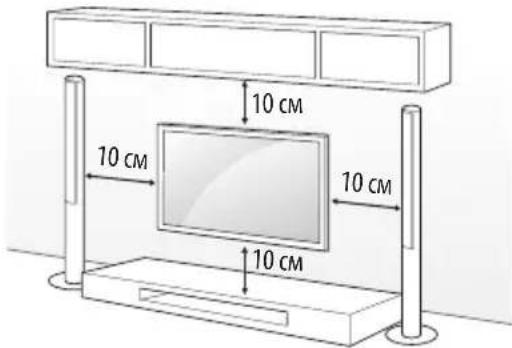
Y6eHNTecb TOM, YTO BnHTbI N HAcTeHHbI KPOHHTeH OTBeaIO TcAndaptam VESA. B CneDyUoSe TaBnue npBBeDeHbI CTaHdapTHbI ra6apntbI dN KOMIIKeTob HAcTeHHoro KpeNHeHra.
PpHaJExHocTn, npNo6peTaembIe OTaEnbHO (KpoHtEIN DnHaCTeHHoro KpenneHna)
| Мо德尔 | 43UW76** 32/43LW64** 43UW95** | 49/55UW76** 49/55UW96** |
| VEDA (A x B) (MM) 200 x 200 | 300 x 300 | |
| Стандартыний ВИNT M6 M6 | ||
| Количес corrobor ВИNTOB | 4 | 4 |
| Крочてйддяп ностehного креленяя | LSW240B MSW240 | LSW350B MSW240 |
| Мо德尔 65UW96** 75UW34** | ||
| VEDA (A x B) (MM) 300 x 300 | 600 x 400 | |
| Стандартыний ВИNT M6 M6 | ||
| Количес corrobor ВИNTOB | 4 | 4 |
| Крочてйддяп ностehного креленяя | LSW350B LSW640B |
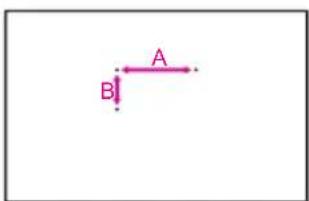

BHIMAHHE!
OTcoeHInHeNoCTaBkypeedyctaHObKO KoHOHTeHa dIHa HAcTeHHOrO KpEnIIeHn, BblnoJIHB IpOeDpyoNDcoEINHeHn NOCTaBKn BO6paTHOM NopRdKe.

ПИМЕЧАНЕ
cHOB3yIte 3aunTHyo 3arLyuKy IIN 3aunTHyo KpbIwky, NdyuO B KOMnEKeTe. 3aunTHaY 3aunTHaK PbIwka Oececnyat 3aunTy OTBepCTN oT cKaIIBaHn Nblnn H3arp3HeHn. (ToIbKO ecIn 3aun LyuKa INN KpbIwka NdyT B KOMnEKeTe)
| Приларгий лем ent | |
| 3ашитыя загушиka |
(B3aBcMooCTNOTMOeJI)
PpOcMoTp 3aKoDnpoBaHHbIX (nlaTHbIX) KaHaNoB B pexKmE LioΦpOBOro TB.
IpoBepbTe, npaBnBHO n yctaHOBHeh CAM (CI)-Moynb B pa3bem PCMCIA. HenpaBnBnaY cTahOBKa moynma MoKet npnbecTu K noBpeXeHnO CAM (CI)-Moynu npa3bema PCMCIA.
EcnB TeJIeBn3ope OTCyTCTBYOT BnIeON3o6paXeHne N 3ByK npN IOkIIOUeHHOM Cl+ CAM-MOdyne, CBxITecb cOnepaTOpm KIneHTCKOI CnyK6bl Ha3EMHOr/Ka6eNbHOr/CnyTHNKOBOr BOuHaHn.
PoioknIOUeHne USB
HeKOTOpbIe KOHcEHTpaTOpbI USB MoTy He pa6oTaB. EcIn USB -yCTpOiCTBO, NOdKnIOUeHHoe C NmOuSbIO KOHcEHTpaTOpa USB, He 0bHApYKeHO, NOdCoEIMHnte erO HEnocpeIcTBeHHO K NopTy USB Ha TeJIeBu3Ope.
Повлочене ВсшнхДиHamNKOB KaydnoBbIXOу
(B3aBcIMoCTnOTMoJeN)
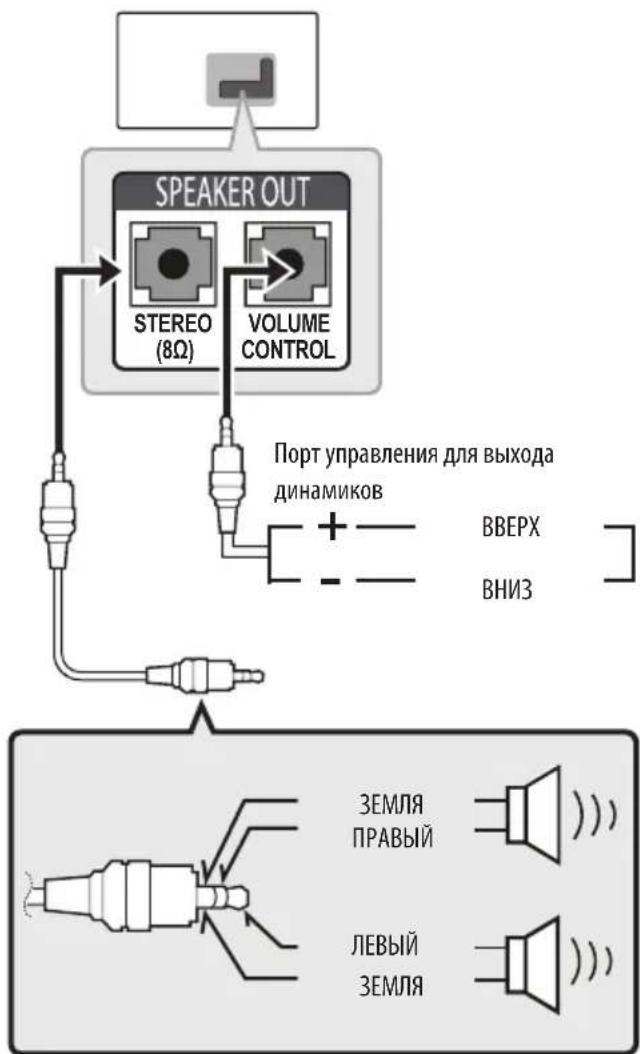
I PUNMEYAHNE
Icnoj3yTeToJbKoC3-KoHTaKTHbIMpa3beMOMCTepeo3,5MM.
He noDcoeINHnIe HauHHNKn K npTy dna noKIOueHnBHeuHero DNHaMnKa.
YnpabneHnE rpoMkoctbI Ope3 npT
XapaKTePnCTnKn Ka6eJia
LIST Bb3bBaetCNICOK KaHaNoB.
(IIpo6en) Bbo npo6ena Ha ekpaHno KnaBnatype.
Q.VIEW Bo3BpaT Kapee npocMaTpnaEmo nporpamme.
B
+HaCtpoIka rpoMkoCTN.
SMART DocTyKDOMaunHe nHaenmCMAPT TB.
APP OTo6paKHeHne npdeIbIyuxn DeIcTBn.
MUTE KJ./0TKJ.3Byka.
PocneBObaTeIbHoe nepeKIOUeHne KaHaIob.
PAGE1TpaHnHHeIpoNnCTbBaHne CnCKOB.
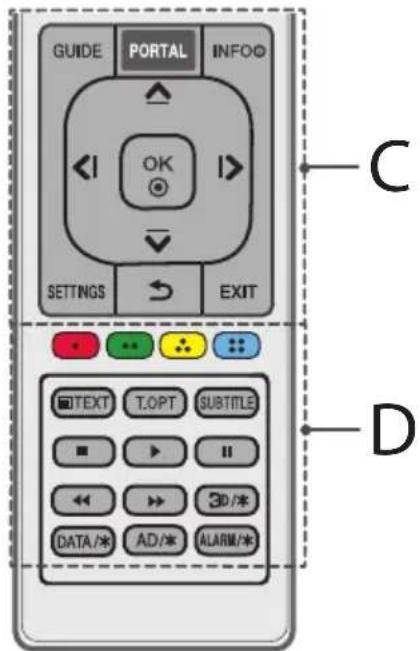
C
GUIDE OTo6paXeHne npOrpaMMbI nepea.
PORTAL OTo6paXeHne n cKpbITNe roCTnHmHOro mHTepaKTNBHO MeHIO.
INFO ① OTo6paXeHHe INHΦOpMaun O TeKyuuei nporpamme nnBxOe.
KhoNkHabnraaun(BBepx/Bn3/BneBo/Bnpabo)
IocneBObaTeJIbHaH HABITauN B MeHIO B BB6paHOM HAnpaBHeHM.
OK BbI6Op MeHIO IIN npaMetPoB IOITBePckJeHne BBOda.
SETTINGSDoctynK6bICTpbIMHaCTpoiKaM.
(SHA3AД) Bo3Bpa Hnpebduuyn ypoBeHb MeHO.
EXIT 3aKpbTHe OKOH npocMToPa Ha 3KpaHe N BO3BpaT K npocMTopy TB.
D
UBeTHbIe KnaBmN IOCTyn K CneuaNbHbIM yHKnA M HEKOTOpbIX MEHO.
For DTS patents, see http://patents.dts.com. Manufactured under license from DTS Licensing Limited. DTS, DTS-HD, the Symbol, & DTS and the Symbol together are registered trademarks of DTS, Inc. © DTS, Inc. All Rights Reserved.
YBeOmIeHne O nporpaMMHom o6ecpeHnC OTKpbITbIM ICXoHbIM KOdOM
TeneBn3Op He pearnpyET Ha KOMaHdbI NylbTa DnCTaHnOHHoro ynpaBneHn (nylbTa DY).
IpoBepbTe DaTnK D'Ha TeneBn3ope n NobTopnte noBtKy.
- Y6eIITecb BOTCYCTBm npenTCTBm MeKdy TepeBu3Opom INyIbTom dy.
- y6eDntecb, yto 6atapeH haoJrTaB pa6ooyem coCTOHHn npabunbo yctahOBHeHb(+K+K)
TB He BkIIOaTeTcA:OTcyTCTByIoT N3O6paXeHne H 3ByK.
Y6eNTecbBTOM,HTOTeJIeBn3OpBKnIOueH.
- Y6eIntecb B TOM, UTO WHyp nITaHn POKnIOueH K po3TeK.
- Y6eIITecb B TOM,чTo po3eTKa pa6oTaE,TnoKJIIOuHb K Hei dpyrHe yCTpoIcTba.
TeBeBn3Op cAmOnpOn3BOIbHb BbIKIHOaTcA.
PpOBepeTepaMeTpby npapBneHn3HepronOTpe6NeHem Bo3MOxHO, pON30wEn C6oB B CETn 3eKtpOnNTAHn.
IpoBepTe, BkHoueHa JIN yHKnA ABToMaTHueCKoe OTKIOUeHne NHTAHN (B 3aBcUMOCTN OT MOJeJI)/TaMep Cha /OTKIOUeHne TB no TaMepy B MeHIO TaMepbl.
- EcnI TeLEBn3IOHbI CmHaJI OTCyTCTByET B TeueHne 15 MInHyT, TeLEBn3Op BbIKIOUaETcA ABToMaTuYeCKN. npNoCoeINHeHH K KomNbIoTepy (HDMI), oTo6paXkaETcOooSeHHe "Het CmHaJa" nn "HeBepHbI fOpMaT".
BbIKIOUeHHe/BKIOUeHHe TENEBU3Opa c NOMOuIbu NyIbTa DY.
- Nobtophoe noikJIOUeHne ka6eHn HDMI.
- Ipe3anyctnte KOMnIbIOpTe, noka TeJIeBn3Op BKnIOueH.
TexHnueckne xapaKTepeNCTnKn
BecnpoBDoHmMoynb:Texnueckne xapakTepeuNTKU
IocKobky dma3oHbI MoryT OTnuaTbC8 B pa3Hbix CtpaHax, NOJb3OBATeJIb He MoXeT N3MeHrT bNn HAcTpBaTb pa6oyuO yactOTy. TOT npOdyKT HAcTpoEH B COOTBeTCTBm C Ta6nuey YactOT B perNoHax.
Ja 6e3oNaCHOCTn NOb3OBaTey yCTPOINCTBO He06xOIMO yTaHaBnBaTb NcNoB3OBaTb Ha pacCTOHN MUNHmym 20 CM OT NoB3OBaTeY.
(TonbkoДЯUW761*, UW961*, UW950*, UW341*)
* CtahapT "IEEE802.11ac" HeoctyneB HeKOTOpbix CtpaHax.
For DTS patents, see http://patents.dts.com. Manufactured under license from DTS Licensing Limited. DTS, DTS-HD, the Symbol, & DTS and the Symbol together are registered trademarks of DTS, Inc. © DTS, Inc. All Rights Reserved.
For DTS patents, see http://patents.dts.com. Manufactured under license from DTS Licensing Limited. DTS, DTS-HD, the Symbol, & DTS and the Symbol together are registered trademarks of DTS, Inc. © DTS, Inc. All Rights Reserved.
LG Electronics Mlawa Sp. z o.o. (Ltd.)
LG Electronics 7 street
06-500 Mlawa, Poland
Tel.: +48 23 654 74 17
Fax: +48 23 654 59 47
LG Electronics Wroclaw Sp. 20.o
UI. LG Electronics 1-2
Biskupice Podgone
55-040 Kobierzyce, Poland
Tel:+48717929400
Fax:+48717929405
LG Electronics Inc.
77, Sanho-daero, Gumi-si, Gyeongsangbuk-do, 39381, Rep. of KOREA
Tel:+82-54-460-7114
Fax:+82-54-460-7930
Yetkili Servisler
Degerli Musterimiz,