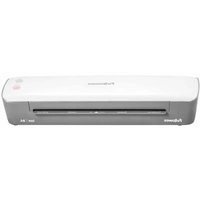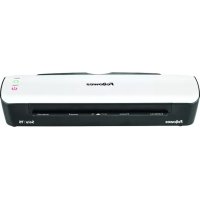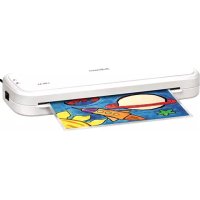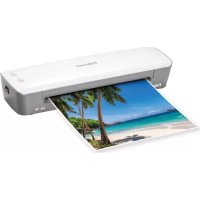
Amaris A3 - Laminating machine FELLOWES - Free user manual and instructions
Find the device manual for free Amaris A3 FELLOWES in PDF.


User questions about Amaris A3 FELLOWES
0 question about this device. Answer the ones you know or ask your own.
Ask a new question about this device
Download the instructions for your Laminating machine in PDF format for free! Find your manual Amaris A3 - FELLOWES and take your electronic device back in hand. On this page are published all the documents necessary for the use of your device. Amaris A3 by FELLOWES.
USER MANUAL Amaris A3 FELLOWES
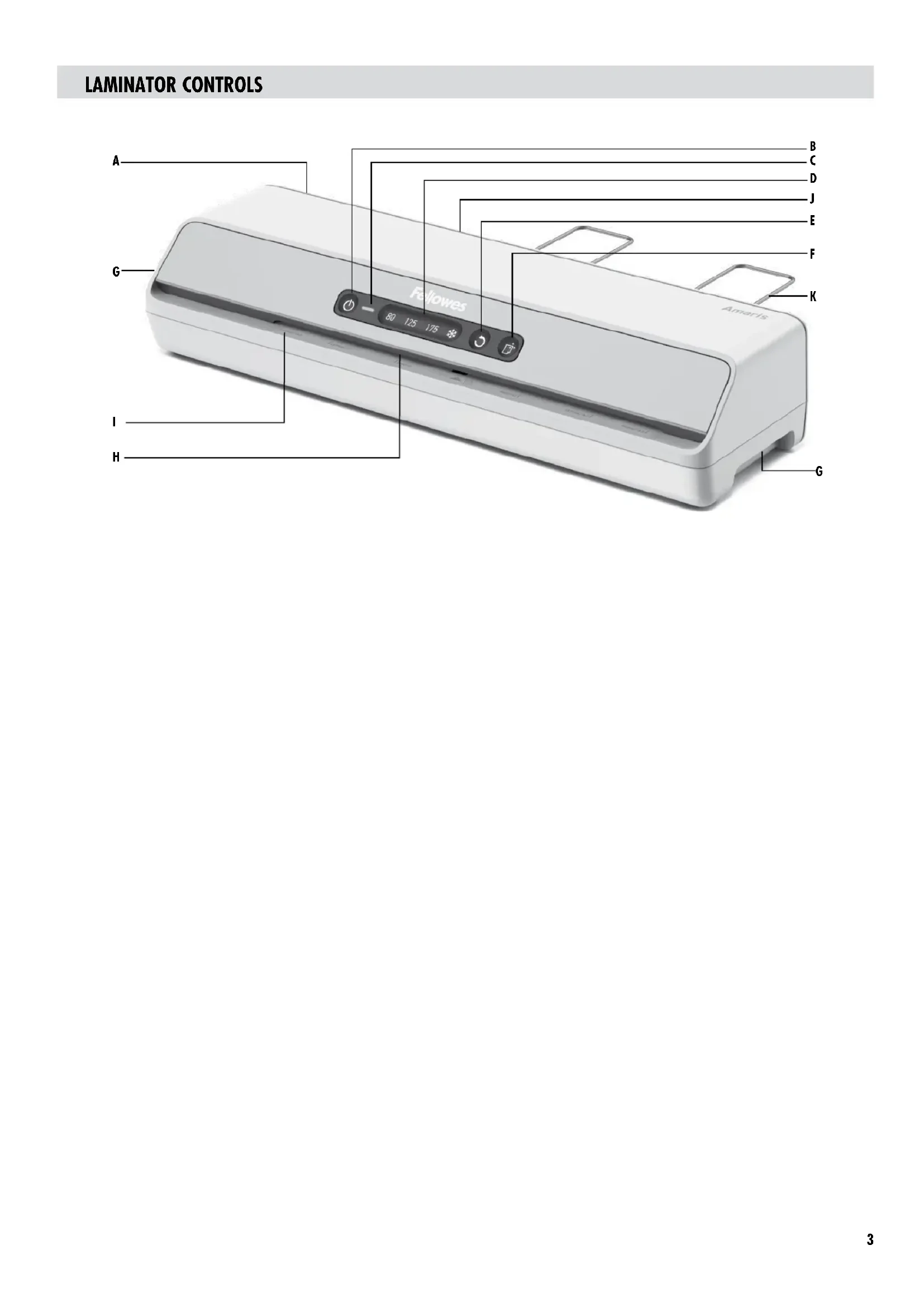
A On/off switch
B Standby / Power Button
C Ready Light
D Pouch selection buttons (80mic, 125mic, 175mic)
E Reverse Button
F Clean Alert System Indicator / Button
G Carry Handles
H Pouch slot
1 Entry support shelf
J Pouch /document exit
K Exit Tray
CAPABILITIES
Performance Technical Data
Format A3 Voltage / Frequency / Current(Amps) A3 = 220-240V CA, 50/60Hz, S, 5A
Entry width A3 = 324mm
Pouch thickness (min) 75 microns
Pouch thickness (max) 175 microns
Warm up time (estimate) 1 minute
Lamination speed (+ / - 5%) approx. 78cm / min (fixed speed)
Number of roller 6
Ready indication Light (green)
Manual Reverse Function Yes
Auto Shut-Off Yes
Wattage A3 = 1200 Watts
Max document thickness 0.024" / 0.6mm
(laminating capacity)

IMPORTANT SAFETY INSTRUCTIONS - KEEP FOR FUTURE USE
- Plug the machine into an easily accessible socket.
- To prevent electrical shock - do not use the appliance close to water, do not spill water on to the appliance, power cord or wall socket.
- Keep away from moving parts.
- This equipment is not suitable for use in locations where children are likely to be present.
- This laminator has a Disconnect Power Switch that must be in the ON (1) position to operate laminator. In case of emergency, move switch to OFF (0) position. This action will stop laminator immediately.
Self-adhesive pouches can only be used with the cold setting.
DO ensure the machine is on a stable surface.
DO test laminate scrap sheets and set the machine before final laminations.
DO remove staples and other metal articles prior to laminating.
DO keep the machine away from heat and water sources.
DO turn off the machine after each use.
DO unplug the machine when not in use for an extended period.
DO use pouches designed for use at the appropriate settings.
DO keep away from pets, while in use.
DO NOT leave the power cord in contact with hot surfaces.
DO NOT leave power cord hanging from cupboards or shelves.
DO NOT use appliance if the power cord is damaged.
DO NOT attempt to open or otherwise repair the machine.
DO NOT exceed the machines quoted performance.
DO NOT allow children to use this machine without adult supervision.
DO NOT laminate sharp or metal objects (eg: staples, paper clips).
DO NOT laminate heat-sensitive documents (eg: tickets, ultrasounds etc) on hot settings.
DO NOT laminate an empty pouch.
FEATURES & TIPS

AUTO
Auto SHUT OFF 'Auto Shut-off' function
If the machine is not active for 30 minutes, the Sleep Mode function will place the machine into standby mode. Standby/Power Button will be dimly blinking. To operate the machine, press any button or cycle the power switch.

'Reverse' function
To eject the laminating pouch during use, press and hold down the reverse button until the pouch has ejected from the machine.

CLEAN ALERT Clean Alert System
This feature reminds the user to clean laminator rollers for jam-free performance.
The Clean Alert button will light up white notifying the user to clean the laminator rollers.
- When the machine is warm, run cleaning sheet through the machine to clean any residue off the rollers. It's recommended to use the front and back sides of the cleaning sheet to run through the machine twice.
BEFORE LAMINATING
- Ensure the machine is on a stable surface.
- Check there is enough clear space (min 50cm) behind the machine to allow items to pass through freely.
HOW TO LAMINATE
- Switch the power on (located at the rear of the machine).
- The machine defaults to the 80mic hot setting. For 125mic, 175mic or cold laminating press the corresponding pouch selection buttons.
- When the machine is ready, the ready light will turn green.
- Place the document into the open pouch. Ensure the document is centered against the sealed edge. Use the appropriate pouch size for the document.
-
Ensure the pouch enters the machine sealed edge first. Keep the pouch straight and central within the slot, not on an angle. Use the entry markings as a guide.
-
The Clean Alert light will auto reset only when used with a Fellowes cleaning sheet. To manually reset this function, simply press the Clean Alert button, and the light will shut off.
Although the Clean Alert system can be bypassed, it is recommended that cleaning sheets are used with the machine regularly to ensure optimal performance. (Cleaning sheet order #5320603)
- For best results, use Fellowes® brand thermal pouches:
Enhance 80, Impress 100, Capture 125, Protect 175, Preserve 250 and cold pouches - For self-adhesive (cold pouches) only use the cold setting.
This machine does not need a carrier to laminate. It is a carrier-free mechanism.
Always put the item to be laminated into the appropriate sized pouch.
Always test laminate with a similar size and thickness before final process. -
Prepare pouch and item for lamination. Place item within pouch centered and touching the leading sealed edge. Ensure the pouch is not too large for the item.
If required, trim excess material from around the item after lamination and cooling. -
Plug the machine into an easily accessible wall socket.
-
Fit the Exit Tray to the rear of the machine.
-
Upon exit, the laminated pouch may be hot and soft. For the best quality and to prevent jamming remove the pouch immediately. Place the pouch on to a flat surface to cool. Take care when handling a hot pouch. Always remove laminate pouch before starting next laminate.
- For cold lamination, press the cold lamination button. When the laminator is ready for cold lamination, the ready light will turn green. Note: To use the cold setting after hot lamination, you may have to wait for the laminator to cool down for 30-60 minutes.
TROUBLESHOOTING
| Problem Possible cause Solution | ||
| No control panel illumination | Machine not switched on | Switch on machine at rear next to plug inlet and at the wall socket |
| All LEDs are dimly blinking | Laminator has gone in to Auto Shut Off mode | Press any button or cycle the power switch to re-start the machine |
| Pouch does not completely seal the item | Item may be too thick to laminate Check pass through thickness is correctly selected and pass through again | |
| Temperature setting may be incorrect Check pouch thickness is correctly selected and pass through again | ||
| Pouch has waves or bubbles | Temperature setting may be incorrect | Check pouch thickness is correctly selected and pass through again |
| Pouch is lost in the machine Pouch is jammed | Hold down reverse button and pull out the pouch by hand | |
| Jamming | Pouch was used 'open end' first | |
| Pouch was not centered on entry | ||
| Pouch was not straight upon entry | ||
| Empty pouch was used | ||
| Pouch is damaged after lamination | Damaged rollers or adhesive on rollers | Pass cleaning sheets through the machine to test and clean rollers |
STORAGE & CLEANING
Turning off the machine - if the power button is pushed, the machine will completely shut down, turning off the heaters and rollers. Unplug the machine at the wall. The outside of the machine can be cleaned with a damp cloth. Do not use solvents or flammable materials to polish the machine. This machine is equipped with a 'Clean Alert System' that will remind the user to clean the laminator. When the machine is warm, simply feed the cleaning sheet through the laminator to clean any residue off the rollers. Please refer to 'Clean Alert System' under 'Features & Tips' for more information regarding this feature. Cleaning sheets can be purchased to clean the rollers of this machine. It is recommended that the cleaning sheets are used with the machine regularly for optimal performance. (Cleaning Sheet order # 5320603)
COMMANDES DE LA PLASTIFIEUSE
Wattage A3 = 1200 Watt
Max. dikte document 0.024^ / 0.6mm
Hoesdikte (min) 75 micron
(lamineercapaciteit) 0,024/0.8 mm
Hoesdikte (max) 175 micron
VOORDAT U GAAT LAMINEREN
IMPORTANT SAFETY INSTRUCTIONS - KEEP FOR FUTURE USE
CLEAN ALERT System Clean Alert
TEXHNUECKNE BO3MOXHOCTN
Pa6oynexapaKTepeNtKNTexHueeCKne DaHHbIe
HE donyckaIte CBncaHnIuHpyaPiTuHnCo IkafoB HnoNOK.
HE3KcTnpyaTpyiTe yCTPOINCTBO C NOBpeXdHbIM HYPOM NITaHm.
HEbTaTcBcAMoCToTeBnOOTKpbBaTbHnpeMoHTnPoBaTbycTPOCTBO.
HE noDBepraIte yCTpOINCTBO Harpy3KAM, npeBbIaHouzIM XapaKTepnCTKN, yKa3aHHBe Bero CneuΦNkAun.
HEpa3peaIteTeTAMIOJIb3OaBtcaYCTpoHCTBOM6e3npcMOTpaB3pocNbIX.
HE naMHnHyTe oCtpbIe H MetaJIHnueckne npEIMetbI (HaIpmep, cKo6bl, cKpeKN nn 6ymar).
HE naHmHpyTe DOKymEtbl, YyBCTbHTeBbHbIe K TENIOBOmy BO3dEChTBIO (HanpIMep, 6nntbl, peHTREHOBCKne CHMKN H T. d.) B peximax BbcOKo paOboey temnepatypbl.
HE lamHHpyTe npctbI naKetbl.

AUTO
SHUT OFF
ABTomatueckoe BbIKJIOUeHne
EcnIyCTPOBTOOCTAeTCAHeAKTNBBIM B TeueHne 30 MNHT,To yHKUNAABToMaTNUeCKoFO BbIKNOUeHNPEBOIDNT ERO BPEKM OXKDAHnA. KHOKApeKMA OXkDAHnA / NITAHN 6byET MRATb PnIRpyuHEHbCBETOM. IaNo BoBpArYcPOJCTBaPabOoe cCOTHnA HxMlTe HaIO6yKOKNKY INIpeKNIQUITE BbIKNOUeTbe NITAHN.

Функцяя образногхда
IaN3BNeHnnaAMHHpyKoTe npKaTe B XOe 3KcPiJaTaunu YCTpoiCTBa HaxMnte IyepxmbaTe KhoNky o6paTHoro XOa Do NOnHOro BbIXOa npKaTe N3 yCTpoiCTBa.

CLEAN ALERT CucTeMa Clean Alert
DaHHa CNTema HAnOMnHaET Nolb3OBATEIO Heo6xOIMOCCT WcTMTb BaINKn NaHHTopa dno 0eocneueHmero eoecepe6oHoi paobtBJ.
KhoNka Clean Alert 3aropaetc6eBbIM UBeTOM NyeBdoMnET NOnb3oBaTeN O Heo6xoIMOCTH ONUCTKN BANIKOB JAMHHaTopa.
Ioka yctpoiCTBO He octbJIO, npOyCTNTe Chee3 Hero IIOCT DnA CTKU, Tc06bl YdaJIbTb OCTaTKN PIIENHK CBAINKOB. PeKoMeHNDyTc HcNOJb3ObaTb NmueByO H oBaPHTyo CTPOHbI JnCTa DnWCTKN, Tc06bl DBaXJBbl npOyCTNTb Ero Chee3 yctpoiCTBO.
-ндмкаторп<|rotate_down|>чедимаобочкteClean Alert c6paabBaetca abTomatueckn TOnbko
npnNcNtB3OBaHHmIhctaIyHCTKfFllowes.406bI bblIOHITb c6poc yHKmBpyHyIO, npOTo HaxMITE Ha KhoNNkY Clean Alert, n OHa Norachet.
HecMopta Hto, cno npDpynpKdHnA CHTemBb Clean Alert MOxHO 06OITN, dIg oBeCneHnH OITMHALBOI pNO3BODHTENBHOCTyHCTBA peKOMeHNYETopeYrJPHo HcNtOB3BaTb JINCTbI Dn YCHKTN. (JIcT Dn YCHKTN, 3aKa3 N532063)
Для почений ontmальнхpe3ynbTATOB nObl3yte ФмрMuHHeIe tepMonakTebl Fellowes 念 ^ 念 :Enhance 80,Impress 100,Capture 125,Protect 175,Preserve 250 maketbydЯ xOLOHOro IaMmHnPoBaBHn
- DncaMOKNaeHcHnEHHK (DnXoONHOrO NaAMMHPOBaHn) INKnIb3yHTe TOnBko COOTBeTCTByKUHeHaCTpOIMK.
-Даннь TIN yctpoCTBa He npednoJaraet KcNpIb3ObaHm HecuSyero pncToc6beHnЯ JAMHHPOBAHm. HecuSyero npncToc6beHnЯ JEAKcPnyataum DaHHoro yctpoCTBa HE Tpe6yETc.
Bcerda nomeuai Te peMeT dIaMnHpoBaHn B naKet noDxOpaero pa3Mepa.
IpejKeJe CEm IpoN3B0DInb OOKHcATEbHOe NAMMHNPOBaHMe, BCErJa IpoBepReIte pa6Oty yCTPoIcTBA Ha cepHObIX NmCTax aHaNoTHuHOro pa3MePa mToLINHbI.
IopTOTOBtBe naket NAMHHPUOeI PnENKIN PnpEMET IaIaNIMHPOBAMIA. Pa3MeCTITE npEmET B CEHTpe naKETA TAKMM O6p3OM, 7TObI o6eCNEuMbE rO KOHTAK C HAPPAHIOoE 3aNeYaTHHO KpOMKOn. YIOCTOBepbTecB, YTObI npKET He 6bl CNHKM 60JIbHMm DnI aNAMHpyEMOro npMeTa.
PnH Heo6xOdMIOCTN OoNE OOKUaHMa NAMHHPOBaHm N OXaJXe HmOpeKbTe HIMuKn lamHHpyoue nnEKN No KpAa NpEmMeta.
IPEPeJIAMHHPOBAHnEM
- y6eHtncb, 70y cTpoIcTBO yCTaHOBnEHO h aYcToHmOB nobepxHOCTN.
-
06ecnebe ToCTaTOHoe KOINueCTBO CBO6oDnHO npoctpaHCTBa (MNHMym 50 cm) 3a TBJbHcTcPOHOH yCTPOHCTBA dIg 6eCpENrTcBEHOrO npoxKdHm npedMeTob Hepe3 pa6oyu 06naTb.
-
BkHIOHTe yctpoCTBO BnERKOIOCTyHNOPO3eTKY.
- yCTaHOBtBe BbXoDHOJIoTOK Ha 3aDHeN naHEn yCtpoiCTBa.
ONICAHNE IPOUCECA JAMHHPOBAHNA
5.BKIOUHTe UcTPOICTBO (BbKIOUATeIN bpacnoIOxEN Ha 3aHne NaHEN yCtPOITBa).
6. No ymonuHnO yctpoKCTBO HxaoiTcB pexmme ropayero lamHHPOBaHnI IeHNKOI TOnuHNO 80 MKNPOH. Ine nepebOa B pexmN lamHHPOBaHnI IeHNKOI TOnuHNO 125 MKNPOH INI 175 MKNPOH IINo B pexmXoIoHOrO lamHHPOBaHnI HaXMMTe COOTBeCTBYkUOyHO KhoNY JIaNbOpa IeHNKn.
7. Korga yctpoiCTBO 6yET rotOtoB KO pa6oTe, cBeTOBoH INMnKATOp 3aropTc3eNeHbIM.
8. NomeCTHTE DOKyMeHT B packpbyIIO nnEHNky. Y6eIITcB, yTO DOKyMeHT paCnONarAetca no CEHTpy OTHOCTeNbHO 3anaHHoro KpaA. IcNoJIb3yIte IJRA DOKyMeTa IIeHNky COOTBeTCTByUoIero pa3Mepa.
9. yOIOCTOBepbTeCb, YTO pIeHka NODaETC B YCTPOICTB0 3aAnAHbIM Kpaem Bnepei. CneDInTe 3a TeM, YTO6bI pIIeHka pacnIolaraIacb npAMo HNo CEHTpy OTBepCTMa (He NOIyTNOI). OpmENTpyTeCb Ha p3MeTKy PRAOM COTBepCTMeM.
- B MOMENT BIXOda N3 OTBepCTNna PIIeHKa H3aJIaMHINHPOBAHOM DOKMeHTe MOKET 6bITb RopaeH IN MfIKo. YTObI NOyNTb HAmyUwe KaueCTBO IN ppeOTBpATNTb 3aedAHne, Cpazy Xe I3BNEKITE PIIeHKy.Pa3MeCTTne PIIeHKy HnIOCKoNOBPEXHOCTIg N3 OCTbBAHn. Pn pa6oTe C ropaeH NcHKO Co6NIOaIte OTOpcOXHCTb.BcERd N3BNeKaIte 3aJIaMHINHPOBAHHb DOKMeHT nepeh NaHAnOM CnDEYIOEO JAMHNHPOBAAHn.
11.ДЯБыннEHINXOLOHORIлAMHHNHPOBAHnHAKMMITE COOTBETCTBYOUHKOHNKY.KoJDA yctpoiCTBObyetrotoKBbIOnHEnHOZIKNAxOLOHOrIлAMHHPOBAHn,UBeTobm HnHKATOP3aROpTCAZENEHbM.PpIeMaHHe.NyTObIHCNOB3OBaBtpeKMMxOLOHOro lamHHNHPOBAHnIOPOrApyero,BaM,BePoTHo,PiDcTeCnIOQKaTaB TteYehne 30-60 MHyT,NOKaLAmHHATOpOCTbHJe.
YBEPETE CE, Ye MaunHATA e Bpxy paBHa NOBbpxHOCT.
HANPABETE TcT C 6paKaYBaH N ICTOBe H NaCTpOte MaUHaTa IpeDN OKOuTeIHOTo IaMnHnpaHe.
OTCTPAHETE60dIpymMetajHnCaTINpEynamHHnpaHe.
Ia3ETMaHnHaTaOT MToCHMnHa ToNInHa N BoDA.
N3KJIIOUBAIteMaunHataCneBcBAcAynOTpe6a.
N3KIOUBAIte MaUNHaTa OIeCenA, KOraTo He Ce N3NON3Ba npOdbJIKNMeTHe BpeMe.
H3PON3BAIte FOJIO, npEHa3NaueHO 3a yNtpe6a npn IOxOJaMn HAcTpoKm.
NA3ETEmaHHaTaOTdMaUHHJXMBOTHN,KoTaTeBPiOceHaH3IN03BaHe.
HE octabTae eJektpueckna Ka6eB N KOHTaKT C ropeuN NOBbpxHOCTM.
HE octabTne eEeKtpuecknKa6en Da BnCn OT WkafoBe m npafoBe.
HEH3nON3BaYteypea,ako eKeTpMuecknAT Ka6e nOBpeDen.
HE npabete ONTMn Da OTbaprte Nm da peMOHTnpaTe MaunHnata.
HEHaBIMaBaIteO603HaueHTo BpeMe 3a pa6oTa Ha MaunHata.
HENo3B0JbAaTe Ha daeLa dI3nOJI3BaT MaIIINHATA 6e3 NaI3Op.
HE naHmHpaIteOCTPNuMnMeTaNHnPpeMTe (HaNP. Te 6oD, KnaMeep).
HE naMHnHpaIte TOIIONUOYBCTBHTENJIOKUMENTn (HaNP. 6WNEi, yNTPa3BYKOBN H3CneBaHnR) BpeKIM Ha TOnIO NaMHnHaPe.
HE naMnHpaIte npa3Ho oJno.

AUTO
SHUT OFF
CnAùpèxuM
Ako MaunHata He e AKTNBa B npOblKeHe Ha 30 MMHTy, fyHKnHaTa Auto Shut Off (ABOTAMTHUo V3KIOVBAhe) Ue yCTAOHB MAuHbHa B pEXMM HA rTOBHOCT. ByTOHbT 3a peKM H a rotOBHcT bKIN./3Kn. 5e MHa cna6o. 3a da AKTNbPaTe MAuHbTa, HATNCHE npoN3BOHe 6byTOH m3KIOYeTe bKIOYeTe KIOVA h 3axpaHbAHeto.

ФункцязmaHaHaNoCoKaTa
3a Da 3BaDAIte NaAMHHPaIOTo FOJIOIto NO BpeMe Ha LAMHHpaHe, HATNCHEt N 3aDpBkTe 6yToHa 3a CMHa HA NOCOKATA, DOKATO FOJIOIto N3JIe3O t MAUHHATA.

CLEAN ALERT NpeynpeintHa cncTeMa 3a nouHCTBaHe
Ta3n yHKuHa HAnOMHa HApTe6HtEa NaOHTBa polKHe Ha JAMHaTopa, 3a Da pa60Tu 6e3 3acdaHn.
ByohtIpeDpynpexdHeHne3aNoHCTBaHe 1e CBeThe B6AIO,yeBOMBAKn Notpe6ntela da NoHCTn polkute Ha naAMHaTopa.
Korato MaunHATA e TOnna, npokapai Te nouCTBaLI NTpe3 MaunHATA, 3a da NoCHNTe 3AmbpcBAHnATo OT pONKe. IpenopbUHTeJIHO e Da N3NO3BaTe PneHaT M 3aHATA CTpaHa H NOUCHBAAUNIAI NT, 3a Da rnopekapaTe pE3 MaunHATA DBA TbTN.
HnDnKApOpbT PpeDynpExDeHne 3a noHCTBaHe Ie Ce Hynpa aBToMaTuHcMo
KORAto CE H3NONB8a C nouchCTBaU NmCT Fellowes. 3a da Hyunpate pBuHTo TaM fHyHKua, npocTo hATNCHTe ByToHa PepdynpeXdHeMe 3a nouchCTbaH e CBetTnHata U ce H3KNIOH.
Bbnpkeu ne pnpdynpneHnata cNCTema 3a noNCTBaHe moKe da 6be 3ao6knOeHa, npenopbHmTeHNO e C MaunHATA da ce nONIbnat peNoBHO NOUcTBaUNTObE, 3a da ce oCmpyn ONTMaJIHa paOba. (KoHa npobuKa 3a noNUCTBaUNTObE N5320603)
3a hai-do6pn pe3yntan 3n013baTne TepMnHn lamHHnpauu nnXoboe Fellowes": Enhance 80, Impress 100, Capture 125, Protect 175, Preserve 250 n Xoboe 3a ctyeHO lamHHnpahe
3a camaonbaunce (xko6oBe 3a cyteHO naHHnpaHe) H3no3BaTe cmo Hactpoika 3a cyteHO naHHnpaHe.
Ta3MaMaaMHHeCe HyeKdae OTe KAPTOHEH HOCHTen, 3a Da JAmHHnpa. ToBa e MexaHn3bM, KOITo pa60TN 6e3 KapTOHEH HOCHTen.
BunarnnoctabnTe o6eKt3a lamHHnPahBe lamHHpuuD KOc npOxOpa pa3Mep.
BnHaHnI3BbPbBaIte np6HO naMnHpaHe ha o6ekt cnoO6eH pa3MeH ne6eHna npedu OKOHaTeHHra pOec.
IIOIOTBETeJXKo6aHObEKA3aNAMMHNpaHE.IOCTABETeOBeKaZeHTPnPAHbIXo6a, KATO DOKOCBA BOJeZMa 3aneaTaH Pb6.YBepete Ce,Ya NAMHpaunT JKO6 He e TBbPeI RoJIAM 3a OBeKtA.
Ako e Hno6xOIOMo, 33peXeTe 33mUHnMaTePnAn OkOno o6eKa CneJ lamHnpaHe oxlaXdHaHe.
ПЕДИ ЛAMNHUPAHE
- IpoBepete daHn MaunHata e noCTabeha Bbpyx TaobHHa NOBbpxHOCT.
-
PpOBepTe dAnmMaIOCTaTbUHO pOCTpaHCTBO 3aMaaHHata (MnH.50cm),3a da MOrat lamHHpaHHTe DOKyMeHTn Da npemHHabAT Cbo6oHD.
-
Bknoe t e cena ha Maunnata B necho doctbna eektpuecka po3eTka.
- NocatabeteN3XoHata TaBa B 3aHaTa YaCT Ha MaunHaTa.
KAK CE JIAMHHNPA
- BkIIOUeTe 3axpaHbAHeTo (HaMnpa Ha rpb6a Ha MaJINHATA).
6.MaMHnHaTcyeCTaHOBraNo noOp36bPAne 3a 80 MMKpOHa ropeio naMmHpaHe.3a 125 MMKPOHa,175 MMKPOHa Hn CTyEHO NaMmHpaHe,HaTHCKaIte 6yToHInTe 3a N36Op Ha CbOTBETHHNnIK OT fONIO. - Korato Maunnata 6bJe rotOba, mHmKATOpBt 3a rotOBHOCT ue CBEtHe B 3eNEHO.
- Iocabete doKymeHTa B OTOBpeHnna nnk. NOrpHexe Ce doKymeHTb Da 6bde ceHTpapn no OTHouHne Ha 3aneuataHnK pain. N3noI3BaIte npXoDaunpa3Mep nnk 3a doKymeHTa.
-
Iporjxke Ce B MaunHata pInkBt Da BnEe 1bPBO C63aaneTahna Kpai. DpbKte PnHa Ka npab N B cpeata Ha npouena, a He noD bTbn. Hmnon3BaIte BoDeuHte GeneMn HbXda.
-
PnM n3n3aHTo CN, naMNHPaHnT PnNK MoKe 3a e ropeu nn MeK. 3a noCTnraHe Ha Hau-Do6po KaueCTBO N 3a npDeoTbPaTaBaHa He 3acJaHTo, n3BaTe Pnika Bedhara. NoCTabe TnNk BbPxy NnOcKa NOBbPxHO, 3a Da n3CTnHe. BmMaBaIte, Korato 6opabite C ropeu nn NnK. BuHaru n3BaXdaIte NaMNHPaHn PnIK, npEni da 3anoHne CneBuaHn NaMHaT.
- 3a CtydHn lamHHATn HATncHete 6yToHa 3a CtydHn lamHHnPae. Korato lamHHatOpBt e rTOB 3a CtydHn lamHHPae, HmHKatOpBt 3a rTOBHOCT ue CBEHe B 3eJeHO. 3a6eJeka: 3a da HsON3BaTe HAcTPOKA t 3a CtydHo lamHHPae CneIuN0N3BaHe Ha ropeio lamHHPae, MoKe Da Ce HAnOKn Da N3aKaTe lamHHpIoTO yCTpoiCTBO Da N3CTHHe B PnpOblnKHe He 30-60 MmHyTN.
OTCTPAHBAHE HA HEM3PABHOCTN
Ulazna sirina A3 = 324mm
Debljina folije (najmanje) 75 mikrona
VAZNE SIGURNOSNE UPUTE - SACUVAJTE IH ZA BUDUCU UPORABU
- Ukopćajte stoj u lako dostupnu utićnicu.
- Za sprjecavanje elektricnog udara - uredj nemojte koristiti u blizini vode. Urejdaj, kabel napajanja ni zidnu uticnicu ne polijevajte vodom.
-- Drzite se podalje odPokretnih dijelova. - Ova oprema nije prikladna za uporabu na molestima gdje mogu biti prisutna djeca.
- Ovaj laminator ima prekidač za iskljucivanje napajanja koji mora biti u položaju ON (I) da bi se mogao koristiti. U hitnom slučaju pomaknite prekidač na položaj OFF (O). Ta radnjaće odmah zaustaviti rad laminatora.
- Samoljepljve folije mogu se koristiti samo za hladno laminiranje.
OBAVEZNO postavite stroj na stabilnu podlogu.
Moč A3 = 1200 Wattov
Največja debelina dokumentov 0.024" / 0.6 mm
(zmogljivost laminiranja)
POMEMBNA VARNOSTNA NAVODILA - HRANITE ZA PRIHODNJO UPORABO
aollll aaii iil lalil jil 100. Fellowes: Enhance 80 JLJLjLjLjLjLjLjLjLjLjLjLjLjLjLjLjLjLjLjLjLjLjLjLjLjLjLjLjLjLjLjLjLjLjLjLjLjLjLjLjLjLjLjLjLjLjLjLjLjLjLjL
1c aL 11111111111111111111
Jolal jao aillgai aai Jolal Jolal jajl 20
aIglll aIe Ius lalie cai ng aee 111111111111111111111111111111111111
1g 10
J
AUTO
| 220-240 = A35.5, y/n 50/60ON1200 = A3" "0.6/'y/N 0.024 | (1988) | A3 | (1988) | |
| n" 324 = A375" "0.6/'y/N 0.024 | (1988) | n" "0.6/'y/N 0.024 | ||
| (1988) | (1988) | (1988) | ||
| (1988) | (1988) | (+/-5%) | ||
| (1988) | (1988) | n" "0.6/'y/N 0.024 | ||
| (1988) | (1988) | n" "0.6/'y/N 0.024 | ||
| (1988) | (1988) | n" "0.6/'y/N 0.024 | ||
| (1988) | (1988) | n" "0.6/'y/N 0.24 | ||
| (1988) | (1988) | n" "0.6/'y/N 0.024 | ||
| (1988) | (1988) | n" "0.6/'y/N 0.024 | ||
| (1988) | (1988) | n" "0.6/'y/N 78% | ||
| (1988) | (1988) | n" "0.6/'y/N 78% | ||
| (1988) | (1988) | n" "0.6/'y/N 78% | ||
| (1988) | (1988) | n" "0.6/'y/N 78% | ||
| (1988) | n" "0.6/'y/N 78% | |||
| (1988) | n" "0.6/'y/N 78% | |||
| (1988) | n" "0.6/'y/N 78% |
Tny wivw nW -naiyn ninu ninin

ywn yynn nn nnnn nn nnnn nn nnnn
nennny by ix nennn bany, yon by ny 1y npnnn nnyn
.
.(0)OFFxnnn nn nynn nn nnnn nn nnnn nn nnnn nn nnnn nn nnnn nn nnnn nn nnnn nn nnnn nn nnnn nn nnnn nn nnnn nn nnnn nn nnnn nn nnnn nn nnnn nn nnnn nn nnnn nn nnnn nn
nynnnn nnnn nn nnnn nnnn
nip ntn ay np np npnu annn
nion nnn nn nnn nnn nnn nnn nnn
nnnnnnnnnnnnnnnnnoo
.0n nnnnnnnnnnnnnnnnnnnnnnnnnnnnnnnnnnnnnnnnnnnnnnnnnnnnnnnnnnnnnnnnnnnnnnnnnnnnnnnnnnnnnnnnnnnnnnnnn
wnnnn nn nnnn
nnon nnpn nnwnnnnnnnnnnnnnnnnn
Jnnn nn nnnn nn nn nn nn nn nn nn nn nn nn nn nn nn nn nn nn nn nn nn nn nn nn nn nn nn nn nn nn nn nn nn nn nn nn nn nn nn nn nn nn nn nn nn nn nn nn nn nn nn nn nn nn nn nn nn nn nn nn nn nn nn nn nn nn nn nn nn nn nn nn nn nn nn nn nn nn
wnynn nnnnnnnnnnnnnnnnn
nni nnnn nn nnnn nn nnnnnnnnnnnnnnnnnnnnnnnnnnnnnnnnnnnnnnnnnnnnnnnnnnnnnnnnnnnnnnnnnnnnnnnnnnnnnnnnnnnnnnnnnnnnnnn
y nnnn nn nnnn nn nnnn nn (5320603 nnnnnnnnnnnnnnnnnnnnnnnnnnnnnnnnnnnnnnnnnnnnnnnnnnnnnnnnnnnnnnnnnnnnnnnnnnnnnnnnnnnnnnnnnnnn
nnpnnn nnnn nn nnnn nnnn nnnn
OIOIR 1

30 30 30 30
0000

onn yin nynnnn nn nnnn nnnn nnnn
y

nynnnn nnnn nn nnnn nn nnnnnnnnnnnn
nnnnnnnnnnnnnnnnnnnnnnnnnnnnnnnnnnnnnnnnnnnnnnnnnnnnnnnnnnnnnnnnnnnnnnnnnnnnn
yinnn nn nnnn nn nnnn nn nnnnnnnn
n nn nnnnnnnnnnnnnnnnnnnnnnnnnnnnnnnnnnnnnnnnnnnnnnnnnnnnnnnnnnnnnnnnnnnnnnnnnnnnnnn
Fellows wipn nn nnnn nn nnnnnnn
n
3
4
1
2
y
10
11
1
.11
(1) (2)
175,125 80
pnnn nnnn nn nnnn nn nnnn
nna nnnn nn nnnn nn nnnn nn nnnn nn nnnn
9
nna n
| הכלה הכלה | ||
| הכלה, כרל, וְאשׁה, וְגִי, וְבִר, וְעַן, וְפָר, וְהֶר, וְהֶר, וְהֶר, וְהֶר, וְהֶר, וְהֶר, וְהֶר, וְהֶר, וְהֶר, וְהֶר, וְהֶר, וְהֶר, וְהֶר, ו;} - - - - - - - - - - - - - - - - - - - - - - - - - - - - - - - - - - - - - - - - - - - - - - - - - - - - - - - - - - - - - - - - - - - - - - - - - - - - - - - - - - - - - - - - - - - - - - - - - - - - - - - - - - - - - - - - - - - - - - - - - - - - - - - - - - - - - - - - - - - - - - - - - - - - - - - = - - - - - - - - - - - - - - - - - - - - - - - - - - - - - - - - - - - - - - - - - - - - - - - - - (1) - - - - - - - - - - - - - - - - - - - - - - - - - - - - - - - - - - - - - - - - - - - - - - - - - + - - - - - - - - - - - - - - - - - - - - - - - - - - - - - - - - - - - - - - - - - - - - - - - - - / - - - - - - - - - - - - - - - - - - - - - - - - - - - - - - - - - - - - - - - - - - - - - - - - - . - - - - - - - - - - - - - - - - - - - - - - - - - - - - - - - - - - - - - - - - - - - - - - - - - - 4 (2) - - - - - - - - - - - - - - - - - - - - - - - - - - - - - - - - - - - - - - - - - - - - - - - - - 5 (3) - - - - - - - - - - - - - - - - - - - - - - - - - - - - - - - - - - - - - - - - - - - - - - - - - \(-\) - - - - - - - - - - - - - - - - - - - - - - - - - - - - - - - - - - - - - - - - - - - - - - - - - \(-\) - - - - - - - - - - - - - - - - - - - - - - - - - - - - - - - - - - - - - - - - - - - - - - - - = 0 (4) |
ipionx
GB Fellowes warrants all parts of the laminator to be free of defects in material and workmanship for 2 years from the date of purchase by the original consumer. If any part is found to be defective during warranty period, your sole and exclusive remedy will be repair or replacement, at Fellowes' option and expense, of the defective part. This warranty does not apply in cases of abuse, mishandling or unauthorised repair. Any implied warranty, including that of merchantability or fitness for particular purpose, is hereby limited in duration to the appropriate warranty period set forth above. In no event shall Fellowes be liable for any consequential damages attributable to this product. This warranty gives you specific legal rights. You may have other legal rights that vary from this warranty. The duration, terms and conditions of this warranty are valid worldwide, except where different limitations, restrictions or conditions may be required by local law. For more details or to obtain services under this warranty, please contact Fellowes or your dealer.
Australia Residents Only:
Our goods come with guarantees that cannot be excluded under the Australian Consumer Law. You are entitled to a replacement or refund for a major failure and for compensation for any other reasonably foreseeable loss or damage. You are also entitled to have the goods repaired or replaced if the goods fail to be of acceptable quality and the failure does not amount to a major failure. The benefits under Fellowes' Warranty are in addition to other rights and remedies under a law in relation to the machine.
Fellows garantit que les pieces de la plastificue ne presenteront aucun defaut de matière ou de fabrication pendant 2 ans a compter de la date d'achat par le premier utilisateur. En cas de defaut pendant la période de garantie, votre recours unique et exclusif sera la reparation ou l'échange, auchoix et aux frais de Fellows, de la piece défectueuse. Cette garantie ne s'applique pas en cas d'utilisation abusive, de mauvaise manipulation ou de réparation non autorisé. Toutaire garantie implicite, y compris la garantie de qualité marchande ou d'aptitude à une utilisation particulière, est ainsi limitée dans le temps à la période de garantie appropriée représentée ci-dessus. Fellows ne sera en aucun cas responsable des dommages indirects attribuables à ce produit. Cette garantie vous donne des droits légaux spécifique. Il est possible que vous ayez d'autres droits légaux différents de ceux conférés par cette garantie. La durée et les conditions de cette garantie sont valides dans le monde entier, sauf lorsque des limitations, restrictions ou conditions différentes peuvent être exigues par la loi locale. Pour obtenir un complément d'information ou de services aux termes de la presente garantie, veillez contacter Fellows ou votre revendeur.
ES Fellowes garantiza durante 2 años desde la Fecha de compra del consumidor original que todas las partes de la encuadernadora carecen de defectos materiales y de fabricacion. Si se encontra una parte defectuosa durante el periodo de garantía, se reparar o sustituirá la parte defectuosa a cuesta de Fellowes.Esta garantía no se aplica en caso de abuso, mala uso/liquidation or reparacion no autorizada. Todo garantia implicita, incluyendo la de mercancia o adecuccion para un fin concreto, se limito por la presente en duracion al periodo de garantia apropiado establecido más arribra. En ninguno caso Fellowes se hara responsable por该如何 daranto consecutivo attribuible a este producto.Esta garantia ortgara derechos legales espécificos. Puede tenerthersdechroslegalesaparteoflosdeesta garantia.Laduracion,terminos ycondiones de esta garantia son validos en todo el mundo,excepto cuando las leyes localespuede exigirlimitaciones, restricciones o condiones differentes.Para mas detalles o para Obtener servicios de esta garantia,contactar con Fellowes ou distribuidor.
DE Fellowes gewährt auf alle Teile des Geräts eine Garantie gegen Herstellung- und Materialfehler für 2 Jahre ab dem Kaufdatum durch den Erstkauf. Wird ein Teil des Gerätes während der Gewährleistungsfrist als defekt befinden, wird diese nach Fellowes' Ermessen und auf dessen Kosten entweder repariert oder ausgoctauscht. Andere Gewährleistungsansprüche bestehen nicht. Die Garantiansprüche entfallen, falls das Produkt bestimmungsfrend gebrachte, falsch gehandelt oder unbefugt repariert wird. Jede Art gesetzlicher Gewährleistung, einschließlich der Gewährleistung der Durchschnittsqualität oder der Eignung für einen bestimmten Zweck, ist hierdurch auf die oben angegebene Garantiefrist beschranklt. In keinem Fall haftet Fellowes für Folgeschäden, die auf这点es Produkt zurückzuführen sind. Diese Garantie bietet ihren bestimme Rechtsansprüche, gegebenenfalls haben Sie auch andere Rechtsansprüche, die von dieser Garantie abweichen. Die Dauer, Bestimmungen und Konditionen dieser Garantie gelten weltweit, außer Dort, wo durch die regionale Gesetzung beentuell andere Haftungsbeschränkungen, Einschränkungen oder Bedingungen vorgeschrieben sind. Für weitere Angaben oder fur Leistungsansprüche im Rahmen dieser Garantie wenden Sie sich bitan Fellowes oder ihre zuständige Verretung.
IT Fellowes garantisce l'assenza di difetti materiali e di lavorazione della plastificatrice e dei loro componenti per 2 anni nella data di acquisito da parte del cliente originale. Se durante il periodo di garanzia vengono rilevati difetti in un componente, il rimedio unico ed escludivo sare la riparazione o la sostuzione, a discrezione e a spese di Fellowes, del componente difettoso. Questa garanzia non si applica in caso di utilizzo errato, manipolazione impropria o riparazione non autorizzata. Qualsiasi garanzia implicita, compresaQLI di rendibilità o idonita a un particolare scopo, viene qui limitata in durata al periodo di garanzia indicato sopra. In nessun caso Fellowes cui esseare ritenuta responsabile per dati indiretti attribuibili a quello prodotto. Questa garanzia conferisce all'tutte diritti legali specifici. L'tutte cui esseare detentore di altre diritti legali diversi da quelli indicati nella presente garanzia. La durata, i termini e le condizioni della presente garanzia sono validi in tutto il mondo, tranne nei casi in cui le normative locali impongoano limiti, restrizioni o condizioni diverse. Per ulteriori informazioni o per ottenere l'assistenza prevista della garanzia, contattare Fellowes o il rivenditore.
NL Fellowes garandeert dat alle onderden van de lamineermachine vrij zijn van materiaal-en fabricagefouten gedurende een periode van 2aar vanaf de datum van aankoop door de oorspronkelijke gebruiker. Wanner een defect optreedit tijdens de garantieperiode za Fellowes het defeche onderdeel aan goedduken kostenloos repareren of vervangen. Deze garantie is Niet van toepassing in het geval van misbruik, onoordeelkundig gebruickn of onbevoegde reparatie. De duur van een tilstwijende garantie, met inebrip van de verkoopbaarheid of geschiktheid voor een bepaald doel, is hierbij beperkt tot voornoemde garantieperiode. Fellowes aanvaardt geen enkte aansprakelijkheid voor enige gevolgschade verooraazakt door dit product. Deze garantie verleent u bepaalde statutaire rechten. Het kan zichen dat u andere statutaire rechten bezit die van deze garantie afwijken. De duur, bepalingen en voorwaarden van deze garantie gelden wereldwijd, behaalve waar andere beperkingen, restrictions of voorwaarden zijn opgelegd door de lokale wetgeving. Voor meer informatie, of om aanspraak te makeen op deze garantie, kunt u contact opnemen met Fellowes, of met uw distributeur.
SE Fellowes garantar et att alla delar pa lamineringsmaskinen ar felfria vad galler material och ufforande i 2 er fran den ursprungliga kundens inkopsdatum. Om nagen del ar defekt under garantiperioden erbjuder Fellowes sig att efter eget goffinnande bekosta en reparation ellert byte av den delen. Denna garanti galler i nte i handelse av vanvard, felaktig hantering oberheig reparation. Eventuella implicita garantier, inklusive salbarhet och lamplighet forett visst syfte, begranas harmed i varaktigkeit till den vederbolliga garantiterioden som anges oven. Fellowes ansvarur under inga omstandigherfot eventuella folfdskador som kan hänforas tillenna produit.Denna garanti ger dig särskilda juridiska rattigheter.Du kan ha andra juridiska rattigheter, som skiljer sig fran denna garanti.Dennogarantis varaktigkeit och villkor galler globalt, forutom dar andra begransingar, restrictioner ell villkor kan galla enigt lokal lagstiftning.Fer mer information ellr for service under denna garanti, var god kontakta Fellowes ell din forsäjare.
DK Fellowes garanter, at samlige laminatorens komponent er fri for materiale- og produktionsfei i 2 ar fra kobsdatoen for den oprindelige kob. Safremt det i garantiperioden konstateres, at en komponent er defekt, vil affjelpeningen fra Fellowes' side vare begranset til reparation ell udskifting of den defekte component for Fellowes' regning. Garantien bortfalden i tilfaelde af misbrug, forkert betifening er uautorisert reparation. Varheden af eventuale underforstaede garantier, herunder salgbarhed ell ergnethed til et bestem formal, er begranset til den ovenfor anferte garantiperiode. Fellowes patager sig intet ansvar for eventuale folgeskader, der kan tilregnes ditte Produkt. Deene garanti giver koberen visse rettigheder. Kaberen kan have mere omfattende rettigheder, end det fremgar f garantien. I det ompfang lokale love og bestemmelser ici fasssatter andet, gelder varigheden af og vilkarene i donne garanti pa verdensplan. Du kan fa yderigare ophysninger er service i henhold til donne garanti ved at kontakte Fellowes ell din forhandler.
FIN Fellowes takaa, etta laminaattorin kaikkien osien materiaolit ja tyaito ovat virheetomii 2 voutta alkuperiae estoapauvamairsti. Mikali jokin osa ilmene virheileseksi takuukaden aikana, sinun ainoa ja ehdoton okeutesi on virheillisen osan huohtoi tai vahtaminen Fellowesin harkinnan ja tarjonnan mukaan. Tama takuu ei kata tapaukasi, joissa laiteisto on kaytetye vaarin, hulimattamasi tai huolletu luvattamasi. Kaikki hiljaisei takuut, mukaan lukkien takuut kaupallisetsi hyvaskyrtavistlaadusta tai soveltuvuudesta fietyyn tarkoitukseen, on taten rajattu kestolaan yllmainitun ja asiaankuulvan taukuakden mukaisesti. Fellowes ei ota missaan tapaukessasa vastuata tasti tuoteesta johtuviesta vahingoista. Tama takuu anta sinule tietya laillisia oikeukasina. Sinulla saattaa olla muita laillisia oikeukasia, jotka poikkeevat tastakakuusa. Taman takuun kesto, ehdot ja edellytykset ovat voimalssa maailmanlaquisesti, poinlukien paikkalisten lakien vaatifat rajoitukset, estot ja edellytykset. Saadaksesi lisatietoja tai taman takuun kattamia palveluita, ota yhteyttafewosii nai jalleenmyjäisi.
No Fellowes garanter at alle delel i lamineringsmaskinen er frie for feil bade nor det gelder materiale og produksi j to ar fra data for farstegangs kap. Dersom det forekommer feil pa noen deleter under garantiperriden, vil denne e one alene bil repaert erller erstattet av Fellowes uten kostnader for kunden. Denne garantien gelder icke dorsum stutyret er misbrukt, vandalisert er repaert au autorisert personell. Enhver impisrtar garanti, innbefattet onseteltigheit eer egnethet fer et speielt formal, er herved begrenset til varigheten av perioden nevnt over.Fellowes skal icke i noe tilfelle gjores answirig for skader som folger av bruk av dette produktet.Denne garantien gir deg et seit lovmessige rettigheter.Du kan ha andre rettigheter som er fravikende fra denne garantien.Varigheten, betingelsene og forholdene som gelder for denne garantien gelder over hele verden, med unntak at begrensininger for forhold som er regulert av local lovgivng.For naernere detailer,evt.informasjon om tijnester under denne garantien, ta kontakt med Fellowes ell din forhandler.
PL Firma Fellowes gwarantue, ze wsztiekie ceci laminatora beda wolne od wad materialyoch i wykonania przy okres 2 lat od daty zakupu przy pierworotnoo klienla. Jesli w okresie gwarancji zostanie stwierdzone, ze jakakolwiec ceci jest wadliwa, wylacznym zadozocucznieniem bedzie naprawa lub wymiana wadliwej ceci, wedle wyboru i kaszt firmi Fellowes. Niniejsza gwarancja nie ma zastosowania w przypadku uzskodzenia wynikajacego z nieprawidlowego wykorzystania, nlepoprawnej obstugi lubNieautoryzowanej naprawy. Wszelkie gwarancje dorozumiane, w tym przydatnosci handflowe lub mawlowski zastosowania w okreslonny cel, zostaja niniejszym ograniczone czasowo do wlasciwo grek slosny powyzej. W zdarnym wypadku firla Fellowes Nie bedzie ponsic odppiewdiaznifty za jakiekolwiecz skydwrone, ktore mozna by przypisa ctemu produktowii. Niniejsza gwarancja nadaje uzytkownik okreslone prawa. Uzytkownik moga przyslugwuac inn prewa, ktore roznia sie od postanowien ninieszej gwarancji. Czas trwania, warunki i zasady niniejszej gwarancji obowiazu na calm swiecie, za wjatkiem gdy内在 agricanzia, restrycke lub warunki zgodnia z lokalmie obowiazujacym prawem. W celu uzskania bardziż czsegłowohy informacnji lub uslug wnikajacych z niniejszej gwarancji nalezy kontaktwacsi z firma Fellowes lub lokalmn dystrybutorem.
RUMcMnHaHf Fellowes BbIcTynaeT rapaHTOM KaueCTBa MATEpnaA N 63yKOpN3HeHHPOaBtB CEx Detanei NamHAtopa B TeueHNE 2 net c DaTb HcnOpeCTBeHHoro npNoObpeTeHHoY uTpoTbeHBA.Cnyuae
BbIaBHeHHN DeEeKTHbX qactEn B TeueHne rapaHTnHORO nepMOda KOMnHaHf Fellowes 3a CBOw CHTePAHReT DeEeK TpyEm 3AmHe bIIO pEmOH Ta HncnPabHOH detAn. DAnHra papAHn He paacnoctpaHreTa HA HncnPabHOHcT, AByIOUmeC CleCTBmE HApuyehn NpaBUN EKnLNYaTaun CTAnka, IIO6 erO hecanKuoHnpOBaHHOro pEmOHTA. FapaHTnHbte O63aTeNbCTBa, KacaIOuMeC TObAPHO CoTOHn N EKnLNYaTaunMOHH PnroIOHOCTNuycToCTBa, DECTBYOT B TeueHne ORpaHueVHOPeNOpaD BpEMEH, CM. BblSe. KomnHaHf Fellowes HE HeCet OTBeCTBEHooCTb 3aUpe6, HaHeceHHb B PezYbTaTe 3KnLnyaTaun DAHHORO cTaNKA. HaCTOnuAra pArAHn npDeOCTABNeET e BNaDEnbHy OnpEDeneHHb NepeYeB 3aOKHNbX npAB. BNaDeNeu pArAHn MoKeT ObNadaTb DpyrMM 3aOKHNbIMn PpaBAM, He IMeOuIMN OTHoHEH N COdePaxHHIO DAHHORO pArAHNTHO DOkMyHTA. DInITeNBHOCTb N yCIOBn HAcTOnuie RapaHTN DeIcTByOT BO BCex CtpaHAX MN Bpamkx MeCTHOrO 3aKHOdAEbCTBa. DInI NOyHeH NpOboHOH INhOpMaU O npOraKe pArAHNTnHO O6CnyKBNAHb O6PaTIeTcB K npPeCTABNTeIO KOMnHaHf Fellowes NIO Bo BAeWey perNoHaJIbHOmy dInepy.
GR H etaipieia Fellowes eyyuatai otla ope nnc oukeunnc maaotikonoianc eiva ebeepa e aattwauatov stua uka kTnv evyaoia en2 etn ao tvne npoyinva oyapoc an tov apxio katavalan. Eav onoipniote poc vtomatei otiv eal atttwai tko katnt diakpeia tnc nepiodou eyyuongn, novm avkaiotkiokn oonnuuoo h eaivn eneoken n nvtikatoaon tov eattwaiutokoupoc, kata ndiakpiitik euyepia kai me danavec tnc Fellowes. Autn n eyynon dev ioyoei otic nepintuoee kainx npion, kakow eepiuohn jn eneoubootmevi cmeiokic, dja ntc napoao, onoaihote emuemeyuyoo, ueopnpiauovveckn eekvnc tnc eumopeuoiotntac n th katalanhottac yauyekpkiyevo okono, nepiopiietal wpcn ot ndaipkeia otny katlaan npieobeyyoun, onuc npoiopbiotetapanapavu. H taipieia Fellowes dev qepei amolotuc kajia evouyn vya tvox npapoeae Cuiue, o onoiec oe kywnpovvto npovot auto. H eyynon autn aoutc exkyewel ouyekpuivc evvoua bduawatapae. Evexetai va exete kai dala evoua daikoiata, diapopertcna ota ta npbaenoeva otny eyyun anrhy. H diapkeia, o opai kai ornpoutheic nnpapocac eyyunanc iyoyuvaynoquiu, me Eaipone onou emiBaovtai diapopertekoi nepoiopoi, pepiopriktic biatdfeic n poinotheic an tyvtonovopovoeia. Tia peipoiotepec leitopoeiec nyia tny anipinpeiwv oto naiaio tnc npapooac eyyuongn, emkiovwovite me tvnt aiepiia Fellowes nyn totv tonkn avtpoownia.
Fellowes, son tuketici tarafindan satin alim tarihinden itibaren gecerli olmak uze raminasyon makinesinin tum parcalar icin 2yllik malzeme ve igcik garanti siaglamaktdar. Garanti siresi bounca herhangbi iranzalparca bulunursa,tekve yegane czumuniz masraffian Fellowes tarafindan karqlanmak uzere anzai parcy onarnakva ve deigistirmektir. Arzanin hatali kullanin,yanis taqma yeva izinsiz oranirndan kaynaklandigi durumlarda, bu garanti gecerli degilidr. Ticari olarak satabilirlik ya da belli bir amaca uyungluk garanti si de dahil olmak uzere tum dolayl gantargeriler, yalmzica yukanda bifertilen makul garanti suresi bounca gecerlidr. Fellowes, hicbir durumda bu urunden kaynaklanan dolayl zararlardan soruml tutulamaz. Bu garanti size beliri yasal haklar tanir. Bu garantiden farkli baska yasal haklarniz olabir. Bu garantinu suresi, tartlar ve hukumlmer, yerel yasalarin farki sinurlamalar, kistlammalar yeva kosskar gerektridigi yerler disnda tum dinya capinda gecerlidr. Daha ayrintli bilgi veya bu garantil kapsaminda hizmet alabilmek icin, lutfen Fellowes a veya baya iniize basvurun.
Spolecnost Fellowes ruci za veskeré vady materialiu a zpracovani vsechasti laminatoro po dobu dvou let od data nakupu pvodnim zakznikem. Pokud bude k poruse kterekoliv casti behem zarucniho doby, jeginym a vylucnym prostfedkem bude oprava nebo yvmena vadneho dilu na zaklade rozhodnuti spolecnosti Fellowes. Tato zaruka se nevztahuje na nespravné pouziti, spatne zachazeni nebo neopravnenou opravu. Jakakovil domnela zaruka, vctne prodejnhosti nebo vchodnosti pro urcity uel, ses timto omezu je prislusne zaruci obdobi, ktere je stanoveno vyse. Spolecnost Fellowes nebube v zdarném pripadé odpovidat za nasledné skody, ktere by mohly byt spojovany s timto vyrobkem. Toto zaruka vom edulje zvlastni zakonná prava. Muzete mit dalsi zakonna prava, ktera se liš od teto zaruky. Doba a podminky teto zaruky jsou platne na celem svete, kromé zemi, ve kterych jsou omezeni, vyhrady nebo podminky stanoveny mistrimi predysi. Chcete-li se dozvedét podrobnějs informace nebo vyuzit služeb v ramci teto zaruky, obratte se laskave na spolecnost Fellowes nebo na jejinho obchodniho zastupce.
Spoločnost Fellowes zaručuje, ze věsétky sućasti zariadenia budú bez chýb materiálu a vyroby poča 2 k Rodrov od datumu nákupu povodnám spotrebitelem. Ak sa počas zaručnej dobyPokazi nieditorá cast, budete mat vyhradny nárok na opravu alebo vymenu chybného dielu, podla rozhodnuita spoclocnosti Fellowes a na jej náklady. Tato zaruka sa nevztahujne na prípady zlého zaobchodžania, nespřavné manipulácie alebo nedovolenej apravy. Věsétky implikovaniže zaruky vratane zaruky predajnosti alebo vydhnostino na konkrétny učel sa tymto obmedzuju na dobu trvania podla prislušnej vyssie uvedenej zaručnej doby. Spoločnost Fellowes v ziadnom pripade nezodpovedá za nasledné škody, ktoré by boli spósobené týmto produktom. Tato zaruka vám udelujce konkrétne zákonné prava. Mózte mat iné zákonné prava, ktoré sa liśia od tejo zákruy. Doba trvania a podmienky tejto zaruky su platné na celom svete okrem pripadov, kde miestne právné predpisy vyzadují iné obmedzenia alebo podmieny. So ziadosfou o dalsie informácie alebo zaručny servis sa obratte na spoclocnosti Fellowes alebo na predajcu.
A Fellowes a vásárlástól számított 2 évig garanciát Vallal az eredeti vásárló szárára arra, hogy a laminálogep alkatreszei mind anyagukat, mind kivitelezésüket tekintve nem híbasodnak meg. Ha a jotállás ideje alatt barmelyik alkatresz meghibásodik, a vévo egytten es kizárolagos jogorvoslata az, hogy a Fellowes saját valasztása alapjan és koltségere a meghibásodott alkatreszt kijavitja vagy kicsereli. Ez a jotállás nem vonatkozik a helytelen hasznalat, rossz kezeles vagy a jogosulatan javitás eseteire. Minden beleérétted jotállás -ideerte a forgalomkèpessegét vagy egy adott célva rola megelelefest - f ent meghatarozott megefelelojotássi idszak tartamá korlatozódik. A Fellowes semmilyen körulmenyek kóttent nem tARTOK felelosseggel a termek hasznalatabol adódo barmilyen karét. Ez a jotállás meghatarozott torvénye foglalt jogokat ad Onnek. Lehetnek olyan jogai is, amelyek kuliönboözek a jotállasban foglaltaktól. A jotállás idotartama és felteteleil vilagszerte ervenyesek, kiveve azokat az országokat, ahol a helyi torvények maisfajta korlatozásokat, megszoritsakat vagy felteteleket irnak elo. Ho tabbibi tajékoztatast seretne kapni a jotállás keretben elerhetó szolgaltatasokrol, lépjen kapcsolatba Fellowes kereskedöfével.
A Fellowes garante que todos os componentes do aparelho estao livres de defeitos de material e de fabrico por 2 anos ao partir da data de aquisicao poe consumidor original. Se qualque componente aparecer defeitos durante o periodo de garantia, as sus unicas soluacoes disponveis sera a reparacao ou a substituicao, opcao a escolhao da Fellowes que assume todos os custos do componente defeitovo. Estga garantia nao se aplica em cases de ma utilizacao, manuseamento inadequado ou reparacao nao autorizada. Toda e qualque garantia implica, incluiu a commercialization ou adequacao para um fim specifico, encontra-se limitada ao periodo de garantia adequado acima estipulado. A Fellowes nao assume, em situacao alguma, qualque responsabuldade por quaisquer danos consequentes imputaveis a este produits. Esta garantia confere-Ihe direitos legais espécificos. E possivel que disponha de另外os direitos legais que variam dos constantes esta garantia. A duracao, termos e condicao das garantia soao validos a nivel mundial, excepto onde limitacoes, restricoes ou condicao differentes seam exigidas pela legislation local. Para obter mais pormenores ou para obter serviceiros cobertos para this garantia, contacte a Fellows ou o seu distribuidor.
B6 Tnpob6Ha HOpopmaa3a npOyKaTo MoKe Da 6bJe OTKpTa Bbpy TaBeKnkTa C OCHOBn DaHNH, NOCTabeHa Ha 3aHATA NmDOnA TcPbHa MaunHata.Fellows rapAHTnpa,Be CBNuCactn Ha lamMAtopa Ca n3paoboteHH KaecTeBHeo OT h3npabHH MaTepeNn I daBa 2-roMNHa rapaHn3a T8xOT dataHa NoKnyKna, IBbPeHae OT pBOHauHAnH NtPOeBnE. Ako HAKoT OaCTue Dade DeEeKt NO BPEMe HA rapaHnOHHnepeNIO, eMHCTBEHO nIKIQUHTeHNO PoeHEme HA npOblema E peMOHT IINI ZAMHa HA deEeKTHaTc Auct No ppeHka Ha Fellows n3a HeHa CMeT4. Tasa rapaHnE He BAKn H CUYaHn H 30yOHTpeBa, HnePAuHNAYTOPTeBA INI HEPaeeHem peMOHT. BCKa KOCBeHAp aHUNr, BKNIOHTeHNo 3a TbProBCKo KaEcTO BINO TOHOCT 3a OpepeHena CE, e ORpAHnHa DO npOEHeHeparAHUHOH NpEOID, NocOeHn NOtope. Fellowes e OCBOBHeHa OBKAKBa OTBOPOHPoCT 3a CnuAHI NpOBDeHn To3N pOyoKT. FapAHNTa BN Daba ONpOEHeHn 3aOKOHn NpBaA. MoKe Da IMATE npyIn 3aOKOHn npBa, KOInCe Ce pa3NlHAVAT OT Ta3n rapaHnE. IpoDbNKHTeNHOCTTa N oCbUte YCNOBHa TA3n rapaHnCA BAHNH HABCAkBJe NO CBTe, OCBEN KbDETo MEChTHT 3aOKON H3NCKBa PA3NNUH CPOKOBE, OpAPAHHeHH INI YCNOBn. 3a NobeH HOpopMaia INI 3a Da 0bTe ObClyKeHN CbTNaCHOraPahUHNrTA, MOJI, CbPxKeTe ce C Fellows INI cBcCBOnBdNbp
RO Detaliile produsului se gasec se placuta de identificare a acestuia, situata pe parte din slate Sau dedesubtul aparatului. Fellowes garanteaza ca toaste piesele laminatorului nu prezinta defecte materiale sau de construcite tempor de 2 ani de la data achizionarii de catre primul client. Daca se determina c o piesa este defecta pe parcursul periodaei de garantie, singura despagubire, exclusiva, va fi representata de repararea sau inlocuirea piesei defecte, la latitudina s e pe cheltuiala Fellowes. Aceastagarlie nu se aplica en cazul abuzuli, manipulari necorespunzatoare sau a reparatilor neautorize. Orice garantie implicita, inclusiv cea de vandabilitate sau potrivire pentru un anumit scop, este prin prezentul document limitata la perioada de garantie corespunzatoare, stabilitate mai sus. Fellowes nu va fi nicio situaie raspunzatoare pentru orice fel de daune consecutive, ce ar putea fi attribuite acestui produis. Aceastagarlie va asigura drepturi legale specifie. Existajospibilitatea sae aveti si alte drepturi legale diferite de cele din cadrul acstei garantii. Durata, termenii si conditiile acestei garantii sunt valabile la nival mondial, cu exceptia situatiej in care diferite limitari, restrictiu sau conditiur ar putea fi impuse de legislata locala. Pentru mai multe detali sunpent a obtine servicii in baza acstei garantii, va rugam sa contacta Fellowes sau distribuitorul dumneavoastr.
HR Tvrtka Fellowes jamdi u trajanju od 2 godine od datumu prodaje prvobitnom kupcu nijedian do plastifikatora nema ostecenju u materijalu niti izradi. Ukoliko tijekom jamstvenog prosudna do ostecenja bilo kojeg dijela, jedino i isklujičov vi imate prevo, pravo; tjewesovoj prosudna, bi besplatan popravak ili zamjenu ostecenog dijela. Ovo se jamstvo ne primjenjuve u slucaju neispravnog koristjanja, neodgovaraujce rukovanja ili neovlaustenog popravlanja. Svako prestnuto jamstvo, uključujuci jamstvo u pogledu utrizvosti odnosno pogodnosti na odredeni svruvi, ovimjeogranićeno na tranjau je prethodno navedenom jamstvenom periodu. Tvrtka Fellowes ni u kom slucaju nece biti odgovorna za bilo koju posljećn ste tu povezanu s ovm proizvodom. Ovo vam jamstvo dane posebna zakonska prava. Mozete steči i druga zakonska prava koja se razilujukovi odov jamstva. Trajanje, odredne i uvjetovi odov jamstva vrjije sirom svjetá, izuzev tamo gdej mjesni akoni prosiju drugaclijaogranićeno,zabrane ilu vjetë. Za vishe pejedinosti ili kristienje ulugu a okviru vojag Jamstva obtraite se tvrtki Fellowes ilii vasem distributeru.
Podjetje Fellowes jamci, da so vsi deli laminatorj braz napk v materialu in izdelavi 2 leti od dneva nakupa prvega uporabnka. Ce se v casu trajanja garancjske dobe kateri koli del okvari, je vaša edina mostnoopravilo ali zamenjiva okvarjenega dela na podlagi mnena in na stroste k podjetja Fellowed. Ta garancija ni veljnova v primuru zlorabe, neprimerne rabe ali nepooblašenega popravila. Katera koli implicirana garancija, vklučno garancija o ustreznosti prodaje ali ustreznosti za dolocen name noporabe, je tukaj v trajanju omejena na ustrezno garancijski obdobje, naVEDENO zgoraj. Podjetje Fellowes v nobenem primuru ne prevzema odgovornosti za poskodbe, ki so posledica uporabe tega izdela. Ta garancija vampaje dolocene pravne pravice. Morda vampipradajo tudi druge pravne pravice, ki se razlikujeo od te garancije. Trajanje in pogoji te garancije so veljavnipovod sp svetu, razen v državah, kjer zaksonko veljano drugacne omejite aligo pogoji. Za ve podrobnosti ali za servis v sklopu et garancije se obrnite na podjetje Fellowes ali vašega prodajalca.
Fellows daje garanciju na delove laminatora bez nedostataka sto se tice metrijjala i izrade u periodu od dve (2) godine odana nabvke od strane krajnje korisnka. Ako se tokom garantno perioda primestedostaci na bilo kom delu proizvoda, iskjuicivo i samo u vasoj odgovornosti je da popravite ili zamenite deo sa nedostacima o trosku i po mogucnostima proizvoda Ca Fellowes. Ova garancija ne vazi u slucaju zlouputrebe, pogresno grukovanja ili neovlascene popravke. Bilu kakva podrazumevana garancija, uklucujuci garanciju podesnosti za prodaju ili odredenu namenu, ovim putem se vremenskiogranoicava na prethodno navedeni garancni period. Fellows ni u Jednom slucaju nece biti odgovoran za bilo kakvu posledicnu stetu koja bi mogla da se pripei proizvodu. Omv garancijom dodeljuju vam see posebna zakonska prava. Mozda cete imati druga zakonska prava na osnovu ovog ugovora. Trajanje, odredbe i ulsovi ove garancije vaze sirom sveta, osim kada su razilicta agranicenja, restrikcije ili ulsovi predvideni lokanim pravom. Molimo da se obratte proizvodaCu Fellowes ili vasem prodavcu aku su vam potrebne detaljinie informaclje ili servis u guarantnom roku.
Fellows aS Jw Jw Jw Jw Jw Jw Jw Jw Jw Jw Jw Jw Jw Jw Jw Jw Jw Jw Jw Jw Jw Jw Jw Jw Jw Jw Jw Jw Jw Jw Jw Jw Jw Jw Jw Jw Jw Jw Jw Jw Jw Jw Jw Jw Jw Jw Jw Jw Jw Jw JWJ WJWJWJWJWJWJWJWJWJWJWJWJWJWJWJWJWJWJWJWJWJWJWJWJWJWJWJWJWJWJWJWJWJWJWJWJWJWJWJWJWJWJWJWJWJWJWJWJWJWJWJ
HB
FELLOWES INC 10000000000000000000000000000000000000000000000000000000000000000000000000000000000000000000000000000
nnnnnnnnnnn
03-5761600 00:00-16:30-n-n-nn nnyu
This product is classified as Electrical and Electronic Equipment. Should the time come for you to dispose of this product please ensure that it is not mixed with general household waste. For proper treatment, recovery and recycling, please take this product to a designated collection point. Please contact your local authority for further details of your nearest designated collection point.
FR Ce produit est classé comme équipement electrique et Electronique. Si vous souhaitez metre ce produit au rebut, veuillez vous assurer qu'il ne soit pas melange avec des dechets menagers generaux. Pour un traitement, une recupération et un recyclage adequats, veuillez apporter ce produit dans un point de collecte designé. Veuillez prendre contact avec vos autorités locales pour davantage d'informations concernant votre point de collecte designé le plus proche.
Este producto esta clasificado como Equipo elctrico y eletronico. Si lga el momento en el que necesita desechar este producto, aeguese de que no se mecle con los residuos domesticos comunes. Para el correcto tratamento, valoracion y reciclado, lvee this producto a un punto de recogida designado. Pongase en contacto con una autoridad local para Obtener mas informacion sobre el punto de recogida designado mas cercano.
DE Dieses Produkt wurde als ein elektrisches und elektronisches Gerät klassifiziert. Sollte für Sie der Zeitpunkt der Entsorgung these Produkts gekommen sein, stellen Sieitte sicher, dass es nicht mit dem gewohnlichen Hausmull entsorgt wird. Fur angemessene Aufbereitung, Verwertung und Wiederaufbereitung bringen sie these Produktitte zu einer entsprechenden Sammelstelle. Fur weitere Details zu ihrer am nachsten gelegen den Sammelstelle kontaktieren Sieitte ihre Behörden vor Ort.
It i rifiuti domestici. Per un trattamento, recupero e riciclaggio appropriati, conferire questo prodotto presso un punto di raccolta designato. Contattare gli enti locali per maggiori dettagli sul punto di racolta designato più vicino.
Dit product is geclassified er als elektrische en elektronische apparatuur. Wonneer de tijk komt waarop dit product moet worden afgevoerd, dient u ervoor te zorgen dat het Niet bij het algemene huishoudelijk afval wordt gedaan. Breng dit product aan een aangewezen inzamelpunt, zodat het op de juiste wijze kan worden behandeld, teruggewonnen en gerecyced. Neem contact op met de plaatselijke autoriteiten vooreer informatie over het dichtstbijzindige aangewezen inzamelpunt.
SE Dnna prodkt ar klassificerad som elektrisk och elektronisk utrusting. Nar det ar dags for dig att kassera denna prodkt bor du se till att inte blanda samman den med allmant hushallsavfall. For att behandla, aterhamta och atervinna denna prodkt ordentligt bor du ta den til en designerar insamlingspunkt. Kontakta din lokala myndighet fer mer information om din narmaste designerade insamlingspunkt.
Dette produkt er klassificeret som elektrisk og elektronisk udstyr. Hvis tiden er inde for at dette produkt skal kasseres, sa sorg for at det icke bliver blandet sammen med almendelig husholdningsaffald. Bring venligst produktet til et indsamlingssted til korrekt behandling, genindvinding og genbrug. Kontakt de lokale myndigheder for at fflere oplyninger om det nerneste indsamlingssted.
FIN Tama tuote luokitellaan sahko- ja elektronikkalaitteeksri. Jos sinun on havitettava tamu tuote, varmista, etei sita haviteta lajitelemattomien kotalousjatteiden mukana. Vie tamu tuote erityseen jatteenkeruupisteeseen, joka hoita kaytetyn laiteen asianmukisen kasittelyn, talteenoton ja kierratyksen. Voit pyyta lisatietoja lahimmastvirallisetsta jatteenkeruupisteestpaikkalisita viranomaisila.
NO Dete producerkt klassifieres som elektrisk og elektronisk utstyr. Dersom det skulle bl aktuelt for deg a avhende producerkt ber vi deg forsikre deg om at det ikke kastes i husholdningsavfallet. For riktig avhending, gjenvinning og resirkulering, vennligst ta dette producerkt med til et dertil egnet returpunkt. Vennligst kontakt dine lokale myndigheter for yttlerigere detailer om dit narmesto innsamlingssted.
PL Ten Produkt jest sklasifikowany jako sprzeglektryczny i elektroniczny. Przykiego utyilizacji nalezy dopilnowac, by nie zostawyrzufty razem z odpadami domowymi. Nalezy dostarczyc go do odpowiedniego punktu zbiórki odpadów, gdzie zostanie poddany wlasciwemu przetworzeniu, odzyskow i recyklingowy. Szegőowe informacja na temat najbieszego punktu zbiórki odpadów moza uzyszka,kontaktuacsi zlokarnymi wladzami.
Ru DnHoe n3denn KnaacnphiuropoBaHo KaK 3neKtpueckoe HneKtpoHoe o6opyobAHne. NcTeeHHn Cpoka EKnnyataaHHn He yTNn3npyte erO BMeTc c 6bITOBbIMM OTxODAMN. INa o6ecneueHHn HndEkaUe O6pa60TK, BTOPNHOrO HcONb3OBAHmN nepepa60TK n3dme CnDEyET cDaTB B cNeuaHn3npoBaHHI npHT npEma. INa nOnyuHn DeTaNbHOHnHfOpMaun Kacaem 6nKaJwero cNeuaHn3npoBaHHOrO npHKTA npHeMa yTNbcbipba 6opATNTcB B MeCThIbe opraHb BlAChI.
GR Auto to npoiov eivai taevoumnevo HCekptpokc kai Hektpovikoc Eonlouoc. Oav epo1n wpa yia tv anoppyn tou npoiovtoc, bbaowte ot dev th anopppbi e i ta yevika oikia ana onppmuata. Ia tn owot neneepyaaia, avaktonk nai avakukwon, napadwote to npoiov oe eva katalnnk Kevtpo ouloync. Papakaoloue emikovovote me tny apodia tomik apxni yia nepaitepeoxetka me to gnoepeo kevtpo ouloync.
Bu urun, Elektriksel ve Elektronik Ekipman olak siniflandirilmistr. Bu urunun atilacagi an geldiginde bu urunun ev atigi ile karismadigindan emin olun. Uygun muamele, geri kazanim ve geridonusum icin luften bu urunu belirlenmis toplama noktasina goturun. Belirlenmis en yakin toplama noktanizin ayrintilar icin yerel yetkililer dansin.
Tento vyrobek je klasifikovan jak elektricka alektronicka zaizeni. Bude-li tbreba tento vyrobek jiz zlikvidovat, dbeje prosim na to, aby neblv vyhozen do bezného domovnilo odpadu. Naležite zpracovani, vyuziti a recyklaci tohoto vyrobku zajisti urcene sberné misto. Pro dalni informace onejblizsim urcenem sberném miste se obratte na prislušné mistrí udrad.
Tento produkt je klasifikovany ak o elektricke a elektronicke zariadenie. Ak dojde k likvidacii toto produktu, zaistite, aby nebol zlikvidovanys polu so vseobecnym odpadom z domacnosti. Na uce ly spravneho spracovania, zhodnotenia a recyklacie zaneste tento produkt na urcenze zberne miesto. Dalsie informacia o najblizsom urcenom zbernom mieste vam poskytne va smiestny urad.
HU E a termek Elektromos es elektronikus berendezes besorolasu. Ha elerkezett az ido a termek leselejezese, akkor ugyeljen ra, hogy a termek ne kerulj on az altalanos haztartasi hulladekok koze. A megfelelo kezelis, feldolgozas e ujrahasnositas erdekeben, kjeruk, juttassa el a termeket egy kijelolt hulladekgyujto helyre. A tegkozelebbi kijelolt hulladekgyujto hellyel kapcsolatos informaciokert forduljon a helyi hatosagokhoz.
Eeste prodto esta classificado como Equipamento Eltrico e Eletronic. Quando tiver que eliminar este prodto, assegure-se de que nao o mistura com o lixo domestico geral. Para informacao sobre tratamento adequado, recuperaao e reciclagem, entregue este prodto num ponto de recolha designado. Contacte a sua autoridade local para mais detalhes sobre o ponto de recolha mais proximo de si.
B6To3n npodykt e klaacnphiunpaH katO enektpnueecko n enektpoHNO 06opybaHe. Ako Tp8Ba da h3XBbPnTe To3n npodykt, ce ybepe, ye He cMecen C o6uHTe 6ntobn OTnadbu. 3a npabInHO TpeTnpaHe, onon3OTbopraBaHe n peukKnipane H pdaTe TO3n npodyKT Ha cneuaann3pan nyHK 3a cb6pnaHe Ha otndaBtu. MoJia, 06bphete Ce KbM BaWHTe MeCTN Bnactn 3a NOBEue NpOboHcN OTHOC Ho Na-6nn3kn Cneuaann3pannyHK 3a cb6pnaHe Ha OTnadbu.
Ro Aest produes este clificat drept echipament elecric si electronic. Dacva veni timul sa eliminati aest produs, va rugam sa va asigurata c nu este amestecat cu deeurile menajere. Pentru tratarea, recuperarea si reciclarea corespunzatoare, va rugam sa ducei aest produs la un punct de colectare desemnat. Va rugam sa contacta autoritate locale pentru pru multe detaili despree cel mai apropiat punct de colectare desemnat.
HR Proizvod je klasificiran kao elektricna i elektronicka oprema. Ako odlazete proizvod, nemojte ga odlagati zajedno suobiacjenim kućnim opodom. Odnesite proizvod na predvideno mesto za prikupljanje radi pravilne obrade, oporabe i reciklaze. Za detaljne informaciye o najblizem mestu za prikupljanje obratite se lokalnoj upravi.
SI Proizvod je klasificiran kao elektricna i elektronicka oprema. Ako odlazete proizvod, nemojte ga odlagati zajedno suobiacjenim kućnim oppadom. Odnesite proizvod na predvideno mesto za prikupljanje radi pravilne obrade, oporabe i reciklaze. Za detaljne informaciye o najblizem mestre zu prikupljanje obratite se lokalnoj upravi.
SR Ovaj proizvod je klasifikovan kao elektricna i elektroniska oprema. Kada dode vreme za odlaganje ovog proizvod u OTPad, postaraje se da ne bude izmeisan sa komunalnim otpodom. U cilju odgovarajuce obrade, iskorišcavanja i reciklaze, odnesite ovaj proizvod na naznaceno mesto za priukpljanje. Oblatite se lokalmnom nadleznom organu za dodatne podatke o njblizem mestu za priukpljanje.
AR
N 1
www.fellowes.com
Europe Freephone: 00800-1810-1810
Benelux: +31-(0)-13-458-0580
Declaration of Conformity
Fellowes Ltd.
Unit 2 Ontario Drive, New Rossington, Doncaster, DN1 10BF, England declares that the product model(s) Amaris confirms to the requirements of:
Restriction of the Use of Certain Hazardous Substances in Electrical and Electronic Equipment Regulations 2012
Electromagnetic Compatibility Regulations 2016
The Waste Electrical and Electronic Equipment Regulations 2013
Electrical Equipment (Safety) Regulations 2016
Safety: BS EN 62368-1: 2014/A11:2017
EMC: BS EN 55014-1:2017
BS EN 55014-2: 2015
BS EN 61000-3-2: 2014
BS EN 61000-3-3:2013
Year Affixed: 2021
John Fellowes
President & CEO
Itasca, Illinois, USA
January 1, 2021
Declaration of Conformity
Fellowes Benelux B.V.
Gesworenhoekseweg 3a, 5047 TM, Tilburg, The Netherlands declares that the product model(s) Amaris confirms to the requirements of:
[2011/65/EU+2015/863/EU] Restriction of Hazardous Substances Directive
[2014/30/EU] Electromagnetic Compatibility Directive
[2012/19/EU] Waste on Electrical and Electronic Equipment (WEEE) Directive
[2014/35/EU] Low Voltage Directive
Safety: EN 62368-1: 2014/A11:2017
EMC: EN 55014-1: 2017
EN 55014-2: 2015
EN 61000-3-2: 2014
EN 61000-3-3: 2013
Year Affixed: 2021
Itasca, Illinois, USA
January 1, 2021

John Fellowes President & CEO