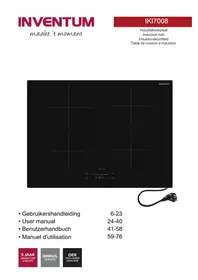
IKI9045FLOW - Cooker INVENTUM - Free user manual and instructions
Find the device manual for free IKI9045FLOW INVENTUM in PDF.


User questions about IKI9045FLOW INVENTUM
0 question about this device. Answer the ones you know or ask your own.
Ask a new question about this device
Download the instructions for your Cooker in PDF format for free! Find your manual IKI9045FLOW - INVENTUM and take your electronic device back in hand. On this page are published all the documents necessary for the use of your device. IKI9045FLOW by INVENTUM.
USER MANUAL IKI9045FLOW INVENTUM
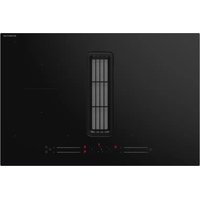
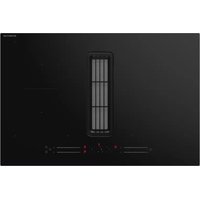
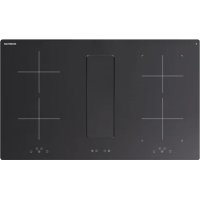
Built-in flow-in induction hob
HET APPARAAT STOPPEN
HET APPARAAT STOPPEN

Opmerking:
Productregistrationie
1 Introduction. 25
2 Safety. 25
3 Description 29
4 Operation of the induction hob. 30
5 Operation of the cooker hood. 33
6 Cleaning and maintenance of the induction hob. 34
7 Cleaning and maintenance of the cooker hood. 35
8 Extra information. 36
9 Troubleshooting 37
10 Technical data. 38
11 General terms and conditions of service and warranty. 40
1 Introduction
HOW TO USE THIS DOCUMENT
- Read this document completely. Make sure that you know and understand all the instructions.
- Obey the safety instructions to prevent injury and/or damage to the appliance and its surroundings.
- Do the procedures completely and in the given sequence.
- Keep this document in a safe area for future use. This document is a part of the appliance.
SYMBOLS USED IN THIS DOCUMENT
| Safety symbol Function Description | ||
| ! | Warning "Warning" means that injury or death is possible if you do not obey the instructions. | |
| ! | Caution "Caution" means that damage to the appliance is possible if you do not obey the instructions. | |
| i | Note "Note" is used to give additional information. | |
2 Safety
GENERAL SAFETY INSTRUCTIONS
- Fully read the manual prior to using the appliance.
- Carefully store the manual for future reference.
- Only use this appliance for the purposes described in the instruction manual.
Children are not allowed to play with the appliance. -
Do not store objects that might be of interest to children in cabinets above or behind the appliance.
-
If the safety instructions and warnings are not observed, the manufacturer cannot be held liable for any resulting damage.
- Damage as a result of incorrect connection, incorrect fitting or incorrect use does not fall under the warranty.
- The system consists of two appliances:
An induction hob;
A cooker hood.
The appliances are electrically and functionally independent and have two separate serial numbers.
SAFETY INSTRUCTIONS FOR OPERATION
- Only use the appliance for preparing food.
- The appliance is not suitable for heating rooms.
- The appliance and accessible parts get hot during use. Do not touch hot parts. Keep children younger than 8 years of age out of the vicinity, unless they are supervised at all times.
- The appliance can be used by children of 8 years and older and persons with a limited physical, sensory or mental capacity or lack of experience or knowledge, provided they use the appliance under supervision or have been instructed about its safe use and understand the hazards involved.
- The cooking zones get hot when used and remain hot for a period after use. Do not allow small children in the vicinity during and immediately after cooking.
- Do not open the base unit of the appliance.
- Do not heat up closed cans on the appliance. This creates overpressure, as a result of which the cans may explode. You could injure yourself as a result.
- Do not leave anything standing on the appliance unattended. There is a risk of fire.
-
Cooking with fat or oil on an unattended appliance can be dangerous and could result in fire.
-
Clean or replace the grease filter and/or the charcoal filter regularly. There is a risk of fire.
- Do not work with open fire (flambé), there is a risk of fire due to accumulated grease in the grease filter.
- Be careful not to burn yourself while or after using the appliance.
- Make sure that no cable of any fixed or moving appliance contacts the glass or a hot saucepan.
- Do not extinguish a fat or oil fire with water. Switch off the appliance and cover the flames with a lid or fire blanket.
- Do not store items on the cooking zones.
- Do not place a hot container on the control panel.
- If a drawer is situated under the embedded appliance, make sure that the space between the content of the drawer and the inferior part of the appliance is large enough (30 mm). This is essential to guarantee correct ventilation.
- Do not put any inflammable object (for example sprays) into the drawer situated under the appliance. A cutlery drawer must be heat resistant.
- Do not use the appliance outdoors.
- Do not use the appliance as a worktop. The appliance can be switched on by accident or still be hot, which means that objects could melt, get hot or catch fire.
- Do not cover the appliance with a cloth or something similar. If the appliance is still hot or is switched on, there is a fire hazard.
- Do not use the appliance in a room with an ambient temperature below 5^ .
- If the appliance is used for the first time, it will smell new. This is normal. The smell will disappear through ventilation.
- Do not use the appliance when the glass plate is broken.
- Do not operate the appliance with an external timer or a separate remote control system.
-
Do not place metal objects such as knives, forks, spoons and lids on the surface of the hob. The items may become hot.
-
Make sure that you switch off the appliance when removing a pan.
-
Be careful not to drop items on the glass plate. The glass plate may break as a result.
-
Raw pan bottoms or damaged saucepans (not enamelled cast iron pots) may damage the ceramic glass.
-
Sand or other abrasive materials may damage the ceramic glass.
-
Do not hit the edges of the glass with saucepans.
-
Do not put or leave empty saucepans on the vitroceramic hob.
-
If the surface is cracked, switch off the appliance to avoid the risk of an electric shock.
-
Be aware of a fast heating time when you use the appliance at a high power level. Always remain nearby after adjusting a cooking zone to a higher power level.
-
When using the induction hob, always keep magnetic objects (credit cards, disks, watches, etc.) away from the appliance. We recommend wearers of pacemakers to consult their doctor first.
-
If the mains cable is damaged, it may only be replaced by the manufacturer, its service organisation or similarly qualified persons, in order to prevent hazardous situations.

Warning:
Risk of poisoning caused by combustion gases.
Do not use the induction hob with integrated cooker hood without sufficient ventilation at the same time as a cooker that uses the air in a room. Cookers that use the air in a room (for example appliances that work on gas, oil, wood or coal or other appliances such as geysers and hot water appliances) draw the combustion air from the room and discharges the gases via a drain to the outside. Combined with a induction hob with integrated cooker hood, the air is drawn out of the kitchen and adjacent rooms. If there is insufficient air supply, this creates a
vacuum. Toxic gases from the drain are sucked backed into the living area.
- Obey the local standards for extracting air.
- Do not use the appliance without the grease filter.
- Make sure that there is sufficient ventilation.
- Make sure that the complete appliance is cleaned at least once a month. Failure to do so can result in risk of fire.
SAFETY INSTRUCTIONS FOR CLEANING AND MAINTENANCE
- The appliance may not be cleaned or maintained by children, unless this is done under supervision.
- Do not use a high pressure cleaner or steam cleaner to clean the appliance.
- Defective parts may only be replaced by original parts. Only for those parts will the manufacturer be able to guarantee that they meet the safety requirements.
- The appliance has sharp edges, be careful during cleaning and maintenance.

Note:
The use of poor quality pot or any induction adapter plate for non-magnetic cookware results in a warranty breach. In this case, the manufacturer cannot be held responsible for any damage caused to the hob and/or its environment.
3 Description
INTENDED USE
The appliance is intended to be used for preparing food and for handling the air of cooking fumes. Do not use the appliance for any other purpose than described in this document.
INDUCTION HOB WITH INTEGRATED COOKER HOOD
Figure 1)
A Cooking zone
B Control panel of the induction hob
C Cooker hood
D Control panel of the cooker hood
CONTROL PANEL OF THE INDUCTION HOB
(Figure 2)
A Timer display
B Selection button
C Timer indicator
D Up button
E On/off button
F Down button
G Operation indicator
| Item Function | |
| Timer display To show the set time. | |
| Selection button To select a mode. | |
| Timer indicator To show that a timer is set. | |
| Up button To increase the power level or set time. | |
| On/off button To start or stop the appliance. | |
| Down button To decrease the power level or set time. | |
| Operation indicator To show the set power level or the activated mode. | |
CONTROL PANEL OF THE COOKER HOOD
(Figure 3)
A On/off button
B Down button
C Display
D Up button
E Timer button
| Item Function | |
| On/off button To start or stop the appliance. | |
| Down button To decrease the speed or set time. | |
| Display To show the set speed level, the set time and the | activated mode. |
| Up button To increase the speed or set time. | |
| Timer button To delay stopping the appliance. |
SAFETY PROVISIONS
Pan detection mode
With the pan detection mode, the appliance does not work if you use an unsuitable pan or if the appliance does not detect a pan on a cooking zone. The operation indicator shows U and it is not possible to increase the power level.
Residual heat indicator
After stopping the appliance, the cooking zones stay hot. If you touch a hot cooking zone this may result in injury.
The operation indicator shows H to indicate the cooking zone is hot. When the cooking zone is cool, the operation indicator no longer shows H.
4 Operation of the induction hob
The appliance has electronic sensors that activate when you touch the buttons on the control panel. The appliance makes a sound when a control is touched.

Caution:
Only use pans that are suitable for an induction appliance. Refer to section 'Requirements for pans'.
PREPARING FOR OPERATION
- Clean the appliance before operation. Use a damp cloth.
30·English
STARTING THE APPLIANCE
- Touch the on/off button to start the appliance. The operation indicator shows 0.

Note:
If you do not select a cooking zone within 20 seconds, the appliance automatically switches off.
USING A COOKING ZONE
Selecting a cooking zone
- Put a pan on the cooking zone.
- Touch the selection/timer button of the cooking zone.
- Use the up button to increase the power level. The operation indicator shows the set power level.
- Use the down button to decrease the power level. The operation indicator shows the set power level.
Stopping a cooking zone
- Use the down button to decrease the power level to 0.

Note:
The operation indicator shows H to indicate the cooking zone is still hot.
USING THE BOOSTER MODE
The booster mode provides extra power to a cooking zone.

Note:
The booster mode does not work when you are already using the bridge mode.

Note:
If you select another cooking zone during the booster mode, the power is more than the maximum available power of the appliance. The booster mode stops automatically.
Starting the booster mode
- Select a cooking zone.
- Use the up button to increase the power level until the operation indicator shows P.
The booster mode now works for 5 minutes. After 5 minutes, the power level returns to 9.
Stopping the booster mode
- Use the down button to decrease the power level. The operation indicator shows the set power level.
USING THE BRIDGE MODE
In the bridge mode you can connect two cooking zones to create a larger cooking zone.

Note:
You cannot use the booster mode during bridge mode.

Note:
Only the two left cooking zones can be connected.
Starting the bridge mode
- Make sure that the appliance is on.
- Touch the two left selection/timer buttons simultaneously to connect the cooking zones. The operation indicator shows n for the front cooking zone and 0 for the rear cooking zone.
- Use the up button and the down button to select the power level. The operation indicator shows the set power level.
Stopping the bridge mode
- Touch the two left selection/timer buttons simultaneously to disconnect the cooking zones. The operation indicator shows H or 0.
ACTIVATING AND DEACTIVATING THE CHILD LOCK
When the child lock is activated, you cannot operate the touch buttons.

Note:
If you do not finish the steps within 9 seconds, you have to switch off the appliance and start again.
Activating the child lock
- Make sure that the appliance is on.
- Touch the down button and the front right selection/timer button simultaneously.
- Touch the front right selection/timer button again. The operation indicator shows L when the appliance is locked.
Unlocking the appliance
- Make sure that the appliance is on.
- Touch the down button and the front right selection/timer button simultaneously.
- Touch the down button again. The operation indicator stops showing L when the appliance is unlocked.
You can use the timer with different settings simultaneously for more than one cooking zone.

Note:
When the timer finishes, the timer display blinks 00 and you hear a sound signal. Touch any key to stop the sound signal.

Note:
The cooking zone will automatically switch off when the timer is finished.
Starting the cooking timer
- Select a cooking zone.
- Use the up button or the down button to set the power level.
- Touch the up button and the down button simultaneously to start the cooking timer. The timer display shows 00.
- Use the up button to increase the time. The timer display shows the set time.
- Use the down button to decrease the time. The timer display shows the set time.
- When the cooking timer is set, the timer indicator stops blinking.
- Repeat the procedure for another cooking zone.
Stopping the cooking timer
- Select a cooking zone.
- Touch the up button and the down button simultaneously. The timer display shows the remaining time.
- Use the down button to stop the cooking timer. The timer display briefly shows 00 before it goes off.
- Repeat this procedure for another cooking zone.
USING THE COOKING ALARM

Note:
The time of the cooking alarm can be set from 0 to 99 minutes.

Note:
When the alarm finishes, the timer display blinks 00 and you hear a sound signal. You can also touch any key to stop the sound signal.
Starting the cooking alarm
- Make sure that the appliance is on.
- Touch the up button and the down button simultaneously to start the cooking alarm. The timer display shows 00.
- Use the up button to increase the time. The timer display shows the set time.
- Use the down button to decrease the time. The timer display shows the set time.
- When the cooking alarm is set, the timer indicator stops blinking.
STOPPING THE APPLIANCE
- Touch the on/off button to switch off the appliance. The operation indicator is off or shows H.
5 Operation of the cooker hood
The appliance has electronic sensors that activate when you touch the buttons on the control panel. The appliance makes a sound when a control is touched.
PREPARING FOR OPERATION
- Make sure that you start the appliance at speed 1 or 2 at least 10 minutes before you start cooking.
- Open the glass valve by pushing either side.
(Figure 5)
STARTING THE APPLIANCE
- Touch the on/off button to start the appliance. The appliance starts at speed 1 and the display also shows 1.
ADJUSTING THE SPEED
- Make sure that the appliance is on.
- Use the up button to increase the speed. The display shows the set speed.
- Use the down button to decrease the speed. The display shows the set speed.
USING THE CLEANING MODE
In cleaning mode, you cannot operate the touch buttons.
- Touch the down button for 5 seconds to start the cleaning mode. The display shows C and the control panel is locked for 1 minute.
USING THE BOOSTER MODE
The booster mode provides extra speed to the cooker hood.
- Make sure that the appliance is on.
- Use the up button to increase the speed until the display shows 4.
The booster mode now works for 5 minutes. After 5 minutes, the speed returns to 3. The display flashes 4 for the first 5 minutes and then shows 3 constantly.
USING THE AUTOMATIC SWITCH-OFF MODE
In automatic switch-off mode, the appliance automatically switches off after a set time. During this mode, you can adjust the speed and manually switch off the appliance.
- Make sure that the appliance is on.
- Adjust the speed.
- Touch the timer button to start the switch-off mode. The display flashes 1.
- Use the up button to increase the level.
- Use the down button to decrease the level.

Note:
For an overview of the amount of time for each level, refer to section 'Automatic switch-off times'.
- Touch the timer button to confirm the setting.
The display alternately shows the set speed for 5 seconds (constantly) and the set switch-off level for 5 seconds (flashing).
Changing the level
- Touch the timer button.
- Use the up button or the down button to change the level. The time will resume at 0 minutes.
STOPPING THE APPLIANCE

Note:
Make sure that the appliance operates for 15 minutes after you finish cooking.
- Touch the on/off button to switch off the appliance.
6 Cleaning and maintenance of the induction hob
DAILY CLEANING

Warning:
Make sure that all cooking zones are cool before cleaning the appliance.

Warning:
When you spill sugar, clean the appliance immediately to prevent burns on the surface. Be careful, the cooking zones may be hot.

Caution:
Do not use abrasive cleaning agents, spray cans or sharp objects.
- Lock the appliance.
- Remove food stains. Use a damp cloth and a mild cleaning agent or a glass scraper.
- Clean the appliance daily. Use a damp cloth and a mild cleaning agent.
- Dry the appliance. Use paper towels or a dry tea towel.
- In case of heavy dirt, clean the appliance with a special cleaning agent suitable for an induction appliance.
7 Cleaning and maintenance of the cooker hood
DAILY CLEANING
- Clean the glass valve. Follow the procedure as described for the induction hob. Refer to section 'Daily cleaning'.

Caution:
Do not clean the glass valve in a dishwasher.
CLEANING THE GREASE COLLECTOR AND THE GREASE FILTER

Note:
The grease filter must be cleaned when the display shows G or at least once a month.
- Push the slider on the glass valve (A). (Figure 6)
- Remove the glass valve.
- Remove the grease filter (B). (Figure 7)
- Remove the grease collector (C). (Figure 8)
- Clean the grease collector and the grease filter. Use hot water and a mild cleaning agent.
- If necessary, clean the grease collector and the grease filter in a dishwasher.

Note:
The grease filter can change color after cleaning. This is normal.
DRAINING THE APPLIANCE
The appliance has a sensor that detects condensation or too much liquid. When the sensor is activated, the cooker hood automatically switches off. The display flashes 8 for 1 minute.
Drain the liquid to reset the alarm and to use the cooker hood again.
Removing the liquid
- Put a container below the opening at the bottom of the appliance.
- Push and hold the lever (A) to drain the liquid.
(Figure 9)
Dyring the components
After removing the liquid it is important to dry the components inside the appliance.
- Push the slider on the glass valve (A). (Figure 6)
- Remove the glass valve.
- Remove the grease filter (B). (Figure 7)
- Remove the grease collector (C).
- Dry the components. Use a dry tea towel.
CLEANING THE CHARCOAL FILTER (OPTIONAL)

Note:
This procedure is only valid if you installed the charcoal filter with your appliance.

Caution:
Only clean ('regenerate') the charcoal filter a maximum of 6 to 8 times to make sure that efficiency of the filter will not be reduced.
(Figure 10)
- Remove the grid (A).
- Remove the charcoal filter (B).
- Clean the filter in the dishwasher. Use a program with a temperature of 70^ and any type of detergent.
- Dry the filter for 30 minutes. Use an oven with a temperature of 70^
REPLACING THE CHARCOAL FILTER (OPTIONAL)

Note:
This procedure is only valid if you installed the charcoal filter with your appliance.

Note:
The charcoal filter must be replaced when the display shows S.
(Figure 10)
1. Remove the grid (A).
2. Remove the charcoal filter (B).
3. Replace the charcoal filter.
RESETTING AN ALARM
The appliance gives an alarm on the display for certain cleaning and replacing intervals.
- Make sure that the appliance is switched off.
- Touch the up button for 5 seconds to reset an alarm.
8 Extra information
REQUIREMENTS FOR PANS

Note:
Pans that were previously used on a different appliance (for example a gas appliance) are no longer suitable for an induction appliance.
(Figure 4)
- Use pans with a thick and flat bottom. The diameter of the pan must be the same as the diameter of the cooking zone.
- Use pans made from metal, enamelled metal, cast iron or stainless steel. These pans give the best result.
- Obey the instructions from the manufacturer of the pan to see if the pan is suitable for an induction appliance.
- Pans made from metal or aluminium pans with a copper bottom may stain the glass plate. Remove the possible stains immediately after using the appliance.
- Use a magnet to check if a pan is suitable for an induction appliance. The pan is suitable if the magnet sticks to the bottom of the pan.
- Make sure that you put the pan in the center of the cooking zone to ensure optimal extraction.
- Do not put pans on the glass valve.
- Some pans may produce sounds during use. The sounds are caused by the shape of the pan. This does not affect the operation or safety of the appliance.
The values are indicative.
| Power level | Usage |
| 0 Cooking zone | is switched off. |
| 1-2 Low simmer and slow heating. | |
| 3-4 Heating and quickly bringing to a simmer. | |
| 5-6 Medium cooking. | |
| 7-8 Cooking and roasting. | |
| 9/p Searing and stir-frying. |
9 Troubleshooting
GENERAL TROUBLESHOOTING PROCEDURE
- Try to find a solution for the problem with the help of the troubleshooting table and the breakdown codes.
- If you cannot find a solution for the problem or the breakdown code keeps re-occurring, contact Inventum Huishoudelijke Apparaten B.V.
TROUBLESHOOTING TABLE
| Problem Possible cause Possible solution | ||
| The induction hob does not start. There is no mains supply. | Do a check if the mains plug is correctly connected to the mains socket. Make sure that the mains supply is on. | |
| The child lock is activated. Deactivate | the child lock. Refer to section 'Activating and deactivating the child lock'. | |
| The touch buttons are covered with dirt. | Clean the appliance. Refer to section 'Daily cleaning'. | |
| The operation indicator on the control panel of the induction hob shows U. | There is no pan on the cooking zone. Put a pan on the cooking zone. | |
| The pan is not suitable for an induction appliance. Use a pan that is suitable for an induction appliance. Refer to section 'Requirements for pans'. | ||
| A cooking zone switches off automatically. The operation indicator on the control panel of the induction hob shows H. | The maximum cooking time is reached. | 1. Start the appliance. Refer to section 'Starting the appliance' 2. Select a cooking zone. Refer to section 'Using a cooking zone'. |
| The touch buttons are covered. Remove the blockage. | ||
| There is an empty pan on a cooking zone and the bottom is overheated. Remove the pan from the cooking zone. | ||
| The operation indicator on the control panel of the induction hob shows L. | The child lock is activated. Deactivate | the child lock. Refer to section 'Activating and deactivating the child lock'. |
| The display on the control panel of the cooker hood shows G. | The grease filter is dirty. | 1. Clean the grease filter. Refer to section 'Cleaning the grease collector and the grease filter' 2. Reset the alarm. Refer to section 'Resetting an alarm'. |
| Problem Possible cause Possible solution | |
| The display on the control panel of the cooker hood shows S. | The charcoal filter is worn. |
| 1. Replace the charcoal filter. Refer to section 'Replacing the charcoal filter (optional)'.2. Reset the alarm. Refer to section 'Resetting an alarm'. | |
| The display on the control panel of the cooker hood flashes 8. | There is too much condensation or liquid present in the appliance. |
| 1. Drain the liquid. Refer to section 'Draining the appliance'.2. Reset the alarm. Refer to section 'Resetting an alarm'. |
BREAKDOWN CODES
The breakdown codes are shown on the operation indicator on the control panel of the induction hob.
| Breakdown code Possible cause Possible solution | |
| E - Contact Inventum Huishoudelijke | |
| Er03 The touch buttons are covered. Remove the blockage. | Apparaten B.V. |
| E2 / EH The appliance is overheated. Let the appliance cool down. | |
| E3 The pan is not suitable for an induction appliance. | Use a pan that is suitable for an induction appliance. Refer to section 'Requirements for pans' |
| E6 There is a defect in the mains supply. | Do a check on the voltage and the frequency of the mains supply. |
| E8 The ventilation opening of the fan is blocked. | Remove the blockage. |
10 Technical data
FUNCTIONS
| Item | Specification |
| Independent cooking timer Individual for all zones | |
| Independent cooking alarm Yes | |
| Pan sensor Yes | |
| Residual heat indicator Yes | |
| Child lock (*) Yes | |
| Protection against incorrect connection | Yes |
| Booster mode (*) | 2 rear cooking zones / yes |
| Bridge mode 1 |
(*) applicable for both the induction hob and the cooker hood.
TECHNICAL SPECIFICATIONS OF THE INDUCTION HOB
| Item Specification | |
| Voltage [V] (nominal) 230 | |
| Voltage range [V] 220/240 | |
| Frequency [Hz] 50/60 | |
| Power [W] left cooking zones (nominal) 3400 | |
| Power [W] right cooking zones (nominal) 3400 | |
| Power consumption in standby [W] 0,5 | |
| Number of mains cables 2 (*) | |
| Length of mains cable [cm] 140 | |
| Distance between the front cooking zones [mm] (center) 532 | |
| Distance between the rear cooking zones [mm] (center) 532 | |
| Distance between the left front and left rear cooking zones [mm] (center) | 205 |
| Distance between the right front and right rear cooking zones [mm] (center) | 205 |
(*) the mains cables are supplied without a mains plug.
TECHNICAL SPECIFICATIONS OF THE COOKER HOOD
| Item Specification | |
| Position of the exhaust Left/right | |
| Dimensions of the exhaust [mm] 89x222 | |
| Number of motors 1 | |
| Power of the motor [W] 275 | |
| Capacity of speed 1 [m3/h] 260 | |
| Capacity of speed 2 [m3/h] 426 | |
| Capacity of speed 3 [m3/h] 609 | |
| Capacity of booster [m3/h] | 684 |
| Noise level of speed 1 [db(A)] | 52 |
| Noise level of speed 2 [db(A)] | 64 |
| Noise level of speed 3 [db(A)] | 68 |
| Noise level of booster [db(A)] | 69 |
| Suitable for external ventilation | Yes |
| Suitable for recirculation | Yes |
| Type of filter | Metallic |
| Number of grease filters | 1 |
| Number of layers of the filter | 5 |
| Filter washable in a dishwasher | Yes |
| Material of top layer | Stainless steel |
| Material of clip Stainless steel | |
| Power consumption in standby [W] 0,37 | |
| Number of mains cables 1 | |
| Length of mains cable [cm] 200 |
COOKING ZONES
| Cooking zone Dimensions [mm] Power [W] | |
| Left front 180 1400 | |
| Left rear 180 1200 / 2000 | |
| Right front 180 1400 | |
| Right rear 180 1200 / 2000 |
AUTOMATIC SWITCH-OFF TIMES
11 General terms and conditions of service and warranty
We do not need to remind you of the importance of service. After all, we develop our products to a standard so that you can enjoy them for many years, without any concerns. If, nevertheless, there is a problem, we believe you are entitled to a solution straight away. Hence our products come with an exchange service, on top of the rights and claims you are entitled to by law. By exchanging a product or part, we save you time, effort and costs.
2-year full manufacturer's warranty
- Customers enjoy a 2-year full manufacturer's warranty on all Inventum products. Within this period, a faulty product or part will always be exchanged for a new model, free of charge. In order to claim under the 2-year full manufacturer's warranty, you can either return the product to the shop you bought it from or contact the Inventum costumer service department via the form at 'https://www.inventum.eu/service-aanvraag'.
- The 2-year warranty period starts from the date the product is bought.
- In order to claim under the warranty, you must produce a copy of the original receipt.
- The warranty applies only to normal domestic use of Inventum products within the Netherlands.
5-year Inventum warranty
- Inventum offers a 5-year warranty on most large domestic appliances and a selection of small domestic appliances. This 5-year Inventum warranty consists of a 2-year full manufacturer's warranty, extended by a further 3-year warranty. The only thing you need to do to qualify for the 3-year extended warranty is to register the product within 45 days of purchase. You can read more about registering the product in the following paragraph.
-
In accordance with the 5-year Inventum warranty provisions, a faulty product or part will always be exchanged for a new model during the first 2 years under the warranty. During the 3rd to 5th year under the warranty, you will only pay the costs of exchange. The current costs of exchange are listed at https://www.inventum.eu/omruilkosten'.
-
In order to claim under the 5-year Inventum warranty, you can either return the product to the shop you bought it from or contact the Inventum costumer service department via the form at https://www.inventum.eu/service-aanvraag'.
- The 5-year warranty period starts from the date the product is bought.
- In order to claim under the warranty, you must produce a copy of the original receipt.
- The warranty applies only to normal domestic use of Inventum products within the Netherlands.
Product registration
- The 3-year extended warranty is easy to obtain, free of charge, by registering the product within 45 days of purchase, via the website 'https://www.inventum.eu/garantie-registry'. If you did not register the product within 45 days of purchase, you can still do so up to 2 years after the purchase date. However, there will be a charge. The one-off registration charge is € 89 for each separate product. Registration is possible only for products that are subject to the 5-year Inventum warranty. Whether the product qualifies for the 5-year Inventum warranty is stated in the product user manual and in the product information sheet, on Inventum's website.
- The warranty period always starts from the date the product is bought. If the product is registered for the extended warranty at a later date, the warranty period still starts from the original date of purchase.
- The 3-year extended warranty can only be applied for if you are in the possession of a copy of the original receipt and the Inventum 5-year warranty certificate.
Large domestic appliances
- Breakdowns or faults in large domestic appliances (separate and built-in white goods) can be registered via the form at 'https://www.inventum.eu/service-aanvraag', by calling the Inventum costumer service department or in the store where you bought the device. The telephone number of the costumer service department can be found at 'https://www.inventum.eu'.
- In the event of breakdowns or faults in large domestic appliances, Inventum will have the option to have a service engineer inspect the faulty device onsite at the customer in the Netherlands and to carry out repairs, there and then. The Inventum customer service department can also decide to have the device exchanged.
- If you suffer a breakdown or fault in a large domestic appliance during the first 2 years from the date of purchase, Inventum will not charge any costs for the exchange, call-out or for parts and labour.
- If you registered the product as described before at 'https://www.inventum.eu/garantie-registry' and you subsequently report a breakdown of a large domestic appliance in the 3rd to 5th year of the date of purchase, the 5-year Inventum warranty applies and the device will be repaired or exchanged, free of charge. In the event of a repair or exchange of the device, you only pay the costs of exchange. The current costs of exchange are listed at 'https://www.inventum.eu/omruilkosten'. If you did not register the product, the 3-year extended warranty does not apply.
- When reporting a breakdown or fault, a service engineer will contact the customer within 1 working day in order to make an appointment. When the report is made in a weekend or during a public holiday, this will be the next working day.
- If you report a breakdown or fault via the form at 'https://www.inventum.eu/service-aanvraag', you will be kept informed of the progress via mobile messages and e-mail.
- The warranty period starts from the date the product is bought.
- In order to claim under the warranty, you must produce a copy of the original receipt and the Inventum 5-year warranty certificate.
- The warranty applies only to normal domestic use of Inventum products within the Netherlands.
Breakdowns or faults outside the warranty period
- Breakdowns or faults in small or large domestic appliances outside the warranty period, can be reported to the costumer services department via the form at 'https://www.inventum.eu/service-aanvraag' or by calling the costumer services department.
- The costumer services department may ask you to send the product for inspection or repair. The costs of dispatch will be at your expense.
- The inspection to establish whether repair is possible involves a charge. You need to grant your permission for this, in advance.
- In the event of a large domestic appliance, Inventum, at your request, can send out a service engineer. In that case, you will be charged the call-out costs, as well as parts and labour.
- In the event of an instruction to repair, the repair costs must be paid in advance. In the event of a repair by a service engineer, the costs of the repair must be settled with the engineer onsite, preferably by means of PIN payment.
Warranty exclusions
- The following is excluded from the aforesaid warranties:
normal wear and tear;
- improper use or misuse;
insufficient maintenance;
- failure to comply with the operating and maintenance instructions;
- unprofessional installation or repairs by third parties or the customer himself;
- non-original parts used by the customer;
- use for commercial or business purposes;
- removal of the serial number and/or rating label.
-
In addition, the warranty does not apply to normal consumer goods, such as:
-
dough hooks, baking tins, (carbon) filters, etc.;
- batteries, bulbs, carbon filters, fat filters, etc.;
external connection cables; -
glass accessories and glass parts such as oven doors;
and similar items. -
Transport damage not caused by Inventum is also excluded. Therefore, inspect your new device before starting to use it. If you detect any damage, you must report this to the store where you purchased the product within 5 working days, or to the Inventum customer service department via the form at 'https://www.inventum.eu/service-aanvraag'. If transport damage is not reported within this period, Inventum does not accept any liability in this respect.
- The following are excluded from warranty and/or replacement: faults, loss of and damage to the device as a result of an event that is normally insured under the home contents insurance.
Important to know
- The replacement or repair of a faulty product, or a part thereof, does not lead to an extension of the original warranty period.
- Parts that have been replaced, packaging material and exchanged devices are taken back by the service engineer and become the property of Inventum.
- If a complaint is unfounded, all costs arising from it will be at the customer's expense.
- Following expiry of the warranty period, all costs of repair or replacement, including administration costs, dispatch and call-out charges, will be charged to the customer.
- Inventum cannot be held liable for damage as a result of devices built in incorrectly.
- Inventum cannot be held liable for damage caused by external events, unless this liability arises from mandatory statutory provisions.
- These warranty and service provisions are governed by Dutch law. Disputes will be settled exclusively by the competent Dutch court.
Inhaltsverzeichnis
Mode detection of casserole
REEMPLACEMENT DE FILTRA AU CHARBON (OPTION)

Note :
facebook.com/inventum1908
youtube.com/inventum1908


IKI9045FLOW/01.0620