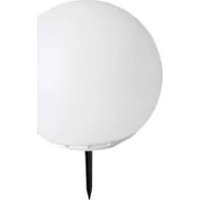
HG00779 - Solar lighting Ernesto - Free user manual and instructions
Find the device manual for free HG00779 Ernesto in PDF.

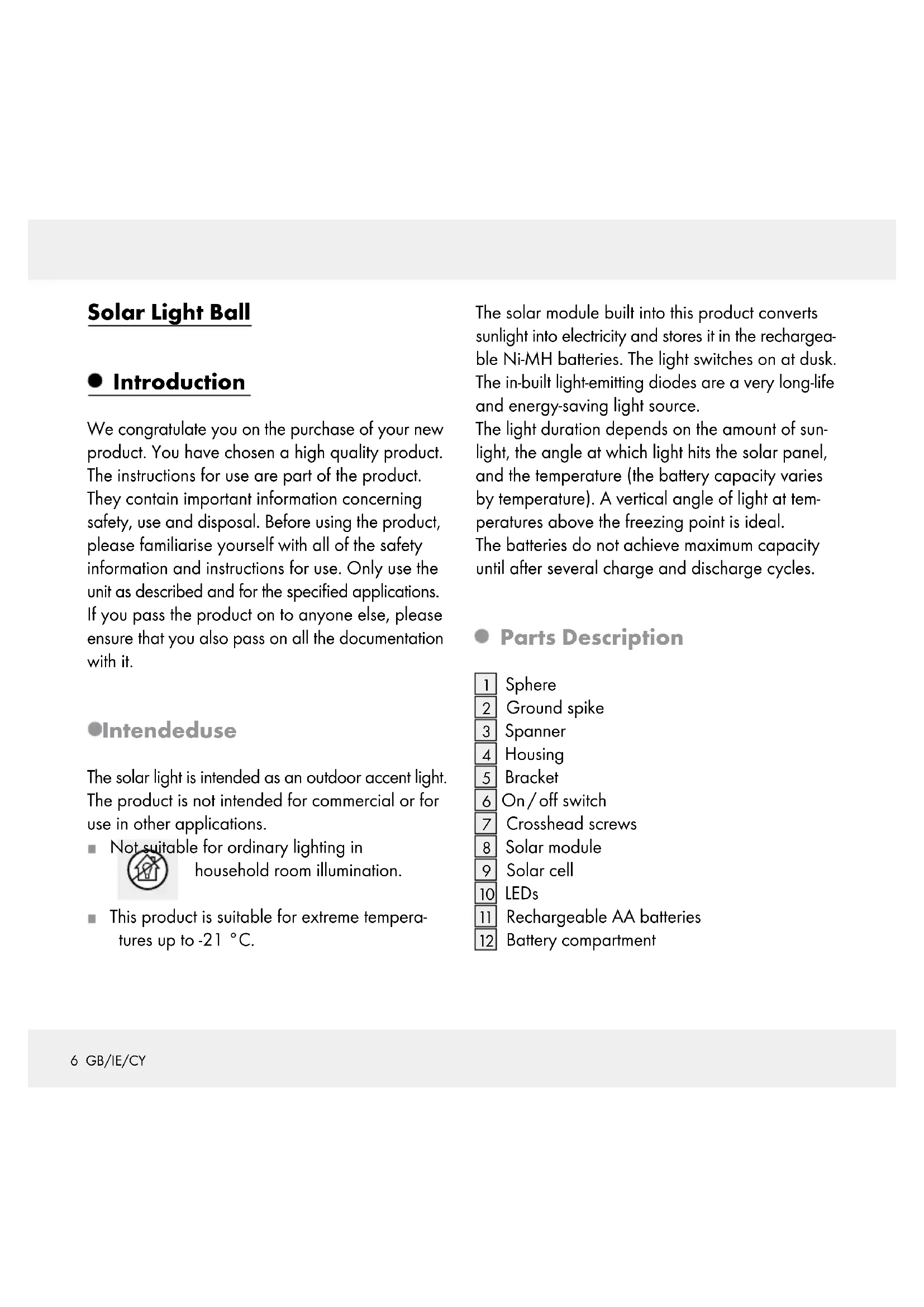


| Product Type | Decorative solar lighting for outdoors |
| Brand | Ernesto |
| Model | HG00779 |
| Dimensions (lamp without stake) | approx. 29 x 30 cm (H x dia.) |
| Dimensions (stake) | 12.5 cm (H) |
| Power Supply | 3 Ni-MH AA 1.2 V / 1000 mAh batteries + solar cell 5.5 V / 140 mA |
| Rated Power | 0.2 W per LED (2 RGB LEDs) |
| Protection Type | IP67 (protection against water without pressure) |
| Autonomy (full charge) | approx. 6 to 8 hours |
| Lighting Modes | 10 modes: red, green, blue, yellow, violet, turquoise, pink, white, automatic color change, off |
| Automatic Operation | Automatic dusk activation (light sensor) |
| Intended Use | Outdoor decorative lighting, resistant to temperatures down to -21°C, can float |
| Installation | Push the stake into the ground, orient the solar module towards the sun |
| Battery Replacement | Every 12 months approx., use Ni-MH AA 1.2V 1000mAh batteries |
| Maintenance and Cleaning | Clean the solar cell regularly with a dry cloth, no detergents |
| Safety Instructions | Keep out of reach of children, do not use in explosive atmospheres, do not short-circuit batteries |
| Replaceable LEDs | No, at end of life, replace the entire lamp |
| Warranty | 3 years from the date of purchase |
| Package Contents | 1 stake, 1 solar lamp, 1 key, 1 assembly instructions |
Frequently Asked Questions - HG00779 Ernesto
User questions about HG00779 Ernesto
0 question about this device. Answer the ones you know or ask your own.
Ask a new question about this device
Download the instructions for your Solar lighting in PDF format for free! Find your manual HG00779 - Ernesto and take your electronic device back in hand. On this page are published all the documents necessary for the use of your device. HG00779 by Ernesto.
USER MANUAL HG00779 Ernesto
Operation and Safety Notes
NL BE
SOLAR-LICHTBOL
GB/IE/CY Operation and Safety Notes
Intended use
Parts Description.. Page 6
Scope of delivery.. 7
Technical Data 7
Safety instructions
Product-specific safety instructions.. 8
Safety instructions for rechargeable batteries.. Page 8
Initial use
Installing the light.. 9
Winter-time use
Preparing the light prior to initial use
Switching the light on/off and selecting color mode... Page 10
Replacing the rechargeable batteries
Troubleshooting
Maintenance/Cleaning
Disposal
Warranty.. Page 12
Solar Light Ball
Introduction
We congratulate you on the purchase of your new product. You have chosen a high quality product. The instructions for use are part of the product. They contain important information concerning safety, use and disposal. Before using the product, please familiarise yourself with all of the safety information and instructions for use. Only use the unit as described and for the specified applications. If you pass the product on to anyone else, please ensure that you also pass on all the documentation with it.
Intendeduse
The solar light is intended as an outdoor accent light. The product is not intended for commercial or for use in other applications.
Not suitable for ordinary lighting in household room illumination.
This product is suitable for extreme temperatures up to -21^ .
The solar module built into this product converts sunlight into electricity and stores it in the rechargeable Ni-MH batteries. The light switches on at dusk. The in-built light-emitting diodes are a very long-life and energy-saving light source.
The light duration depends on the amount of sunlight, the angle at which light hits the solar panel, and the temperature (the battery capacity varies by temperature). A vertical angle of light at temperatures above the freezing point is ideal.
The batteries do not achieve maximum capacity until after several charge and discharge cycles.
- Parts Description
Sphere
Ground spike
3 Spanner
4 Housing
5 Bracket
6 On/off switch
7 Crosshead screws
8 Solar module
9 Solar cell
10 LEDs
11 Rechargeable AA batteries
12 Battery compartment
- Scope of delivery
Immediately after unpacking, verify the parts are complete and the product is in proper condition.
1 Ground spike
1 Solar light
1 Spanner
1 Installation instructions
Technical Data
Rechargeable
batteries: 3 × rechargeable
Ni-MH battery/AA/
1.2V/1000mAh
Illuminant: 2 × RGB-LED
(not replaceable)
Rated power: 0.2 W per LED
Protection type: IP67 (protects against
unpressurised water
penetrating)
Solar cell: 5.5V, 140mA
Dimensions:
Solar light
(excl. ground spike): approx. 29 × 30 cm (h x Ø)
Ground spike: 12.5cm (h)
- Safety instructions
BEFORE USING THE PRODUCT, PLEASE FAMILIARISE YOURSELF WITH ALL OF THE SAFETY INSTRUCTIONS AND INSTRUCTIONS FOR USE! WHEN PASSING THIS PRODUCT ON TO OTHERS, PLEASE ALSO INCLUDE ALL THE DOCUMENTS!
RIS AD:WARNING!
ACCIDENT AND DANGER
TO LIFE FOR INFANTS AND
CHILDREN!
- Keep rechargeable batteries away from children. Do not leave the batteries lying around. There is a danger that these will be swallowed by children or pets. If they are accidentally swallowed seek immediate medical attention.
Children or persons lacking knowledge or experience in handling the device or have limited physical, sensory or mental abilities, must not use the device without supervision or instruction by a person responsible for their safety. Children must be supervised at all times to prevent them from playing with the device.
Never leave children unsupervised with the packaging material. The packaging material poses a suffocation hazard. Children frequently underestimate the dangers. Please always keep the product out of the reach of children.
This product is not a toy and should be kept out of the reach of children. Children are not aware of the dangers associated with handling electrical products.
Do not use the product if you detect any type of damage.
DARKER-EXPLOSION
HAZARD! Do not use the solar
light in explosive environments con
taining flammable vapours, gasses or dusts.
Product-specific safety instructions
Do not expose the solar light to strong vibration or high mechanical loads.
Make sure the solar cell is free of dirt and free of snow and ice in winter. Otherwise the performance of the solar panel will be diminished.
Cold temperatures negatively impact the batteries operating time. Clean and store the solar light in a dry, warm location during extended periods of non-use, e.g. in winter. Switch off the product before cleaning and storing.
In the event of damage, repairs or other problems with the solar light, please contact an electrician. The LEDs cannot be replaced.
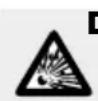
DARKER-EXPLOSION
HAZARD! Use only rechargea
ble batteries of the recommended
type. Other rechargeable or single-use batteries could explode during charging.
DARER-RISKOFIN

JURY! When removing the solar light, be sure to also remove the
ground stake to prevent hazards (e.g. tripping).
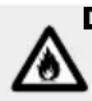
DANGER - FIRE HAZARD!
Never switch the solar light on inside the packaging.
The illuminant is not replaceable.
The illuminant fails at the end of its life, then the entire light must be replaced.
Safety instructions for rechargeable batteries
Outdated or used rechargeable batteries may leak chemicals which will damage the product.
Therefore remove the rechargeable batteries when not using the solar light for extended periods.
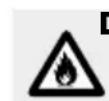
DANGER-FIRE HAZARD!
Never short-circuit rechargeable
batteries. Otherwise the recharge
able batteries may overheat, become a fire hazard or explode.
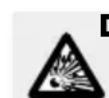
DANGER - EXPLOSION
HAZARD! Never throw recharge
able batteries into fire or water.

WARNING - WEAR
SAFETY GLOVES! Leaked or damaged rechargeable battery
could cause chemical burns on contact with the skin; you should therefore wear suitable protective gloves at all times if such an event occurs.
DANGERRISK OF
CHEMICAL BURNS! Leaking
batteries can cause chemical burns.
Be careful not to allow the battery fluid to come into contact with your skin or your eyes. If this does happen, immediately try to remove the battery fluid under cold running water. Seek medical attention to be safe.
- Initial use
- Installing the light
Note: The solar light can be installed without a power source. The product has to be switched on in order to charge the rechargeable batteries.
To float the product in your garden pond, operate the solar light without the ground spike 2. Make sure that the housing 4 is always firmly closed (see Fig. D).
Only use the solar light with the included ground spike 2 (see Fig.C).
Connect the ground spike 2 into the bracket 5 in the the housing 4 of the device.
Push the assembled solar light far enough into the ground (lawn, flower bed) so it is stable. Since the light relies on sunlight, consider and observe the following points prior to installation.
1. Select a location where the solar module 8 is exposed to direct sunlight during the day.
2. Position the solar light so the solar module 8 is not covered or in the shade (trees, roof ridge, etc.).
3. Be sure the solar module 8 is not impacted by another light source, e.g. yard or street lighting, as this will prevent the light from switching on at dusk. Remember many light sources will only switch on due to the time or movement during the night.
Winter-time use
The low amount of sunlight may reduce the light ON time at night depending on the on-time. Due to the low position of the sun please also verify the solar cell 9 is out of shade throughout the day in winter and remove ice and snow as necessary. If the light ON time is inadequate due to the weather, recharge or replace the batteries (see "Charging the rechargeable batteries" or "changing batteries").
Preparing the light prior to initial use
The solar light features a twilight sensor and an On/ Off switch 6. Switch on the product by pressing the On/off switch 6 before charging the batteries. Place the solar light in the sun to charge the batteries. When fully charged the light on time is approx. 6 to 8 hours.
- Switching the light on / off and selecting color mode
Press the On/off switch repeatedly to the select the desired colour mode. The solar light will automatically switch on at dusk. At dawn the light will automatically switch off.
Note: If you select the colour at daylight, the selected colour will shine for 3 seconds until the device will automatically shut off. The next time the device is switched on the next color in the sequence of the table will shine.
| On/off switch 6 pressed | color mode |
| 1 x Red | |
| 2 x Green | |
| 3 x Blue |
| On/off switch 6 pressed | color mode |
| 4 x Yellow | |
| 5 x Purple | |
| 6 x Turquoise | |
| 7 x Pink | |
| 8 x White | |
| 9 x Automatic color change | |
| 10 x Off |
Replacingthe rechargeable batteries
Note: The rechargeable batteries [11] are designed for prolonged operation. However, it may need to be replaced after being used for a long time. Rechargeable batteries are subject to natural wear and the output may decrease. For optimal performance the batteries should be replaced every 12 months.
Replace the rechargeable batteries as shown in figures B, E + F.
Press the switch to the "Off" mode (see "Switching the light on/of and selecting color mode").
Detach the housing 4 from the sphere 1 by turning it anti-clockwise towards the symbol with the help of the spanner 3 (see Fig. B)
Loosen the four screws 7 on the underside counter-clockwise using a suitable cross-tip screwdriver and remove the solar module 8 from the housing 4 (see Fig. E).
Remove the batteries [11] and replace with new, charged rechargeable batteries of the same type (see "Technical Data"). Please note the polarity (+/-) when inserting the rechargeable batteries (see Fig. F).
Then reattach the solar module 8 and secure clockwise using the four screws 7.
Reattach the housing 4 to the sphere 1 by turning it clockwise towards the symbol with the help of the spanner 3 (see Fig. B).
Troubleshooting
Note: The device contains sensitive electronic components. Radio transmitting equipment in the immediate vicinity may therefore cause interference. These could be e.g. mobile phones, two-way radios, CB radios, radio / other remote controls and microwaves. If you notice the device is malfunctioning, remove any sources of interference from the area around the device.
Notice: Electrostatic discharge can lead to malfunctions. In the event of such malfunctions, briefly remove and reinsert the rechargeable batteries.
Note: The performance of the rechargeable batteries is better in summer than in winter due to the weather.
| Error Cause | Use Solution | |
| LEDs don't light up | Surroundings are too bright or light from other light sources is hitting the solar light | Change the location (away from e.g. yard or street lighting) |
| Weak LED light | Batteries not fully charged or defective | Charge the recharge-able batteries with a charger or replace with new rechargeable batteries (see "Replacing the rechargeable batteries") |
| LEDs don't light up | LEDs defective | The LEDs cannot be replaced. Dispose of the product properly (see "Disposal") |
| LEDs only light up in one colour | The colour change mode is disabled. | See "Switching the light on/off and selecting light colour". |
- Maintenance/Cleaning
Note: The LEDs cannot be replaced. The solar light is maintenance-free.
Never use caustic cleaners.
Regularly clean the solar light with a dry, lint-free cloth. Use a slightly moist cloth to remove any stubborn dirt.
Replace the rechargeable batteries if the operating time decreases noticeably after some time despite good sun exposure (see chapter "Replacing the rechargeable batteries"). Only use the correct size and recommended type of rechargeable batteries (see section "Technical data").
Disposal

The packaging is made of environmentally friendly materials, which may be disposed of through your local recycling facilities.
Contact your local community or municipal administration for more details on how to dispose of your worn-out product.
To help protect the environment, please dispose of the product properly, not without household waste, when it has reached the end of its useful life. Please contact your local authority for information on collection points and their opening hours.
Defective or used rechargeable batteries must be recycled according to Directive 2006/66/EC and its amendments. Return rechargeable batteries and / or the device to the recycling facilities provided.
Improper disposal of rechargeable batteries may result in environmental damage!
Rechargeable batteries may not be disposed with household waste. They may contain toxic heavy metals and are subject to hazardous waste regulations. The chemical symbols of the heavy metals are: Cd = cadmium, Hg = mercury, Pb = lead. Therefore dispose of used batteries through your local collection site.
Warranty
The device has been manufactured to strict quality guidelines and meticulously examined before delivery. In the event of product defects you have
legal rights against the retailer of this product. Your legal rights are not limited in any way by our warranty detailed below.
The warranty for this device is 3 years from the date of purchase. Should this device show any fault in materials or manufacture within 3 years from the date of purchase, we will repair or replace it - at our choice - free of charge to you.
The warranty period begins on the date of purchase. Please keep the original sales receipt in a safe location. This document is required as your proof of purchase. This warranty becomes void if the device has been damaged or improperly used or maintained.
The warranty applies to faults in material or manufacture. This warranty does not cover product parts subject to normal wear, thus possibly considered consumables (e.g. batteries) or for damage to fragile parts, e.g. switches, rechargeable batteries or glass parts.
C∈IP67
Introduction
- SOLAR-LICHTBOL
- Safety instructions
- Initial use
- Winter-time use
- Preparing the light prior to initial use
- Switching the light on/off and selecting color mode... Page 10
- Replacing the rechargeable batteries
- Troubleshooting
- Maintenance/Cleaning
- Disposal
- Warranty.. Page 12
- Solar Light Ball
- Introduction
- Intendeduse
- - Parts Description
- - Scope of delivery
- Technical Data
- Dimensions:
- - Safety instructions
- CHILDREN!
- DARKER-EXPLOSION
- Product-specific safety instructions
- DARER-RISKOFIN
- DANGER - FIRE HAZARD!
- Safety instructions for rechargeable batteries
- DANGER-FIRE HAZARD!
- DANGER - EXPLOSION
- WARNING - WEAR
- DANGERRISK OF
- - Initial use
- - Installing the light
- - Switching the light on / off and selecting color mode
- Replacingthe rechargeable batteries
- - Maintenance/Cleaning
- Improper disposal of rechargeable batteries may result in environmental damage!
- Warranty
Brand : Ernesto
Model : HG00779
Category : Solar lighting