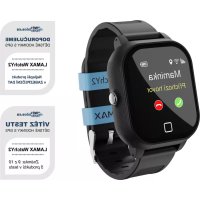
WatchY2 - Smartwatch Lamax - Free user manual and instructions
Find the device manual for free WatchY2 Lamax in PDF.



| Product type | Smartwatch |
| Brand | Lamax |
| Model | WatchY2 |
| Display | Touch screen |
| Speaker | Built-in |
| Microphone | Built-in |
| Mobile connectivity | GSM (Micro SIM card) |
| Wireless connectivity | Wi-Fi, GPS |
| Power supply | 5V, 1A adapter (recommended) |
| Battery type | Rechargeable lithium-ion |
| Charging | Magnetic charger included |
| Required application | LAMAX Tracking (iOS/Android) |
| Main button | Power/emergency button |
| Back button | Touch "Back" button |
| Main functions | Calls, GPS tracking, messaging, geofencing, location history |
| Initial setup | Insert SIM card (PIN disabled, active data plan), charge, install app, register user and device |
| Emergency contacts | Programmable via the app (international numbers without spaces) |
| Maintenance and cleaning | Wipe with a soft, dry cloth. Avoid abrasive products. |
| Safety | Use only the provided adapter and cable. Do not expose to water or moisture. |
| Spare parts and repairability | Built-in battery not user-replaceable. Repair by an authorized service. |
| Warranty | Refer to the warranty conditions provided with the product. |
Frequently Asked Questions - WatchY2 Lamax
User questions about WatchY2 Lamax
0 question about this device. Answer the ones you know or ask your own.
Ask a new question about this device
Download the instructions for your Smartwatch in PDF format for free! Find your manual WatchY2 - Lamax and take your electronic device back in hand. On this page are published all the documents necessary for the use of your device. WatchY2 by Lamax.
USER MANUAL WatchY2 Lamax
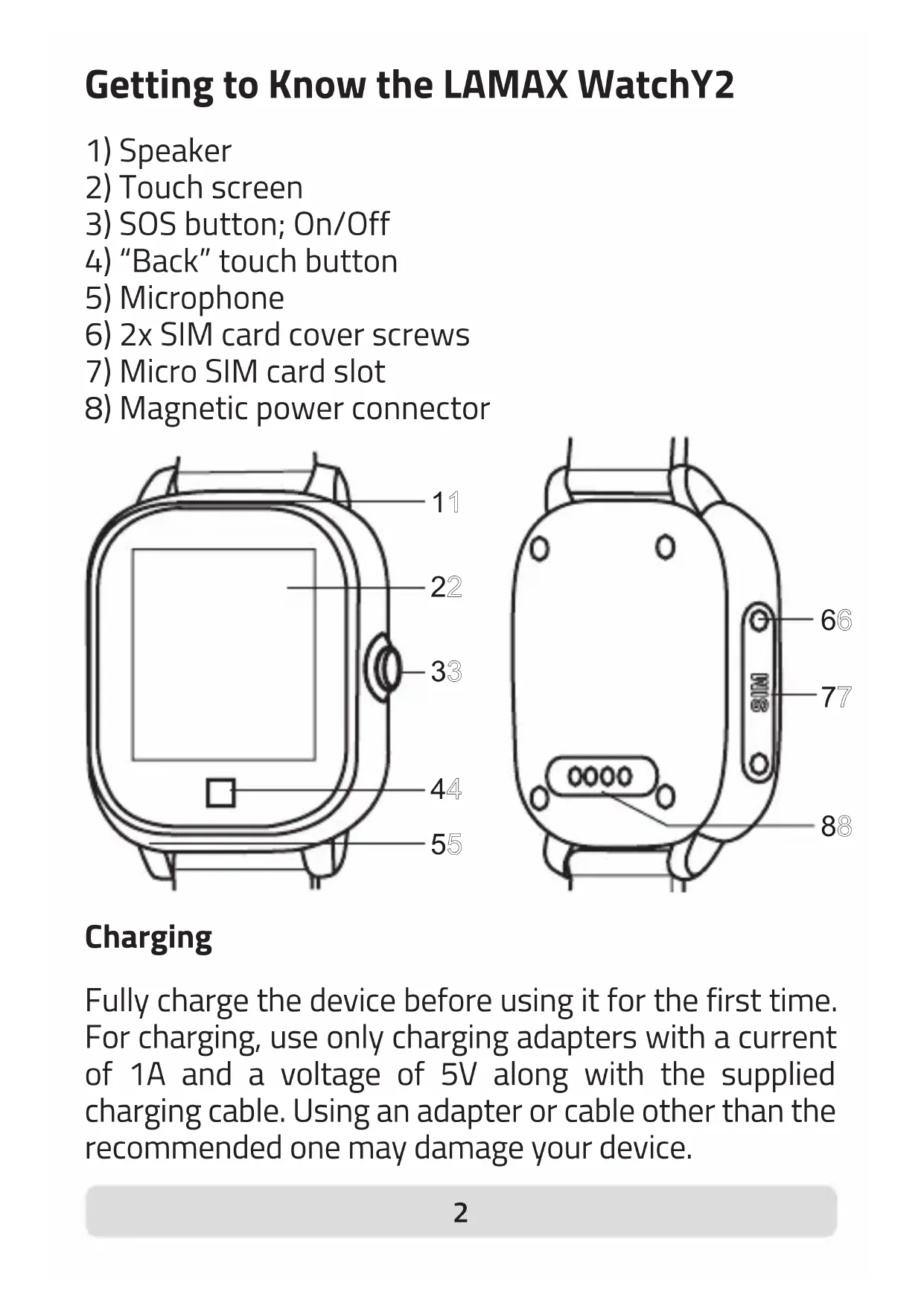
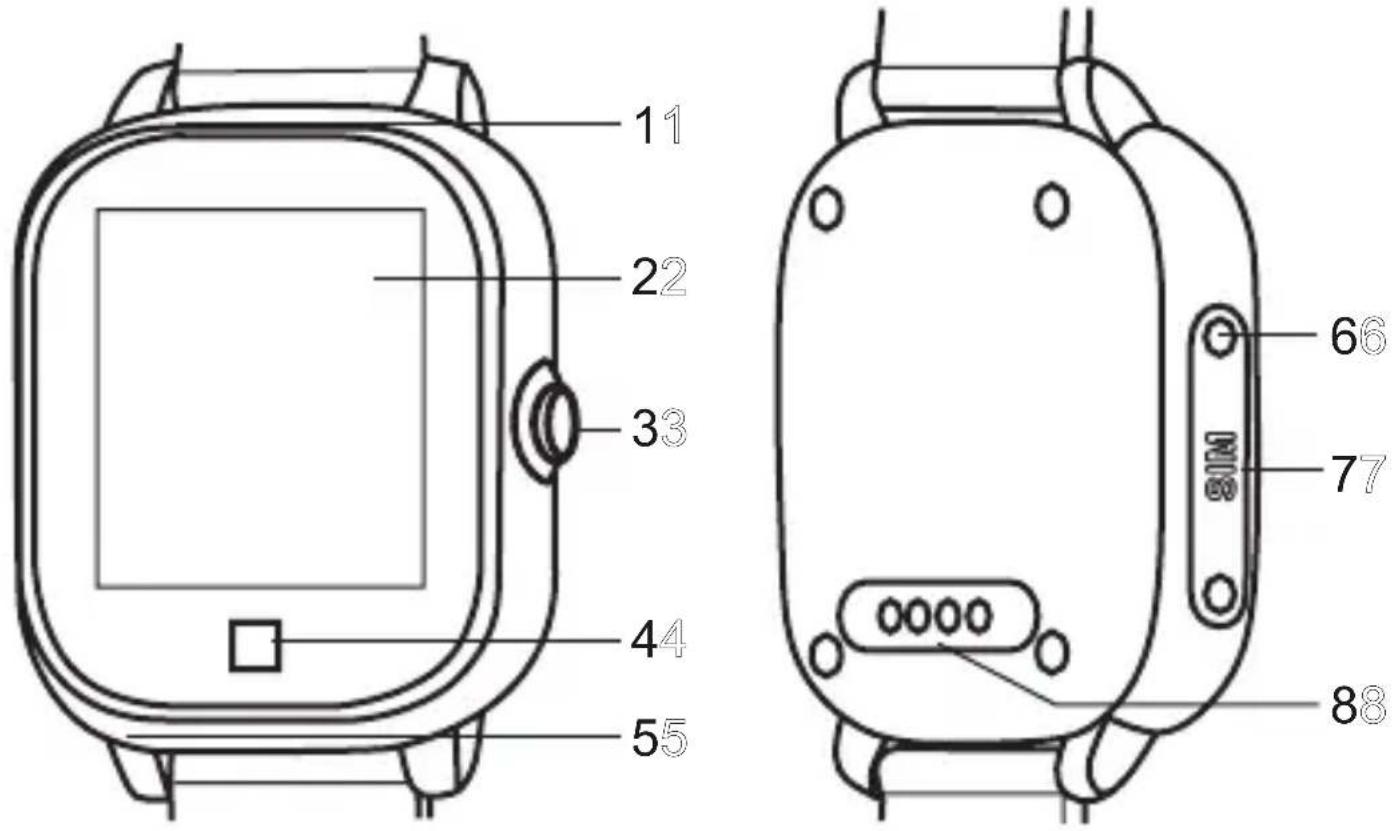
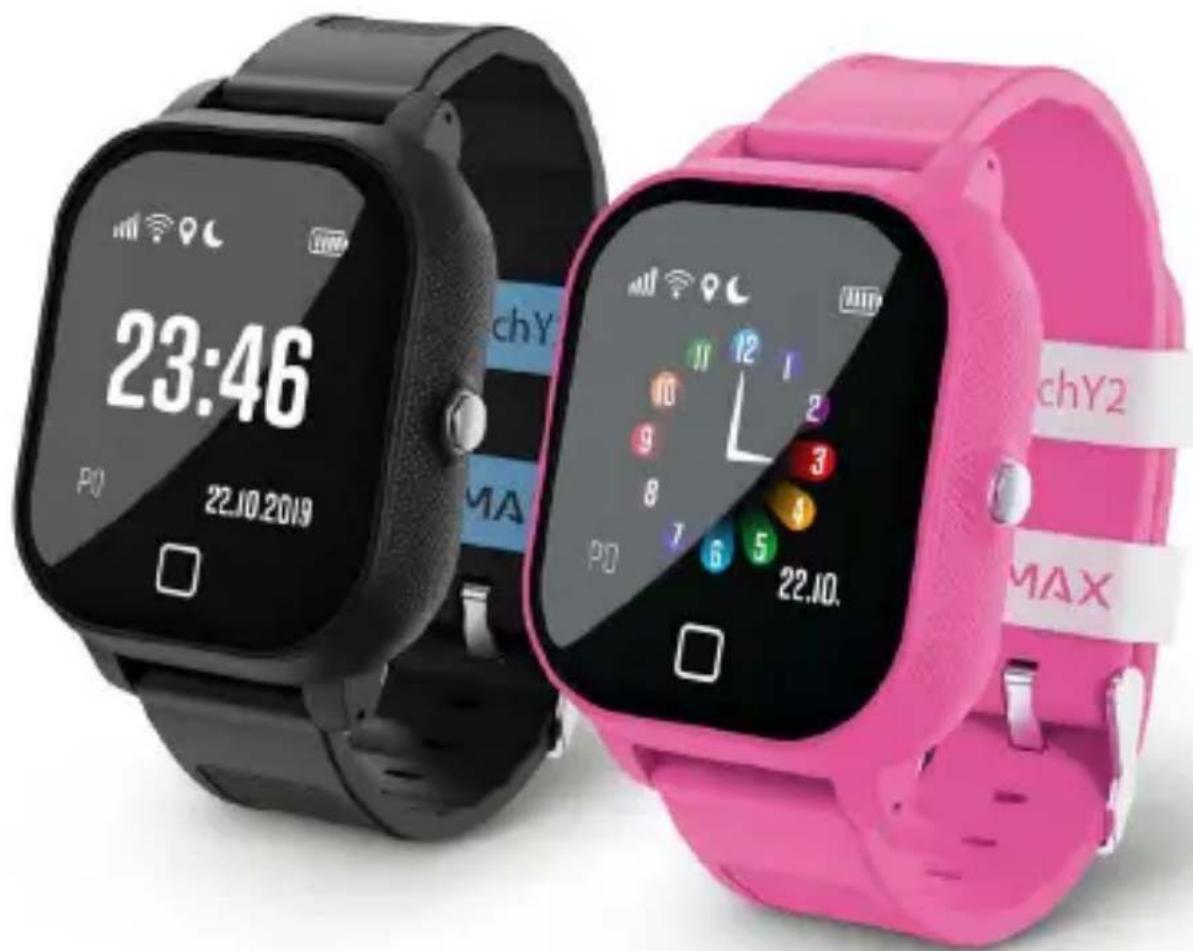
Getting to Know the LAMAX WatchY2
1) Speaker
2) Touch screen
3) SOS button; On/Off
4) "Back" touch button
5) Microphone
6) 2x SIM card cover screws
7) Micro SIM card slot
8) Magnetic power connector
Charging
Fully charge the device before using it for the first time. For charging, use only charging adapters with a current of 1A and a voltage of 5V along with the supplied charging cable. Using an adapter or cable other than the recommended one may damage your device.
Complete manual
The complete manual is available for download in the LAMAX Tracking application, using the QR code on the right or at the following link.

https://www.lamax-electronics.com/lamax-tracking-manual/
Getting started with the LAMAX WatchY2 1) Setting up the LAMAX WatchY2
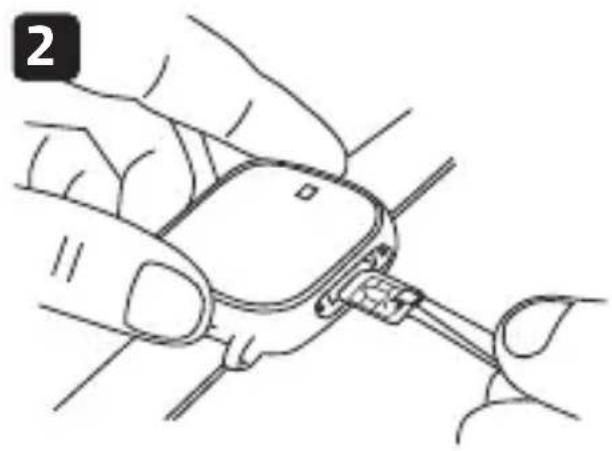
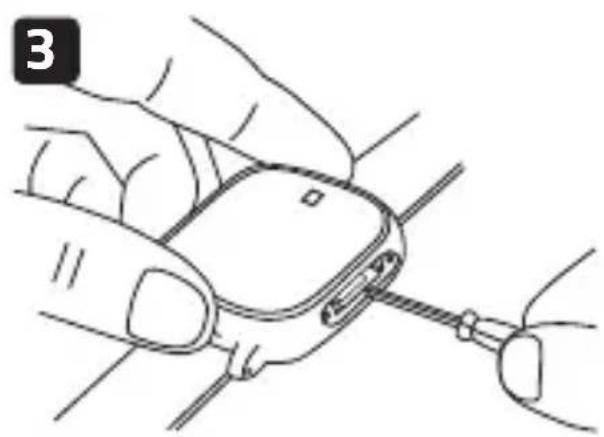
- Insert the Micro SIM card into the device, see the picture on page 6.
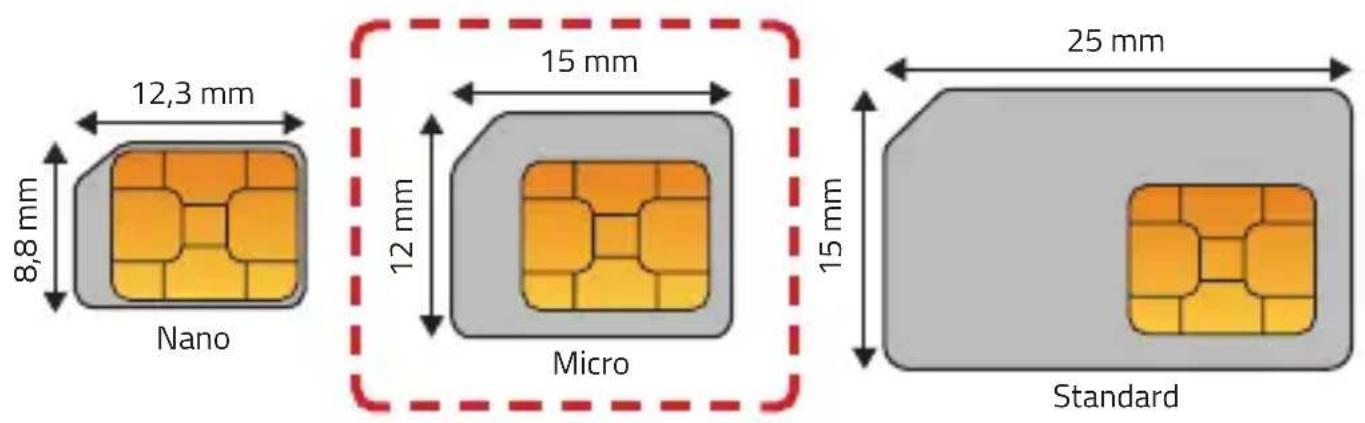
Notes on the SIM card
- The SIM card must have a disabled PIN and an activated data plan. If you are unsure, you can verify the functionality on a mobile phone.
- To receive calls on the watch, it is necessary to set contacts in the LAMAX Tracking mobile application.
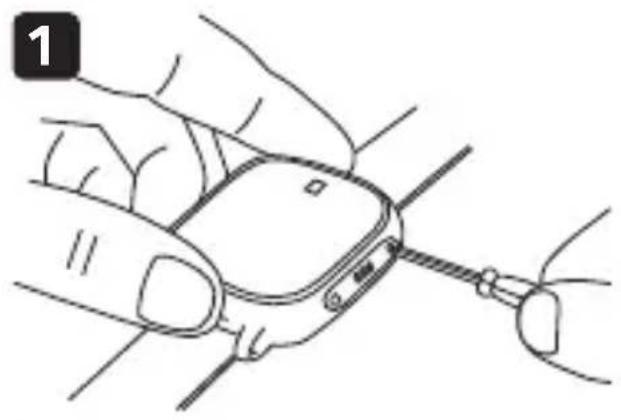
natural_image
Illustration of hands holding a smartwatch with a cable, no text or symbols present- Unscrew the protective cover.
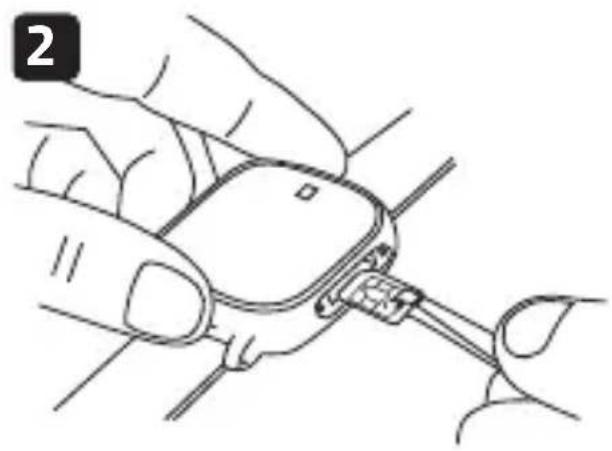
natural_image
Illustration of a hand holding a small electronic device with a cable inserted (no text or symbols visible)- Insert the SIM card with the chip towards the display and the bevelled corner towards the „Back“ button.
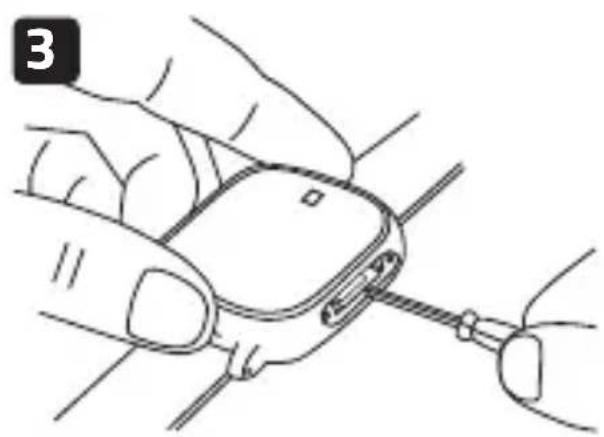
natural_image
Illustration of a hand holding a small electronic device with wires inserted (no text or symbols visible)- Use a screwdriver to push the SIM card into the device and screw on the cover.
- Turn on the device by holding down the "On/Off" button.
- The device displays the loading logo on the display and boots up.
- On the display you will see icons for mobile data ↑↓, Wi-Fi 🔍, GPS 🔍.
- Mobile signal strength is indicated by the icon . If you do not see the signal strength after 5 minutes, restart the device.
- If you see the signal strength, continue with step 2.
2) Installing the LAMAX Tracking application
To take full advantage of all the device's features, you need the LAMAX Tracking mobile application, which is available for free on Google Play and the Appstore.
www.lamax-electronics.com/download/lamax-tracking/app

natural_image
Abstract geometric logo featuring a large blue letter 'A' with a light blue circular element, set against a gray grid background (no text or symbols)
3) User registration
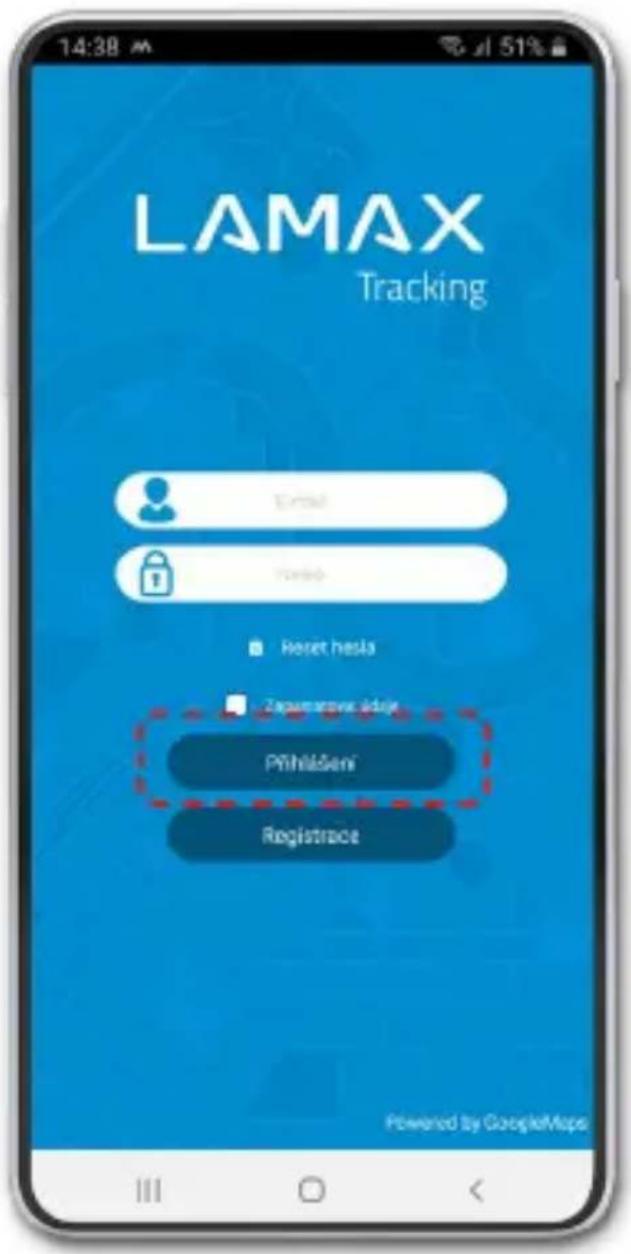
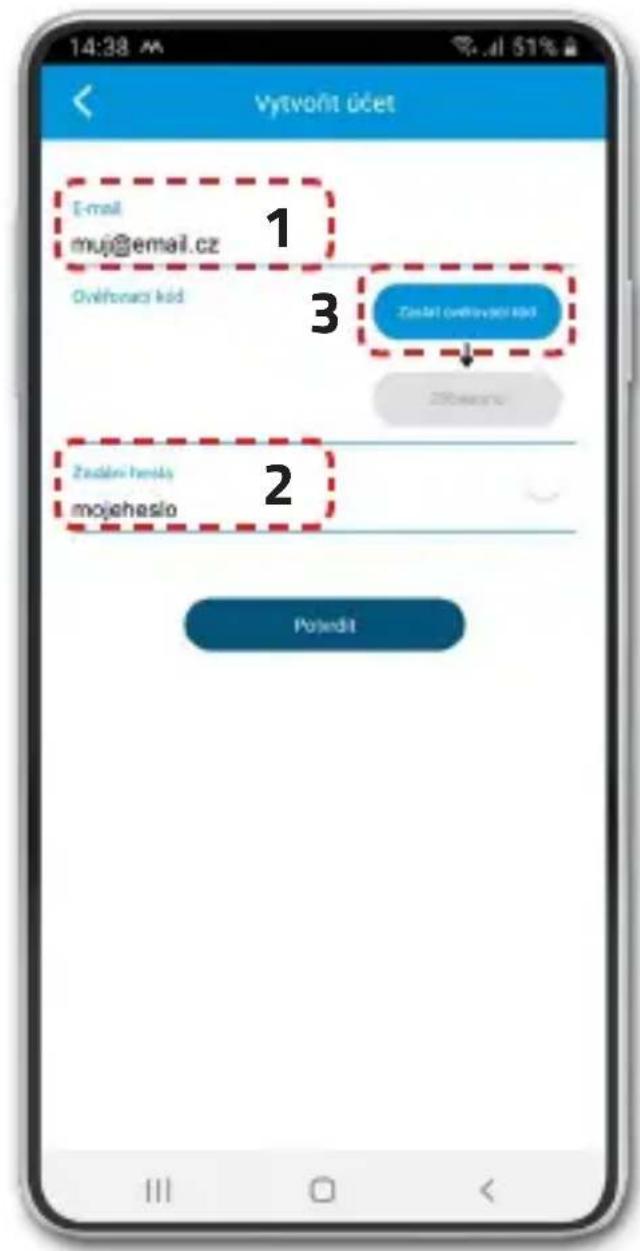
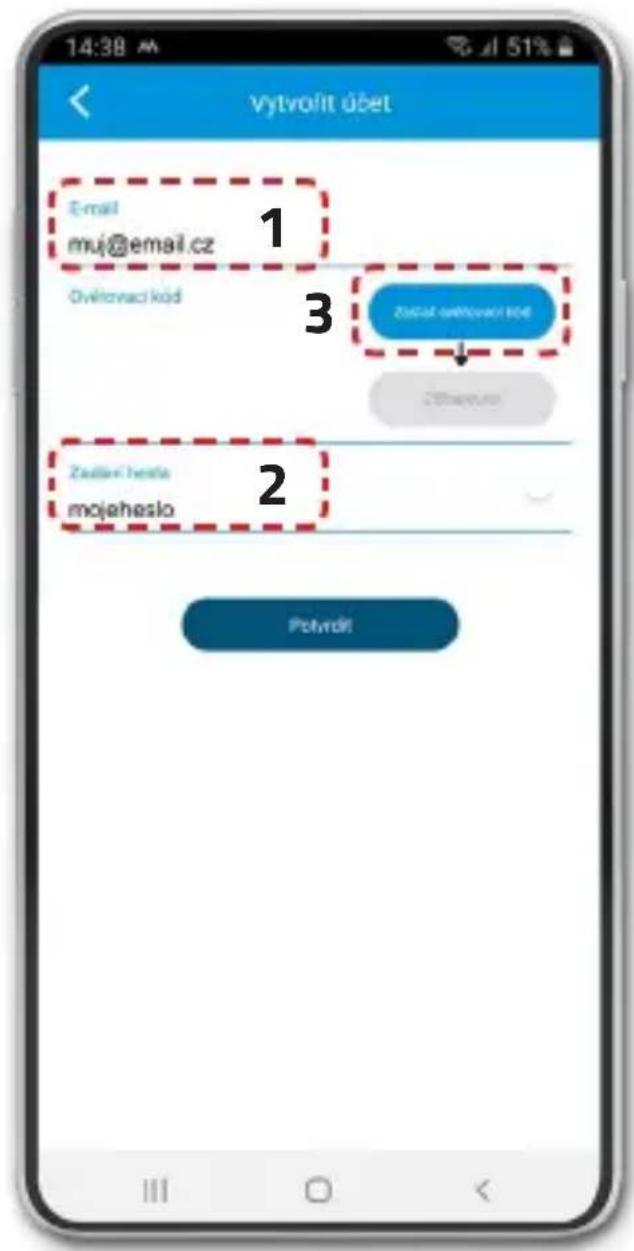
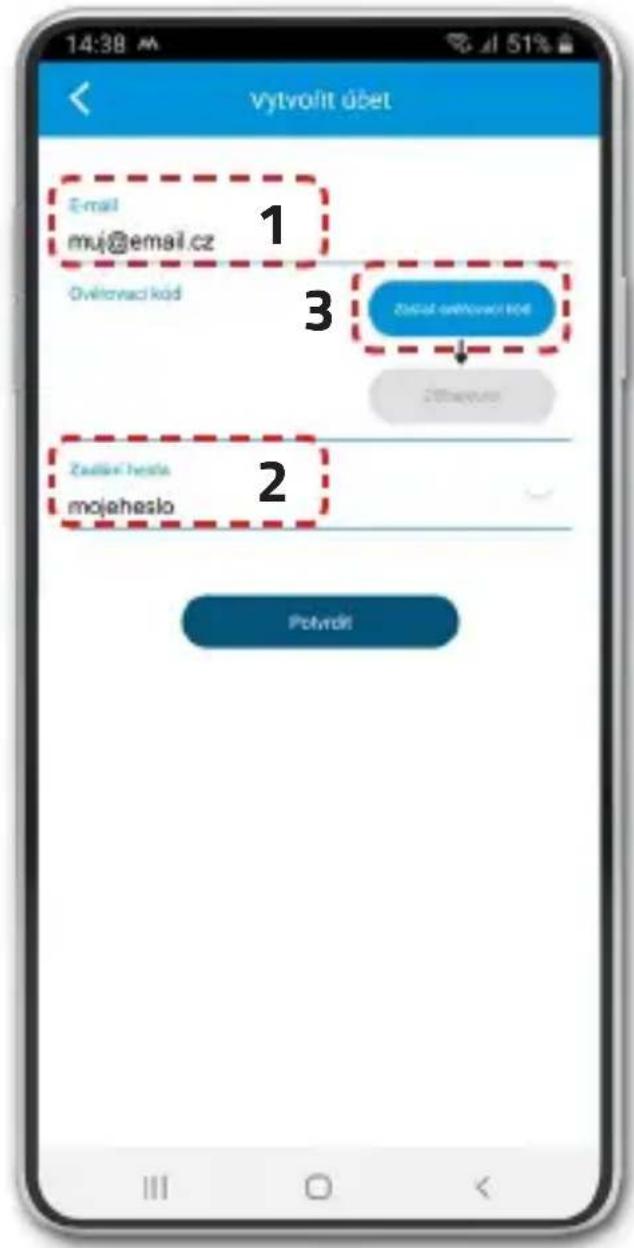
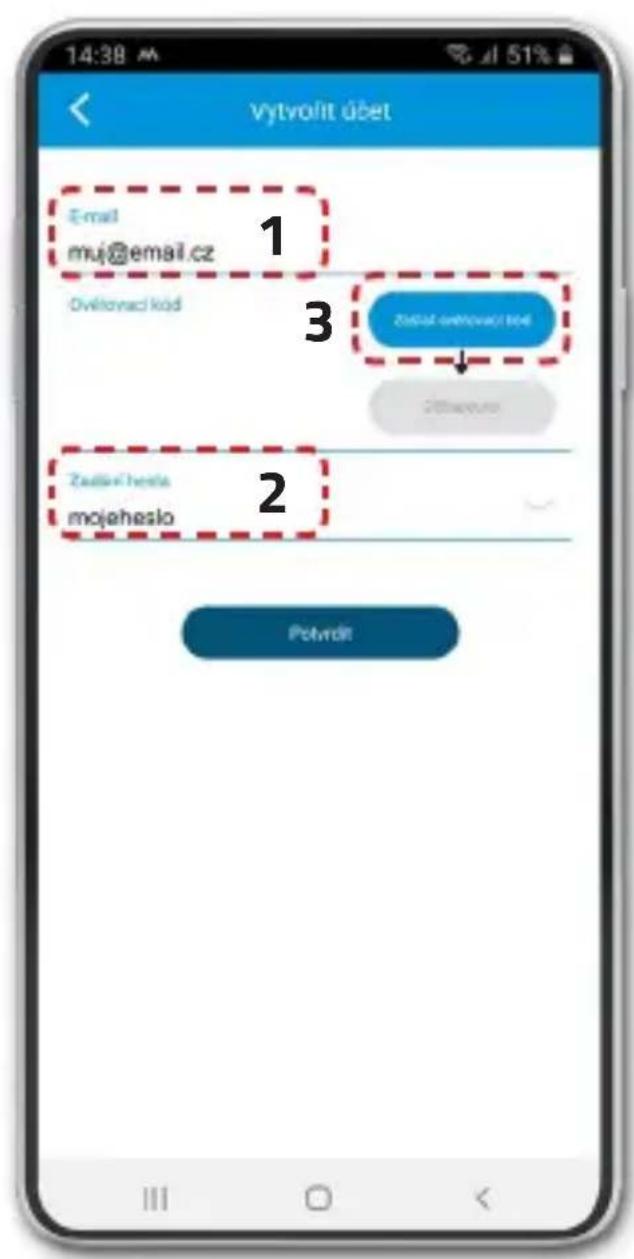
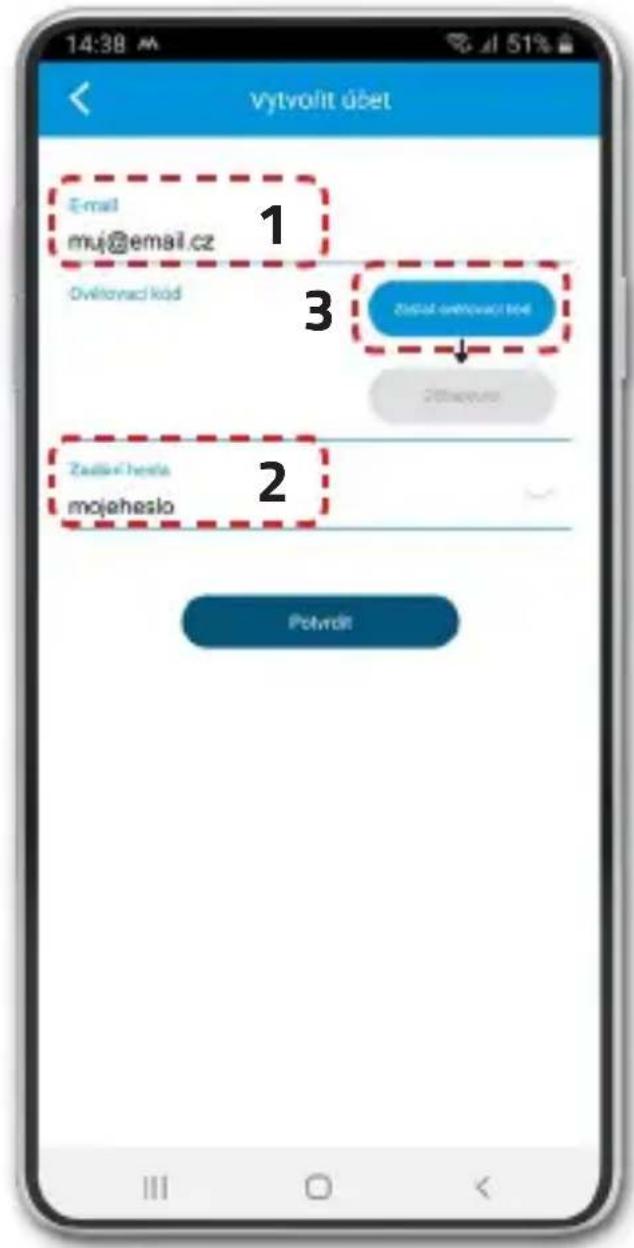
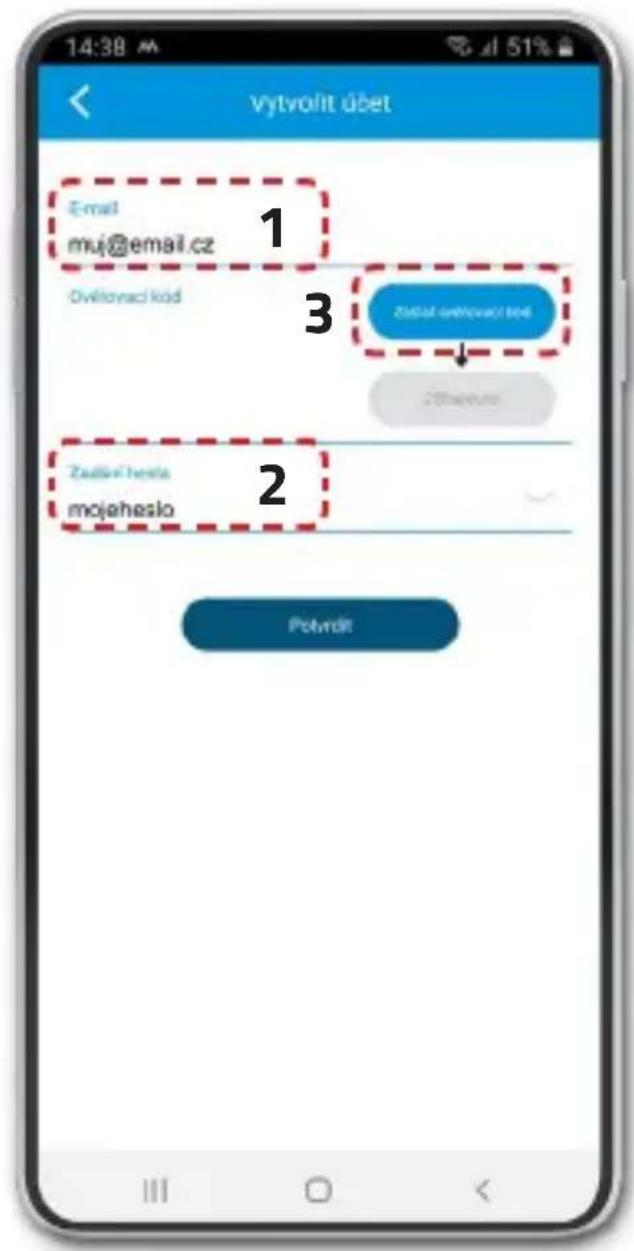
Fill in your e-mail (1) and password (2). Click „Submit Verification Code“ (3). A timer will show how long until you can send the code again. Check your email inbox, including the SPAM folder, and copy the verification code.
4) Device registration
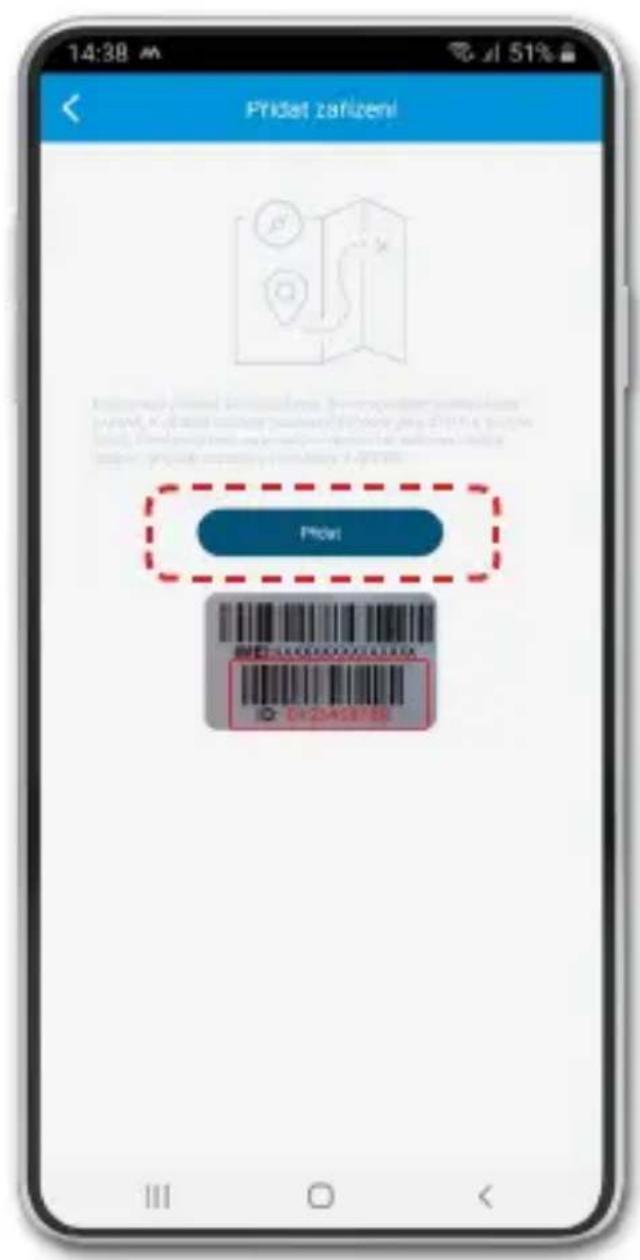
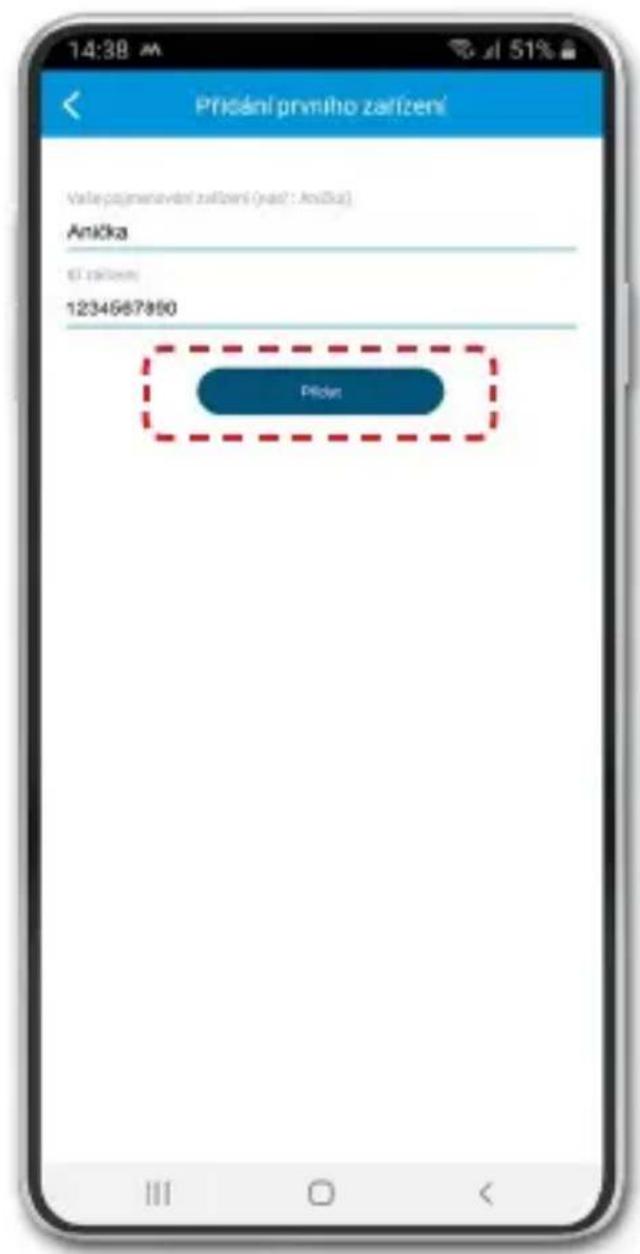
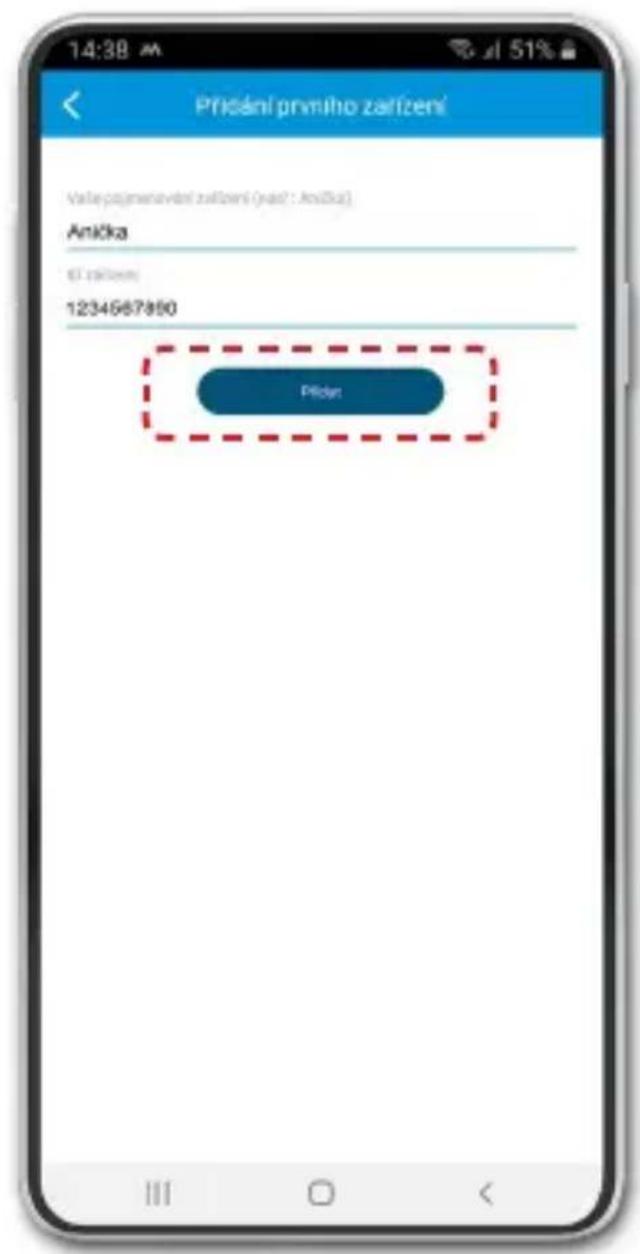
To add a device to your account, prepare the 10-digit device ID, which can be found on the box on the silver label. If you have a device with a display, you will also find it under the APP & ID icon in the menu.
5) Basic device settings
After successful registration of the device, a setup wizard will be opened in the application, in which you can enter all the necessary data. If it is skipped, follow the procedure below.
On the home screen with the map, enter the "Menu" -> "Current device settings" and here set:
"Administrator phone number" - Your mobile phone number.
"Default SOS contacts" - Phone numbers that are designated as recipients of SOS calls from the LAMAX device.
"Contact list" - Phone numbers that appear on your device and can be dialled.
* Enter all telephone numbers in the international format without spaces +44XXXXXXXXX.
** If you do not enter an administrator number, you will be able to call the device from any phone number. If you enter the administrator number, it will be possible to call only from the numbers that you entered in the SOS contacts, contact list or administrator number in the application.
LAMAX | WatchY2
Schnellanleitung
https://www.lamax-electronics.com/lamax-tracking-manual/
natural_image
Illustration of a hand holding a smartwatch with a cable inserted (no text or symbols)natural_image
Illustration of hands holding a small electronic device with a cable inserted (no text or symbols visible)natural_image
Illustration of hands connecting a small device to a cable (no text or symbols visible)natural_image
Abstract map icon with a large letter 'A' and a blue arrow, no text or symbols present.
https://www.lamax-electronics.com/lamax-tracking-manual/
natural_image
Illustration of a hand holding a smartwatch with a cable inserted (no text or symbols)- Odšroubujte ochranou krytku.
natural_image
Illustration of hands holding a small electronic device with a cable inserted (no text or symbols visible)natural_image
Illustration of a hand holding a small electronic device with wires inserted (no text or symbols visible)natural_image
Abstract map icon with a large letter 'A' and a blue arrow, no text or symbols present.
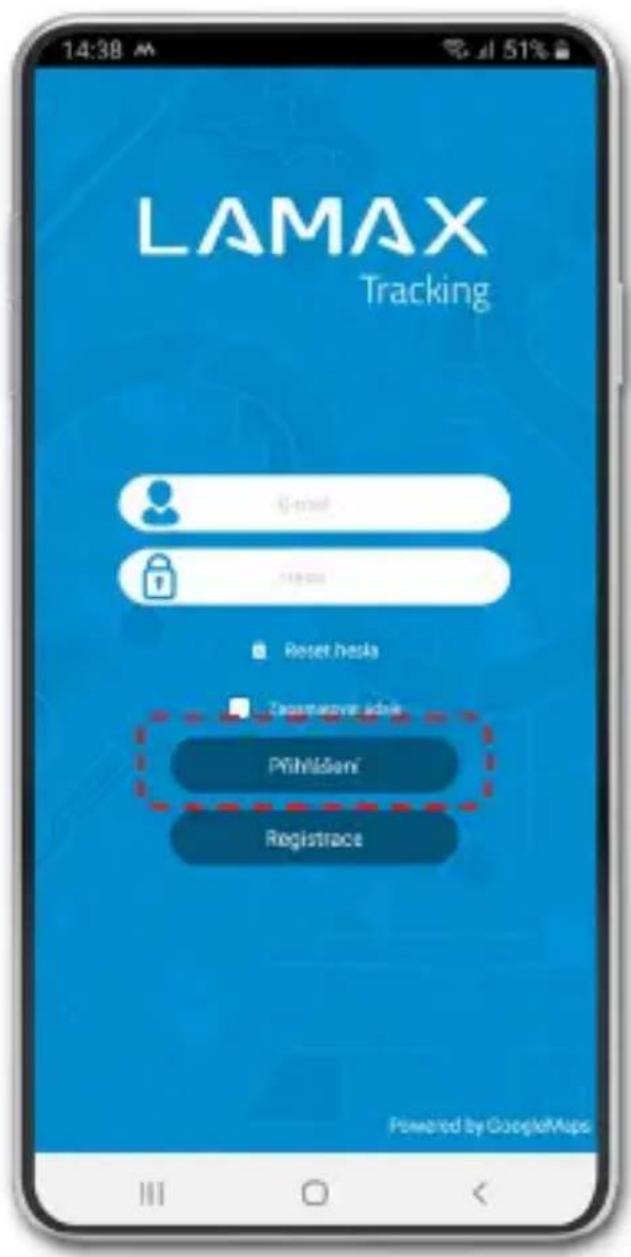
3) Registrace uživatele
https://www.lamax-electronics.com/lamax-tracking-manual/
Prvé kroky s LAMAX WatchY2
1) Uvedenie do prevádzky LAMAX WatchY2
natural_image
Illustration of hands holding a smartwatch with a cable, no text or symbols presentnatural_image
Illustration of a hand holding a small electronic device with a cable inserted (no text or symbols visible)- Vložte SIM kartu čipom k displeju, skoseným rohom k tlačidlu „Spät“.
natural_image
Illustration of a hand holding a small electronic device with wires inserted (no text or symbols visible)- Pomocou skrutkovača zatlačte kartu do zariadeni a priskrutkujte krytku.
- Zapnite WatchY2 podržaním tlačidla Zapnút'/Vypnút'.
- Zariadenie zobrazí na displeji úvodné logo a uvedie sa do prevádzky.
- Na displeji uvidíte niektoré ikony mobilné dáta ↑↓, Wi-Fi 🔒, GPS 🔒.
- Sila mobilného signálu je vyobrazená ikonou Ak nevidíte ani po piatich minútach silu signálu, zariadenie reštartujte.
- Pokial' vidíte silu signálu, pokračujte bodom 2.
natural_image
Abstract map icon with a large letter 'A' and a blue arrow, no text or symbols present.
https://www.lamax-electronics.com/lamax-tracking-manual/
natural_image
Illustration of a hand holding a smartwatch with a cable inserted (no text or symbols)natural_image
Illustration of hands holding a small electronic device with a cable inserted (no text or symbols visible)natural_image
Illustration of a hand holding a small electronic device with wires, no text or symbols presentnatural_image
Abstract geometric design with a large letter 'A' and a blue arrow, overlaid on a grid-like map (no text or symbols)
https://www.lamax-electronics.com/lamax-tracking-manual/
natural_image
Illustration of hands holding a smartwatch with a cable, no text or symbols presentnatural_image
Illustration of a hand holding a small electronic device with a cable inserted (no text or symbols visible)natural_image
Illustration of a hand holding a small electronic device with wires inserted (no text or symbols visible)natural_image
Abstract map icon with a large letter 'A' and a blue arrow, no text or symbols present.
https://www.lamax-electronics.com/lamax-tracking-manual/
natural_image
Illustration of a hand holding a smartwatch with a cable inserted (no text or symbols)natural_image
Illustration of hands holding a small electronic device with a cable inserted (no text or symbols visible)natural_image
Illustration of hands holding a small electronic device with wires, no text or symbols presentnatural_image
Abstract map icon with a large letter 'A' and a blue arrow, no text or symbols present.
https://www.lamax-electronics.com/lamax-tracking-manual/
natural_image
Illustration of a hand holding a smartwatch with a cable inserted (no text or symbols)natural_image
Illustration of hands holding a small electronic device with wires, no text or symbols presentnatural_image
Illustration of hands holding a small electronic device with wires, no text or symbols present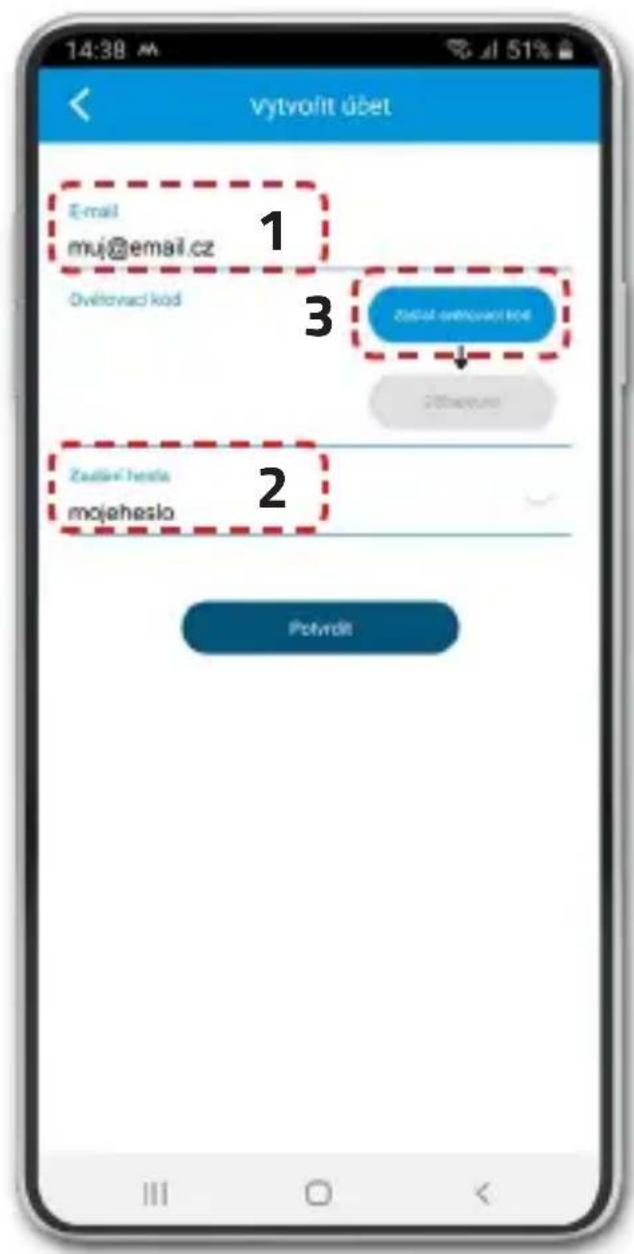
- Getting to Know the LAMAX WatchY2
- Charging
- Complete manual
- Getting started with the LAMAX WatchY2 1) Setting up the LAMAX WatchY2
- Notes on the SIM card
- 2) Installing the LAMAX Tracking application
- 3) User registration
- 5) Basic device settings
- LAMAX | WatchY2
- Prvé kroky s LAMAX WatchY2
- 1) Uvedenie do prevádzky LAMAX WatchY2
Brand : Lamax
Model : WatchY2
Category : Smartwatch