ManualGo.com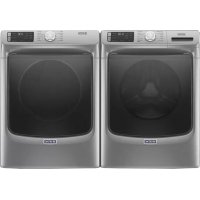
MALAUMGD6630HC - Dryer MAYTAG - Free user manual and instructions
Find the device manual for free MALAUMGD6630HC MAYTAG in PDF.


Download the instructions for your Dryer in PDF format for free! Find your manual MALAUMGD6630HC - MAYTAG and take your electronic device back in hand. On this page are published all the documents necessary for the use of your device. MALAUMGD6630HC by MAYTAG.
USER MANUAL MALAUMGD6630HC MAYTAG
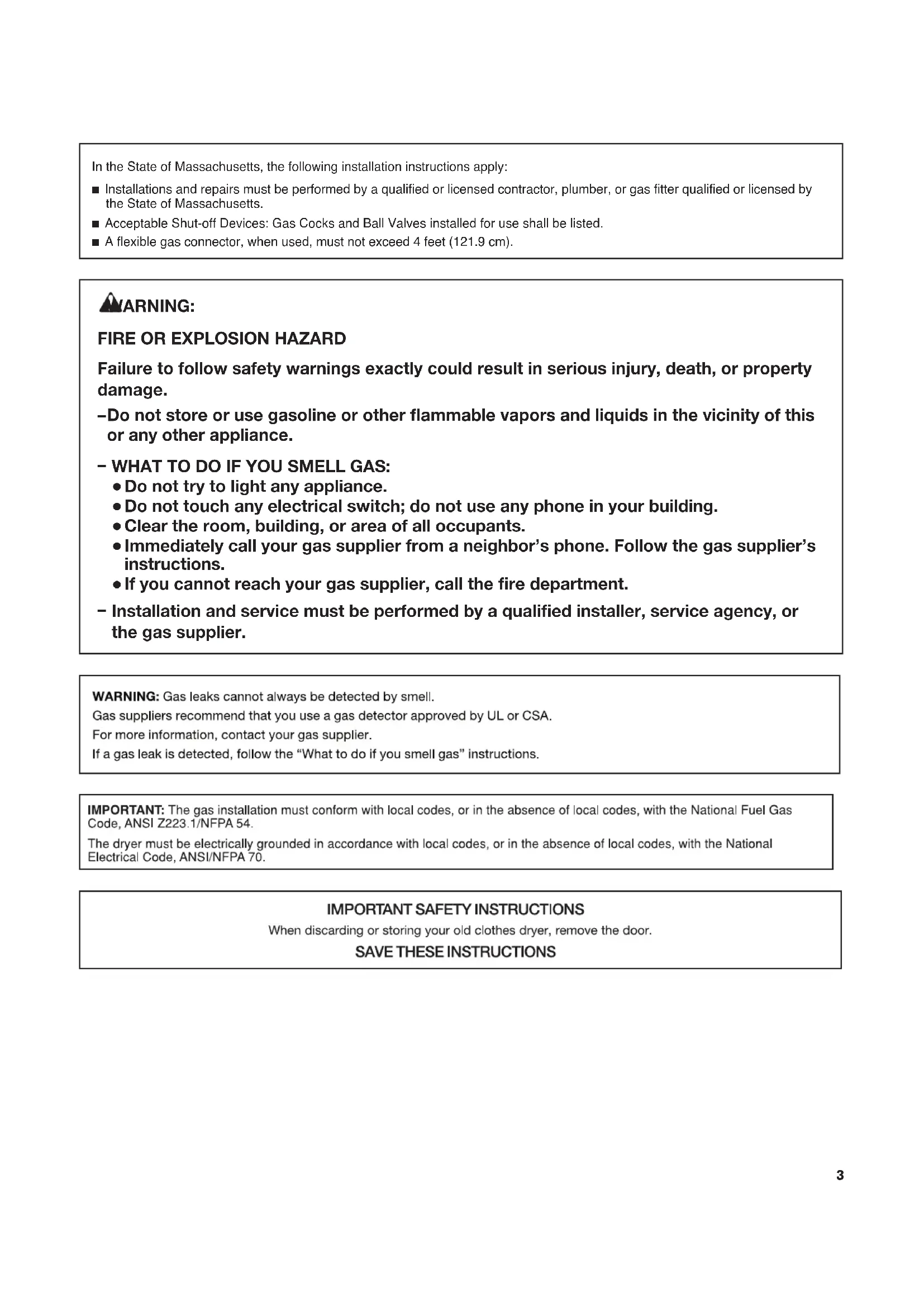
DÉPANNAGE ......................................................................................... 32 GARANTIE .............................................................................................. 36 ASSISTANCE OU SERVICE .................................Couverture arrière3 In the State of Massachusetts, the following installation instructions apply: ■ Installations and repairs must be performed by a qualified or licensed contractor, plumber, or gas fitter qualified or licensed by the State of Massachusetts. ■ Acceptable Shut-off Devices: Gas Cocks and Ball Valves installed for use shall be listed. ■ A flexible gas connector, when used, must not exceed 4 feet (121.9 cm).
Failure to follow safety warnings exactly could result in serious injury, death, or property damage. Do not store or use gasoline or other ammable vapors and liquids in the vicinity of this or any other appliance.
Do not try to light any appliance.
Do not touch any electrical switch; do not use any phone in your building.
Immediately call your gas supplier from a neighbor’s phone. Follow the gas supplier’s instructions.
If you cannot reach your gas supplier, call the re department.
Installation and service must be performed by a qualied installer, service agency, or the gas supplier.
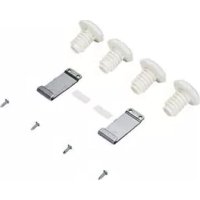
Clear the room, building, or area of all occupants.4 ACCESSORIES 15" Pedestal Color-matched pedestal raises the dryer to a more comfortable working height. The large drawer provides convenient storage. Stack Kit If space is at a premium, the stack kit allows the dryer to be installed on top of the washer. Drying Rack The Drying Rack provides a stationary drying surface for items such as sweaters and tennis shoes. See the “Additional Features” section for more information.Customize your new dryer with the following genuine Maytag accessories. For more information on options and ordering, contact your dealer, call us at 1-800-344-1274, or visit: www.maytag.com/accessories. In Canada, call 1-800-688-2002 or visit: www.maytag.ca INSTALLATION & MAINTENANCE ACCESSORIES FACTORY CERTIFIED PARTS – these three words represent quality parts and accessories designed specically for your appliance. Time tested engineering that meets our strict quality specications.
FACTORY CERTIFIED PARTS
Accessories designed for your appliance:5 CHECK YOUR VENT SYSTEM FOR GOOD AIRFLOW Good airflow Along with heat, dryers require good airflow to efficiently dry laundry. Proper venting will reduce your drying times and improve your energy savings. See Installation Instructions. The venting system attached to the dryer plays a big role in good airflow. Service calls caused by improper venting are not covered by the warranty and will be paid by the customer, regardless of who installed the dryer. Maintain good airflow by:
Cleaning your lint screen before each load.
Replacing plastic or foil vent material with 4" (102 mm) diameter heavy, rigid vent material. Good Better
Using the shortest length of vent possible.
Using no more than four 90° elbows in a vent system. Each bend and curve reduces airflow.
Removing lint and debris from the exhaust hood.
Removing lint from the entire length of the vent system at least every 2 years. When cleaning is complete, be sure to follow the Installation Instructions supplied with your dryer for final product check.
Clearing away items from the front of the dryer. Use Sensor Cycles for optimal fabric care and energy savings Use the Sensor Cycles to provide the optimal fabric care from the dryer. During Sensor Cycles, drying air temperature and moisture level are sensed in the load. This sensing occurs throughout the drying cycle and the dryer shuts off when the load reaches the selected dryness. You can also use the Extra Power option with Sensor Cycles for harder-to-dry or mixed loads. With Timed Dry, the dryer runs the amount of time set and sometimes results in shrinkage, wrinkling, and static due to overdrying. Use Timed Dry for the occasional damp load that needs a little more drying time or when using the drying rack. Tips for getting the best performance from your steam dryer (on some models)
Results may vary depending on fabric. 100% cotton garments with wrinkle-free finish may yield better results than those without. 100% cotton items may require additional touching up after cycles that use steam.
Use of a fabric softener sheet is not recommended with cycles that use steam. It may cause temporary staining on clothes.
Cycles that use steam are not recommended for items that have been starched. Wash any starched or new garments prior to using cycles that use steam. n The Steam Refresh cycle is best for smoothing out wrinkles and reducing odors from loads consisting of dry items of wrinkle-free cotton, cotton-polyester blend, common knits, and synthetics.6
AirDry High Less More
Not all features and cycles are available on all models. NOTE: The control panel features a sensitive surface that responds to a light touch of your finger. To ensure your selections are registered, touch the control panel with your fingertip, not your fingernail. When selecting a setting or option, simply touch its name. POWER/CANCEL Touch to turn the dryer on and off. Touch to stop/cancel a cycle at any time.
Turn the knob to select a cycle for your laundry load. Sensor Cycles are Bulky Items, Towels, Sanitize (steam models only), Whites, Heavy Duty, Regular, Delicates, Wrinkle Control, and Normal. Timed Cycles are Timed Dry and Quick Dry. The Steam Cycle (on some models) is Steam Refresh. See “Cycle Guide” for detailed descriptions of cycles. The Cycle Control Knob can also be pressed to activate the Extra Power option for harder-to-dry loads. See the “Options” section for more information. START/PAUSE Touch and hold until the LED counts down “3-2-1” and the dryer starts, or touch once while a cycle is in process to pause it.
LED DISPLAY AND SETTINGS
When you select a cycle, its settings will light up and the Estimated Cycle Time (for Sensor Cycles) or actual time remaining (for Timed Cycles) will be displayed. See “Cycle Guide” for available settings on each cycle. Not all settings are available with all cycles. More Time/Less Time Touch MORE TIME or LESS TIME with Timed Cycles to increase or decrease the length of a Timed Dry or Quick Dry cycle. Temp When using any cycle except Sanitize, you may select a dry temperature based on the type of load you are drying. Use the warmest setting safe for the garments in the load. Follow garment label instructions. Dryness When using Sensor Cycles (except for the Sanitize cycle), you may select a Dryness level based on the type of load you are drying. NOTE: Dryness is for use with Sensor Cycles only.
Steam models Non-steam models7
CYCLE STATUS INDICATORS
The Cycle Status Indicators show the progress of a cycle. Not all indicators are available on all models. Sensing The Sensing indicator will light during Sensor Cycles to indicate that the moisture sensor on the dryer is operating. This indicator will not light during Timed Cycles or options such as Wrinkle Prevent. Wet The load is still wet and/or the cycle just started. Damp The load still has moisture remaining, a good point in the cycle to remove a garment to air dry or iron. Cool Down The dryer has finished drying with heat and is now tumbling the load without heat to cool it down and reduce wrinkling. Check Vent The Check Vent indicator is a feature available for Sensor Cycles only. This indicator will show the status of airflow through the dryer and the dryer vent system for the dryer’s life. During the sensing phase at the beginning of the cycle, the Check Vent light will come on if a blocked vent or low airflow issue is detected. This light will stay on for the entire cycle. Should the Check Vent light illuminate, refer to the “Troubleshooting” section for potential solutions to the issue. The light will be cleared upon completion of the cycle, touching Power, or opening the door. It will continue to illuminate during the cycle unless the root cause is resolved. NOTE: The dryer will continue to operate even while the indicator is lit, but poor airflow can impact dry times and overall performance. For more information on maintaining good airflow, see “Check Your Vent System for Good Airflow.” If there are other error issues during a cycle, the Check Vent indicator will not light up. See the “Troubleshooting” section. This will indicate that the selected cycle has ended and the load may be removed from the dryer. If Wrinkle Prevent has been selected, the dryer may continue to tumble the load, even if “End” is showing in the display. Control Lock This will illuminate when the controls are locked. NOTE: The Control Lock function may be enabled when recovering from a power failure. To unlock the control, touch and hold CONTROL LOCK for at least 3 seconds.
Sensing Cool Down Check Vent Wet Damp Appearance may vary. OPTIONS Use to select available options for your dryer. Not all cycles and options are available on all models. Wrinkle Prevent If you will be unable to remove a load immediately, touch WRINKLE PREVENT to add up to 150 minutes of periodic tumbling to help reduce wrinkling. On steam models, on some cycles, you may select the “+Steam” setting to add a short steam cycle after 60 minutes to help smooth out wrinkles. Reduce Static (steam models only) Touch to add the Reduce Static option to selected Sensor Cycles (see “Cycle Guide”). The dryer will automatically tumble, pause, and introduce a small amount of moisture into the load to help reduce static. This option adds approximately 3 minutes to the total cycle time. Steam (steam models only) Steam adds steam to the end of certain Sensor Cycles to help smooth wrinkles. It is not available on Sanitize, Delicates, Steam Refresh, or Timed Cycles (Timed Dry, Quick Dry). Steam can be used with High or Medium heat settings. This option adds approximately 15 minutes to the total cycle time. Cycle Signal Use this to turn the signal indicating the end of a drying cycle on or off. Touch CYCLE SIGNAL to turn sounds on or off. Control Lock Use to lock the controls of the dryer and avoid an accidental change in cycle options or preferences during a drying cycle. Touch and hold CONTROL LOCK for 3 seconds to lock or unlock the controls of the dryer. During this time, the LED Display will count down “3-2-1.” Once the controls are locked, the Control Lock icon will illuminate. NOTE: The Control Lock function may be enabled when recovering from a power failure. To unlock the control, touch and hold CONTROL LOCK for at least 3 seconds. Extra Power The Extra Power option can be used with both Sensor and Timed Dry Cycles. Press the Cycle Control Knob to activate the Extra Power option, which provides an additional 10 minutes of cycle time (including additional heat and tumbling, where applicable). When Extra Power is activated, the Cycle Control Knob will illuminate and the estimated time remaining on the display will show an additional 10 minutes.
Settings and options shown in bold are default settings for that cycle. If settings are changed, the new settings will be remembered. If there is a power failure, settings will return to the default. Not all features and cycles are available on all models. Not all settings and options are available on each cycle. Heavyweight items Heavy Duty High More 1:06 Wrinkle Prevent
Offers stepped drying starting such as towels or Medium Normal Reduce Static* with High heat followed by Medium heavy work clothes Low Less Steam* heat for enhanced fabric care Cycle Signal and energy savings. Extra Power Work clothes, casual Normal High More 1:27 Wrinkle Prevent
Uses Medium heat to dry large wear, mixed cottons, Medium Normal Reduce Static* loads of mixed fabrics and items. sheets, corduroys Low Less Steam* Normal is the most effi cient cycle. Cycle Signal Extra Power Shirts, blouses, Wrinkle Control High More
Uses a stepped drying temperature permanent press, Medium Normal Reduce Static* from Medium to Low for improved synthetics, Low Less Steam* moisture removal and enhanced lightweight items Cycle Signal fabric care. Extra Power Undergarments, Delicates High More
Wrinkle Prevent Uses Low heat to gently dry blouses, lingerie, Medium Normal Reduce Static* delicate items. performance wear Low Less Cycle Signal Extra Power Large loads Sanitize High More 1:42 Wrinkle Prevent
This is a long cycle with High heat, of heavyweight Extra Power which has been proven to reduce items household bacteria. This cycle is not recommended for all fabrics. Use for large loads of heavyweight fabrics. Jackets, comforters, Bulky Items High More
Use for drying large, bulky items; pillows Medium Normal Reduce Static* do not overfi ll dryer drum. Partway Low Less Steam* through the cycle, the signal will Cycle Signal sound for 2 minutes to indicate Extra Power when it is time to rearrange items for optimal drying. Shirts, blouses, Regular High More
Uses Medium heat to dry large permanent press, Medium Normal Reduce Static* loads of mixed fabrics and items. synthetics, Low Less Steam* lightweight items Cycle Signal Extra Power White, sturdy items Whites High More Wrinkle Prevent
Uses High heat to dry large loads Medium Normal Reduce Static* of white, sturdy fabrics and items. Low Less Steam* Cycle Signal Extra Power Large loads Towels High More Wrinkle Prevent
This is a long cycle with High heat. of cotton towels, Medium Normal Reduce Static* This cycle is not recommended for heavyweight items Low Less Steam* all fabrics. Use for large loads of Cycle Signal heavyweight fabrics. Extra Power Items to dry: Cycle: Drying Temperature: Dryness Level: Default Time: Available Options: Cycle Details: Load Size Recommendations For best results, follow the wet load size recommendations noted for each cycle. Small load: Fill the dryer drum with 3–4 items, not more than 1/4 full. Medium load: Fill the dryer drum up to about 1/2 full. Large load: Fill the dryer drum up to about 3/4 full. Do not tightly pack. Items need to tumble freely. Use Sensor Cycles for better fabric care and energy savings The dryer senses moisture in the load or air temperature and shuts off when the load reaches the selected dryness level. The default times mentioned below are for reference only. The exact cycle times will vary, depending on the load size and type.
On steam models, you may select the “+Steam” setting to add a short steam cycle after 60 minutes. This is available only with High and Medium drying temperature settings. *On steam models only.
Settings and options shown in bold are default settings for that cycle. If settings are changed, the new settings will be remembered (except on Quick Dry). If there is a power failure, settings will return to the default. Not all features and cycles are available on all models. Not all settings and options are available on each cycle. Any load Timed Dry High 40 Wrinkle Prevent
Use to dry items to a damp level for items that do NOTE: Select Medium Extra Power not require an entire drying cycle. Select a drying AirDry to dry foam, Low temperature based on the type of fabrics in your rubber, plastic, AirDry load. If you are unsure of the temperature to select or heat-sensitive for a load, select the lower setting rather than the fabrics. higher setting. Small loads Quick Dry High 15 Wrinkle Prevent
For small loads of 3–4 items. and sportswear Medium Low AirDry Items to dry: Cycle: Drying Temperature: Default Time: Available Options: Cycle Details: CYCLE GUIDE — STEAM CYCLE (on some models) Settings and options shown in bold are default settings for that cycle. Not all settings and options are available on each cycle. Steam cycles are designed for use with dry loads to loosen wrinkles, reduce odors, and refresh fabrics. Load Size Recommendations For best results, follow the load size recommendations noted for each cycle. Small load: Fill the dryer drum with 3–4 items, not more than 1/4 full. Medium load: Fill the dryer drum up to about 1/2 full. Large load: Fill the dryer drum up to about 3/4 full. Do not overload. Items need to tumble freely. Shirts, blouses, Steam Refresh High
Wrinkle Prevent Use to reduce light wrinkles from loads left in the and slacks dryer too long. Do not add dryer sheets. Items to refresh: Cycle: Drying Temperature: Default Time: Available Options: Cycle Details: Adjusting drying time on Timed Cycles When you select a Timed Cycle, the time appears in the display. Use More Time and Less Time to increase or decrease the time in 5-minute increments. The maximum dry time is 150 minutes. Selecting the Drying Temperature A High heat setting may be used for drying heavyweight items such as towels and work clothes. A Low to Medium heat setting may be used for drying mediumweight items such as sheets, blouses, dresses, underwear, permanent press fabrics, and some knits. Use a no heat (AirDry) setting for foam, rubber, plastic, or heat-sensitive fabrics. Line dry bonded or laminated fabrics. NOTE: If you have questions about drying temperatures for various loads, refer to the care label directions.
On steam models, you may select the “+Steam” setting to add a short steam cycle after 60 minutes. This is available only with High and Medium drying temperature settings. AirDry High Less More
+SteamSensingCool DownCheck Vent Wet Damp Appearance may vary. NOTE: Government energy certifi cations for this model were based on the Normal Cycle, Highest Temperature Setting, Normal Dryness Level. The as-shipped defaults were the same as the Government Energy Certifi cation Settings except the Default Temperature Setting of Medium was adjusted to the Highest Temperature Setting.10
Clean the lint screen before each load. Pull the lint screen straight up. Roll lint off the screen with your fi ngers. Do not rinse or wash screen to remove lint. Wet lint is hard to remove. Push the lint screen fi rmly back into place.For additional cleaning information, see “Dryer Care.”
Open the door by pulling on the handle. Place laundry in the dryer. Add a dryer sheet to wet load if desired. Close the door.IMPORTANT: Do not tightly pack the dryer. Items need to tumble freely. Tightly packing can lead to poor drying performance and may increase wrinkling and tangling.WARNING: To reduce the risk of fi re, electric shock, or injury to persons, read the Important Safety Instructions before operating this appliance.
3. Touch POWER/CANCEL
Touch POWER/CANCEL to turn on the dryer.
4. Select the desired cycle
Select the desired cycle for your load. See the “Cycle Guide” for more information about each cycle. Not all cycles are on all models. Press the Cycle Control Knob to activate the Extra Power option, which provides an additional 10 minutes of cycle time (including additional heat and tumbling, where applicable).Appearance may vary.Appearance may vary.
AirDry High Less More
+Steam Sensing Cool Down Check Vent Wet Damp EXTRA POWER11 Promptly remove garments after cycle has completed to reduce wrinkling. If you will be unable to remove the load promptly, select the Wrinkle Prevent option.
7. Touch and hold START/PAUSE
to begin cycle Touch and hold START/PAUSE until the display counts down “3-2-1” and the dryer starts.
8. Remove garments promptly
after cycle is fi nished
5. Adjust cycle settings, if desired
You may adjust different settings, depending on whether you have selected a Sensor Cycle, Timed Cycle, or Steam Cycle (on some models). See the “Cycle Guide” for detailed information.NOTE: Not all options and settings are available with all cycles. Not all cycles are on all models.Sensor Cycles:The temperature may be changed by touching Temp until the desired dry temperature is lit. Once a cycle has started, the temperature can be changed within the fi rst 5–8 minutes.You can select a different dryness level, depending on your load. Touch DRYNESS to scroll from Less to More to automatically adjust the dryness level at which the dryer will shut off. Once a dryness level is set, it cannot be changed without stopping the cycle.Sensor Cycles give the best drying in the shortest time. Drying time varies based on fabric type, load size, and dryness setting. Drying time is estimated and may change throughout the cycle. Drying time cannot be changed on Sensor Cycles.Timed Cycles:When you select a Timed Cycle, the time appears in the display. Touch MORE TIME or LESS TIME to increase or decrease the time in 5-minute increments. The temperature may be changed by touching Temp until the desired dry temperature is lit. Once a cycle has started, the temperature can be changed at any time unless AirDry is selected; if Air Dry is selected, touch POWER/CANCEL to cancel the cycle, reselect the desired cycle settings, and touch START/PAUSE.Steam Cycles (on some models):Select Steam Refresh to reduce odors and light wrinkles in dry loads. Do not add dryer sheets. Cycle time is estimated and may change throughout the cycle. Cycle time cannot be changed on Steam Cycles.
6. Select any additional options
Add additional options by touching that option. If you will be unable to remove the load promptly, select the Wrinkle Prevent option before touching Start/Pause.NOTE: Not all options and settings are available with all cycles.Appearance may vary.Appearance may vary.Appearance may vary.
AirDry High Less More
2. Align the two hooks on the front of the drying rack with the
holes in the dryer door opening and press down fully into holes. Rest the rear support on the dryer back ledge.
USING THE DRYING RACK
To purchase a drying rack for your dryer, see “Accessories” for more information. You will need your model and serial number and the purchase date. Remove and discard any packing material before use. Use the drying rack for items that you do not want to tumble dry, such as sweaters and tennis shoes. When you use the drying rack, the drum continues to turn, but the rack remains stationary. The drying rack is intended for use with the Timed Dry cycle only. The drying rack cannot be used with Sensor Cycles. To use the drying rack: IMPORTANT: Do not remove the lint screen.
3. Place wet items on top of the drying rack. Allow space
around items for air to circulate. The drying rack does not move, but the drum will rotate; be sure to leave adequate clearance between items and the inside of the dryer drum. Make sure items do not hang over the edges or between drying rack grille.
5. Select a Timed Dry cycle. Items containing foam, rubber,
or plastic must be dried on a clothesline or by using the Air Only setting or AirDry cycle, depending on model.
6. When the cycle is selected, the display shows the
default time. You can change the actual time in the cycle by increasing or decreasing the cycle time.
NOTE: Check the lint screen and remove any lint accumulated from items dried on the drying rack after the cycle is fi nished. DRYER CARE
CLEANING THE DRYER LOCATION
Keep dryer area clear and free from items that would block the airfl ow for proper dryer operation. This includes clearing piles of laundry in front of the dryer.
CLEANING THE DRYER INTERIOR
To clean dryer drum:
1. Use a mild hand dish detergent mixed at a low
concentration with very warm water, and rub with a soft cloth.
2. Rinse well with a wet sponge or towel.
3. Tumble a load of clean clothes or towels to dry drum
Use a microfi ber cloth and hot water in a spray bottle to clean the drum and a second microfi ber towel to dry. NOTE: Garments that contain unstable dyes, such as denim blue jeans or brightly colored cotton items, may discolor the rear of the dryer interior. These stains are not harmful to your dryer and will not stain future loads of clothes. Dry unstable dye items inside out to avoid transfer of dye.
REMOVING ACCUMULATED LINT
From inside the dryer cabinet Lint should be removed every 2 years, or more often, depending on dryer usage. Cleaning should be done by a qualifi ed appliance servicer. From the exhaust vent Lint should be removed every 2 years, or more often, depending on dryer usage.13
CLEANING THE LINT SCREEN
Every-load cleaning The lint screen is located in the door opening of the dryer. Clean the lint screen before each load. A screen blocked by lint can increase drying time. To clean:
1. Pull the lint screen straight up. Roll lint off the screen with
your fi ngers. Do not rinse or wash screen to remove lint. Wet lint is hard to remove.
2. Push the lint screen fi rmly back into place.
Do not run the dryer with the lint screen loose, damaged, blocked, or missing. Doing so can cause overheating and damage to both the dryer and fabrics.
If lint falls off the screen into the dryer during removal, check the exhaust hood and remove the lint. See “Venting Requirements” in the Installation Instructions. Laundry detergent and fabric softener residue can build up on the lint screen. This buildup can cause longer drying times for your clothes, or cause the dryer to stop before your load is completely dry. The screen is probably clogged if lint falls off while the screen is in the dryer. Clean the lint screen with a nylon brush every 6 months, or more frequently, if it becomes clogged due to a residue buildup. To wash:
1. Roll lint off the screen with your fi ngers.
2. Wet both sides of lint screen with hot water.
3. Wet a nylon brush with hot water and liquid detergent.
Scrub lint screen with the brush to remove residue buildup.
4. Rinse screen with hot water.
5. Thoroughly dry lint screen with a clean towel.
Reinstall screen in dryer.
Water Inlet Hose Replace inlet hose and hose screen after 5 years of use to reduce the risk of hose failure. Periodically inspect and replace inlet hose if bulges, kinks, cuts, wear, or leaks are found. When replacing your inlet hose, record the date of replacement. To Winterize the Dryer:
1. Unplug dryer or disconnect power.
2. Shut off water faucet.
3. Disconnect water inlet hose from faucet and drain.
To Use the Dryer Again:
1. Flush water pipes. Reconnect water inlet hose to faucet.
Turn on water faucet.
2. Plug in dryer or reconnect power as described in the
Installation Instructions.
NON-USE, STORAGE, AND MOVING CARE
Install and store your dryer where it will not freeze. Because some water may stay in the hose, freezing can damage your dryer. If storing or moving your dryer during freezing weather, winterize it. Non-Use or Storage Care Operate your dryer only when you are at home. If you will be on vacation or not using your dryer for an extended period of time, you should:
1. Unplug dryer or disconnect power.
2. Clean lint screen. See “Cleaning the Lint Screen.”
3. Turn off the water supply to the dryer. This helps to avoid
unintended fl ooding (due to a water pressure surge) while you are away. Moving Care For power supply cord-connected dryers:
1. Unplug the power supply cord.
2. Gas models only: Close shut-off valve in gas supply line.
3. Gas models only: Disconnect gas supply line pipe and
remove fi ttings attached to dryer pipe.
4. Gas models only: Cap the open gas supply line.
5. Steam models only: Shut off water faucet.
6. Disconnect the water inlet hose from faucet, then drain the
hose. Transport hose separately.
7. Make sure leveling legs are secure in dryer base.
8. Use tape to secure dryer door.
For direct-wired dryers:
1. Disconnect power.
2. Disconnect wiring.
3. Steam models only: Shut off water faucet.
4. Steam models only: Disconnect the water inlet hose from
faucet; then drain the hose. Transport hose separately.
5. Make sure leveling legs are secure in dryer base.
6. Use tape to secure dryer door.
Reinstalling the Dryer Follow the Installation Instructions to locate, level, and connect the dryer.15 First try the solutions suggested here or visit our website at www.maytag.com/owners (in Canada, www.maytag.ca/owners) for assistance and to possibly avoid a service call. If you experience Possible Causes Solution Door not closed completely. Make sure the dryer door is closed completely. Touch and hold START/PAUSE until the display counts down “3-2-1” and the dryer starts. Household fuse is blown or circuit breaker has tripped. There may be two household fuses or circuit breakers for the dryer. Check that both fuses are intact and tight, or that both circuit breakers have not tripped. Replace the fuses or reset the circuit breaker. If the problem continues, call an electrician. TROUBLESHOOTING Dryer will not run Humming or whining noise with Steam cycle selected (on some models) Water pump or water inlet valve (depending on model) on dryer is running. Unusual Noise Start/Pause not touched fi rmly or held long enough. Dryer Operation Incorrect power supply. Electric dryers require 240 volt power supply. Check with a qualifi ed electrician. Wrong type of fuse. Use a time-delay fuse. The water pump or water inlet valve on the dryer is used during the Steam function. If the dryer has just been installed or unused for an extended period, the pump or valve may be louder and run longer. This is normal. NOTE: The valve may make this noise even with no water line connected. Thumping noise Dryer hasn’t been used in a while. This is due to temporary fl at spots on the drum rollers. The thumping sound will diminish after a few minutes. Rattling or vibrating noise A small object caught between the edges of dryer drum. Check the front and rear edges of the drum for small objects. Clean out pockets before laundering. Dryer isn’t properly leveled. The dryer may vibrate if not properly installed. See the Installation Instructions. All four dryer feet should be in fi rm contact with the fl oor. Clothing is balled up in dryer. When balled up, the load will bounce, causing the dryer to vibrate. Separate the load items and restart the dryer. Dryer Results Dryer will not heat Household fuse is blown or circuit breaker has tripped. The drum may be turning, but you may not have heat. Electric dryers use two household fuses or circuit breakers. Replace the fuses or reset the circuit breaker. If the problem continues, call an electrician. Clothes are not drying satisfactorily or drying times are too long Lint screen is clogged with lint. Clean lint screen before each load. Run the dryer for 5–10 minutes. Hold your hand under the outside exhaust hood to check air movement. If you do not feel air movement or air movement is minimal, clean exhaust system of lint or replace exhaust vent with heavy metal or fl exible metal vent. See the Installation Instructions. The exhaust vent or outside exhaust hood is clogged with lint, restricting air movement. Incorrect power supply. Electric dryers require 240 volt power supply. Check with a qualifi ed electrician. Supply line valve not open. For gas dryers, make sure that the valve on the gas supply line is open. Clicking noise Gas valve operating. On gas dryers, you may hear the gas valve clicking as it opens and closes. This is normal. Using Normal cycle. For optimal drying times, use Regular cycle. For optimal energy savings, use Normal cycle. Loud humming or increased noise during cycle Load is packed tightly or exhaust vent is blocked. Reduce load size to recommended load size in “Cycle Guide.” Run the dryer for 5–10 minutes. Hold your hand under the outside exhaust hood to check air movement. If you do not feel air movement or air movement is minimal, clean exhaust system of lint or replace exhaust vent with heavy metal or fl exible metal vent. See the Installation Instructions. First try the solutions suggested here or visit our website at www.maytag.com/owners (in Canada, www.maytag.ca/owners ) for assistance and to possibly avoid a service call. If you experience Possible Causes Solution Door not closed completely. Make sure the dryer door is closed completely. Touch and hold START/PAUSE until the display counts down “3-2-1” and the dryer starts. Household fuse is blown or circuit breaker has tripped. There may be two household fuses or circuit breakers for the dryer. Check that both fuses are intact and tight, or that both circuit breakers have not tripped. Replace the fuses or reset the circuit breaker. If the problem continues, call an electrician. Dryer will not run Humming or whining noise with Steam cycle selected (on some models) Water pump or water inlet valve (depending on model) on dryer is running. Unusual Noise Start/Pause not touched fi rmly or held long enough. Dryer Operation Incorrect power supply. Electric dryers require 240 volt power supply. Check with a qualifi ed electrician. Wrong type of fuse. Use a time-delay fuse. The water pump or water inlet valve on the dryer is used during the Steam function. If the dryer has just been installed or unused for an extended period, the pump or valve may be louder and run longer. This is normal. NOTE: The valve may make this noise even with no water line connected. Thumping noise Dryer hasn’t been used in a while. This is due to temporary fl at spots on the drum rollers. The thumping sound will diminish after a few minutes. Rattling or vibrating noise A small object caught between the edges of dryer drum. Check the front and rear edges of the drum for small objects. Clean out pockets before laundering. Dryer isn’t properly leveled. The dryer may vibrate if not properly installed. See the Installation Instructions. All four dryer feet should be in fi rm contact with the fl oor. Clothing is balled up in dryer. When balled up, the load will bounce, causing the dryer to vibrate. Separate the load items and restart the dryer. Dryer will not heat Household fuse is blown or circuit breaker has tripped. The drum may be turning, but you may not have heat. Electric dryers use two household fuses or circuit breakers. Replace the fuses or reset the circuit breaker. If the problem continues, call an electrician. Incorrect power supply. Electric dryers require 240 volt power supply. Check with a qualifi ed electrician. Supply line valve not open. For gas dryers, make sure that the valve on the gas supply line is open. Clicking noise Gas valve operating. On gas dryers, you may hear the gas valve clicking as it opens and closes. This is normal. Dryer Results Clothes are not drying satisfactorily or drying times are too long Lint screen is clogged with lint. Clean lint screen before each load. Run the dryer for 5–10 minutes. Hold your hand under the outside exhaust hood to check air movement. If you do not feel air movement or air movement is minimal, clean exhaust system of lint or replace exhaust vent with heavy metal or fl exible metal vent. See the Installation Instructions. The exhaust vent or outside exhaust hood is clogged with lint, restricting air movement. Using Normal cycle. For optimal drying times, use Regular cycle. For optimal energy savings, use Normal cycle. Loud humming or increased noise during cycle Load is packed tightly or exhaust vent is blocked. Reduce load size to recommended load size in “Cycle Guide.” Run the dryer for 5–10 minutes. Hold your hand under the outside exhaust hood to check air movement. If you do not feel air movement or air movement is minimal, clean exhaust system of lint or replace exhaust vent with heavy metal or fl exible metal vent. See the Installation Instructions.16 Possible Causes Solution Dryer Results (cont.) The dryer is located in a room with temperature below 45ºF (7ºC). Proper operation of dryer cycles requires temperatures above 45ºF (7ºC). The dryer is located in a closet. Closet doors must have ventilation openings at the top and bottom of the door. The front of the dryer requires a minimum of 1" (25 mm) of airspace and, for most installations, the rear of the dryer requires 5" (127 mm). See the Installation Instructions. Cycle time is too short Steam models only: Clothes are coming out of the Steam Refresh cycle with damp or wet spots. Under certain environmental or installation conditions, you may experience underdrying. Select the Timed Dry cycle, medium drying temperature, for 5 to 10 minutes. The Sensor Cycle is ending early. Change the dryness level setting on Sensor Cycles. Increasing or decreasing the dryness level will change the amount of drying time in a cycle. Lint on load Lint screen is clogged with lint. Stains on load Improper use of fabric softener. Add dryer fabric softener sheets at the beginning of the cycle. Fabric softener sheets added to a partially dried load can stain your garments. Do not use fabric softener sheets with steam cycles. Loads are wrinkled The load was not removed from dryer at the end of the cycle. Steam models only: Select Steam Refresh cycle to tumble the load with water and heat. This cycle is best for reducing wrinkles from loads left in the dryer too long. NOTE: Refer to garment care label instructions. Dry-clean-only garments are not recommended. The dryer was tightly packed. Dry smaller loads that can tumble freely. Clothes are not drying satisfactorily or drying times are too long (cont.) Steam models only: For steam cycles, the water is not properly connected with the dryer. Make sure water is connected to the dryer. Check that water inlet hose is connected to both the faucet and dryer’s water inlet valve. Check that the water supply is turned on. The load is too large and heavy to dry quickly. Fabric softener sheets are blocking the grille. The air outlet grille is just inside the door, behind the lint screen. Check that it is not blocked by a fabric softener sheet. Use only one fabric softener sheet, and use it only once. Separate the load to tumble freely. The load may not be contacting the sensor strips on Sensor Cycles. Level the dryer. See the Installation Instructions. All four dryer feet should be in fi rm contact with the fl oor. Clean lint screen before each load. Stains on drum Loose dyes in clothes. Drum stains are caused by dyes in clothing (usually blue jeans). These will not transfer to other clothing. TROUBLESHOOTING First try the solutions suggested here or visit our website at www.maytag.com/owners (in Canada, www.maytag.ca/owners) for assistance and to possibly avoid a service call. If you experience The AirDry temperature setting has been selected. Select the correct temperature for the types of garments being dried. See “Cycle Guide.” The exhaust vent is not the correct length. Check that the exhaust vent is not too long or has too many turns. Long venting will increase drying times. See the Installation Instructions. The exhaust vent diameter is not the correct size. Use 4" (102 mm) diameter vent material. The dryer is not level. Clothes not contacting the moisture sensors during Sensor Cycles. See “Level Dryer” in the Installation Instructions. Possible Causes Solution Dryer Results (cont.) The dryer is located in a room with temperature below 45ºF (7ºC). Proper operation of dryer cycles requires temperatures above 45ºF (7ºC). The dryer is located in a closet. Closet doors must have ventilation openings at the top and bottom of the door. The front of the dryer requires a minimum of 1" (25 mm) of airspace and, for most installations, the rear of the dryer requires 5" (127 mm). See the Installation Instructions. Cycle time is too short Steam models only: Clothes are coming out of the Steam Refresh cycle with damp or wet spots. Under certain environmental or installation conditions, you may experience underdrying. Select the Timed Dry cycle, medium drying temperature, for 5 to 10 minutes. The Sensor Cycle is ending early. Change the dryness level setting on Sensor Cycles. Increasing or decreasing the dryness level will change the amount of drying time in a cycle. Lint on load Lint screen is clogged with lint. Stains on load Improper use of fabric softener. Add dryer fabric softener sheets at the beginning of the cycle. Fabric softener sheets added to a partially dried load can stain your garments. Do not use fabric softener sheets with steam cycles. Loads are wrinkled The load was not removed from dryer at the end of the cycle. Steam models only: Select Steam Refresh cycle to tumble the load with water and heat. This cycle is best for reducing wrinkles from loads left in the dryer too long. NOTE: Refer to garment care label instructions. Dry-clean-only garments are not recommended. The dryer was tightly packed. Dry smaller loads that can tumble freely. Clothes are not drying satisfactorily or drying times are too long (cont.) Steam models only: For steam cycles, the water is not properly connected with the dryer. Make sure water is connected to the dryer. Check that water inlet hose is connected to both the faucet and dryer’s water inlet valve. Check that the water supply is turned on. The load is too large and heavy to dry quickly. Fabric softener sheets are blocking the grille. The air outlet grille is just inside the door, behind the lint screen. Check that it is not blocked by a fabric softener sheet. Use only one fabric softener sheet, and use it only once. Separate the load to tumble freely. The load may not be contacting the sensor strips on Sensor Cycles. Level the dryer. See the Installation Instructions. All four dryer feet should be in fi rm contact with the fl oor. Clean lint screen before each load. Stains on drum Loose dyes in clothes. Drum stains are caused by dyes in clothing (usually blue jeans). These will not transfer to other clothing. First try the solutions suggested here or visit our website at www.maytag.com/owners (in Canada, www.maytag.ca/owners ) for assistance and to possibly avoid a service call. If you experience The AirDry temperature setting has been selected. Select the correct temperature for the types of garments being dried. See “Cycle Guide.” The exhaust vent is not the correct length. Check that the exhaust vent is not too long or has too many turns. Long venting will increase drying times. See the Installation Instructions. The exhaust vent diameter is not the correct size. Use 4" (102 mm) diameter vent material. The dryer is not level. Clothes not contacting the moisture sensors during Sensor Cycles. See “Level Dryer” in the Installation Instructions.17 Possible Causes Solution The drying cycle has been interrupted by a power failure. Touch and hold START/PAUSE to restart the dryer. NOTE: The Control Lock function may be enabled when recovering from a power failure. To unlock the control, touch and hold CONTROL LOCK for at least 3 seconds. There may be a problem with your home power supply, keeping the dryer’s heater from turning on. The dryer will continue to run when this diagnostic code is present. Touch any setting or option name to clear the code from the display and return to the estimated time remaining. Try the following: Check to see if a household fuse has blown or circuit breaker has tripped. Electric dryers use two household fuses or breakers. Replace the fuse or reset the circuit breaker. Confi rm that the power cord is properly installed. Refer to the Installation Instructions for details. Select a Timed Dry heated cycle, and restart the dryer. If the message persists, consult a qualifi ed electrician. “L” or “L2” Diagnostic Code (low or no line voltage condition) The lint screen or vent is clogged; the vent is crushed or kinked or has too many turns. The dryer will continue to run when this diagnostic code is present. Touch any setting or option name to clear the code from the display and return to the estimated time remaining. Try the following:
- Check to see if the vent run from the dryer to the wall is crushed or kinked.
- Confi rm that the vent run from the dryer to the wall is free of lint and debris.
- Confi rm that the exterior vent exhaust hood is free of lint and debris.
- Confi rm that your vent system falls within the recommended run length and number of elbows for the type of vent you are using. Refer to “Plan Vent System” in the Installaton Instructions for details.
- Select a Timed Dry heated cycle, and restart the dryer.
- If the message persists, have your entire home venting run cleaned. Check Vent indicator is lit. “PF” (power failure) The dryer is in need of service. If a code beginning with an “F” appears in the display, alternating between F# and E#, the dryer control has detected a problem that requires service. Call for service. Dryer Displaying Code Message or Cycle Status Indicator Lights Up Dryer Results (cont.) Load removed before cooldown portion of cycle complete. Allow the dryer to complete the cooldown portion of the cycle before removing the load. Load too hot Using Timed Dry cycle with a high temperature setting. Select a Sensor cycle with a lower heat setting to avoid overdrying the load. Odors Recent painting, staining, or varnishing in the area where your dryer is located. Ventilate the area. When the odors or fumes are gone from the area, rewash and dry the clothing. Steam models only: For steam cycles, the water is not properly connected with the dryer. Make sure water is connected to the dryer. Check that water inlet hose is connected to both the faucet and dryer’s water inlet valve. Check that the water supply is turned on. Odors are left in garments after wearing. Steam models only: To remove odors left in garments after wearing, select Steam Refresh. The Steam Refresh cycle is best for reducing wrinkles from loads left in the dryer too long. “F# E#” (F1 E1, F3 E1, etc.) variable service codes First try the solutions suggested here or visit our website at www.maytag.com/owners (in Canada, www.maytag.ca/owners) for assistance and to possibly avoid a service call. If you experience TROUBLESHOOTING The Control Lock is enabled. Touch and hold CONTROL LOCK for 3 seconds to unlock the controls of the dryer. During this time, the LED Display will count down “3-2-1.” When the Control Lock is disabled, the LED Display will clear. “Loc” Possible Causes Solution Dryer Results (cont.) Odors Recent painting, staining, or varnishing in the area where your dryer is located. Ventilate the area. When the odors or fumes are gone from the area, rewash and dry the clothing. Steam models only: For steam cycles, the water is not properly connected with the dryer. Make sure water is connected to the dryer. Check that water inlet The drying cycle has been interrupted by a power failure. Touch and hold START/PAUSE to restart the dryer. NOTE: The Control Lock function may be enabled when recovering from a power failure. To unlock the control, touch and hold CONTROL LOCK for at least 3 seconds. There may be a problem with your home power supply, keeping the dryer’s heater from turning on. The dryer will continue to run when this diagnostic code is present. Touch any setting or option name to clear the code from the display and return to the estimated time remaining. Try the following: Check to see if a household fuse has blown or circuit breaker has tripped. Electric dryers use two household fuses or breakers. Replace the fuse or reset the circuit breaker. Confi rm that the power cord is properly installed. Refer to the Installation Instructions for details. Select a Timed Dry heated cycle, and restart the dryer. If the message persists, consult a qualifi ed electrician. “L” or “L2” Diagnostic Code (low or no line voltage condition) The lint screen or vent is clogged; the vent is crushed or kinked or has too many turns. The dryer will continue to run when this diagnostic code is present. Touch any setting or option name to clear the code from the display and return to the estimated time remaining. Try the following:
- Check to see if the vent run from the dryer to the wall is crushed or kinked.
- Confi rm that the vent run from the dryer to the wall is free of lint and debris.
- Confi rm that the exterior vent exhaust hood is free of lint and debris.
- Confi rm that your vent system falls within the recommended run length and number of elbows for the type of vent you are using. Refer to “Plan Vent System” in the Installaton Instructions for details.
- Select a Timed Dry heated cycle, and restart the dryer.
- If the message persists, have your entire home venting run cleaned. Check Vent indicator is lit. “PF” (power failure) The dryer is in need of service. If a code beginning with an “F” appears in the display, alternating between F# and E#, the dryer control has detected a problem that requires service. Call for service. Dryer Displaying Code Message or Cycle Status Indicator Lights Up Load removed before cooldown portion of cycle complete. Allow the dryer to complete the cooldown portion of the cycle before removing the load. Load too hot Using Timed Dry cycle with a high temperature setting. Select a Sensor cycle with a lower heat setting to avoid overdrying the load. hose is connected to both the faucet and dryer’s water inlet valve. Check that the water supply is turned on. Odors are left in garments after wearing. Steam models only: To remove odors left in garments after wearing, select Steam Refresh. The Steam Refresh cycle is best for reducing wrinkles from loads left in the dryer too long. “F# E#” (F1 E1, F3 E1, etc.) variable service codes First try the solutions suggested here or visit our website at www.maytag.com/owners (in Canada, www.maytag.ca/owners ) for assistance and to possibly avoid a service call. If you experience The Control Lock is enabled. Touch and hold CONTROL LOCK for 3 seconds to unlock the controls of the dryer. During this time, the LED Display will count down “3-2-1.” When the Control Lock is disabled, the LED Display will clear. “Loc”18 MAYTAG
1. Commercial, non-residential, multiple-family use, or use inconsistent
with published user , operator, or inst allation instructions.
2. In-home instruction on how to use your product.
3. Service to correct improper product maintenance or inst
allation, installation not in accordance with electrical or plumbing codes, or correction of household electrical or plumbing (e.g., house wiring, fuses, or water inlet hoses).
Consumable parts (e.g., light bulbs, batteries, air or water filters, preservation solutions).
5. Defects or damage caused by the use of non-genuine Mayt
ag parts or accessories.
6. Conversion of your product from natural gas or propane gas or revers
Damage from accident, misuse, abuse, fire, floods, acts of God, or use with products not approved by Mayt ag.
8. Repairs to parts or systems to correct product damage or defects caused
by unauthorized service, alteration, or modification of the appliance.
9. Cosmetic damage including scratc
hes, dents, chips, and other damage to appliance finishes unless such damage results from defects in materials and workmanship and is reported to Mayt ag within 3 0 days.
. Discoloration, rust, or o xidation of surfaces resulting from caustic or corrosive environments, including but not limited to, high salt concentrations, high moisture or humidity , or exposure to chemicals.
11. Pick-up or delivery. This product is intended for in-home repair.
12. Travel or transportation expenses for service in remote locations where
an authorized Mayt ag servicer is not available.
13. Removal or reinstallation of inaccessible appliances or built-in fixtures (e.g.,
trim, decorative panels, flooring, cabinetry , islands, countertops, drywall) that interfere with servicing, removal, or replacement of the product.
Service or parts for appliances with original model/serial numbers removed, altered, or not easily determined.
he cost of repair or replacement under these excluded circumstances shall be borne by the customer. ATTACH YOUR RECEIPT HERE. PROOF OF PURCHASE IS REQUIRED TO OBTAIN WARRANTY SERVICE. Please have the following information available when you call the Customer eXperience Center:
Name, address, and telephone number
Model number and serial number
A clear, detailed description of the problem
Proof of purc hase including dealer or retailer name and address IF YOU NEED SERVICE: 1. Before contacting us to arrange service, please determine whether your product requires repair. Some questions can be addressed without service. Please t ake a few minutes to review the Troubleshooting section of the Use and Care Guide or visit the “HOW-TO
& F AQS” section of https://www.maytag.com/owners.html.
2. All warranty service is provided exclusively by our authorized Mayt
ag Service Providers. In the U.S. and Canada, direct all requests for warranty service to: Maytag Customer eXperience Center In the U.S.A. call 1-800-344-1274. In Canada call 1-800-688-2002. If outside the 50 United States and Canada, contact your authorized Maytag dealer to determine if another warranty applies.
FIRST YEAR LIMITED WARRANTY
(PARTS AND LABOR) For one year from the date of purchase, when this major appliance is installed, operated, and maintained according to instructions attached to or furnished with the product, Maytag brand of Whirlpool Corporation or Whirlpool Canada LP (hereafter “Maytag”) will pay for factory specified parts and repair labor to correct defects in materials or workmanship that existed when this major appliance was purchased, or at its sole discretion replace the product. In the event of product replacement, your appliance will be warranted by the remaining term of the original unit’s warranty period.
SECOND THROUGH TENTH YEAR LIMITED
WARRANTY (DRUM MOTOR AND STAINLESS STEEL
OR POWDER COATED PAINT DRUM ONLY - LABOR NOT INCLUDED) In the second through tenth years from the date of original purchase, when this major appliance is installed, operated, and maintained according to instructions attached to or furnished with the product, Maytag will pay for factory specified parts for the following components to correct non-cosmetic defects in materials or workmanship in these parts that prevent function of this major appliance and that existed when this major appliance was purchased. This is a limited 10 year warranty on the below named parts only and does not include repair labor.
Drum (Side Walls Only) n Drive Motor YOUR SOLE AND EXCLUSIVE REMEDY UNDER THIS LIMITED WARRANTY SHALL BE PRODUCT REPAIR AS PROVIDED HEREIN. Service must be provided by a Maytag designated service company. This limited warranty is valid only in the United States or Canada and applies only when the major appliance is used in the country in which it was purchased. This limited warranty is effective from the date of original consumer purchase. Proof of original purchase date is required to obtain service under this limited warranty.
DISCLAIMER OF IMPLIED WARRANTIES
IMPLIED WARRANTIES, INCLUDING ANY IMPLIED WARRANTY OF MERCHANTABILITY OR IMPLIED WARRANTY OF FITNESS FOR A PARTICULAR PURPOSE, ARE LIMITED TO TEN YEARS OR THE SHORTEST PERIOD ALLOWED BY LAW. Some states and provinces do not allow limitations on the duration of implied warranties of merchantability or fitness, so this limitation may not apply to you. This warranty gives you specific legal rights, and you also may have other rights that vary from state to state or province to province. LIMITATION OF REMEDIES; EXCLUSION OF INCIDENTAL AND CONSEQUENTIAL DAMAGES YOUR SOLE AND EXCLUSIVE REMEDY UNDER THIS LIMITED WARRANTY SHALL BE PRODUCT REPAIR AS PROVIDED HEREIN. MAYTAG SHALL NOT BE LIABLE FOR INCIDENTAL OR CONSEQUENTIAL DAMAGES. Some states and provinces do not allow the exclusion or limitation of incidental or consequential damages, so these limitations and exclusions may not apply to you. This warranty gives you specific legal rights, and you also may have other rights that vary from state to state or province to province.
DISCLAIMER OF REPRESENTATIONS OUTSIDE OF WARRANTY
Maytag makes no representations about the quality, durability, or need for service or repair of this major appliance other than the representations contained in this Warranty. If you want a longer or more comprehensive warranty than the limited warranty that comes with this major appliance, you should ask Maytag or your retailer about buying an extended warranty. 01/18
AirDry High Less More
AirDry High Less More
AirDry High Less More
Factory Specified Parts. These parts will fit right and work right because they are made with the same precision used to build every new MAYTAG
appliance. To locate FSP