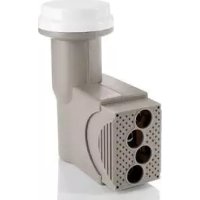
SLNB 401 A1 - Satellite antenna SILVERCREST - Free user manual and instructions
Find the device manual for free SLNB 401 A1 SILVERCREST in PDF.


| Product Type | Universal LNB head with 4 outputs |
| Brand | SilverCrest |
| Model | SLNB 401 A1 |
| Number of outputs | 4 (F-type connectors) |
| Noise figure | 0.1 dB |
| Input frequency range | 10.7 – 12.75 GHz |
| Local oscillator frequency (LO) | 9.75 / 10.60 GHz |
| Power supply | 14/18 V (via coaxial cable) |
| Current consumption | 250 mA |
| Protection rating | IPX4 |
| Operating temperature | -25 °C to +60 °C |
| LNB head holder diameter | 40 mm |
| Dimensions (L x H x D) | 6.0 x 10.9 x 12.8 cm |
| Weight | 278 g |
| Intended use | Analog and digital satellite reception (household use) |
| Mounting orientation | Vertical, outputs facing downward |
| Cable preparation | Strip outer jacket 10 mm, central insulation 7 mm |
| Maintenance | Clean, slightly damp cloth, no corrosive liquids |
| Repairability | Do not open the housing, consult an authorized technical service |
| Warranty | 3 years (purchase date) |
| Technical service (France) | Tel. 01-71230283, Email service.FR@targa-online.com |
Frequently Asked Questions - SLNB 401 A1 SILVERCREST
User questions about SLNB 401 A1 SILVERCREST
0 question about this device. Answer the ones you know or ask your own.
Ask a new question about this device
Download the instructions for your Satellite antenna in PDF format for free! Find your manual SLNB 401 A1 - SILVERCREST and take your electronic device back in hand. On this page are published all the documents necessary for the use of your device. SLNB 401 A1 by SILVERCREST.
USER MANUAL SLNB 401 A1 SILVERCREST
User manual and service
information
IAN74213
DECH
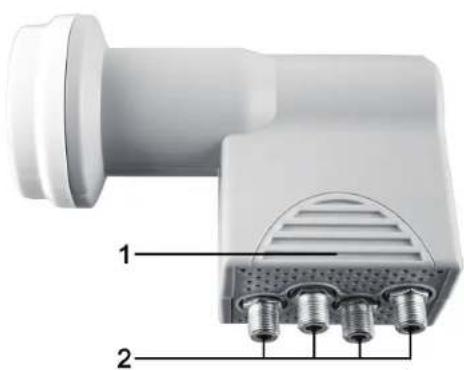
Deutsch 2
Francais 17
Italiano 33
English 49
V 1.41
Inhalt
Introduction 50
Intended Use 50
Overview 52
Technical Specifications 53
Safety Instructions 54
Mounting 56
Connecting the Cables. 57
Troubleshooting 59
Maintenance / Cleaning 60
Environmental Considerations and Recycling 60
Conformity notes 61
Warranty and Service Information 62
Introduction
Thank you for purchasing this Universal Quad LNB.
This device has been designed for receiving analogue and digital satellite signals. To use it, a satellite antenna ("dish"), at least one satellite receiver, antenna cable and suitable F-type connectors are required.
Please note that since May 2012 the Astra satellite no longer broadcasts analogue signals. Therefore it is no longer possible to receive it with an analogue satellite receiver.
Intended Use
This is a consumer electronics device. The SilverCrest Universal Quad LNB SLNB 401 A1 has been designed for analogue and digital satellite reception. The Quad LNB features a built-in multi-switch and four outputs for connecting up to four analogue or digital satellite receivers. This product has not been designed for corporate or commercial applications. Use the product for private applications only. This device fulfils all conformity-relevant norms and standards. Any modifications to the device may result in
50 - English
these directives no longer being met. The manufacturer is not liable for any damage or interference resulting from non-compliance with the above instructions. Only use the accessories recommended by the manufacturer. Any use other than that mentioned above does not correspond to the intended use.
Overview
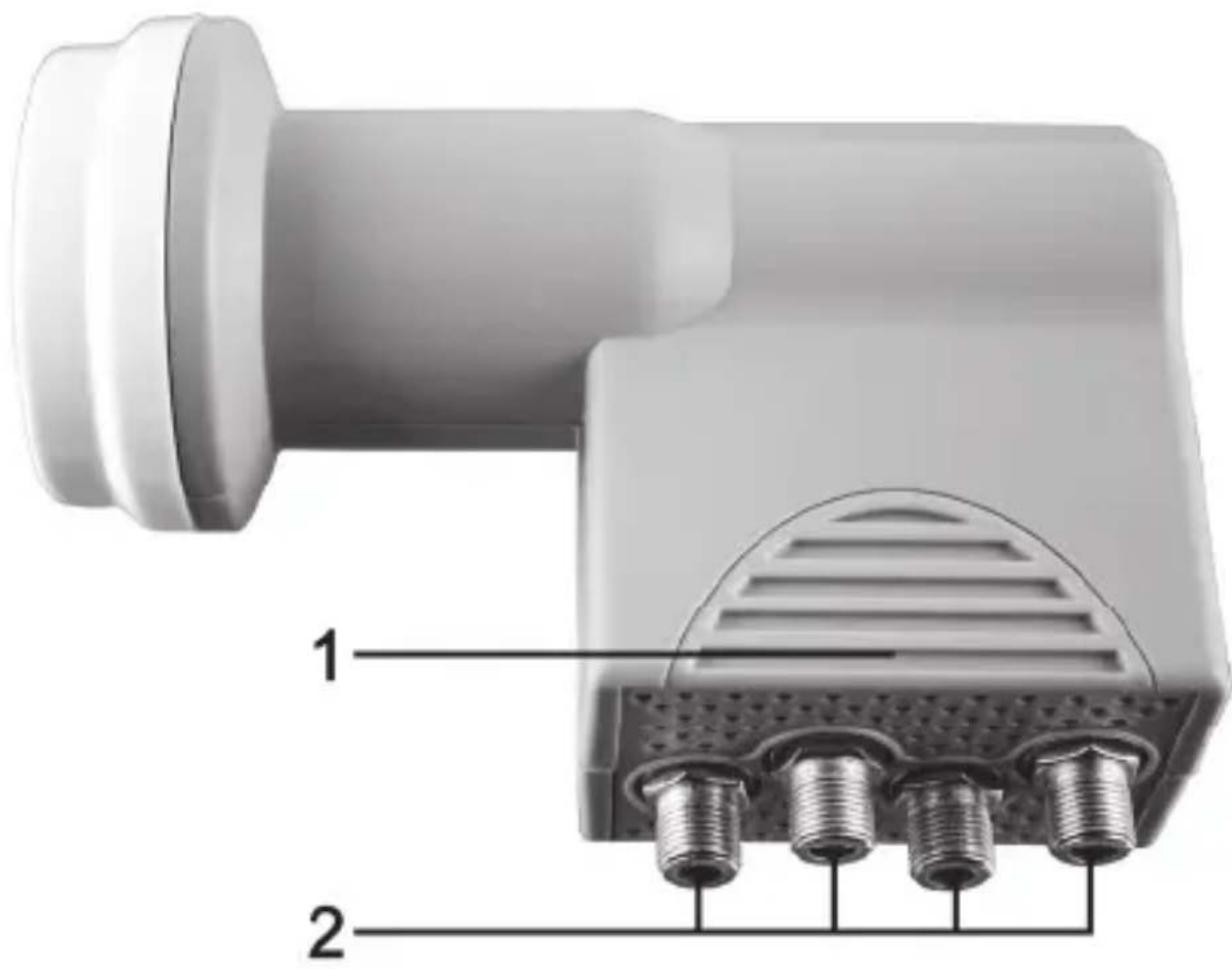
1 Protective cover
2 4 outputs (F-type connector)
Technical Specifications
| Noise 0.1 dB | |
| Input frequency range | 10.7 - 12.75 GHz |
| Oscillator frequency (L. O.) | 9.75/10.60 GHz |
| Power supply 14/18V | --- |
| Power requirements | 250 mA |
| Safety Class IPX4 | |
| Operating Environment | -25 °C to +60 °C |
| LNB holder | 40 mm diameter |
| Dimensions (W × H × D) | 6.0 × 10.9 × 12.8 cm |
| Weight 278 g |
Safety Instructions
Before you use this device for the first time, please read the following notes in this manual and heed all warnings, even if you are familiar with handling electronic devices. Keep this manual safe for future reference. If you sell the device or pass it on, it is essential that you also hand over this manual.

To climb on a roof and any places where the is the risk of falling deep, it is mandatory to wear a safety belt and suitable equipment.

Check the load capacity of the surface before you step on it.

Only use any ladder or climbing aids that are in perfect conditions.

If there is a risk that pedestrians can be harmed from falling pieces and objects, close off the dangerous area.

Respect the minimum safety distances to any power lines for installation. There is mortal danger upon touching them!

Never perform any work on antennae during a thunderstorm!

Make sure that your antenna system has the necessary lightning protection and ground connection!

The supplied device do not contain any parts that require user maintenance. Never open the housing of the device.

Always make sure that:
- contact with abrasive liquids is avoided and the device is never operated near water, and it must especially never be immersed;
- no foreign bodies enter the device;
- the device should not be subject to excessive shocks or vibrations.
Mounting

Prior to installing the LNB, unplug any devices from the mains that belong to the satellite system.
Mount the Universal Quad LNB vertically on your satellite antenna so that the four outputs (2) face downwards. For this, your satellite antenna must have a LNB holder with 40mm of diameter.
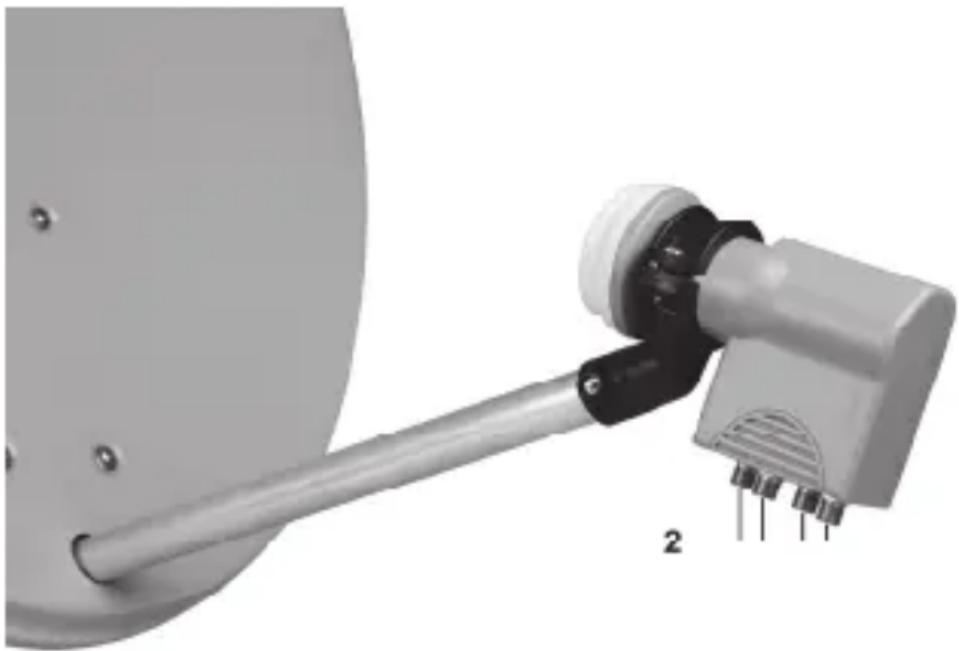
For information on how to mount and orientate your satellite antenna, please refer to the documentation accompanying your satellite antenna.
Connecting the Cables
- Only use high-end coaxial cable.
- Use a sharp knife to remove 10 ~mm of the outer insulation from the cable end. Make sure that the shielding net does not get damaged.
- Next move the shielding net around the outer insulation of the cable end.
- Remove 7mm of the central lead insulation of the cable end. Make sure that the central lead does not get damaged.
- Next rotate and push the F-type connector onto the cable end as shown in the following figure.

Dimensions mm
- Make sure that the cable shielding makes good contact with the F-type connector case. Next make sure that the shielding net does not touch the central lead.
- Screw the F-type connector of one of the cable ends onto any output (2) of the Universal Quad LNB. Repeat this procedure for any further output (2) and leave any output (2) that you are not going to use without connection.
- Next pull the protective cover (1) downwards so that the F-type connectors are covered.
- Connect the F-type connector of the other cable end directly to your satellite receiver. Please also refer to the User's Manual of your satellite receiver.
Troubleshooting
No signal
The connected satellite receiver receives no signal.
- First check the antenna cable: The braided lead of the external wire and the aluminium film must have good contact with the F connector and must not touch the inner (centre) wire!
- Check the reception settings of your satellite receiver and edit them, if necessary. To further locate the problem we recommend that you temporarily connect the LNB directly to the receiver and do not use any switches or splitters.
Small number of channels
The antenna has been moved to the wrong satellite. When positioning the antenna you may receive satellite broadcasting on similar frequencies thereby causing the signal indicators of your satellite receiver to increase. Normally it is sufficient to move the antenna a few degrees to the East or West in order to receive the desired channels.
Maintenance / Cleaning
Repairs are required when this device has been damaged in any way, for example, when the device housing is damaged, when liquid has been spilled on the product, when objects have fallen into the product, when the product does not work normally or if the product has been dropped. If smoke, unusual noises or smells are noticed, switch off the device immediately. If this occurs the device should no longer be used and should be inspected by authorised service personnel. Please contact qualified personnel when servicing is needed. Never open the housing of the device. Only use a clean, slightly dampened cloth for cleaning. Never use any corrosive liquids.
Environmental Considerations and Recycling
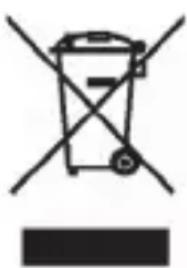
Devices marked with this symbol are subject to the European Directive 2002/96/EC.
All electric and electronic devices must be disposed of separately from household waste at official disposal centres. With proper disposal of old devices you avoid damage to the environment and to your health. For further information about proper disposal, contact your local government, recycling centres or the shop where you bought the device.
Recycle the packaging material properly too. Cardboard packaging can be taken to paper recycling containers or public collection points for recycling.
Conformity notes

This device complies with the basic and other relevant requirements of the EMC Directive 2004/108/EC.
The corresponding Declaration of Conformity can be found at the end of this User's Manual.
Warranty and Service Information
Warranty of Targa GmbH
This device is sold with three years warranty from the date of purchase. Please keep the original receipt in a safe place as proof of purchase. Before using your product for the first time, please read the enclosed documentation or online help. Should any problems arise which cannot be solved in this way, please call our hotline. Please have the article number and, if available, the serial number to hand for all enquiries. If it is not possible to solve the problem on the phone, our hotline support staff will initiate further servicing procedures depending on the fault. Within the warranty period the product will be repaired or replaced free of charge as we deem appropriate. No new warranty period commences if the product is repaired or replaced. Consumables such as batteries, rechargeable batteries and lamps are not covered by the warranty.
Your statutory rights towards the seller are not affected or restricted by this warranty.
Service
Phone: 0207-3650744
E-Mail: service.GB@targa-online.com
Phone: 01-2421583
E-Mail: service.IE@targa-online.com
Phone: 800-62175
E-Mail: service.MT@targa-online.com
Phone: 800-92496
E-Mail: service.CY@targa-online.com
IAN:74213
Manufacturer
TARGA GmbH
Postfach 22 44
D-59482 Soest
www.targa.de
CE
EU-Declaration of Conformity
Address: Targa GmbH Lange Wende 41 59494 Soest, Germany
Brand: SilverCrest
Produot: Universal Quad LNBF
Model: SLNB 401 A1
Identification number: IAN 74213
The product complies with the requirements of the following European directives:
2004/108/EC Electromagnetic Compatibility
2011/65/EU Restriction of the use of certain hazardous substances in electrical and electronic equipment
Compliance was proved by the application of the following standards:
EMC: EN 55013:2001/A1:2003/A2:2006 EN 55020:2007
Rohs EN 62321:2009
Year of CE marking: 2012
Soest, 5^th of July 2012
Matthias Klauke, Managing Director
- Inhalt
- Introduction
- Intended Use
- Overview
- Technical Specifications
- Safety Instructions
- Mounting
- Connecting the Cables
- Troubleshooting
- No signal
- Small number of channels
- Maintenance / Cleaning
- Environmental Considerations and Recycling
- Conformity notes
- Warranty and Service Information
- Warranty of Targa GmbH
- Service
- Manufacturer
- CE
- EU-Declaration of Conformity
Brand : SILVERCREST
Model : SLNB 401 A1
Category : Satellite antenna