
SVT 3.7 A1 - Fan SILVERCREST - Free user manual and instructions
Find the device manual for free SVT 3.7 A1 SILVERCREST in PDF.
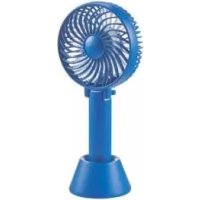



| Product Type | Rechargeable portable fan |
| Brand | SilverCrest |
| Model | SVT 3.7 A1 |
| Usage | Air circulation, domestic use |
| Power supply | Built-in lithium-ion battery 3.7 V / 2000 mAh / 7.4 Wh or USB 5 V ⎓, 1.5 A max. |
| Battery type | Lithium-ion, non-removable |
| Battery capacity | 2000 mAh |
| Input voltage | 5 V |
| Max. input current | 1.5 A |
| Protection class | III (protection by very low voltage) |
| Speeds | 3 levels: low, medium, high |
| LED indicator | Orange (charging), blue (operation), blue flashing (low battery) |
| Base | Included, non-slip rubber surface |
| Handle | Integrated, foldable to serve as a stand |
| Protection grille | Fixed, non-removable |
| Cleaning | Soft dry or slightly damp cloth; fine brush for blades |
| Warranty | 3 years |
| After-sales service | Hotline: 0800 919270 (France), email: kompernass@lidl.fr |
| Included accessories | USB charging cable (type A to micro-USB), user manual |
| Operation while charging | Yes, with a suitable USB power adapter (5 V / 1.5 A) |
| Charging connector type | micro-USB |
Frequently Asked Questions - SVT 3.7 A1 SILVERCREST
User questions about SVT 3.7 A1 SILVERCREST
0 question about this device. Answer the ones you know or ask your own.
Ask a new question about this device
Download the instructions for your Fan in PDF format for free! Find your manual SVT 3.7 A1 - SILVERCREST and take your electronic device back in hand. On this page are published all the documents necessary for the use of your device. SVT 3.7 A1 by SILVERCREST.
USER MANUAL SVT 3.7 A1 SILVERCREST
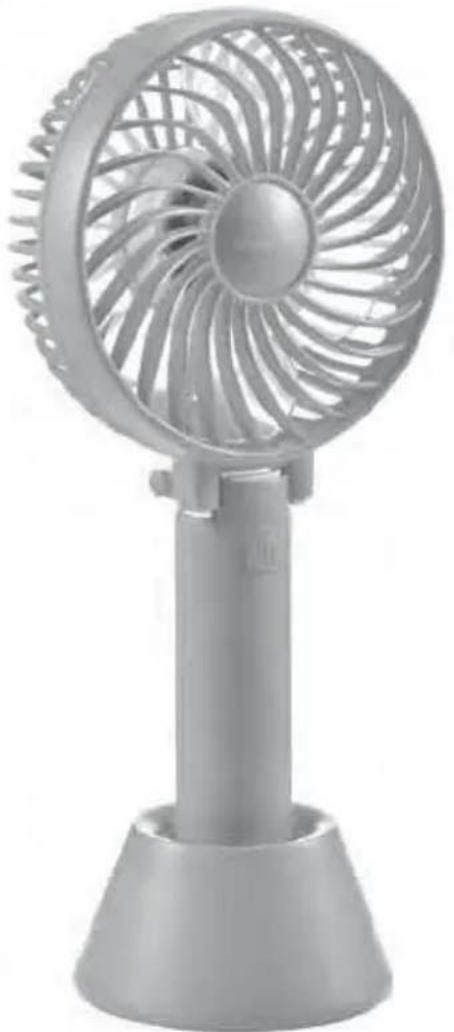
MINI-VENTILATOR / MINI FAN MINI-VENTILATEUR SVT 3.7 A1
DE AT CH
MINI-VENTILATOR
Operating instructions
FR BE
MINI-VENTILATEUR
User manual
PL
MINI WENTYLATOR
Operating instructions
SK
MINIVENTILÁTOR
Operating instructions
GB IE
MINI FAN
Operating instructions
NL BE
MINI VENTILATOR
Gebruiksaanwijzing
CZ
MINIATURNÍ VENTILÁTOR
Návod k obsluze
DE AT CH
Before reading, unfold the page containing the illustrations and familiarise yourself with all functions of the device.
FR BE
Inhaltsverzeichnis
Einführung 2
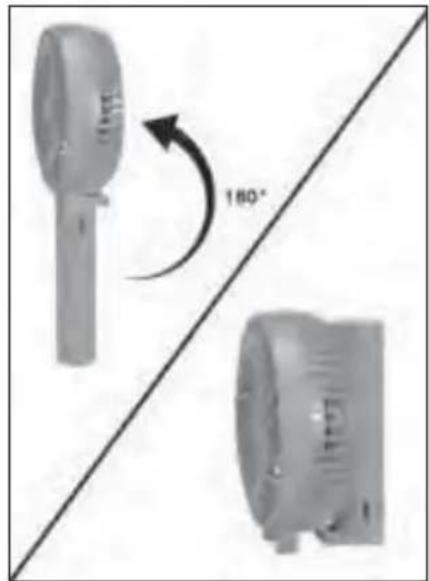
Abb. 1 Abb. 2
Reinigung
ACHTUNG
KOMPERNASS HANDELS GMBH
BURGSTRASSE 21
DE-44867 BOCHUM
DEUTSCHLAND
www.kompernass.com
Contents
Introduction 14
Information about these operating instructions .... 1 4
Notes on trademarks 14
Intended use 14
Warning notices 14
Safety 15
Description of components 17
Before use 17
Check package contents 17
Charging the battery 18
Handling and operation 18
Switching on/off and setting the speed 18
Disposal of the appliance 20
Disposal of packaging 20
Attachment 20
Technical data 20
Notes on the EU Declaration of Conformity 21
Kompernass Handels GmbH warranty 21
Service 22
Importer 22
Introduction
Information about these operating instructions
Congratulations on purchasing your new product. You have chosen a high-quality product.

The operating instructions are part of this product. They contain important information about safety, usage and disposal. Before using the product, please familiarise yourself with all operating and safety instructions. Use the product only as described and for the range of applications specified. Retain these operating instructions for future reference. Please also pass these operating instructions on to any future owner.
Notes on trademarks
USB® is a registered trademark of USB Implementers Forum, Inc.
The SilverCrest trademark and the retail name are the property of their respective owner.
All other names and products may be trademarks or registered trademarks of their respective owner.
Intended use
This product is designed to circulate air. The product is not intended for use in commercial or industrial areas. The appliance is not intended for any other purpose, nor for use beyond the scope described.
Warning notices
The following warnings are used in these operating instructions:

DANGER
A warning at this hazard level indicates a potentially hazardous situation.
Failure to avoid this hazardous situation could result in serious injuries or even death.
▶ Follow the instructions in this warning notice to avoid the risk of death or serious injury.
CAUTION
A warning notice at this hazard level indicates a risk of material damage.
Failure to avoid this situation could result in material damage.
Follow the instructions in this warning label to prevent property damage.
NOTE
A note provides additional information that makes handling the appliance easier for you.
Safety
This section contains important safety instructions for using the product. Improper use may result in personal injury and property damage.
Prior to use, check the product for visible external damage. Do not operate a product that has been damaged or dropped.
This product may be used by children aged 8 years and above and by persons with limited physical, sensory or mental capabilities or lack of experience and knowledge, provided that they are under supervision or have been told how to use the appliance safely and are aware of the potential risks. Do not allow children to play with the product. Cleaning and user maintenance tasks may not be carried out by children unless they are supervised.
DANGER! Do not allow children to play with the packaging material! Keep all packaging materials away from children. There is a risk of suffocation!
Do not perform any modifications or changes to the product yourself.
Never open the housing of the product. There are no user-serviceable or replaceable components inside the product.
Do not insert your fingers or any objects through the safety guard during operation to avoid injury or damage to the rotor blades.
Keep long hair away from the appliance. It can get caught and pulled into the appliance.
Do not operate the product in the vicinity of heat sources such as radiators or other heat-generating appliances.
Do not expose the product to direct sunlight or high temperatures. Otherwise, it may overheat and be irreparably damaged.
Keep open flames (e.g. candles) away from the product at all times.
Do not expose the appliance to water spray or dripping water, and do not place liquid-filled objects such as vases or open drink containers on or near the appliance.
Do not immerse the product in water or other liquids!
Always place the appliance on a stable and level surface. It can be damaged if dropped.
Switch the appliance off immediately and disconnect any connected charging cables from the appliance if you smell fumes or notice any smoke. Have the appliance checked by a qualified specialist before using it again.
The appliance should only be supplied with SELV (safety extra-low voltage) according to the labelling on the appliance.
If you are using a USB power supply, the mains socket used must always be easily accessible so that the USB power supply can be quickly disconnected from the socket in a hazardous situation. You should also observe the operating instructions for the USB power supply.
The appliance has an integrated lithium-ion battery. Mishandling lithium-ion batteries can cause fires, explosions, leakage of dangerous chemicals or other hazards! Do not throw the appliance into an open fire.
Description of components
(See fold-out page for illustrations)
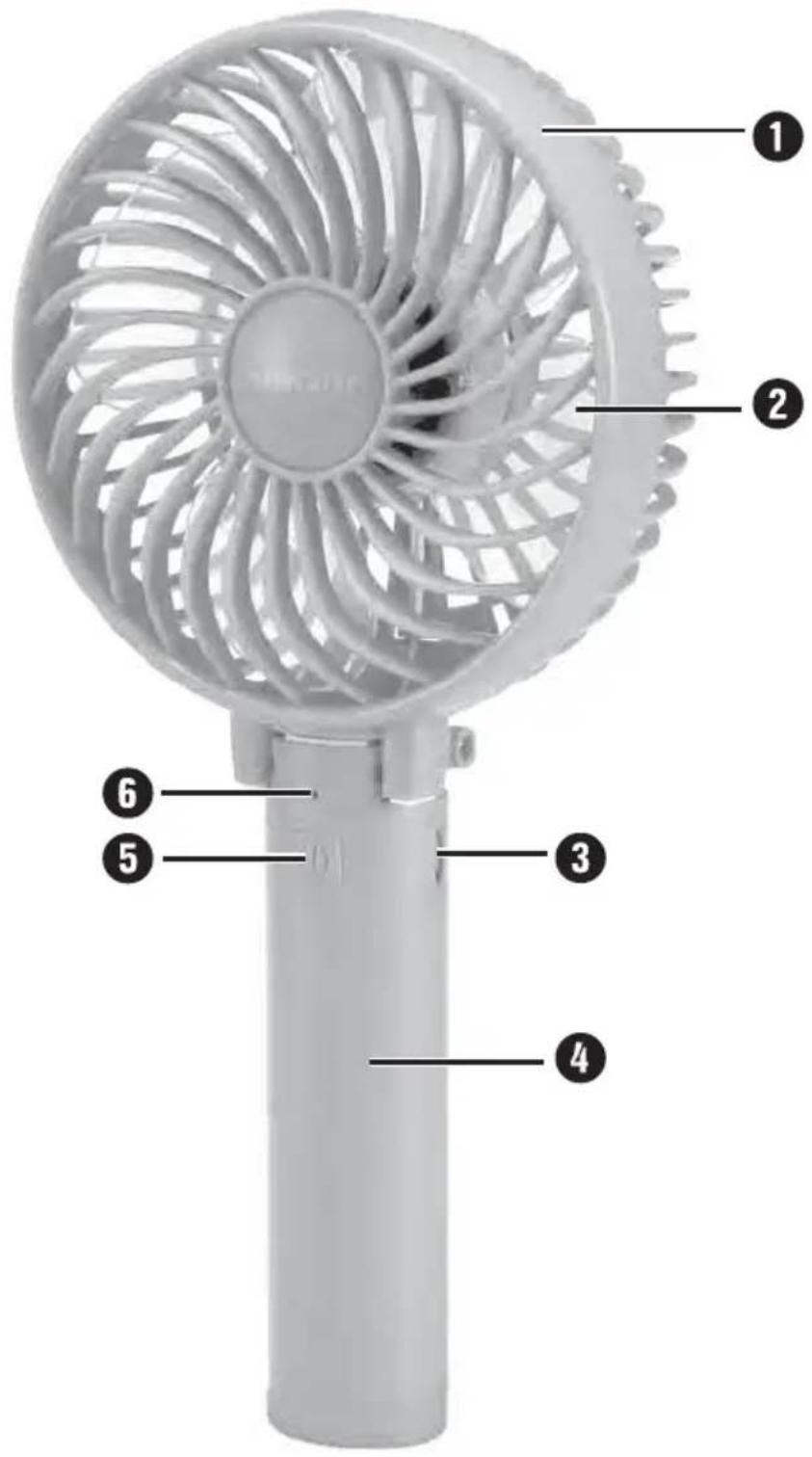
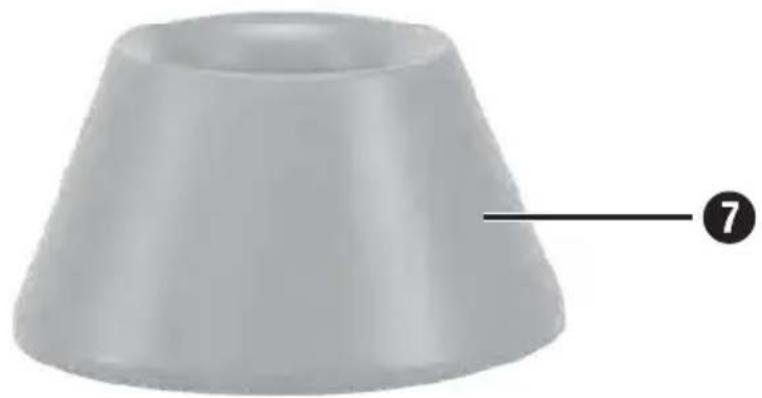
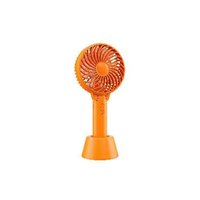
① Safety guard ② Rotor blades ③ Micro USB charging port ④ Handle ⑤ Button ⑥ Operating LED (orange/blue) ⑦ Stand
⑧ Charging cable (USB type A to micro USB)
Before use
Check package contents
The following components are included in delivery:
Fan SVT 3.7 A1, Stand, Charging cable (USB type A to micro USB), These operating instructions. Remove all parts of the appliance from the packaging and remove all packaging materials. Remove the protective film from the rubberised surface on the underside of the stand ⑦.
NOTE
▶ Check the package for completeness and signs of visible damage. If the delivery is incomplete or damage has occurred as a result of defective packaging or during transport, contact the service hotline (see section Service).
Charging the battery
Before using the fan, the integrated battery must be charged. When using a USB mains adapter, the fan can also be used during charging. If the fan is being charged via a USB port on a PC or notebook, simultaneous use is not recommended due to the high power consumption. Make sure that at least two additional USB ports remain free to prevent damage to the PC or notebook.
CAUTION
▶ Charge the battery only in dry indoor areas.
If you do not want to use the appliance right away, remove the charging cable 8 after charging has been completed.
Connect the USB-A plug of the charging cable ⑧ to a suitable USB power supply (5 V/1.5 A, not included) or a USB port on a PC or notebook.
Connect the micro USB plug of the charging cable ⑧ to the micro USB charging port ③ on the fan. The operating LED ⑥ lights up orange during charging. As soon as the operating LED ⑥ goes out, the integrated battery is fully charged.
NOTE
If the operating LED ⑥ flashes blue while the fan is in use, the integrated battery is exhausted and must be charged.
Handling and operation
Switching on/off and setting the speed
Press the ⏻ button ⑤ to turn on the fan. The operating LED ⑥ lights up blue.
- Press the ⏻ button ⑤ repeatedly to switch between the three speed levels (low, medium, high).
Press the ⏻ button ⑤ again to turn off the fan. The operating LED ⑥ goes out.
Setting up the fan
You can set up the fan with the supplied stand ⑦ or by folding up the handle ④ (see figures 1 and 2).
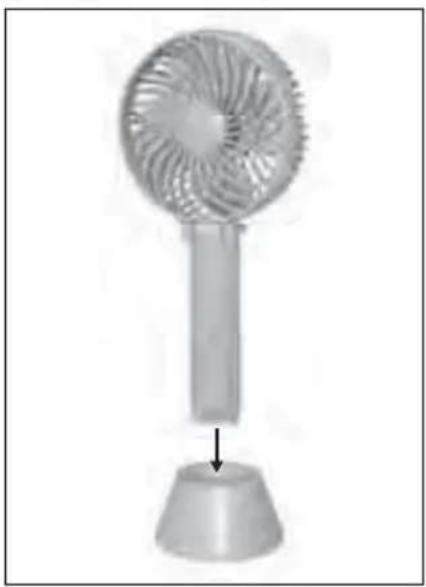
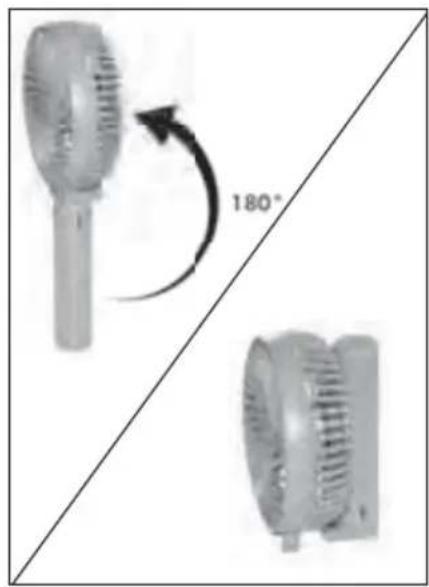
Fig. 1 Fig. 2
Cleaning
CAUTION
▶ To avoid irreparable damage to the appliance, ensure that no moisture gets into it during cleaning.
Do not use caustic, abrasive or solvent-based cleaning materials. These can damage the surfaces of the appliance.
▶ Never open the housing of the product. There are no user-serviceable or replaceable components inside the product.
◆ Clean the outside of the fan with a soft and dry or slightly damp cloth.
If necessary, you can remove dust from the rotor blades ② with a fine brush. Please note that the safety guard ① cannot be removed for this purpose.
Storage
- Store the appliance in a location that is clean, dry, dust-free and not in direct sunlight.
For long-term storage, the integrated battery should be fully charged to extend its operating life. During extended periods of non-use, you should top up the battery charge regularly. This is necessary to prolong the battery life.
Disposal
Disposal of the appliance
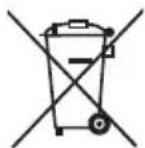
The adjacent symbol of a crossed-out wheelie bin means that this product is subject to Directive 2012/19/EU. This directive states that this product may not be disposed of in normal household waste at the end of its useful life, but must be taken to a specially set-up collection point, recycling depot or disposal company.
This disposal is free of charge for the user. Protect the environment by disposing of this appliance properly.

Your local community or municipal authorities can provide information on how to dispose of the worn-out product.
NOTE
The integrated rechargeable battery in this appliance cannot be removed for disposal. To prevent risks, the removal or replacement of the battery may only be carried out by the manufacturer or the manufacturer's customer service department or a similarly qualified person. When disposing of the appliance, indicate that the appliance contains a battery.
Disposal of packaging

The packaging materials have been selected for their environmental compatibility and ease of disposal, and are therefore recyclable. Dispose of packaging materials that are no longer needed in accordance with applicable local regulations.
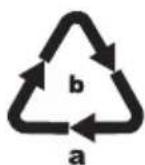
Dispose of the packaging in an environmentally friendly manner. Note the labelling on the packaging and separate the packaging material components for disposal if necessary. The packaging material is labelled with abbreviations (a) and numbers (b) with the following meanings:
1-7: plastics, 20-22: paper and cardboard, 80-98: composites.
Attachment
Technical data
Integrated battery (lithium-ion) 3.7 V / 2000 mAh / 7.4 Wh
Input voltage/current 5 V
= (direct current) / max. 1.5 A
Protection class
III / ◇ (protection through low voltage)
Notes on the EU Declaration of Conformity
CE This appliance complies with the basic requirements and other relevant provisions of the Electromagnetic Compatibility Directive 2014/30/EU and the RoHS Directive 2011/65/EU.
The complete EU Declaration of Conformity is available from the importer.
This appliance has a 3-year warranty valid from the date of purchase. If this product has any faults, you, the buyer, have certain statutory rights. Your statutory rights are not restricted in any way by the warranty described below.
Warranty conditions
The validity period of the warranty starts from the date of purchase. Please keep your original receipt in a safe place. This document will be required as proof of purchase.
If any material or production fault occurs within three years of the date of purchase of the product, we will either repair or replace the product for you at our discretion. This warranty service is dependent on you presenting the defective appliance and the proof of purchase (receipt) and a short written description of the fault and its time of occurrence.
If the defect is covered by the warranty, your product will either be repaired or replaced by us. The repair or replacement of a product does not signify the beginning of a new warranty period.
Warranty period and statutory claims for defects
The warranty period is not prolonged by repairs effected under the warranty. This also applies to replaced and repaired components. Any damage and defects present at the time of purchase must be reported immediately after unpacking. Repairs carried out after expiry of the warranty period shall be subject to a fee.
Scope of the warranty
This appliance has been manufactured in accordance with strict quality guidelines and inspected meticulously prior to delivery.
The warranty covers material faults or production faults. The warranty does not extend to product parts subject to normal wear and tear or fragile parts such as switches, batteries, baking moulds or parts made of glass.
The warranty does not apply if the product has been damaged, improperly used, or improperly maintained. The directions in the operating instructions for the product regarding proper use of the product are to be strictly followed. Uses and actions that are discouraged in the operating instructions or which are warned against must be avoided.
This product is intended solely for private use and not for commercial purposes. The warranty shall be deemed void in cases of misuse or improper handling, use of force, and modifications or repairs which have not been carried out by one of our authorized service centers.
Warranty claim procedure
To ensure quick processing of your case, please observe the following instructions:
Please have the till receipt and the item number (e.g., IAN 12345) available as proof of purchase.
You will find the item number on the type plate, an engraving on the front page of the instructions (bottom left), or as a sticker on the rear or bottom of the appliance.
If functional or other defects occur, please contact the service department listed either by telephone or by e-mail.
You can return a defective product to us free of charge to the service address that will be provided to you. Ensure that you enclose the proof of purchase (till receipt) and information about what the defect is and when it occurred.

You can download these instructions along with many other manuals, product videos, and software on www.lidl-service.com.
Service
GB Service Great Britain
Tel.: 0800 404 7657
E-Mail: kompernass@lidl.co.uk
IE Service Ireland
Tel.: 1890 930 034
(0.08 EUR/min, peak)
(0.06 EUR/min, off-peak)
E-Mail: kompernass@lidl.ie
IAN 313670
Importer
Please note that the following address is not the service address. Please use the service address provided in the operating instructions.
KOMPERNASS HANDELS GMBH
BURGSTRASSE 21
DE-44867 BOCHUM
GERMANY
www.kompernass.com
Table of Contents
Introduction 24
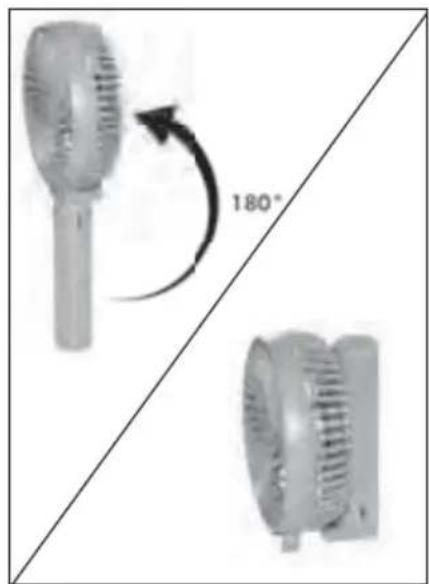
Fig. 1 Fig. 2
Cleaning
ATTENTION
KOMPERNASS HANDELS GMBH
BURGSTRASSE 21
DE-44867 BOCHUM
GERMANY
www.kompernass.com
Contents
Introduction 34
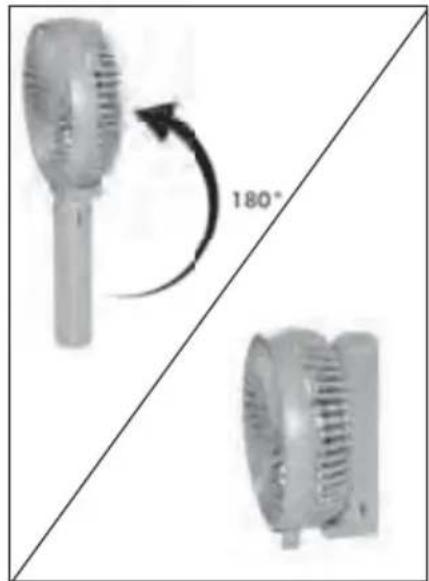
Fig. 1 Fig. 2
Cleaning
ATTENTION
KOMPERNASS HANDELS GMBH
BURGSTRASSE 21
DE-44867 BOCHUM
GERMANY
www.kompernass.com
Table of contents
Introduction 44
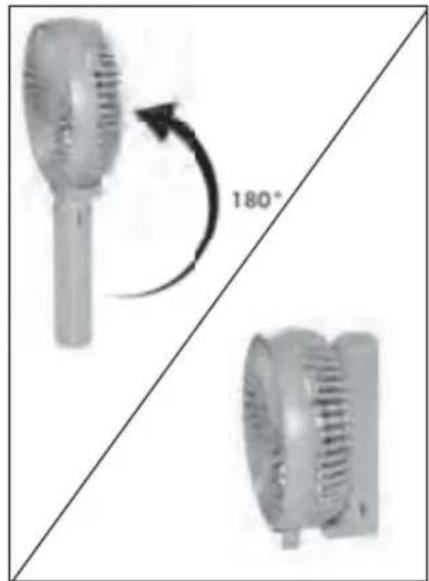
Fig. 1 Fig. 2
Cleaning
CAUTION
KOMPERNASS HANDELS GMBH
BURGSTRASSE 21
DE-44867 BOCHUM
GERMANY
www.kompernass.com
Table of contents
Introduction 54
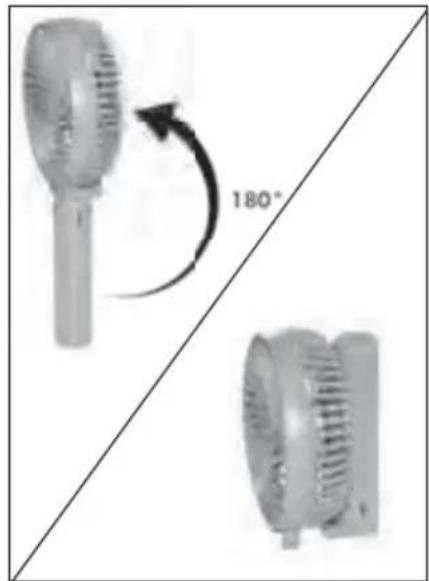
Fig. 1 Fig. 2
Cleaning
WARNING
KOMPERNASS HANDELS GMBH
BURGSTRASSE 21
DE-44867 BOCHUM
GERMANY
www.kompernass.com
Contents
Introduction 64
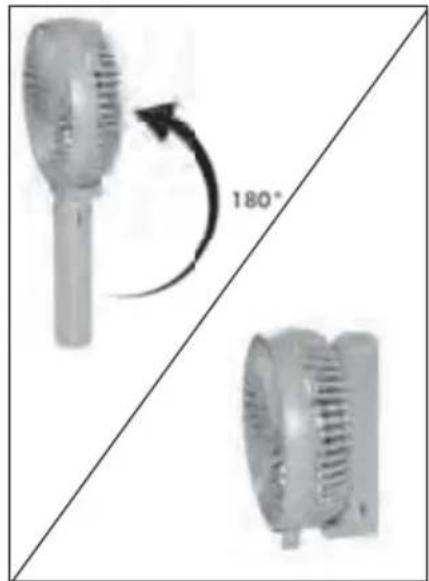
Fig. 1 Fig. 2
Cleaning
WARNING
KOMPERNASS HANDELS GMBH
BURGSTRASSE 21
DE-44867 BOCHUM
GERMANY
KOMPERNASS HANDELS GMBH
BURGSTRASSE 21
DE-44867 BOCHUM
GERMANY
www.kompernass.com
Information status · Last Information Update · Version of information


- MINI-VENTILATOR / MINI FAN MINI-VENTILATEUR SVT 3.7 A
- MINI-VENTILATOR
- MINI-VENTILATEUR
- MINI WENTYLATOR
- MINIVENTILÁTOR
- MINI FAN
- MINI VENTILATOR
- MINIATURNÍ VENTILÁTOR
- DE AT CH
- FR BE
- INHALTSVERZEICHNIS
- EINFÜHRUNG
- REINIGUNG
- ACHTUNG
- CONTENTS
- INTRODUCTION
- SAFETY
- DESCRIPTION OF COMPONENTS
- BEFORE USE
- HANDLING AND OPERATION
- ATTACHMENT
- INFORMATION ABOUT THESE OPERATING INSTRUCTIONS
- NOTES ON TRADEMARKS
- INTENDED USE
- WARNING NOTICES
- DANGER
- A WARNING AT THIS HAZARD LEVEL INDICATES A POTENTIALLY HAZARDOUS SITUATION
- CAUTION
- A WARNING NOTICE AT THIS HAZARD LEVEL INDICATES A RISK OF MATERIAL DAMAGE
- NOTE
- CHECK PACKAGE CONTENTS
- CHARGING THE BATTERY
- SWITCHING ON/OFF AND SETTING THE SPEED
- SETTING UP THE FAN
- CLEANING
- STORAGE
- DISPOSAL
- DISPOSAL OF THE APPLIANCE
- THIS DISPOSAL IS FREE OF CHARGE FOR THE USER. PROTECT THE ENVIRONMENT BY DISPOSING OF THIS APPLIANCE PROPERLY
- DISPOSAL OF PACKAGING
- TECHNICAL DATA
- NOTES ON THE EU DECLARATION OF CONFORMITY
- WARRANTY CONDITIONS
- WARRANTY PERIOD AND STATUTORY CLAIMS FOR DEFECTS
- SCOPE OF THE WARRANTY
- WARRANTY CLAIM PROCEDURE
- SERVICE
- IMPORTER
- TABLE OF CONTENTS
- ATTENTION
- WARNING
Brand : SILVERCREST
Model : SVT 3.7 A1
Category : Fan