FlyStream - Bluetooth audio accessory FRESH N REBEL - Free user manual and instructions
Find the device manual for free FlyStream FRESH N REBEL in PDF.



User questions about FlyStream FRESH N REBEL
0 question about this device. Answer the ones you know or ask your own.
Ask a new question about this device
Download the instructions for your Bluetooth audio accessory in PDF format for free! Find your manual FlyStream - FRESH N REBEL and take your electronic device back in hand. On this page are published all the documents necessary for the use of your device. FlyStream by FRESH N REBEL.
USER MANUAL FlyStream FRESH N REBEL
natural_image
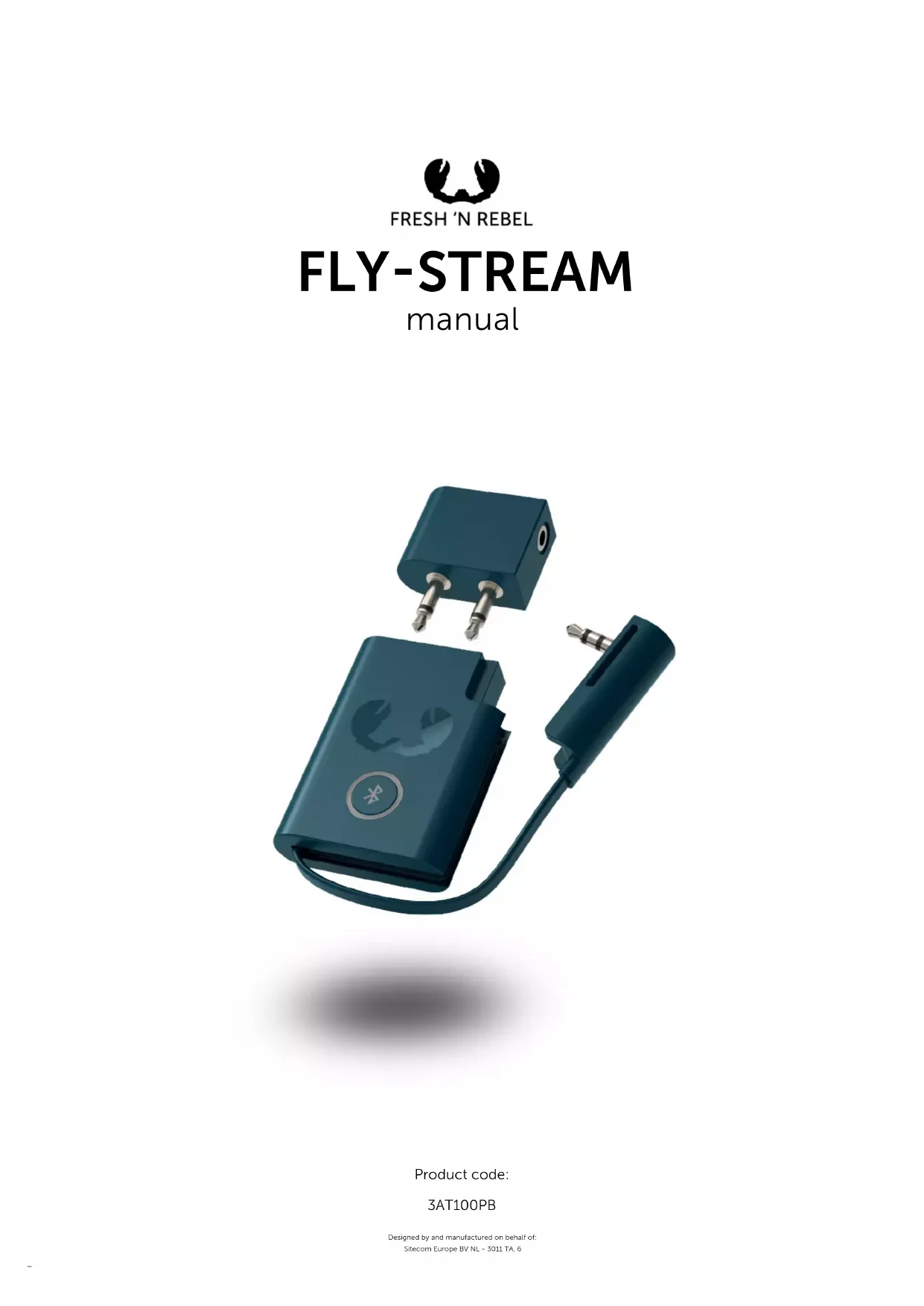
Two dark blue electronic devices with metallic pins and a connector, one with a circular logo and the other with a plug (no visible text or symbols)Product code:
3AT100PB
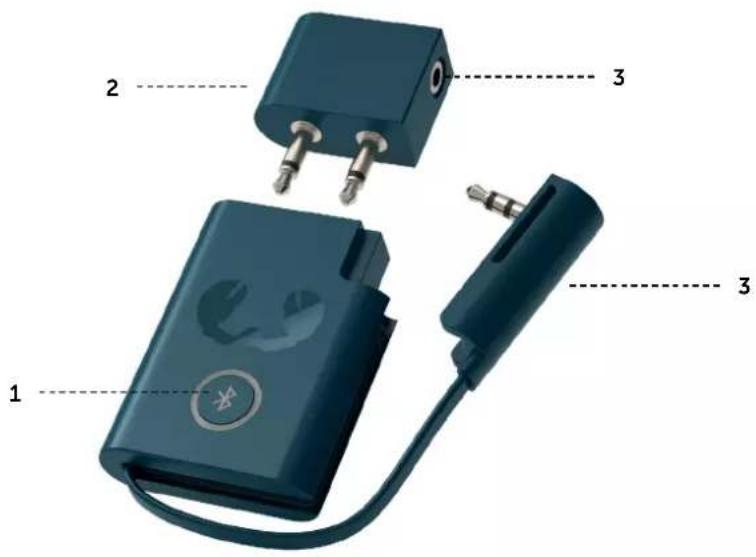
BUTTONS
- On/off + Bluetooth pairing
- Double plug connector (in-seat connection)
- Single plug connector (audio jack connection)
text_image
1 2 3 3 3LET'S GET STARTED
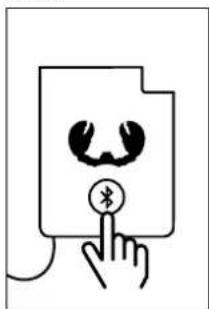
- Put your Bluetooth headphones into pairing mode.
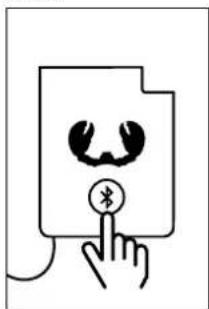
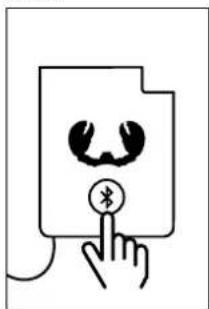
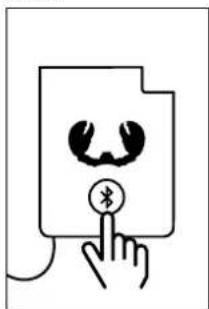
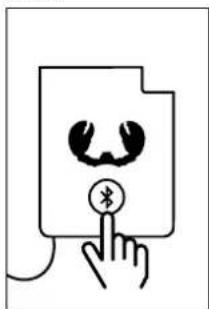
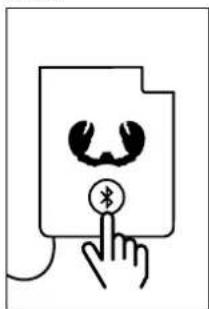
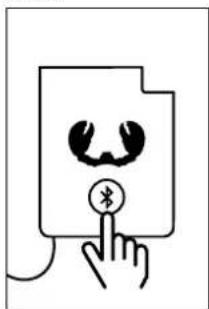
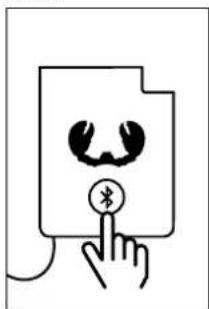
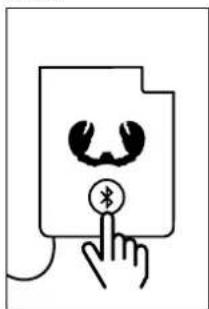
- Switch on the Fly-Stream by pushing the button.
- The Fly-Stream and your headphones will automatically find each other and will wirelessly connect via Bluetooth.
-
Done. Enjoy!
-
Plug the Fly-Stream into the audio jack, this can be the jack connection in your audio set, your notebook, your car or the in-seat connection in the plane. The Fly-Stream includes both a single plug and a double plug connector, so it's always compatible.
-
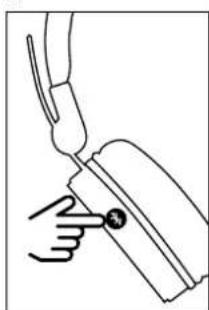
natural_image
Line drawing of a hand holding a tool with a pointer (no text or symbols)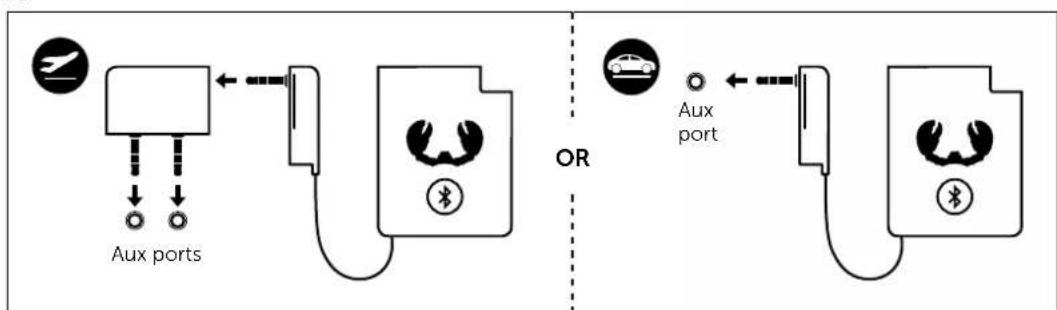
flowchart
graph TD
    A["Aux ports"] --> B["Car Charging Station"]
    B --> C["OR"]
    C --> D["Aux port"]
    style A fill:#f9f,stroke:#333
    style D fill:#bbf,stroke:#333
3.4.5.
natural_image
Simple line drawing of a hand pressing a document with a Bluetooth symbol (no text or labels)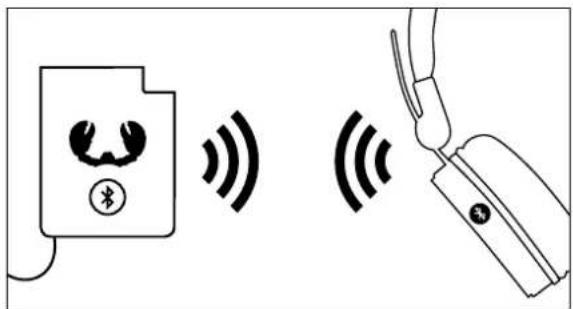
text_image
Diagram showing wireless signal transmission between a device and a handheld device, with Chinese text labels.
text_image
DONE. Enjoy!BUTTON BEHAVIOR
WHEN OFF
HOLD BUTTON 2 SECONDS: Fly-Stream turns on and connects to the previous connected device.
HOLD BUTTON 5 SECONDS: Fly-Stream turns on and goes directly into pairing mode.
WHEN ON
HOLD BUTTON 5 SECONDS: Fly-Stream turns off.
LED BEHAVIOR
CONNECT TO DEVICE: Blinking white (slow)
DEVICE FOUND: Solid white
DEVICE NOT FOUND: Blinking white (fast)
PAIRING MODE: Blinking white (fast)
LOW BATTERY: Solid red
CHARGING: Blinking red
FULLY CHARGED: LED is off (or white when in use)
What does it do?
The Fly-Stream is a device that streams audio from the connected port over Bluetooth. Allowing you to use your wireless headphones or True Wireless earbuds in situations where you would normally need a wire. For example, on an airplane, in the car or to connect your headphones wirelessly to the television.
Is there a delay?
As with all wireless connections there might be some form of delay, depending on the location and the devices. However, the Fly-Stream has been designed to offer the least amount of delay as possible.
Does this work in every plane?
The Fly-Stream comes with a converter from 1 stereo 3.5 mm audio jack to 2 mono stereo 3.5 mm audio jacks, allowing the Fly-Stream to be used on a large number and varieties of planes.
Does the Fly-Stream also work as a receiver?
No, it only works as a transmitter.
Need help with warranty?
The standard 2 years store warranty is valid only upon presentation of the proof of purchase or copy hereof consisting of original invoice with the date of purchase and product code. Please contact the shop where you bought your Fresh 'n Rebel product to claim warranty. See also Warranty & Limitations.
Is your question not included? We are here to help.
Drop us a line: helpme@freshnrebel.com
IMPORTANT SAFETY INSTRUCTIONS WARNING!

The safety guidelines are designed for you to get the maximum performance from your Fresh 'n Rebel products safely. To ensure reliable operation:
• Always follow all instructions and warnings closely.
- Do not place in the vicinity of open fire, such as candles etc.
- Attention should be drawn to the environmental aspects of battery disposal.
- The battery shall not be exposed to excessive heat such as sunshine, fire or the like.
- CAUTION: Danger of explosion if battery is incorrectly replaced. Replace only with the same or equivalent type.
- The use of the product in tropical or moderate climates does not affect the device in anyway.
Warranty & Limitations
We warranty the product against defects in material and workmanship under normal usage for a period of 2 year from the date of purchase. During that period, defective products may be offered for repair or replacement at the store where the product was bought. The warranty does not cover accidental damage, wear and tear, incidental loss, or use beyond the instructions in the user manual.
Product specifications
- Bluetooth version 4.2
• 400 mAh built-in Lithium Polymer battery
• Wireless playtime: 8 hours - Charging time: 2 hours
KNOPPEN
natural_image
Line drawing of a hand holding a tool with a circular mark (no text or symbols)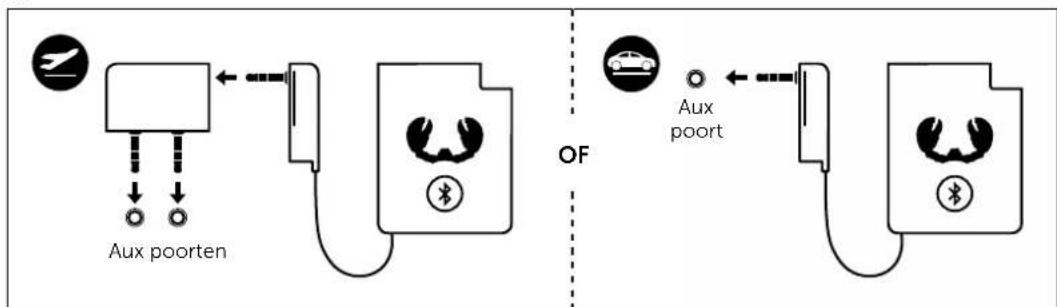
flowchart
graph TD
    A["Aux poorten"] --> B["Car"]
    B --> C["Bus"]
    D["Aux port"] --> E["Car"]
    E --> F["Bus"]
3.4.5.
natural_image
Simple line drawing of a hand pressing a document with a Bluetooth symbol (no text or labels)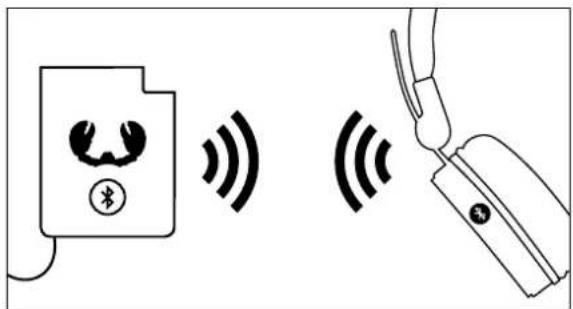
text_image
Diagram showing wireless signal transmission between a device and a handheld device, with Chinese text labels.
text_image
KLAAR. Geniet!
natural_image
Abstract black-and-white graphic of a stylized human face with heart-shaped outline (no text or symbols)KLAAR.
Geniet!
GEDRAG VAN KNOPPEN
UITGESCHAKELD
BELANGRIJKE VEILIGHEIDSINSTRUCTIES WAARSCHUWING!

Productspecifications
natural_image
Line drawing of a hand holding a tool with a circular mark (no text or symbols)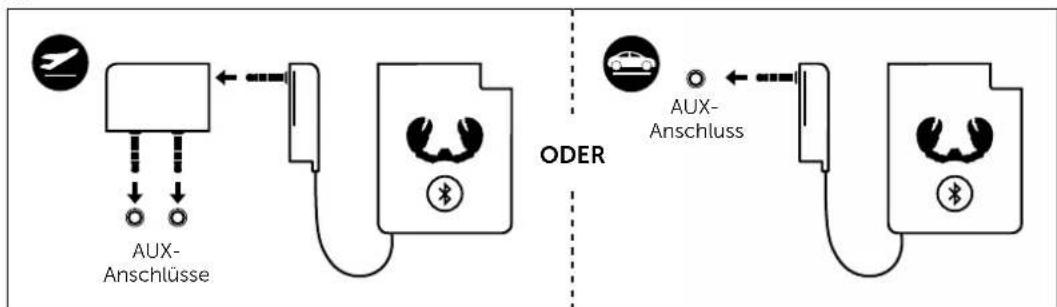
flowchart
graph LR
    A["AUX-Anschlüsse"] --> B["ODER"]
    C["AUX-Anschluss"] --> D["ODER"]
    style A fill:#f9f,stroke:#333
    style C fill:#ccf,stroke:#333
    style D fill:#cfc,stroke:#333
3.4.5.
natural_image
Simple line drawing of a hand pressing a document with a Bluetooth symbol (no text or labels)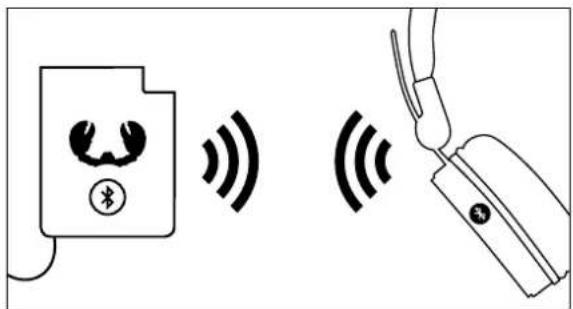
text_image
Diagram showing wireless signal transmission between a device and a handheld device, with Chinese text labels.
text_image
FERTIG. Viel Spass!text_image
(a audio) 1 2 3 3SI PARTE
natural_image
Line drawing of a hand holding a tool with a circular mark (no text or symbols)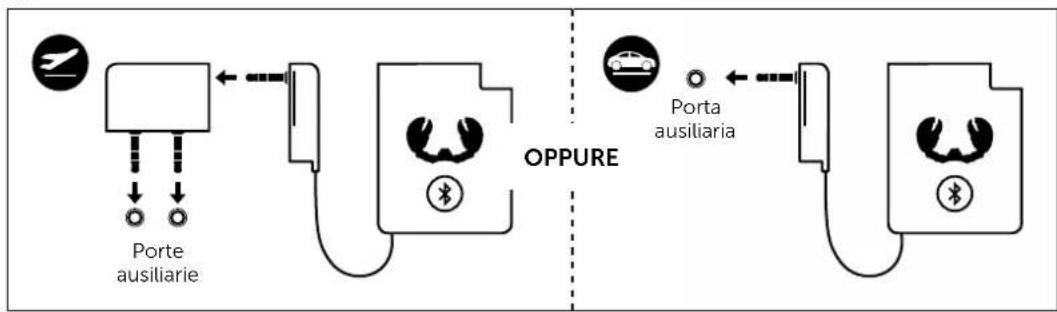
flowchart
graph LR
    A["Porte ausiliaria"] --> B["OPPURE"]
    C["Porta ausiliaria"] --> D["OPPURE"]
    style A fill:#f9f,stroke:#333
    style C fill:#f9f,stroke:#333
    style B fill:#ccf,stroke:#333
    style D fill:#ccf,stroke:#333
3.4.5.
natural_image
Simple line drawing of a hand pressing a button on a document with a microphone (no text or symbols)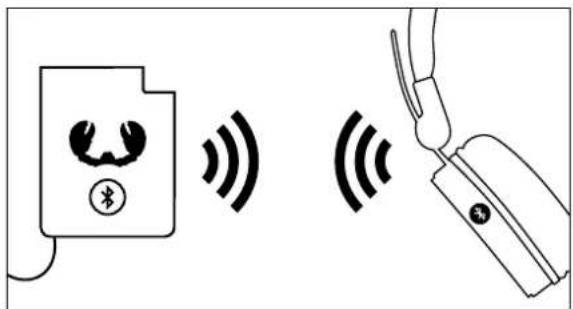
text_image
Diagram showing wireless signal transmission between a device and a handheld device, with Chinese text labels.
text_image
ECCO FATTO. Buon divertimento!ECCO FATTO.
Buon
divertimento!
natural_image
Line drawing of a hand holding a tool with a circular mark (no text or symbols)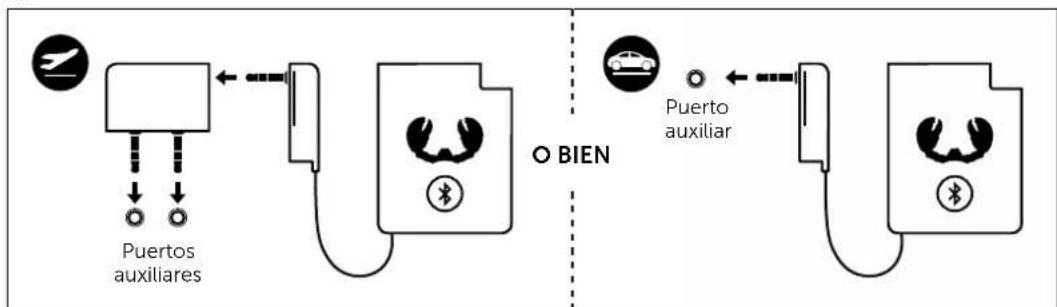
flowchart
graph LR
    A[" Puerto auxiliares "] --> B[" Puerto auxiliar "]
    B --> C[" Puerto auxiliar "]
    style A fill:#f9f,stroke:#333
    style B fill:#bbf,stroke:#333
    style C fill:#dfd,stroke:#333
3.4.5.
natural_image
Simple line drawing of a hand pressing a document with a Bluetooth symbol (no text or labels)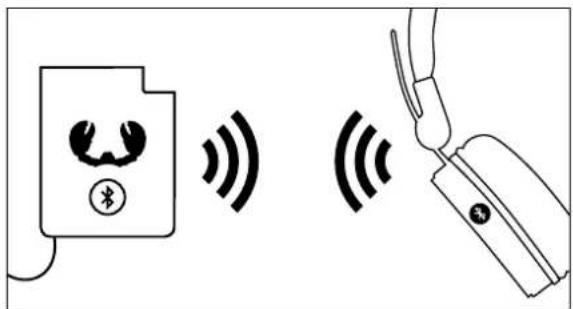
text_image
Diagram showing wireless signal transmission between a device and a handheld device, with Chinese text labels.
natural_image
Line drawing of a hand holding a tool with a circular mark (no text or symbols)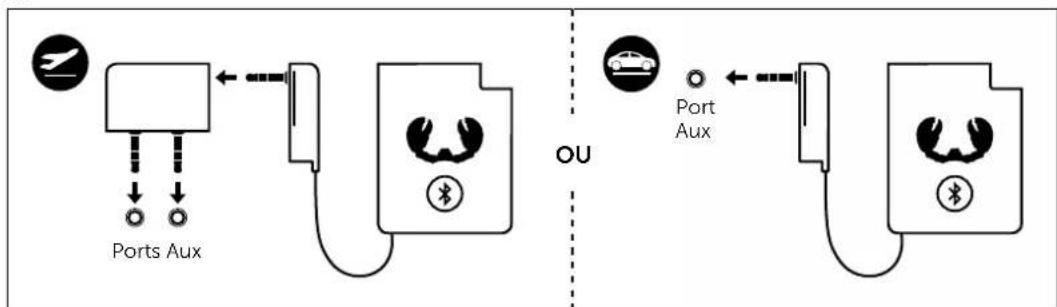
flowchart
graph LR
    A["Port Aux"] --> B["OU"]
    C["Port Aux"] --> D["OU"]
    style A fill:#f9f,stroke:#333
    style B fill:#ccf,stroke:#333
    style C fill:#cfc,stroke:#333
    style D fill:#fcc,stroke:#333
3.4.5.
natural_image
Simple line drawing of a hand pressing a document with a Bluetooth symbol (no text or labels)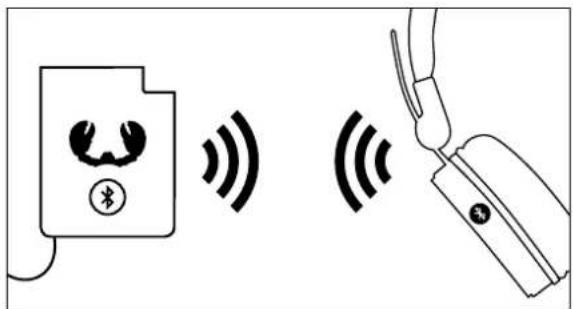
text_image
Diagram showing wireless signal transmission between a device and a handheld device, with Chinese text labels.
text_image
TERMINÉ. Enjoy!COMPORTEMENT DU BOUTON
SI LE DISPOSITIF EST HORS TENSION
natural_image
Line drawing of a hand holding a tool with a circular mark (no text or symbols)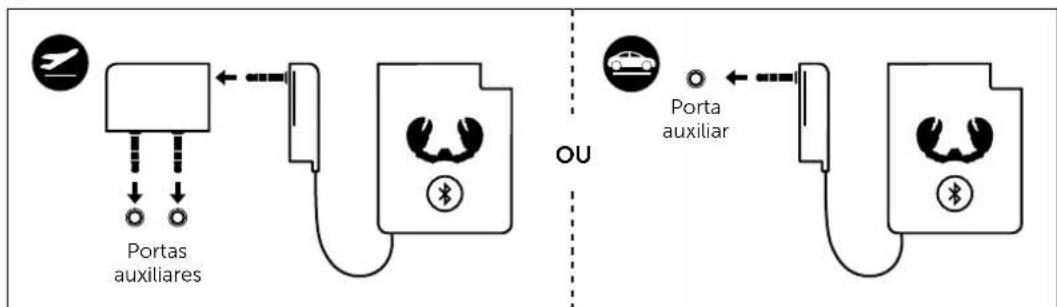
flowchart
graph LR
    A["Portas auxiliares"] --> B["USB"]
    C["Porta auxiliar"] --> D["USB"]
    style A fill:#f9f,stroke:#333
    style C fill:#f9f,stroke:#333
    style B fill:#ccf,stroke:#333
    style D fill:#ccf,stroke:#333
3.4.5.
natural_image
Simple line drawing of a hand pressing a document with a Bluetooth symbol (no text or labels)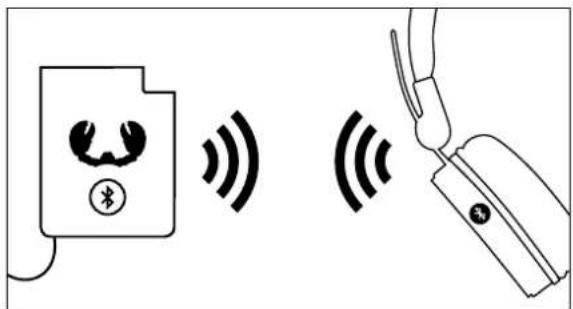
text_image
Diagram showing wireless signal transmission between a device and a handheld device, with Chinese text labels.
text_image
ESTÁ FEITO. Desfrutal!COMPORTAMENTO BOTÃO
QUANDO DESLIGADO
natural_image
Line drawing of a hand holding a tool with a circular mark (no text or symbols)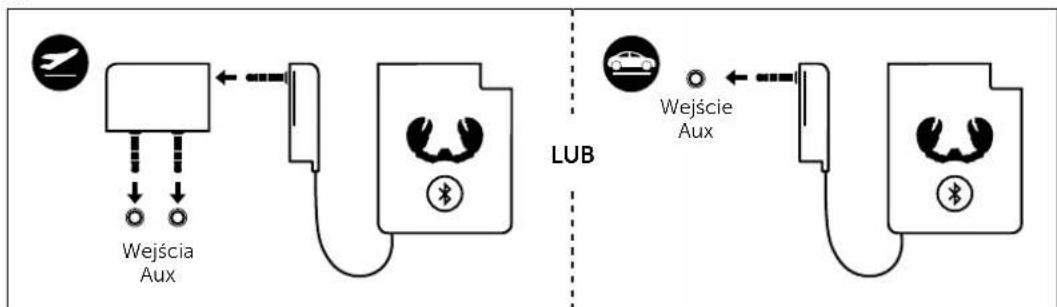
flowchart
graph LR
    A["Wejścia Aux"] --> B["LUB"]
    B --> C["Wejście Aux"]
    style A fill:#f9f,stroke:#333
    style B fill:#ccf,stroke:#333
    style C fill:#cfc,stroke:#333
3.4.5.
natural_image
Simple line drawing of a hand pressing a document with a Bluetooth symbol (no text or labels)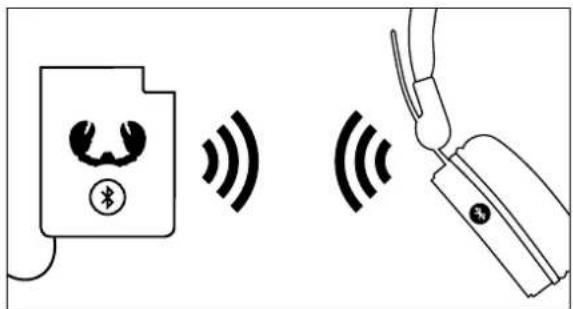
text_image
Diagram showing wireless signal transmission between a device and a handheld device, with Chinese text labels.
text_image
GOTOWE. Baw sie!ZACHOWANIE PRZYCISKU
GDY URZĄDZENIE JEST WYŁĄCZONE
natural_image
Line drawing of a hand holding a tool with a pointer (no text or symbols)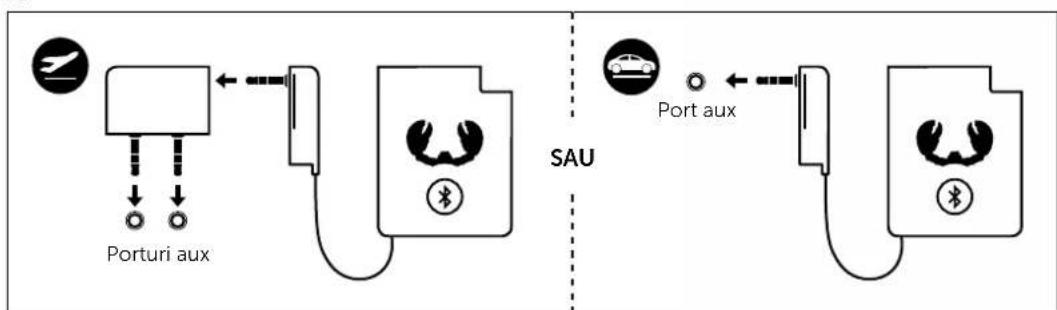
flowchart
graph TD
    A["Porturi aux"] --> B["SAU"]
    C["SAU"] --> D["SAU"]
    style A fill:#f9f,stroke:#333
    style C fill:#f9f,stroke:#333
    style D fill:#f9f,stroke:#333
3.4.5.
natural_image
Simple line drawing of a hand pressing a document with a Bluetooth symbol (no text or labels)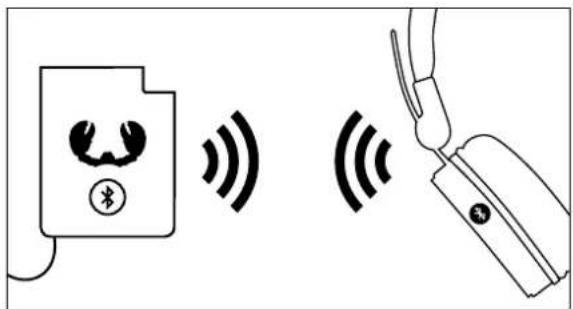
text_image
Diagram showing wireless signal transmission between a device and a handheld device, with Chinese text labels.
text_image
GATA. Bucurati-vá!COMPORTAMENTUL BUTONULUI
CÂND ESTE OPRIT
natural_image
Line drawing of a hand holding a tool with a circular mark (no text or symbols)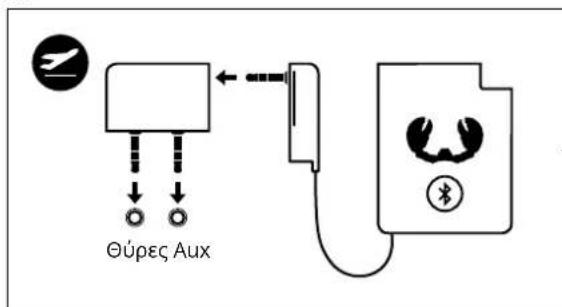
natural_image
Simple line drawing of a hand pressing a document with a Bluetooth symbol (no text or labels)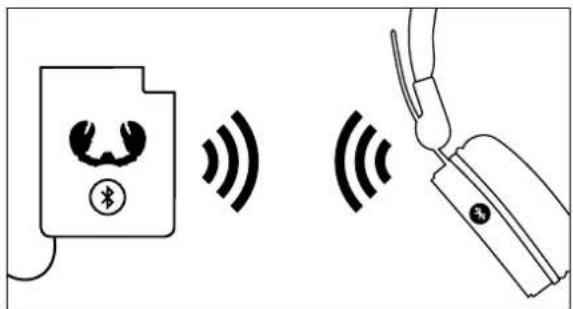
text_image
Diagram showing wireless signal transmission between a device and a handheld device, with Chinese text labels.