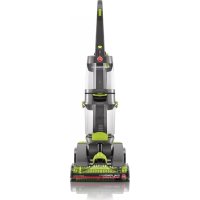
Dual PowerMax FH51000NC - Vacuum Cleaner HOOVER - Free user manual and instructions
Find the device manual for free Dual PowerMax FH51000NC HOOVER in PDF.


| Product Type | Carpet and upholstery shampooer (extractor) |
| Brand and Model | Hoover Dual PowerMax FH51000NC |
| Power Supply | 120 V, 60 Hz (grounded outlet required) |
| Clean Water Tank | Capacity not specified, fill to the mark with hot water (max 60°C) |
| Dirty Water Tank | With floating disc for automatic suction shut-off when full |
| Main Functions | Carpet and upholstery cleaning (code W or S/W), Clean Boost function for tough stains, wet and dry passes |
| Included Accessories | Removable nozzle, hose, upholstery tool, mesh storage bag, Hoover detergent |
| Routine Maintenance | Rinse dirty water tank after each use, clean nozzle and filter, drain tanks before storage |
| Replaceable Wear Parts | Belt (ref. 440005536), brush rolls, Hoover cleaning solutions |
| Safety | Grounding required, do not use on hard floors, do not immerse, do not vacuum flammable liquids |
| Warranty | 2-year limited warranty for residential use |
| Customer Service | 1-800-944-9200 (Mon-Fri, 8am-7pm ET) or hoover.com |
Frequently Asked Questions - Dual PowerMax FH51000NC HOOVER
User questions about Dual PowerMax FH51000NC HOOVER
0 question about this device. Answer the ones you know or ask your own.
Ask a new question about this device
Download the instructions for your Vacuum Cleaner in PDF format for free! Find your manual Dual PowerMax FH51000NC - HOOVER and take your electronic device back in hand. On this page are published all the documents necessary for the use of your device. Dual PowerMax FH51000NC by HOOVER.
USER MANUAL Dual PowerMax FH51000NC HOOVER
Operating and Servicing Instructions
www.hoover.com
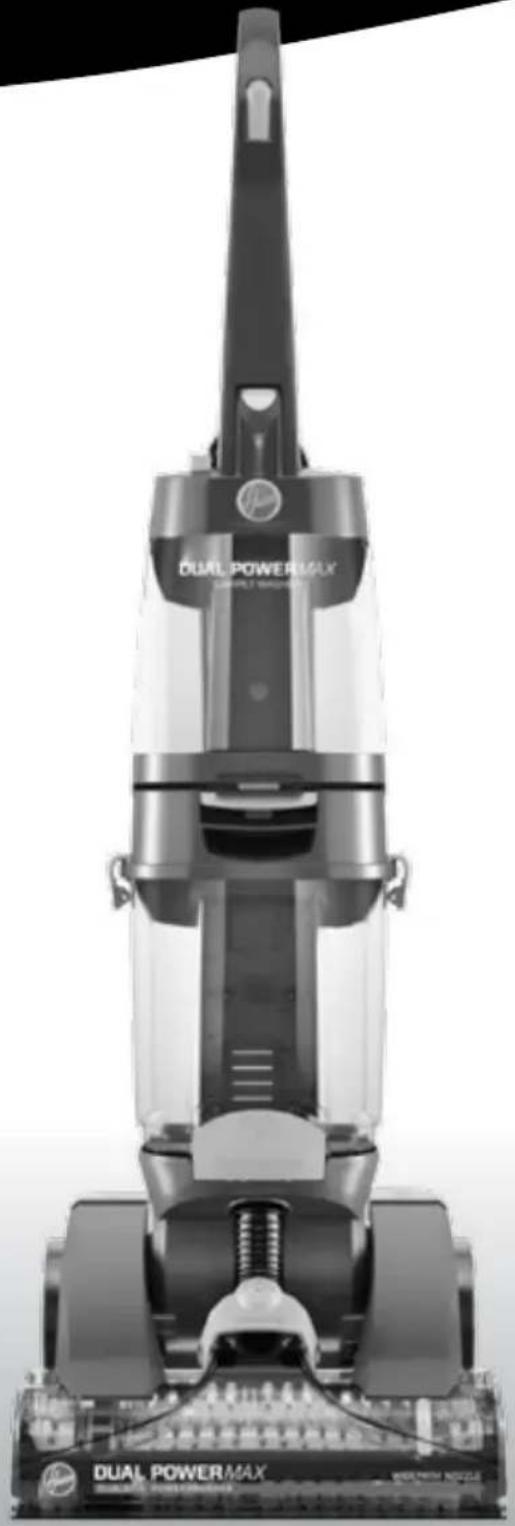
DUAL POWER MAX
Carpet Washer

Please visit Hoover.com for video instructions for this cleaner.
IMPORTANT: READ CAREFULLY BEFORE ASSEMBLY AND USE.
Questions or concerns? For assistance, please call Customer Service at 1-800-944-9200 Mon-Fri 8am-7pm EST before returning this product to the store.
THIS PRODUCT IS INTENDED FOR HOUSEHOLD USE ONLY. IF USED COMMERCIAALLY WARRANTY IS Void.
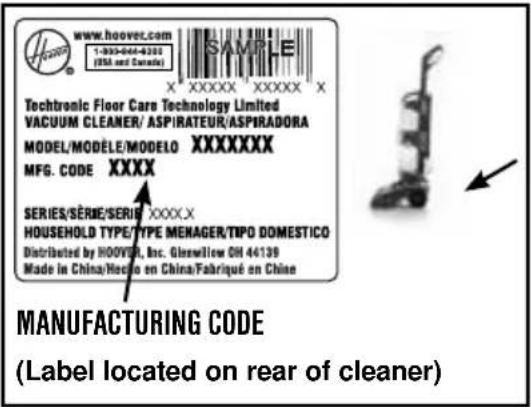
Please enter the complete model and Manufacturing Code in the spaces provided.
MODEL
MFG.CODE
Hint: Attach your sales receipt to this owner's manual. Verification of date of purchase may be required for warranty service of your HOOVER® product.
Be sure to register your product online at Hoover.com or call 1-800-944-9200 to register by phone.
CONTENTS
Important Safety Instructions 3
Features 5
Cleaner Assembly 6
How To Assemble 6
General Operation 7
Clean Water/Solution Tank. 7
On-Off Switch 7
Dirty Water Tank 8
Tools 9
Maintenance 12
Tanks 12
Nozzle 12
Belt/Brushes 13
Troubleshooting 14
Service 15
Cleaning Products 15
Warranty. 16
If you need assistance:
Visit our website at hoover.com for more information or for video instruction for this Hard Floor Cleaner. Follow the authorized dealer locator link to find the Hoover® authorized dealer nearest you or call 1-800-944-9200 for an automated referral of Hoover® authorized dealer locations (U.S. only) or to speak with a customer service representative; Mon- Fri 8am- 7pm EST.
PLEASE DO NOT RETURN THIS PRODUCT TO THE STORE.
IMPORTANT SAFETY INSTRUCTIONS
SAVE THESE INSTRUCTIONS
When using an electrical appliance, basic precautions should always be followed, including the following:
READ ALL INSTRUCTIONS BEFORE USING THIS APPLIANCE.
WARNING: TO REDUCE THE RISK OF FIRE, ELECTRIC SHOCK OR INJURY:
- Fully assemble before operating.
- Operate cleaner only at voltage specified on data plate on lower back of cleaner.
- Do not leave appliance when plugged in. Unplug from outlet when not in use and before cleaning or servicing.
Use indoors only. - Do Not immerse. Use only on carpet moistened by cleaning process.
- Use only HOOVER® cleaning products intended for use with this machine. (See the "Cleaning Products" section of this manual.)
- Do not allow to be used as a toy. Not intended for use by children age 12 and under. Close supervision is necessary when used near children. To avoid injury or damage, keep children away from product, and do not allow children to place fingers or other objects into any openings.
- Use only as described in this manual. Use only manufacturer's or attachments and products.
- Do not use with damaged cord or plug. If appliance is not working as it should, has been dropped, damaged, left outdoors, or dropped into water, take it to a service center prior to continuing use.
- Do not pull or carry by cord, use cord as a handle, close a door on cord, or pull cord around sharp edges or corners. Do not place product on cord. Do not run appliance over cord. Keep cord away from heated surfaces.
- Do not unplug by pulling on cord. To unplug, grasp the plug, not the cord.
- Do not handle plug or appliance with wet hands.
- Do not put any object into openings. Do not use with any opening blocked; keep free of dust, lint, hair, and anything that may reduce air flow.
- Keep hair, loose clothing, fingers, and all parts of body away from openings and moving parts.
- Turn off all controls before unplugging.
- Use extra care when cleaning on stairs. To avoid personal injury or damage, and to prevent the cleaner from falling, always place cleaner at bottom of stairs or on floor. Do not place cleaner on stairs or furniture, as it may result in injury or damage.
- Do not use to pick up flammable or combustible liquids, such as gasoline, or fine wood sandings, or use in areas where they may be present.
- Connect to a properly grounded outlet only. See Grounding Instructions.
- Do not pick up anything that is burning or smoking, such as cigarettes, matches, or hot ashes.
- Do not use without tanks in place.
- Do not clean over floor electrical outlets.
- WARNING: This product contains chemicals known to the State of California to cause cancer, birth defects or reproductive harm. WASH HANDS AFTER HANDLING.
GROUNDING INSTRUCTIONS
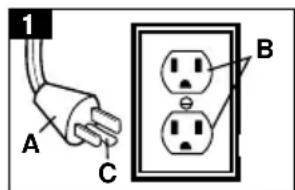
This appliance must be grounded. If it should malfunction or breakdown, grounding provides a path of least resistance for electric current to reduce the risk of electric shock. This appliance is equipped with a cord having an equipment-grounding conductor (C) and grounding plug (A). The plug must be inserted into an appropriate outlet (B) that is properly installed and grounded in accordance with all local codes and ordinances.
WARNING: Improper connection of the equipment-grounding conductor can result in the risk of electric shock. Check with a qualified electrician or service person if you are in doubt as to whether the outlet is properly grounded. Do not modify the plug provided with the appliance - if it will not fit the outlet, have a proper outlet installed by a qualified electrician. This appliance is for use on a nominal 120-volt circuit and has a grounding plug that looks like the plug (A) illustrated in Fig. 1. A temporary adapter (D) may be used to connect this plug to a 2-pole receptacle (E) if a properly grounded outlet is not available (Fig. 2). The temporary adapter should be used only until a properly grounded outlet (B) can be installed by a qualified electrician (Fig. 1). The green colored rigid ear, lug, or the like (F) extending from the adapter must be connected to a permanent ground (G) such as a properly grounded outlet box cover (Fig. 2). Whenever the adapter is used, it must be held in place by a metal screw. NOTE: In Canada, the use of a temporary adapter is not permitted by the Canadian Electrical Code.
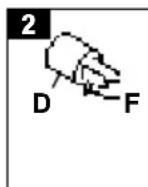
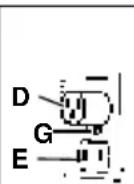
CAUTION - TO REDUCE THE RISK OF DAMAGE:
- Avoid picking up hard, sharp objects with this product, as they may cause damage.
- Store appropriately indoors in a dry place. Do not expose machine to freezing temperatures.
- To assist in reducing drying time, be certain the area is well ventilated when using detergents and other cleaners with this machine.
- To help prevent matting and resoiling, avoid contact with carpets until they are dry. Keep children and pets away from carpets until they are completely dry.
- Do not store extractor with solution in tanks.
- With brushrolls on, do not allow cleaner to sit in one location for an extended period of time, as damage to the floor can result.
- Do not use this extractor and accessories on hard floors. Using this machine on hard floors may scratch or damage your floor.
- Water will drip from the brushes and underside of the product after use and may puddle. To avoid damage to wood and laminate flooring and to avoid potential slip hazard, after use (a) do not leave the product on wood and laminate surfaces and remove to a hard surface and (b) place unit on absorbent material (such as a towel) to soak up drips.
- Do not use sharp objects to clean out hose as they can cause damage.
FEATURES
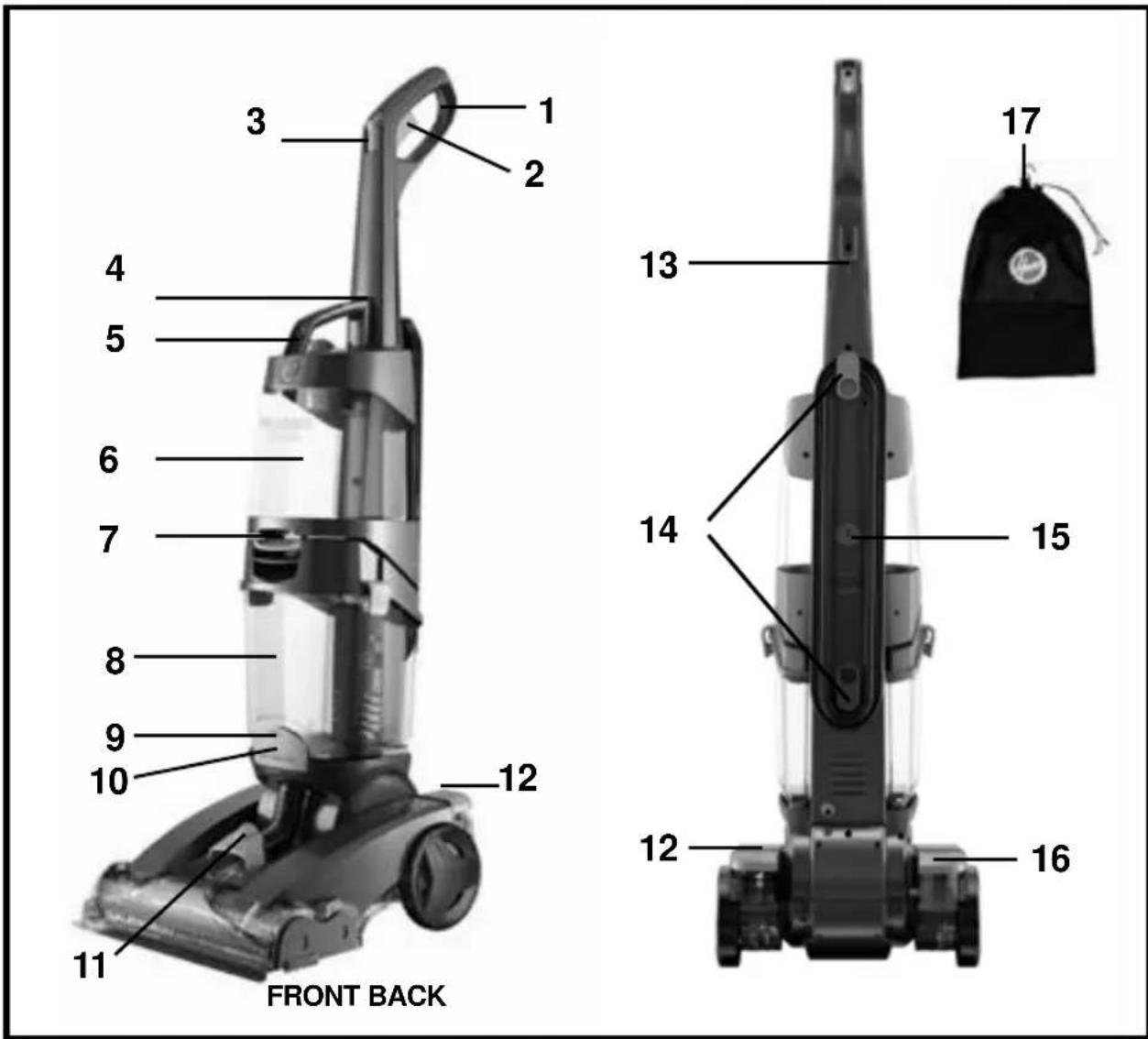
FEATURES
- Handle Grip
- Solution Trigger
- Clean Boost™ Trigger
- Clean Water/Solution Tank Release Button
- Carry Handle
- Clean Water/Solution Tank
-
Dirty Water Tank Release Latch
-
Dirty Water Tank
- Accessory Hose Connection Port
- Solution Tube Connection Port
- Removable Nozzle
- ON/OFF Pedal
- Cord Clip
- Cord Storage Hook
- Handle Lock
- Handle Release Pedal
- Mesh Tool Storage Bag
1. CLEANER ASSEMBLY
carton contentS
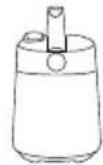
A. Carpet Cleaner Base
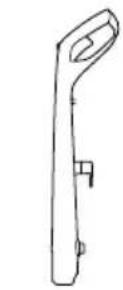
B. Handle
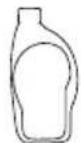
C. Clean Water/Solution Tank
D. Upholstery Tool
E. Carpet Cleaning Detergent
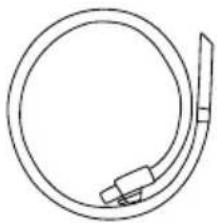
F. Hose
Remove all parts from carton and identify each item shown.
Make sure all parts are located before disposing of packing materials.
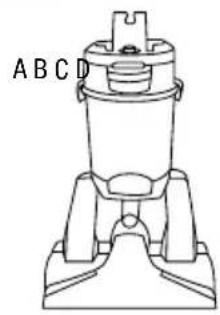
1.1
E

F
*Select models only
2. HOW TO ASSEMBLE
BASE AND LOWER HANDLE ASSEMBLY
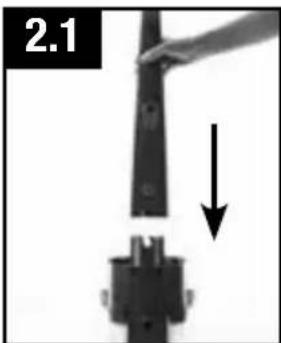
2.1 Stand base in upright position. Push handle onto base.
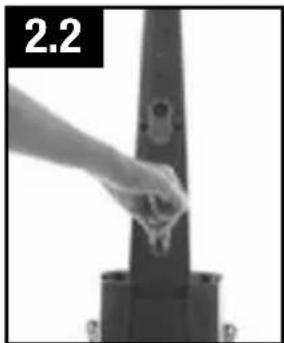
2.2 Turn dial counter clockwise to "LOCK" position. Dial should stop when locked and handle should feel secure.
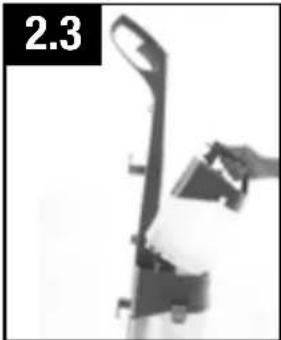
2.3 Place clean water tank securely on handle above dirty water tank until it snaps into place.
CORD STORAGE
Wrap cord around cord hooks for convenient storage. Attach the plug end to cord.
before you begin cleaning
- Vacuum thoroughly - For carpet, use a HOOVER® vacuum cleaner with an agitator for best results. Vacuum upholstery with a vacuum cleaner with cleaning tool attachments. Use a crevice tool to reach into tufts and folds. Do not use the carpet cleaner as a dry vacuum cleaner.
- For upholstery, check cleaning code - Use your HOOVER carpet washer only if the upholstery fabric is marked with a "W" (for "wet" clean) or "S/W" (for "solvent/dry" or "wet" clean). Do not clean fabric marked "S" ("solvent/dry" clean only). If your upholstery does not have a code, seek professional assistance.
- Test for colorfastness - Wet a white absorbent cloth with the solution. In a small, hidden area, gently rub the surface with the dampened cloth. Wait ten minutes and check for color removal or bleed with white paper towel or cloth. If surface has more than one color, check all colors.
- When cleaning entire floor, move furniture out of area to be cleaned (may not be necessary if only high traffic areas are to be cleaned).
For furniture too heavy to move, place aluminum foil or wax paper under legs. This will prevent wood finishes from staining carpet. Pin up furniture skirts and draperies.
- Pretreat spots and heavy traffic areas with an appropriate Hoover Cleaning Solutions, see "Cleaning Solutions" section. Follow Directions on bottle.
*Available at additional cost if not included with your model. - To prevent staining, use plastic or aluminum foil to protect wood or metal surfaces from possible water spray.
- To avoid wetting and possible damage to wood floors underneath area rugs/carpet, either move area rugs/ carpet to a non-wood hard floor surface or place waterproof material (e.g. plastic) underneath them before cleaning.
reMove and rePlace clean Water Solution tanK
CAUTION
Do not fill with water above 140^ (60^)
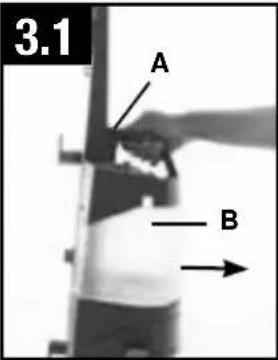
3.1 Press Clean Water Solution Tank button on handle (A). Tilt Clean Water Solution Tank away from cleaner and remove (B).
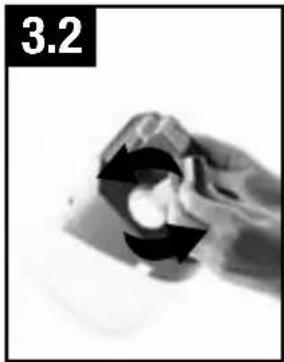
3.2 Rotate measuring cap counter-clockwise from the top of Clean Water Solution Tank and pull up to remove.
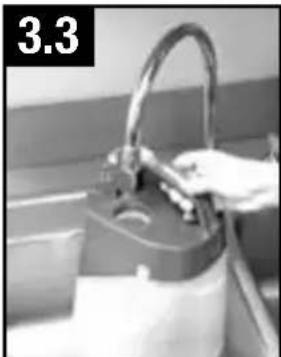
3.3 Fill Clean Water Solution Tank with hot tap water to fill line.
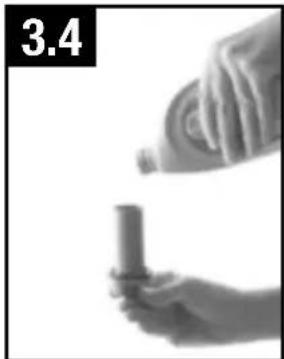
3.4 Fill measuring cap with cleaning solution 3 times, (approximately 3 oz.). Pour into clean water solution tank and replace measuring cap.
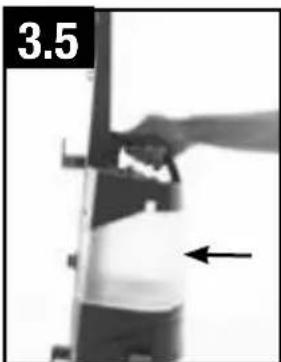
3.5 Place clean water solution tank back on handle until it snaps in.
NOTE: Using more than the recommended amount of cleaning solution may cause excessive foaming.
CAUTION
DO NOT USE THIS EXTRACTOR AND ACCESSORIES ON HARD FLOORS. USING THIS MACHINE ON HARD FLOORS MAY SCRATCH OR DAMAGE YOUR FLOOR.
CAUTION
Do not clean over floor electrical outlets.
WARNING
To reduce the risk of fire and electric shock due to internal component damage, use only HOOVER® cleaning fluid intended for use with the appliance.
CARPET CLEANING
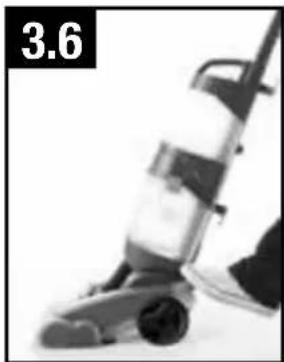
3.6 Plug cord into electrical outlet. Step on handle release pedal, to put unit in cleaning position.
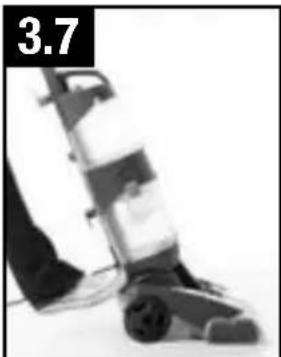
3.7 Step on power switch to turn machine ON (I=ON).
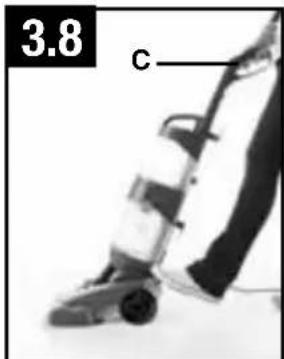
3.8 Squeeze trigger (C) to apply cleaning solution and slowly push cleaner forward (equals one wet stroke). Continue to squeeze trigger and slowly pull cleaner back toward you (second wet stroke).
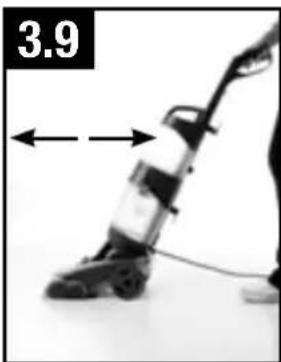
3.9 Release trigger and slowly push cleaner forward over area just sprayed with solution (dry stroke). Then slowly pull cleaner back toward you without squeezing trigger (dry stroke). Continue using dry strokes until little water is visible passing through the nozzle (Pass over the same area a minimum of 4 times = 2 while squeezing the trigger and 2 without).
For spots and high traffic areas use CLEAN BOOST™. To use CLEAN BOOST™ to remove those tough stains, apply extra cleaning solution by squeezing the trigger as you normally would and also pressing the Clean Boost™ trigger at the same time.
NOTE: For best results, use straight, parallel strokes. Overlap strokes by 1 inch to help prevent streaking.
CAUTION
Detergents contain Anionic and Nonionic Surfactants. Avoid contact with eyes and skin. In case of contact with eyes, flush with cold water for 15 minutes. In case of contact with skin, wash with water. If irritation persists, call a physician.
Keep nozzle flat on floor for both forward and reverse strokes.
For best cleaning results and to aid in faster drying of carpet, end with more dry strokes. (Continue using dry strokes until little water is visible passing through the nozzle.)
NOTE: Empty Dirty Water Tank when the motor sound becomes higher pitched and there is a loss in suction (see "Automatic shut-off")
For best cleaning results, Hoover recommends to rinse the carpet with water only. This will remove residual carpet cleaning solution from your carpets. To rinse with water only, fill Solution Tank with water and repeat step 3.9.
For heavily soiled areas, repeat cleaning process. Avoid saturating carpet.
NOTE: It is best to alternate wet and dry strokes as described above.
Wrap cord around hooks for convenient storage. Attach the plug end to the cord.
DIRTY WATER TANK
Your carpet washer is equipped with a shut off float within your dirty water tank. When the dirty water tank becomes full, the float will rise, shutting off the air flow through the nozzle.
Once the float is activated, empty the dirty water tank. If the dirty water tank does not appear full, turn the power switch off and wait for the float to settle and reset. If the float repeatedly shuts off the suction, empty the dirty water tank. For best results, use only Hoover® brand cleaning solution. Other Solutions may generate excessive foam which will cause the float to rise prematurely and shut off the suction. A higher concentration of shampoo may cause excessive foaming.
How to Empty
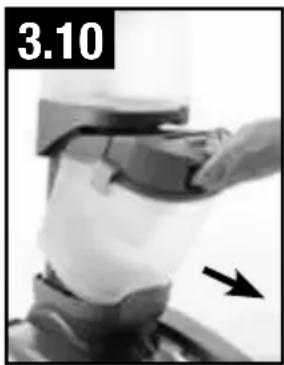
3.10 Grasp dirty water tank handle and push latch to release. Pull tank out at a slight angle.
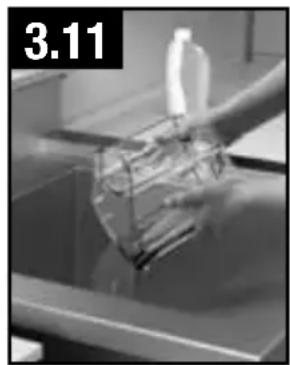
3.11 To empty dirty water tank, pull up on the 2 latches to open and remove top of tank to empty.
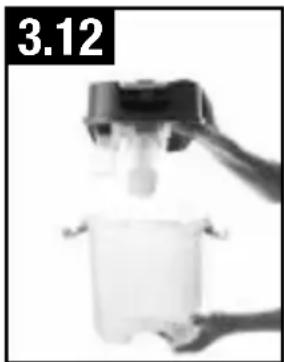
3.12 Replace tank lid with both latches locked after cleaning. Latches will snap when they are locked. Failure to do so will result in poor suction performance.
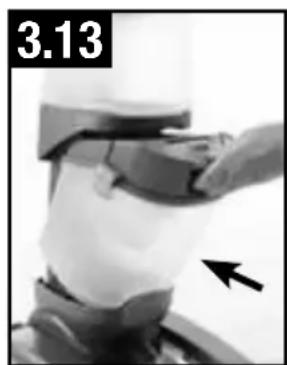
3.13 Insert dirty water tank back into the cleaner until it snaps into place.
NOTE: Do not open latches before removing tank from machine.
- IMPORTANT
Be sure to remove any debris that has accumulated in the screen above the float. If the screen becomes clogged, this may reduce the performance of your cleaner.
- IMPORTANT
To avoid saturating carpet, do not use more than 4 wet strokes over one area. Always end with dry strokes.
- IMPORTANT
If the sound of the motor changes to a high pitch, this indicates the dirty water tank is full and must be emptied.
CAUTION
Water will drip from the brushes and underside of the product after use and may puddle. To avoid damage to wood and laminate flooring and to avoid potential slip hazard, after use (a) do not leave the product on wood and laminate surfaces and remove to a hard surface and (b) place unit on absorbant material (such as a towel) to soak up drips.
- IMPORTANT
Do not store cleaner with solution in Clean Water Solution Tank or dirty water in Dirty Water Tank. Mineral deposits and mildew can form which will affect the performance of your carpet cleaner.
4. TOOLS
CONNECT HOSE FOR TOOL USE

CAUTION

Always turn off appliance before connecting or disconnecting hose.
How to Attach
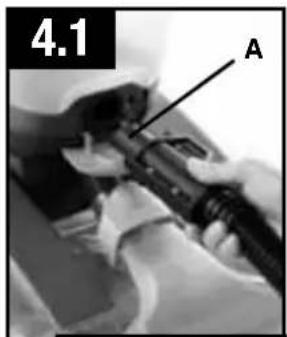
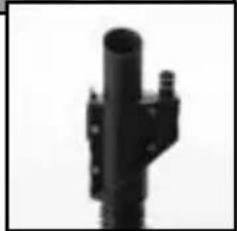
4.1 Open Accessory Hose Suction Port located at the bottom of the recovery tank (A).Insert hose end and Accessory Hose Solution connector by inserting firmly into Hose Solution Port.
How to Remove
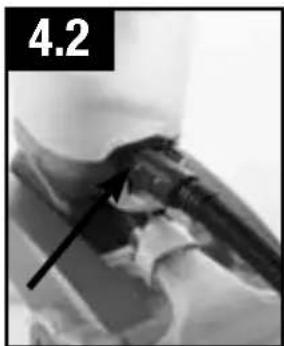
4.2 Press button on end of hose and pull to remove hose and solution connection from machine.
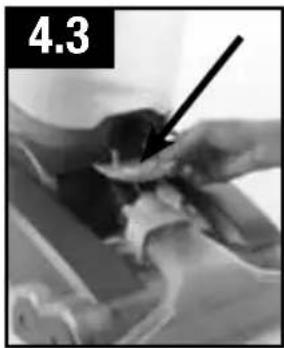
4.3 Close Accessory Hose Suction Port door back into place. Make sure to close door to ensure proper suction. Unit may lose suction if not closed properly.
4.4
A
TOOLS (*Available on select models only.)
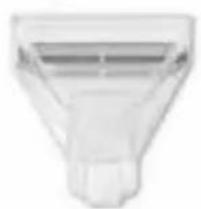
A. Upholstery Tool has a built-in brush to help provide the scrubbing action some spots may need for removal.
NOTE: Tools located and stored in Mesh Storage Bag.
How to Attach Tools

CAUTION

To reduce the risk of injury from moving parts - Unplug before connecting Hand tool.
Not to be used for grooming pets.
4.4 To ensure maximum performance and to protect your carpet, be sure to place the handle in the upright position while using the accessory hose. Placing handle in the upright position shuts off the brushes.
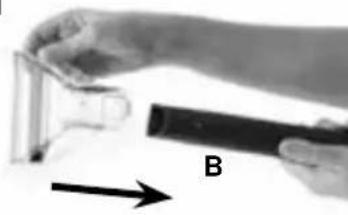
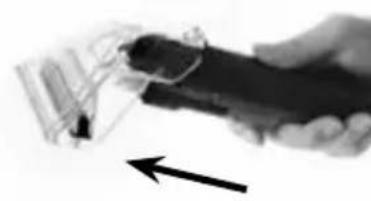
NOTE: All tools attach to the hose in the same manner:
4.5 Connect tool to hose by sliding it onto connector until the tab locks it securely (B).
Using your thumb, push forward and up on the latch to remove tool (C).
4.5
C
After Using Tool
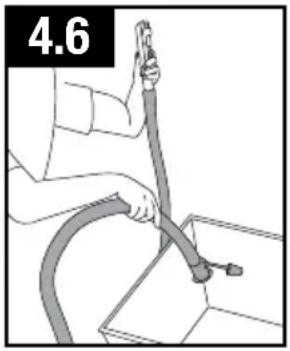
4.6 Drain suction hose by turning cleaner ON and holding nozzle up for several minutes. Do not press trigger.
CAUTION
Always turn off appliance before connecting or disconnecting hose.
Disconnect hose and solution tube from cleaner.
Drain solution tube by placing round end in sink and raising the trigger end at the hose nozzle above your head (4.6). Press the trigger to release air and fluid.
Replace Hose and tools in the Mesh Storage Bag.
CLEANING UPHOLSTERY
Read "Before You Begin Cleaning" instructions.
Be sure to check Hoover Cleaning Guide on page 6 and the cleaning code on your upholstery. Use your cleaner only on upholstery marked "W" or "W/S".
- Attach hose and solution tube as instructed.
- Place handle in upright position. Brushes will not rotate while handle is in upright position.
- Fill Clean Water Tank according to instructions on (Pg. 7).
- Attach tool to end of hose.
- Dry hands and plug cleaner into a properly grounded outlet.
- Turn cleaner ON.
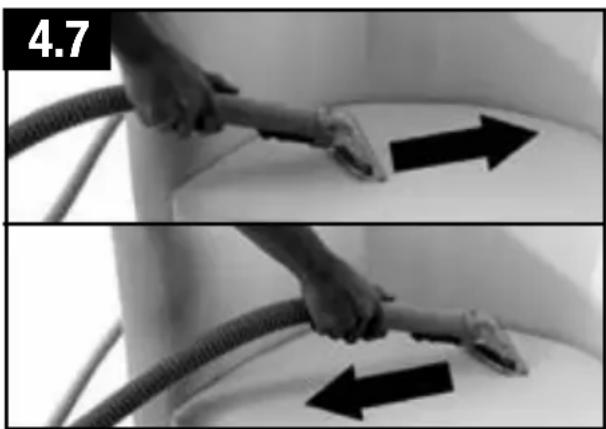
- 4.7 Gently press the tool onto the fabric. Press the trigger and slowly pull the nozzle over the fabric.
- Overlap strokes by 1/2 inch to help prevent streaking.
- Make additional strokes without pressing the trigger to remove more solution.
To clean in corners or creases, lift the tool one half inch from the fabric and press the solution trigger.
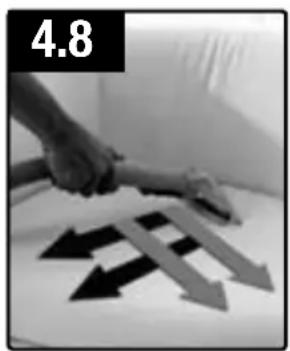
- 4.8 For heavily soiled areas, it may be necessary to repeat the cleaning process. Make crisscrossing strokes to the original pattern; overlap each pass.
Make no more than 2 passes with the solution over any one area to prevent over-wetting and damage to fabric.
- For best cleaning results, Hoover recommends to rinse the upholstery with water only. This will remove
residual cleaning solution from your upholstery.
Simply fill your clean water tank with water only and repeat steps 7 and 8.
If additional cleaning is necessary, wait until the upholstery is completely dry before using the tool again.
Empty Dirty Water Tank when the motor sound becomes higher pitched and there is a loss in suction (see "Automatic Shut-Off").
When finished cleaning, follow "After Cleaning" and "After Using Tool" instructions.
5. MAINTENANCE
Familiarize yourself with these home maintenance tasks as proper use and care of your cleaner will ensure continued cleaning effectiveness.
Any other servicing should be done by an authorized service representative.
If appliance is not working as it should, has been dropped, damaged, left outdoors, or dropped into water, take it to a service center prior to continuing use.
WARNING
To reduce the risk of personal injury - Unplug before cleaning or servicing.
cleaning tHe dirty Water tanK
Note: During normal use of cleaning, debris may accumulate inside of dirty water tank. In order to keep your unit functioning properly and to prevent any odors from building up, it is best to rinse out your dirty water tank with fresh water after each use.
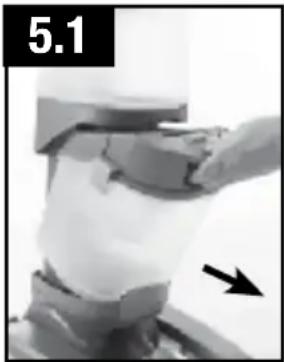
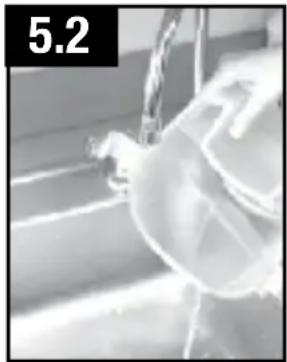
5.1 Remove dirty water tank from unit by pressing on latch and pulling the tank out at an angle.
5.2 Pull up on latches to open dirty water tank. Remove top and rinse tank with clean water.
- IMPORTANT
Be sure to remove any debris that has accumulated in the filter screen. If the screen becomes clogged, this may reduce the performance of your cleaner.
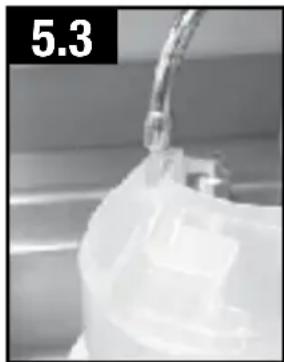
5.3 To clean dirty water tank ducting, place dirty water tank under faucet and dispense high pressure clean water into the inlet port of the dirty water tank to loose debris that has accumulated. Be sure to clean the filter screen that is located in the duct of the recovery tank base.
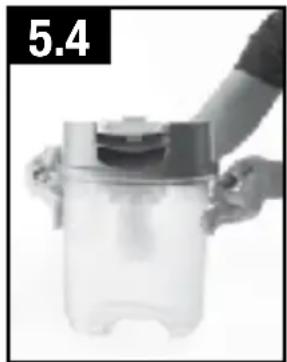
5.4 Allow tank to air dry completely. Pull up on latches then back down to lock. Latches will snap when locked. Replace dirty water tank back onto unit until it snaps.
LUBRICATION
The motor and brushrolls are equipped with bearings which contain sufficient lubrication for their lifetime.
The addition of lubricant could cause damage. Do not add lubricant to motor or bearings.
REMOVING AND CLEANING NOZZLE
Nozzle: How to Clean
If lint or other debris becomes lodged in nozzle, it can be removed for cleaning.
WARNING
To reduce the risk of injury from moving parts - unplug cleaner before servicing.
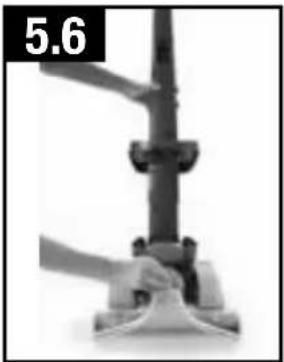
5.6 To prevent possible leaking, remove Clean Water Tank and Dirty Water Tank with handle in upright position, tilt carpet washer back.
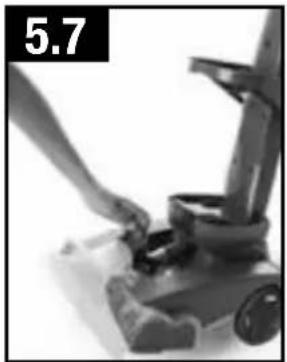
5.7 Pull up on nozzle latch slightly to unsnap nozzle from foot of carpet washer.
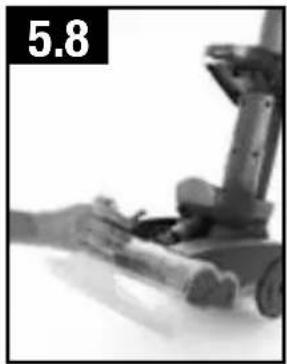
5.8 Pull nozzle forward to remove from carpet washer.
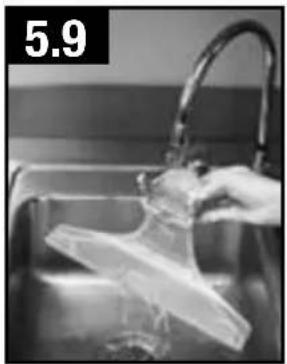
5.9 Rinse debris from nozzle.
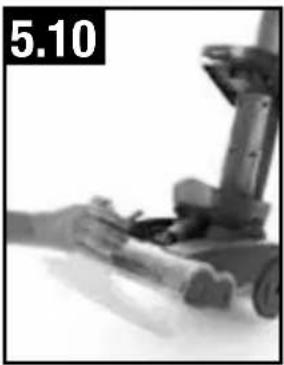
5.10 Position nozzle on to foot, making sure to align the tabs at the bottom of the nozzle with the notches on the foot. Snap nozzle to foot.
STORAGE
Before storing:
- Empty Clean Water Tank and let air dry. Replace on cleaner.
- Empty Dirty Water Tank, rinse tank and lid thoroughly with clean water and let air dry.
Allow brushes and underside of carpet cleaner to air dry thoroughly before storing carpet cleaner on a carpeted or wood surface.
BELT OR BRUSHROLL: How to Remove and Replace
CAUTION
To reduce the risk of injury from moving parts - Unplug before servicing.
Belt: What to Buy
For replacement belts please order part number 440005536 or to locate a dealer nearest you, please call 1-800-944-9200 or visit our website at www. hoover.com
How to Remove
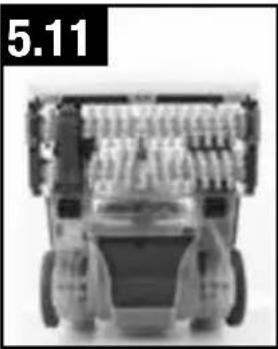
5.11 Flip cleaner on its back to expose bottom of cleaner. NOTE: Belt cover is 4 pieces and has 15 screws.
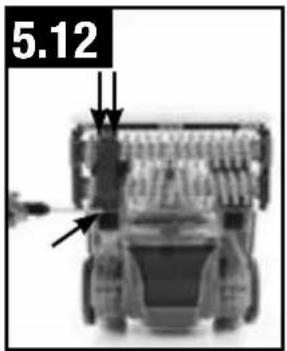
5.12 To remove first piece of belt cover, remove 3 screws. Arrows show location of screws. NOTE: Screw locations are numbered on belt covers.
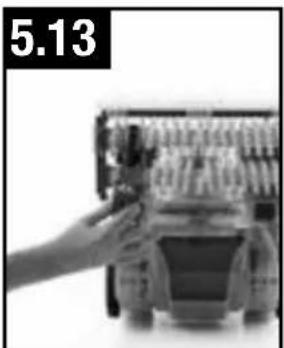
5.13 Remove belt guard.
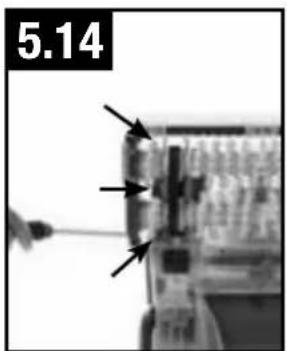
5.14 To remove second piece of belt cover, remove the 3 screws. Arrows show location of screws.
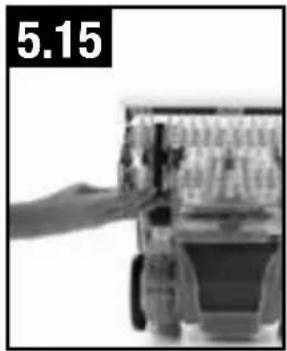
5.15 Slide brushroll end cap out to remove.
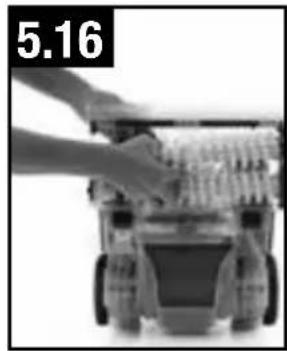
5.16 Pull both brushrolls toward user to remove from unit. NOTE: Belt will still be attached to unit.
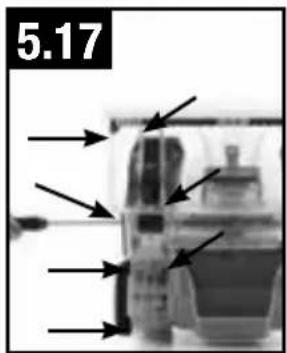
5.17 To remove upper belt cover, remove 7 screws. Arrows show location of screws.
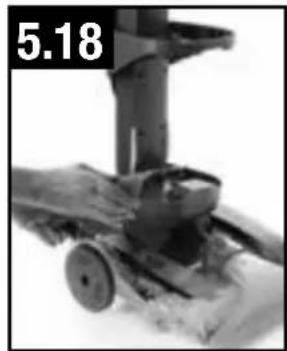
5.18 Flip cleaner upright and remove upper belt cover from foot.
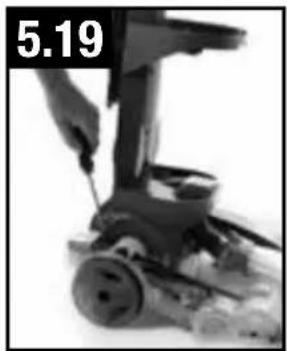
5.19 Remove pivot clamp by unscrewing 2 screws.
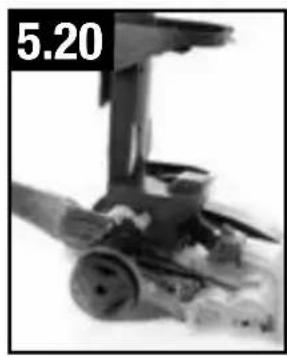
5.20 Lift pivot clamp off the unit after removing screws.
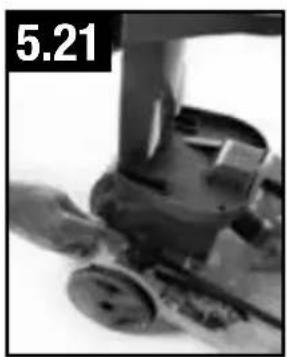
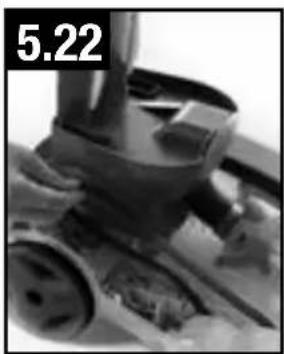
5.21 The belt shaft is now exposed (as shown in image 5.22)
How to Replace
5.22 Replace belt by placing on shaft.
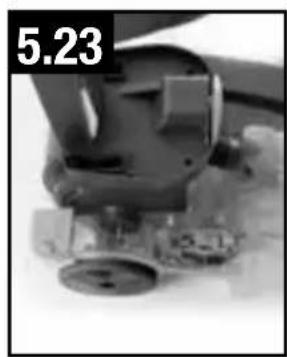
5.23 Replace pivot clamp and 2 screws over the belt.
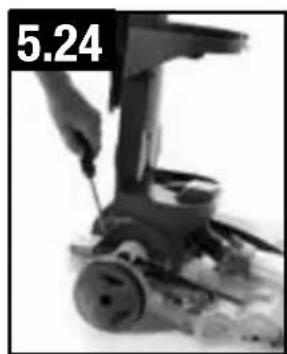
5.24 Replace upper belt cover, flip cleaner, and screw in 7 screws.
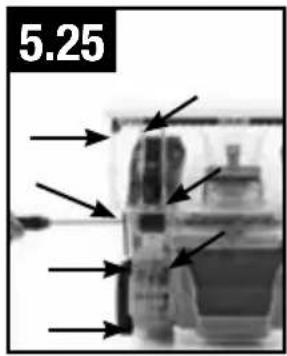
5.25 Slip brushrolls through belt. NOTE: Place belt on rounded areas of the brushrolls without brushes.
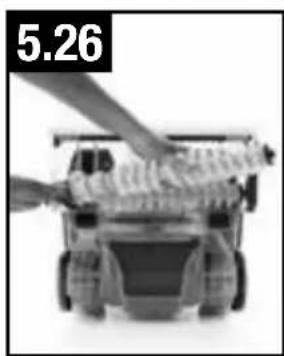
5.26 With belt in place, push and slide brushrolls into unit, making sure that the brushrolls are in the correct orientation.
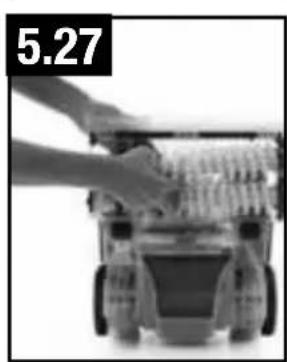
5.27 Slide belt roll end cap back into unit and replace 3 screws.
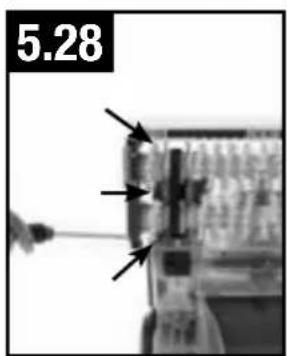
5.28 Replace belt guard and secure with final 3 screws.
- IMPORTANT
Brush rolls must be rotated to ensure the belt is properly installed. The belt should be moving as the brush rolls are rotated. If the brush rolls do not rotate easily then the belt may not be installed correctly.
- IMPORTANT
Rotate brushrolls manually to make sure belt is not twisted or pinched.
6. TROUBLESHOOTING
If a minor problem occurs, it usually can be solved quite easily when the cause is found by using the checklist below.
Any other servicing should be done by an authorized service representative.
If appliance is not working as it should, has been dropped, damaged, left outdoors, or dropped into water, take it to a service center prior to continuing use.
WARNING
To reduce the risk of personal injury - Unplug before cleaning or servicing.
| Problem PoSSible Cause | Possible Solution |
| Cleaner won't run | 1. Power cord not firmly plugged into outlet. 2. Blown fuse or tripped breaker. 3. Needs service. 3. Take to service center. |
| Cleaner won't pick-up or low suction | 1. Dirty Water Tank is not installed correctly. 2. Dirty Water Tank is full. 2. Empty Dirty Water Tank 3. Dirty water tank is clogged. 3. Clean Dirty Water Tank 4. Air path is clogged. 4. Unclog air path. |
| Water escaping from Cleaner | 1. Dirty Water Tank is full. 1. Emptying Dirty Water Tank 2. Dirty Water tank is not installed correctly. 3. Clean Water Solution Tank not installed properly. |
| Cleaner won't dispense | 1. Clean water solution tank is empty. 1. Fill 2. Clean Water Solution Tank not installed properly. 3. Needs service. 3. Take to service center. |
| Motor noise becomes high-pitched | 1. Dirty Water Tank is full. 2. Dirty water tank is clogged. 2. Clean Dirty Water Tank 3. Air path is clogged. 3. Unclog air path. 4. The float in the Dirty Water Tank has been activated. |
| Brushrolls are not spinning | 1. Belt needs to be changed. 1. Refer to how 2. Something is jammed in the brushroll. 2. Remove jammed item from cleaner with unit turned off and unplugged. |
7. SERVICE
To obtain approved Hoover® service and genuine Hoover® parts, locate the nearest Authorized Hoover® Warranty Service Dealer (Depot) by:
- Checking the Yellow Pages under "Vacuum Cleaners" or "Household".
- Visit our website at hoover.com (U.S. Customers) or hoover.ca (Canadian customers).
Follow the service center link to find the service outlet nearest you.
- For an automated referral of authorized service outlet locations call 1-800-944-9200.
Do not send your vacuum to Hoover®, Inc., Company in Glenwillow for service. This will only result in delay.
If you need further assistance:
To speak with a customer service representative call 1-800-944-9200; Mon-Fri 8am-7pm EST.
Always identify your vacuum by the complete model number when requesting information or ordering parts. (The model number appears on the bottom of the vacuum.)
PLEASE DO NOT RETURN THIS PRODUCT TO THE STORE.
8. CLEANING PRODUCTS
WARNING: To reduce the risk of fire and electric shock due to internal component damage, use only Hoover® cleaning products intended for use with the appliance as noted below.
Hoover® Cleaning Solution Guide
| Product Name | Clean Plus 2x 32oz/64oz | Pet Plus 2x 32oz/64oz | Pro Plus 2x 32oz/64oz |
| DUAL POWER MAX Carpet Washer | ✓ | ✓ | ✓ |
For optimal performance use Hoover brand detergents, wipes, and spot cleaners available at Hoover.com and retailers nationwide.
9. WARRANTY
liMited tWo year Warranty
(Domestic Use)
WHAT THIS WARRANTY COVERS
When used and maintained in normal household use and in accordance with the Owner's Manual, your HOOVER® product is warranted against original defects in material and workmanship for a full two year from date of purchase (the "Warranty Period"). During the Warranty Period, Hoove® will provide labor and parts, at no cost to you, to correct any such defect in products purchased in the United States, U.S. Military Exchanges and Canada.
HOW TO MAKE A WARRANTY CLAIM
If this product is not as warranted, take or send the product to either a Hoover® Authorized Warranty Service Dealer along with proof of purchase. For an automated referral to authorized service outlets in the U.S.A., phone: 1-800-944-9200 OR visit Hoover® online at www.hoover.com. For additional assistance or information concerning this Warranty or the availability of warranty service outlets, phone the Hoover® Consumer Response Center, Phone 1-800-944-9200, Mon-Fri 8am-7pm EST.
WHAT THIS WARRANTY DOES NOT COVER
This Warranty does not cover: use of the product in a commercial operation (such as maid, janitorial and equipment rental services), brushroll, belt, improper maintenance of the product, damage due to misuse, acts of God, nature, vandalism or other acts beyond the control of Hoover®, owner's acts or omissions, use outside the country in which the product was initially purchased and resales of the product by the original owner. This warranty does not cover pick up, delivery, transportation or house calls. However, if you mail your product to a Hoover® Authorized Warranty Service Dealer, cost of shipping will be paid one way.
This warranty does not apply to products purchased outside the United States, including its territories and possessions, outside a U.S. Military Exchange and outside of Canada. This warranty does not cover products purchased from a party
that is not an authorized retailer, dealer, or distributor of Hoover® products.
OTHER IMPORTANT TERMS
This Warranty is not transferable and may not be assigned. This Warranty shall be governed and construed under the laws of the state of Ohio. The Warranty Period will not be extended by any replacement or repair performed under this Warranty.
THIS WARRANTY IS THE EXCLUSIVE WARRANTY AND REMEDY PROVIDED BY HOOVER. ALL OTHER WARRANTYES, EXPRESSED OR IMPLIED, INCLUDING WARRANTY OF MERCHANTABILITY OR FITNESS FOR PARTICULAR PURPOSE, ARE DISCLAIMED. IN NO EVENT WILL HOOVER BE LIABLE FOR ANY SPECIAL, INDIRECT, INCIDENTAL OR CONSEQUENTIAL DAMAGES OF ANY KIND OR NATURE TO OWNER OR ANY PARTY CLAIMING THROUGH OWNER, WHETHER BASED IN CONTRACT, NEGLIGENCE, TORT OR STRICT PRODUCTS LIABILITY OR ARISING FROM ANY CAUSE WHATSOEVER. Some states do not allow the exclusion of consequential damages, so the above exclusion may not apply to you. This warranty gives you specific rights; you may also have others that vary from state to state.

GUIDE D'UTILISATION
Please visit Hoover.com for video instructions for this cleaner.
IMPORTANT : LIRE CES INSTRUCTIONS ATTENTIVEMENT AVANT D'ASSEMBLER ET D'UTILISER L'APPAREIL.
NE PAS RETOURNER CE PRODUIT AU MAGASIN
CONSIGNES DE SECURITÉ IMPORTANTES
CONSERVER CES INSTRUCTIONS
NE PAS RETOURNER CE PRODUIT AU MAGASIN.