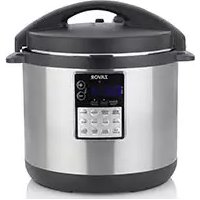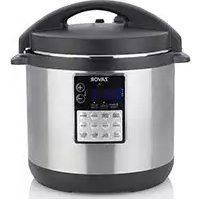
Lux LCD - Multi-cooker Zavor - Free user manual and instructions
Find the device manual for free Lux LCD Zavor in PDF.



User questions about Lux LCD Zavor
0 question about this device. Answer the ones you know or ask your own.
Ask a new question about this device
Download the instructions for your Multi-cooker in PDF format for free! Find your manual Lux LCD - Zavor and take your electronic device back in hand. On this page are published all the documents necessary for the use of your device. Lux LCD by Zavor.
USER MANUAL Lux LCD Zavor
Introduction 2
Important Safeguards 3
Features and Functions 5
Icons Chart 8
Getting Started. 9
Operating Functions 10
Pressure Cook Function 10
Pressure Cooking Charts 13
Slow Cook Function 17
Steam Function 18
Sauté Function 20
Flex Function 21
Using the Flex Function to Sous Vide 22
Simmer Function 25
Yogurt Function 26
Grains Function 30
Eggs Function 33
Dessert Function 36
Mute Feature. 38
Cleaning and Maintenance 38
Troubleshooting 40
Espanol. 42
Francais 84
Limited Warranty 127
Introduction
ENGLISH
Thank you for purchasing this state of the art Zavor LUX™ LCD Multi-Cooker! The Zavor LUX™ LCD can be used to steam, simmer, sauté, cook grains, eggs, desserts, to make yogurt, pressure cook and slow cook foods to perfection; equipped with a new, user friendly LCD panel that has an easy to navigate menu with programmed settings that allows you to cook your favorite meals more conveniently. Plus, the TIME DELAY and KEEP WARM settings provide you with cooking flexibility that accommodates your busy schedule.
This Zavor LUX™ LCD Multi-Cooker user's manual contains information on the use and care of this product. Please read this manual carefully before operating the LUX™ LCD to ensure proper usage and maintenance of the unit. Carefully following the directions in this manual enables you to optimize the performance and lifespan of the cooker.
Note: This manual applies to all colors and sizes of the LUX™ LCD Multi-Cooker.

IMPORTANT SAFEGUARDS

The product you have purchased is a state of the art appliance. It adheres to all of the latest safety and technology standards; however, as with any electric appliance, there are some potential risks. Only operate this cooker following the instructions provided and only for its intended household use.
PLEASE READ THE INSTRUCTIONS BELOW BEFORE USING THE APPLIANCE FOR THE FIRST TIME.
- Read all of the instructions contained in this manual before using the appliance.
This product is not intended for commercial or outdoor use; it is only for household and indoor use. - Do not operate the unit if the electric cord or plug is damaged. If the appliance is not working correctly, has been dropped or damaged, left outdoors or submerged in water, discontinue use immediately and contact our customer service department at 1-855-928-6748.
The LUXTM LCD has a NEMA 5-15P, 3 pins plug, and a power cord. - Attach the plug to the multi-cooker base first, then insert the power plug into a power outlet. Always ensure that the power cord is completely dry.
- Do not let the electric cord hang over the edge of the table or counter.
- Do not let the electric cord touch hot surfaces.
- If using an extension cord to connect the multi-cooker, please note that a damaged extension cord can cause the unit to malfunction. Always check your extension cord for damage and be sure it is compliant with the required voltage. For safety, be sure to arrange the cord so that it can't be pulled on by children or tripped over unintentionally.
- Do not place the multi-cooker near heat-emitting devices such as heaters, gas cooktops, or electric burners. Do not place the cooker in a heated oven.
Always use the multi-cooker in a well-ventilated area. - Using accessories or replacement parts that are not recommended or sold by the manufacturer may cause damage to the multi-cooker or personal injury.
Children need close adult supervision at all times when they are in or around the kitchen. Keep this appliance out of the reach of children. - This appliance is not intended for use by persons (including children) with reduced physical, sensory or mental capabilities, or lack of experience and knowledge unless they have been given supervision or instruction concerning use of the appliance by a person responsible for their safety.
- While in operation, do not cover the appliance or position it near flammable materials including curtains, draperies, walls, and fabric upholstered furniture.
-
Do not open the pressure cooker until the unit has cooled, and all internal pressure has released. If the handles are difficult to push apart, this indicates that the cooker is still pressurized - do not force it open. Any pressure in the cooker can be hazardous.
-
Always cook in the removable cooking pot of the multi-cooker. Cooking without the removable cooking pot may cause an electric shock or damage to the unit.
- Never deep fry or pressure fry in the cooker. It is dangerous and may cause a fire and severe damage.
- Never cover or block the pressure valve with anything. This blocking may cause over pressurizing and may lead to severe accidents.
- While you're cooking, the lid and the outer stainless steel surface of the cooker might get hot. Handle with care and carry or move the cooker using only the side handles. Be very cautious when moving an appliance containing hot food or liquids.
- Keep hands and face away from the pressure regulator knob when releasing pressure from the cooker to avoid being scalded by hot steam.
- After cooking, use extreme caution when removing the lid. Severe burns can result from residual steam escaping from inside the unit. Open the lid facing away from you and allow the drops of water to trickle back from the lid into the cooker.
- Always unplug and let cool before cleaning and removing parts. Never attempt to unplug the unit by pulling on the power cable. Keep unplugged when not in use.
- To reduce the risk of an electric shock, never immerse the plug, power cable or housing in water or any other liquid. Only the removable cooking pot can be in the dishwasher.
- Only qualified experts may repair and perform maintenance work on the electric multi-cooker using authentic ZAVOR replacement and accessory parts. Never attempt to disassemble and repair the multi-cooker yourself.
- This appliance cooks under pressure. Improper use may result in scalding injury. Make sure the unit was closed correctly before operating. See "Pressure Cooker Program."
- Do not fill the unit over 2/3 full. When cooking foods that expand, such as rice or dried vegetables, do not fill the unit more than 1/2 full. Overfilling may result in clogging the vent pipe cannot not allow enough room for the proper building of pressure. See "Operating Functions."
- The following foods tend to foam, froth and/or sputter: applesauce, cranberries, pearl barley, oatmeal, split peas, noodles/pasta, rhubarb, etc. These items may block the pressure valve if filled too high in the removable cooking pot. Please be sure when pressure cooking these items not to fill the removable cooking pot more than halfway.
Always check the pressure release devices for clogging before use.
SAVE THESE INSTRUCTIONS
Features and Functions
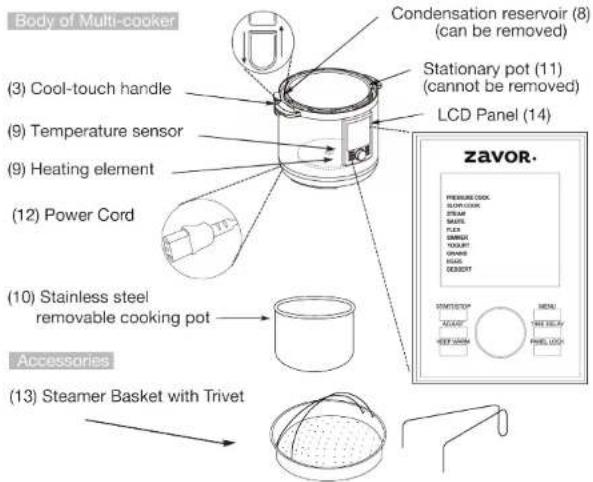


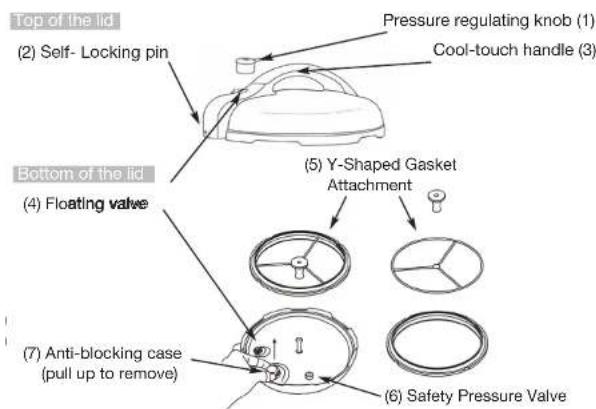
- Pressure Regulator Knob: Turn the regulator knob to the "Pressure" position when using any of the pressure cooking functions. Turn the knob to the "Steam" position to release the pressure after using those functions and when using any of the other non-pressure functions.
- Self-Locking Pin: The lid automatically locks when it is correctly aligned and closed. While cooking under the pressure function, you cannot be able to open the lid until all of the pressure is released.
- Cool-Touch Handles: The cool to the touch handles of the multi-cooker allow for safe handling and opening of the lid.
- Floating Valve: The floating valve controls the amount of pressure inside the cooker by allowing excess pressure to be released.
- Y-Shaped Gasket Attachment: Sits on the underside of the lid and creates an airtight seal needed for the cooker to build up pressure. Check the silicone gasket for any tears or cracks before using any of the pressure cooking functions. To remove the attachment, hold the center of the Y (not just the silicone nub) and pull. The ring making for more accessible gasket removable and replacement. To reattach, place the silicone centerpiece back on the steel tip and push down until correctly replaced. To order a new gasket, please contact a ZAVOR Representative at 1-855-928-6748 or purchase it directly on the ZAVOR website at www.zavoramerica.com.
- Safety Pressure Valve: The safety pressure valve allows excess pressure to escape from the cooker when being used for pressure cooking. It works independently of the floating valve.
- Anti-Blocking Case: Pull it towards yourself to release the pressure regulator knob for cleaning.
- Condensation Reservoir: Collects excess condensation during cooking. If there is liquid in the reservoir after cooking, empty it.
- Heating Element and Temperature Sensor: Both elements regulate the cooking temperature inside the pot.
- Removable Cooking Pot: Stainless steel pot is dishwasher safe, but hand washing is always recommended.
- Stationary Pot: This pot should NEVER be used for cooking. Before cooking, make sure to place the removable cooking pot into the stationary pot first. All ingredients should be put into the removable cooking pot ONLY.
- Power Cord: The power cord comes detached from the base of the stationary pot and needs to be fully inserted to ensure the multi-cooker is properly powered. To fully insert the power cord, hold the grip of the plug and firmly push the end into the base of the cooker until it is no longer visible.
- Steamer Basket with Trivet: Needs to be placed inside the cooking pot to steam delicate foods and vegetables.
- LCD Panel: The easy to navigate interactive screen allows you to select different programs with the touch of a finger. Main functions are: Pressure Cook, Slow Cook, Steam, Saute, Flex, Simmer, Yogurt, Grains, Eggs, and Dessert. In addition, each of the main functions has a selection of settings with preset cooking times and temperatures/pressure levels. The control panel also includes 6 buttons described below.
START/STOP - Used to begin or stop cooking.
MENU - Used to go back to the main MENU screen.
ADJUST - Used to adjust pressure/temperature and cooking time.
TIME DELAY - Used to delay the cooking process by up to 6 hours. You can use the delay time setting after choosing a cooking function. Select the desired cooking function and setting. Adjust the time if needed. Press TIME DELAY and use the dial to adjust the delay time. Press the START/STOP button to confirm. The multi-cooker begins cooking after the time delay has elapsed.
For Example: It is 8:00 am, and you want your dinner to be ready at 6:00 pm. You use a recipe that calls for a SLOW COOK function and the Beans setting (which is 8 hours preset cooking time). Turn the pressure regulator knob to "Steam." Turn the dial until the SLOW COOK function is selected and confirm it by pressing the dial. From the settings shown to the right, select the Beans setting and confirm it by pressing the dial. To program your delay time, press the TIME DELAY button and adjust the time so, the screen displays 2 hours. Press the START/STOP button to confirm, and you are all set! The unit starts cooking at 10:00 am and, your dinner will be ready around 6:00 pm. Please note that exact cooking time may vary since the unit needs to build the temperature and/or pressure.
CAUTION: DO NOT LEAVE PERISHABLE FOODS SUCH AS MEAT, POULTRY FISH, CHEESE AND DAIRY PRODUCTS AT ROOM TEMPERATURE FOR MORE THAN 2 HOURS (OR MORE THAN 1 HOUR WHEN THE ROOM TEMPERATURE IS ABOVE 90^ ). WHEN COOKING WITH THESE FOODS,DO NOT SET THE DELAY FUNCTION FOR MORE THAN 1-2 HOURS.
KEEP WARM - Used for keeping cooked food warm up to 12 hours or reheating it. After the cooking time is over, the unit automatically switches to the KEEP WARM function (at a temperature of 165^ ) for up to 12 hours. Press the START/STOP button to cancel the KEEP WARM program.
To reheat food:
- Place the removable cooking pot into the multi-cooker. Then place the food into the removable cooking pot to heat up.
- Place the lid on the multi-cooker; align the pin on the handle with the condensation collector, and turn it counterclockwise until it locks into place. The locking pin clicks when it's in place.
- Turn the pressure regulator knob to STEAM.
- Press the KEEP WARM button. Adjust time and then press the START/STOP button to begin heating the food.
- When the time is up, the unit beeps to let you know the heating process has ended. Please note the minimum amount of time for this function is 30 min.
PANEL LOCK - Used to disable and re-enable the buttons. This is for safety reasons, to prevent children from tampering with the multi-cooker. To lock or unlock, press and hold the PANEL LOCK button.
Icons Chart
|  | Close Lid | The icon appears when the lid is correctly closed and locked. After pressing START/STOP to begin cooking, the icon disappears. If the lid is off, the unit beeps, and the icon changes from open to close to let you know to close the lid. |
|  | Open Lid | The icon appears when the lid is open or removed. For the Sauté and Flex (temperature setting) functions, the lid needs to be completely off the unit. After pressing START/ STOP to begin cooking, the icon disappears. If the lid is closed, the unit beeps and the icon changes from close to open to let you know to remove the lid. |
| F1 F2 F3 | Favorite Menu | The CUSTOM setting is used to program an individual pressure level/temperature and time in the functions: Pressure Cook, Slow Cook, Sauté, Flex (pressure & slow cook settings) and Grains. Select F1, F2, or F3 by turning the dial and confirm by pressing the dial. Next, select the desired pressure level and time and press the dial to confirm. Press the START/STOP button to begin cooking. The unit automatically saves the settings for the selected function. |
|  | Lock Icon | Indicates that the panel is locked. To lock and unlock the panel, press and hold the PANEL LOCK button. |
|  | Press Start | After choosing a setting, the icon blinks to let you know to press the START/STOP button to begin cooking. Once the cooking process starts, the icon disappears. |
| COOKING | Cooking | Indicates that the unit has begun cooking after preheating. |
| PREHEATING | Preheating | Indicates that the unit is building pressure or temperature. |
|  | Preheat Bar | Shows the unit's preheating progress. |
|  | Mute Icon | Tells you when your unit is muted to silence all beeps and notification sounds. |
Getting Started: Before First Use
Read the safety instructions found in this manual before plugging in and operating the unit. Before using the multi-cooker for the first time, follow these steps:
- Remove all packing materials and literature from inside the Zavor LUX™ LCD Multi-Cooker. Lift out the removable cooking pot and remove any pieces of paper from under it. Remove the plastic protection from the control panel and any stickers from the stainless steel body.
- Wash all removable parts in warm soapy water, rinse, and dry all parts thoroughly. Wipe the stainless steel outer housing with a clean damp cloth. NEVER submerge the stainless steel outer housing in water or any other liquid. Only the removable cooking pot is dishwasher safe.
- To clean the pressure regulator knob, gently push the pressure regulator knob down and turn it counterclockwise past STEAM to the CLEAN setting. Once the dot on CLEAN is aligned with the dot on the base of the pressure regulator, you can lift the pressure regulator up and out of the housing. Look through the holes of the pressure regulator to make sure nothing is obstructing the pressure stream, then clean the pressure regulator knob with warm soapy water, allowing the water to run through the pressure regulator to remove all particles.
- To put the pressure regulator back into the lid, align the CLEAN setting with the dot on the base, gently push down on the pressure regulator and turn the knob clockwise until it slides back into place.
- Make sure the silicone gasket is placed correctly inside the lid or else the cooker cannot function properly.
- After thoroughly drying all parts, place the removable cooking pot back into the multi-cooker before cooking.


OPERATING FUNCTIONS
Pressure Cook Function:
This program allows food to cook faster under pressure by reducing cooking time up to 70% compared to traditional cooking methods. Pressure cooking is fast, easy, safe, and healthy!
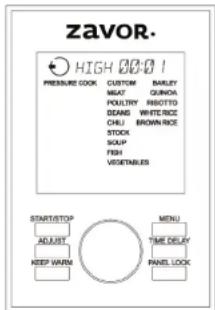
Pressure Cook Function Temperature/Timer Chart:
| Setting Pressure Cook Temperature Preset Time Timer | ||||
| Custom Low or | High | 226°F-230°F or 240°F-248°F | 1 minute* | 1 minute-6 hours, 1-minute increments |
| Meat High 240°F-248°F 40 minutes | 1 minute-6 hours, 1-minute increments | |||
| Poultry High 240°F-248°F 10 minutes | 1 minute-6 hours, 1-minute increments | |||
| Beans High 240°F-248°F 30 minutes | 1 minute-6 hours, 1-minute increments | |||
| Chili High 240°F-248°F 15 minutes | 1 minute-6 hours, 1-minute increments | |||
| Stock High 240°F-248°F 30 minutes | 1 minute-6 hours, 1-minute increments | |||
| Soup High 240°F-248°F 10 minutes | 1 minute-6 hours, 1-minute increments | |||
| Fish | Low | 226°F-230°F | 3 minutes | 1 minute-6 hours, 1-minute increments |
| Vegetable | Low | 240°F-248°F | 3 minutes | 1 minute-6 hours, 1-minute increments |
| Barley High 240°F-248°F 30 minutes | 1 minute-6 hours, 1-minute increments | |||
| Quinoa | Low | 226°F-230°F | 1 minute | 1 minute-6 hours, 1-minute increments |
*Custom preset time applies to initial use of this function, all subsequent uses will use the previously programmed time.
| Risotto High 240°F-248°F 6 minutes | 1 minute-6 hours,1-minute increments | |||
| White Rice | Low | 226°F-230°F 10 | minutes | 1 minute-6 hours,1-minute increments |
| Brown Rice | High 240°F-248°F 20 minutes | 1 minute-6 hours,1-minute increments | ||
- Before each use, make sure the silicone gasket and the pressure regulating valves are clean and positioned correctly in/on the cooker.
- Plug the cord into a wall outlet. The screen lights up blue and displays all of the main functions.
- Place the removable cooking pot into the cooker, and add the ingredients following your recipe. When cooking foods under pressure, a minimum of 1 cup (8 oz.) of liquid is required.
NOTE: Do not fill the pot more than 12 full food and liquid. Do not fill the unit more than 12 full when cooking foods that expand during cooking.
NOTE: The following foods tend to foam, froth and/or sputter: applesauce, cranberries, pearl barley, oatmeal, split peas, noodles/pasta, rhubarb, etc. These items may block the pressure valve if filled too high in the removable cooking pot. Please be sure not to fill the removable cooking pot more than halfway when pressure cooking these items. - Place the lid on the cooker; align the self-locking pin with the unlocked symbol and turn your lid counterclockwise until it locks into place. You know it's correctly closed and locked once you hear the pin click into place and the screen displays the Close Lid icon. If you press the START/STOP button to begin cooking, but the lid is open or not locked correctly, the icon on the screen changes from open to close, and the unit beeps to notify you that the lid needs to be closed.
- Turn the pressure regulator knob to PRESSURE.
- Turn the dial until the PRESSURE COOK function is selected (the words blinks) and confirm it by pressing the dial. The screen shows the settings for this function to the right. In addition to the settings, there is also a CUSTOM setting. For instruction on how to use the CUSTOM setting, see page 8.
NOTE: To go back to the main menu, press MENU. - Choose your desired setting by turning the dial. Press the dial to select the setting. The preset pressure level (High or Low) and cooking time appears at the top of the screen.
If you wish to adjust those settings, turn the dial to select the pressure level (High or Low) and then press the dial or the ADJUST button to confirm it. The cooking time then starts blinking to show it can be adjusted. Change the time by turning the dial and set your time by pressing the START/STOP button.
NOTE: Pressing the ADJUST button only switches the programming option between pressure level and cooking time. - After you press the START/STOP button, the screen turns green, and it displays the programmed pressure setting and time at the top of the screen. You also see the preheat callout on the bottom of the screen and the preheating bar which, shows you how far along in the preheating process the unit is.
NOTE: If you forget to press the START/STOP button, the unit beeps twice after 30 seconds, the light on the screen turns off and, the unit returns to
standby mode.
NOTE: If you have used any of the cook assist functions prior to pressure cooking, the cooker may require some time to come down to the proper temperature. Once the proper temperature has been reached, the unit can begin running the pressure cooking function.
- Once pressure builds entirely, the unit beeps, the cooking callout appears at the bottom of the screen, and it starts to count down. Then, your cooking time begins. The floating valve located in the lid rises, indicating that there is pressure inside the unit. While cooking, the function words on the panel will blink for a majority of the cooking time. They will occasionally stop blinking for a few minutes to indicate that the internal temperature is regulating itself. This is perfectly normal and will not affect the performance of the cooker or the end result of the food.
WARNING: NEVER TRY TO FORCE THE LID OPEN WHILE YOU ARE COOKING UNDER PRESSURE, THIS CAN RESULT IN A SERIOUS ACCIDENT.
WARNING: NEVER DEEP FRY OR PRESSURE FRY IN THE MULTI-COOKER. IT IS DANGEROUS AND MAY CAUSE A FIRE AND SERIOUS DAMAGE.
- When the cooking time ends, the unit beeps and switches to the KEEP WARM function. The unit beeps periodically to let you know that there is pressure inside the unit. Once you release the pressure, the unit stops beeping and remains on the KEEP WARM function. Press the START/STOP button to cancel the program.
- After the cooking time is up, release the pressure. You have two options for releasing the pressure:
a. Quick Release Method: Release the pressure immediately by turning the pressure regulator knob to STEAM.
CAUTION: THE STEAM COMING OUT OF THE COOKER IS HOT, AND MIGHT CONTAIN DROPLETS OF HOT LIQUID. BE SURE TO USE POT HOLDERS, OVEN MITTS OR A KITCHEN TOWEL WHEN RELEASING PRESSURE.
b. Natural Release Method: Release the pressure by shutting the unit off completely. This allows the pressure to drop naturally without turning the pressure regulator knob to STEAM. Natural Release Method takes several minutes, during which the food inside continues cooking. Some recipes (such as risotto) benefit from this extra cooking time. You know when the pressure has been released because the floating valve drops and can open the lid.
12. Once all the pressure is released, remove the lid by turning it clockwise, lifting it and tilting it away from yourself to avoid getting burnt by any remaining steam or hot water condensation dripping from the inner portion of the lid.
WARNING: AFTER COOKING, THE REMOVABLE COOKING POT IS HOT: USE POT HOLDERS, OVEN MITTS, OR A KITCHEN TOWEL TO HANDLE IT OR LET IT COOL DOWN BEFORE REMOVAL.
Pressure Cooking Charts
Pressure cooking times are approximate times. Use these cooking times as a general guideline. The amount and type of food most likely alters cooking times.
Pressure Cooking Vegetables (Fresh & Frozen): To achieve the best results when pressure cooking fresh or frozen vegetables, please refer to the below tips and hints:
- Use the Vegetable setting when attempting to pressure cook vegetables. Use the STEAM function when attempting to steam vegetables.
- Use the quick release method when pressure cooking vegetables, so they do not overcook.
- Use a minimum of 1 cup of liquid when cooking vegetables.
- When steaming vegetables, use the included Stainless Steel Steamer Basket and Trivet.
Vegetable Pressure Cooking Chart:
| Vegetable | Pressure Setting | Fresh (Cooking Time) | Frozen (Cooking Time) |
| Acorn Squash, chunks High 6-7 minutes 8-9 minutes | |||
| Artichoke, 4 medium - large | High | 8-10 minutes 10-12 minutes | |
| Asparagus | High 1-2 minutes 2-3 minutes | ||
| Whole Beets, medium - large | High | 20-25 minutes | 25-30 minutes |
| Broccoli, florets | High 2-3 minutes 3-4 minutes | ||
| Brussel Sprouts | High 3-4 minutes 4-5 minutes | ||
| Butternut Squash, chunks | High | 8-10 minutes 10-13 minutes | |
| Cabbage, Quartered | High 3-4 minutes 4-5 minutes | ||
| Carrots, whole or chunk High 2-3 minutes 3-4 minutes | |||
| Cauliflower, florets | High 2-4 minutes 3-5 minutes | ||
| Celery, chunks High | 2 minutes | 3 minutes | |
| Collard Greens High 4-5 minutes | 5-6 minutes | ||
| Corn on the Cob | High 3-5 minutes 4-6 minutes | ||
| Edamame, in pod | High 4-5 minutes | 5-6 minutes | |
| Eggplant | High | 2 minutes | 3 minutes |
| Endive | High 1-2 minutes 2-3 minutes | ||
| Kale, coarsely chopped | High 1-2 minutes 2-3 minutes | ||
| Leeks | High 2-4 minutes 3-5 minutes | ||
| Onions, sliced | High | 2 minutes | 3 minutes |
| Potatoes, whole, small High 5-8 minutes | 6-9 minutes | ||
| Potatoes, whole, large | High | 10-12 minutes | 11-13 minutes |
| Potatoes, sliced or cubed | High 5-8 minutes 6-9 minutes | ||
| Pumpkin, chunks | High 4-8 minutes | 6-12 minutes | |
| Spinach | High 1-2 minutes 3-5 minutes | ||
| Sweet Potatoes, cubed | High 7-9 minutes | 9-11 minutes | |
| Sweet Potatoes, whole | High | 10-15 minutes | 12-19 minutes |
| Tomatoes, quartered | High | 2 minutes | 4 minutes |
| Zucchini | High | 2 minutes | 3 minutes |
Pressure Cooking Fresh or Dried Fruits: To achieve best results when pressure cooking dried or fresh fruit, please refer to the below tips and hints:
- The quick release method is recommended when pressure cooking fruit to prevent overcooking.
- Half a cup of water is sufficient for cooking any quantity of fruit because the cooking time is extra short.
3.Add sugar to fruit only after being cooked, not before.
Fruit Pressure Cooking Chart:
| Fruit Pressure | Setting | Fresh(Cooking Time) | Dried(Cooking Time) |
| Apples (Slices orChunks) | High 2 minutes 3 | minutes | |
| Apples (Whole) High | 3 minutes 4 minutes | ||
| Apricots, whole orhalved | High 2-3 minutes | 3-4 minutes | |
| Peaches High 2-3 | minutes 4-5 minutes | ||
| Pears High 2-4 | minutes 3-5 minutes | ||
| Plums/Prunes High | 2-4 minutes 3-5 minutes | ||
| Grapes/Raisins High | 1-2 minutes 4-5 minutes |
Pressure Cooking Beans/Legumes (Dry & Presoaked): To achieve best results when cooking with dried or presoaked beans/legumes, please refer to the below tips and hints:
- Rinse dried beans/legumes under cold water and drain; discard any pebbles or other debris in batch.
- Do not fill the cooker more than half full to allow for beans/legumes to expand in size.
- Use enough liquid to cover the beans/legumes
- Do not salt beans/legumes. Using salt while cooking the beans/legumes prevents them from cooking correctly.
- Add 1-2 tablespoons of oil to beans/legumes to minimize frothing.
- For best results, when cooking dried beans/legumes, use the natural release method.
Beans/Legumes Pressure Cooking Chart:
| Beans/Legumes | Pressure Setting | Cooking Time (Dried 180ml Cups) | Cooking Time (Soaked Overnight) |
| Adzuki Beans High | 20-25 minutes | 10-15 minutes | |
| Black Beans | High | 20-25 minutes | 10-15 minutes |
| Black-Eyed Peas | High | 20-25 minutes | 10-15 minutes |
| Cannellini Beans | High | 35-40 minutes | 20-25 minutes |
| Chestnuts, pierced | High | 7-10 minutes | 5-7 minutes |
| Chickpeas (Garbanzo Beans) | High | 34-40 minutes | 20-25 minutes |
| Great Northern Beans | High | 28-30 minutes | 23-25 minutes |
| Kidney Beans | High | 25-30 minutes | 20-25 minutes |
| Lentils (Brown) High | 15-20 minutes | N/A | |
| Lentils (Green) | High | 15-20 minutes | N/A |
| Lentils (Red) | High | 15-17 minutes | N/A |
| Lima Beans | High | 20-24 minutes | 10-15 minutes |
| Navy Beans | High | 25-30 minutes | 20-25 minutes |
| Pinto Beans | High | 25-30 minutes | 20-25 minutes |
| Red Beans | High | 25-30 minutes | 20-25 minutes |
| Soybeans | High | 25-30 minutes | 20-25 minutes |
| Split Peas (Green) | High | 15-20 minutes | 10-15 minutes |
| Split Peas (Yellow) | High | 15-20 minutes | 10-15 minutes |
Pressure Cooking Rice/Grains: To achieve best results when pressure cooking rice/grains, please refer to the below tips and hints:
- Add 1-2 tablespoons of oil to the dried grains to minimize frothing.
- Do not fill the removable cooking pot more than halfway to allow rice/grain to expand in size.
- Do not use the quick release method to release pressure; use the natural release method instead.
- Pearl Barley tends to froth, foam and sputter, which may block the pressure valve if filled too high in the removable cooking pot. Please be sure not to fill the removable cooking pot more than halfway.
Rice/Grain Pressure Cooking Chart:
| Rice/Grain | Pressure Setting | Grain : Water Ratio (180ml Cups) | Cooking Function & Cooking Times |
| Arborio | High | 1:3 | 6 minutes |
| Barley | High | 1:3-1:4 25-30 minutes | |
| Basmati | Low | 1:1½ 6-9 minutes | |
| Brown | High | 1:1¼ 25-30 minutes | |
| Couscous | High | 1:2 | 5-8 minutes |
| Jasmine Low | 1:1 | 8-9 minutes | |
| Long Grain | Low | 1:1½ | 10 minutes |
| Millet | High | 2:3 | 10-12 minutes |
| Pearl Barley High | 1:4 | 25-30 minutes | |
| Quick Cooking Oats | High 1:1 2/3 | 5-6 minutes | |
| Quinoa | Low | 1:2 | 8-10 minutes |
| Short Grain Rice | Low | 1:1½ 8-9 minutes | |
| Steel Cut Oats | High 1:1 2/3 | 10 minutes | |
| Sushi Rice | Low | 1:1½ | 9 minutes |
| Wheat Berries | High | 1:3 | 25-30 minutes |
| Wild Rice | High | 1:3 | 25-30 minutes |
Pressure Cooking Meat/Poultry: To achieve best results when cooking meat/poultry, please refer to the below tips and hints:
- Cut meat/poultry into equal size pieces for even cooking.
-
When mixing meats, cut those that cook more quickly into larger pieces and those that cook more slowly into smaller pieces.
-
Brown meat in small batches - overcrowding the cooker can result in the meat becoming tough and flavorless.
Meat/Poultry Pressure Cooking Chart:
| Meat/Poultry | Pressure Setting | Cooking Time |
| Beef Brisket, whole | High | 40-50 minutes |
| Oxtall | High | 40-50 minutes |
| Beef Short Ribs | High | 35-40 minutes |
| Boneless Chicken Strips | High | 10-12 minutes |
| Chicken Breast | High | 8-10 minutes |
| Chicken Legs | High | 10-12 minutes |
| Chicken wings | High | 10-12 minutes |
| Chicken (Whole) | High | 20-25 minutes |
| Cornish Hen | High | 10-15 minutes |
| Duck (Whole) | High | 25-30 minutes |
| Ham (Uncooked) | High | 26-30 minutes |
| Lamb, Cubes | High | 10-13 minutes |
| Pork Sperenibs | High | 20-25 minutes |
| Pork Chops | High | 8-10 minutes |
| Pork (Baby Back Ribs) | High | 19-24 minutes |
| Pork Loin | High | 45-50 minutes |
| Pork Shoulder | High | 45-50 minutes |
| Turkey (Drumsticks) | High | 15-20 minutes |
| Veal Chops | High | 5-8 minutes |
| Beef Cubes | High | 18-23 minutes |
| Chicken Cubes | High | 10-12 minutes |
Pressure Cooking Seafood: To achieve the best results when cooking seafood, please refer to the below tips and hints:
- Always leave at least 2 inches of head space in the removable pot to prevent overflowing.
- Smaller types of seafood, such as clams and shrimp, do not take long to cook; therefore, it's best to add these types of seafood to a dish during the last few minutes of cooking.
Seafood Pressure Cooking Chart:
| Fish/ShellFish | Pressure Setting | Cooking Time (Fresh) | Cooking Time (Frozen) |
| Fish, whole | Low 5-6 minutes | 7-10 minutes | |
| Fish Fillet | Low 2-3 minutes | 3-4 minutes | |
| Fish Steak | Low 3-4 minutes | 4-6 minutes | |
| Crab Legs | Low 3-4 minutes | 5-6 minutes | |
| Lobster Tail | Low 2-3 minutes | 3-4 minutes | |
| Lobster (Whole) | Low 3-4 minutes | 4-6 minutes | |
| Mussels | Low 2-3 minutes | 4-5 minutes | |
| Scallops (Small) Low | 1 minute | 2 minutes | |
| Scallops (Large) Low | 2 minutes | 3 minutes |
| Shrimp, shell Low 2/3 minutes 3-4 minutes | ||
| Shrimp (Med/Large) Low 1-2 minutes 2-3 minutes | ||
| Shrimp (Jumbo) Low 2-3 minutes 3-4 minutes |
Slow Cook Function
Prepare slow cooker classics such as pot roasts, soups, and stews in up to 10 hours with this function. Load your ingredients in the morning and dinner be waiting for you in the evening.
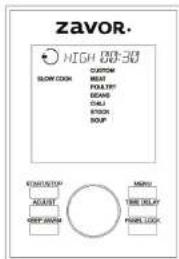
Slow Cook Function Temperature/Timer Chart:
| Setting Slow | Cook Temperature | Preset Presat Time Timor | ||
| Custom Low | or High 190°F or | 212°F 30 minutes* | 30 minutes-24 hours,30-minute increments | |
| Meat Low | 190°F | 8 hours | 30 minutes-24 hours,30-minute increments | |
| Poultry | High | 212°F | 1 hour | 30 minutes-24 hours,30-minute increments |
| Beans | Low 190°F | 5 hours | 30 minutes-24 hours,30-minute increments | |
| Chili | Low 190°F | 4 hours | 30 minutes-24 hours,30-minute increments | |
| Stock | Low 190°F | 10 hours | 30 minutes-24 hours,30-minute increments | |
| Soup Low | 190°F | 8 hours | 30 minutes-24 hours,30-minute increments |
*Custom preset time applies to initial use of this function, all subsequent uses will use the previously programmed time.
- Place the removable cooking pot into the multi-cooker.
- Place all ingredients as needed into the removable cooking pot.
-
For recipes that require a closed lid, place the lid on the cooker; align the self-locking pin with the unlocked symbol and turn the lid counterclockwise until it locks into place.
-
Turn the pressure regulator knob to STEAM.
-
Turn the dial until the SLOW COOK function is selected (the words blink) and confirm it by pressing the dial. The screen shows the settings for this function to the right. In addition to the settings, there is also a CUSTOM setting. For instruction on how to use the CUSTOM setting, see page 8.
NOTE: To go back to the main menu screen, press MENU.
- Choose your desired setting by tuming the dial. Press the dial to select the setting. The preset temperature (High or Low) and cooking time appears at the top of the screen.
If you wish to adjust those settings, turn the dial to select the temperature (High or Low) and then press the dial or the ADJUST button to confirm it. The cooking time then starts blinking to show it can be adjusted. Change the time by turning the dial and set your time by pressing the START/STOP button.
NOTE: Pressing the ADJUST button only switches the programming option between temperature and cooking time.
- After you press the START/STOP button, the screen turns green, and it displays the programmed temperature and time. You also see the preheat icon at the bottom of the screen and the preheating bar, which shows you how far along in the preheating process the unit is.
NOTE: If you forget to press the START/STOP button, the will beeps twice after 30 seconds, the light on the screen turns off, and the unit returns to standby mode. - Once the temperature has reached, the unit beeps, the cooking icon appears at the bottom of the screen, and it starts to count down your cooking time. While cooking, the function words on the panel will blink for a majority of the cooking time. They will occasionally stop blinking for a few minutes to indicate that the internal temperature is regulating itself. This is perfectly normal and will not affect the performance of the cooker or the end result of the food.
- When the cooking time ends, the unit beeps and switches to the KEEP WARM function. Press the START/STOP button to cancel the program.
Steam Function
This program allows you to steam delicate foods such as fish and vegetables.
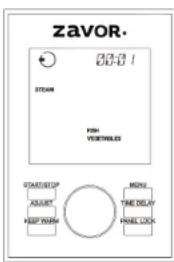
Steam Function Temperature/Timer Chart:
| Setting Temperature Preset Time Timer | ||
| Vegetable 212°F 3 minutes | 1 minute-1 hour, 1-minute increments | |
| Fish 212°F 4 minutes | 1 minute-1 hour, 1-minute increments |
- Place the removable cooking pot into the multi-cooker.
- Place about 1-2 cups of water into the removable cooking pot. Insert the trivet and steamer basket, making sure that the water sits a little bit below the steamer basket.
- Place ingredients into the steamer basket and close the lid of the cooker. The screen displays a Close Lid icon . If you press the START/STOP button to begin cooking and the lid is open or not locked properly, the icon on the screen changes from open , to close , and the unit beeps to indicate that the lid needs to be closed.
- Turn the pressure regulating knob to STEAM.
- Turn the dial until the STEAM function is selected (the words blink) and confirm it by pressing the dial. The screen shows the settings for this function to the right.
NOTE: To go back to the main menu screen, press MENU.
- Choose your desired setting by turning the dial. Press the dial to select the setting. The preset steaming time appears at the top of the screen.
If you wish to adjust it, turn the dial to select the desired time. Next, press the START/STOP button to confirm it.
- After you press the START/STOP button, the screen turns green, and it displays the programmed time at the top. You also see the preheat icon at the bottom of the screen and the preheating bar, which shows you how far along in the preheating process the unit is.
NOTE: If you forget to press the START/STOP button, the unit will beep twice after 30 seconds, the light on the screen will turn off and the unit will return to standby mode.
NOTE: If you have used any of the cook assist functions prior to slow cooking, the cooker may require some time to come down to the proper temperature. Once the proper temperature has been reached, the unit can begin running the slow cooking function.
- Once the temperature has reached, the unit beeps, the cooking icon appears at the bottom of the screen, and it starts to count your steaming time. While steaming, the function words on the panel will blink for a majority of the cooking time. They will occasionally stop blinking for a few minutes to indicate that the internal temperature is regulating itself. This is perfectly normal and will not affect the performance of the cooker or the end result of the food.
- When the cooking time ends, the unit beeps and switches to the KEEP WARM function. Press the START/STOP button to cancel the program.
NOTE: When using the STEAM function, the regulator knob must be turned to STEAM.
NOTE: If you are using the STEAM function without enough liquid in the removable cooking pot, the unit beeps every 5 seconds to alert you that more liquid needs to be put in.
Sauté Function
This function allows you to sauté food before cooking. Saute small amounts of food on high heat with very little oil before cooking. Pat the food dry with a paper towel before sautéing. For best results, make sure the oil is hot before adding your food. Saute the food in batches to keep the correct oil temperature for even sautéing.
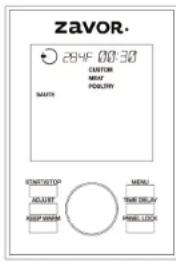
Sauté Function Temperature/Timer Chart:
| Setting Temperature Preset Time Timer | ||
| Custom 266°F-300°F 1 minute* | 1-30 minutes, 1-minute increments | |
| Meat 266°F-300°F 20 minutes | 1-30 minutes, 1-minute increments | |
| Poultry 266°F-300°F 15 minutes | 1-30 minutes, 1-minute increments | |
*Custom preset time applies to initial use of this function, all subsequent uses will use the previously programmed time.
- Place the removable cooking pot into the multi-cooker.
- Add the appropriate amount of oil into the removable cooking pot as indicated in your recipe.
NOTE: When using the SAUTÉ function do not place the lid on the multicooker. If the lid is closed and you press the START/STOP button, the icon on the screen changes from close to open, and the unit beeps to indicate that the lid needs to come off.
- Turn the dial until the SAUTÉ function is selected (the words blinks) and confirm it by pressing the dial. The screen shows the settings for this function to the right. In addition to the settings, there is also a CUSTOM setting. For instruction on how to use the CUSTOM setting, see page 8.
NOTE: To go back to the main menu screen, press MENU. - Choose your desired setting by turning the dial. Press the dial to select the setting. The preset sauteing time appears at the top of the screen. If you wish to adjust it, turn the dial to select the desired time. Next, press the
START/STOP button to confirm it.
- After you press the START/STOP button, the screen turns green, and it displays the programmed time at the top of the screen. You also see the preheat icon on the bottom of the screen, and the preheating bar, which shows you how far along in the preheating process the unit is.
NOTE: If you forget to press the START/STOP button, the unit beeps twice after 30 seconds, the light on the screen turns off and the unit returns to standby mode. - Once the temperature has reached, the unit beeps, the cooking icon appears at the bottom of the screen, and it starts to count your sauteing time. While sauteing, the function words on the panel will blink for a majority of the cooking time. They will occasionally stop blinking for a few minutes to indicate that the internal temperature is regulating itself. This is perfectly normal and will not affect the performance of the cooker or the end result of the food.
- When done sauteing, press the START/STOP button to cancel the program. NOTE: When switching from sauteing to any of the main cooking functions, the unit will require some additional time to come down to the proper temperature. Once the proper temperature has been reached, the unit can begin running the main cooking function.
Flex Function
This function allows you to program your pressure level and cooking time, as well as standard temperature to use the unit as a traditional stock pot.
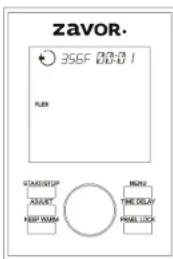
Flex Function Temperature/Timer Chart:
| Setting Temperature Preset Time Timer | ||
| Temp. Setting | 102°F-356°F 1 minute | 1 minute-10 hours, 1-minute increments |
| Pressure Setting | 226°F-248°F 1 minute | 1 minute-6 hours, 1-minute increments |
- Place the removable cooking pot into the multi-cooker.
- Add your ingredients to the removable cooking pot as indicated in your recipe.
- Turn the dial until the FLEX function is selected (the words blink) and select it by pressing the dial. The screen shows only the temperature/pressure level and cooking time at the top of the screen.
NOTE: To go back to the main menu screen, press MENU.
- When using the temperature setting, you may leave the lid off the unit. When using the pressure setting, close and lock the lid and set the regulator to PRESSURE. Choose between temperature or pressure level (High or Low) by turning the dial. Press the dial to select the setting. The preset cooking time appears at the top of the screen.
If you wish to adjust it, turn the dial to select the desired time. Next, press the START/STOP button to confirm it.
NOTE: The temperature setting allows you to set the timer for up to 30 minutes when cooking above 250^ and 10 hours when cooking at 250^ or below.
- After you press the START/STOP button, the screen turns green, and it displays the programmed time at the top of the screen. You also see the preheat icon on the bottom of the screen and the preheating bar, which shows you how far along in the preheating process the unit is.
NOTE: If you forget to press the START/STOP button, the unit beeps twice after 30 seconds, the light on the screen turns off, and the unit returns to standby mode. - Once the temperature or pressure builds entirely, the unit beeps, the cooking icon appears at the bottom of the screen and it starts to count your cooking time. While cooking, the function words on the panel will blink for a majority of the cooking time. They will occasionally stop blinking for a few minutes to indicate that the internal temperature is regulating itself. This is perfectly normal and will not affect the performance of the cooker or the end result of the food.
- When the cooking time ends, the unit will automatically switch back to standby mode.
Using the Flex Function to Sous Vide
The Flex function allows you to achieve sous vide results in your LUX LCD multicooker. On average, most sous vide recipes call for cooking temperatures between 120^ to about 180^ . To sous vide in your LUX LCD you'll need the following:
Bags: A vacuum sealer system is easiest but not necessary. Quality freezer bags can be used as alternatives to vacuum sealing. Be sure to remove all the air from the bags if you're using freezer bags.
Clips: Whether you use clothespins, metal clips, or any other clipping device, be sure to securely clip your bags to the Y-shaped gasket attachment on the lid. To avoid overcrowding, we suggest one bag per metal rod. The water must be evenly touching all sides of the bag inside the pot.
- Begin by placing the removable cooking pot into the multi-cooker.
- Fill the removable cooking pot with water, enough so that your bags of food will be fully immersed in the water once inserted.
- Turn the dial until the FLEX function is selected (the words blink) and select it by
pressing the dial. The screen will show the default Flex temperature of 365^ , press the dial again and adjust the temperature according to your recipe.
- Once you've reached the correct temperature, press the dial again to adjust the cooking time. Once you've reached the correct cooking time, press the Start/Stop button. The unit will begin preheating.
- While the unit preheats, season your food according to your recipe and place it in your bags. Remove as much air as possible from the bags before sealing them.
- Clip the bags to the Y-shaped attachment on the underside of the lid. One bag per metal rod will produce optimal results.
- Once the unit temperature builds entirely, it will beep and you can now place your bags into the pot easily by simply placing the lid on the cooker. Make sure that the regulator knob is set to the STEAM position.
- When the cooking time ends, the unit beeps and switches to stand-by mode.
- Carefully remove the lid and unclip the bags from the metal rods. Open the bags and take the food out. In the Sous Vide Cooking Chart below we have listed Chef's Finish recommendations for different foods to achieve the best results.
Zavor's Sous Vide Cooking Chart
| Beef Thickness Suggested Time | Suggested Temp (°F) | Chef's Recommendation | ||
| Steak or Flet | "Finish cooking each side in hot skillet with oil or butter for 30 seconds | |||
| medium rare 2 inches | 1.5 hours 136 | |||
| medium 2 inches | 2.5 hours 136 | |||
| medium well 2 inches | 2.5 hours 140 | |||
| well done 2 inches | 3.5 hours 146 | |||
| Roast | Finish cooking each side in hot skillet with oil or butter for 30 seconds | |||
| medium rare | 2.75 inches | 10 hours | 136 | |
| medium | 2.75 inches | 10 hours | 146 | |
| well done 2.75 inches | 10 hours | 156 | ||
| Pork | Thickness Suggested Time Suggested Temp (°F) | Chef's Recommendation | ||
| Chop | Finish cooking each side in hot skillet with oil or butter for 30 seconds | |||
| medium rare | 1 inch | 2 hours | 140 | |
| medium | 1 inch | 1.5 hours 160 | ||
| well done | 1 inch | 2.5 hours 160 | ||
| Tenderloin | 1.5 inches | 90 minutes | 136 | Finish cooking each slide in hot skillet with oil or butter for 30 seconds |
| Roast | Finish cooking each side in hot skillet with oil or butter for 30 seconds | |||
| medium rare | 2.57 inches | 10 hours | 166 | |
| medium | 2.57 inches | 10 hours | 180 | |
| well done | 2.57 inches | 10 hours | 184 | |
| Baby Back ribs | Finish cooking in a hot skillet for 30 seconds | |||
| medium rare | 1 inch | 4 hours | 166 | |
| medium | 1 inch | 6 hours | 166 | |
| well done | 1 inch | 8 hours | 166 | |
| Sample Title | Satisfaction | Suggested Time | Suggested Temp (°F) | Recommendation |
| medium rare 2.75 inches 10 hours | 199 | 194 | ||
| medium | 2.75 inches 10 hours | 184 | ||
| well done | 2.75 inches 10 hours | 184 | ||
| Poultry | Thickens | Suggested Time | Suggested Temp (°F) | Recommendation |
| Chicken - White Meat | 2.3 hours | 195 | Finish cooking in hot oil or butter for 20 seconds | |
| Chicken - Dark Meat | 2.5-3.5 hours (70) | 196 | ||
| Fish | Theicass | Suggested Time | Suggested Temp (°F) | Recommendation |
| Lean Fish | 0.5-1 inches | 45 minutes 120 | Finish cooking in hot oil or butter for 20 seconds | |
| Well done | 0.5-1 inches | 45 minutes 130 | ||
| Fatty Fish | 2 inches | 1 hour | 1:25 | Finish cooking in hot oil or butter for 20 seconds |
| Tender | 2 inches | 1 hour | 1:25 | Finish cooking in hot oil or butter for 20 seconds |
| Well done | 2 inches | 1 hour | 1:30 | |
| Shellfish | Theicass | Suggested Time | Suggested Temp (°F) | Recommendation |
| Lobster | 1 inch | 50 minutes 140 | Finish cooking in hot oil or butter for 20 seconds | |
| Scallops | 1 inch | 40 minutes 140 | Finish cooking in hot oil or butter for 20 seconds | |
| Shrimp | Jumbo | 50 minutes 140 | ||
| Vegetables | Thickness | Suggested Time | Suggested Temp (°F) | Recommendation |
| Carrots Sard | up to 1 inch | 90 minutes 144 | ||
| Potatoes Sard | up to 1 inch | 144 | ||
| Bacon Sard | up to 1 inch | 144 | ||
| Corn Sard | up to 1 inch | 144 | ||
| Green Beans | up to 1 inch | 144 | ||
| Green Beans Sard | up to 1 inch | 20 minutes 194 | ||
| Asparagus Churcay | up to 1 inch | 12 minutes 194 | ||
| Asparagus Sard | up to 1 inch | 20 minutes 194 | ||
| Beets Sard | up to 1 inch | 144 | ||
| Peas Churcay | up to 1 inch | 20 minutes 194 | ||
| Peas Sard | up to 1 inch | 144 | ||
| Squash Sard | up to 1 inch | 144 | ||
| Fruits | Thickness | Suggested Time | Suggested Temp (°F) | Recommendation |
| Apples Soffer | up to 1 inch | 2 hours | 194 | |
| Pears Soffer | up to 1 inch | 2 hours | 184 | |
| Peaches Soffer | up to 1 inch | 144 | 194 | |
| Strawberries Soffer | up to 1 inch | 144 | 194 | |
| Eggs In Shell | Size | Suggested Time | Suggested Temp (°F) | Chef's Recommendation |
| Soft-boiled | Large | 50 minutes | 140 | Season after cooking |
| Hard-boiled | Large | 40 minutes | 140 | |
| * Times and temperature will vary depending on thickness of food, this is a guideline to alde in sous vide cooking with the Flex Function in our LUX LCD Multicooker * | ||||
Simmer Function
Prepare your foods with this fantastic technique used to make soups, stocks, sauces, and other wonderful creations. The SIMMER function ensures your food stays just below the boiling point while still being heated.
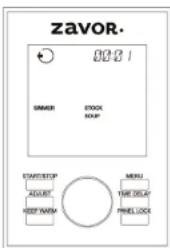
Simmer Function Temperature/Timer Chart:
| Setting Temperature Preset Time Timer | |||
| Stock 200°F | 45 minutes | 1 minute-2 hours, 1-minute increments | |
| Soup 200°F | 55 minutes | 1 minute-2 hours, 1-minute increments | |
- Place the removable cooking pot into the multi-cooker, add the ingredients, and close the lid. The screen displays a Close Lid icon the lid is open or not closed correctly, the icon on the screen changes from open to close , and the unit beeps to indicate that the lid needs to be closed.
- Tum the pressure regulating knob to STEAM.
- Turn the dial until the SIMMER function is selected (the words blink) and confirm it by pressing the dial. The screen shows the settings for this function to the right.
NOTE: To go back to the main menu screen, press MENU.
4. Choose your desired setting by turning the dial. Press the dial to select the setting. The preset simmering time appears at the top of the screen. If you wish to adjust it, turn the dial to select the desired time. Next, press the
START/STOP button to confirm it.
- After you press the START/STOP button, the screen turns green, and it displays the programmed time at the top of the screen. You also see the preheat icon at the bottom of the screen, and the preheating bar which shows you how far along in the preheating process the unit is.
NOTE: If you forget to press the START/STOP button, the unit beeps twice after 30 seconds, the light on the screen turns off and the unit returns to standby mode. - Once the temperature has reached, the unit beeps, the cooking icon appears at the bottom of the screen, and it starts to count your simmering time. While simmering, the function words on the panel will blink for a majority of the cooking time. They will occasionally stop blinking for a few minutes to indicate that the internal temperature is regulating itself. This is perfectly normal and will not affect the performance of the cooker or the end result of the food.
- When the cooking time ends, the unit beeps and switches to the KEEP WARM function. Press the START/STOP button to cancel the program.
Yogurt Function
You only need two ingredients to make yogurt at home: any type of milk and plain store-bought yogurt (with live active cultures) or starter yogurt.
Choosing the Milk:
The following types of milk may be used:
- Pasteurized milk of any fat content (full, 2%, 1% or skim milk)
- Powdered milk
- Long-life UHT sterilized milk
- Soy Milk. Be sure to use UHT soy milk, which contains one of the following ingredients: fructose, honey, or malt. These ingredients are necessary for fermentation, and you cannot succeed if none are available in the milk.
Live Active Cultures-Unflavored Yogurt:
All you need is a small amount of plain, unflavored yogurt with live active cultures, often called probiotics. The plain yogurt can either be purchased from a store or used from a previous batch of homemade yogurt. Homemade yogurt can only be used a maximum of 2 times as starter yogurt. If you use the store bought yogurt and prefer a particular brand, try using that one as a starter.
The Live & Active Culture seal, from the National Yogurt Association (NYA), helps you recognize those products containing significant amounts of live and active cultures. The seal is a voluntary identification available to all manufacturers of yogurt whose products contain at least 100 million cultures per gram at the time of manufacture. Since the seal program is voluntary, some yogurt products may have some live cultures but not carry the seal.

NOTE: For 5 cups of milk use a 12 cup of plain yogurt or 1 packet starter culture; for 1 cup of milk use about one tablespoon of plain yogurt.
NOTE: You can make yogurt either directly in the removable cooking pot or using glass jars in the removable cooking pot by placing them in the steamer.
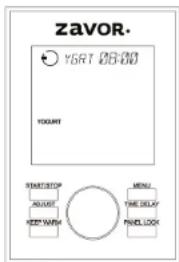
Yogurt Function Temperature/Timer Chart:
| Setting Temperature Preset Time Timer | ||
| HEAT 180°F n/a n/a | ||
| YGRT 104°F -109°F B hours | Up to 24 hours,30-minute increments |
Yogurt Making Process:
- Remove the starter yogurt from the refrigerator so that it has time to get closer to room temperature while you heat the milk.
- Place the amount of milk desired in the removable cooking pot. Place the lid on the multi-cooker, turn the pressure regulator knob to STEAM and heat the milk to 180^ - 185^ by setting the YOGURT function to the HEAT setting and pressing START/STOP. The display reads HEAT, and once the milk reaches the proper temperature of 180^ - 185^ , the unit beeps and goes to standby mode. Use a thermometer to make sure that proper temperature has reached.
NOTE: The unit only detects the proper temperature of 180^ - 185^ when a half gallon (8 cups) of milk is in use. If using a different amount of milk, please use a thermometer to make sure that proper temperature has reached. If needed, rerun the HEAT program again to get to the proper temperature.
- Remove the removable cooking pot from heat using a kitchen towel or oven mitts and allow the milk to cool to anywhere between 100^ - 110^ . To accelerate the cooling down process, place the removable cooking pot in cold water. Do not let it cool below 90^ .
- Add the yogurt or starter culture packet and use a silicone whisk to mix it with the milk until the consistency is smooth with no lumps remaining.
- Place the lid on the cooker; align the self-locking pin with the unlocked symbol and turn your lid counterclockwise until the locking pin clicks into place. The screen displays the Close Lid icon If you press the START/STOP button to begin cooking and the lid is open or not locked correctly, the icon on the screen changes from open to close , and the unit beeps to notify you that the
lid needs to be closed. Turn the pressure regulator knob to STEAM when using the yogurt function. Turn the dial until the Yogurt function is selected (the words blink) and confirm it by pressing the dial. Turn the dial, so the screen reads YGRT and shows the preset cooking time of 8 hours. Depending on the flavor of yogurt you like best, you can choose how long to cook the yogurt for by adjusting the time. To do that, turn the dial to your desired time and then press the START/STOP button to confirm it.
The longest cooking time is 24 hours. The preparation time impacts the flavor of the yogurt. With a longer cooking time, the yogurt could have a tarter flavor. With a shorter time, the yogurt could have a milder flavor.
6. Press the START/STOP button to begin the yogurt function. The screen turns green, and it displays the programmed time at the top of the screen. You also see the preheat icon on the bottom of the screen, and the preheating bar which shows you how far along in the preheating process the unit is.
NOTE: If you forget to press the START/STOP button, the unit beeps twice after 30 seconds, the light on the screen turns off and, the unit returns to standby mode.
7. Once the temperature has reached, the unit beeps, the cooking icon appears at the bottom of the screen, and it begins to count down. While cooking, the function words on the panel will blink for a majority of the cooking time. They will occasionally stop blinking for a few minutes to indicate that the internal temperature is regulating itself. This is perfectly normal and will not affect the performance of the cooker or the end result of the food.
8. When the cooking time ends, the unit beeps to let you know that the function is over, and the unit switches back to standby mode.
9. When the yogurt is ready, remove the lid. There may be some yellowish liquid, whey, on top of the yogurt. Don't worry, this is normal; whey contains nutrients and protein. Mix it back into the yogurt.
10. If you prefer regular yogurt, cover and place it in the refrigerator for 2 to 3 hours before serving, or until yogurt cools down. If you prefer Greek yogurt, please refer to page 30.
NOTE: THE MULTI-COOKER SHOULD REMAIN PERFECTLY STILL DURING THE INCUBATION PROCESS. DO NOT MOVE THE APPLIANCE; DO NOT REMOVE THE REMOVABLE COOKING POT OR THE LID AS THIS AFFECTS THE FIRMNESS OF THE YOGURT. DO NOT ADD ANY FLAVORING BEFORE COMPLETING THE INCUBATION PROCESS.
Yogurt Making in Glass Jars:
- Remove the starter yogurt from the refrigerator so that it has time to get closer to room temperature while you heat the milk.
- When you heat the milk in glass jars, add 1 cup of water into the removable cooking pot, then insert the trivet and steamer basket rack and place your glass jars on top. Place the lid on the multi-cooker and turn the pressure regulator knob to STEAM. Select the YOGURT function, then select the HEAT setting and press START/STOP. The display reads HEAT, and once the milk reaches the proper temperature of 180^ - 185^ , the unit beeps and goes to standby mode. Use a thermometer to make sure that proper temperature has reached.
-
Next, allow the milk to cool to lukewarm (100^ - 110^) . To accelerate the cooling down process, take out the jars with the help of a jar lifter. Do not let it cool below 90^ .
-
Add the plain yogurt with live active cultures and use a spoon to mix it with the milk until the consistency is smooth with no lumps remaining.
- Place the lid on the multi-cooker; align the self-locking pin on the handle with the open lock symbol, and turn it counterclockwise until the locking pin clicks into place. The screen displays a Close Lid icon if you press the START/STOP button to begin cooking and the lid is open or not locked correctly, the icon on the screen changes from open to close, and the unit beeps to notify you that the lid needs to be closed. Turn the pressure regulator knob to STEAM. Turn the dial until the Yogurt function is selected (the words blink) and confirm it by pressing the dial. The preset cooking time is 8 hours. Depending on the flavor of yogurt you like best, you can choose how long to cook the yogurt for by adjusting the time. To do that, turn the dial to select the desired time and then press the START/STOP button to confirm it.
The longest cooking time is 24 hours. The preparation time impacts the yogurt taste. With a longer cooking time, the yogurt could have a tarter flavor. With a shorter time, the yogurt could have a milder flavor. - Press the START/STOP button to begin the yogurt function. The screen turns green, and it displays the programmed time at the top. You also see the preheat icon on the bottom of the screen, and the preheating bar, which shows you how far along in the preheating process the unit is.
NOTE: If you forget to press the START/STOP button, the unit beeps twice after 30 seconds, the light on the screen turns off, and the unit returns to standby mode.
- Once the temperature has reached, the unit beeps, the cooking icon appears at the bottom of the screen, and it begins to count down. While cooking, the function words on the panel will blink for a majority of the cooking time. They will occasionally stop blinking for a few minutes to indicate that the internal temperature is regulating itself. This is perfectly normal and will not affect the performance of the cooker or the end result of the food.
- When the cooking time ends, the unit beeps to let you know that the function is over, and the unit switches back to standby mode.
- When the yogurt is ready, remove the lid. There may be some yellowish liquid, whey, on top of the yogurt. Don't worry, this is normal; whey contains nutrients and protein. Mix it back into the yogurt.
- If you prefer regular yogurt, cover, and place in the refrigerator for 2 to 3 hours before serving, or until yogurt cools. If you prefer making Greek yogurt, please see page 30.
Helpful Hints and Tips:
- The probiotics and live active cultures are at its best when the yogurt is fresh. For the best results, only use the same starter yogurt 2 times max. After a few days, the probiotics in the previous batch can weaken, and the yogurt may result in a liquid consistency.
- You may choose to make flavored yogurt and add sugar, honey, flavorings, fruit, or other ingredients to taste test just before to eating.
- For best results and ease of preparation, use whole or semi-skimmed UHT milk or reconstituted milk powder. They don't need to be heated or cooled down.
- The "best before" date for natural yogurts are 7 days after the yogurt was made, depending on the freshness of the milk. When in doubt, use the expiration date on your milk as a guideline.
Greek Yogurt
- Place a strainer or a cheesecloth inside a container, so the strainer doesn't touch the bottom of the container to allow for better drainage.
- Pour the homemade yogurt into the strainer or cheesecloth and cover. Put it in the refrigerator to strain and chill for at least 2 hours. The longer the time, the thicker the yogurt becomes.
- Gently remove yogurt from strainer or cheesecloth by turning the strainer or cheesecloth upside down on a plate or container.
- Put it back in the refrigerator to chill for another few hours before serving.
Grains Function
This program ensures that your grains are cooked to perfection every time and that they maintain all of their richness and nutrients. Grains function uses a pressure cooking program. You may also find it as a setting in the PRESSURE COOK function.
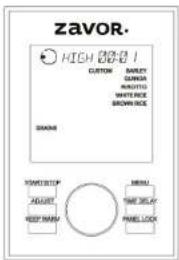
Grains Function Temperature/Timer Chart:
| Setting Presure Cook Temperature Preset Time Timer | ||||
| Custom High or Low | 226°F-230°F or 240°F-248°F | 1 minute* | 1 minute-6 hours, 1-minute increments | |
| Barley High 240°F-248°F 30 minutes | 1 minute-6 hours, 1-minute increments | |||
| Quinoa Low 226°F-230°F 1 minute | 1 minute-6 hours, 1-minute increments | |||
| Risotto High 240°F-248°F | 6 minutes | 1 minute-6 hours, 1-minute increments | ||
| White Rice | n/a (this is a steaming setting) | 212°F | n/a | not programmable |
| Brown Rice | High 240°F-248°F 20 minutes | 1 minute-6 hours, 1-minute increments | ||
*Custom preset time applies to initial use of this function. all subsequent uses will use the previously programmed time.
Pressure Cooking Rice/Grains: To achieve best results when pressure cooking rice/grains, please refer to the below tips and hints:
- Add 1-2 tablespoons of oil to the dried grains to minimize frothing.
- Do not fill the removable cooking pot more than half full to allow rice/grain to expand in size.
- Do not use the quick release method to release pressure; use the natural release method instead.
- Pearl Barley tends to froth, foam and sputter, which may block the pressure valve if filled too high in the removable cooking pot. Please be sure not to fill the removable cooking pot more than half full.
Rice/Grain Pressure Cooking Chart:
| Rice/Grain Pressure Setting | Grain : Water Ratio (180m Cups) | Cooking Function & Cooking Times | |
| Arborio | High | 1:3 | 6 minutes |
| Barley | High | 1:3-1:4 | 25-30 minutes |
| Basmati | Low | 1:1% | 6-9 minutes |
| Brown | High | 1:1% | 25-30 minutes |
| Couscous | High | 1:2 | 5-8 minutes |
| Jasmine | Low | 1:1 | 8-9 minutes |
| Long Grain | Low | 1:1% | 10 minutes |
| Millet | High | 2:3 | 10-12 minutes |
| Pearl Barley | High | 1:4 | 25-30 minutes |
| Quick Cooking Oats | High | 1:1 2/3 | 5-6 minutes |
| Quinoa | High | 1:2 | 8-10 minutes |
| Short Grain Rice | Low | 1:1% | 8-9 minutes |
| Steel Cut Oats | High | 1:1 2/3 | 10 minutes |
| Sushi Rice | Low | 1:1% | 9 minutes |
| Wheat Cornles | High | 1:3 | 25-30 minutes |
| Wild Rice | High | 1:3 | 25-30 minutes |
- Place the removable cooking pot into the multi-cooker.
- Place about 1-2 tablespoons of oil into the removable cooking pot.
- Add the water and rice ratios needed and any other desired ingredients into the removable cooking pot.
- Close and lock the lid of the multi-cooker by aligning the self-locking pin on the handle with the unlock icon and turning the lid counterclockwise. Turn the pressure regulator knob to PRESSURE. When using the White Rice setting, turn the pressure regulator knob to STEAM. The screen displays a Close Lid icon. If you press the START/STOP button and the lid is open or not locked correctly, the icon on the screen changes from open to close, and the unit beeps to indicate that the lid needs to be closed.
- Turn the dial until the GRAINS function is selected (the words blink) and confirm it by pressing the dial. The screen shows the settings for this function to the right. In addition to the settings, there is also a CUSTOM setting. For instruction on how to use the CUSTOM setting, see page 8.
NOTE: To go back to the main menu screen, press MENU.
- Choose your desired setting by turning the dial. Press the dial to select the setting. The preset pressure level (High or Low) and cooking time appears at the top of the screen (excluding White Rice).
If you wish to adjust those settings, turn the dial to select the pressure level (High or Low) and then press the dial or the ADJUST button to confirm it. The cooking time then starts blinking to show it can be adjusted. Change the time by turning the dial and set your time by pressing the START/STOP button.
NOTE: Pressing the ADJUST button only switches the programming option between pressure level and cooking time.
- After you press the START/STOP button, the screen turns green, and it displays the programmed setting and time at the top. You also see the preheat icon on the bottom of the screen and the preheating bar, which shows you how far along in the preheating process the unit is.
NOTE: If you forget to press the START/STOP button, the unit beeps, the cooking icon appears at the bottom of the screen twice after 30 seconds, the light on the screen turns off, and the unit returns to standby mode.
- Once pressure builds entirely, the unit beeps and it starts to count down your cooking time. The floating valve located on the lid rises indicating that there is pressure inside the unit. While cooking, the function words on the panel will blink for a majority of the cooking time. They will occasionally stop blinking for a few minutes to indicate that the internal temperature is regulating itself. This is perfectly normal and will not affect the performance of the cooker or the end result of the food.
NOTE: When using the White Rice setting, only the outer display lines shows once the temperature has reached. There is no preset cooking time for this setting as the unit itself detects the water levels in the unit and beeps once the rice steamed correctly. The cooking time depends on how much rice you are cooking.
WARNING: NEVER TRY TO FORCE THE LID OPEN WHILE YOU ARE COOKING UNDER PRESSURE, CAN RESULT IN A SERIOUS ACCIDENT.
WARNING: NEVER DEEP FRY OR PRESSURE FRY IN THE MULTI-COOKER. IT IS DANGEROUS AND MAY CAUSE A FIRE AND SERIOUS DAMAGE.
-
When the cooking time ends, the unit beeps and switches to the KEEP WARM function. The unit beeps periodically to let you know that there is pressure inside the unit. Once you release the pressure, the unit stops beeping, and remains on the KEEP WARM function. Press the START/STOP button to cancel the program.
-
After the cooking time is up, release the pressure. You have two options for releasing the pressure:
a. Quick Release Method: Release the pressure immediately by turning the pressure regulator knob to STEAM.
CAUTION: THE STEAM COMING OUT OF THE COOKER IS HOT, AND MIGHT CONTAIN DROPLETS OF HOT LIQUID. BE SURE TO USE POT HOLDERS, OVEN MITTS OR A KITCHEN TOWEL WHEN RELEASING PRESSURE.
b. Natural Release Method: Release the pressure by shutting the unit off completely: this allows the pressure to drop naturally without turning the pressure regulator knob to STEAM. Natural Release Method takes several minutes, during which the food inside continues cooking. Some recipes (such as quinoa) benefit from extra cooking time. You know when the pressure has been released because the floating valve drops and can open the lid.
- Once all the pressure is released, remove the lid by turning it clockwise, lifting it and tilting it away from yourself to avoid getting burnt by any remaining steam or hot water condensation dripping from the inner portion of the lid.
WARNING: AFTER COOKING, THE REMOVABLE COOKING POT IS HOT. USE POT HOLDERS, OVEN MITTS OR A KITCHEN TOWEL TO HANDLE IT OR LET IT COOL DOWN BEFORE REMOVIDING.
White Rice Setting - Traditional Rice Cooker
This program allows you to cook rice as a traditional rice cooker, with steam.
- Place the removable cooking pot into the multi-cooker and add the ingredients.
- Place the lid on the cooker; align the protruding pin on the handle with the condensation collector (open lock symbol), and turn it counterclockwise until the locking pin clicks into place. Turn the pressure regulator knob to STEAM.
- Turn the dial until the GRAINS function is selected (the words blink) and confirm it by pressing the dial. The screen shows the settings for this function to the right. Turn the dial to the White Rice setting and press the dial to select.
NOTE: There is no need to adjust the time since the unit do it automatically.
- Press the START/STOP button to begin cooking. The screen turns green, and you see the cycle lines, the preheat icon on the bottom of the screen and the preheating bar which shows you how far along in the preheating process the unit is.
- Once the preheating process is over, the cooking callout appears and the unit begins the steaming process. Once the rice is properly steamed, the unit switches to Keep Warm. You can now open the lid
Eggs Function
This function allows you to prepare your favorite egg recipes such as hard-boiled and soft boil eggs, omelets, deviled eggs, egg salad, and many more. For recipes, please see the cookbook included with this unit. Please note that the Eggs function is a pressure cook function.
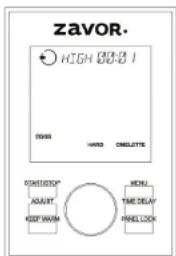
Eggs Function Temperature/Timer Chart:
| Setting Pressure Cook Temperature | ature Preset Time | Timer | |
| Hard Boiled High 240°F-248°F 9 minutes | 1 minute-6 hours,1-minute increments | ||
| Omelette High 240°F-248°F 9 m | nutes | 1 minute-6 hours,1-minute increments | |
- Place the removable cooking pot into the multi-cooker. Add 112 cups of water in the cooking pot.
- For the Hard Boiled setting, place the trivet and a steamer basket inside the cooking pot. Then place your eggs inside the steamer basket.
For the Omelette setting, use ramekins or any type of cookware that is oven safe. Spray each one with a cooking spray and then fill them with an egg mixture. Place the trivet and steamer basket inside the cooking pot. Then place the ramekins inside the steamer basket.
- Place the lid on the cooker; aligning the self-locking pin on the handle with the unlocked symbol, and turn your lid counterclockwise until the locking pin clicks into place. You know when this the unit has locked once you hear the pin click into place and the screen displays a Close Lid icon. If you press the START/STOP button and the lid is open or not locked correctly, the icon on the screen changes from open to close, and the unit beeps to notify you that the lid needs to be closed.
- Turn the pressure regulator knob to PRESSURE.
- Turn the dial until the EGGS function is selected (the words blink) and confirm it by pressing the dial. The screen shows the settings for this function to the right.
NOTE: To go back to the main menu screen, press MENU.
- Choose your desired setting by turning the dial. Press the dial to select the setting. The preset pressure level (High or Low) and cooking time appears at the top of the screen.
If you wish to adjust those settings, turn the dial to select the pressure level (High or Low) and then press the dial or the ADJUST button to confirm it. The cooking time then starts blinking to show it can be adjusted. Change the time by turning the dial and set your time by pressing the START/STOP button.
NOTE: Pressing the ADJUST button only switches the programming option between pressure level and cooking time.
- After pressing the START/STOP button, the screen turns green, and it displays the programmed pressure setting, and time at the top of the screen. You also see the preheat icon on the bottom of the screen and the preheating bar, which shows you how far along in the preheating process the unit is.
NOTE: If you forget to press the START/STOP button, the unit beeps twice after 30 seconds, the light on the screen turns off, and the unit returns to standby mode. - Once pressure builds entirely, the unit beeps, the cooking icon appears at the bottom of the screen, and it starts to count down your cooking time. The floating valve located on the lid rises indicating that there is pressure inside the unit. While cooking, the function words on the panel will blink for a majority of the cooking time. They will occasionally stop blinking for a few minutes to indicate that the internal temperature is regulating itself. This is perfectly
normal and will not affect the performance of the cooker or the end result of the food.
WARNING: NEVER TRY TO FORCE THE LID OPEN WHILE YOU ARE COOKING UNDER PRESSURE, CAN RESULT IN A SERIOUS ACCIDENT.
WARNING: NEVER DEEP FRY OR PRESSURE FRY IN THE MULTI-COOKER. IT IS DANGEROUS AND MAY CAUSE A FIRE AND SERIOUS DAMAGE.
- When the cooking time ends, the unit beeps and switches to the KEEP WARM function. The unit beeps periodically to let you know that there is pressure inside the unit. Once you release the pressure, the unit stops beeping and remains on the KEEP WARM function. Press the START/STOP button to cancel the program.
- After the cooking time is up, release the pressure. You have two options for releasing the pressure:
a. Quick Release Method: Release the pressure immediately by turning the pressure regulator knob to STEAM.
CAUTION: THE STEAM COMING OUT OF THE COOKER IS HOT, AND MIGHT CONTAIN DROPLETS OF HOT LIQUID. BE SURE TO USE POT HOLDERS, OVEN MITTS OR A KITCHEN TOWEL WHEN RELEASING PRESSURE.
b. Natural Release Method: Release the pressure by shutting the unit off completely; this allows the pressure to drop naturally without turning the pressure regulator knob to STEAM. Natural Release Method takes several minutes, during which the food inside continues cooking. Some recipes (such as quinoa) benefit from this cooking time. You know when the pressure has released because the floating valve drops, and you can open the lid.
11. Once all the pressure is released, remove the lid by turning it clockwise, lifting it and tilting it away from yourself to avoid getting burnt by any remaining steam or hot water condensation dripping from the inner portion of the lid.
WARNING: AFTER COOKING, THE REMOVABLE COOKING POT IS HOT. USE POT HOLDERS, OVEN MITTS OR A KITCHEN TOWEL TO HANDLE IT OR LET IT COOL DOWN BEFORE REMOVG.
Dessert Function
With this function, you can prepare delicious desserts like custard, cheesecake, rice pudding, and flan quickly and easily. Please note that the Dessert function is a pressure cook function.
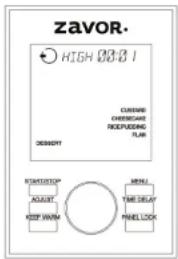
Dessert Function Temperature/Timer Chart:
| Setting Pressure Cook Temperature Preset Time Timer | |||
| Custard High 240°F-248°F 12 m minutes | 1 minute-6 hours, 1-minute increments | ||
| Rice Pudding High 240°F-248°F 18 minutes | 1 minute-6 hours, 1-minute increments | ||
| Cheesecake High 240°F-248°F 23 minutes | 1 minute-6 hours, 1-minute increments | ||
| Flan High 240°F-248°F 10 minutes | 1 minute-6 hours, 1-minute increments | ||
- Place the removable cooking pot into the multi-cooker.
- Use the following directions for each setting:
Custard setting: Add 112 cups of water to the cooking pot. Place the trivet and a steamer basket inside the cooking pot. Use ramekins or any type of cookware that is oven safe. Spray each one with a cooking spray and then fill them out with a custard mixture. Place ramekins in the steamer basket.
Cheesecake setting: Add 112 cups of water to the cooking pot and then place the trivet down into the water. Spray a springform pan with a cooking spray, fill it with a cheesecake mixture and wrap it with aluminum foil. Place the form on the trivet inside the cooking pot.
Rice pudding setting: Place all ingredients directly inside the cooking pot.
Plan setting: Add 112 cups of water to the cooking pot and then place the trivet and steamer basket inside to cooking pot. Use ramekins or any type of cookware that is oven safe. Spray each one with a cooking spray and then fill them with a flan mixture. Cover each ramekin tightly with aluminum foil and then place them in the basket.
3. Place the lid on the multi-cooker; aligning the self-locking pin on the handle
with the open lock symbol, and turn your lid counterclockwise until it locks into place. You know when the unit has locked once you hear the pin click into place and the screen displays the Close Lid icon . If you press the START/STOP button and the lid is open or not locked correctly, the icon on the screen changes from open , to close , and the unit beeps to notify you that the lid needs to be closed.
- Turn the pressure regulator knob to PRESSURE.
- Turn the dial until the DESSERTS function is selected (the words blink) and confirm it by pressing the dial. The screen shows the settings for this function to the right.
NOTE: To go back to the main menu screen, press MENU.
- Choose your desired setting by turning the dial. Press the dial to select the setting. The preset pressure level (High or Low) and cooking time appears at the top of the display.
If you wish to adjust those settings, turn the dial to select the pressure level (High or Low) and then press the dial or the ADJUST button to confirm it. The cooking time then starts blinking to show it can be adjusted. Change the time by turning the dial and set your time by pressing the START/STOP button.
NOTE: Pressing the ADJUST button only switches the programming option between pressure level and cooking time.
- After pressing the START/STOP the screen tums green, and it displays the programmed pressure setting and time at the top. You also see the preheat icon at the bottom of the screen and the preheating bar, which shows you how far along in the preheating process the unit is.
NOTE: If you forget to press the START/STOP button, the unit beeps, the cooking icon appears at the bottom of the screen twice after 30 seconds, the light on the screen turns off, and the unit returns to standby mode. - Once pressure builds entirely, the unit beeps and it starts to count down your cooking time. The floating valve located on the lid rises indicating that there is pressure built inside the unit. While cooking, the function words on the panel will blink for a majority of the cooking time. They will occasionally stop blinking for a few minutes to indicate that the internal temperature is regulating itself. This is perfectly normal and will not affect the performance of the cooker or the end result of the food.
WARNING: NEVER TRY TO FORCE THE LID OPEN WHILE YOU ARE COOKING UNDER PRESSURE, CAN RESULT IN A SERIOUS ACCIDENT.
WARNING: NEVER DEEP FRY OR PRESSURE FRY IN THE MULTI-COOKER. IT IS DANGEROUS AND MAY CAUSE A FIRE AND SERIOUS DAMAGE.
- When the cooking time ends, the unit beeps and switches to the KEEP WARM function. The unit beeps periodically to let you know that there is a pressure inside the unit. Once you release the pressure, the unit stops beeping, and remains on the KEEP WARM function. Press the START/STOP button to cancel the program.
- After the cooking time is up, release the pressure. You have two options for releasing the pressure:
a. Quick Release Method: Release the pressure immediately by turning the pressure regulator knob to STEAM.
CAUTION: THE STEAM COMING OUT OF THE COOKER IS HOT, AND MIGHT CONTAIN DROPLETS OF HOT LIQUID. BE SURE TO USE POT HOLDERS
OVEN MITTS OR A KITCHEN TOWEL WHEN RELEASING PRESSURE.
b. Natural Release Method: Release the pressure by shutting the unit off completely, this allows the pressure to drop naturally without turning the pressure regulator knob to STEAM. Natural Release Method takes several minutes, during which the food inside continues cooking. Some recipes (such as quinoa) benefit from extra cooking time. You know when the pressure has been released because the floating valve drops and you can open the lid.
- Once all the pressure is released, remove the lid by turning it clockwise, lifting it and tilting it away from yourself to avoid getting burnt by any remaining steam or hot water condensation dripping from the inner portion of the lid.
WARNING: AFTER COOKING, THE REMOVABLE COOKING POT IS HOT. USE POT HOLDERS, OVEN MITTS, OR A KITCHEN TOWEL TO HANDLE IT OR LET IT COOL DOWN BEFORE REMOVG.
Mute Feature
If you would like to disable all the beeps from the multi-cooker, you may do so by pressing and holding the ADJUST button until the display shows the Mute Icon. All beeps, including button presses and unit notification sounds, become disabled for the duration of the use.
To unmute the multi-cooker, press and hold the ADJUST button until the Mute Icon disappears and the unit emits a beep: this unmutes all beeps.
Note: If you mute the multi-cooker and then unplug it after use, this disables the mute feature and the unit becomes unmuted at its next use.
Cleaning and Maintenance
Do not wash any parts of the multi-cooker in the dishwasher except for the removable cooking pot. Always wash the removable cooking pot thoroughly after every use, or if it has not been used for an extended time.
- Unplug the multi-cooker and let the unit cool before cleaning.
- Remove the removable cooking pot and wash with warm soapy water or in the dishwasher. However, hand washing is always recommended. Rinse and dry thoroughly.
- Wipe the body of the unit with a clean damp cloth and rinse the lid with warm water and soap. Do not submerge the multi-cooker in water.
NOTE: To remove odor from the inside of the lid, clean it with water and vinegar (1:1 ratio).
- Remove the condensation reservoir by pulling it down. Wash with warm, soapy water. Rinse and dry thoroughly. Replace by pushing it back into place.
- Turn the lid upside down; grip the silicone gasket, and pull up to remove. Clean the silicone gasket with warm soapy water. Rinse and dry thoroughly. Replace the gasket by positioning it inside the edge of the lid and pushing it down. Make sure the groove in the center of the gasket is positioned around the metal ring on the inside edge of the lid.
NOTE: The silicone gasket must always be positioned correctly on the underside
of the lid; otherwise, the unit cannot work. Check periodically to make sure that it is clean, flexible, and not cracked or torn. (See "Getting Started" section in this manual.)
- If the silicone gasket appears damaged, cracked or torn, do not use the unit and contact the Zavor Customer Service Department at 1-855-928-6748 or visit the Zavor website to purchase a new silicone gasket at www.zavoramerica.com.
- For optimal performance, the inside of the cooker, in the area under the removable cooking pot where the temperature sensor and heating pad are, must be cleaned after each use. Wipe with a soft damp cloth and be sure to dry thoroughly.
- Never use abrasive cleaners or scouring pads to clean any of the parts.
Cleaning the Pressure Regulator Knob
ALWAYS check that the pressure regulator knob and the pressure safety valves are in good working order before each use.
- After the unit has cooled, remove the lid from the multi-cooker.
- Press down and turn the pressure regulator knob counterclockwise past STEAM to CLEAN and carefully lift to remove. Look through the removed knob to make sure there is no particle build-up, and put it under running water to clean.
- Turn the lid over and place it on a table top. Pull out the anti-blocking case. Using a brush or toothpick, check and remove any food or foreign particles that may be lodged in the pressure discharging tube that is inside the anti-block cover. Replace the anti-blocking case pressing it down back into place.
- Replace the pressure regulator knob by lining the CLEAN dot with the dot on the lid of the unit and turning clockwise until it goes into place. The dot on the base of the pressure regulator should line up with the PRESSURE or STEAM setting on the pressure regulator knob. If it doesn't, remove the knob again and try realigning the dots the other way around.
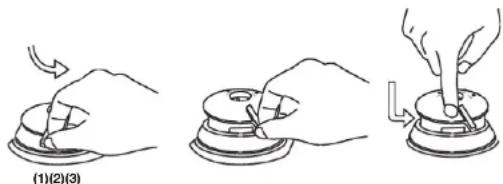
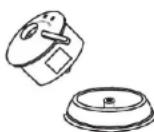
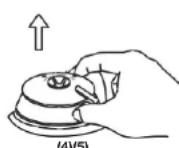
Troubleshooting
If the LUX™ LCD detects an internal error or a wrong connection, it shows an error code on the display panel, and stops functioning. These codes allow you to identify the cause of the error, and help you find the solution to the problem. If the error persists, please call our customer service department for assistance at 1-855-928-6748.
| E1: Internal circuits have disconnected. |
| Self-help: Call out our customer service department for assistance. |
| E2: The internal sensor has short-circuited, or the unit is overheating. |
| Self-help: Try to cool the unit by turning it off and unplugging as well as removing the cooking pot. |
| E4: The pressure switch has malfunctioned. |
| Self-help: Check the cooking pot for warping. Check the heating plate for any food residue. |
| Problem Easy Solution | |
| The lid cannot be opened at the end of the cooking cycle | ·Please be advised that the lid can't be opened until the floating valve drops down. ·Make sure you turn the regulator to steam until all internal pressure is released and the lid opens easily. ·If this occurs frequently, the gasket may need to be adjusted. |
| Steam is escaping from the lid | ·Close the lid correctly, ensuring there is no gap between lid and base. ·Ensure the silicone gasket is clean, free from damage, or cracks, and correctly inserted. ·If the problem persists, call our customer service department. |
| The self-locking pin does not rise | ·Close the lid correctly ensuring there is no gap between lid and base. ·Ensure the silicone gasket is clean, free from damage or cracks and correctly inserted. ·Ensure that the self-locking pin can move freely. ·If the problem persists, call our customer service department. |
| The cooker is not getting to pressure | ·Ensure that the pressure regulator valve is correctly placed in its housing. ·Add more liquid/food to the bowl. There should be a minimum of 1 cup of food and liquid in total. ·If the problem persists, call our customer service department. |
| The timer cannot count down | ·When the lid is locked, ensure the self-locking pin is secured correctly. ·Ensure that the pressure regulator valve is correctly placed in its housing. ·Add more liquid/food to the bowl. There should be a minimum of 1 cup of food and liquid in total. ·If the problem persists, call our customer service department. |
| Water is collecting on the countertop | ·Ensure the cooker is on a flat, level surface and that the condensation drip cup is installed on the side of the cooker. ·Empty the condensation drip cup. |
| The unit is beeping and not turning on | ·Ensure that the lid is on the correct position. For Sauté, the lid needs to be off. If the lid is closed under these functions, the unit beeps and an icon indicates to open the lid. For all other functions, the lid must be closed. If the lid is open the unit beeps and an icon indicates to close the lid. |
Floating Valve Installation
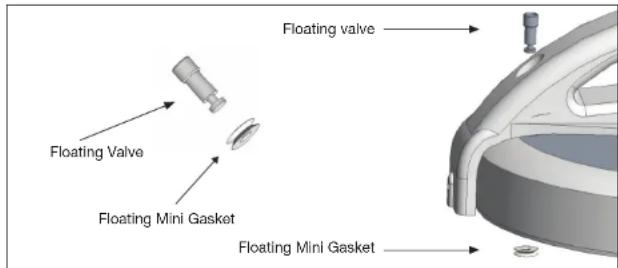
Figure: Floating valve Installation
Insert the floating valve from the top of the lid and secure it in place with the washer from the bottom of the lid.
Contenidos
Introduccion 43
Precausiones Importantes 44
CharacteristicayFunciones 46
Tabla de Iconos 49
This manufacturer's product warranty extends to the original consumer purchaser of the product. Neither the retailer nor any other company involved in the sale or promotion of this product is a co-warrantor of this manufacturer warranty.
WARRANTY DURATION: All materials and workmanship are warranted to the original consumer purchaser for a period of one (1) year from the original purchase date.
WARRANTY COVERAGE: This product is warranted against defective materials or workmanship. This warranty is void if the product has been damaged by accident, in shipment, unreasonable use, misuse, neglect, improper service, commercial use, repairs by unauthorized personnel or other causes not arising out of defects in materials or workmanship. This warranty is effective only if the product is purchased and operated in the USA and Canada. It does not extend to any units which have been used in violation of written instructions furnished by the manufacturer or to units which have been altered or modified or to damage to products or parts thereof which have had the serial number removed, altered, defaced or rendered illegible.
A valid proof-of-purchase is required. A valid proof-of-purchase is a receipt specifying item, date purchased and cost of the item. A gift receipt with date of purchase and item is also an acceptable proof of warranty.
Moving and/or perishable parts such as gaskets, internal parts, etc. which are subject to normal wear and tear are excluded from the warranty.
WARRANTY DISCLAIMERS: This warranty is in place of all warranties expressed or implied, and no representative or person is authorized to assume for manufacturer any other liability in connection with the sale of our products. There shall be no claims for defects or failure under any theory of tort, contract or commercial law including, but not limited to, negligence, gross negligence,
strict liability, breach of warranty and breach of contract.
WARRANTY PERFORMANCE: During the above one-year warranty period, a product with a defect can be either repaired or replaced with a reconditioned comparable model (at manufacturer's option). The repaired or replacement product is in warranty for the balance of the one year warranty period and an additional one-month period. No charge will be made for such repair or replacement.
SERVICE AND REPAIR: If service is required for an appliance, you should first call toll free 1-855-928-6748 between the hours of 8:30 am and 5:30 pm Eastern Standard Time and ask for CUSTOMER SERVICE.
If repairs become necessary during the warranty period, you might need to return the unit, postage pre-paid to:
MARKET SOLUTIONS GROUP
125 West Broad Ave, Suite C18 North Bergen, NJ 07047
NOTE: Manufacturer cannot assume responsibility for loss or damage during incoming shipment. For your protection, carefully package the product for shipment, and insure it with the carrier. Be sure to enclose the following items with your appliance: your full name, return address and daytime phone number; a note describing the problem you experienced; a copy of your sales receipt or other proof of purchase to determine warranty status. C.O.D. shipments cannot be accepted.
For spare parts or assistance not requiring the return of the product itself, please contact our Customer Service Department at 1-855-928-6748.
ZAVOR PRODUCT REGISTRATION
Register your product on our website at www.zavor.us/register or scan below:
The manufacturer reserves the right to modify the terms described in this manual.