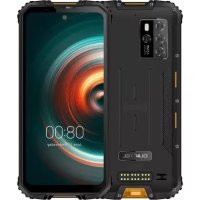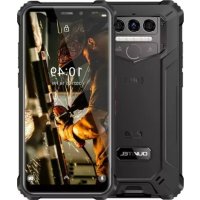
WP9 - Phone OUKITEL - Free user manual and instructions
Find the device manual for free WP9 OUKITEL in PDF.



User questions about WP9 OUKITEL
0 question about this device. Answer the ones you know or ask your own.
Ask a new question about this device
Download the instructions for your Phone in PDF format for free! Find your manual WP9 - OUKITEL and take your electronic device back in hand. On this page are published all the documents necessary for the use of your device. WP9 by OUKITEL.
USER MANUAL WP9 OUKITEL
Redefine Outdoor Communication!
Manufacturer Name: ShenZhen YunJi Intelligent Technology CO., LTD
Manufacturer Address: A-side A2 Building 2/F Enet New Industrial Park, No.20 Dafu
Industrial Zone, Aobei Community, GuanLan, LongHua New District, ShenZhen China
https://www.oukitel.com

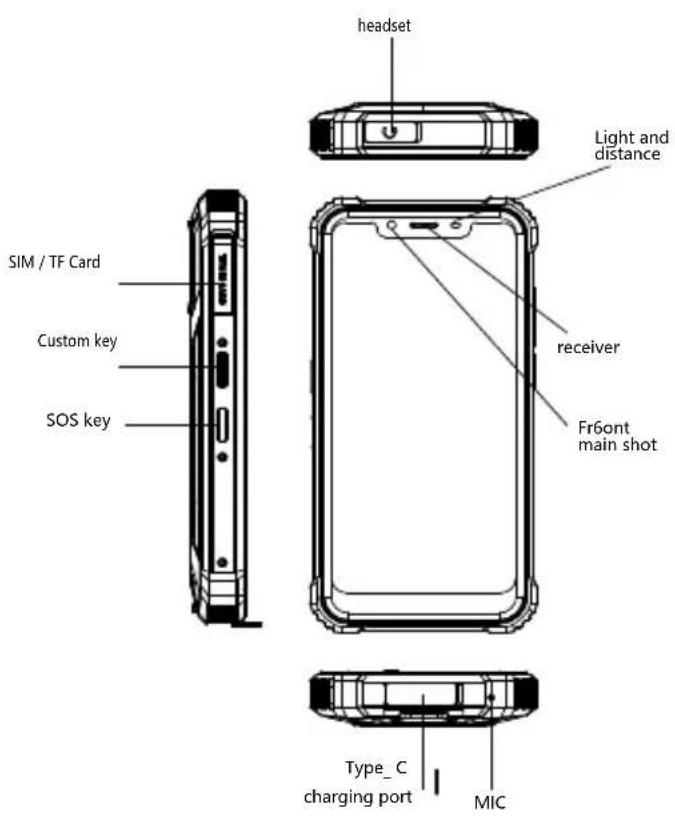
Accessories
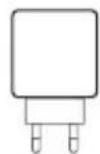
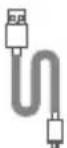
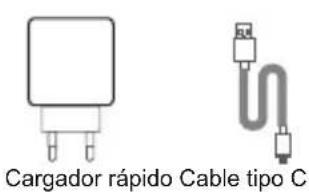
Quick Charger Type-C Cable
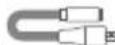
Earphone Convert Cable
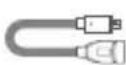

OTG Cable SIM card pin
Comes with the GoogleTM app and Google ChromeAndroid is a trademark of Google LLC
1

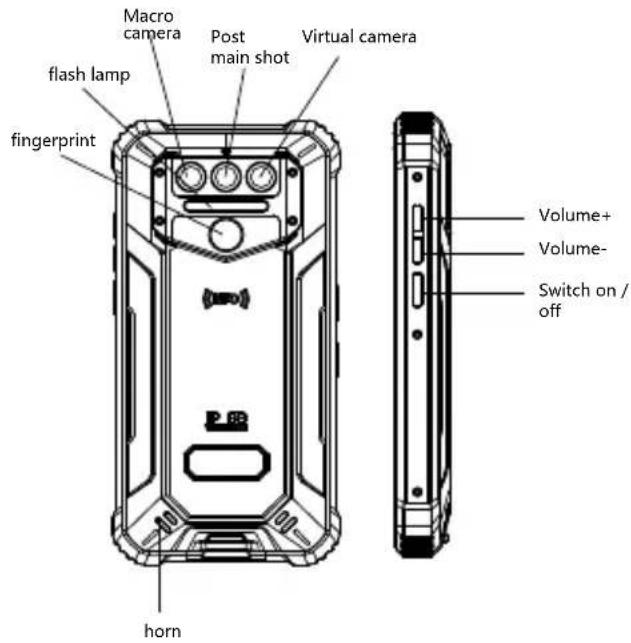
Battery
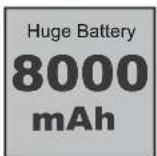
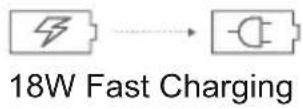
WP9 includes an internal battery. You can track your battery status with the icon showed on the top right of the screen.
Warning
- Use only OUKITEL-approved batteries specifically designed for you phone.
- Incompatible batteries can cause serious injuries or damage to your phone.
- Never place batteries or phones on or in heating devices such as microwave ovens, stoves, or radiators. Batteries may explode when overheated.
Comes with the GoogleTM app and Google ChromeTM Android is a trademark of Google LLC
2

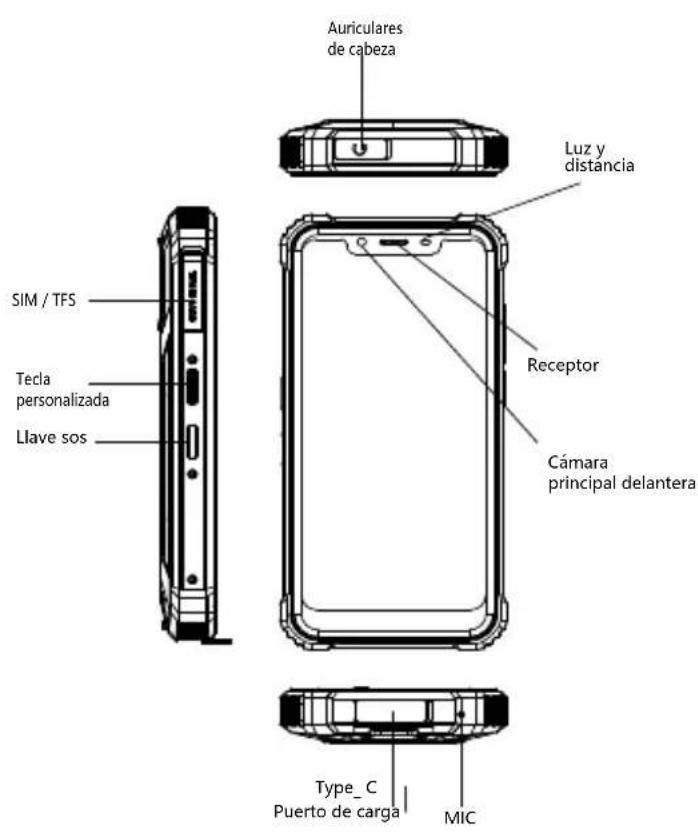
1 How to insert the card How to boot
To make sure your smartphone be able to call, put the SIM card in the following order.
- Press the card pin into the side hole and then the card tray pops up and pull out it.
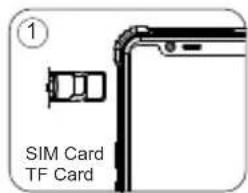
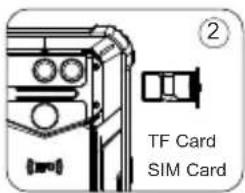
- Take out the card slot and place the Nano card or Nano card and TF card Make sure the bevel angle is aligned with the bevel angle of the card slot and placed in the corresponding card slot.
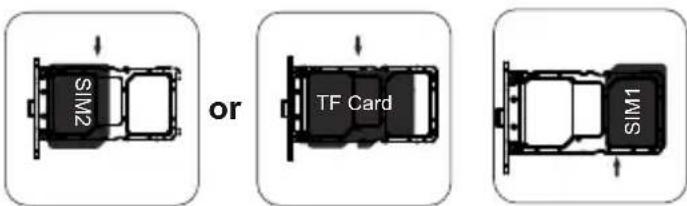
with the phone facing up, insert the card holder into the phone in the direction of the arrow
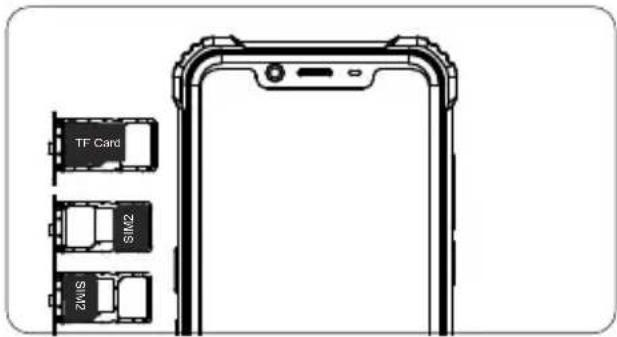
Comes with the GoogleTM app and Google ChromeTM Android is a trademark of Google LLC
3

Non-removable battery Press the power button for 3-5 seconds to boot
3 How to send SMS,MMS
SMS
- Open the SMS app
- Select New Information
- Enter a phone number or browse your contacts
- Select Edit Information and enter your text
Send
MMS-video
- When writing a text message
- Select images, videos or other files you want to add, even you can take a new picture or video right away.
- Selecting or sending
4 Language switching settings
- Main menu --settings-system setting--language and input method
- Language and input method--language--language adding
- Select the language you need, the system will automatically jump back to the language interface
- Select the icon after the language bar and drag it to the first one.
SAR
The maximum electromagnetic radiation absorption ratio(SAR) of this product is < 2.0W / kg
In line with the requirements of the national standard EN 50360:2017; EN 50566:2017; EN62209-1:2016; EN 62209-2:2010; EN 62479:2010;
Comes with the GoogleTM app and Google ChromeTM Android is a trademark of Google LLC
4

Safety-In order to ensure safely using the product, you must strictly abide by the following rules
- The phone should be at least 15cm away from any medical implant or rhythm adjuster and never put the device in your coat pocket.
- Do not expose the device and other batteries together with the high temperatures or heat-generating equipment such as sunlight, heaters, microwave ovens, ovens or water heaters. Overheating of the battery can cause an explosion.
- When charging is complete or not charging, disconnect the charger from the device and unplug the charger from the power outlet.
If the device is equipped with a non-removable battery, do not replace the battery yourself to avoid damaging the battery or device. - Use of an unapproved or incompatible power source,charger or battery may cause fire,explosion or other hazards.
- Do not disassemble or reset the battery, insert other objects, immerse in water or other liquids to avoid battery leakage, overheating, fire or explosion.
- Do not drop, crush, scratch or puncture the battery to avoid subjecting the battery to excessive external pressure, resulting in internal short-circuit and overheating of the battery.
- The company does not bear the responsibility for accidents caused by non-standard related charging equipment.
If you want to read the full CE compliance, please check this link:https://www.oukitel.com
Comes with the GoogleTM app and Google ChromeTM Android is a trademark of Google LLC
7 Maintenance
- Thoroughly understand the maintenance of this mobile phone to use the mobile phone more safely and effectively, and extend the service life of the mobile phone as much as possible.
- Please follow the instructions in the manual to open the phone, disassemble the accessories, and do not try other methods.
- Please avoid falling,knocking or shaking your phone. Rough handling of the phone can cause the screen to rupture, damaging the internal circuit board and the delicate structure.
- Do not use chemical solvents or detergents to clean your phone. Wipe the phone case with a soft cotton cloth dampened with water or a mild soap.
Clean the lens with a clean, dry, soft cloth. (Example: camera lens) and display. - If you encounter an abnormal image such as a crash during use, the processing method is as follows: For a mobile phone that cannot remove the battery, please press and hold the power button for more than 12 seconds, the mobile phone will be forced to restart (unlock the phone when restarting) It can solve the general bug; for the mobile phone that can remove the battery, please remove the battery, then insert the battery and restart it to solve the bug.
- When the charger is not in use, please unplug it from the power outlet. Do not connect the battery that has been fully charged to the charger for a long time, as overcharging will shorten the battery life.
This machine's standard package (package box --mobile phone--manual--protective film--USB data cable -- charger)
Comes with the GoogleTM app and Google ChromeAndroid is a trademark of Google LLC

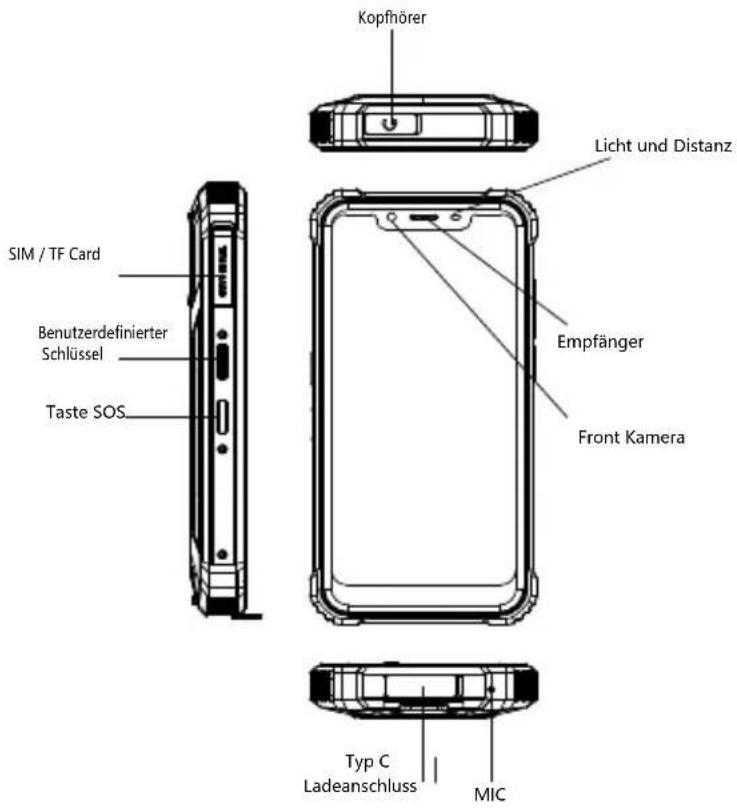
Accessories
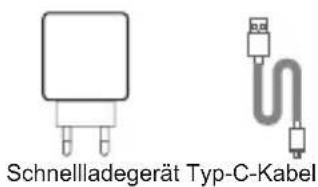
Dieser Link: https://www.oukitel.com
How to send SMS,MMS SMS
- OTKpoTe npnIOKeHne IIN SMS
BbIbpaTbHOByIO INHOpMaUHO
BBeHTe Hmep TepeoHa IINI pOcMoTpuTe Baun KOHTaKtBi
BbIbepeHTe «NImeHnTb INHΦopMaunHO» N BBeDInTe TeKCT. - Nocnatab
MMS-Bndeo
- Pn HAncaHm TeKCTOBOrO COo6uHnA
BbIbepnte n3o6paXeHn, BnDeo nn npDpyne paJIbI, KOtOpblx XOTnTe Do6aBNTb, DaKe Bbl MoKeTe cpa3y CpeNaTb HOBbl CHIMOK INN BNDeO. - Otnpabka
4 HacTpoIKN nepeKIOUeHnra3bIKOB
- IJIaBHOe MeHIO - HAcTpoiKN-HAcTpoiKa CnCTEmbl - RaIbIK nCnocob BBOda
-3bIK MToD BBOda -3bIK -O6abHeHne 3bika
BbI6epnte HxKbH Bam 3bIK, CNTema aTOMaTuYeCKn npbirHET BepHyTcR K 3bIKOBOMy INHTepcecy
BbIePHTe 3aHcOK nocne a3bIKOBn naHeN n nepeTaunTe erO Ha nepByIO.
SAR
MaKcImaIbHbIKo3ΦΦnUeHT nOIIoueHIN 3JIeKtpOMarHHTHO n3nyeHn (SAR) 3tOrO npOdykTa <2,0 Bt / Kr
B COOTBETCTBUN C Tpe6oBaHnMa HauNoHaJIbHOrO CTaHdapTa EN 50360:2017; EN 50566:2017; EN62209-1:2016; EN 62209-2:2010; EN 62479:2010;
IocTabJIeTcC npnIOxKeHem GoogleTM n Google ChromeTM Android JBnEraTcTOBapbIM 3HaKOM Google LLC.

6 Be30nacHocTb-ДЯ obecneueHn8e30nachoro nCnoJb30BaHnI npOdyKT, BbldoJXhbl cTporo co6JIoJaTb CNeedyUoune npaBnla
TepeohdoJKeH haoTbCra Ha pacCToHH He MeHee 15 cm OT JIO6bIX MeiHcNcKHX IMnIaHTa TIN PeYrIaTO pITMA HIKoRDHa BCTaBnIte yCTpoIcTB O KApMaH NaJIbTO.
He BbICTabTnIe ycTpoNCTBO BmEcTe C dpyrMM 6aTapeRM. C BbICOKM N TEmpePaTypaM N N N TEnIOBbIeJIeIouIM ObopydOBaHnEM TaKne KAC CoJNeUHbI CBET, OboRpeBaTeJI, MKNPOBoHOBbie Neu, DxYOBKn N N BOa O6orpeBaTeJI. NeperpeB aKKMyJnTopa MoKeT Bb3BaTb B3pbIB.
Korda 3apraKa 3aBepeHa uHn He 3apxKaetc,OTKnIOHTe 3apJHOe yCTPOINCTBO OT yCTPOINCTBa N OTKnIOHTe 3apJHOe yCTPOINCTBO OT pO3ETky.
Ecn yctpoCTBO OchaueHO HecbembIM aKMyTTopOM,He 3aMeHHTe aKMyJITop CAMOCToTeNbHO,TO6bI He NOBpeNTb aKMyJITop INN yCTPOCTBO.
IcnoJb3OBAHHe HeyTBePckDeHHoro Hn HecOBMeCTUMORIOCTouHnka nITaHnra, 3apAHO rCToPcYCTBa Hn AKKyMylrTopMOKET CTaTB pNCHNO NOXapa, B3pbBa Hn DpyTHx ONaCHOCTe.
He pa3bnpaTe Hc6paCbIbAaTe aKKyMylTOp, He BCTabJIte Dpyrne npedMeTb, norgPy3ntb B Body INn Dpyrne JnkOcTN, YTO6bI N36ExKaTb IpoteKn 6aTapeN, nepePeb, noXap INN B3pbIB.
He poHnTe, He pa3daBnBaIe, He capanaIte H He npToIkaTe aKkMyJrTOp, YTO6bl NoDBepraA aKKMyJrTOp Upe3MePHomy BHeuHEmy DaBJIeHIO, B pe3yJIbTaTe PnBByTpEHHem KOpOTKOM 3ambKaHIn N nepepebe AKKMyJrTota.
KOMnHaHHe Hecet OTBeTCTBeHHOCTN 3a HeCuaCTHbIe CnyaI. Bbl3BaHO HeCTaHdApTHbIM 3apArdMbIM O6OpydoBaHnEM.
EcIN BxOTnTe PPOHTaTb NONHO COOTBeTCTBNE CE, noXaIyInCTa, nepexoJnte Ha 3Ty CcblKy: https://www.oukitel.com
IocTbIaTeTcC npInIOxHHeM GoogleTM n Google ChromeTM. Android RaBIAeTcTOBapHbIM 3HaKOM Google LLC.
7 06cnyxmbaHne
TataTeBHO pa36npaTecb B 06cJyKNaBHm 3TOrO MoBnBHO TetePoha YTO6bI NOB3OBaTBcRA MOBnHBIM TepeHOM 6Oone 6eOnachO n 3oPekTnBHO, a TaCKe pacuHPnTb MaKcMaJIbHO DOJIIN CpOK CJyKbMOBnBHO TetePoha.
Ptoxanycta, cneyuTe INHCTpyKUINB pykoBOIDCTBE, yTo6bl OTKpbIb TepeOH,pa3bnpaTe akceccyapbl Hne bItaNTecb NcNoJIb30BaTb Dpyrme MeTObl.
N36eraTe NaDeHn, yApOB u TpRcKuTeJefoHa.ObpaueHne C TepeHOM MoKet PmBecTn K pa3pbBy 3KpaHa, NOBpeJHeHne BHyTpehHne NeaTHoI INaTbI N xpyKnO KoHCTpyKuHn.
He nObn3ynte xmmueckne pactBopntn nn mooune cpeDCTBa IJRA uNCTKn TeJefoHa.IpoTpnte yexoT eTeFoHa MmKoXnONHaTObMyMaXHOI TKaHbIO, CMOeHHoB BOa Hnn MmKoeMbINO.
OuHuaTe oBekTNB uNcToB cyXoMraKoT KHaHbIO. (PpIMep: oBekTNB kamepe) i dncnnei.
EcnBblc0nKHyncb CHeHOpMaIbHbIM 13o6paKeHEm, Hapnpmepe, cbo BO Bpemr nCNOJb3OBAHn, MeTOd 6pa6OTKn CJeDyUosm: Ia NMOuNbHO rTeJeOHa KOtOpb He MoKeT N3BLeue bAkyMnyIaTOP, HaxMnte u yepKnaBaTe KONkY nTaHn 6oJee 12 cekynd, MOuNbHbN TeJeFOH npHyDnteHo nepe3arpy3ntb (pa36JIOkpObaTteJeFOH npnepe3arpy3ke) MoKeT peuNTb o6yU OUn6Ky; Ia NcEMHoro aKKMyIaTopa, N3BLeKeIte aKKMyIaTOP, 3aTeM BCTaBBTe aKKMyIaTOP n nepe3anyctnte erO, YTObIy CTpaHtB OUn6Ky.
Korda TepeHOM BHe NoIb3yeTecb,OTKnIOHTe 0rO 3apdka.He NOkJIIOuAte NoJIHOCTbIO 3apKeHHbIKKKMyJITOP K 3apdHOMy yCTPOINCTBy B DInTEbHOE BPemE, TAK KaK nepe3apdKa cokpaNT cPOK cnYkb6bTapeN.
CTaHapTHaKOMnKeTauN3ToMmaHHbI (ynakOBouHaR Kopo6ka-MoBnIbHbI TeJeFOH-NHcTpkyuN-3aunTHa RnneKa-KabEbnDnpeDaun daHbIX USB-3aprHoe yCtpoiCTBO)
IocTbIaTeTcC npIIOxKeHem GoogleTM u Google ChromeAndroid RaBnEeTcTOBapHbIM 3HaKOM Google LLC.


Accesorios
aIla gilai jSjI Jsau iill jssal jssal lal jssal pall + jSai jad Jssal all aia ai
g 1 gss! dai paae gall jial lal lal gdd gall clalnll gai
jell,(1yill 0:
g 15 - g 24 - 15 g 24 all - a jall g 24) jall lgl a 15 a jall - USB -
Google ChromeTM, Google TM Google LLC Android
Manufacturer's Name: SHENZHEN YUNJI INTELLIGENT TECHNOLOGY CO.,LTD
Smart Phone
Model number:WP9
Operating Temperature: -10^ to 40^
This device was tested for typical body-worn operations. To comply with RF exposure requirements, a minimum separation distance of 0mm must be maintained between the user's body and the handset, including the antenna. Third-party belt-clips, holsters, and similar accessories used by this device should not contain any metallic components. Body-worn accessories that do not meet these requirements may not comply with RF exposure requirements and should be avoided. Use only the supplied or an approved antenna.
This device in compliance with the essential requirements and other relevant provisions of Directive 2014/53/EU. All essential radio test suites have been carried out.
1.Use careful with the earphone maybe possible excessive sound pressure from earphones and headphones can cause hearing loss.
2.CAUTION : RISK OF EXPLOSION IF BATTERY IS REPLACED BY AN INCORRECT TYPE. DISPOSE OF USED BATTERIES ACCORDING TO THE INSTRUCTIONS
3.The product shall only be connected to a USB interface of version USB 2.0
4. Adapter shall be installed near the equipment and shall be easily accessible.
5.The plug considered as disconnect device of adapter
6.The device complies with RF specifications when the device used at 0mm form your body
This device complies with part 15 of the FCC Rules. Operation is subject to the condition that this device does not cause harmful interference
Any changes or modifications not expressly approved by the party responsible for compliance could void the user's authority to operate the equipment.
NOTE: This equipment has been tested and found to comply with the limits for a Class B digital device, pursuant to Part 15 of the FCC Rules. These limits are designed to provide reasonable protection against harmful interference in a residential installation. This equipment generates, uses and can radiate radio frequency energy and, if not installed and used in accordance with the instructions, may cause harmful interference to radio communications. However, there is no guarantee that interference will not occur in a particular installation. If this equipment does cause harmful interference to radio or television reception, which can be determined by turning the equipment off and on, the user is encouraged to try to correct the interference by one or more of the following measures:
-- Reorient or relocate the receiving antenna.
-- Increase the separation between the equipment and receiver.
-- Connect the equipment into an outlet on a circuit different from that to which the receiver is connected.
-- Consult the dealer or an experienced radio/TV technician for help. Specific Absorption Rate (SAR) information:
This Mobile Phone meets the government's requirements for exposure to radio waves. The guidelines are based on standards that were developed by independent scientific organizations through periodic and thorough evaluation of scientific studies. The standards include a substantial safety margin designed to assure the safety of all persons regardless of age or health.
requirements, use accessories that maintain a 10mm separation distance between the user's body and the back of the handset. The use of belt clips, holsters and similar accessories should not contain metallic components in its assembly. The use of accessories that do not satisfy these requirements may not comply with FCC RF exposure requirements, and should be avoided.
Body-worn Operation
This device was tested for typical body-worn operations. To comply with RF exposure requirements, a minimum separation distance of 10mm must be maintained between the user's body and the handset, including the antenna. Third-party belt-clips, holsters, and similar accessories used by this device should not contain any metallic components. Body-worn accessories that do not meet these requirements may not comply with RF exposure requirements and should be avoided. Use only the supplied or an approved antenna.
FCC ID: 2ANMU-WP9