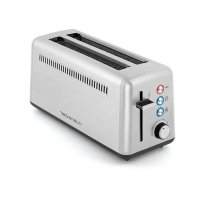
RIVIERA & BAR QGP070 - Toaster

QGP070 - Toaster RIVIERA & BAR - Free user manual and instructions

Find the device manual for free QGP070 RIVIERA & BAR in PDF.

📄 16 pages English EN Download 💬 AI Question 10 questions ⚙️ Specs
Notice RIVIERA & BAR QGP070 - page 13
View the manual : Français FR English EN
Pick your language and provide your email: we'll send you a specifically translated version.
Product type 2-slot extra-long toaster with self-centering
Brand Riviera & Bar
Model QGP070
Dimensions (W x H x D) 150 x 190 x 385 mm
Weight 1.9 kg
Power supply 220-240 V ~ 50-60 Hz, 1375-1635 W
Capacity Up to 2 large slices (2 extra-long slots)
Browning levels 6 settings (1 to 6)
Special functions Reheat, Frozen bread, Manual stop (STOP)
Controls Rotary browning selector, push buttons with indicator lights
Browning lever Yes, manual descent to stop
Self-centering Yes
Crumb tray Removable, empty after each use
Material Stainless steel
Safety Automatic shut-off at end of cycle, overheating protection, do not immerse
Maintenance Removable tray washable in soapy water; exterior cleaned with a soft damp cloth
Warranty 2 years (household use); consumable parts excluded
Spare parts availability 5 years from date of manufacture
Use Household use only
Manufacturer ARB S.A.S., 8 rue Thomas Edison, CS 51 079, 67452 Mundolsheim cedex, France

Frequently Asked Questions - QGP070 RIVIERA & BAR

How to use the frozen bread function?
Place the frozen slices of bread in the slots. Select the desired browning level (1 to 6) using the selector. Lower the browning lever, then press the "Frozen bread" button. The indicator lights up and the cycle starts. At the end, the lever rises automatically.
How to clean the toaster?
Unplug and let the appliance cool down. Empty the crumb tray after each use and wash it with warm soapy water. Clean the exterior with a soft slightly damp cloth. Never immerse the appliance in water and do not use steel wool.
What to do if bread gets stuck in the slots?
Unplug the appliance immediately and let it cool down. Carefully remove the slices without damaging the heating elements. Never use a metal utensil to extract the bread.
How to set the browning level?
Turn the browning selector to the desired setting (1 to 6). For first use, select setting 3, then adjust to your taste. You can change the setting during the cycle by turning the selector.
Why is the bread not browning evenly?
Make sure the slices are the same thickness and do not overlap. The moisture content of the bread affects the result: fresh bread often requires an additional cycle. If the slots are partially loaded, reduce the browning level by 1 to 2 settings.
Can I melt cheese on bread in the toaster?
No. The appliance is designed only for toasting bread and bakery products without added butter, jam, or cheese. Other foods may cause fire or electric shock.
Is the appliance suitable for people with reduced mobility?
Yes, with supervision. People with reduced physical abilities can use it if they have received safety instructions. The lever and buttons are easy to operate.
How to empty the crumb tray?
Pull the handle of the crumb tray outward to remove it. Empty the crumbs and wash it with warm soapy water. Dry it well before putting it back in place by pushing it until it stops.
What to do in case of breakdown or malfunction?
Unplug the appliance and contact a Riviera & Bar Authorized Service Center. Do not attempt to repair it yourself. Contact information is on www.riviera-et-bar.fr.
Where to find spare parts?
Spare parts are available for 5 years from the date of manufacture. Check the website www.accessoires-electromenager.fr or contact Riviera & Bar Customer Service at 03.88.18.66.18.

User questions about QGP070 RIVIERA & BAR

0 question about this device. Answer the ones you know or ask your own.

Ask a new question about this device

The email remains private: it is only used to notify you if someone responds to your question.

No questions yet. Be the first to ask one.

Download the instructions for your Toaster in PDF format for free! Find your manual QGP070 - RIVIERA & BAR and take your electronic device back in hand. On this page are published all the documents necessary for the use of your device. QGP070 by RIVIERA & BAR.

USER MANUAL QGP070 RIVIERA & BAR

natural_image White niviera & ber toaster with control knobs and a 'STOP' button (no visible text or symbols on device body)

Downloaded from www.vandenborre.be

sommaire

DESCRIPTION DU PRODUIT 4

RECOMMANDATIONS DE SéCURITé GÉNÉRALES 5

RECOMMANDATIONS DE SÉCURITÉ PARTICULIÈRES 8

AVANT LA PREMIÈRE MISE EN SERVICE 9

MISE EN SERVICE 9

FONCTIONS SPÉCIALES 10

CONSEILS ET INFORMATIONS 10

NETTOYAGE ET ENTRETIEN 11

CARACTÉRISTIQUES TECHNIQUES 12

ENVIRONNEMENT 12

ACCESSOIRES 12

GARANTIE 12

Downloaded from www.vandenborre.be

notes

Downloaded from www.vandenborre.be

notes

Downloaded from www.vandenborre.be

riviera&bar

Downloaded from www.vandenborre.be
RIVIERA & BAR QGP070 - riviera&bar - 1

natural_image Black-and-white photo of a layered sandwich with chocolate sauce, served on a plate with a cup in the background (no text or symbols visible)
Table of contents Click a title to access it
Manual assistant
Powered by Anthropic
Waiting for your message
Product information

Brand : RIVIERA & BAR

Model : QGP070

Category : Toaster