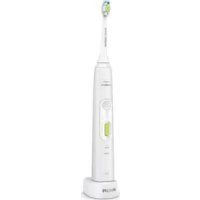
Sonicare HealthyWhite Plus HX8915 - Electric toothbrush PHILIPS - Free user manual and instructions
Find the device manual for free Sonicare HealthyWhite Plus HX8915 PHILIPS in PDF.



User questions about Sonicare HealthyWhite Plus HX8915 PHILIPS
0 question about this device. Answer the ones you know or ask your own.
Ask a new question about this device
Download the instructions for your Electric toothbrush in PDF format for free! Find your manual Sonicare HealthyWhite Plus HX8915 - PHILIPS and take your electronic device back in hand. On this page are published all the documents necessary for the use of your device. Sonicare HealthyWhite Plus HX8915 by PHILIPS.
USER MANUAL Sonicare HealthyWhite Plus HX8915 PHILIPS
Always here to help you
Register your product and get support at www.philips.com/welcome


ENGLISH 6
FRANÇAIS 16
INDONESIA 27
BAHASAMELAYU 38
n 49
TIÊNG VIÊT 57
75
84
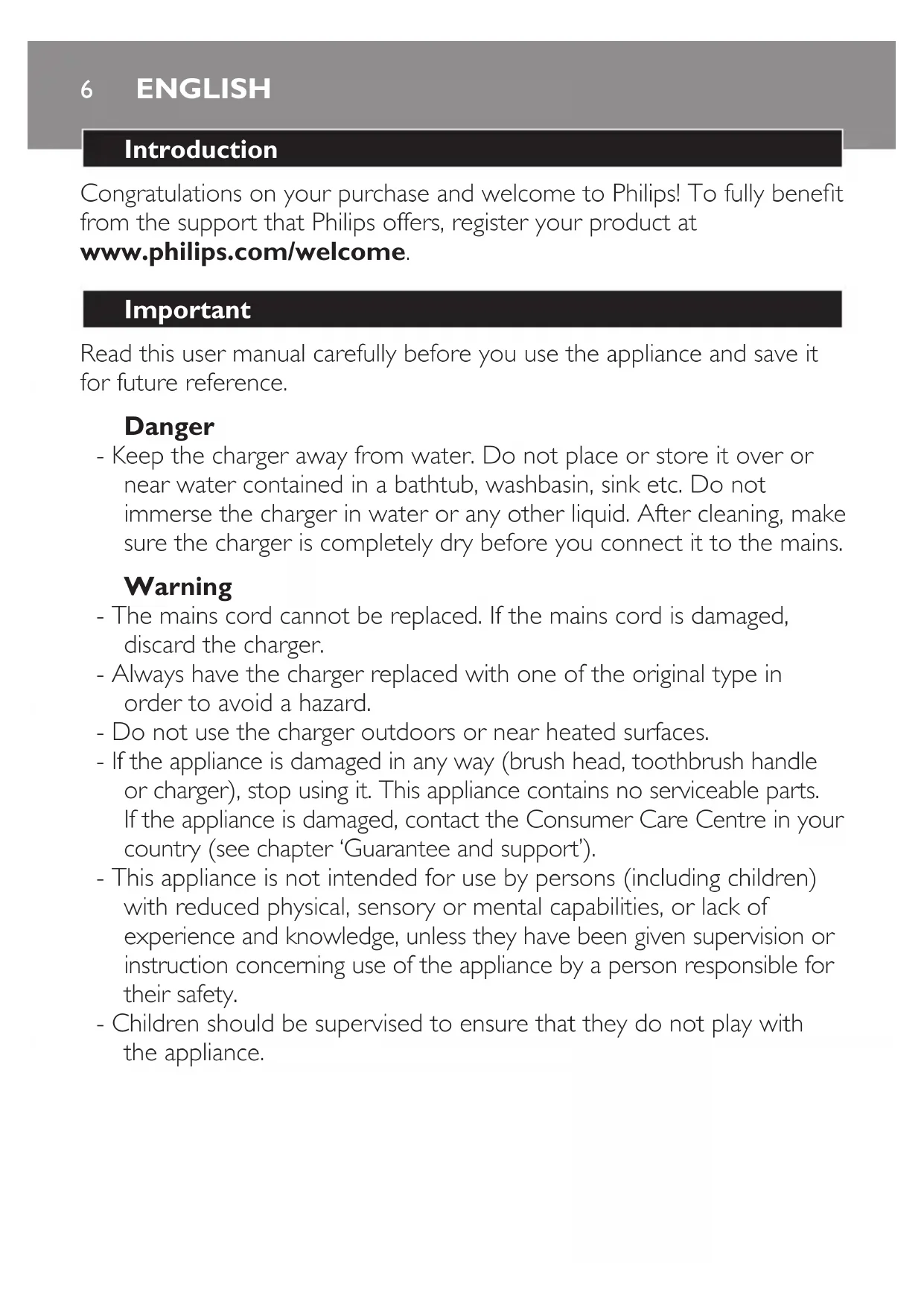
Introduction
Congratulations on your purchase and welcome to Philips! To fully benefit from the support that Philips offers, register your product at www.philips.com/welcome.
Important
Read this user manual carefully before you use the appliance and save it for future reference.
Danger
- Keep the charger away from water. Do not place or store it over or near water contained in a bathtub, washbasin, sink etc. Do not immerse the charger in water or any other liquid. After cleaning, make sure the charger is completely dry before you connect it to the mains.
Warning
- The mains cord cannot be replaced. If the mains cord is damaged, discard the charger.
- Always have the charger replaced with one of the original type in order to avoid a hazard.
- Do not use the charger outdoors or near heated surfaces.
- If the appliance is damaged in any way (brush head, toothbrush handle or charger), stop using it. This appliance contains no serviceable parts. If the appliance is damaged, contact the Consumer Care Centre in your country (see chapter 'Guarantee and support').
- This appliance is not intended for use by persons (including children) with reduced physical, sensory or mental capabilities, or lack of experience and knowledge, unless they have been given supervision or instruction concerning use of the appliance by a person responsible for their safety.
- Children should be supervised to ensure that they do not play with the appliance.
Caution
- Do not clean the brush head, the handle or the charger in the dishwasher.
- If you have had oral or gum surgery in the previous 2 months, consult your dentist before you use the toothbrush.
- Consult your dentist if excessive bleeding occurs after using this toothbrush or if bleeding continues to occur after 1 week of use. Also consult your dentist if you experience discomfort or pain when you use the Sonicare.
- The Sonicare toothbrush complies with the safety standards for electromagnetic devices. If you have a pacemaker or other implanted device, contact your physician or the device manufacturer of the implanted device prior to use.
- If you have medical concerns, consult your doctor before you use the Sonicare.
- This appliance has only been designed for cleaning teeth, gums and tongue. Do not use it for any other purpose. Stop using the appliance and contact your doctor if you experience any discomfort or pain.
- The Sonicare toothbrush is a personal care device and is not intended for use on multiple patients in a dental practice or institution.
- Stop using a brush head with crushed or bent bristles. Replace the brush head every 3 months or sooner if signs of wear appear. Do not use other brush heads than the ones recommended by the manufacturer.
- If your toothpaste contains peroxide, baking soda or bicarbonate (common in whitening toothpastes), thoroughly clean the brush head with soap and water after each use. This prevents possible cracking of the plastic.
Electromagnetic fields (EMF)
This Philips appliance complies with all applicable standards and regulations regarding exposure to electromagnetic fields.
ENGLISH8
General description (Fig. 1)
Hygienic travel cap
2 Brush head
3 Handle
4 Power on/off and mode button
5 Intensity level indicator
6 Intensity level button (+ and -)
7 Mode indicator
8 Battery level indicator
9 Charger
Note: The content of the box may vary based on the model purchased.
Preparing for use
Attaching the brush head
1 Align the brush head so the bristles face the front of the handle. (Fig. 2)
2 Firmly press the brush head down onto the metal shaft until it stops.
Note: Philips Sonicare brush heads are imprinted with icons to easily identify your brush head.
Charging the appliance
Put the plug of the charger in a wall socket.
2 Place the handle on the charger (Fig. 3).
The flashing light of the battery level indicator indicates that the toothbrush is charging.
Note: It can take up to 48 hours to fully charge the battery, but the Philips Sonicare may be used before it is fully charged.
Using the appliance
Brushing instructions
1 Wet the bristles and apply a small amount of toothpaste.
2 Place the toothbrush bristles against the teeth at a slight angle (45 degrees), pressing firmly to make the bristles reach the gumline or slightly beneath the gumline. (Fig. 4)
Note: Keep the center of the brush in contact with the teeth at all times.
3 Press the power on/off and mode button to switch on the Philips Sonicare.
Apply light pressure to maximise Philips Sonicare's effectiveness and let the Philips Sonicare toothbrush do the brushing for you. Do not scrub.
Gently move the brush head slowly across the teeth in a small back and forth motion so the longer bristles reach between your teeth. Continue this motion throughout the brushing cycle.
To clean the inside surfaces of the front teeth, tilt the brush handle semi-upright and make several vertical overlapping brushing strokes on each tooth (Fig. 5).
Note: To make sure you brush evenly throughout the mouth, divide your mouth into 4 sections using the Quadpacer feature (see chapter 'Features').
Brush each section for 30 seconds for a total brushing time of 2 minutes. Start with section 1 (outside top teeth) and then brush section 2 (inside top teeth). Continue with section 3 (outside bottom teeth) and finally brush section 4 (inside bottom teeth) (Fig. 6).
After you have completed the brushing cycle, you can spend additional time brushing the chewing surfaces of your teeth and areas where staining occurs. You can also brush your tongue, with the toothbrush switched on or off, as you prefer (Fig. 7).
ENGLISH10
The Philips Sonicare is safe to use on:
- Braces (brush heads wear out sooner when used on braces).
- Dental restorations (fillings, crowns, veneers)
Note: Ensure that braces or dental restorations are properly adhered and not compromised. If not, braces or dental restorations may be damaged when they come into contact with the brush head.
Note: When the Philips Sonicare is used in clinical studies, the default 2-minute Clean mode with high intensity must be selected. The handle should be fully charged and the Easy-start feature deactivated.
Brushing modes
Clean mode
The ultimate in plaque removal (default mode).
White mode
To brighten and polish your front teeth.
Press the power on/off and mode button to switch on the Philips Sonicare.
2 Press the power on/off and mode button again before 2.5 seconds to switch to White mode.
Press the power on/off and mode button after 2.5 seconds to pause the Philips Sonicare.
Intensity levels
- Low: 1 LED indicator light
- Medium: 2 LED indicator lights
- High: 3 LED indicator lights
Note: To adjust the intensity level to the next higher or lower level, press the + intensity level button to increase intensity or the - intensity level button to decrease intensity at any time during the brushing cycle.
Battery status (when handle is not on charger)
- A flashing yellow battery level indicator indicates a low charge.
- A flashing green battery level indicator indicates a moderate charge.
- A solid green battery level indicator indicates a full charge.
Note: If you hear 5 beeps and the battery level indicator flashes yellow, this means that you have to recharge the battery. When the battery is completely empty, the Philips Sonicare switches off. Place the Philips Sonicare on the charger to charge it (Fig. 3).
Note: To keep the battery fully charged at all times, you may keep the Philips Sonicare on the charger when not in use.
Features
Smartimer
The Smartimer indicates that your brushing cycle is complete when it automatically switches off the toothbrush at the end of the brushing cycle. Dental professionals recommend brushing no less than 2 minutes twice a day.
Easy-start
- The Easy-start feature gently increases power over the first 14 brushings to help you get used to brushing with the Philips Sonicare.
- This Philips Sonicare comes with the Easy-start feature deactivated.
Activating or deactivating the Easy-start feature:
Place the handle in the plugged-in charger.
- To activate Easy-start:
Press and hold the power on/off and mode button for 2 seconds. You hear 2 beeps and the battery level indicator lights up green to indicate that the Easy-start feature has been activated.
- To deactivate Easy-start:
Press and hold the power on/off and mode button for 2 seconds. You hear 1 beep and the battery level indicator lights up yellow to indicate that the Easy-start feature has been deactivated.
Note: Each of the first 14 brushings must last at least 1 minute to move through the Easy-start ramp-up cycle properly.
ENGLISH12
Note: Use of the Easy-start feature beyond the initial ramp-up period is not recommended and reduces the effectiveness of the Philips Sonicare toothbrush in removing plaque.
Quadpacer
- The Quadpacer is an interval timer that has a short beep and pause to remind you to brush the 4 sections of your mouth evenly and thoroughly. Depending on the brushing mode you have selected, the Quadpacer beeps at different intervals during the brushing cycle (Fig. 6).
Activating or deactivating the Quadpacer feature:
Place the handle in the plugged-in charger.
- To activate Quadpacer: Press and hold the intensity level button down (-) for 2 seconds. You hear 2 beeps and the battery level indicator lights up green to indicate that the Quadpacer feature has been activated.
- To deactivate Quadpacer: Press and hold the intensity level button down (-) for 2 seconds. You hear 1 beep and the battery level indicator lights up yellow to indicate that the Quadpacer feature has been deactivated.
Charger confirmation
When the charger confirmation feature is activated, the handle beeps and vibrates briefly when it is placed on the charger base. This Philips Sonicare model comes with the charger confirmation feature deactivated.
Activating or deactivating the charger confirmation feature:
Place the handle on the charger.
- To activate charger confirmation: Press and hold the intensity level button up (+) for 2 seconds. You hear 2 beeps and the battery level indicator lights up green twice to indicate that the charger confirmation feature has been activated.
- To deactivate charger confirmation: Press and hold the intensity level button up (+) for 2 seconds. You hear 1 beep and the battery level indicator lights up yellow once to indicate that the charger confirmation feature has been deactivated.
Cleaning
The Philips Sonicare should be cleaned regularly to remove toothpaste and other residue. Failure to clean the Philips Sonicare may result in an unhygienic product and damage to it may occur.
Do not clean brush heads, the handle or the charger in the dishwasher.
Toothbrush handle
1 Remove the brush head and rinse the metal shaft area with warm water. Make sure you remove any residual toothpaste (Fig. 8).
Do not push on the rubber seal on the metal shaft with sharp objects, as this may cause damage.
2 Wipe the entire surface of the handle with a damp cloth.
Brush head
1 Rinse the brush head and bristles after each use (Fig. 9).
2 Remove the brush head from the handle and rinse the brush head connection with warm water at least once a week.
Charger
1 Unplug the charger before you clean it.
2 Wipe the surface of the charger with a damp cloth. Make sure you remove any toothpaste or other residue from the charger surfaces.
Storage
If you are not going to use the product for a long time, unplug it, clean it (see chapter 'Cleaning') and store it in a cool and dry place away from direct sunlight.
Replacement
Brush head
- Replace Philips Sonicare brush heads every 3 months to achieve optimal results.
- Use only Philips Sonicare replacement brush heads.
Recycling
Do not throw away the appliance with the normal household waste at the end of its life, but hand it in at an official collection point for recycling. By doing this, you help to preserve the environment.
Removing the rechargeable battery
Only remove the rechargeable battery when you discard the appliance.
Make sure the battery is completely empty when you remove it.
To remove the rechargeable battery, you need a towel or cloth, a hammer and a flat-head (standard) screwdriver. Observe basic safety precautions when you follow the procedure outlined below. Be sure to protect your eyes, hands, fingers, and the surface on which you work.
1 To deplete the rechargeable battery of any charge, remove the handle from the charger, switch on the Philips Sonicare and let it run until it stops. Repeat this step until you can no longer switch on the Philips Sonicare.
2 Remove and discard the brush head. Cover the entire handle with a towel or cloth (Fig. 10).
Hold the top of the handle with one hand and strike the handle housing 1 cm above the bottom end. Strike firmly with a hammer on all 4 sides to eject the end cap (Fig. 11).
You may have to hit on the end several times to break the internal snap connections.
4 Remove the end cap from the toothbrush handle. If the end cap does not release easily from the housing, repeat step 3 until the end cap is released (Fig. 12).
5 Holding the handle upside down, press the shaft down on a hard surface. If the internal components do not easily release from the housing, repeat step 3 until the internal components are released. (Fig. 13)
6 Remove the rubber battery cover (Fig. 14).
7 Wedge the screwdriver between the battery and the black frame at the bottom of the internal components. Then pry the screwdriver away from the battery to break the bottom of the black frame (Fig. 15).
Insert the screwdriver between the bottom of the battery and the black frame to break the metal tab connecting the battery to the green printed circuit board. This will release the bottom end of the battery from the frame (Fig. 16).
9 Grab the battery and pull it away from the internal components to break the second metal battery tab (Fig. 17).
Be aware of the sharp edges of the battery tabs so as to avoid injury to your fingers.
10 Cover the battery contacts with tape to prevent any electrical short from residual battery charge. The rechargeable battery can now be recycled and the rest of the product discarded appropriately.
Guarantee and support
If you need information or support, please visit www.philips.com/support or read the separate worldwide guarantee leaflet.
Guarantee restrictions
The terms of the international guarantee do not cover the following:
- Brush heads.
- Damage caused by use of unauthorised replacement parts.
- Damage caused by misuse, abuse, neglect, alterations or unauthorised repair.
- Normal wear and tear, including chips, scratches, abrasions, discolouration or fading.
Introduction
- Easy-start 14 Philips Sonicare
- Philips Sonicare JN W W N N N N N N N N N N N N N N N N N N N N N N N N N N N N N N N N N N N N N N N N N N N N N N N N N N N N N N
nauuauauauauauauauauauauauauauauauauauauauauauuu:
W
- Easy-start:
nnaaannnnnnaananaananaananaananaananaananaananaananaananaananaananaananaananaananaananaananaananaananaananaananaananaananaananaananaananaananaananaananaananaananaananaananaananaananaananaananaananaananaananaananaananaananaananaananaananaananaananaananaananaananaanara aean ane ane ane ane ane ane ane ane ane ane ane ane ane ane ane ane ane ane ane ane ane ane ane ane ane ane ane ane ane ane ane ane ane ane ane ane ane ane ane ane ane ane ane ane
- Easy-start:
nnaaannnnnnaananaananaananaananaananaananaananaananaananaananaananaananaananaananaananaananaananaananaananaananaananaananaananaananaananaananaananaananaananaananaananaananaananaananaananaananaananaananaananaananaananaananaananaananaananaananaananaananaananaananaanara
NnE69: 1uuea aovvnuuWu 14 uuean an ae naiyauuauu 1 uyn wunnuu
NwUe: 1uBuu u Nnueauu Eay-start nun'72267a7b uuao aonuWvJ Uluuwwu Philips Sonicare unns nn
Quadpacer
Quadpacer 4 4
nauanauuauauauauauauauauauau:
y
Quadpacer: 27 W 2 W
Quadpacer: nuiuuaa 2 uunn w 1 Wb
nuiuunnu
Philips Sonicare
www.philips.com/ supportwuyywnanwnwwwnwnwnwnwnwnwnwnwnwnwnwnwnwnwnwnwnwnwnwnwnwnwnwnwnwnwnwnwnwnwnwnwnwnwnwnwnwnwnwnwnwnwnwnwnwnwnwnwnwnwnwnwnwnwnwnwnwnwnwnwnwnwnwnwn
yuaunnu
yunnnnnaaannnnnnnnnnnnnnnnnnnnnnnnnnnnnnnnnnnnnnnnnnnnnnnnnnnnnnnnnnnnnnnnnnnnnnnnnnnnnnnnnnnnnnnnnnnnnnnnnnnnnnnnnnnnnnnn
-
- 1
-
Giói thieu
Chuc mùng bàn dā mua duoc sān pham Philips moi va chao mùng bànden voci Philips! De có duoc lgi ich day du tu su hó tro do Philips cungcap, hay dang ký san pham tai www.philips.com/welcome.
Quan trong
Hày doc k' hóng dān sù dung nay truck hi su dung thiet bi va cat giu de tién tham khao sau nay.
Nguy hiém
JLl Jd Jn Jn Jn Jn Jn Jn Jn Jn Jn Jn Jn Jn Jn Jn Jn Jn Jn Jn Jn Jn Jn Jn Jn Jn Jn Jn Jn Jn Jn Jn Jn Jn Jn Jn Jn Jn Jn Jn Jn Jn Jn Jn Jn Jn Jn Jn Jn Jn Jn Jn J
(1)
d Philips Sonicare 1y, 1gol JoljL j
.
Laiogao
Smartimer
oljds s no 1n j Sgogil gols (iaag)Smartimer
.
.1g jj j j j j j j j j j j j j j j j j j j j j j j j j j j j j j j j j j j j j j
Easy-start
jgl jg 11
Philips Sonicare 5g
cA dEasy-start Philips Sonicare
sugac g j Sgmo g j slilu Jslj gbs w nn j sly .(a J) ujj Sgmo l j uus aagc o g g uis
J 1 J 1 J 1 J 1 J 1 J 1 J 1 J 1 J 1 J 1 J 1 J 1 J 1 J 1 J 1 J 1 J 1 J 1 J 1 J 1 J 1 J 1 J 1 J 1 J 1 J 1 J 1 J 1 J 1 J 1 J 1 J 1 J 1 J 1 J
Philips Sonicare _ dla (s g s g j 111 s g s g s s s s s s s s s s s s s s
gss jy wulio jb ay ssjwjl gilui y gluus pws d gwh jiaobao:ag
a s jwjl gilui y gluus pws. cgrs jy .il oui uy g jy jf
..iyy uol Sgluo w l wlai pllc wl
Clean clls oiaiwl jllbclacn Sonicarej dS oillg: g 0o jol sols bly slgwo auiu. uil uyl uyl uoy Easy-start
uJ Sgss
()
g
Philips Sonicare 5
auiuuiiuii i,0j l uio I cll aSg wgs/ogas
J 1 J 1 J 1 J 1 J 1 J 1 J 1 J 1 J 1 J 1 J 1 J 1 J 1 J 1 J 1 J 1 J 1 J 1 J 1 J 1 J 1 J 1 J 1 J 1 J 1 J 1 J 1 J 1 J 1 J 1 J 1 J 1 J 1 J 1 J
ylll lalblln Jolal allll 10 Lw gall no laaag aal
daiiaaiiaaiiaaiiaaiiaaiiaaiiaaiiaaiiaaiiaaiiaaiiaaiiaaiiaaiiaaiiaaiiaaiiaaiiaaiiaaiiaaiiaaiiaaiiaaiiaaiiaaiiaaiiaaiiaaiiaaiiaaiiaaiiaaiiaaiiaaiiaaiiaaiiaaiiaaiiaaiiaaiiaaiiaaiiaaiiaaiiaaiiaai
a 1.
pdlg lawall
gww.philips.com/support aJj g ooglo Jd jcs lj!
JaaJIg
ailll jlll laln jai x .dall wg 1. daiiee g blaeul no pajll alil - 1 1 1 1 1 1 1 1 1 1 1 1 1 1 1 1 1 1 1 1 1 1 1 1 1 1 1 1 1 1 1 1 1
y
aLui p 1g aolxwai jia aIg sic aalell aljial cIlaill oJgll no sel x
blal y i jxliq plall Jds no sclwi ci .aygi dlcx ayasj abai J
. fll Jc
J. J. J. J. J. J. J. J. J. J. J. J. J. J. J. J. J. J. J. J. J. J. J. J. J. J. J. J. J. J. J. J. J. J. J. J. J. J. J. J. J. J. J. J. J. J. J. J. J. J. J.
a aeea 1000000000000000000000000000000000000000
1 1 1 1 1 1 1 1 1 1 1 1 1 1 1 1 1 1 1 1 1 1 1 1 1 1 1 1 1 1 1 1 1
fblll bll y p 11.1111 a1y f y bll llbll g jl (1r J) fblll bll y p 1 r agbll, aggll no alge
pI j. Jolj b w Jc JwJgell beol, qe Jc Ll, aall dwo! 0
uigll p i r gbsllr, agll no a lll uigll p
(1r J).
(12 J) bIbIaJIbIaI Ibc
:Quadpacer 100000000000000000000000000000000000000000000
. 10000000000000000000000000000000000000000000000000000000000000000000000000000000
#
a 1e aegg iic d jj g jjol o aall y, n Lill uu buiu ic .buiu puc ill >Lull uu d jybp Philips Sonicare alw dti.>Lll
:laill 1yfo buii jai! gbiu
.>lwl f aal g
aol (+) alIg sio o jj jle jaiwly beo1 >ll l 10 bui i
aJusU yosX I g Uy BbBg wfo cgyogaw Gw
.>Llwl u buiu p d a|
dol (+) aIg siu o jj jle jaiwly beo1 >ll u t ajo buu u
aJx Jn gUy BbBg wfo cuyg aow Gw .nuiu
ll u t auo buu u cll p d a| aJxU
- a1s11 sgiw j baiol, jg1 g1 lgl sgwll 1c ai11 sgiw baiol: abso. aljell a biill o g jds cog g jg ai11 sgiw j g ai11 a2j
()
1 1 1 1 1 1 1 1 1 1 1 1 1 1 1 1 1 1 1 1 1 1 1 1 1 1 1 1 1 1 1 1 1 1 1
Lg 100000000000000000000000000000000000000000000000000000000000000000000000000000000000
Smartimer
I 11111111111111111111111111111
aalil
aui aie 12 Jg Jds aill g aibll aul jil alpall aal lgsy - Philips Sonicare alpplnai yj bui jle sclj dclal .psd all g alpall ayj yj o Philips Sonicare alj g
:all ayll yjy bii jgbl
Jgall Jgall g 10000000000000000000000000000000000000000000000000000000000
aal aai baaiae
Jlaljll jll Jj j 1 1 1 1 1 1 1 1 1 1 1 1 1 1 1 1 1 1 1 1 1 1 1 1 1 1 1 1 1 1 1
bawl f bui g f aol y caiy alwally pf bll d g o w l A
f bui npn an s.
(V J) dl aill jull iwl alw f jw gl jw ge, dl w
:Jll Jol Philips Sonicare alw plw n
(pgll aoL JL pOswal d 1e w alw w gj jT) pogill aloL e
( qjll g w gjll g
S pI. gaiy 10gaiy gl gaiy clale yao no s: abxdo .aljall yo lwsie ciai waiy gl gaiill caleu ali jd .dlis yol Jilj B, ayyll aJy D Philips Sonicare aljell plsiw lsc : abxdo .foll n j b. aille ggiin nn nss gill ayjill ag .alglll aill aizb iip
aljally aaiilg
g (y) ggl) wgl 0 ylll Jll
g
. Philips Sonicare alf jy /jz jb 1
g jll jy jy /jz jb .
Philips alf jy jy /jz jb .
gall gco: aio -
gall ago: bwoio -
gall glr:
ploaiuillj
alall
.(rJ)
.
Jl jll alg j0j Philips Sonicare all gj:
.
jglll
.1
(rJC)>LillJc
.
Philips plssiul s2 jg aclw en Jolll yjlll g jy:ab
JolSll. Jicu Sonicare
j4.11 plsi
Jyally aaii lai
1
aagbdo (aJr 0) abw ygj bIwXl Jc IwXl aWg
(εJC) aillb: Jawg aillb: JyraaJai
. 11g b liwXb aljell b w g moxl lc bla:abxlo
. Philips Sonicare 1
p Philips Sonicare 150g 150g 150g 150g 150g 150g
.45>egiaoo
Jai jai gao aiaa aiae aie 1i iiaai
.
a 1
.(0J)aiwJ5JealslioaowblgawJao:pa
plai 2 Jl clao puiuuiy po poill cai jgao y gwlilly a bittll no stll: abxlo
(“jall” joljbl) Quadpacer ojo plssu
jI jI 8. baa Jauuag aai g aiaa Jgll Iaas
S y Jy Jy Jy Jy Jy Jy Jy Jy Jy Jy Jy Jy Jy Jy Jy Jy Jy Jy Jy Jy Jy Jy Jy Jy Jy Jy Jy Jy Jy Jy Jy Jy Jy Jy Jy Jy Jy Jy Jy Jy Jy Jy Jy Jy Jy Jy Jy Jy Jy Jy J yJ yJ yJ yJ yJ yJ yJ yJ yJ yJ yJ yJ yJ yJ yJ yJ yJ yJ yJ yJ yJ yJ yJ yJ yJ yJ yJ yJ yJ yJ yJ yJ yJ yJ yJ yJ yJ yJ yJ yJ yJ yJ yJ yJ yJ yJ yJ yJ yJ yJ y
(EMF) 1
eilll llll 11111111111111111111111
www.philips.com/Sonicare
©2015 Koninklijke Philips N.V. (KPNV). All rights reserved. Philips and the Philips shield are trademarks of KPNV.
Sonicare and the Sonicare logo are trademarks of Philips Oral Healthcare, Inc. and/or KPNV.

100% recycled paper
100% papier recyclé
4235.020.9631.1