
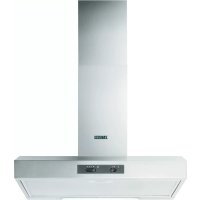
ZHC6122X - Range hood ZANUSSI - Free user manual and instructions
Find the device manual for free ZHC6122X ZANUSSI in PDF.
 FR
FR
 BG
BG
 CS
CS
 DA
DA
 DE
DE
 EL
EL
 EN
EN
 ES
ES
 ET
ET
 FI
FI
 HU
HU
 IT
IT
 KK
KK
 LT
LT
 LV
LV
 MK
MK
 NL
NL
 NO
NO
 PL
PL
 PT
PT
 RO
RO
 RU
RU
 SK
SK
 SL
SL
 SQ
SQ
 SR
SR
 SV
SV
 TR
TR
 UK
UK
| Product type | Extractor hood / recirculation hood |
| Brand | Zanussi |
| Model | ZHC6122X |
| Dimensions (W x D x H) | 598 x 500 x 132 mm |
| Weight | 12 kg |
| Power supply | 220-240 V, 50 Hz |
| Suction power | 3 speeds (minimum, medium, maximum) |
| Installation type | External extraction or internal recirculation |
| Lighting | LED 3W, socket E14 (max) |
| Grease filter | Dishwasher safe, clean once a month |
| Activated carbon filter | Not washable, replace every 4 months |
| Minimum cooking distance | ≥ 50 cm (electric hob) / ≥ 65 cm (gas or mixed hob) |
| Material | Stainless steel |
| Control | Mechanical buttons |
| Main functions | Light ON/OFF control, motor stop, speed selection |
| Safety | Disconnect before maintenance, do not flambé under the hood, ensure sufficient ventilation |
| Exterior maintenance | Damp cloth with mild detergent, no alcohol or abrasives |
| Bulb replacement | LED bulb 3W E14 only |
| Recommended use | Switch on 5 min before cooking, leave on for 15 min after |
| Recycling | Do not dispose with household waste, take to recycling center |
Frequently Asked Questions - ZHC6122X ZANUSSI
User questions about ZHC6122X ZANUSSI
0 question about this device. Answer the ones you know or ask your own.
Ask a new question about this device
Download the instructions for your Range hood in PDF format for free! Find your manual ZHC6122X - ZANUSSI and take your electronic device back in hand. On this page are published all the documents necessary for the use of your device. ZHC6122X by ZANUSSI.
USER MANUAL ZHC6122X ZANUSSI
![graph TD A["House Icon"] --> B["Recycle Path"] B --> C["Flow Direction Arrows"] C --> D["Return to House"] style A fill:#f9f,stroke:#333 style D fill:#bbf,stroke:#333](/content/2026/03/530413/images/f5c88550f068c06cb5d6f6c3a4cac8f397b8c23316397543187559e5bd60b432.jpg)
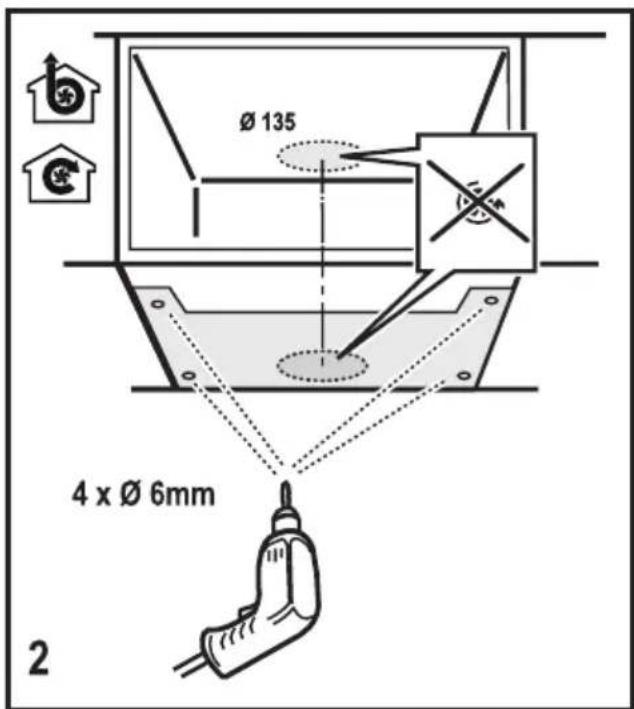
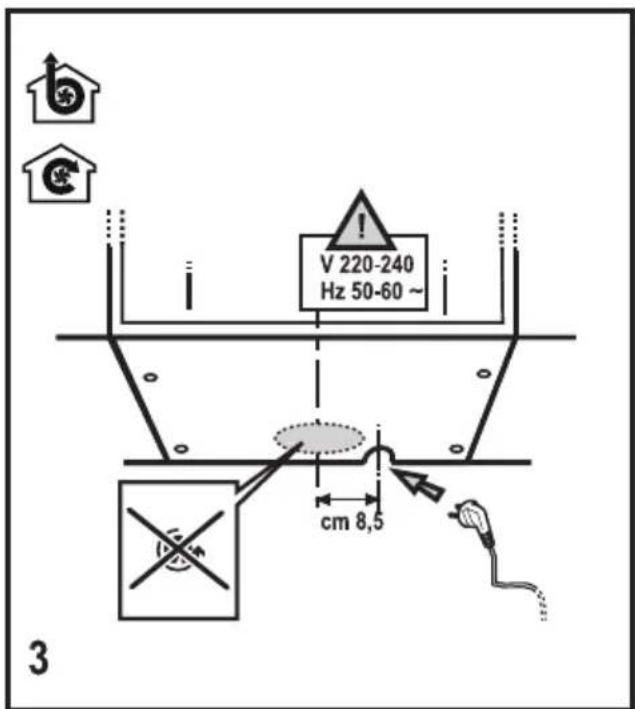
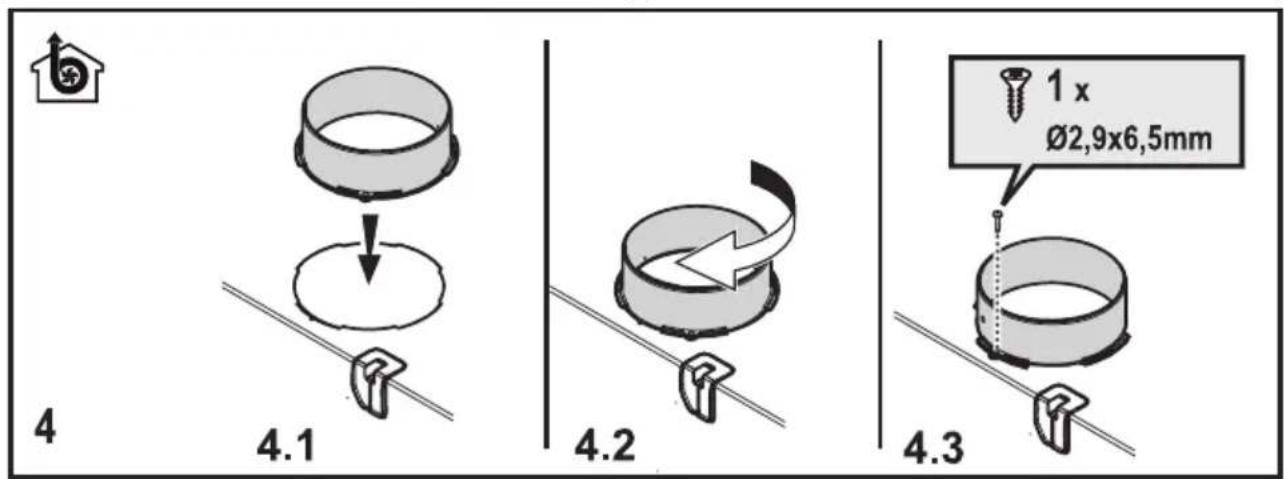
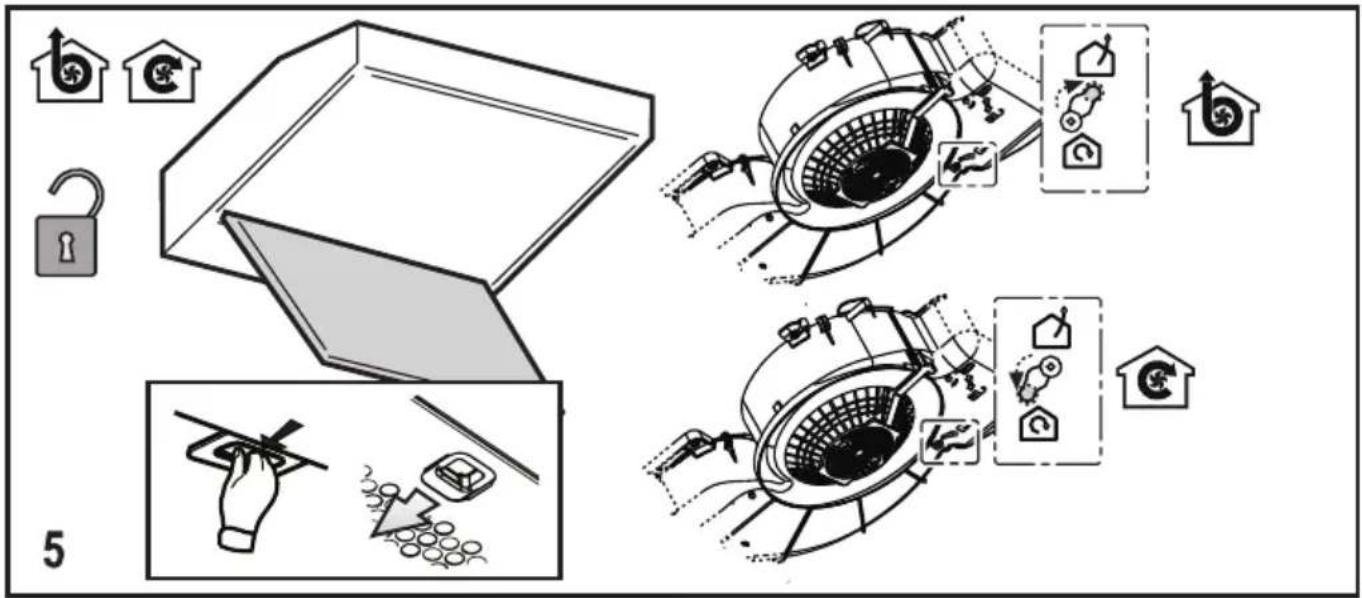
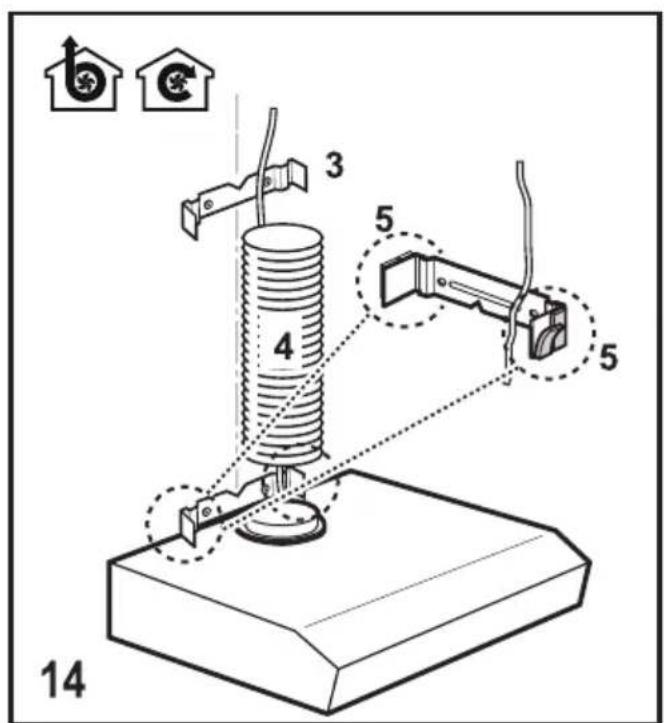
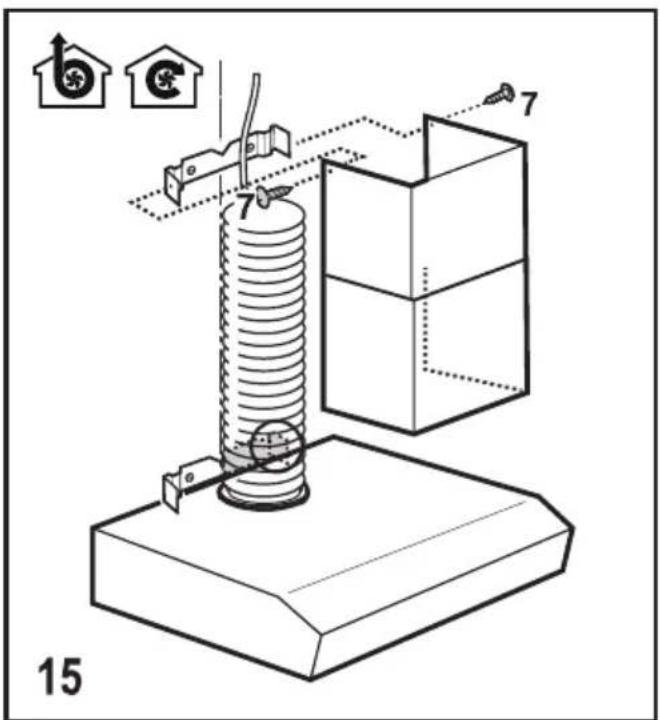
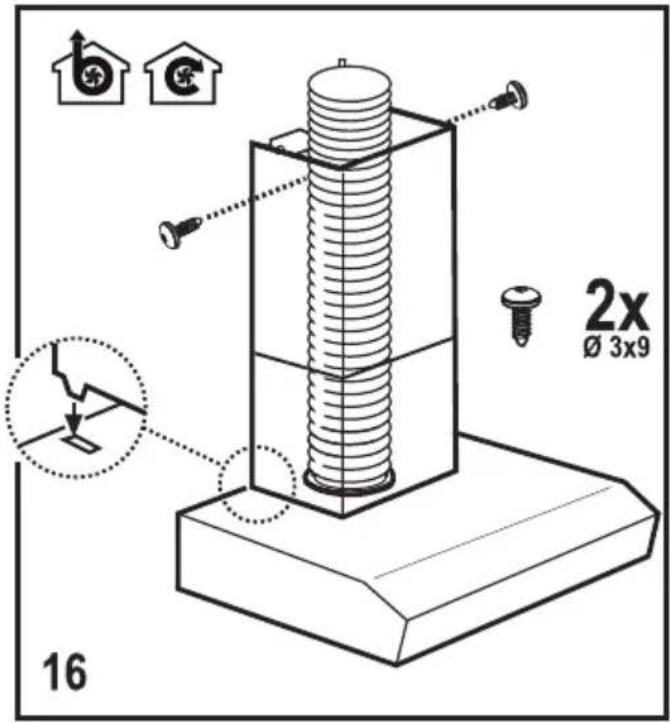
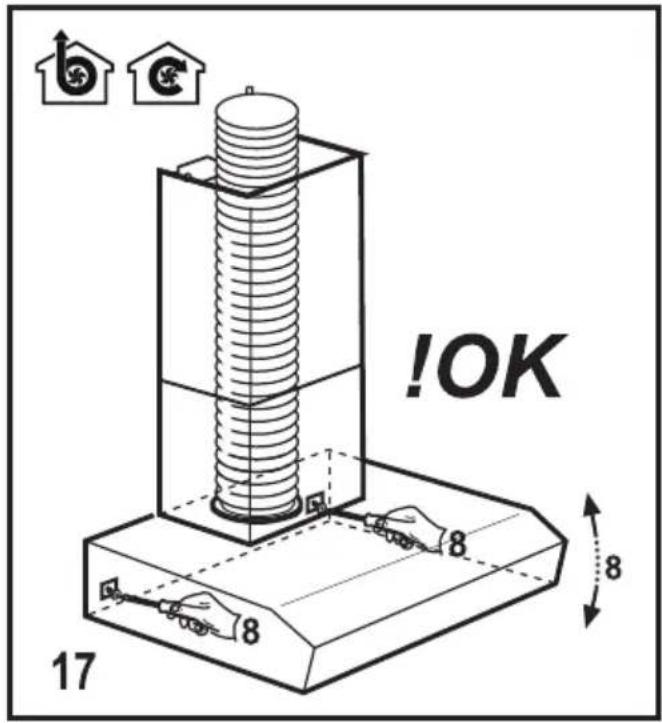
COMMAND
⚠ SAFETY INFORMATION
Before any cleaning or maintenance operation, disconnect the hood from the mains by removing the plug or disconnecting the mains electrical supply.
Always wear work gloves for all installation and maintenance operations.
This appliance can be used by children aged from 8 years and above and persons with reduced physical, sensory or mental capabilities or lack of experience and knowledge if they have been given supervision or instruction concerning use of the appliance in a safe way and understand the hazards involved.
Children shall not be allowed to tamper with the controls or play with the appliance.
Cleaning and user maintenance shall not be made by children without supervision.
The premises where the appliance is installed must be sufficiently ventilated, when the kitchen hood is used together with other gas combustion devices or other fuels.
The hood must be regularly cleaned on both the inside and outside (AT LEAST ONCE A MONTH).
This must be completed in accordance with the maintenance instructions provided in this manual.
Failure to follow the instructions provided in this user guide regarding the cleaning of the hood and filters will lead to the risk of fires.
The flaming of foods beneath the hood itself is severely prohibited.
The use of exposed flames is detrimental to the filters and may cause a fire risk, and must therefore be avoided in all circumstances.
Any frying must be done with care in order to make sure that the oil does not overheat and ignite.
CAUTION: Accessible parts of the hood may become hot when used with cooking appliances. When connecting the hood to the electrical network, only certified electrical adaptors are allowed and not power strips.
SAFETY INSTRUCTIONS
For lamp replacement use only lamp type indicated in the Maintenance/Replacing lamps section of this manual.

WARNING! Do not connect the appliance to the mains until the installation is fully complete.
With regards to the technical and safety measures to be adopted for fume discharging it is important to closely follow the regulations provided by the local authorities.
The ducting system for this appliance must not be connected to any existing ventilation system which is being used for any other purpose such as discharging exhaust fumes from appliances burning gas or other fuels.
Do not use or leave the hood without the lamp correctly mounted due to the possible risk of electric shocks.
Never use the hood without effectively mounted grids.
The hood must NEVER be used as a support surface unless specifically indicated.
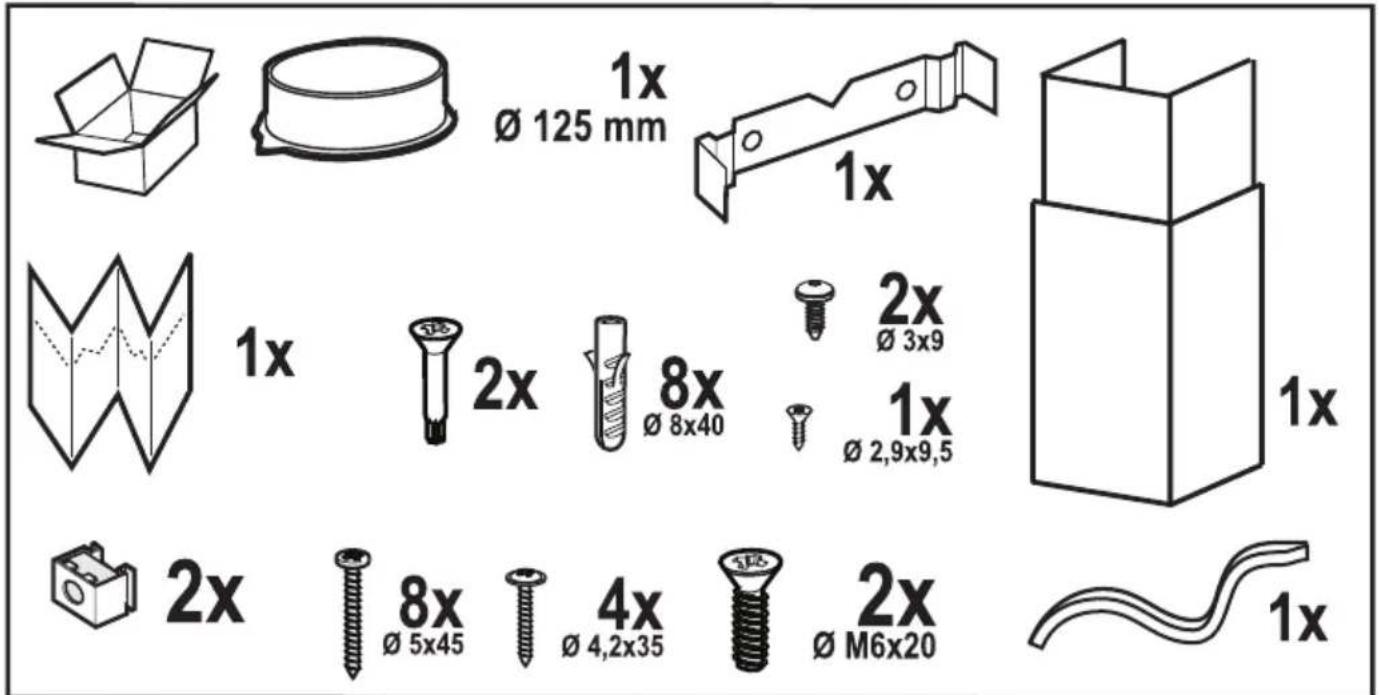
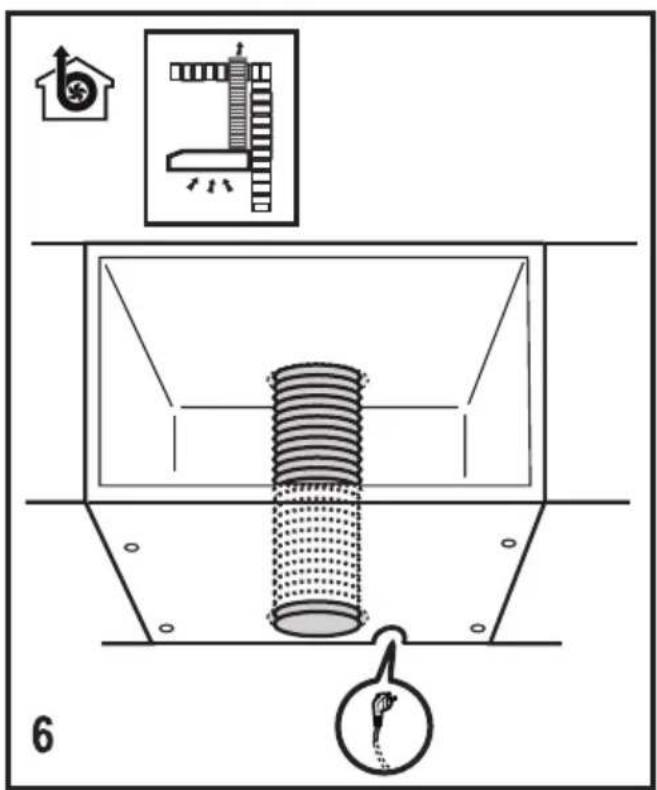
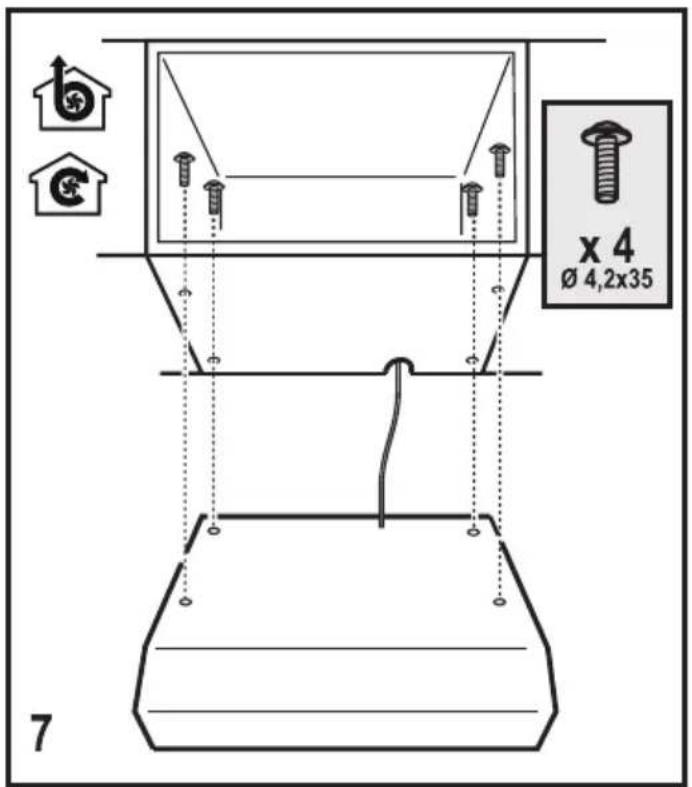
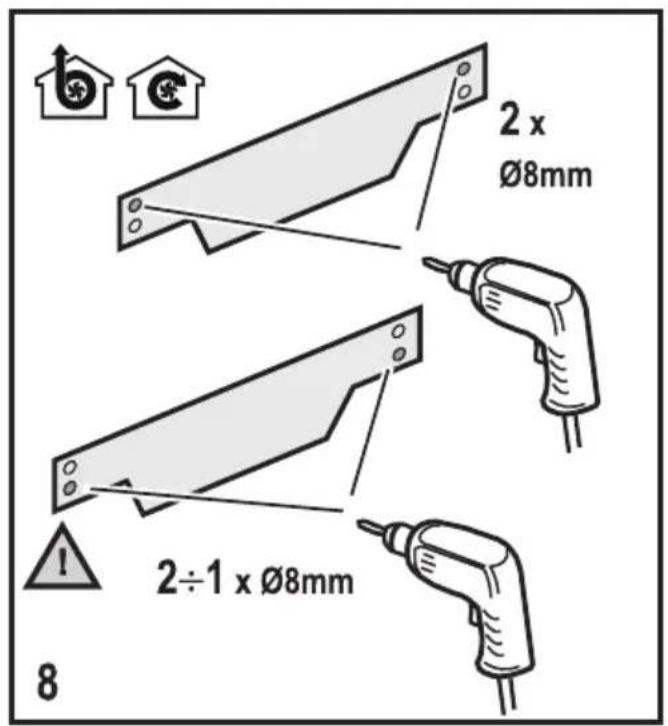
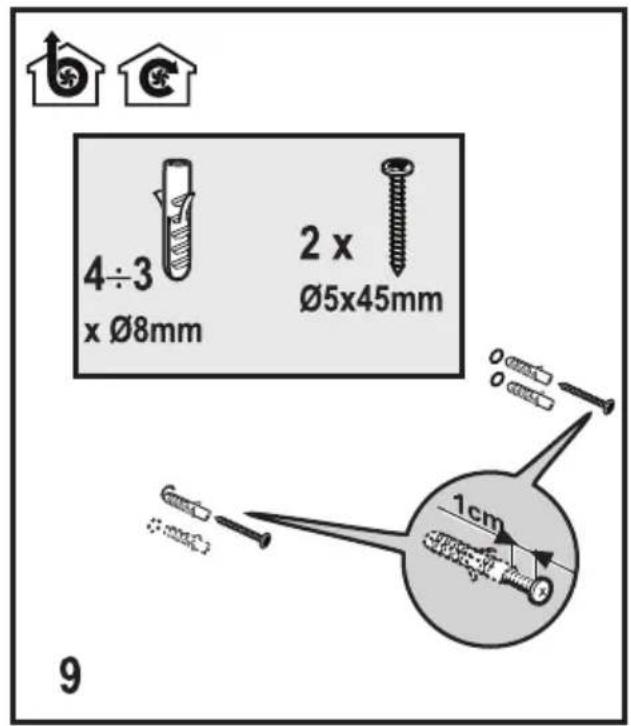
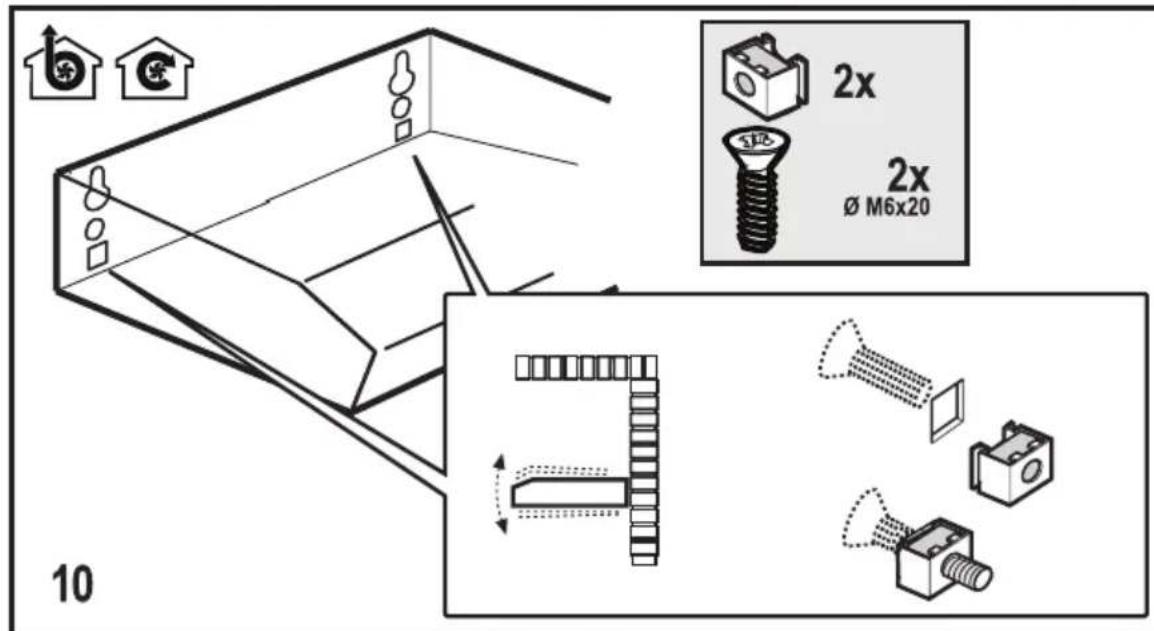
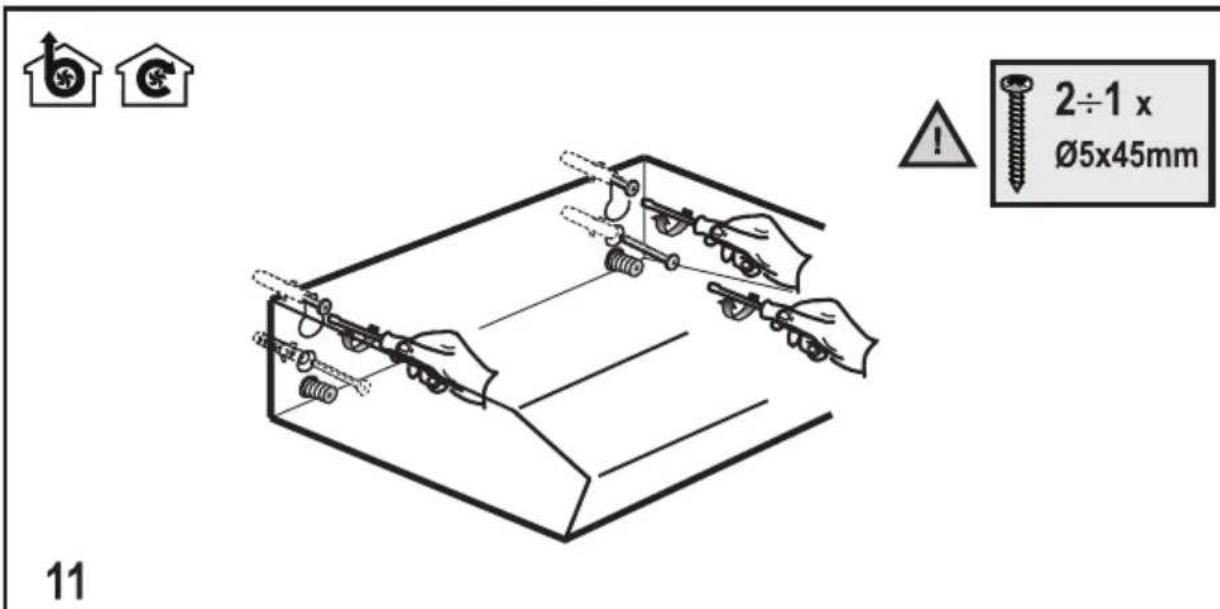
Use only the fixing screws supplied with the product for installation or, if not supplied, purchase the correct screws type.
Use the correct length for the screws which are identified in the Installation Guide.
In case of doubt, consult an authorised service assistance centre or similar qualified person.

WARNING! Failure to install the screws or fixing device in accordance with these instructions may result in electrical hazards.
ENVIRONMENT CONCERNS
Recycle the materials with the symbol
. Put the packaging in applicable containers to recycle it. Help protect the environment and human health and to recycle waste of electrical and electronic appliances. Do not dispose appliances
marked with the symbol with the household waste. Return the product to your local recycling facility or contact your municipal office department for household waste or the shop where you purchased this product.
USE
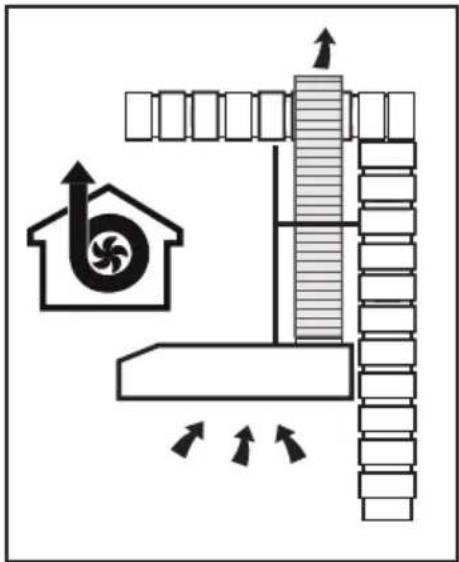
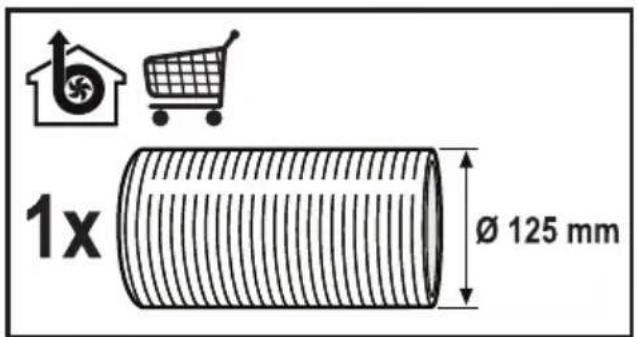
The hood is designed to be used either for
exhausting or filter version.
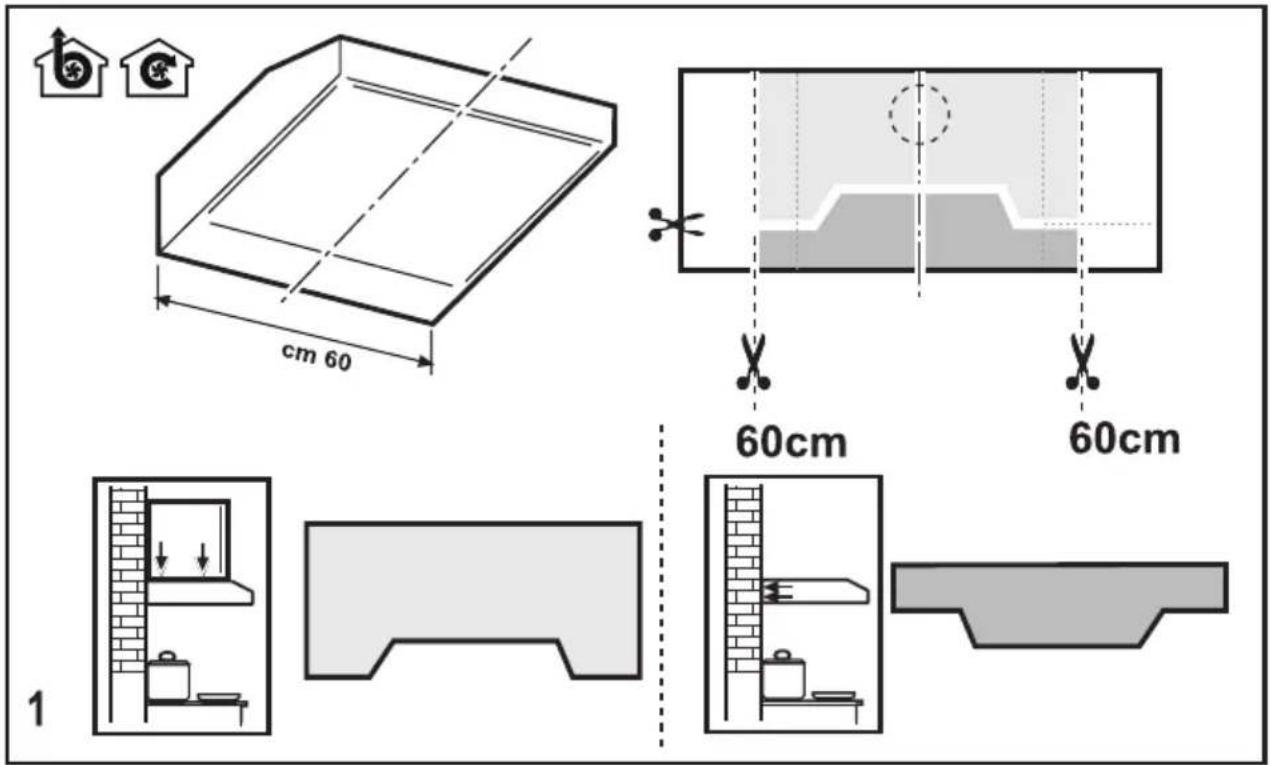
INSTALLATION
The mains power supply must correspond to the rating indicated on the plate situated inside the hood. If provided with a plug, connect the hood to a socket in compliance with current regulations and positioned in an accessible area, after installation. If it is not fitted with a plug (direct mains connection) or if the plug is not located in an accessible area, after installation, apply a double pole switch in accordance with standards which assures the complete disconnection of the mains under conditions relating to over-current category III in accordance with installation instructions.

Warning! Before re-connecting the hood circuit to the mains supply and checking the efficient function, always check that the mains cable is correctly assembled.
Warning! Power cable replacement must be undertaken by the authorised service assistance centre or similar qualified person.
The minimum distance between the supporting surface for the cooking equipment on the hob and the lowest part of the range hood must be not less than 50cm from electric cookers and 65cm from gas or mixed cookers. If the instructions for installation for the gas hob specify a greater distance, this must be adhered to.
MAINTENANCE
ATTENTION! Before performing any maintenance operation, isolate the hood from the electrical supply by switching off at the connector and removing the connector fuse. Or if the appliance has been connected through a plug and socket, then the plug must be removed from the socket.
The cooker hood should be cleaned regularly (at least with the same frequency with which you carry out maintenance of the fat filters) internally and externally. Clean using the cloth dampened with neutral liquid detergent. Do not use abrasive products. DO NOT USE ALCOHOL!
Warning! Failure to carry out the basic cleaning recommendations of the cooker hood and replacement of the filters may cause fire risks. Therefore, we recommend observing these instructions. The manufacturer declines all responsibility for any damage to the motor or any fire damage linked to inappropriate maintenance or failure to observe the above safety recommendations.
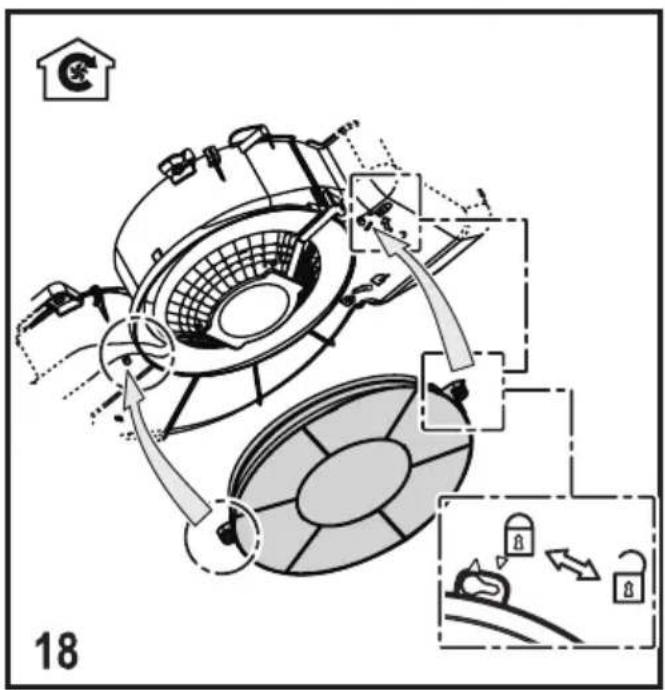
Grease filter - The grease filter must be cleaned once a month using non aggressive detergents, either by hand or in the dishwasher, which must be set to a low temperature and a short cycle. When washed in a dishwasher, the grease filter may discolour slightly, but this does not affect its filtering capacity.
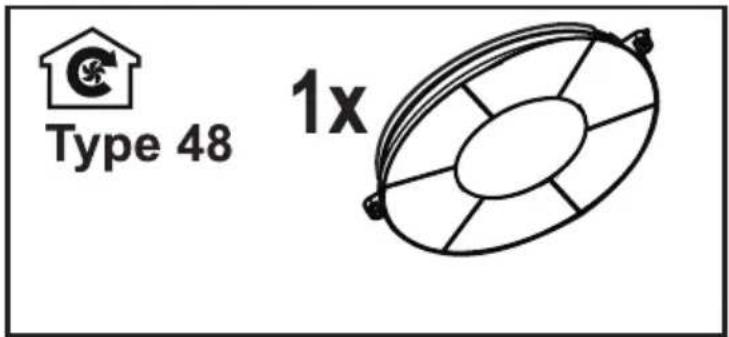
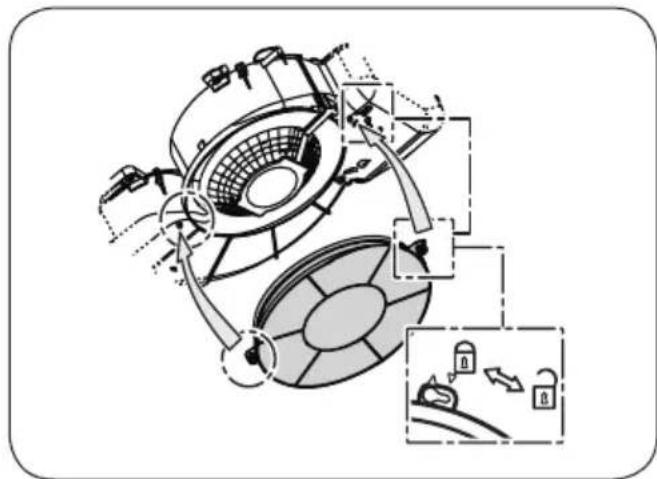
NON-washable activated charcoal filter
The saturation of the charcoal filter occurs after more or less prolonged use, depending on the type of cooking and the regularity of cleaning of the grease filter. In any case it is necessary to replace the cartridge at least every four months. The charcoal filter may NOT be washed or regenerated.
CONTROLS
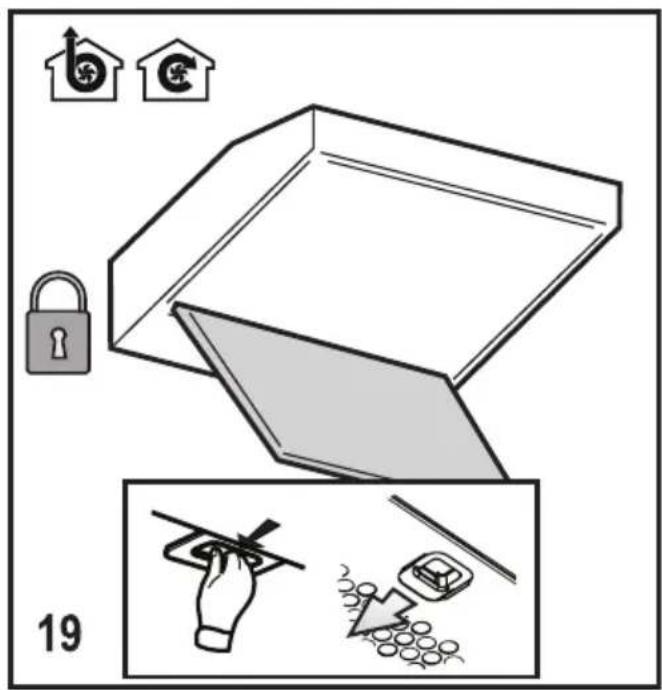
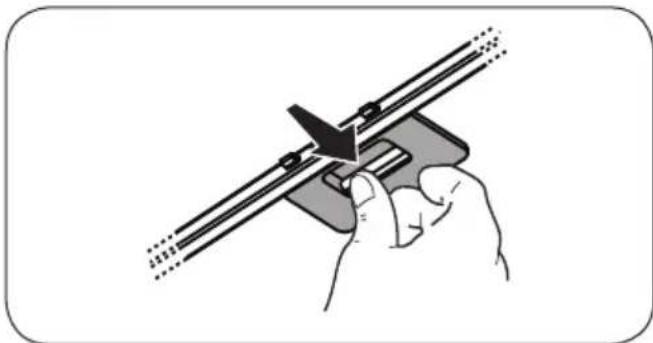
The hood is fitted with a control panel with aspiration speed selection control and a light switch to control cooking area lights.
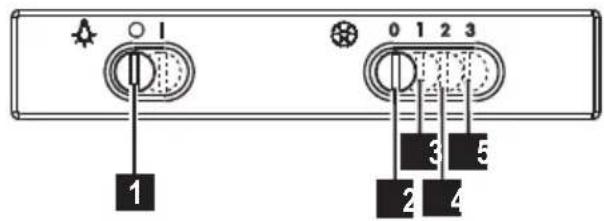
1 ON/OFF lights 2 OFF motors 3 Minimum suction power 4 Medium suction power 5 Maximum suction power
Use the high suction speed in cases of concentrated kitchen vapours. It is recommended that the cooker hood suction is switched on for 5 minutes prior to cooking and to leave in operation during cooking and for another 15 minutes approximately after terminating cooking.
LIGHTING
Disconnect the hood from the electricity.

Warning! Prior to touching the light bulbs ensure they are cooled down.
Replace the damaged lamp.
Use E14 3W max LED lamps only. For more details, check enclosed leaflet "ILCOS D" (alfanumeric position "1d").
CONTROLS
COMMANDS
CONTROLS
CONTROLS
Non-washable activated carbon filter
CONTROLS
CONTROLS
COMMANDS
CONTROLS
CONTROLS
CONTROLS
CONTROLS
CONTROLS
Use the correct length for the screws which are identified in the Installation Guide.
Non-washable activated carbon filter
COMMANDS
Non-washable activated carbon filter.
Saturation of the carbon filter occurs after a more or less extended period of use, depending on the type of kitchen and the care taken in cleaning the grease filter.
COMMANDS
CONTROLS
COMMANDS
Non-washable activated carbon filter
CONTROL KNOBS
CONTROL PANEL
CONTROLS
CONTROLS
COMMANDS
Non-washable activated carbon filter
CONTROLS
CONTROL ELEMENTS
CONTROL ELEMENTS
CONTROL ELEMENTS
Non-washable activated carbon filter
CONTROL
CE

Brand : ZANUSSI
Model : ZHC6122X
Category : Range hood