USER MANUAL SD 2501 PANASONIC
natural_image
White Panasonic 10.000 kitchen machine with control panel and display (no visible text or symbols on body)
SD-2501
Automatic Bread Maker
OPERATING INSTRUCTIONS AND RECIPES (Household Use)
Brotbackautomat
natural_image
Basket filled with golden-brown baked pastries, no visible text or symbols
Contents
Before Use
● Safety Instructions....5
- Accessories/Parts Identification 8
● Differences between SD-2501 and SD-2500 9
- Bread-making Ingredients ...... 10
How to Use
● List of Bread Types and Baking Options 12
● Baking Bread 14
- When adding extra ingredients.... 16
● Baking Brioche 17
● Making Dough 18
● Making Brioche Dough 19
● Baking Cake 20
● Making Jam 21
● Making Compote 22
Recipes
- Bread Recipes....23
- Dough Recipes 25
- Cake Recipe 25
● Gluten Freee Recipes......26
- AVEVE Recipes 27
- Jam Recipes....29
- Compote Recipes 30
natural_image
Black-and-white photo of a loaf of bread with sliced pieces, a side of milk, and small bowls (no visible text or symbols)
natural_image
Close-up of food items including sliced eggs and bread rolls (no visible text or symbols)
How to Clean
● Care & Cleaning 31
To Protect the Non-stick Finish
● To protect the non-stick finish 32
Troubleshooting
- Troubleshooting 33
Thank you for purchasing this Panasonic product.
- Please read these instructions carefully before using this product and save this manual for future use.
- These operating instructions are intended to be used for two different models.
The explanations inside mainly focus on the SD-2501 model. (See P. 9 for the differences in functions between the two.)
● This product is intended for household use only.
Inhalt
natural_image
Black-and-white photo of a loaf of bread with sliced pieces, milk, and small bowls on a table (no visible text or symbols)
natural_image
Close-up of baked bread slices with visible toppings (no text or symbols)
Reinigung
natural_image
Black-and-white photo of a loaf of bread slices and a side of milk on a wooden board, with additional bowls and a spoon in the background (no visible text or symbols)
natural_image
Close-up of a food item with sliced pieces and toppings (no visible text or symbols)
De machine schoonmaken
natural_image
Black-and-white photo of a loaf of bread with sliced pieces, a side of milk, and a bowl of food items (no visible text or symbols)
natural_image
Close-up of baked goods with visible toppings (no text or symbols)
Nettoyage
- Entretien & Nettoyage 127
natural_image
Black-and-white photo of a loaf of bread with sliced pieces, a side of milk, and small bowls (no visible text or symbols)
natural_image
Black-and-white photo of a basket filled with round bread rolls (no text or symbols visible)
natural_image
Close-up of food items including bread rolls and cheese with visible toppings (no text or symbols)
natural_image
Black-and-white photo of a loaf of bread with sliced pieces, milk, and small bowls on a table (no visible text or symbols)
natural_image
Close-up of food items including bread rolls and mushrooms (no visible text or symbols)
Limpieza
Please make sure to follow these instructions.
In order to prevent accidents or injuries to the user, other people, and damage to property, please follow the instructions below.
■ The following charts indicate the degree of damage caused by wrong operation.

Warning: Indicates serious injury or death.

Caution: Indicates risk of injury or property damage.
■ The symbols are classified and explained as follows.

This symbol indicates prohibition.

This symbol indicates requirement that must be followed.
Warning

Do not use the appliance if the power cord or power plug is damaged or the power plug is loosely connected to the power outlet.
(It may cause an electric shock, or fire due to short circuit.)
→ If the supply cord is damaged, it must be replaced by the manufacturer, its service agent or similarly qualified person in order to avoid a hazard.

Do not damage the power cord or power plug.
(It may cause an electric shock, or fire due to short circuit.)
Following actions are strictly prohibited. (Modifying, placing near heating elements, bending, twisting, pulling, putting heavy objects on top, and bundling the cord.)

Do not plug or unplug the power cord with wet hands.
(It may cause an electric shock.)

Do not exceed voltage on the outlet and do not use alternate current other than listed on the appliance.
(It may cause an electric shock or fire.)
- Make sure the voltage supplied to the appliance is the same as your local supply.
- Plugging other devices into the same outlet may cause an electric overheating.

Insert the power plug firmly.
(Otherwise it may cause an electric shock and fire caused by the heat that may generate around the plug.)

Clean the power plug regularly.
(A soiled power plug may cause insufficient insulation due to the moisture and lint build-up, which may cause a fire.)
→ Unplug the power plug, and wipe with the dry cloth.

Warning

(It may cause smoking, fire, electric shock or burn.)
e.g. for abnormal or breaking down
- The power plug and the power cord become abnormally hot.
- The power cord is damaged or power failure.
- The main body is deformed or is abnormally hot.
- The appliance makes abnormal turning noise during use.
→ Unplug the appliance immediately and consult the place of purchase or a Panasonic service centre for the check or the repair.

Do not touch, block or cover the steam vent holes during use.
(It may cause a burn.)
- Especially pay attention for children.

Do not disassemble, repair or modify this appliance.
(It may cause a fire, electric shock or injury.)
→ Consult the place of purchase or a Panasonic service centre.

Do not immerse the appliance in water or splash it with water.
(It may cause an electric shock, or catch a fire due to short circuit.)

This appliance is not intended for use by persons (including children) with reduced physical, sensory or mental capabilities, or lack of experience and knowledge, unless they have been given supervision or instruction concerning use of the appliance by a person responsible for their safety. Children should be supervised to ensure that they do not play with the appliance.
(It may cause a burn, injury or electric shock.)

Caution

Make sure to hold the power plug when unplugging the power plug.
(Otherwise it may cause an electric shock, or fire due to short circuit.)

Unplug the power plug when the appliance is not in use.
(Otherwise it may cause an electric shock, or fire due to electric leakage.)

Please unplug and allow the appliance to cool down before cleaning it.
(It may cause a burn.)

Do not allow the power cord to hang over the edge of the table or touch a hot surface.
(It may cause a burn or injury.)

Do not remove the bread pan or unplug the Bread Maker during use.
(It may cause a burn or injury.)

Caution

Do not use the appliance on following places.
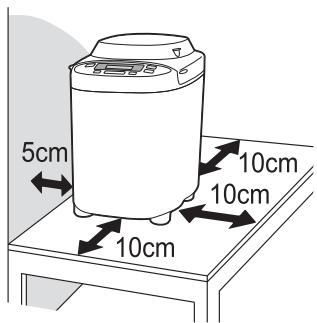
- Position the Bread Maker on a firm, dry, clean, flat heatproof worktop at least 10 cm (4 inches) from the edge of the worktop.
(It may cause the appliance to slip and fall from the worktop.)
- Do not place on unstable surfaces, on electrical appliances such as a refrigerator, on materials such as tablecloths or on carpet, etc.
(It may cause falling or a fire.)
- During baking the unit heats up. The Bread Maker should be placed at least 5 cm (2 inches) from adjacent walls and other objects.
(It may cause a discoloration or deformation.)

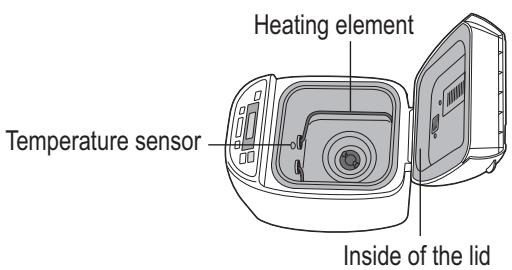
Do not touch hot area such as bread pan, inside of unit, heating element or inside of the lid while the appliance is in use or after cooking.
The temperature of accessible surfaces may be high when the appliance is operating.
(It may cause a burn.)
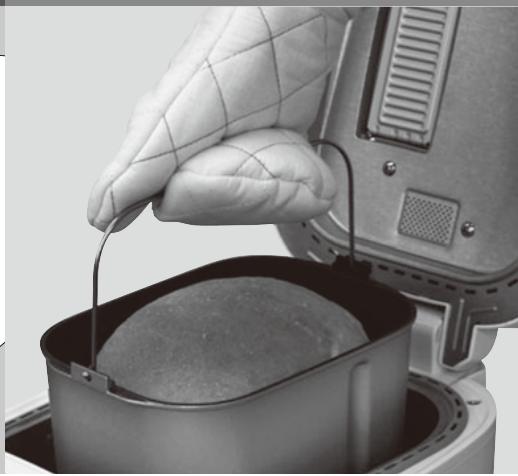
→ To avoid burns, always use oven gloves when removing the bread pan or the finished bread.
(Do not use wet oven gloves.)
Also take care when removing the finished bread or kneading blade.
- Do not use the appliance outdoors, in the immediate vicinity of heat sources or in rooms of high humidity.
(It may cause a malfunction or deformation.)
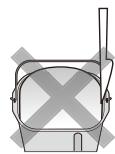
- Do not use excessive force on the parts as is illustrated on the right. (It may cause a malfunction or deformation.)
- This appliance is not intended to be operated by means of an external timer or separate remote-control system.
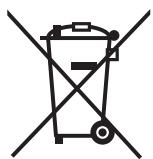

This symbol on the products and/or accompanying documents means that used electrical and electronic products should not be mixed with general household waste.
For proper treatment, recovery and recycling, please take these products to designated collection points, where they will be accepted on a free of charge basis. Alternatively, in some countries you may be able to return your products to your local retailer upon the purchase of an equivalent new product.
Disposing of this product correctly will help to save valuable resources and prevent any potential negative effects on human health and the environment which could otherwise arise from inappropriate waste handling. Please contact your local authority
for further details of your nearest designated collection point.
Penalties may be applicable for incorrect disposal of this waste, in accordance with national legislation.
For business users in the European Union
If you wish to discard electrical and electronic equipment, please contact your dealer or supplier for further information.
This symbol is only valid in the European Union.
If you wish to discard this product, please contact your local authorities or dealer and ask for the correct method of disposal.
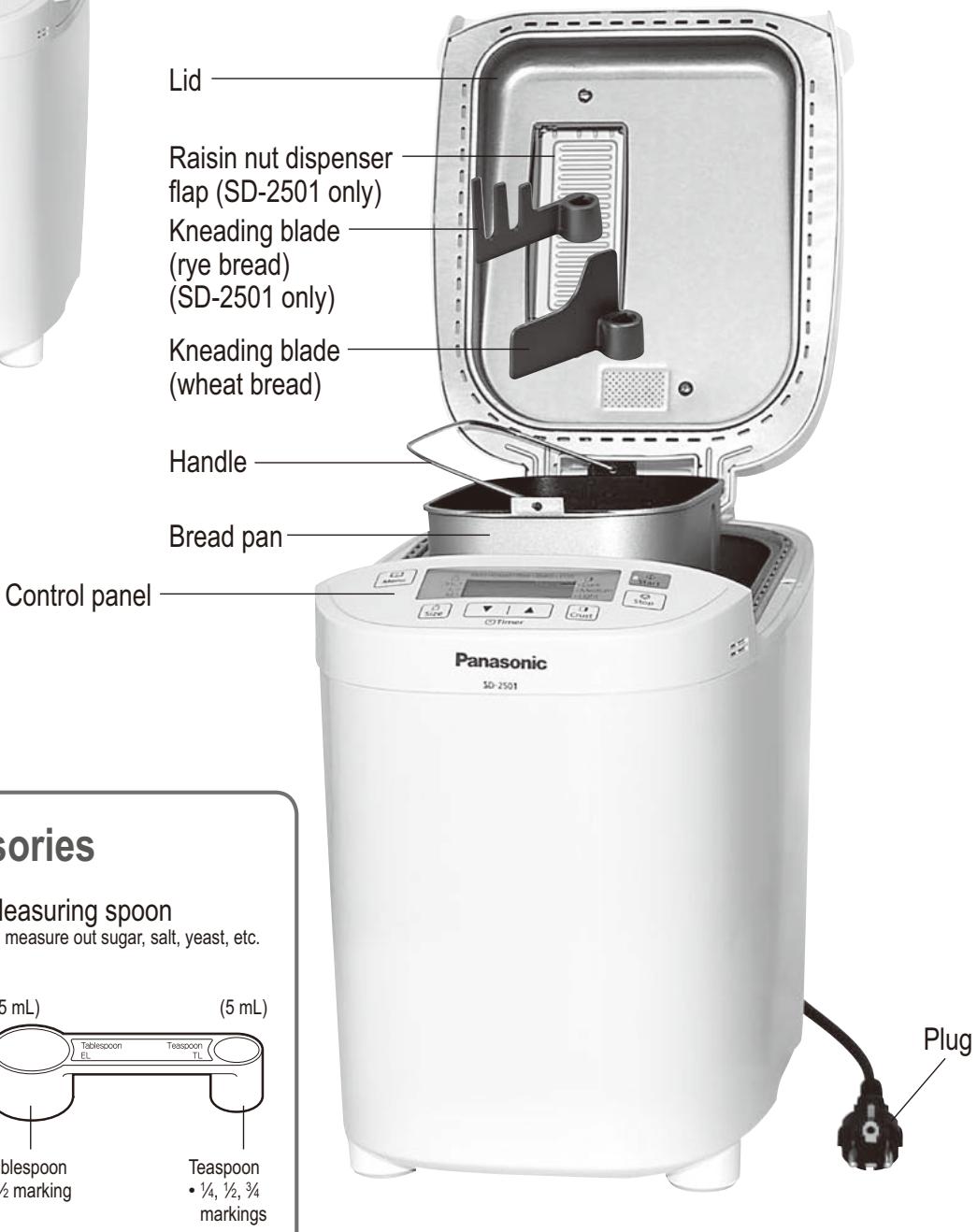
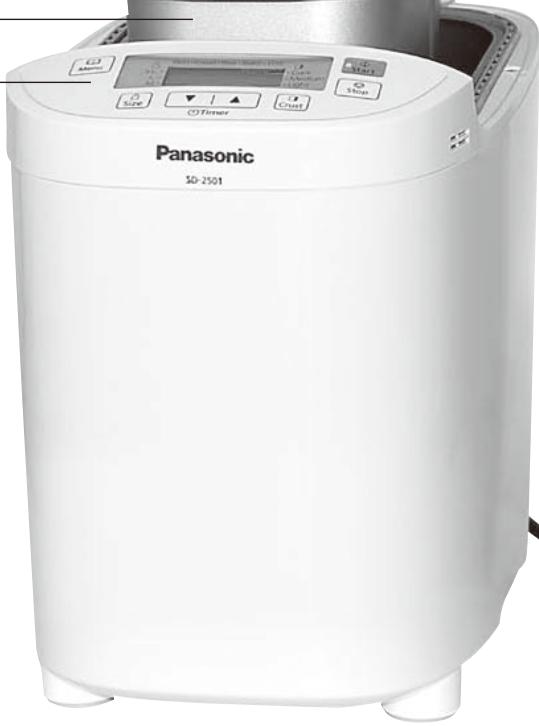
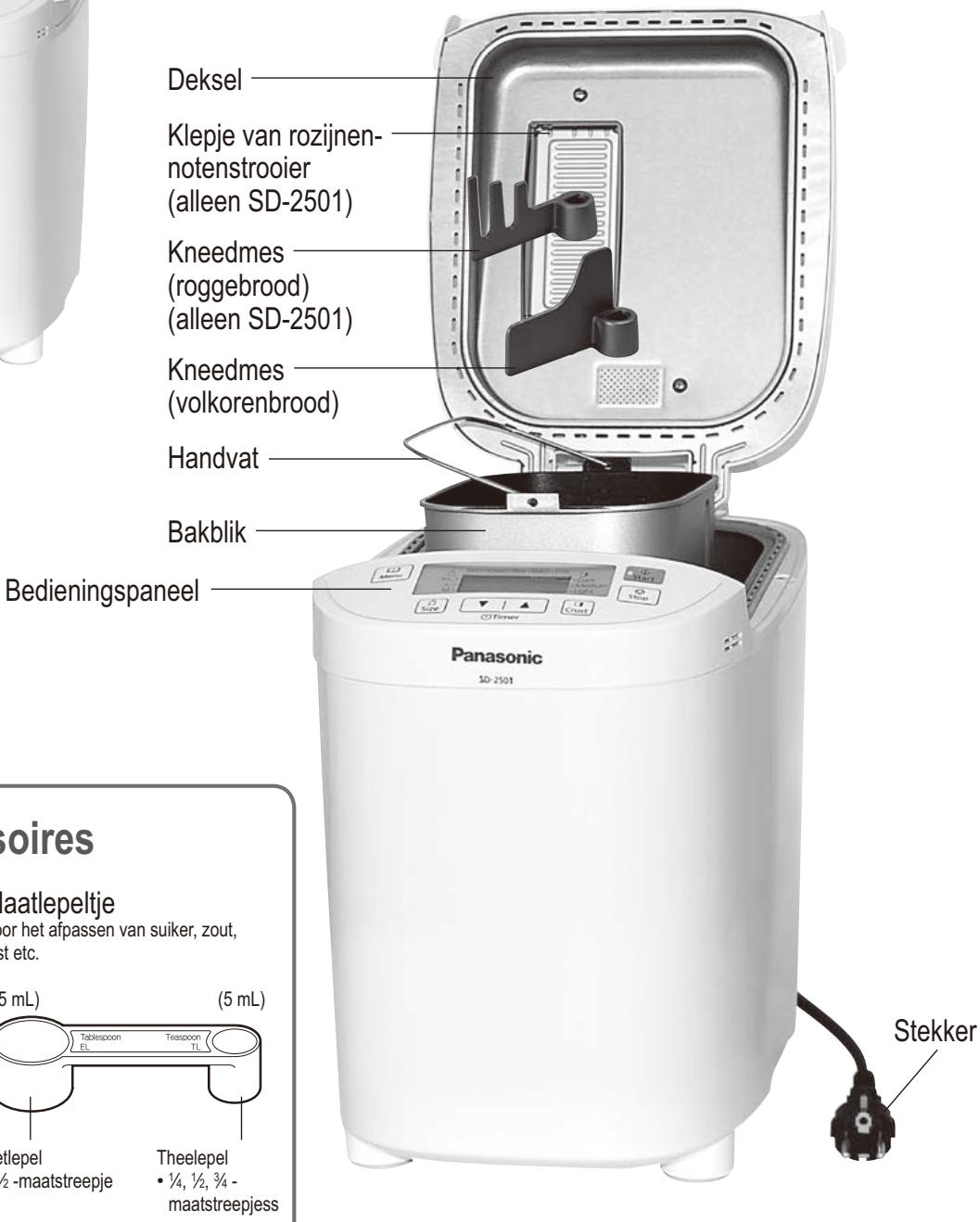
Accessories/Parts Identification
Main Unit
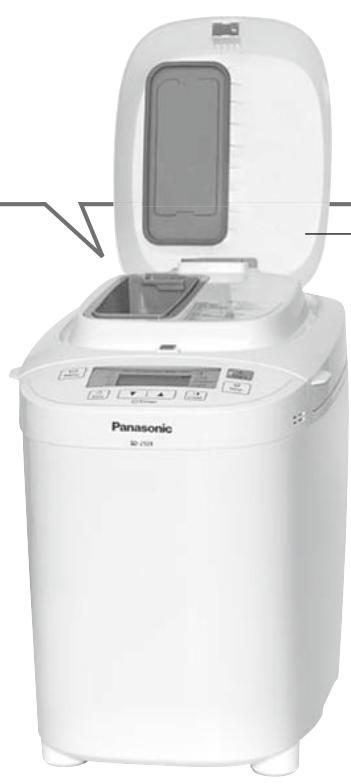
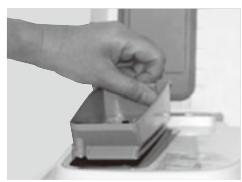
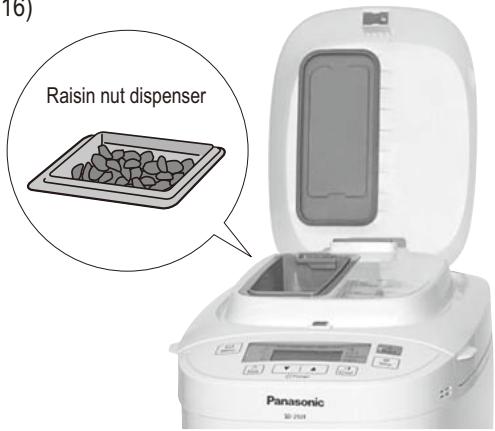
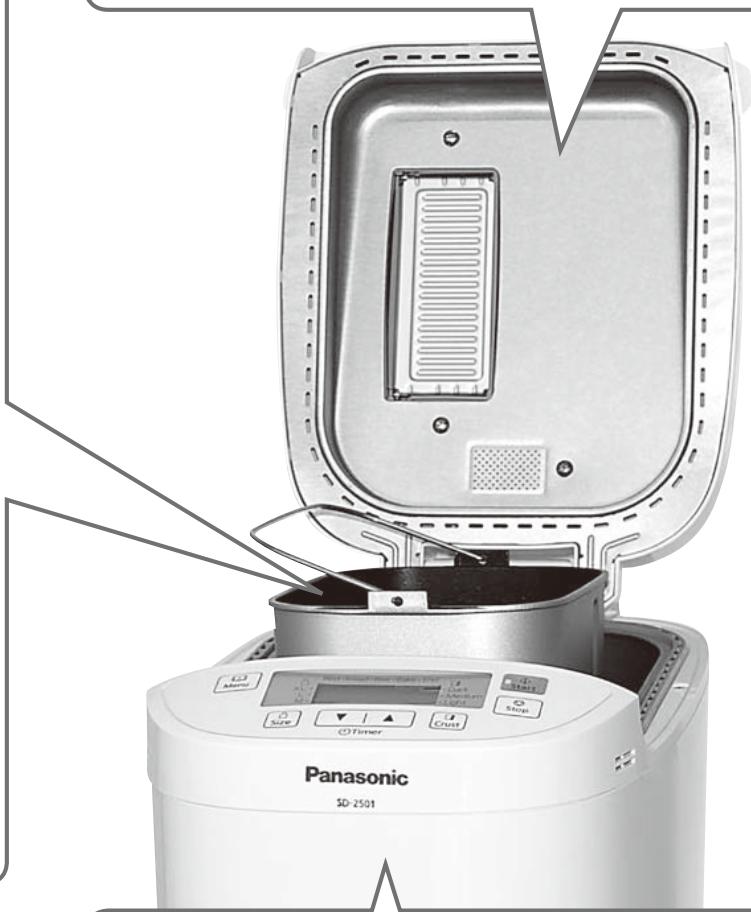
Raisin nut dispenser (SD-2501 only)
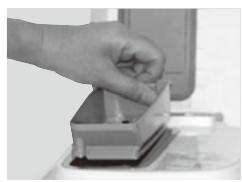
The ingredients placed in the raisin nut dispenser will drop into the bread pan automatically upon selecting the menu with raisin (03, 06, 14, 17, 19 and 25).
Turn to P. 16 for ingredients which may be placed in the raisin nut dispenser.
natural_image
White Panasonic 2014 kitchen model with open lid and digital display (no visible text or symbols on main body)
natural_image
Hand placing a small object into a container on a desk (no visible text or symbols)
Dispenser lid
Accessories
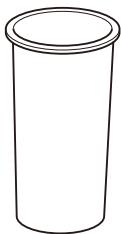
Measuring cup
To measure out liquids
(max. 310 mL)
- 10 mL increments
Measuring spoon
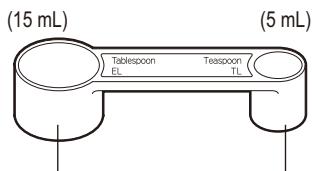
Tablespoon
- 12 marking
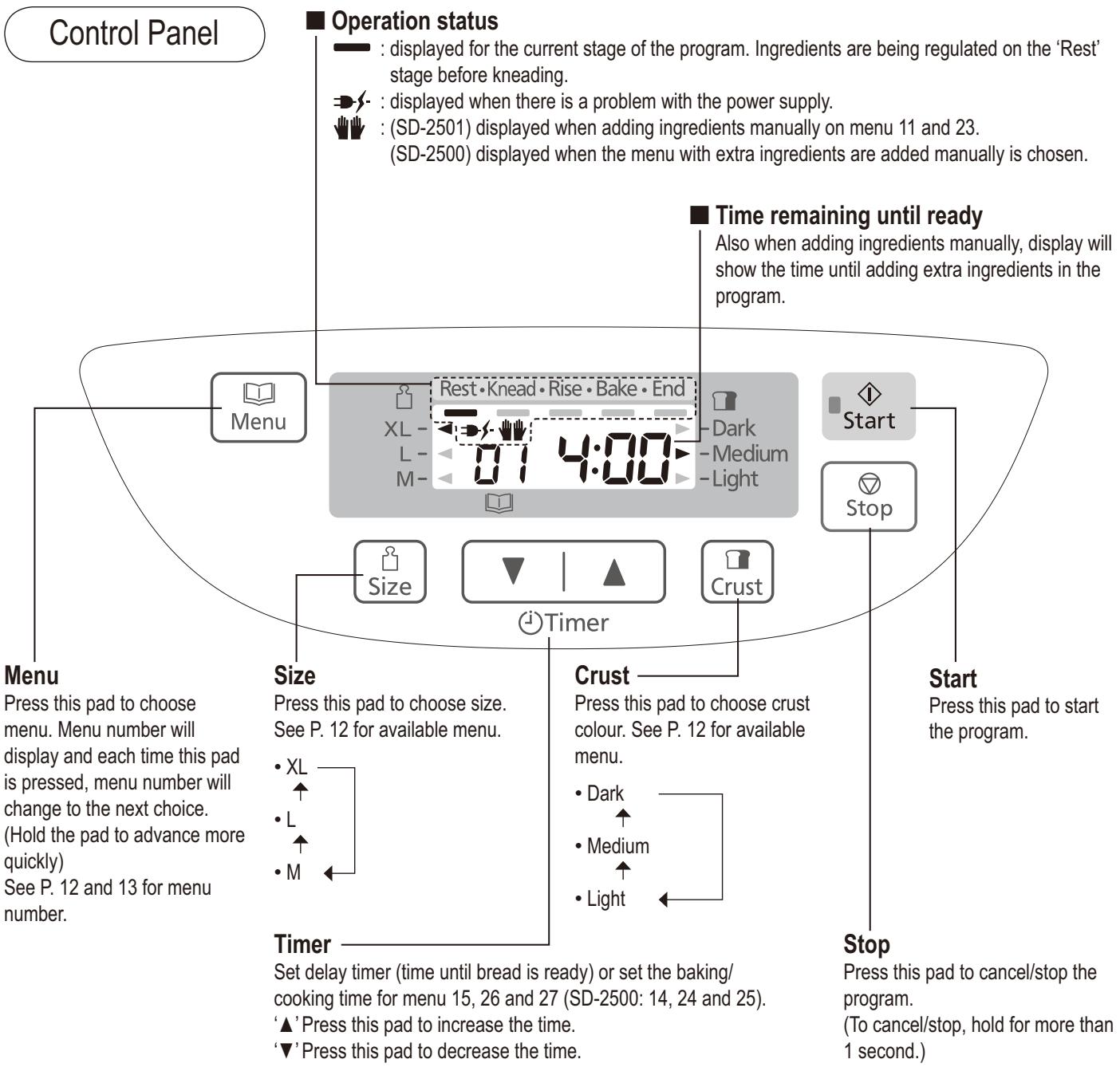
flowchart
graph TD
    A["Control Panel"] --> B["Operation status"]
    B --> C["Rest·Knead·Rise·Bake·End"]
    C --> D["Start"]
    D --> E["Stop"]
    E --> F["Time remaining until ready"]
    F --> G["Also when adding ingredients manually, display will show the time until adding extra ingredients in the program."]
    H["Menu"] --> I["Size"]
    I --> J["Timer"]
    J --> K["Crust"]
    K --> L["Stop"]
    L --> M["Start Press this pad to start the program."]
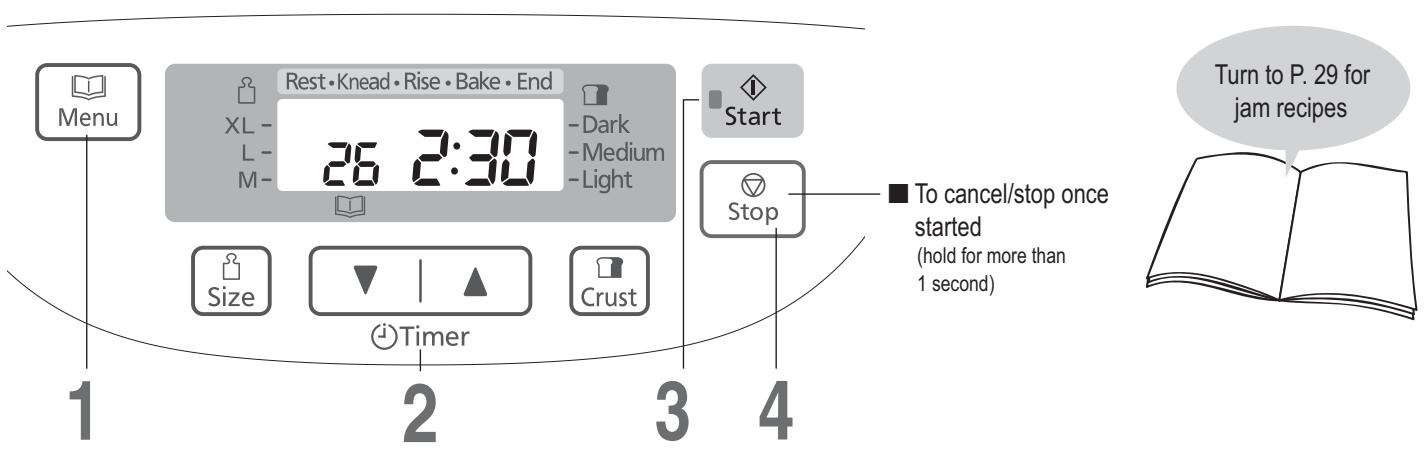
    N["Menu"] --> O["Press this pad to choose menu. Menu number will display and each time this pad is pressed, menu number will change to the next choice. (Hold the pad to advance more quickly) See P. 12 and 13 for menu number."]
    P --> Q["Size: Press this pad to choose size. See P. 12 for available menu. XL L M"]
    Q --> R["Timer: Set delay timer (time until bread is ready) or set the baking/cooking time for menu 15, 26 and 27 (SD-2500: 14, 24 and 25). '▲' Press this pad to increase the time. '▼' Press this pad to decrease the time."]
    S["Rest"] --> T["Dark"]
    U["Light"] --> V["Medium"]
    W["XL"] --> X["L"]
    Y["M"] --> Z["M"]
This picture shows all words and symbols, but during operation only those relevant will be displayed.
Differences between SD-2501 and SD-2500
These instructions are for two different Bread Makers
SD-2501
If using raisins, nuts, or cereals, these are added automatically. (P. 16)
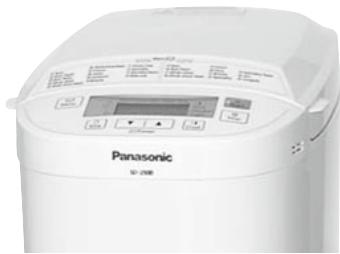
SD-2500
Additional ingredients should be added manually when the beep sounds. (P. 16)
natural_image
Front view of a Panasonic industrial microwave oven (no visible text or labels on the device body)
- The photographs and illustrations in this manual are of the SD-2501 model.
Bread-making Ingredients
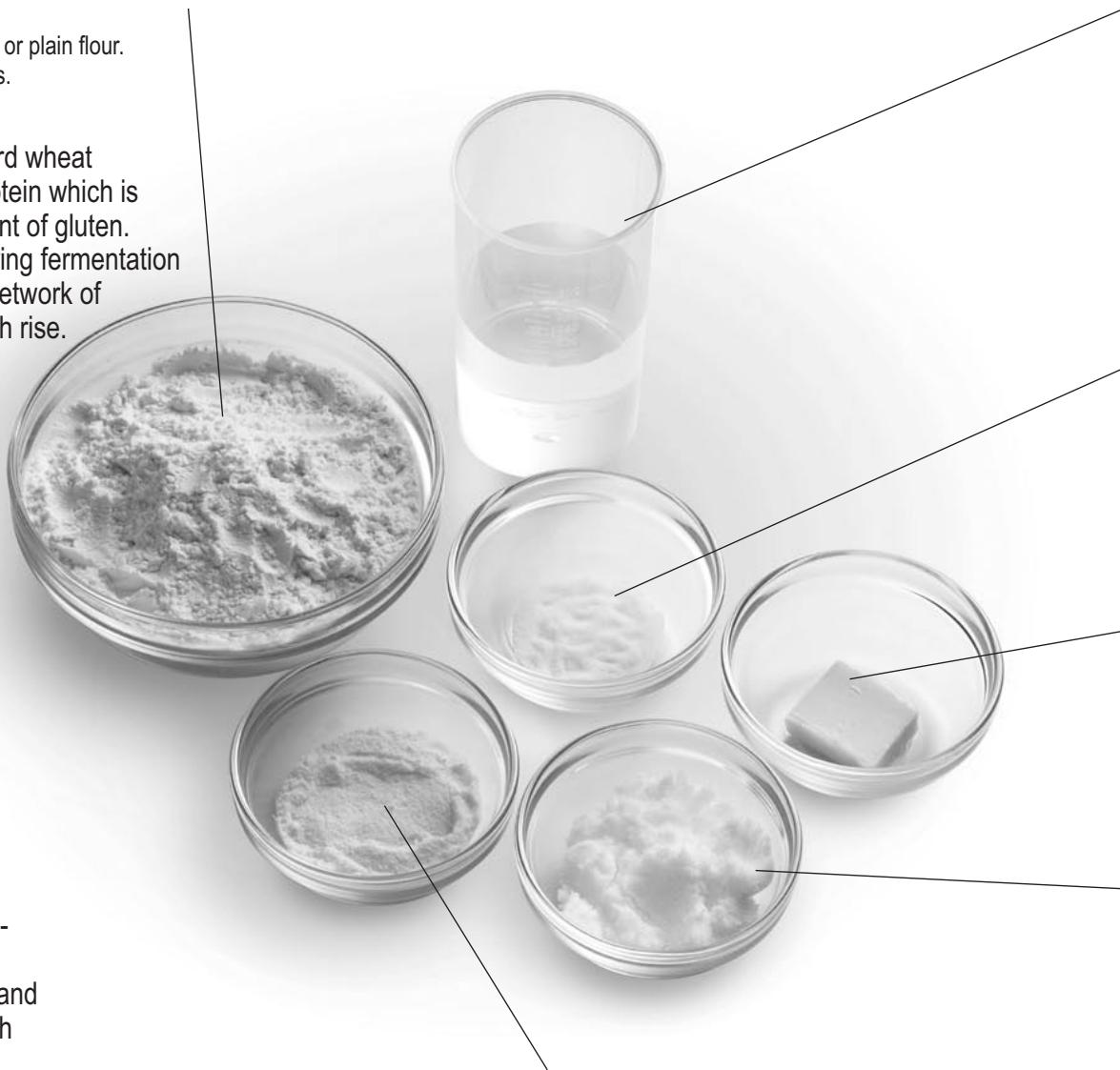
Flour
Main ingredient of bread, produces gluten. (helps the bread to rise, gives it a firm texture)
- Use strong flour. Do not use soft or plain flour.
- Flour must be weighed on scales.
Strong flour is milled from hard wheat and has a high content of protein which is necessary for the development of gluten. Carbon dioxide produced during fermentation is trapped within the elastic network of gluten, thus making the dough rise.
White flour
Made by grinding wheat kernel, excluding bran and germ. The best kind of flour for baking bread is a flour marked ‘for bread baking’.
- Do not use plain or self-raising flour as a substitute for bread flour.
Whole wheat flour
Made by grinding entire wheat kernel, including bran and germ. Makes very health-giving bread.
This bread is lower in height and heavier than bread baked with white flour.
Rye flour
Made by grinding rye kernel. Contains more iron, magnesium and potassium, which are necessary for human's health, than white flour. But there isn't enough gluten. Makes dense, heavy bread. Do not use more than stated quantity (could overload motor).
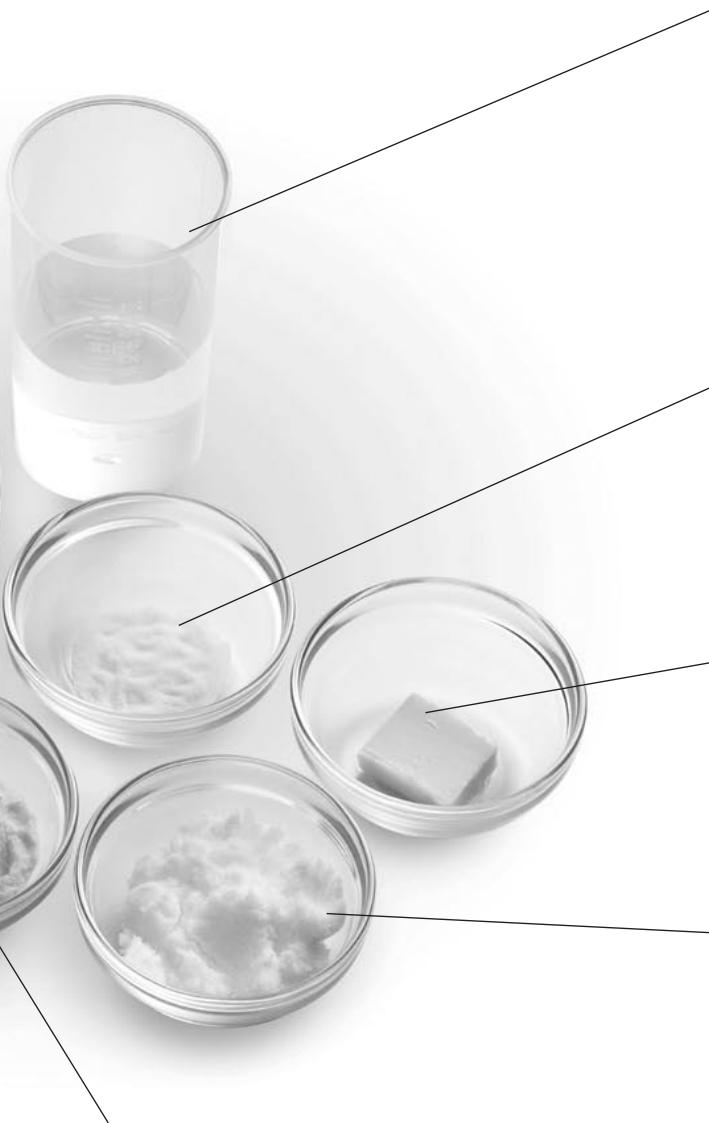
Dairy Products
Add flavour and nutritional value.
- If you use milk instead of water, the nutritional value of the bread will be higher, but do not use in timer setting as it may not keep fresh overnight.
→ Reduce the amount of water proportionally to the amount of milk.
Spelt flour
In the wheat family but is a completely different species genetically.
Although it contains gluten some gluten-intolerant people can digest it. (Consult your doctor.)
Makes loaves with a flat/slightly sunken crust.
Spelt wholegrain flour bread becomes low height and dense compare with spelt white flour bread.
We will recommend spelt white flour to be used more than the half of the entire flour.
- There is Spelt (Triticum spelta) suitable for baking bread and Einkorm wheat (Triticum monococcum: also it is called small spelt) which is not suitable for baking bread are sold as spelt. Please use spelt. [use in menu 13, 14, 24 or 25 (SD-2500: 12, 13, 22 or 23)]
Water
- Use normal tap water.
- Use tepid water if using menu 02, 05, 07, 12 or 20 (SD-2500: 02, 05 or 11) in a cold room.
- Use chilled water if using menu 07, 08, 11, 13, 14, 20, 21, 23, 24 or 25 (SD-2500: 07, 10, 12, 13, 19, 21, 22 or 23) in a hot room.
● Always measure out liquids using the measuring cup provided.
Salt
Improves the flavour and strengthens gluten to help the bread rise.
- The bread may lose size/flavour if measuring is inaccurate.
Fat
Adds flavour and softness to the bread.
- Using butter or magazine is recommended.
Sugar (granulated sugar, brown sugar, honey, treacle etc)
Food for the yeast, sweetens and adds flavour to the bread, changes the colour of the crust.
- Use less sugar if using raisins or other fruits, which contain fructose.
If using a bread mix...
■ Bread mixes including yeast
① Place the mix in the bread pan, then add water. (Follow instructions on the packet for the quantity of water)
② Select the menu 02, choose a size according to the volume of the mix, and start the baking.
- 600 g - XL • 500 g - L
- With some mixes, it is not clear how much yeast is included, so some trial and error may be required to obtain optimum results.
■ Bread mix with separate yeast sachet
① First place the yeast in the bread pan, then the bread mix, then the water.
② Set the machine according to the type of flour included in the mix, and start the baking.
- White flour, brown flour menu 01
• Whole wheat, multigrain flour → menu 04
- rye flour menu 07 (SD-2501 only)
■ Baking brioche with brioche mix
- Select the menu 11 (SD-2500: 10) or 02 'Medium' size-'Light' crust colour. (P.35)
■ You can make your bread taste better by adding other ingredients:
| Eggs | Improve the nutritional value and colouring of the bread. (Water amount must be reduced proportionally)Beat eggs when adding them. |
| Bran | Increases the bread's fibre content.• Use max. 75 mL (5 tbsp). |
| Wheat germ | Gives the bread a nuttier flavour.• Use max. 60 mL (4 tbsp). |
| Spices | Enhance the flavour of the bread.• Only use a small amount (1-2 tbsp). |
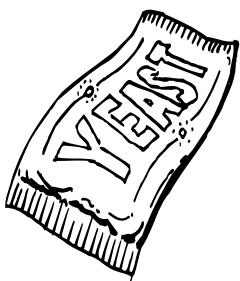
Dry Yeast
Enables the bread to rise.
- Be sure to use dry yeast that does not require pre-fermentation (do not use fresh yeast or dry yeast requiring fermentation before using)
- Yeast which has ‘instant yeast’ written on the packet is recommended.
- When using yeast from sachets, seal the sachet again immediately after use, and keep in the fridge. (Use within the manufacturer's recommended time)
List of Bread Types and Baking Options
■ Function Availability and Time Required
- Time required for each process will differ according to room temperature.
| Options | Processes |
|
|
|
|
|
|
|
|
|
|
|
|
| Dough | 16 | 15 | Basic | — | — | — | 30 min–50 min | 15–30 min*4 | 1 hr 10 min–1 hr 30 min | — | 2 hr 20 min |
| 17 | 16 | Basic Raisin | — | — | — | 30 min–50 min | 15–30 min*4 | 1 hr 10 min–1 hr 30 min | — | 2 hr 20 min |
| 18 | 17 | Whole wheat | — | — | — | 55 min–1 hr 25 min | 15–25 min*4 | 1 hr 30 min–2 hr | — | 3 hr 15 min |
| 19 | 18 | Whole wheat Raisin | — | — | — | 55 min–1 hr 25 min | 15–25 min*4 | 1 hr 30 min–2 hr | — | 3 hr 15 min |
| 20 | — | Rye | — | — | — | 45 min–60 min | approx. 10 min | — | — | 2 hours |
| 21 | 19 | French | — | — | — | 40 min–1 hr 45 min | 10–20 min | 1 hr 35 min–2 hr 40 min | — | 3 hr 35 min |
| 22 | 20 | Pizza | — | — | ● | (Knead) 10–18 min | (Rise) 7–15 min | (Knead) approx. 10 min | (Rise) approx. 10 min | 45 min |
| 23 | 21 | Brioche | — | — | — | 30 min | 25–45 min*4 | 35 min | — | 1 hr 50 min |
| 24 | 22 | Speciality | — | — | — | 30 min–1 hr 5 min | 15–30 min*4 | 1 hr 10 min–1 hr 55 min | — | 2 hr 45 min |
| 25 | 23 | Speciality Raisin | — | — | — | 30 min–1 hr 5 min | 15–30 min*4 | 1 hr 10 min–1 hr 55 min | — | 2 hr 45 min |
| 26 | 24 | Jam | — | — | — | — | — | — | — | 1 hr 30 min–2 hr 30 min |
| 27 | 25 | Compote | — | — | — | — | — | — | — | 1 hr–1 hr 40 min |
Place the ingredients in the bread pan
natural_image
Hand pouring liquid into a square container filled with white powders (no text or symbols visible)
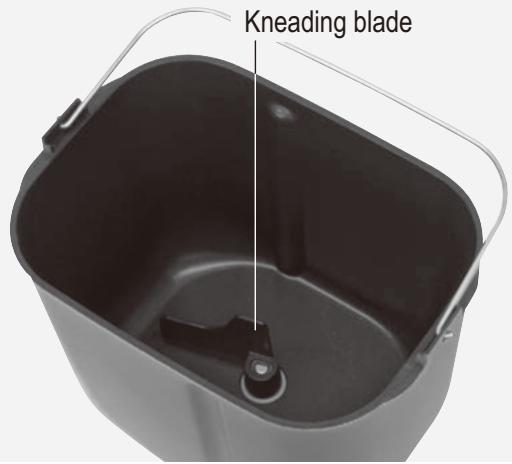
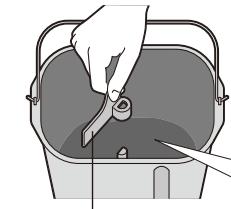
1 Remove the bread pan and set the kneading blade
natural_image
Illustration of a hand pouring liquid into a container with arrows indicating flow direction (no text or symbols)
① Twist the bread pan round.
② Remove the bread pan.
natural_image
Illustration of a hand using a tool to cut or adjust a container with a handle (no text or symbols visible)
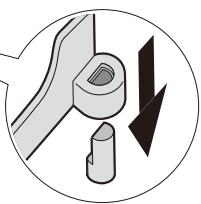
③ Place the kneading blade firmly into the shaft.
Check around the shaft and inside the kneading blade and ensure that they are clean. (P.31)
natural_image
Pure mechanical diagram showing a gear and shaft assembly without any text, numbers, or symbols
- When baking rye bread, use the specified kneading blade. (SD-2501 only)
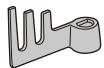
- The kneading blade fits loosely into place, but it must touch the bottom of the bread pan.
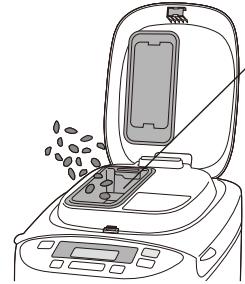
Baking bread with added ingredients (P. 16) (SD-2501 only)
natural_image
Line drawing of a food processor with open lid and tray, showing seeds being inserted (no text or symbols)
Clean and dry beforehand
① Open the dispenser lid.
② Place the ingredients.
③ Close the lid.
2 Place the measured ingredients in the bread pan
natural_image
Illustration of a hand pouring liquid into a bucket with a tool (no text or symbols)
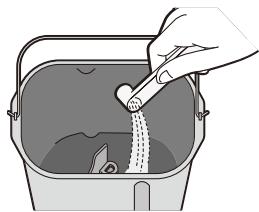
① Place the dry yeast at the bottom
(so that it does not touch the liquid later).
natural_image
Illustration of a hand pouring liquid into a bucket with a cloth inside (no text or symbols)
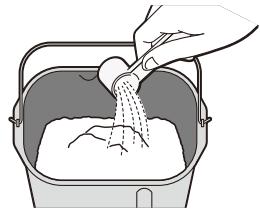
② Cover the yeast with all the dry ingredients (flour, sugar, salt, etc.).
• Flour must be weighed on scales.
natural_image
Illustration of a hand pouring liquid into a container filled with flour (no text or symbols)
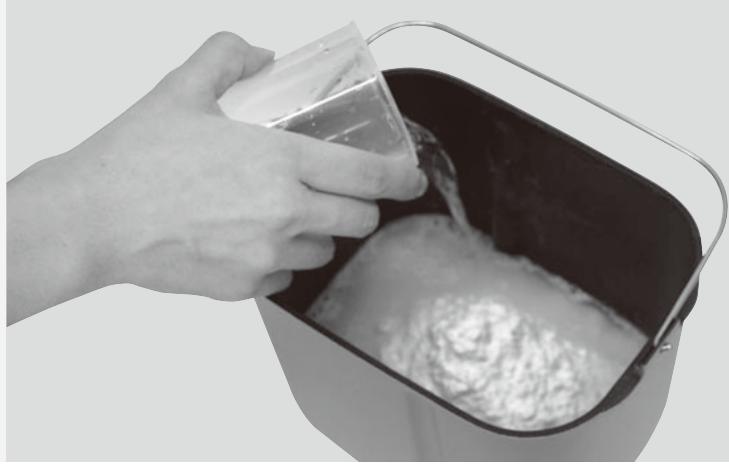
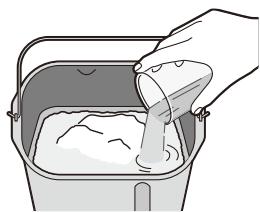
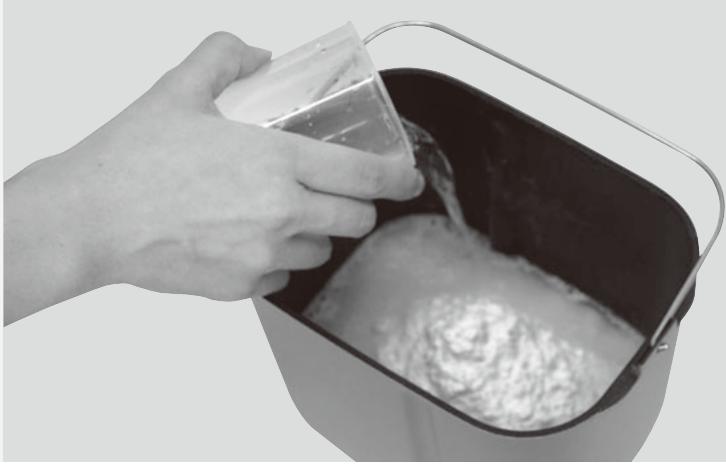
③ Pour in the water and any other liquids.
natural_image
Illustration of a hand pouring liquid into a container with an arrow indicating flow (no text or symbols)
④ Wipe off any moisture and flour from the outside of the bread pan.
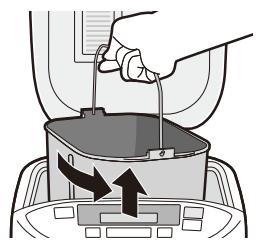
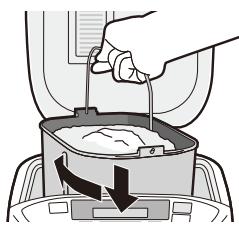
⑤ Place the bread pan inside the Bread Maker by turning it slightly from right to left. Fold the handle down.
⑥ Close the lid.
- Don't open the lid until bread is complete (affects bread quality).
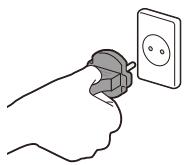
3 Plug the Bread Maker into a 230 V socket
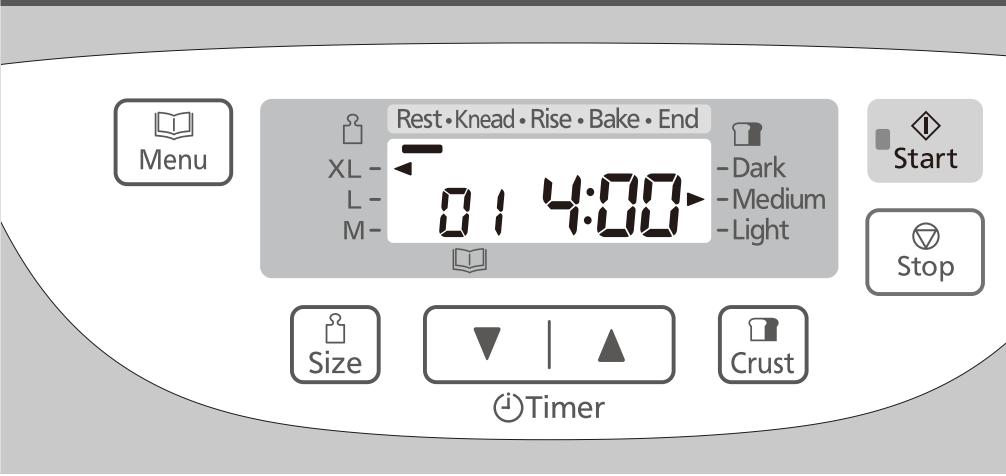
Set the program and start
Remove the bread
natural_image
Close-up of a hand pouring liquid into a square baking pan using a stand mixer (no text or symbols visible)
(The display shows when menu '01' is selected.)
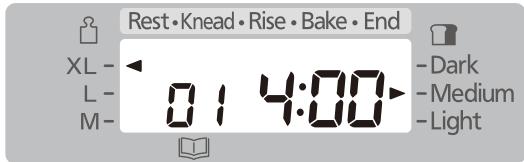
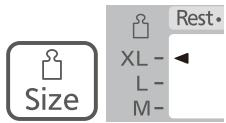
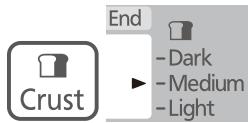
● See P. 12 for menu, availability of size and crust.
■ To change the size
■ To change the crust colour
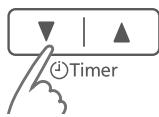
■ To set the timer →
e.g. It is 9:00 PM now, and you want the bread to be ready at 6:30 the next morning.
→ Set the timer to '9:30' (9 hours 30 minutes from now).
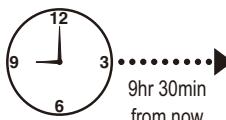
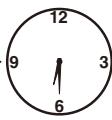
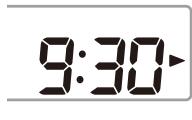
Current time
Ready time
- Pressing the pad once will advance the timer by 10 minutes (hold to advance more quickly).
5 Press 'Start'
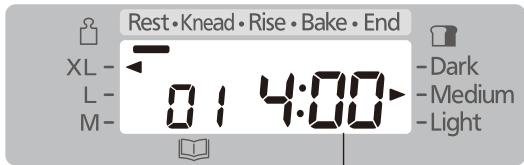
● Estimated time until the selected program is complete
- When 'Start' was pressed at first, menu 01 will start.
6 Turn off the power
when the bread is ready
(machine beeps 8 times and the bar at 'End' flashes.)
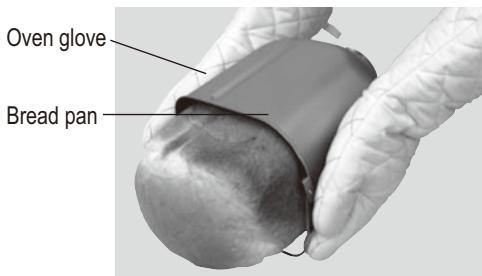
allow to cool, for example, on a wire rack
8 Unplug (holding the plug) after use
- If you do not press ‘stop’ and remove the bread from the unit to cool it, the Bread Maker will proceed to keep warm to reduce condensation of steam within the loaf.
- However, this will accelerate the browning of the crust, therefore, upon completion of baking, switch off the unit, remove the bread immediately from the unit to cool it.
- If you leave the bread to cool down in the breadpan, it will cause condensation. Therefore, cool on a wire rack to ensure optimum quality of the loaf.
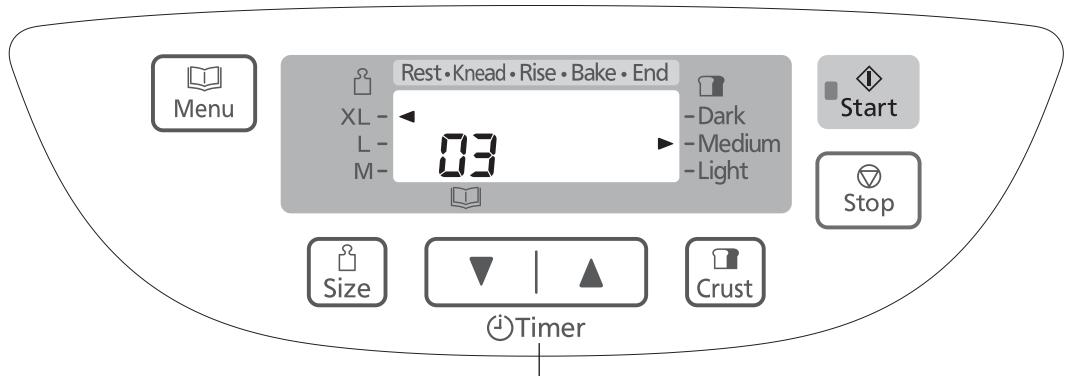
Press this pad when display indicates minutes until ingredient is added, to see how long to wait until remaining time for baking. (SD-2500 only)
By selecting menu number below, you can mix your favourite ingredients into the dough to make all kinds of flavoured breads.
(SD-2501) 03, 06, 14, 17, 19, 25
(SD-2500) 03, 06, 13, 16, 18, 23
■ SD-2501 (with raisin nut dispenser)
Simply place the extra ingredients in the dispenser or the bread pan before start
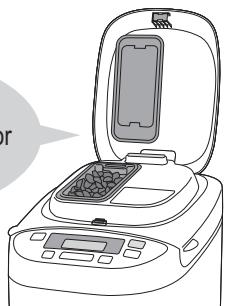
natural_image
Line drawing of a rice cooker with open lid and digital display (no text or symbols)
■ SD-2500 (no raisin nut dispenser)
Wait until the beeper sounds before placing the ingredients in the bread pan
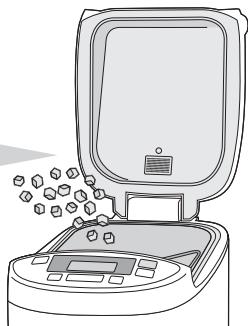
natural_image
Line drawing of a kitchen appliance with a lid and tray, emitting granular material from the side (no text or symbols)
Dry ingredients, insoluble ingredients
→ Place the extra ingredients in the raisin nut dispenser and set the machine.
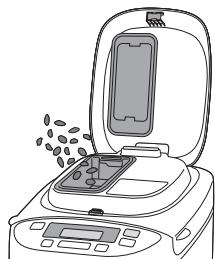
natural_image
Line drawing of a food processor with digital display and scattered food items (no text or symbols)
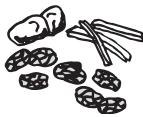
Dried fruits
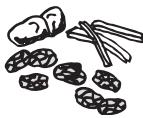
- Cut up roughly into approx. 5mm cubes.
- Sugar-coated ingredients may stick to the raisin nut dispenser and not fall into the bread pan.
Nuts
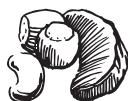
- Chop finely.
- Nuts impair the effect of gluten, so avoid using too much.
Seeds
- Using large, hard seeds may scratch the coating of the dispenser and bread pan.
Herbs
- Use up to 1–2 tbsp of dried herbs. For fresh herbs, follow the instructions in the recipe.
Bacon, salami
- Sometimes oily ingredients may stick to the raisin nut dispenser and not fall into the bread pan.
Moist/viscous ingredients, soluble ingredients\*
→ Place these ingredients together with the others into the bread pan.
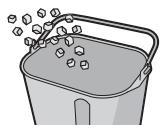
Fresh fruits, fruits pickled in alcohol
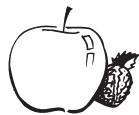
- Only use quantities as in the recipe, as the water content of the ingredients will affect your bread.
Cheese, chocolate
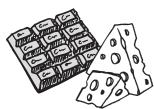
* These ingredients cannot be placed in the raisin nut dispenser as they would stick to it and not fall into the bread pan.
Baking Brioche
| teaspoons of dry yeast | 1 14 |
| strong white bread flour, type 550 | 400 g |
| teaspoons of salt | 1 12 |
| tablespoons of sugar | 4 |
| tablespoons of skim milk (dry) | 2 |
| butter (cut into 2 cm cubes and keep in fridge) | 50 g |
| water | 180 mL |
| egg (beaten) ;medium | 2 (100 g) |
| butter for adding later (cut into 1–2 cm cubes and keep in fridge) | 70 g |
Preparations
(P. 14)
① Cut the butter for adding later for 1–2 cm cubes and keep them in fridge.
② Set the kneading blade into the bread pan.
③ Place the ingredients in the bread pan in the order listed in the recipe.
④ Set the bread pan into the main unit, and plug the machine into the socket.
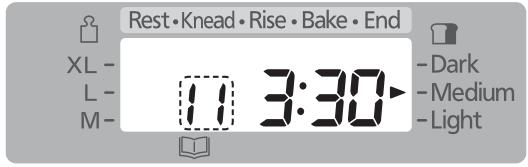
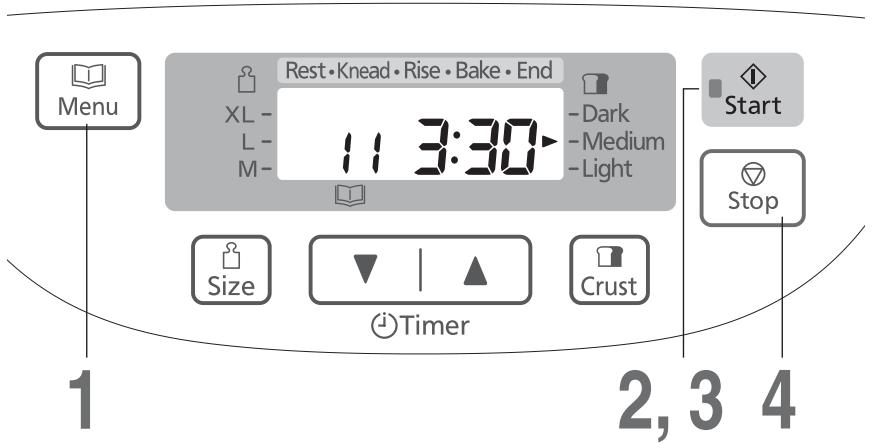
Start the machine
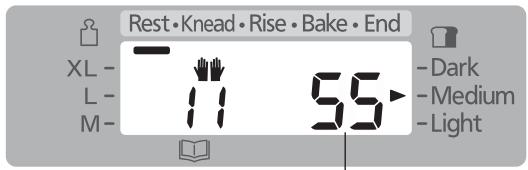
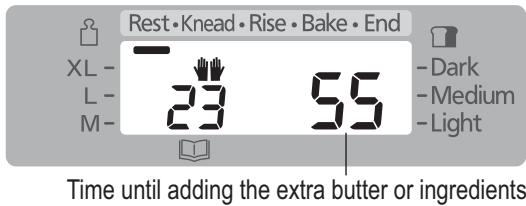
Time until adding the extra butter or ingredients
● The start light will come on.

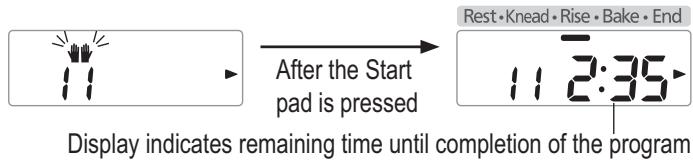
3 Adding additional butter when the beep sounds, then press 'Start' again
Complete placing the additional cubed butter while ‘♥♥’ is flashing.
4 Press 'Stop' and remove bread
when machine beeps 8 times and the bar at 'End' flashes
● The flashing start light will go off.
[Simple way to bake brioche] Add butter with other ingredients at the beginning.
- Cut the butter into 2 cm cubes and place them into the bread pan at the same time as the other ingredients.
- Follow the steps shown on the left. However, when the machine beeps on step 3 to add extra butter, please leave as it is.
● Time required for completion is 3 hrs 30 minutes.
*When butter is added at the beginning, flavour, texture and rising of bread are a little different from the time bread is baked with extra butter added in later.
● A ‘Rest’ process will begin immediately after starting, followed by ‘Knead’ and ‘Rise’.
- When adding extra ingredients such as raisins, add them with the butter. (Use max. 150 g for ingredients)
● Even without pressing the Start pad, kneading will continue after 5 min. It does not continue kneading immediately, even if the Start pad is pressed after adding butter or ingredients.
- Do not add butter after display show remaining time. (P.35)
Making Dough
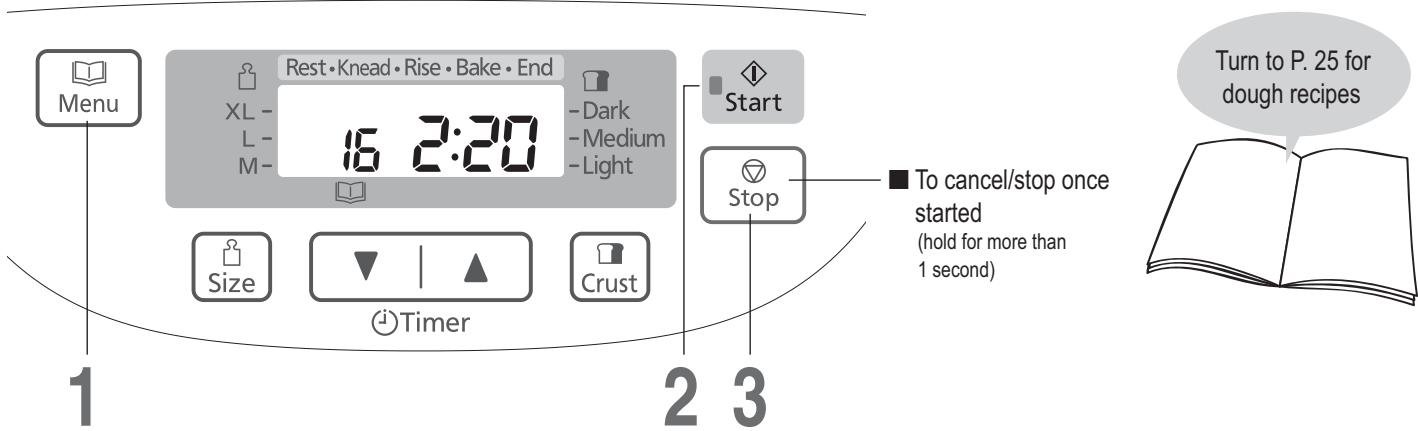
Preparations
(P. 14)
① Place the kneading blade into the bread pan.
② Place the ingredients in the bread pan in the order listed in the recipe.
③ Set the bread pan into the main unit, and plug the machine into the socket.
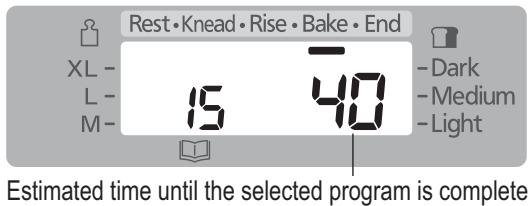
[The display shows when menu ‘16’ (SD-2500: ‘15’) is selected.]
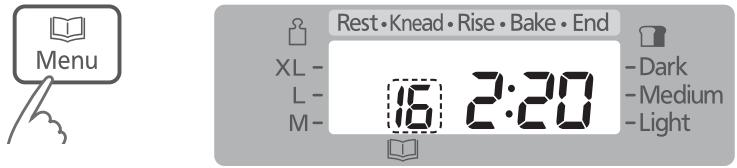
Start the machine
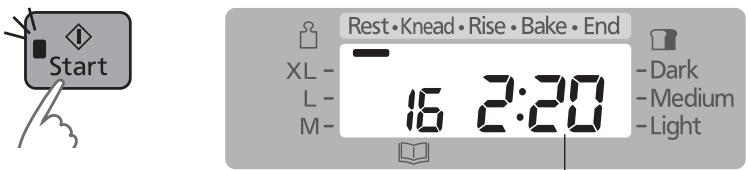
Estimated time until the selected program is complete
● The start light will come on.

Press 'Stop' and remove dough
when machine beeps 8 times and the bar at 'End' flashes
● The flashing start light will go off.
● Timer is not available on Dough menus [except menu 22 (SD-2500: 20)].
- If you would like to add extra ingredients to your dough, see P. 16.
- For menus other than 22, 26 and 27 (SD-2500: 20, 24 and 25), a ‘Rest’ process will begin immediately after starting, followed by ‘Knead’ and ‘Rise’.
- Shape the finished dough and allow it to rise for the second time according to the recipe, then bake in the oven.
Making Brioche Dough
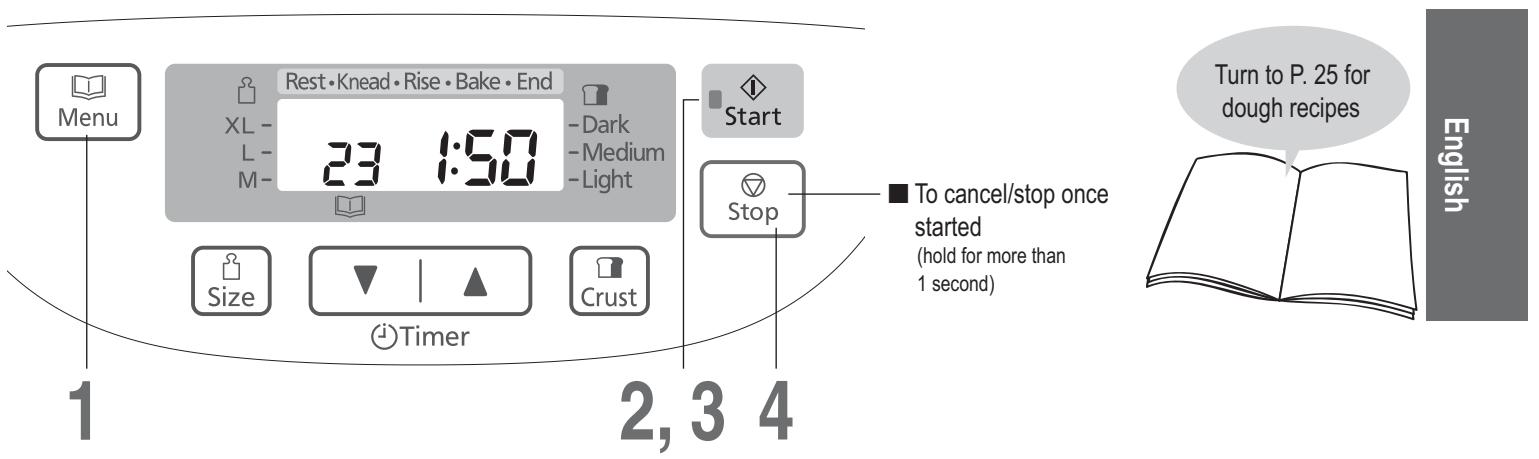
Preparations ① Cut the butter for adding later for 1–2 cm cubes and keep them in fridge.
(P. 14) ② Set the kneading blade into the bread pan.
③ Place the ingredients in the bread pan in the order listed in the recipe.
④ Set the bread pan into the main unit, and plug the machine into the socket.
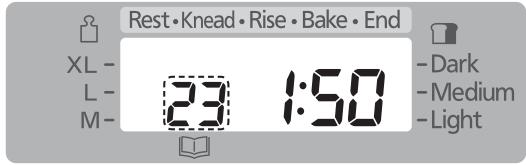
Start the machine
● The start light will come on.

3 Adding additional butter when the beep sounds, then press 'Start' again
Complete placing the additional cubed butter while ‘◀◀’ is flashing.

Display indicates remaining time until completion of the program
4 Press 'Stop' and remove dough
when machine beeps 8 times and the bar at 'End' flashes
● The flashing start light will go off.
[Simple way to make brioche] Add butter with other ingredients at the beginning.
- Cut the butter into 2 cm cubes and place them into the bread pan at the same time as the other ingredients.
- Follow the steps shown on the left. However, when the machine beeps on step 3 to add extra butter, please leave as it is.
● Time required for completion is 1 hr 50 minutes.
*When butter is added at the beginning, flavour, texture and rising of bread are a little different from the time bread is baked with extra butter added in later.
● A ‘Rest’ process will begin immediately after starting, followed by ‘Knead’ and ‘Rise’.
- When adding extra ingredients such as raisins, add them with the butter. (Use max. 150 g for ingredients)
● Even without pressing the Start pad, kneading will continue after 5 min. It does not continue kneading immediately, even if the Start pad is pressed after adding butter or ingredients.
- Do not add butter after display shows remaining time. (P. 35)
● Shape the finished dough and allow it to rise for the second time according to the recipe, then bake in the oven.
Baking Cake
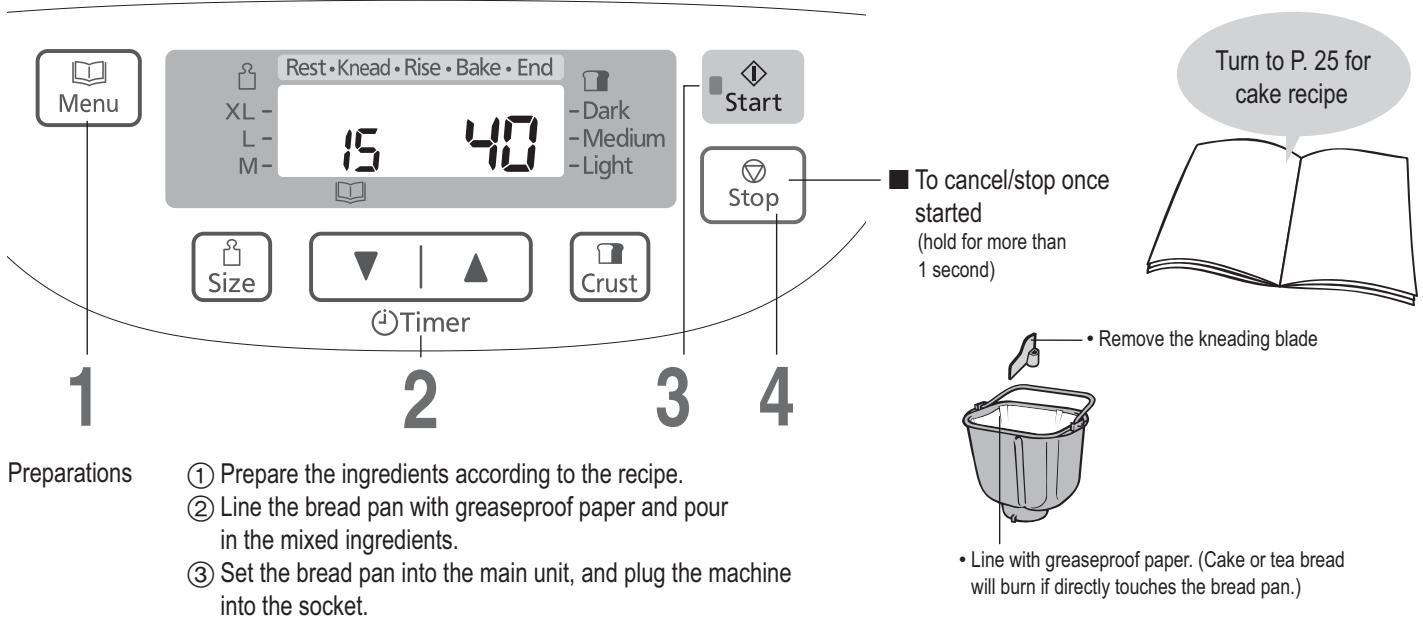
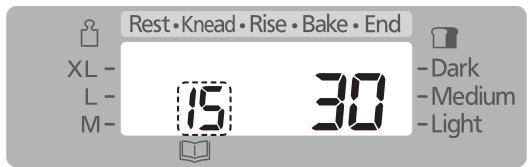
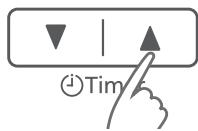
Set the baking time
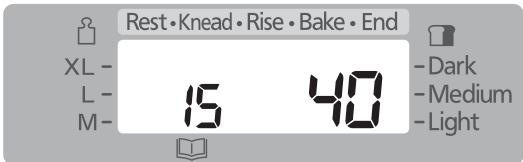
Start the machine
● The start light will come on.

4 Press ‘Stop’ when the machine beeps and the bar at ‘End’ flashes, check that baking is complete, and remove the bread pan
● The flashing start light will go off.
■ If baking is not complete → Repeat steps 1–3
(Additional cooking time can be made up to twice.
Each time should be within 50 minutes.
The timer will start again from 1 minute when the unit is hot. Increase the time by pressing the timer pad as required.)
● Timer is not available on menu 15 (SD-2500: 14).
(The Timer pad only sets the duration of the baking time.)
Take care!
It's hot!
- To check whether baking is complete, insert a skewer into the centre of the cake or tea bread – it is ready if there is no mixture stuck to the skewer when you remove it.
Making Jam
Preparations
① Prepare the ingredients according to the recipe.
② Put the kneading blade into the bread pan.
③ Place the ingredients into the bread pan in the following order: half of the fruits → half of the sugar → remainder of fruits → remainder of sugar.
④ Set the bread pan into the main unit, and plug the machine into the socket.
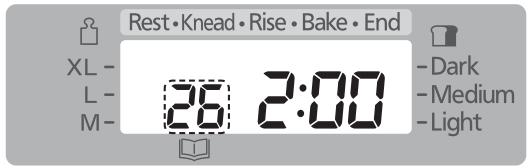
Set the cooking time
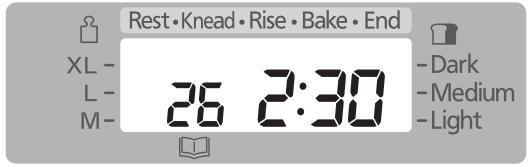
2 Start the machine
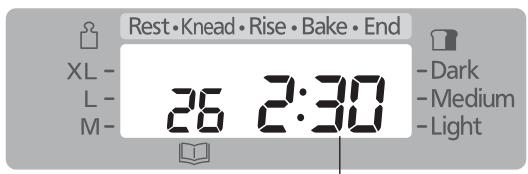
Estimated time until the selected program is complete
● The start light will come on.

4 Press 'Stop' and remove jam
when machine beeps 8 times and the bar at 'End' flashes
● The flashing start light will go off.
■ If the cooking is not complete → Repeat steps 1–3
(Additional cooking time can be made up to twice. Each time should be within 10–40 minutes. The timer will start again from 1 minute when the unit is hot. Increase the time by pressing the timer pad as required.)
It may cause the jam to boil over or scorch.
When decrease the quantity of sugar, jam does not set firm.
*When the acidity of the fruit is strong, you can decrease quantity of the lemon juice but if it is decreased too much, jam does not set firm.
- When the cooking time is short, fruit bits can remain partially and the jam may become watery.
- The jam will continue to set as it cools.
Be careful not to over cook.
● Put the finished jam into the container as soon as possible. Please take care of the burn when you take out jam.
- Jam can burn if it is left in the bread pan.
● Store the jam in a cool, dark place. Due to the lower levels of sugar the shelf life is not as long as shop bought varieties. Once open, refrigerate and consume shortly after opening.
Making Compote
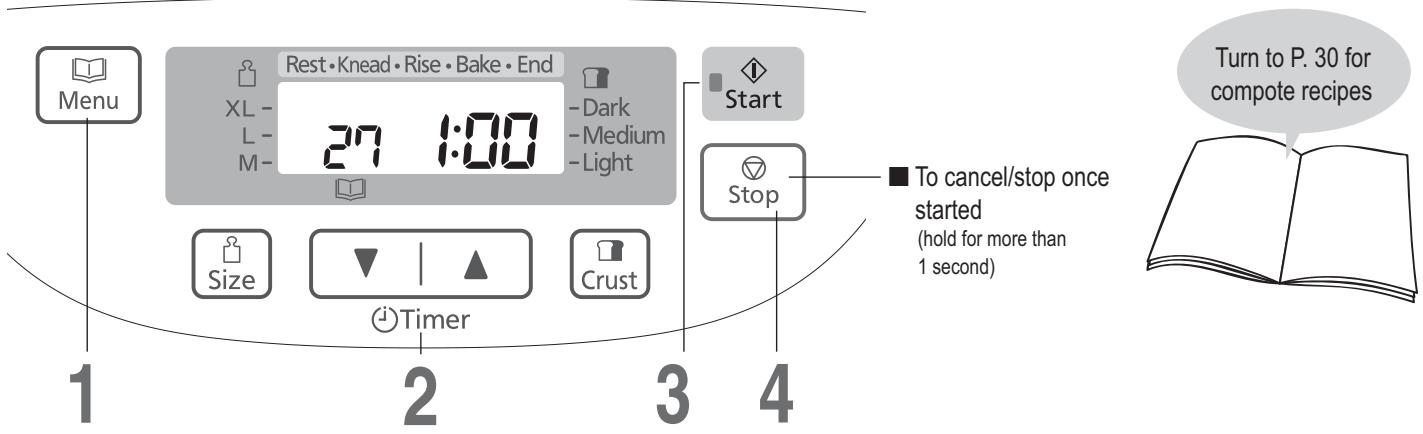
Preparations
① Prepare the ingredients according to the recipe. (Remove the kneading blade.)
② Place the ingredients into the bread pan in the following order: fruits → sugar → liquid.
③ Set the bread pan into the main unit, and plug the machine into the socket.
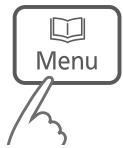
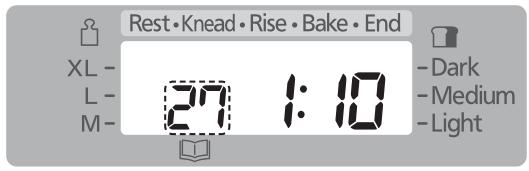
Set the cooking time
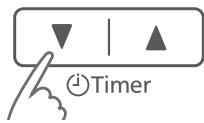
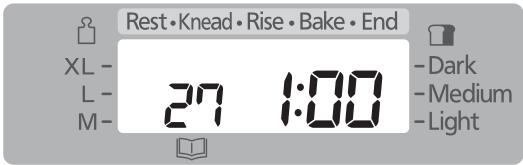
2 Start the machine
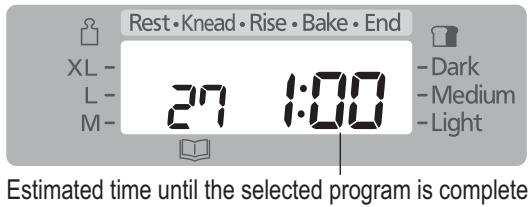
● The start light will come on.

A Press 'Stop' and remove compote
when machine beeps 8 times and the bar at 'End' flashes
● The flashing start light will go off.
■ If the cooking is not complete → Repeat steps 1–3
(Additional cooking time can be made up to twice. Each time should be within 10–40 minutes. The timer will start again from 1 minute when the unit is hot. Increase the time by pressing the timer pad as required.)
- Timer is not available on menu 27 (SD-2500: 25). (The Timer pad only sets the duration of the cooking time.)
- Follow the recipe for the quantities for each ingredient.
- Do not increase or decrease the quantities of fruits. It may cause the compote to boil over or scorch.
Bread Recipes
WHITE BREAD
select menu '01' or '02'
| M | L | XL |
| teaspoons of dry yeast (teaspoons for BAKE RAPID option) | 1(2) | 1(2) | 112 ( 212 ) |
| strong white bread flour, type 550 | 400 g | 500 g | 600 g |
| teaspoons of salt | 112 | 112 | 2 |
| tablespoons of sugar | 1 | 112 | 2 |
| butter | 20 g | 30 g | 40 g |
| water | 280 mL | 350 mL | 420 mL |
WHOLE WHEAT BREAD
select menu '04' or '05'
| M | L | XL |
| teaspoons of dry yeast (teaspoons for BAKE RAPID option) | 1(1 12 ) | 1(1 12 ) | 1 14 (2) |
| strong whole wheat bread flour | 400 g | 500 g | 600 g |
| teaspoons of salt | 1 12 | 1 12 | 2 |
| tablespoons of sugar | 1 | 1 12 | 2 |
| butter | 20 g | 30 g | 40 g |
| water | 280 mL | 350 mL | 420 mL |
WHOLE WHEAT RAISIN BREAD
select menu '06'
| M | L | XL |
| teaspoons of dry yeast | 1 | 1 | 114 |
| strong whole wheat bread flour | 400 g | 500 g | 600 g |
| teaspoons of salt | 112 | 112 | 2 |
| tablespoons of sugar | 1 | 112 | 2 |
| butter | 20 g | 30 g | 40 g |
| water | 280 mL | 350 mL | 420 mL |
| addition (place in raisin nut dispenser): | | | |
| raisin | 80 g | 100 g | 120 g |
FRENCH BREAD
select menu '08' (SD-2500: '07')
| teaspoons of dry yeast | 34 |
| strong white bread flour, type 550 | 300 g |
| teaspoons of salt | 1 |
| butter | 20 g |
| water | 220 mL |
PANNETTONE
select menu '11' (SD-2500: '10')
| teaspoons of dry yeast | 112 |
| strong white bread flour, type 550 | 400 g |
| tablespoons of sugar | 412 |
| teaspoons of salt | 1 |
| butter(cut into 2cm cubes and keep in fridge) | 50 g |
| egg (beaten) ;medium | 2 (100 g) |
| milk | 200 mL |
| additional butter (cut into 1-2cm cubes and keep in fridge) | 70 g |
| orange peel ;chopped finely* | 50 g |
| brown saltana* | 50 g |
| dryed black currant* | 50 g |
* : added with additional butter
RAISIN BREAD
select menu '03'
| M | L | XL |
| teaspoons of dry yeast | 1 | 1 | 112 |
| strong white bread flour, type 550 | 400 g | 500 g | 600 g |
| teaspoons of salt | 112 | 112 | 2 |
| tablespoons of sugar | 1 | 112 | 2 |
| butter | 20 g | 30 g | 40 g |
| water | 280 mL | 350 mL | 420 mL |
| addition (place in raisin nut dispenser): | | | |
| raisin | 80 g | 100 g | 120 g |
ITALIAN BREAD
select menu '09' (SD-2500: '08')
| teaspoons of dry yeast | 1 |
| strong white bread flour, type 550 | 400 g |
| teaspoons of salt | 112 |
| tablespoons of olive oil | 112 |
| water | 260 mL |
SANDWICH BREAD
select menu '10' (SD-2500: '09')
| teaspoons of dry yeast | 1 |
| strong white bread flour, type 550 | 380 g |
| tablespoons of sugar | 2 |
| butter | 30 g |
| water | 250 mL |
GLUTEN FREE BREAD
select menu '12' (SD-2500: '11')
| water | 430 mL |
| tablespoons of oil | 1 |
| gluten free bread mix | 500 g |
| teaspoons of dry yeast | 2 |
BASIC BRIOCHE
select menu '11' (SD-2500: '10')
| teaspoons of dry yeast | 114 |
| strong white bread flour, type 550 | 400 g |
| tablespoons of sugar | 4 |
| tablespoons of dry milk | 2 |
| teaspoons of salt | 1 |
| butter (cut into 2cm cubes and keep in fridge) | 50 g |
| egg (beaten) ;medium | 2 (100 g) |
| water | 180 mL |
| additional butter (cut into 1-2cm cubes and keep in fridge) | 70 g |
Bread Recipes
SPELT WHITE BREAD
select menu '13' (SD-2500: '12')
| M | L | XL |
| teaspoons of dry yeast | 1 | 114 | 112 |
| spelt white flour | 400 g | 500 g | 600 g |
| teaspoons of sugar | 112 | 2 | 2 |
| teaspoons of salt | 114 | 112 | 134 |
| butter | 5 g | 10 g | 10 g |
| water | 260 mL | 340 mL | 400 mL |
WHOLE SPELT BREAD
select menu '13' (SD-2500: '12')
| M | L | XL |
| teaspoons of dry yeast | 1 | 114 | 112 |
| spelt wholegrain flour | 200 g | 250 g | 300 g |
| spelt white flour | 200 g | 250 g | 300 g |
| teaspoons of sugar | 112 | 2 | 2 |
| teaspoons of salt | 114 | 112 | 134 |
| tablespoons of oil | 2 | 3 | 3 |
| water | 250 mL | 320 mL | 380 mL |
RYE AND SPELT (forbid delay timer)
select menu '13' (SD-2500: '12')
| M | L | XL |
| teaspoons of dry yeast | 1 | 114 | 112 |
| spelt white flour | 275 g | 350 g | 425 g |
| rye flour | 125 g | 150 g | 175 g |
| teaspoons of sugar | 112 | 2 | 2 |
| teaspoons of salt | 114 | 112 | 134 |
| butter | 5 g | 10 g | 10 g |
| plain yogurt | 120 g | 150 g | 180 g |
| water | 180 mL | 230 mL | 270 mL |
SEEDED BUCKWHEAT AND SPELT
select menu '13' (SD-2500: '12')
| M | L | XL |
| teaspoons of dry yeast | 1 | 114 | 112 |
| spelt white flour | 320 g | 400 g | 480 g |
| buckwheat flour | 80 g | 100 g | 120 g |
| teaspoons of honey | 1 | 1 | 112 |
| teaspoons of salt | 114 | 112 | 134 |
| tablespoons of sesami seed | 112 | 2 | 212 |
| tablespoons of linseed | 112 | 2 | 2 |
| tablespoons of poppy seed | 112 | 2 | 212 |
| tablespoons of oil | 2 | 3 | 3 |
| water | 250 mL | 320 mL | 380 mL |
RICE AND SPELT WITH PINE NUT AND FRIED ONION
select menu '14' (SD-2500: '13')
| M | L | XL |
| teaspoons of dry yeast | 1 | 114 | 112 |
| spelt white flour | 320 g | 400 g | 480 g |
| brown rice flour | 80 g | 100 g | 120 g |
| teaspoons of sugar | 112 | 2 | 2 |
| teaspoons of salt | 114 | 112 | 134 |
| butter | 5 g | 10 g | 10 g |
| water | 260 mL | 340 mL | 400 mL |
| addition (place in raisin nut dispenser): | | | |
| pine nut | 40 g | 50 g | 60 g |
| tablespoons of fried onion | 3 | 4 | 5 |
LEMON AND POPPY SEED SPELT
select menu '13' (SD-2500: '12')
| M | L | XL |
| teaspoons of dry yeast | 1 | 114 | 112 |
| spelt white flour | 400 g | 500 g | 600 g |
| teaspoons of sugar | 112 | 2 | 2 |
| teaspoons of salt | 114 | 112 | 134 |
| butter | 5 g | 10 g | 10 g |
| grated zest from lemon | 1 | 1 | 1 |
| lemon juice | 20 mL | 20 mL | 30 mL |
| tablespoons of poppy seed | 2 | 3 | 3 |
| water | 250 mL | 330 mL | 380 mL |
FRUITY SPELT
select menu '14' (SD-2500: '13')
| M | L | XL |
| teaspoons of dry yeast | 1 | 114 | 112 |
| spelt white flour | 400 g | 500 g | 600 g |
| teaspoons of sugar | 112 | 2 | 2 |
| teaspoons of salt | 114 | 112 | 134 |
| butter | 5 g | 10 g | 10 g |
| teaspoons of mixed spice | 2 | 212 | 3 |
| water | 270 mL | 350 mL | 400 mL |
| addition (place in raisin nut dispenser): | | | |
| mixed dried fruits | 100 g | 125 g | 150 g |
Dough Recipes
BASIC DOUGH
select menu '16' (SD-2500: '15')
| teaspoons of dry yeast | 1 |
| strong white bread flour, type 550 | 500 g |
| teaspoons of salt | 112 |
| tablespoons of sugar | 112 |
| butter | 30 g |
| water | 310 mL |
BASIC RAISIN DOUGH
select menu '17' (SD-2500: '16')
| teaspoons of dry yeast | 1 |
| strong white bread flour, type 550 | 500 g |
| teaspoons of salt | 112 |
| tablespoons of sugar | 112 |
| butter | 30 g |
| water | 310 mL |
| addition (place in raisin nut dispenser): | |
| raisin | 100 g |
FRENCH DOUGH
select menu '21' (SD-2500: '19')
| teaspoons of dry yeast | 34 |
| strong white bread flour, type 550 | 300 g |
| teaspoons of salt | 1 |
| butter | 20 g |
| water | 180 mL |
WHOLE WHEAT DOUGH
select menu '18' (SD-2500: '17')
| teaspoons of dry yeast | 112 |
| strong whole wheat bread flour | 500 g |
| teaspoons of salt | 2 |
| tablespoons of sugar | 112 |
| butter | 30 g |
| water | 340 mL |
WHOLE WHEAT RAISIN DOUGH
select menu '19' (SD-2500: '18')
| teaspoons of dry yeast | 112 |
| strong whole wheat bread flour | 500 g |
| teaspoons of salt | 2 |
| tablespoons of sugar | 112 |
| butter | 30 g |
| water | 340 mL |
| addition (place in raisin nut dispenser): | |
| raisin | 100 g |
Cake Recipe
CHERRY & MARZIPAN CAKE
select menu '15' (SD-2500: '14')
| golden caster sugar | 50 g |
| butter | 175 g |
| eggs | 3 |
| self-raising flour | 225 g |
| glace cherries, chopped | 100 g |
| marzipan, grated | 75 g |
| milk | 60 mL |
| toasted, flaked almonds | 15 g |
PIZZA DOUGH
select menu '22' (SD-2500: '20')
| teaspoons of dry yeast | 1 |
| strong white bread flour, type 550 | 450 g |
| teaspoons of salt | 2 |
| tablespoons of plant oil | 4 |
| water | 240 mL |
BRIOCHE DOUGH (CHOCOLATE CHIP BRIOCHE ROLL); for 12 rolls
select menu '23' (SD-2500: '21')
| teaspoons of dry yeast | 112 |
| strong white bread flour, type 550 | 400 g |
| tablespoons of sugar | 4 |
| teaspoons of salt | 1 |
| butter (cut into 2cm cubes and keep in fridge) | 70 g |
| egg (beaten) ;medium | 3 (150 g) |
| milk | 90 mL |
| tablespoons of rum (dark) | 1 |
| additional butter (cut into 1-2cm cubes and keep in fridge) | 50 g |
| chocolate bits* | 120 g |
*After removed dough, sprinkle the chocolate bits and fold the bottom one third up and the top one third down. Then fold it in half.
SPELT TABLE ROLL
; for 8 rolls
select menu '24' (SD-2500: '22')
| teaspoons of dry yeast | 1 14 |
| spelt white flour | 500 g |
| teaspoons of sugar | 1 12 |
| teaspoons of salt | 1 12 |
| butter | 10 g |
| water | 310 mL |
Gluten Free Recipes
Making gluten free bread is very different from the normal way of producing bread.
It is very important if you are making gluten free bread for health reasons that you have consulted your doctor and follow the guidelines below.
- This program has been developed especially for certain gluten free mixes, therefore using your own mix may not produce such good results.
- When ‘gluten free’ is selected, the details for each recipe must be followed carefully. (Otherwise, the bread may not turn out well.)
There are two types of gluten-free baking mixtures; mixtures with low content of gluten and mixtures which do not consist of wheat and contain no gluten. If you have to pick one out using this baking program, please consult your doctor beforehand.
- The baking results and appearance of the loaf may differ according to the type of mix.
Occasionally a loaf may have some flour remaining on the side.
The wheat free mixes can produce more variable results.
- Wait for the loaf to cool before slicing it for the better performance.
- The bread should be stored in a cool dry place and used within 2 days. If you will not be able to use up all the loaf within that time it can be put into freezer bags, in convenient sized portions, and frozen.
Warning for the users who use this program for health reasons:
When using the gluten free program, make sure to consult your doctor or the Caeliac Association and only use the ingredients which are suitable for your health conditions.
Panasonic will not be responsible for any consequences resulting from ingredients that have been used without professional consultation.
It is very important to avoid cross contamination with flours that contain gluten if bread is being made for dietary reasons. Particular attention must be paid to the cleaning of the bread pan and kneading blade as well as any utensils that are used.
For customers in Belgium
The gluten free recipes below have been developed using commercially prepared gluten free bread mixes of AVEVE.
It is available from chemists, health food stores and occasionally large supermarkets.
For more information about the products of AVEVE, please contact 0800/0229210.
GLUTEN FREE BREAD
select menu '12' (SD-2500: '11')
| water | 320 mL |
| tablespoons of oil | 1 |
| gluten free flour | 500 g |
| teaspoons of yeast | 2 |
NOTE
You cannot select the size for this program.
GLUTEN FREE BREAD WITH EGG
select menu '12' (SD-2500: '11')
| water | 100 mL |
| milk | 180 mL |
| eggs | 2 |
| tablespoons of oil | 1 |
| gluten free flour | 500 g |
| teaspoons of yeast | 2 |
[01 Basic]
[02 Basic Rapid]
WHITE BREAD
select menu '01' or '02'
| M | L | XL |
| teaspoons of dry yeast(teaspoons for BAKE RAPID option) | 34 ( 112 ) | 1(1 34 ) | 114 (2) |
| teaspoons of sugar | 1 | 2 | 2 |
| AVEVE ‘Surfina’ flour | 400 g | 500 g | 600 g |
| water | 250 mL | 320 mL | 380 mL |
| tablespoons of butter | 1 | 1 | 112 |
| teaspoons of salt | 1 | 112 | 2 |
NOTE
In that case the bread will not rise as much and will be less soft.
[04 Whole wheat]
[05 Whole wheat Rapid]
WHOLE WHEAT BREAD
select menu '04' or '05'
| M | L | XL |
| teaspoons of dry yeast (teaspoons for BAKE RAPID option) | 1(1 12 ) | 1 14 (1 34 ) | 1 12 (2) |
| AVEVE fine whole wheat flour | 300 g | 400 g | 450 g |
| AVEVE ‘Frans krokant’ flour | 100 g | 100 g | 150 g |
| teaspoons of sugar | 1 | 2 | 2 |
| tablespoons of butter | 1 | 1 | 2 |
| teaspoons of salt | 1 | 1 | 2 |
| water | 250 mL | 320 mL | 380 mL |
NOTE
In that case the bread will not rise as much and will be less soft. This program is more suitable for semi-whole wheat bread.
A little white flour is always added in the recipe described above. If you don't want to do that, substitute the white flour with whole wheat flour, but the bread will be smaller and denser. If you add more white flour, use a little less water (since whole wheat flour absorbs more water than white flour).
[08 French] (SD-2501)
[07 French] (SD-2500)
FRENCH ROLLS
select menu '08' (SD-2500: '07')
| teaspoons of dry yeast | 1 |
| AVEVE ‘Frans krokant’ flour | 400 g |
| water | 260 mL |
| teaspoons of salt | 1 |
| tablespoons of butter | 1 |
NOTE
For this program you cannot select the size or crust.
This recipe gives very light bread which rises well and does not keep for long.
[09 Italian] (SD-2501)
[08 Italian] (SD-2500)
ITALIAN BREAD
select menu '09' (SD-2500: '08')
| teaspoons of dry yeast | 34 |
| AVEVE ‘Frans krokant’ flour | 400 g |
| water | 240 mL |
| teaspoons of salt | 112 |
| tablespoons of olive oil | 112 |
NOTE
For this program you cannot select the size or crust.
This recipe gives very light bread which rises well and does not keep for long.
[10 Sandwich] (SD-2501)
[09 Sandwich] (SD-2500)
BASIC SANDWICH
select menu '10' (SD-2500: '09')
| teaspoons of dry yeast | 34 |
| teaspoons of sugar | 1 |
| AVEVE ‘Surfina’ flour | 400 g |
| water | 250 mL |
| tablespoons of butter | 1 |
| teaspoons of salt | 1 |
NOTE
For this program you cannot select the size or crust.
This recipe gives soft (quite moist) bread with a brown crust, ideal for making toast.
AVEVE Recipes
[16 Basic] (SD-2501)
[15 Basic] (SD-2500)
TART DOUGH (dough for 2 tarts)
select menu '16' (SD-2500: '15')
| sugar | 60 g |
| teaspoons of dry yeast | 2 |
| pastry flour | 500 g |
| milk | 100 mL |
| eggs | 3 |
| butter | 100 g |
| teaspoons of salt | 112 |
[18 Whole wheat] (SD-2501)
[17 Whole wheat] (SD-2500)
WHOLE WHEAT DOUGH
select menu '18' (SD-2500: '17')
| teaspoons of dry yeast | 2 |
| tablespoons of sugar | 1 |
| AVEVE ‘Frans krokant’ flour | 250 g |
| AVEVE ‘Boerebruin’ flour | 250 g |
| water | 280 mL |
| teaspoons of salt | 112 |
Method
Divide the dough into balls of around 50 g. Then allow the dough to rise under a linen cloth. Bake for 15-20 minutes at 220^ C in a preheated oven.
[22 Pizza] (SD-2501)
[20 Pizza] (SD-2500)
PIZZA DOUGH
select menu '22' (SD-2500: '20')
| teaspoons of dry yeast | 2 |
| AVEVE ‘Frans krokant’ flour | 500 g |
| water | 290 mL |
| teaspoons of salt | 1 |
| tablespoons of butter | 112 |
Method
Roll out the pizza dough and put it in a pizza mould. Prick the dough with a fork. Spread with tomato sauce and add desired toppings. Bake for 20-25 minutes at 220^ C in a preheated oven.
[15 Bake only] (SD-2501)
[14 Bake only] (SD-2500)
Select menu 15 (SD-2500: 14). A baking time of 30 minutes is shown.
Keep pressing ‘timer’ to increase the baking time (in 1 minute increments) up to 1 hour and 30 minutes.
RECIPE FOR CAKE
select menu '15' (SD-2500: '14')
| eggs | 3 |
| tablespoons of milk | 3 |
| soft butter | 200 g |
| ‘ANCO CAKE MIX’ pack | 1 |
Method
Select menu 15 (SD-2500: 14) and enter 1 hour and 10 minutes on the timer. After the beep, remove the bread pan from the Bread Maker and allow to cool. When the bread pan is cool, take out the cake and allow it to cool on a grille.
Jam Recipes
[26 Jam] (SD-2501)
[24 Jam] (SD-2500)
STRAWBERRY JAM
select menu '26' (SD-2500: '24')
| strawberries, finely chopped | 600 g |
| sugar | 400 g |
| powdered pectin | 13 g |
1 Place half of the fruit into the bread pan, then add half of the sugar. Repeat with the remaining fruit and sugar.
2 Sprinkle the pectin onto the ingredients in the bread pan.
3 Select menu 26 (SD-2500: 24) and enter 1 hour and 40 minutes on the timer.
BLUEBERRY JAM
select menu '26' (SD-2500: '24')
| blueberries | 700 g |
| sugar | 400 g |
1 Place half of the fruit into the bread pan, then add half of the sugar. Repeat with the remaining fruit and sugar.
2 Select menu 26 (SD-2500: 24) and enter 1 hour and 50 minutes on the timer.
APPLE AND BLACKBERRY JAM
select menu '26' (SD-2500: '24')
| apples, grated or finely chopped | 300 g |
| blackberries | 400 g |
| sugar | 300 g |
| powdered pectin | 6 g |
1 Place half of the fruit into the bread pan, then add half of the sugar. Repeat with the remaining fruit and sugar.
Sprinkle the pectin onto the ingredients in the bread pan.
3 Select menu 26 (SD-2500: 24) and enter 1 hour and 40 minutes on the timer.
PEACH MELBA
select menu '26' (SD-2500: '24')
| peaches, finely chopped | 500 g |
| raspberries | 200 g |
| sugar | 300 g |
| powdered pectin | 8 g |
1 Place half of the fruit into the bread pan, then add half of the sugar. Repeat with the remaining fruit and sugar.
2 Sprinkle the pectin onto the ingredients in the bread pan.
3 Select menu 26 (SD-2500: 24) and enter 1 hour and 40 minutes on the timer.
PLUM JAM
select menu '26' (SD-2500: '24')
| plums, finely chopped | 700 g |
| sugar | 350 g |
| powdered pectin | 6 g |
1 Place half of the fruit into the bread pan, then add half of the sugar. Repeat with the remaining fruit and sugar.
2 Sprinkle the pectin onto the ingredients in the bread pan.
3 Select menu 26 (SD-2500: 24) and enter 1 hour and 40 minutes on the timer.
FROZEN BERRY JAM
select menu '26' (SD-2500: '24')
| frozen mixed berries | 700 g |
| sugar | 400 g |
| powdered pectin | 10 g |
1 Place half of the fruit into the bread pan, then add half of the sugar. Repeat with the remaining fruit and sugar.
2 Sprinkle the pectin onto the ingredients in the bread pan.
3 Select menu 26 (SD-2500: 24) and enter 1 hour and 40 minutes on the timer.
REDCURRANT AND CHILLI JAM
select menu '26' (SD-2500: '24')
| redcurrants, roughly mashed | 300 g |
| medium red chilli, finely chopped | 1-2 |
| root ginger, finely grated | 4 cm |
| oranges, juice and finely grated zest | 2 |
| sugar | 150 g |
| powdered pectin | 3 g |
1 Place all the ingredients expect sugar and pectin into the bread pan.
2 Add the sugar and sprinkle the pectin onto the ingredients in the bread pan.
3 Select menu 26 (SD-2500: 24) and enter 1 hour and 40 minutes on the timer.
APRICOT JAM
select menu '26' (SD-2500: '24')
| apricot, finely chopped | 500 g |
| sugar | 250 g |
| powdered pectin | 6 g |
1 Place half of the fruit into the bread pan, then add half of the sugar. Repeat with the remaining fruit and sugar.
2 Sprinkle the pectin onto the ingredients in the bread pan.
3 Select menu 26 (SD-2500: 24) and enter 1 hour and 30 minutes on the timer.
Compote Recipes
[27 Compote] (SD-2501)
[25 Compote] (SD-2500)
SPICED APPLE COMPOTE
select menu '27' (SD-2500: '25')
| apples, peeled, cored and diced | 1000 g |
| cinnamon stick | 1 |
| cloves | 2 |
| lemon, zest only | 1 |
| lemon juice | 2 tbsp |
| sugar | 100 g |
| water | 75 mL |
1 Remove the kneading blade from the bread pan.
Place ingredients in the bread pan in the order listed above.
Pour water over ingredients.
Select menu 27 (SD-2500: 25) and enter 1 hour and
20 minutes on the timer.
4 Stir after cooking is completed.
RED FRUITS COMPOTE
select menu '27' (SD-2500: '25')
| plums, stone removed and cut in halves | 300 g |
| cherries, stone removed | 250 g |
| strawberries, stalk removed | 250 g |
| golden caster sugar | 75 g |
| water | 75 mL |
| raspberries (added after cooking) | 200 g |
1 Remove the kneading blade from the bread pan.
2 Place ingredients in the bread pan in the order listed above. Pour water over ingredients.
2 Select menu 27 (SD-2500: 25) and enter 1 hour on the timer.
4 Stir after cooking is completed.
5 Add raspberries.
RHUBARB AND GINGER COMPOTE
select menu '27' (SD-2500: '25')
| rhubarb, cut into 2 cm lengths | 700 g |
| orange juice | 2 tbsp |
| crystallised ginger, finely chopped | 20 g |
| sugar | 100 g |
| water | 100 mL |
1 Remove the kneading blade from the bread pan.
2 Place ingredients in the bread pan in the order listed above. Pour water over ingredients.
3 Select menu 27 (SD-2500: 25) and enter 1 hour and 40 minutes on the timer.
4 Stir after cooking is completed.
MIXED BERRY COMPOTE
select menu '27' (SD-2500: '25')
| mixed berriese.g. strawberries, raspberries, blueberries | 800 g |
| sugar | 75 g |
| water | 2 tbsp |
1 Remove the kneading blade from the bread pan.
2 Place ingredients in the bread pan in the order listed above. Pour water over ingredients.
3 Select menu 27 (SD-2500: 25) and enter 1 hour on the timer.
4 Stir after cooking is completed.
APPLE SAUCE
select menu '27' (SD-2500: '25')
| bramley apples, peeled, cored and diced water | 1000 g2 tbsp |
1 Remove the kneading blade from the bread pan.
2 Place the apple in the bread pan. Pour water over ingredients.
3 Select menu 27 (SD-2500: 25) and enter 1 hour and 20 minutes on the timer.
4 Stir after cooking is completed.
PEACH IN VANILLA SYRUP
select menu '27' (SD-2500: '25')
| peaches, stone removed and cut into 1/8 | 1000 g |
| sugar | 100 g |
| vanilla pod | 1/2 |
| water | 125 mL |
1 Remove the kneading blade from the bread pan.
2 Place ingredients in the bread pan in the order listed above. Pour water over ingredients.
3 Select menu 27 (SD-2500: 25) and enter 1 hour on the timer.
4 When cooking is complete, remove the peaches with a slotted spoon. Carefully pour the syrup over the fruit. Leave to cool.
Care & Cleaning
Before cleaning, unplug your Bread Maker and allow it to cool down.
■ To avoid damaging your Bread Maker...
- Do not use anything abrasive! (cleansers, scouring pads etc)
- Do not wash any part of your Bread Maker in the dishwasher!
- Do not use benzine, thinners, alcohol, or bleach!
- After rinsing the washable parts, wipe with cloth. Always keep the Bread Maker parts clean and dry.
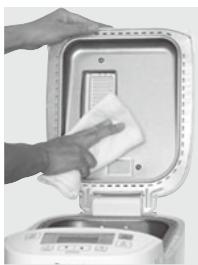
Lid
Wipe with a damp cloth
natural_image
Hand cleaning a kitchen appliance with a cloth, no visible text or symbols
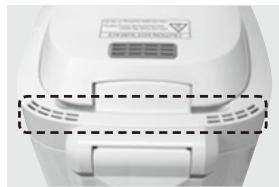
Steam vent
Wipe with a damp cloth
natural_image
Close-up of a white electronic device with ventilation grilles and a dashed-line gap between two sides (no visible text or symbols)
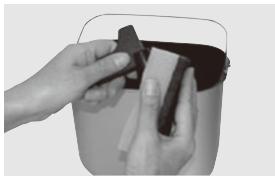
Bread pan & kneading blade
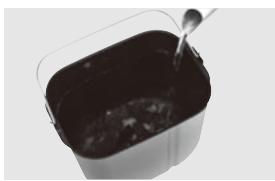
Remove any leftover dough, and wash with water.
natural_image
Close-up of hands cleaning a bucket with a plastic bag (no text or symbols visible)
- If difficult to remove the kneading blade, soak in warm water for 5-10 minutes. Do not submerge the bread pan in water.
natural_image
Close-up of a container with dark liquid being stirred by a spoon (no text or symbols visible)
Measuring spoon & cup
Wash with water.
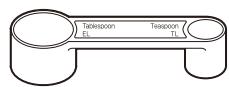
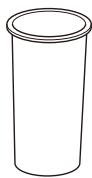
- Not dishwasher safe
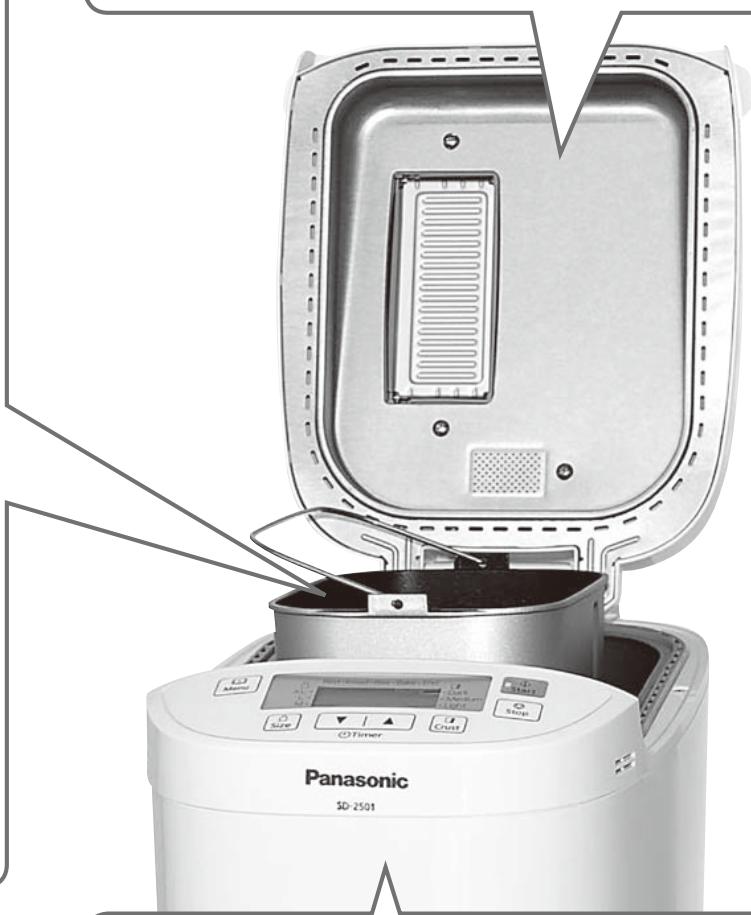
Body
Wipe with a damp cloth
- Wipe gently to avoid damaging the temperature sensor.
Temperature sensor
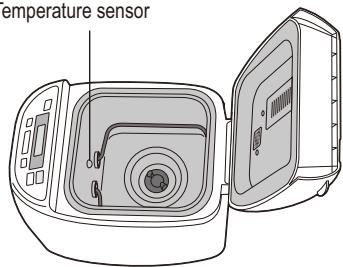
- The colour of the inside of the unit may change with use.
Care & Cleaning
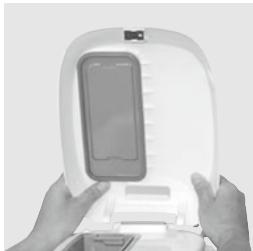
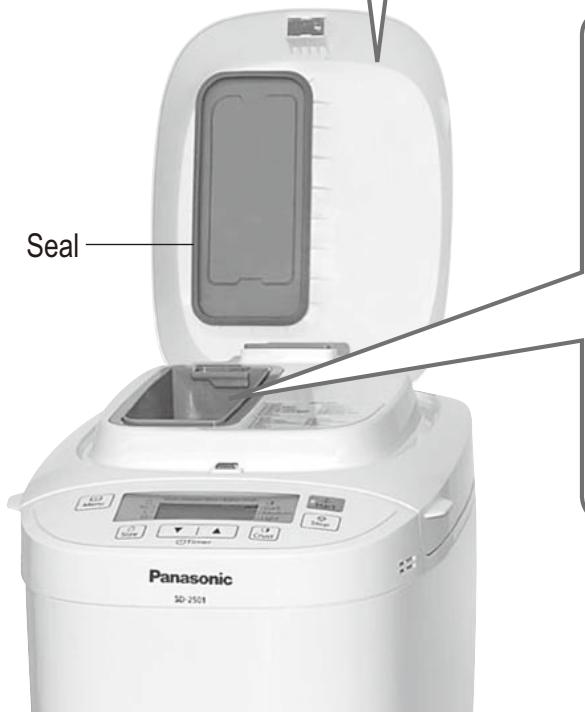
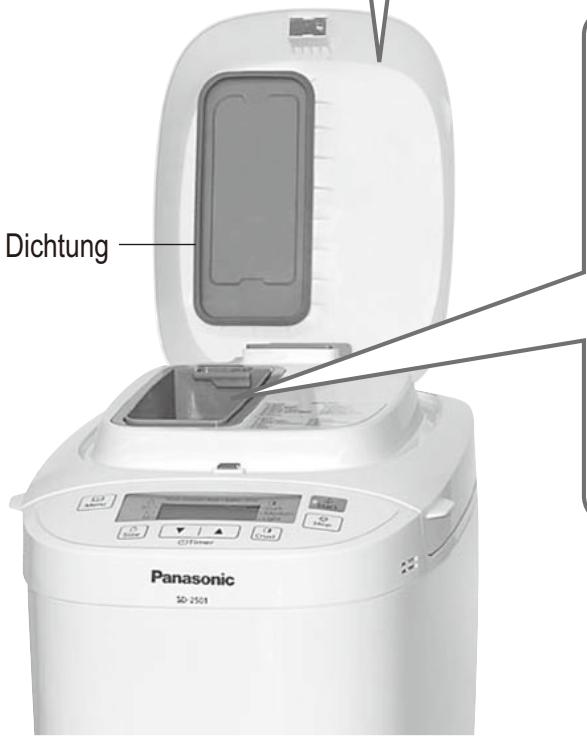
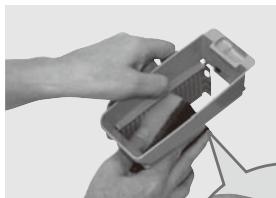
Dispenser lid (SD-2501 only)
Remove and wash with water.
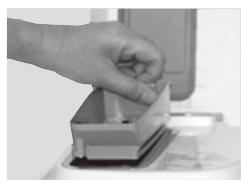
- Raise the dispenser lid to an angle of approximately 75 degrees. Align the connections and pull towards you to remove or push carefully back at the same angle to attach.
(Wait until the machine has cooled down first, because it will be very hot immediately after use)
● Take care not to damage or pull the seal.
(Damage could lead to leakage of steam, condensation, or deformation)
natural_image
Close-up of hands holding a white electronic device with a screen (no visible text or symbols)
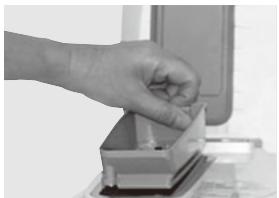
Raisin nut dispenser (SD-2501 only)
Remove and wash with water.
natural_image
Hand placing a small object into a container on a surface (no visible text or symbols)
natural_image
Close-up of hands holding a handheld device with a small screen (no visible text or symbols)
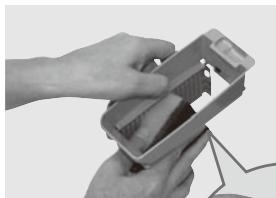
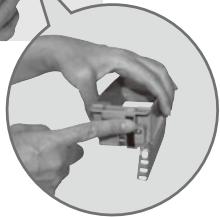
- Wash after each use to remove any residue.
natural_image
Close-up of hands installing a small electronic component (no visible text or symbols)
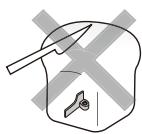
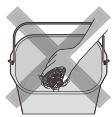
To protect the non-stick finish
Bread pan and kneading blade are coated with a non-stick finish to avoid stains and to make it easier when removing bread.
To avoid damaging it, please follow the instructions below.
- Do not use hard utensils such as a knife or a fork when removing the bread from the bread pan. When you have hard time taking out the bread from the bread pan, see P. 35.
- Ensure that the kneading blade is not embedded in the bread loaf before slicing it. If it is embedded, wait for the loaf to cool and remove it.
(Do not use hard or sharp utensils such as a knife or a fork.)
Be careful not to get burns as the kneading blade may still be hot.
- Use the soft sponge when cleaning the bread pan and the kneading blade. Do not use anything abrasive such as cleansers or scouring pads.
- Hard, coarse or large ingredients such as flours with whole or ground grains, sugar, or the addition of nuts and seeds may damage the non-stick finish of the bread pan. If using large chunk of ingredient, break into small pieces. Please make sure to follow the recipe quantities stated.
Troubleshooting
Before calling for service, please check through this section.
Problem
My bread does not rise
The top of my bread is uneven
My bread is full of air holes
My bread seems to have collapsed after rising.
My bread has risen too much.
Why is my bread pale and sticky?
There is excess flour around the bottom and sides of my bread.
Why has my bread not mixed properly?
Cause → Action
[All bread]
- The quality of the gluten in your flour is poor, or you have not used strong flour. (Gluten quality can vary depending on temperature, humidity, how the flour is stored, and the season of harvest)
→ Try another type, brand or another batch of flour.
- The dough has become too firm because you haven't used enough liquid.
→ Stronger flour with higher protein content absorbs more water than others, so try adding an extra 10-20 mL of water.
- You are not using the right type of yeast.
→ Use a dry yeast from a sachet, which has ‘instant yeast’ written on it. This type does not require pre-fermentation.
- You are not using enough yeast, or your yeast is old.
→ Use the measuring spoon provided. Check the yeast's expiry date. (Keep in fridge)
- The yeast has touched the liquid before kneading.
→ Check that you have put in the ingredients in the correct order according to the instructions. (P. 14)
- You have used too much salt, or not enough sugar.
→ Check the recipe and measure out the correct amounts using the measuring spoon provided.
→ Check that salt and sugar is not included in other ingredients.
[Speciality bread]
- Einkorn wheat was used when baking speciality bread and/or a lot of flour other than spelt flour were used.
→ The spelt flour should be up to 60% of the entire flour when you use more than two kinds of flour other than spelt. The rye and the rice flour should be up to 40% of the entire flour and buckwheat flour should be up to 20% of the entire flour.
- You have used too much yeast.
→ Check the recipe and measure out the correct amount using the measuring spoon provided.
- You have used too much liquid.
→ Some types of flour absorb more water than others, so try using 10-20 mL less water.
- The quality of your flour isn’t very good.
→ Try using a different brand of flour.
- You have used too much liquid.
→ Try using 10-20 mL less water.
- You have used too much yeast/water.
→ Check the recipe and measure out the correct amount using the measuring spoon (yeast)/cup (water) provided.
→ Check that excess water amount is not included in other ingredients.
- You have not used enough flour.
→ Carefully weigh the flour using scales.
- You are not using enough yeast, or your yeast is old.
→ Use the measuring spoon provided. Check the yeast's expiry date. (Keep in fridge)
- There has been a power failure, or the machine has been stopped during breadmaking.
→ The machine switches off if it is stopped for more than 10 minutes. You will need to remove the bread from the bread pan and start again with new ingredients.
- You have used too much flour, or you are not using enough liquid.
→ Check the recipe and measure out the correct amount using scales for the flour or the measuring cup provided for liquids.
- You haven't put the kneading blade in the bread pan.
→ Make sure the kneading blade is in the bread pan before you put in the ingredients.
- There has been a power failure, or the machine has been stopped during breadmaking.
→ The machine switches off if it is stopped for more than 10 minutes. You might be able to start the loaf again, though this might give poor results if kneading had already begun.
Troubleshooting
Before calling for service, please check through this section.
Problem
My bread has not been baked.
Dough leaks out of the bottom of the bread pan.
The sides of my bread have collapsed and the bottom is damp.
The kneading blade rattles.
I can smell burning while the bread is baking.
Smoke is coming out of the steam vent.
The kneading blade stays in the bread when I remove it from the bread pan.
The crust creases and goes soft on cooling.
How can I keep my crust crispy?
My bread is sticky and slices unevenly.
Cause → Action
- The dough menu was selected.
→ The dough menu does not include a baking process.
- There has been a power failure, or the machine has been stopped during breadmaking.
→ The machine switches off if it is stopped for more than 10 minutes. You can try baking the dough in your oven if it has risen and proved.
- There is not enough water and the motor protection device has activated.
This only happens when the unit is overloaded and excessive force is applied to the motor.
→ Visit place of purchase for a service consultation. Next time, check the recipe and measure out the correct amount using the measuring cup provided.
- You have forgotten to attach the kneading blade.
→ Make sure you attach the kneading blade first (P. 14).
- The kneading mounting shaft in the bread pan is stiff and does not rotate.
→ If the kneading mounting shaft does not rotate when the kneading blade is attached, you will need to replace the kneading mounting shaft unit. (Consult the place of purchase or a Panasonic service centre.)
- A small amount of dough will escape through the ventilation holes (so that it does not stop the rotating parts from rotating). This is not a fault, but check occasionally that the kneading mounting shaft rotate properly.
→ If the kneading mounting shaft does not rotate when the kneading blade is attached, you will need to replace the kneading mounting shaft unit. (Consult the place of purchase or a Panasonic service centre.)
(Bottom of bread pan)
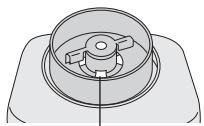
Ventilation holes (4 in total)
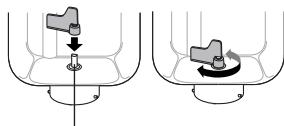
Kneading mounting shaft
Kneading
mounting shaft
Kneading
mounting shaft unit
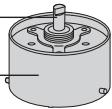
Part no. ADA29E165
- You have left the bread in the bread pan for too long after baking.
→ Remove the bread promptly after baking.
- There has been a power failure, or the machine has been stopped during breadmaking.
→ The machine switches off if it is stopped for more than 10 minutes. You may try baking the dough in your oven.
- This is because the kneading blade fits loosely on the kneading mounting shaft. (This is not a fault)
- Ingredients may have been spilt on the heating element.
→ Sometimes a little flour, raisins or other ingredients may be flicked out of the bread pan during mixing. Simply wipe the heating element gently after baking once the Bread Maker has cooled down.
→ Remove the bread pan from the Bread Maker to place ingredients.
• The dough is a little stiff.
→ Allow the bread to cool completely before removing the kneading blade carefully.
Some types of flour absorb more water than others, so try adding an extra 10-20 mL of water next time.
- Crust has built up underneath the kneading blade.
→ Wash the kneading blade and its spindle after each use.
- The steam remaining in the bread after baking can pass into the crust and soften it slightly.
→ To reduce the amount of steam, try using 10-20 mL less water or half the amount of sugar.
- To make your bread crispier, you could use the menu 08 (SD-2500: 07) or the 'Dark' crust colour option, or even bake it in the oven at 200^/ gas mark 6 for an extra 5-10 minutes.
- It was too hot when you sliced it.
→ Allow your bread to cool on rack before slicing to release the steam.
| Problem | Cause → Action |
| Extra ingredients are not mixed properly in brioche. | Some of the bread mix dough is harder to mixed extra ingredients in or to flick out some of them.→ Decreased the extra ingredients into half. |
| There is excess oil on the bottom of brioche.The crust is oily.My bread has big holes. | Did you add butter within 5 min of the beep?→ Do not put butter when display show remaining time until ready. (P.17)Butter flavor might be weak, but it can bake. |
| My brioche did not turn out well when using bread mix. | Try following things.→ It might be baked better if yeast is decreased a little when using menu 11 or 23 (SD-2500: 10 or 21). (If adding yeast separately.)→ Follow the recipe on the bread mix, but the bread mix should be between 350-500 g.→ First place the measured yeast (If adding yeast separately) in the bread pan, dry mixture, butter, then liquid. When adding the extra ingredients, add them later. (P.17 or 19)→ The completion is different according to recipe on the bread mix. |
| The bread does not come out. | If the bread cannot be easily removed from the bread pan, leave the bread pan for 5–10 minutes to cool, making sure that it is not left unattended where somebody or something may get burnt.After that, shake the bread pan several times using oven gloves.(Hold the handle down so that it does not get in the way of bread.) |
| When cooking jam, it has scorched or the kneading blade fixes and it doesn't come off. | The amount of the fruit was a too little, or the amount of sugar is too much.→ Place the bread pan in the sink and half fill the bread pan with warm water. Leave the bread pan to soak until the cooked on mixture or kneading blade loosens. After scorching is relieved, wash it with a soft sponge etc. Please be aware of the hot water. |
| The jam has boiled over. | Too much fruit or sugar has been used.→ Only use the amounts of fruit and sugar specified in the recipes on P. 29. |
| Jam is too runny and not firmly set. | The fruit was under or over ripe.Sugar was decreased too much.Cooking time was insufficient.Fruit with a low pectin content was used.→ Use the runny jam as a sauce for desserts.→ Leave the jam to cool completely. The jam will continue to set as it cools. |
| Can frozen fruits be used? | It is possible to use them. |
| What kinds of sugar can we use on jam? | White caster and granulated can be used.Do not use brown sugar, diet sugar, and low calorie sugar or artificial sweetener. |
| When making jam, can we use fruits are pickled in alcohol? | Do not use them. The quality is not satisfactory. |
| The fruit has collapsed when making fruit in syrup. | The cooking time was too long. The fruit may have been over ripe. |
| → appears on the display. | There has been a power failure for approx. 10 minutes (the plug has been accidentally pulled out, or the breaker has been activated), or there is another problem with the power supply.→ The operation will not be affected if the problem with the power supply is only momentary. The Bread Maker will operate again if its power is restored within 10 minutes, but the end result may be affected. |
Troubleshooting
Before calling for service, please check through this section.
Problem
01 appears on the display.
H01–H02 appears on the display.
U50 appears on the display.
Cause → Action
- There has been a power failure for a certain amount of time (differs depending on the circumstances - e.g. mains power failure, unplugging, malfunctioning fuse or breaker). Remove the dough and start again using new ingredients.
- The display indicates a problem with the Bread Maker.
→ Consult the place of purchase or a Panasonic service centre.
- The unit is hot (above 40^ / 105^ ). This may occur with repeated use. Allow the unit to cool down to below 40^ / 105^ before using it again (U50 will disappear).
natural_image
White Panasonic 2014 kitchen model with open lid and digital display (no visible text or symbols on main body)
natural_image
Hand placing a small object into a container on a desk (no visible text or symbols)
Verteilerdeckel
Deckel
natural_image
Cross-sectional diagram of a microwave oven with internal components (no text or symbols)
natural_image
White Panasonic 5D-2501 air fryer with control buttons and digital display (no visible text or symbols on body)
Zubehör
natural_image
Front view of a Panasonic industrial microwave oven (no visible text or labels on the device body)
natural_image
Hand pouring liquid into a square container filled with white powders (no text or symbols visible)
natural_image
Illustration of a hand pouring liquid into a container with arrows indicating flow direction (no text or symbols)
natural_image
Illustration of a hand using a tool to clean or inspect a container with a small object inside (no text or symbols)
natural_image
Mechanical component diagram showing a knob and shaft with directional arrows (no text or symbols)
natural_image
Line drawing of a food processor with open lid and tray, showing food being poured into the chamber (no text or symbols)
natural_image
Illustration of a hand pouring liquid into a bucket with a tool (no text or symbols)
natural_image
Illustration of a hand pouring liquid into a bucket with a cloth inside (no text or symbols)
natural_image
Illustration of a hand pouring liquid into a container filled with flour (no text or symbols)
natural_image
Illustration of a hand pouring liquid into a container with a downward arrow indicating flow (no text or symbols)
natural_image
Close-up of a hand pouring liquid into a square baking pan using an electric oven (no text or symbols visible)
(SD-2501) 03, 06, 14, 17, 19, 25
(SD-2500) 03, 06, 13, 16, 18, 23
natural_image
Line drawing of a rice cooker with open lid and control panel (no text or symbols)
natural_image
Line drawing of a kitchen appliance with a lid and tray, emitting granular material from the side (no text or symbols)
natural_image
Line drawing of a digital food processor with open lid and scattered beans (no text or symbols)
Trockenfrüchte
natural_image
Close-up of hands cleaning a bucket with a plastic bag (no text or symbols visible)
natural_image
Close-up of a container with dark liquid being stirred by a spoon (no text or symbols visible)
natural_image
Hand cleaning a microwave oven with a cloth (no text or symbols visible)
Dampfabzugsöffnung
natural_image
Close-up of a white electronic device with ventilation grilles and a warning label (no readable text or symbols)
natural_image
Panasonic 5D-2501 rice cooker with open lid and control buttons (no visible text or symbols on main body)
Gehäuse
natural_image
Close-up of hands holding a white electronic device with a gray tray (no visible text or symbols)
natural_image
Hand placing a small object into a container on a table (no visible text or symbols)
natural_image
Close-up of hands assembling or adjusting a small electronic device (no visible text or symbols)
natural_image
Close-up of hands assembling or adjusting a small electronic component (no visible text or symbols)
natural_image
White Panasonic 2014 kitchen model with open lid and digital display (no visible text or symbols on main body)
natural_image
Hand placing a small object into a container on a desk (no visible text or symbols)
Deksel van strooier
natural_image
Front view of a Panasonic industrial microwave oven (no visible text or labels on the device body)
natural_image
Close-up of a petri dish containing a granular substance, possibly powder or mineral, with no visible text or symbols.
natural_image
Black-and-white photo of petri dishes containing various substances, including a glass of water and a cube-shaped object (no text or symbols visible)
Zuivelproducten
natural_image
Hand pouring liquid into a square container filled with white powders (no text or symbols visible)
natural_image
Illustration of a hand pouring liquid into a container with arrows indicating flow direction (no text or symbols)
natural_image
Illustration of a hand holding a tool inside a container with a handle, no text or symbols present
natural_image
Mechanical component diagram showing a lever and pin assembly (no text or symbols)
natural_image
Line drawing of a food processor with coins spilling out (no text or symbols)
natural_image
Illustration of a hand pouring liquid from a bucket into a basin (no text or symbols)
natural_image
Illustration of a hand pouring liquid into a container with a bucket (no text or symbols)
natural_image
Illustration of a hand pouring liquid into a container with a cloth inside (no text or symbols)
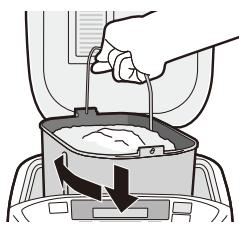
natural_image
Illustration of a hand pouring liquid into a container with an arrow indicating flow (no text or symbols)
natural_image
Close-up of a hand pouring liquid into a square baking pan using a stand mixer (no text or symbols visible)
(SD-2501) 03, 06, 14, 17, 19, 25
(SD-2500) 03, 06, 13, 16, 18, 23
natural_image
Line drawing of a microwave oven with digital display and control panel (no text or symbols)
natural_image
Line drawing of a computer with an open lid and coins spilling out (no text or symbols)
natural_image
Line drawing of a food processor with open lid and digital display (no text or symbols)
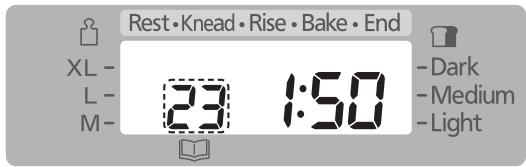
Start de machine
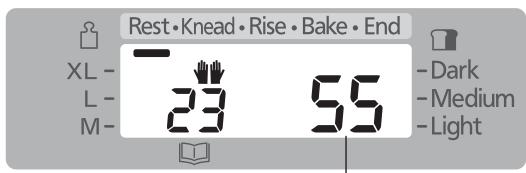
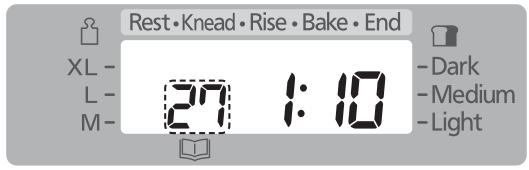
Stel de kooktijd in
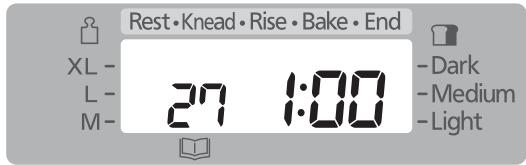
Start de machine
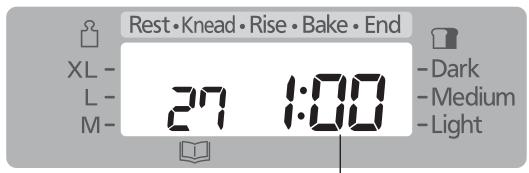
selecteer menu '01' of '02'
selecteer menu '04' of '05'
selecteer menu '08' (SD-2500: '07')
selecteer menu '09' (SD-2500: '08')
selecteer menu '10' (SD-2500: '09')
selecteer menu '12' (SD-2500: '11')
selecteer menu '13' (SD-2500: '12')
| M | L | XL |
| theelepel met droge gist | 1 | 114 | 112 |
| witte speltbloem | 400 g | 500 g | 600 g |
| theelepel met suiker | 112 | 2 | 2 |
| theelepel met zout | 114 | 112 | 134 |
| boter | 5 g | 10 g | 10 g |
| water | 260 mL | 340 mL | 400 mL |
HEEL SPELTBROOD
selecteer menu '13' (SD-2500: '12')
selecteer menu '13' (SD-2500: '12')
| M | L | XL |
| theelepel met droge gist | 1 | 114 | 112 |
| witte speltbloem | 275 g | 350 g | 425 g |
| roggebloem | 125 g | 150 g | 175 g |
| theelepel met suiker | 112 | 2 | 2 |
| theelepel met zout | 114 | 112 | 134 |
| boter | 5 g | 10 g | 10 g |
| gewone yogult | 120 g | 150 g | 180 g |
| water | 180 mL | 230 mL | 270 mL |
selecteer menu '13' (SD-2500: '12')
selecteer menu '13' (SD-2500: '12')
| M | L | XL |
| theelepel met droge gist | 1 | 114 | 112 |
| witte speltbloem | 400 g | 500 g | 600 g |
| theelepel met suiker | 112 | 2 | 2 |
| theelepel met zout | 114 | 112 | 134 |
| boter | 5 g | 10 g | 10 g |
| geraspte schil van citroen | 1 | 1 | 1 |
| citroensap | 20 mL | 20 mL | 30 mL |
| eetlepel met papaverzaad | 2 | 3 | 3 |
| water | 250 mL | 330 mL | 380 mL |
VRUCHTENSPELT
selecteer menu '14' (SD-2500: '13')
selecteer menu '16' (SD-2500: '15')
selecteer menu '17' (SD-2500: '16')
selecteer menu '21' (SD-2500: '19')
selecteer menu '18' (SD-2500: '17')
selecteer menu '22' (SD-2500: '20')
selecteer menu '23' (SD-2500: '21')
selecteer menu '24' (SD-2500: '22')
selecteer menu '12' (SD-2500: '11')
selecteer menu '12' (SD-2500: '11')
[02 Basic Rapid (Basis snel)]
WIT BROOD
selecteer menu '01' of '02'
[05 Whole wheat Rapid (Volkoren Snel)]
VOLKORENBROOD
selecteer menu '04' of '05'
[08 French (Frans)] (SD-2501)
[07 French (Frans)] (SD-2500)
PISTOLET BROOD
selecteer menu '08' (SD-2500: '07')
[09 Italian (Italiaans)] (SD-2501)
[08 Italian (Italiaans)] (SD-2500)
ITALIAANS BROOD
selecteer menu '09' (SD-2500: '08')
[10 Sandwich (Sandwich)] (SD-2501)
[09 Sandwich (Sandwich)] (SD-2500)
BASIS SANDWICH
selecteer menu '10' (SD-2500: '09')
selecteer menu '16' (SD-2500: '15')
selecteer menu '18' (SD-2500: '17')
[22 Pizza (Pizza)] (SD-2501)
[20 Pizza (Pizza)] (SD-2500)
PIZZA DEEG
selecteer menu '22' (SD-2500: '20')
[26 Jam (Jam)] (SD-2501)
[24 Jam (Jam)] (SD-2500)
AARDBEIENJAM
selecteer menu '26' (SD-2500: '24')
selecteer menu '27' (SD-2500: '25')
selecteer menu '27' (SD-2500: '25')
selecteer menu '27' (SD-2500: '25')
selecteer menu '27' (SD-2500: '25')
selecteer menu '27' (SD-2500: '25')
selecteer menu '27' (SD-2500: '25')
natural_image
Close-up of hands cleaning a bucket with a tool (no text or symbols visible)
natural_image
Close-up of a container with dark liquid being poured into it by a spoon (no text or symbols visible)
natural_image
Hand cleaning a microwave oven with a cloth (no text or symbols visible)
Stoomventiel
natural_image
Close-up of a white electronic device with ventilation grilles and a dashed-line gap between two sides (no visible text or symbols)
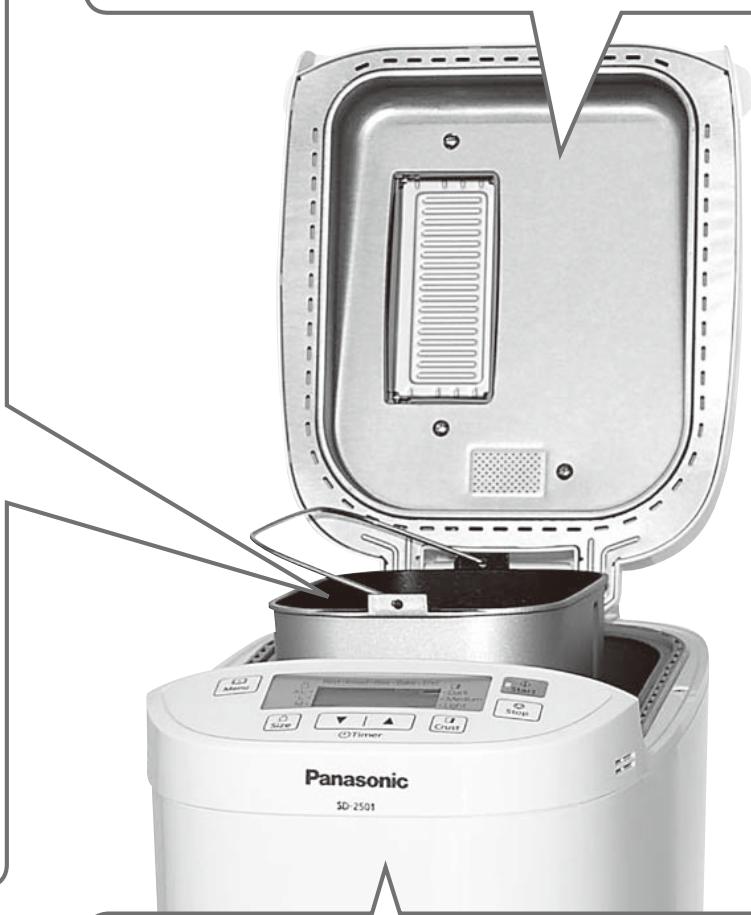
natural_image
Panasonic 5D-2501 rice cooker with open lid and control buttons (no visible text or symbols on main body)
Behuizing
natural_image
Close-up of hands holding a white electronic device with a screen (no visible text or symbols)
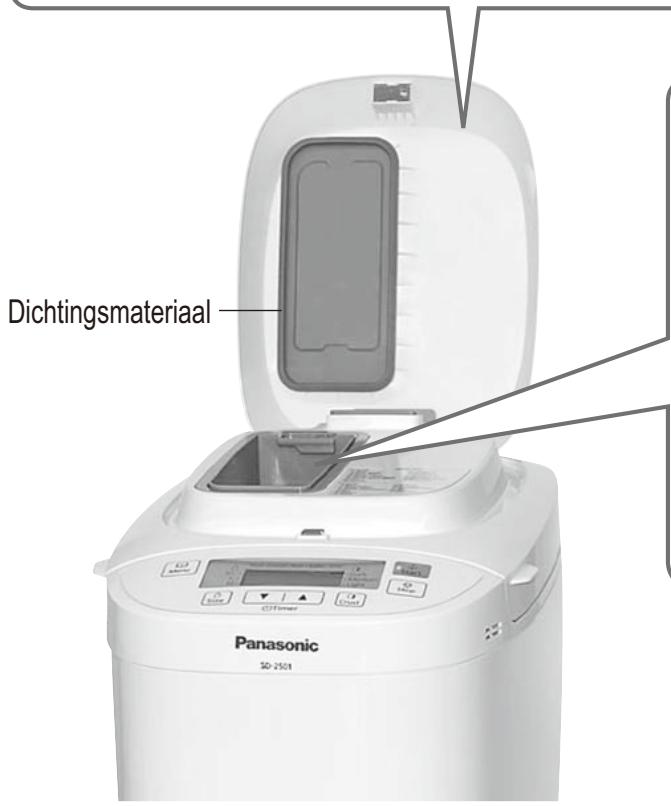
natural_image
Hand placing a small object into a container on a table (no visible text or symbols)
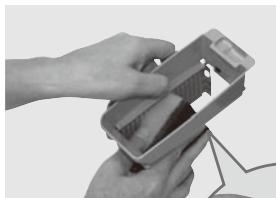
natural_image
Close-up of hands assembling or adjusting a small electronic device (no visible text or symbols)
natural_image
Close-up of hands assembling or adjusting a small electronic component (no visible text or symbols)
natural_image
White Panasonic industrial bread maker with open lid and control panel (no visible text or symbols)
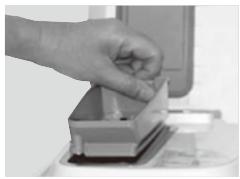
natural_image
Hand placing a small object into a container on a desk (no visible text or symbols)
natural_image
Cross-sectional diagram of a microwave oven with internal components and ventilation slots (no text or symbols)
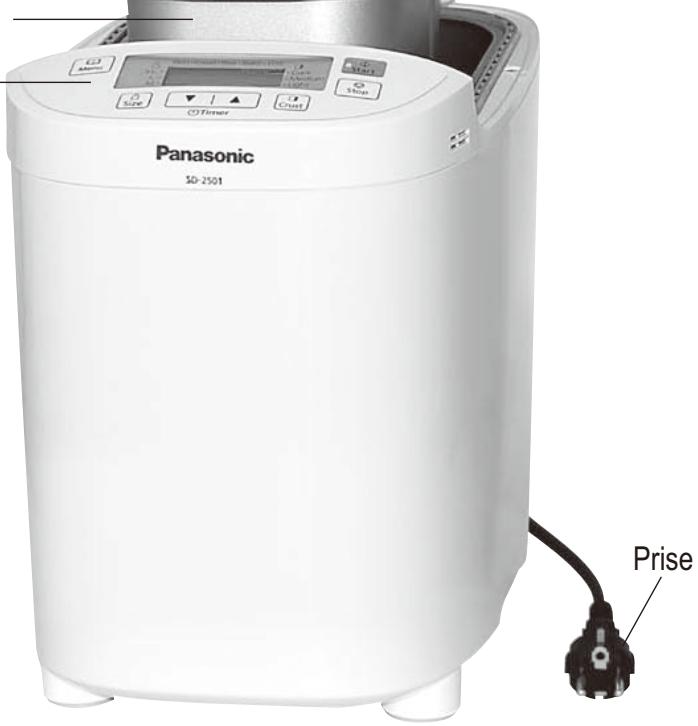
Accessoires
natural_image
Front view of a Panasonic industrial microwave oven (no visible text or labels on the device body)
natural_image
Close-up of a petri dish containing a granular substance, possibly powder or mineral, with no visible text or symbols.
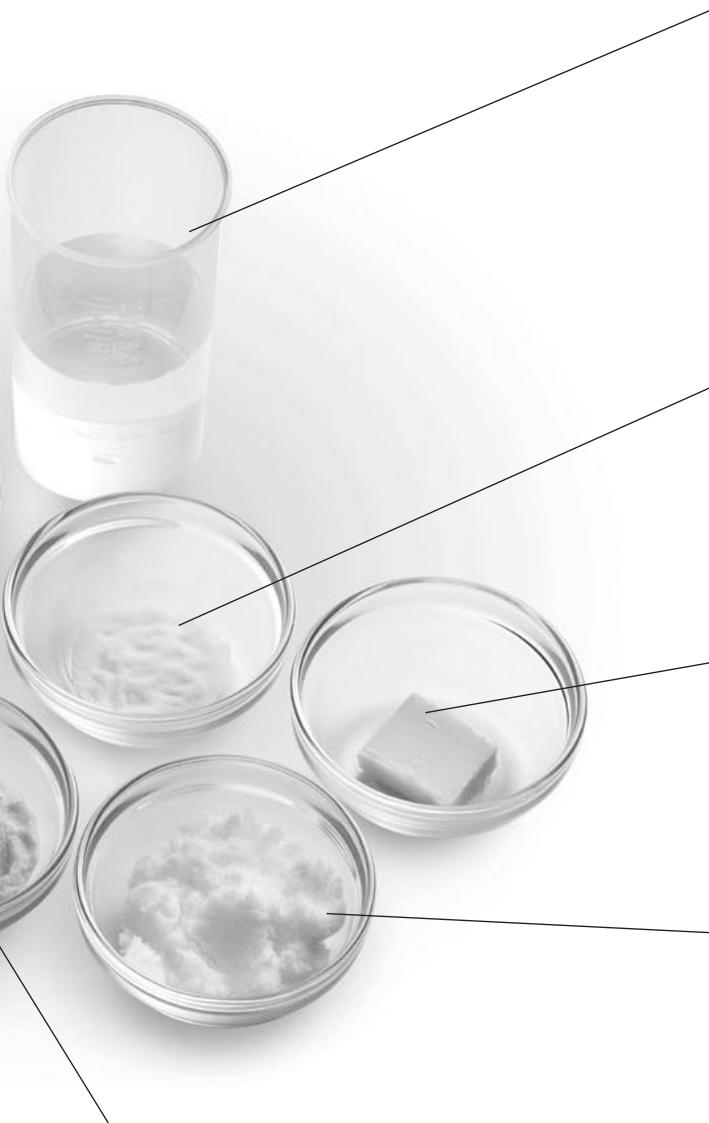
natural_image
Black-and-white photo of petri dishes containing various substances, including a glass of water and a cube-shaped object (no text or symbols visible)
Laitages
natural_image
Hand pouring liquid into a square container filled with white powders (no text or symbols visible)
natural_image
Illustration of a hand pouring liquid into a container with arrows indicating flow direction (no text or symbols)
natural_image
Illustration of a hand holding a tool inside a container with a tool, no text or symbols present
natural_image
Mechanical component diagram showing a knob and shaft with directional arrows (no text or symbols)
natural_image
Line drawing of a food processor with open lid and digital display, showing grain being poured (no text or symbols)
natural_image
Illustration of a hand pouring liquid into a bucket with a tool (no text or symbols)
natural_image
Illustration of a hand pouring liquid into a container with a bucket (no text or symbols)
natural_image
Illustration of a hand pouring liquid into a container filled with flour (no text or symbols)
natural_image
Illustration of a hand pouring liquid into a container with an arrow indicating flow (no text or symbols)
natural_image
Close-up of a hand pouring liquid into a square baking pan using a stand mixer (no text or symbols visible)
(SD-2501) 03, 06, 14, 17, 19, 25
(SD-2500) 03, 06, 13, 16, 18, 23
natural_image
Line drawing of a food processor with open lid and control panel (no text or symbols)
natural_image
Line drawing of a kitchen appliance with a lid and tray, emitting granular material (no text or symbols)
Ingrédients secs, ingrédients non solubles
natural_image
Line drawing of a food processor with open lid and digital display (no text or symbols)
[04 Whole wheat (Blé complet)]
[05 Whole wheat Rapid (Rapide au blé complet)]
PAIN AU BLÉ ENTIERs
[10 Sandwich (Sandwich)] (SD-2501)
[09 Sandwich (Sandwich)] (SD-2500)
SANDWICH ORDINAIRE
[16 Basic (Base)] (SD-2501)
[15 Basic (Base)] (SD-2500)
PÂTE A TARTE (Pour 2 tartes)
[18 Whole wheat (Blé complet)] (SD-2501)
[17 Whole wheat (Blé complet)] (SD-2500)
PÂTE AU BLÉ ENTIER
[22 Pizza (Pizza)] (SD-2501)
[20 Pizza (Pizza)] (SD-2500)
PÂTE A PIZZA
[14 Bake only (Mode cuisson uniquement)]
(SD-2500)
[26 Jam (Confiture)] (SD-2501)
[24 Jam (Confiture)] (SD-2500)
CONFITURE DE FRAISES
[27 Compote (Compotes)] (SD-2501)
[25 Compote (Compotes)] (SD-2500)
COMPOTE DE POMMES ÉPICÉE
natural_image
Close-up of hands cleaning a bucket with a plastic bag (no text or symbols visible)
natural_image
Close-up of a container with dark liquid being stirred by a spoon (no text or symbols visible)
natural_image
Hand cleaning a microwave oven with a cloth (no text or symbols visible)
Bouche de vapeur
natural_image
Close-up of a white electronic device with ventilation grilles and a warning label (no readable text or symbols)
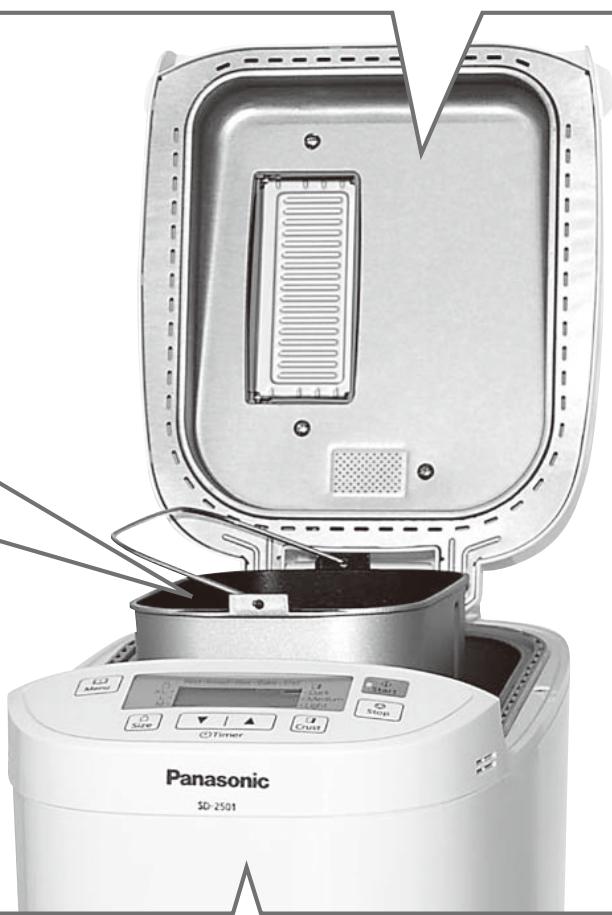
natural_image
Panasonic 5D-2501 air fryer with open lid and control buttons (no visible text or symbols on main body)
Unité
natural_image
Close-up of hands holding a white electronic device with a screen (no visible text or symbols)
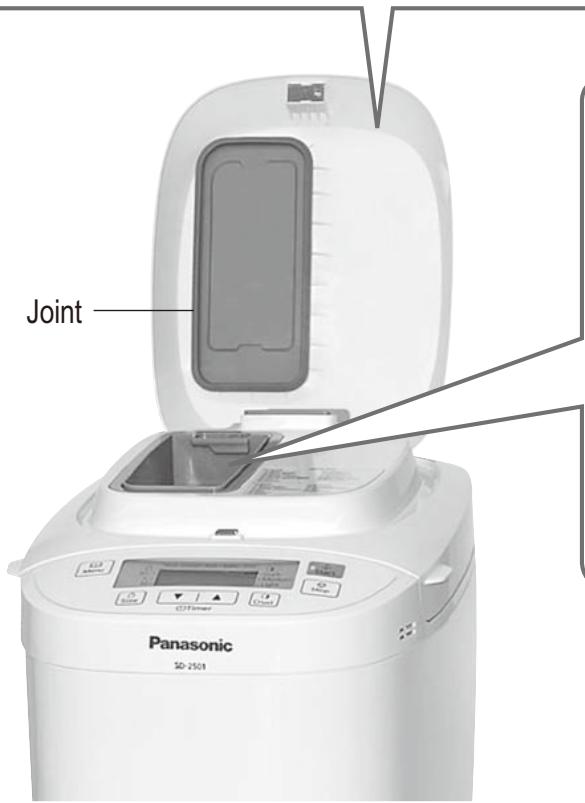
natural_image
Hand placing a small object into a container on a table (no visible text or symbols)
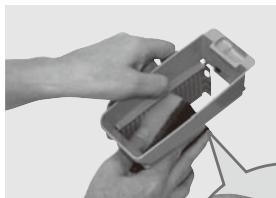
natural_image
Close-up of hands assembling or adjusting a small electronic device (no visible text or symbols)
natural_image
Close-up of hands assembling or adjusting a small electronic component (no visible text or symbols)
natural_image
White Panasonic 2014 kitchen model with open lid and digital display (no visible text or symbols on main body)
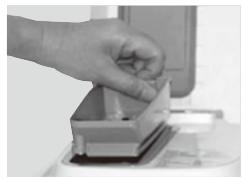
natural_image
Hand placing a small object into a container on a surface (no visible text or symbols)
natural_image
Front view of a Panasonic industrial microwave oven (no visible text or labels on the device body)
natural_image
Close-up of a petri dish containing a granular substance, likely powder or mineral (no text or symbols visible)
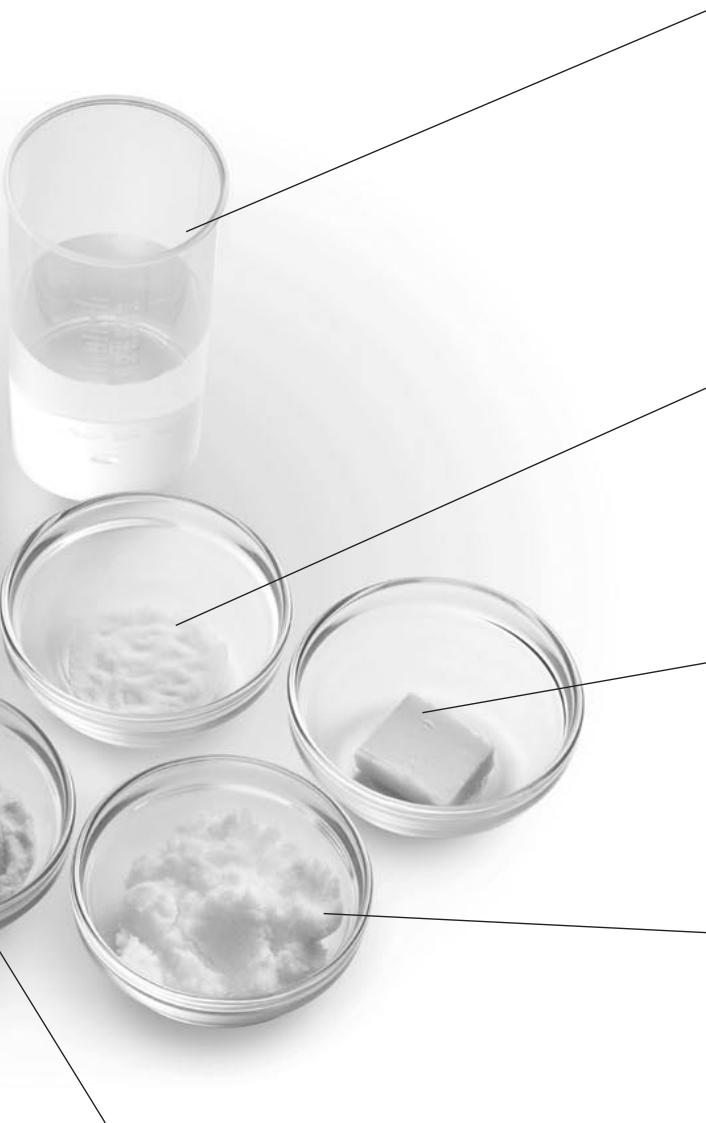
natural_image
Black-and-white photo of petri dishes containing various substances, including a glass of water and a cube-shaped object (no text or symbols visible)
Prodotti caseari
natural_image
Hand pouring liquid into a square container filled with white powders (no text or symbols visible)
natural_image
Illustration of a hand pouring liquid into a container with arrows indicating flow direction (no text or symbols)
natural_image
Illustration of a hand holding a small object inside a container with a tool, no text or symbols present
③ Fissare saldamente la lama impastatrice al perno.
natural_image
Mechanical component diagram showing a lever and pin assembly (no text or symbols)
natural_image
Line drawing of a digital kitchen machine with a lid and tray, showing grain being poured (no text or symbols)
natural_image
Illustration of a hand pouring liquid into a bucket with a tool (no text or symbols)
natural_image
Illustration of a hand pouring liquid into a bucket with a cloth inside (no text or symbols)
natural_image
Illustration of a hand pouring liquid into a container with a cloth inside (no text or symbols)
natural_image
Illustration of a hand pouring liquid into a container with an arrow indicating flow direction (no text or symbols)
natural_image
Close-up of a hand pouring liquid into a square baking pan using a kitchen electric oven (no text or symbols visible)
(SD-2501) 03, 06, 14, 17, 19, 25
(SD-2500) 03, 06, 13, 16, 18, 23
natural_image
Line drawing of a rice cooker with open lid and control panel (no text or symbols)
natural_image
Line drawing of a kitchen appliance with a lid and tray, emitting granular material from the side (no text or symbols)
natural_image
Line drawing of a microwave oven with digital display and coffee beans emerging from the tray (no text or symbols)
Frutta secca
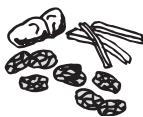
[05 Whole wheat Rapid (Pane integrale veloce)]
PANE INTEGRALE
[09 Italian (Italiano)] (SD-2501)
[08 Italian (Italiano)] (SD-2500)
PANE ITALIANO
[10 Sandwich (Sandwich)] (SD-2501)
[09 Sandwich (Sandwich)] (SD-2500)
PANINO SEMPLICE
[16 Basic (Impasto base)] (SD-2501)
[15 Basic (Impasto base)] (SD-2500)
IMPASTO PER TORTINI (impasto per 2 tortini)
[18 Whole wheat (Pane integrale)] (SD-2501)
[17 Whole wheat (Pane integrale)] (SD-2500)
IMPASTO CON FARINA INTEGRALE
[22 Pizza (Pizza)] (SD-2501)
[20 Pizza (Pizza)] (SD-2500)
IMPASTO PER PIZZA
natural_image
Close-up of hands cleaning a bucket with a tool (no text or symbols visible)
natural_image
Close-up of a container with dark liquid being poured into it by a spoon (no text or symbols visible)
natural_image
Hand cleaning a microwave oven with a cloth (no text or symbols visible)
natural_image
Close-up of a white electronic device with ventilation grilles and a dashed-line gap between two sides (no visible text or symbols)
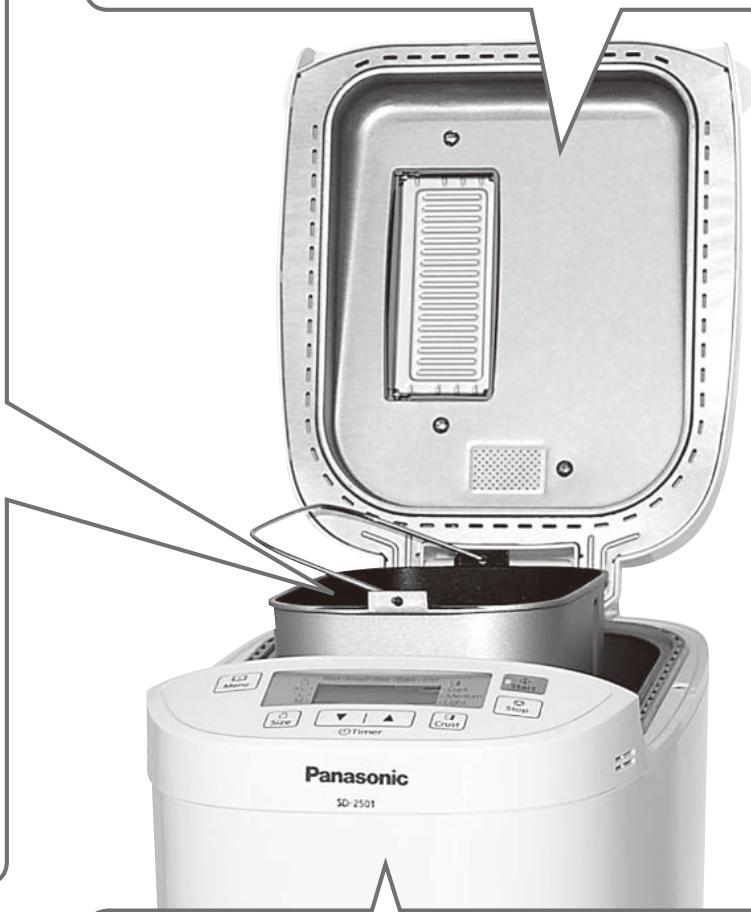
natural_image
Panasonic 5D-2501 rice cooker with open lid and control panel (no visible text or symbols)
Corpo
natural_image
Close-up of hands holding a white electronic device with a gray panel and indicator lights (no visible text or symbols)
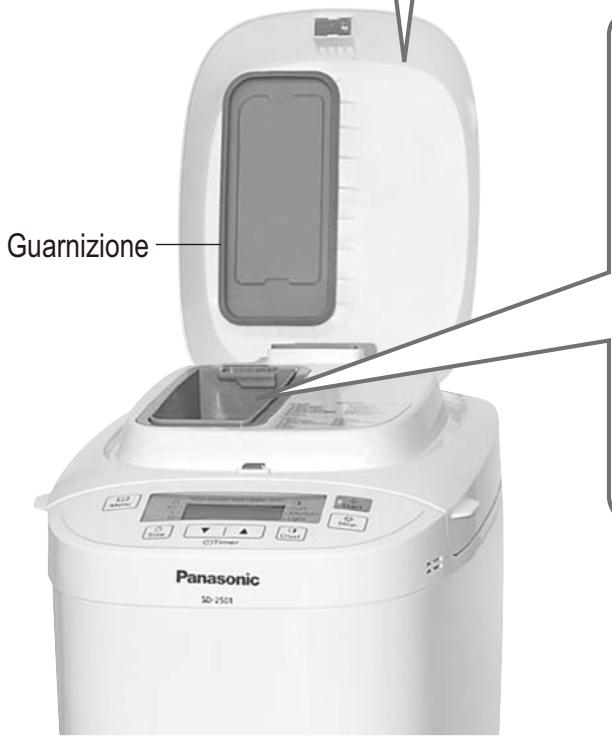
natural_image
Hand placing a small object into a container on a surface (no visible text or symbols)
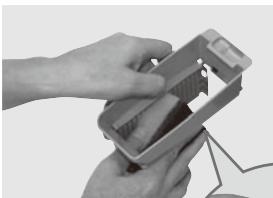
natural_image
Close-up of hands assembling or adjusting a small electronic device (no visible text or symbols)
natural_image
Close-up of hands assembling or adjusting a small electronic component (no visible text or symbols)
natural_image
White Panasonic 2014 kitchen model with open lid and digital display (no visible text or symbols on main body)
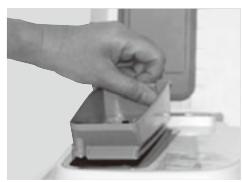
natural_image
Hand placing a small object into a container on a desk (no visible text or symbols)
Tapa del dispensador
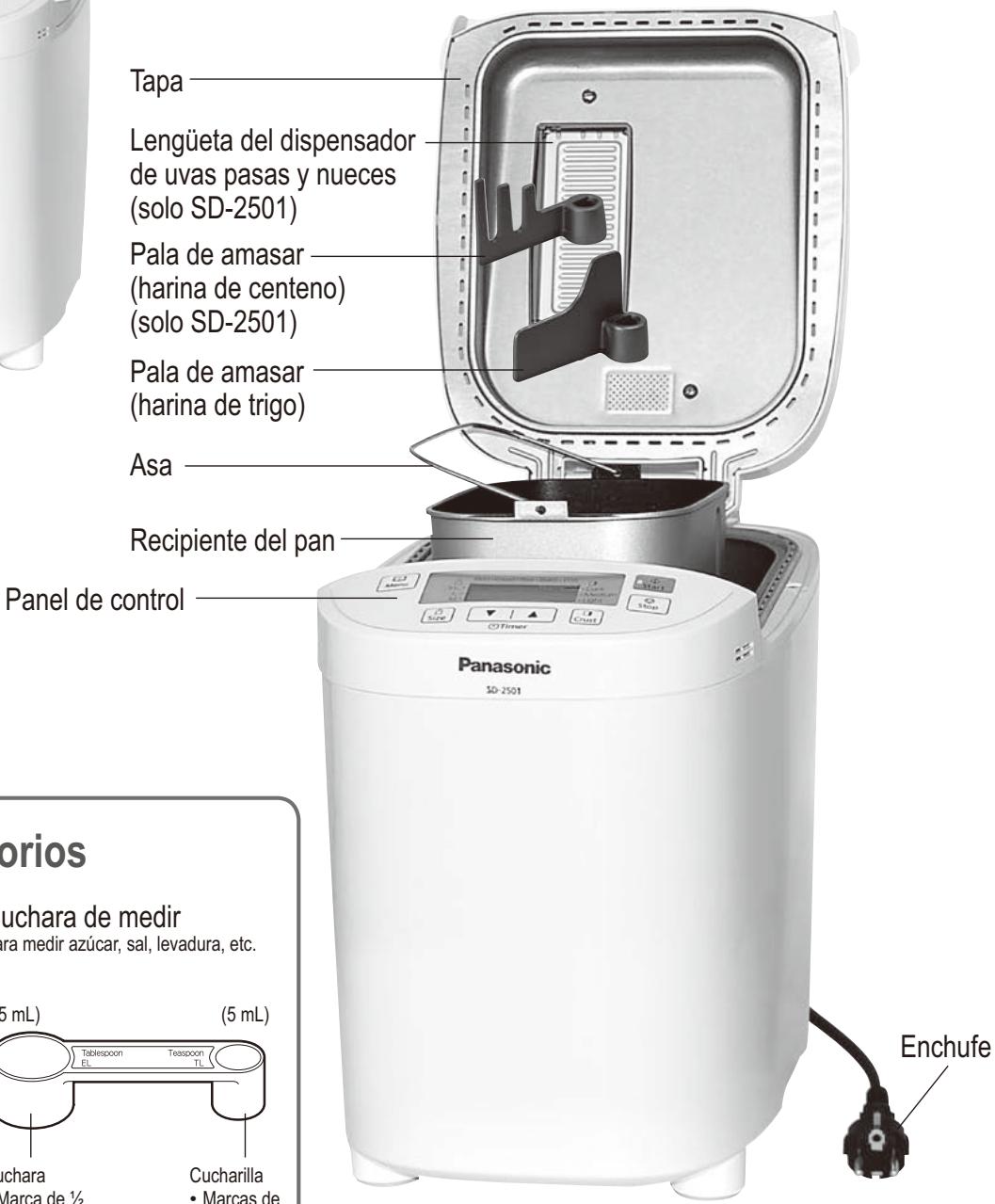
natural_image
Front view of a Panasonic industrial microwave oven (no visible text or labels on the device body)
natural_image
Hand pouring liquid into a square container filled with white powders (no text or symbols visible)
natural_image
Illustration showing two steps of a hand pouring liquid into a container with arrows indicating flow direction (no text or symbols present)
① Gire el recipiente del pan.
② Extraiga el recipiente del pan.
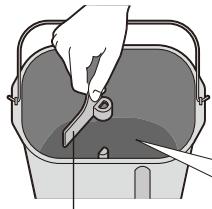
natural_image
Illustration of a hand using a tool to clean or store items in a container (no text or symbols visible)
natural_image
Mechanical component diagram showing a knob and shaft with directional arrows (no text or symbols)
natural_image
Line drawing of a food processor with open lid and digital display (no text or symbols)
Limpie y seque previamente el dispensador
natural_image
Illustration of a hand pouring liquid into a bucket with a tool (no text or symbols)
natural_image
Illustration of a hand pouring liquid into a container with a bag (no text or symbols)
natural_image
Illustration of a hand pouring liquid into a container filled with flour (no text or symbols)
natural_image
Illustration of a hand pouring liquid into a container with an arrow indicating flow (no text or symbols)
natural_image
Close-up of a hand pouring liquid into a square baking pan using a kitchen electric oven (no text or symbols visible)
(SD-2501) 03, 06, 14, 17, 19, 25
(SD-2500) 03, 06, 13, 16, 18, 23
natural_image
Line drawing of a food processor with open lid and control panel (no text or symbols)
natural_image
Line drawing of a digital kitchen appliance with open lid and control panel (no text or symbols)
Ingredientes secos, ingredientes insolubles
natural_image
Line drawing of a digital laboratory instrument with a tray and control panel, emitting granular material (no text or symbols)
Frutos secos
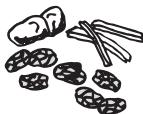
[04 Whole wheat (Pan integral)]
[05 Whole wheat Rapid (Pan integral rápido)]
PAN DE TRIGO INTEGRAL
[09 Italian (Italiano)] (SD-2501)
[08 Italian (Italiano)] (SD-2500)
PAN ITALIANO
[10 Sandwich (Sándwich)] (SD-2501)
[09 Sandwich (Sándwich)] (SD-2500)
SÁNDWICH BÁSICO
[18 Whole wheat (Pan integral)] (SD-2501)
[17 Whole wheat (Pan integral)] (SD-2500)
MASA DE TRIGO INTEGRAL
Seleccione el menú '18' (SD-2500: '17')
| cucharillas de levadura seca | 2 |
| cucharas de azúcar | 1 |
| harina ‘Frans krokant’ de AVEVE | 250 g |
| harina ‘Boerebruin’ de AVEVE | 250 g |
| agua | 280 mL |
| cucharillas de sal | 112 |
Método
[22 Pizza (Pizza)] (SD-2501)
[20 Pizza (Pizza)] (SD-2500)
MASA DE PIZZA
Seleccione el menú '22' (SD-2500: '20')
| cucharillas de levadura seca | 2 |
| harina ‘Frans krokant’ de AVEVE | 500 g |
| agua | 290 mL |
| cucharillas de sal | 1 |
| cucharas de mantequilla | 112 |
Método
natural_image
Close-up of hands cleaning a bucket with a plastic bag (no text or symbols visible)
natural_image
Close-up of a container with dark liquid being poured into it by a metal rod (no text or symbols visible)
natural_image
Hand cleaning a microwave oven with a cloth (no text or symbols visible)
natural_image
Close-up of a white electronic device with ventilation grilles and a dashed-line gap between two sides (no visible text or symbols)
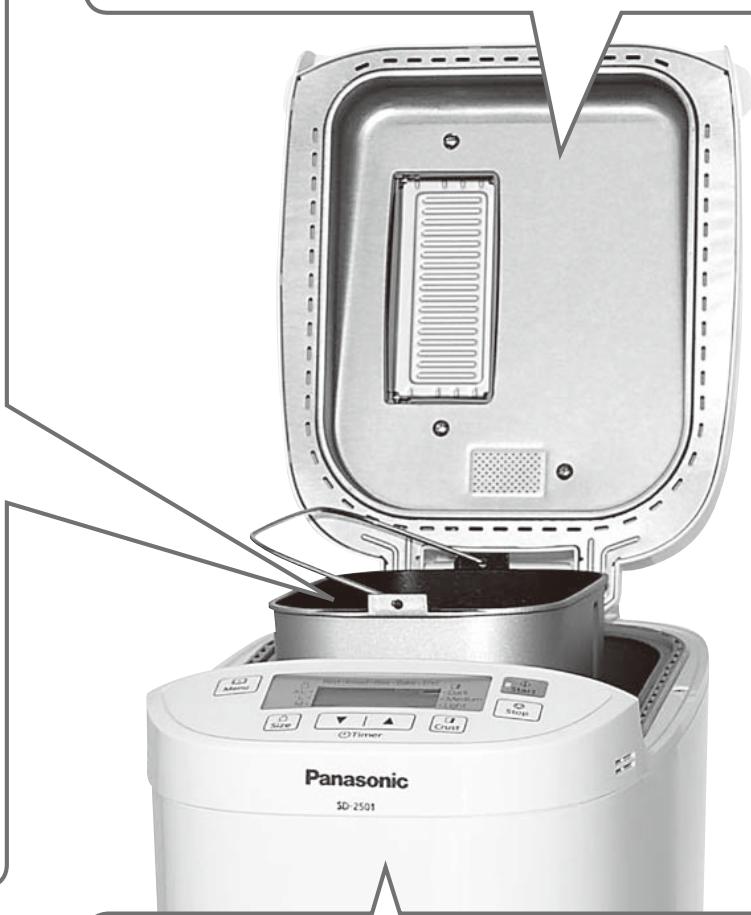
natural_image
Panasonic 5D-2501 air fryer with open lid and control buttons (no visible text or symbols on main body)
Cuerpo
natural_image
Close-up of hands holding a white electronic device with a gray tray (no visible text or symbols)
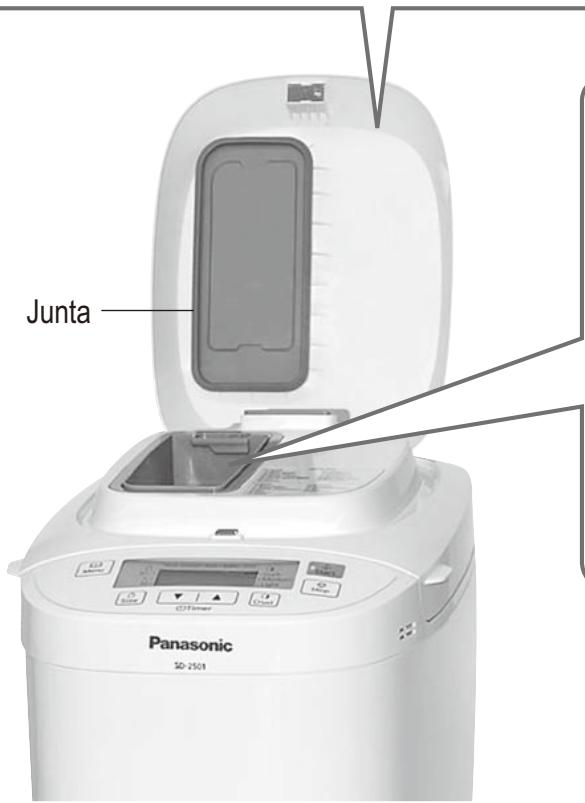
natural_image
Hand placing a small object into a container on a table (no visible text or symbols)
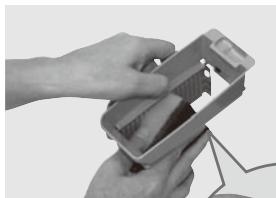
natural_image
Close-up of hands assembling or adjusting a small electronic device (no visible text or symbols)
natural_image
Close-up of hands assembling or adjusting a small electronic component (no visible text or symbols)
Representative in EU :
Panasonic Marketing Europe GmbH
Panasonic Testing Centre
Winsbergring 15, 22525 Hamburg, Germany
Panasonic Corporation
Web Site: http://panasonic.net