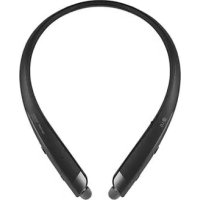
Tone Platinum SE HBS1120 - Wireless Headphones LG - Free user manual and instructions
Find the device manual for free Tone Platinum SE HBS1120 LG in PDF.



| Product Type | Bluetooth Wireless Headset |
| Brand | LG |
| Model | Tone Platinum SE HBS1120 |
| Dimensions | 155 x 179 x 12.8 mm |
| Weight | 54.3 g |
| Bluetooth Technology | Bluetooth V 4.2 |
| Bluetooth Profiles | Headset, Hands-free, A2DP, AVRCP |
| Battery | Lithium-ion polymer 3.7 V / 220 mAh |
| Standby Time | Up to 354 hours |
| Talk Time | Up to 12 hours |
| Music Play Time | Up to 13 hours |
| Charging Time | Less than 2 hours |
| Rated Input Voltage | 4.75 V ~ 5.3 V DC; 400 mA |
| Operating Temperature | -10°C to +50°C |
| Operating Frequency | 2 402 MHz to 2 480 MHz |
| Target Power | 10 dBm |
| Main Functions | Quick pairing, multi-connection, Google Assistant, LG Tone & Talk, equalizer, voice notifications, vibration |
| Package Contents | Headset, gel ear cushions (S/M/L), micro USB cable, manual, WEEE card |
| Care and Cleaning | Clean the ear tips regularly; avoid moisture, alcohol and benzene |
| Safety | Do not disassemble; do not expose to excessive heat; battery not user-replaceable |
| Spare Parts and Repairability | Additional gel ear cushions available; battery replaced only by authorized professional |
| Warranty | 1 year (subject to LG conditions) |
Frequently Asked Questions - Tone Platinum SE HBS1120 LG
User questions about Tone Platinum SE HBS1120 LG
0 question about this device. Answer the ones you know or ask your own.
Ask a new question about this device
Download the instructions for your Wireless Headphones in PDF format for free! Find your manual Tone Platinum SE HBS1120 - LG and take your electronic device back in hand. On this page are published all the documents necessary for the use of your device. Tone Platinum SE HBS1120 by LG.
USER MANUAL Tone Platinum SE HBS1120 LG
Contact office for compliance of this product :
LG Electronics Inc.
EU Representative, Krijgsman 1, 1186 DM, Amstelveen, The Netherlands
Using LG TONE PLATINUM SETM
Copyright © 2018 LG Electronics Inc. All Rights Reserved
NOTE: For the best performance and to prevent any damage to, or misuse of the headset, please read all of the information carefully prior to using the headset.
Any modifications or changes to this manual due to typographical errors or inaccuracies of stated information shall only be made by LG Electronics Inc.
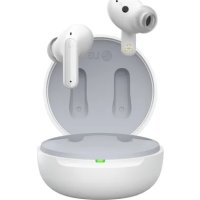
The LG TONE PLATINUM SE (HBS-1120) is a lightweight wireless headset that uses Bluetooth technology.
This product can be used as an audio accessory for devices supporting either the A2DP or Hands-Free Bluetooth Profile.
Safety Cautions

CAUTION
Do not disassemble, adjust, or repair the product arbitrarily.
Do not place the product near excessive heat or flammable material.
Do not arbitrarily replace the battery, as it may explode.
The product may be damaged if an incompatible charger is used.
Make sure that an infant or child does not swallow a magnet or a small component of the product.
Make sure that foreign objects do not enter the charger's connectors (charging port and power plug).
Failure to do so may result in fire or electric shock.
For your safety, do not wear the product while it is being charged.
If you have a medical device implanted, contact your doctor before using this device.
Do not pull the earphone cable with excessive force.
For your safety, do not remove the battery incorporated in the product.
The lithium-ion polymer battery is a hazardous component that can cause injury.
Battery replacement by an unqualified professional can cause damage to your device.
Do not replace the battery by yourself. The battery can be damaged, which can cause overheat and injury.
The battery must be replaced by authorized service provider. The battery should be recycled or disposed separately from household wastes.
In order to prevent unnecessary energy consumption, disconnect the device when fully charged.
Always use an easily accessible power-outlet for charging your device.

WARNING
Do not drop the product from a high place.
Make sure there is no water, alcohol, or benzene in contact with the product.
Do not store the product in a wet or dusty place.
Do not place heavy objects on the product.
This product is not waterproof. Avoid humidity and water.

NOTE
If the product is exposed to excessive sweat, clean the product.
Keep the earbuds clean.
HD Speaker
If the communication network of the device you are connecting to supports HD Voice Calling, you can enjoy making voice calls and listening to music in high definition.
Product Components
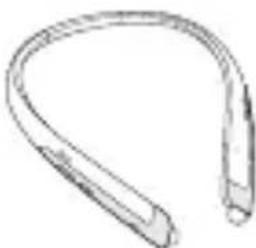
LG TONE PLATINUM SE HBS-1120 (medium ear gels installed)
Extra Ear Gels (small & large)
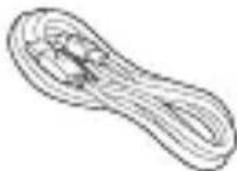
Micro USB Charging Cable
Reference guide User Manual WEEE Card (Europe Only)
NOTE: Actual product design may differ from images shown in manual.

CAUTION
Make sure authentic LG Electronics components are used. Using a non Authentic component may damage the product and thus void the warranty.
Product Description
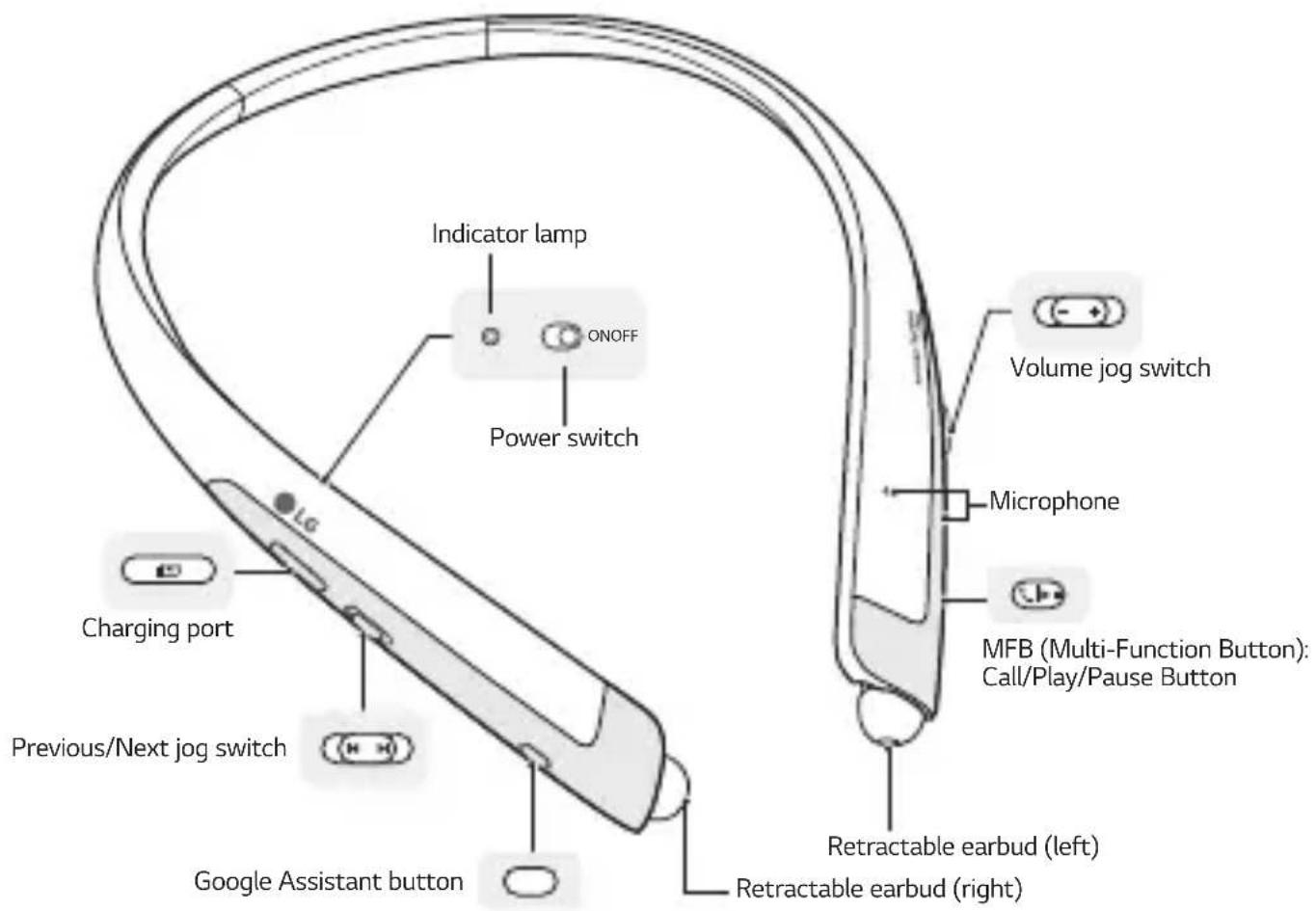
*The appearance and specifications of the actual product may differ depending on the model.
NOTE: To prevent hearing loss, a control sound is played twice or at length when controlling the volume at high volumes.
Pairing and Connecting
Put in your earbuds to easily pair and connect by following the voice prompts.
NOTE: If you are prompted for the authorization code (PIN code), type 0000.
If you hear that the battery is insufficient, recharge the battery before proceeding with pairing.
If pairing is not completed within three minutes, the power automatically turns off. When the power automatically turns off, slide the Power switch from the OFF to the ON position to turn the power on.

Connecting Quickly

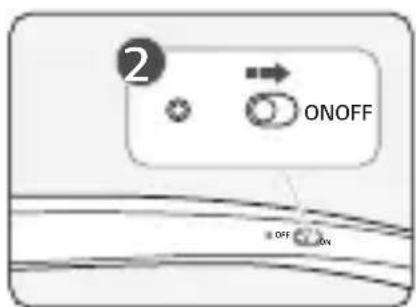
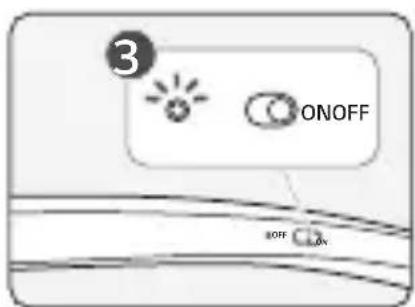
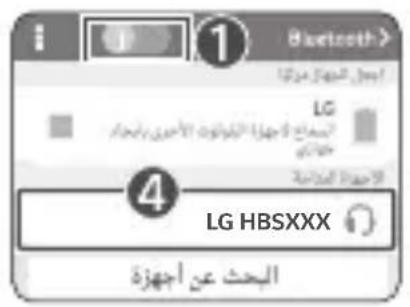
1 From the mobile phone's Settings menu, turn on Bluetooth.
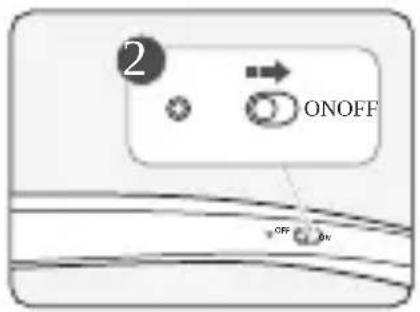
2 On the headset, slide the Power switch towards the ON position to turn on the power.
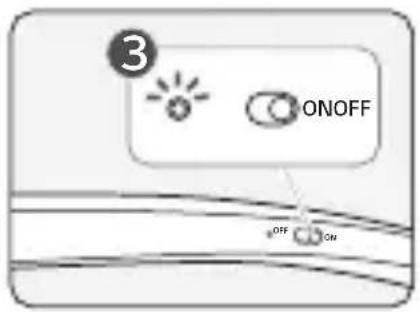
3 The blue Indicator lamp turns on, and the headset enters Search mode.
4 From the mobile phone or device, select [LG HBSXXX] to connect.
NOTE: In the above, HBSXXX is a model number unique to the product and may differ depending on the model (For example, in the case of a HBS-1120 model, LG HBS1120 is displayed).
5 A voice message will indicate that the connection is completed.
Fast Pair
1 From the mobile phone's Settings menu, turn on Bluetooth.
2 On the headset, slide the Power switch towards the ON position to turn on the power.
3 The blue Indicator lamp turns on, and the headset enters Search mode.
4 Please place the mobile phone whose screen is unlocked or a device to be connected nearby and connect it to the headset according to the instructions on the screen.
5. A voice message will indicate that the connection is completed.
NOTE: It only supports Android™ 6.0 or above.
Before connecting the headset, configure the mobile device or the device to be connected to use the location information.
Connecting Manually (pairing with another phone or re-pairing)
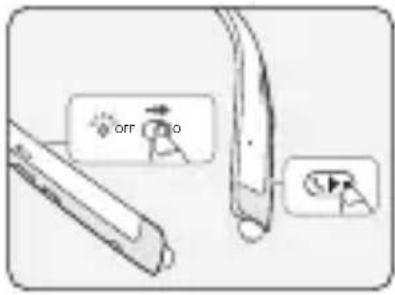
1 Press and hold the MFB and slide the Power switch to the ON position to turn it on.
2 The blue Indicator lamp turns on and the headset switches to Search mode.
3 From the mobile phone or device, select [LG HBSXXX] to connect.
NOTE: In the above, HBSXXX is a model number unique to the product and may differ depending on the model (For example, in the case of a HBS-1120 model, LG HBS1120 is displayed).
Multiple Connections
The headset can be connected to two devices, such as a mobile phone and a PC, simultaneously.
The headset can be connected to an additional device while it is already connected to a device.
1 Press and hold the MFB and slide the Power switch to the ON position to turn it on.
2. The blue Indicator lamp turns on, and the headset enters Search mode.
3 From the mobile phone or device, select [LG HBSXXX] to connect.
NOTE: In the above, HBSXXX is a model number unique to the product and may differ depending on the model (For example, in the case of a HBS-1120 model, LG HBS1120 is displayed).
4 A voice message will indicate that the connection is completed. This device becomes the "Main Connected Device."
5 Try to connect to headset using a previously connected device. This device becomes the "Sub Connected Device."
NOTE: If the headset is simultaneously connected to two devices, the device that was connected most recently (or in the example above, a new connection versus a previous connection) is the "Main Connected Device." The main functions work based on the "Main Connected Device."
Automatic Reconnection
If you turn on the headset, it will automatically connect to the most recent device it was connected to. (If a device cannot be found, Search mode will be activated.)
If the product does not automatically connect to the device you want, search for your product in the device you want to connect to and connect it manually.
Indicator Lamp
| Status Description | |
| Power On/Power Off The blue Indicator lamp flashes. | |
| Search Mode The blue Indicator lamp is on. | |
| Headset/Hands-free Profile Connected/Call Connected | The blue Indicator lamp flashes every five seconds. |
Mobile Calling Functions
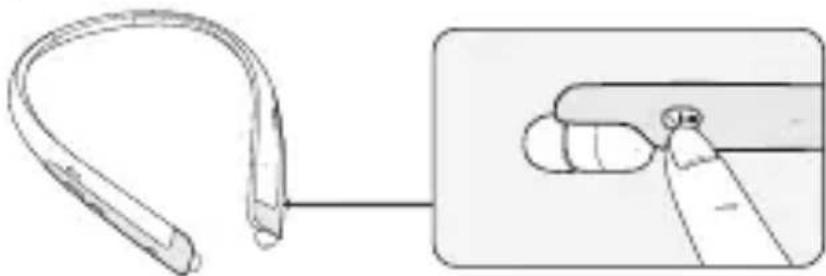
| Function Status Description | ||
| Answering a Call Ringing | Briefly press the MFB. NOTE: The headset will not vibrate if the Vibration function has been turned off. | |
| Making a Call Idle | If you make a call using a mobile phone, the call is automatically connected to the headset. | |
| Switching Calls | Talking | Slide the Previous/Next jog switch to the Next (▶) position. |
| Redial Idle | Press and hold the MFB for more than one second to place a call to the last number dialed. | |
| Voice Dial Idle | Briefly press the MFB twice to active your headset's voice. NOTE: Select a Voice Dial in LG Tone & Talk before using this feature. | |
| Receiving a Call While on the Phone | Talking | You can receive another call while on the phone by pressing and holding the MFB for one second. The existing call switches to a call waiting status. Press and hold the MFB again for one second to switch back to the previous call. Briefly press the MFB to end the existing call; briefly press it again to end the second call. (Performance may differ depending on the mobile phone settings.) |
| Rejecting a Call Ringing | Press and hold | the MFB for two seconds. |
| Enabling/Disabling Mute | Talking | During a call, slide and hold the Volume jog switch to the volume up (+) direction, and slide and hold the Previous/Next jog switch to the Previous (▶) position for one second. |
CAUTION: Do not disable/enable the mute function while driving, as you need to use both hands.
NOTE: The Voice Dial and Redial functions work on the Main Connected Device or on the device on which you made the last call. (The Voice Dial and Redial functions may work differently depending on the mobile phone being used.)
Playing Music
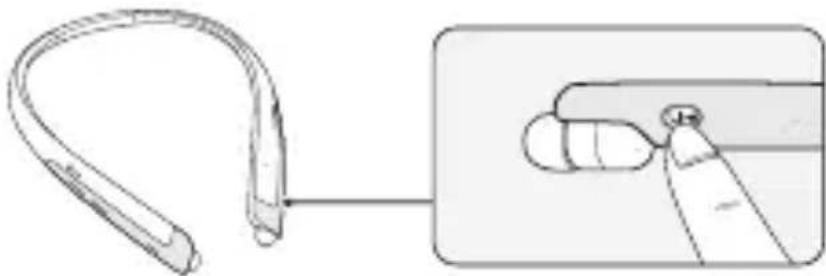
| Function Status Description | ||
| Play Idle Briefly press the MFB. | ||
| Pause Music on Briefly press the MFB. | ||
| Play Previous/Next Song Music on | Slide the Previous/Next jog switch to the Previous (▶) or Next (▶position. | |
| Fast Rewind/Forward Music on | Slide the Previous/Next jog switch to the Previous (▶or Next (▶position until you reach the desired part. | |
| Equalizer Mode Change Music on | Push the Volume jog switch to the volume down (▶ direction and the Previous/Next jog switch to the Next (▶direction at the same time to navigate through the following options: Bass Boost(Default) > Normal > Treble Boost. | |
Switching Music Players
If you stop in the middle of playback and then play music on either of the two connected devices, the headset's music playback and control change to that device.
The Google Assistant
You can use the feature you want right away by pressing the Google Assistant button even without looking at the screen of your mobile device or the connected mobile device.
The Google Assistant can perform various commands as follows:
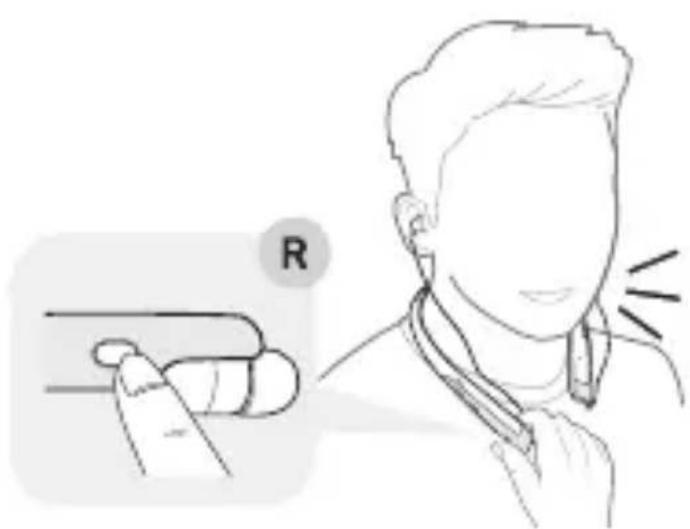
Play some jazz
Text mom "see you in 5"
What's my day look like?
Set a 13 minute timer for pizza
How far away is the moon?
Do I need an umbrella today?
Installation and Usage Requirements of the Google Assistant
To use this feature, your device must be connected to the Internet and logged into your Google account.
The Google Assistant feature may not be supported for some countries and languages. Make sure you are in a country where the Google Assistant is available before attempting to use this feature.
The language that is set in your mobile device is set and used as the default language of the Google Assistant.
NOTE: To learn more about the Google Assistant, go to visit: g.co/headphones/help
If you change the language that is used to speak to the Google Assistant, the language of your mobile phone is also changed accordingly.
| Android™ | iOS |
| • Android ™ 5.0 or higher • On tablets, you need Android ™ 6.0-7.0 • Google app 6.13 or higher • Google Play services (The latest version of the Google app) • A Google account • 1.4 GB of memory and 720p screen resolution | • iPhone with iOS 10 or higher • Google Assistant app • A Google account • The latest version of the Google app |
Set up the Google Assistant
1 Connect the headset to the mobile device or the device to connect to by referring to the Pairing and Connecting section.
2 Configure the Google Assistant using the mobile device.
-
In the case of an Android device, the Google Assistant notification pop-up appears after the connection is established for configuring the Google Assistant of the mobile device. Select the pop-up and configure the Google Assistant according to the guideline on the screen.
-
In the case of an iOS device, download and run the latest version of the Google Assistant, and then configure the headset according to the guideline on the screen.
Using the Google Assistant
Once the Google Assistant is configured, its functions can be used by pressing the dedicated Google Assistant button.
NOTE: To learn more about the Google Assistant, go to visit: g.co/headphones/help
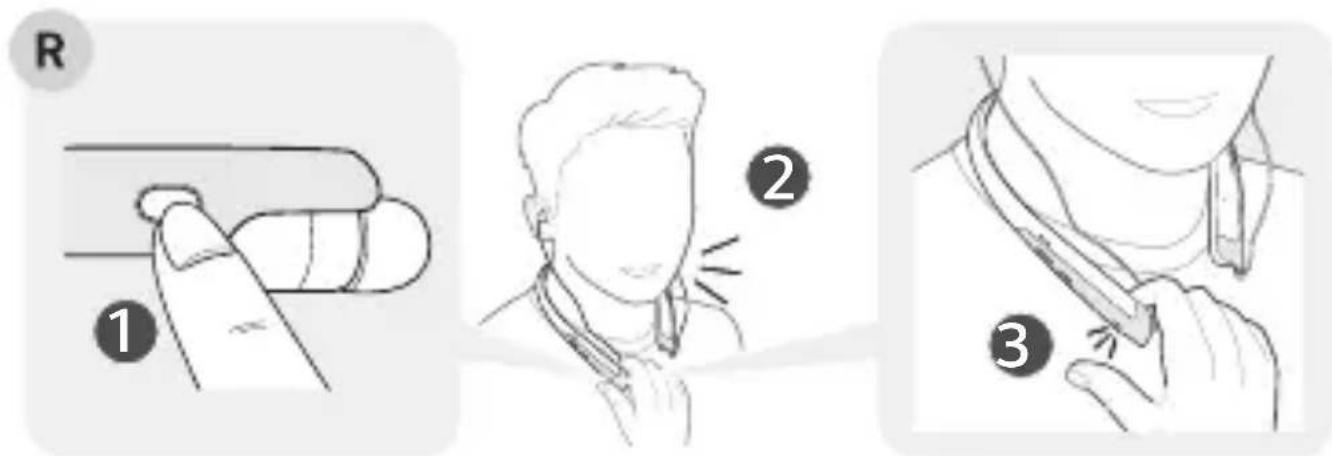
| Function Usage Method | |
| Talk to the Google Assistant | While holding down the Google Assistant button, say a command such as "What's my day look like?", and then release the Google Assistant button. |
| Get your notifications Press the | Google Assistant button once. |
| Stop the Google Assistant Press | the Google Assistant button twice. |
Using Google Translate through the Google Assistant
Are there any good coffee shops nearby?
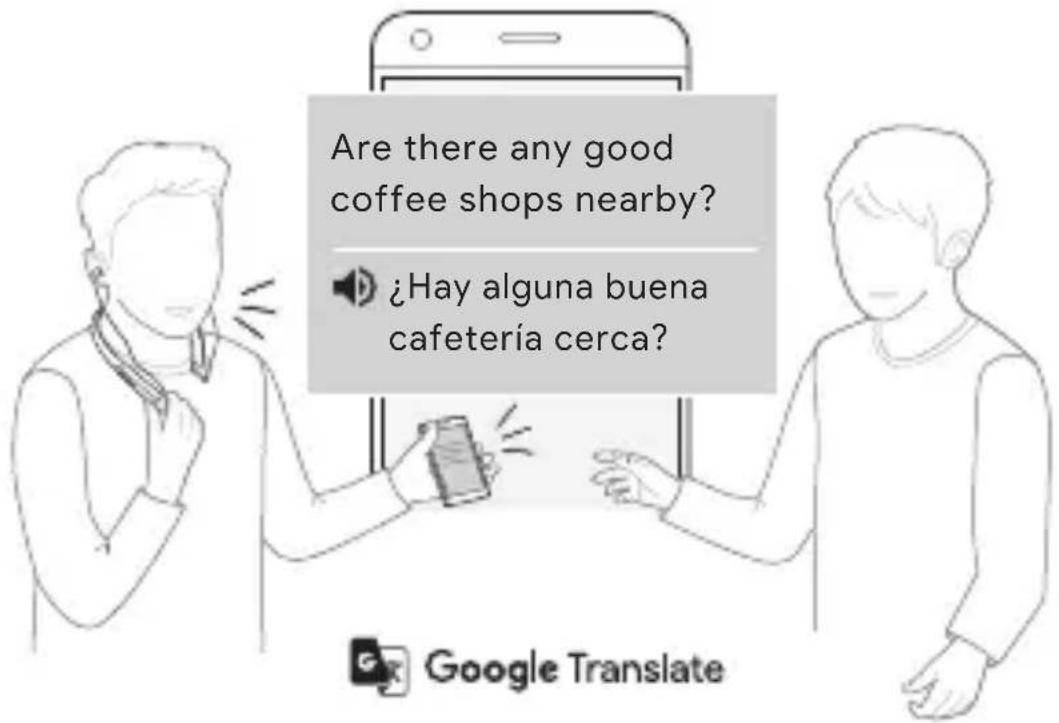
NOTE: To use the Conversation mode, install the Google Translate app first.
1 Press the Google Assistant button of the headset, speak "Help me interpret Spanish", and release the Google Assistant button. The Google Translate app will open.
2 If you press the Google Assistant button of the headset, speak, and release the Google Assistant button, the voice that is translated will be played through the mobile device. (The contents that are spoken will be displayed on your device's screen.)
3 If your counterpart speaks while pressing the ( ) of the device, you can hear the translation through the headset.
The language that is set to your mobile device is set and used as the default language of the Google Assistant.
To learn more about Google Translate, go to visit: https://support.google.com/translate
*The above feature is available on Android™ devices. For iOS devices, it will be available soon.
Battery Charging and Alerts
Open the Charging port cover and connect the charger to the Charging port.
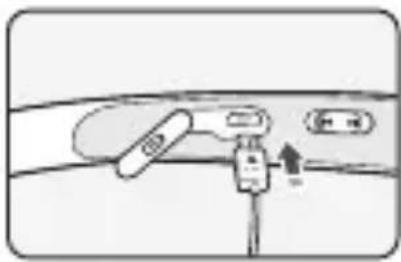
| Indicator Lamp Red Purple Blue | ||
| Battery Status Charging 80% Completed |
If the charging cable is removed while the Power switch is ON, the power turns on and the product automatically connects to the device whose connection settings have been completed.
Slide and hold the Volume jog switch in the volume down ( - ) direction for one second to check the Indicator lamp and battery level by voice.
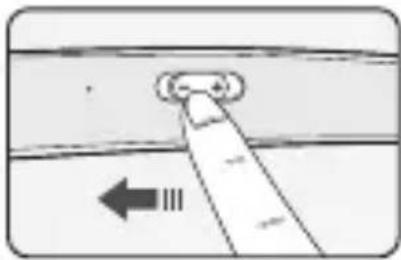
| Battery Status Sufficient Normal Insufficient | |||
| Indicator Lamp | Blue flashes | Purple flashes | Red flashes |
Vibration Alert Settings
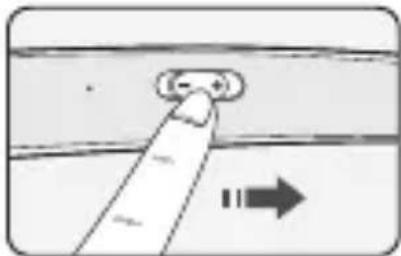
The vibration alert is automatically set to the ON position when you turn on the power.
To activate or deactivate the vibration setting, slide and hold the Volume jog switch in the volume up ( direction for two seconds.
NOTE: If you turn off the vibration alerts, it will not vibrate even when a call is being received or you are out of communication range.
Out of Range
If the device connected to the product is out of effective communication range (33 feet/10 meters), the communication signal becomes weak and the communication is lost.
If the device comes back within effective communication range, the product automatically reconnects to the device. If the device is not automatically reconnected, press the MFB on the product to connect to it manually.
If a device that is not in use goes out of communication range when multiple devices are connected, the product vibrates and a voice message will indicate that the connection is lost. In this case, the automatic reconnection function is not supported.
LG Tone & Talk™
Tone & Talk supports various functions, including text & voice directions and calling. To install Tone & Talk, scan the QR code to the right or go to the Google Play store and search for "LG Tone & Talk."
NOTE: Tone & Talk can be used on Android™ smartphones.

| Function Description | |
| Voice Notification | If you set Voice Notification to On, it reads the SMS, MMS, and social media messages with voice. |
| Vibration Notification You can set the vibration notification to ON/OFF in Notification Setting. | |
| Current Time Alert It tells you the current time with a voice through the earphone. | |
| Voice Memo It allows you to record your voice. | |
| Check Headset Battery You can check the headset battery amount through the app screen. | |
| Change Equalizer Mode In the EQ menu, you can change the equalizer mode. | |
| Setting Make a Call | Using Favorites to Make a Call:You can make a phone call by selecting the favorite contact in LG Tone & Talk. |
| Using Speed Dial to Make a Call:You can make a phone call by selecting the designated contact in LG Tone & Talk. | |
| Using Call History to Make a Call:You can make a phone call by selecting the recent call record in LG Tone & Talk. | |
| Using Voice Dial to Make a Call:You can use the voice recognition function to place a call. | |
NOTE: The Current Time Alert and the Voice Memo features cannot be used at the same time. You can only use one function at a time when you make selections in the Tone & Talk app.
Troubleshooting
| Problem Solution | |
| The power does not turn on | Check the battery level and charge it. |
| Cannot make a call with the headset | If the mobile phone does not support headset and hands-free functions, you cannot use the calling features. Check the battery level and charge it. |
| Cannot register the headset to the mobile phone | Check whether the headset is turned on. Check whether the headset is in Search mode. - Simultaneously press and hold the MFB and slide the Power switch to the ON position and the headset switches to Search mode. |
| The sound is low Control the sound level of the device connected to the headset. | |
| The Google Assistant not responding | Check the Installation and Usage Requirements of the Google Assistant that are described in the Google Assistant. Make sure you are in a country where the Google Assistant is available. - For additional support, visit: g.co/headphones/help |
Specifications and Features
| Item Comments | |
| Bluetooth Specifications V 4.2 | (Headset/Hands-Free/A2DP/AVRCP) |
| Battery Battery 3.7 V/ 220 mAh | lithium-ion polymer |
| Standby Time Up to 354 hours* | |
| Talk Time Up to 12 hours* | |
| Music Play Time Up to 13 hours* | |
| Charging Time Less than 2 hours | |
| Rated Input Voltage DC 4.75 V ~ | 5.3 V, 400 mA |
| Operating Temperature -10 °C (-14 °F) ~ +50 °C (+122 °F) | |
| Dimensions/Weight 155 mm (W) X 179 mm (L) X 12.8 (H) / 54.3 g | |
| Operating Frequency 2402 MHz to 2480 MHz | |
| Target Power 10 dBm | |
*Duration of use may vary depending on the connected mobile device, features being used, settings, signal strength, operating temperature, frequency band, and other methods of use.
Utilisation du LG TONE PLATINUM SE^TM
Copyright © 2018 LG Electronics Inc. All Rights Reserved
NOTA: Tone & Talk).[a]

(aaalll jaiy jaii iio) jaiil l xiaog aayr pluajl jzao pie jae
a
aiee eiee ie eae aee ee e e e e e e e e
jI 100
a 1
i 1
y
i j 1
a a a a a a a a a a a a a a a a a a a a a a a a a a a a a a a a
Jia 1
ii jiall xiaol jie
J 10000000000000000000000000000000000000000000000000000000000000000000000
ab = 12

aal aell aee jie jie all abj i 1i cIeauabj ie Iol
a
iJyI ayLae aayia Jia y
a 1
Juslll lgl Jusill lgl 1a aal
aclawl jai jay
J
.Bluetooth
aclawll jckj 1j 2
- 4.Juaol
g 00000000000000000000000000000000000000000000000
https://support.google.com/translate:Google
i0s
i 1
i 1
J 10/33 Jll Jai jz jll jll
Jlaiy 1 J. j 1 J 1 J 1 J 1 J 1 J 1 J 1 J 1 J 1 J 1 J 1 J 1 J 1 J 1 J 1 J 1 J 1 J 1 J 1 J 1 J 1 J 1 J 1 J 1 J 1 J 1 J 1 J 1 J 1 J 1 J 1 J 1 J 1 J 1 J
J 15
Tone & Tont & Talk
AndroidTM Tone & Talk

| الإستعمال الحرفية | الإستعمال الحرفية |
| مRSS/MMS/SMS/SMS/SMS/SMS/SMS/SMS/SMS/SMS/SMS/SMS/SMS/SMS/SMS/SMS/SMS/SMS/SMS/SMS/SMS/SMS/SMS/SMS/SMS/SMS/SMS/SMS/SMS/SMS/SMS/SMS/SMS/SMS/SMS/SMS/SMS/SMS/SMS/SMS/SMS/SMS/SMS/SMS/SMS/SMS/SMS/SMS/SMS/SMS/SMS/SMS/الإستعمال الحرفية | الإستعمال الح註冊 |
| الإستعمال الح註冊/الإستعمال الح註冊/الإستعمال الح註冊/الإستعمال LEZAK/الإستعمال LEZAK/الإستعمال LEZAK/الإستعمال LEZAK/الTABLA/الTABLA/الTABLA/الTABLA/الTABLA/الTABLA/الTABLA/الTABLA/الTABLA/الTABLA/الTABLA/الTABLA/الTABLA/الTABLA/الTABLA/الTABLA/الTABLA/الTABLA/الTABLA/الTABLA/الTABLA/الTABLA/الTABLA/الTABLA/الTABLA/الTABla/الTABLA/الTABLA/الTABLA/الTABLA/الTABLA/الTABLA/الTABLA/الTABLA/الTABLA/الTABLA/الTABLA/الTABLA/الTABLA/الTABLA/الTABLA/الTABLA/الTABLA/الTABLA/الTABLA/الTABLA/الTABLA/الTABLA/الTABLA/الTABLA/الTABTA/الTABTA/الTABTA/الTABTA/الTABTA/الTABTA/الTABTA/الTABTA/الTABTA/الTABTA/الTABTA/الTABTA/الTABTA/الTABTA/الTABTA/الTABTA/الTABTA/الTABTA/الTABTA/الTABTA/الTABTA/الTABTA/الTABTA/الTABTA/الTABTA/الTAB TA/الTABTA/الTABTA/الTABTA/الTABTA/الTABTA/الTABTA/الTABTA/الTABTA/الTABTA/الTABTA/الTABTA/الTABTA/الTABTA/الTABTA/الTABTA/الTABTA/الTABTA/الTABTA/الTABTA/الTABTA/الTABTA/الTABTA/الTABTA/الTABTA/الTABTAT/الTABTA/الTABTA/الTABTA/الTABTA/الTABTA/الTABTA/الTABTA/الTABTA/الTABTA/الTABTA/الTABTA/الTABTA/الTABTA/الTABTA/الTABTA/الTABTA/الTABTA/الTABTA/الTABTA/الTABTA/الTABTA/الTABTA/الTABTA/الTABTA/الTABTTA/الTABTA/الTABTA/الTABTA/الTABTA/الTABTA/الTABTA/الTABTA/الTABTA/الTABTA/الTABTA/الTABTA/الTABTA/الTABTA/الTABTA/الTABTA/الTABTA/الTABTA/الTABTA/الTABTA/الTABTA/الTABTA/الTABTA/الTABTA/الTABTA/الTABFA/الTABTA/الTABTA/الTABTA/الTABTA/الTABTA/الTABTA/الTABTA/الTABTA/الTABTA/الTABTA/الTABTA/الTABTA/الTABTA/الTABTA/الTABTA/الTABTA/الTABTA/الTABTA/الTABTA/الTABTA/الTABTA/الTABTA/الTABTA/الTABTA/الTABNA/الTABTA/الTABTA/الTABTA/الTABTA/الTABTA/الTABTA/الTABTA/الTABTA/الTABTA/الTABTA/الTABTA/الTABTA/الTABTA/الTABTA/الTABTA/الTABTA/الTABTA/الTABTA/الTABTA/الTABTA/الTABTA/الTABTA/الTABTA/الTABTA/الTABWA/الTABTA/الTABTA/الTABTA/الTABTA/الTABTA/الTABTA/الTABTA/الTABTA/الTABTA/الTABTA/الTABTA/الTABTA/الTABTA/الTABTA/الTABTA/الTABTA/الTABTA/الTABTA/الTABTA/الTABTA/الTABTA/الTABTA/الTABTA/الTABTA/الTABKA/الTABTA/الTABTA/الTABTA/الTABTA/الTABTA/الTABTA/الTABTA/الTABTA/الTABTA/الTABTA/الTABTA/الTABTA/الTABTA/الTABTA/الTABTA/الTABTA/الTABTA/الTABTA/الTABTA/الTABTA/الTABTA/الTABTA/الTABTA/الTABTA/الTABTB/الTABTA/الTABTA/الTABTA/الTABTA/الTABTA/الTABTA/الTABTA/الTABTA/الTABTA/الTABTA/الTABTA/الTABTA/الTABTA/الTABTA/الTABTA/الTABTA/الTABTA/الTABTA/الTABTA/الTABTA/الTABTA/الTABTA/الTABTA/الTABTA/الTABPA/الTABPA/الTABPA/الTABPA/الTABPA/الTABPA/الTABPA/الTABPA/الTABPA/الTABPA/الTABPA/الTABPA/الTABPA/الTABPA/ | |
| الإستعمال الح註冊 | الإستعمال الح註冊 |
| الإستعمال الح註冊/الإستعمال الح註冊/الإستعمال LEZAK/الإستعمال LEZAK/ال,enzak/ال,enzak/ال-enzak/ال-enzak/ال-enzak/ال-enzak/ال-enzak/ال-enzak/ال-enzak/ال-enzak/ال-enzak/ال-enzak/ال-enzak/ال-enzak/ال-enzak/ال-enzak/ال-enzak/ال-enzak/ال-enzak/ال-enzak/ال-enzak/ال-enzak/الenzak/الenzak/الenzak/الenzak/الenzak/الenzak/الenzak/الenzak/الenzak/الenzak/الenzak/الenzak/الenzak/الenzak/الenzak/الenzak/الenzak/الenzak/الenzak/الenzak/الENZAK/ENZAK/ENZAK/ENZAK/ENZAK/ENZAK/ENZAK/ENZAK/ENZAK/ENZAK/ENZAK/ENZAK/ENZAK/ENZAK/ENZAK/ENZAK/ENZAK/ENZAK/ENZAK/ENZAK/ENZAK/ENZAK/ENZAK/ENZAK/ENZAK/ENZAK | |
| الإستعمال الح註冊 | الإستعمال الح註冊 |
| الإستعمال الح註冊/ال,enzak/ال,enzak/ال-enzak/ال-enzak/ال-enzak/ال-enzak/ال-enzak/ال-enzak/ال-enzak/ال-enzak/ال-enzak/ال-enzak/ال-enzak/ال-enzak/ال-enzak/ال-enzak/ال-enzak/ال-enzak/ال-enzak/ال-enzAK/ENZAK/ENZAK/ENZAK/ENZAK/ENZAK/ENZAK/ENZAK/ENZAK/ENZAK/ENZAK/ENZAK/ENZAK/ENZAK/ENZAK/ENZAK/ENZAK/ENZAK/ENZAK/ENZAK/ENZAK/ENZAK/ENZAK/ENZAK/ENZAK/EN2AK/ENZAK/EN2AK/ENZAK/EN2AK/ENZAK/EN2AK/ENZAK/EN2AK/ENZAK/EN2AK/ENZAK/EN2AK/ENZAK/EN2AK/ENZAK/EN2AK/ENZAK/EN2AK/ENZAK/EN2AK/ENZAK/EN2AK/ENZAK/EN2AK/EN2AK/ENZAK/EN2AK/ENZAK/EN2AK/ENZAK/EN2AK/ENZAK/EN2AK/ENZAK/EN2AK/ENZAK/EN2AK/ENZAK/EN2AK/ENZAK/EN2AK/ENZAK/EN2AK/ENZAK/EN2AK/ENZAK/EN2AK/ENZAK/EN 2AK/ENZAK/EN2AK/ENZAK/EN2AK/ENZAK/EN2AK/ENZAK/EN2AK/ENZAK/EN2AK/ENZAK/EN2AK/ENZAK/EN2AK/ENZAK/EN2AK/ENZAK/EN2AK/ENZAK/EN2AK/ENZAK/EN2AK/ENZAK/EN2AK/ ENZAK/EN2AK/ENZAK/EN2AK/ENZAK/EN2AK/ENZAK/EN2AK/ENZAK/EN2AK/ENZAK/EN2AK/ENZAK/EN2AK/ENZAK/EN2AK/ENZAK/EN2AK/ENZAK/EN2AK/ENZAK/EN2AK/ENZAK/EN2AK/ENZAK/10000000000000000000000000000000000000000000000000000000000000000000000000000000000000000000000000000 | |
| ال,enzak/ال-enzak/ال-enzak/ال-enzak/ال-enzak/ال-enzak/ال-enzak/ال-enzak/ال-enzak/ال-enzak/ال-enzak/ال-enzak/ال-enzak/ال-enzak/ال-enzak/ال-enzak/ال-enzak/ال-enzak/ال-enzak/ال-enzak(100000000000000000000000000000000000000000000000000000000000000000000000000000000000000000000000000) | ال,enzak/ال-enzak/ال-enzak/ال-enzak/ال-enzak/ال-enzak(10000000000000000000000000000000000000000000000000000000000000000000000) |
. Tone & Talk
| الله الحرفية | الله |
| الله الحرفية بعساني مصحيى وشامب四是 مصحيى | الله |
| الله الحرفية الحرفية الحرفية الحرفية الحرفية الحرفية الحرفية الحرفية الحرفية الحرفية الحرفية الحرفية الحرفية الحرفية الحرفية الحرفية الحرفية الحرفية الحرفية الحرفية الحرفية الحرفية الحرفية الحرفية الحرفية الحرفية الحرفية الحرفية الحرفية الحرفية الحرفية الحرفية الحرفية الحرفية EXHIBIT 1 | الله الحرفية الحرفية الحرفية الحرفية EXHIBIT 1 |
| الله الحرفية الحرفية الحرفية الحرفية EXHIBIT 2 | الله EXHIBIT 2 |
| الله EXHIBIT 3 | الله EXHIBIT 3 |
| الله EXHIBIT 4 | الله EXHIBIT 4 |
| الله EXHIBIT 5 | الله EXHIBIT 5 |
| الله EXHIBIT 6 | الله EXHIBIT 6 |
| الله EXHIBIT 7 | الله EXHIBIT 7 |
| الله EXHIBIT 8 | الله EXHIBIT 8 |
| الله EXHIBIT 9 | الله EXHIBIT 9 |
| الله EXHIBIT 10 | الله EXHIBIT 10 |
| الله EXHIBIT 11 | الله EXHIBIT 11 |
| الله EXHIBIT 12 | الله EXHIBIT 12 |
| الله EXHIBIT 13 | الله EXHIBIT 13 |
| الله EXHIBIT 14 | الله EXHIBIT 14 |
| الله EXHIBIT 15 | الله EXHIBIT 15 |
| الله EXHIBIT 16 | الله EXHIBIT 16 |
| الله EXHIBIT 17 | الله EXHIBIT 17 |
| الله EXHIBIT 18 | الله EXHIBIT 18 |
| الله EXHIBIT 19 | الله EXHIBIT 19 |
| الله EXHIBIT 20 | الله EXHIBIT 20 |
| الله EXHIBIT 21 | الله EXHIBIT 21 |
| الله EXHIBIT 22 | الله EXHIBIT 22 |
| الله EXHIBIT 23 | الله EXHIBIT 23 |
| الله EXHIBIT 24 | الله EXHIBIT 24 |
| الله EXHIBIT 25 | الله EXHIBIT 25 |
| الله EXHIBIT 26 | الله EXHIBIT 26 |
| الله EXHIBIT 27 | الله EXHIBIT 27 |
| الله EXHIBIT 28 | الله EXHIBIT 28 |
| الله EXHIBIT 29 | الله EXHIBIT 29 |
| الله EXHIBIT 30 | الله EXHIBIT 30 |
| الله EXHIBIT 31 | الله EXHIBIT 31 |
| الله EXHIBIT 32 | الله EXHIBIT 32 |
| الله EXHIBIT 33 | الله EXHIBIT 33 |
| الله EXHIBIT 34 | الله EXHIBIT 34 |
| الله EXHIBIT 35 | الله EXHIBIT 35 |
| الله EXHIBIT 36 | الله EXHIBIT 36 |
| الله EXHIBIT 37 | الله EXHIBIT 37 |
| الله EXHIBIT 38 | الله EXHIBIT 38 |
| الله EXHIBIT 39 | الله EXHIBIT 39 |
| الله EXHIBIT 40 | الله EXHIBIT 40 |
| الله EXHIBIT 41 | الله EXHIBIT 41 |
| الله EXHIBIT 42 | الله EXHIBIT 42 |
| الله EXHIBIT 43 | الله EXHIBIT 43 |
| الله EXHIBIT 44 | الله EXHIBIT 44 |
| الله EXHIBIT 45 | الله EXHIBIT 45 |
| الله EXHIBIT 46 | الله EXHIBIT 46 |
| الله EXHIBIT 47 | الله EXHIBIT 47 |
| الله EXHIBIT 48 | الله EXHIBIT 48 |
| الله EXHIBIT 49 | الله EXHIBIT 49 |
| الله EXHIBIT 50 | الله EXHIBIT 50 |
| الله EXHIBIT 51 | الله EXHIBIT 51 |
| الله EXHIBIT 52 | الله EXHIBIT 52 |
| الله EXHIBIT 53 | الله EXHIBIT 53 |
| الله EXHIBIT 54 | الله EXHIBIT 54 |
| الله EXHIBIT 55 | الله EXHIBIT 55 |
| الله EXHIBIT 56 | الله EXHIBIT 56 |
| الله EXHIBIT 57 | الله EXHIBIT 57 |
| الله EXHIBIT 58 | الله EXHIBIT 58 |
| الله EXHIBIT 59 | الله EXHIBIT 59 |
| الله EXHIBIT 60 | الله EXHIBIT 60 |
| الله EXHIBIT 61 | الله EXHIBIT 61 |
| الله EXHIBIT 62 | الله EXHIBIT 62 |
| الله EXHIBIT 63 | الله EXHIBIT 63 |
| الله EXHIBIT 64 | الله EXHIBIT 64 |
| الله EXHIBIT 65 | الله EXHIBIT 65 |
| الله EXHIBIT 66 | الله EXHIBIT 66 |
| الله EXHIBIT 67 | الله EXHIBIT 67 |
| الله EXHIBIT 68 | الله EXHIBIT 68 |
| الله EXHIBIT 69 | الله EXHIBIT 69 |
| الله EXHIBIT 70 | الله EXHIBIT 70 |
| الله EXHIBIT 71 | الله EXHIBIT 71 |
| الله EXHIBIT 72 | الله EXHIBIT 72 |
| الله EXHIBIT 73 | الله EXHIBIT 73 |
| الله EXHIBIT 74 | الله EXHIBIT 74 |
| الله EXHIBIT 75 | الله EXHIBIT 75 |
| الله EXHIBIT 76 | الله EXHIBIT 76 |
| الله EXHIBIT 77 | الله EXHIBIT 77 |
| الله EXHIBIT 78 | الله EXHIBIT 78 |
| الله EXHIBIT 79 | الله EXHIBIT 79 |
| الله EXHIBIT 80 | الله EXHIBIT 80 |
| الله EXHIBIT 81 | الله EXHIBIT 81 |
| الله EXHIBIT 82 | الله EXHIBIT 82 |
| الله EXHIBIT 83 | الله EXHIBIT 83 |
| الله EXHIBIT 84 | الله EXHIBIT 84 |
| الله EXHIBIT 85 | الله EXHIBIT 85 |
| الله EXHIBIT 86 | الله EXHIBIT 86 |
| الله EXHIBIT 87 | الله EXHIBIT 87 |
| الله EXHIBIT 88 | الله EXHIBIT 88 |
| الله EXHIBIT 89 | الله EXHIBIT 89 |
| الله EXHIBIT 90 | الله EXHIBIT 90 |
| الله EXHIBIT 91 | الله EXHIBIT 91 |
| الله EXHIBIT 92 | الله EXHIBIT 92 |
| الله EXHIBIT 93 | الله EXHIBIT 93 |
| الله EXHIBIT 94 | الله EXHIBIT 94 |
| الله EXHIBIT 95 | الله EXHIBIT 95 |
| الله EXHIBIT 96 | الله EXHIBIT 96 |
| الله EXHIBIT 97 | الله EXHIBIT 97 |
| الله EXHIBIT 98 | الله EXHIBIT 98 |
| الله EXHIBIT 99 | الله EXHIBIT 99 |
| g.co/headphones/help : مصحيى مصحيى مصحيى مصحيى مصحيى مصحيى مصحيى مصحيى مصحيى مصحيى مصحيى مصحيى مصحيى مصحيى مصحيى مصحيى مصحيى مصحيى مصحيى مصحيى مصحيى مصحيى مصحيى مصحيى مصحيى مصحي弩 مصحي弩 مصحي弩 مصحي弩 mcsb | |
| الإستعمال | الترجمة |
| (A2DP/AVRCP مص;/مبيحي / مص;/مبيحي) 4.2 | Bluetooth مص |
| بسماء بسرير الحرفية | الإستعمال |
| *正常使用 354 | الإستعمال |
| *正常使用 12 | الإستعمال |
| *正常使用 13 | الإستعمال |
| *正常使用 14 | الإستعمال |
| *正常使用 15 | الإستعمال |
| *正常使用 16 | الإستعمال |
| *正常使用 17 | الإستعمال |
| *正常使用 18 | الإستعمال |
| *正常使用 19 | الإستعمال |
| *正常使用 20 | الإستعمال |
| *正常使用 21 | الإستعمال |
| *正常使用 22 | الإستعمال |
| *正常使用 23 | الإستعمال |
| *正常使用 24 | الإستعمال |
| *正常使用 25 | الإستعمال |
J 1
Reference guide
Declaration of Confirmation
DECLARATION OF CONFORMITY:
Hereby, LG Electronics declares that this headset is in compliance with the essential requirements and other relevant provisions of Directive 2014/53/EU. A copy of the Declaration of Conformity can be found at http://www/lg.com/global/declaration
Bluetooth® is a registered trademark of Bluetooth SIG, Inc. worldwide.
Google, Android, Google Translate, Google Play, the Google Play logo and other related marks and logos are trademarks of Google LLC.
Bluetooth C E
Additional Information
1. Radio frequency exposure
This Bluetooth Wireless Stereo Headset is a radio transmitter and receiver. When in operation it communicates with a Bluetooth equipped mobile device by receiving and transmitting radio frequency (RF) electromagnetic fields (microwaves) in the frequency range 2.4 to 2.4835 GHz. Your Bluetooth headset is designed to operate in compliance with the RF exposure guidelines and limits set by national authorities and international health agencies when used with any compatible LG Electronics mobile phone.
2. Bluetooth Connection Precautions
The following environments affect the range and reception of Bluetooth signals:
- When walls, metal, human bodies, or other obstacles exist between the Bluetooth device and the connected device
- When equipment that uses 2.4 GHz frequency signals (Wireless LANs, wireless phones, microwave ovens, etc.) is placed near the devices being used
3. Potentially explosive atmosphere
Turn off your electronic device when in any area with a potentially explosive atmosphere. It is rare, but your electronic device could generate sparks. Sparks in such areas could cause an explosion or fire resulting in bodily injury or even death. Areas with a potentially explosive atmosphere are often, but not always, clearly marked.
4. Battery information
A rechargeable battery has a long service life if treated properly. A new battery or one that has not been used for a long period of time could have reduced capacity the first few times it is used. Do not expose the battery to extreme temperatures, never above +50^ or below -10^ . For maximum battery capacity, use the battery in room temperature. If the battery is used in low temperatures, the battery capacity will be reduced. The battery can only be charged in temperatures between +10^ and +45^ .
Removal of waste batteries and accumulators (Product with embedded battery ONLY)
- In case this product contains a battery incorporated within the product which cannot be readily removed by end-users, LG recommends that only qualified professionals remove the battery, either for replacement or for recycling at the end of this product's working life. To prevent damage to the product, and for their own safety, users should not attempt to remove the battery and should contact LG Service Helpline, or other independent service providers for advice.
- Removal of the battery will involve dismantling of the product case, disconnection of the electrical cables/contacts, and careful extraction of the battery cell using specialized tools. If you need the instructions for qualified professionals on how to remove the battery safely, please visit http://www.lge.com/global/sustainability/environment/take-back-recycling.
5. Recycling the battery in your Bluetooth Headset
The battery in your Bluetooth Headset must be disposed of properly and should never be placed in municipal waste.
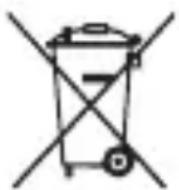
Disposal of waste batteries/accumulators
1 This symbol may be combined with chemical symbols for mercury (Hg) cadmium(Cd) or lead(Pb) if the battery Contains more that 0.0005% of mercury, 0.002% of cadmium or 0.004% of lead.
2 All batteries/accumulators should be disposed separately from the municipal waste stream via designated collection facilities appointed by the government or the local authorities.
3 The correct disposal of Your old batteries/accumulators will help to prevent potential negative consequences for the environment, animal and human health.
4 For more detailed information about disposal of Your old batteries/accumulators, please contact Your city office, waste disposal service or the shop where You purchased the product. (http://www/lg.com/global/sustainability/environment/take-back-recycling/global-network-europe)
6. Conditions
- The warranty is valid only if the original receipt issued to the original purchaser by the dealer, specifying the date of purchase and serial number, is presented with the product to be repaired or replaced. LG Electronics reserves the right to refuse warranty service if this information has been removed or changed after the original purchase of the product from the dealer.
- If LG Electronics repairs or replaces the product, the repaired or replaced product shall be warranted for the remaining time of the original warranty period or for ninety (90) days from the date of repair, whichever is longer. Repair or replacement may involve the use of functionally equivalent reconditioned units. Replaced parts or components will become the property of LG Electronics.
- This Warranty does not cover any failure of the product due to normal wear and tear, or due to misuse, including but not limited to use in other than the normal and customary manner, in accordance with instructions for use and maintenance of the product. Nor does this warranty cover any failure of the product due to accident, modification or adjustment, acts of God or damage resulting from liquid.
- This warranty does not cover product failures due to improper repair installations, modifications or service performed by a non-LG Electronics authorized person. Tampering with any of the seals on the product will void the warranty.
Limited Warranty
SUBJECT TO THE CONDITIONS OF THIS LIMITED WARRANTY, LG ELECTRONICS WARRANTY THIS PRODUCT TO BE FREE FROM DEFECTS IN DESIGN, MATERIAL AND WORKMANSHIP AT THE TIME OF ITS ORIGINAL PURCHASE BY A CONSUMER, AND FOR A SUBSEQUENT PERIOD OF ONE (1) YEAR. SHOULD YOUR PRODUCT NEED WARRANTY SERVICE, PLEASE RETURN IT TO THE DEALER FROM WHOM IT WAS PURCHASED OR CONTACT YOUR LOCAL LG ELECTRONICS CONTACT CENTER TO GET FURTHER INFORMATION.
Important Safety Information
Avoiding hearing damage
Permanent hearing loss may occur if you use your Handsfree car kit at a high volume. Set the volume to a safe level. You can adapt over time to a higher volume of sound that may sound normal but can be damaging to your hearing.
If you experience ringing in your ears or muffled speech, stop listening and have your hearing checked. The louder the volume, the less time is required before your hearing could be affected. Hearing experts suggest that to protect your hearing:
- Limit the amount of time you use Headset at high volume.
- Avoid turning up the volume to block out noisy surroundings.
- Turn the volume down if you can't hear people speaking near you.
Please refer to your handset user guide for more information on how to adjust listening levels on your handset.
Using headsets safely
Use of Headset to listen to music while operating a vehicle is not recommended and is illegal in some areas. Be careful and attentive while driving. Stop using this device if you find it disruptive or distracting while operating any type of vehicle or performing any other activity that requires your full attention.
LG Electronics European Shared Service Center B.V.
Krijgsman 1, 1186 DM Amstelveen, The Netherlands
Referenzhandbuch
J 1 J 1 J 1 J 1 J 1 J 1 J 1 J 1 J 1 J 1 J 1 J 1 J 1 J 1 J 1 J 1 J 1 J 1 J 1 J 1 J 1 J 1 J 1 J 1 J 1 J 1 J 1 J 1 J 1 J 1 J 1 J 1 J 1 J 1 J
4
yIbIg 100000000000000000000000000000000000000000000000000000000000000000000000000
(1)
1 All batteries should be disposed separately from the municipal waste stream via designated collection facilities appointed by the government or the local authorities.
2 The correct disposal of your old batteries will help to prevent potential negative consequences for the environment, animal and human health.
3 For more detail information about disposal of your old batteries, please contact your city office, waste disposal service or the shop where you purchased the product.
Also You can contact our LG Support Representative Call center from below Link https://www/lg.com/sa_en/support/contact/telephone
6
e 1
Lg Electronics 5s
1 1 1 1 1 1 1 1 1 1 1 1 1 1 1 1 1 1 1 1 1 1 1 1 1 1 1 1 1 1 1 1 1 1
y 1 y
#
Jn nn nnnn nn nnnnnnnnnnnnnnnnnnnnnnnnnnnnnnnnnnnnnnnnnnnnnnnnnnnnnnnnnnnnnnnnnnnnnnnnnnnnnnnnnnnnnnnnnnnnnnnnnnnnnnnnnnnnnnnnnnnnnnnnnnnnnnnnnnnnnnnnnnnnnnnnnnnnnnnnnnnnnnnnnn nn nn nn nn nn nn nn nn nn nn nn nn nn nn nn nn nn nn nn nn nn nn nn nn nn nn nn nn nn nn nn nn nn nn nn nn nn nn nn nn nn nn nn nn nn nn nn nn nn nn nn nn nn nn nn nn nn nn nn nn nn nn nn nn nn nn nn nn nn nn nn nn nn nn nn nn nn nn nn nn nn nn nn nn nn nn nn nn nn nn nn nn nn nn nn aanannn annn anan anan anan anan anan anan anan anan anan anan anan anan anan anan anan anan anan anan anan anan anan anan anan anan anan anan anan anan anan anan anan anan anan anan anan anan anan anan anan anan anan anan anan anan anan anan anan anan anan anan an
Lgall LG Electronics
aale aoyw cloggs
e
sLg. g. g s s s s s s s s s s s s s s s s s s s s s s s s s s s s s s s s s s s s s s s s s s s s s s s
1 1
.
y bllg 1
i 1
Ji j
a 1 a 1 1 1 1 1 1 1 1 1 1 1 1 1 1 1 1 1 1 1 1 1 1 1 1 1 1 1
- 1
aalall -yraal yaa -gall gaaia
- English
Disposal of your old appliance
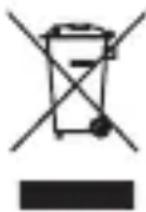
1 This crossed-out wheeled bin symbol indicates that waste electrical and electronic products (WEEE) should be disposed of separately from the municipal waste stream.
2 Old electrical products can contain hazardous substances so correct disposal of your old appliance will help prevent potential negative consequences for the environment and human health. Your old appliance may contain reusable parts that could be used to repair other products, and other valuable materials that can be recycled to conserve limited resources.
3 You can take your appliance either to the shop where you purchased the product, or contact your local government waste office for details of your nearest authorised WEEE collection point. For the most up to date information for your country please see www/lg.com/global/recycling.
- Français
I3XbPnHe Ha cTapn ypei
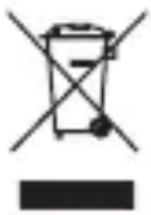
1 CmboBbT cbc 3aepTaHnKoHTeHep Noka3Ba, ye OTnaDbuTe OT eJekTpuecknte n eJektpoHnTe npOdykTu (WEEE) Tp6Ba da ce n3xBpIaT OTdEJIHO OT 6uTOBte OTnAdbU.
2 Ctapnte enektpnueckn npodyktn MOrAT da cbdbpkaT OAnCH NBeIecTbN n npabunHOTOnxBpnaHe Ha Bauny ypeI neomorHe 3a npedotbpaTbaHe Ha HeratNBHTocneDCTBn3a OKoHaTa cpeaN uOBeWkoTo 3dpabe. BauirT cTap ypeM oKe daCbDbpxKa Yactn 3a MHOROKpaTHa ynoTpe6a, KOtTO 6nxMaMOrn Da 6bDaT N3NoJ3BaHn 3apeMOHT Ha Dpyn npodykTN, KaKTo N dpyrN CEHH MaTePnAIn, KOtTO Morat Da 6bDatpeuNKnnpAHn C cen 3ana3BaHe Ha OrpaHnueHrte pecypcn.
3 Moxete Da 3aHeceTe Baunypei nnB MaarAnHa, ot KoTo Cte ro 3aKynn nn Moxete Da Ce CBpKeTe C MeCTHnA DbPkaBeH oΦnc 3a OTnaDbuNTe, 3a Da NoIyUHTe HOpMaun 3a Han-6n3Kn PA3PEUHEW WEEE nyHKT 3a cb6npaHe Ha OTnaDbuN. 3a Han-aKtuaHa HOpMaun O Ta Bawata DbPkaBa, MOn, NorneDHeTc Tyk: www.lg.com/ global/recycling
Croatian
Zbrinjavanje starog uredaja
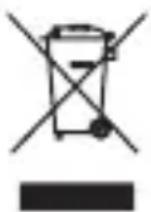
1 Ovaj simbol prekrižene kante za smece na kotacicima označava kako se otpadni elektrčni i elektrčni proizvodi (WEEE) moraju zbrinjavati odvojeno od komunalnog OTPada.
2 Dotrajali elektrichi proizvodi mogu sadržavati opasne tvari stoga ce ispavno zbirnjavanje vaših dotrajalih uredaja pomovi u sprječavanju potencijalnih negativnih posljedica na okolis i ljudsko zdravlje. Vaš dotrajao uredaj moze sadržavati dijelove koji se mogu ponovo iskoristiti za popravak drugih proizvoda te druge vrijedne materijale koji se mogu reciklirati i takao sačuvati ograničene resurse.
3 Ovisno o vsti kvara i starosti uredaja, stari proizvodi mogu se popraviti kako bi im se produzio radni vijek i tako izbjuglo stvaranje otpada. Proizvodi koji nisu prikladni za ponovnu uporabu mogu se reciklirati kako bi se sačuvali vrijedni resursi i tako doprinjelo smanjenu globalne potrošnje novih sirovina.
4 Urešaj možete odnjeti u trgovinu u kooj ste kupili proizvod ili možete kontaktirati ured za zbrinjavanje opada kod vaših mjesnih nadležnih tjela te od njih saznati više informacija o najbiližem ovlašenom WEEE sabirnom centru. Za majnovije informacije iz vaše države molimo pogledajte internetske stranice www/lg.com/ global/recycling
Estonian
Teie vana seadme havitamine
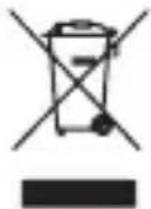
1 Labitommatud ristiga prugikasti sumbol tahendab, et elektriliste ja elektroniliste toodete (WEEE) iaatmeid tuleb olmeprugist eraldi havitada.
- Using LG TONE PLATINUM SETM
- Copyright © 2018 LG Electronics Inc. All Rights Reserved
- Safety Cautions
- CAUTION
- WARNING
- NOTE
- HD Speaker
- Product Components
- Product Description
- Pairing and Connecting
- Connecting Quickly
- Fast Pair
- Connecting Manually (pairing with another phone or re-pairing)
- Multiple Connections
- Automatic Reconnection
- Indicator Lamp
- Mobile Calling Functions
- Playing Music
- Switching Music Players
- The Google Assistant
- Installation and Usage Requirements of the Google Assistant
- Set up the Google Assistant
- Using the Google Assistant
- Battery Charging and Alerts
- Vibration Alert Settings
- Out of Range
- LG Tone & Talk™
- Troubleshooting
- Specifications and Features
- Utilisation du LG TONE PLATINUM SETM
- i 1
- Declaration of Confirmation
- DECLARATION OF CONFORMITY:
- Bluetooth C E
- Additional Information
- Radio frequency exposure
- Bluetooth Connection Precautions
- Potentially explosive atmosphere
- Battery information
- Removal of waste batteries and accumulators (Product with embedded battery ONLY)
- Recycling the battery in your Bluetooth Headset
- Disposal of waste batteries/accumulators
- Conditions
- Limited Warranty
- Important Safety Information
- Avoiding hearing damage
- Using headsets safely
- Referenzhandbuch
- 4
- (1)
- 6
- #
- aale aoyw cloggs
- e
- - English
- Disposal of your old appliance
- - Français
- I3XbPnHe Ha cTapn ypei
- Croatian
- Zbrinjavanje starog uredaja
- Estonian
- Teie vana seadme havitamine
Brand : LG
Model : Tone Platinum SE HBS1120
Category : Wireless Headphones