
IronVision PMP2400 011 - Steam cleaner HOOVER - Free user manual and instructions
Find the device manual for free IronVision PMP2400 011 HOOVER in PDF.
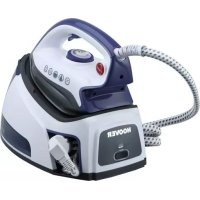


| Product type | Steam station (steam cleaner) |
| Brand | Hoover |
| Model | IronVision PMP2400 011 |
| Power supply | 230 V ~ 50 Hz (estimated) |
| Power | 2400 W (estimated from model) |
| Water tank capacity | Approximately 1.5 L (estimated) |
| Dimensions (approx.) | 30 x 20 x 25 cm |
| Weight (approx.) | 4 kg |
| Main functions | Dry ironing, steam ironing, vertical steam ironing |
| Adjustable temperature | Yes, by slider with multiple levels (•, ••, •••) |
| Vertical steam ironing | Yes, for curtains and hanging garments |
| Safety | Automatic shutdown not mentioned; use on stable surface, do not direct steam at people or animals |
| Maintenance and cleaning | Clean soleplate with non-metallic damp sponge, empty tank after use, replace descaling filter cartridge |
| Spare parts and consumables | Filter cartridge U79 (ref. 35601716) |
| Warranty | Terms according to retailer; provide proof of purchase |
| Standards and certifications | Compliant with EU directives 2014/35/EU, 2014/30/EU, 2011/65/EU; manufacturing certified ISO 9001 |
Frequently Asked Questions - IronVision PMP2400 011 HOOVER
User questions about IronVision PMP2400 011 HOOVER
0 question about this device. Answer the ones you know or ask your own.
Ask a new question about this device
Download the instructions for your Steam cleaner in PDF format for free! Find your manual IronVision PMP2400 011 - HOOVER and take your electronic device back in hand. On this page are published all the documents necessary for the use of your device. IronVision PMP2400 011 by HOOVER.
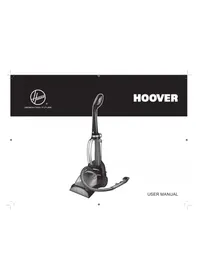
USER MANUAL IronVision PMP2400 011 HOOVER
Summary
USER MANUAL (GB) P 01
MANUEL D'UTILISATION (FR) ......P 10
MANUAL DE INSTRUÇÕES (PT) ......P 46
MANUAL DE INSTRUCCIONES (ES) ......P 55
BRUGERVEJLEDNING (DK) P 64
INSTRUKTIONSMANUAL (SE) P 73
KÄYTTÖOHJE (FI) P 82
NAVODILA ZA UPORABO (SI) ......P 127
KULLANIM KILAVUZU(TR) P 136
Parts Description
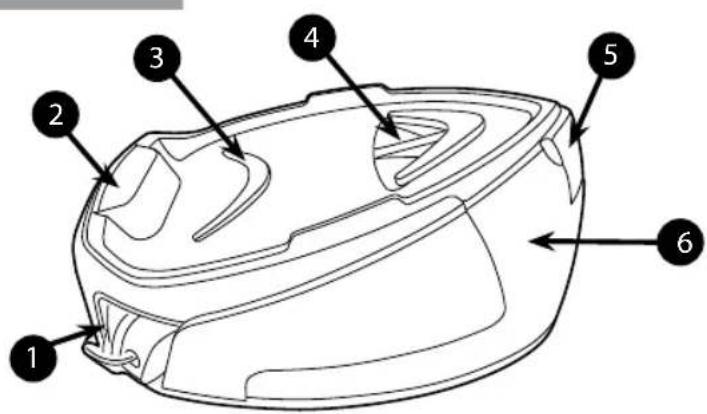
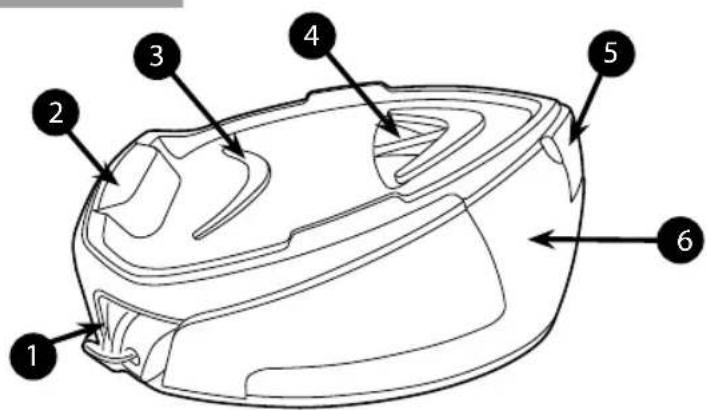
| 1 Cord Storage |
| 2 Iron Tray |
| 3 Silicon Pad |
| 4 Resin Cover |
| 5 Water Tank Cover |
| 6 Water Tank |
Fig. 1: Base and Tank Description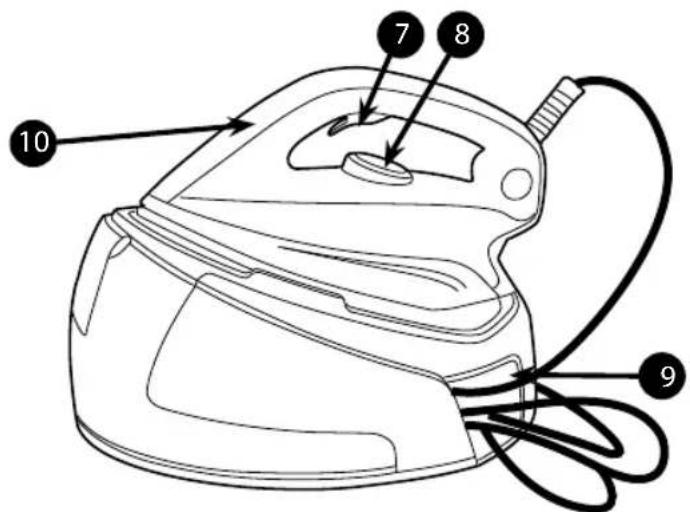
| 7 Steam Trigger |
| 8 Temperature Dial |
| 9 Steam Hose Storage |
| 10 Iron heating Light |
Fig. 2: Domestic Iron Description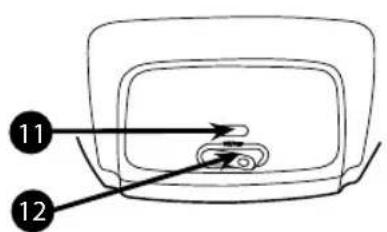
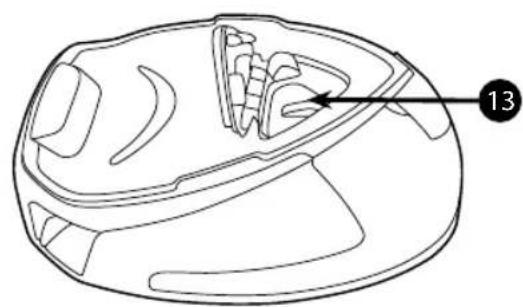
Fig. 3: Domestic Iron Control Panel Fig. 4: Filter Cassette
| 11 Power On Light |
| 12 ON/OFF Switch |
| 13 F | Iter Cassette |
Introduction
Dear customer,
First of all, we would like to congratulate you for purchasing this Hoover ironing system and to thank you for the confidence you have in the Hoover brand.
This appliance has been manufactured with great care, respecting all of our quality criteria and has been tested several times. We hope its use will fulfil your expectations. We are strongly convinced that it will make your ironing much faster and better.
Before using your new Hoover appliance, please read carefully this user's manual. If you need further information or if you encounter any trouble which is not noticed in this manual, please contact the after-sales service or your standard dealer.
Important Safety Instructions
Read this user manual carefully before you first use and save it for future reference.
This appliance can be used by children aged from 8 years and above and persons with reduced physical, sensory or mental capabilities or lack of experience and knowledge if they have been given supervision or instruction concerning use of the appliance in a safe way and understand the hazards involved.
Children shall not play with the appliance. Cleaning and user maintenance shall not be made by children without supervision.
- This product has been designed for domestic use only. In case of any commercial use, inappropriate use or failure to comply with the instructions, the manufacturer is not responsible and the guarantee will not apply.
- Before connecting your appliance, check if the main voltage is the same as the voltage indicated on your appliance and that the power outlet is connected to the earth.
- Ensure before each use that the electric cord or any
Important Safety Instructions
other important part is not damaged.
- Keep the iron and its cord out of reach of children less than 8 years of age when it is energized or cooling down.
- Never direct the steam towards persons or animals. Never direct the steam jet towards any other electrical and/or electronic appliances.
- The iron is not to be used if it has been dropped, if there are visible signs of damage or if it is leaking.
- If the appliance shows evidence of breakdown, malfunction, or leakages, please make sure it is checked by an authorized Service Centre to avoid any danger.
- Always make sure the appliance is switched off, unplugged, and cooled down before doing any maintenance work.
- The iron must not be left unattended while it is connected to the supply mains and before it has cooled down.
- Do not unplug the appliance by pulling on the cord or on the appliance.
- Never immerse the iron, the stand, the cable, or the plugs in water. Never hold them under the water tap.
- The soleplate of the iron can become extremely hot and may cause burns if touched. Never touch the electric cords with the soleplate.
- If the supply cord is damaged, it must be replaced by the manufacturer, service agent, or similarly qualified persons in order to avoid a hazard.
- When placing the iron on its stand, ensure that the
Important Safety Instructions
surface on which the stand is placed is stable.
- The plug must be removed from the socket-outlet before the water reservoir is filled with water.
- The surfaces with are liable to get hot during use.
- To have an electronic copy of the instruction manual, contact the after-sales service in the guarantee card.
- The iron must be used and rested on a stable surface.
Chapter 1: Preparation for Use
Due to the powerful output of steam, Hoover recommends the use of an active ironing board with blowing and vacuuming function which allows escape of any excess steam.
Place the ironing system on a stable and level surface, for example on the hard part of an ironing board or on a heat-resistant surface.
Chapter 1.1: What Kind of Water May be Used?
The Hoover ironing system has been designed to be used with tap water only.
There is no need to use distilled or pure distilled water.
Nevertheless, in case you live in a hard water area, you can mix 50% of distilled water with 50% of tap water.
Do not use any other kind of water or do not add any contents to water tank as it can damage your appliance.
Chapter 1.2: Filling the Water Tank
Switch off the appliance and unplug it.
Open the water tank cover (5) to gain access to the water tank.
Fill it with tap water with the help of a bottle.
Do not exceed the max mark.
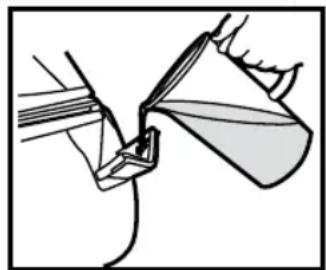
Fig. 5: Water Tank Filling
WARNING: Do not add vinegar, hot water, perfume, or any other kind of chemical agents or any other contents in the water tank. It could damage the steam generator and shorten its life use.
Chapter 1.3 - Switching on the Appliance
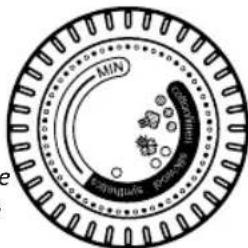
Connect the appliance with the mains cord to the earthed socket. Press the main switch (12), the power light (11) will illuminate red. Turn the temperature dial (8) to your desired setting, the iron heating light (10) will illuminate informing you that the appliance is heating up. This will turn off when the soleplate reaches the selected temperature.
After approximately 1 minute, the iron heating light (10) will go off, then you can start ironing.
N.B.
The first time the appliance is used, some fumes, dust and a smell should appear.
It's quite normal and will quickly disappear.
This is due to a treatment applied to the soleplate that improves the steam performance.
Before use, please use the iron as described in Chapter 2.4 Vertical Steam Ironing.
Chapter 2: Using Your Steam Generator
Chapter 2.1: Regulating the Soleplate Temperature
Select the temperature of the soleplate by turning the dial (8) on the iron to the desired position.
Wait a few moments until the iron heating light (10) is off.
It will indicate to you that the soleplate has reached the requested temperature.
While ironing, the iron heating light (10) may turn on and off, the temperature adjusts without interrupting your ironing.
Help
To know the best suitable temperature for each textile, check the laundry care label of the article to be ironed. Please note that during use, the temperature light goes on from time to time. It signifies that the iron is heating up to the set temperature.
If a fabric is made with various kinds of fibers, always select the soleplate temperature adequate for the most delicate one.
If you select a lower temperature while ironing, wait until the iron has cooled down to the set temperature before you continue ironing.
If the temperature is too low, some drops of water could escape from the soleplate. Please raise the temperature above the 2 dots (●●) to avoid this issue.
Chapter 2.2 - Ironing
Dry Ironing
Select the temperature of the soleplate following the indications of chapter
3.1. Start your ironing without pressing the steam trigger (7), when the soleplate reaches the appropriate temperature.
Steam Ironing
Select the temperature of the soleplate following the indications of chapter
3.1. The steam will be ready to be used after 1 minute and the dedicated
lamp will turn off. Starting from that time you can begin your ironing and press the steam trigger (7) for having steam.
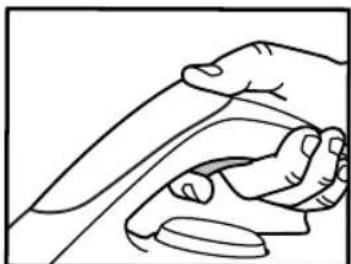
Fig. 6: Pressing Steam Trigger Graphic
N.B.
During use, you should hear some noise coming from your steam generator. This is completely normal. It indicates that a pump is injecting water into the iron's soleplate.
Chapter 2.3 - How to Choose the Correct Soleplate Temperature and Steam?
To achieve the best results, it is very important to set the correct soleplate temperature and steam flow. If used correctly, it will simplify your ironing and provide outstanding results, making ironing easier and faster.
| Textile Soleplate T°C | |
| Jeans ••• | |
| Cotton ••• | |
| Linen ••• | |
| Starched Clothes ••• | |
| Velvet/Alcantara •• | |
| Wool •• | |
| Silk •• | |
| Cashmere •• | |
| Rayon •• | |
| Polyester • | |
| Nylon • | |
| Acrylic • | |
| Lycra • | |
| Polyamid | • |
Help
When steam ironing clothes on which shiny patches may occur, we recommend setting the soleplate temperature to a lower setting or ironing the garment on the reverse side.
Start with fabrics that require a lower temperature (●) and finish with those that require a higher temperature (●●●/Max).
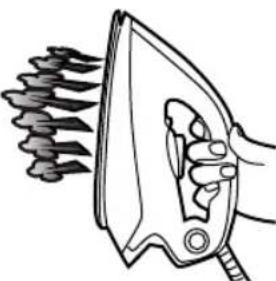
Chapter 2.4 - Vertical Steam Ironing
Set the soleplate temperature (8) to the maximum temperature.
Hang curtains and clothes (jackets, suits, coats). Hold the iron in a vertical position at a short distance from the fabric to avoid burning it. Press the steam trigger (7) to steam iron, moving it from top to bottom.
WARNING: Do not direct the steam jet towards people or animals.
Chapter 2.5 - Refilling the Water Tank During Usage
You can fill the water tank at any time during use.
Open the water tank cover (5) and refill the water tank using a bottle of water, without exceeding the maximum level mark.
Please refer to chapter 1.2 for more detailed instructions.
Chapter 3: Maintenance and Cleaning
All maintenance and cleaning operations must be performed when the appliance is unplugged and has cooled down for at least 2 hours to prevent any risk of burns.
Chapter 3.1 - Cleaning the Appliance
Do not use any detergent or descaling products to clean the soleplate. Regularly clean it with a damp, non-metallic pad.
Empty the water tank after each use before storing it. To empty the water tank, press the trigger to release steam until no steam comes out.
To clean the plastic parts of the stand, use soft cloths.
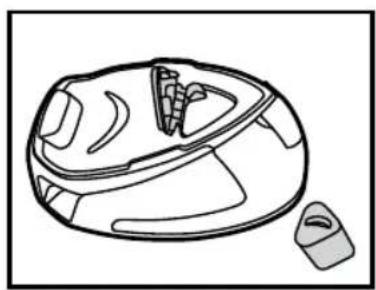
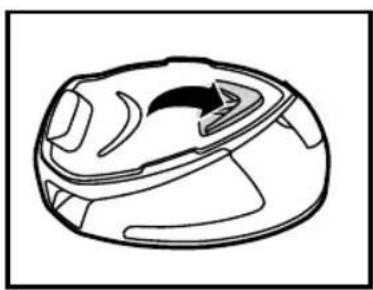
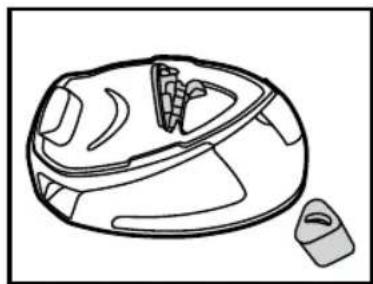
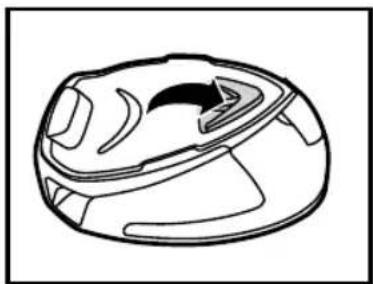
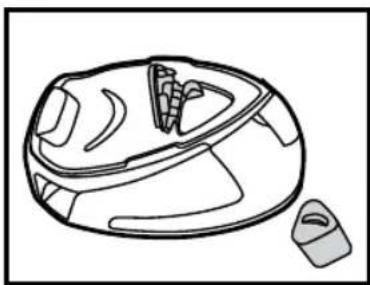
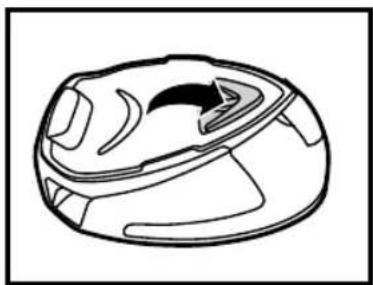
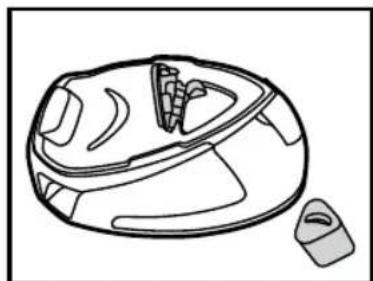
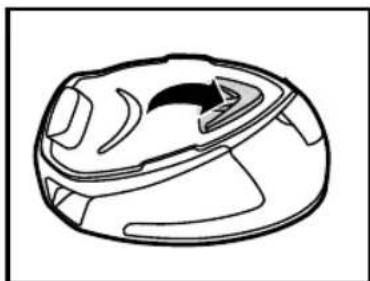
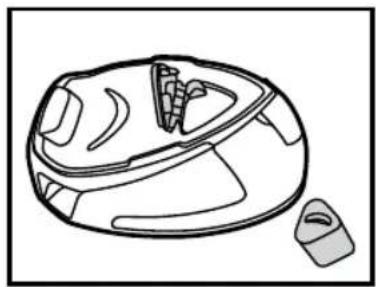
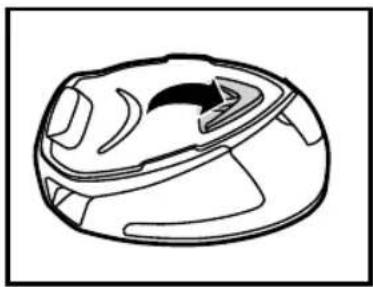
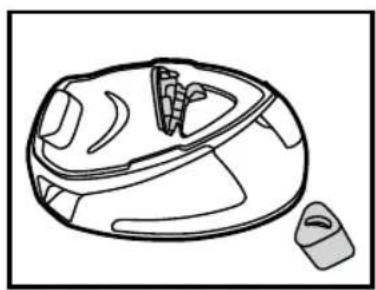
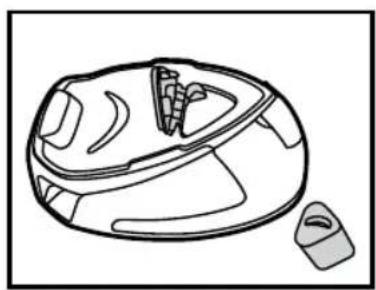
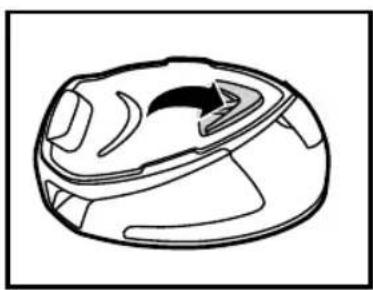
Chapter 3.2 - Filter Cassette Replacement
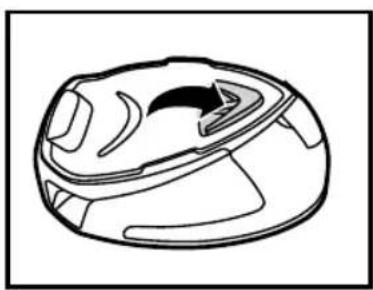
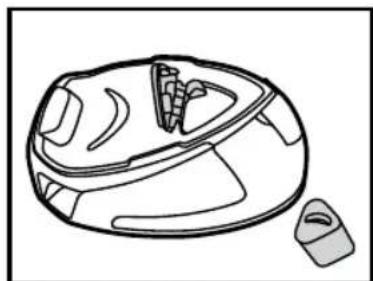
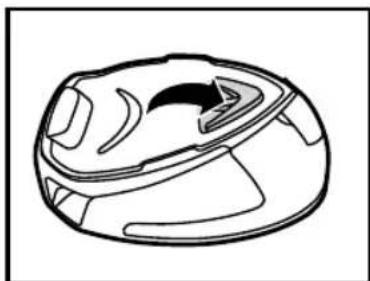
The appliance contains a filter cassette (12) to reduce scale deposits, which considerably prolongs the operational life of your iron.
The filter cassette is a single part under the tray and can be replaced.
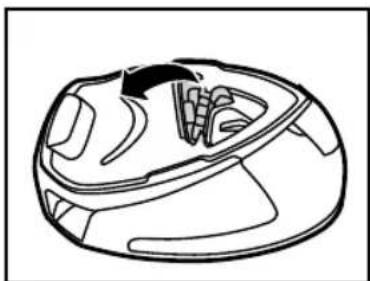
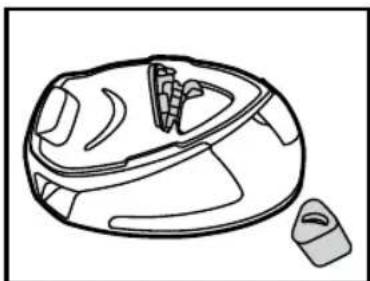
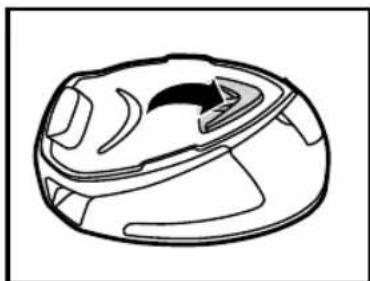
Fig. 7: Filter Cassette Replacement
Chapter 3.3 - Storage
Switch off the appliance and unplug it.
Empty the water tank. To empty the water tank, press the trigger to release steam until no steam comes out.
Place the iron on the heat-resistant iron silicon pad (4). Wait at least 30 minutes for the soleplate and the generator to cool down.
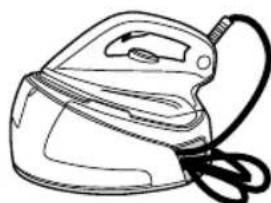
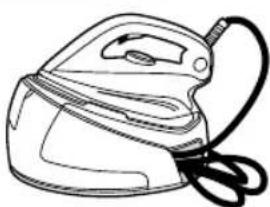
Store the power cord in the cord storage (1), and store the steam hose in the steam hose storage (9).
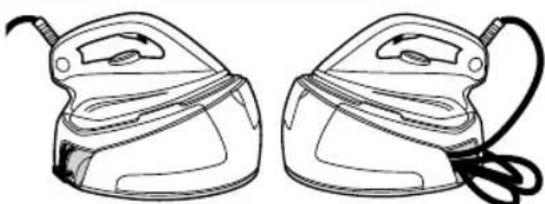
Fig. 8: Cord Storage
Then you can take away your appliance in order to store it safely and easily.
Troubleshooting
These are common problems you may encounter when using your appliance.
If you are unable to solve any issue please contact your local Hoover Service Office.
| Problem Cause | Solution | |
| The appliance does not become hot | There is a connection problem. | Check the mains cord, the plug and the wall socket |
| The appliance is not switched on. | Press on the on/off switch | |
| The soleplate temperature is too low. | Set a higher temperature of the soleplate | |
| The appliance does not produce steam | The appliance is not switched on | Press on the on/off switch |
| The tank may be empty | Refill the water tank | |
| You are not pressing the steam trigger | Press the steam trigger | |
| The soleplates becomes dirty or brown | There should be chemical or additives in the water used for ironing | Never use any chemical or additives in the water. Contact your after sales service if the linen is still dirty |
| The linen is still dirty | Clean the soleplate with a non-metallic sponge | |
| Water stripes appear on the textile | Your ironing board cover is saturated in water | Change the cover or use a mesh ironing board |
Important Information
Hoover spares and Consumables
Always replace parts with genuine Hoover spares. These are available from your local Hoover dealer or direct from Hoover. When ordering spare parts, always check your model number.
Consumable
Filter Cassette U79-35601716
Hoover Service
Should you require service at any time, please contact your local Hoover Service Office. Please see all the contact details below.
Safety
Hoover believes that independent approval is the best way of demonstrating safety in design and manufacture.
All Hoover iron systems have been manufactured in compliance of all safety regulations and approved by the most qualified independent approval certification bodies.
ISO 9001
Hoover's factories have been independently assessed for quality. Our products are made using a quality system which meets the requirements of ISO 9001.
The Environment
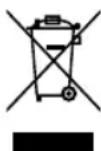
The symbol on this appliance indicates that this appliance may not be treated as household waste. Instead it must be handed over to the applicable collection point for the recycling of electrical and electronic equipment. Disposal must be carried out in accordance with local environmental regulations for waste disposal. For more detailed information about treatment, recovery and recycling of this appliance, please contact your local city office, your household and waste disposal service or the shop where you purchased the appliance.

This appliance complies with the European Directives 2014/35/EU, 2014/30/EU and 2011/65/EU.
CANDY HOOVER GROUP Srl Via Privata Eden Fumagalli, 20861 Brugherio (MB) Italy
Your Guarantee
The guarantee conditions for this appliance are as defined by our representative in the country in which it is sold. Details regarding these conditions can be obtained from the dealer from whom the appliance was purchased. The bill of sale or receipt must be produced when making any claim under the terms of this guarantee.
Subject to change without notice.
Description
Help
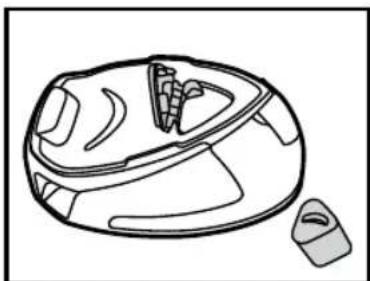
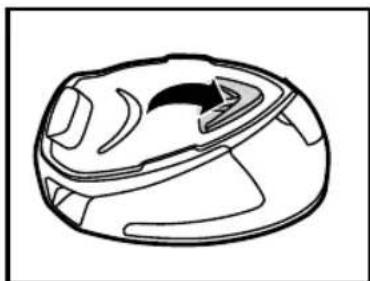
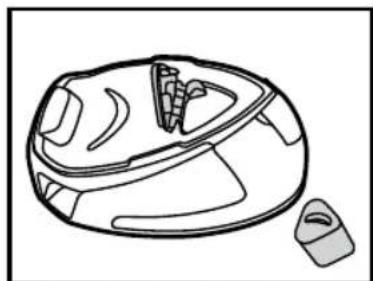
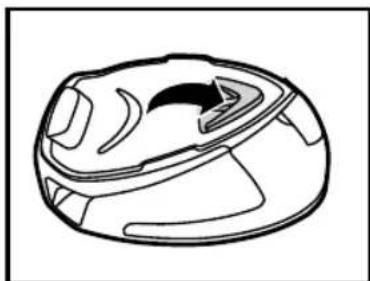
Fig. 4: Filter cassette
Help
Note
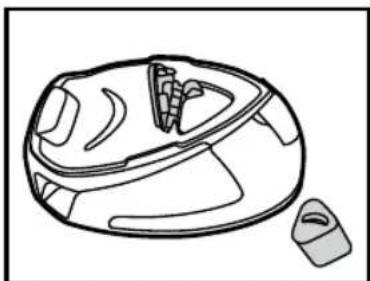
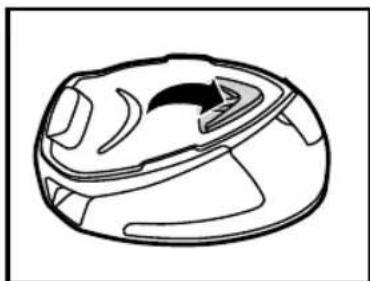
Fig. 8: Cord winder
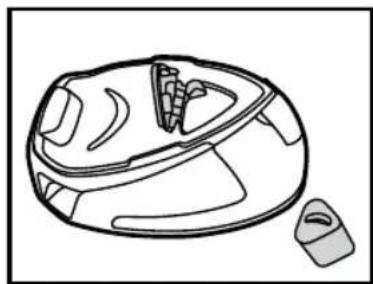
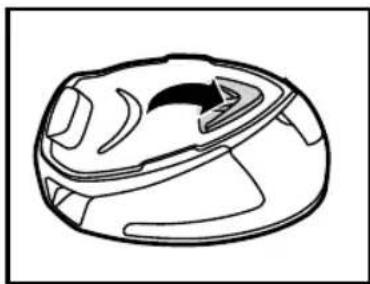
Fig. 7: Filter cassette replacement
Fig. 3: Control panel of the household iron. Fig. 4: Filter cartridge.
Help
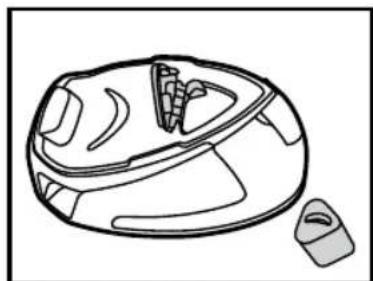
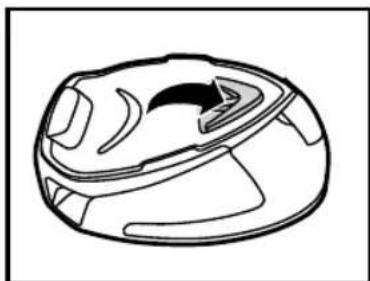
Fig. 4: Filter cartridge.
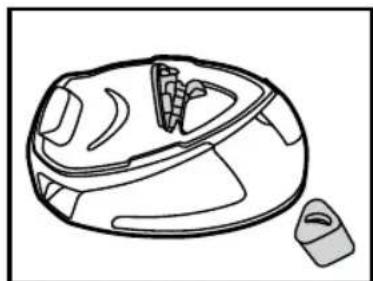
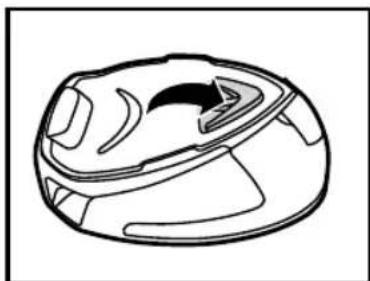
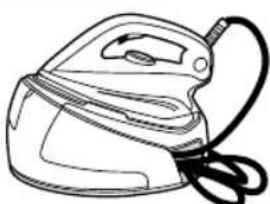
Fig. 3: Control panel for household iron. Fig. 4: Filter cassette.
| 11 Indikatorknappen for aktiv strøm |
| 12 ON/OFF kontakt |
| 13 F | Iterkassette |
Introduction
To the customer,
Fig. 5: How to fill the water tank
Help
Help
Instructions
Help
Useful tip
Help
| 7 Sprožilo za paro |
| 8 Temperaturni gumb |
| 9 Prostor za shranjevanje cevi za paro |
| 10 Lučka za toploto |
Help
Figure 6: Display of activated steam button
Chapter 2.3 - How to choose the right temperature for the soleplate and steam?
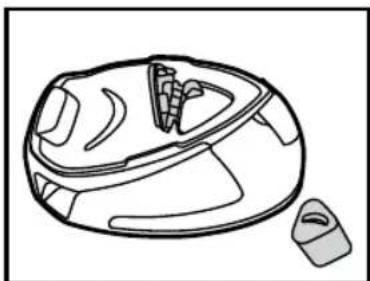
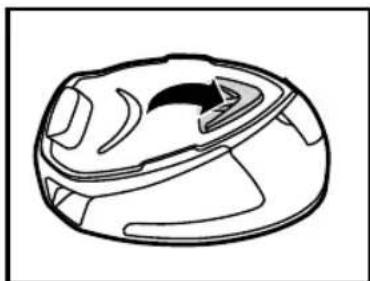
Figure 8: Cable storage compartment


- SUMMARY
- PARTS DESCRIPTION
- INTRODUCTION
- IMPORTANT SAFETY INSTRUCTIONS
- CHAPTER 1: PREPARATION FOR USE
- CHAPTER 1.1: WHAT KIND OF WATER MAY BE USED
- CHAPTER 1.2: FILLING THE WATER TANK
- CHAPTER 1.3 - SWITCHING ON THE APPLIANCE
- N.B
- CHAPTER 2: USING YOUR STEAM GENERATOR
- CHAPTER 2.1: REGULATING THE SOLEPLATE TEMPERATURE
- HELP
- CHAPTER 2.2 - IRONING
- DRY IRONING
- STEAM IRONING
- CHAPTER 2.3 - HOW TO CHOOSE THE CORRECT SOLEPLATE TEMPERATURE AND STEAM
- CHAPTER 2.4 - VERTICAL STEAM IRONING
- CHAPTER 2.5 - REFILLING THE WATER TANK DURING USAGE
- CHAPTER 3: MAINTENANCE AND CLEANING
- CHAPTER 3.1 - CLEANING THE APPLIANCE
- CHAPTER 3.2 - FILTER CASSETTE REPLACEMENT
- CHAPTER 3.3 - STORAGE
- TROUBLESHOOTING
- IMPORTANT INFORMATION
- HOOVER SPARES AND CONSUMABLES
- HOOVER SERVICE
- SAFETY
- ISO
- THE ENVIRONMENT
- YOUR GUARANTEE
- DESCRIPTION
- NOTE
- INSTRUCTIONS
- USEFUL TIP
- CHAPTER 2.3 - HOW TO CHOOSE THE RIGHT TEMPERATURE FOR THE SOLEPLATE AND STEAM
Brand : HOOVER
Model : IronVision PMP2400 011
Category : Steam cleaner