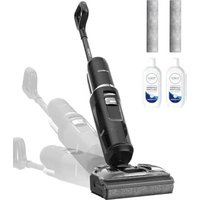
TINECO Floor One S9 Artist Pro - Steam cleaner

Floor One S9 Artist Pro - Steam cleaner TINECO - Free user manual and instructions

Find the device manual for free Floor One S9 Artist Pro TINECO in PDF.

English EN Download 💬 AI Question 10 questions ⚙️ Specs
📄

Document temporarily unavailable

The manual is currently being transferred to our new server. It will be accessible again in a few hours. Thank you for your patience.

View the manual : Français FR English EN Español ES
Pick your language and provide your email: we'll send you a specifically translated version.
Product Type Cordless Steam Cleaner
Brand Tineco
Model Floor One S9 Artist Pro
Battery Voltage 25.2 V Li-ion
Battery Capacity 2500 mAh
Power Consumption 230 W
Runtime Approximately 75 minutes
Charging Time Less than 3.5 hours
Water Flow Rate 20 - 100 ml/min
Clean Water Tank Capacity Approximately 1 L
Dirty Water Tank Capacity Approximately 0.75 L (flat: 0.6 L)
Waterproof Rating IPX4
Cleaning Modes AUTO, MAX, SUCTION, AUTO flat, MAX flat, SUCTION flat
Dirt Sensor iLoop, automatic detection with light indicator
Connectivity Wi-Fi (2.4 GHz)
Mobile App Tineco (iOS and Android)
Self-Cleaning Roller Yes, via charging station
Filter Type Dry filter (washable)
Brush Roll Material Heat-resistant, bristle
Warranty 2 years
Included Accessories Cleaning solution, cleaning tool, replacement brush roll, replacement dry filter
Charging Station Power Supply 120 V~ 60 Hz (input), output 30 V 2 A
Operating Temperature 4 °C to 40 °C

Frequently Asked Questions - Floor One S9 Artist Pro TINECO

How to charge the device?
Place the device on the plugged-in charging station. Full charging takes less than 3.5 hours. Make sure the ambient temperature is between 4 °C and 40 °C. For long periods of non-use, recharge every 3 months.
What cleaning modes are available?
The device offers six modes: AUTO, MAX, and SUCTION, each available in normal or flat position. AUTO mode automatically adjusts power and water flow thanks to the iLoop sensor. MAX mode provides maximum power for tough stains, and SUCTION mode is used to suck up residual water.
How to clean the brush roll?
You can use the self-cleaning function: place the device on the station, make sure the clean water tank is at least 40% full and the battery is above 25%, then press the self-cleaning button. For manual cleaning, remove the roll by pulling the tab, remove hair and debris, rinse it with water and let it dry completely before reinserting.
What to do if suction is weak?
Check that the dry filter is properly installed and clean. Clean it under running water and let it dry completely. Also make sure the dirty water tank is not full and the brush roll is not obstructed. If the problem persists, consult the troubleshooting guide.
How to use the cleaning solution?
Use only Tineco cleaning solution. Add one capful (about 15 ml) to the clean water tank before filling with tap water (temperature below 60 °C). Do not exceed the recommended amount to avoid damaging the device.
How to empty the dirty water tank?
When the dirty water reaches the Max line, the device stops and gives a voice prompt. Pull the blue ring to open the lid, empty the tank, clean debris with the provided tool, rinse the inside and replace it correctly in the device.
How to connect the device to Wi-Fi?
Press and hold the Wi-Fi button (located on the handle) for 3 seconds. The Wi-Fi indicator blinks. Open the Tineco app, follow the instructions to add a device and connect to your home Wi-Fi network (2.4 GHz). The indicator becomes solid once connected.
What is the battery life?
The 2500 mAh Li-ion battery provides a runtime of about 75 minutes under normal conditions. Its lifespan depends on usage and maintenance. It is not user-replaceable. Full charging takes less than 3.5 hours.
How to perform self-cleaning?
After use, place the device on the plugged-in charging station. When the voice prompt 'Please start the self-cleaning cycle' sounds, press the self-cleaning button (A). Make sure the clean water tank is more than 40% full and the battery is above 25%. Once finished, empty and clean the dirty water tank.
What to do if the device does not turn on?
Check that the battery is charged (plug into station). If the device has overheated, let it cool down before restarting. Make sure the handle is correctly inserted until it clicks. If the problem persists, contact Tineco customer service.

User questions about Floor One S9 Artist Pro TINECO

0 question about this device. Answer the ones you know or ask your own.

Ask a new question about this device

The email remains private: it is only used to notify you if someone responds to your question.

No questions yet. Be the first to ask one.

Download the instructions for your Steam cleaner in PDF format for free! Find your manual Floor One S9 Artist Pro - TINECO and take your electronic device back in hand. On this page are published all the documents necessary for the use of your device. Floor One S9 Artist Pro by TINECO.
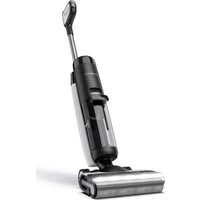
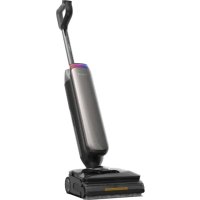
USER MANUAL Floor One S9 Artist Pro TINECO

Manual assistant
Powered by Anthropic
Waiting for your message
Product information

Brand : TINECO

Model : Floor One S9 Artist Pro

Category : Steam cleaner